The importance of HA and automation tools
Frédéric Lepied
Engineering Manager
flepied@redhat.com
Lessons Learned On Upgrades
Senior Software Engineer
emilien@redhat.com
Emilien Macchi
Red Hat Cloud Innovation Practice Engineering
Frédéric Lepied: RCIP Engineering manager
Emilien Macchi: installer team / Puppet PTL
Disclaimer
The examples are taken from former eNovance
products and not Red Hat ones.
OpenStack is a wonderful place,
but upgrades are not easy.
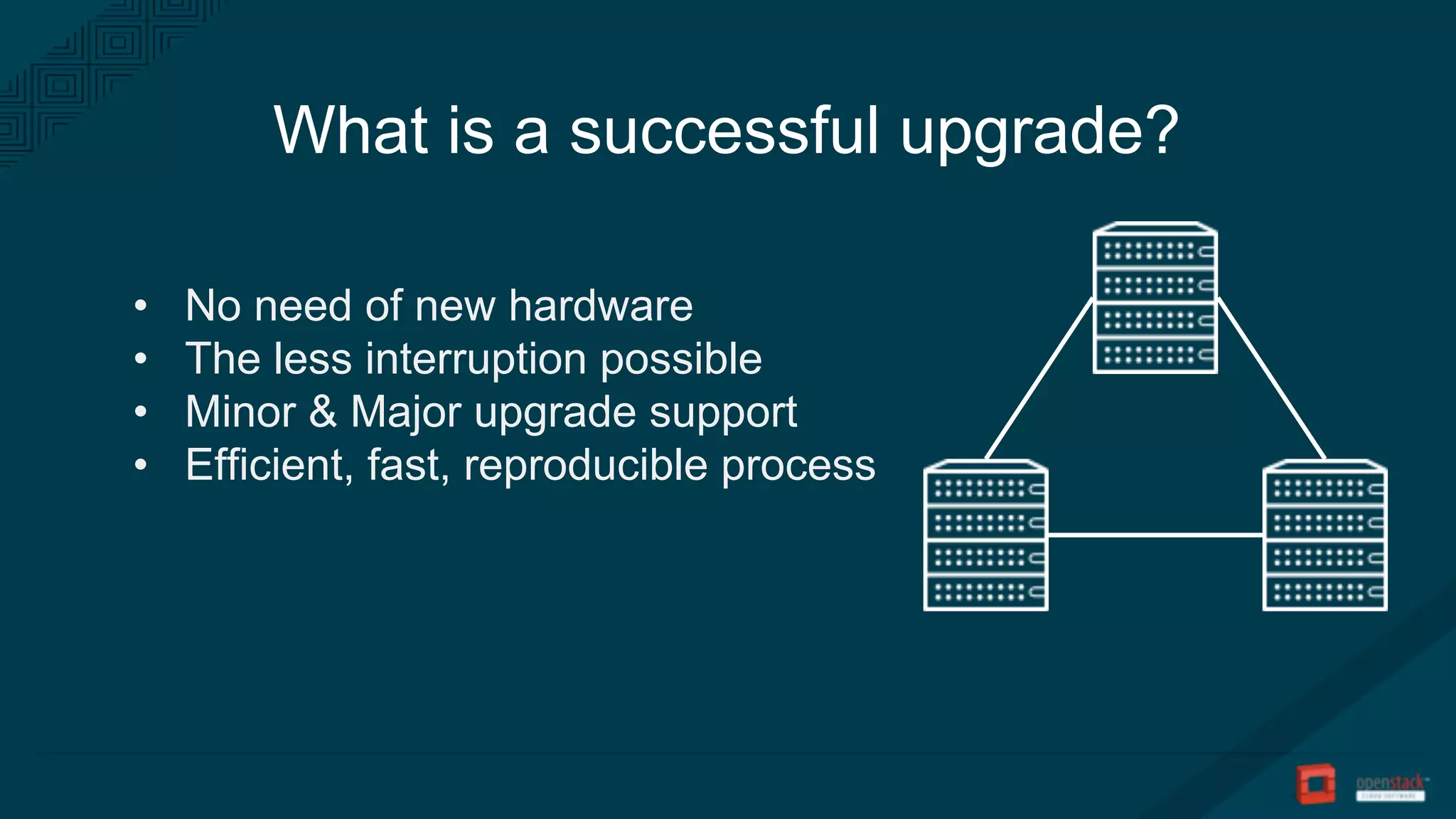
What is a successful upgrade?
• No need of new hardware
• The less interruption possible
• Minor & Major upgrade support
• Efficient, fast, reproducible process
Roadmap
• Redundant architecture
• Enough free capacity
• Image based deployment
• Automation tooling
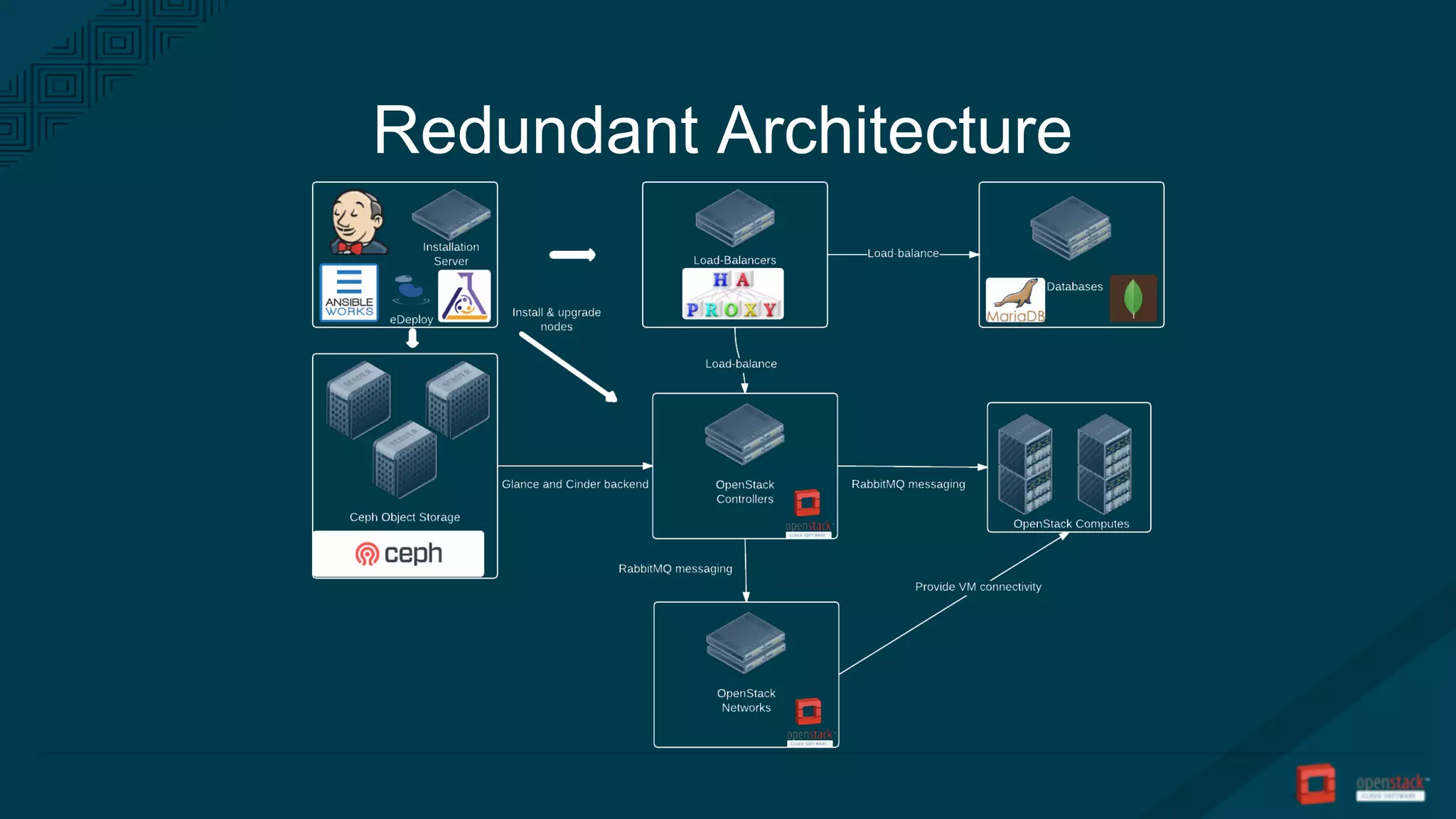
Redundant Architecture
Enough free capacity
• Have enough compute
resources to migrate instances
• Have some spare in case of
failure
Image based workflow (recommended)
• Build your images once
• Install using your images
• Upgrade using your images
Build and archive your images
• Build your image in a CI
• Use packaging tools (yum, apt, …)
• Compression & archive
• Stamp with versioning
• Use Cloud Storage (Swift, Ceph)
Image based deployment
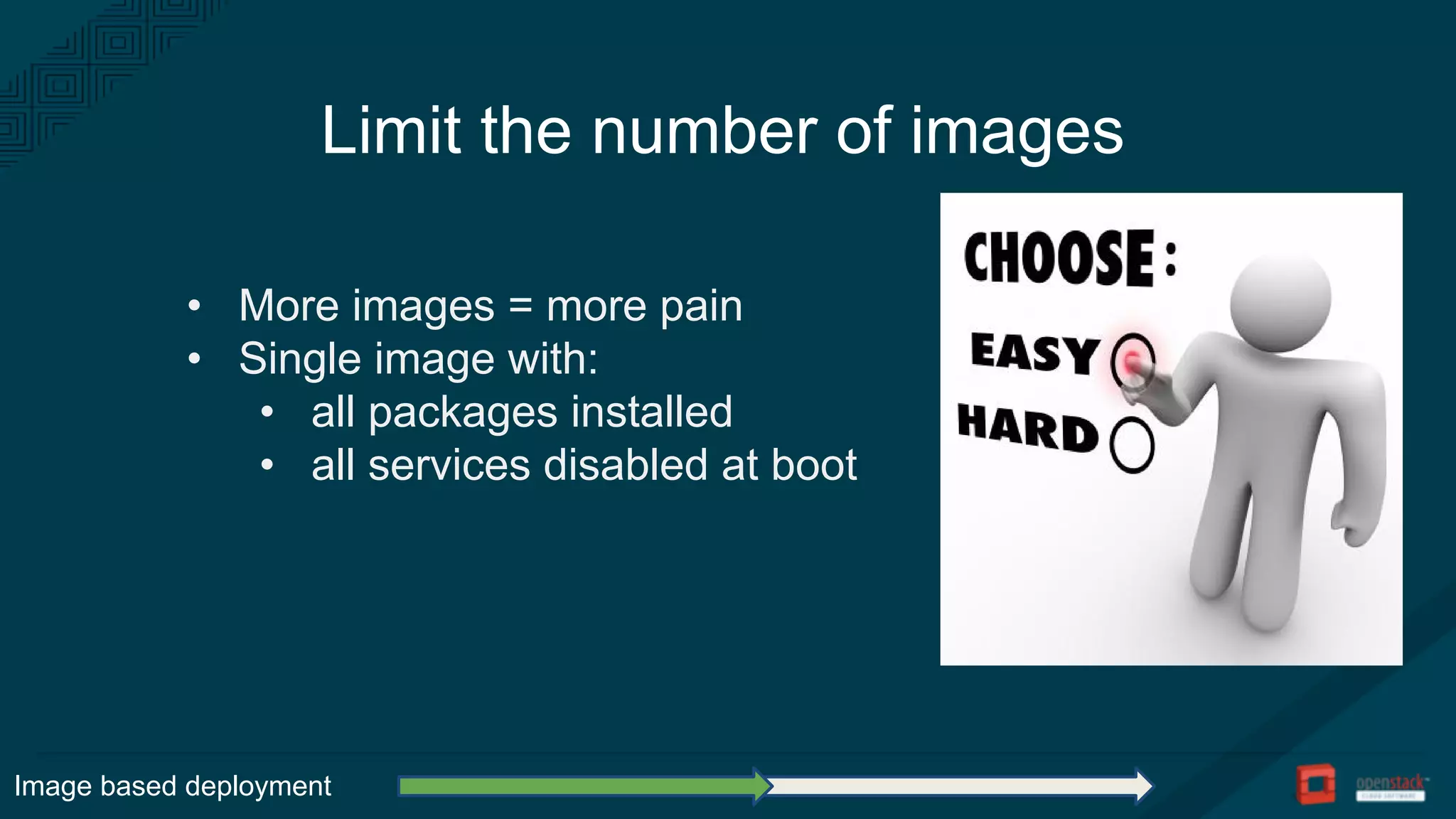
Limit the number of images
• More images = more pain
• Single image with:
• all packages installed
• all services disabled at boot
Image based deployment
Prohibit packaging tools
• Keep systems:
• consistent
• reproducible
• auditable
• Speed-up configuration
management
• Allow to re-enable the tools
Image based deployment
Upgrade your system with a tool
• APT / YUM:
• too slow at scale (~20 min / node)
• need to manage your repositories
• Using eDeploy:
• very fast at scale (~20 s / node)
• allow rollbacks
Image based deployment
Automation tooling
• Control system upgrade
• Configuration management
• Orchestration
• Automate the workflow
Control system upgrade
We need:
• one command to upgrade one system
• no service restarted or reloaded
• possibility to rollback
What we use:
• eDeploy : tool to upgrade images with rsync
Automation tooling
Configuration management
• Puppet, Chef, Ansible, whatever you like
• “The best tool is the one you already use.”
• But:
• … you need to update your config
• … do not manage packages
Automation tooling
Orchestrator
• Puppet and Chef are good for configuration
• But you need to orchestrate multiple systems:
• restart services in the right order
• upgrade the system at the right time
Automation tooling
Upgrade workflow
Automation tooling
• Pre-upgrade actions
• Resources evacuation
• Stop OpenStack services
• Stop Infra / system services
• Upgrade packages
• Start Infra / system services
• Start OpenStack services
• Post-upgrade actions
Example: upgrade a compute node
• evacuate virtual machines
• disable nova compute service
• system upgrade
• update config
• service libvirtd restart
• service openstack-nova-compute restart
• enable nova-compute service
• test the service
Automation tooling
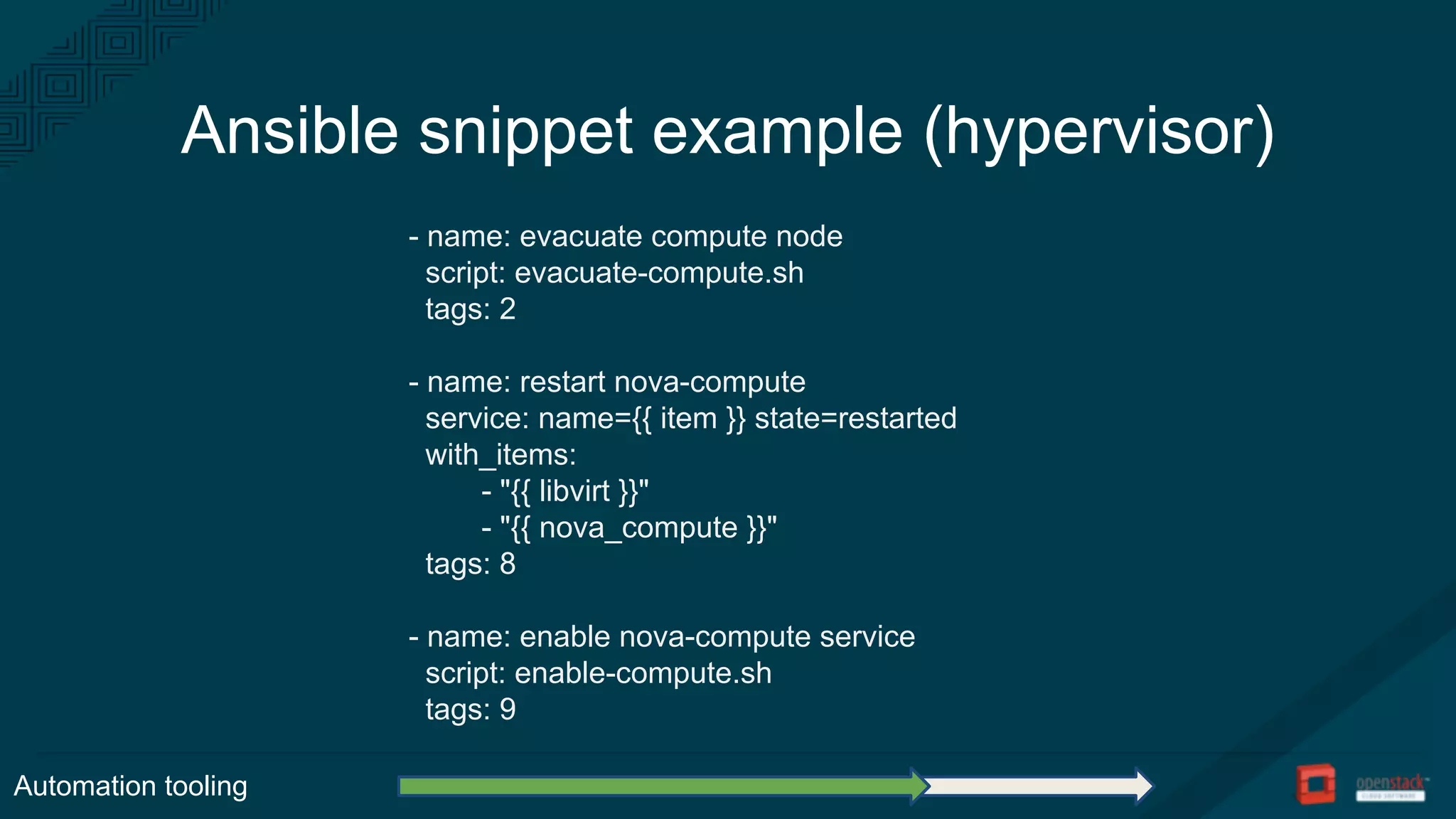
Ansible snippet example (hypervisor)
- name: evacuate compute node
script: evacuate-compute.sh
tags: 2
- name: restart nova-compute
service: name={{ item }} state=restarted
with_items:
- "{{ libvirt }}"
- "{{ nova_compute }}"
tags: 8
- name: enable nova-compute service
script: enable-compute.sh
tags: 9
Automation tooling
Automate the workflow
Automation tooling
• Upgrades are repetitive
• Prepare an upgrade without effort
• Prepare Ansible Playbooks with
snippets
• Compose Playbooks by computing:
• what is upgraded in the image
• which service is running on a node
Ansible best practices
• Use tags in snippets to define ordering
• Run HA nodes in serial
• Run compute nodes in parallel
• Use a script for hypervisor evacuation
• Allow to continue to roll playbooks after a
failure
• a snippet for each service to upgrade
Automation tooling
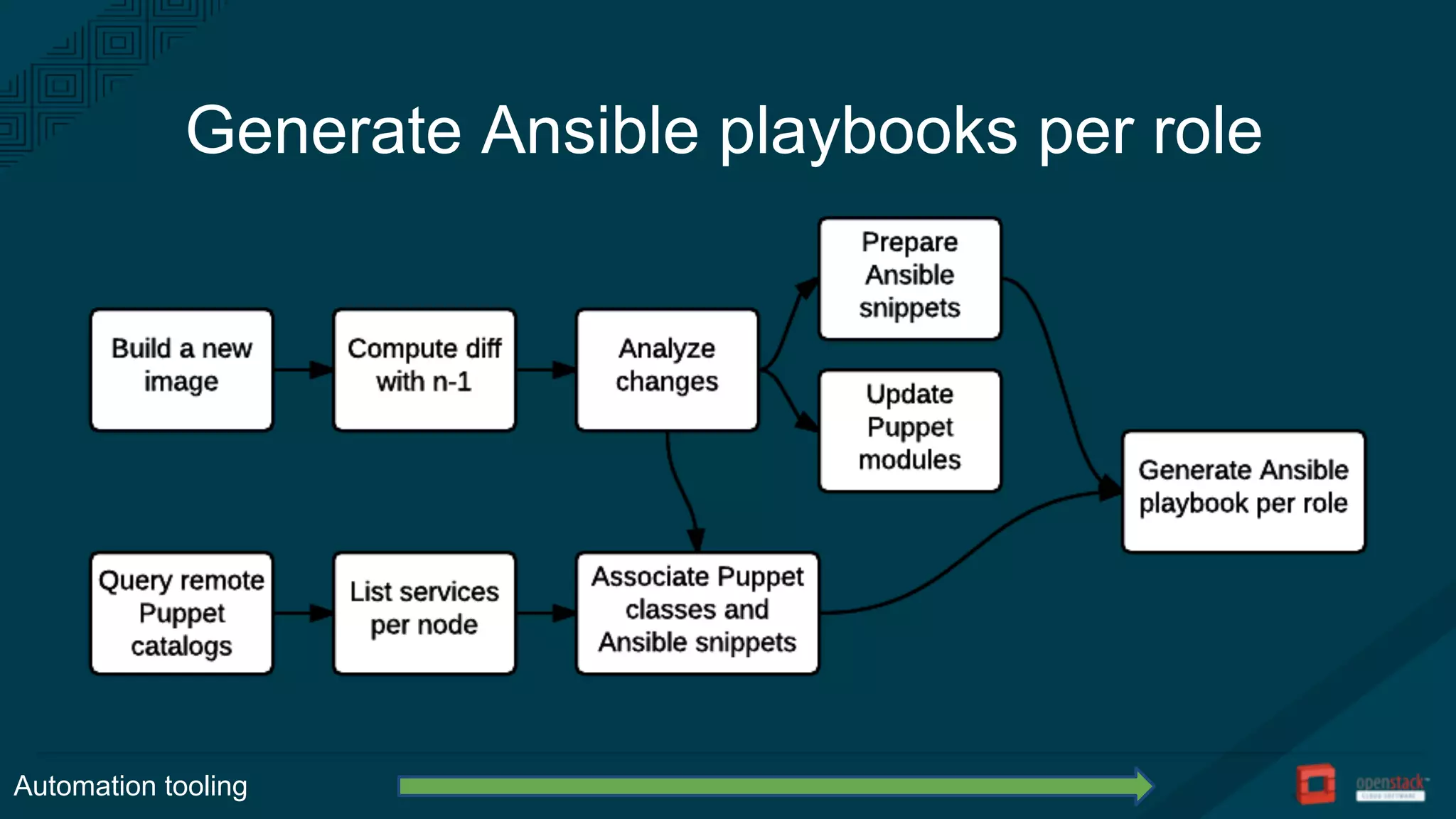
Generate Ansible playbooks per role
Automation tooling
• Your OpenStack needs HA
• Make sure you have free capacity
• Image based upgrade is a good option
• Orchestration and Configuration Management are key
Conclusion
Thank you!
http://tinyurl.com/ansible-snippets
@EmilienMacchi
@flepied

OpenStack Summit Vancouver: Lessons learned on upgrades

  • 1.
    The importance ofHA and automation tools Frédéric Lepied Engineering Manager flepied@redhat.com Lessons Learned On Upgrades Senior Software Engineer emilien@redhat.com Emilien Macchi
  • 2.
    Red Hat CloudInnovation Practice Engineering Frédéric Lepied: RCIP Engineering manager Emilien Macchi: installer team / Puppet PTL
  • 3.
    Disclaimer The examples aretaken from former eNovance products and not Red Hat ones.
  • 4.
    OpenStack is awonderful place, but upgrades are not easy.
  • 5.
    What is asuccessful upgrade? • No need of new hardware • The less interruption possible • Minor & Major upgrade support • Efficient, fast, reproducible process
  • 6.
    Roadmap • Redundant architecture •Enough free capacity • Image based deployment • Automation tooling
  • 7.
  • 8.
    Enough free capacity •Have enough compute resources to migrate instances • Have some spare in case of failure
  • 9.
    Image based workflow(recommended) • Build your images once • Install using your images • Upgrade using your images
  • 10.
    Build and archiveyour images • Build your image in a CI • Use packaging tools (yum, apt, …) • Compression & archive • Stamp with versioning • Use Cloud Storage (Swift, Ceph) Image based deployment
  • 11.
    Limit the numberof images • More images = more pain • Single image with: • all packages installed • all services disabled at boot Image based deployment
  • 12.
    Prohibit packaging tools •Keep systems: • consistent • reproducible • auditable • Speed-up configuration management • Allow to re-enable the tools Image based deployment
  • 13.
    Upgrade your systemwith a tool • APT / YUM: • too slow at scale (~20 min / node) • need to manage your repositories • Using eDeploy: • very fast at scale (~20 s / node) • allow rollbacks Image based deployment
  • 14.
    Automation tooling • Controlsystem upgrade • Configuration management • Orchestration • Automate the workflow
  • 15.
    Control system upgrade Weneed: • one command to upgrade one system • no service restarted or reloaded • possibility to rollback What we use: • eDeploy : tool to upgrade images with rsync Automation tooling
  • 16.
    Configuration management • Puppet,Chef, Ansible, whatever you like • “The best tool is the one you already use.” • But: • … you need to update your config • … do not manage packages Automation tooling
  • 17.
    Orchestrator • Puppet andChef are good for configuration • But you need to orchestrate multiple systems: • restart services in the right order • upgrade the system at the right time Automation tooling
  • 18.
    Upgrade workflow Automation tooling •Pre-upgrade actions • Resources evacuation • Stop OpenStack services • Stop Infra / system services • Upgrade packages • Start Infra / system services • Start OpenStack services • Post-upgrade actions
  • 19.
    Example: upgrade acompute node • evacuate virtual machines • disable nova compute service • system upgrade • update config • service libvirtd restart • service openstack-nova-compute restart • enable nova-compute service • test the service Automation tooling
  • 20.
    Ansible snippet example(hypervisor) - name: evacuate compute node script: evacuate-compute.sh tags: 2 - name: restart nova-compute service: name={{ item }} state=restarted with_items: - "{{ libvirt }}" - "{{ nova_compute }}" tags: 8 - name: enable nova-compute service script: enable-compute.sh tags: 9 Automation tooling
  • 21.
    Automate the workflow Automationtooling • Upgrades are repetitive • Prepare an upgrade without effort • Prepare Ansible Playbooks with snippets • Compose Playbooks by computing: • what is upgraded in the image • which service is running on a node
  • 22.
    Ansible best practices •Use tags in snippets to define ordering • Run HA nodes in serial • Run compute nodes in parallel • Use a script for hypervisor evacuation • Allow to continue to roll playbooks after a failure • a snippet for each service to upgrade Automation tooling
  • 23.
    Generate Ansible playbooksper role Automation tooling
  • 24.
    • Your OpenStackneeds HA • Make sure you have free capacity • Image based upgrade is a good option • Orchestration and Configuration Management are key Conclusion
  • 25.