Open Access:
Prospectors Wanted!
Amos Kujenga
EIFL-FOSS National Coordinator, Zimbabwe
akujenga@gmail.com

Lupane State University, 22-23 October 2013
National University of Lesotho, 22 October 2013
Outline of Presentation
 Definition of Open Access
 Benefits of Open Access
 Examples of Open Access tools
 Organisations Supporting Open Access
 Examples of Open Access-related Open Source
Software
 What librarians can do to promote Open Access

2
The Case for Open Access
 The Crisis in Scholarly Communication is a
major driving force behind the OA movement.
(UNESCO, 2012).
 In 2012 Harvard reported that its annual cost for
journals
from
large
journal
publishers
approached $3.75M (HARVARD, 2012)

3
Open Access Defined

“Open Access (OA) is the provision of free access
to peer-reviewed, scholarly and research
information to all” (UNESCO, 2012).

4
OA Publishing
 The “GOLD” route
 Achieved through OA journals
 The “GREEN” route
 Achieved through repositories
 The “Hybrid” route
 OA articles in non-OA journals

5
OA Publishing
 Through OA, researchers and students worldwide gain increased access to knowledge.
 Publications receive more visibility and
readership, and the potential impact of research
is increased.
 Increased access to, and sharing of knowledge
leads to opportunities for equitable economic
and
social
development,
intercultural
dialogue, and can potentially spark innovation.
(UNESCO, 2012)
6
OA Publishing
“Emerald supports authors' voluntary deposit of their
own work. Once an article has been published by
Emerald, an author may voluntarily post their own
version of the article that was submitted to the
journal (pre-print) or the version of the article that
has been accepted for publication (post-print) onto
their own personal website or into their own
institutional repository with no payment or
embargo period. Authors may also use their own
version of the paper (pre-print or post-print) for their
own teaching purposes.” (EMERALD, 2013)

7
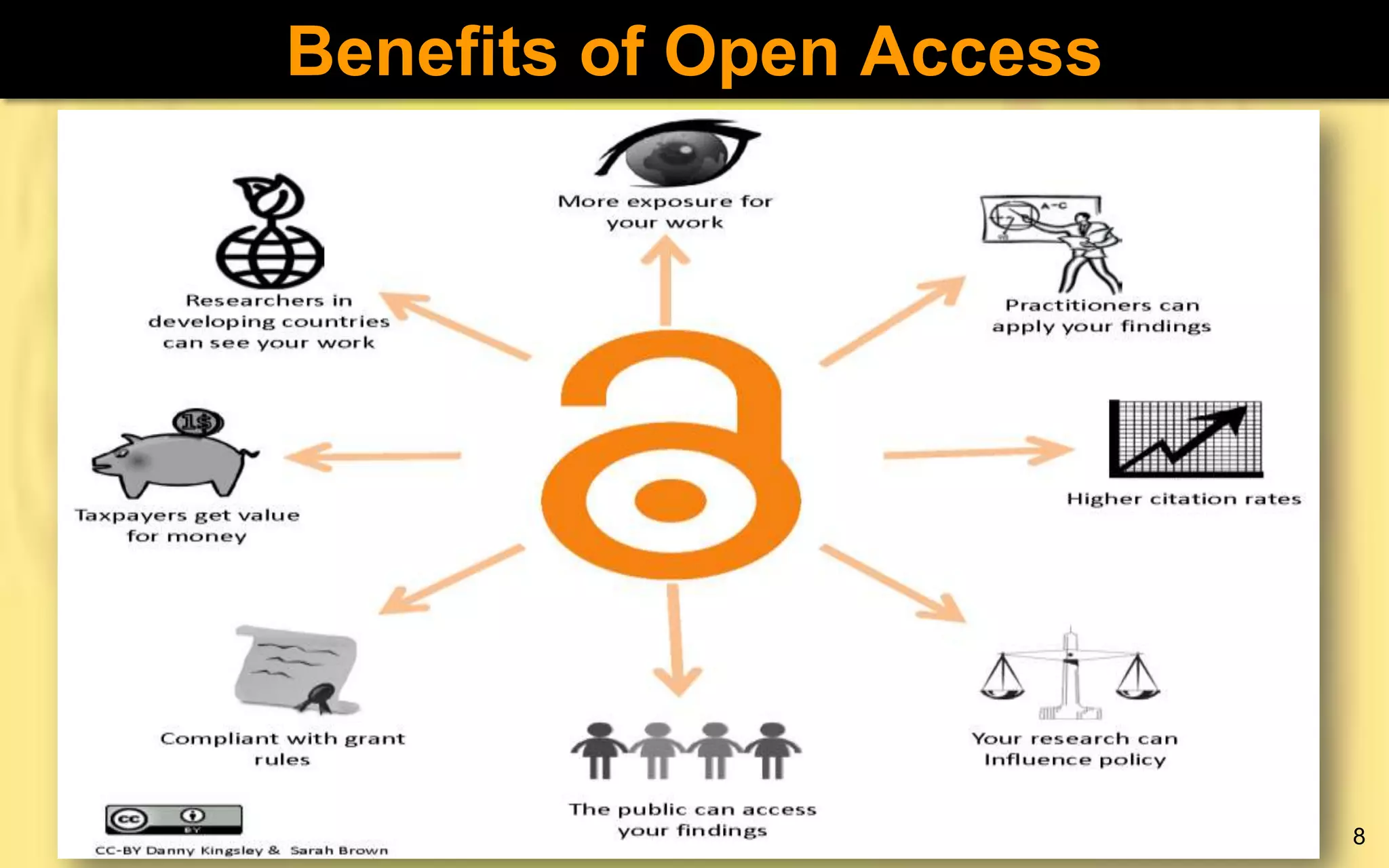
Benefits of Open Access

8
Open Access Tools

9
Open Access Tools
The Directory of Open Access Repositories
 An authoritative world-wide directory of Open
Access repositories with academic materials.
 OpenDOAR allows users to search for and/or
within repositories
 Accessible on http://www.opendoar.org/

10
Open Access Tools
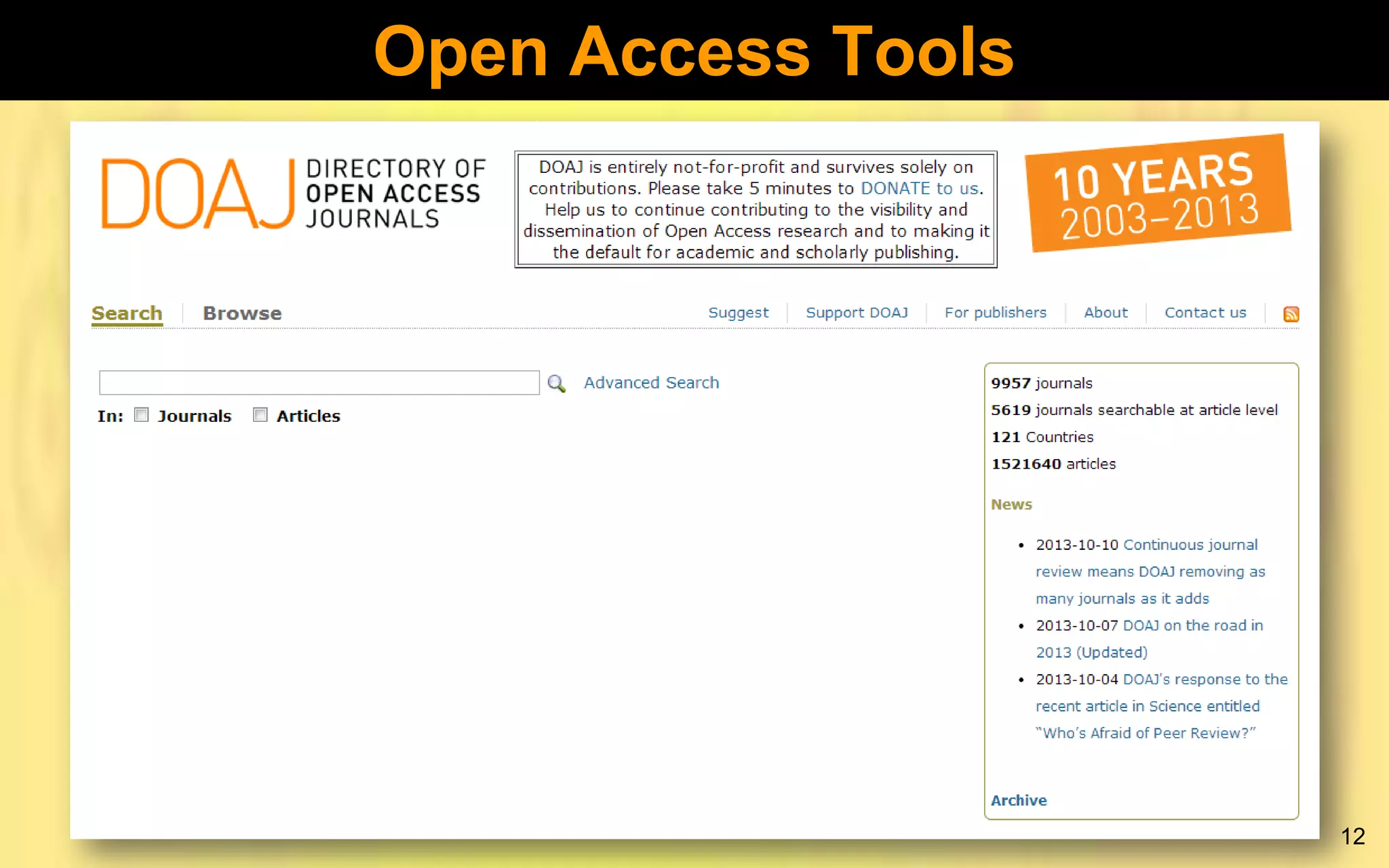
The Directory of Open Access Journals
 Aims to increase the visibility and ease of use of
OA scientific and scholarly journals, thereby
promoting their increased usage and impact.
 It aims to be comprehensive and cover all OA
scientific and scholarly journals that use a quality
control system to guarantee the content.
 Aims to be THE one stop shop for users of OA
journals.
 Accessible on http://www.doaj.org
11
Open Access Tools

12
Open Access Tools
Networked Digital Library of Theses and
Dissertations (NDLTD
 An international organization dedicated to
promoting
the
adoption,
creation,
use,
dissemination, and preservation of ETDs.
 Site has resources for university administrators,
librarians, faculty, students, and the general
public.
 Accessible on http://www.ndltd.org/
13
Open Access Tools
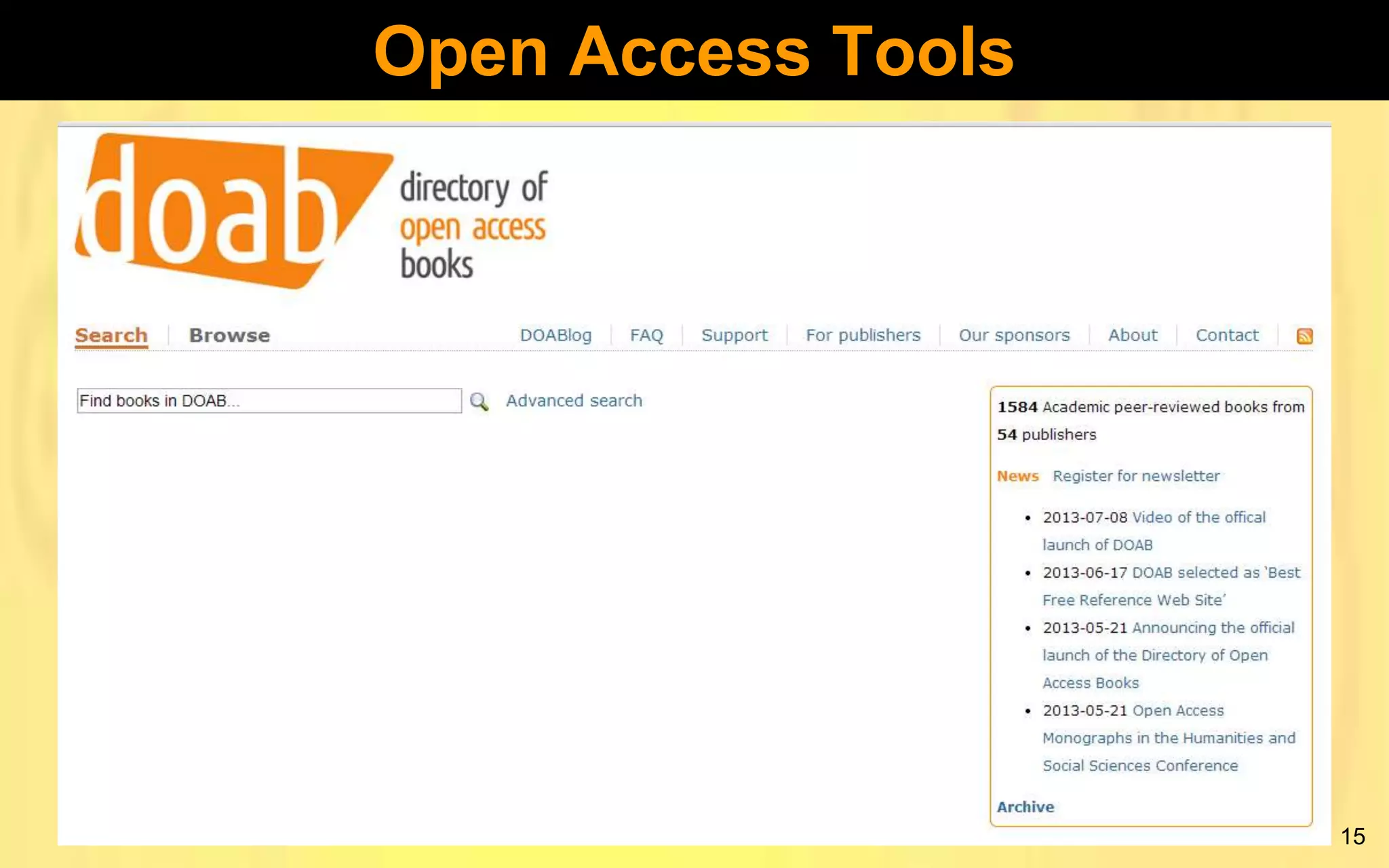
The Directory of Open Access Books
 While most attention has been focused on
scholarly works, OA is applicable in many
contexts such as access to archival collections
and scholarly books.
 Aims to increase the discoverability of Open
Access books.
 Accessible on http://www.doabooks.org/doab
14
Open Access Tools

15
Open Access Tools
UNESCO Global Open Access Portal (GOAP)
 Presents a snapshot of the status of OA to
scientific information around the world by country
 Highlights critical success factors
 Identifies key players, potential barriers and
opportunities.
 Updated through Country Representatives
 Accessible on
http://www.unesco.org/new/en/communicationand-information/portals-and-platforms/goap/
16
Organisations Supporting OA
UNESCO
 OA is at the heart of UNESCO’s goal to provide
universal access to information and knowledge
 Believes that increased access to, and sharing
of knowledge leads to opportunities for equitable
economic and social development, intercultural
dialogue, and has the potential to spark
innovation. (UNESCO, 2012)
 Has a detailed Open Access Policy guidelines
document.
17
Organisations Supporting OA
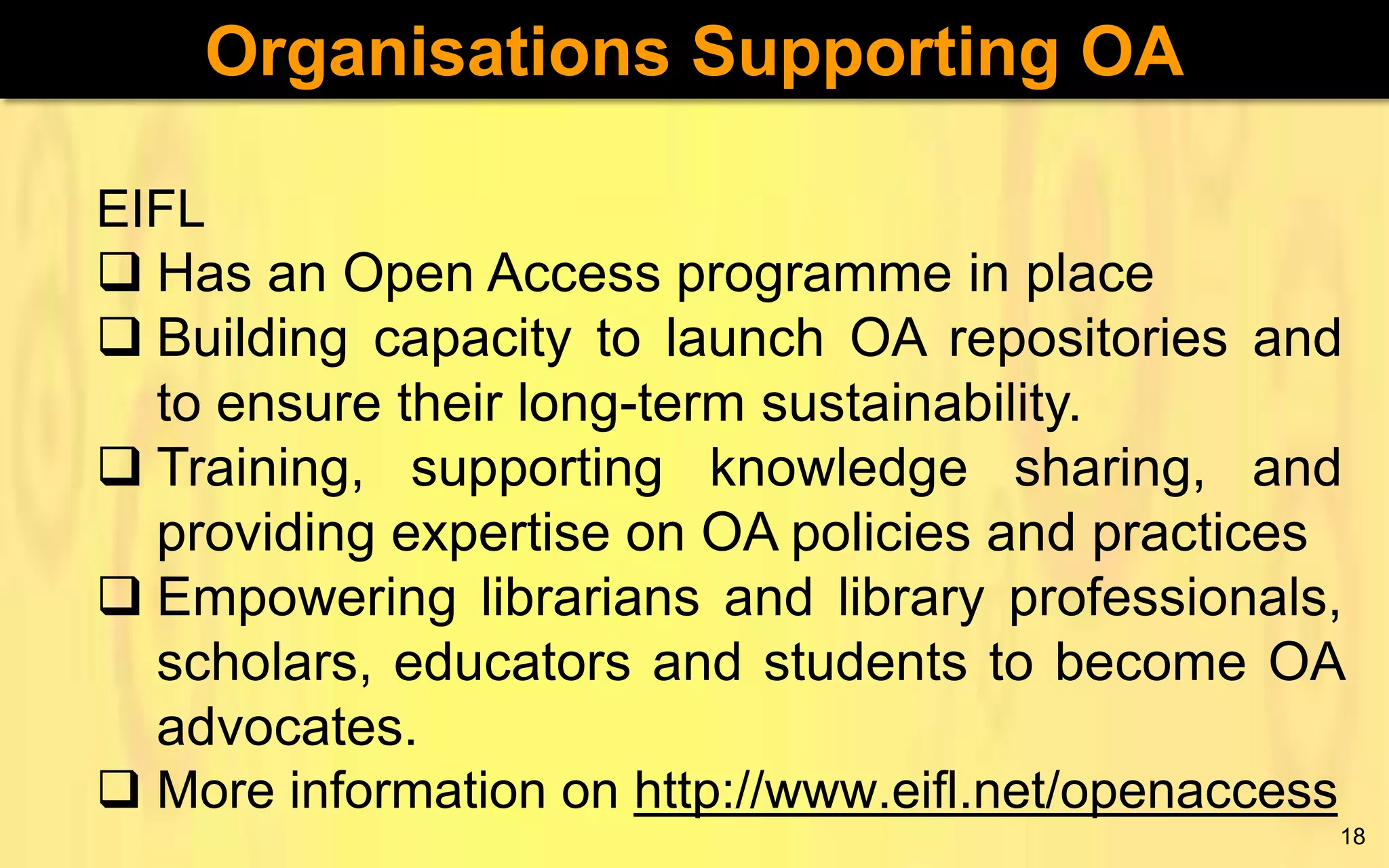
EIFL
 Has an Open Access programme in place
 Building capacity to launch OA repositories and
to ensure their long-term sustainability.
 Training, supporting knowledge sharing, and
providing expertise on OA policies and practices
 Empowering librarians and library professionals,
scholars, educators and students to become OA
advocates.
 More information on http://www.eifl.net/openaccess
18
Organisations Supporting OA
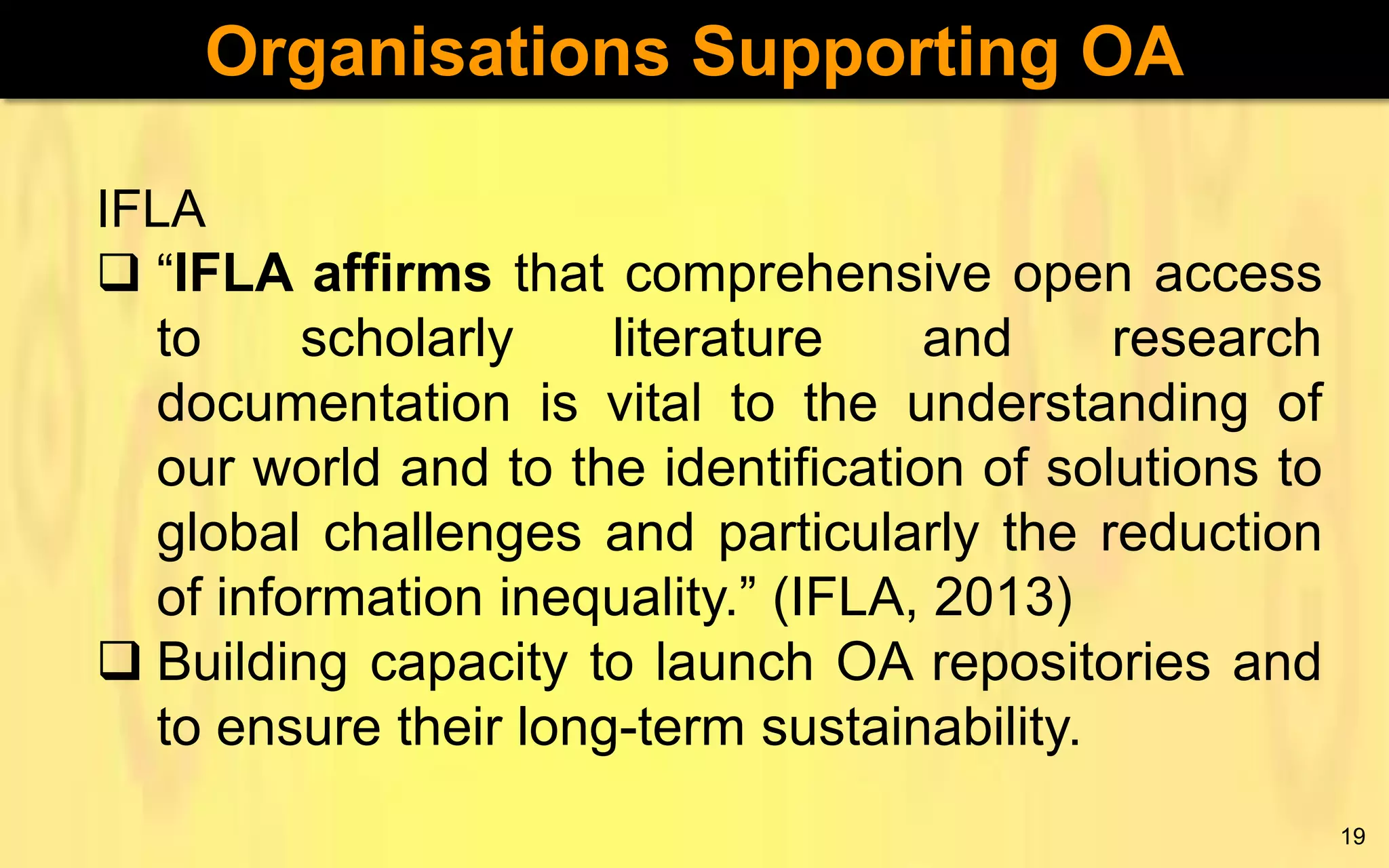
IFLA
 “IFLA affirms that comprehensive open access
to
scholarly
literature
and
research
documentation is vital to the understanding of
our world and to the identification of solutions to
global challenges and particularly the reduction
of information inequality.” (IFLA, 2013)
 Building capacity to launch OA repositories and
to ensure their long-term sustainability.
19
Organisations Supporting OA
INASP
 Extensive information on OA
 Links to OA resources
 Annual OA Week Competitions
 More information on http://inasp.info

20
Organisations Supporting OA
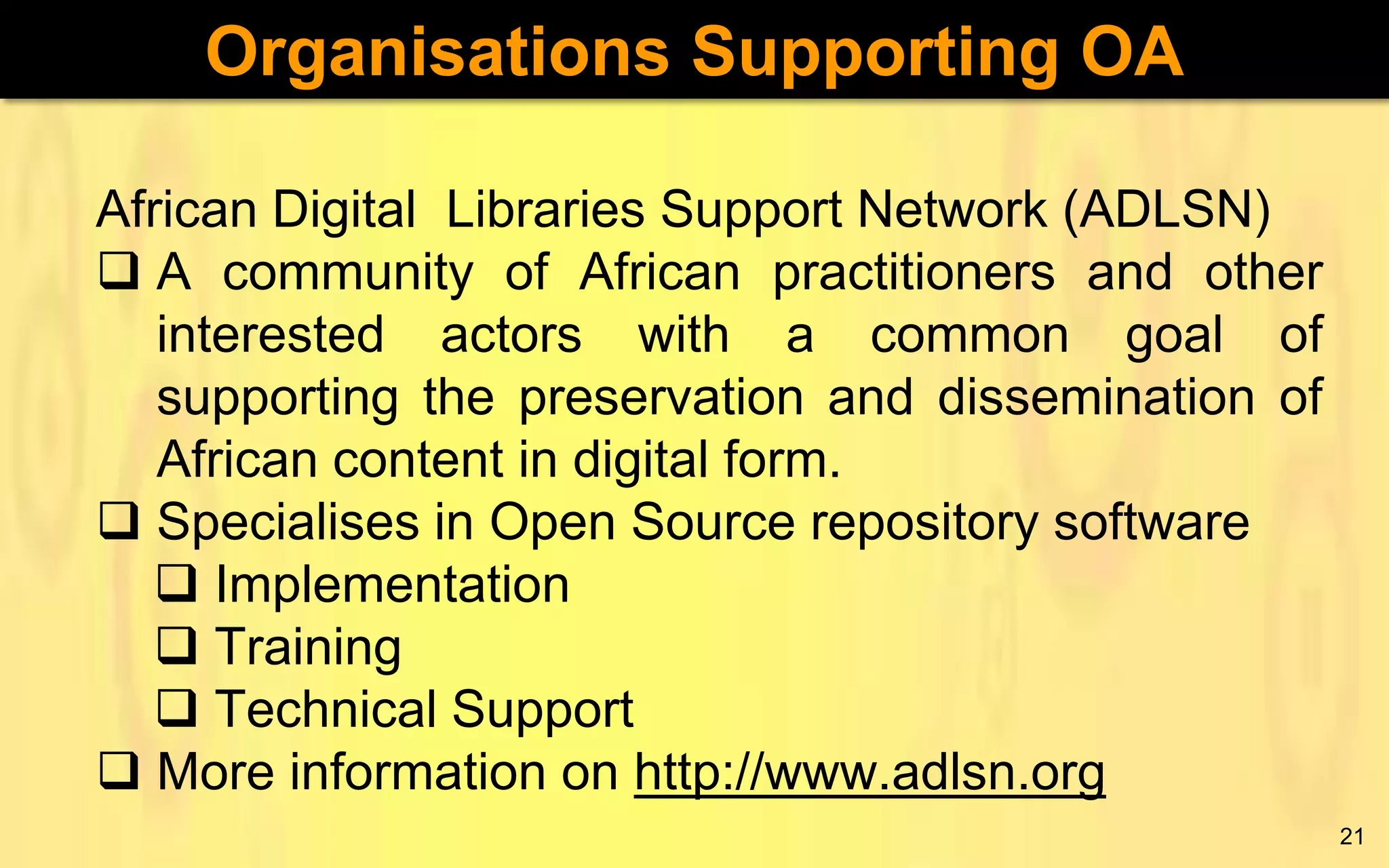
African Digital Libraries Support Network (ADLSN)
 A community of African practitioners and other
interested actors with a common goal of
supporting the preservation and dissemination of
African content in digital form.
 Specialises in Open Source repository software
 Implementation
 Training
 Technical Support
 More information on http://www.adlsn.org
21
Open Source Software (OSS)
 Open Source Software (OSS) is software for
which the source code, i.e., the raw programme
lines as punched in by a programmer in some
programming language, is freely available.
Also, the software can be modified and
redistributed freely according to a specified
license.
 The Open Source Initiative (OSI) definition of
OSS includes 10 conditions that the software
must satisfy. See http://opensource.org/docs/osd
 OSS is as free as “a free puppy”

22
OSS Advantages
 No annual subscriptions
 Software code is open to criticism and so
weaknesses can be identified easily.
 Users have the freedom to change/customise
the software to meet their particular
needs, e.g., languages translations, character
sets.
 No “black boxes” since the code can be viewed
by anyone.
 Empowers locals through technical skills
23
OSS Disadvantages
 Projects can die a natural death as people lose
interest or new technologies come up.
 When things go wrong, there is no one to
blame, i.e., the software comes with no
warranties.
 OSS applications generally require a high level
of technical skills to implement.
 There is much work to be done when upgrading
after customising a system.
24
Open Access & Open Source
“The parallels between this movement - what has
come to be known as “ open access” – and open
source are striking. For both, the ultimate
wellspring is the Internet, and…for both their
practitioners, it is RECOGNITION – not
RECOMPENSE –
that drives them to
participate.” (Eklektix, 2006)

25
Open Access & Open Source
 Those affected by the Crisis in Scholarly
Communication may also be affected by high
costs of proprietary software.
 OA uses Information and Communication
Technology (ICT) to increase and enhance the
dissemination of scholarship (UNESCO, 2012).
This can be achieved through the use of OSS.

26
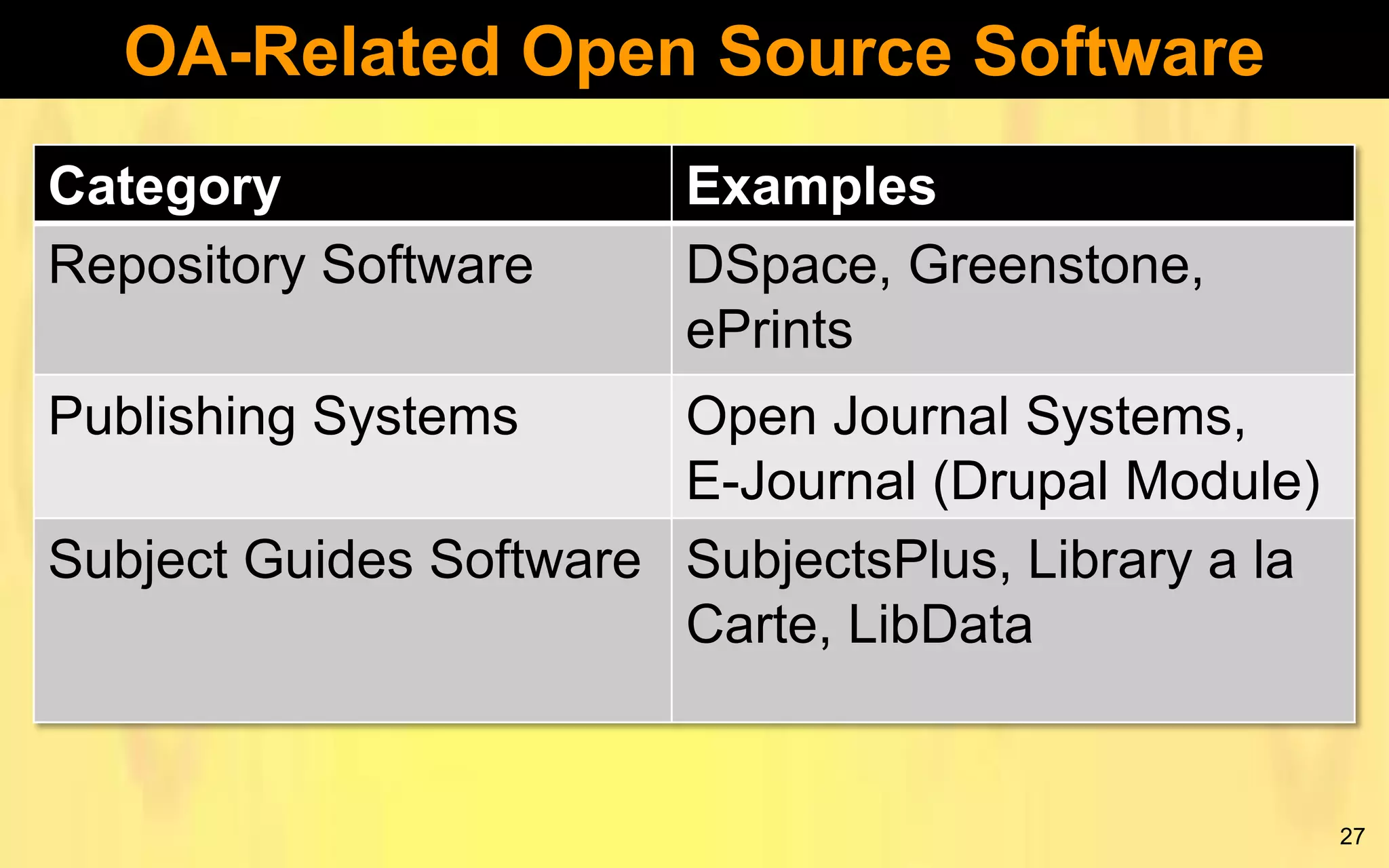
OA-Related Open Source Software
Category
Repository Software

Examples
DSpace, Greenstone,
ePrints

Publishing Systems

Open Journal Systems,
E-Journal (Drupal Module)
Subject Guides Software SubjectsPlus, Library a la
Carte, LibData

27
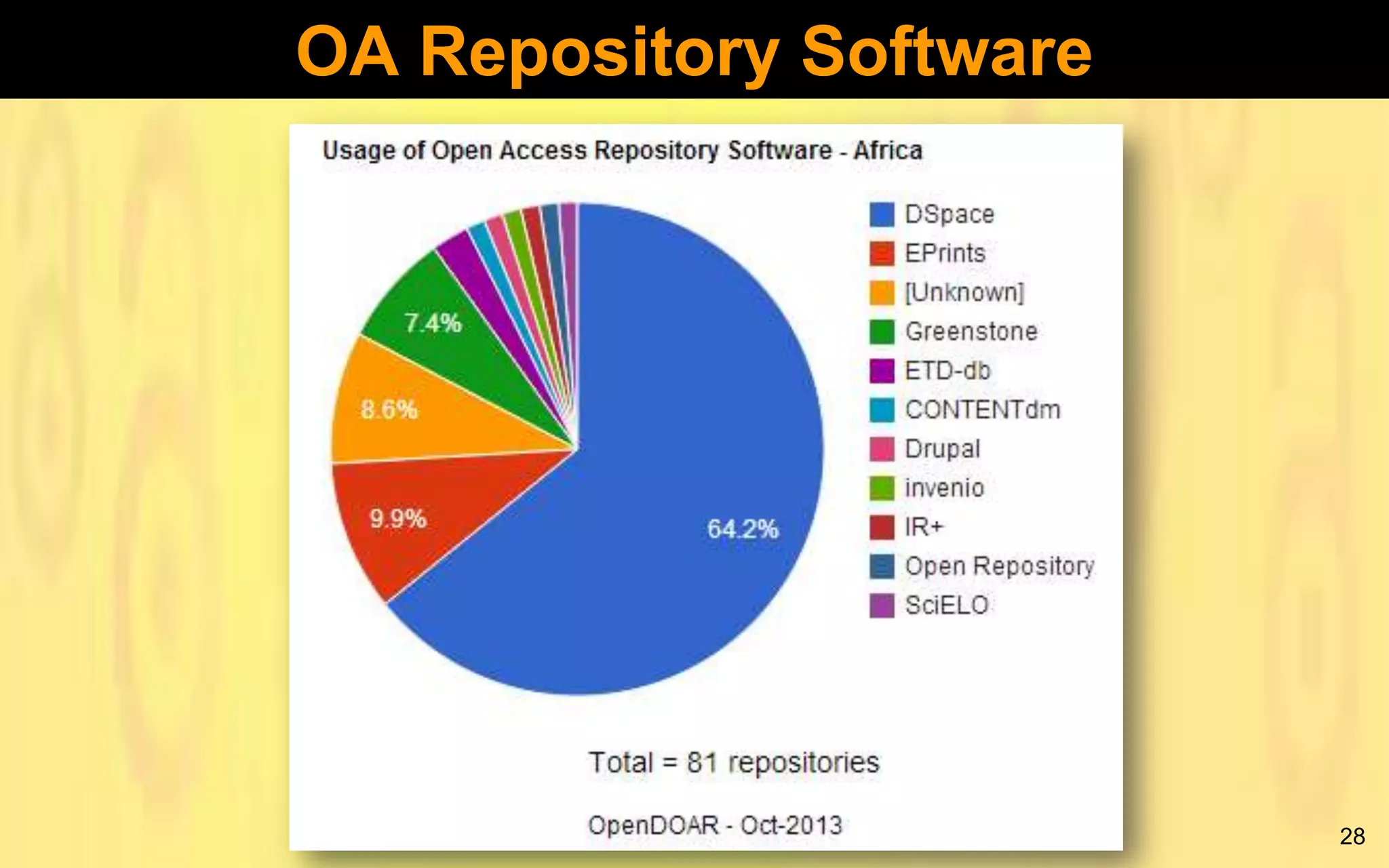
OA Repository Software

28
DSpace
 Used to host the NUST IR (NuSpace)
 Developed by MIT labs and Hewlett Packard
 Content is organised into communities and
collections
 Has rich statistics module
 Accepts all manner of digital formats
 Users can upload content on their own
 Arguably the most popular IR software globally
 Rather difficult to install and configure
 Large community of users worldwide
29
DSpace Example

30
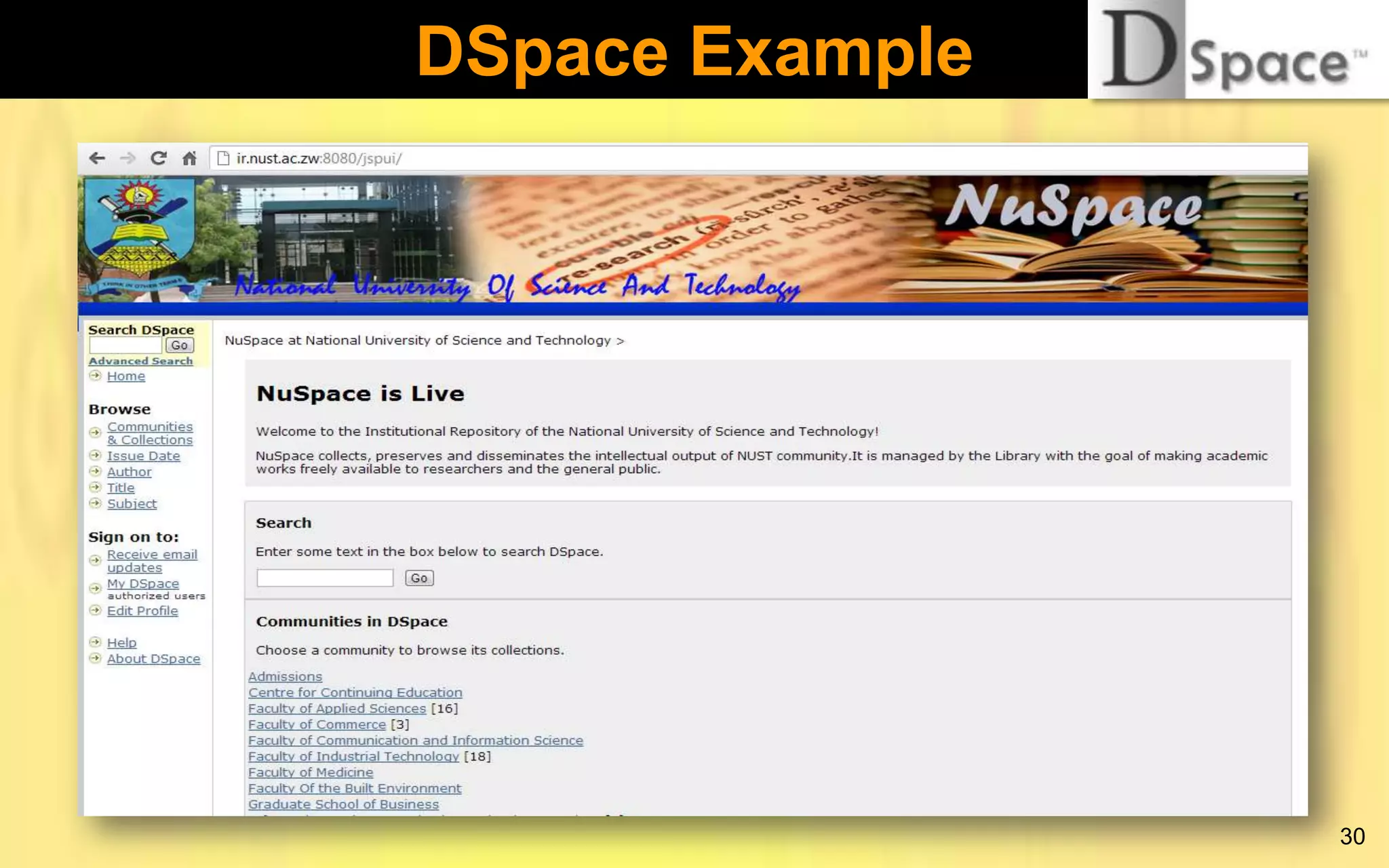
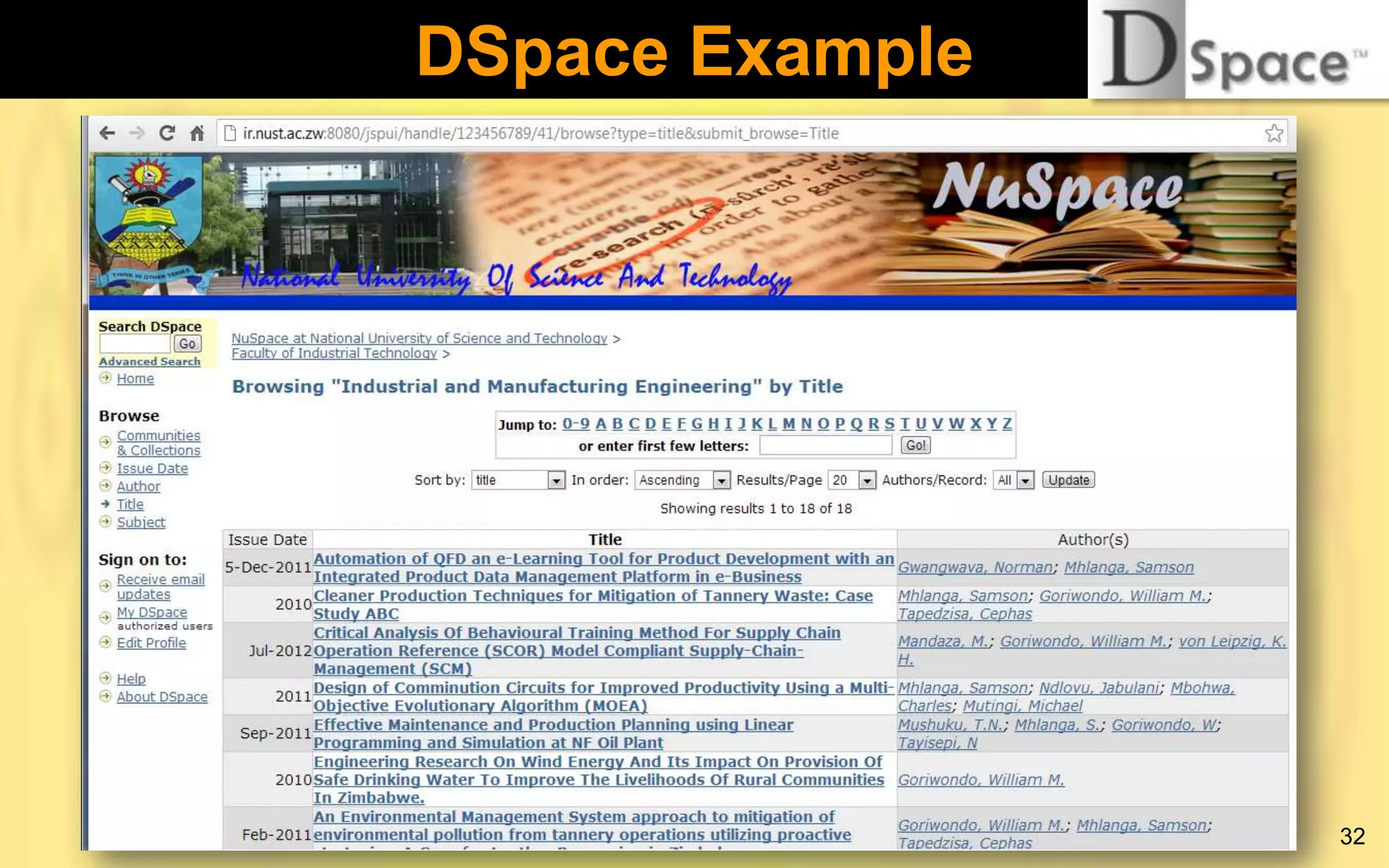
DSpace Example
 NuSpace
accessible
online
on
http://ir.nust.ac.zw:8080/jspui
 Communities made up of faculties and units
 Contains journal articles, conference papers, and
speeches
 Running on Fedora Linux server
 Registered with OpenDOAR (Directory of Open
Access Repositories)
 Launched in 2012
31
DSpace Example

32
DSpace Example

33
Greenstone
 Software for building and distributing digital
library collections
 A “general purpose” digital library software
application, i.e., can be used for several
purposes
 Best suited for digital libraries as opposed to Irs
 “Depositor” facility can be used to build an IR
 First developed in 1996 by the New Zealand
Digital Library Project at the University of
Waikato’s Computer Science Department
34
Greenstone
 Has been heavily supported by UNESCO
 Access to content can be controlled at collection
and document level
 Easy to install and configure
 Large community of users

35
Greenstone
 Aims to empower users, particularly in
universities, libraries, and other public service
institutions to build their own digital libraries
(to avoid being read-only societies)
 Aims to encourage the effective deployment of
digital libraries to share information and place it
in the public domain
 More information on:
 http://www.greenstone.org
 http://www.adlsn.org
36
Greenstone

37
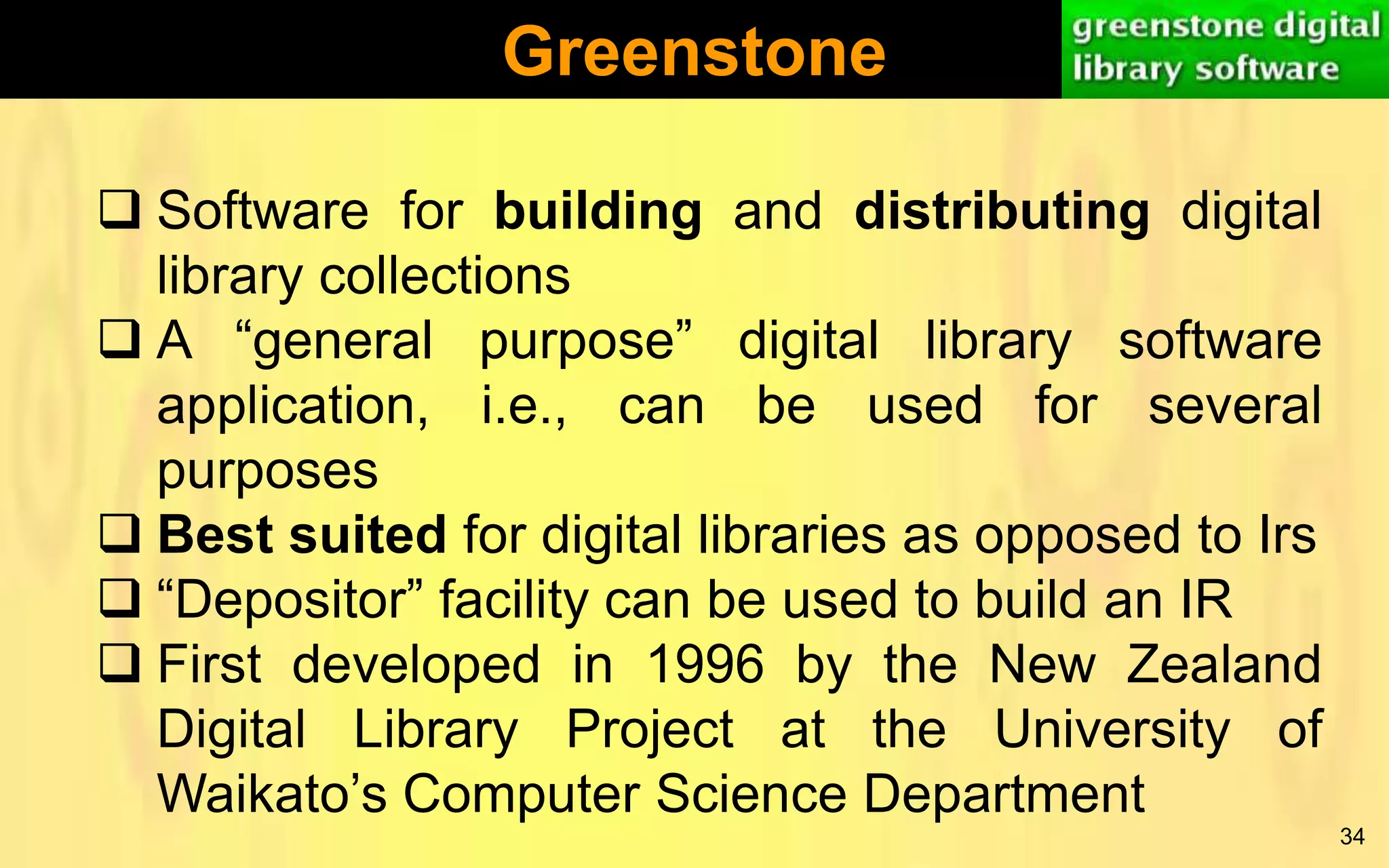
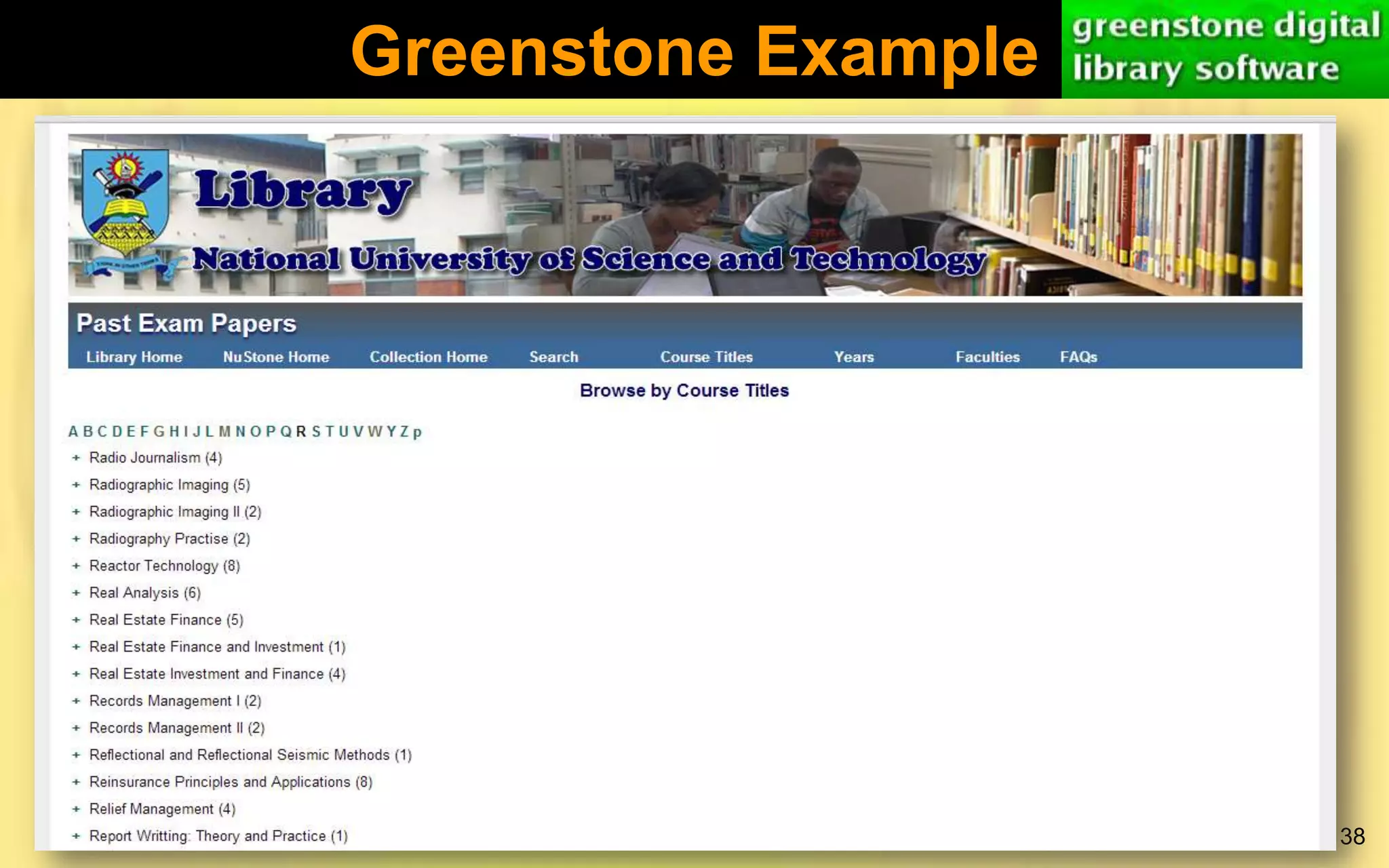
Greenstone Example

38
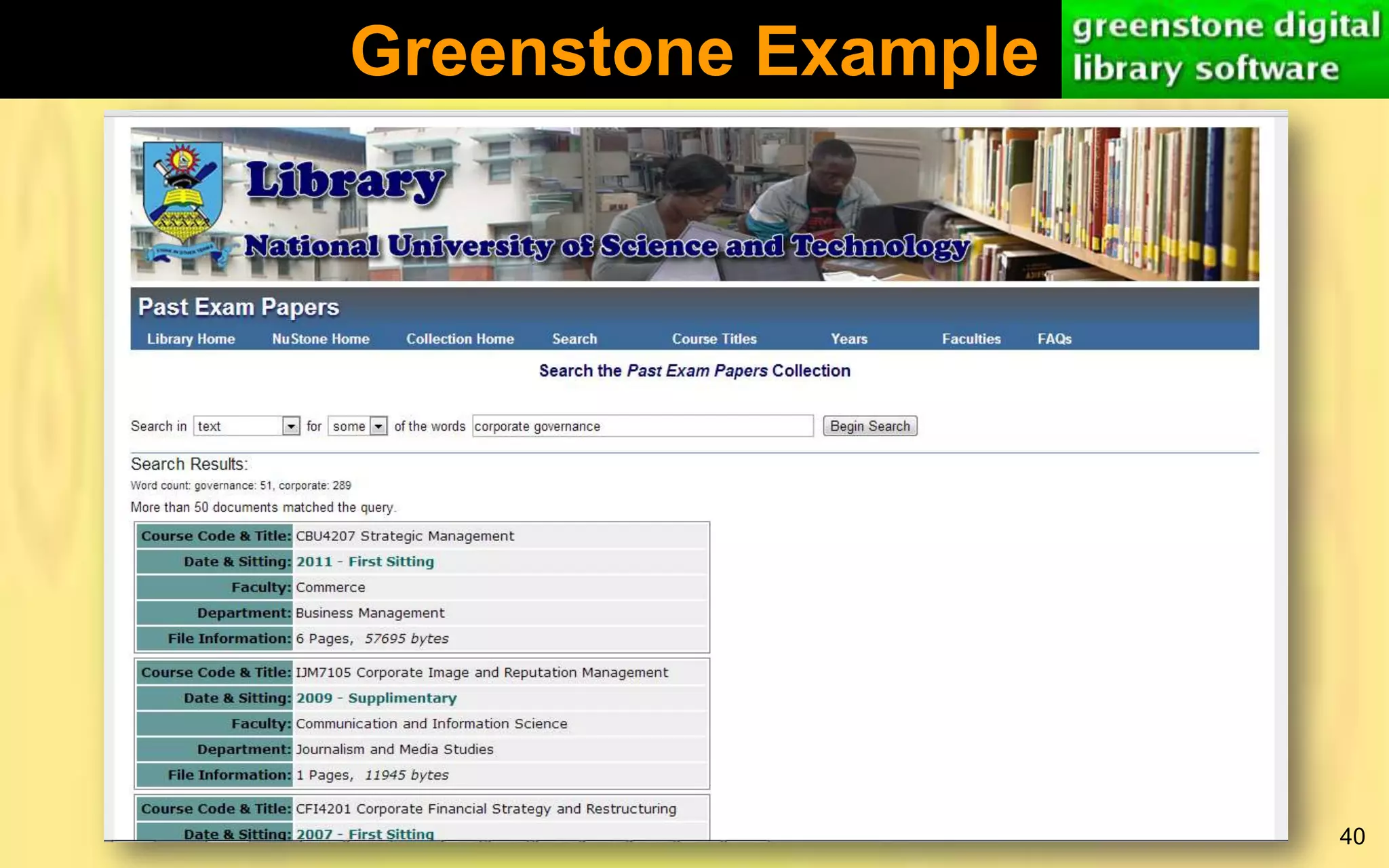
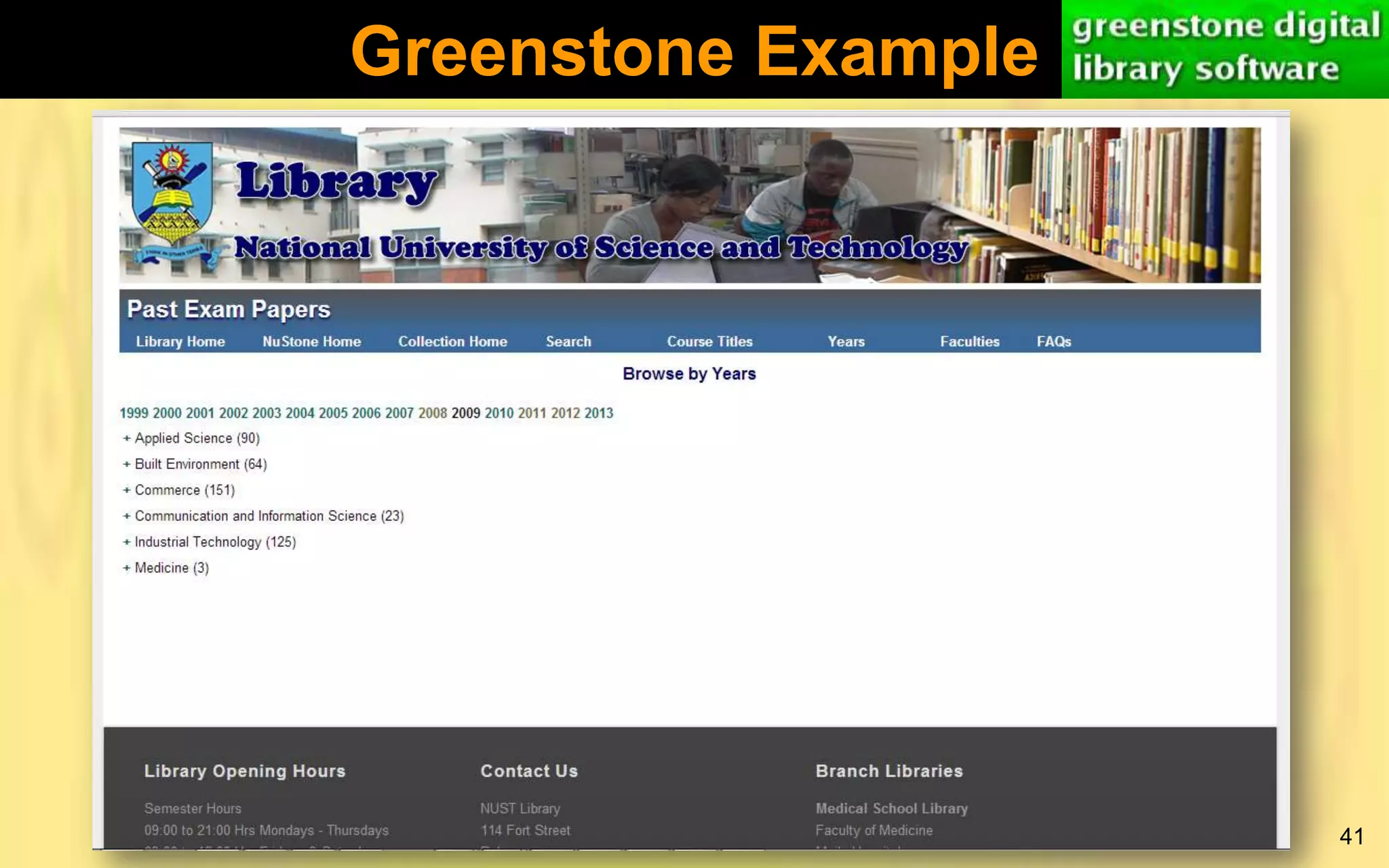
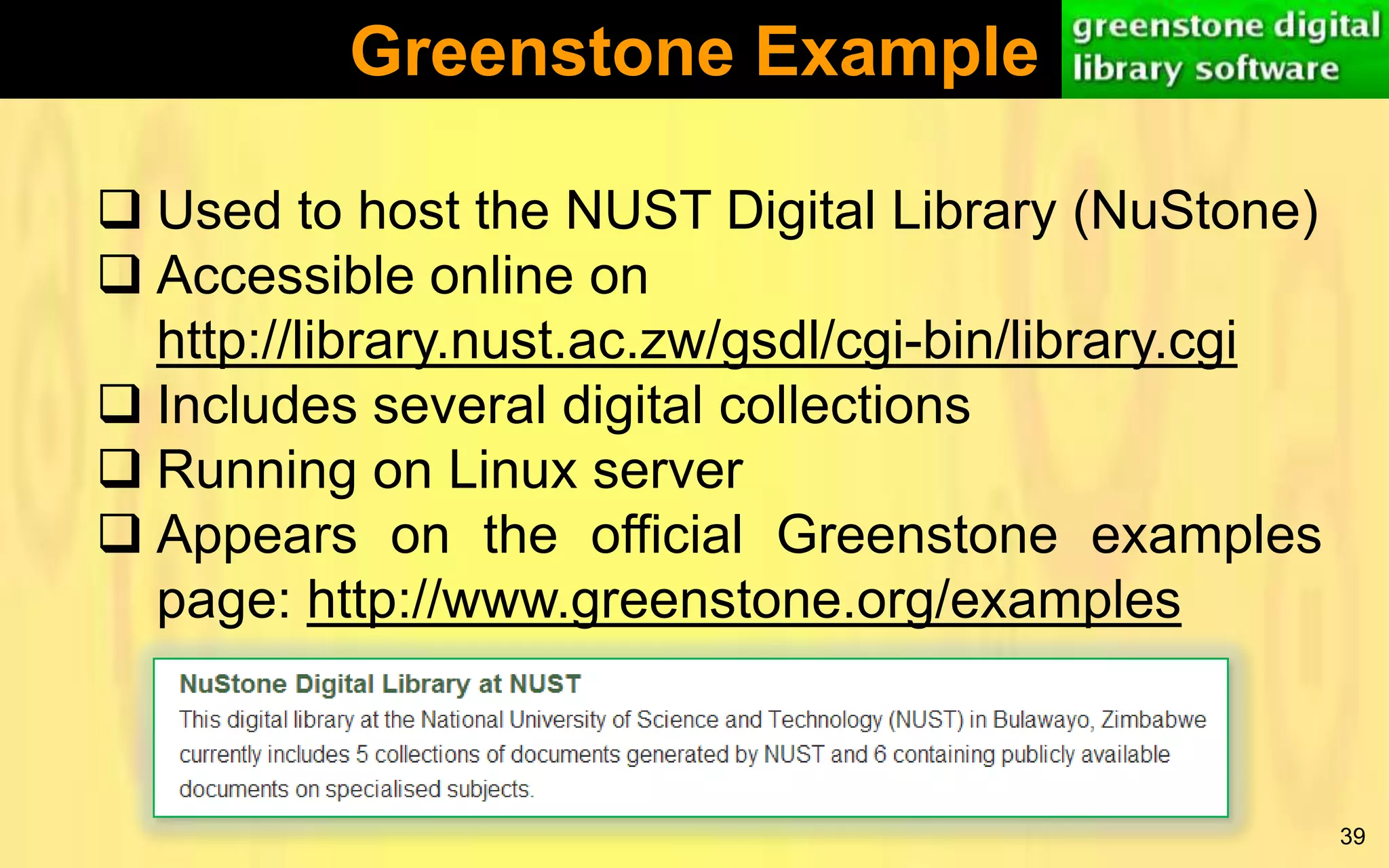
Greenstone Example
 Used to host the NUST Digital Library (NuStone)
 Accessible online on
http://library.nust.ac.zw/gsdl/cgi-bin/library.cgi
 Includes several digital collections
 Running on Linux server
 Appears on the official Greenstone examples
page: http://www.greenstone.org/examples

39
Greenstone Example

40
Greenstone Example

41
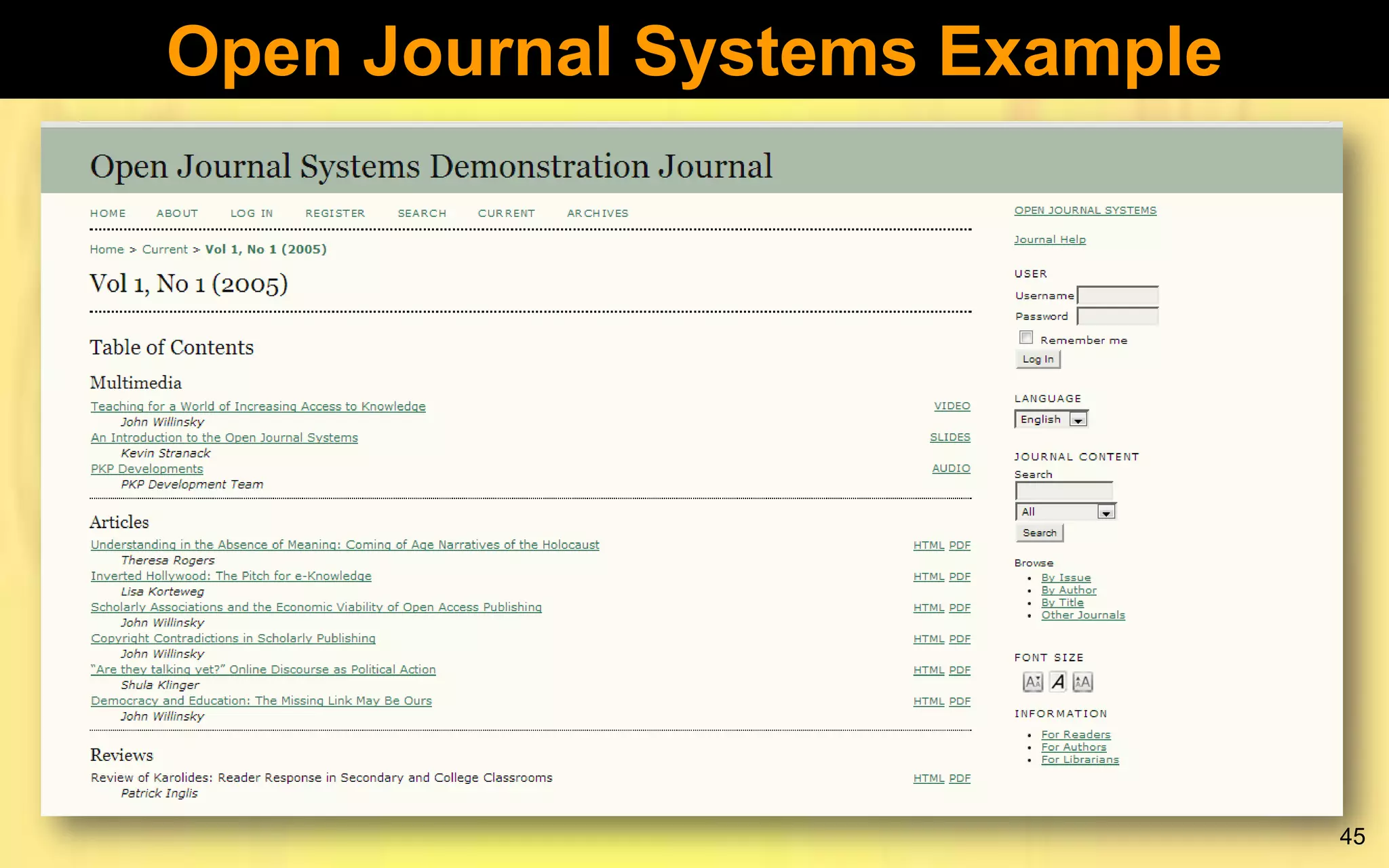
Open Journal Systems (OJS)
Open Journal Systems (OJS) is a journal
management and publishing system that has been
developed by the Public Knowledge Project
through its federally funded efforts to expand and
improve access to research.

42
Open Journal Systems Features
 OJS is installed locally and locally controlled.
 Editors configure requirements, sections, review
process, etc.
 Online submission and management of all
content.
 Subscription module with delayed open access
options.
 Comprehensive indexing of content part of
global system.
43
Open Journal Systems Features
 Reading Tools for content, based on field and
editors’ choice.
 Email notification and commenting ability for
readers.
 Complete context-sensitive online Help support.

44
Open Journal Systems Example

45
SubjectsPlus
 A web based set of programs that allow you to
build subject guides PLUS other tools
 Provides facilities to dynamically manage a
library’s subject, course, and topic guides.
 Subject guides help users to easily find
resources related to their subject areas
 Runs under the XAMP (Windows/Linux-ApacheMySQL-PHP/Perl/Python) environment
 Easy to install and configure – good in situations
where technical skills are limited.
46
SubjectsPlus
More information on:
 http://www.subjectsplus.com
 http://splus.pbworks.com

47
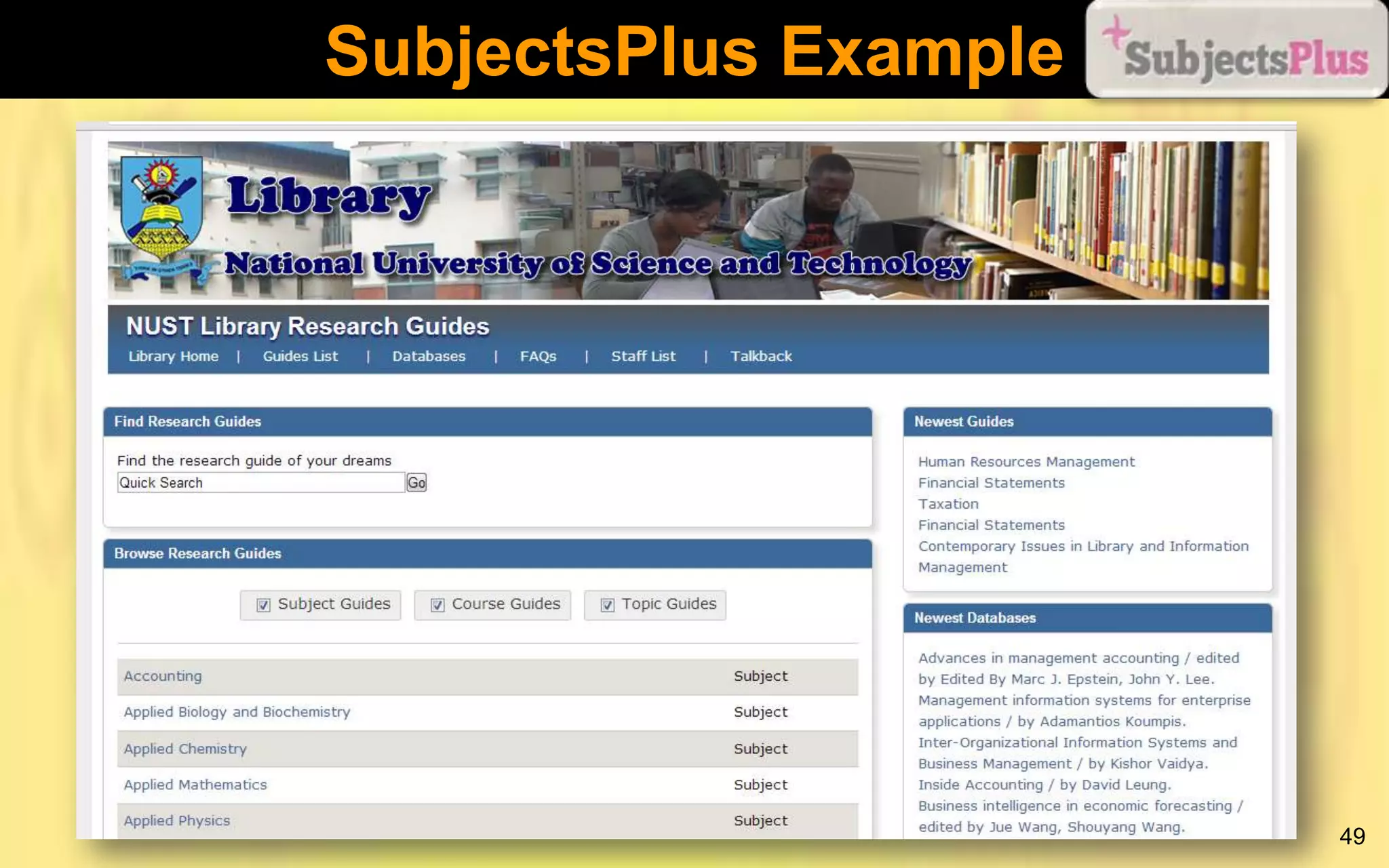
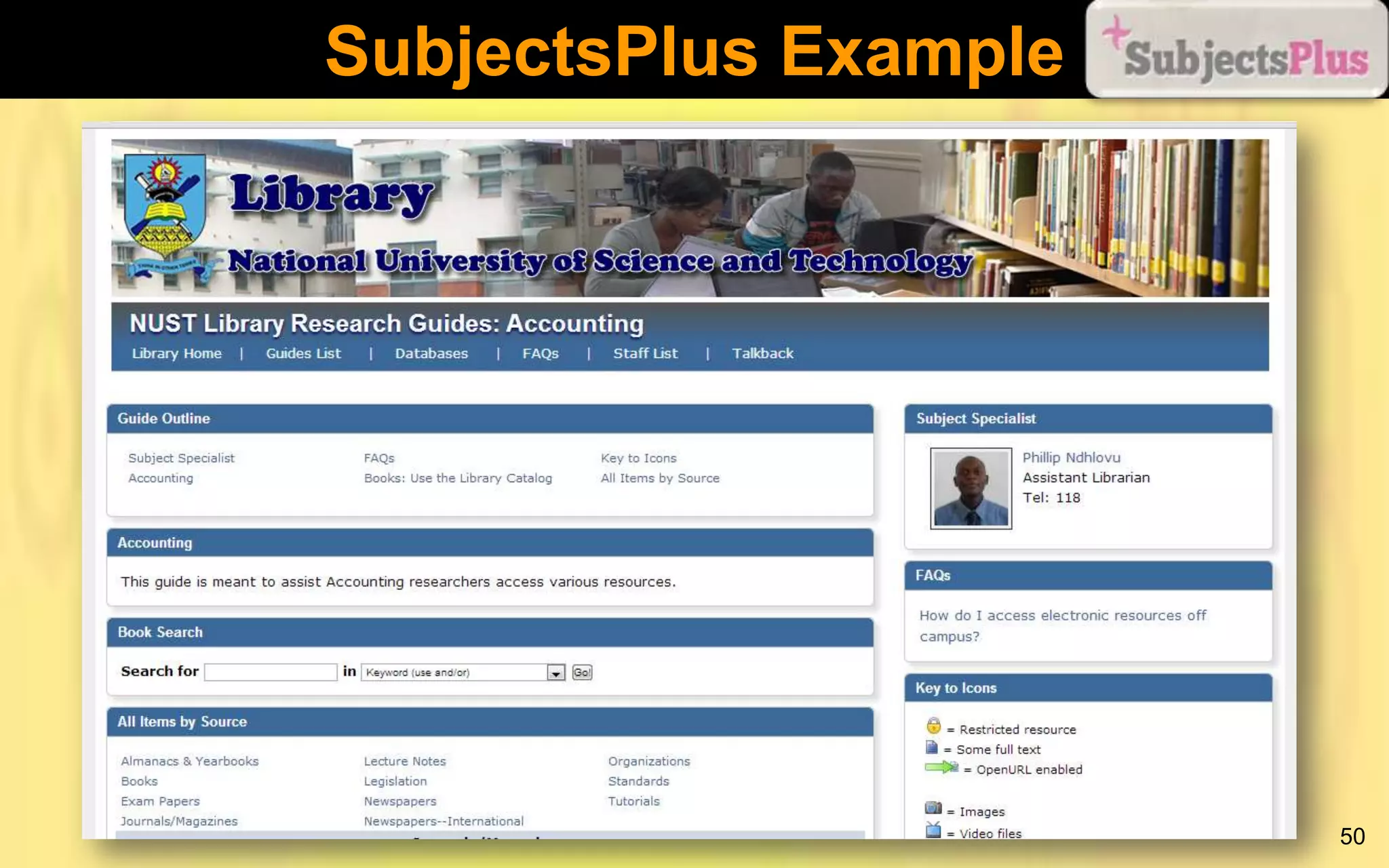
SubjectsPlus Example
 Accessible online on http://library.nust.ac.zw/sp/
 Guides arranged by academic department
 Guides built by teams led by Faculty Librarians
 Built as part of an EIFL FOSS pilot project
 Running on Linux server

48
SubjectsPlus Example

49
SubjectsPlus Example

50
How to Promote Open Access
 Launch an OA Institutional Repository.
 Get support from top management
 Provide usage statistics
 Help academics to deposit their research
articles in the IR
 Consider publishing an institutional OA journal.
 Use Open Source software, e.g., OJS
 Implement Subject Guides and work with
academics when putting links to OA resources.
51
How to Promote Open Access
 Look for good quality OA resources and provide
links to them on your website.
 Use social media to reach out to your audience
and spread the news.
 Include OA issues when conducting Information
Literacy Skills (ILS) training.
 Make use of tools such as Google Custom
Search to create custom search engines for OA
resources.
 Collaborate with other organisations/institutions
52
How to Promote Open Access
 Celebrate International OA Week annually.
 Distribute promotional OA materials widely
 Get buy-in from academics
 Identify internal and external champions.
 Subject Librarians should be constantly in
touch with their constituencies on this matter.
 Establish full-text Electronic Theses and
Dissertations (ETDs) for your institution, backed
by policies mandating students to submit their
work.
53
How to Promote Open Access
 Lobby for an Open Access Policy for your
institution.
 Keep up-to-date with OA developments through
social networks, e.g., OA group on LinkedIn
http://www.linkedin.com/groups/OpenAccess3890276

54
Conclusion
As the Open Access movement gains momentum
worldwide, it is essential for librarians and other
information professionals to acquire the necessary
skills in order to assist users to retrieve quality
information from the growing pool of electronic
resources. This will go a long way in enhancing the
impact of research output made available via Open
Access
55
Thank You
Amos Kujenga
EIFL-FOSS National Coordinator,
Zimbabwe
akujenga@gmail.com

Open Access: Prospectors Wanted!

  • 1.
    Open Access: Prospectors Wanted! AmosKujenga EIFL-FOSS National Coordinator, Zimbabwe akujenga@gmail.com Lupane State University, 22-23 October 2013 National University of Lesotho, 22 October 2013
  • 2.
    Outline of Presentation Definition of Open Access  Benefits of Open Access  Examples of Open Access tools  Organisations Supporting Open Access  Examples of Open Access-related Open Source Software  What librarians can do to promote Open Access 2
  • 3.
    The Case forOpen Access  The Crisis in Scholarly Communication is a major driving force behind the OA movement. (UNESCO, 2012).  In 2012 Harvard reported that its annual cost for journals from large journal publishers approached $3.75M (HARVARD, 2012) 3
  • 4.
    Open Access Defined “OpenAccess (OA) is the provision of free access to peer-reviewed, scholarly and research information to all” (UNESCO, 2012). 4
  • 5.
    OA Publishing  The“GOLD” route  Achieved through OA journals  The “GREEN” route  Achieved through repositories  The “Hybrid” route  OA articles in non-OA journals 5
  • 6.
    OA Publishing  ThroughOA, researchers and students worldwide gain increased access to knowledge.  Publications receive more visibility and readership, and the potential impact of research is increased.  Increased access to, and sharing of knowledge leads to opportunities for equitable economic and social development, intercultural dialogue, and can potentially spark innovation. (UNESCO, 2012) 6
  • 7.
    OA Publishing “Emerald supportsauthors' voluntary deposit of their own work. Once an article has been published by Emerald, an author may voluntarily post their own version of the article that was submitted to the journal (pre-print) or the version of the article that has been accepted for publication (post-print) onto their own personal website or into their own institutional repository with no payment or embargo period. Authors may also use their own version of the paper (pre-print or post-print) for their own teaching purposes.” (EMERALD, 2013) 7
  • 8.
  • 9.
  • 10.
    Open Access Tools TheDirectory of Open Access Repositories  An authoritative world-wide directory of Open Access repositories with academic materials.  OpenDOAR allows users to search for and/or within repositories  Accessible on http://www.opendoar.org/ 10
  • 11.
    Open Access Tools TheDirectory of Open Access Journals  Aims to increase the visibility and ease of use of OA scientific and scholarly journals, thereby promoting their increased usage and impact.  It aims to be comprehensive and cover all OA scientific and scholarly journals that use a quality control system to guarantee the content.  Aims to be THE one stop shop for users of OA journals.  Accessible on http://www.doaj.org 11
  • 12.
  • 13.
    Open Access Tools NetworkedDigital Library of Theses and Dissertations (NDLTD  An international organization dedicated to promoting the adoption, creation, use, dissemination, and preservation of ETDs.  Site has resources for university administrators, librarians, faculty, students, and the general public.  Accessible on http://www.ndltd.org/ 13
  • 14.
    Open Access Tools TheDirectory of Open Access Books  While most attention has been focused on scholarly works, OA is applicable in many contexts such as access to archival collections and scholarly books.  Aims to increase the discoverability of Open Access books.  Accessible on http://www.doabooks.org/doab 14
  • 15.
  • 16.
    Open Access Tools UNESCOGlobal Open Access Portal (GOAP)  Presents a snapshot of the status of OA to scientific information around the world by country  Highlights critical success factors  Identifies key players, potential barriers and opportunities.  Updated through Country Representatives  Accessible on http://www.unesco.org/new/en/communicationand-information/portals-and-platforms/goap/ 16
  • 17.
    Organisations Supporting OA UNESCO OA is at the heart of UNESCO’s goal to provide universal access to information and knowledge  Believes that increased access to, and sharing of knowledge leads to opportunities for equitable economic and social development, intercultural dialogue, and has the potential to spark innovation. (UNESCO, 2012)  Has a detailed Open Access Policy guidelines document. 17
  • 18.
    Organisations Supporting OA EIFL Has an Open Access programme in place  Building capacity to launch OA repositories and to ensure their long-term sustainability.  Training, supporting knowledge sharing, and providing expertise on OA policies and practices  Empowering librarians and library professionals, scholars, educators and students to become OA advocates.  More information on http://www.eifl.net/openaccess 18
  • 19.
    Organisations Supporting OA IFLA “IFLA affirms that comprehensive open access to scholarly literature and research documentation is vital to the understanding of our world and to the identification of solutions to global challenges and particularly the reduction of information inequality.” (IFLA, 2013)  Building capacity to launch OA repositories and to ensure their long-term sustainability. 19
  • 20.
    Organisations Supporting OA INASP Extensive information on OA  Links to OA resources  Annual OA Week Competitions  More information on http://inasp.info 20
  • 21.
    Organisations Supporting OA AfricanDigital Libraries Support Network (ADLSN)  A community of African practitioners and other interested actors with a common goal of supporting the preservation and dissemination of African content in digital form.  Specialises in Open Source repository software  Implementation  Training  Technical Support  More information on http://www.adlsn.org 21
  • 22.
    Open Source Software(OSS)  Open Source Software (OSS) is software for which the source code, i.e., the raw programme lines as punched in by a programmer in some programming language, is freely available. Also, the software can be modified and redistributed freely according to a specified license.  The Open Source Initiative (OSI) definition of OSS includes 10 conditions that the software must satisfy. See http://opensource.org/docs/osd  OSS is as free as “a free puppy” 22
  • 23.
    OSS Advantages  Noannual subscriptions  Software code is open to criticism and so weaknesses can be identified easily.  Users have the freedom to change/customise the software to meet their particular needs, e.g., languages translations, character sets.  No “black boxes” since the code can be viewed by anyone.  Empowers locals through technical skills 23
  • 24.
    OSS Disadvantages  Projectscan die a natural death as people lose interest or new technologies come up.  When things go wrong, there is no one to blame, i.e., the software comes with no warranties.  OSS applications generally require a high level of technical skills to implement.  There is much work to be done when upgrading after customising a system. 24
  • 25.
    Open Access &Open Source “The parallels between this movement - what has come to be known as “ open access” – and open source are striking. For both, the ultimate wellspring is the Internet, and…for both their practitioners, it is RECOGNITION – not RECOMPENSE – that drives them to participate.” (Eklektix, 2006) 25
  • 26.
    Open Access &Open Source  Those affected by the Crisis in Scholarly Communication may also be affected by high costs of proprietary software.  OA uses Information and Communication Technology (ICT) to increase and enhance the dissemination of scholarship (UNESCO, 2012). This can be achieved through the use of OSS. 26
  • 27.
    OA-Related Open SourceSoftware Category Repository Software Examples DSpace, Greenstone, ePrints Publishing Systems Open Journal Systems, E-Journal (Drupal Module) Subject Guides Software SubjectsPlus, Library a la Carte, LibData 27
  • 28.
  • 29.
    DSpace  Used tohost the NUST IR (NuSpace)  Developed by MIT labs and Hewlett Packard  Content is organised into communities and collections  Has rich statistics module  Accepts all manner of digital formats  Users can upload content on their own  Arguably the most popular IR software globally  Rather difficult to install and configure  Large community of users worldwide 29
  • 30.
  • 31.
    DSpace Example  NuSpace accessible online on http://ir.nust.ac.zw:8080/jspui Communities made up of faculties and units  Contains journal articles, conference papers, and speeches  Running on Fedora Linux server  Registered with OpenDOAR (Directory of Open Access Repositories)  Launched in 2012 31
  • 32.
  • 33.
  • 34.
    Greenstone  Software forbuilding and distributing digital library collections  A “general purpose” digital library software application, i.e., can be used for several purposes  Best suited for digital libraries as opposed to Irs  “Depositor” facility can be used to build an IR  First developed in 1996 by the New Zealand Digital Library Project at the University of Waikato’s Computer Science Department 34
  • 35.
    Greenstone  Has beenheavily supported by UNESCO  Access to content can be controlled at collection and document level  Easy to install and configure  Large community of users 35
  • 36.
    Greenstone  Aims toempower users, particularly in universities, libraries, and other public service institutions to build their own digital libraries (to avoid being read-only societies)  Aims to encourage the effective deployment of digital libraries to share information and place it in the public domain  More information on:  http://www.greenstone.org  http://www.adlsn.org 36
  • 37.
  • 38.
  • 39.
    Greenstone Example  Usedto host the NUST Digital Library (NuStone)  Accessible online on http://library.nust.ac.zw/gsdl/cgi-bin/library.cgi  Includes several digital collections  Running on Linux server  Appears on the official Greenstone examples page: http://www.greenstone.org/examples 39
  • 40.
  • 41.
  • 42.
    Open Journal Systems(OJS) Open Journal Systems (OJS) is a journal management and publishing system that has been developed by the Public Knowledge Project through its federally funded efforts to expand and improve access to research. 42
  • 43.
    Open Journal SystemsFeatures  OJS is installed locally and locally controlled.  Editors configure requirements, sections, review process, etc.  Online submission and management of all content.  Subscription module with delayed open access options.  Comprehensive indexing of content part of global system. 43
  • 44.
    Open Journal SystemsFeatures  Reading Tools for content, based on field and editors’ choice.  Email notification and commenting ability for readers.  Complete context-sensitive online Help support. 44
  • 45.
  • 46.
    SubjectsPlus  A webbased set of programs that allow you to build subject guides PLUS other tools  Provides facilities to dynamically manage a library’s subject, course, and topic guides.  Subject guides help users to easily find resources related to their subject areas  Runs under the XAMP (Windows/Linux-ApacheMySQL-PHP/Perl/Python) environment  Easy to install and configure – good in situations where technical skills are limited. 46
  • 47.
    SubjectsPlus More information on: http://www.subjectsplus.com  http://splus.pbworks.com 47
  • 48.
    SubjectsPlus Example  Accessibleonline on http://library.nust.ac.zw/sp/  Guides arranged by academic department  Guides built by teams led by Faculty Librarians  Built as part of an EIFL FOSS pilot project  Running on Linux server 48
  • 49.
  • 50.
  • 51.
    How to PromoteOpen Access  Launch an OA Institutional Repository.  Get support from top management  Provide usage statistics  Help academics to deposit their research articles in the IR  Consider publishing an institutional OA journal.  Use Open Source software, e.g., OJS  Implement Subject Guides and work with academics when putting links to OA resources. 51
  • 52.
    How to PromoteOpen Access  Look for good quality OA resources and provide links to them on your website.  Use social media to reach out to your audience and spread the news.  Include OA issues when conducting Information Literacy Skills (ILS) training.  Make use of tools such as Google Custom Search to create custom search engines for OA resources.  Collaborate with other organisations/institutions 52
  • 53.
    How to PromoteOpen Access  Celebrate International OA Week annually.  Distribute promotional OA materials widely  Get buy-in from academics  Identify internal and external champions.  Subject Librarians should be constantly in touch with their constituencies on this matter.  Establish full-text Electronic Theses and Dissertations (ETDs) for your institution, backed by policies mandating students to submit their work. 53
  • 54.
    How to PromoteOpen Access  Lobby for an Open Access Policy for your institution.  Keep up-to-date with OA developments through social networks, e.g., OA group on LinkedIn http://www.linkedin.com/groups/OpenAccess3890276 54
  • 55.
    Conclusion As the OpenAccess movement gains momentum worldwide, it is essential for librarians and other information professionals to acquire the necessary skills in order to assist users to retrieve quality information from the growing pool of electronic resources. This will go a long way in enhancing the impact of research output made available via Open Access 55
  • 56.
    Thank You Amos Kujenga EIFL-FOSSNational Coordinator, Zimbabwe akujenga@gmail.com