ONLINE
COLLABORATIVE
TOOLS AND
PROCESSES
Charmaine O. Aydalla
11-ABM
You will be shown several
pictures of computer parts.
Write the name of each part down
on a piece of paper.
Give yourself one point for each
correct answer.
The one who gets the most
points wins.
Have Fun!
instructions
This part
is called a
MONIT
OR
This part
is called a
mouse
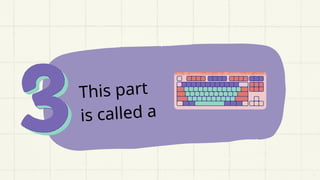
This part
is called a
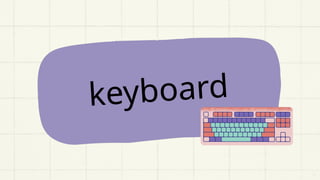
keyboard
This part
is called a
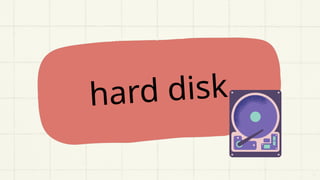
hard disk
This part
is called
RAM
memory
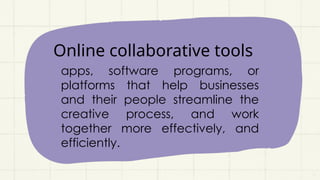
Online collaborative tools
apps, software programs, or
platforms that help businesses
and their people streamline the
creative process, and work
together more effectively, and
efficiently.
SOME Examples of online
collaborative tools
is an online collaboration tool that
helps remote teams connect via
messaging.
slack
is an online collaboration tool that operates
on an online platform. The tool allows users
to create lists and organize them on boards
that are displayed on a user’s page.
skype
This tool specializes in videoconferencing
and voice calls and includes the ability to
instant message team members transfer files
and make traditional calls to land-line or
mobile phones.
dropbox
It is a cloud storage service that enables
users to store file securely online and access
them from virtually anywhere with an
internet connection.
Google drive
It is a cloud file storage, synchronization, and
collaboration platform and service that
features Google Docs, Sheets, and Slides for
document editing and presentation.
Advantages and
disadvantages of online
collaborative tools and
processes
Advantages
1. Allow team members to share information
quickly and easily.
2. Help improve productivity by streamlining
workflows and reducing redundancies.
3. Helps with organization and time
management.
4. Using collaboration software offers greater
flexibility that traditional working methods.
1. Potential for information overload.
2. Creates a sense of distance between
team members.
3. Tools may not work well for every type of
project or team dynamic.
4. Implementing new collaboration tools
require time and effort on behalf of all
team members involved.
DisAdvantages
Importance of online
collaborative tools and
processes
Collaboration tools are essential for any
team that wants to work together efficiently
and effectively. These tools allow teams to
communicate, share information and ideas
in real-time, regardless of their location.
Thanks for
listening!
Happy Learning 

ONLINE COLLABORATIVE TOOLS AND PROCESSES CHARMAINE.pptx

  • 1.
  • 2.
    You will beshown several pictures of computer parts. Write the name of each part down on a piece of paper. Give yourself one point for each correct answer. The one who gets the most points wins. Have Fun! instructions
  • 3.
  • 4.
  • 5.
  • 6.
  • 7.
  • 8.
  • 9.
  • 10.
  • 11.
  • 12.
  • 13.
    Online collaborative tools apps,software programs, or platforms that help businesses and their people streamline the creative process, and work together more effectively, and efficiently.
  • 14.
    SOME Examples ofonline collaborative tools is an online collaboration tool that helps remote teams connect via messaging. slack
  • 15.
    is an onlinecollaboration tool that operates on an online platform. The tool allows users to create lists and organize them on boards that are displayed on a user’s page.
  • 16.
    skype This tool specializesin videoconferencing and voice calls and includes the ability to instant message team members transfer files and make traditional calls to land-line or mobile phones.
  • 17.
    dropbox It is acloud storage service that enables users to store file securely online and access them from virtually anywhere with an internet connection.
  • 18.
    Google drive It isa cloud file storage, synchronization, and collaboration platform and service that features Google Docs, Sheets, and Slides for document editing and presentation.
  • 19.
    Advantages and disadvantages ofonline collaborative tools and processes
  • 20.
    Advantages 1. Allow teammembers to share information quickly and easily. 2. Help improve productivity by streamlining workflows and reducing redundancies. 3. Helps with organization and time management. 4. Using collaboration software offers greater flexibility that traditional working methods.
  • 21.
    1. Potential forinformation overload. 2. Creates a sense of distance between team members. 3. Tools may not work well for every type of project or team dynamic. 4. Implementing new collaboration tools require time and effort on behalf of all team members involved. DisAdvantages
  • 22.
  • 23.
    Collaboration tools areessential for any team that wants to work together efficiently and effectively. These tools allow teams to communicate, share information and ideas in real-time, regardless of their location.
  • 24.