Collaborative
ICT
Development
Lesson 9
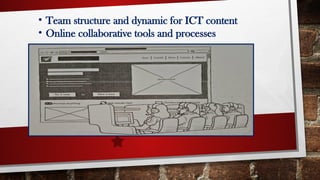
• Team structure and dynamic for ICT content
• Online collaborative tools and processes
Lesson Objectives
At the end of this lesson, the students should able to:
1.Use an online collaborative tool to effectively monitor group task;
2.Understand the advantages of using online collaborative tools;
3.Create a project that requires team member cooperation.
A web portal is a website that contains
information from different sources a place
them in one location in a uniform way.
WEB PORTAL
Online Collaborative Tools
Working together does not necessarily mean
you have physically together. These tools can
help your group’’ go the distance ‘’ and work as
if you already have your ow office.
There are plenty of online collaborative tools:
1.You can use FACEBOOK groups to create a group
page that will allow people in your group to
communicate your ideas.
2.WORDPRESS also allows you to multiple contributors
for a single blog.
There are plenty of online collaborative tools:
3. GOOGLE DRIVE and MICROSOFT OFFICE allow
multiple people to work on different office files and even have
their own group’s cloud storage.
4. MICROSOFT’S YAMMER offers companies to have their
own social that allows sharing and managing content.
5.Sites live TRELLO offer an online to-do checklist for your
entire team.
There are plenty of online collaborative tools:
E A TRELLO ACCOUNT ( 480

538116247-Collaborative.pptx-First Quarter

  • 1.
  • 2.
    • Team structureand dynamic for ICT content • Online collaborative tools and processes
  • 3.
    Lesson Objectives At theend of this lesson, the students should able to: 1.Use an online collaborative tool to effectively monitor group task; 2.Understand the advantages of using online collaborative tools; 3.Create a project that requires team member cooperation.
  • 4.
    A web portalis a website that contains information from different sources a place them in one location in a uniform way. WEB PORTAL
  • 5.
    Online Collaborative Tools Workingtogether does not necessarily mean you have physically together. These tools can help your group’’ go the distance ‘’ and work as if you already have your ow office.
  • 6.
    There are plentyof online collaborative tools: 1.You can use FACEBOOK groups to create a group page that will allow people in your group to communicate your ideas. 2.WORDPRESS also allows you to multiple contributors for a single blog. There are plenty of online collaborative tools:
  • 7.
    3. GOOGLE DRIVEand MICROSOFT OFFICE allow multiple people to work on different office files and even have their own group’s cloud storage. 4. MICROSOFT’S YAMMER offers companies to have their own social that allows sharing and managing content. 5.Sites live TRELLO offer an online to-do checklist for your entire team. There are plenty of online collaborative tools:
  • 8.
    E A TRELLOACCOUNT ( 480