Online Collaboration Tool
Have you ever
tried to use an
online application
for group
collaboration at
school?
2
Are you
familiar with
the various
kinds of
online
collaboration
tools?
3
Study the images below and think of the common things they are trying
to show.
4
Guide Questions
1. How does collaboration help us in group
work?
5
Guide Questions
2. Why is it necessary to have online collaboration?
6
Guide Questions
3. With so many online tools, what do you
think is the most utilized for online
collaboration?
7
What is an
online collaboration
tool?
8
Collaboration
tool refers to
the device or
means to
exchange and
share ideas for
teams that
cannot work
physically.
9
10
How would you know if you are using
the appropriate collaboration tool for
your team?
Kinds of online
collaboration
tools:
●Time Tracking
●Communication
Tools
●File Sharing
Tools
●Project
Management
Tools 11
Time Tracking
Tools
● Time Doctor
● Everhour
● Toggl
12
12
Communication
Tools
● Google Meet or
Hangouts
● Skype
● Slack
13
File Sharing
Tools
●Google Drive
●Dropbox
●OneDrive
14
14
Project
Management
Tools
●Toggl Plan
●GanttPRO
●Zoho
Projects
15
16
What are the advantages and
disadvantages of those online
collaboration tools?
Advantages
and
Disadvantages
in Various
Aspects
17
17
Advantages in terms of
productivity:
●Reduces downtime
●Simultaneously
working while at home
●Sends automatic
updates
●Fast-paced
●Reduces hard copies
18
18
Disadvantages in terms of
productivity:
● Reduces personal contact
● Blurring boundaries
between work and private
life
● Requires to be online all
the time
● Time pressure
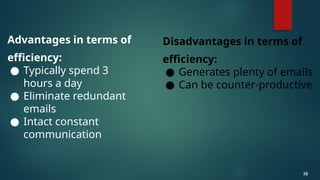
Advantages in terms of
efficiency:
● Typically spend 3
hours a day
● Eliminate redundant
emails
● Intact constant
communication
19
19
Disadvantages in terms of
efficiency:
● Generates plenty of emails
● Can be counter-productive
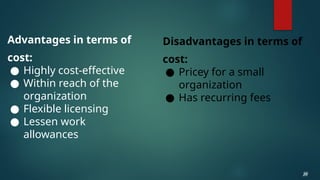
Advantages in terms of
cost:
● Highly cost-effective
● Within reach of the
organization
● Flexible licensing
● Lessen work
allowances
20
20
Disadvantages in terms of
cost:
● Pricey for a small
organization
● Has recurring fees
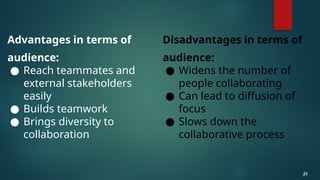
Advantages in terms of
audience:
● Reach teammates and
external stakeholders
easily
● Builds teamwork
● Brings diversity to
collaboration
21
21
Disadvantages in terms of
audience:
● Widens the number of
people collaborating
● Can lead to diffusion of
focus
● Slows down the
collaborative process
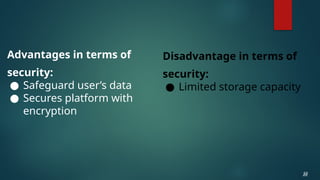
Advantages in terms of
security:
● Safeguard user’s data
● Secures platform with
encryption
22
22
Disadvantage in terms of
security:
● Limited storage capacity
Advantages in terms of
project management:
● Ensures all project
materials are kept in
the same workspace
● Manageable
23
23
Disadvantage in terms of
project management:
Unfamiliarity with the tools
Practice 1
Select a collaboration tool
that was introduced in the
lesson. Try to explore the
selected tool and explain
your experience when
exploring that specific
collaboration tool.
24
You can use these guide
questions:
1. What was the look and feel of the
interface?
2. Was it easy to navigate?
3. What are the useful functionalities
that you have tried?
4. Is the tool free to use or do you
need to pay?
5. Will you recommend that tool to
your classmate or relative? Why?
Practice 2
Using the selected group in
the part B evaluation given
in lesson 1, try to plot the
tasks distributed to your
teammates in the
collaboration tool chosen in
activity 1 by writing down
your progress.
25
Answer the following completely in your own words.
1.What type of online collaboration tool is usually utilized for
tracking the time of the team members?
2.Which type of collaboration tool is used for monitoring the
progress of the project?
3.What is the difference of toggl time and toggl plan?
4.What type of collaboration tool can we use if you just want to
keep in touch with your teammates?
5.What type of collaboration tool is used for sharing files within
the team members?
26
26
26
26
26
Answer the following
comprehensively:
Among the online
collaboration tools
discussed, what feature
will you improve or add to
make it more productive
and useful as a user?
27
28
Collaboration tool refers to the device or means to
exchange and share ideas for teams that cannot
meet physically.
Four essential types of online collaboration tools
were introduced in this lesson. These are time
tracking tools, communication tools, file-sharing
tools, and project management tools.
Time Doctor, Everhour, and Toggl are time
tracking tools.
29
Google Meet or Hangouts, Skype, and Slack are
communication tools.
Google Drive, Dropbox, and OneDrive are file-
sharing tools.
Toggl Plan, GanttPRO, and Zoho Projects are
project management tools.
Productivity, efficiency, cost, audience, security,
and project management are the things you
should consider in choosing an online collaboration
tool.

ONLINE COLLABORATION TOOLS EMPOWERS.pptx

  • 1.
  • 2.
    Have you ever triedto use an online application for group collaboration at school? 2
  • 3.
    Are you familiar with thevarious kinds of online collaboration tools? 3
  • 4.
    Study the imagesbelow and think of the common things they are trying to show. 4
  • 5.
    Guide Questions 1. Howdoes collaboration help us in group work? 5
  • 6.
    Guide Questions 2. Whyis it necessary to have online collaboration? 6
  • 7.
    Guide Questions 3. Withso many online tools, what do you think is the most utilized for online collaboration? 7
  • 8.
    What is an onlinecollaboration tool? 8
  • 9.
    Collaboration tool refers to thedevice or means to exchange and share ideas for teams that cannot work physically. 9
  • 10.
    10 How would youknow if you are using the appropriate collaboration tool for your team?
  • 11.
    Kinds of online collaboration tools: ●TimeTracking ●Communication Tools ●File Sharing Tools ●Project Management Tools 11
  • 12.
    Time Tracking Tools ● TimeDoctor ● Everhour ● Toggl 12 12
  • 13.
    Communication Tools ● Google Meetor Hangouts ● Skype ● Slack 13
  • 14.
  • 15.
  • 16.
    16 What are theadvantages and disadvantages of those online collaboration tools?
  • 17.
  • 18.
    Advantages in termsof productivity: ●Reduces downtime ●Simultaneously working while at home ●Sends automatic updates ●Fast-paced ●Reduces hard copies 18 18 Disadvantages in terms of productivity: ● Reduces personal contact ● Blurring boundaries between work and private life ● Requires to be online all the time ● Time pressure
  • 19.
    Advantages in termsof efficiency: ● Typically spend 3 hours a day ● Eliminate redundant emails ● Intact constant communication 19 19 Disadvantages in terms of efficiency: ● Generates plenty of emails ● Can be counter-productive
  • 20.
    Advantages in termsof cost: ● Highly cost-effective ● Within reach of the organization ● Flexible licensing ● Lessen work allowances 20 20 Disadvantages in terms of cost: ● Pricey for a small organization ● Has recurring fees
  • 21.
    Advantages in termsof audience: ● Reach teammates and external stakeholders easily ● Builds teamwork ● Brings diversity to collaboration 21 21 Disadvantages in terms of audience: ● Widens the number of people collaborating ● Can lead to diffusion of focus ● Slows down the collaborative process
  • 22.
    Advantages in termsof security: ● Safeguard user’s data ● Secures platform with encryption 22 22 Disadvantage in terms of security: ● Limited storage capacity
  • 23.
    Advantages in termsof project management: ● Ensures all project materials are kept in the same workspace ● Manageable 23 23 Disadvantage in terms of project management: Unfamiliarity with the tools
  • 24.
    Practice 1 Select acollaboration tool that was introduced in the lesson. Try to explore the selected tool and explain your experience when exploring that specific collaboration tool. 24 You can use these guide questions: 1. What was the look and feel of the interface? 2. Was it easy to navigate? 3. What are the useful functionalities that you have tried? 4. Is the tool free to use or do you need to pay? 5. Will you recommend that tool to your classmate or relative? Why?
  • 25.
    Practice 2 Using theselected group in the part B evaluation given in lesson 1, try to plot the tasks distributed to your teammates in the collaboration tool chosen in activity 1 by writing down your progress. 25
  • 26.
    Answer the followingcompletely in your own words. 1.What type of online collaboration tool is usually utilized for tracking the time of the team members? 2.Which type of collaboration tool is used for monitoring the progress of the project? 3.What is the difference of toggl time and toggl plan? 4.What type of collaboration tool can we use if you just want to keep in touch with your teammates? 5.What type of collaboration tool is used for sharing files within the team members? 26 26 26 26 26
  • 27.
    Answer the following comprehensively: Amongthe online collaboration tools discussed, what feature will you improve or add to make it more productive and useful as a user? 27
  • 28.
    28 Collaboration tool refersto the device or means to exchange and share ideas for teams that cannot meet physically. Four essential types of online collaboration tools were introduced in this lesson. These are time tracking tools, communication tools, file-sharing tools, and project management tools. Time Doctor, Everhour, and Toggl are time tracking tools.
  • 29.
    29 Google Meet orHangouts, Skype, and Slack are communication tools. Google Drive, Dropbox, and OneDrive are file- sharing tools. Toggl Plan, GanttPRO, and Zoho Projects are project management tools. Productivity, efficiency, cost, audience, security, and project management are the things you should consider in choosing an online collaboration tool.
Editor's Notes

  • #4 Note to the teacher: You may give the class one to two minutes to study the images, then they may answer the questions that follow in the next slides. You may choose to show short videos as an alternative. Follow this link for an example.
  • #5 Model Answer: Online collaboration keep us interact with team members remotely but in real time, which is also a great help in completing a certain project virtually.
  • #6 Model Answer: online collaboration builds the team trust and it enables them to work together with harmony while completing the tasks given to them.
  • #7 Model Answer: Cloud-based project management software is the most utilized online collaboration tools by teams in collaborating with each other in real time as they are able to save, share, and even distribute sub-tasks to each member of a team.
  • #12 presenter may opt to add more time tracking tools not mentioned in this presentation and study guide. presenter may opt to show images of each of the time tracking tools
  • #13 presenter may opt to add more communication tools not mentioned in this presentation and study guide. presenter may opt to show images of each of the communication tools
  • #14 presenter may opt to add more File Sharing tools not mentioned in this presentation and study guide. presenter may opt to show images of each of the file sharing tools
  • #15 presenter may opt to add more project management tools not mentioned in this presentation and study guide. presenter may opt to show images of each of the project management tools
  • #26 Sample answers: Time Tracking Tools Project Management Tools Toggl time lets you track the working time of the team members while the Toggl plan lets you do more than tracking the working time of the team members. Communication Tool File Sharing Tool
  • #27 Model Answer: Answer may vary according to perspective of the student. The correctness of a student’s work will be based on the judgment of the teacher in the application of the discussion in the “Explain and Elaborate” part as a guide and the rubric provided.