
GOffice 365 | Tommy Clarke
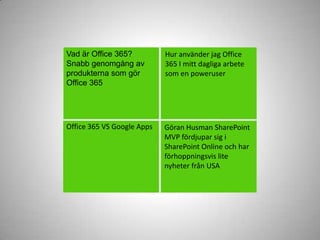
Vadär Office 365?Snabbgenomgångavprodukternasomgör Office 365Huranvänder jag Office 365 I mitt dagligaarbetesom en poweruserOffice 365 VS Google AppsGöran Husman SharePoint MVP fördjupar sig i SharePoint Online och harförhoppningsvis lite nyheterfrån USA
Som MVP ärdetkanskelättatt man blir lite färgadåtdetenahållet…Men dettaär mina upplevelsersom en “poweruser”…Där jag levt och jobbat I bäggesystemen under en tid, dock lite längrei Office 365 änvad jag jobbat med Google Apps.
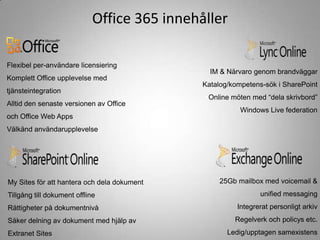
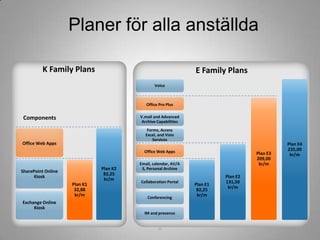
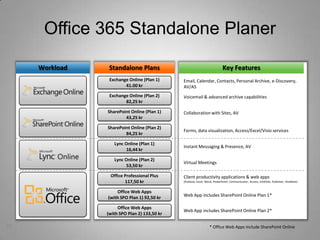
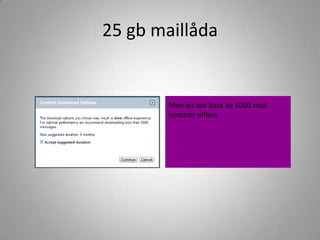
Office 365 innehållerFlexibel per-användarelicensieringKomplettOffice upplevelse med tjänsteintegrationAlltid den senasteversionenavOffice och Office Web AppsVälkändanvändarupplevelseIM & NärvarogenombrandväggarKatalog/kompetens-sök i SharePointOnline möten med “delaskrivbord”Windows Live federation25Gb mailbox med voicemail & unified messagingIntegreratpersonligtarkivRegelverkochpolicys etc.Ledig/upptagensamexistensMy Sites föratthantera och deladokumentTillgång till dokumentofflineRättigheterpådokumentnivåSäkerdelningavdokument med hjälpav Extranet Sites
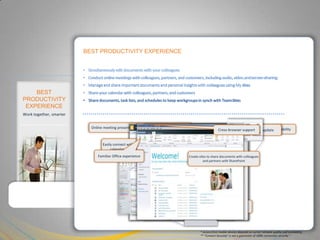
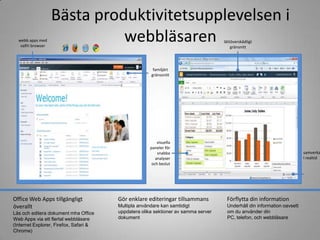
5BEST PRODUCTIVITY EXPERIENCESimultaneously edit documents with your colleagues
Conduct online meetings with colleagues, partners, and customers, including audio, video and screen sharing
Manage and share important documents and personal insights with colleagues using My sites
Share your calendar with colleagues, partners, and customers
Share documents, task lists, and schedules to keep workgroups in synch with Teamsites
Simultaneously edit documents with your colleagues
Conduct online meetings with colleagues, partners, and customers, including audio, video and screen sharing
Manage and share important documents and personal insights with colleagues using My sites
Share your calendar with colleagues, partners, and customers
Share documents, task lists, and schedules to keep workgroups in synch with Teamsites
Simultaneously edit documents with your colleagues
Conduct online meetings with colleagues, partners, and customers, including audio, video and screen sharing
Manage and share important documents and personal insights with colleagues using My sites
Share your calendar with colleagues, partners, and customers
Share documents, task lists, and schedules to keep workgroups in synch with Teamsites
Simultaneously edit documents with your colleagues
Conduct online meetings with colleagues, partners, and customers, including audio, video and screen sharing
Manage and share important documents and personal insights with colleagues using My sites
Share your calendar with colleagues, partners, and customers
Share documents, task lists, and schedules to keep workgroups in synch with Teamsites
Simultaneously edit documents with your colleagues
Conduct online meetings with colleagues, partners, and customers, including audio, video, and screen sharing
Manage and share important documents and personal insights with colleagues using My Sites
Share your calendar with colleagues, partners, and customers

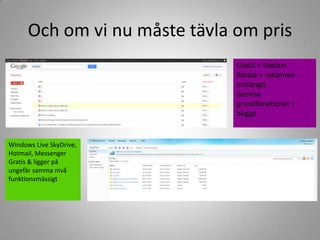
Office 365 & Google Apps

Editor's Notes

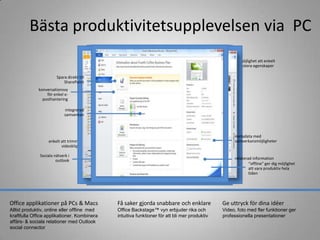
  • #6 With Office 365, you can optimize your productivity:Simultaneously edit documents with your colleagues.Conduct online meetings with colleagues, partners, and customers, including audio, video, and screen sharing.Manage and share important documents and personal insights with colleagues using My Sites.Share your calendar with colleagues, partners, and customers.Share documents, task lists, and schedules to keep workgroups in synch with Teamsites.
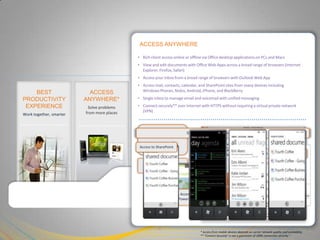
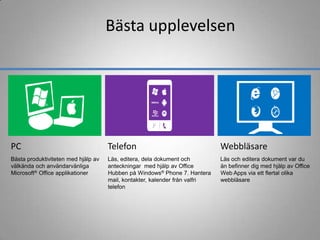
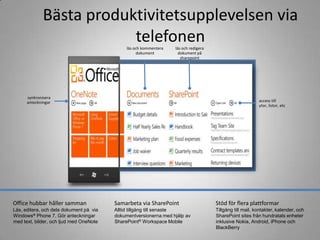
  • #7 You can give your employees access anywhere:Rich client access online or offline via Office desktop applications on PCs and Macs.View and edit documents with Office Web Apps across a broad range of browsers (Internet Explorer, Firefox, Safari). Access your inbox from a broad range of browsers with Outlook Web App.Access mail, contacts, calendar, and SharePoint sites from many devices including Windows Phones, Nokia, Android, iPhone, and BlackBerry.Single inbox to manage email and voicemail with unified messaging.Connect securely over Internet with HTTPS without requiring a VPN.
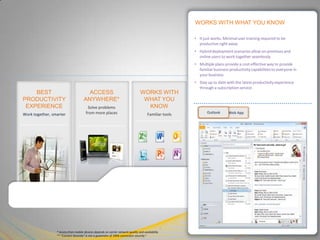
  • #8 The technology works with what you know:It just works. Minimal user training required to be productive right away.Hybrid deployment scenarios allow on-premises and online users to work together seamlessly.Multiple plans provide a cost-effective way to provide familiar business productivity capabilities to everyone in your business.Stay up-to-date with the latest productivity experience through a subscription service.
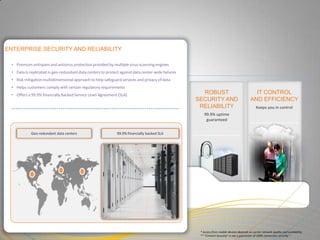
  • #9 You can maintain the level of security and reliability you need:Premium antispam and antivirus protection provided by multiple virus-scanning engines.Data is replicated in geo-redundant data centers to protect against data center-wide failures.Risk mitigation multidimensional approach to help safeguard services and privacy of data.Helps customers comply with certain regulatory requirements.Offers a 99.9 percent financially backed SLA.
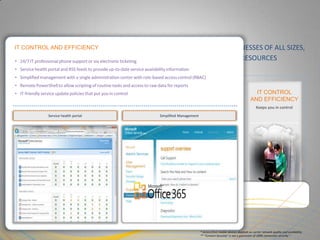
  • #10 You can keep the IT control and efficiency required by your enterprise organization:24/7 IT professional phone support or by electronic ticketing.Service health portal and RSS feeds to provide up-to-date service availability information.Simplified management with a single administration center with RBAC.Remote PowerShell to allow scripting of routine tasks and access to raw data for reports.IT-friendly service update policies that put you in control.
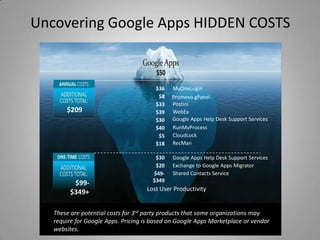
  • #29 All prices are based on Google Apps Marketplace Pricing or other publicly available sourcesMyOneLogin (single signon) - http://www.google.com/enterprise/marketplace/viewListing?productListingId=3800475+16126599613833932899PromevogPanel (admin tools like monitoring, shared contacts management) -http://www.google.com/enterprise/marketplace/viewListing?productListingId=3021+5039071168532233802Postini (email security and archiving) http://www.google.com/postini/compare.htmlWebEx - http://www.webex.com/buy-webex/index.html - since plan is $49/host/month I believe this cost assumes 1 license per 15 usersGoogle Apps Help Desk Support Services - http://www.suite-apps.com/services/google-appsRunMyProcess (workflow and integration) - http://www.google.com/enterprise/marketplace/viewListing?productListingId=3445+18017785404892583407CloudLock (security) -http://www.google.com/enterprise/marketplace/viewListing?productListingId=5649+9637511031539972110RecMan (records management) - http://www.google.com/enterprise/marketplace/viewListing?productListingId=4550+12444614763556891731Exchange to Google Apps Migrator -http://www.google.com/enterprise/marketplace/viewListing?productListingId=3968771+7861271131746975698Shared Contacts ServiceGoogle Apps Help Desk Support Services -http://www.suite-apps.com/services/google-appsExchange to Google Apps Migrator - http://www.google.com/enterprise/marketplace/viewListing?productListingId=3968771+7861271131746975698Shared Contacts Service -http://www.setupmadeeasy.com/shared-contacts-packages.phpThis slide was presented by Kevin Turner at WPC 2011 http://digitalwpc.com/Videos/VisionKeynoteVideos/3/Showstart#fbid=rWKFfc09bKc – see 1:04:30