
Your complete office in the cloud.
The new Office for
Small Businesses
Alexander Ospino
Microsoft Small Business Specialist
Soft Point Technology Group
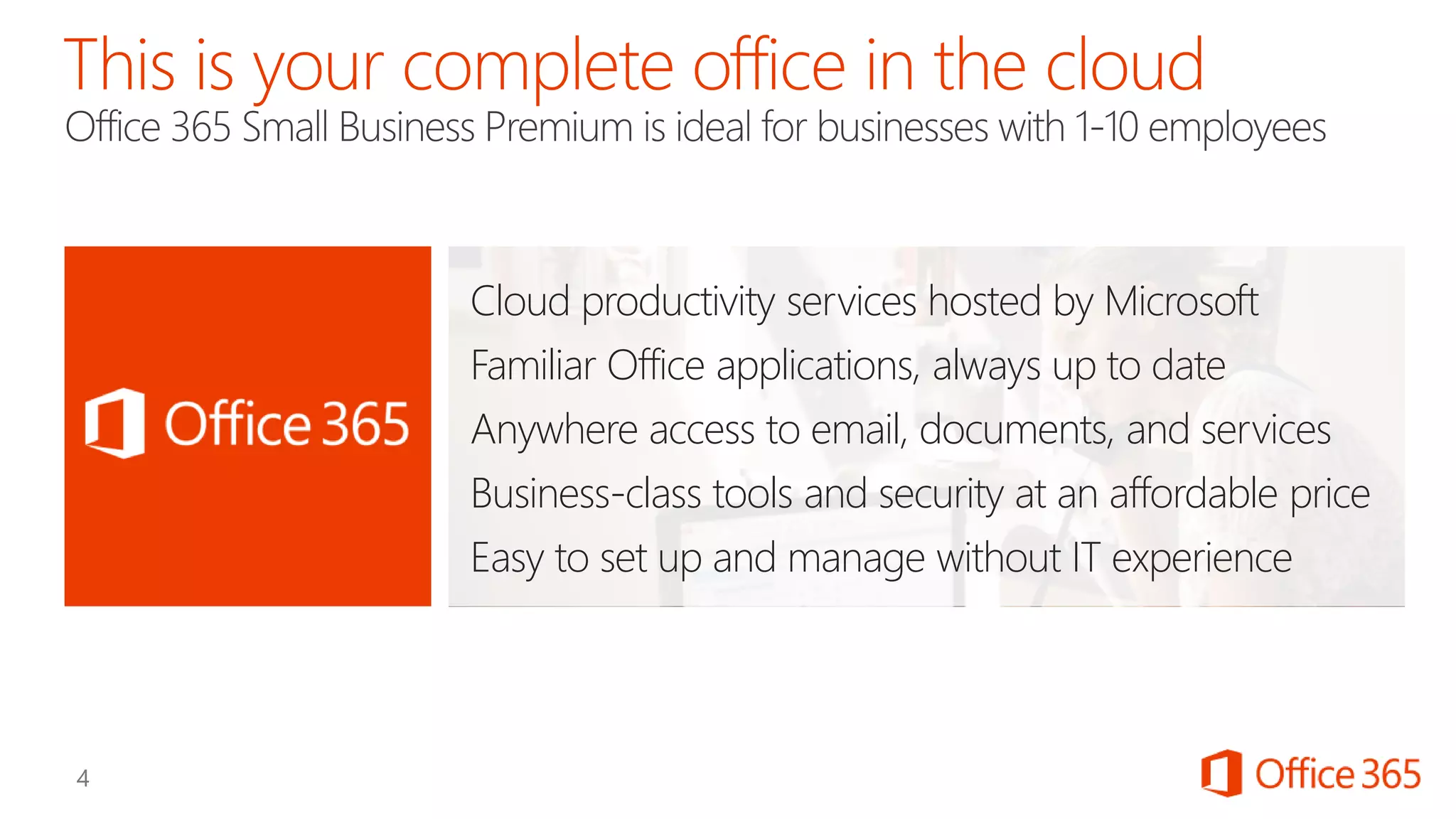
Cloud productivity services hosted by Microsoft
Familiar Office applications, always up to date
Anywhere access to email, documents, and services
Business-class tools and security at an affordable price
Easy to set up and manage without IT experience
Get the latest version of
the familiar Office
applications on all your
devices: PC, Mac, tablet
and smartphone.
Sign in to Office and
your email and latest
documents are just as
you left them
Save your files to the
cloud for automatic
backup and sync to a
device for offline access
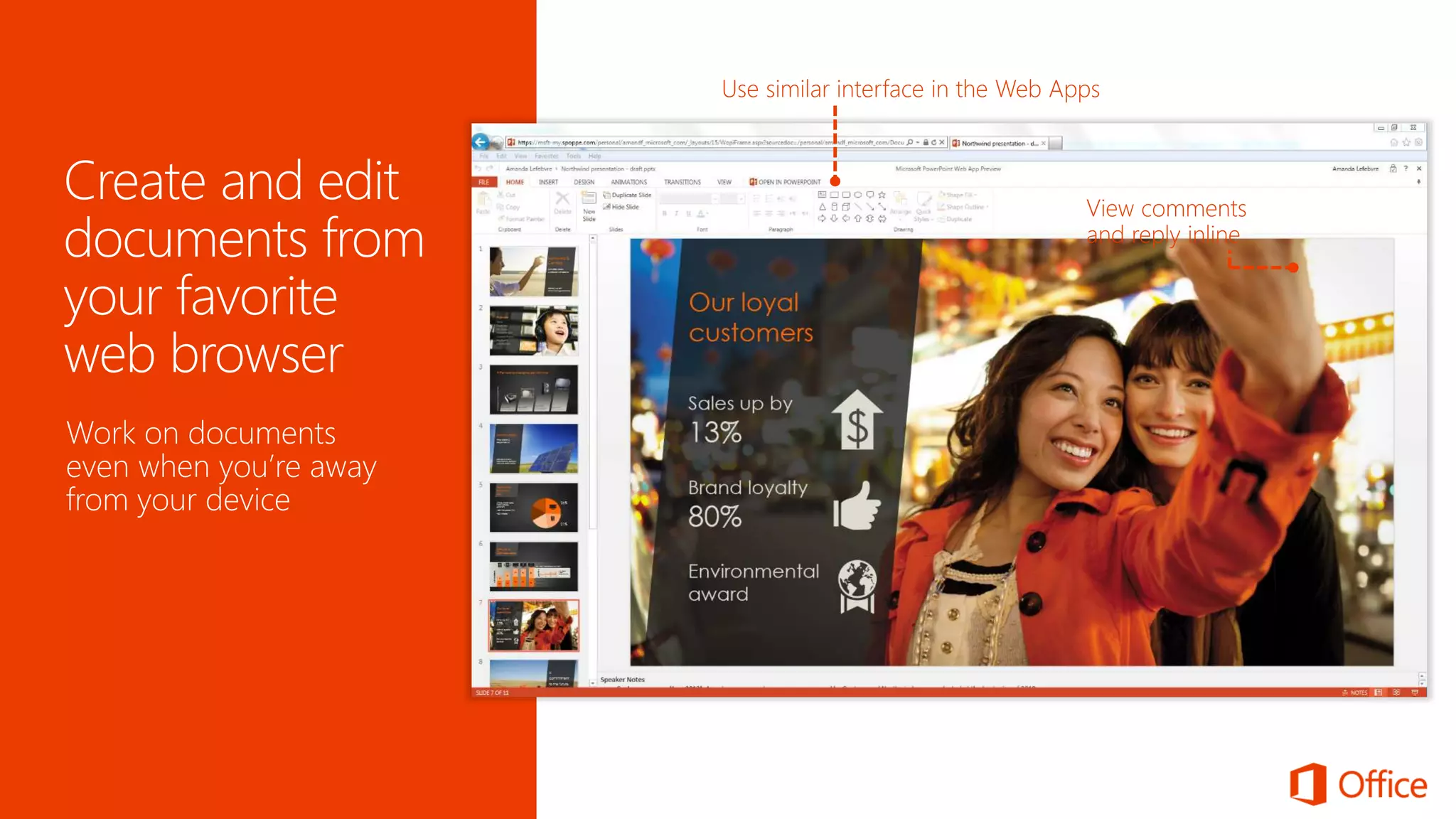
Work on documents
even when you’re away
from your device
Look Professional
Host and participate
in effective online
meetings with multi-party
HD video, content
sharing, and real-time
note taking
Use your own domain
Design, publish, and
update your company
website
No web designer required
Share directly from Office
applications
Click here to share files with others
Share files easily and
securely using SkyDrive
Pro
Anyone can open and
edit the files directly in
the browser using Office
Web Apps
Set up your own domain
as your business email
Work seamlessly with
Outlook
Get 25GB mailboxes with
malware protection
See people’s updates
from social networks like
Facebook and LinkedIn
within the contact card
Use professionally-
designed letter or
report templates to
get a polished look
without starting
from scratch
Search here for more
templates online
No IT Required
Set up quickly with easy-
to-use services
Manage users and settings
from a simplified yet
powerful web portal
Built-in malware protection
Continuous data backup to
geo-redundant servers
99.9% financially-backed
service level agreement
IT level phone support
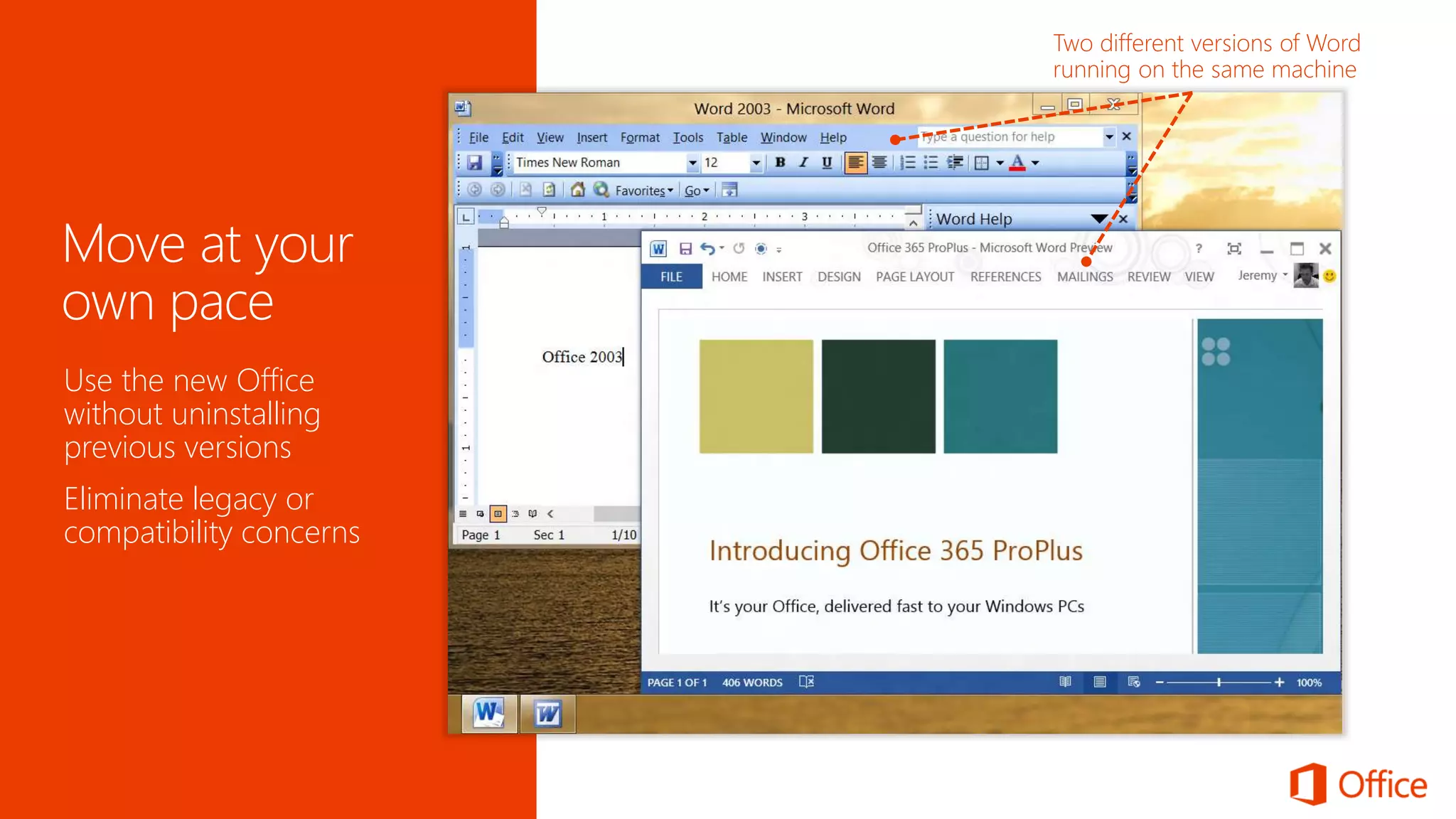
Use the new Office
without uninstalling
previous versions
Eliminate legacy or
compatibility concerns
Office 365 Trial Free
Office 365
Midsize Business
Office 365 Small
Business Premium
Office 365
Enterprise E3
Advanced
Services
Standard
Services
Office
Office Web Applications
Seat targets 1–10 11–250 >250
Voicemail, Legal Hold, Data Loss Prevention
Rights Management
Office Desktop Applications
Price (per user/month in US Dollars) $12.50 $15 $20
  
Basic Expanded Full


  
Pull Pull Push
 
  
Basic Expanded Full
Basic Expanded Full


  
Pull Pull Push
 
Email, File Sharing, Website, Conferencing   
Click to Run Office Deployment
Active Directory® Integration
IT Level Phone Support
IT Administration Console
InfoPath Forms, Access, Excel, Visio Services
Office 365
Small Business
1-10
$6

Expanded

Basic
Basic

Sign up for your free trial @ Office.com/
© 2012 Microsoft Corporation. All rights reserved. Microsoft, Windows, and other product names are or may be registered trademarks and/or trademarks in the U.S. and/or other countries.
The information herein is for informational purposes only and represents the current view of Microsoft Corporation as of the date of this presentation. Because Microsoft must respond to changing market conditions, it should not be interpreted to be a commitment on the
part of Microsoft, and Microsoft cannot guarantee the accuracy of any information provided after the date of this presentation. MICROSOFT MAKES NO WARRANTIES, EXPRESS, IMPLIED OR STATUTORY, AS TO THE INFORMATION IN THIS PRESENTATION.
Hosted business-class email and shared calendar
25 GB of storage space per user
Robust spam and malware protection
Easy to add or delete users
Save documents in the cloud by default
Share documents with customers/partners with controlled access
Create and manage your company website without a web designer
Sync online files to your devices for offline access with SkyDrive Pro
Latest version of Office desktop apps licensed as a subscription
Per user licensing across 5 PCs/Macs and 5 mobile devices
Use Office Web Apps on any browser for minor edits
Stream an Office app to a PC when away from computer
Presence, IM, voice, and HD video conferencing
Real-time note taking and document sharing
Conduct Lync meetings with customers and partners
Connect with Skype contacts using presence, IM, and voice
Get a quick peek of
recommended charts or
PivotTable based on
patterns in your data
Recommend different charts
based on the data selected
Source PDF
document
PDF file converted
to Word
Open PDF file
directly from Word
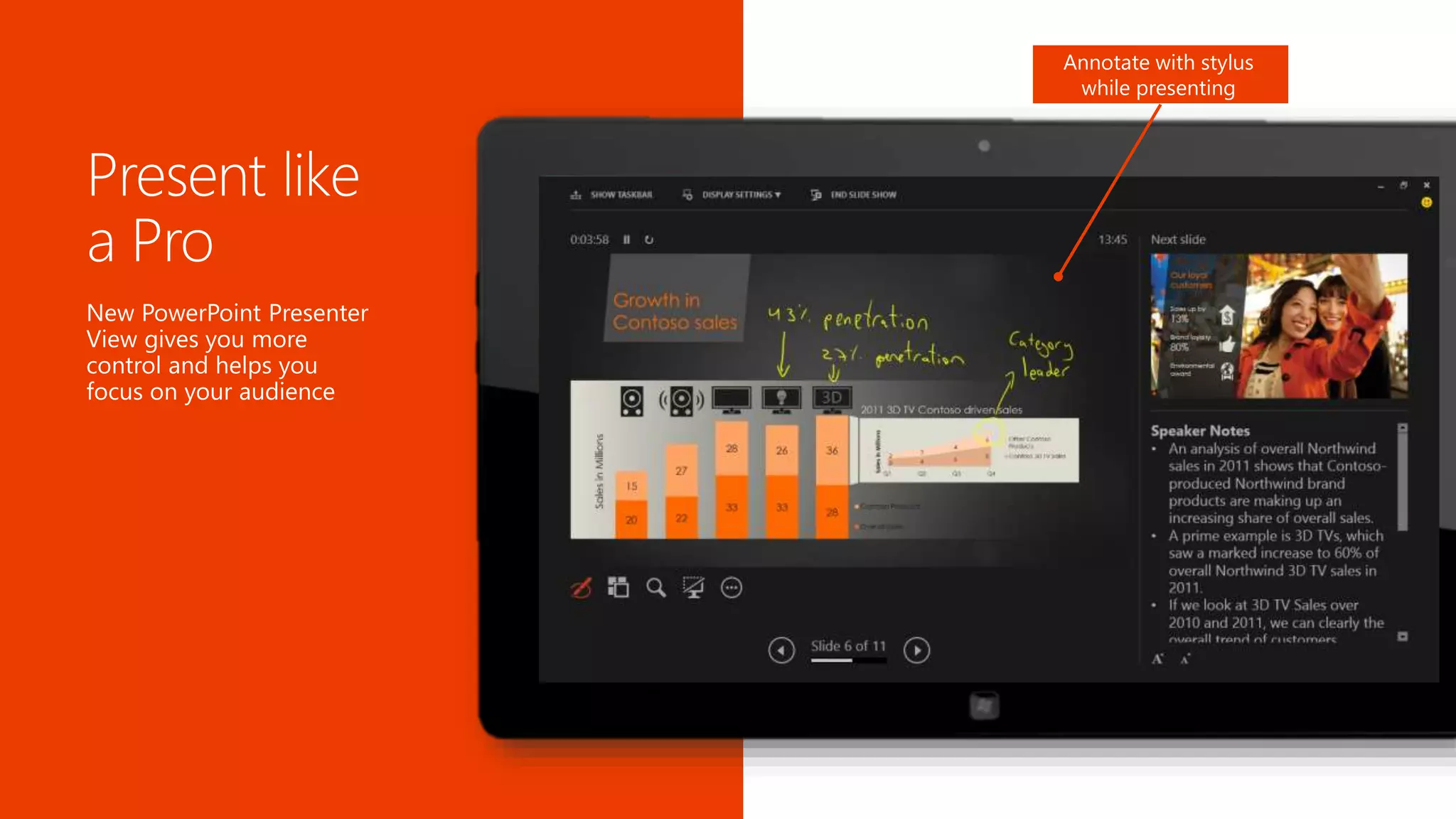
Annotate with stylus
while presenting
Your complete office in the cloud.
FOR MORE INFO CONTACT
Alexander Ospino
Microsoft Small Business Specialist
Cell: 305.627.3352
Email: alexander@softpoint.onmicrosoft.com
Tried Now Free Click Here

Office 365 for Home or Small Businesses

  • 1.
    Your complete officein the cloud. The new Office for Small Businesses Alexander Ospino Microsoft Small Business Specialist Soft Point Technology Group
  • 4.
    Cloud productivity serviceshosted by Microsoft Familiar Office applications, always up to date Anywhere access to email, documents, and services Business-class tools and security at an affordable price Easy to set up and manage without IT experience
  • 6.
    Get the latestversion of the familiar Office applications on all your devices: PC, Mac, tablet and smartphone.
  • 7.
    Sign in toOffice and your email and latest documents are just as you left them Save your files to the cloud for automatic backup and sync to a device for offline access
  • 8.
    Work on documents evenwhen you’re away from your device
  • 9.
  • 10.
    Host and participate ineffective online meetings with multi-party HD video, content sharing, and real-time note taking
  • 11.
    Use your owndomain Design, publish, and update your company website No web designer required
  • 12.
    Share directly fromOffice applications Click here to share files with others Share files easily and securely using SkyDrive Pro Anyone can open and edit the files directly in the browser using Office Web Apps
  • 13.
    Set up yourown domain as your business email Work seamlessly with Outlook Get 25GB mailboxes with malware protection See people’s updates from social networks like Facebook and LinkedIn within the contact card
  • 14.
    Use professionally- designed letteror report templates to get a polished look without starting from scratch Search here for more templates online
  • 15.
  • 16.
    Set up quicklywith easy- to-use services Manage users and settings from a simplified yet powerful web portal Built-in malware protection Continuous data backup to geo-redundant servers 99.9% financially-backed service level agreement IT level phone support
  • 17.
    Use the newOffice without uninstalling previous versions Eliminate legacy or compatibility concerns
  • 20.
  • 21.
    Office 365 Midsize Business Office365 Small Business Premium Office 365 Enterprise E3 Advanced Services Standard Services Office Office Web Applications Seat targets 1–10 11–250 >250 Voicemail, Legal Hold, Data Loss Prevention Rights Management Office Desktop Applications Price (per user/month in US Dollars) $12.50 $15 $20    Basic Expanded Full      Pull Pull Push      Basic Expanded Full Basic Expanded Full      Pull Pull Push   Email, File Sharing, Website, Conferencing    Click to Run Office Deployment Active Directory® Integration IT Level Phone Support IT Administration Console InfoPath Forms, Access, Excel, Visio Services Office 365 Small Business 1-10 $6  Expanded  Basic Basic 
  • 22.
    Sign up foryour free trial @ Office.com/
  • 23.
    © 2012 MicrosoftCorporation. All rights reserved. Microsoft, Windows, and other product names are or may be registered trademarks and/or trademarks in the U.S. and/or other countries. The information herein is for informational purposes only and represents the current view of Microsoft Corporation as of the date of this presentation. Because Microsoft must respond to changing market conditions, it should not be interpreted to be a commitment on the part of Microsoft, and Microsoft cannot guarantee the accuracy of any information provided after the date of this presentation. MICROSOFT MAKES NO WARRANTIES, EXPRESS, IMPLIED OR STATUTORY, AS TO THE INFORMATION IN THIS PRESENTATION.
  • 25.
    Hosted business-class emailand shared calendar 25 GB of storage space per user Robust spam and malware protection Easy to add or delete users Save documents in the cloud by default Share documents with customers/partners with controlled access Create and manage your company website without a web designer Sync online files to your devices for offline access with SkyDrive Pro Latest version of Office desktop apps licensed as a subscription Per user licensing across 5 PCs/Macs and 5 mobile devices Use Office Web Apps on any browser for minor edits Stream an Office app to a PC when away from computer Presence, IM, voice, and HD video conferencing Real-time note taking and document sharing Conduct Lync meetings with customers and partners Connect with Skype contacts using presence, IM, and voice
  • 26.
    Get a quickpeek of recommended charts or PivotTable based on patterns in your data Recommend different charts based on the data selected
  • 27.
    Source PDF document PDF fileconverted to Word Open PDF file directly from Word
  • 28.
  • 29.
    Your complete officein the cloud. FOR MORE INFO CONTACT Alexander Ospino Microsoft Small Business Specialist Cell: 305.627.3352 Email: alexander@softpoint.onmicrosoft.com Tried Now Free Click Here

Editor's Notes

  • #2 This deck is designed to help you lead with Office 365 Small Business Premium to customers with 1-10 users.
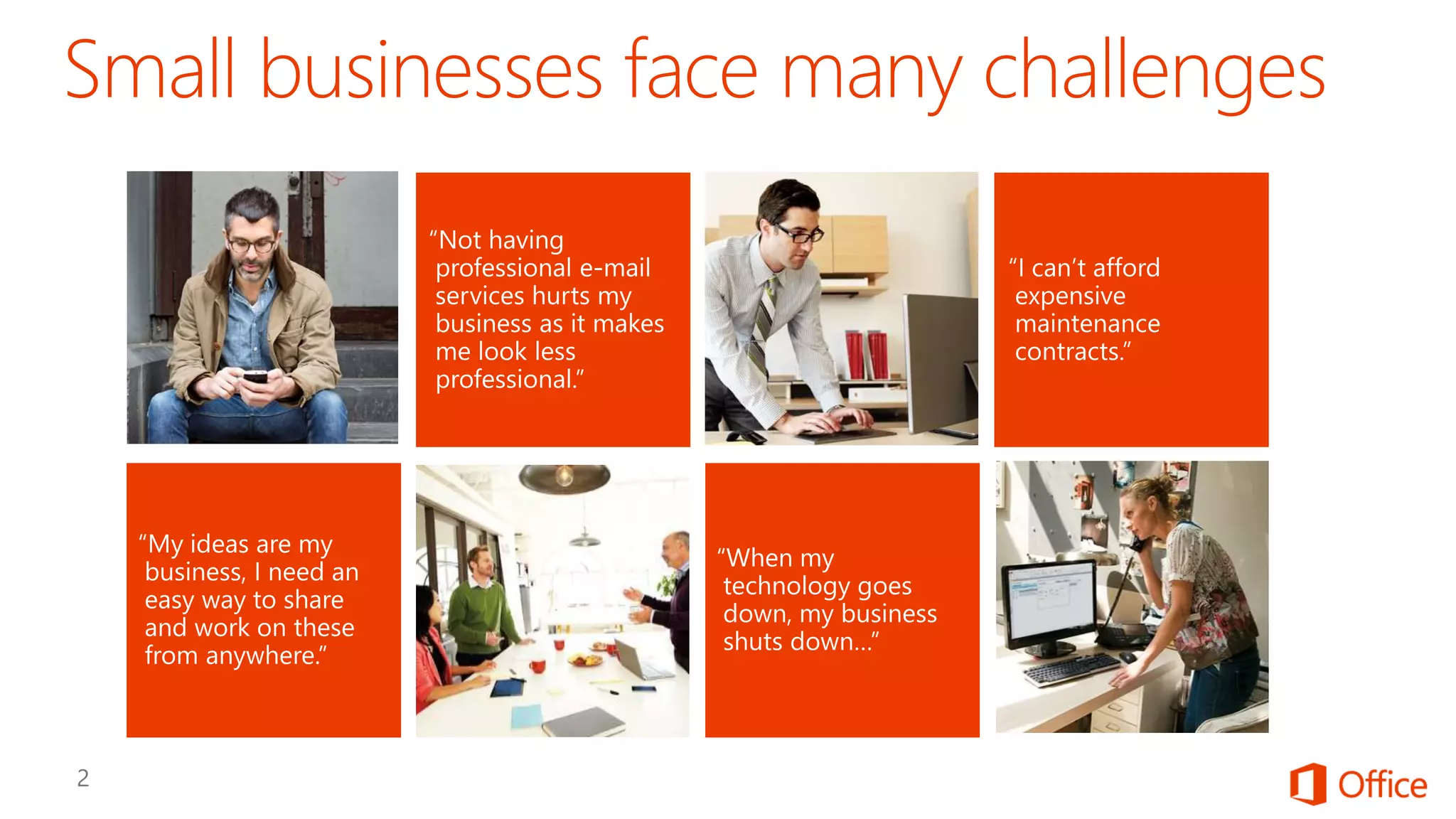
  • #3 Slide purpose: Establish that you understand the challenges and concerns of small businesses, and why they have unique requirements. How to present this slide: Read the pain points out from left to right. Add color to each point using the content below.  Use this slide to set up the value prop shown in the next slide Talk track “My ideas are my business. I need an easy way to share and work on these from anywhere” We understand that business owners like you rely on technology to give you the edge to compete in your market. Being able to respond and put ideas together quickly and from anywhere is key to your success. “Not having professional e-mail services hurts my business as it makes me look less professional.” Regardless of how big or small your company really is, you always want to appear bigger and more established. “When my technology goes down, my business shuts down…” You need technology to work for you, not for you to worry about it. “I can’t afford expensive maintenance contracts.” Every dollar counts Given all these challenges, what you are really looking for is technology that fits the needs of your business. [click]
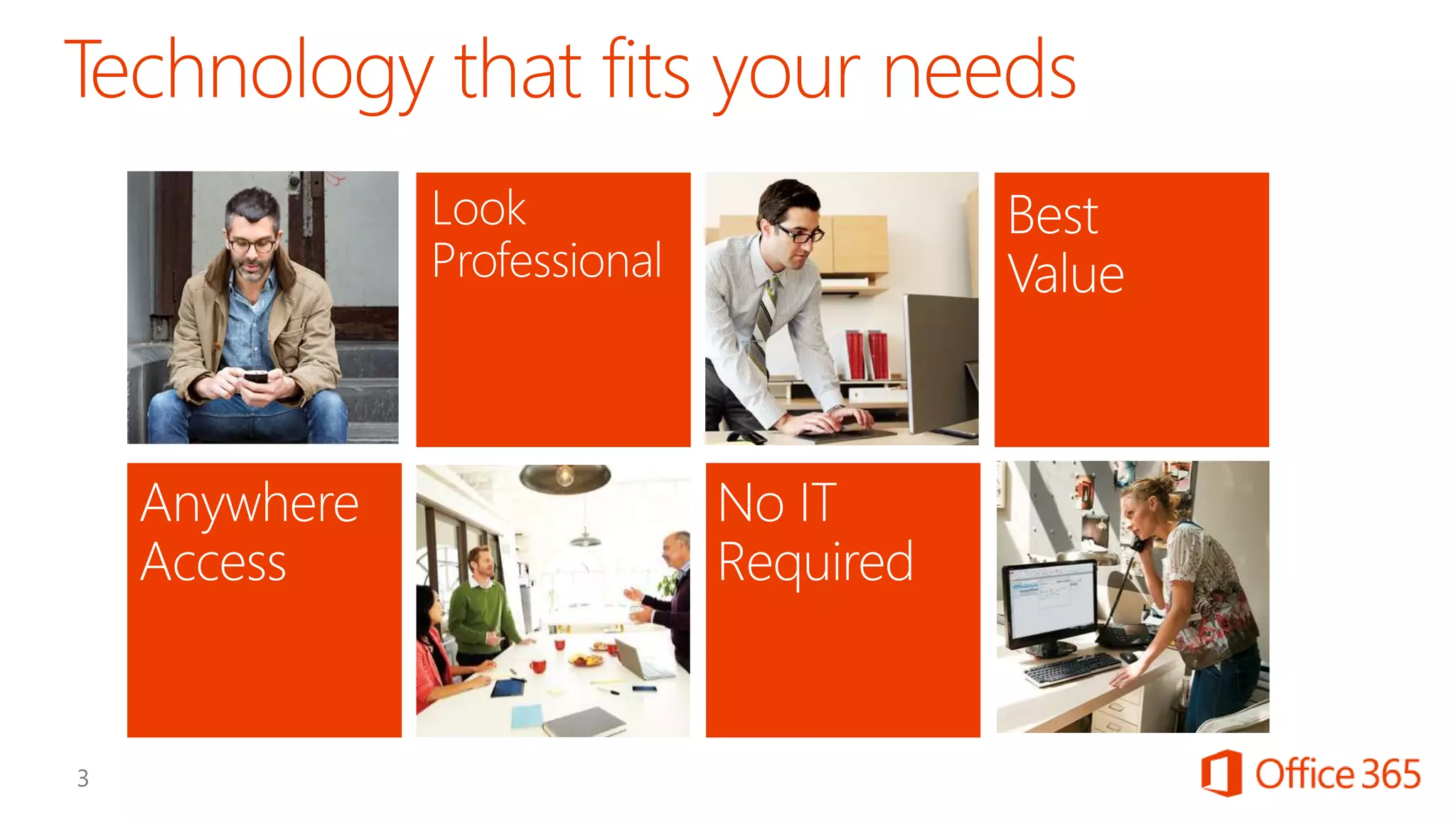
  • #4 Slide purpose: Explain how Office 365 is the right technology based on the challenges and pain points outlined in the previous slide. How to present this slide: Transition from previous slide by saying, “Given all these challenges, what you are really looking for is technology that fits the needs of your business.” Use this slide to tee-up how technology can help with giving them anywhere access, looking professional, getting technology with IT expertise, and getting the best bang for their buck. Talk track Benefits of Anywhere Access: Anywhere access is important because you want to have easy access to email, content, and business-ready tools to work on the devices you use already. Even when you don’t have your devices, you want to be able to securely access your content and tools to do what you need to do This is especially important when you are dealing with customer requests because you want to respond immediately and provide the best service You also want to be able to create a sense of community even when not everyone comes to work in the same office everyday. Benefits of Looking Professional: You want technology that can help you level your playing field with the bigger players Technology that can save you time by getting things done faster without the need for any professional help Business tools that are built to work together out of the box to help you with email, creating documents, sharing documents, managing projects, and customer meetings Benefits of Easy IT with no IT expertise required: You want to reduce your IT headaches by reducing your IT You want to be able to control access to sensitive documents without the need to be a security expert You want to all the services to work with each other out of the box so you can work seamlessly with each other and with partners or customers You need to have a business continuity plan when unfortunate events happen, such as a power outage, leakage, or natural disaster You want IT-level phone support to be available when you need help You want to secure all the mobile devices Benefits of Best Value: Every dollar counts. You want the best technology to support the growth of your business But you also want to make sure you invest in technologies that have the lowest total cost of ownership (TCO) but also the highest return in end-user productivity. You want to have predictability of your IT cost each month and be able to easily scale up and down. You want to simplify licensing, and one that supports the use of mobile devices at work You don’t want to keep paying for IT maintenance costs to take care of your servers
  • #5 Slide purpose: Introduce that Office 365 is your complete office in the cloud How to present this slide: Keep in mind that most people, when they hear “Office 365”, only hear “Office” and think “Word, PowerPoint, Excel”. And when they hear “cloud”, they think “web apps” only, thinking this is only a browser-based version of Office, similar to Google Apps. So it’s important to take your time and labor on these 2 points specifically. Transition from previous slide by saying, “We understand what technology you need to help you manage the business challenges you are facing. We are excited that there is a new offering in the market that has been designed specifically for you….” Talk track Introducing Office 365 Small Business Premium – this is an offering specifically designed for businesses with 1-10 users First of all, Office 365 is a cloud-based productivity service hosted by Microsoft It includes the latest version of the familiar Office applications (like Word, PowerPoint, Excel, that you currently run on your PC or laptop) that is always up to date It also includes anywhere access to email, calendar, documents, and HD video conferencing that works seamlessly with the Office you know And these are business-class productivity tools and enterprise-level security specifically designed for small businesses’ needs and price range Because this is designed with small businesses in mind, it’s easy to set up and manage, without the need for IT experience. Plus, since this is a cloud service, it is supported and backed by a 99.9% uptime guarantee service level agreement. In contrast, some key business needs, such as Voice for PC to PC calling, Google Contacts, and Google Video, are not covered by the Google Apps for Business service level agreement (SLA). What’s unique about Office 365 is that: It works perfectly with the Office you know and use so you or your employees don’t have to learn a new tool or require additional training It is designed to help you work seamlessly online or offline: Say you are working on a proposal and want to get feedback from your partners or customers. You can start working on it on your own computer, then save to the cloud and share it securely with partners or customers for feedback. They can then access the documents and work on them with you online instead of emailing different versions back and forth. If you go offline, say when on a plane, you can still access the documents and work on them offline (using SkyDrive Pro), and Office 365 will automatically sync the document back to the cloud as soon as you have connections again. These are all enterprise-class services – trusted by large corporations designed to give you the reliability and security you expect. Coca-Cola Enterprises (72,000 employees), Starbucks, Campbell Soup, Hyatt Hotels (106,000 employees), the Department of Veterans Affairs (600,000 employees), Lowes (>200,000 employees), Hallmark (9,500 employees), Japan Airlines (20,000 employees), and Burger King (3,500 users). We do not violate your privacy or confidentiality requirements by using scanning technologies to read your email for targeting advertising like Google does. Let’s drill down now on the specifics of Office 365 to help you understand why it’s the right technology for your business. The first area we talked about is “anywhere access”….
  • #6 Let’s see how Office 365 can give you anywhere access to things you need to keep your business running at all times.
  • #7 Before the click: Office 365 includes the latest version of all the familiar Office applications – including Word, PowerPoint, Excel, Outlook – for you to use on your PCs and Macs. After the Click: In addition, it also provides access to certain Office applications that are optimized for tablets and smartphones. For example, Outlook for Windows tablets is optimized for touch experience and makes it easier for users to interact, compose and manage their email on the go. Lync and OneNote for Windows Phones as well as iOS and Android operating system provide the rich experience on the mobile phones. For each Office 365 licensed user, you can use Office on up to 5 PC or Mac, and 5 mobile devices.
  • #8 There is no use for Office on all your devices if you can’t get to your documents. With Office 365, your documents are saved to the cloud by default so they are automatically backed up. You now have a “drive” in the cloud called SkyDrive Pro for documents that you are managing and working on but can also share with others (see screenshot, point to the SkyDrive Pro link at the top right bar) Because everything is saved to the cloud, when you sign into Office from any browser, you will always have the latest version of your documents follow you. See this list of your latest documents (point to the screenshot on the left). This also goes for settings like your personal dictionary and custom templates. When your documents are saved in the cloud, you can also sync (point to the sync button on the top right) these files to your laptop or mobile devices so you can still access and work on them when you are offline. It will automatically re-sync it back to the cloud when you have your connection back.
  • #9 You usually travel with your laptop or tablets. But on the occasion that they ran out of battery, you can still work on your documents using Office Web Apps by logging into your Office 365 account from any browser. Office Web Apps are now improved to provide you with the full feature experience in your web browser so you can create new documents or edit using your favorite browser. [Click] With the new and improved Web Apps, you get more of the same ribbon experience that you are familiar with in the rich application. And more options will be added as we continue to make editions in the upcoming releases. [Click] Get updated editing functionality like inline reply to comments as well as rich editing experience
  • #10 Now, let’s look at how Office 365 can help you look your best regardless of your size
  • #11 With Office 365, you can connect with your customers and partners from anywhere using multiparty high-definition video conferencing so everyone can interact with each other in a more lively manner. You can also review samples more clearly with the high definition videos. Plus, you can easily share your screen so you can walk through a document or presentation during the meeting. [Click] Office 365 now also supports creating a shared OneNote meeting notes during the meeting. This means with one click, you create a OneNote that everyone in the call has access to and can start typing at the same time. Everyone can see and verify the list of action items as they are being discussed during the meeting so there are less chances for errors and ensure everyone is on the same page. Since it’s a shared OneNote, it also means the organizer of the meeting can delegate the responsibility of note-taking to someone else in the call if need be.
  • #12 Office 365 helps you establish a professional web presence by making it easy for you to: Use your own domain name as the website address Design, publish, and update your company website using professionally-designed templates so you don’t have to hire a web designer
  • #13 With Office 365, you can now share large files with your customers and partners easily and securely With SkyDrive Pro or any other document library within SharePoint Online, you can easily share documents from the preview pane. This preview pane helps ensure it is the right file you want to share. Any external user you shared the file with can open and edit the file directly in the browser using Office Web Apps, making this a better solution than other file sharing sites. [Click] You can also easily share documents from within each of the Office applications by clicking share.
  • #14 Office 365 includes business-class email and calendaring so you can use your own domain name as your business address. This works natively with Outlook which means it won’t have any syncing problems like some other email services. Each user has a 25GB mailboxes with industry’s best spam and malware protection. The latest Outlook connects with social networks like Facebook and LinkedIn so you can see your contacts updates from within the contact card.
  • #15 Office 365 includes the latest version of the familiar Office apps like Word, PowerPoint, and Excel. It now comes with professionally designed templates for letters, reports, and flyers so you can get things done faster without the need to start from scratch. You can search for more templates online right from within the apps.
  • #16 Office 365 gives you the best technology without asking you to be an IT expert.
  • #17 Key Message: Office 365 enables you to focus on your business rather than technology. Talking Points Office 365 includes: Step by step guidance to help you get up and running quickly Easy web-based management of all the services for you to add or delete users, define settings, etc. Protection from malicious malware, spam, phishing attacks, and other email threats Automatic data backup to servers around the world so you are never fully exposed Financially-backed 99.9% uptime guarantee 24x7 IT level phone support for critical issues (service impacting incidents), business hours for non-critical issues This means small business owners can: Focus on their business and not IT with easy-to-use services that keep their data secure and available Save money with one service for all their productivity needs Have a suite of professional-grade tools that grows with their business needs
  • #18 Office 365 allows you to use the new Office without uninstalling previous versions so if you are worried about certain files not compatible with the latest version, you can always take your time to upgrade whenever you are ready.
  • #19 By this time, you might be thinking everything you have heard so far is good but can I afford this? Let’s see how Office 365 gives you the best bang for your buck.
  • #20 Business-ready tools Office 365 has the broadest definition of what productivity and collaboration means for business You get big business tools at affordable price, no compromises One stop shop for everything you need to run your business, no more cost and hassle of using one-off solutions Microsoft builds professional tools for businesses. This is the core of our business. We don’t think about this as a side business so we can use your business data to sell advertising. Always up to date Because Office 365 is a cloud service you subscribe to, you’ll always have the latest version of the technology Office is the common language in business for years – you can now subscribe to Office and always get to use the latest version Low upfront costs You don’t need to pay upfront for any licenses, but just a low monthly fee as a subcription Office 365 also means low training costs because it is based on services that are already familiar to your users One user, multiple devices Simplified per-user licensing means each user can use Office on multiple devices With each Office 365 user, you can install Office on up to 5 PC or Mac, plus 5 mobile devices which include smartphones and tablets You get predictable monthly costs that are easier to budget If you have seasonal workers, you can easily add and delete users as you need them.
  • #21 Presenter guidance: Use this time to demo Office 365 to the audience.   How to present the demo: There are different ways to demo the new Office. Choose the option you are most comfortable with. There are new Office demos listed on http://aka.ms/partnersandthenewoffice for partners Check out http://demoshowcasesuite.com/ at GA for new demo assets For internal Microsoft field, visit http://infopedia/Pages/MOD-Demos.aspx or http://www.microsoftcie.com Sign up for a customer preview tenant, add your own content, and show it to customers If you don’t feel comfortable or don’t have the capabilities to demo the service, show one of these videos: “What Office 365 means to me” http://www.youtube.com/watch?v=Vn-qSzO_0lg Or pick one of the latest videos from: http://www.youtube.com/user/MicrosoftOffice365 http://www.microsoft.com/en-us/office365/customer-stories.aspx
  • #22 We introduced the new offering Office 365 Small Business Premium earlier on in the presentation as the unique plan designed specifically for businesses with 1-10 users. To help you choose the right plan for your business, we have a comparison between four popular options: Office 365 Small Business, Office 365 Small Business Premium (SBP), Midsized Business (M), and Enterprise E3. There are some similarities across all three plans, for example all plans include business-class email, file sharing, website, and collaboration. But let’s look at the differences here… First, at the bottom of this table, you can see the seat target for these plans, as well as the pricing (USD dollar shown). There are technical limitations on the number of seats you can add to SB, SBP, and M, but you should choose the right plan not only based on these, but also around topics like Office apps, IT control, support, how to deploy Office, and whether you have advanced business and IT needs. Office Desktop Apps This is the familiar Office apps (Word, PowerPoint, Excel) that you install on your laptop and stay on your laptop. This is the main difference between Small Business and Small Business Premium. IT Admin Console IT admin with Small Business and Small Business Premium is simple and preconfigured so customers don’t have to do much to get up and running. Midsized Business and E3 customers want greater control and customization from the console, which is why we’ve built in more robust controls like Active Directory integration. The difference between M and E3 is more subtle, where in M you should expect to see more templates and how-to videos for the IT generalists, and in E3, full capability to configure all the services. Support Support is much the same. You have 24/7 IT level phone support for critical issues (service impacting incidents) for all plans. Small Business, SBP, and M then have business hours (M-F, roughly 6am-6pm) IT level phone support for anything non-critical. M has a 8-hour Support Response Time Commitment whereas SB and SBP don’t but use a web service request system for you to track status of any support calls. E3 has 24/7 access to IT level phone support. Our phone support exceeds our closest competition on all of our plans. Office All plans except SB, include desktop Office applications licensed as a subscription, plus Office Web Apps. What’s different here is how you get to deploy Office. Office Deployment for Small Business Premium and Midsized Business is a “pull’ experience meaning the end user initiates the deployment and it streams Office directly from Office 365 servers. Push deployment in E3, means that Office may be used with software distribution and automation tools that enable IT admins to install it on behalf of end users. Advanced services We’ve already touched on it, but only Midsized Business and E3 will work with Active Directory. This enables single sign-on for all your PCs and it integrates with your company’s identity system. Users created on-premises are available for license assignment in the cloud, and you will have one place to set up permissions. The biggest difference between M and E3 are advanced services like Excel and Visio Services for SharePoint integration, rights management (allows customers to send IRM mail from Exchange), voicemail, and compliance features like In-Place Hold and Data Loss Prevention. If you need these services, you will want to consider E3 regardless of your company size.
  • #23 Use this slide to discuss next steps. Customize this to what you want the audience or potential customer to do. Be specific and thoughtful and make it as easy as possible to say “yes”. Check out http://aka.ms/BEST or (http://Office365BEST) for resources you can use as follow up materials: Customer leave behind (SBP) Industry e-books
  • #26 This is a good slide to explain what is included in Office 365 Small Businesses Premium. You can consider printing this out as a leave-behind too. When you explain Office 365 to a small and midsize business, it’s easiest to explain in four buckets. The first and foremost, and where most of the exciting investments are coming from for this release, is Office. This is the familiar rich Office client that your customers use and love, but now offered as a cloud service, so it’s always up to date. This Office “knows” you, meaning you now sign into Office so your latest documents and settings roam with you or follow you. Users can use this Office on multiple devices. And when you don’t have your laptop, you can now stream the full Office applications to any PC in minutes with Office on demand so you can work from anywhere. This Office, delivered as a service, is designed to work seamlessly with best of breed productivity services. Exchange Online for hosted business-class email, SharePoint Online for document sharing and sites management, and Lync Online for web conferencing and instant messaging. These are all enterprise-class services designed and optimized for SMB. There is a lot of features and capabilities packed into Office 365, so to start a conversation, Exchange Online is the best workload to lead with because everyone needs and understands email.
  • #27 The new Office also includes improvements in each of the application to help you work better together with data. One of the example is the new Excel. [click] When you select a table, it will take the data and dynamically generate different charts using your data to quickly preview for you what they will look like, without committing to them. It will do the same for you for PivotTable too – which is something very useful but not the easiest to create from scratch.
  • #28 With the new Word, you can open a PDF file in Word so you can edit it in full without the need to re-create it from scratch.
  • #29 The new PowerPoint lets you present like a pro with a special speaker view when you are in presentation mode.