Office 365 Business
is your modern Office
Partner Logo
Mobility
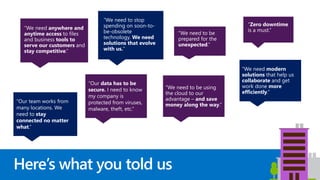
Here’s what you told us
“We need anywhere and
anytime access to files
and business tools to
serve our customers and
stay competitive.”
“We need modern
solutions that help us
collaborate and get
work done more
efficiently.”
“We need to be using
the cloud to our
advantage – and save
money along the way.”
“Zero downtime
is a must.”
“We need to stop
spending on soon-to-
be-obsolete
technology. We need
solutions that evolve
with us.”
“Our team works from
many locations. We
need to stay
connected no matter
what.”
“Our data has to be
secure. I need to know
my company is
protected from viruses,
malware, theft, etc.”
“We need to be
prepared for the
unexpected.”
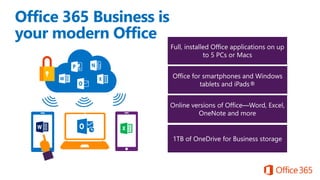
Full, installed Office applications on up
to 5 PCs or Macs
Office for smartphones and Windows
tablets and iPads®
Office 365 Business is
your modern Office
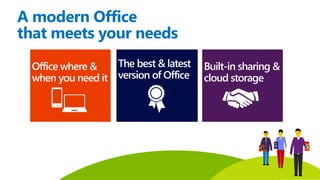
A modern Office
that meets your needs
Office when & where
you need it
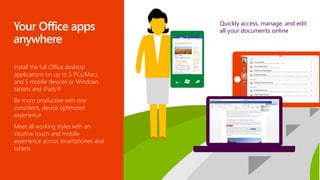
Install the full Office desktop
applications on up to 5 PCs/Macs
and 5 mobile devices or Windows
tablets and iPads®
Be more productive with one
consistent, device optimized
experience
Meet all working styles with an
intuitive touch and mobile
experience across smartphones and
tablets
Quickly access, manage, and edit
all your documents online
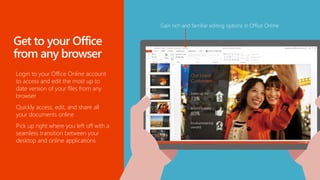
Login to your Office Online account
to access and edit the most up to
date version of your files from any
browser
Quickly access, edit, and share all
your documents online
Pick up right where you left off with a
seamless transition between your
desktop and online applications
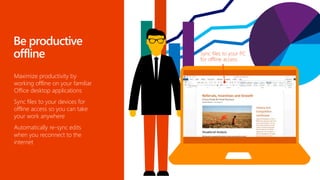
Maximize productivity by
working offline on your familiar
Office desktop applications
Sync files to your devices for
offline access so you can take
your work anywhere
Automatically re-sync edits
when you reconnect to the
internet
The best & latest
version of Office
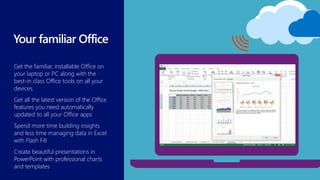
Get the familiar, installable Office on
your laptop or PC along with the
best-in class Office tools on all your
devices.
Get all the latest version of the Office
features you need automatically
updated to all your Office apps
Spend more time building insights
and less time managing data in Excel
with Flash Fill
Create beautiful presentations in
PowerPoint with professional charts
and templates
From Fortune 500 companies to your
favorite shops, Office is the
productivity solution of choice for
millions of businesses around the
world
With 1.3 billion Office users today,
work on documents with others
inside and outside your organization
without losing rich file formatting
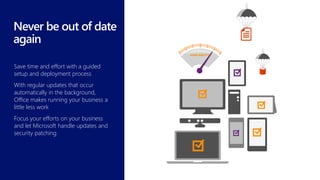
Save time and effort with a guided
setup and deployment process
With regular updates that occur
automatically in the background,
Office makes running your business a
little less work
Focus your efforts on your business
and let Microsoft handle updates and
security patching
Built-in sharing
& storage
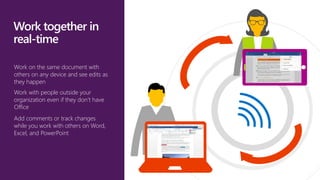
Work on the same document with
others on any device and see edits as
they happen
Work with people outside your
organization even if they don’t have
Office
Add comments or track changes
while you work with others on Word,
Excel, and PowerPoint
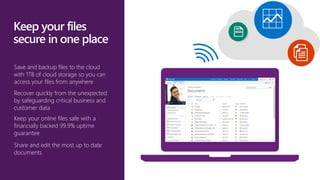
Save and backup files to the cloud
with 1TB of cloud storage so you can
access your files from anywhere
Recover quickly from the unexpected
by safeguarding critical business and
customer data
Keep your online files safe with a
financially backed 99.9% uptime
guarantee
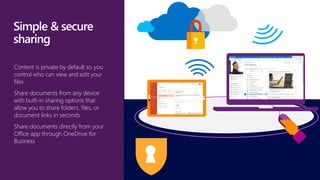
Share and edit the most up to date
documents
Content is private by default so you
control who can view and edit your
files
Share documents from any device
with built-in sharing options that
allow you to share folders, files, or
document links in seconds
Share documents directly from your
Office app through OneDrive for
Business
© 2012 Microsoft Corporation. All rights reserved. Microsoft, Windows, and other product names are or may be registered trademarks and/or trademarks in the U.S. and/or other countries.
The information herein is for informational purposes only and represents the current view of Microsoft Corporation as of the date of this presentation. Because Microsoft must respond to changing market conditions, it should not be interpreted to be a commitment on the
part of Microsoft, and Microsoft cannot guarantee the accuracy of any information provided after the date of this presentation. MICROSOFT MAKES NO WARRANTIES, EXPRESS, IMPLIED OR STATUTORY, AS TO THE INFORMATION IN THIS PRESENTATION.

CJ Systems Office 365 business

  • 1.
    Office 365 Business isyour modern Office Partner Logo
  • 2.
    Mobility Here’s what youtold us “We need anywhere and anytime access to files and business tools to serve our customers and stay competitive.” “We need modern solutions that help us collaborate and get work done more efficiently.” “We need to be using the cloud to our advantage – and save money along the way.” “Zero downtime is a must.” “We need to stop spending on soon-to- be-obsolete technology. We need solutions that evolve with us.” “Our team works from many locations. We need to stay connected no matter what.” “Our data has to be secure. I need to know my company is protected from viruses, malware, theft, etc.” “We need to be prepared for the unexpected.”
  • 3.
    Full, installed Officeapplications on up to 5 PCs or Macs Office for smartphones and Windows tablets and iPads® Office 365 Business is your modern Office
  • 4.
    A modern Office thatmeets your needs
  • 5.
    Office when &where you need it
  • 6.
    Install the fullOffice desktop applications on up to 5 PCs/Macs and 5 mobile devices or Windows tablets and iPads® Be more productive with one consistent, device optimized experience Meet all working styles with an intuitive touch and mobile experience across smartphones and tablets Quickly access, manage, and edit all your documents online
  • 7.
    Login to yourOffice Online account to access and edit the most up to date version of your files from any browser Quickly access, edit, and share all your documents online Pick up right where you left off with a seamless transition between your desktop and online applications
  • 8.
    Maximize productivity by workingoffline on your familiar Office desktop applications Sync files to your devices for offline access so you can take your work anywhere Automatically re-sync edits when you reconnect to the internet
  • 9.
    The best &latest version of Office
  • 10.
    Get the familiar,installable Office on your laptop or PC along with the best-in class Office tools on all your devices. Get all the latest version of the Office features you need automatically updated to all your Office apps Spend more time building insights and less time managing data in Excel with Flash Fill Create beautiful presentations in PowerPoint with professional charts and templates
  • 11.
    From Fortune 500companies to your favorite shops, Office is the productivity solution of choice for millions of businesses around the world With 1.3 billion Office users today, work on documents with others inside and outside your organization without losing rich file formatting
  • 12.
    Save time andeffort with a guided setup and deployment process With regular updates that occur automatically in the background, Office makes running your business a little less work Focus your efforts on your business and let Microsoft handle updates and security patching
  • 13.
  • 14.
    Work on thesame document with others on any device and see edits as they happen Work with people outside your organization even if they don’t have Office Add comments or track changes while you work with others on Word, Excel, and PowerPoint
  • 15.
    Save and backupfiles to the cloud with 1TB of cloud storage so you can access your files from anywhere Recover quickly from the unexpected by safeguarding critical business and customer data Keep your online files safe with a financially backed 99.9% uptime guarantee Share and edit the most up to date documents
  • 16.
    Content is privateby default so you control who can view and edit your files Share documents from any device with built-in sharing options that allow you to share folders, files, or document links in seconds Share documents directly from your Office app through OneDrive for Business
  • 17.
    © 2012 MicrosoftCorporation. All rights reserved. Microsoft, Windows, and other product names are or may be registered trademarks and/or trademarks in the U.S. and/or other countries. The information herein is for informational purposes only and represents the current view of Microsoft Corporation as of the date of this presentation. Because Microsoft must respond to changing market conditions, it should not be interpreted to be a commitment on the part of Microsoft, and Microsoft cannot guarantee the accuracy of any information provided after the date of this presentation. MICROSOFT MAKES NO WARRANTIES, EXPRESS, IMPLIED OR STATUTORY, AS TO THE INFORMATION IN THIS PRESENTATION.

Editor's Notes

  • #2 Slide purpose: Use this slide to welcome your guests and to set their expectations for the presentation. Presentation purpose: This presentation is designed to help you introduce the new Office 365 Business to small businesses (~1-10 users). This is a SKU-specific deck so it starts with business pains, then goes into how Office 365 can solve those pains, and then goes into the new Business SKU.
  • #3 Slide purpose: Establish that you understand the challenges and concerns of small businesses, and why they have unique requirements. How to present this slide: Read the pain points out from left to right. Add color to each point using the content below.  Use this slide to set up the value prop shown in the next slide Talk track As a modern business, you have an unique set of needs to service customers, grow your business, and remain competitive. These issues pertain to applications, connectivity, IT infrastructure and mobility. Some of the comments you see are typical ones we hear from our SMB customers and probably familiar to you in some shape or form. “We need anywhere and anytime access to files and business tools to serve our customers and stay competitive.” We understand that business owners like you rely on technology to give you the edge to compete in your market. Being able to respond to customer needs and access your important business files quickly and from anywhere is key to your key to success. “We need to be using the cloud to our advantage – and save money along the way.” Every dollar counts “Zero downtime is a must…” You need technology to work for you, not for you to worry about it. Given all these challenges, what you are really looking for is technology that meets the needs of your business. [click]
  • #4 Slide purpose: Introduce Office 365 Business. Explain what is included in the plan. (note: the following slide helps explain the benefits of Office 365, so don’t feel pressured to tell that story on this slide). Talk track Office 365 Business is your familiar Office, but improved. It includes: When we say “familiar office”, first of all, we mean the full, installable Office apps that you know and love – Word, PowerPoint, Excel, Outlook, etc. With Office 365 Business, you get the most up to date desktop Office apps you have always used, along with great new additional features and capabilities. In addition to desktop apps, you also get Office apps on your tablet and smartphones for viewing and editing on the go. And if you forget your laptop at home, or leave it at the Office and need to access or edit your files, you have Office Online which allows you to access, edit, and share your documents by simply logging into you Office Online account from any browser.\ Lastly, with Office 365 Business you get 1TB of OneDrive for Business online storage so you can safely and securely save your files online and share them with others. This plan is easy to set up and manage, with a financially-backed SLA and 24/7 technical phone support for critical issues. You may be familiar with Office. Office 365 Business is that same familiar Office with new features. But more importantly, Office 365 Business provides a few great new benefits [click to the next slide]. Note for presenter: Keep in mind that most people, when they hear “Office 365”, only hear “Office” and think “Word, PowerPoint, Excel”. And when they hear “cloud”, they think “browser based apps” only, thinking this is only a browser-based version of Office, similar to Google Apps. So it’s important to take your time and labor on these 2 points specifically. Transition from previous slide by saying, “We understand what technology you need to help you manage the business challenges you are facing. We are excited that there is a new offering in the market that has been designed specifically for you….”
  • #5 Talk track Now that you are familiar with in included in Office 365 Business, let’s drill down on why Office 365 Business is a better solution that buying traditional Office applications. Office where and when you need it Office 365 Business gives you the freedom to be productive wherever, whenever, using the familiar Office apps. With the ability to easily access, edit, and share your files from any device, you can get work done in the office and on the go, online or off. The best & latest version of Office Always have the best and lastest version of Office on your desktop and in the cloud. Don’t worry about being out of date with new features automatically synced to your desktop, tablets, and smart phones. Built-in sharing & file storage Work together easily and securely in real-time with built-in sharing and cloud storage in all your Office apps. With 1TB of storage, you can save files to the cloud, share files with the click of a button, and avoid the confusion of working on different versions of the same file.
  • #6 ­­Office 365 Business gives you the freedom to be productive wherever, whenever, using the familiar Office apps. With the ability to easily access, edit, and share your files from any device, you can get work done in the office and on the go, online or off. Let’s see how Office 365 Business can give you anywhere and anytime access to your familiar Office so you can keep your business running at all times…
  • #7 Online or off, Office 365 Business allows you to quickly and easily access and edit your documents from anywhere so you can always be connected to your important business information. Office 365 Business includes the latest version of all the familiar Office applications – including Word, PowerPoint, Excel, Outlook, and more – for each user to install and use on up to 5 PCs or Macs. These fully-featured, rich client Office apps install and stay on your machines so you can use them online or offline, the same way you have used Office in the past. But Office 365 Business is not just about the desktop version of Office. We certainly know that work is happening anywhere on all types of devices, and we have worked to build Office apps that are optimized for tablets and smartphones to empower businesses to have the freedom to work from anywhere, online or offline while enjoying a great mobile experience. For a list of all the Office Mobile and Office 365 Business applications available on each device, visit: http://office.microsoft.com/en-us/mobile/ For Tablets Office app (Word, PowerPoint, Excel, OneNote) are available for iPad. The apps have the robust capabilities and familiar look and feel that is unmistakably Office, while offering a fantastic touch experience built from the ground up for iPad. When you edit a document on the iPad, you can be sure that you won’t lose any content or formatting. Simply log in with a qualifying Office 365 Business subscription, you can view, edit and create new documents with the iPad. iPad users also have access to OneDrive for Business app to access all their files on the go. For Smartphones Windows Phone has always supported Office Mobile, which allows you to open or edit files in Word, PowerPoint, Excel, and take notes in OneNote, view and respond to mail with Outlook. Other apps include OneDrive for Business (built into Office Mobile). Office Mobile is also available for iPhone and Android phones at no additional charge for Office 365 subscribers, along with OneNote Mobile. Similar to Office Mobile on Windows Phone, Office Mobile for iPhone and Android phones offers great Office content viewing and on-the-go content editing capabilities for Word, Excel and PowerPoint documents. And of course, with all these devices, you can always log in to your Office 365 Business account from any browser and use Office Online in the browser, as well as check emails and your calendar, see all your contacts and more.
  • #8 You usually travel with your laptop or tablets. But on the occasion that they ran out of battery, or you accidentally pour coffee over them. Have piece of mind knowing you can still access, edit, and share your important business documents even when you don’t have access to your own device. By simply logging into your Office account online, you can access and edit the most up to date version of your files from any browser without losing formatting. Office Online allows you to access, edit, and share all the documents you stored online, including a list of recent documents and real-time updates so you can stay current when collaborating with others, and the Outlook Web App. And when you click on any of the documents, you’ll be able to open and make edits to the documents right in the browser using Office Online. Office Online is now improved to provide you with a great experience in your web browser so you can create new documents or edit using your favorite browser. With the new and improved Office Online, you get more of the same ribbon experience that you are familiar with in the rich application. And more options will be added as we continue to improve in the upcoming releases.
  • #9 Enjoy the freedom of being productive whenever, wherever. With Office 365 Business, you get the full Office desktop and mobile apps so you can sync files to your devices for offline access so you can access and edit files saved in the cloud or on your computer even when you’re on the go, working offline. As you work, Office 365 Business stores your changes and automatically synchronizes them when you go back online, so you can stay current and connected, in or out of the office.
  • #10 Now, let’s see how Office 365 Business provides you with the best & latest version of Office…
  • #11 Get the familiar, installable Office on your laptop or PC along with the best-in class Office tools on all your devices. With features automatically updated to all your Office apps, you’ll have access to latest version of the Office features you need while using the same apps you rely on every day. Of course, Office still comes with the best features and tools to get work done.
  • #12 Office is the common language in business for years – you can now subscribe to Office and always get to use the latest version of the best-in class business productivity software.
  • #13 With Office 365 Business, you’ll never have to ‘upgrade’ your Office apps again. Office 365 keep you up to date with new features and tools so you can always deliver your best work. And because the latest innovation, features, and capabilities are updated to your Office apps every month, you’ll always have the most up to date software while making software updates and downtime a thing of the past. You’ll have more time to focus on your business and not IT with easy-to-use services that keep your data secure and available
  • #14 Today, you want to get work done from anywhere and have the ability to collaborate with others on your documents while keeping your files safe and secure. Let’s see how Office 365 let’s you do that with built-in sharing and storage… .
  • #15 Office 365 Business gives you anywhere, anytime access to your work, helping you stay productive and in sync wherever the day takes you so you can work together on the same document with your co-workers or customers. Office Online, the browser based version of our Office applications, allow users to collaborate on a cloud-saved document using real-time co-authoring. This means everyone can contribute and edit documents simultaneously in the Word, PowerPoint, Excel and OneNote Online. Real-time presence helps you see where your co-authors are working in the document so that you don’t save need to save multiple version of the same copy or edit a document that is out of date. Additionally, the ability to see changes to text and formatting as they happen will help you and your co-authors stay on the same page as your ideas develop and evolve. Of course, users working in the Office desktop applications, or in Office for iPad, can collaborate too.
  • #16 There is no use for Office on all your devices if you can’t get to your documents. Online or off, Office 365 helps you quickly and easily reach, edit, and manage your most important files from any device. As you work, Office 365 automatically updates or syncs when you go back online, so you can stay current and connected, in or out of the office. With Office 365, you get 1TB of online storage so you can keep all your files secure in one central location online. And because everything is saved online, when you sign into Office 365 from any device or browser, you will always have the latest version of your documents follow you. Documents are saved online by default so they are automatically backed up and you don’t have to worry about losing your files When your documents are saved in the cloud, you can also sync these files to your laptop or mobile devices so you can still access and work on them when you are offline. It will automatically re-sync it back to the cloud when you have your connection back.
  • #17 With Office 365 Business, you can now share large files with your customers and partners simply and securely With OneDrive for Business you can easily share documents within seconds directly from the preview pane built into your Office apps. This preview pane helps ensure it is the right file you want to share. Any external user you shared the file with can open and edit the file directly in the browser using Office Online, making this a better solution than other file sharing sites because documents don’t lose their original formatting. When others access the files from the link you share, they can co-edit the file with you in real time. And when there are comments, you can now reply within comments to make it easier to review all the conversations within the documents.