OER….
WHAT IS THAT?
OPEN EDUCATIONAL RESOURCES
Donna Maher Fall 2020
Dreaded: does that have a
‘copyright’?
Copyright
 confirms ownership
 permission to use must be requested
 may require a royalty fee
 may NOT be changed or altered without express
permission
OER
Simplifies copyright issues by
 being free
 being “open source”
 can be edited and/or altered
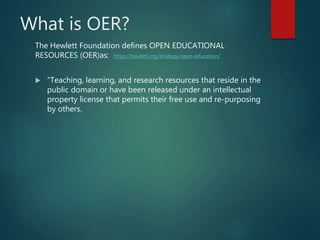
What is OER?
The Hewlett Foundation defines OPEN EDUCATIONAL
RESOURCES (OER)as: https://hewlett.org/strategy/open-education/
 “Teaching, learning, and research resources that reside in the
public domain or have been released under an intellectual
property license that permits their free use and re-purposing
by others.
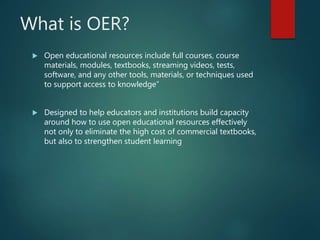
What is OER?
 Open educational resources include full courses, course
materials, modules, textbooks, streaming videos, tests,
software, and any other tools, materials, or techniques used
to support access to knowledge”
 Designed to help educators and institutions build capacity
around how to use open educational resources effectively
not only to eliminate the high cost of commercial textbooks,
but also to strengthen student learning
Definitions
• Free - no cost to use
• Format: can be any format or media
• Conditions: released to the public domain OR released
under an open license
• Nature: may be used, edited, alerted so long as credit
is given
 OER:
 “Here’s the material I spent 6 months developing. I
think you might be able to use it too, so I’m putting it
on the Internet. Just give me credit when you use it.”
What is OER?
 Similar to “open source licenses” for computer software
 Creative Commons licenses “open source” for other media: print,
images, video
 FOUR key license elements:
 Attribution
 No Derivatives
 Share Alike
 Non-Commercial
 Creative Commons allows owner to set limits with the key license
elements
ADVANTAGES OF USING
OER
 Less cost to the student
 Adaptability in editing or alterations
 Access “better” developed material
 No recreation of the wheel
 Frees up time to concentrate on instruction
DISADVANTAGES TO USING
OER
 Time-consuming to find
 Time-consuming to edit or personalize
 Authenticity may not be verifiable (is this
correct/updated/true?)
 Lack of familiarity to instructors
 Requires high level of computer literacy
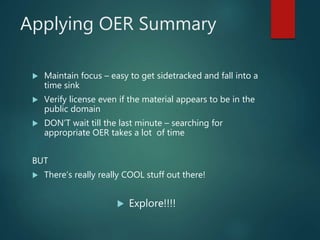
Applying OER Summary
 Maintain focus – easy to get sidetracked and fall into a
time sink
 Verify license even if the material appears to be in the
public domain
 DON’T wait till the last minute – searching for
appropriate OER takes a lot of time
BUT
 There’s really really COOL stuff out there!
 Explore!!!!
References
https://hewlett.org/strategy/open-education/
OER Presentation by Donna MAher is licensed under a CreativeCommons
Attribution 4.0 International License.
Based on a work at rtc.edu.
This work is licensed under a Creative CommonsAttribution 4.0
International License.
This work is licensed under a Creative CommonsAttribution 4.0 International License.

OER presentation

  • 1.
    OER…. WHAT IS THAT? OPENEDUCATIONAL RESOURCES Donna Maher Fall 2020
  • 2.
    Dreaded: does thathave a ‘copyright’? Copyright  confirms ownership  permission to use must be requested  may require a royalty fee  may NOT be changed or altered without express permission OER Simplifies copyright issues by  being free  being “open source”  can be edited and/or altered
  • 3.
    What is OER? TheHewlett Foundation defines OPEN EDUCATIONAL RESOURCES (OER)as: https://hewlett.org/strategy/open-education/  “Teaching, learning, and research resources that reside in the public domain or have been released under an intellectual property license that permits their free use and re-purposing by others.
  • 4.
    What is OER? Open educational resources include full courses, course materials, modules, textbooks, streaming videos, tests, software, and any other tools, materials, or techniques used to support access to knowledge”  Designed to help educators and institutions build capacity around how to use open educational resources effectively not only to eliminate the high cost of commercial textbooks, but also to strengthen student learning
  • 5.
    Definitions • Free -no cost to use • Format: can be any format or media • Conditions: released to the public domain OR released under an open license • Nature: may be used, edited, alerted so long as credit is given  OER:  “Here’s the material I spent 6 months developing. I think you might be able to use it too, so I’m putting it on the Internet. Just give me credit when you use it.”
  • 6.
    What is OER? Similar to “open source licenses” for computer software  Creative Commons licenses “open source” for other media: print, images, video  FOUR key license elements:  Attribution  No Derivatives  Share Alike  Non-Commercial  Creative Commons allows owner to set limits with the key license elements
  • 7.
    ADVANTAGES OF USING OER Less cost to the student  Adaptability in editing or alterations  Access “better” developed material  No recreation of the wheel  Frees up time to concentrate on instruction
  • 8.
    DISADVANTAGES TO USING OER Time-consuming to find  Time-consuming to edit or personalize  Authenticity may not be verifiable (is this correct/updated/true?)  Lack of familiarity to instructors  Requires high level of computer literacy
  • 9.
    Applying OER Summary Maintain focus – easy to get sidetracked and fall into a time sink  Verify license even if the material appears to be in the public domain  DON’T wait till the last minute – searching for appropriate OER takes a lot of time BUT  There’s really really COOL stuff out there!  Explore!!!!
  • 10.
    References https://hewlett.org/strategy/open-education/ OER Presentation byDonna MAher is licensed under a CreativeCommons Attribution 4.0 International License. Based on a work at rtc.edu. This work is licensed under a Creative CommonsAttribution 4.0 International License. This work is licensed under a Creative CommonsAttribution 4.0 International License.