The document introduces 'Objects as Points', a new approach in real-time object detection utilizing keypoint estimation to model objects by their center points. This method is simpler, faster, and more accurate compared to traditional bounding box-based detectors, eliminating the need for non-maximum suppression. The architecture builds on successful keypoint estimation networks and demonstrates high performance across various applications, such as self-driving cars and face recognition.
K U LA
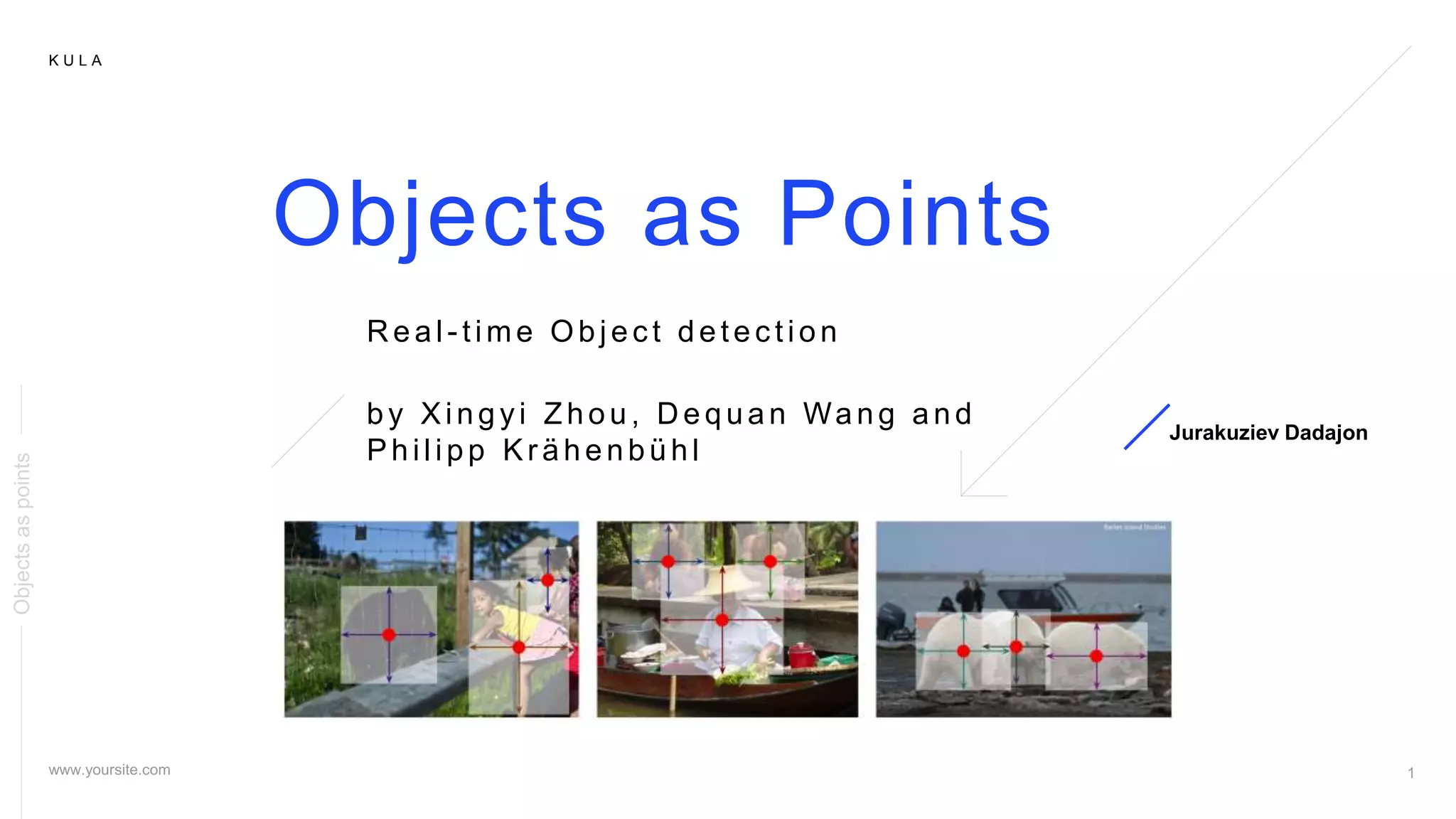
Objects as Points
by Xingyi Zhou, D equan Wang and
Philipp Kr ähenbühl
Jurakuziev Dadajon
R eal - time Objec t detec tion
Objectsaspoints
2.
K U LA
02
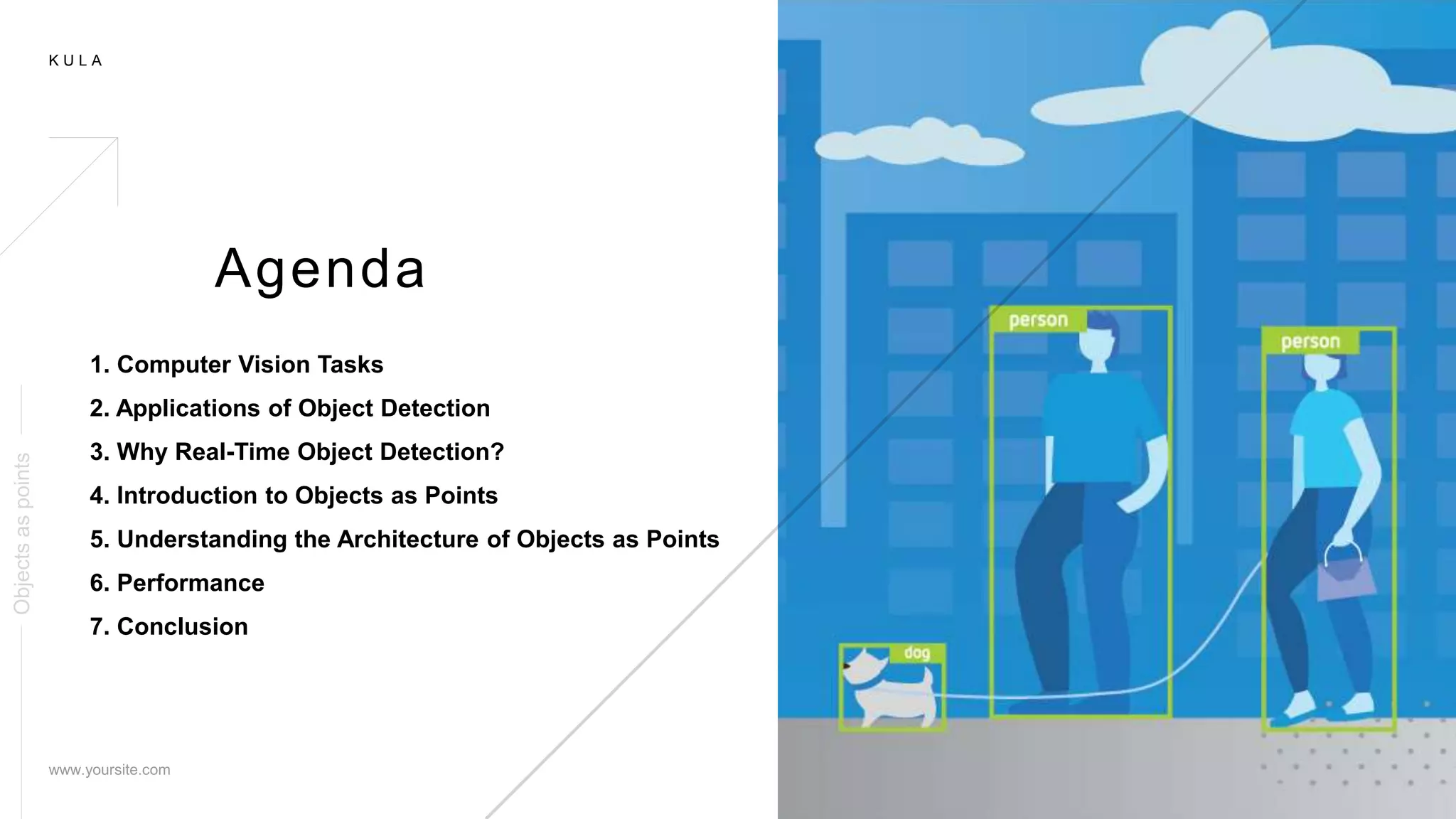
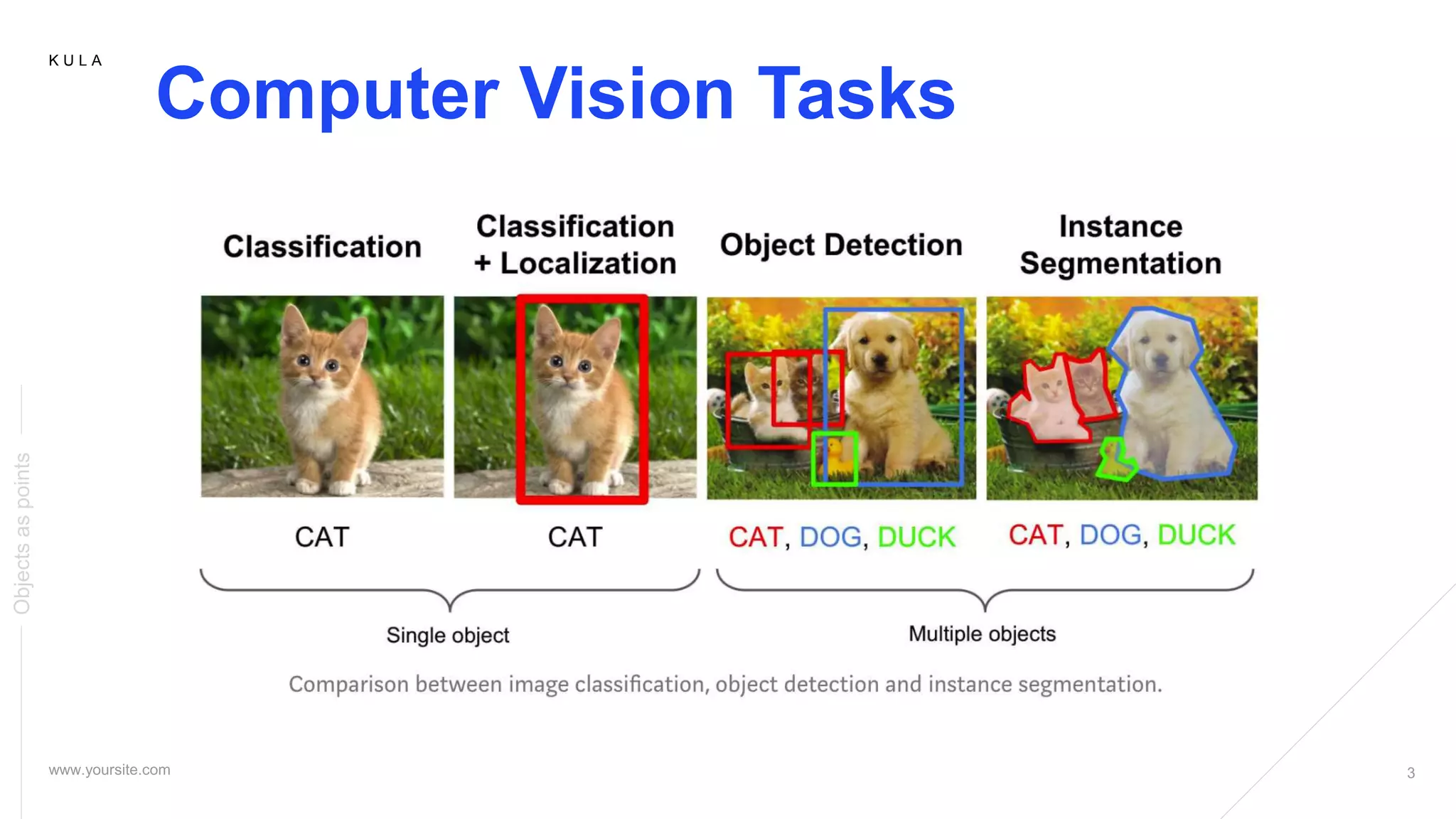
1. Computer Vision Tasks
2. Applications of Object Detection
3. Why Real-Time Object Detection?
4. Introduction to Objects as Points
5. Understanding the Architecture of Objects as Points
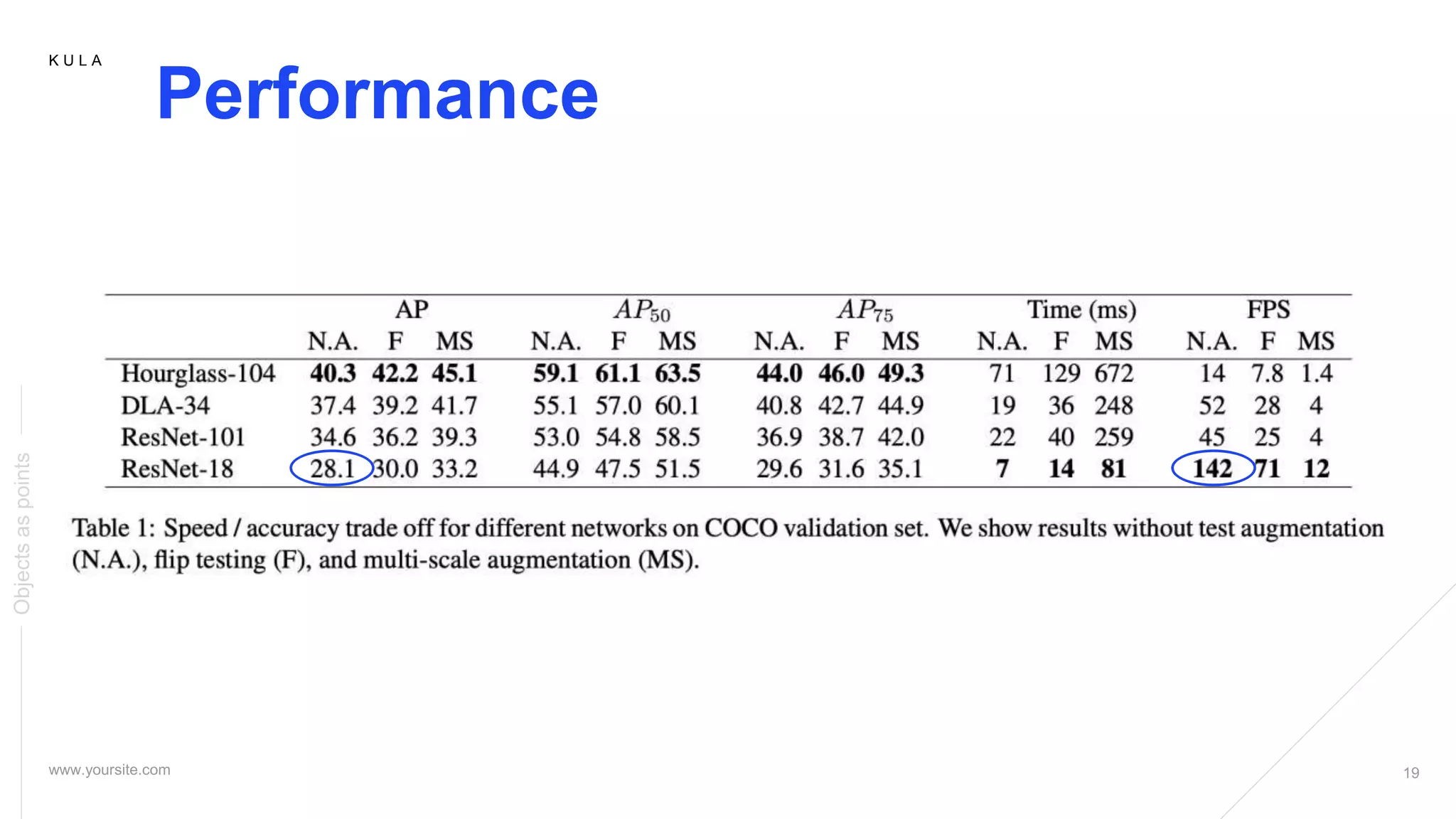
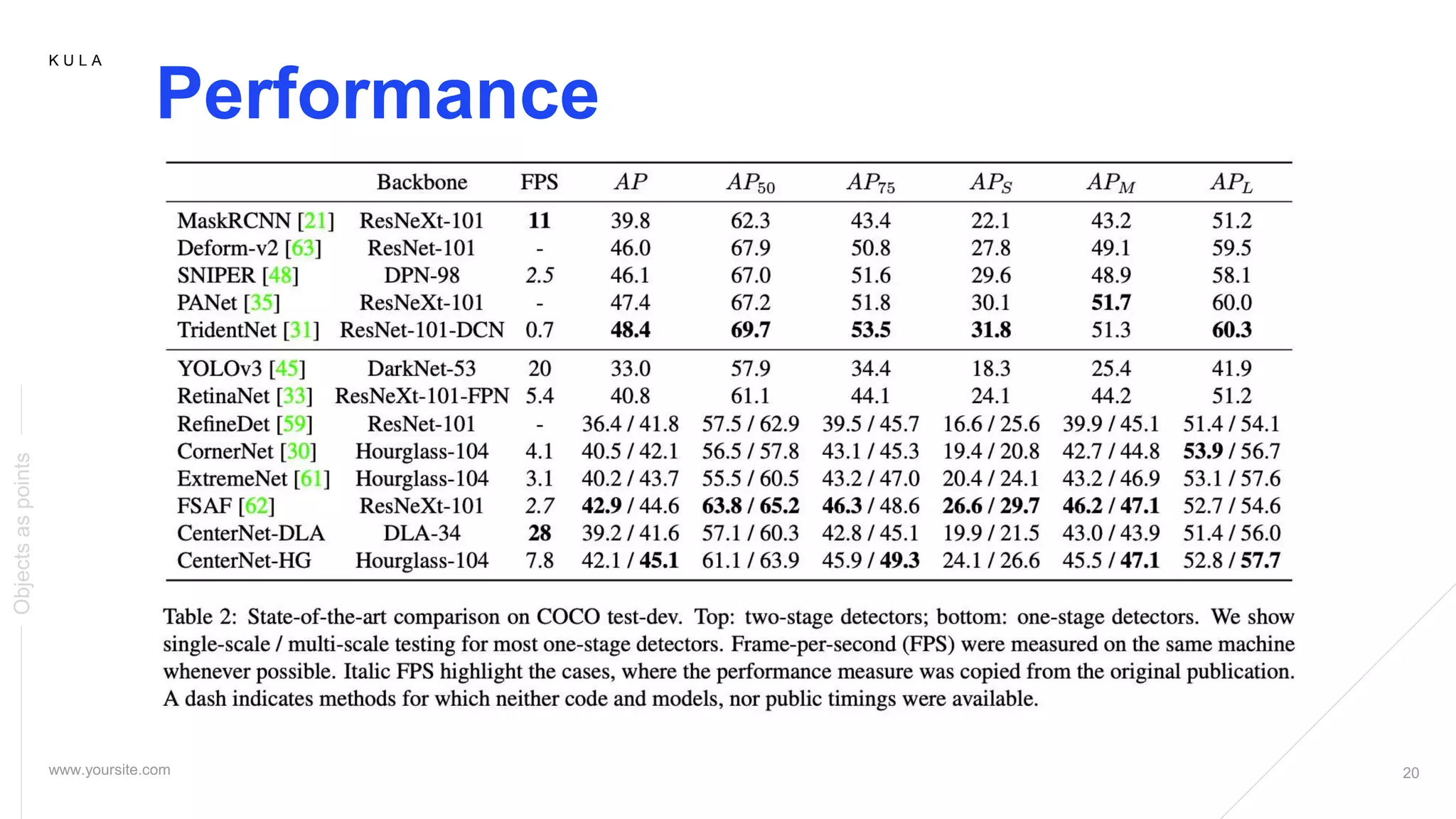
6. Performance
7. Conclusion
Agenda
Objectsaspoints
K U LA
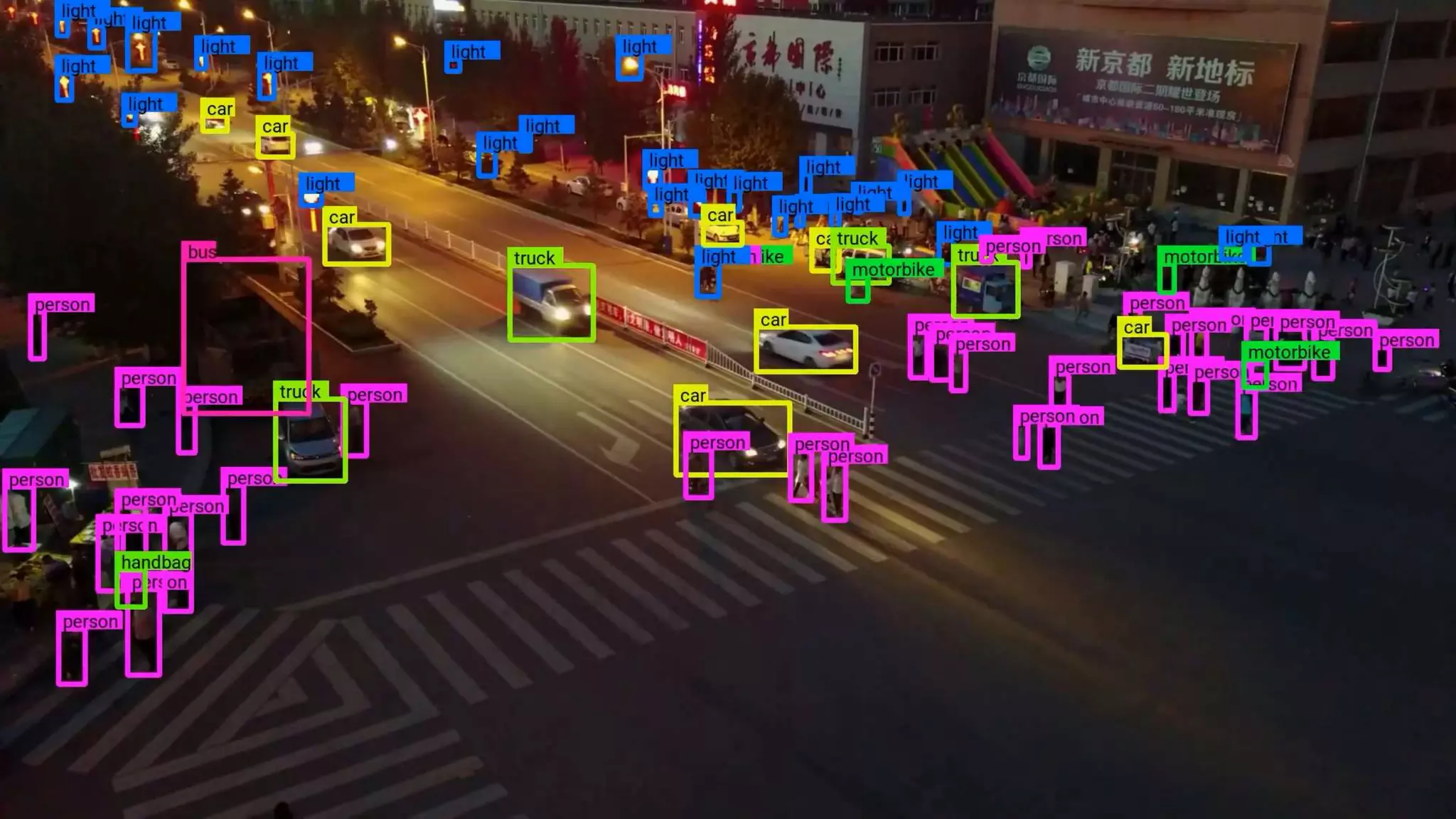
Applications of Object Detection
01 Self-driving Cars Face Recognition
03 Action Recognition 04 Object Counting
02
Objectsaspoints
5.
K U LA
Why Real-time Object Detection?
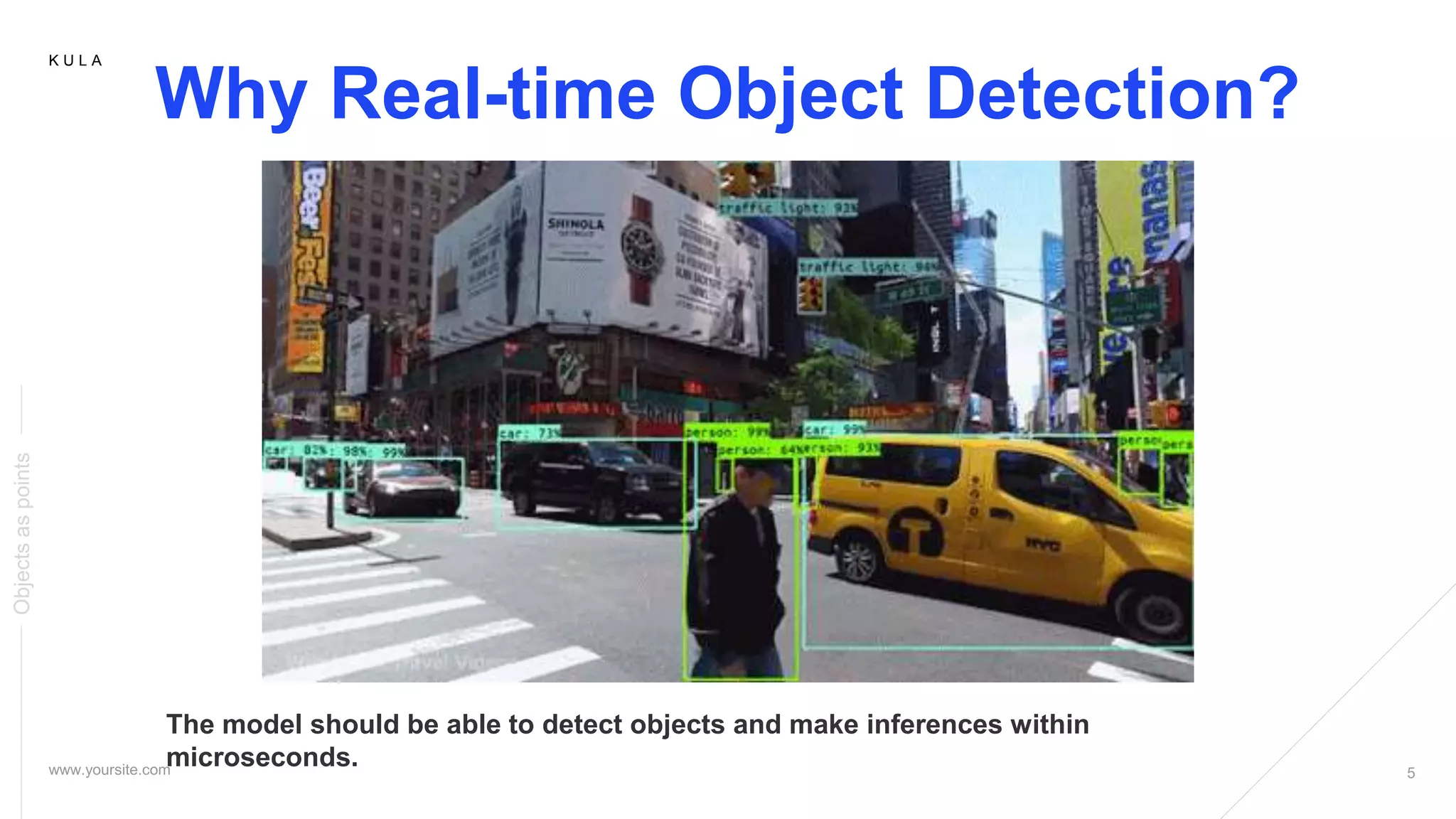
The model should be able to detect objects and make inferences within
microseconds.
Objectsaspoints
6.
K U LA
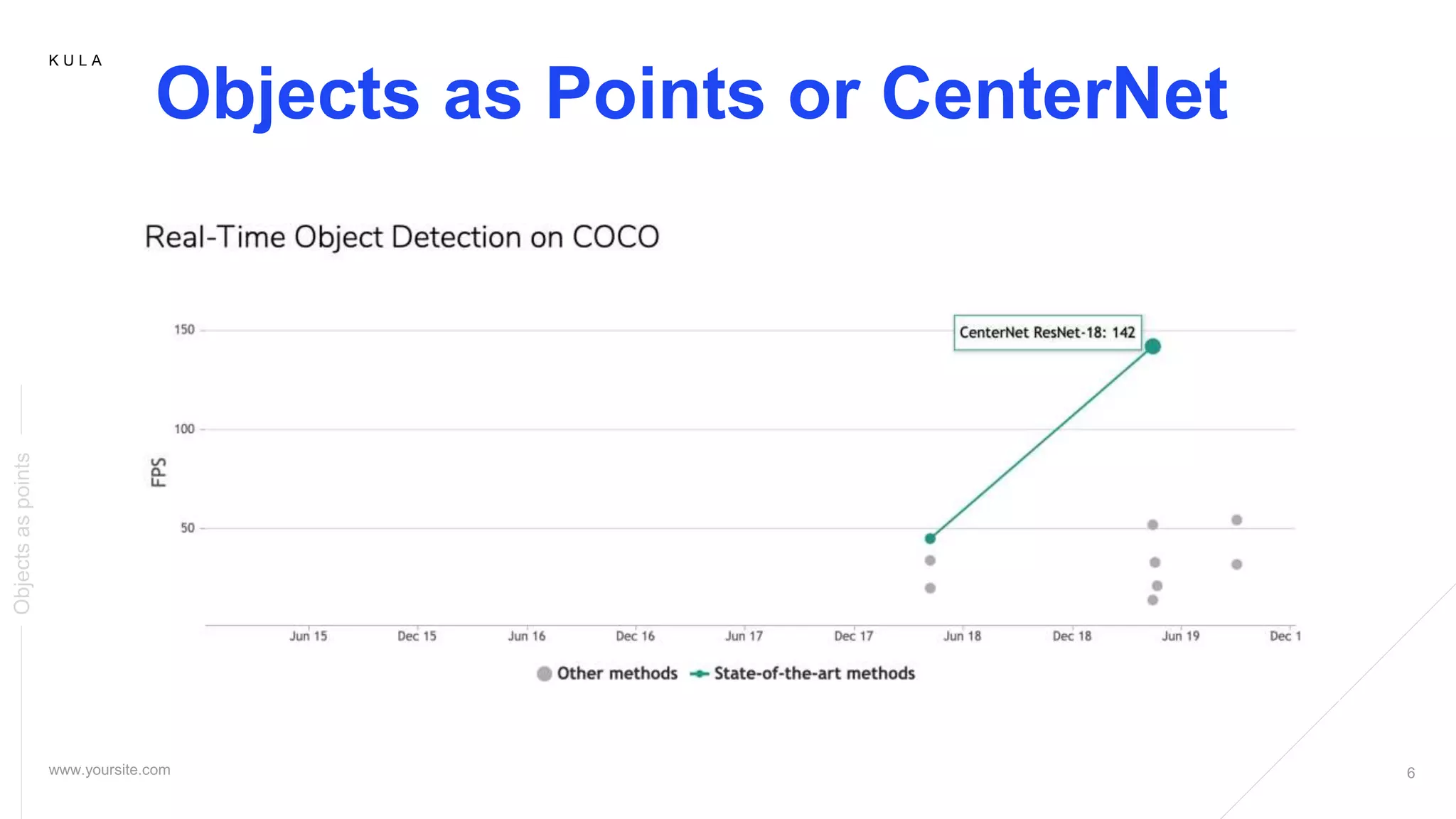
Objects as Points or CenterNet
Objectsaspoints
7.
K U LA
Objects as Points
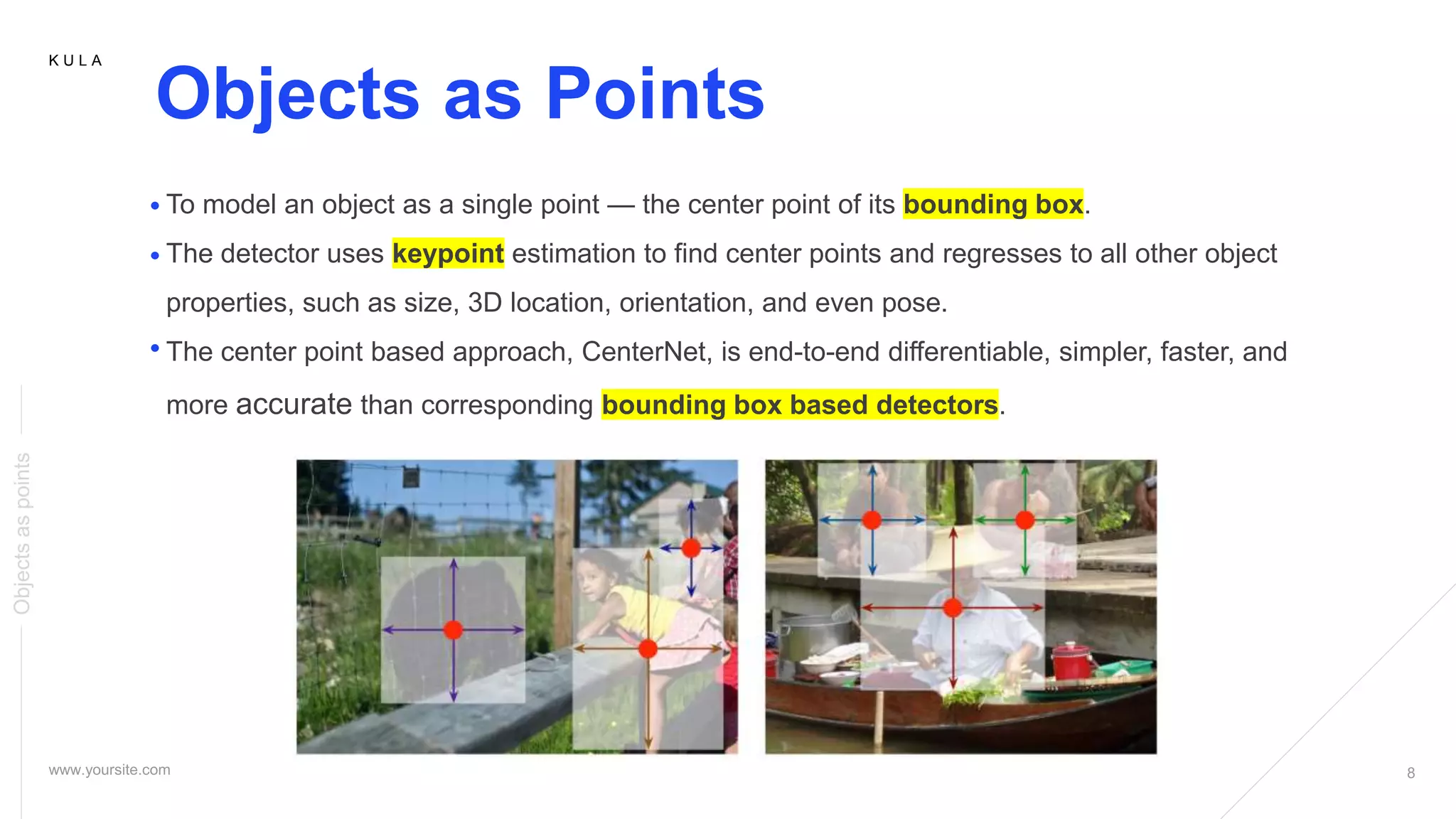
To model an object as a single point — the center point of its bounding box.
The detector uses keypoint estimation to find center points and regresses to all other object
properties, such as size, 3D location, orientation, and even pose.
The center point based approach, CenterNet, is end-to-end differentiable, simpler, faster, and
more accurate than corresponding bounding box based detectors.
Objectsaspoints
8.
K U LA
Objects as Points
To model an object as a single point — the center point of its bounding box.
The detector uses keypoint estimation to find center points and regresses to all other object
properties, such as size, 3D location, orientation, and even pose.
The center point based approach, CenterNet, is end-to-end differentiable, simpler, faster, and
more accurate than corresponding bounding box based detectors.
Objectsaspoints
9.
K U LA
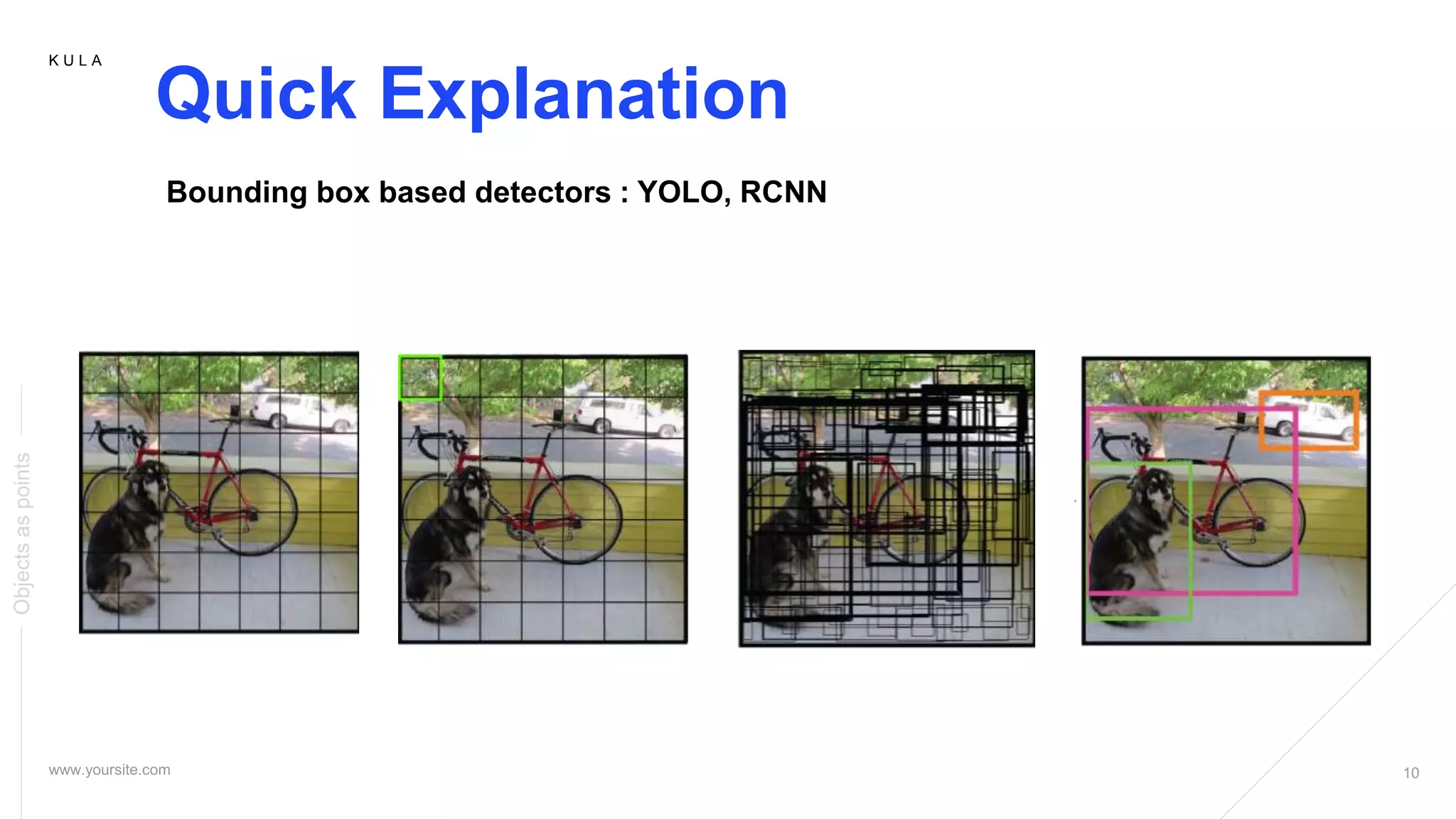
Quick Explanation
Objectsaspoints
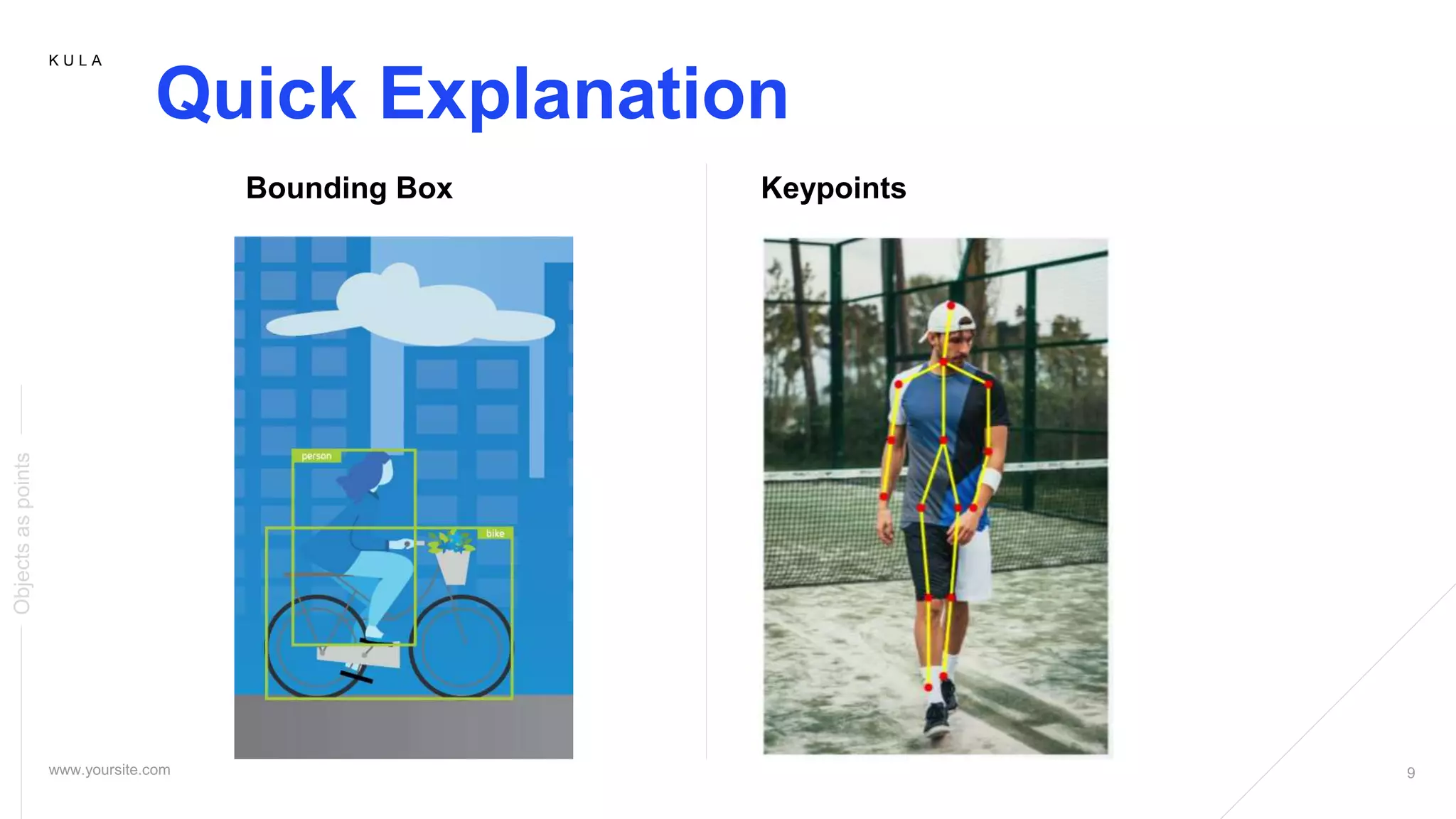
Bounding Box Keypoints
10.
K U LA
Quick Explanation
Objectsaspoints
Bounding box based detectors : YOLO, RCNN
11.
K U LA
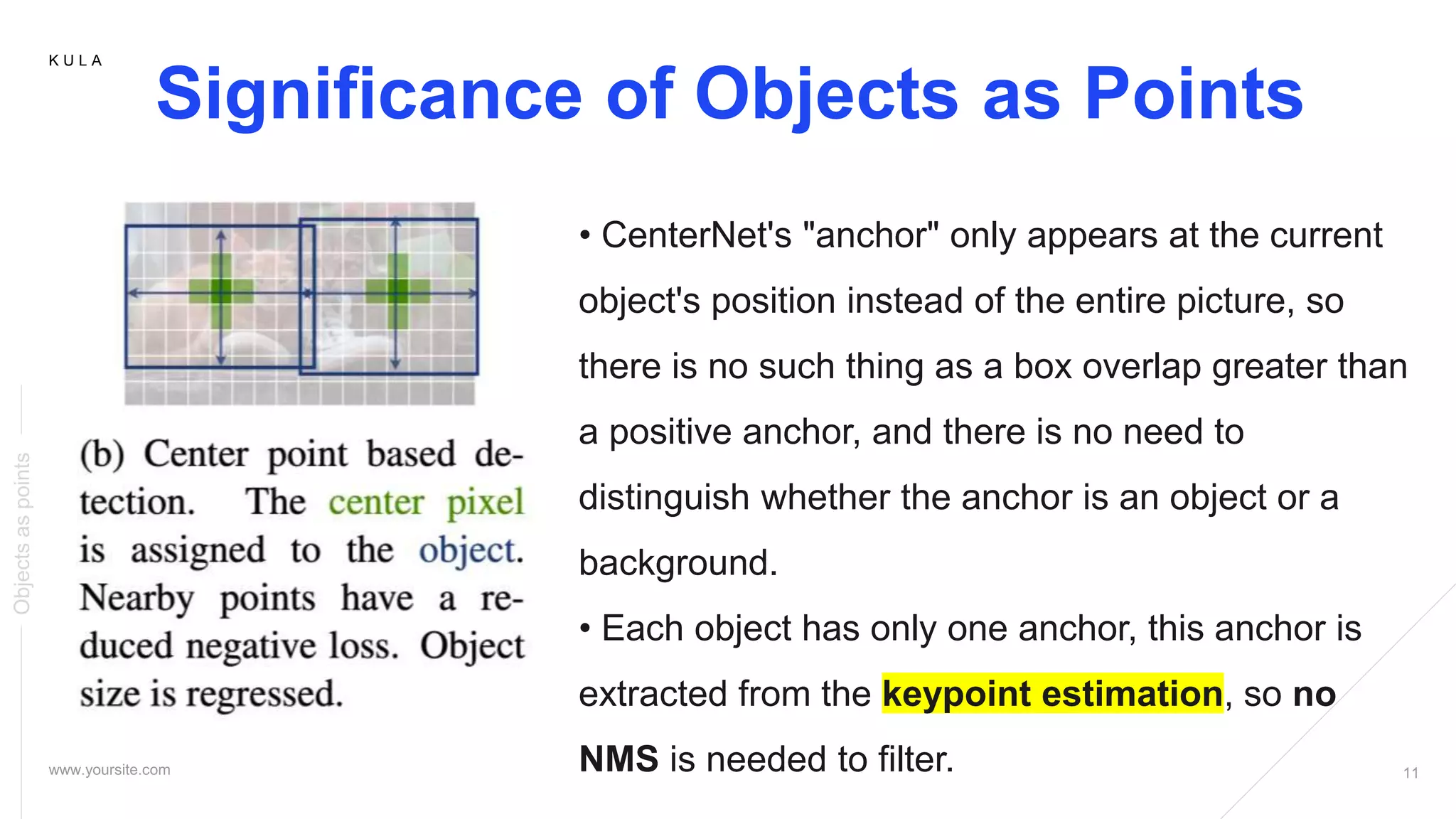
Significance of Objects as Points
Objectsaspoints
• CenterNet's "anchor" only appears at the current
object's position instead of the entire picture, so
there is no such thing as a box overlap greater than
a positive anchor, and there is no need to
distinguish whether the anchor is an object or a
background.
• Each object has only one anchor, this anchor is
extracted from the keypoint estimation, so no
NMS is needed to filter.
12.
K U LA
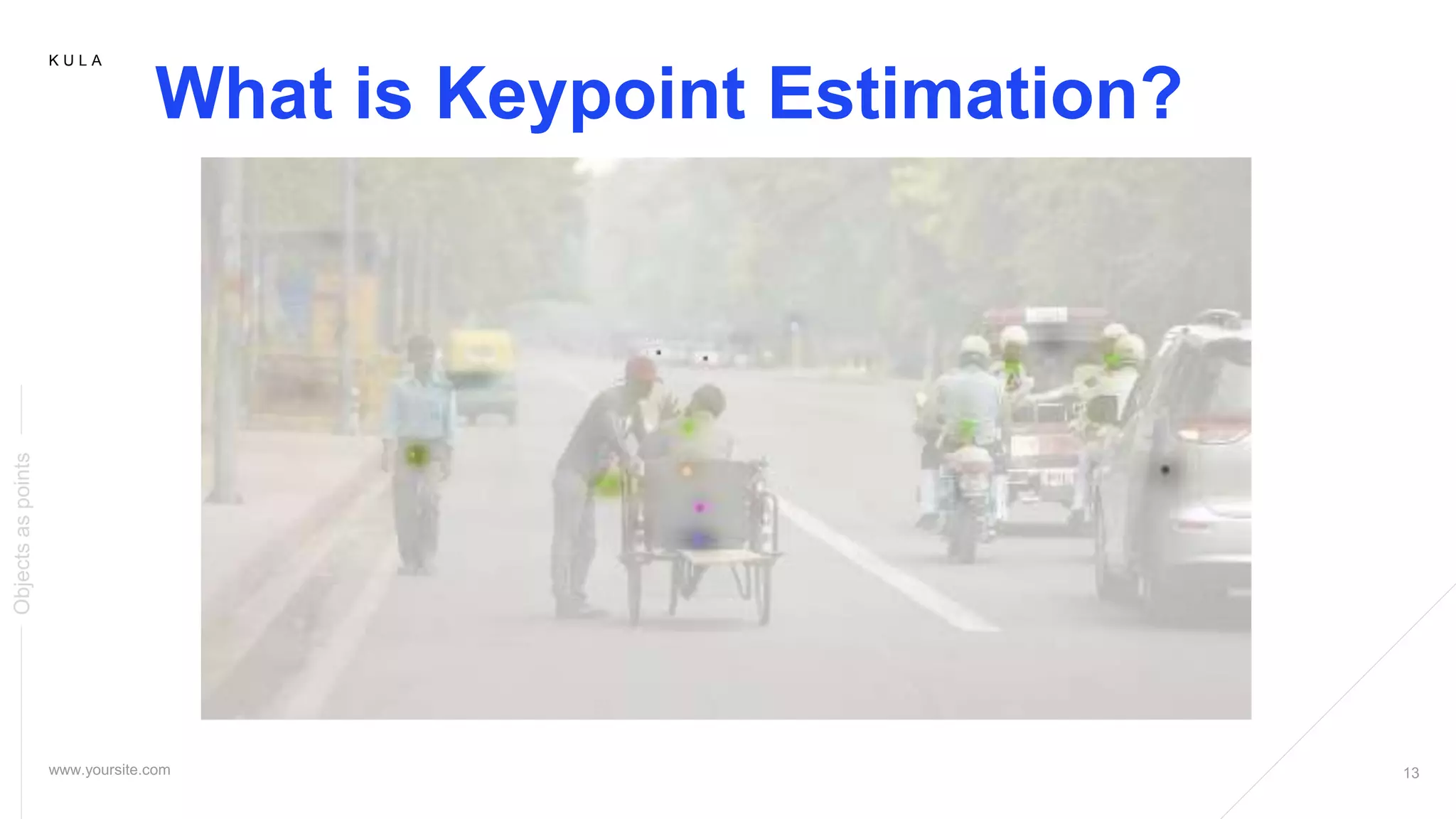
What is Keypoint Estimation?
Objectsaspoints
13.
K U LA
What is Keypoint Estimation?
Objectsaspoints
K U LA
What is Keypoint Estimation?
Objectsaspoints
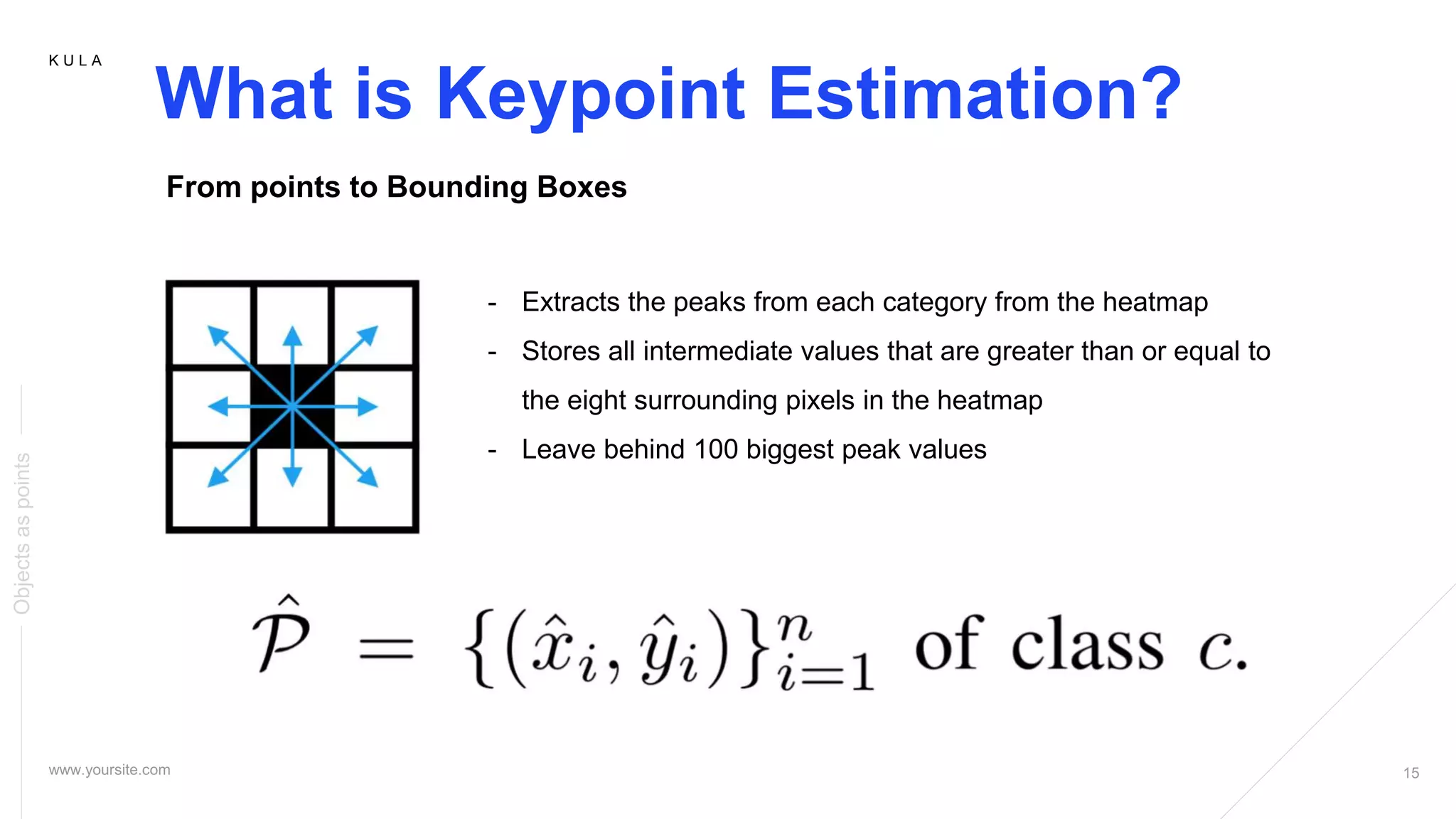
From points to Bounding Boxes
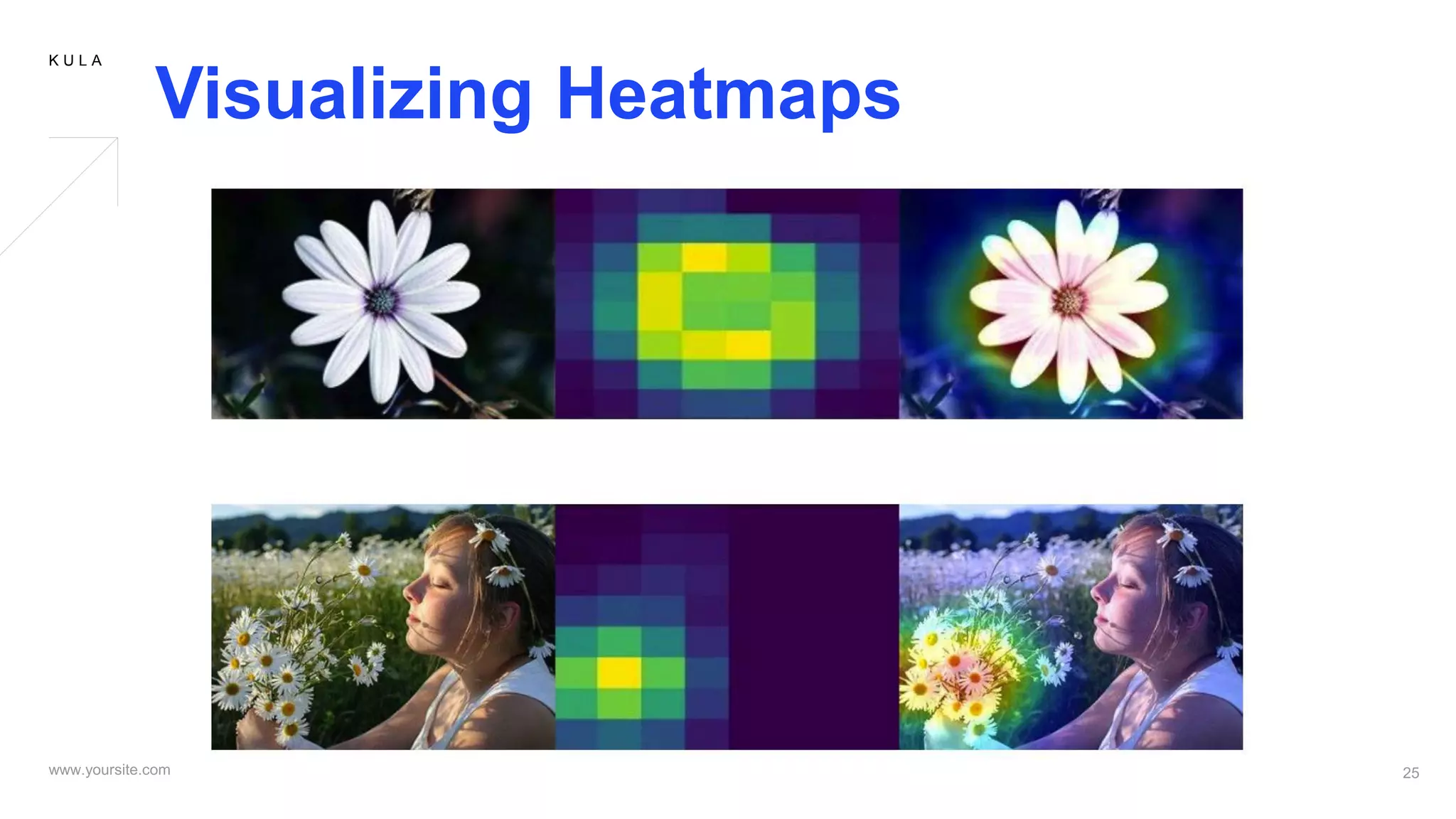
- Extracts the peaks from each category from the heatmap
- Stores all intermediate values that are greater than or equal to
the eight surrounding pixels in the heatmap
- Leave behind 100 biggest peak values
16.
K U LA
What is Keypoint Estimation?
Objectsaspoints
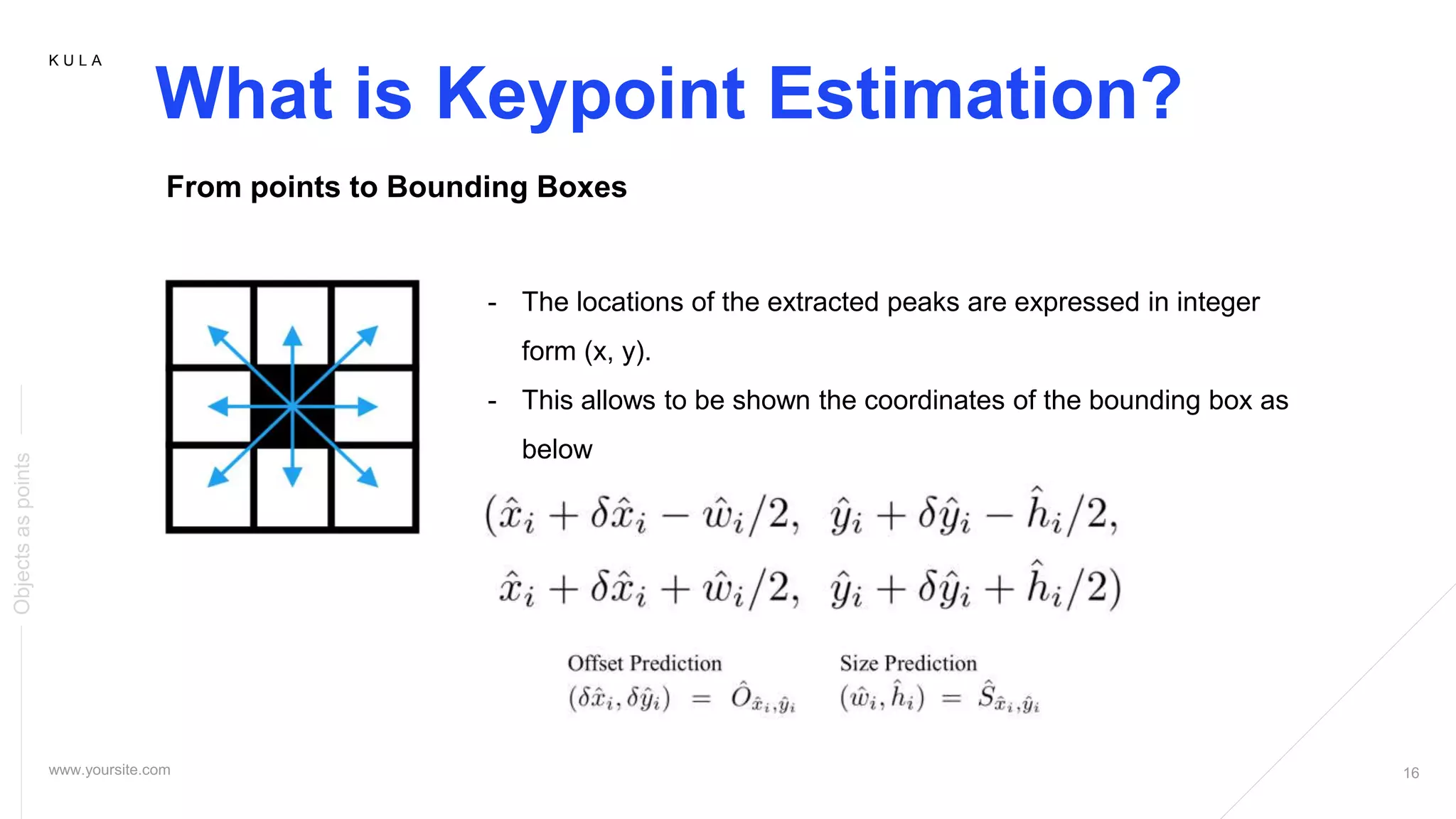
From points to Bounding Boxes
- The locations of the extracted peaks are expressed in integer
form (x, y).
- This allows to be shown the coordinates of the bounding box as
below
17.
K U LA
What is Keypoint Estimation?
Objectsaspoints
18.
K U LA
Objects as Points
Objectsaspoints
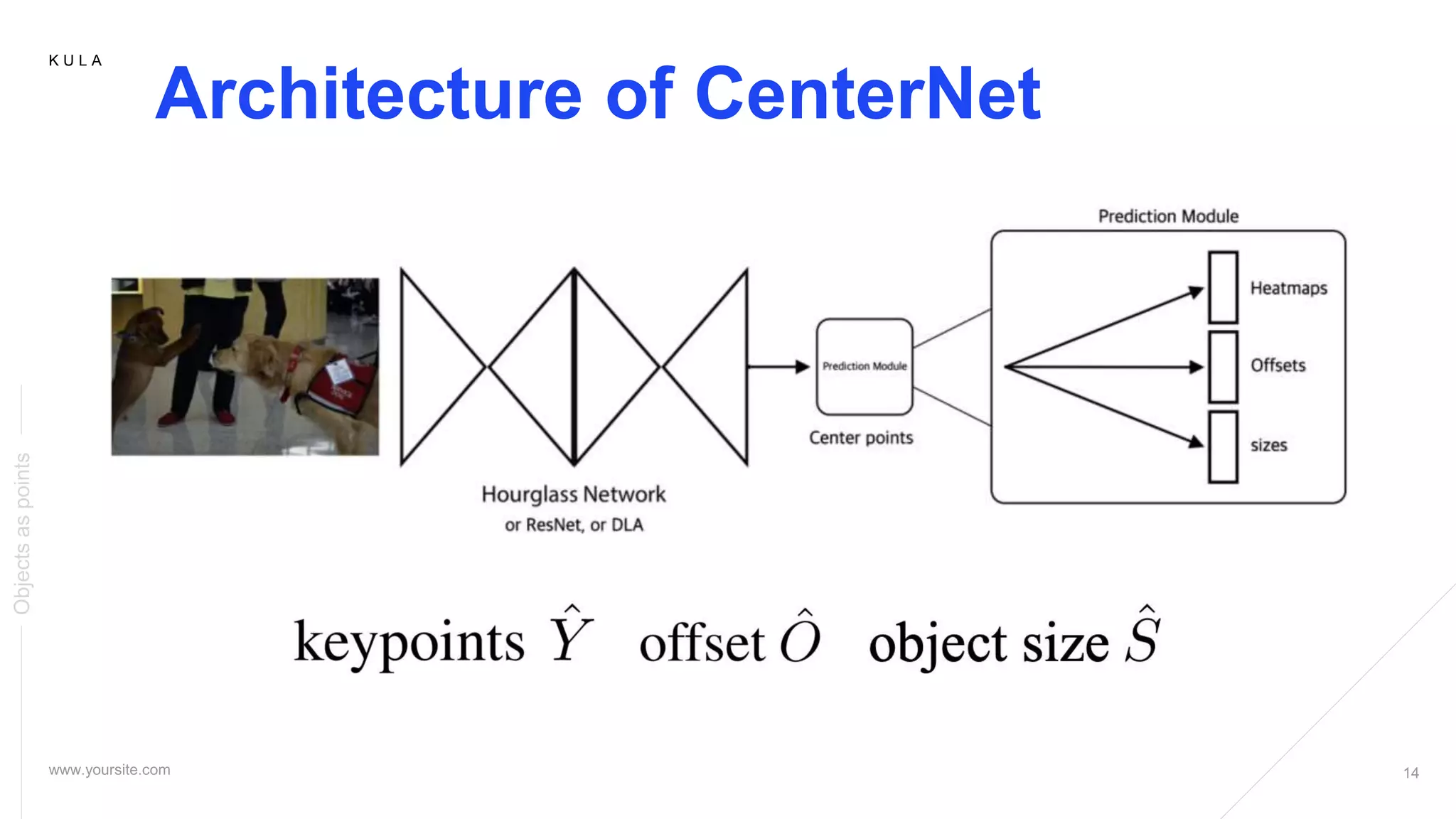
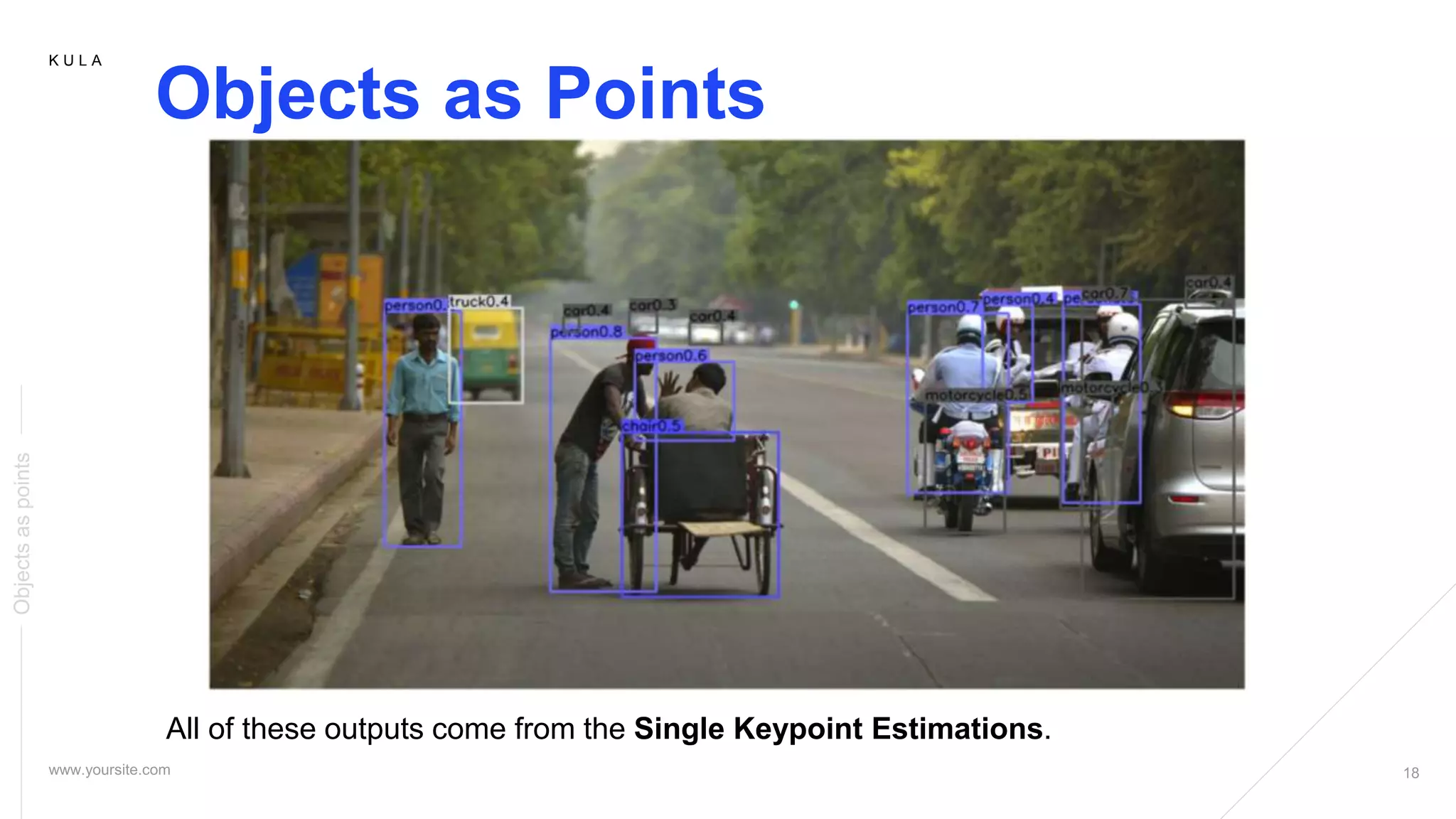
All of these outputs come from the Single Keypoint Estimations.
K U LA
Conclusion
Objectsaspoints
- A new representation for objects: as points
- This detector builds on successful keypoint estimation networks
- Finds object centers, and regresses to the size
- The algorithms is simple, fast, accurate
- End-to-end differentiable without any NMS post-processing
K U LA
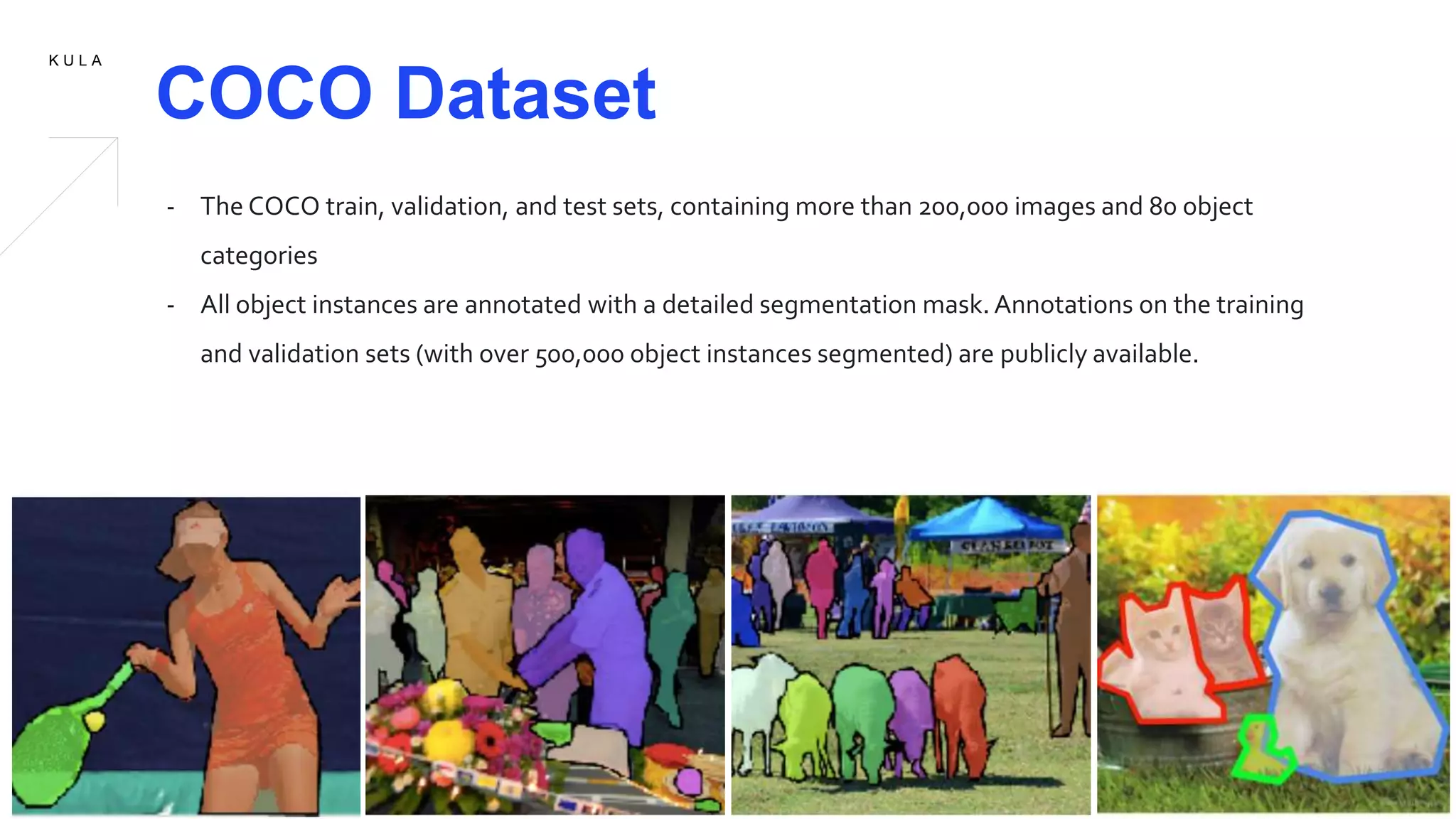
COCO Dataset
- The COCO train, validation, and test sets, containing more than 200,000 images and 80 object
categories
- All object instances are annotated with a detailed segmentation mask. Annotations on the training
and validation sets (with over 500,000 object instances segmented) are publicly available.



![Objects as points (CenterNet) review [CDM]](https://cdn.slidesharecdn.com/ss_thumbnails/objectsaspointscenternetreviewcdm-200327113331-thumbnail.jpg?width=640&height=640&fit=bounds)
![Deformable DETR Review [CDM]](https://cdn.slidesharecdn.com/ss_thumbnails/deformabledetrreviewcdm-201113070345-thumbnail.jpg?width=640&height=640&fit=bounds)


![[unofficial] Pyramid Scene Parsing Network (CVPR 2017)](https://cdn.slidesharecdn.com/ss_thumbnails/pyramidsceneparsingnetwork-170815035025-thumbnail.jpg?width=640&height=640&fit=bounds)


![[NS][Lab_Seminar_240611]Graph R-CNN.pptx](https://cdn.slidesharecdn.com/ss_thumbnails/nslabseminar240611graphr-cnn-240704112605-f42276be-thumbnail.jpg?width=640&height=640&fit=bounds)


