How we can shift
testing left
Alisa Petivotova
Contract based testing
• Why
• What
• When
• How
• Who
2
AGENDA
All
about
contract
based
testing
3
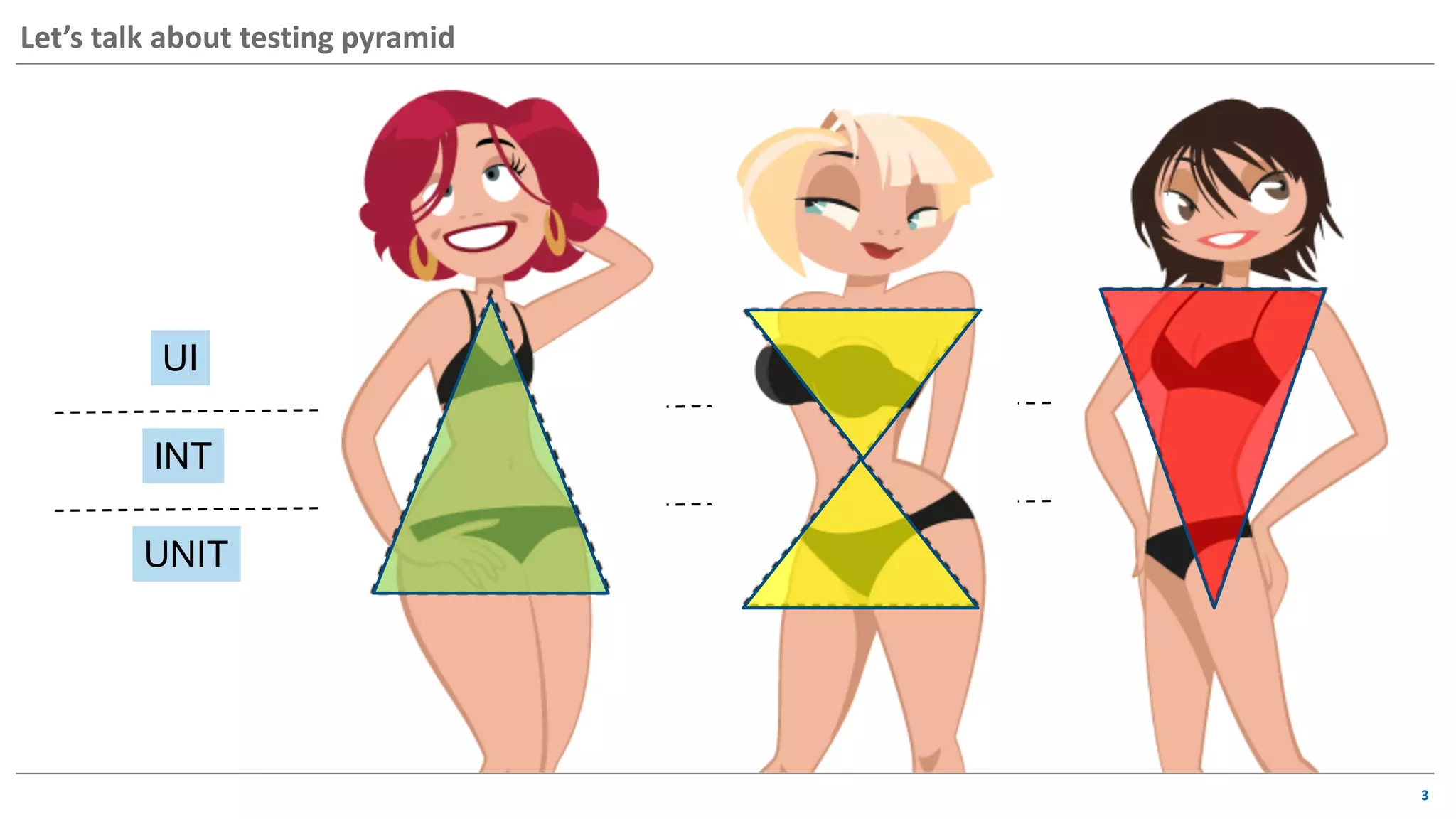
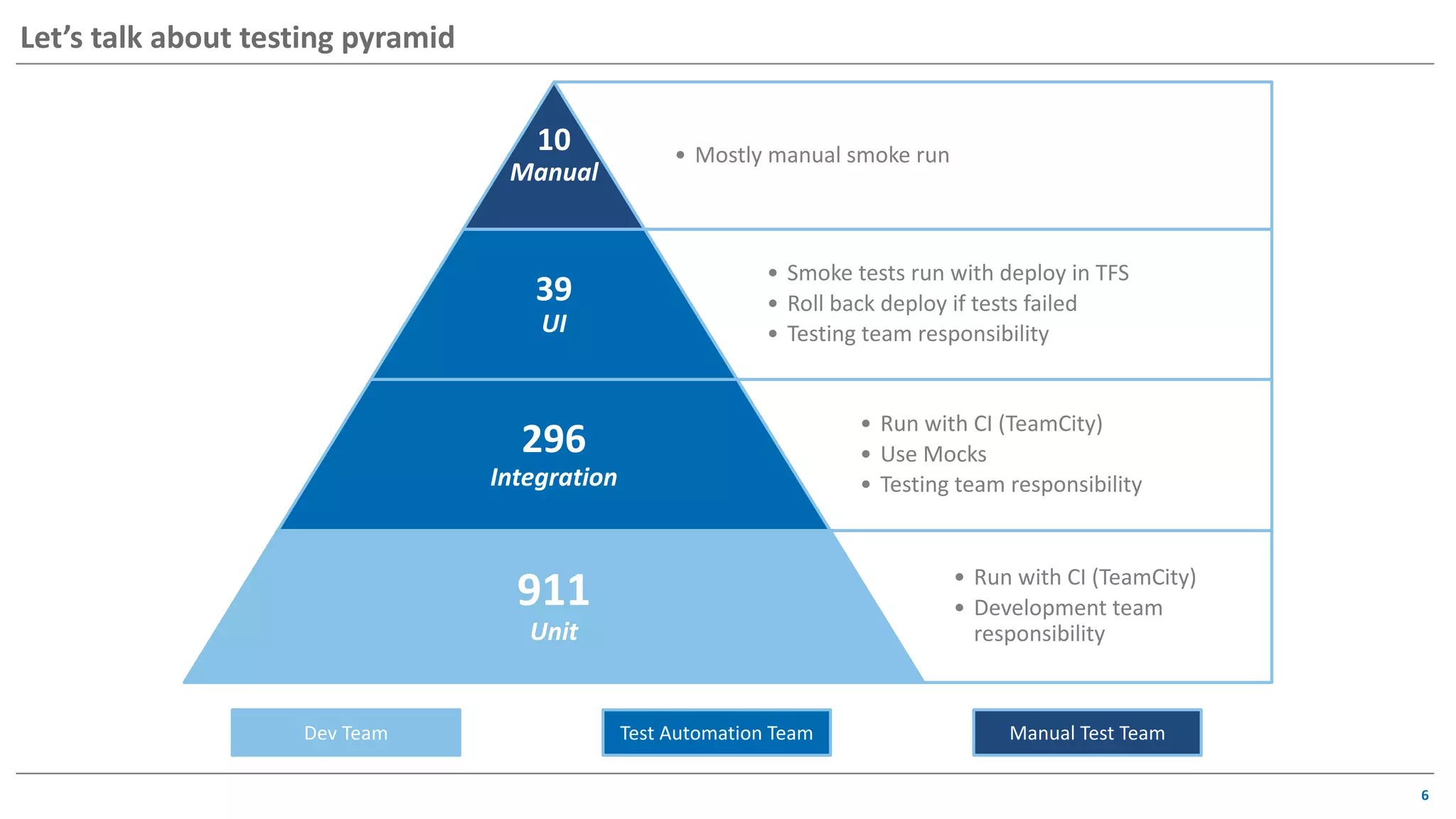
Let’s talk about testing pyramid
UI
INT
UNIT
4
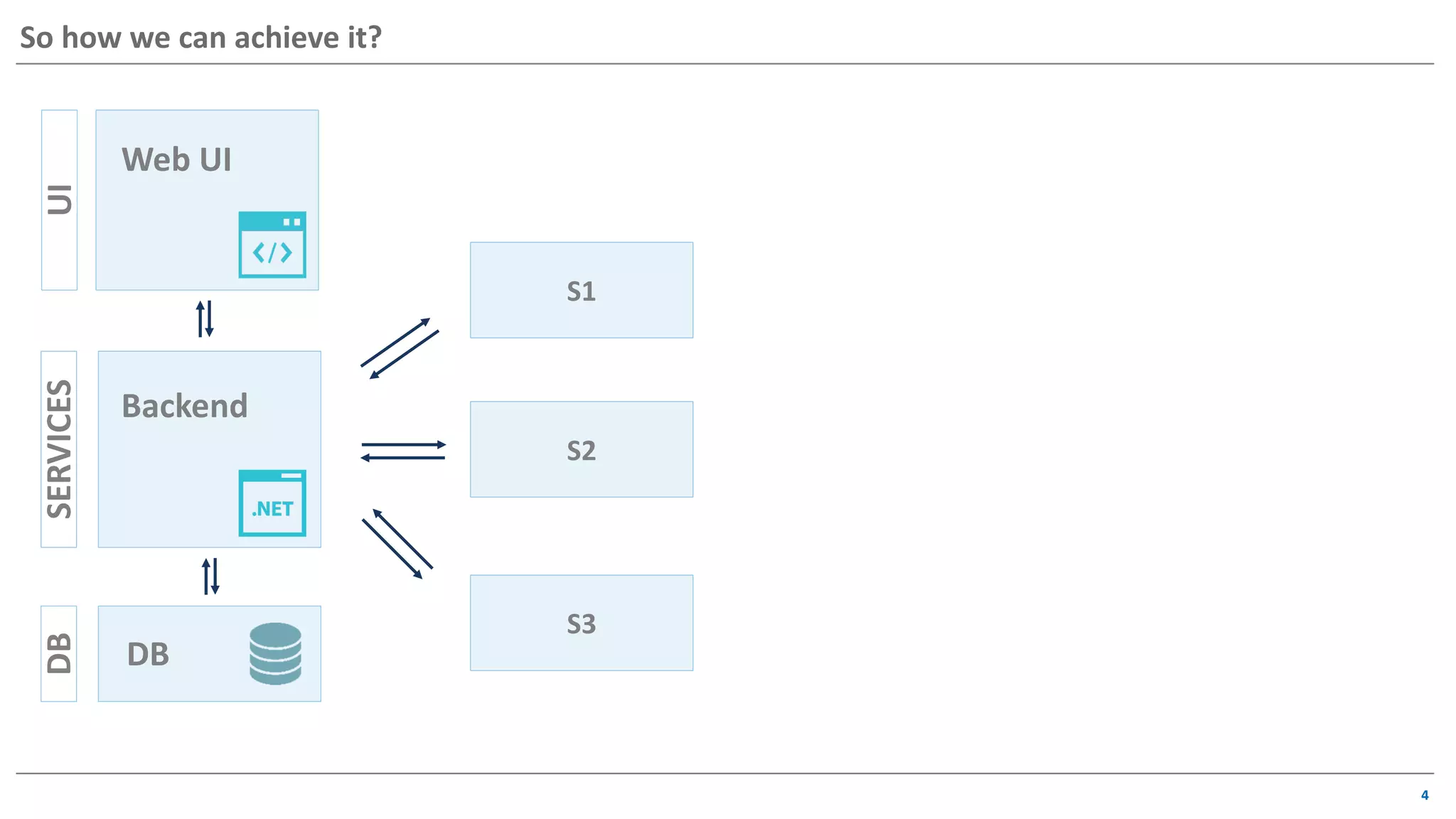
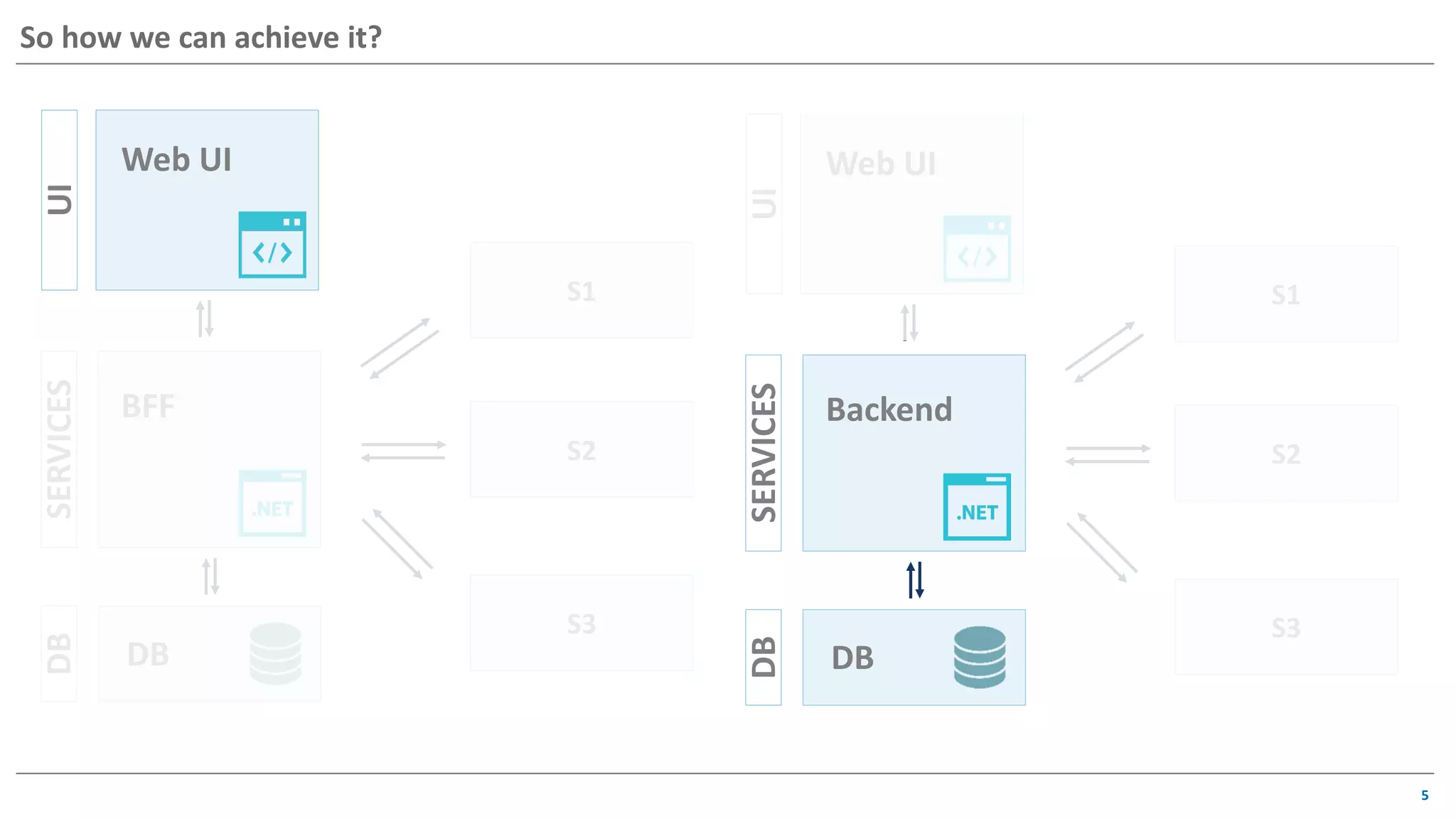
UISERVICESDB
Web UI
Backend
DB
S1
S2
S3
So how we can achieve it?
5
So how we can achieve it?
UISERVICESDB
Web UI
BFF
DB
S1
S2
S3
UISERVICESDB
Web UI
Backend
DB
S1
S2
S3
6
• Mostly manual smoke run
10
Manual
• Smoke tests run with deploy in TFS
• Roll back deploy if tests failed
• Testing team responsibility
39
UI
• Run with CI (TeamCity)
• Use Mocks
• Testing team responsibility
296
Integration
• Run with CI (TeamCity)
• Development team
responsibility
911
Unit
Test Automation TeamDev Team Manual Test Team
Let’s talk about testing pyramid
7
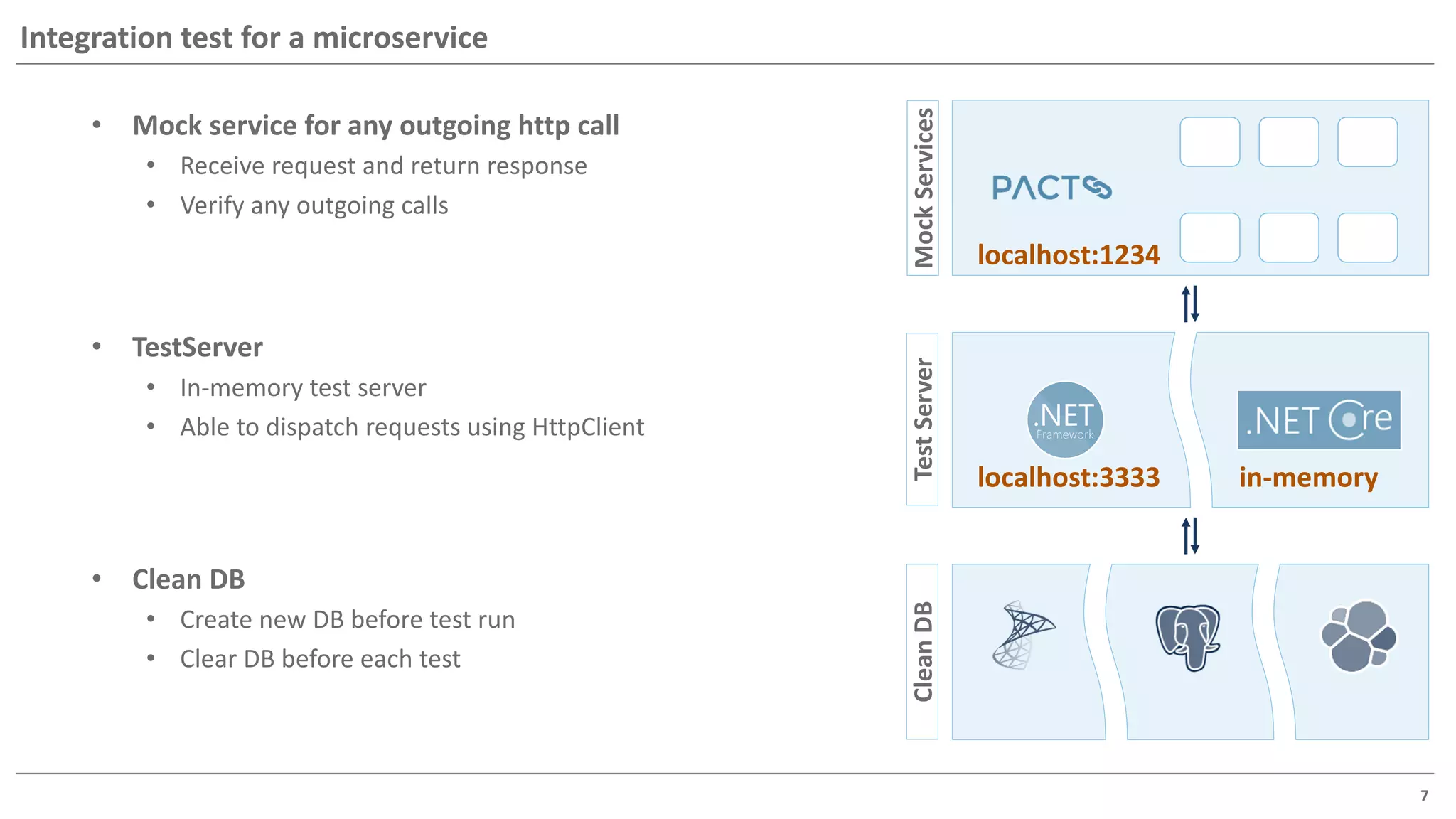
Integration test for a microservice
• Mock service for any outgoing http call
• Receive request and return response
• Verify any outgoing calls
CleanDB
• Clean DB
• Create new DB before test run
• Clear DB before each test
MockServices
localhost:1234
TestServer
• TestServer
• In-memory test server
• Able to dispatch requests using HttpClient
in-memorylocalhost:3333
8
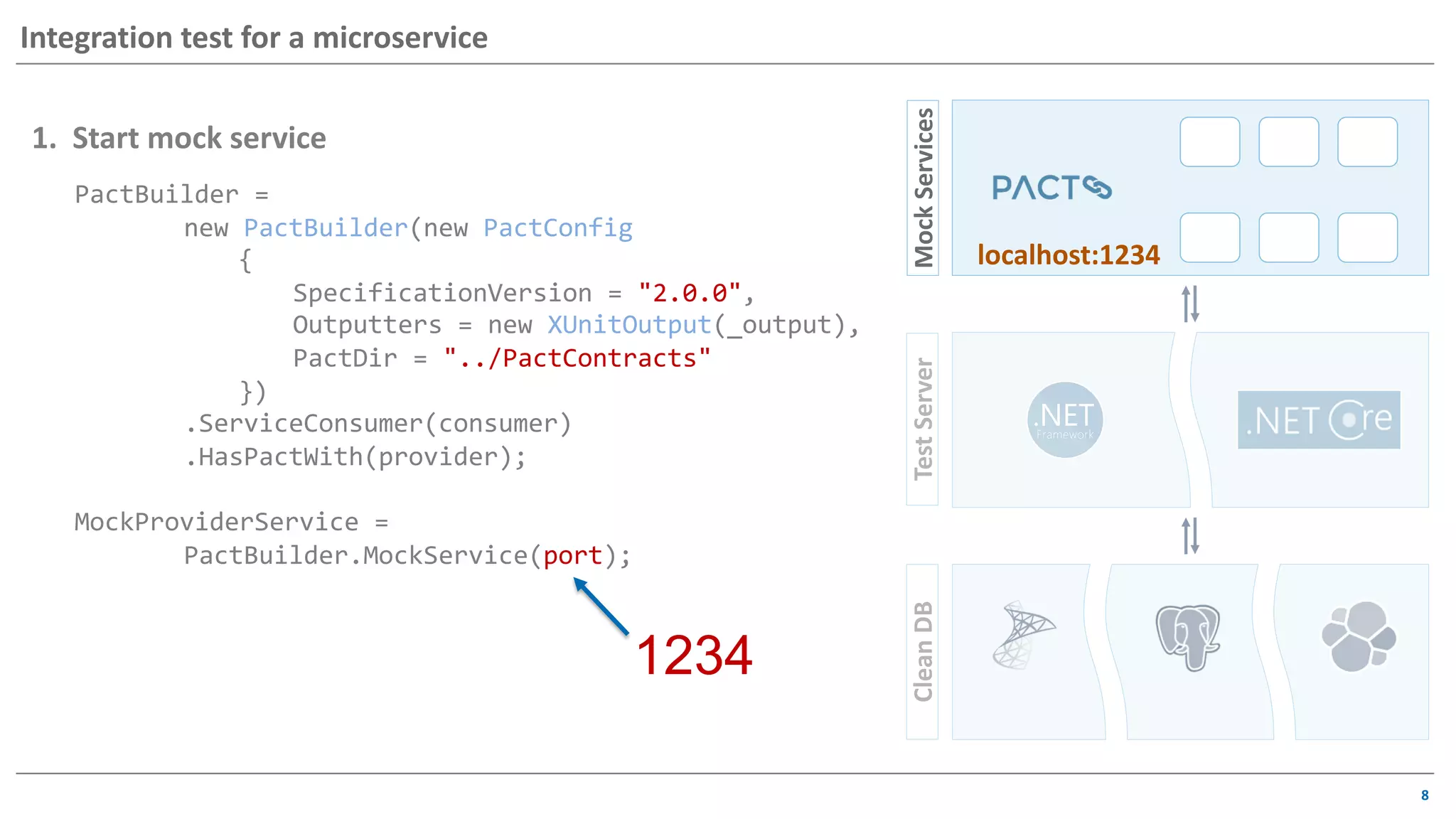
Integration test for a microservice
PactBuilder =
new PactBuilder(new PactConfig
{
SpecificationVersion = "2.0.0",
Outputters = new XUnitOutput(_output),
PactDir = "../PactContracts"
})
.ServiceConsumer(consumer)
.HasPactWith(provider);
MockProviderService =
PactBuilder.MockService(port);
1. Start mock service
1234
MockServicesCleanDBTestServer
localhost:1234
9
Integration test for a microservice
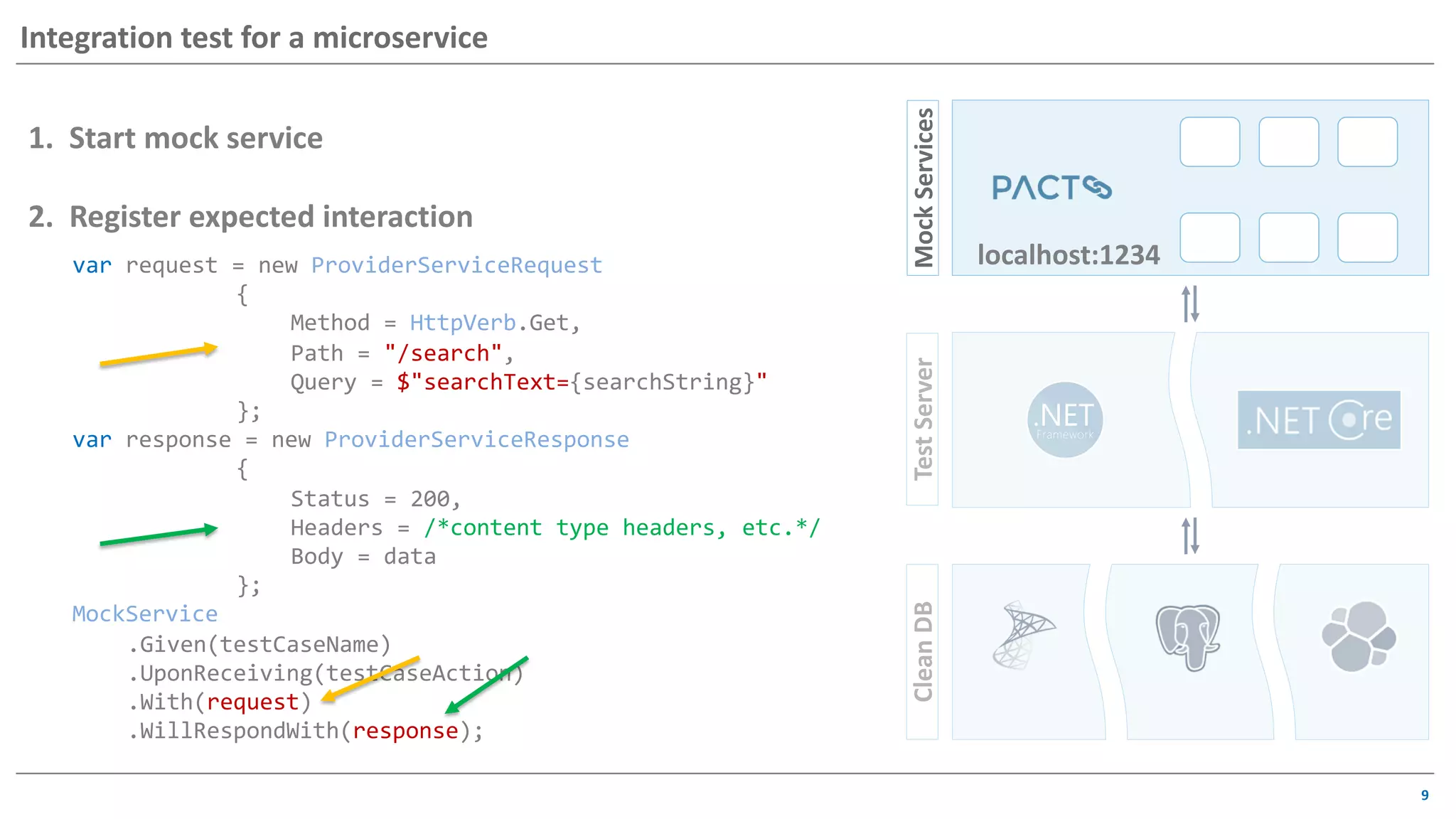
var request = new ProviderServiceRequest
{
Method = HttpVerb.Get,
Path = "/search",
Query = $"searchText={searchString}"
};
var response = new ProviderServiceResponse
{
Status = 200,
Headers = /*content type headers, etc.*/
Body = data
};
MockService
.Given(testCaseName)
.UponReceiving(testCaseAction)
.With(request)
.WillRespondWith(response);
1. Start mock service
2. Register expected interaction
MockServicesCleanDBTestServer
localhost:1234
10
Testing UI component
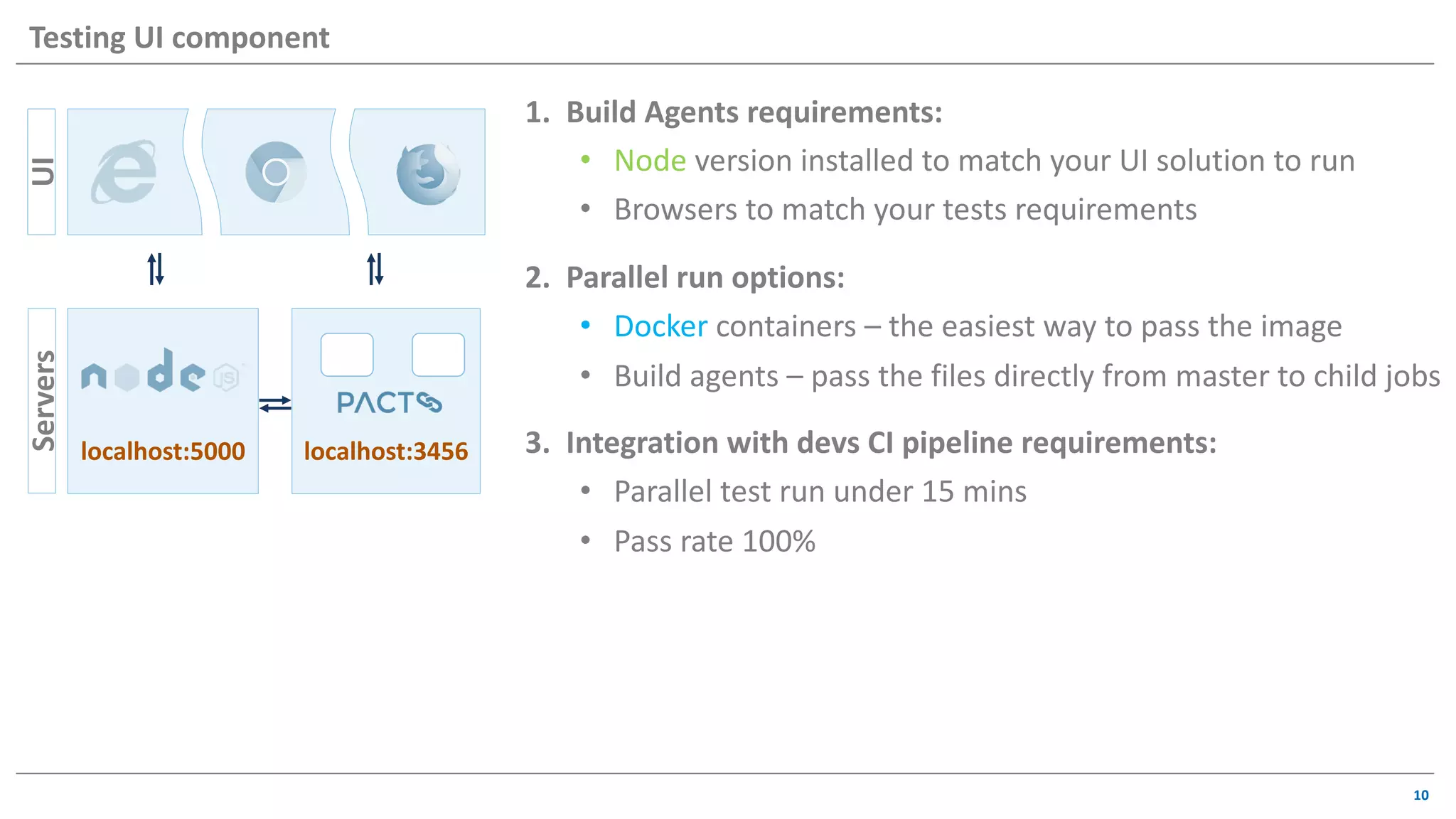
1. Build Agents requirements:
• Node version installed to match your UI solution to run
• Browsers to match your tests requirements
2. Parallel run options:
• Docker containers – the easiest way to pass the image
• Build agents – pass the files directly from master to child jobs
3. Integration with devs CI pipeline requirements:
• Parallel test run under 15 mins
• Pass rate 100%
UI
localhost:3456
Servers
localhost:5000
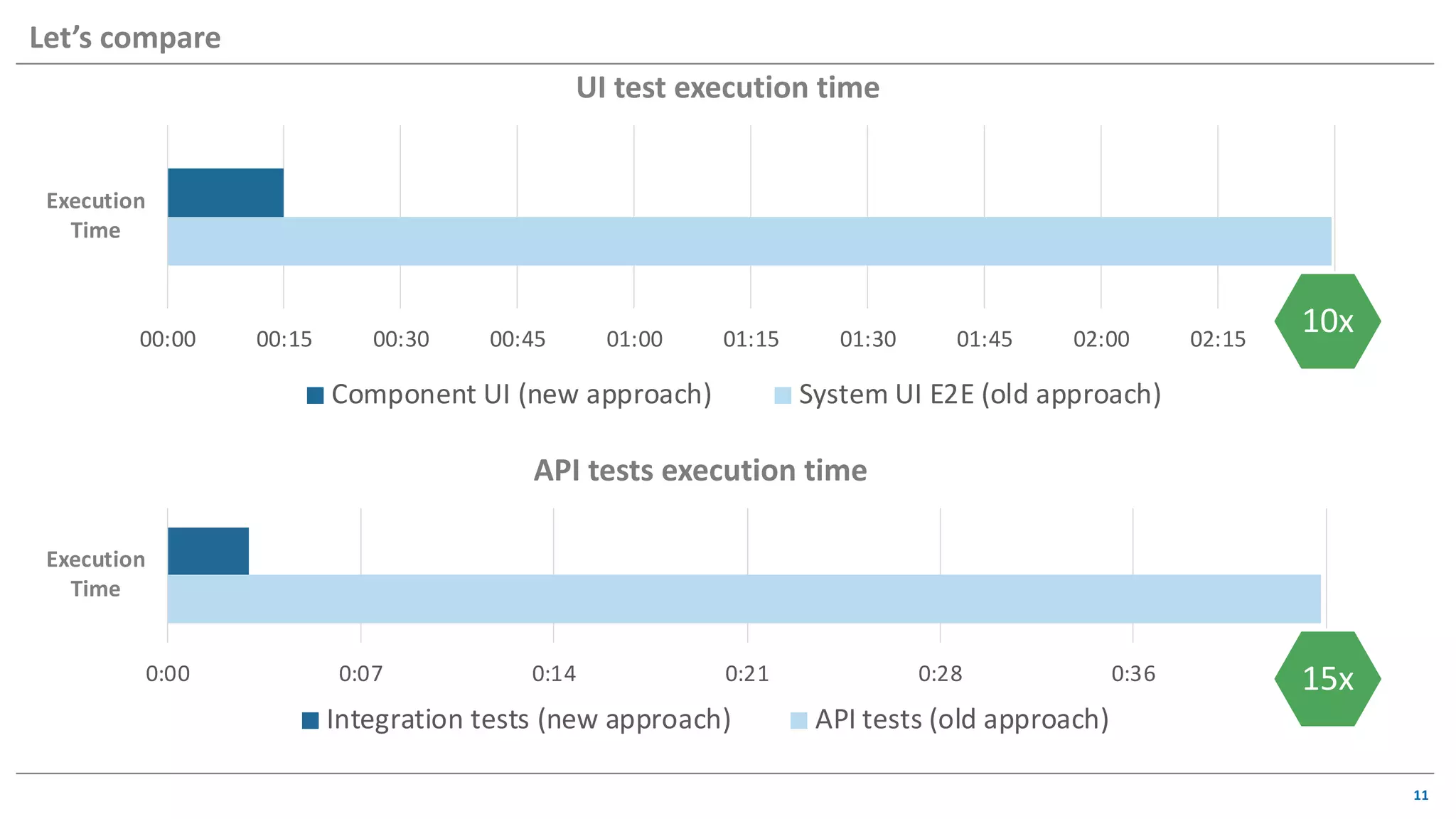
00:00 00:15 00:30 00:45 01:00 01:15 01:30 01:45 02:00 02:15 02:30
Execution
Time
UI test execution time
Component UI (new approach) System UI E2E (old approach)
Let’s compare
11
10x
Execution
Time
0:00 0:07 0:14 0:21 0:28 0:36 0:43
API tests execution time
Integration tests (new approach) API tests (old approach)
15x
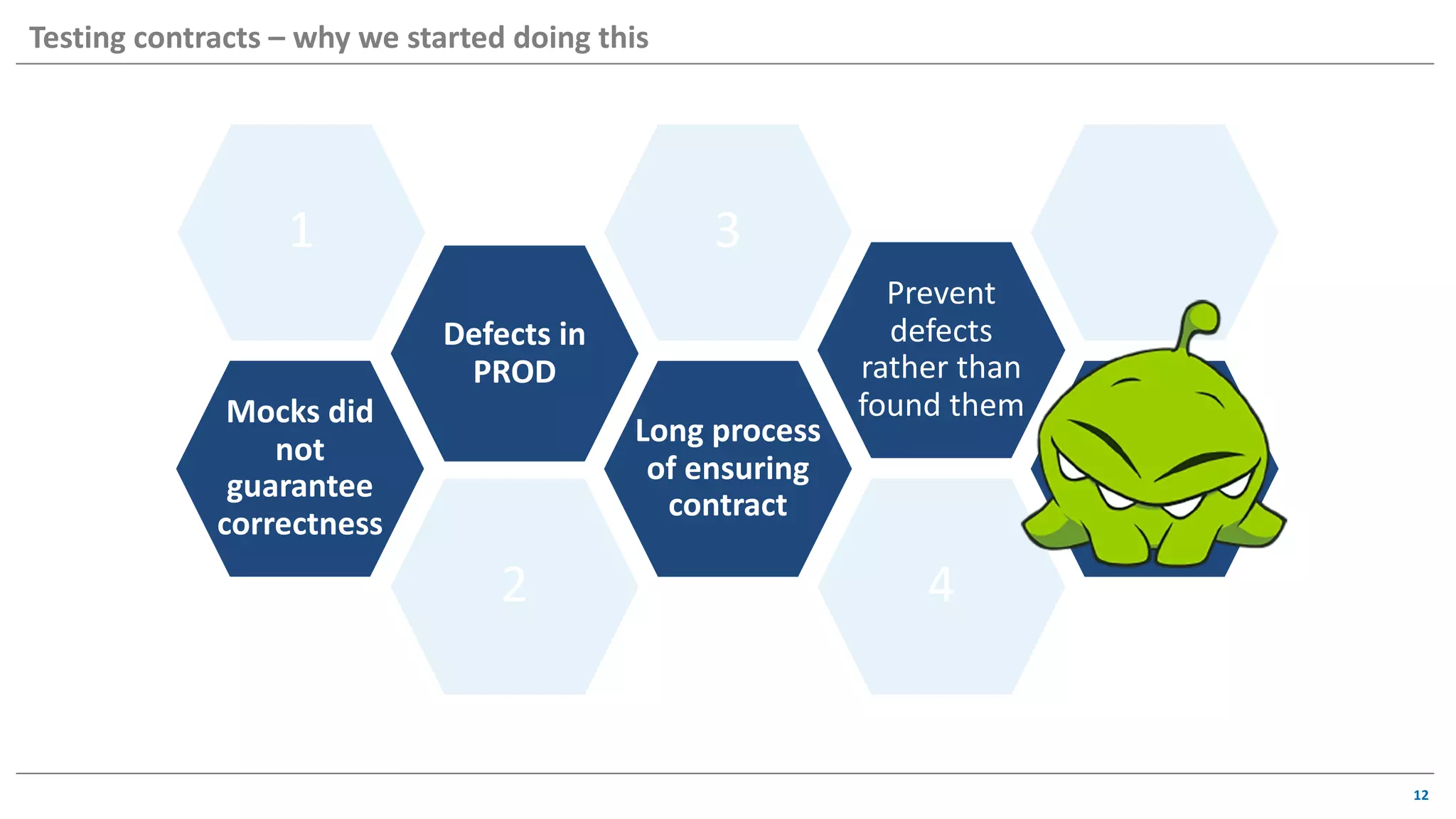
Prevent
defects
rather than
found them
4
Long process
of ensuring
contract
3
2
1
Defects in
PROD
Mocks did
not
guarantee
correctness
12
Testing contracts – why we started doing this
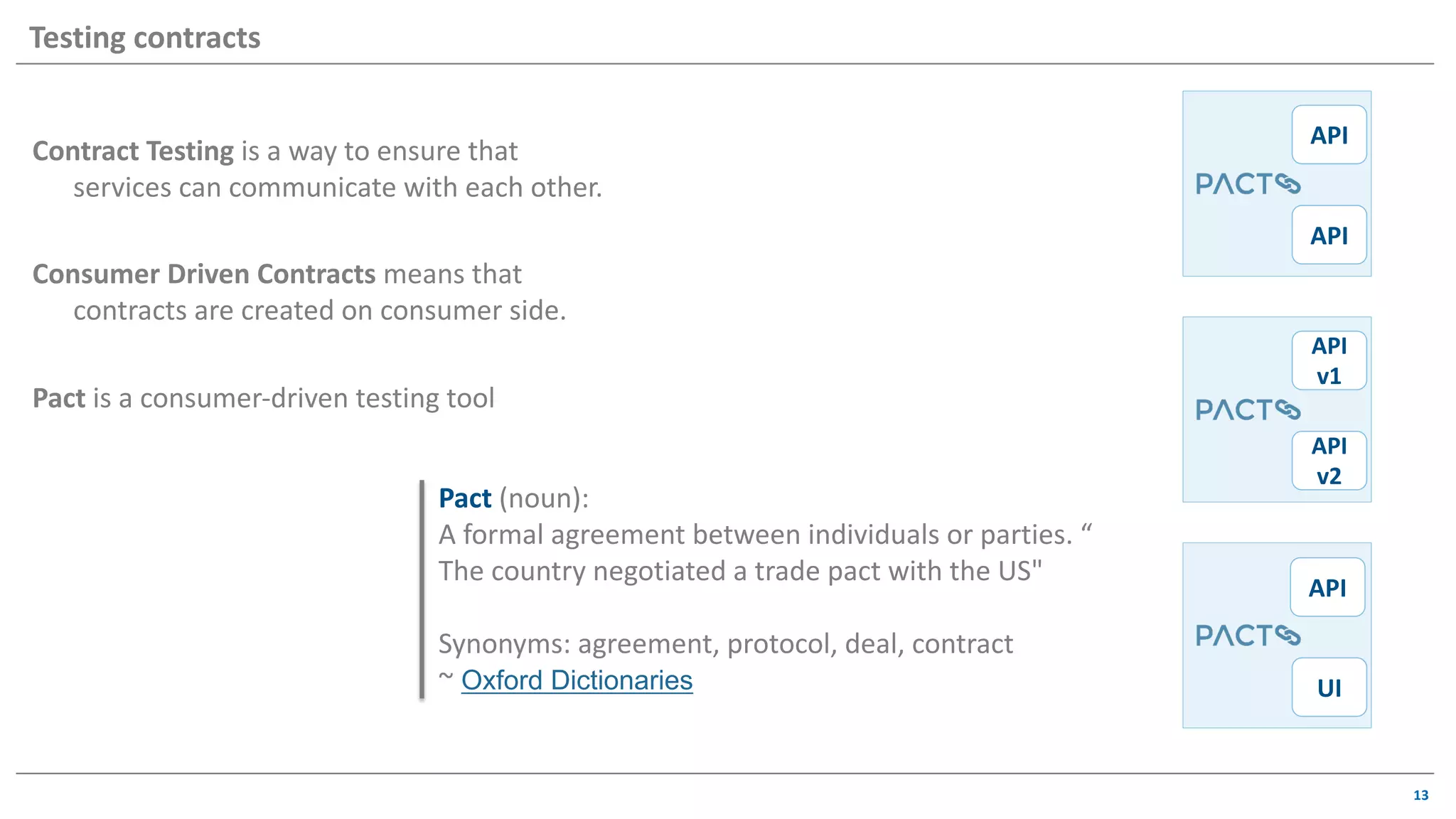
Contract Testing is a way to ensure that
services can communicate with each other.
Consumer Driven Contracts means that
contracts are created on consumer side.
Pact is a consumer-driven testing tool
13
Testing contracts
API
API
API
UI
API
v1
API
v2
Pact (noun):
A formal agreement between individuals or parties. “
The country negotiated a trade pact with the US"
Synonyms: agreement, protocol, deal, contract
~ Oxford Dictionaries
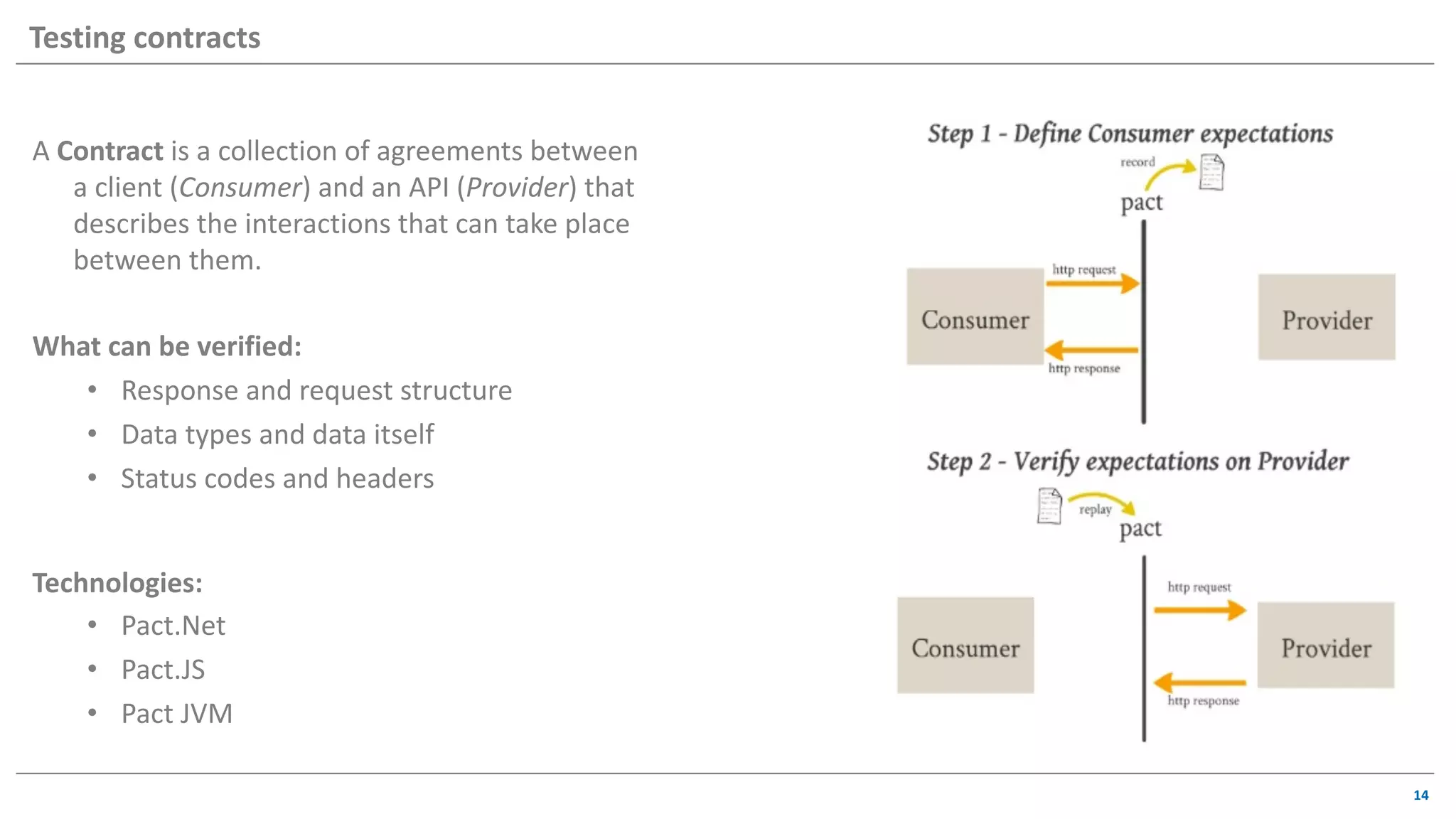
A Contract is a collection of agreements between
a client (Consumer) and an API (Provider) that
describes the interactions that can take place
between them.
What can be verified:
• Response and request structure
• Data types and data itself
• Status codes and headers
Technologies:
• Pact.Net
• Pact.JS
• Pact JVM
14
Testing contracts
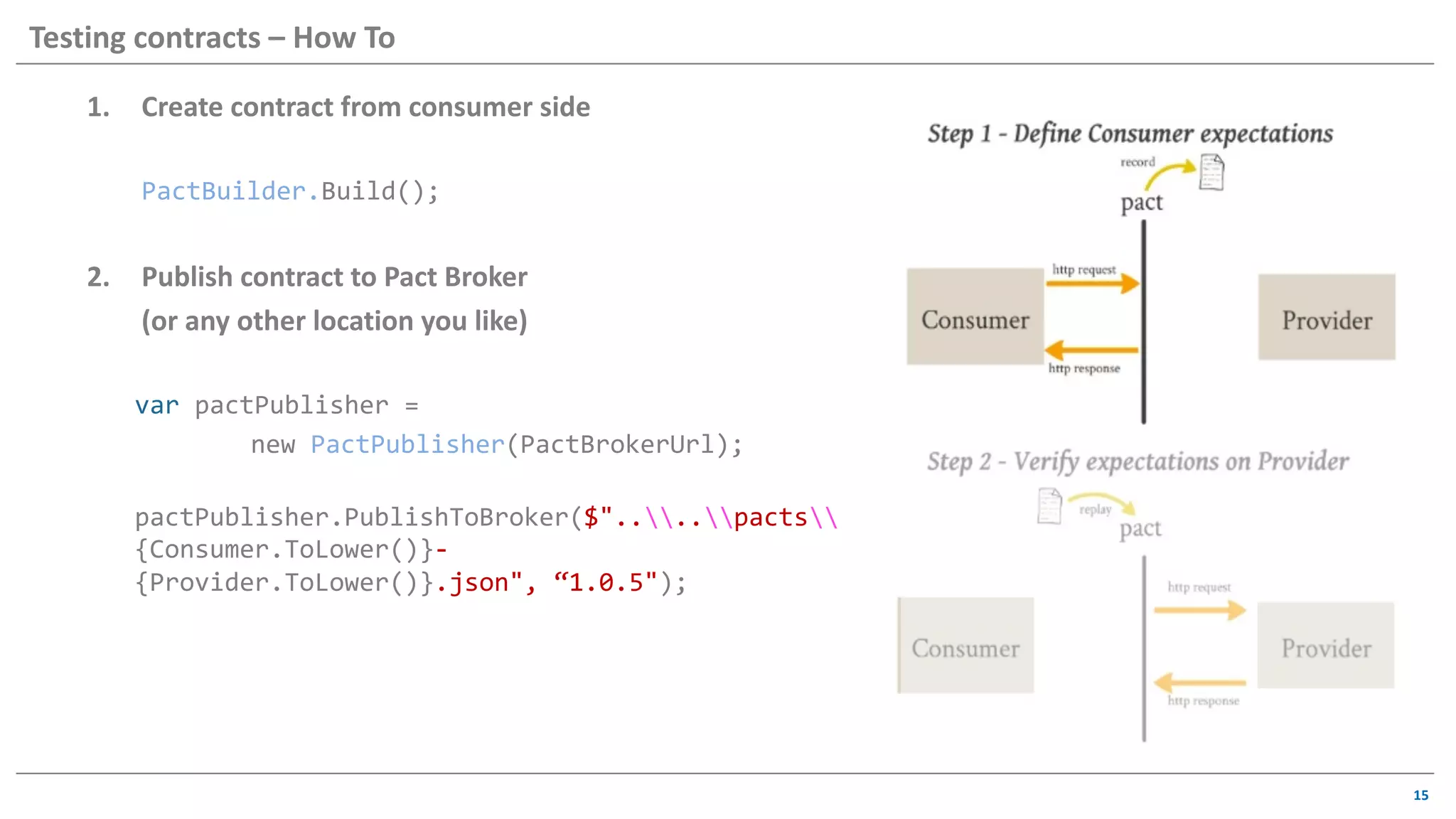
1. Create contract from consumer side
PactBuilder.Build();
2. Publish contract to Pact Broker
(or any other location you like)
var pactPublisher =
new PactPublisher(PactBrokerUrl);
pactPublisher.PublishToBroker($"....pacts
{Consumer.ToLower()}-
{Provider.ToLower()}.json", “1.0.5");
15
Testing contracts – How To
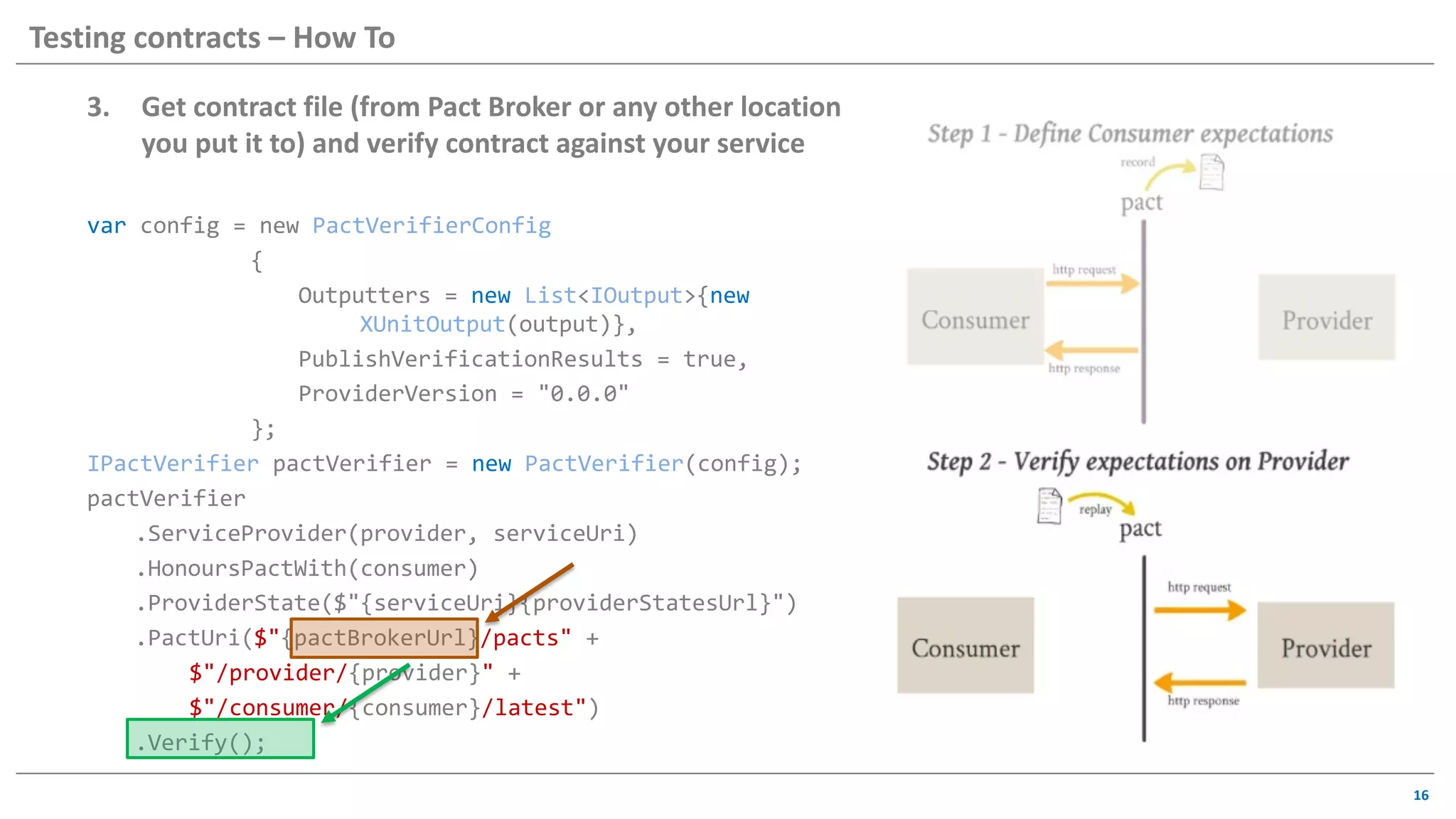
3. Get contract file (from Pact Broker or any other location
you put it to) and verify contract against your service
var config = new PactVerifierConfig
{
Outputters = new List<IOutput>{new
XUnitOutput(output)},
PublishVerificationResults = true,
ProviderVersion = "0.0.0"
};
IPactVerifier pactVerifier = new PactVerifier(config);
pactVerifier
.ServiceProvider(provider, serviceUri)
.HonoursPactWith(consumer)
.ProviderState($"{serviceUri}{providerStatesUrl}")
.PactUri($"{pactBrokerUrl}/pacts" +
$"/provider/{provider}" +
$"/consumer/{consumer}/latest")
.Verify();
16
Testing contracts – How To
17
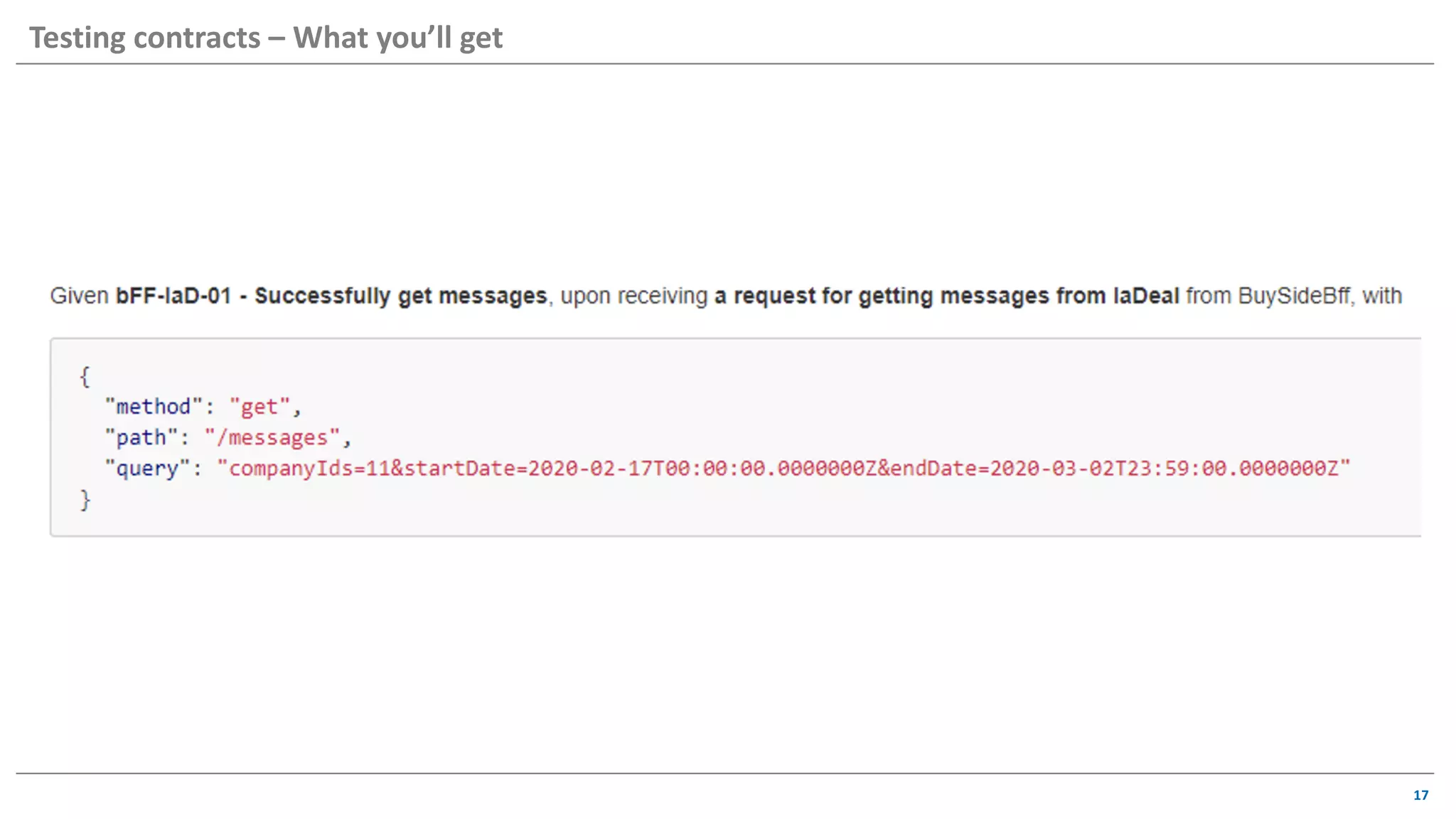
Testing contracts – What you’ll get
18
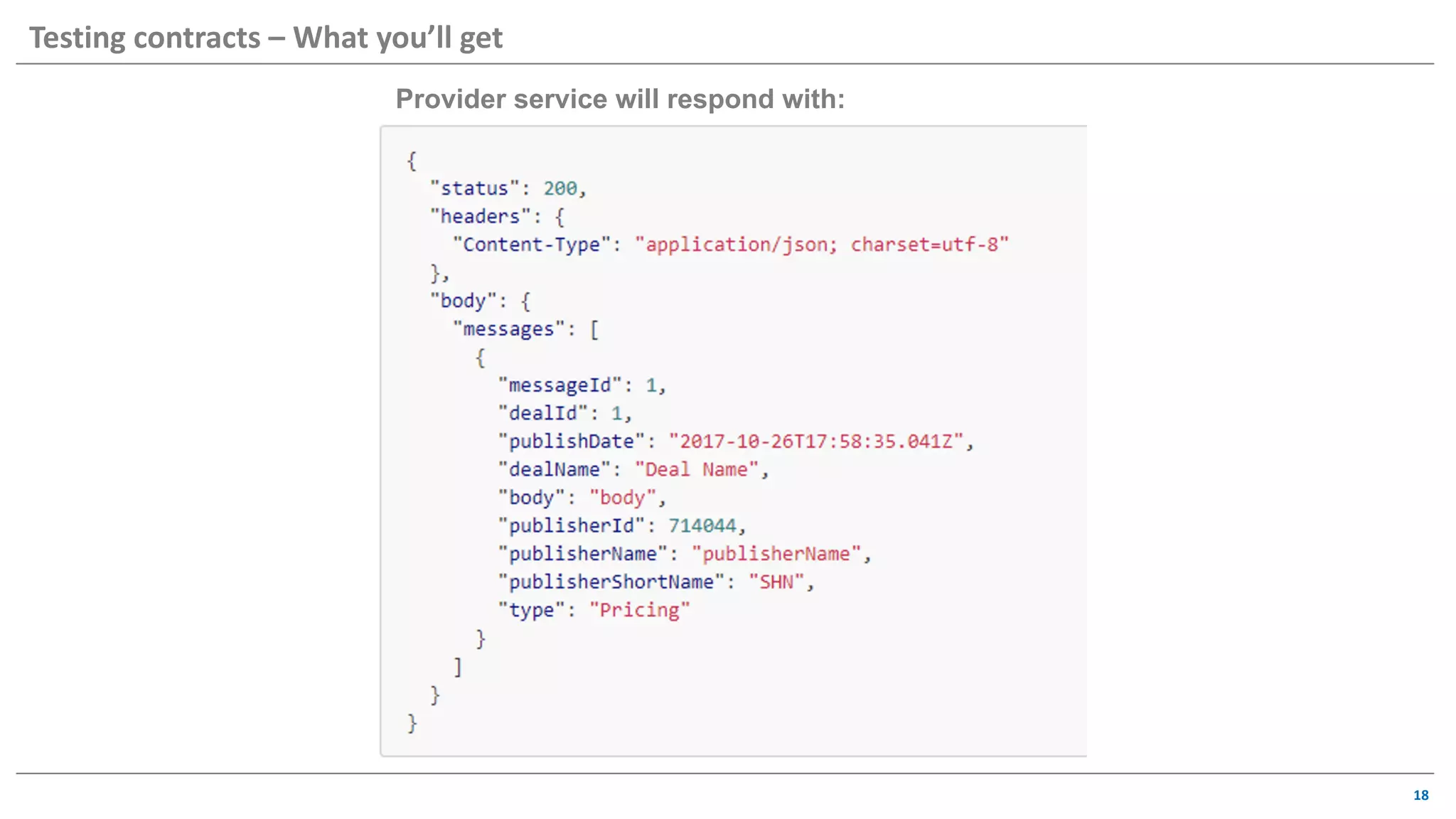
Testing contracts – What you’ll get
Provider service will respond with:
19
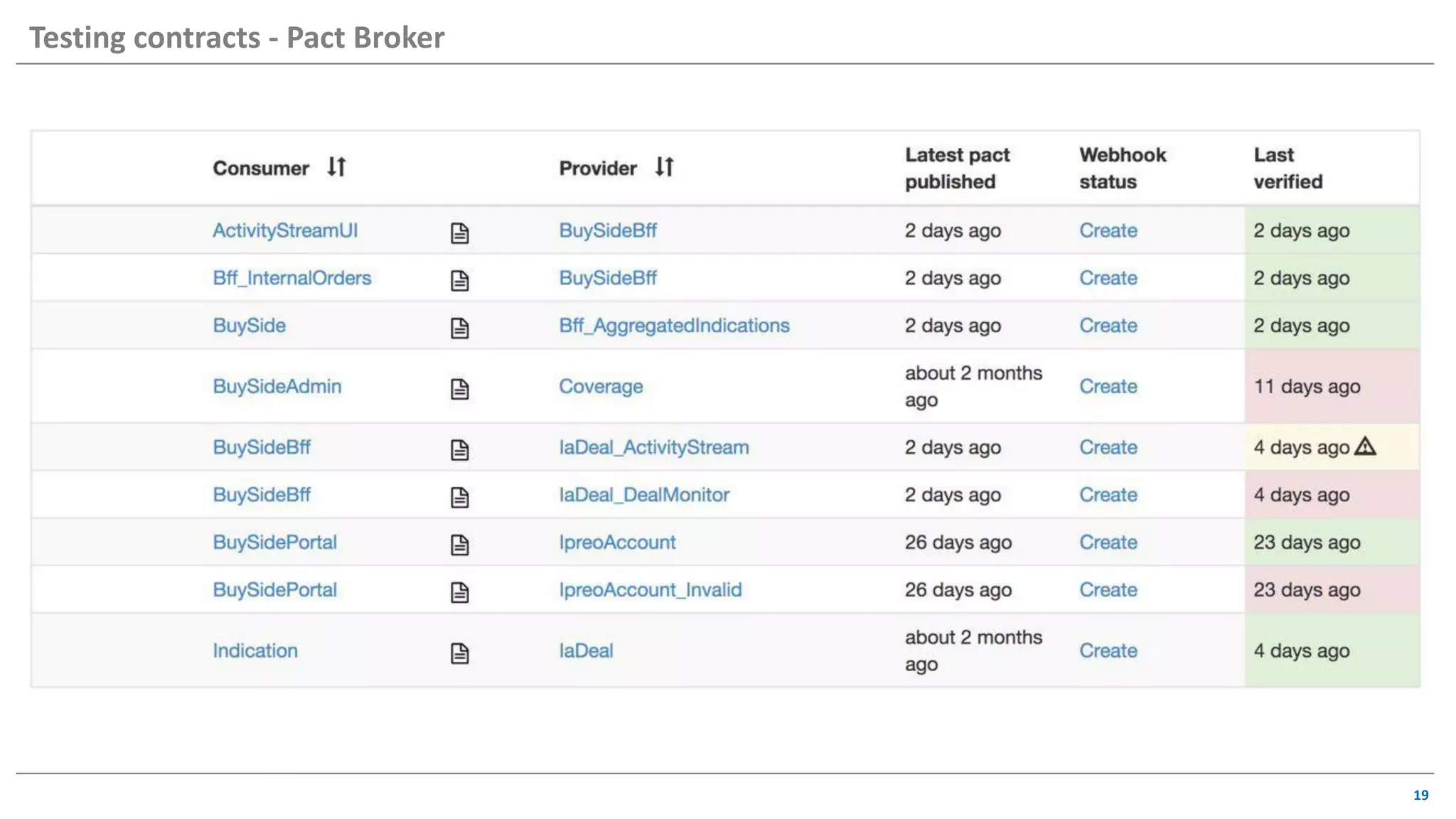
Testing contracts - Pact Broker
20
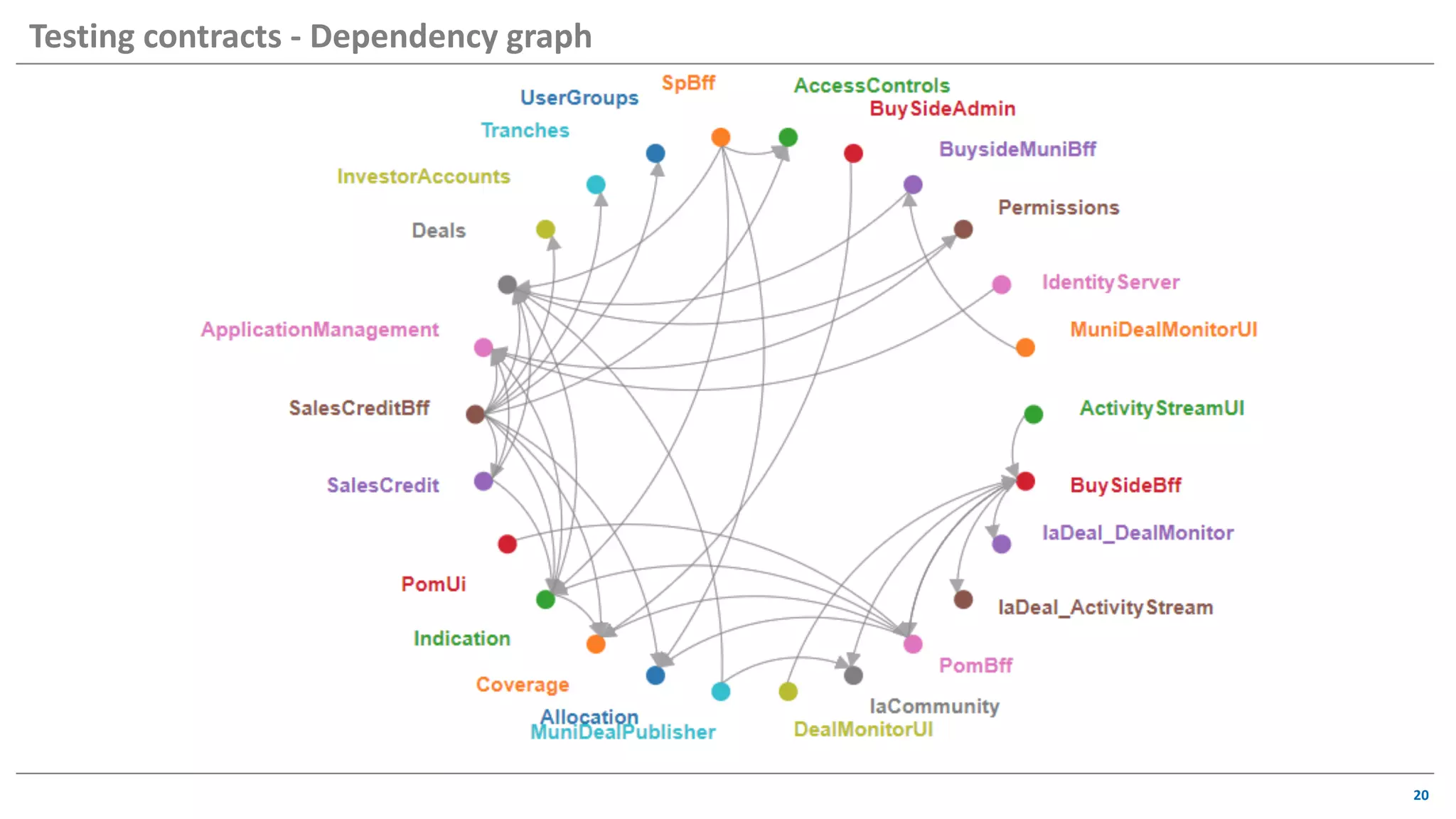
Testing contracts - Dependency graph
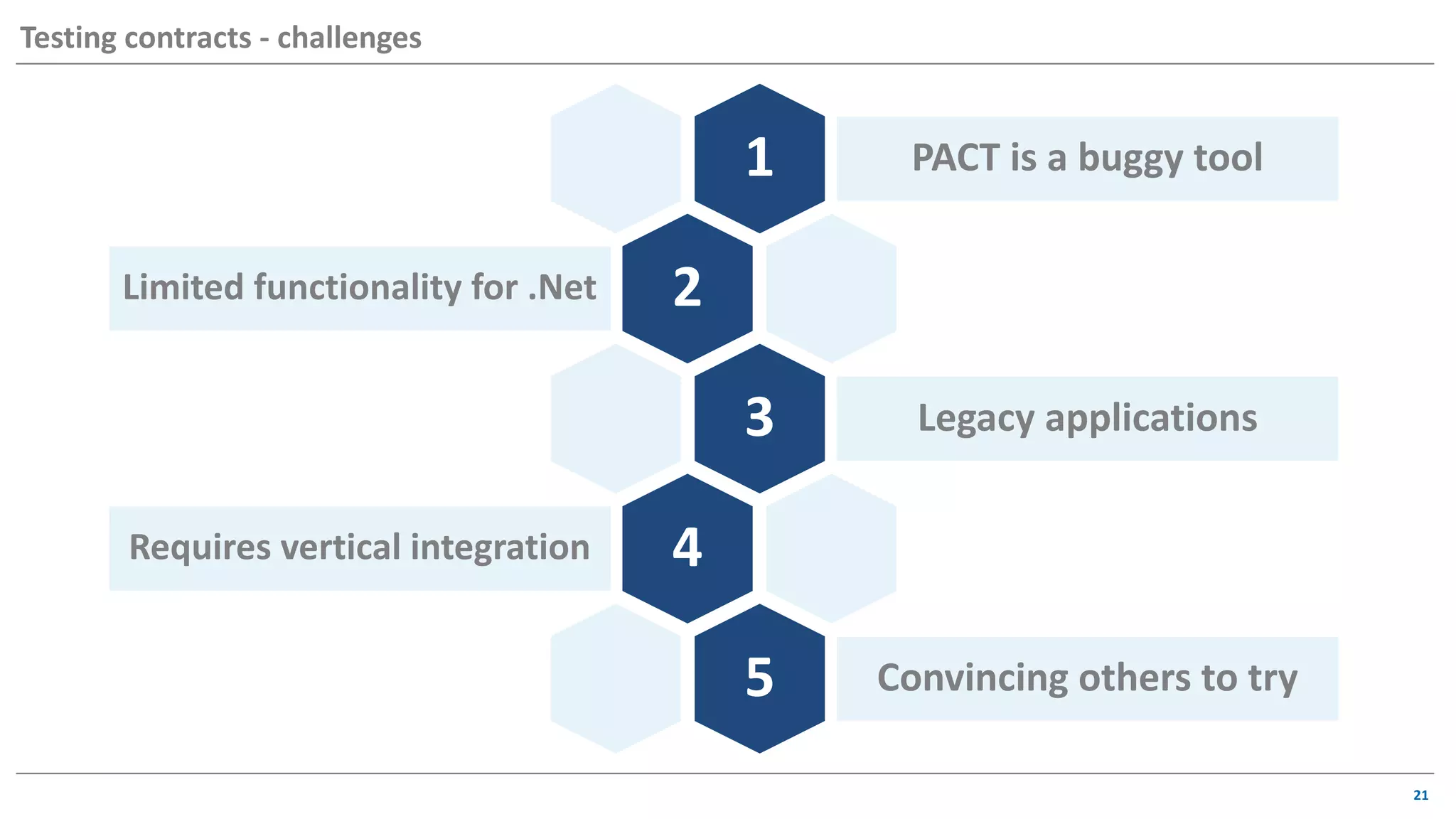
1 PACT is a buggy tool
2Limited functionality for .Net
3 Legacy applications
4Requires vertical integration
5 Convincing others to try
21
Testing contracts - challenges
22
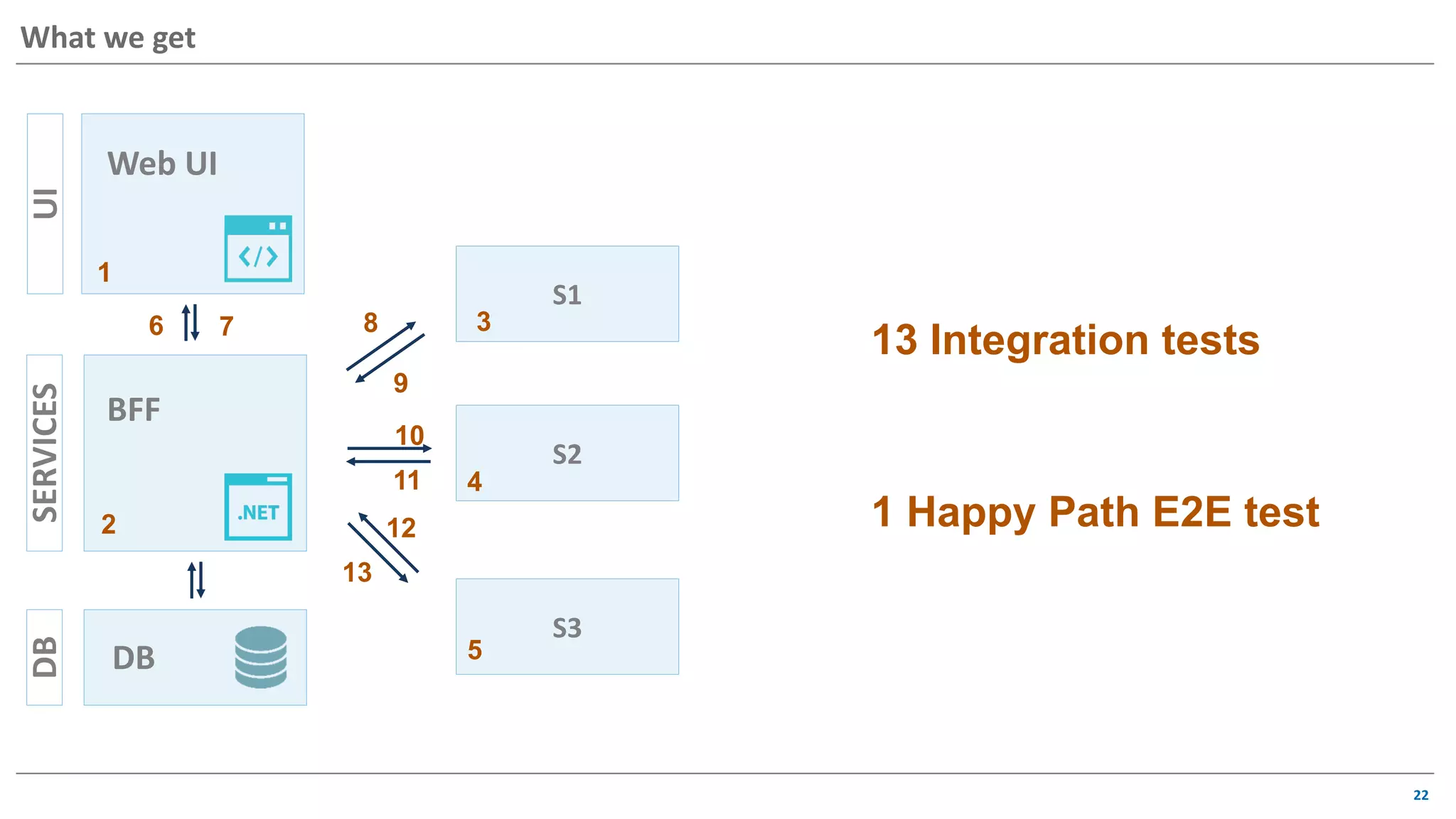
What we getUISERVICESDB
Web UI
BFF
DB
S1
S2
S3
1
2
3
4
5
7 8
9
10
11
12
13
6
1 Happy Path E2E test
13 Integration tests
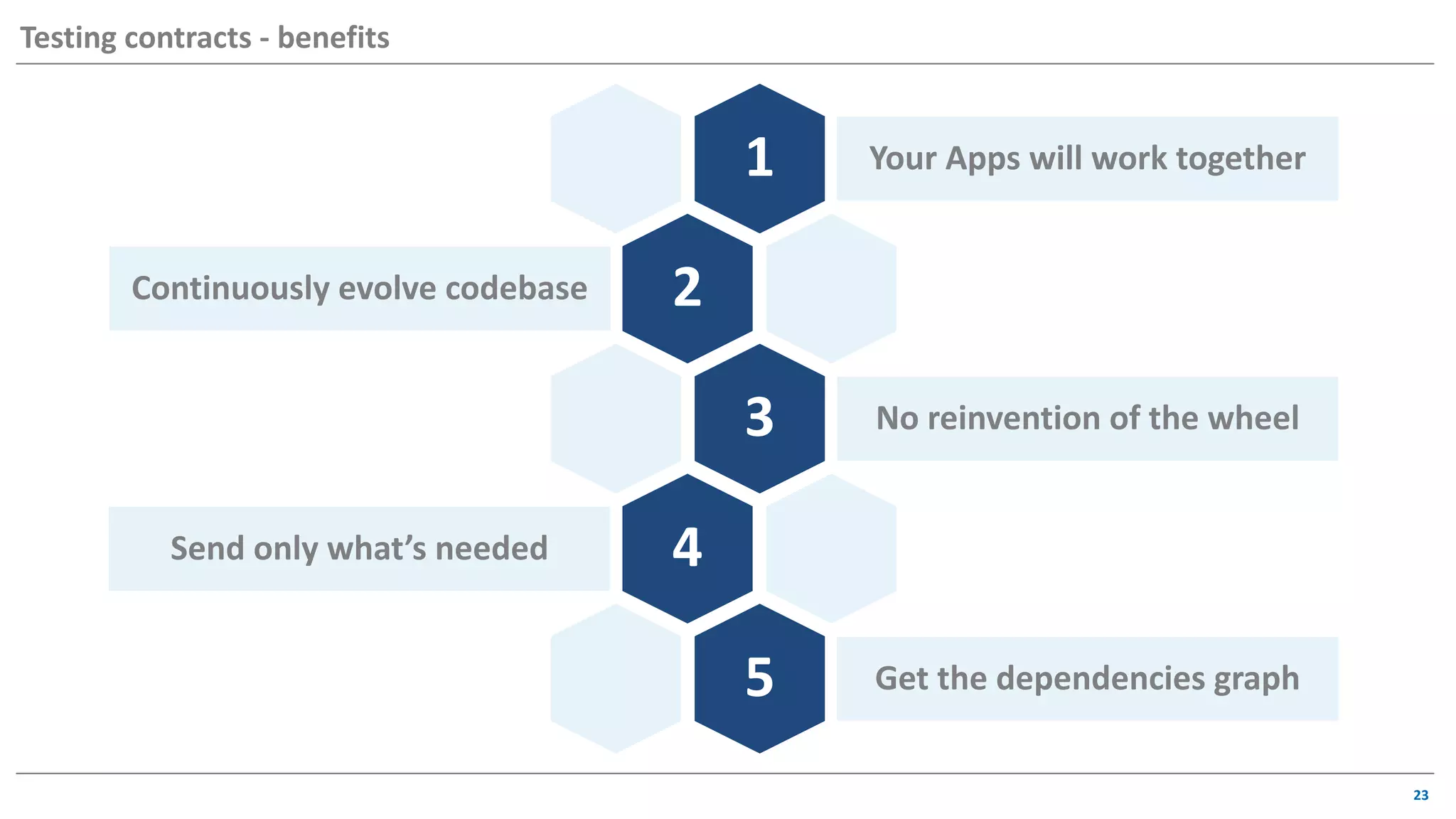
1 Your Apps will work together
2Continuously evolve codebase
3 No reinvention of the wheel
4Send only what’s needed
5 Get the dependencies graph
23
Testing contracts - benefits
How to get started
25
TRY IT
https://docs.pact.io/
26
Q&A
Thank you!
alisa_petivotova@epam.com
alisa.petivotova

Contract-based Testing Approach as a Tool for Shift Lef

  • 1.
    How we canshift testing left Alisa Petivotova Contract based testing
  • 2.
    • Why • What •When • How • Who 2 AGENDA All about contract based testing
  • 3.
    3 Let’s talk abouttesting pyramid UI INT UNIT
  • 4.
  • 5.
    5 So how wecan achieve it? UISERVICESDB Web UI BFF DB S1 S2 S3 UISERVICESDB Web UI Backend DB S1 S2 S3
  • 6.
    6 • Mostly manualsmoke run 10 Manual • Smoke tests run with deploy in TFS • Roll back deploy if tests failed • Testing team responsibility 39 UI • Run with CI (TeamCity) • Use Mocks • Testing team responsibility 296 Integration • Run with CI (TeamCity) • Development team responsibility 911 Unit Test Automation TeamDev Team Manual Test Team Let’s talk about testing pyramid
  • 7.
    7 Integration test fora microservice • Mock service for any outgoing http call • Receive request and return response • Verify any outgoing calls CleanDB • Clean DB • Create new DB before test run • Clear DB before each test MockServices localhost:1234 TestServer • TestServer • In-memory test server • Able to dispatch requests using HttpClient in-memorylocalhost:3333
  • 8.
    8 Integration test fora microservice PactBuilder = new PactBuilder(new PactConfig { SpecificationVersion = "2.0.0", Outputters = new XUnitOutput(_output), PactDir = "../PactContracts" }) .ServiceConsumer(consumer) .HasPactWith(provider); MockProviderService = PactBuilder.MockService(port); 1. Start mock service 1234 MockServicesCleanDBTestServer localhost:1234
  • 9.
    9 Integration test fora microservice var request = new ProviderServiceRequest { Method = HttpVerb.Get, Path = "/search", Query = $"searchText={searchString}" }; var response = new ProviderServiceResponse { Status = 200, Headers = /*content type headers, etc.*/ Body = data }; MockService .Given(testCaseName) .UponReceiving(testCaseAction) .With(request) .WillRespondWith(response); 1. Start mock service 2. Register expected interaction MockServicesCleanDBTestServer localhost:1234
  • 10.
    10 Testing UI component 1.Build Agents requirements: • Node version installed to match your UI solution to run • Browsers to match your tests requirements 2. Parallel run options: • Docker containers – the easiest way to pass the image • Build agents – pass the files directly from master to child jobs 3. Integration with devs CI pipeline requirements: • Parallel test run under 15 mins • Pass rate 100% UI localhost:3456 Servers localhost:5000
  • 11.
    00:00 00:15 00:3000:45 01:00 01:15 01:30 01:45 02:00 02:15 02:30 Execution Time UI test execution time Component UI (new approach) System UI E2E (old approach) Let’s compare 11 10x Execution Time 0:00 0:07 0:14 0:21 0:28 0:36 0:43 API tests execution time Integration tests (new approach) API tests (old approach) 15x
  • 12.
    Prevent defects rather than found them 4 Longprocess of ensuring contract 3 2 1 Defects in PROD Mocks did not guarantee correctness 12 Testing contracts – why we started doing this
  • 13.
    Contract Testing isa way to ensure that services can communicate with each other. Consumer Driven Contracts means that contracts are created on consumer side. Pact is a consumer-driven testing tool 13 Testing contracts API API API UI API v1 API v2 Pact (noun): A formal agreement between individuals or parties. “ The country negotiated a trade pact with the US" Synonyms: agreement, protocol, deal, contract ~ Oxford Dictionaries
  • 14.
    A Contract isa collection of agreements between a client (Consumer) and an API (Provider) that describes the interactions that can take place between them. What can be verified: • Response and request structure • Data types and data itself • Status codes and headers Technologies: • Pact.Net • Pact.JS • Pact JVM 14 Testing contracts
  • 15.
    1. Create contractfrom consumer side PactBuilder.Build(); 2. Publish contract to Pact Broker (or any other location you like) var pactPublisher = new PactPublisher(PactBrokerUrl); pactPublisher.PublishToBroker($"....pacts {Consumer.ToLower()}- {Provider.ToLower()}.json", “1.0.5"); 15 Testing contracts – How To
  • 16.
    3. Get contractfile (from Pact Broker or any other location you put it to) and verify contract against your service var config = new PactVerifierConfig { Outputters = new List<IOutput>{new XUnitOutput(output)}, PublishVerificationResults = true, ProviderVersion = "0.0.0" }; IPactVerifier pactVerifier = new PactVerifier(config); pactVerifier .ServiceProvider(provider, serviceUri) .HonoursPactWith(consumer) .ProviderState($"{serviceUri}{providerStatesUrl}") .PactUri($"{pactBrokerUrl}/pacts" + $"/provider/{provider}" + $"/consumer/{consumer}/latest") .Verify(); 16 Testing contracts – How To
  • 17.
    17 Testing contracts –What you’ll get
  • 18.
    18 Testing contracts –What you’ll get Provider service will respond with:
  • 19.
  • 20.
    20 Testing contracts -Dependency graph
  • 21.
    1 PACT isa buggy tool 2Limited functionality for .Net 3 Legacy applications 4Requires vertical integration 5 Convincing others to try 21 Testing contracts - challenges
  • 22.
    22 What we getUISERVICESDB WebUI BFF DB S1 S2 S3 1 2 3 4 5 7 8 9 10 11 12 13 6 1 Happy Path E2E test 13 Integration tests
  • 23.
    1 Your Appswill work together 2Continuously evolve codebase 3 No reinvention of the wheel 4Send only what’s needed 5 Get the dependencies graph 23 Testing contracts - benefits
  • 24.
    How to getstarted
  • 25.
  • 26.