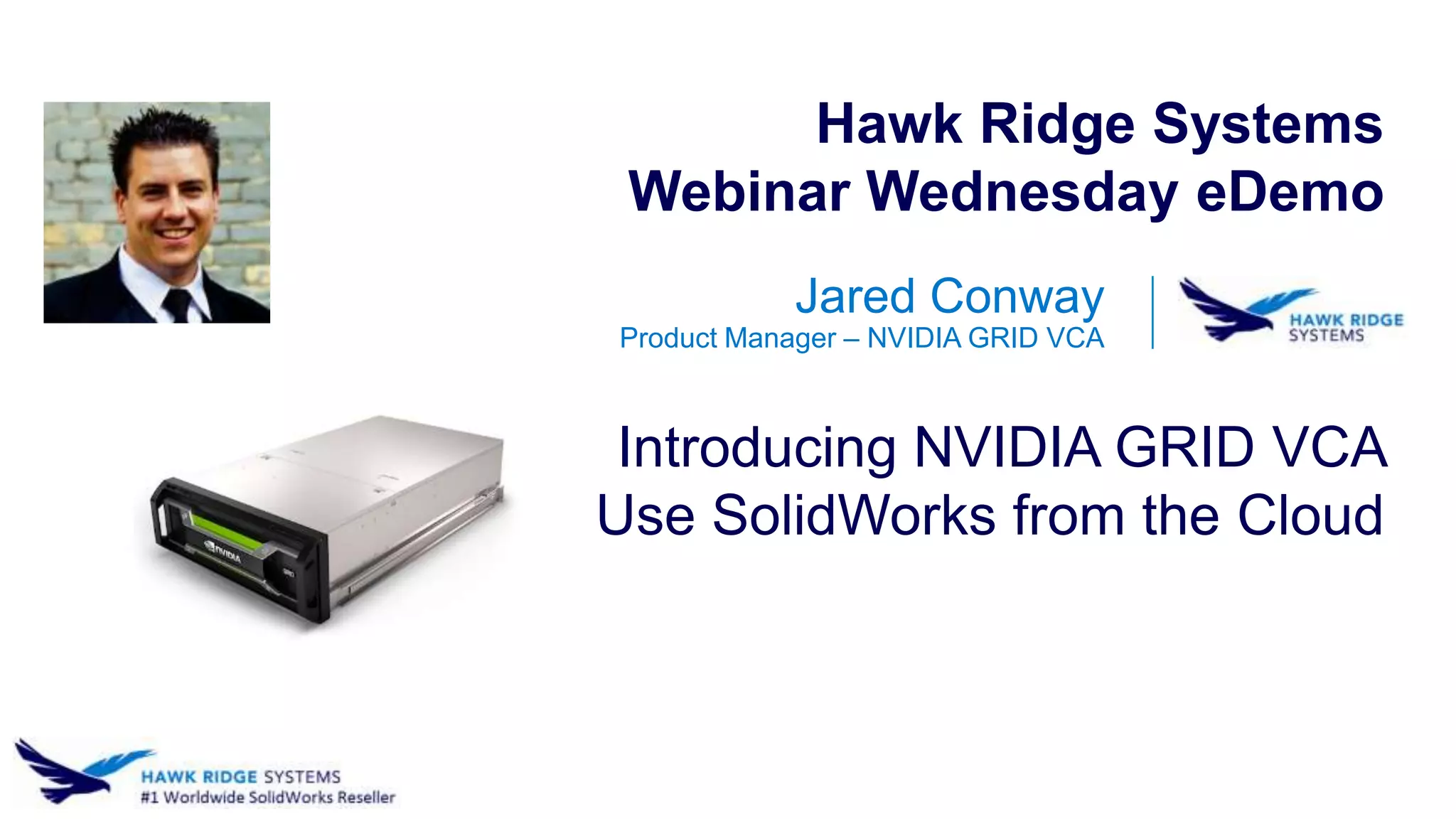
Jared Conway
Product Manager – NVIDIA GRID VCA
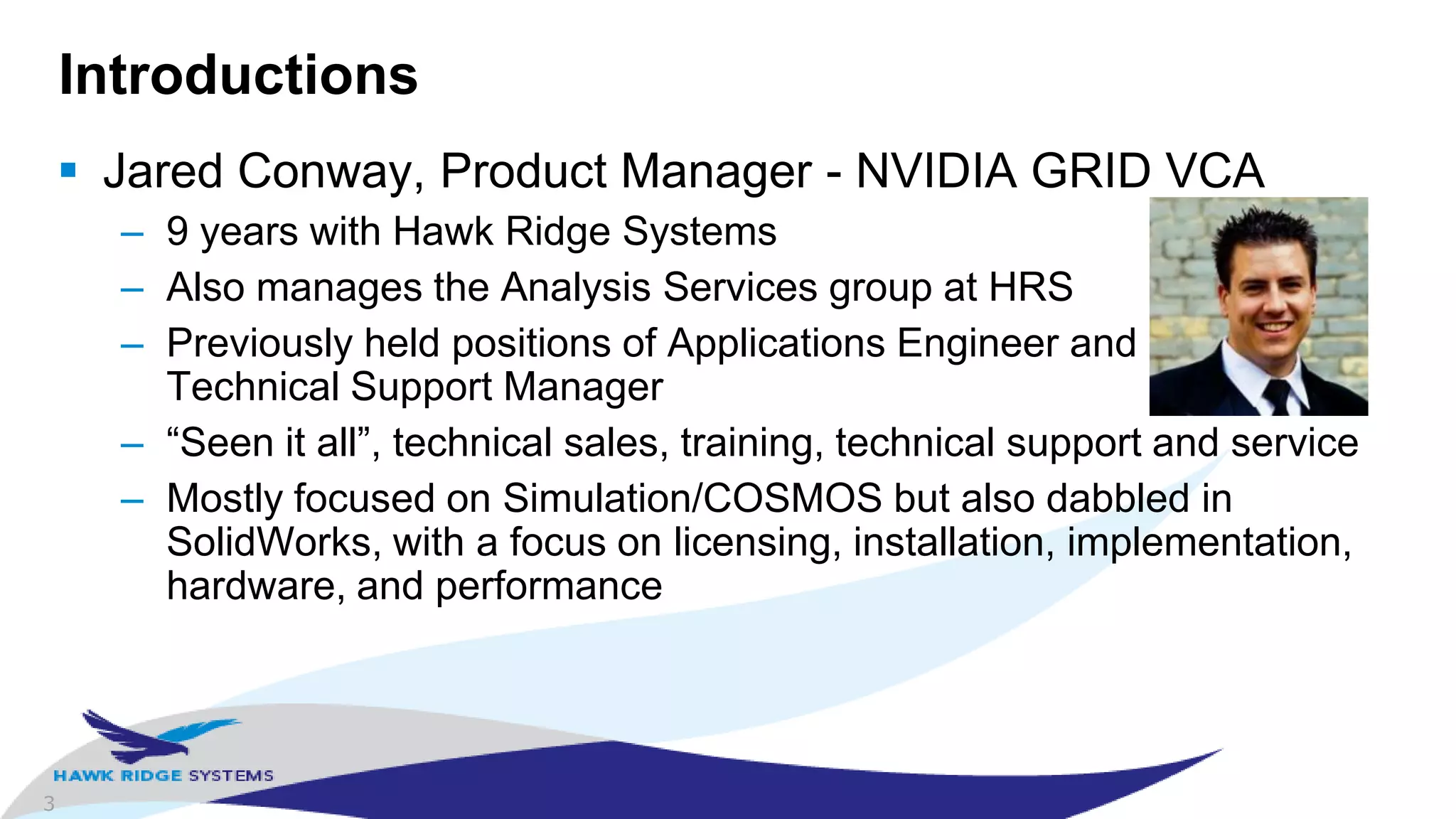
Introducing NVIDIA GRID VCA
Use SolidWorks from the Cloud
Hawk Ridge Systems
Webinar Wednesday eDemo
2
Agenda
 Introductions
 “The Cloud” for SolidWorks
 GRID VCA
 Demo
 Closing Remarks
 Questions
3
Introductions
 Jared Conway, Product Manager - NVIDIA GRID VCA
– 9 years with Hawk Ridge Systems
– Also manages the Analysis Services group at HRS
– Previously held positions of Applications Engineer and
Technical Support Manager
– “Seen it all”, technical sales, training, technical support and service
– Mostly focused on Simulation/COSMOS but also dabbled in
SolidWorks, with a focus on licensing, installation, implementation,
hardware, and performance
4
“The Cloud”
 Definition is actually Definitions
– “…synonym for distributed computing…”
– “…network-based services which appear to be provided by real
server hardware, and are in fact served up by virtual hardware…”
– “…metaphor for the internet…”
– “…software, platforms, and infrastructure that are provided as a
service remotely through the internet…”
 Examples
– Google Mail (Gmail), Microsoft Office 365, Salesforce.com and AWS
(Amazon Web Services)
5
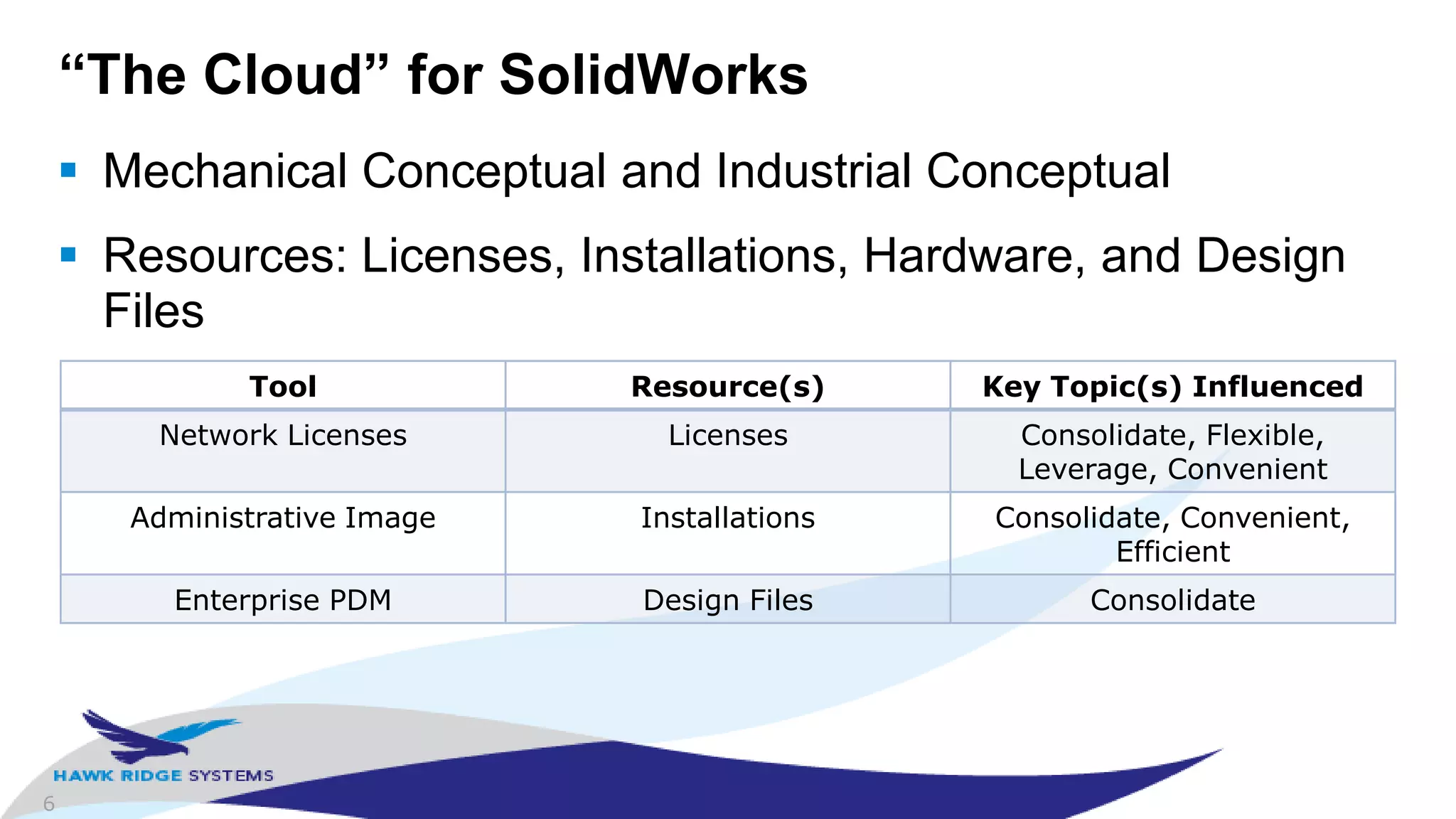
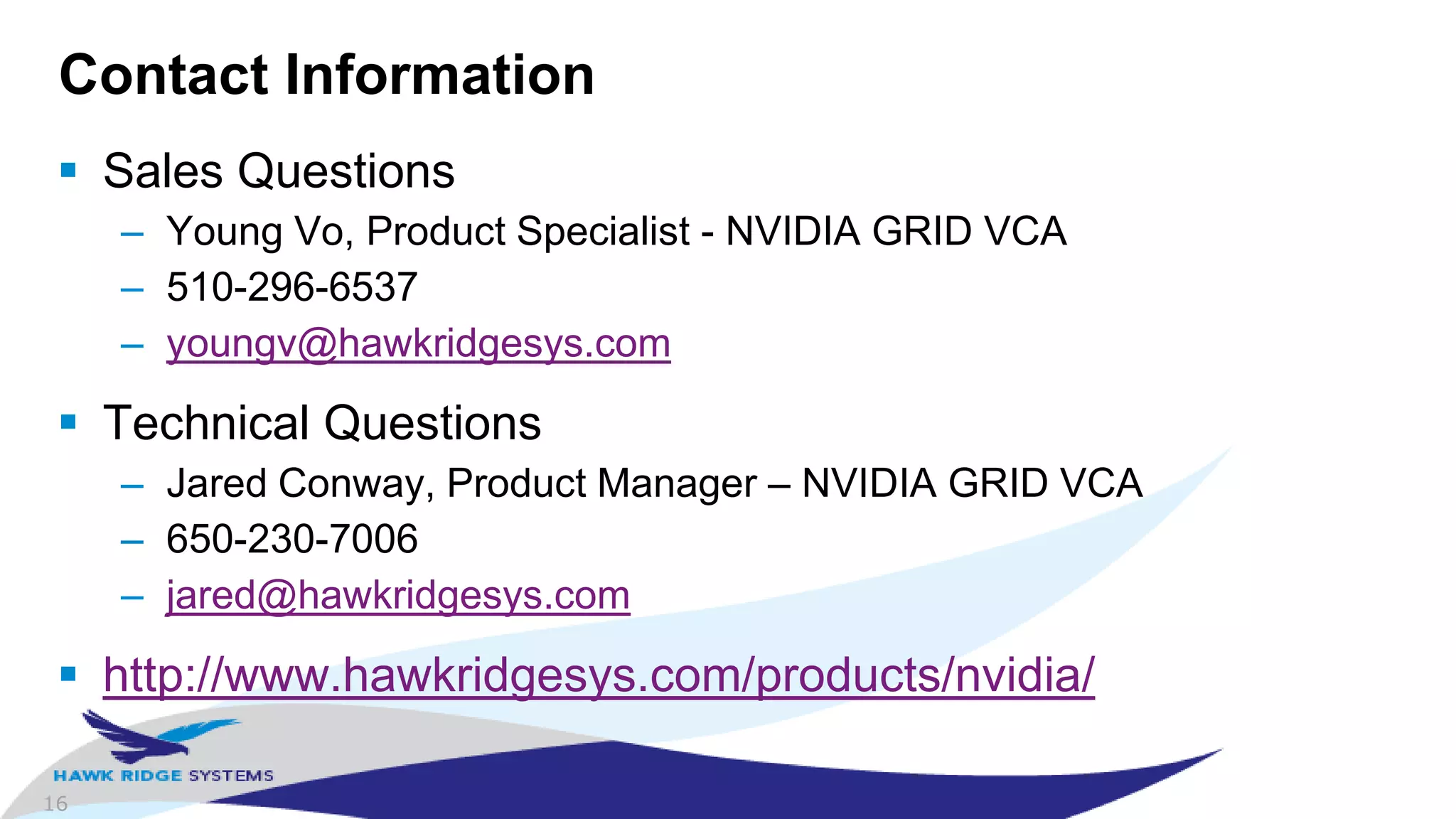
Key Topics for “The Cloud”
 Consolidate: Single location for all resources
 Flexible: Use resources when you want
 Leverage: Maximize the usage of your resources
 Remote: Access resources from anywhere
 Convenient: Make the resources easy to use
 Efficient: Maximize efficiency for aspects of providing the
functionality
6
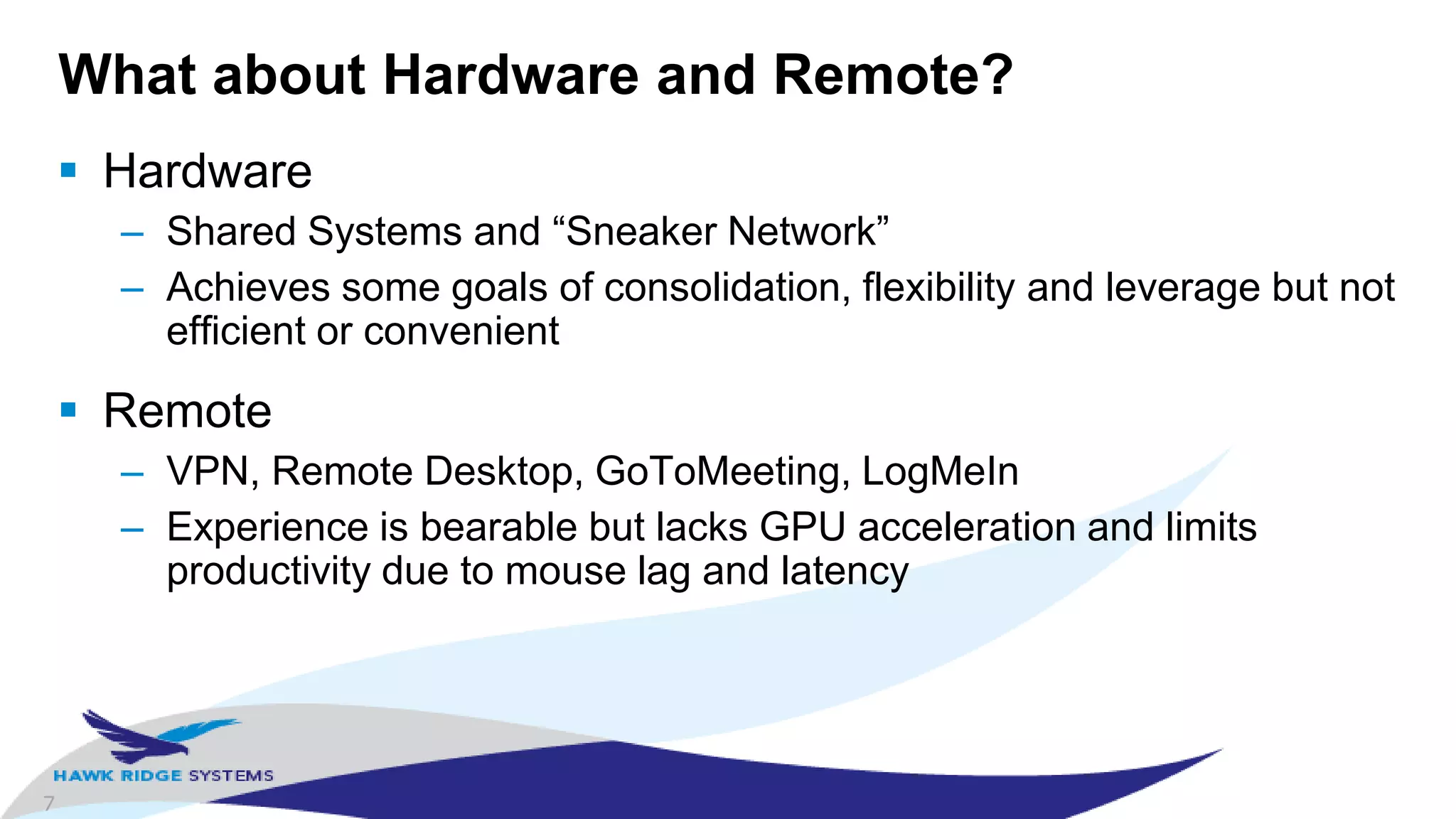
“The Cloud” for SolidWorks
 Mechanical Conceptual and Industrial Conceptual
 Resources: Licenses, Installations, Hardware, and Design
Files
Tool Resource(s) Key Topic(s) Influenced
Network Licenses Licenses Consolidate, Flexible,
Leverage, Convenient
Administrative Image Installations Consolidate, Convenient,
Efficient
Enterprise PDM Design Files Consolidate
7
What about Hardware and Remote?
 Hardware
– Shared Systems and “Sneaker Network”
– Achieves some goals of consolidation, flexibility and leverage but not
efficient or convenient
 Remote
– VPN, Remote Desktop, GoToMeeting, LogMeIn
– Experience is bearable but lacks GPU acceleration and limits
productivity due to mouse lag and latency
8
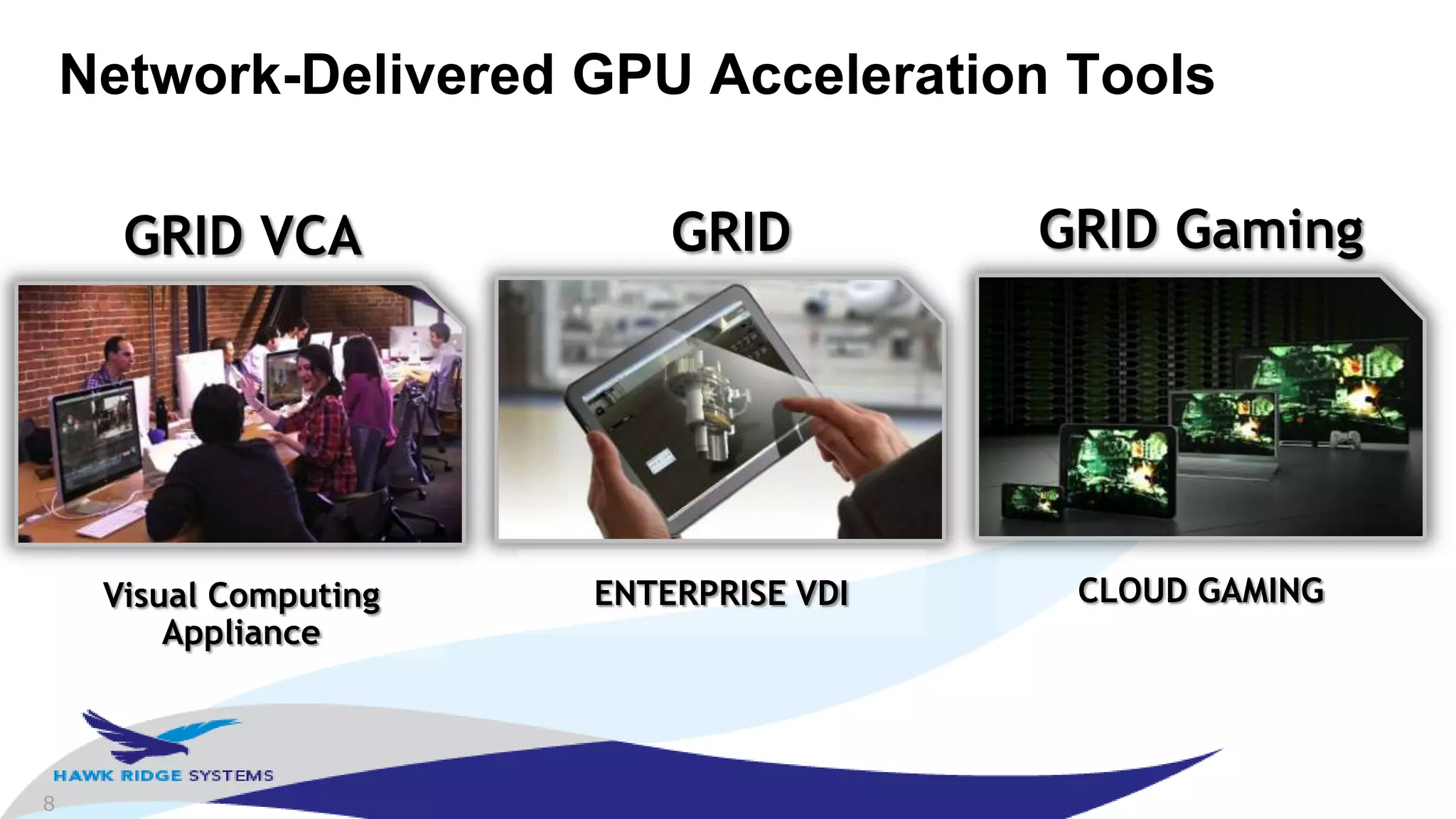
Network-Delivered GPU Acceleration Tools
CLOUD GAMING
GRID Gaming
ENTERPRISE VDI
GRID
Visual Computing
Appliance
GRID VCA
9
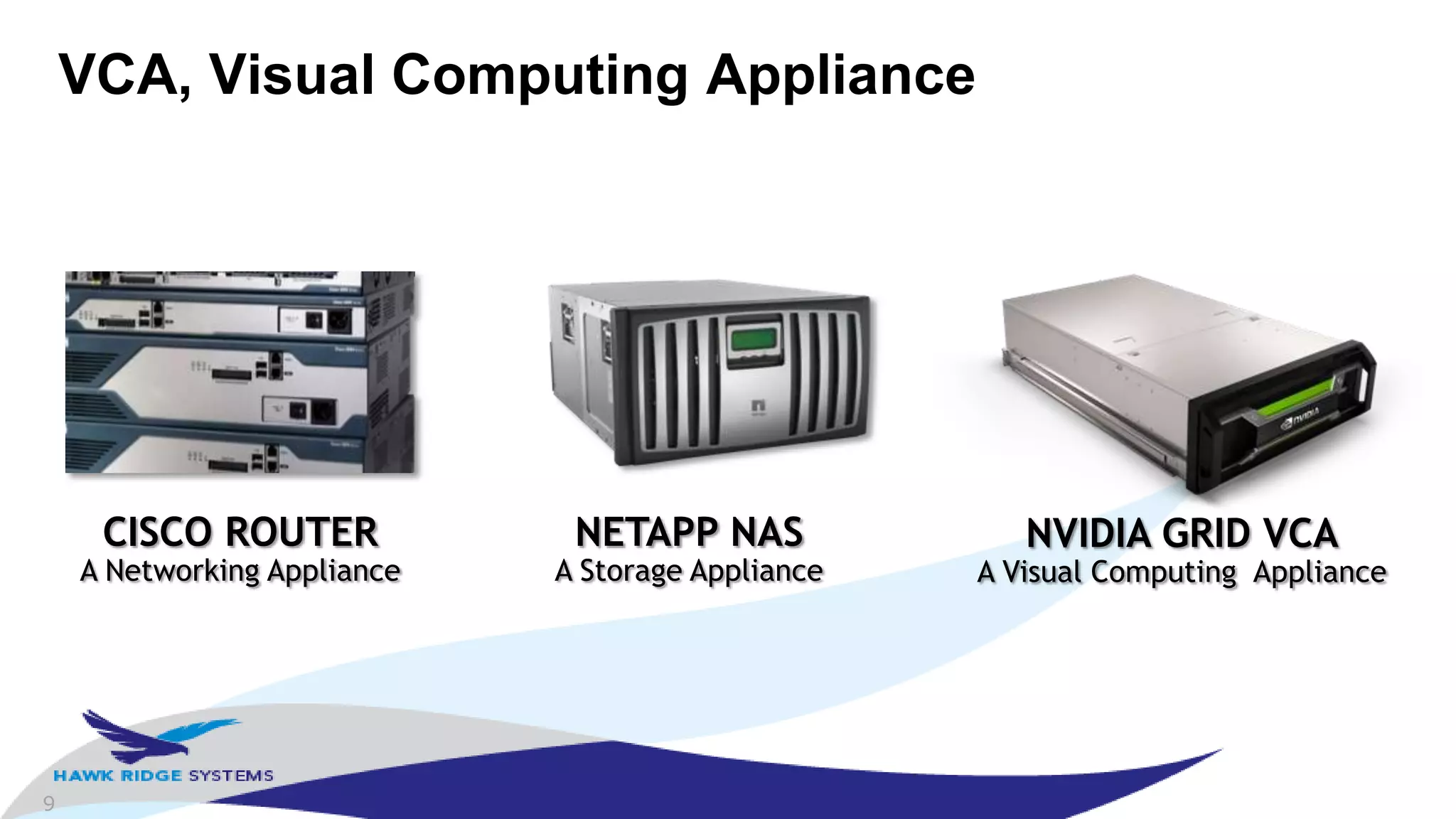
VCA, Visual Computing Appliance
CISCO ROUTER
A Networking Appliance
NETAPP NAS
A Storage Appliance
NVIDIA GRID VCA
A Visual Computing Appliance
10
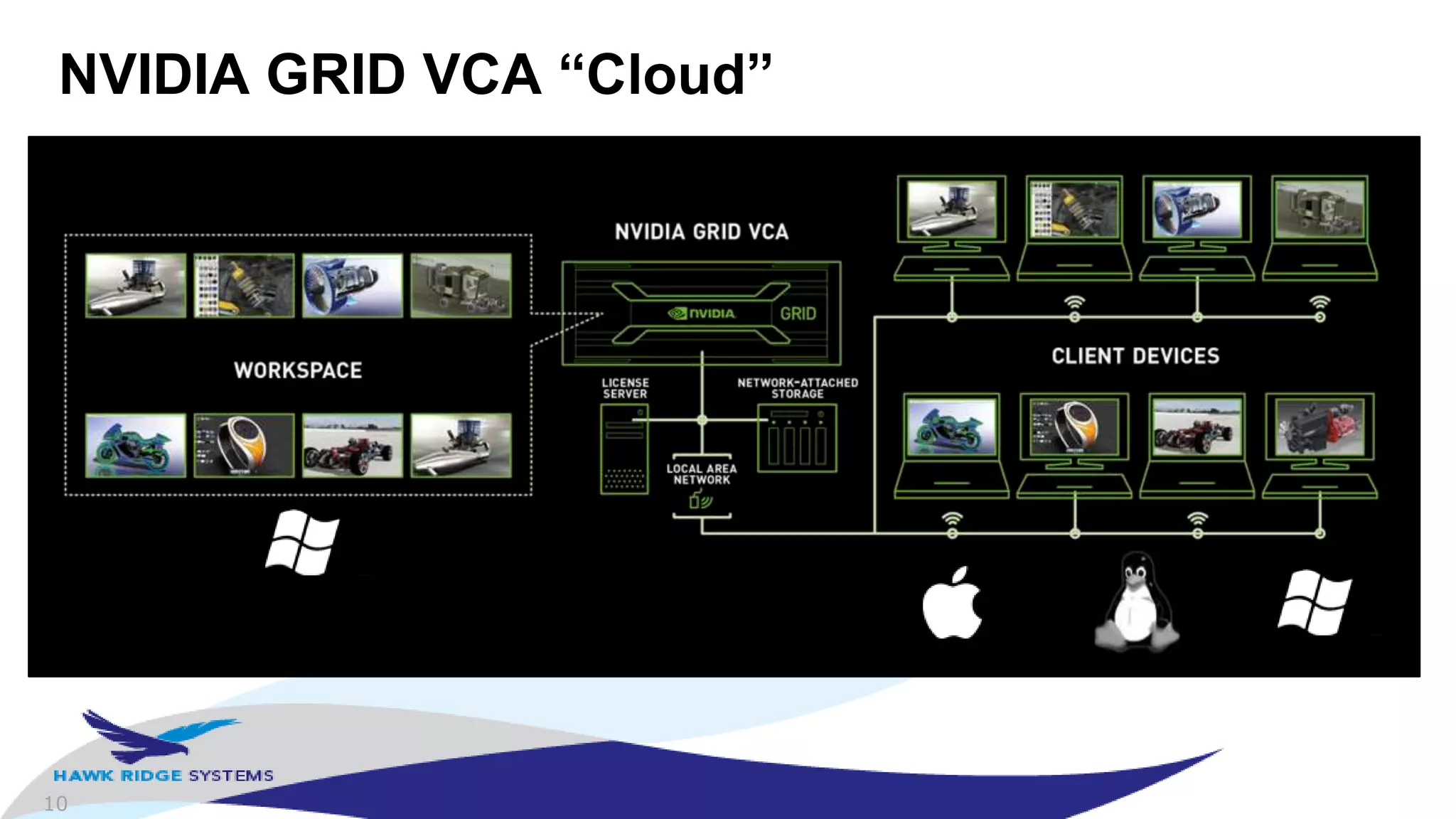
NVIDIA GRID VCA “Cloud”
11
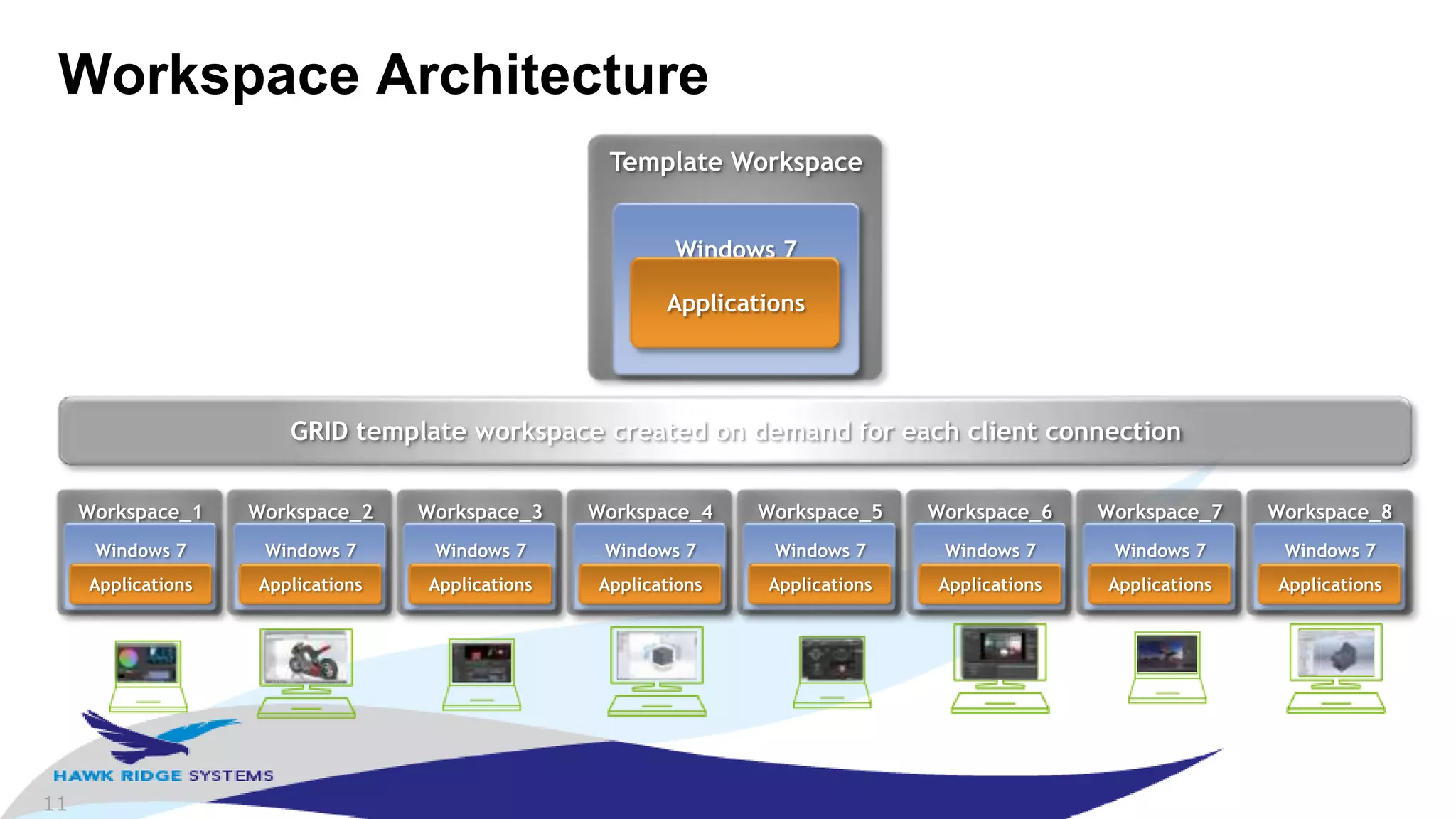
Workspace Architecture
Template Workspace
Windows 7
Applications
Workspace_1
Windows 7
Applications
GRID template workspace created on demand for each client connection
Workspace_2
Windows 7
Applications
Workspace_3
Windows 7
Applications
Workspace_4
Windows 7
Applications
Workspace_5
Windows 7
Applications
Workspace_6
Windows 7
Applications
Workspace_7
Windows 7
Applications
Workspace_8
Windows 7
Applications
12
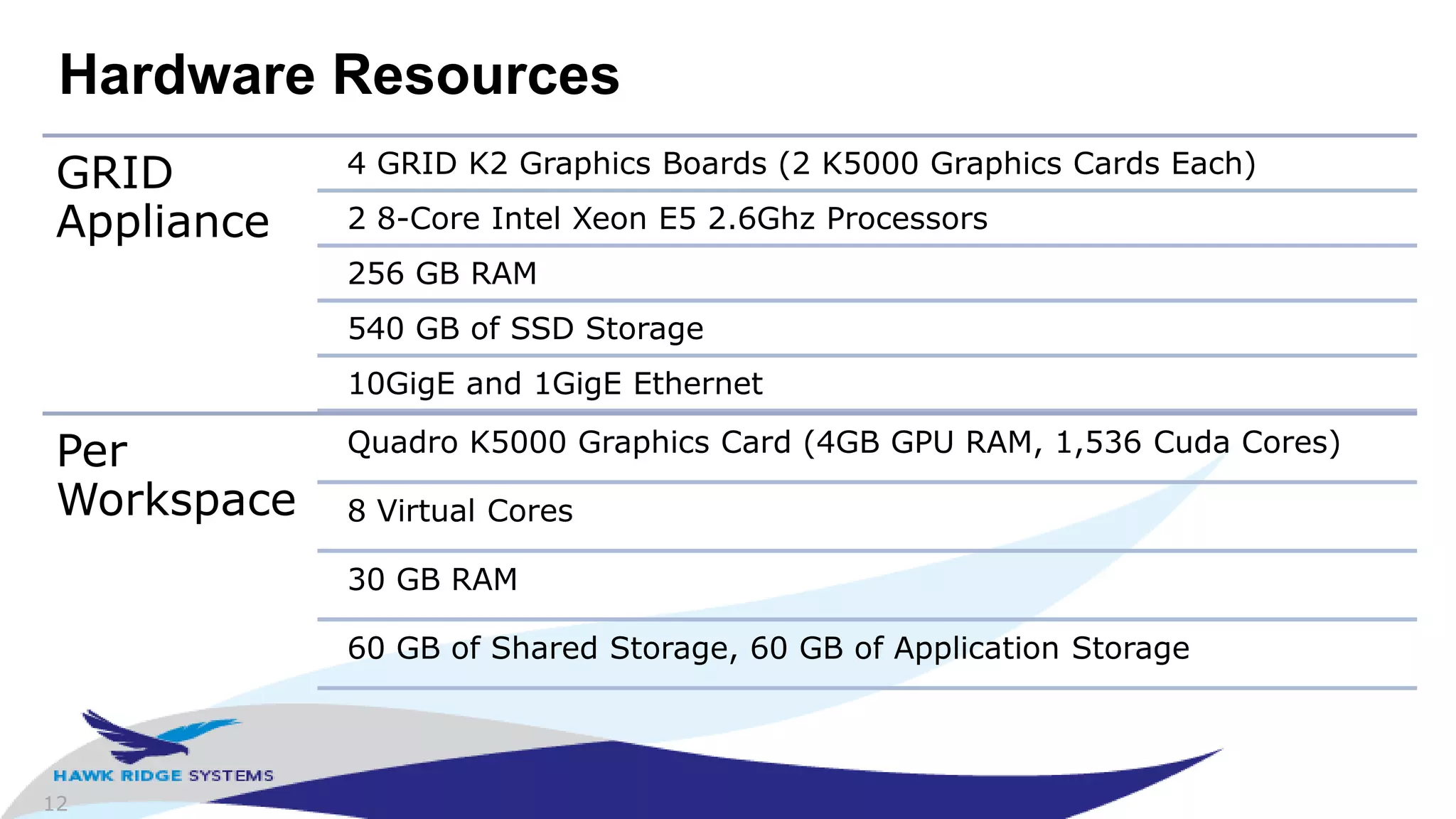
Hardware Resources
GRID
Appliance
4 GRID K2 Graphics Boards (2 K5000 Graphics Cards Each)
2 8-Core Intel Xeon E5 2.6Ghz Processors
256 GB RAM
540 GB of SSD Storage
10GigE and 1GigE Ethernet
Per
Workspace
Quadro K5000 Graphics Card (4GB GPU RAM, 1,536 Cuda Cores)
8 Virtual Cores
30 GB RAM
60 GB of Shared Storage, 60 GB of Application Storage
13
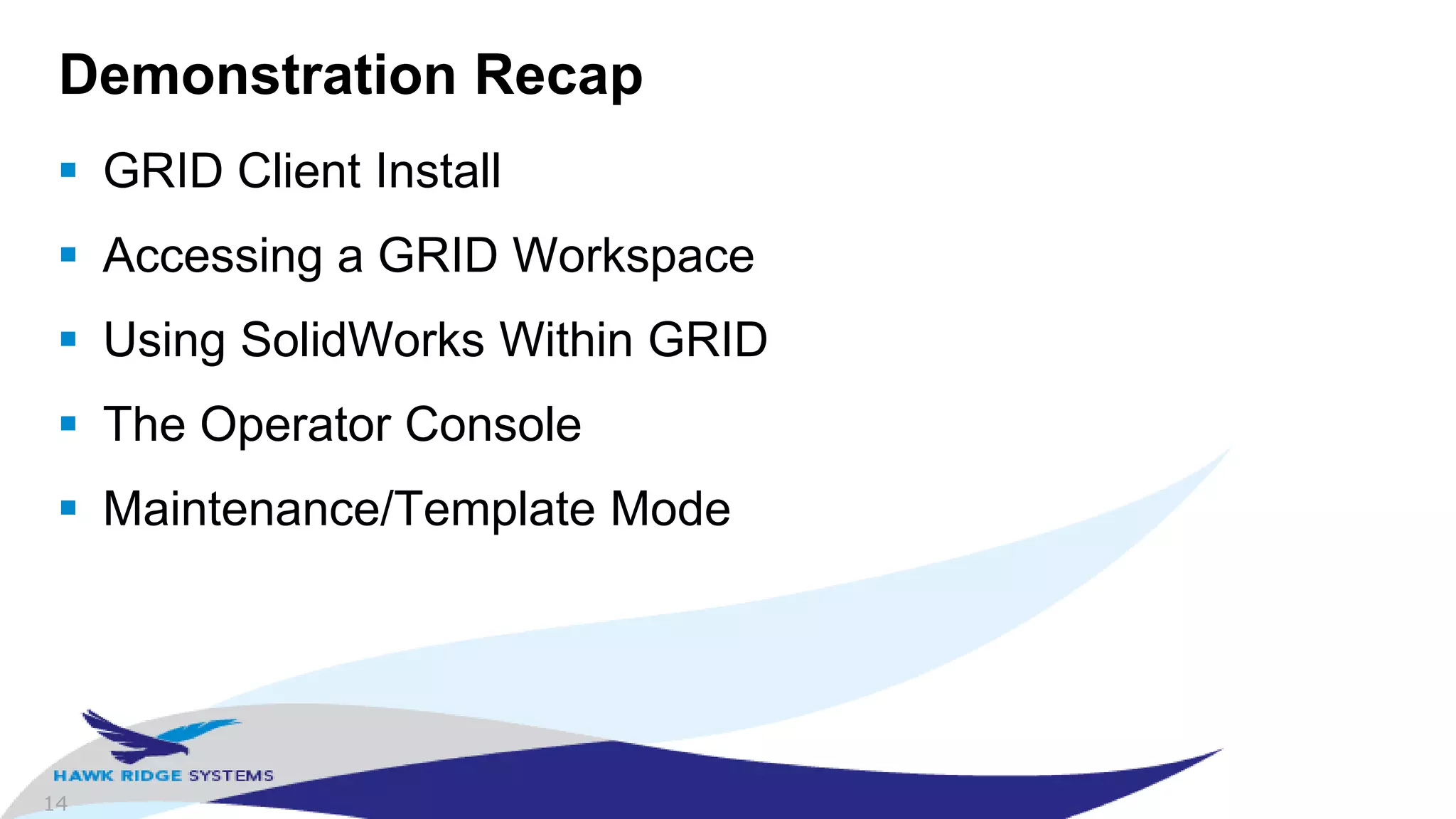
Demonstration
See the GRID VCA in action
 Watch the local system
http://hawkridgesys.wistia.com/medias/vk3253q5xw
 Watch it on the GRID VCA
http://hawkridgesys.wistia.com/medias/k86nasm1ik
14
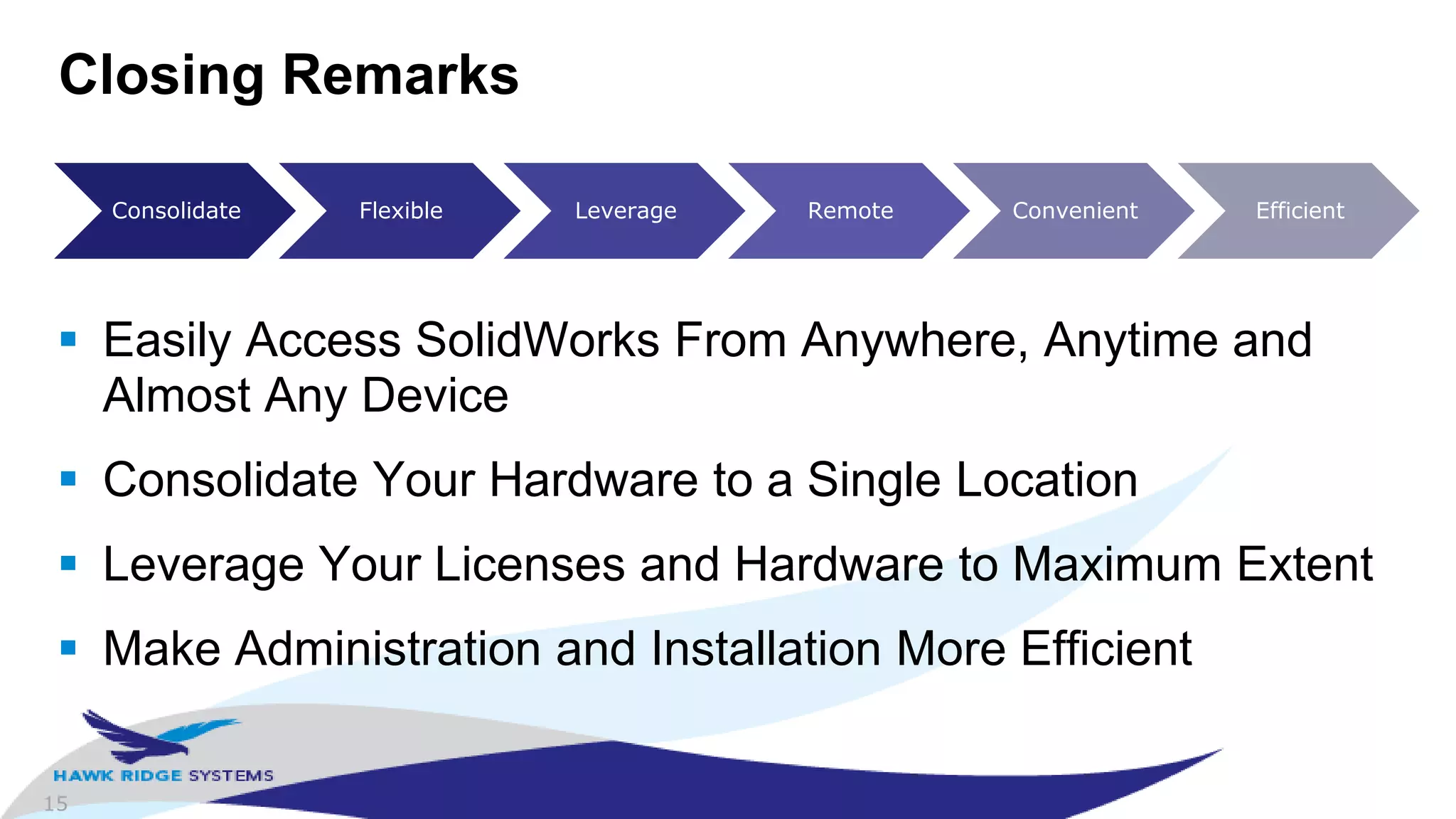
Demonstration Recap
 GRID Client Install
 Accessing a GRID Workspace
 Using SolidWorks Within GRID
 The Operator Console
 Maintenance/Template Mode
15
Closing Remarks
 Easily Access SolidWorks From Anywhere, Anytime and
Almost Any Device
 Consolidate Your Hardware to a Single Location
 Leverage Your Licenses and Hardware to Maximum Extent
 Make Administration and Installation More Efficient
Consolidate Flexible Leverage Remote Convenient Efficient
16
Contact Information
 Sales Questions
– Young Vo, Product Specialist - NVIDIA GRID VCA
– 510-296-6537
– youngv@hawkridgesys.com
 Technical Questions
– Jared Conway, Product Manager – NVIDIA GRID VCA
– 650-230-7006
– jared@hawkridgesys.com
 http://www.hawkridgesys.com/products/nvidia/
17
Thank you for attending!
 Serving over 25,500 customers in
North America
 Largest SolidWorks Reseller
Worldwide
 16 Training Centers in North
America
 Rated #1 in Service and Support by
our Users
 Phone US: 877.266.4469
Phone Canada: 866.587.6803
 Email:info@hawkridgesys.com
 Web: www.hawkridgesys.com

NVIDIA GRID VCA - Using SolidWorks in the Cloud

  • 1.
    Jared Conway Product Manager– NVIDIA GRID VCA Introducing NVIDIA GRID VCA Use SolidWorks from the Cloud Hawk Ridge Systems Webinar Wednesday eDemo
  • 2.
    2 Agenda  Introductions  “TheCloud” for SolidWorks  GRID VCA  Demo  Closing Remarks  Questions
  • 3.
    3 Introductions  Jared Conway,Product Manager - NVIDIA GRID VCA – 9 years with Hawk Ridge Systems – Also manages the Analysis Services group at HRS – Previously held positions of Applications Engineer and Technical Support Manager – “Seen it all”, technical sales, training, technical support and service – Mostly focused on Simulation/COSMOS but also dabbled in SolidWorks, with a focus on licensing, installation, implementation, hardware, and performance
  • 4.
    4 “The Cloud”  Definitionis actually Definitions – “…synonym for distributed computing…” – “…network-based services which appear to be provided by real server hardware, and are in fact served up by virtual hardware…” – “…metaphor for the internet…” – “…software, platforms, and infrastructure that are provided as a service remotely through the internet…”  Examples – Google Mail (Gmail), Microsoft Office 365, Salesforce.com and AWS (Amazon Web Services)
  • 5.
    5 Key Topics for“The Cloud”  Consolidate: Single location for all resources  Flexible: Use resources when you want  Leverage: Maximize the usage of your resources  Remote: Access resources from anywhere  Convenient: Make the resources easy to use  Efficient: Maximize efficiency for aspects of providing the functionality
  • 6.
    6 “The Cloud” forSolidWorks  Mechanical Conceptual and Industrial Conceptual  Resources: Licenses, Installations, Hardware, and Design Files Tool Resource(s) Key Topic(s) Influenced Network Licenses Licenses Consolidate, Flexible, Leverage, Convenient Administrative Image Installations Consolidate, Convenient, Efficient Enterprise PDM Design Files Consolidate
  • 7.
    7 What about Hardwareand Remote?  Hardware – Shared Systems and “Sneaker Network” – Achieves some goals of consolidation, flexibility and leverage but not efficient or convenient  Remote – VPN, Remote Desktop, GoToMeeting, LogMeIn – Experience is bearable but lacks GPU acceleration and limits productivity due to mouse lag and latency
  • 8.
    8 Network-Delivered GPU AccelerationTools CLOUD GAMING GRID Gaming ENTERPRISE VDI GRID Visual Computing Appliance GRID VCA
  • 9.
    9 VCA, Visual ComputingAppliance CISCO ROUTER A Networking Appliance NETAPP NAS A Storage Appliance NVIDIA GRID VCA A Visual Computing Appliance
  • 10.
    10 NVIDIA GRID VCA“Cloud”
  • 11.
    11 Workspace Architecture Template Workspace Windows7 Applications Workspace_1 Windows 7 Applications GRID template workspace created on demand for each client connection Workspace_2 Windows 7 Applications Workspace_3 Windows 7 Applications Workspace_4 Windows 7 Applications Workspace_5 Windows 7 Applications Workspace_6 Windows 7 Applications Workspace_7 Windows 7 Applications Workspace_8 Windows 7 Applications
  • 12.
    12 Hardware Resources GRID Appliance 4 GRIDK2 Graphics Boards (2 K5000 Graphics Cards Each) 2 8-Core Intel Xeon E5 2.6Ghz Processors 256 GB RAM 540 GB of SSD Storage 10GigE and 1GigE Ethernet Per Workspace Quadro K5000 Graphics Card (4GB GPU RAM, 1,536 Cuda Cores) 8 Virtual Cores 30 GB RAM 60 GB of Shared Storage, 60 GB of Application Storage
  • 13.
    13 Demonstration See the GRIDVCA in action  Watch the local system http://hawkridgesys.wistia.com/medias/vk3253q5xw  Watch it on the GRID VCA http://hawkridgesys.wistia.com/medias/k86nasm1ik
  • 14.
    14 Demonstration Recap  GRIDClient Install  Accessing a GRID Workspace  Using SolidWorks Within GRID  The Operator Console  Maintenance/Template Mode
  • 15.
    15 Closing Remarks  EasilyAccess SolidWorks From Anywhere, Anytime and Almost Any Device  Consolidate Your Hardware to a Single Location  Leverage Your Licenses and Hardware to Maximum Extent  Make Administration and Installation More Efficient Consolidate Flexible Leverage Remote Convenient Efficient
  • 16.
    16 Contact Information  SalesQuestions – Young Vo, Product Specialist - NVIDIA GRID VCA – 510-296-6537 – youngv@hawkridgesys.com  Technical Questions – Jared Conway, Product Manager – NVIDIA GRID VCA – 650-230-7006 – jared@hawkridgesys.com  http://www.hawkridgesys.com/products/nvidia/
  • 17.
    17 Thank you forattending!  Serving over 25,500 customers in North America  Largest SolidWorks Reseller Worldwide  16 Training Centers in North America  Rated #1 in Service and Support by our Users  Phone US: 877.266.4469 Phone Canada: 866.587.6803  Email:info@hawkridgesys.com  Web: www.hawkridgesys.com

Editor's Notes

  • #5 In computer networking, cloud computing is a phrase used to describe a variety of computing concepts that involve a large number of computers connected through a real-time communication network such as the Internet.[1] It is very similar to the concept of utility computing. In science, cloud computing is a synonym for distributed computing over a network, and means the ability to run a program or application on many connected computers at the same time.The phrase is often used in reference to network-based services, which appear to be provided by real server hardware, and are in fact served up by virtual hardware, simulated by software running on one or more real machines. Such virtual servers do not physically exist and can therefore be moved around and scaled up or down on the fly without affecting the end user, somewhat like a cloud becoming larger or smaller without being a physical object.In common usage, the term "the cloud" is essentially a metaphor for the Internet.[2] Marketers have further popularized the phrase "in the cloud" to refer to software, platforms and infrastructure that are sold "as a service", i.e. remotely through the Internet. Typically, the seller has actual energy-consuming servers which host products and services from a remote location, so end-users don't have to; they can simply log on to the network without installing anything. The major models of cloud computing service are known as software as a service, platform as a service, and infrastructure as a service. These cloud services may be offered in a public, private or hybrid network.[3]Google, Amazon, Salesforce, and Microsoft Azure are some well-known cloud vendors.[4]
  • #6 Efficiency, whether you’re talking about up front costs, you’re trying to maximize your capital costs’ effectiveness, by minimizing overhead and making them more effective.
  • #7 Let’s remember that when we defined “the cloud”, it really was a really broad definition, so keeping with that and tracking our key topics, lets talk about some tools.Mechanical conceptual in april.
  • #8 No such thing as a network license manager for hardware, got to pick it up and move it.