Serving those who serve Indiana in libraries
INSPIRE Indiana!
Paula Newcom
Northeast Regional Coordinator, Indiana
State Library
http://www.in.gov/library/
www.INSPIRE.in.gov
WHAT WE WILL COVER TODAY
• Brief history of INSPIRE
• What is INSPIRE
• Components of INSPIRE (EBSCO, Gale and Indiana
State Library databases & how they work together)
• Recent changes to INSPIRE
• Show how the different databases work
• Began January 1998 as a partnership between the
Indiana State Library and the Indiana Cooperative
Library Services Authority (INCOLSA)
• A one-time grant from the Lilly Endowment Inc
• Additionally, LSTA (Library Services and Technology
Act) funding is used for administration costs.
• INSPIRE is also supported by the Indiana General
Assembly through Build Indiana Funds
About
What kind of information is available on INSPIRE?
INSPIRE includes following content: magazine and journal
articles, websites, pamphlets, images, almanacs, library
catalogs, and more.
Who can access INSPIRE?
INSPIRE is accessible for Indiana residents who have
Internet access at school, home, in their library or at their
place of business. Other states may offer similar
services to their own residents.
How much does INSPIRE cost to use?
INSPIRE is provided at no cost to all residents of Indiana.
www.INSPIRE.in.gov
www.INSPIRE.in.gov
www.INSPIRE.in.gov
This isn’t Google …
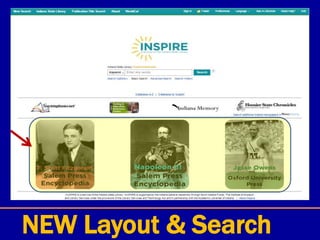
New Layout & Search
New Layout & Search
NEW Layout & Search
Databases
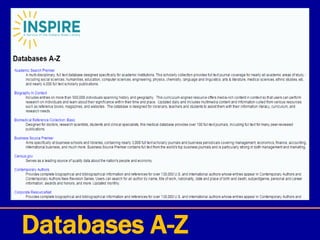
Databases A-Z
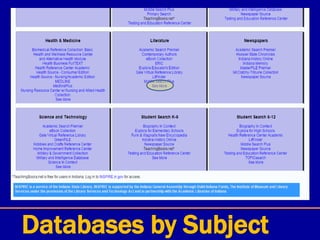
Databases by Subject
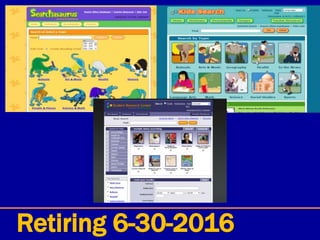
Retiring 6-30-2016
EXPLORA Grades K-5
EXPLORA Grades K-5
EXPLORA Grades K-5
EXPLORA Grades K-5
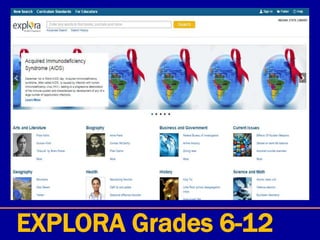
EXPLORA Grades 6-12
EXPLORA for Teachers
Top Menu
Folder – saved articles
Top Menu - Preferences
Top Menu – Language
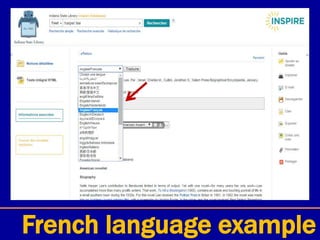
French language example
Ask-a-Librarian
Ask-a-Librarian
Need Help? - FAQs
EBSCO Databases
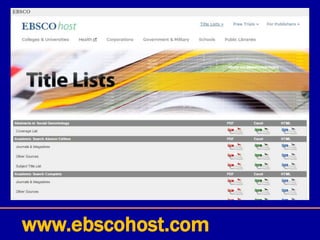
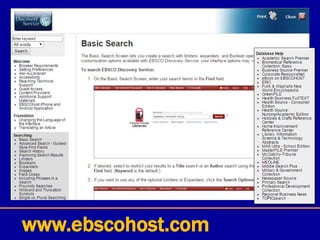
www.ebscohost.com
www.ebscohost.com
www.INSPIRE.in.gov
www.ebscohost.com
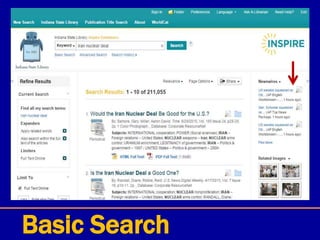
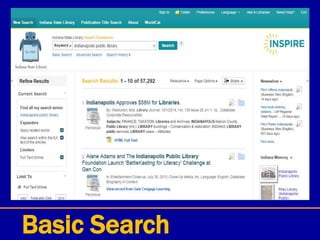
Basic Search
Basic Search
Basic Search
Basic Search
Basic Search
Basic Search
Publication Title Search
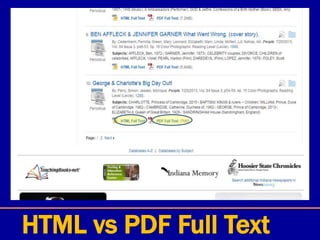
HTML vs PDF Full Text
HTML Full Text
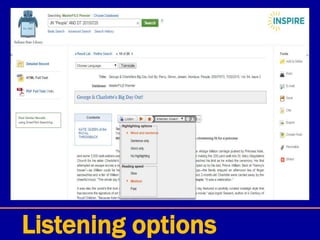
Listen
Listening options
E-mail – inspire@library .in.gov
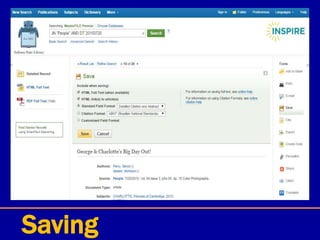
Saving
Citation format
Citation example
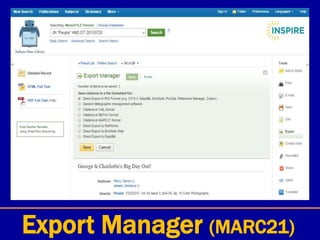
Export Manager (MARC21)
Notes
Permalink
Share
PDF Full Text
Publication Title Search
Advanced Search
Advanced Search
Gale Databases
Gale Databases
Gale Databases
Gale Databases
Gale Databases - Help
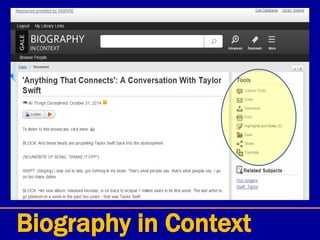
Biography in Context
Gale Virtual Reference
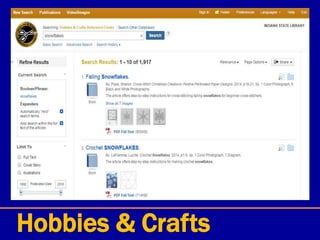
Hobbies & Crafts
Hobbies & Crafts
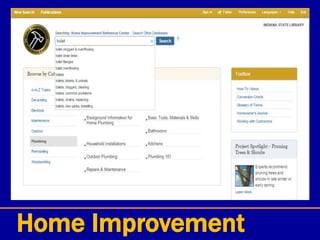
Home Improvement
Home Improvement
Home Improvement
Special databases
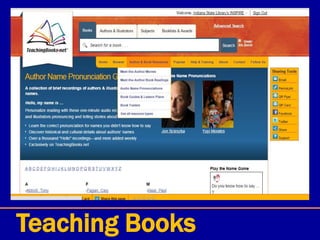
Teaching Books
Teaching Books
Testing & Education
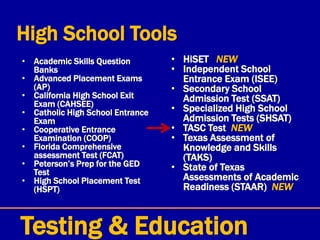
High School Tools
• Academic Skills Question
Banks
• Advanced Placement Exams
(AP)
• California High School Exit
Exam (CAHSEE)
• Catholic High School Entrance
Exam
• Cooperative Entrance
Examination (COOP)
• Florida Comprehensive
assessment Test (FCAT)
• Peterson’s Prep for the GED
Test
• High School Placement Test
(HSPT)
• HiSET NEW
• Independent School
Entrance Exam (ISEE)
• Secondary School
Admission Test (SSAT)
• Specialized High School
Admission Tests (SHSAT)
• TASC Test NEW
• Texas Assessment of
Knowledge and Skills
(TAKS)
• State of Texas
Assessments of Academic
Readiness (STAAR) NEW
Testing & Education
TASC test
Disclaimer: The After-School Corporation has no
affiliation with the Testing Assessing Secondary
Completion (“TASC test”) offered by McGraw-Hill
Education …
Means: they do not have the TASC book on this site
(do not have publication rights)
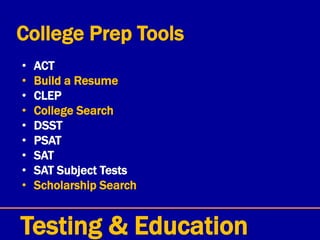
College Prep Tools
• ACT
• Build a Resume
• CLEP
• College Search
• DSST
• PSAT
• SAT
• SAT Subject Tests
• Scholarship Search
Testing & Education
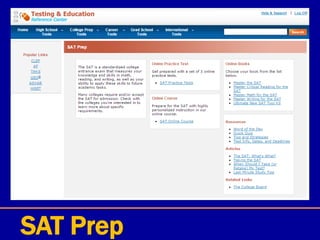
SAT Prep
Career Tools
• Accountant/Auditor
• ACT WorkKeys
• Air Traffic Control
• American Foreign
Service Officer
• Basic Computer Skills
• Build a Resume
• Career/Vo-Tech School
Search
• Clerical
• Cosmetology (English
and Spanish)
• Firefighter
• Law Enforcement
• Medical/Nursing
• Military (ASVAB and
AFOQT)
• Postal
• Real Estate
• Social Work
• Scholarship Search
• Teaching (Praxis)
• Treasury Enforcement
Agent
• Virtual Career Library
Testing & Education
ASVAB book (Adobe Reader needed)
Grad School Tools
• GMAT
• Graduate School Search
• Graduate Scholarship Search
• GRE
• LSAT
• MCAT
• Miller Analogies (MAT)
Testing & Education
International Tools
• TOEFL
• TOEIC
• U.S. Citizenship
Testing & Education
Testing & Education
Testing & Education
Testing & Education
For all of the Tools
• FREE User Name & Password
• Saves your progress
• Timed and untimed tests
• Resume builder
Testing & Education
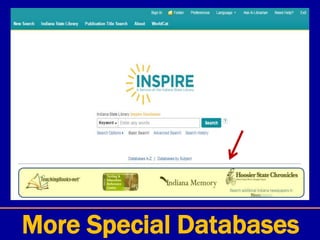
More Special Databases
Indiana History
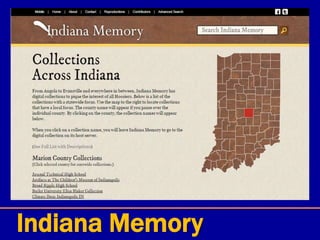
Indiana Memory
Indiana Memory
Hoosier State Chronicles
This collection contains 98,508 issues comprising 747,237 pages
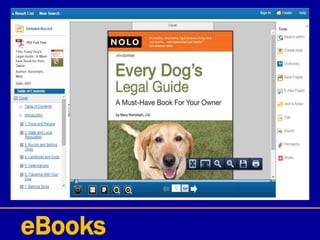
eBooks
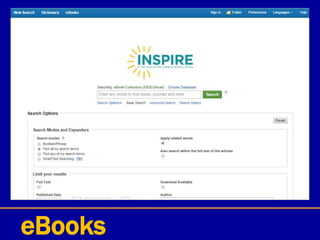
eBooks
eBooks
eBooks
eBooks
Let’s do some searches …
Serving those who serve Indiana in libraries
Paula Newcom
pnewcom@library.in.gov
(317) 447-0452
QUESTIONS?

New INSPIRE (basic) 12-2015

Editor's Notes

  • #2 Gmail - log in profdevisl@gmail.com / 315WOhio My name is Paula Newcom and I am here today to speak with you about INSPIRE Indiana – ISL library URL This presentation has lots of slides – but at the end we can do some live searches. So as we go along – jot notes of searches you would like me to try http://www.oplin.org/tree/ - TREE IDENTIFICATION LINK Changes – do it live Put together an outline Show how to search in a specific publication Show the research starter Check the notes that Suzanne had …
  • #4 INSPIRE is supported by the Indiana General Assembly through Build Indiana Funds, the Institute of Museums and Library Services under the provisions of the Library Services and Technology Act and in partnership with Academic Libraries of Indiana.
  • #5 Only for Indiana residents – given a list of possible IP addresses to gain access to this service People on WiFI or hard wired should be able to gain access to INSPIRE Problems getting in for those on LTE, 3G & 4G because INSPIRE isn’t necessarily seeing these as Indiana residents (aren’t assigned an IP address with these networks) STORY - An Indiana librarian had a Indiana resident calling from vacation in Wyoming and they needed a certain article. Their information was verified & the librarian was able to e-mail the article to the patron who was able to then get the information they needed!
  • #6 The address hasn’t changed (just the look) the URL is still www.inspire.in.gov (see the big URL at the top) Jacob Speer – “the State Library has streamlined the interface so that users can easily access the information they seek. It also has local content that highlight historical newspapers and documents”
  • #7 EBSCO Discovery Service provides users with an easy, yet powerful means of accessing all of an institution's information resources through a single search. This is achieved by harvesting metadata from both internal (library) and external (database vendors) sources, and creating a pre-indexed service of unprecedented size and speed. Although the resulting collection can be massive in size and scope, the fact that it is indexed locally (on the EBSCOhost® servers) allows for exceptionally fast search response times. As no two institutions are the same, EBSCO Discovery Service offers a vast array of customization options with regard to both the underlying collection of metadata as well as the front-end delivery of search results. All of this functionality is based upon the powerful EBSCOhost search experience familiar to researchers worldwide.
  • #8 NEW Inspire Main Page – can search multiple searchable resources (new logo – will change with the seasons) INSPIRE is Indiana's Virtual Online Library. INSPIRE is a collection of online academic databases and other information resources that can be accessed by Indiana residents It’s not Google – it’s vetted (comprehensive & authoritative) & a rich collection of databases – everything has been printed in some format (magazine, newspaper, etc.) – covers academic, medical, business … Covers many subjects but there are some areas not covered: Genealogy (no Heritage Quest) Auto repair (no Chilton’s or Mitchell) Business director (like A to Z or Reference USA) Foreign language instruction (but there is something that could be useful)
  • #9 Let’s get familiar with the new look - WorldCat is at the top in the “blue or teal ribbon” – that will change with the seasons & also when moving between databases (Gale & EBSCO) Front page is a “Discovery System” – searches everything to get the best results Covers many subjects but there are some areas not covered: Genealogy (no Heritage Quest) Auto repair (no Chilton’s or Mitchell) Business director (like A to Z or Reference USA) Foreign language instruction (but there is something that could be useful)
  • #10 Four links in the middle – don’t play nicely with the new searching (we pay for these extra databases) that’s why they are separately listed Teaching books.net (book club info, author blogs, author name pronunciation – good for library programs and in the classroom) TERC (practice tests & some books, resume builder, school search, scholarship info) Indiana Memory – digitized info about Indiana (projects listed by county – tons of info & contributors) Hoosier State Chronicles & Newspapers.com – massive digital newspaper project (ongoing project)
  • #11 Space below are the extra links (research starter) - links to direct articles to highlight resources and will change periodically
  • #13 This will be revised with more concise descriptions
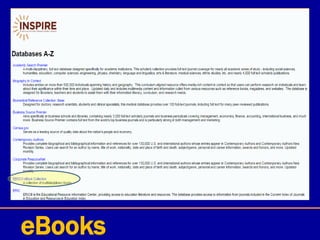
  • #14 There used to be a way to pick and search multiple databases – no longer an option / either search all or one (there might be a way around that for the Ebsco databases only – have to go through eBook Collection) Highlight different ones: Contemporary Authors, eBook Collection, TERC, Hobbies, Home Improvement, Hoosier State Chronicles
  • #15 Highlight different ones: Health & Wellness Resource Center, LitFinder, Newspaper Source (doesn’t have Indy Star), GreenFile (Environmental), Funk & Wagnals New Encyclopedia NOTE – can hit “See More” for more databases
  • #23 Top right portion of the menu – for serious researchers – sign in for an EBSCO account (FREE) – username & password FOLDER – save articles PREFERENCES - saves how you want to search LANGUAGES – change language ASK A LIBRARIAN – help desk available certain hours NEED HELP - FAQs
  • #24 FOLDER – all the articles, images, videos, etc. you saved while you are in INSPIRE
  • #25 PREFERENCES – a box will pop up & you can set lots of options for future search sessions – just have to sign in and save them OF NOTE – you should point out to patrons that the article will say it is coming from inspire@library.in.gov & sometimes Ebsco so they won’t overlook the email
  • #26 LANGUAGE – can change the menus to another language – nice how it changes to the different languages
  • #27 French language example – some of the menu words changed & in the search bar & the links stay in English
  • #28 Items on the left & right are now in French but the article isn’t - just click on the article title …
  • #29 Even after changing the search language you need to translate the article into the other language – choose from the language choices & then hit “Translate” which is already in the search language “Traduire”
  • #30 Then you choose English to French (if you know French – Anglais to Francais) & then hit “Translate” button & article will be in French! Even though there is no foreign language teaching resource on here – this would be a good substitute!
  • #32 A few extra features - ASK-A-LIBRARIAN & also Live Chat
  • #33 FAQs – constantly updating with new information
  • #34 EBSCO Discovery Service provides users with an easy, yet powerful means of accessing all of an institution's information resources through a single search. This is achieved by harvesting metadata from both internal (library) and external (database vendors) sources, and creating a pre-indexed service of unprecedented size and speed. Although the resulting collection can be massive in size and scope, the fact that it is indexed locally (on the EBSCOhost® servers) allows for exceptionally fast search response times. As no two institutions are the same, EBSCO Discovery Service offers a vast array of customization options with regard to both the underlying collection of metadata as well as the front-end delivery of search results. All of this functionality is based upon the powerful EBSCOhost search experience familiar to researchers worldwide.
  • #35 EBSCO Discovery Search ties together information from their databases as well as our ISL, Gale & other sources This URL www.ebscohost.com will bring you to this page – you can get the Title Lists. Also when you are searching in INSPIRE, you can click on the question mark by the search box to get further assistance on EBSCO’s help page.
  • #36 PDF, Excel or HTML formats Masterfile Premier (for example) – has over 2,704 titles listed
  • #37 The address hasn’t changed (just the look) the URL is still www.inspire.in.gov (see the big URL at the top) Jacob Speer – “the State Library has streamlined the interface so that users can easily access the information they seek. It also has local content that highlight historical newspapers and documents”
  • #38 Which brings you to this page with all sorts of help!
  • #39 Basic search – Enter any words (keyword, title & author) – good for specific searches, broader ones you will need to limit or do a specific database search (i.e. Indianapolis - over 1 million hits)
  • #40 Type in the search box “Indianapolis Public Library”
  • #41 See your search results – number of hits (changes when search is in quotes) Also the right you’ll see hits in Indiana Memory & to the left there will be ways to Refine the search – Full text is checkmarked (it’s always the default here – this changes in the other databases) Putting your search terms in quotes will cut down the results - uses Boolean searching
  • #42 Right & left sides have more information & limiters. As you scroll down – more limits on the left: Can change by publication – DATE with the slider bar. And narrow by FORMAT (can hit the “show more” even more choices), TOPIC, LANGUAGE & DATABASE On the right is now the HOOSIER STATE CHRONICLES
  • #43 New search “Johnny Appleseed” and now NEWSWIRE articles come up on the right
  • #44 Do an even more timely search “Iran Nuclear Deal” & the NEWSWIRES have articles from an hour ago
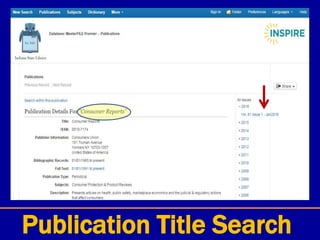
  • #45 PUBLICATION TITLE SEARCH – great feature!
  • #46 Type in magazine title – click on one of the Full Text Access choices to access issues (if you click on the title you’ll get publication info) – I chose MasterFILE Premier
  • #47 Results with the issues listed on the right hand side – some publications have a waiting period for their issues to be available (would be listed in the publication details)
  • #48 Under ALL ISSUES - Click on the month to see what all is available
  • #49 It will show you all the articles in the publication. Click on the article title – can also click on either HTML Full Text or PDF Full Text – can also save in folder at this point
  • #50  HTML Full Text & PDF Full Text have different features that we will explore This article is in HTML Full Text – just the text of the article with these features: Translate it into another language Listen to it (in different accents – American, British & Australian) Tools on the side are available
  • #51 It will read the whole article for you – great for vision-impaired patrons FUN TO NOTE – you can choose to listen to the article in American, Australian or British accents!
  • #52 Also has a few more options for listening – highlighting & speed TOOLS on the right (will be covered in upcoming slides) Add to folder – must be signed in for this Print Email – it will say it’s from inspire@library.in.gov Save (IE can go through saving File, Save as … Chrome can right click on it & hit Save As) Cite (9 citation options - APA, Turabian, MLA) Export – some use MARC21 to put into catalogs Create Note – add notes if you’re signed in Permalink – URL for this particular article Share – social networking sites
  • #53 Email – again notice where it’s coming from inspire@library.in.gov & sometimes Ebsco & you can add comments etc. if you would like
  • #54 Saving
  • #55 Citation format – 9 different ones - APA, Turabian, MLA
  • #56 Sample of APA citation help
  • #57 Export Manager – Citations in MARC21 format for sending to your catalog
  • #58 Notes – can add notes to the article (must sign in first)
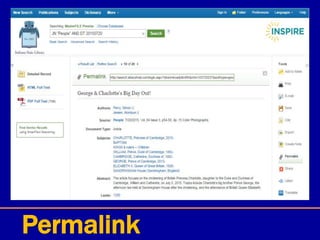
  • #59 Permalink – the URL of the article
  • #60 Share – can share to these social networking sites (won’t upon on mobile devices)
  • #61 This is the PDF Full Text – see it exactly as it is in the magazine! Full color & ads Can read through the entire magazine this way!!! Cool feature No option for Translation & Listening
  • #62 Consumer Reports!
  • #63 Clicked on Advanced Search while in MasterFile Premier – the different EBSCO databases will have this feature – can use the abbreviations for searching if you like Full text isn’t marked here - not set as default in this location
  • #64  Scrolling down – more limiters Note – the Image quick view types – if you click on them you are limiting your search to just those items not in addition
  • #65 EBSCO Discovery Service provides users with an easy, yet powerful means of accessing all of an institution's information resources through a single search. This is achieved by harvesting metadata from both internal (library) and external (database vendors) sources, and creating a pre-indexed service of unprecedented size and speed. Although the resulting collection can be massive in size and scope, the fact that it is indexed locally (on the EBSCOhost® servers) allows for exceptionally fast search response times. As no two institutions are the same, EBSCO Discovery Service offers a vast array of customization options with regard to both the underlying collection of metadata as well as the front-end delivery of search results. All of this functionality is based upon the powerful EBSCOhost search experience familiar to researchers worldwide.
  • #66 Click on the More “menu” and it brings down the menu below with the Highlighting, My folder … Help button
  • #67 You can mix and match the Gale databases and choose the ones you want to search (with the EBSCO interface, it searches all of them combined or you can choose only one in the Databases via Alphabetical or by Subject)
  • #68 Click on the More “menu” and it brings down the menu below with the Highlighting, My folder … Help button
  • #69 Gale Resources when you hit the “Help” button
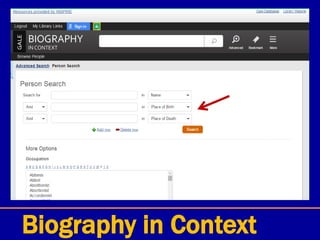
  • #70 Biography in Context – “g Sign in” they can sign in for an GALE account (FREE) / Green button – Google Classroom Right side – the items that can be saved (click on Menu for options) Lots of ways to search: Type person’s in name in search bar Do an Advanced Search Below - people are grouped by category, i.e. American Presidents, Artists (probably ones searched for often) Or you can Browse people by an alphabetical listing of all the categories (see red arrow)
  • #71 Biography in Context – “shimmer” circles – click on them to get to the highlighted information
  • #72 In the BROWSE PEOPLE mode – can choose category
  • #73 Two searching options Advanced Search & Person Search
  • #74 Note on the Person search page – you get the place of birth & death search option
  • #75 Lot more choices
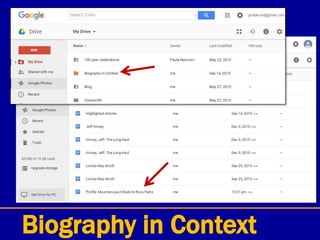
  • #76 Cool new feature combined with Google Drive (if you don’t have a Google Drive account, just sign up for a gmail account)
  • #77 Click on an article & hit the “save” button – it will now be in your folder – think of the folder as being a temporary storage spot
  • #78 Next step is to hit the “Download” button & it brings up a box to let you pick which format to save it in, if you don’t have access to Google Drive, then it gives you a couple of different options A box will pop up saying that you have successfully downloaded the article NOTE – if you save a lot of articles & highlighted notes & download them, they will disappear when you leave the database you are working in!!!
  • #79 Here’s what the Google Drive will look like – it created a “Biography in Context” folder & placed the article & hightlighted notes inside!
  • #80 If you have more than one article saved in your “folder” then you can click on the boxes (on the left) & then download them to your Google Drive or download the HTML or PDF (they aren’t always both available)
  • #81 Lots of articles – also audio, video & images
  • #82 TRANSLATE - it will read it to you in the translated language!!! Lots of handy tools – bookmark, download, share, citation info, email, print, save & also translate into other languages
  • #83 A collection of multi-disciplinary reference eBooks offered by Gale You can search the whole collection or view each individual reference book
  • #84 Hobbies & Crafts – categories – kids crafts Home Improvement center also
  • #85 Typed “autumn” & got tons of hits! You can also browse the different broad categories as well
  • #86 Sample search – clogged toilet & how to fix it
  • #88 You get great diagrams to help you with your home improvement project or problem!
  • #89 Four links in the middle – don’t play nicely with the new searching (we pay for these extra databases) that’s why they are in the front Teaching books.net (book club info, author blogs, author name pronunciation – good for library programs and in the classroom) TERC (practice tests & some books, resume builder, school search, scholarship info) Indiana Memory – digitized info about Indiana (projects listed by county – tons of info & contributors) Hoosier State Chronicles & Newspapers.com – massive digital newspaper project (ongoing project)
  • #90 Teaching Books – access to book discussion questions, how to pronounce an author’s name (Riordan, Gaimen, Willems, Scieszka), reader’s theatre scripts, book awards, regional book lists, video book trailers – an online multimedia tool Teaching Books TeachingBooks.net is an easy-to-use website that adds a multimedia dimension to the reading experiences of children's and young adult books. Our online database is developed and maintained to include thousands of resources about fiction and nonfiction books used in the K–12 environment, with every resource selected to encourage the integration of multimedia author and book materials into reading and library activities. Search by author or illustrator – Peter Sis Show categories and highlight Teachingbooks original content Go to Guided Search What’s New Hoosier booklists on main page
  • #91 Teaching Books – access to book discussion questions, how to pronounce an author’s name (Riordan, Gaimen, Willems, Scieszka), reader’s theatre scripts, book awards, regional book lists, video book trailers – an online multimedia tool CTRL/ALT/TAB to go out of presentation mode if you want to demo
  • #92 Testing and Education – create an account – can take practice tests & can build a resume High school – Advanced placement exams, Catholic high school entrance exam, GED, High school placement test, College prep – ACT, CLEP, PSAT, SAT, Scholarship search Career tools – Basic computer skills, Build a resume, Cosemetoloty, Firefighter, ASVAB, Postal, Real estate, PRAXIS, Medical/Nursing Grad school – GRE, LSTAT, MCAT, MAT International – TOEFL, US citizenship test
  • #93 TASC replaced the GED
  • #94 TO NOTE – just has the practice test for the TASC & not the e-book (TASC book is by McGraw-Hill publishers)
  • #96 SAT has online books – Peterson product
  • #99 School Search – location, size, price, majors – lots to help in narrowing down a school search
  • #101 Testing and Education – create an account – can take practice tests (saves where you are)
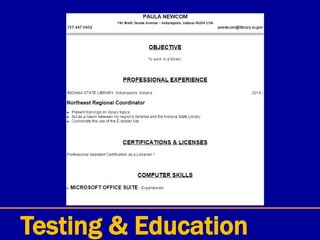
  • #102 Resume builder – will show you how much progress you are making (it saves where you are so you can go back to it) Available actions - Email, download, copy, print, etc. – had a little trouble sending it to myself this (sent TERC a question about it & waiting to hear back from them)
  • #103 You can tweak it a bit & can make a decent looking resume – would be great for high schoolers making a resume for the first time
  • #104 Recap
  • #105  Indiana Memory – digitized info about Indiana (projects listed by county – tons of info & contributors) Hoosier State Chronicles & Newspapers.com – massive digital newspaper project (ongoing project)
  • #106 *** Noting this database since it’s about Indiana (not under the Special Databases on the front page) Gale product - Indiana History Online (under Gov’t & Military and Newspapers database subjects) - this digital archive documents state history. Drawn from the Sabin collection and other Gale sources, the archive provides access to a wide variety of documents: personal narratives and memoirs, pamphlets and political speeches, sermons and songs, legal treatises and children's books. More info if needed: Based on Joseph Sabin's famed bibliography, Bibliotheca Americana – A Dictionary of Books Relating to America From its Discovery to the Present Time, Sabin Americana, 1500–1926 is an online collection of books, pamphlets, serials and other works about the Americas, from the time of their discovery to the early 1900s.  Contains primary source materials from Indiana's history. Includes a wide variety of old documents: personal narratives and memoirs, pamphlets and political speeches, sermons and songs, legal treatises, books, and children's books. Also contains introductory essays and other educational materials that provide historical context. Searches and displays materials as they were originally published, including words and ideas we might now consider offensive or rude. Material is compiled from several resources, including Sabin, but contains only the specific items related to Indiana, not their entire contents.
  • #107 Indiana Memory - This project is made possible through grant funding from the Institution of Museum and Library Services to the Indiana State Library under the provisions of the LSTA - Library Services and Technology Act. Can search the Collections Across Indiana (interactive map)
  • #108 Collections in Marion County
  • #109 Hoosier State Chronicles – this collection contains 66,998 issues comprising 416,260 pages! 1.25 million in the newspapers.com portal in inspire
  • #112 A little different look -
  • #113 Sample search
  • #114 Lots of tools on the side – PDF looks just like the book!
  • #115 Translating & reading function in HTML articles Indiana Memory Teaching books – show author name pronunciation