Network Components
Overview of Network Components
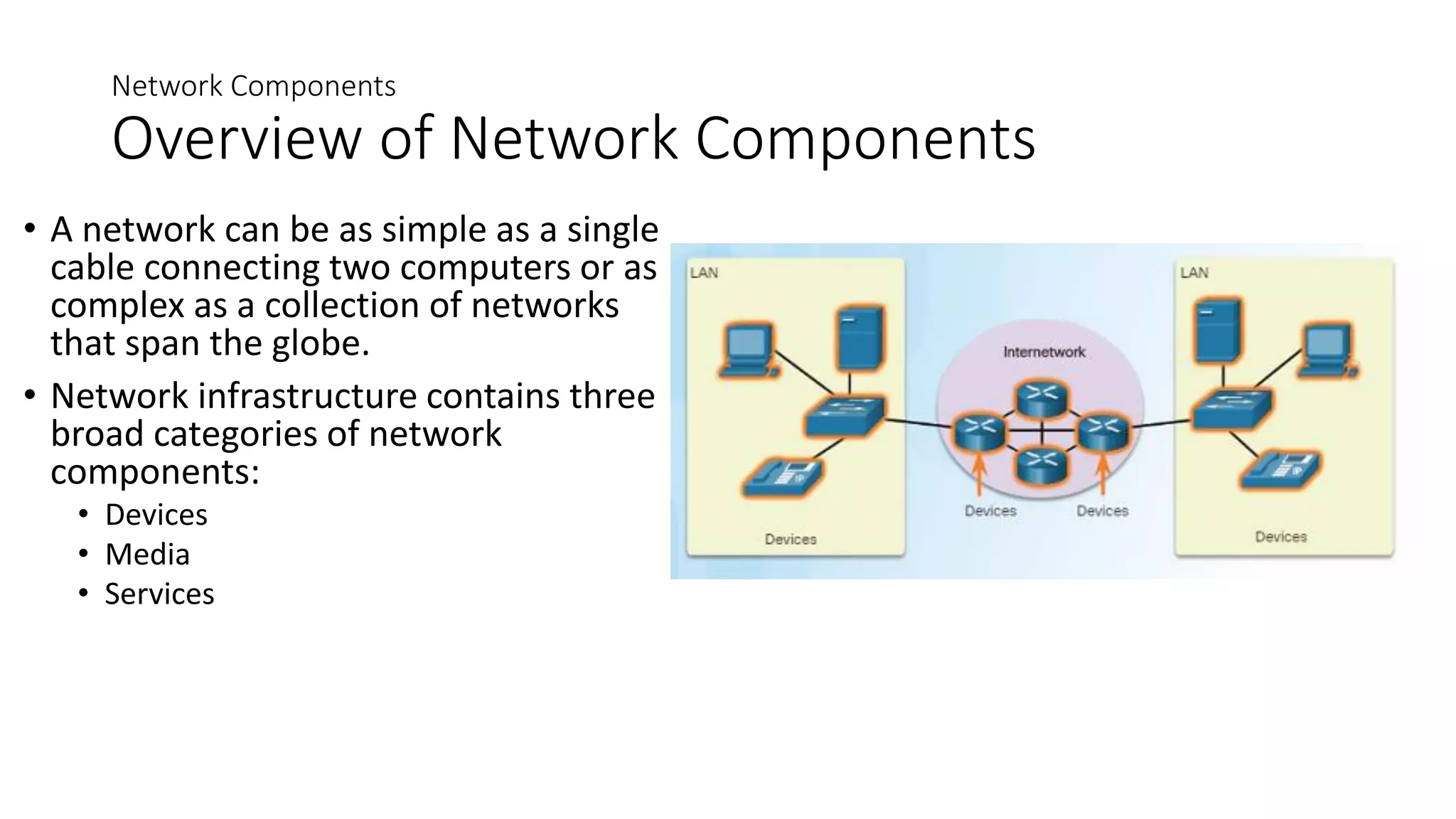
• A network can be as simple as a single
cable connecting two computers or as
complex as a collection of networks
that span the globe.
• Network infrastructure contains three
broad categories of network
components:
• Devices
• Media
• Services
Providing Resources in a Network
Clients and Servers
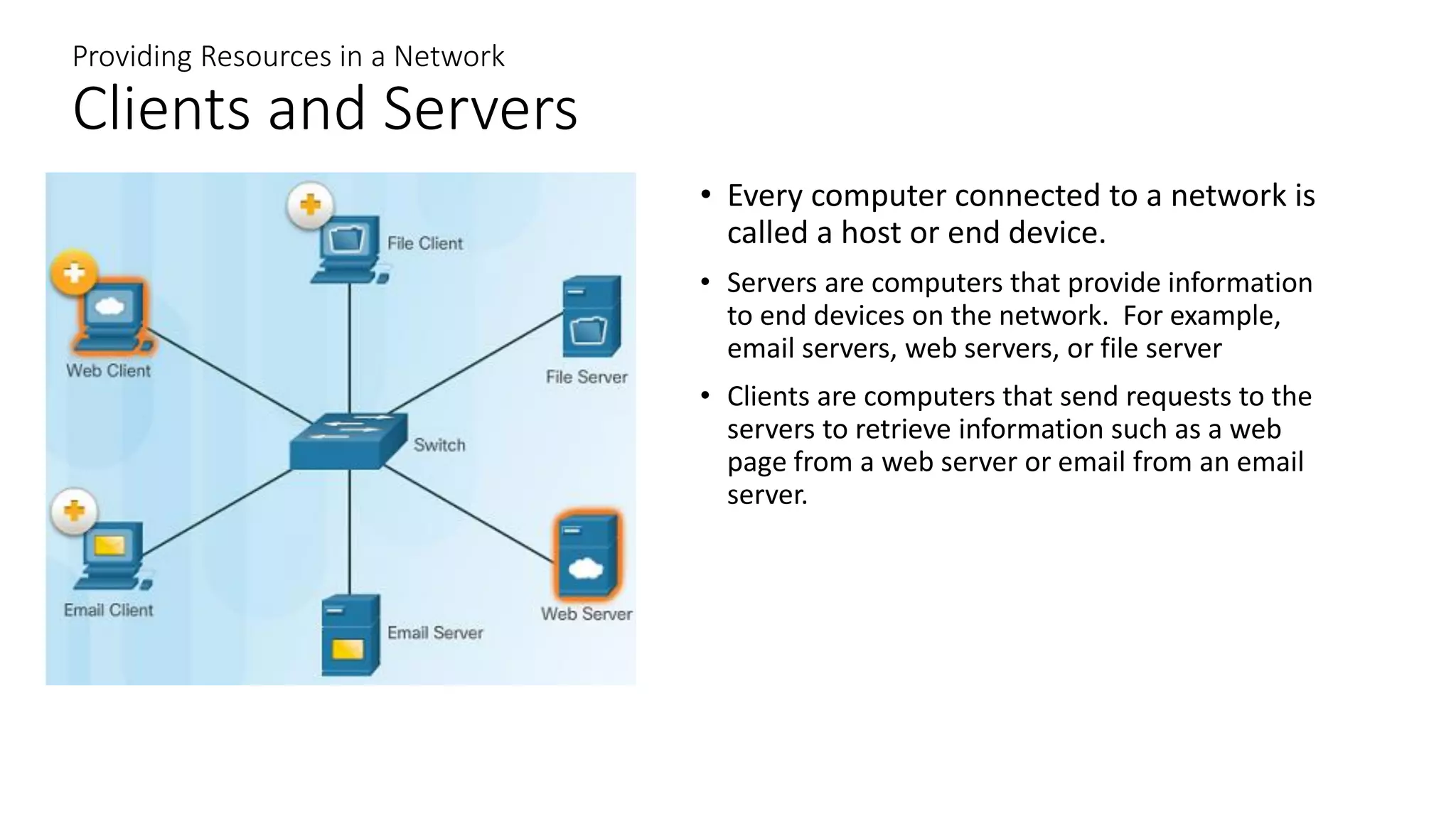
• Every computer connected to a network is
called a host or end device.
• Servers are computers that provide information
to end devices on the network. For example,
email servers, web servers, or file server
• Clients are computers that send requests to the
servers to retrieve information such as a web
page from a web server or email from an email
server.
Providing Resources in a Network
Peer-to-Peer
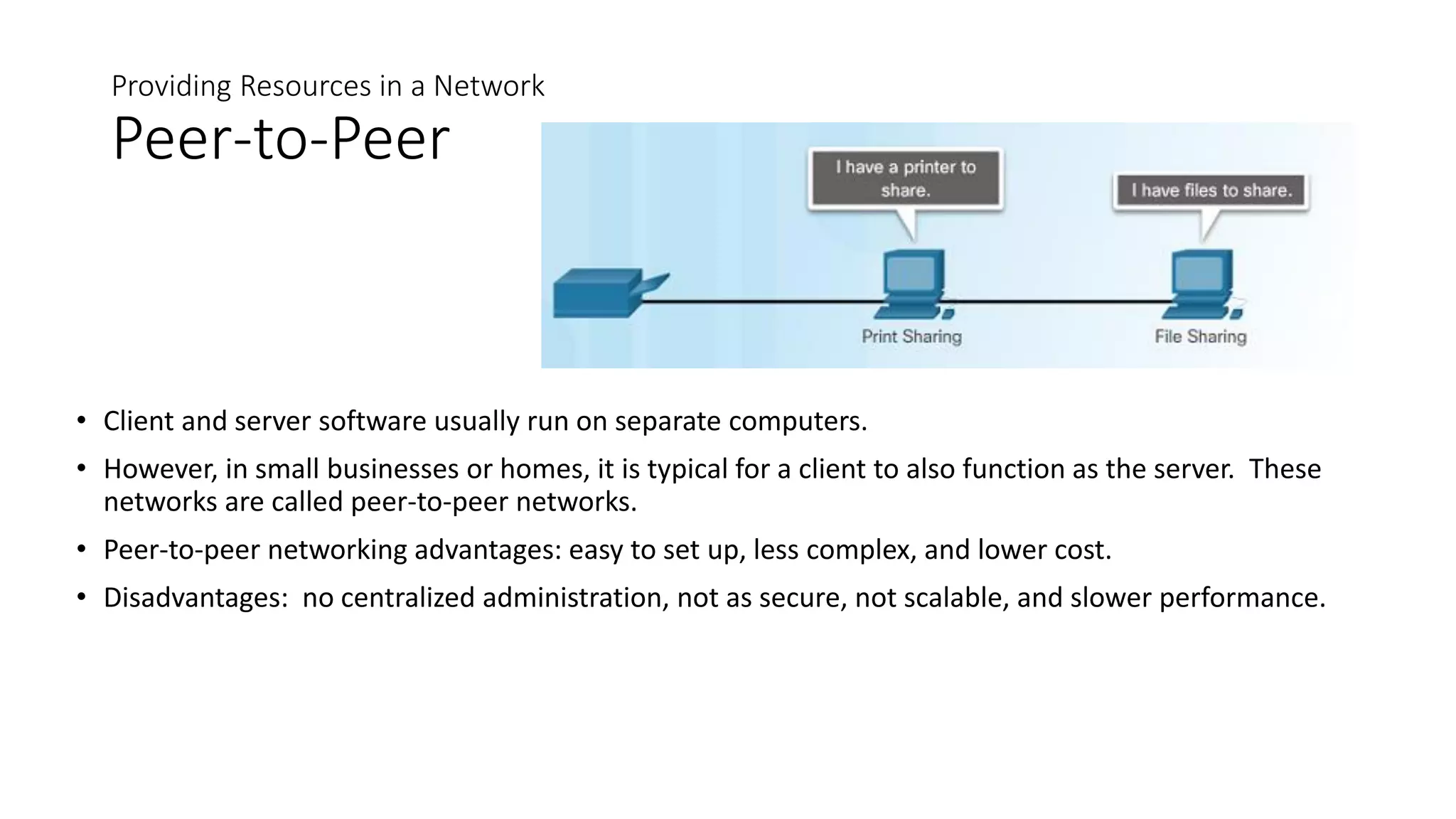
• Client and server software usually run on separate computers.
• However, in small businesses or homes, it is typical for a client to also function as the server. These
networks are called peer-to-peer networks.
• Peer-to-peer networking advantages: easy to set up, less complex, and lower cost.
• Disadvantages: no centralized administration, not as secure, not scalable, and slower performance.
LANs, WANs, and the Internet
Network Components
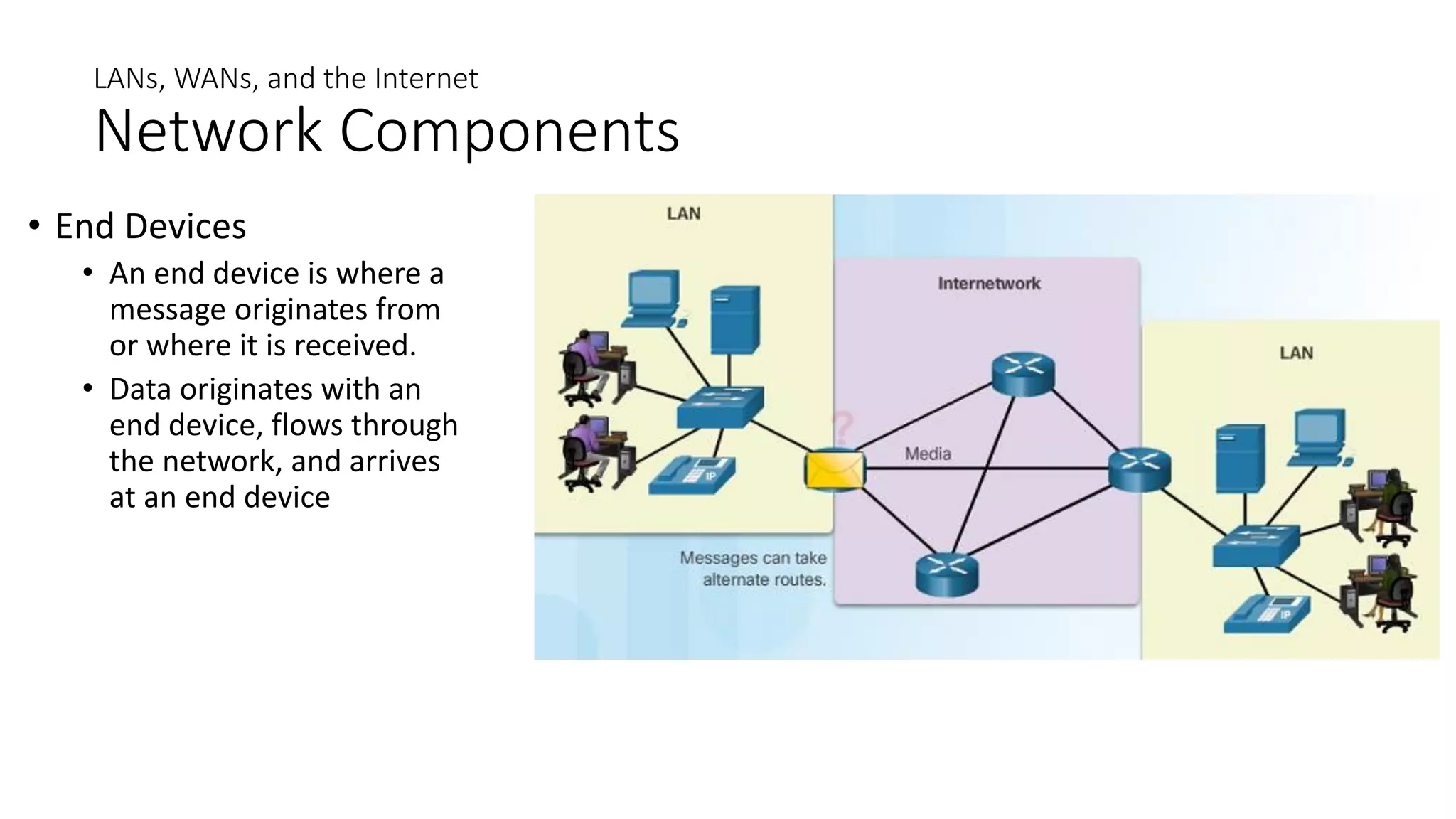
• End Devices
• An end device is where a
message originates from
or where it is received.
• Data originates with an
end device, flows through
the network, and arrives
at an end device
Network Components
Intermediary Network Devices
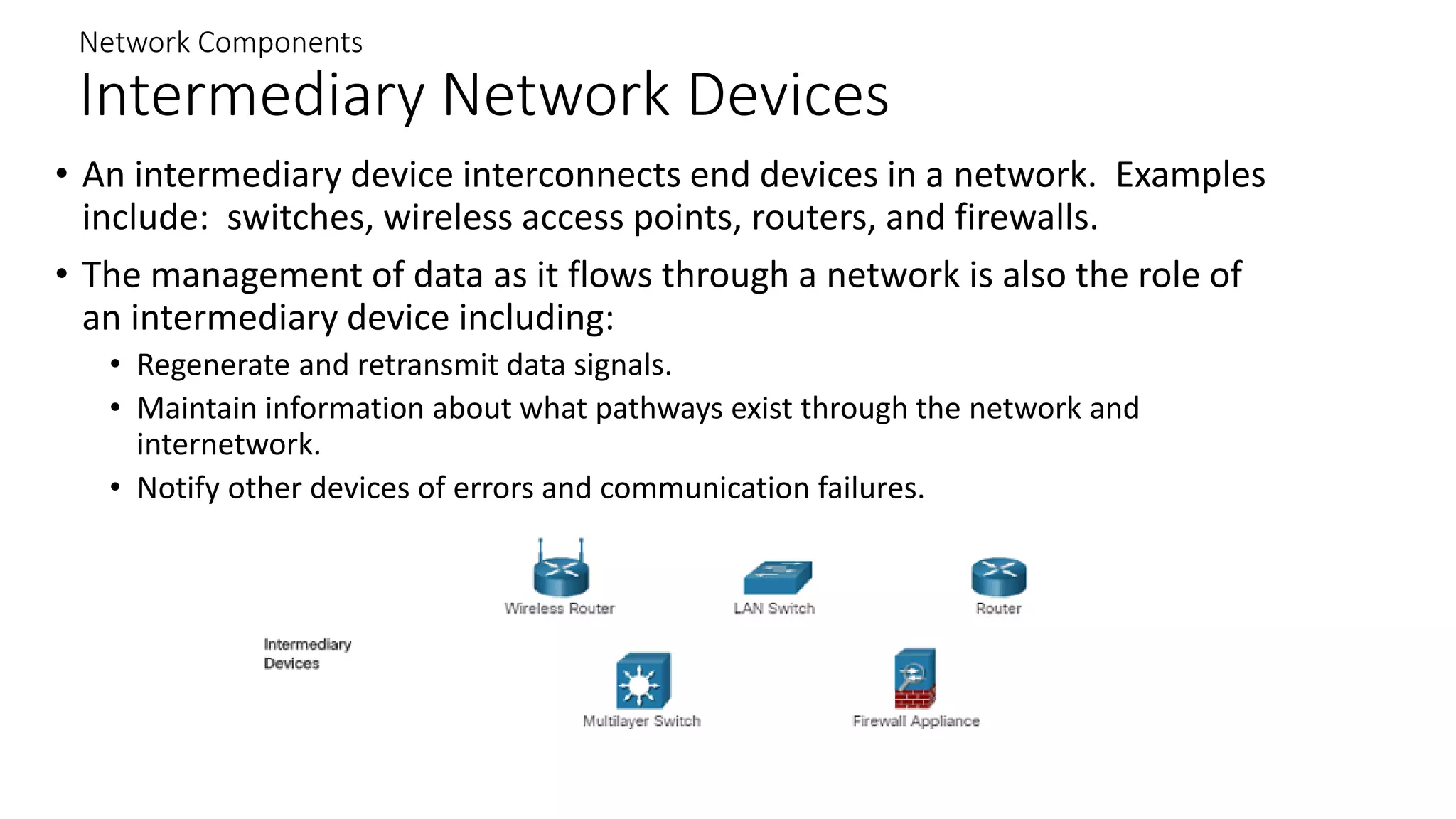
• An intermediary device interconnects end devices in a network. Examples
include: switches, wireless access points, routers, and firewalls.
• The management of data as it flows through a network is also the role of
an intermediary device including:
• Regenerate and retransmit data signals.
• Maintain information about what pathways exist through the network and
internetwork.
• Notify other devices of errors and communication failures.
Network Components
Network Media
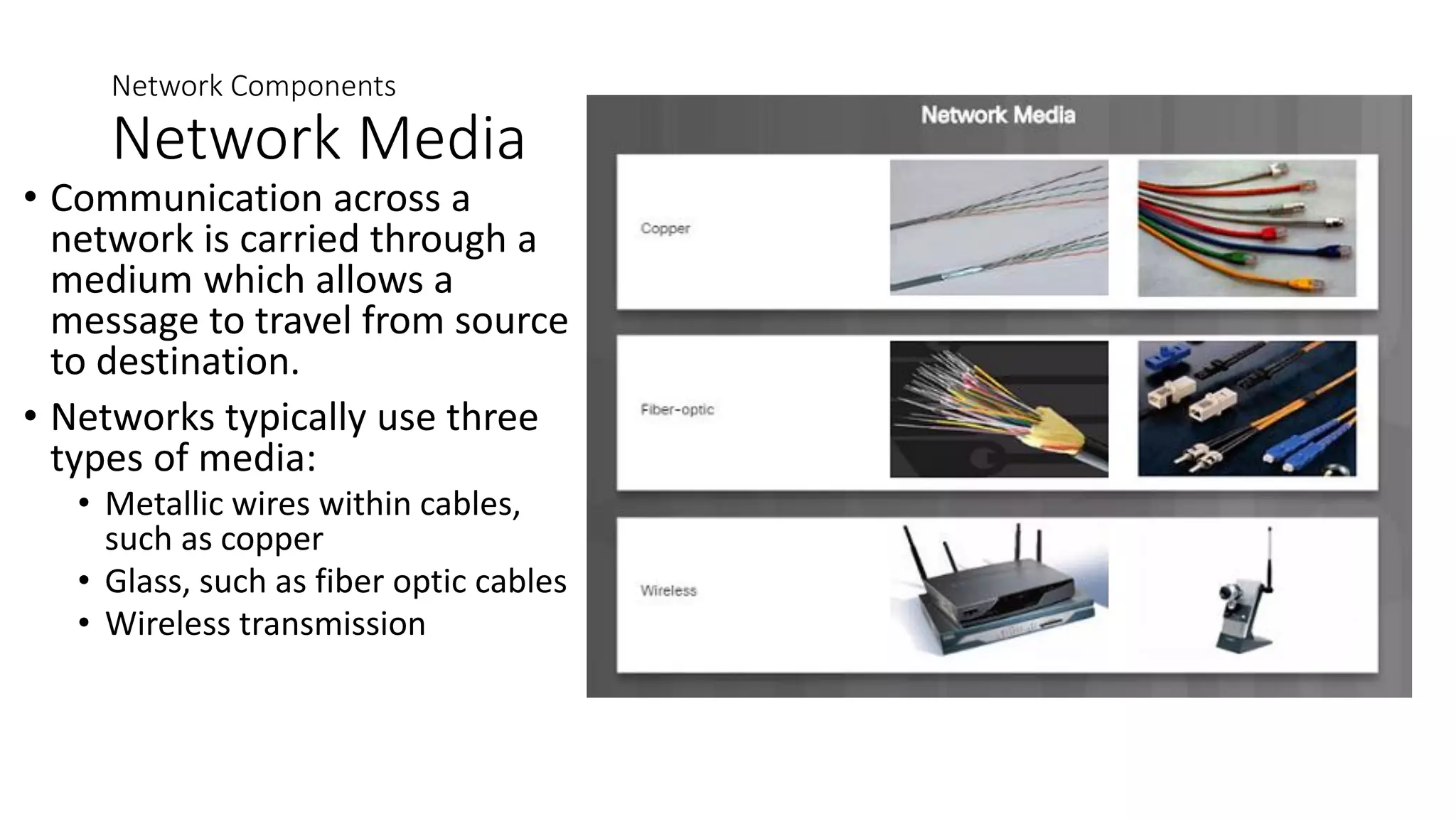
• Communication across a
network is carried through a
medium which allows a
message to travel from source
to destination.
• Networks typically use three
types of media:
• Metallic wires within cables,
such as copper
• Glass, such as fiber optic cables
• Wireless transmission
Network Components
Network Representations
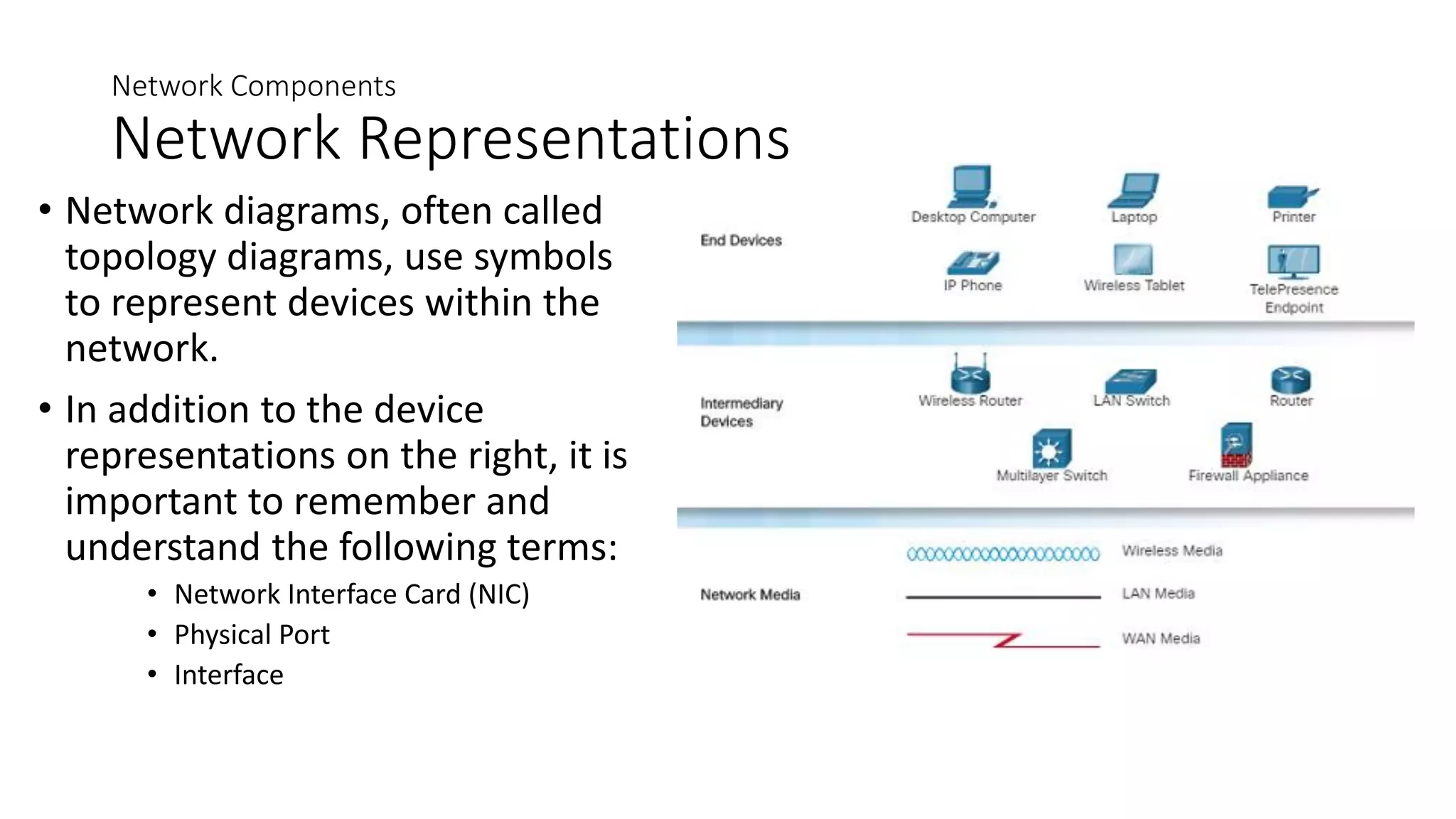
• Network diagrams, often called
topology diagrams, use symbols
to represent devices within the
network.
• In addition to the device
representations on the right, it is
important to remember and
understand the following terms:
• Network Interface Card (NIC)
• Physical Port
• Interface
LANs and WANs
Types of Networks
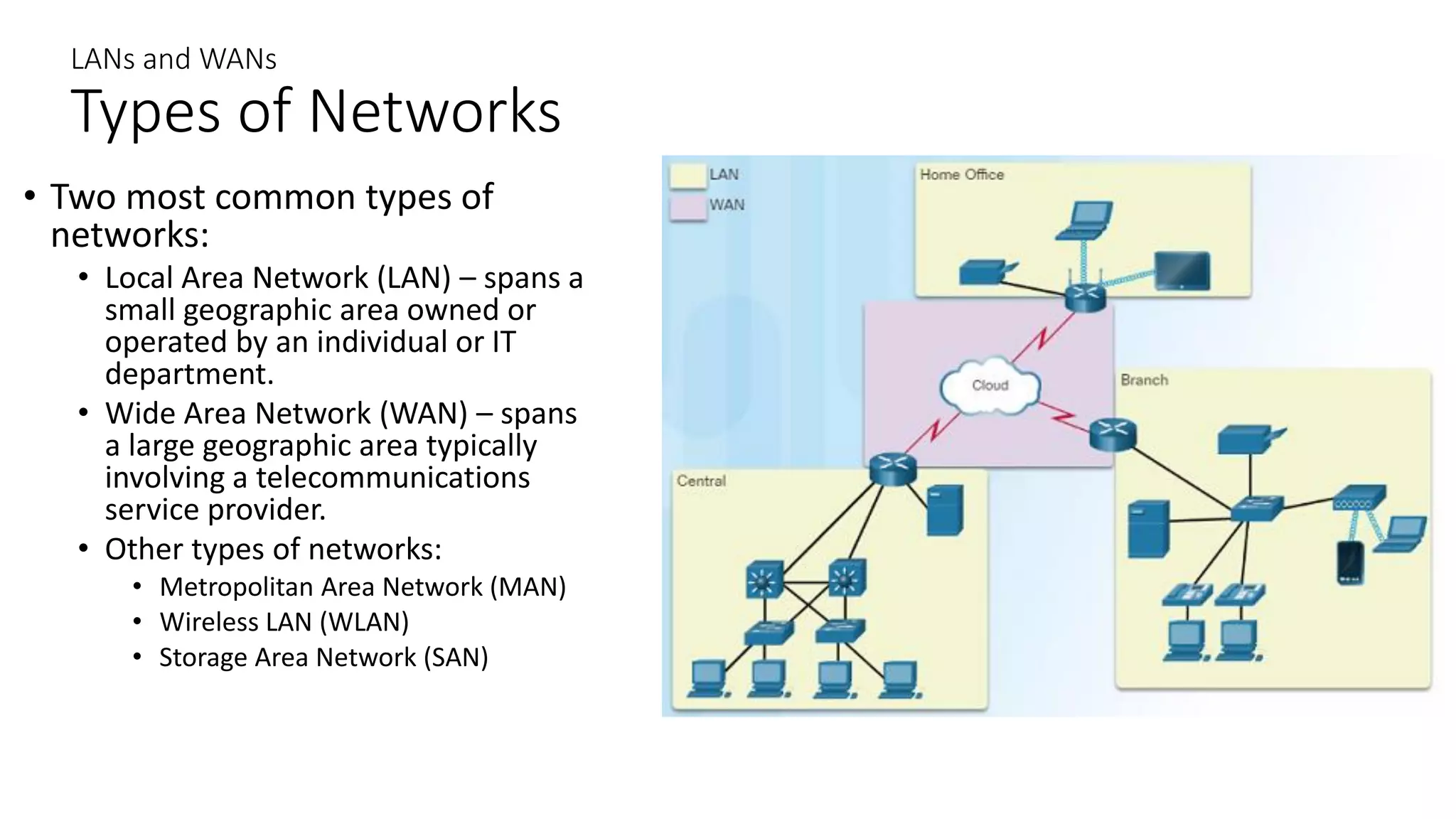
• Two most common types of
networks:
• Local Area Network (LAN) – spans a
small geographic area owned or
operated by an individual or IT
department.
• Wide Area Network (WAN) – spans
a large geographic area typically
involving a telecommunications
service provider.
• Other types of networks:
• Metropolitan Area Network (MAN)
• Wireless LAN (WLAN)
• Storage Area Network (SAN)
LANs and WANs
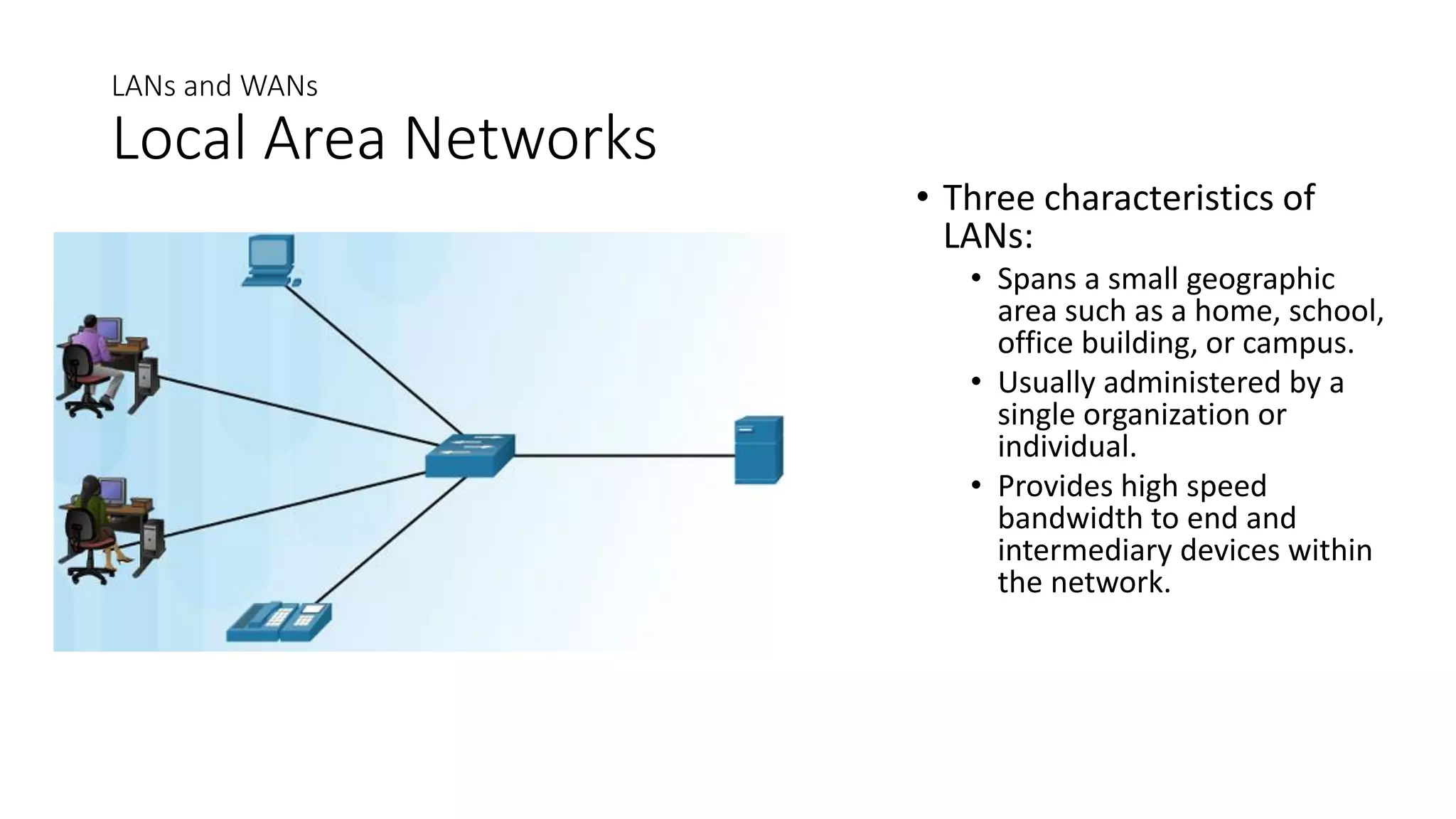
Local Area Networks
• Three characteristics of
LANs:
• Spans a small geographic
area such as a home, school,
office building, or campus.
• Usually administered by a
single organization or
individual.
• Provides high speed
bandwidth to end and
intermediary devices within
the network.
LANs and WANs
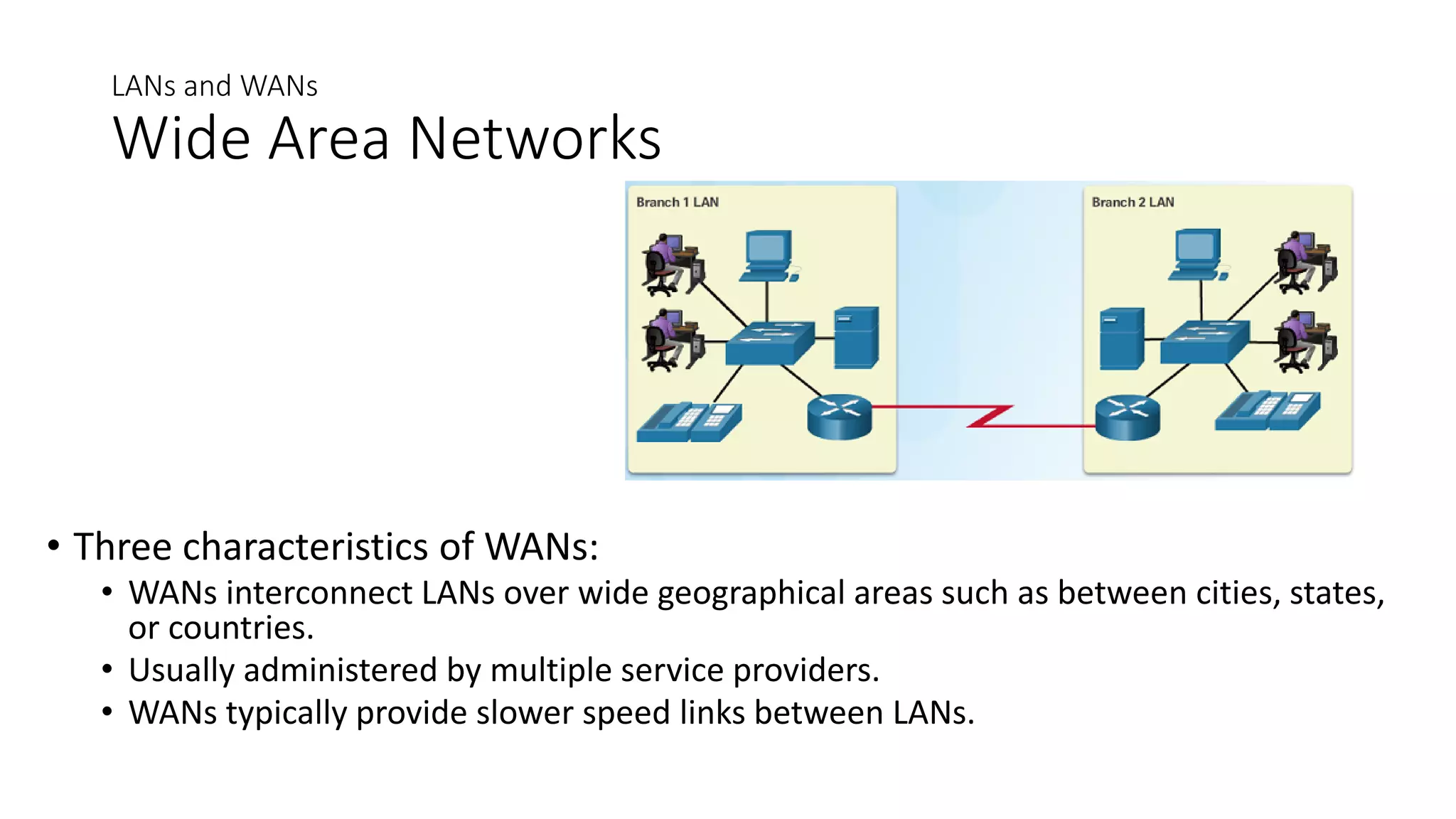
Wide Area Networks
• Three characteristics of WANs:
• WANs interconnect LANs over wide geographical areas such as between cities, states,
or countries.
• Usually administered by multiple service providers.
• WANs typically provide slower speed links between LANs.

Network Components.pdf

  • 1.
    Network Components Overview ofNetwork Components • A network can be as simple as a single cable connecting two computers or as complex as a collection of networks that span the globe. • Network infrastructure contains three broad categories of network components: • Devices • Media • Services
  • 2.
    Providing Resources ina Network Clients and Servers • Every computer connected to a network is called a host or end device. • Servers are computers that provide information to end devices on the network. For example, email servers, web servers, or file server • Clients are computers that send requests to the servers to retrieve information such as a web page from a web server or email from an email server.
  • 3.
    Providing Resources ina Network Peer-to-Peer • Client and server software usually run on separate computers. • However, in small businesses or homes, it is typical for a client to also function as the server. These networks are called peer-to-peer networks. • Peer-to-peer networking advantages: easy to set up, less complex, and lower cost. • Disadvantages: no centralized administration, not as secure, not scalable, and slower performance.
  • 4.
    LANs, WANs, andthe Internet Network Components • End Devices • An end device is where a message originates from or where it is received. • Data originates with an end device, flows through the network, and arrives at an end device
  • 5.
    Network Components Intermediary NetworkDevices • An intermediary device interconnects end devices in a network. Examples include: switches, wireless access points, routers, and firewalls. • The management of data as it flows through a network is also the role of an intermediary device including: • Regenerate and retransmit data signals. • Maintain information about what pathways exist through the network and internetwork. • Notify other devices of errors and communication failures.
  • 6.
    Network Components Network Media •Communication across a network is carried through a medium which allows a message to travel from source to destination. • Networks typically use three types of media: • Metallic wires within cables, such as copper • Glass, such as fiber optic cables • Wireless transmission
  • 7.
    Network Components Network Representations •Network diagrams, often called topology diagrams, use symbols to represent devices within the network. • In addition to the device representations on the right, it is important to remember and understand the following terms: • Network Interface Card (NIC) • Physical Port • Interface
  • 8.
    LANs and WANs Typesof Networks • Two most common types of networks: • Local Area Network (LAN) – spans a small geographic area owned or operated by an individual or IT department. • Wide Area Network (WAN) – spans a large geographic area typically involving a telecommunications service provider. • Other types of networks: • Metropolitan Area Network (MAN) • Wireless LAN (WLAN) • Storage Area Network (SAN)
  • 9.
    LANs and WANs LocalArea Networks • Three characteristics of LANs: • Spans a small geographic area such as a home, school, office building, or campus. • Usually administered by a single organization or individual. • Provides high speed bandwidth to end and intermediary devices within the network.
  • 10.
    LANs and WANs WideArea Networks • Three characteristics of WANs: • WANs interconnect LANs over wide geographical areas such as between cities, states, or countries. • Usually administered by multiple service providers. • WANs typically provide slower speed links between LANs.