Neo4j Import Webinar
Mark Needham (@markhneedham)
30th July 2015
Neo Technology, Inc Confidential
#neo4j
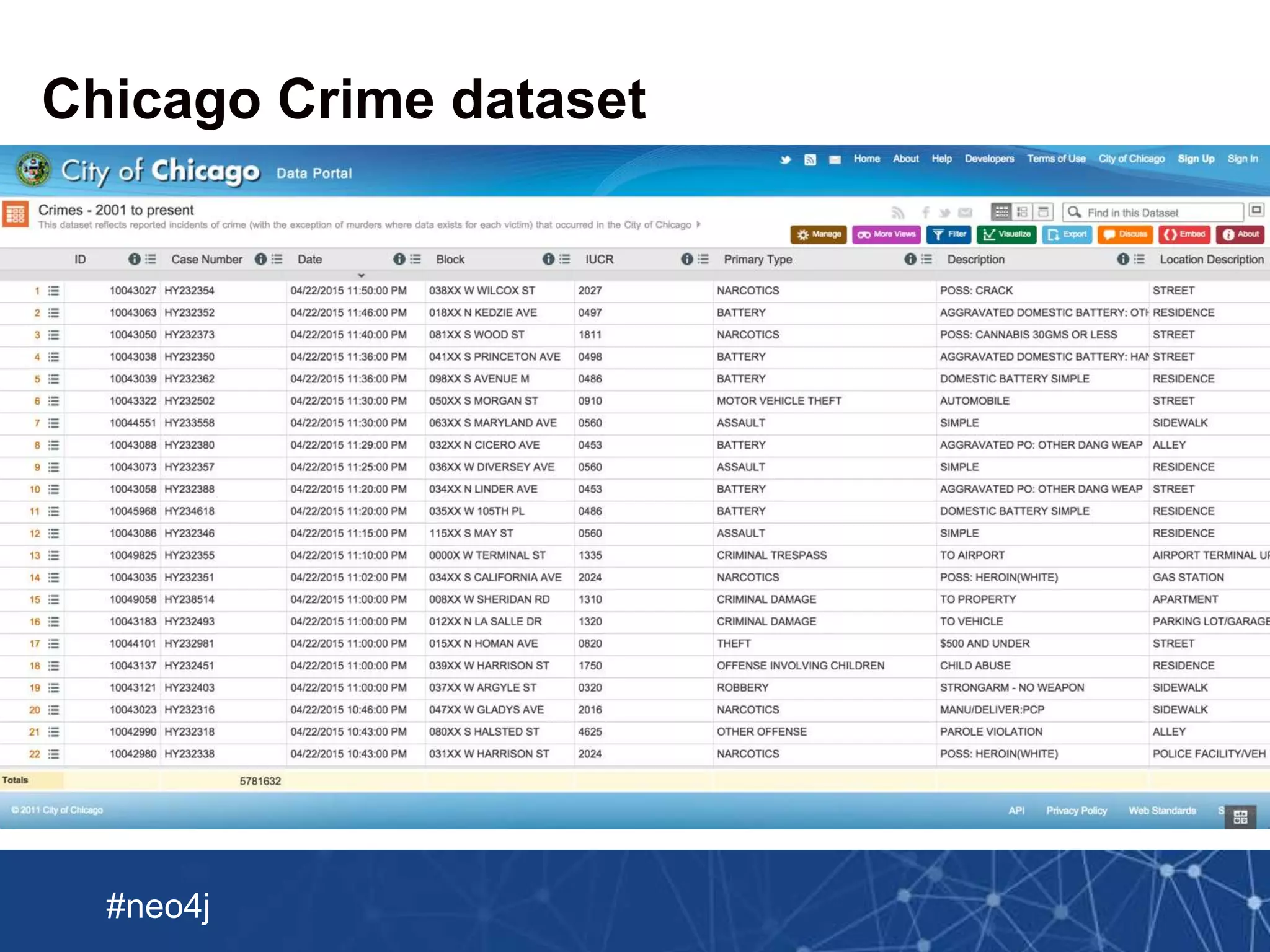
Chicago Crime dataset
Neo Technology, Inc Confidential
#neo4j
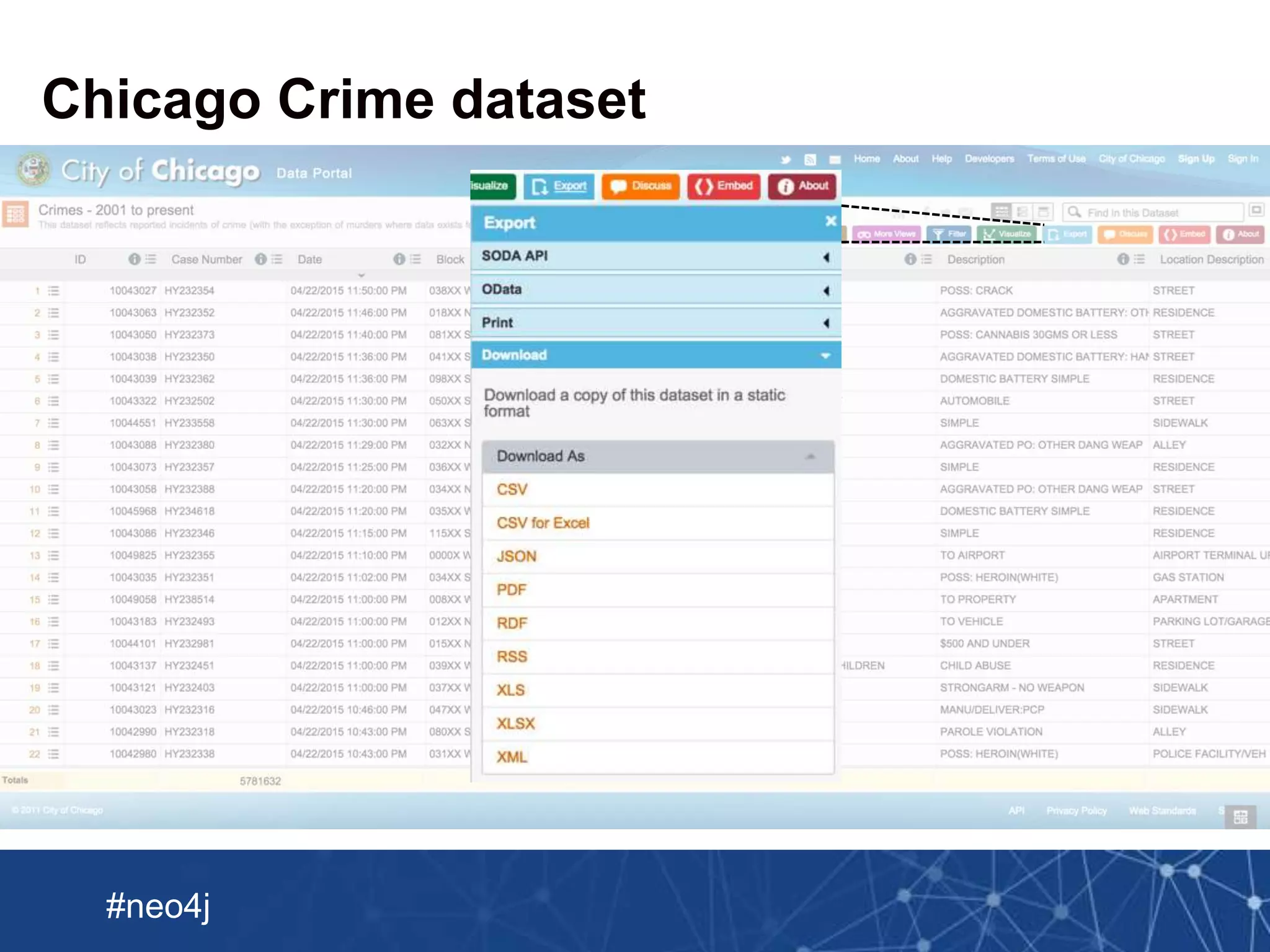
Chicago Crime dataset
Neo Technology, Inc Confidential
#neo4j
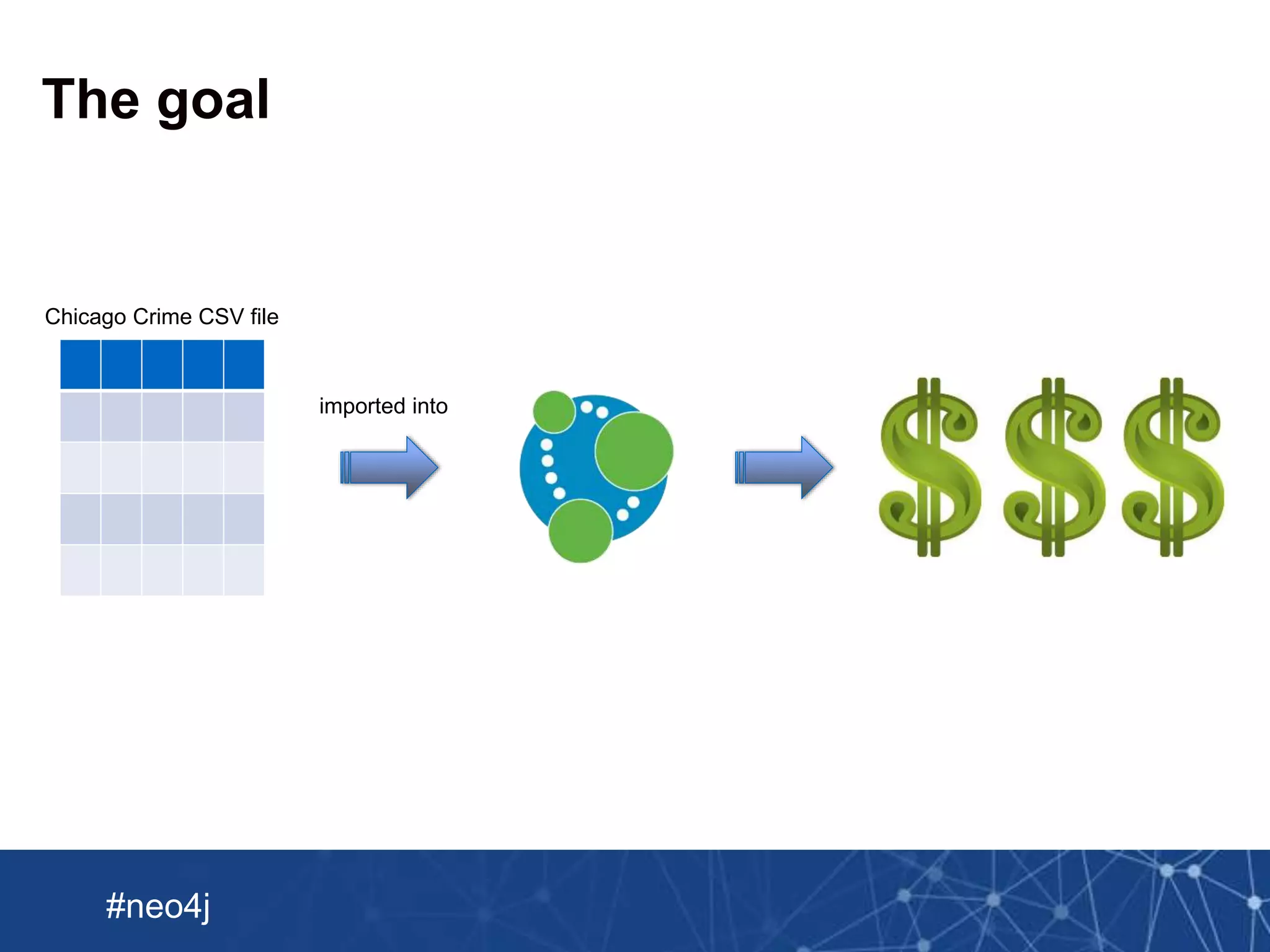
Chicago Crime CSV file
imported into
The goal
Neo Technology, Inc Confidential
#neo4j
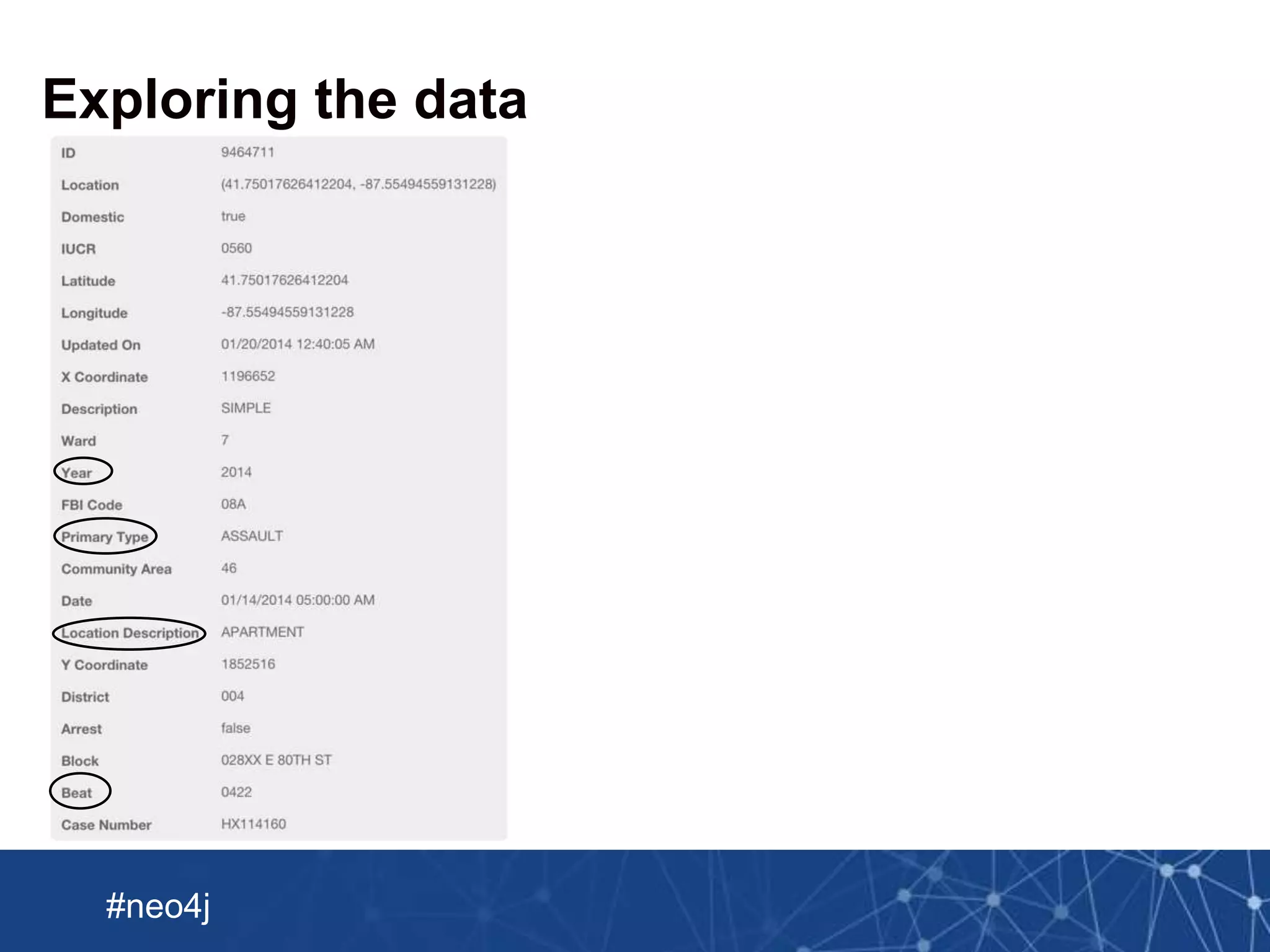
Exploring the data
Neo Technology, Inc Confidential
#neo4j
Exploring the data
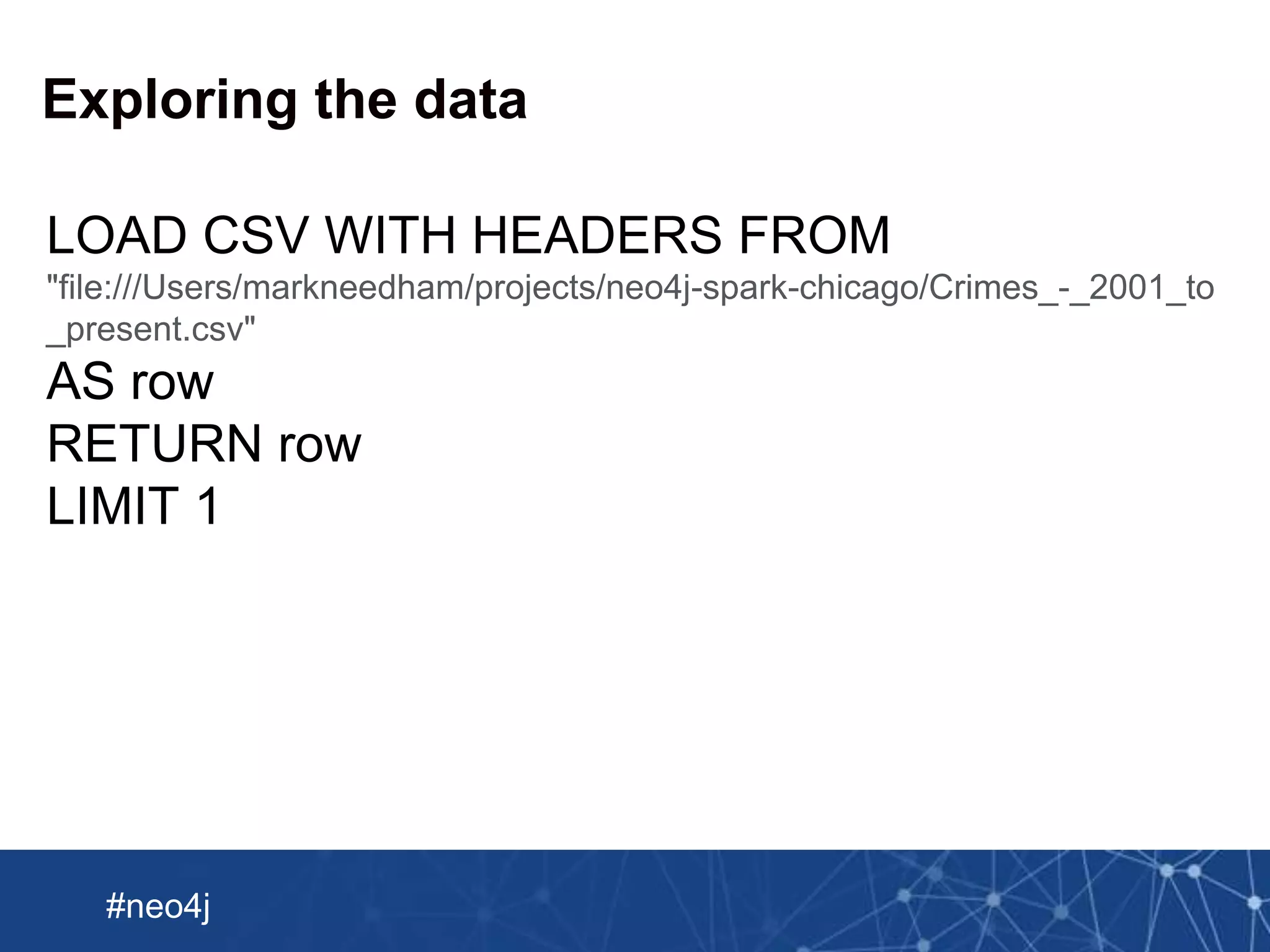
LOAD CSV WITH HEADERS FROM
"file:///Users/markneedham/projects/neo4j-spark-chicago/Crimes_-_2001_to
_present.csv"
AS row
RETURN row
LIMIT 1
Neo Technology, Inc Confidential
#neo4j
Exploring the data
Neo Technology, Inc Confidential
#neo4j
Exploring the data
Neo Technology, Inc Confidential
#neo4j
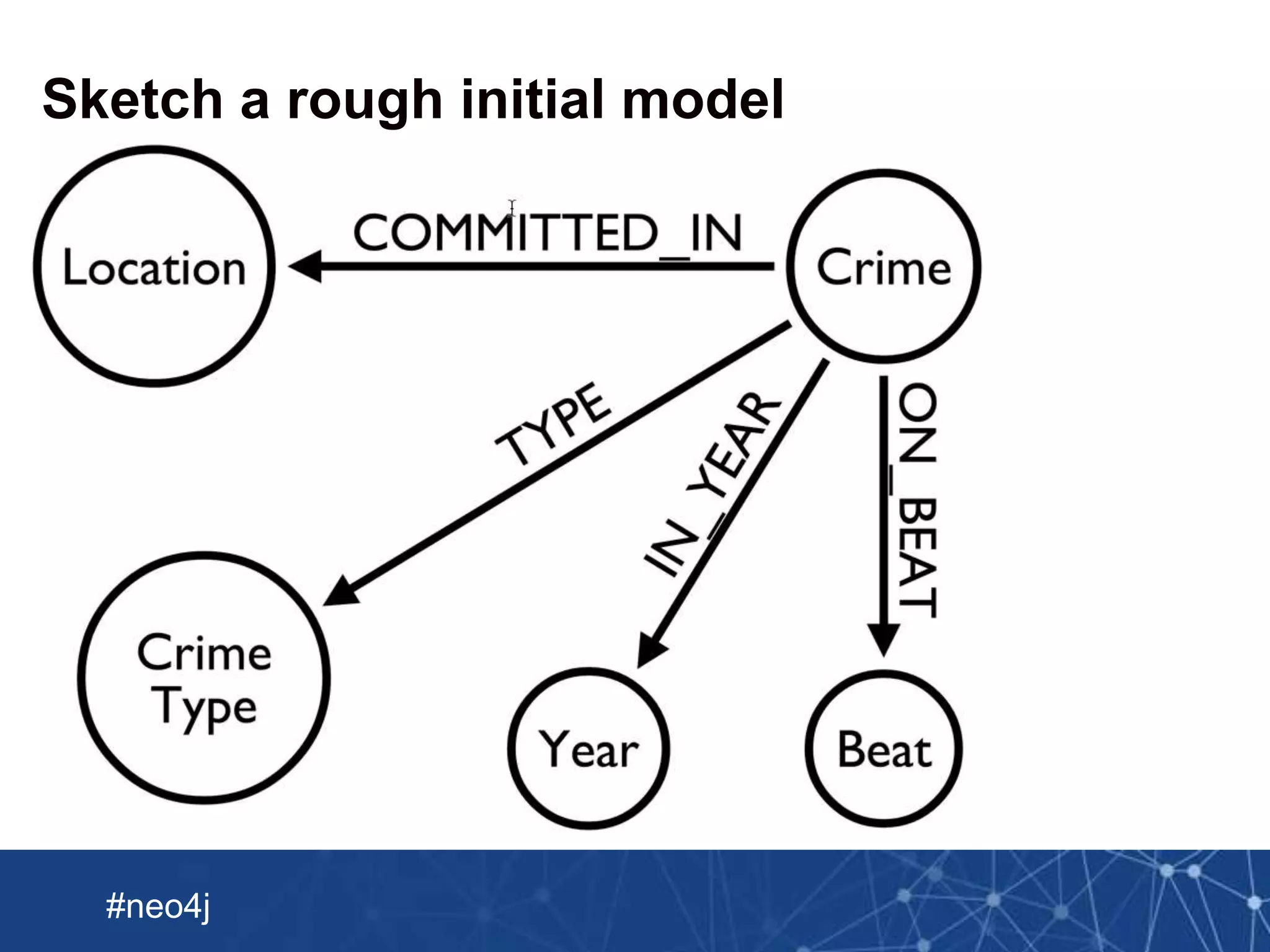
Sketch a rough initial model
Neo Technology, Inc Confidential
#neo4j
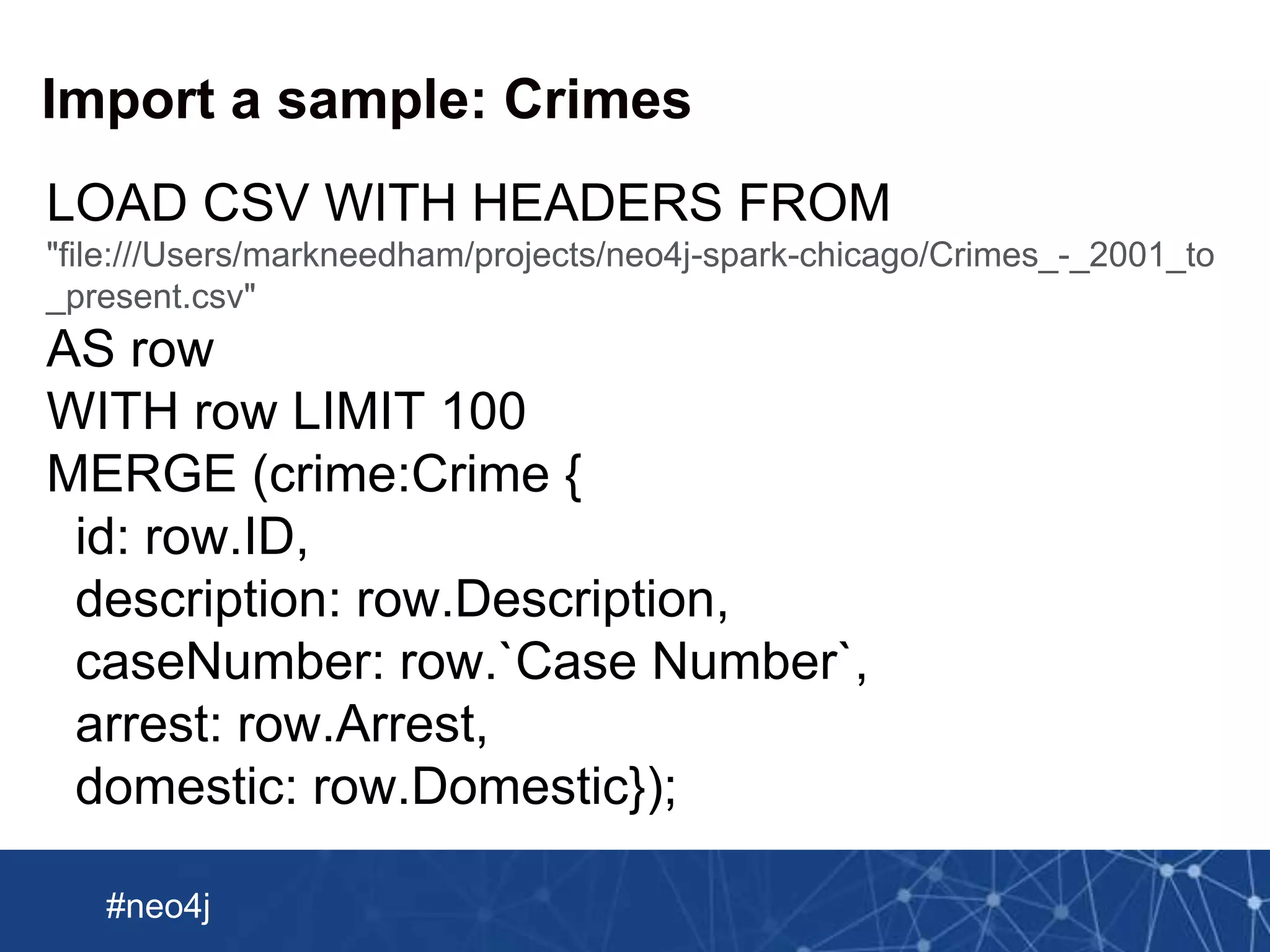
Import a sample: Crimes
LOAD CSV WITH HEADERS FROM
"file:///Users/markneedham/projects/neo4j-spark-chicago/Crimes_-_2001_to
_present.csv"
AS row
WITH row LIMIT 100
MERGE (crime:Crime {
id: row.ID,
description: row.Description,
caseNumber: row.`Case Number`,
arrest: row.Arrest,
domestic: row.Domestic});
Neo Technology, Inc Confidential
#neo4j
Import a sample: Crimes
Show how to do this better by splitting up the attrib
utes
Neo Technology, Inc Confidential
#neo4j
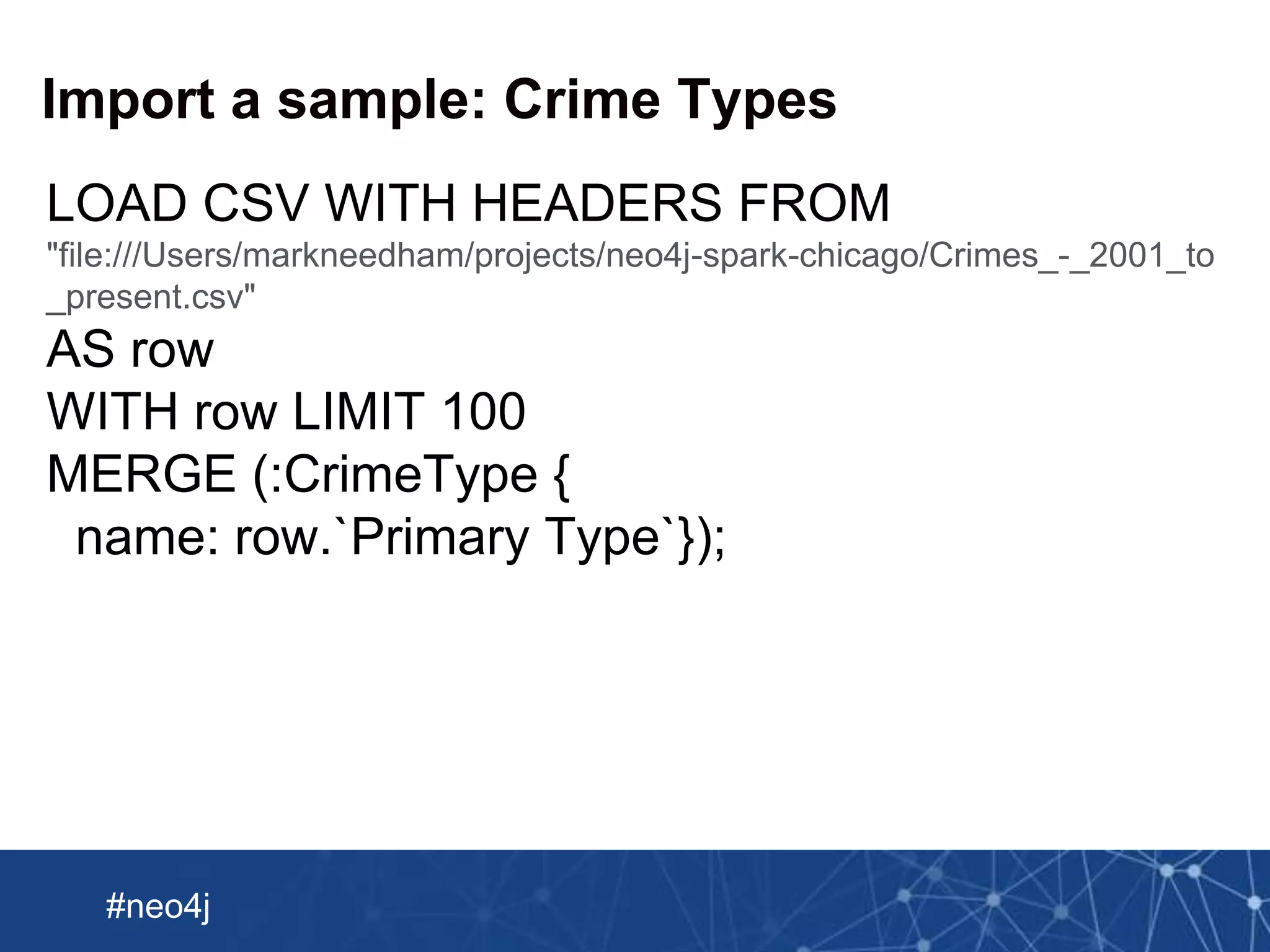
Import a sample: Crime Types
LOAD CSV WITH HEADERS FROM
"file:///Users/markneedham/projects/neo4j-spark-chicago/Crimes_-_2001_to
_present.csv"
AS row
WITH row LIMIT 100
MERGE (:CrimeType {
name: row.`Primary Type`});
Neo Technology, Inc Confidential
#neo4j
Import a sample: Crimes -> Crime Types
LOAD CSV WITH HEADERS FROM
"file:///Users/markneedham/projects/neo4j-spark-chicago/Crimes_-_2001_to
_present.csv"
AS row
WITH row LIMIT 100
MATCH (crime:Crime {
id: row.ID,
description: row.Description})
MATCH (crimeType:CrimeType {
name: row.`Primary Type`})
MERGE (crime)-[:TYPE]->(crimeType);
Neo Technology, Inc Confidential
#neo4j
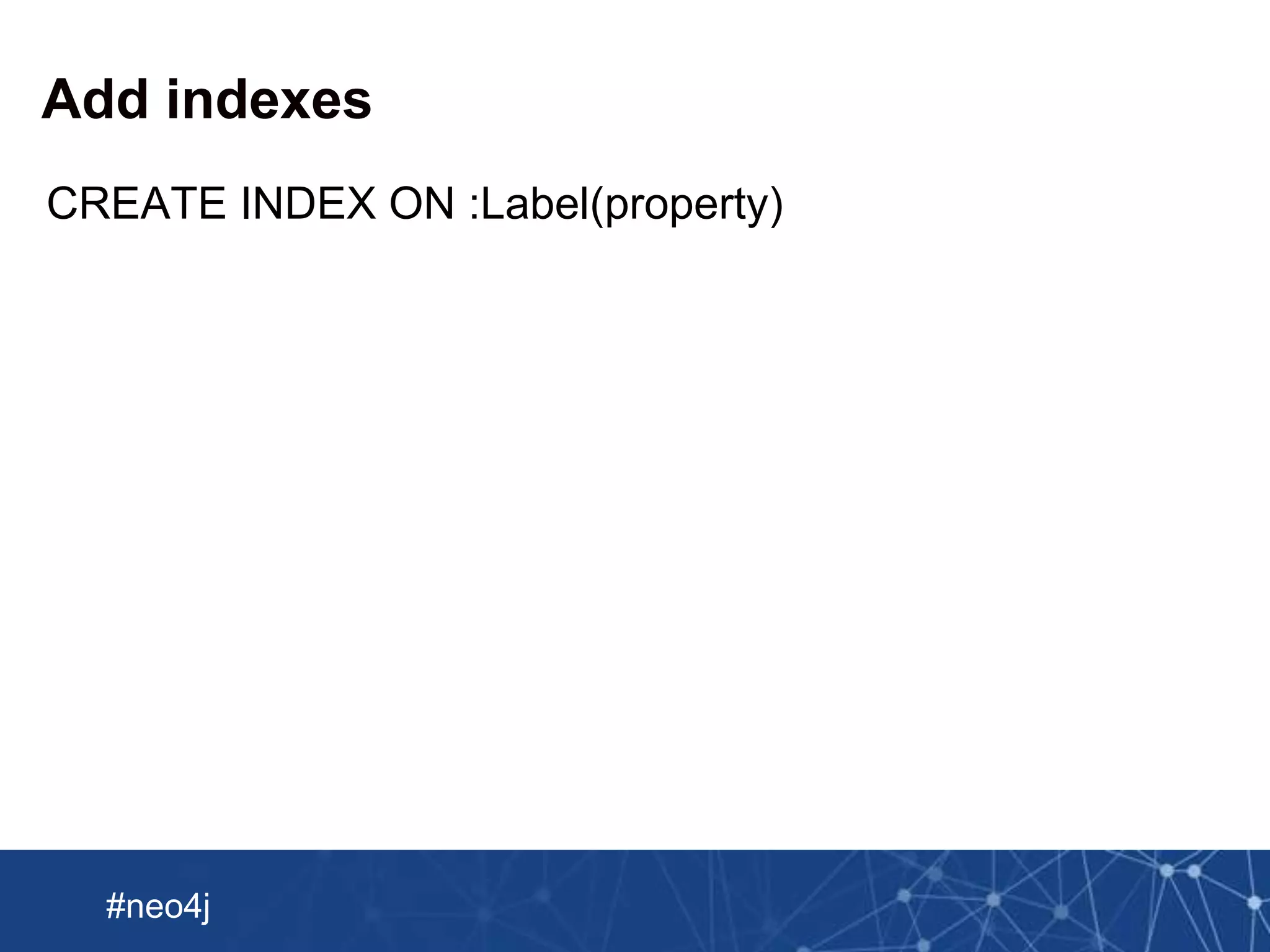
Add indexes
CREATE INDEX ON :Label(property)
Neo Technology, Inc Confidential
#neo4j
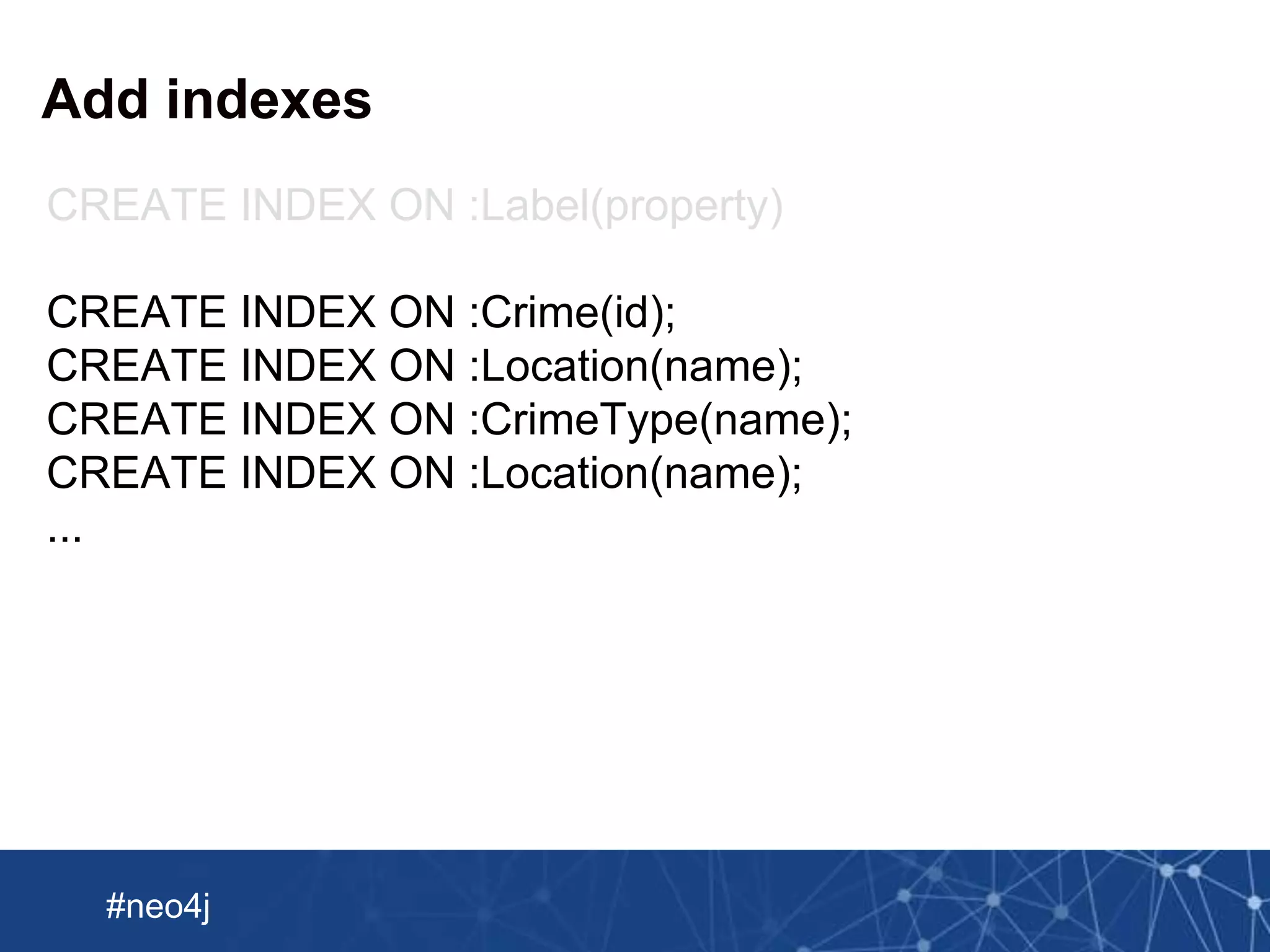
Add indexes
CREATE INDEX ON :Label(property)
CREATE INDEX ON :Crime(id);
CREATE INDEX ON :Location(name);
CREATE INDEX ON :CrimeType(name);
CREATE INDEX ON :Location(name);
...
Neo Technology, Inc Confidential
#neo4j
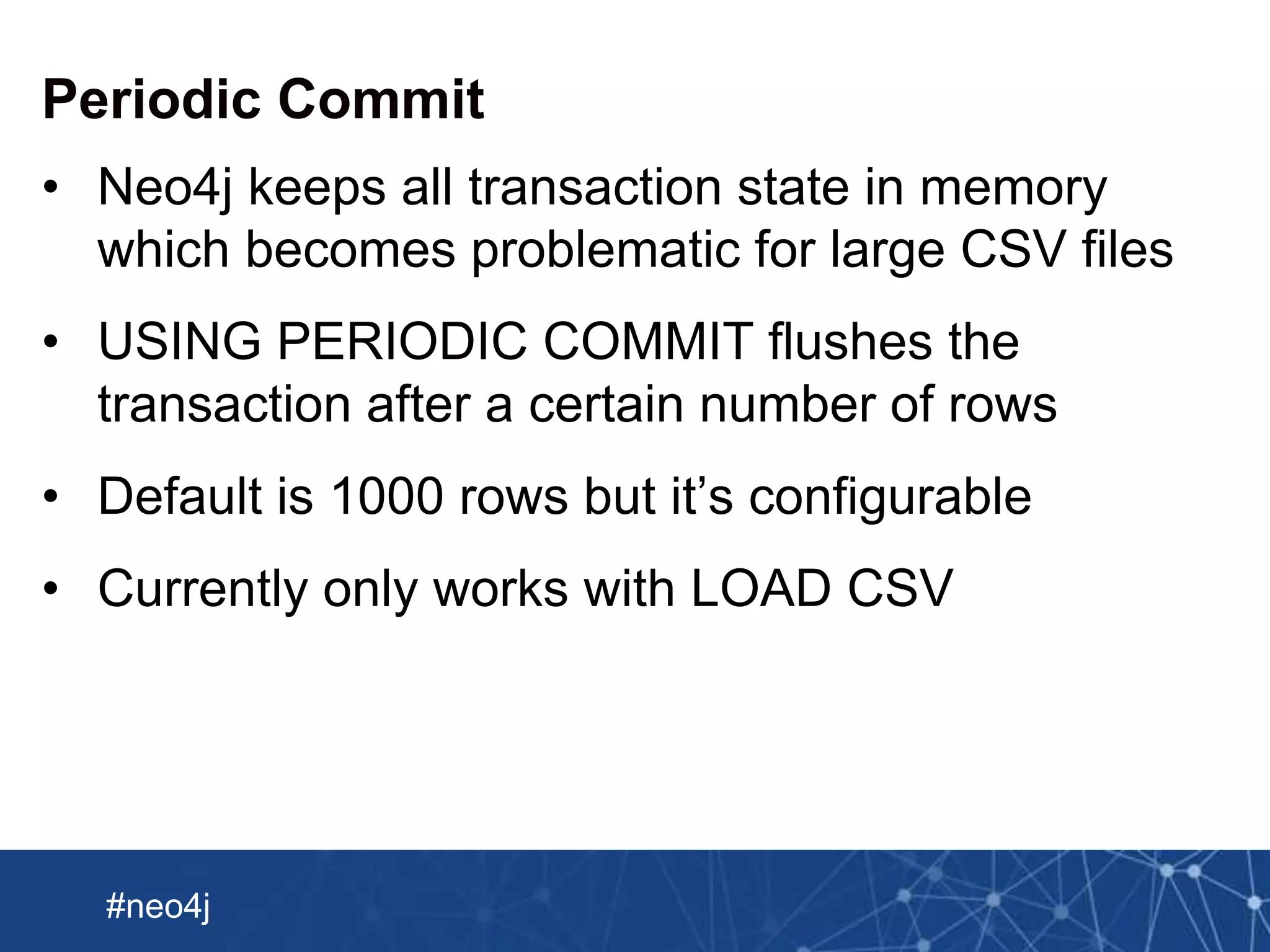
Periodic Commit
USING PERIODIC COMMIT
LOAD CSV WITH HEADERS FROM
file:///Users/markneedham/projects/neo4j-spark-chicago/Crimes_-_2001_to_
present.csv
MERGE (crime:Crime {
id: row.ID,
description: row.Description})
Neo Technology, Inc Confidential
#neo4j
Periodic Commit
• Neo4j keeps all transaction state in memory
which becomes problematic for large CSV files
• USING PERIODIC COMMIT flushes the
transaction after a certain number of rows
• Default is 1000 rows but it’s configurable
• Currently only works with LOAD CSV
Neo Technology, Inc Confidential
#neo4j
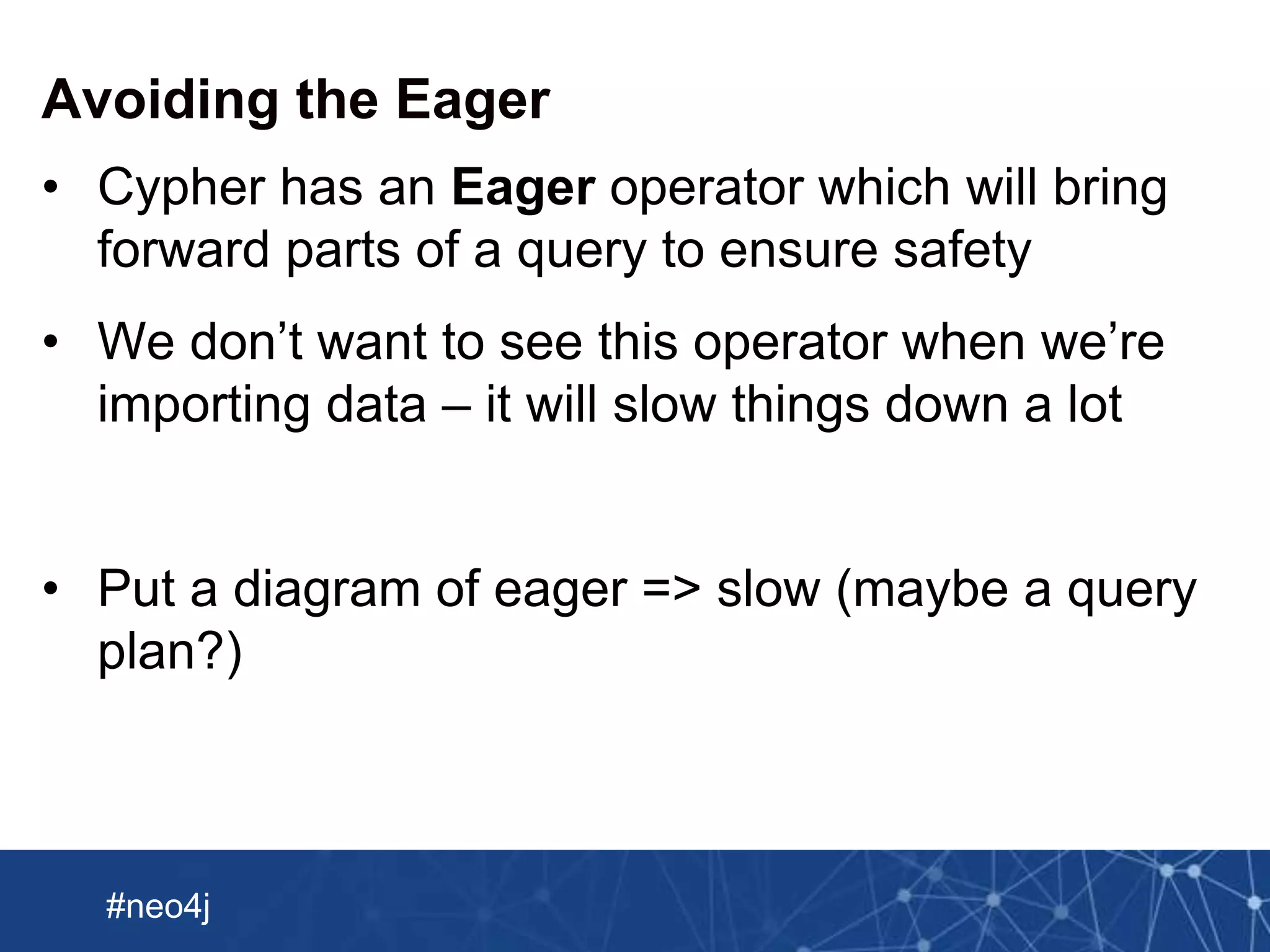
Avoiding the Eager
• Cypher has an Eager operator which will bring
forward parts of a query to ensure safety
• We don’t want to see this operator when we’re
importing data – it will slow things down a lot
• Put a diagram of eager => slow (maybe a query
plan?)
Neo Technology, Inc Confidential
#neo4j
LOAD CSV in summary
• ETL power tool
• Built into Neo4J since version 2.1
• Can load data from any URL
• Good for medium size data (up to 10M rows)
Neo Technology, Inc Confidential
#neo4j
Bulk loading an initial data set
• Introducing the Neo4j Import Tool
• Find it in the bin folder of your Neo4j download
• Used to large sized initial data sets
• Skips the transactional layer of Neo4j and writes
store files directly
Neo Technology, Inc Confidential
#neo4j
Expects files in a certain format
:ID(Crime) :LABEL description :ID(Beat) :LABEL
:START_ID(Crime) :END_ID(Beat) :TYPE
Nodes
Relationships
Neo Technology, Inc Confidential
#neo4j
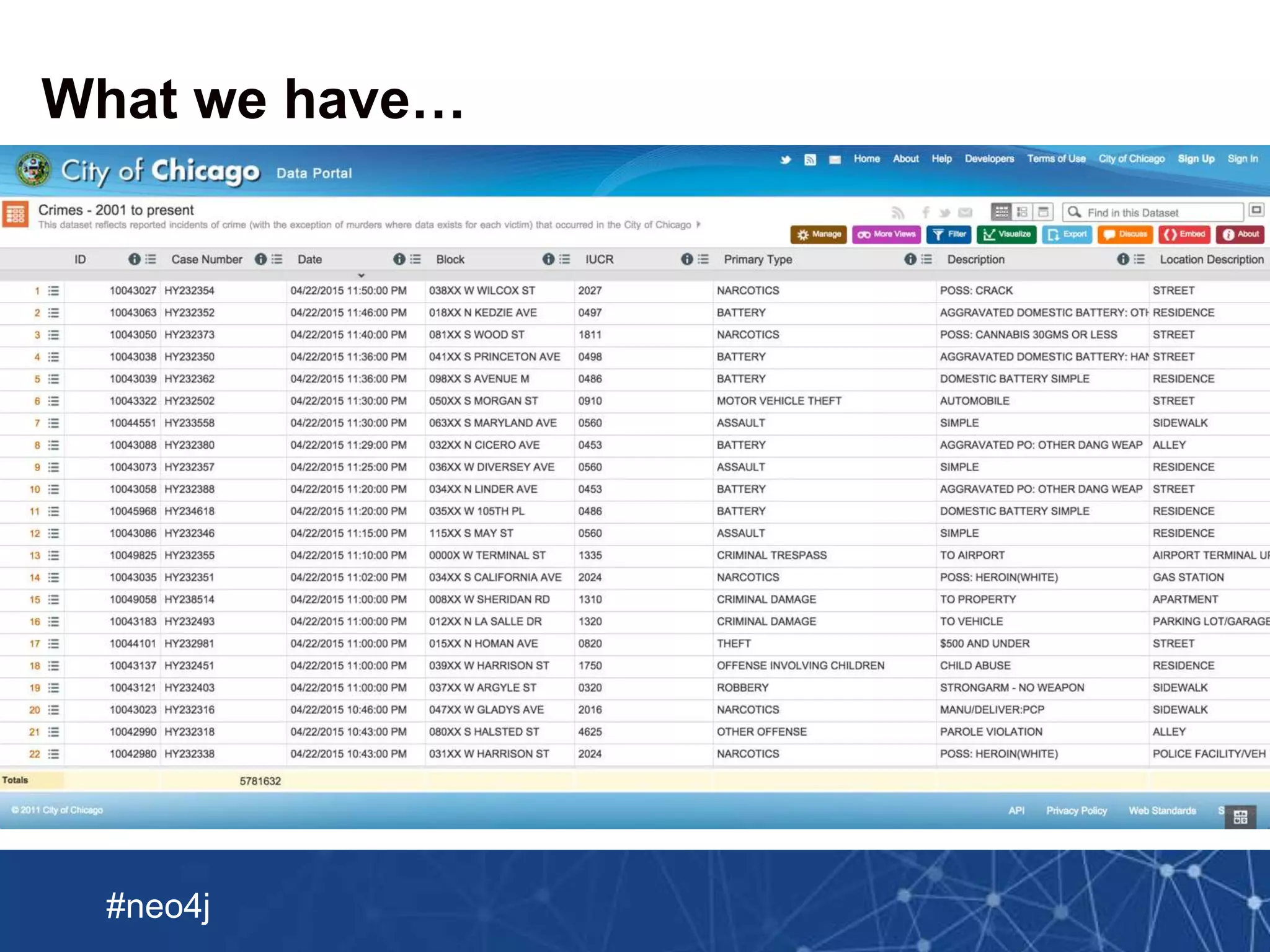
What we have…
Neo Technology, Inc Confidential
#neo4j
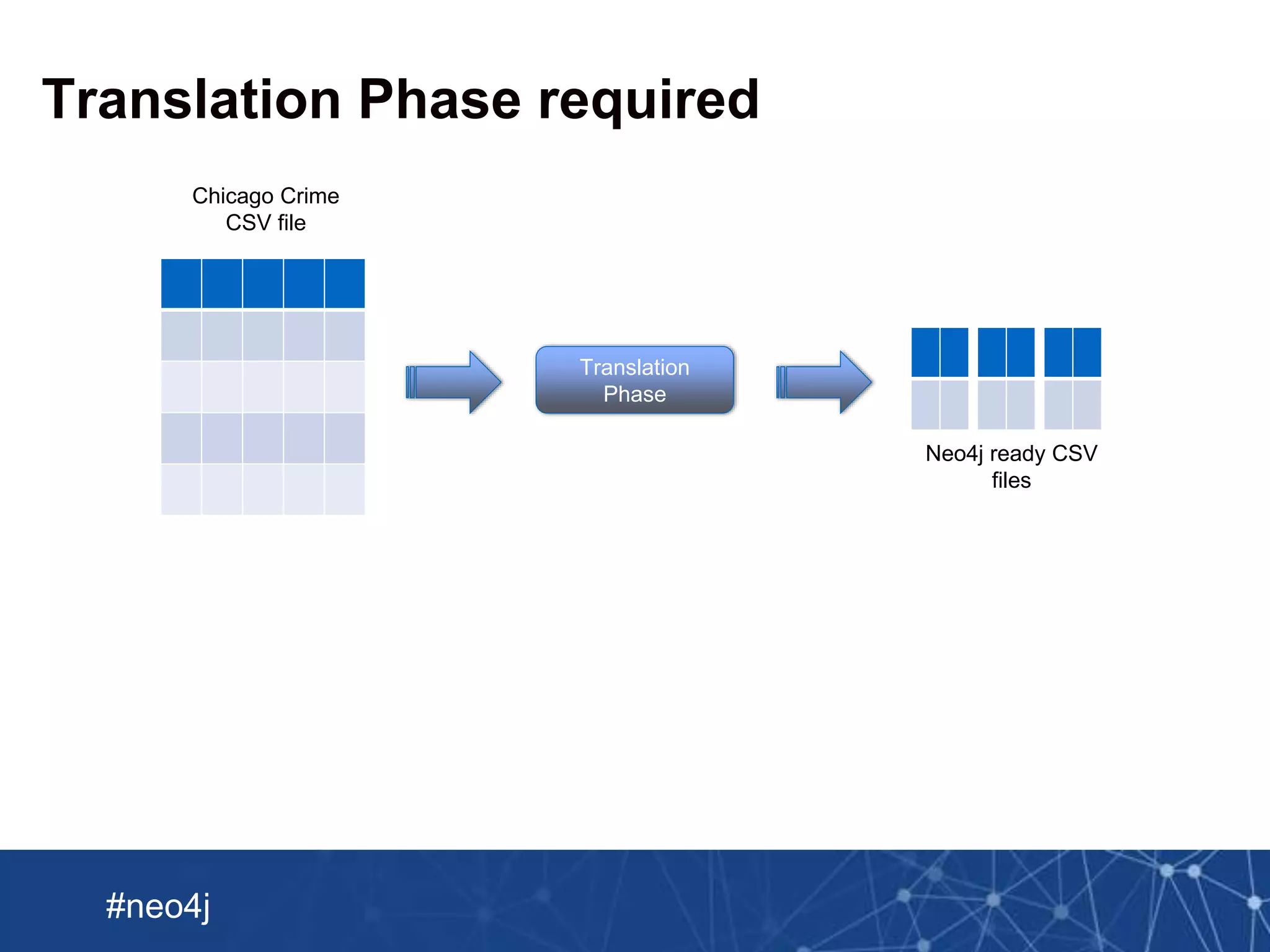
Chicago Crime
CSV file
Neo4j ready CSV
files
Translation Phase required
Translation
Phase
Neo Technology, Inc Confidential
#neo4j
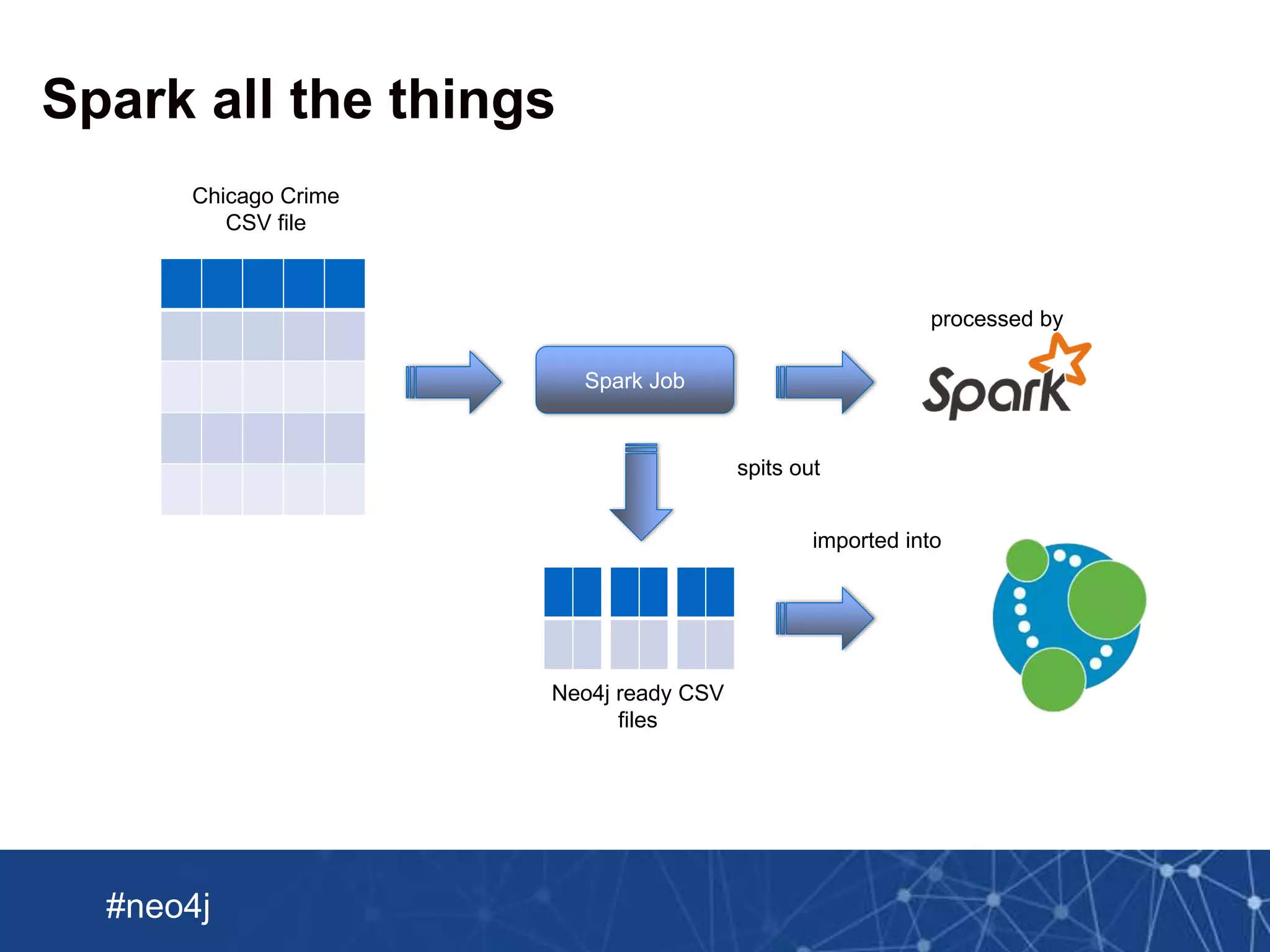
Chicago Crime
CSV file
Spark all the things
Spark Job
processed by
spits out
Neo4j ready CSV
files
imported into
Neo Technology, Inc Confidential
#neo4j
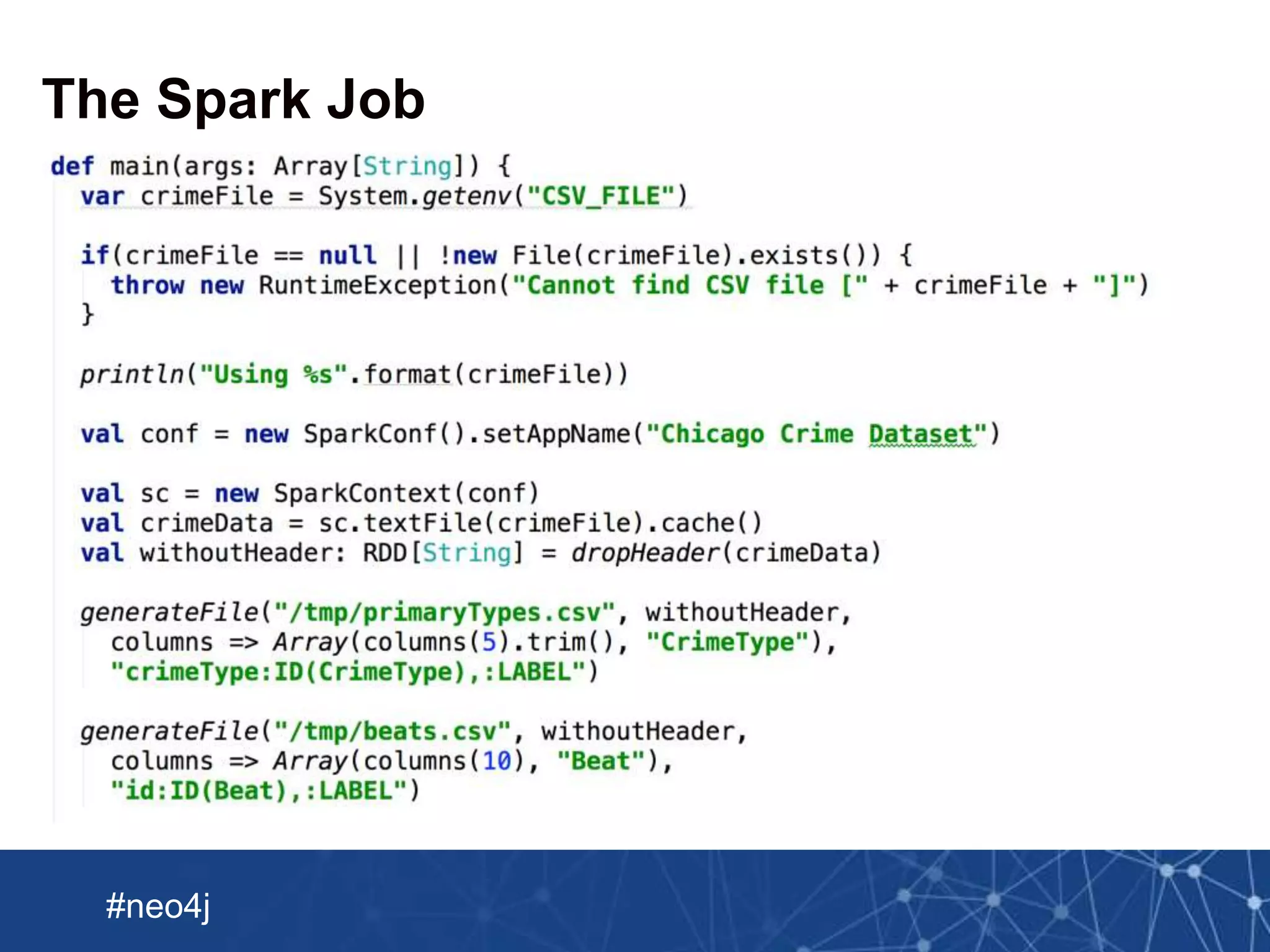
The Spark Job
Neo Technology, Inc Confidential
#neo4j
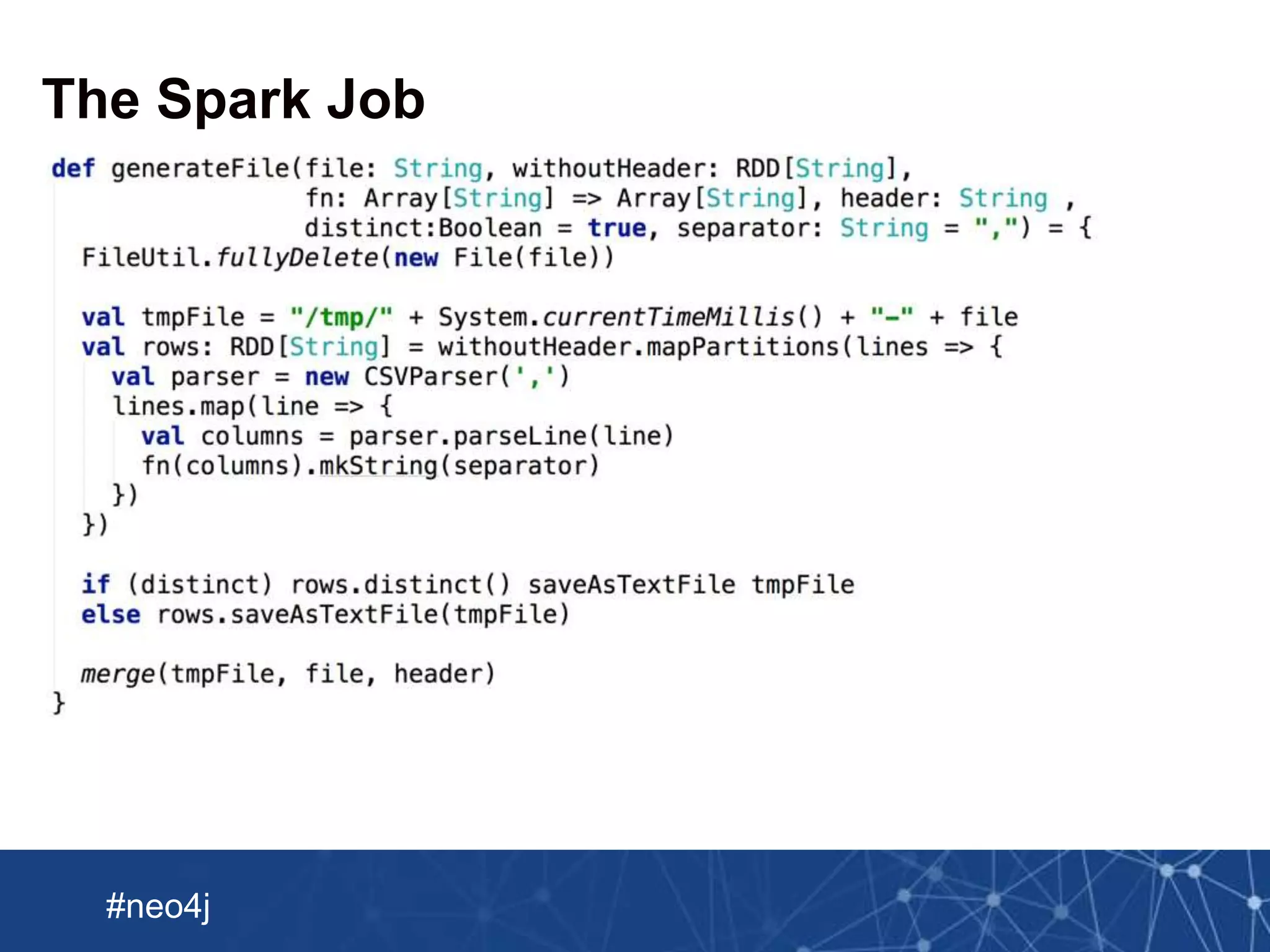
The Spark Job
Neo Technology, Inc Confidential
#neo4j
Submitting the Spark Job
./spark-1.3.0-bin-hadoop1/bin/spark-submit 
--driver-memory 5g 
--class GenerateCSVFiles 
--master local[8] 
target/scala-2.10/playground_2.10-1.0.jar
real 1m25.506s
user 8m2.183s
sys 0m24.267s
Neo Technology, Inc Confidential
#neo4j
Submitting the Spark Job
./spark-1.3.0-bin-hadoop1/bin/spark-submit 
--driver-memory 5g 
--class GenerateCSVFiles 
--master local[8] 
target/scala-2.10/playground_2.10-1.0.jar
real 1m25.506s
user 8m2.183s
sys 0m24.267s
Neo Technology, Inc Confidential
#neo4j
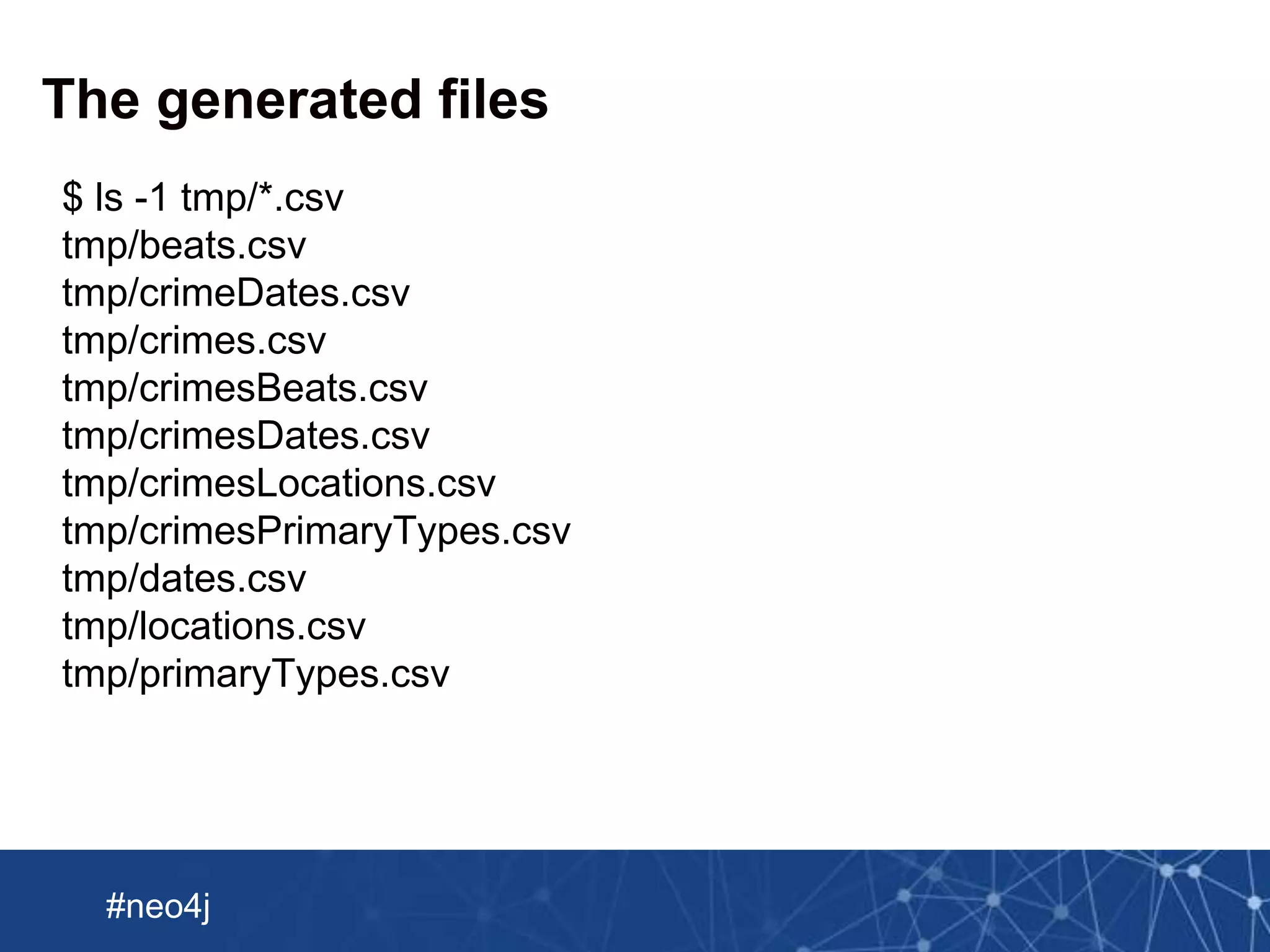
The generated files
$ ls -1 tmp/*.csv
tmp/beats.csv
tmp/crimeDates.csv
tmp/crimes.csv
tmp/crimesBeats.csv
tmp/crimesDates.csv
tmp/crimesLocations.csv
tmp/crimesPrimaryTypes.csv
tmp/dates.csv
tmp/locations.csv
tmp/primaryTypes.csv
Neo Technology, Inc Confidential
#neo4j
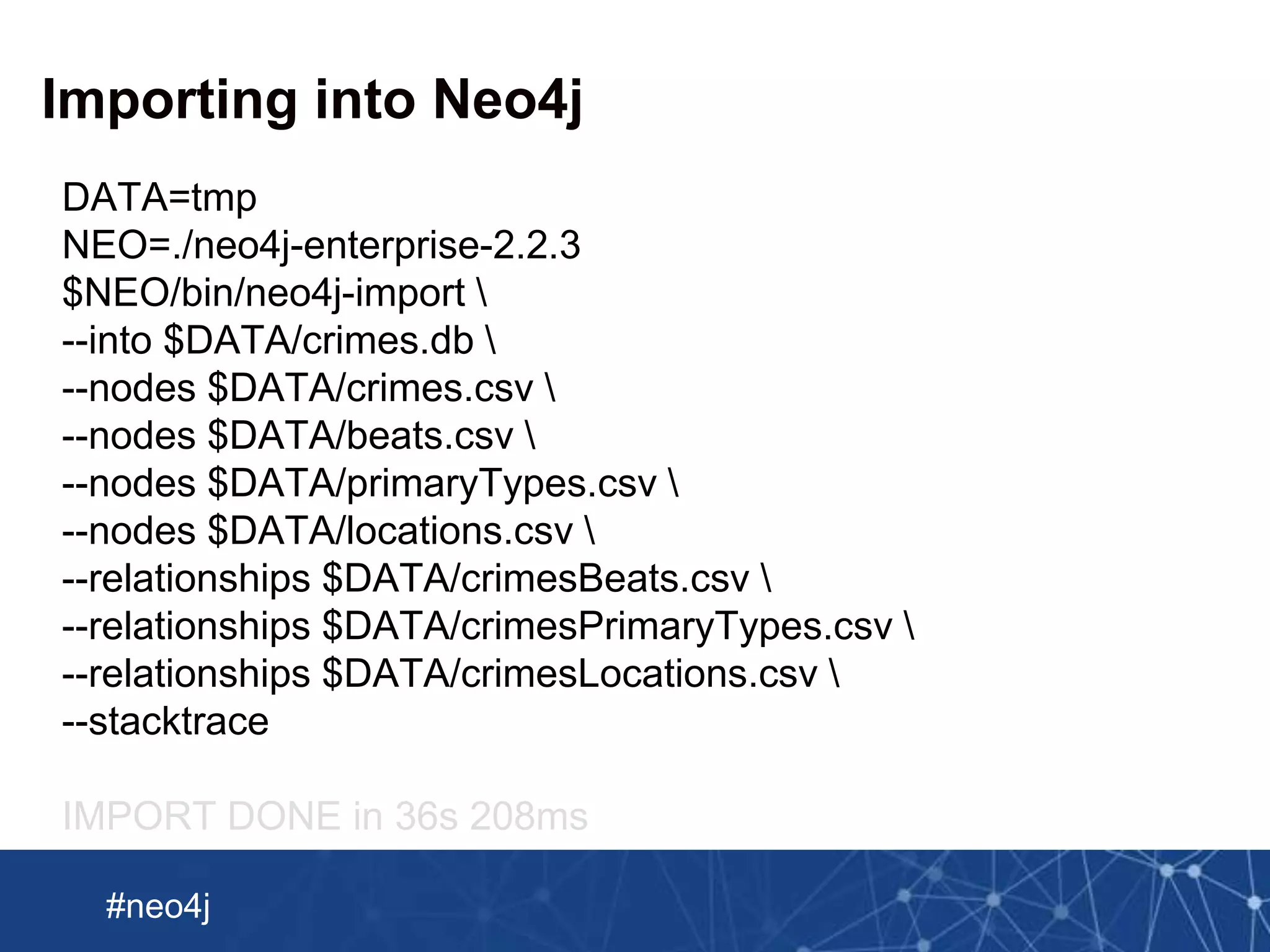
Importing into Neo4j
DATA=tmp
NEO=./neo4j-enterprise-2.2.3
$NEO/bin/neo4j-import 
--into $DATA/crimes.db 
--nodes $DATA/crimes.csv 
--nodes $DATA/beats.csv 
--nodes $DATA/primaryTypes.csv 
--nodes $DATA/locations.csv 
--relationships $DATA/crimesBeats.csv 
--relationships $DATA/crimesPrimaryTypes.csv 
--relationships $DATA/crimesLocations.csv 
--stacktrace
IMPORT DONE in 36s 208ms
Neo Technology, Inc Confidential
#neo4j
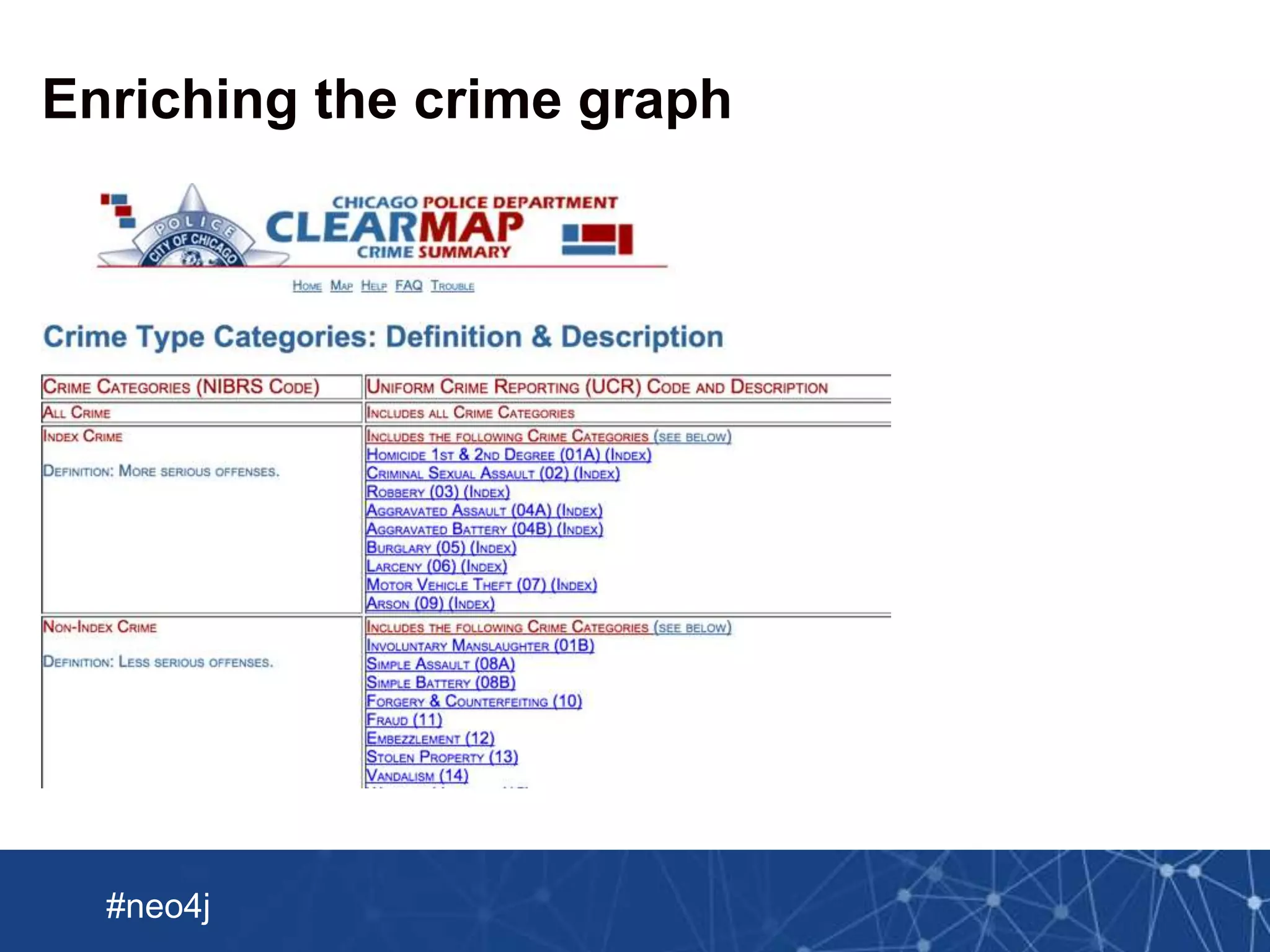
Enriching the crime graph
Neo Technology, Inc Confidential
#neo4j
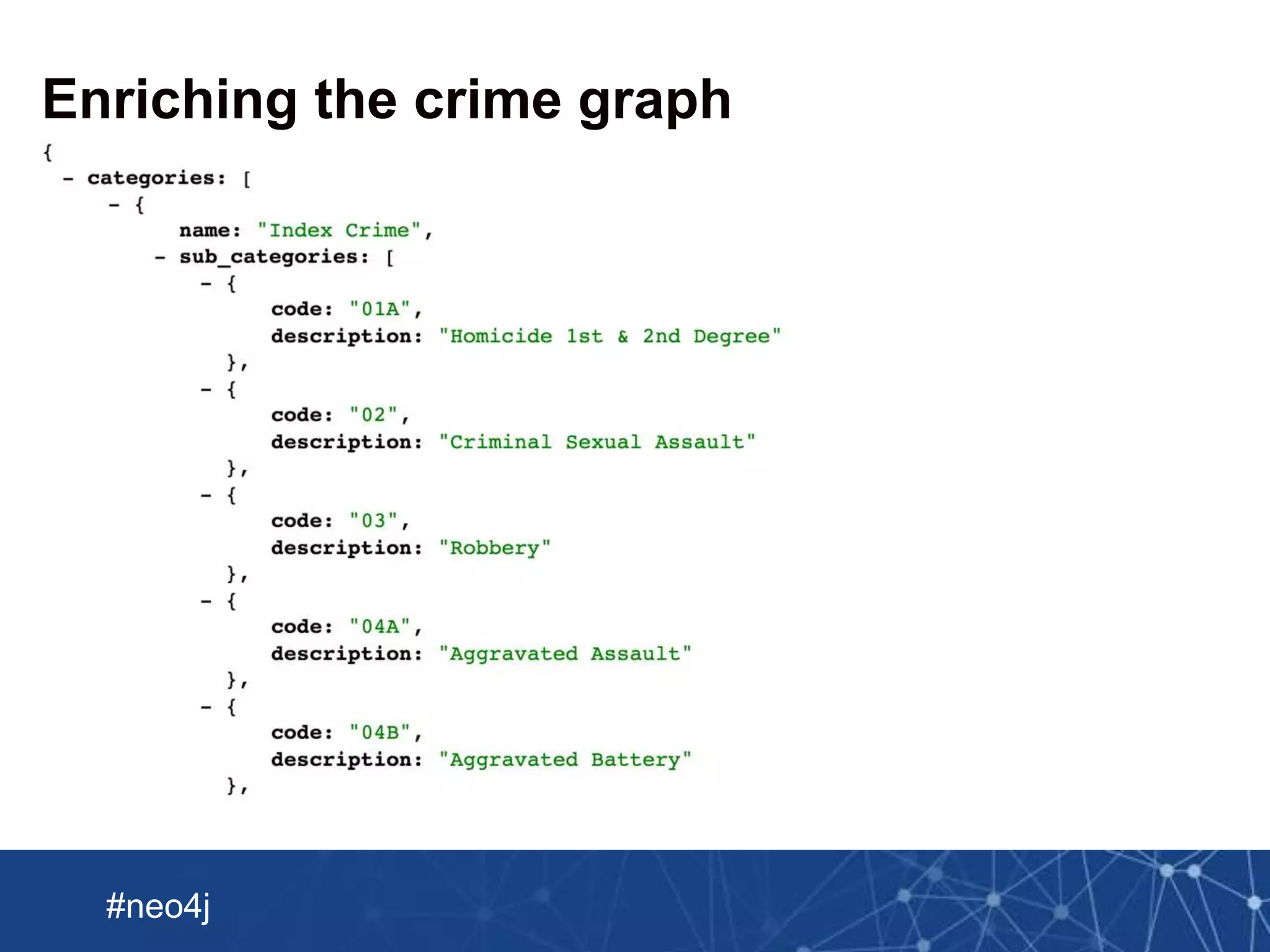
Enriching the crime graph
Neo Technology, Inc Confidential
#neo4j
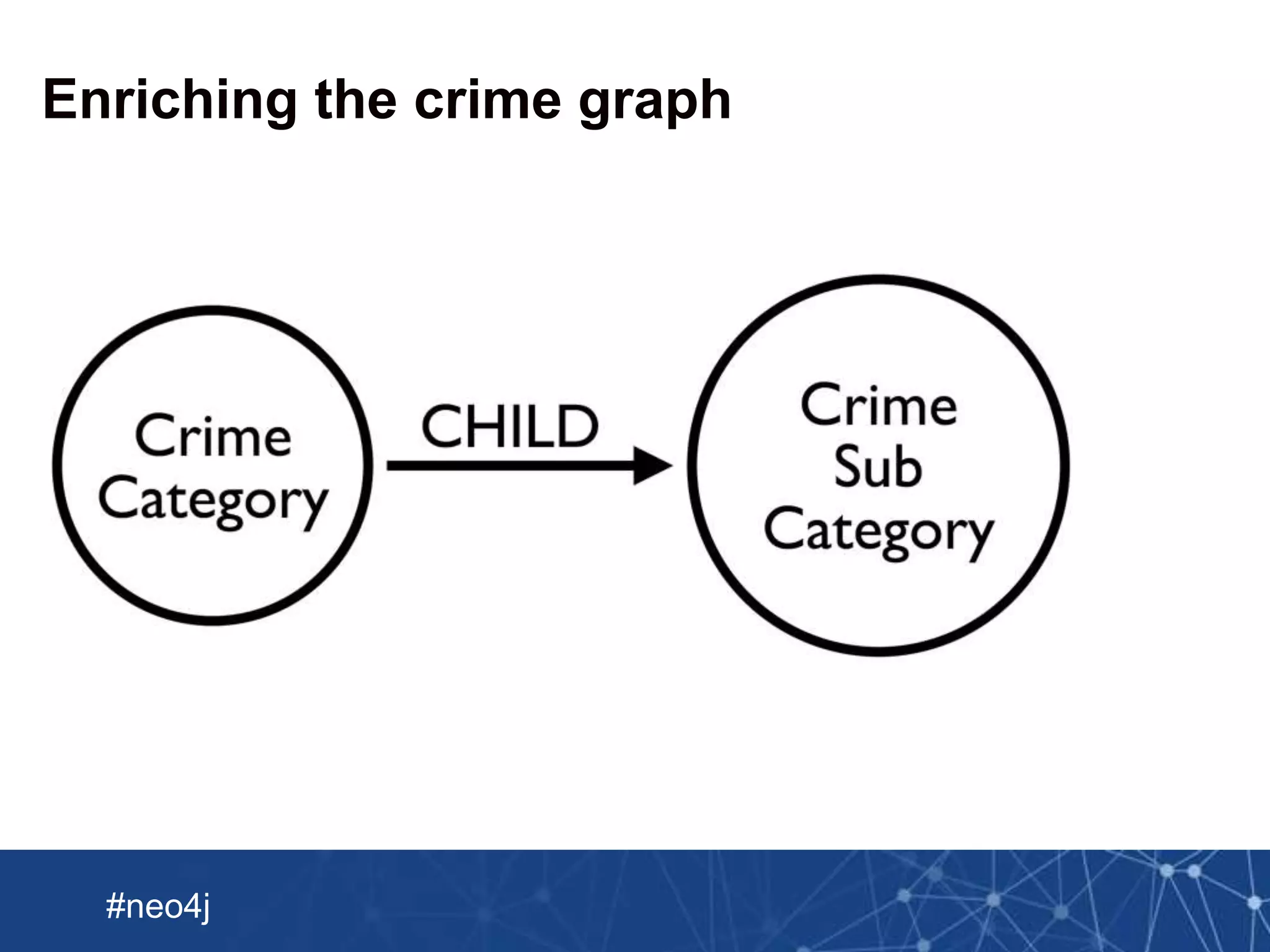
Enriching the crime graph
Neo Technology, Inc Confidential
#neo4j
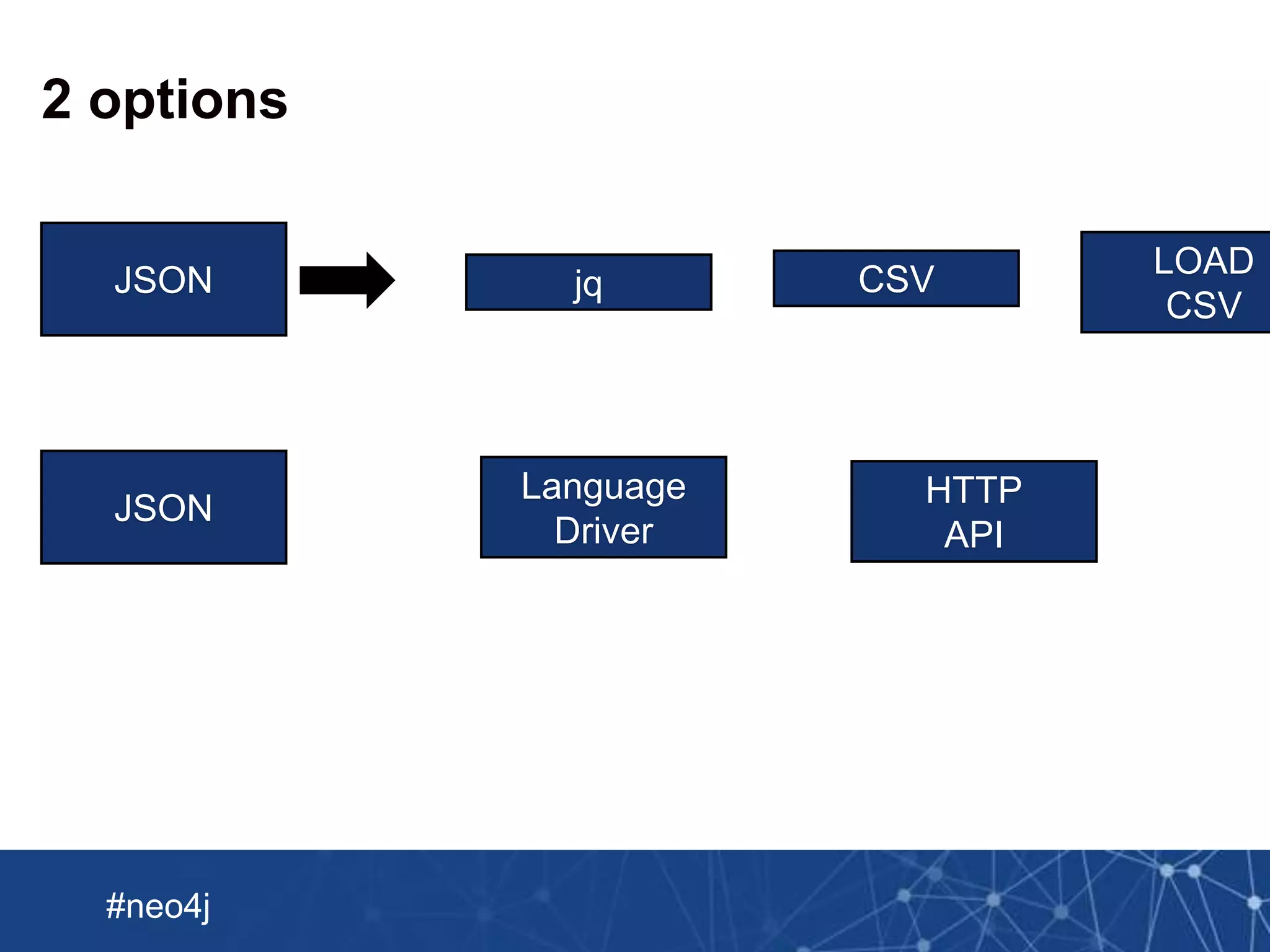
2 options
JSON CSVjq
LOAD
CSV
JSON
Language
Driver
HTTP
API
Neo Technology, Inc Confidential
#neo4j
Using py2neo to load JSON into Neo4j
import json
from py2neo import Graph, authenticate
authenticate("localhost:7474", "neo4j", "foobar")
graph = Graph()
with open('categories.json') as data_file:
json = json.load(data_file)
query = """
WITH {json} AS document
UNWIND document.categories AS category
UNWIND category.sub_categories AS subCategory
MERGE (c:CrimeCategory {name: category.name})
MERGE (sc:SubCategory {code: subCategory.code})
ON CREATE SET sc.description = subCategory.description
MERGE (c)-[:CHILD]->(sc)
"""
print graph.cypher.execute(query, json = json)
Neo Technology, Inc Confidential
#neo4j
Enriching the crime graph
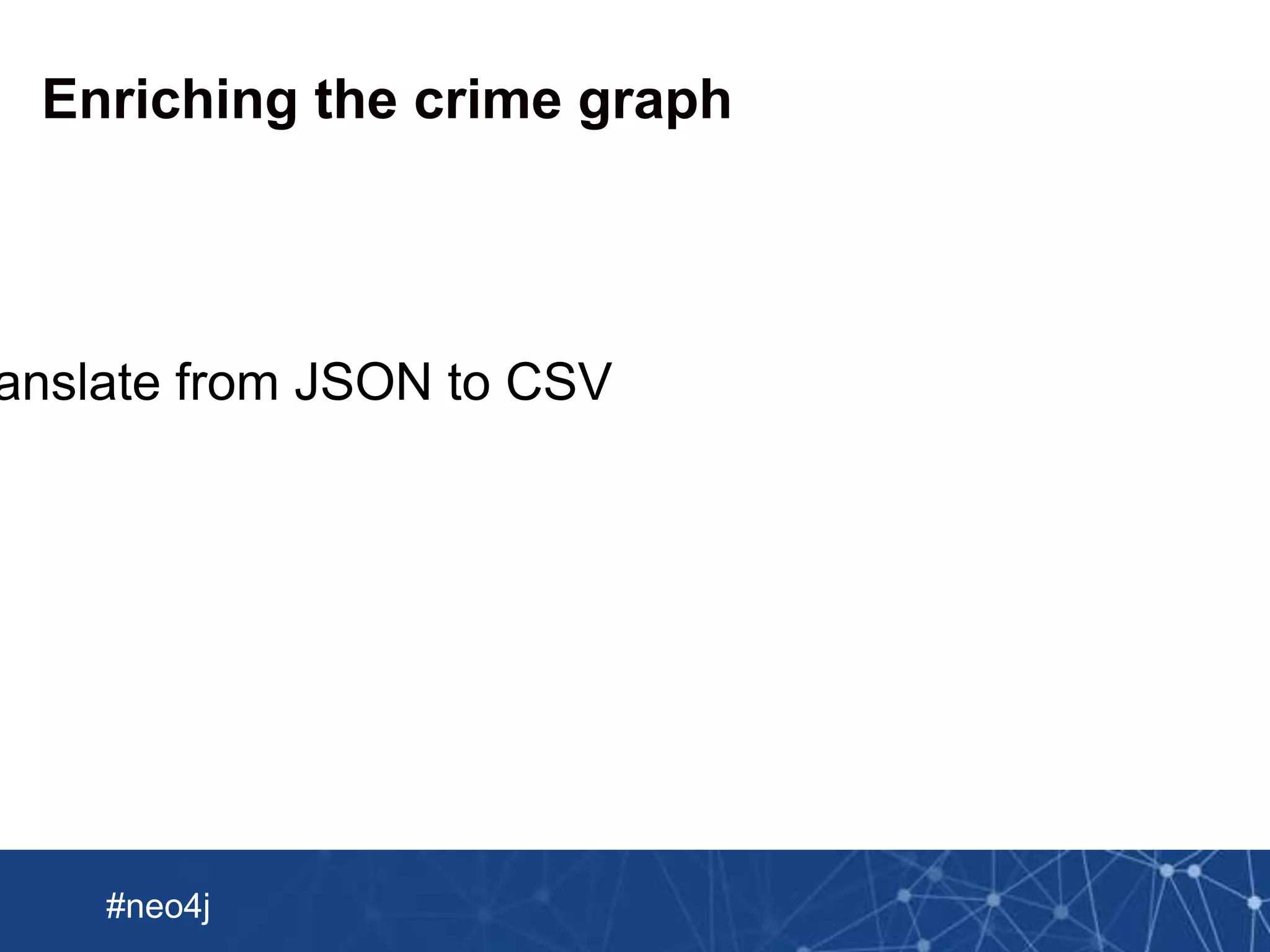
anslate from JSON to CSV
Neo Technology, Inc Confidential
#neo4j
Enriching the crime graph
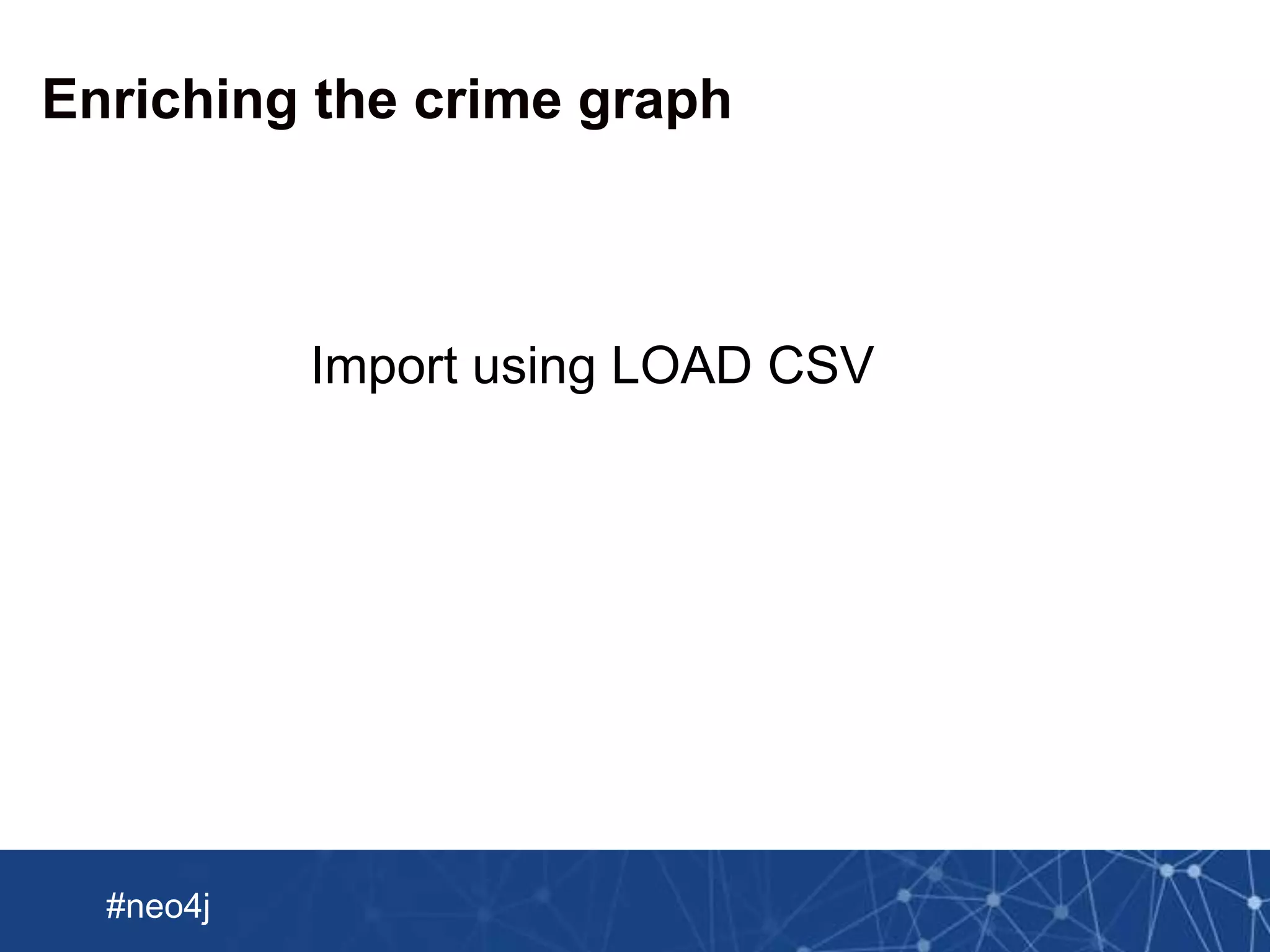
Import using LOAD CSV
Neo Technology, Inc Confidential
#neo4j
Updating the graph
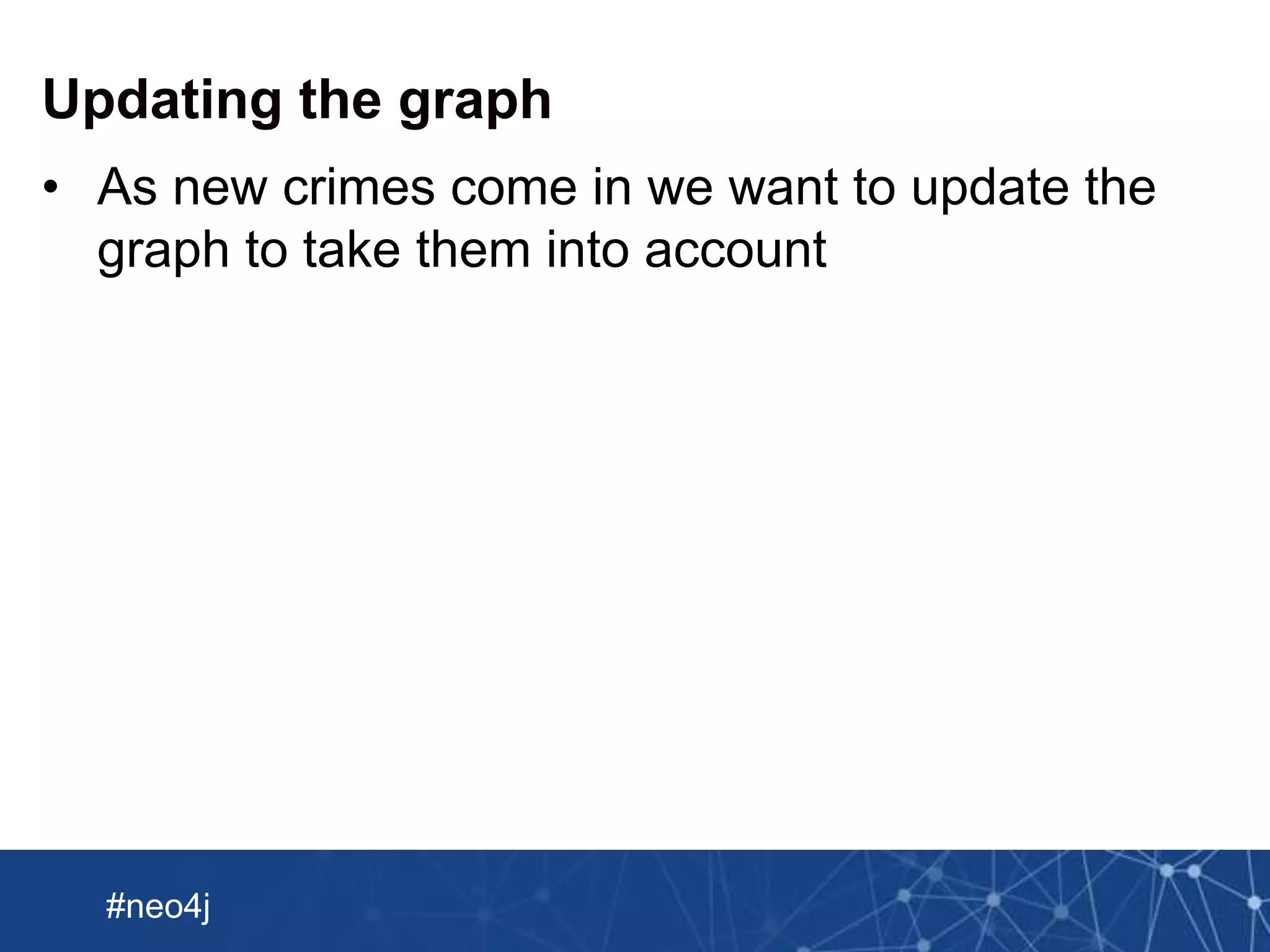
• As new crimes come in we want to update the
graph to take them into account
Neo Technology, Inc Confidential
#neo4j
Updating the graph
• Import this using REST Transactional API
Neo Technology, Inc Confidential
#neo4j
This talk brought to you by…
Neo Technology, Inc Confidential
#neo4j
And that’s it…

Neo4j Import Webinar

  • 1.
    Neo4j Import Webinar MarkNeedham (@markhneedham) 30th July 2015
  • 2.
    Neo Technology, IncConfidential #neo4j Chicago Crime dataset
  • 3.
    Neo Technology, IncConfidential #neo4j Chicago Crime dataset
  • 4.
    Neo Technology, IncConfidential #neo4j Chicago Crime CSV file imported into The goal
  • 5.
    Neo Technology, IncConfidential #neo4j Exploring the data
  • 6.
    Neo Technology, IncConfidential #neo4j Exploring the data LOAD CSV WITH HEADERS FROM "file:///Users/markneedham/projects/neo4j-spark-chicago/Crimes_-_2001_to _present.csv" AS row RETURN row LIMIT 1
  • 7.
    Neo Technology, IncConfidential #neo4j Exploring the data
  • 8.
    Neo Technology, IncConfidential #neo4j Exploring the data
  • 9.
    Neo Technology, IncConfidential #neo4j Sketch a rough initial model
  • 10.
    Neo Technology, IncConfidential #neo4j Import a sample: Crimes LOAD CSV WITH HEADERS FROM "file:///Users/markneedham/projects/neo4j-spark-chicago/Crimes_-_2001_to _present.csv" AS row WITH row LIMIT 100 MERGE (crime:Crime { id: row.ID, description: row.Description, caseNumber: row.`Case Number`, arrest: row.Arrest, domestic: row.Domestic});
  • 11.
    Neo Technology, IncConfidential #neo4j Import a sample: Crimes Show how to do this better by splitting up the attrib utes
  • 12.
    Neo Technology, IncConfidential #neo4j Import a sample: Crime Types LOAD CSV WITH HEADERS FROM "file:///Users/markneedham/projects/neo4j-spark-chicago/Crimes_-_2001_to _present.csv" AS row WITH row LIMIT 100 MERGE (:CrimeType { name: row.`Primary Type`});
  • 13.
    Neo Technology, IncConfidential #neo4j Import a sample: Crimes -> Crime Types LOAD CSV WITH HEADERS FROM "file:///Users/markneedham/projects/neo4j-spark-chicago/Crimes_-_2001_to _present.csv" AS row WITH row LIMIT 100 MATCH (crime:Crime { id: row.ID, description: row.Description}) MATCH (crimeType:CrimeType { name: row.`Primary Type`}) MERGE (crime)-[:TYPE]->(crimeType);
  • 14.
    Neo Technology, IncConfidential #neo4j Add indexes CREATE INDEX ON :Label(property)
  • 15.
    Neo Technology, IncConfidential #neo4j Add indexes CREATE INDEX ON :Label(property) CREATE INDEX ON :Crime(id); CREATE INDEX ON :Location(name); CREATE INDEX ON :CrimeType(name); CREATE INDEX ON :Location(name); ...
  • 16.
    Neo Technology, IncConfidential #neo4j Periodic Commit USING PERIODIC COMMIT LOAD CSV WITH HEADERS FROM file:///Users/markneedham/projects/neo4j-spark-chicago/Crimes_-_2001_to_ present.csv MERGE (crime:Crime { id: row.ID, description: row.Description})
  • 17.
    Neo Technology, IncConfidential #neo4j Periodic Commit • Neo4j keeps all transaction state in memory which becomes problematic for large CSV files • USING PERIODIC COMMIT flushes the transaction after a certain number of rows • Default is 1000 rows but it’s configurable • Currently only works with LOAD CSV
  • 18.
    Neo Technology, IncConfidential #neo4j Avoiding the Eager • Cypher has an Eager operator which will bring forward parts of a query to ensure safety • We don’t want to see this operator when we’re importing data – it will slow things down a lot • Put a diagram of eager => slow (maybe a query plan?)
  • 19.
    Neo Technology, IncConfidential #neo4j LOAD CSV in summary • ETL power tool • Built into Neo4J since version 2.1 • Can load data from any URL • Good for medium size data (up to 10M rows)
  • 20.
    Neo Technology, IncConfidential #neo4j Bulk loading an initial data set • Introducing the Neo4j Import Tool • Find it in the bin folder of your Neo4j download • Used to large sized initial data sets • Skips the transactional layer of Neo4j and writes store files directly
  • 21.
    Neo Technology, IncConfidential #neo4j Expects files in a certain format :ID(Crime) :LABEL description :ID(Beat) :LABEL :START_ID(Crime) :END_ID(Beat) :TYPE Nodes Relationships
  • 22.
    Neo Technology, IncConfidential #neo4j What we have…
  • 23.
    Neo Technology, IncConfidential #neo4j Chicago Crime CSV file Neo4j ready CSV files Translation Phase required Translation Phase
  • 24.
    Neo Technology, IncConfidential #neo4j Chicago Crime CSV file Spark all the things Spark Job processed by spits out Neo4j ready CSV files imported into
  • 25.
    Neo Technology, IncConfidential #neo4j The Spark Job
  • 26.
    Neo Technology, IncConfidential #neo4j The Spark Job
  • 27.
    Neo Technology, IncConfidential #neo4j Submitting the Spark Job ./spark-1.3.0-bin-hadoop1/bin/spark-submit --driver-memory 5g --class GenerateCSVFiles --master local[8] target/scala-2.10/playground_2.10-1.0.jar real 1m25.506s user 8m2.183s sys 0m24.267s
  • 28.
    Neo Technology, IncConfidential #neo4j Submitting the Spark Job ./spark-1.3.0-bin-hadoop1/bin/spark-submit --driver-memory 5g --class GenerateCSVFiles --master local[8] target/scala-2.10/playground_2.10-1.0.jar real 1m25.506s user 8m2.183s sys 0m24.267s
  • 29.
    Neo Technology, IncConfidential #neo4j The generated files $ ls -1 tmp/*.csv tmp/beats.csv tmp/crimeDates.csv tmp/crimes.csv tmp/crimesBeats.csv tmp/crimesDates.csv tmp/crimesLocations.csv tmp/crimesPrimaryTypes.csv tmp/dates.csv tmp/locations.csv tmp/primaryTypes.csv
  • 30.
    Neo Technology, IncConfidential #neo4j Importing into Neo4j DATA=tmp NEO=./neo4j-enterprise-2.2.3 $NEO/bin/neo4j-import --into $DATA/crimes.db --nodes $DATA/crimes.csv --nodes $DATA/beats.csv --nodes $DATA/primaryTypes.csv --nodes $DATA/locations.csv --relationships $DATA/crimesBeats.csv --relationships $DATA/crimesPrimaryTypes.csv --relationships $DATA/crimesLocations.csv --stacktrace IMPORT DONE in 36s 208ms
  • 31.
    Neo Technology, IncConfidential #neo4j Enriching the crime graph
  • 32.
    Neo Technology, IncConfidential #neo4j Enriching the crime graph
  • 33.
    Neo Technology, IncConfidential #neo4j Enriching the crime graph
  • 34.
    Neo Technology, IncConfidential #neo4j 2 options JSON CSVjq LOAD CSV JSON Language Driver HTTP API
  • 35.
    Neo Technology, IncConfidential #neo4j Using py2neo to load JSON into Neo4j import json from py2neo import Graph, authenticate authenticate("localhost:7474", "neo4j", "foobar") graph = Graph() with open('categories.json') as data_file: json = json.load(data_file) query = """ WITH {json} AS document UNWIND document.categories AS category UNWIND category.sub_categories AS subCategory MERGE (c:CrimeCategory {name: category.name}) MERGE (sc:SubCategory {code: subCategory.code}) ON CREATE SET sc.description = subCategory.description MERGE (c)-[:CHILD]->(sc) """ print graph.cypher.execute(query, json = json)
  • 36.
    Neo Technology, IncConfidential #neo4j Enriching the crime graph anslate from JSON to CSV
  • 37.
    Neo Technology, IncConfidential #neo4j Enriching the crime graph Import using LOAD CSV
  • 38.
    Neo Technology, IncConfidential #neo4j Updating the graph • As new crimes come in we want to update the graph to take them into account
  • 39.
    Neo Technology, IncConfidential #neo4j Updating the graph • Import this using REST Transactional API
  • 40.
    Neo Technology, IncConfidential #neo4j This talk brought to you by…
  • 41.
    Neo Technology, IncConfidential #neo4j And that’s it…

Editor's Notes

  • #3 We’re going to look at how we’d go about importing the Chicago Crime open dataset
  • #4 Available as a CSV dump much like a Hadoop or relational database dump with lots of different records on one row
  • #5 The goal is to get this into Neo4j and then make some money from having that data imported
  • #6 Now before we do anything it’s time to do a bit of exploration of the data so we know what we’re dealing with. We could choose to do that using command line tools like grep, awk and so on but we could also use Neo4j’s LOAD CSV command.
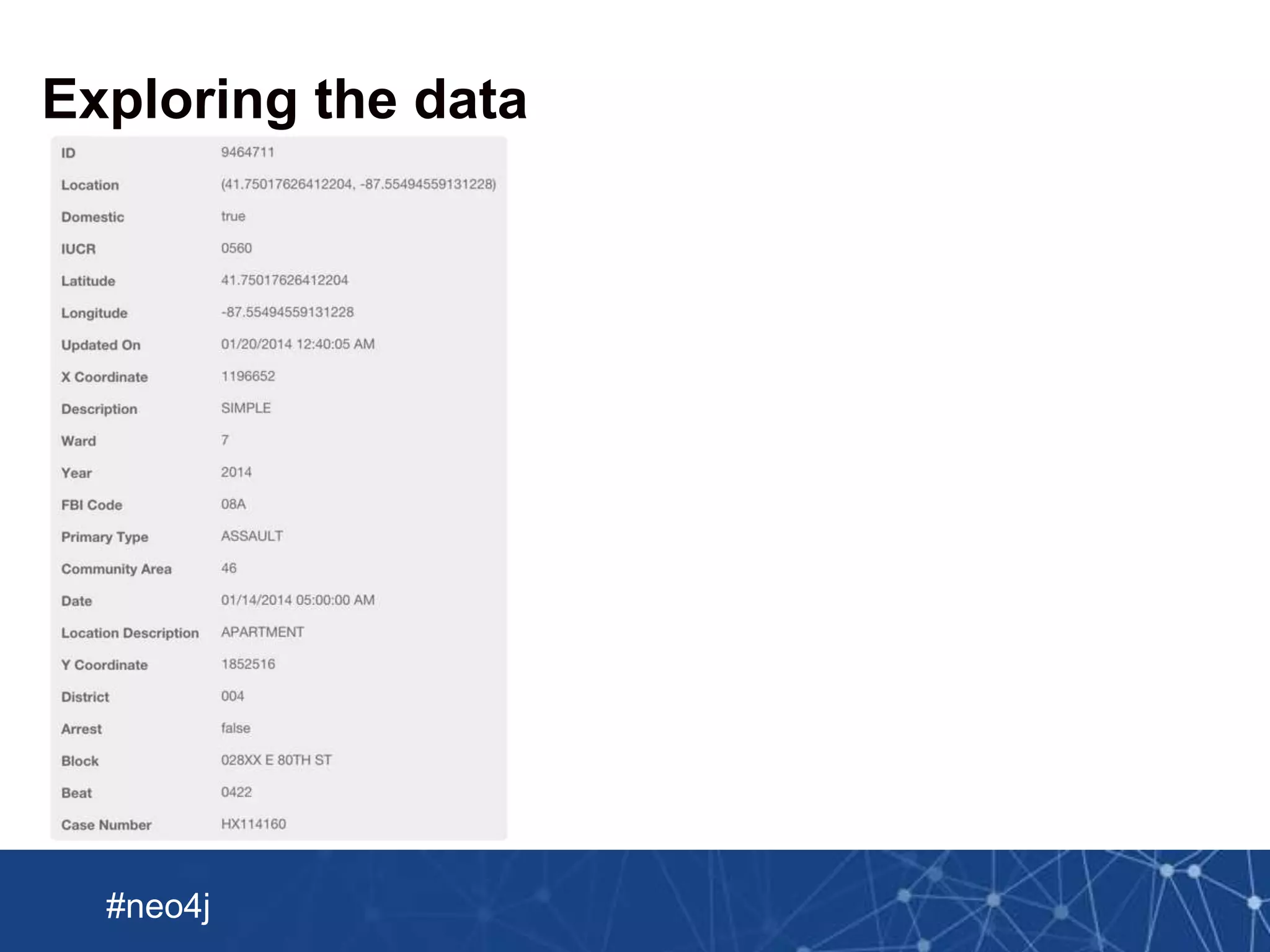
  • #7 Let’s have a look at one row to see what we’ve got in the data set.
  • #8 These are the ones that I’d probably extract to create a graph. The whole record is a ‘crime’ but then we’ve got some other latent entities that we can reify.
  • #9 These are the ones that I’d probably extract to create a graph. The whole record is a ‘crime’ but then we’ve got some other latent entities that we can reify.
  • #10 Available as a CSV dump much like a Hadoop or relational database dump with lots of different records on one row
  • #11 Let’s start by importing 100 rows so that we can iterate really quickly and get a feel for the model that we’ve come up with
  • #12 Let’s start by importing 100 rows so that we can iterate really quickly and get a feel for the model that we’ve come up with
  • #13 Let’s start by importing 100 rows so that we can iterate really quickly and get a feel for the model that we’ve come up with
  • #14 Mention that it’s best to separate your queries so you don’t have to do multiple MERGEs in the same query – it’s fine for playing around but when you need speed, split them up
  • #15 Don’t forget to add indexes or this is going to be incredibly slow
  • #16 For us we might add an index for each of our main types of entity so we can easily look them up later
  • #17 This will flush the transaction every 1000 rows by default.
  • #18 Here’s some more information about periodic commit
  • #19 Here’s some more information about periodic commit
  • #20 Ok so if we’re to summarise LOAD CSV this is what we’ve got
  • #21 This is a new tool introduced in Neo4j 2.2. It’s super fast but doesn’t give you the transactional guarantees of normal Neo4j. Effectively we’re building an offline copy of the database
  • #22 This is the format of the files that the import tool expects
  • #23 This is the format of the files that the import tool expects
  • #24 We need to translate those files to something more suitable
  • #25 We need to translate those files to something more suitable. We could write a program to do that but Spark provides quite a nice API for doing this.
  • #26 This is a new tool introduced in Neo4j 2.2. It’s super fast but doesn’t give you the transactional guarantees of normal Neo4j. Effectively we’re building an offline copy of the database
  • #27 This is a new tool introduced in Neo4j 2.2. It’s super fast but doesn’t give you the transactional guarantees of normal Neo4j. Effectively we’re building an offline copy of the database
  • #28 This is a new tool introduced in Neo4j 2.2. It’s super fast but doesn’t give you the transactional guarantees of normal Neo4j. Effectively we’re building an offline copy of the database
  • #29 This is a new tool introduced in Neo4j 2.2. It’s super fast but doesn’t give you the transactional guarantees of normal Neo4j. Effectively we’re building an offline copy of the database
  • #30 This is a new tool introduced in Neo4j 2.2. It’s super fast but doesn’t give you the transactional guarantees of normal Neo4j. Effectively we’re building an offline copy of the database
  • #31 This is a new tool introduced in Neo4j 2.2. It’s super fast but doesn’t give you the transactional guarantees of normal Neo4j. Effectively we’re building an offline copy of the database
  • #32 We can get the categories from the Chicago Police website and enrich our graph with a little hierarchy of crimes.
  • #33 Now that we’ve got this as JSON we’re going to import it into the graph
  • #34 Now that we’ve got this as JSON we’re going to import it into the graph
  • #35 We can get the categories from the Chicago Police website
  • #36 We can get the categories from the Chicago Police website
  • #37 We can get the categories from the Chicago Police website
  • #38 We can get the categories from the Chicago Police website
  • #39 This is a new tool introduced in Neo4j 2.2. It’s super fast but doesn’t give you the transactional guarantees of normal Neo4j. Effectively we’re building an offline copy of the database
  • #40 This is a new tool introduced in Neo4j 2.2. It’s super fast but doesn’t give you the transactional guarantees of normal Neo4j. Effectively we’re building an offline copy of the database
  • #41 So it probably goes without saying that the Chicago tourism board sponsored this talk
  • #42 This is a new tool introduced in Neo4j 2.2. It’s super fast but doesn’t give you the transactional guarantees of normal Neo4j. Effectively we’re building an offline copy of the database