Namespace
• A namespace defines a declarative region that
provides a way to keep one set of names separate
from another.
• Names declared in one namespace will not conflict
with the same names declared in another.
• The namespace used by the .NET Framework
library (which is the C# library) is System.
• This is why you have included near the top of
every program.
using System;
• Namespaces are important because there has
been an explosion of variable, method,
property, and class names over the past few
years.
• These include library routines, third-party code,
and your own code. Without namespaces, all of
these names would compete for slots in the
global namespace and conflicts would arise.
• For example, if your program defined a class
called Finder, it could conflict with another class
called Finder supplied by a third-party library
that your program uses.
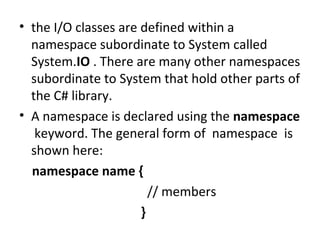
• the I/O classes are defined within a
namespace subordinate to System called
System.IO . There are many other namespaces
subordinate to System that hold other parts of
the C# library.
• A namespace is declared using the namespace
keyword. The general form of namespace is
shown here:
namespace name {
// members
}
namespace Counter
{
class CountDown {
int val;
public CountDown(int n) {
public int Count()
{
if (val > 0) return val--;
else return 0;
} }
}

val = n;

}
class Program
{
static void Main(string[] args)
{ int i;
Counter.CountDown cd1 = new
Counter.CountDown(10);
do
{
i = cd1.Count();
Console.Write(i + " ");
} while (i > 0);
Console.WriteLine(); }
}
• Some important aspects of this program
warrant close examination.
• since CountDown is declared within the
Counter namespace, when an object is
created, CountDown must be qualified with
Counter, as shown here:
• Counter.CountDown cd1 = new
Counter.CountDown(10);
Namespaces Prevent Name Conflicts
namespace Counter
{
class CountDown {
int val;
public CountDown(int n) {
public int Count()
{
if (val > 0) return val--;
else return 0;
} } }

val = n;

}
namespace Counter2 {
class CountDown {
public void Count() {
Console.WriteLine("This is Count() in the " +
"Counter2 namespace.");
}
}
}
class NSDemo2 {
static void Main() {
Counter.CountDown cd1 = new
Counter.CountDown(10);
Counter2.CountDown cd2 = new
Counter2.CountDown();
int i;
do {
i = cd1.Count();
Console.Write(i + " ");
} while(i > 0);
Console.WriteLine();
cd2.Count();
}
}

10 9 8 7 6 5 4 3 2 1 0
This is Count() in the Counter2 namespace.
using
• As you would expect, using can also be
employed to bring namespaces that you
create into view.
• There are two forms of the using directive.
The first is shown here:
using name;
• name specifies the name of the namespace
you want to access. This is the form of using
that you have already seen.
• All of the members defined within the
specified namespace are brought into view
and can be used without qualification.
• A using directive must be specified at the top
of each file, prior to any other declarations, or
at the start of a namespace body.
using Counter;
namespace Counter
{
class CountDown {
int val;
public CountDown(int n) {
public int Count()
{
if (val > 0) return val--;
else return 0;
} } }

val = n;

}
class Program
{
static void Main(string[] args)
{ int i;
CountDown cd1 = new CountDown(10);
do
{
i = cd1.Count();
Console.Write(i + " ");
} while (i > 0);
Console.WriteLine(); }
}
A Second Form of using
• The using directive has a second form that
creates another name, called an alias, for a
type or a namespace. This form is shown here:
using alias = name;
• Alias becomes another name for the type
(such as a class type) or namespace specified
byname.
• Once the alias has been created, it can be
used in place of the original name.
using MyCounter = Counter.CountDown;
namespace Counter
{
class CountDown {
int val;
public CountDown(int n) {
val = n;
public int Count()
{
if (val > 0) return val--;
else return 0;
} } }

}
class Program
{
static void Main(string[] args)
{ int i;
MyCounter cd1 = new MyCounter(10);
do
{
i = cd1.Count();
Console.Write(i + " ");
} while (i > 0);
Console.WriteLine(); }
}
• OnceMyCounter has been specified as
another name for Counter.CountDown, it can
be used to declare objects without any
further namespace qualification.
• For example, in the program, this line
MyCounter cd1 = new MyCounter(10);
• creates a CountDown object.
Namespaces Are Additive
• There can be more than one namespace
declaration of the same name.
• This allows a namespace to be split over
several files or even separated within the
same file.
Namespaces Are Additive

using Counter;
namespace Counter{
class CountDown {
int val;
public CountDown(int n)
public int Count()
{
if (val > 0) return val--;
else return 0;
}
}}

{ val = n; }
namespace Counter
{
class CountDo
{
public void CountDo1()
{
Console.WriteLine("this is second namespace
class");
}
}
}
class Program{ static void Main(string[] args)
{int i;
CountDown cd1 = new CountDown(10);
CountDo cd11 = new CountDo();
cd11.CountDo1();
do {
i = cd1.Count();
Console.Write(i + " ");
} while (i > 0);
Console.WriteLine();
}}
Namespaces Can Be Nested
• One namespace can be nested within another.
using System;
namespace NS1 {
class ClassA {
public ClassA() {
Console.WriteLine("constructing ClassA");
}
}
namespace NS2 { // a nested namespace
class ClassB {
public ClassB() {
Console.WriteLine("constructing ClassB");
}
}
}
}
class NestedNSDemo {
static void Main() {
• NS1.ClassA a = new NS1.ClassA();
• // NS2.ClassB b = new NS2.ClassB(); // Error!!!
NS2 is not in view
•

NS1.NS2.ClassB b = new
NS1.NS2.ClassB(); // this is right
• }
• }
Using the :: Namespace Alias Qualifier
• Although namespaces help prevent name
conflicts, they do not completely eliminate
them.
• One way that a conflict can still occur is when
the same name is declared within two
different namespaces, and you then try to
bring both namespaces into view.
• For example, assume that two different
namespaces contain a class called MyClass.
• If you attempt to bring these two namespaces
into view via using statements, MyClass in
the first namespace will conflict with MyClass
in the second namespace, causing an
ambiguity error.
• In this situation, you can use the :: namespace
alias qualifier to explicitly specify which
namespace is intended.
• The :: operator has this general form:
namespace-alias:: identifier
• Here, namespace-alias is the name of a
namespace alias and identifier is the name of
a member of that namespace.
• The trouble is that both namespaces, Counter
and AnotherCounter, declare a class called
CountDown, and both namespaces have been
brought into view.
• Thus, to which version of CountDown does
the preceding declaration refer? The ::
qualifier was designed to handle these types
of problems.
• To use the :: , you must first define an alias
for the namespace you want to qualify. Then,
simply qualify the ambiguous element with
the alias.
using Counter;
using AnotherCounter;
// Give Counter an alias called Ctr.

using Ctr = Counter;
namespace Counter
{
class CountDown
{
int val;
public CountDown(int n) {
val = n;
} }}
namespace AnotherCounter
{
class CountDown {
int val;
public CountDown(int n) {
val = n;
} }
class AliasQualifierDemo {
static void Main() {
// Here, the :: operator
// tells the compiler to use the CountDown
// that is in the Counter namespace.

Ctr::CountDown cd1 = new Ctr::CountDown(10);
// ...
}}
• The use of the :: qualifier removes the
ambiguity because it specifies that the
CountDown in Ctr (which stands for Counter) is
desired, and the program now compiles.

Namespace

  • 1.
    Namespace • A namespacedefines a declarative region that provides a way to keep one set of names separate from another. • Names declared in one namespace will not conflict with the same names declared in another. • The namespace used by the .NET Framework library (which is the C# library) is System. • This is why you have included near the top of every program. using System;
  • 2.
    • Namespaces areimportant because there has been an explosion of variable, method, property, and class names over the past few years. • These include library routines, third-party code, and your own code. Without namespaces, all of these names would compete for slots in the global namespace and conflicts would arise. • For example, if your program defined a class called Finder, it could conflict with another class called Finder supplied by a third-party library that your program uses.
  • 3.
    • the I/Oclasses are defined within a namespace subordinate to System called System.IO . There are many other namespaces subordinate to System that hold other parts of the C# library. • A namespace is declared using the namespace keyword. The general form of namespace is shown here: namespace name { // members }
  • 4.
    namespace Counter { class CountDown{ int val; public CountDown(int n) { public int Count() { if (val > 0) return val--; else return 0; } } } val = n; }
  • 5.
    class Program { static voidMain(string[] args) { int i; Counter.CountDown cd1 = new Counter.CountDown(10); do { i = cd1.Count(); Console.Write(i + " "); } while (i > 0); Console.WriteLine(); } }
  • 6.
    • Some importantaspects of this program warrant close examination. • since CountDown is declared within the Counter namespace, when an object is created, CountDown must be qualified with Counter, as shown here: • Counter.CountDown cd1 = new Counter.CountDown(10);
  • 7.
    Namespaces Prevent NameConflicts namespace Counter { class CountDown { int val; public CountDown(int n) { public int Count() { if (val > 0) return val--; else return 0; } } } val = n; }
  • 8.
    namespace Counter2 { classCountDown { public void Count() { Console.WriteLine("This is Count() in the " + "Counter2 namespace."); } } }
  • 9.
    class NSDemo2 { staticvoid Main() { Counter.CountDown cd1 = new Counter.CountDown(10); Counter2.CountDown cd2 = new Counter2.CountDown(); int i;
  • 10.
    do { i =cd1.Count(); Console.Write(i + " "); } while(i > 0); Console.WriteLine(); cd2.Count(); } } 10 9 8 7 6 5 4 3 2 1 0 This is Count() in the Counter2 namespace.
  • 11.
    using • As youwould expect, using can also be employed to bring namespaces that you create into view. • There are two forms of the using directive. The first is shown here: using name;
  • 12.
    • name specifiesthe name of the namespace you want to access. This is the form of using that you have already seen. • All of the members defined within the specified namespace are brought into view and can be used without qualification. • A using directive must be specified at the top of each file, prior to any other declarations, or at the start of a namespace body.
  • 13.
    using Counter; namespace Counter { classCountDown { int val; public CountDown(int n) { public int Count() { if (val > 0) return val--; else return 0; } } } val = n; }
  • 14.
    class Program { static voidMain(string[] args) { int i; CountDown cd1 = new CountDown(10); do { i = cd1.Count(); Console.Write(i + " "); } while (i > 0); Console.WriteLine(); } }
  • 15.
    A Second Formof using • The using directive has a second form that creates another name, called an alias, for a type or a namespace. This form is shown here: using alias = name; • Alias becomes another name for the type (such as a class type) or namespace specified byname. • Once the alias has been created, it can be used in place of the original name.
  • 16.
    using MyCounter =Counter.CountDown; namespace Counter { class CountDown { int val; public CountDown(int n) { val = n; public int Count() { if (val > 0) return val--; else return 0; } } } }
  • 17.
    class Program { static voidMain(string[] args) { int i; MyCounter cd1 = new MyCounter(10); do { i = cd1.Count(); Console.Write(i + " "); } while (i > 0); Console.WriteLine(); } }
  • 18.
    • OnceMyCounter hasbeen specified as another name for Counter.CountDown, it can be used to declare objects without any further namespace qualification. • For example, in the program, this line MyCounter cd1 = new MyCounter(10); • creates a CountDown object.
  • 19.
    Namespaces Are Additive •There can be more than one namespace declaration of the same name. • This allows a namespace to be split over several files or even separated within the same file.
  • 20.
    Namespaces Are Additive usingCounter; namespace Counter{ class CountDown { int val; public CountDown(int n) public int Count() { if (val > 0) return val--; else return 0; } }} { val = n; }
  • 21.
    namespace Counter { class CountDo { publicvoid CountDo1() { Console.WriteLine("this is second namespace class"); } } }
  • 22.
    class Program{ staticvoid Main(string[] args) {int i; CountDown cd1 = new CountDown(10); CountDo cd11 = new CountDo(); cd11.CountDo1(); do { i = cd1.Count(); Console.Write(i + " "); } while (i > 0); Console.WriteLine(); }}
  • 24.
    Namespaces Can BeNested • One namespace can be nested within another. using System; namespace NS1 { class ClassA { public ClassA() { Console.WriteLine("constructing ClassA"); } }
  • 25.
    namespace NS2 {// a nested namespace class ClassB { public ClassB() { Console.WriteLine("constructing ClassB"); } } } } class NestedNSDemo { static void Main() {
  • 26.
    • NS1.ClassA a= new NS1.ClassA(); • // NS2.ClassB b = new NS2.ClassB(); // Error!!! NS2 is not in view • NS1.NS2.ClassB b = new NS1.NS2.ClassB(); // this is right • } • }
  • 28.
    Using the ::Namespace Alias Qualifier • Although namespaces help prevent name conflicts, they do not completely eliminate them. • One way that a conflict can still occur is when the same name is declared within two different namespaces, and you then try to bring both namespaces into view. • For example, assume that two different namespaces contain a class called MyClass.
  • 29.
    • If youattempt to bring these two namespaces into view via using statements, MyClass in the first namespace will conflict with MyClass in the second namespace, causing an ambiguity error. • In this situation, you can use the :: namespace alias qualifier to explicitly specify which namespace is intended.
  • 30.
    • The ::operator has this general form: namespace-alias:: identifier • Here, namespace-alias is the name of a namespace alias and identifier is the name of a member of that namespace. • The trouble is that both namespaces, Counter and AnotherCounter, declare a class called CountDown, and both namespaces have been brought into view.
  • 31.
    • Thus, towhich version of CountDown does the preceding declaration refer? The :: qualifier was designed to handle these types of problems. • To use the :: , you must first define an alias for the namespace you want to qualify. Then, simply qualify the ambiguous element with the alias.
  • 32.
    using Counter; using AnotherCounter; //Give Counter an alias called Ctr. using Ctr = Counter; namespace Counter { class CountDown { int val;
  • 33.
    public CountDown(int n){ val = n; } }} namespace AnotherCounter { class CountDown { int val; public CountDown(int n) { val = n; } }
  • 34.
    class AliasQualifierDemo { staticvoid Main() { // Here, the :: operator // tells the compiler to use the CountDown // that is in the Counter namespace. Ctr::CountDown cd1 = new Ctr::CountDown(10); // ... }} • The use of the :: qualifier removes the ambiguity because it specifies that the CountDown in Ctr (which stands for Counter) is desired, and the program now compiles.