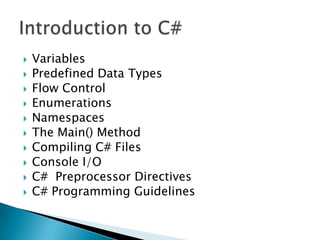
   Variables
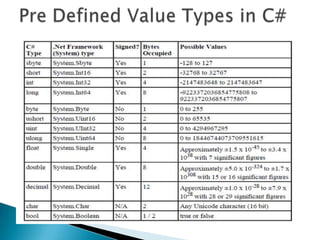
   Predefined Data Types
   Flow Control
   Enumerations
   Namespaces
   The Main() Method
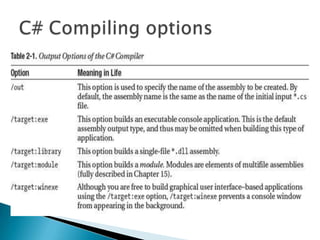
   Compiling C# Files
   Console I/O
   C# Preprocessor Directives
   C# Programming Guidelines
   Syntax for Declaring a variable
      [access-specifier] datatype variable_name;
      Ex: int a;


   Initialization of Variables
      Global variables has default values
      Local variable must be explicitly initialized before use
       it.
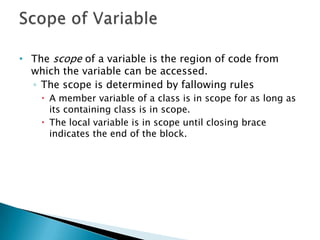
• The scope of a variable is the region of code from
  which the variable can be accessed.
  ◦ The scope is determined by fallowing rules
     A member variable of a class is in scope for as long as
      its containing class is in scope.
     The local variable is in scope until closing brace
      indicates the end of the block.
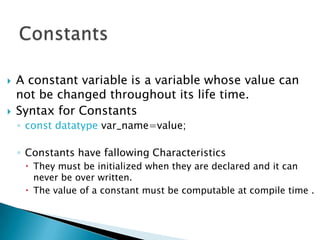
   A constant variable is a variable whose value can
    not be changed throughout its life time.
   Syntax for Constants
    ◦ const datatype var_name=value;

    ◦ Constants have fallowing Characteristics
      They must be initialized when they are declared and it can
       never be over written.
      The value of a constant must be computable at compile time .
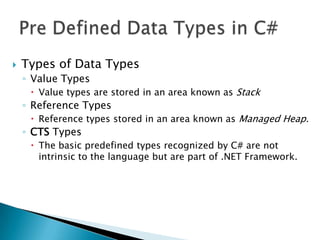
   Types of Data Types
    ◦ Value Types
      Value types are stored in an area known as Stack
    ◦ Reference Types
      Reference types stored in an area known as Managed Heap.
    ◦ CTS Types
      The basic predefined types recognized by C# are not
       intrinsic to the language but are part of .NET Framework.
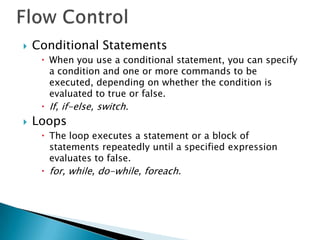
   Conditional Statements
      When you use a conditional statement, you can specify
       a condition and one or more commands to be
       executed, depending on whether the condition is
       evaluated to true or false.
      If, if-else, switch.
   Loops
      The loop executes a statement or a block of
       statements repeatedly until a specified expression
       evaluates to false.
      for, while, do-while, foreach.
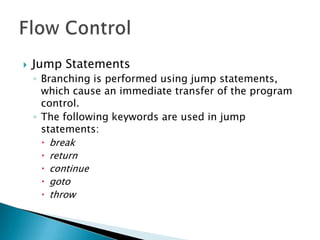
   Jump Statements
    ◦ Branching is performed using jump statements,
      which cause an immediate transfer of the program
      control.
    ◦ The following keywords are used in jump
      statements:
       break
       return
       continue
       goto
       throw
   An enumeration type (also named an enum) provides an
    efficient way to define a set of named integral constants
    that may be assigned to a variable.
   The enum keyword is used to declare an enumeration, a
    distinct type that consists of a set of named constants
    called the enumerator list.
    ◦ Ex: enum Days { Sunday, Monday, Tuesday, Wednesday, Thursday,
      Friday, Saturday }; //by default Sunday=0…Saturday=6
    ◦ enum Months : byte { Jan, Feb, Mar, Apr, May, Jun, Jul, Aug, Sep,
      Oct, Nov, Dec };
   By default the underlying type of each element in the enum
    is int. You can specify another integral numeric type by
    using a colon, as shown in the previous example.
   By default, the first enumerator has the value 0, and the
    value of each successive enumerator is increased by 1.
   Namespaces provide a way of organizing related
    classes and other types.
   The namespace keyword is used to declare a
    scope. This namespace scope lets you organize
    code and gives you a way to create globally
    unique types.
   Syntax to create namespaces
      namespace namespace_name
       {
       class class_name{…..}
       }
   using Directive
   The using directive has two uses:
    ◦ To allow the use of types in a namespace so that
      you do not have to qualify the use of a type in that
      namespace:
      using System.Text;
    ◦ To create an alias for a namespace or a type. This is
      called a using alias directive.
      using Project = PC.MyCompany.Project;
   The Main method is the entry point of a C#
    console application or windows application
    (Libraries and services do not require a Main
    method as an entry point).
   When the application is started, the Main method
    is the first method that is invoked.
   There can only be one entry point in a C#
    program.
   If you have more than one class that has a Main
    method, you must compile your program with the
    /main compiler option to specify which Main
    method to use as the entry point.
   Main must be static and it should not be
    public.
   Main can either have a void or int return type.
   The Main method can be declared with or
    without a string[] parameter that contains
    command-line arguments.
   The parameter of the Main method is a string
    array that represents the command-line
    arguments.
    ◦ static void Main(string[] args) {….}
   Usually you check for the existence of the
    arguments by testing the Length property.
    ◦ if (args.Length == 0) {//Inform user}
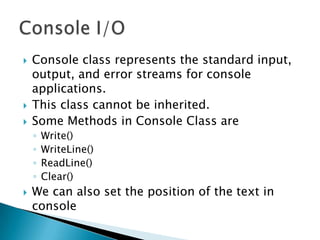
   Console class represents the standard input,
    output, and error streams for console
    applications.
   This class cannot be inherited.
   Some Methods in Console Class are
    ◦   Write()
    ◦   WriteLine()
    ◦   ReadLine()
    ◦   Clear()
   We can also set the position of the text in
    console
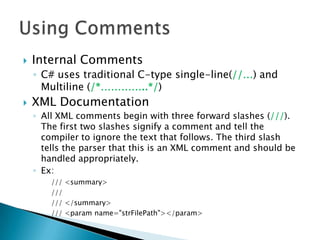
   Internal Comments
    ◦ C# uses traditional C-type single-line(//…) and
      Multiline (/*…………..*/)
   XML Documentation
    ◦ All XML comments begin with three forward slashes (///).
      The first two slashes signify a comment and tell the
      compiler to ignore the text that follows. The third slash
      tells the parser that this is an XML comment and should be
      handled appropriately.
    ◦ Ex:
        /// <summary>
        ///
        /// </summary>
        /// <param name="strFilePath"></param>
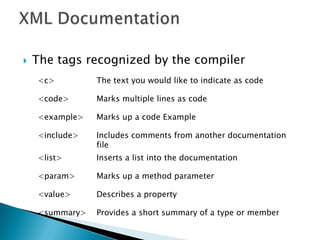
   The tags recognized by the compiler
    <c>         The text you would like to indicate as code

    <code>      Marks multiple lines as code

    <example>   Marks up a code Example

    <include>   Includes comments from another documentation
                file
    <list>      Inserts a list into the documentation

    <param>     Marks up a method parameter

    <value>     Describes a property

    <summary>   Provides a short summary of a type or member
   C# also includes a number of commands that are known as
    preprocessor directives.
   These commands never actually get translated to any
    commands in your executable code, but instead they affect
    aspects of compilation process.
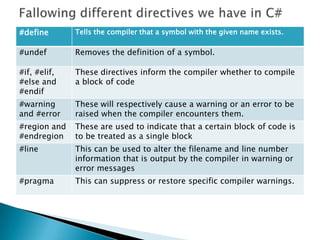
#define       Tells the compiler that a symbol with the given name exists.

#undef        Removes the definition of a symbol.

#if, #elif,   These directives inform the compiler whether to compile
#else and     a block of code
#endif
#warning      These will respectively cause a warning or an error to be
and #error    raised when the compiler encounters them.
#region and   These are used to indicate that a certain block of code is
#endregion    to be treated as a single block
#line         This can be used to alter the filename and line number
              information that is output by the compiler in warning or
              error messages
#pragma       This can suppress or restore specific compiler warnings.
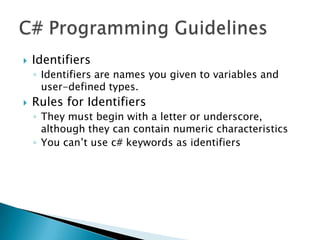
   Identifiers
    ◦ Identifiers are names you given to variables and
      user-defined types.
   Rules for Identifiers
    ◦ They must begin with a letter or underscore,
      although they can contain numeric characteristics
    ◦ You can’t use c# keywords as identifiers

Introduction to C#

  • 2.
    Variables  Predefined Data Types  Flow Control  Enumerations  Namespaces  The Main() Method  Compiling C# Files  Console I/O  C# Preprocessor Directives  C# Programming Guidelines
  • 3.
    Syntax for Declaring a variable  [access-specifier] datatype variable_name;  Ex: int a;  Initialization of Variables  Global variables has default values  Local variable must be explicitly initialized before use it.
  • 4.
    • The scopeof a variable is the region of code from which the variable can be accessed. ◦ The scope is determined by fallowing rules  A member variable of a class is in scope for as long as its containing class is in scope.  The local variable is in scope until closing brace indicates the end of the block.
  • 5.
    A constant variable is a variable whose value can not be changed throughout its life time.  Syntax for Constants ◦ const datatype var_name=value; ◦ Constants have fallowing Characteristics  They must be initialized when they are declared and it can never be over written.  The value of a constant must be computable at compile time .
  • 6.
    Types of Data Types ◦ Value Types  Value types are stored in an area known as Stack ◦ Reference Types  Reference types stored in an area known as Managed Heap. ◦ CTS Types  The basic predefined types recognized by C# are not intrinsic to the language but are part of .NET Framework.
  • 8.
    Conditional Statements  When you use a conditional statement, you can specify a condition and one or more commands to be executed, depending on whether the condition is evaluated to true or false.  If, if-else, switch.  Loops  The loop executes a statement or a block of statements repeatedly until a specified expression evaluates to false.  for, while, do-while, foreach.
  • 9.
    Jump Statements ◦ Branching is performed using jump statements, which cause an immediate transfer of the program control. ◦ The following keywords are used in jump statements:  break  return  continue  goto  throw
  • 10.
    An enumeration type (also named an enum) provides an efficient way to define a set of named integral constants that may be assigned to a variable.  The enum keyword is used to declare an enumeration, a distinct type that consists of a set of named constants called the enumerator list. ◦ Ex: enum Days { Sunday, Monday, Tuesday, Wednesday, Thursday, Friday, Saturday }; //by default Sunday=0…Saturday=6 ◦ enum Months : byte { Jan, Feb, Mar, Apr, May, Jun, Jul, Aug, Sep, Oct, Nov, Dec };  By default the underlying type of each element in the enum is int. You can specify another integral numeric type by using a colon, as shown in the previous example.  By default, the first enumerator has the value 0, and the value of each successive enumerator is increased by 1.
  • 11.
    Namespaces provide a way of organizing related classes and other types.  The namespace keyword is used to declare a scope. This namespace scope lets you organize code and gives you a way to create globally unique types.  Syntax to create namespaces  namespace namespace_name { class class_name{…..} }
  • 12.
    using Directive  The using directive has two uses: ◦ To allow the use of types in a namespace so that you do not have to qualify the use of a type in that namespace:  using System.Text; ◦ To create an alias for a namespace or a type. This is called a using alias directive.  using Project = PC.MyCompany.Project;
  • 13.
    The Main method is the entry point of a C# console application or windows application (Libraries and services do not require a Main method as an entry point).  When the application is started, the Main method is the first method that is invoked.  There can only be one entry point in a C# program.  If you have more than one class that has a Main method, you must compile your program with the /main compiler option to specify which Main method to use as the entry point.
  • 14.
    Main must be static and it should not be public.  Main can either have a void or int return type.  The Main method can be declared with or without a string[] parameter that contains command-line arguments.
  • 15.
    The parameter of the Main method is a string array that represents the command-line arguments. ◦ static void Main(string[] args) {….}  Usually you check for the existence of the arguments by testing the Length property. ◦ if (args.Length == 0) {//Inform user}
  • 17.
    Console class represents the standard input, output, and error streams for console applications.  This class cannot be inherited.  Some Methods in Console Class are ◦ Write() ◦ WriteLine() ◦ ReadLine() ◦ Clear()  We can also set the position of the text in console
  • 18.
    Internal Comments ◦ C# uses traditional C-type single-line(//…) and Multiline (/*…………..*/)  XML Documentation ◦ All XML comments begin with three forward slashes (///). The first two slashes signify a comment and tell the compiler to ignore the text that follows. The third slash tells the parser that this is an XML comment and should be handled appropriately. ◦ Ex: /// <summary> /// /// </summary> /// <param name="strFilePath"></param>
  • 19.
    The tags recognized by the compiler <c> The text you would like to indicate as code <code> Marks multiple lines as code <example> Marks up a code Example <include> Includes comments from another documentation file <list> Inserts a list into the documentation <param> Marks up a method parameter <value> Describes a property <summary> Provides a short summary of a type or member
  • 20.
    C# also includes a number of commands that are known as preprocessor directives.  These commands never actually get translated to any commands in your executable code, but instead they affect aspects of compilation process.
  • 21.
    #define Tells the compiler that a symbol with the given name exists. #undef Removes the definition of a symbol. #if, #elif, These directives inform the compiler whether to compile #else and a block of code #endif #warning These will respectively cause a warning or an error to be and #error raised when the compiler encounters them. #region and These are used to indicate that a certain block of code is #endregion to be treated as a single block #line This can be used to alter the filename and line number information that is output by the compiler in warning or error messages #pragma This can suppress or restore specific compiler warnings.
  • 22.
    Identifiers ◦ Identifiers are names you given to variables and user-defined types.  Rules for Identifiers ◦ They must begin with a letter or underscore, although they can contain numeric characteristics ◦ You can’t use c# keywords as identifiers