Adolfo Nasol

MYSQL CHEAT SHEET - PART 1

http://cavhost.com

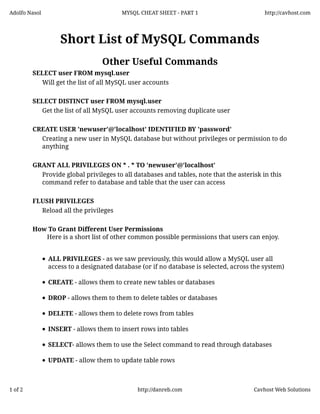
Short List of MySQL Commands
Other Useful Commands
SELECT user FROM mysql.user
Will get the list of all MySQL user accounts
SELECT DISTINCT user FROM mysql.user
Get the list of all MySQL user accounts removing duplicate user
CREATE USER 'newuser'@'localhost' IDENTIFIED BY 'password'
Creating a new user in MySQL database but without privileges or permission to do
anything
GRANT ALL PRIVILEGES ON * . * TO 'newuser'@'localhost'
Provide global privileges to all databases and tables, note that the asterisk in this
command refer to database and table that the user can access
FLUSH PRIVILEGES
Reload all the privileges
How To Grant Different User Permissions
Here is a short list of other common possible permissions that users can enjoy.
ALL PRIVILEGES - as we saw previously, this would allow a MySQL user all
access to a designated database (or if no database is selected, across the system)
CREATE - allows them to create new tables or databases
DROP - allows them to them to delete tables or databases
DELETE - allows them to delete rows from tables
INSERT - allows them to insert rows into tables
SELECT- allows them to use the Select command to read through databases
UPDATE - allow them to update table rows

1 of 2

http://danreb.com

Cavhost Web Solutions
Adolfo Nasol

MYSQL CHEAT SHEET - PART 1

http://cavhost.com

GRANT OPTION - allows them to grant or remove other users' privileges
To provide a specific user with a permission, you can use this framework:
GRANT [type of permission] ON [database name].[table name] TO ‘[username]’@'localhost’;

If you want to give them access to any database or to any table, make sure to put an
asterisk (*) in the place of the database name or table name.
Each time you update or change a permission be sure to use the Flush Privileges
command.
If you need to revoke a permission, the structure is almost identical to granting it:
REVOKE [type of permission] ON [database name].[table name] TO ‘[username]’@‘localhost’;

Just as you can delete databases with DROP, you can use DROP to delete a user
altogether:
DROP USER ‘demo’@‘localhost’;

To test out your new user, log out by typing
quit

and log back in with this command in terminal:
mysql -u [username]-p

2 of 2

http://danreb.com

Cavhost Web Solutions

Mysql cheatsheet - Part 2

  • 1.
    Adolfo Nasol MYSQL CHEATSHEET - PART 1 http://cavhost.com Short List of MySQL Commands Other Useful Commands SELECT user FROM mysql.user Will get the list of all MySQL user accounts SELECT DISTINCT user FROM mysql.user Get the list of all MySQL user accounts removing duplicate user CREATE USER 'newuser'@'localhost' IDENTIFIED BY 'password' Creating a new user in MySQL database but without privileges or permission to do anything GRANT ALL PRIVILEGES ON * . * TO 'newuser'@'localhost' Provide global privileges to all databases and tables, note that the asterisk in this command refer to database and table that the user can access FLUSH PRIVILEGES Reload all the privileges How To Grant Different User Permissions Here is a short list of other common possible permissions that users can enjoy. ALL PRIVILEGES - as we saw previously, this would allow a MySQL user all access to a designated database (or if no database is selected, across the system) CREATE - allows them to create new tables or databases DROP - allows them to them to delete tables or databases DELETE - allows them to delete rows from tables INSERT - allows them to insert rows into tables SELECT- allows them to use the Select command to read through databases UPDATE - allow them to update table rows 1 of 2 http://danreb.com Cavhost Web Solutions
  • 2.
    Adolfo Nasol MYSQL CHEATSHEET - PART 1 http://cavhost.com GRANT OPTION - allows them to grant or remove other users' privileges To provide a specific user with a permission, you can use this framework: GRANT [type of permission] ON [database name].[table name] TO ‘[username]’@'localhost’; If you want to give them access to any database or to any table, make sure to put an asterisk (*) in the place of the database name or table name. Each time you update or change a permission be sure to use the Flush Privileges command. If you need to revoke a permission, the structure is almost identical to granting it: REVOKE [type of permission] ON [database name].[table name] TO ‘[username]’@‘localhost’; Just as you can delete databases with DROP, you can use DROP to delete a user altogether: DROP USER ‘demo’@‘localhost’; To test out your new user, log out by typing quit and log back in with this command in terminal: mysql -u [username]-p 2 of 2 http://danreb.com Cavhost Web Solutions