MySQL JOIN & UNION
Jamshid Hashimi
Trainer, Cresco Solution
http://www.jamshidhashimi.com
jamshid@netlinks.af
@jamshidhashimi
ajamshidhashimi
Afghanistan Workforce
Development Program
Agenda
• Subqueries
• Table Aliases
• Multi-table Joins
• UNION ALL
• UNION Rules
• GROUP BY
Subquery
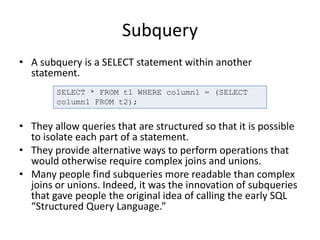
• A subquery is a SELECT statement within another
statement.
• They allow queries that are structured so that it is possible
to isolate each part of a statement.
• They provide alternative ways to perform operations that
would otherwise require complex joins and unions.
• Many people find subqueries more readable than complex
joins or unions. Indeed, it was the innovation of subqueries
that gave people the original idea of calling the early SQL
“Structured Query Language.”
SELECT * FROM t1 WHERE column1 = (SELECT
column1 FROM t2);
Subquery
• A subquery can return a scalar (a single
value), a single row, a single column, or a table
(one or more rows of one or more columns).
• In MySQL, you cannot modify a table and
select from the same table in a subquery. This
applies to statements such as
DELETE, INSERT, REPLACE, UPDATE.
Subquery
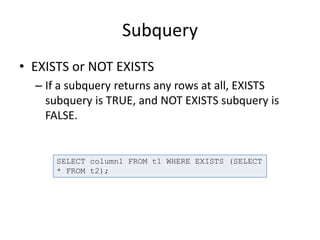
• EXISTS or NOT EXISTS
– If a subquery returns any rows at all, EXISTS
subquery is TRUE, and NOT EXISTS subquery is
FALSE.
SELECT column1 FROM t1 WHERE EXISTS (SELECT
* FROM t2);
Table Aliases
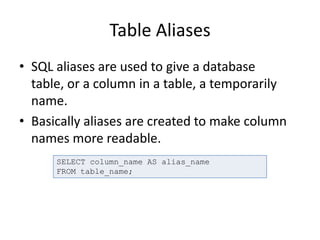
• SQL aliases are used to give a database
table, or a column in a table, a temporarily
name.
• Basically aliases are created to make column
names more readable.
SELECT column_name AS alias_name
FROM table_name;
MySQL JOIN
• “JOIN” is an SQL keyword used to query data
from two or more related tables.
• The act of joining in MySQL refers to smashing
two or more tables into a single table.
INNER JOIN
• The most frequently used clause is INNER
JOIN. This produces a set of records which
match in both the joined tables, i.e. all users
who are enrolled on a course:
SELECT user.name, user.course
FROM user
INNER JOIN course ON course.id=user.course;
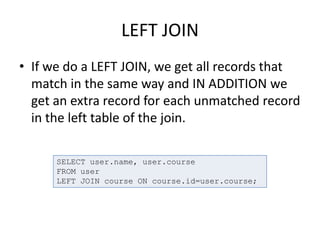
LEFT JOIN
• If we do a LEFT JOIN, we get all records that
match in the same way and IN ADDITION we
get an extra record for each unmatched record
in the left table of the join.
SELECT user.name, user.course
FROM user
LEFT JOIN course ON course.id=user.course;
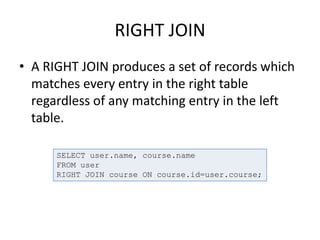
RIGHT JOIN
• A RIGHT JOIN produces a set of records which
matches every entry in the right table
regardless of any matching entry in the left
table.
SELECT user.name, course.name
FROM user
RIGHT JOIN course ON course.id=user.course;
UNION
• You can use UNION if you want to select rows
one after the other from several tables, or
several sets of rows from a single table all as a
single result set.
• Syntax
SELECT ...
UNION [ALL | DISTINCT] SELECT ...
[UNION [ALL | DISTINCT] SELECT ...]
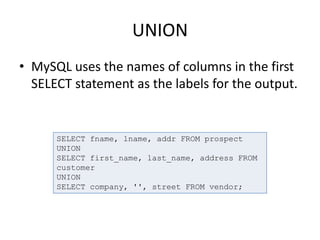
UNION
• MySQL uses the names of columns in the first
SELECT statement as the labels for the output.
SELECT fname, lname, addr FROM prospect
UNION
SELECT first_name, last_name, address FROM
customer
UNION
SELECT company, '', street FROM vendor;
UNION
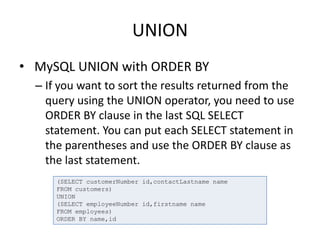
• MySQL UNION with ORDER BY
– If you want to sort the results returned from the
query using the UNION operator, you need to use
ORDER BY clause in the last SQL SELECT
statement. You can put each SELECT statement in
the parentheses and use the ORDER BY clause as
the last statement.
(SELECT customerNumber id,contactLastname name
FROM customers)
UNION
(SELECT employeeNumber id,firstname name
FROM employees)
ORDER BY name,id
UNION Rules
• The number and the order of the columns
must be the same in all queries.
• The data types must be compatible.
• The columns selected in the different SELECT
statements must be in the same order
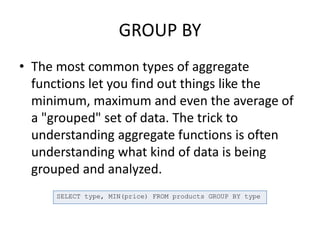
GROUP BY
• The most common types of aggregate
functions let you find out things like the
minimum, maximum and even the average of
a "grouped" set of data. The trick to
understanding aggregate functions is often
understanding what kind of data is being
grouped and analyzed.
SELECT type, MIN(price) FROM products GROUP BY type
GROUP BY
• Group BY is good for retrieving information about
a group of data. If you only had one product of
each type, then GROUP BY would not be all that
useful.
• GROUP BY only shines when you have many
similar things. For example, if you have a number
of products of the same type, and you want to
find out some statistical information like the
minimum, maximum, or other top-level info, you
would use GROUP BY.
QUESTIONS?

MySQL JOIN & UNION

  • 1.
    MySQL JOIN &UNION Jamshid Hashimi Trainer, Cresco Solution http://www.jamshidhashimi.com jamshid@netlinks.af @jamshidhashimi ajamshidhashimi Afghanistan Workforce Development Program
  • 2.
    Agenda • Subqueries • TableAliases • Multi-table Joins • UNION ALL • UNION Rules • GROUP BY
  • 3.
    Subquery • A subqueryis a SELECT statement within another statement. • They allow queries that are structured so that it is possible to isolate each part of a statement. • They provide alternative ways to perform operations that would otherwise require complex joins and unions. • Many people find subqueries more readable than complex joins or unions. Indeed, it was the innovation of subqueries that gave people the original idea of calling the early SQL “Structured Query Language.” SELECT * FROM t1 WHERE column1 = (SELECT column1 FROM t2);
  • 4.
    Subquery • A subquerycan return a scalar (a single value), a single row, a single column, or a table (one or more rows of one or more columns). • In MySQL, you cannot modify a table and select from the same table in a subquery. This applies to statements such as DELETE, INSERT, REPLACE, UPDATE.
  • 5.
    Subquery • EXISTS orNOT EXISTS – If a subquery returns any rows at all, EXISTS subquery is TRUE, and NOT EXISTS subquery is FALSE. SELECT column1 FROM t1 WHERE EXISTS (SELECT * FROM t2);
  • 6.
    Table Aliases • SQLaliases are used to give a database table, or a column in a table, a temporarily name. • Basically aliases are created to make column names more readable. SELECT column_name AS alias_name FROM table_name;
  • 7.
    MySQL JOIN • “JOIN”is an SQL keyword used to query data from two or more related tables. • The act of joining in MySQL refers to smashing two or more tables into a single table.
  • 8.
    INNER JOIN • Themost frequently used clause is INNER JOIN. This produces a set of records which match in both the joined tables, i.e. all users who are enrolled on a course: SELECT user.name, user.course FROM user INNER JOIN course ON course.id=user.course;
  • 9.
    LEFT JOIN • Ifwe do a LEFT JOIN, we get all records that match in the same way and IN ADDITION we get an extra record for each unmatched record in the left table of the join. SELECT user.name, user.course FROM user LEFT JOIN course ON course.id=user.course;
  • 10.
    RIGHT JOIN • ARIGHT JOIN produces a set of records which matches every entry in the right table regardless of any matching entry in the left table. SELECT user.name, course.name FROM user RIGHT JOIN course ON course.id=user.course;
  • 11.
    UNION • You canuse UNION if you want to select rows one after the other from several tables, or several sets of rows from a single table all as a single result set. • Syntax SELECT ... UNION [ALL | DISTINCT] SELECT ... [UNION [ALL | DISTINCT] SELECT ...]
  • 12.
    UNION • MySQL usesthe names of columns in the first SELECT statement as the labels for the output. SELECT fname, lname, addr FROM prospect UNION SELECT first_name, last_name, address FROM customer UNION SELECT company, '', street FROM vendor;
  • 13.
    UNION • MySQL UNIONwith ORDER BY – If you want to sort the results returned from the query using the UNION operator, you need to use ORDER BY clause in the last SQL SELECT statement. You can put each SELECT statement in the parentheses and use the ORDER BY clause as the last statement. (SELECT customerNumber id,contactLastname name FROM customers) UNION (SELECT employeeNumber id,firstname name FROM employees) ORDER BY name,id
  • 14.
    UNION Rules • Thenumber and the order of the columns must be the same in all queries. • The data types must be compatible. • The columns selected in the different SELECT statements must be in the same order
  • 15.
    GROUP BY • Themost common types of aggregate functions let you find out things like the minimum, maximum and even the average of a "grouped" set of data. The trick to understanding aggregate functions is often understanding what kind of data is being grouped and analyzed. SELECT type, MIN(price) FROM products GROUP BY type
  • 16.
    GROUP BY • GroupBY is good for retrieving information about a group of data. If you only had one product of each type, then GROUP BY would not be all that useful. • GROUP BY only shines when you have many similar things. For example, if you have a number of products of the same type, and you want to find out some statistical information like the minimum, maximum, or other top-level info, you would use GROUP BY.
  • 17.