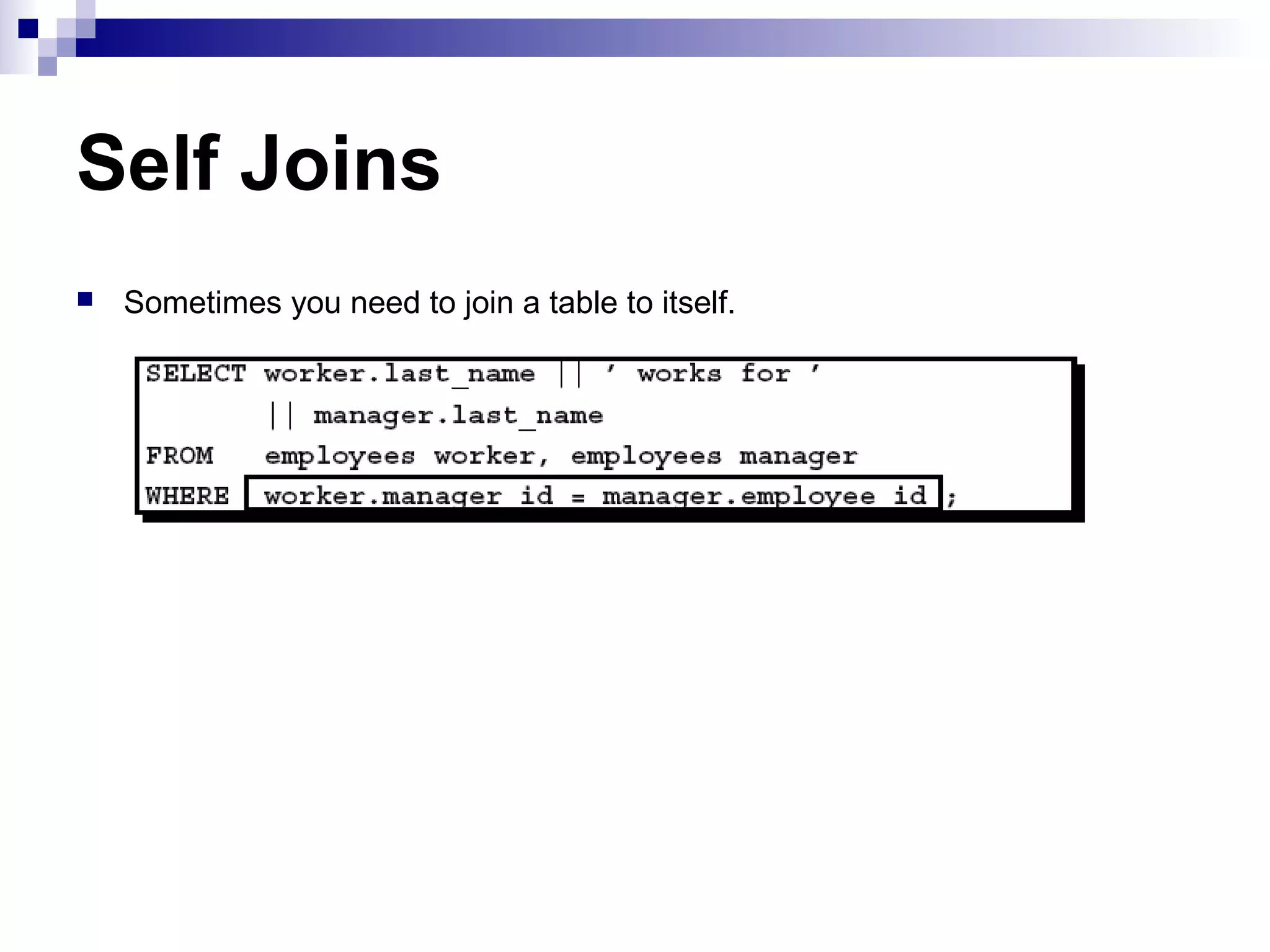
This document discusses different types of joins in SQL, including inner joins, outer joins, cross joins, and natural joins. It provides guidelines for writing join conditions, handling ambiguous column names, and joining more than two tables. The key types of joins covered are equijoins for matching column values, outer joins to also return non-matching rows, and self joins to join a table to itself.
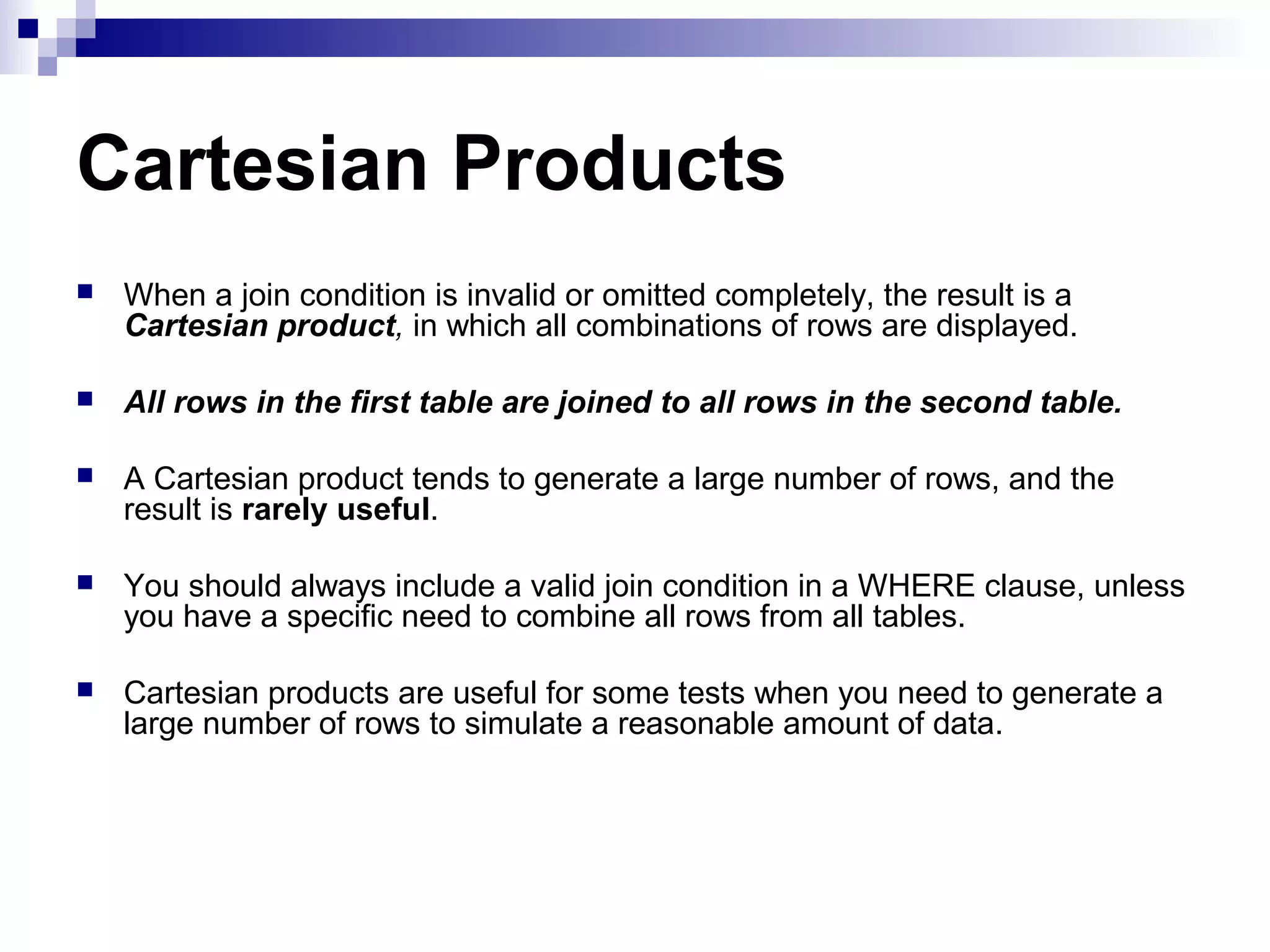
Cartesian Products
When ajoin condition is invalid or omitted completely, the result is a
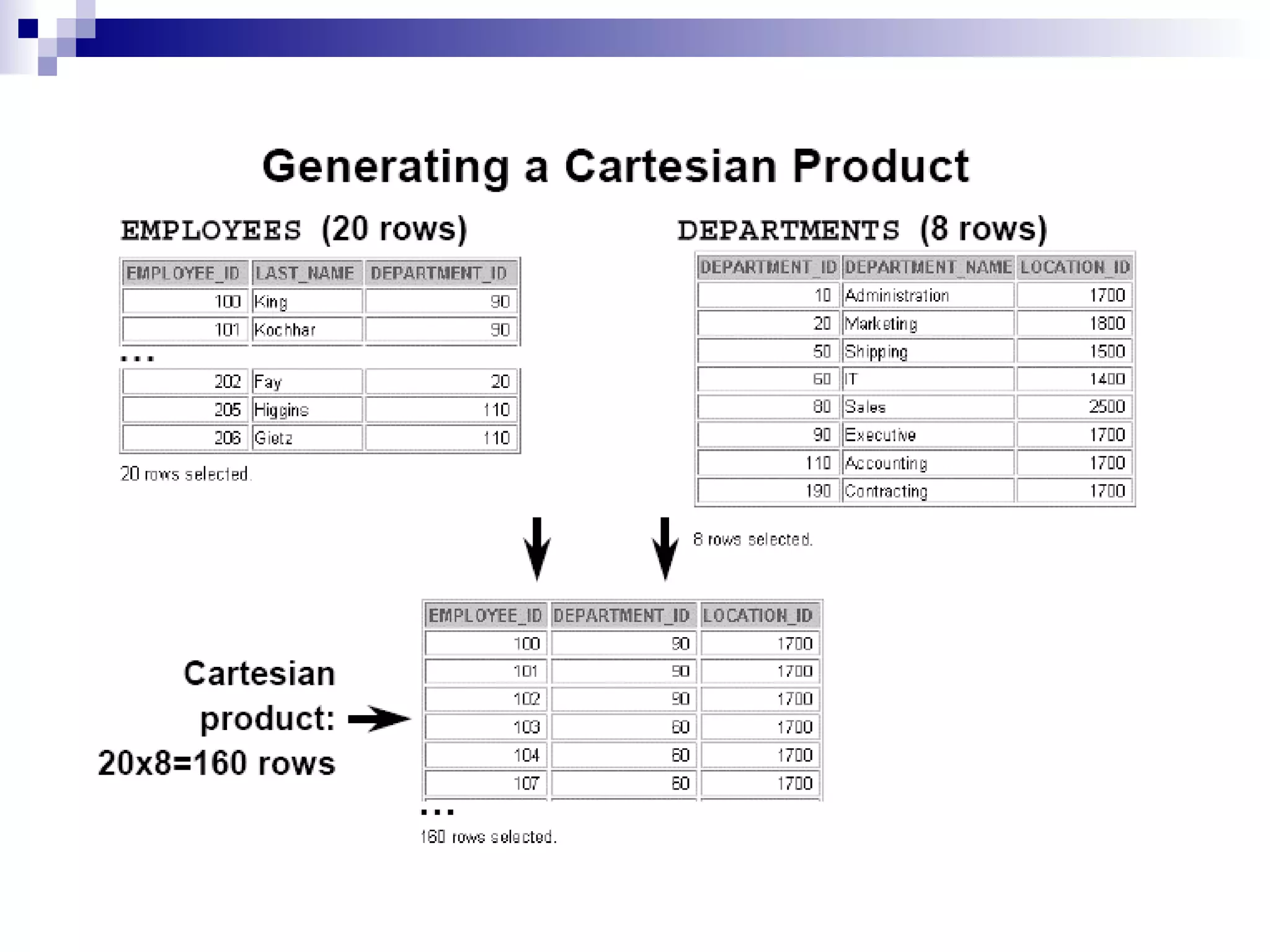
Cartesian product, in which all combinations of rows are displayed.
All rows in the first table are joined to all rows in the second table.
A Cartesian product tends to generate a large number of rows, and the
result is rarely useful.
You should always include a valid join condition in a WHERE clause, unless
you have a specific need to combine all rows from all tables.
Cartesian products are useful for some tests when you need to generate a
large number of rows to simulate a reasonable amount of data.
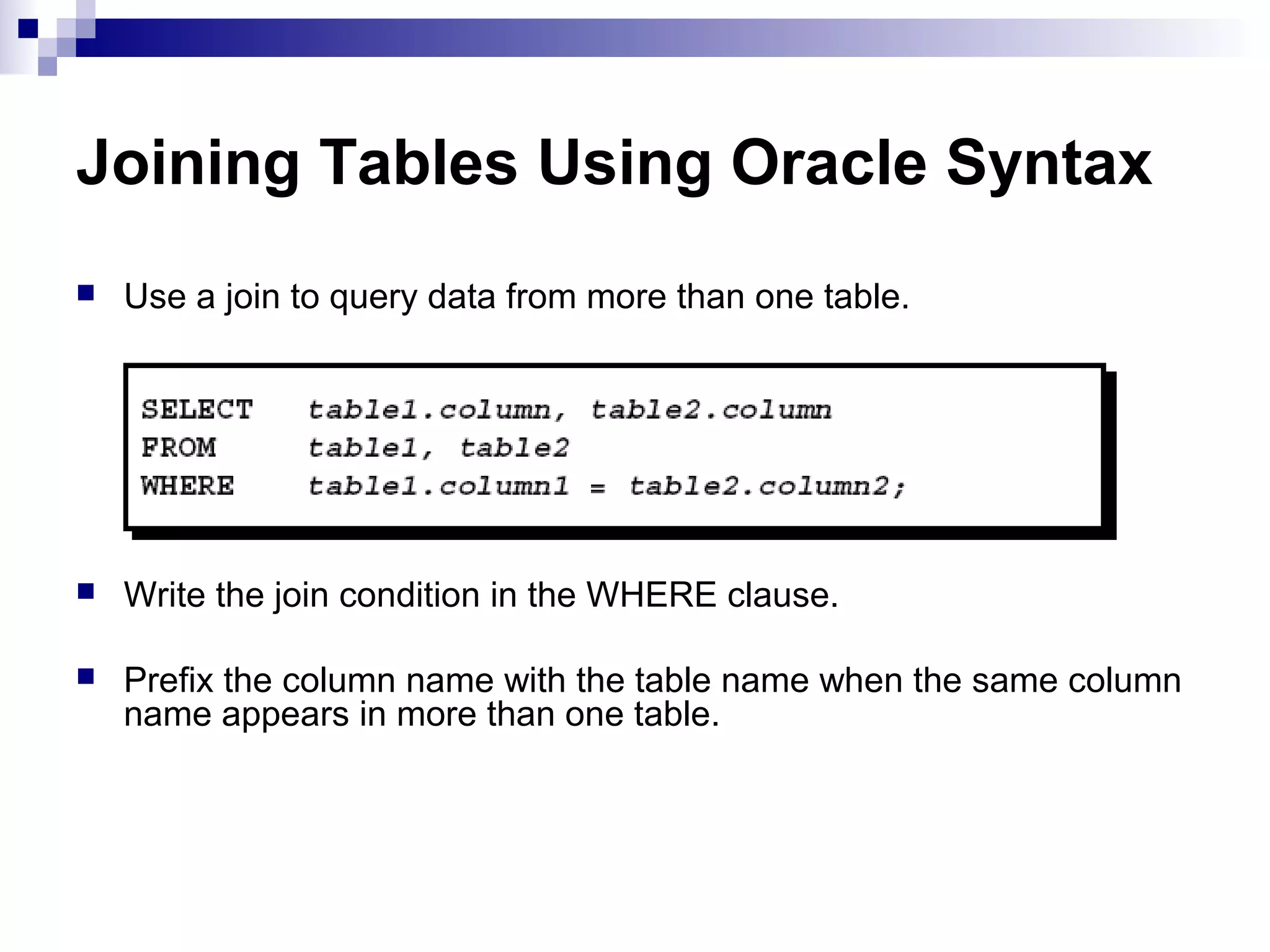
Joining Tables UsingOracle Syntax
Use a join to query data from more than one table.
Write the join condition in the WHERE clause.
Prefix the column name with the table name when the same column
name appears in more than one table.
7.
Defining Joins
Guidelines
When datafrom more than one
table in the database is required, a
join condition is used.
Rows in one table can be joined to
rows in another table according to
common values existing in
corresponding columns, that is,
usually primary and foreign key
columns.
To display data from two or more
related tables, write a simple join
condition in the WHERE clause.
When writing a SELECT statement that
joins tables, precede the column name with
the table name for clarity and to enhance
database access.
If the same column name appears in more
than one table, the column name must be
prefixed with the table name.
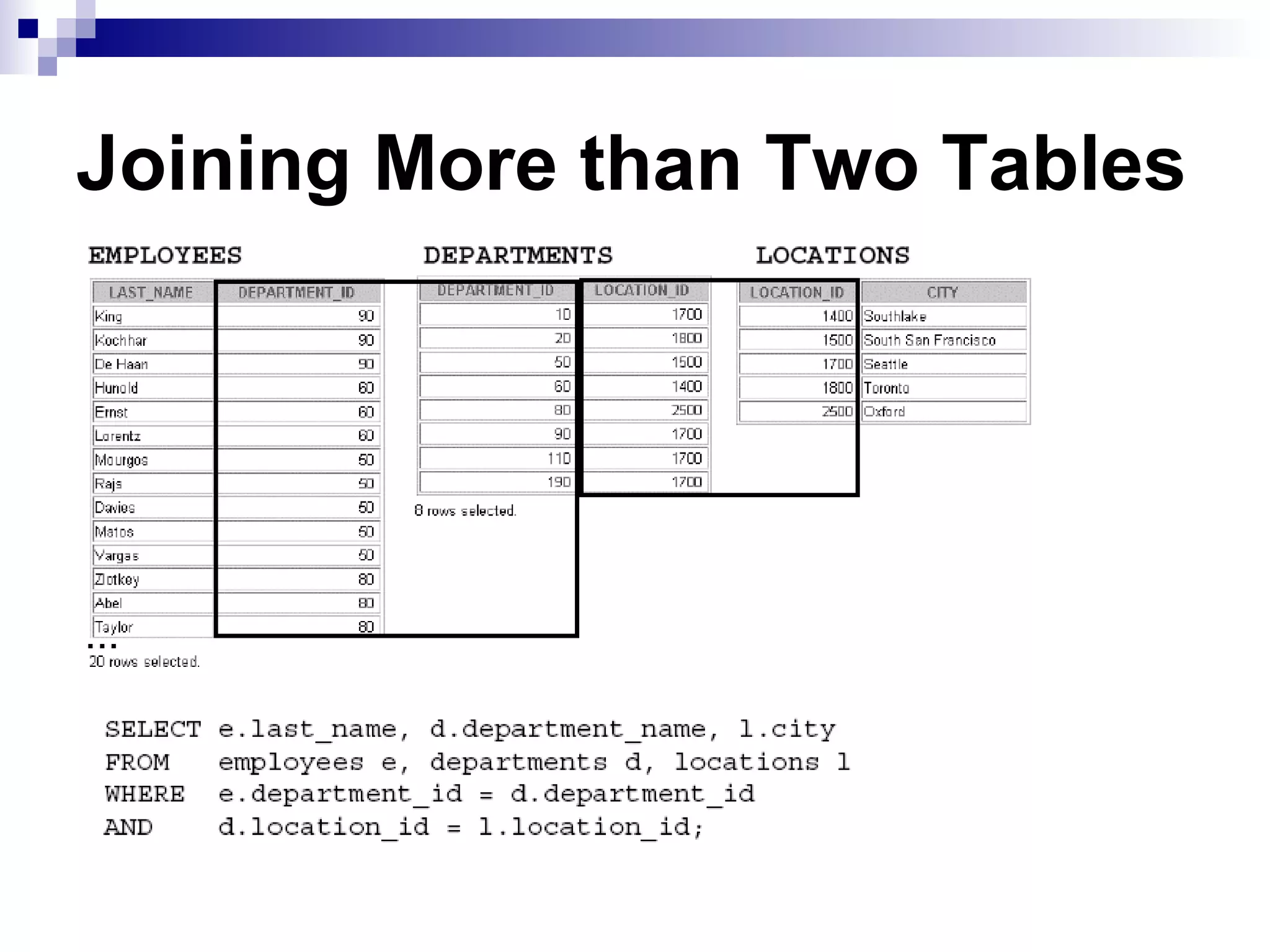
To join n tables together, you need a
minimum of n-1 join conditions.
For example, to join four tables, a minimum
of three joins is required.
This rule may not apply if your table has a
concatenated primary key, in which case
more than one column is required to
uniquely identify each row.
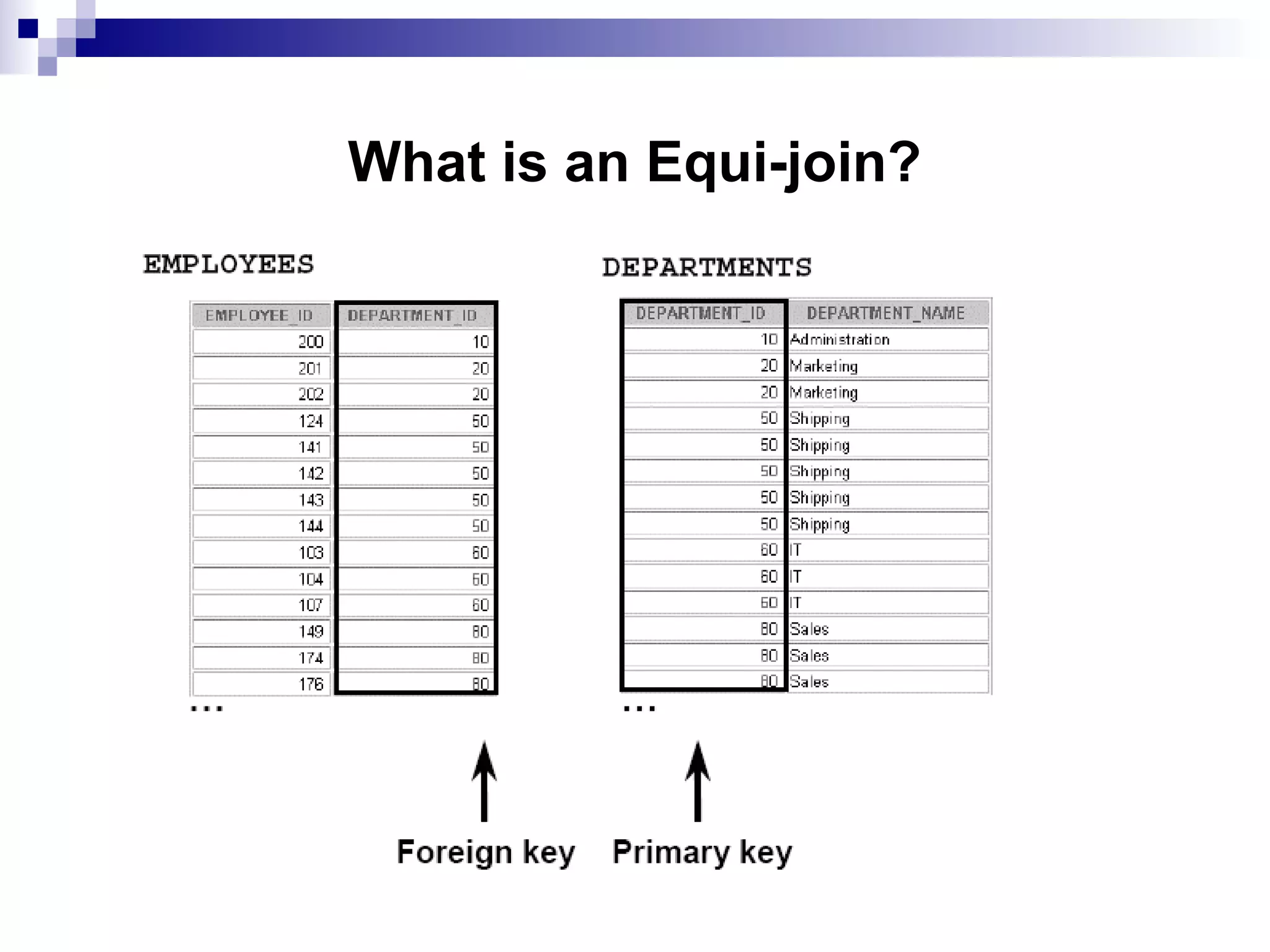
Equijoins
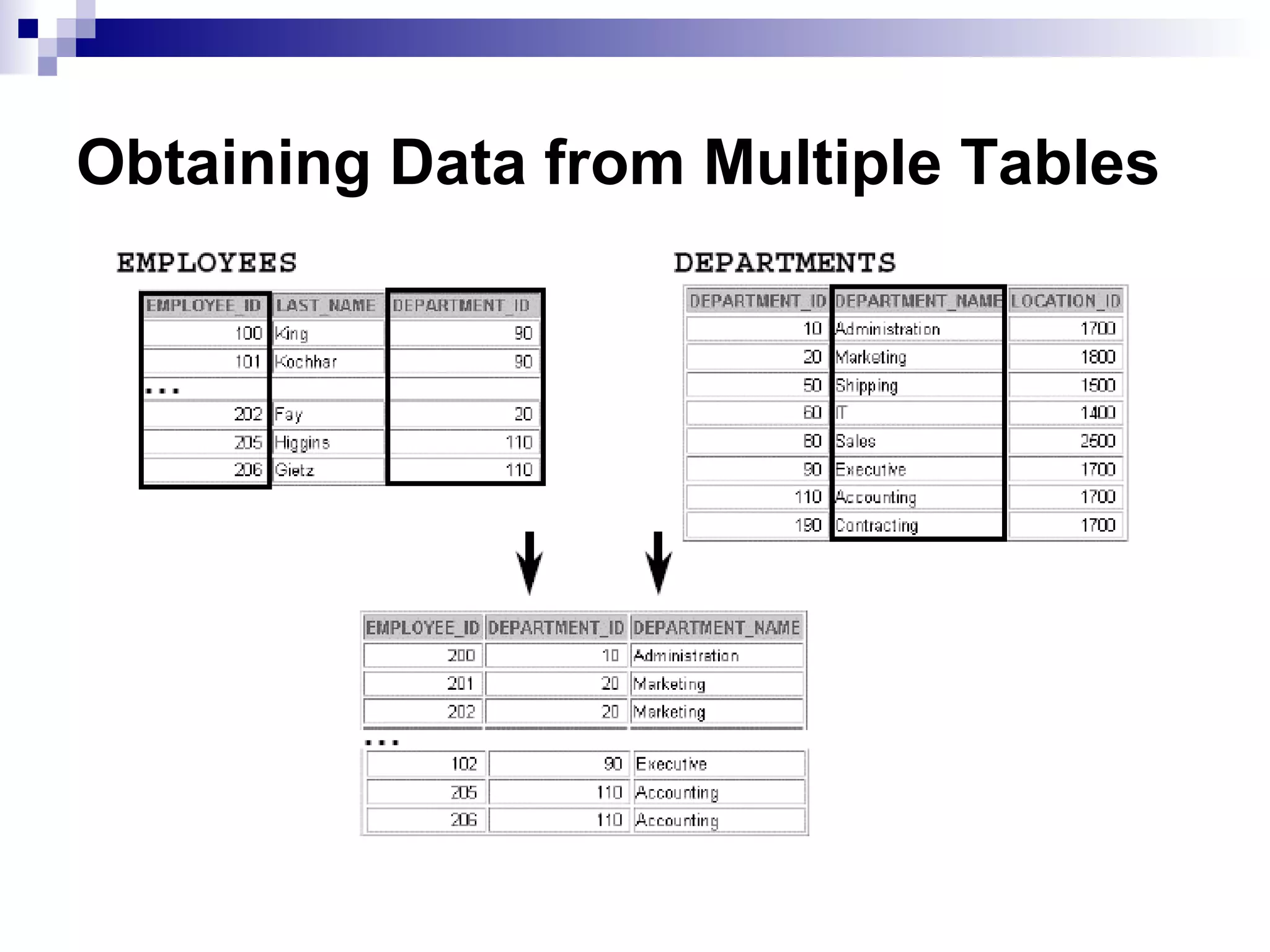
To determine anemployee’s department name, you compare the
value in the DEPARTMENT_ID column in the EMPLOYEES table
with the DEPARTMENT_ID values in the DEPARTMENTS table.
The relationship between the EMPLOYEES and DEPARTMENTS
tables is an equijoin—that is, values in the DEPARTMENT_ID
column on both tables must be equal.
Frequently, this type of join involves primary and foreign key
complements.
Note: Equijoins are also called simple joins or inner joins.
10.
Decision Matrix
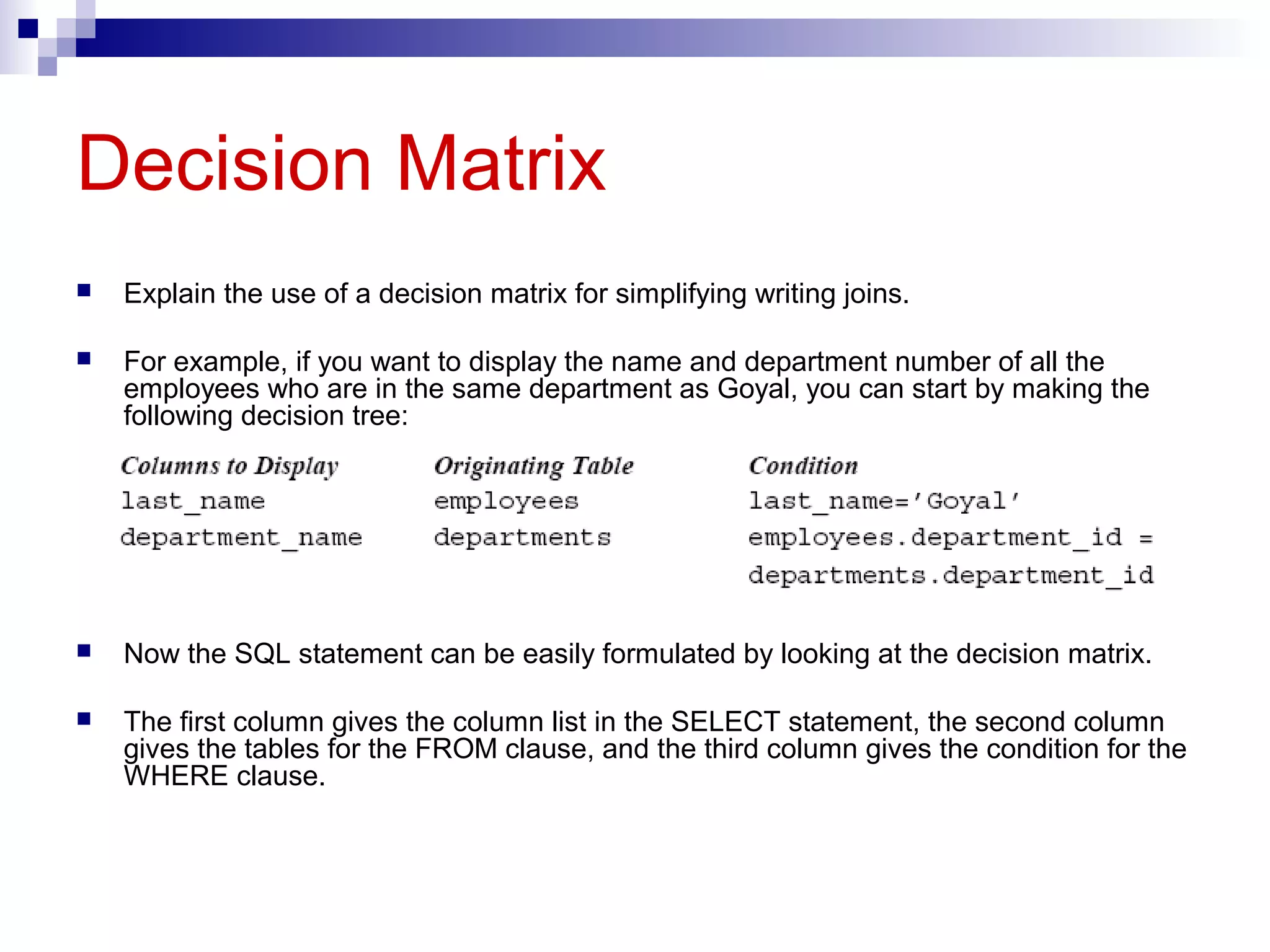
Explain theuse of a decision matrix for simplifying writing joins.
For example, if you want to display the name and department number of all the
employees who are in the same department as Goyal, you can start by making the
following decision tree:
Now the SQL statement can be easily formulated by looking at the decision matrix.
The first column gives the column list in the SELECT statement, the second column
gives the tables for the FROM clause, and the third column gives the condition for the
WHERE clause.
11.
Qualifying Ambiguous ColumnNames
Guidelines
Table aliases can be max. up to 30
characters in length, but shorter is
better.
Use table prefixes to qualify column
names that are in multiple tables.
If a table alias is used for a particular
table name in the FROM clause, then
that table alias must be substituted for
the table name throughout the
SELECT statement.
Table aliases should be meaningful.
The table alias is valid only for the
current SELECT statement.
Distinguish columns that have identical
names but reside in different tables by
using column aliases.
Using Table Aliases
Simplify queries by using table aliases.
Improve performance by using table
prefixes.
Outer Joins Syntax
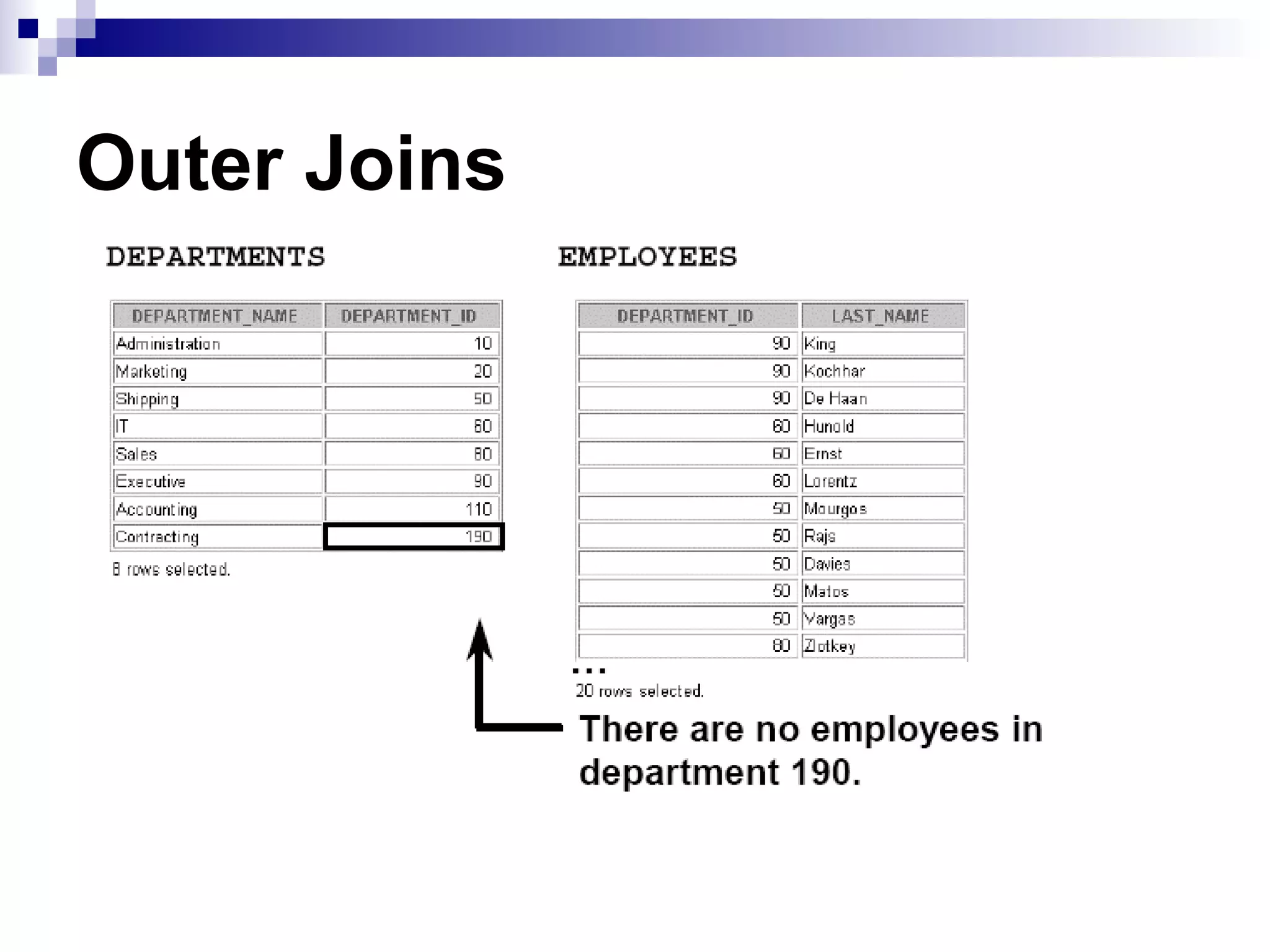
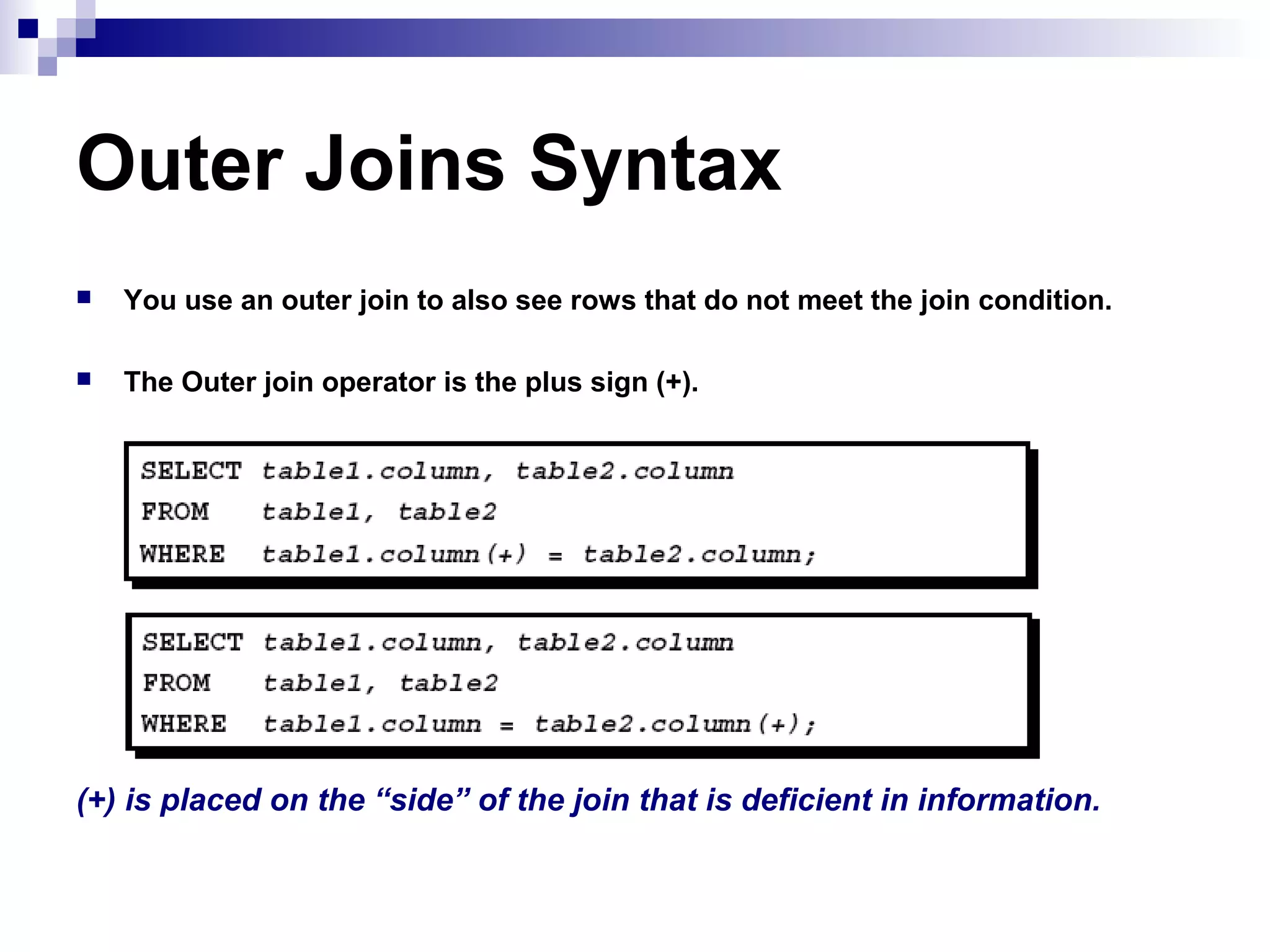
Youuse an outer join to also see rows that do not meet the join condition.
The Outer join operator is the plus sign (+).
(+) is placed on the “side” of the join that is deficient in information.
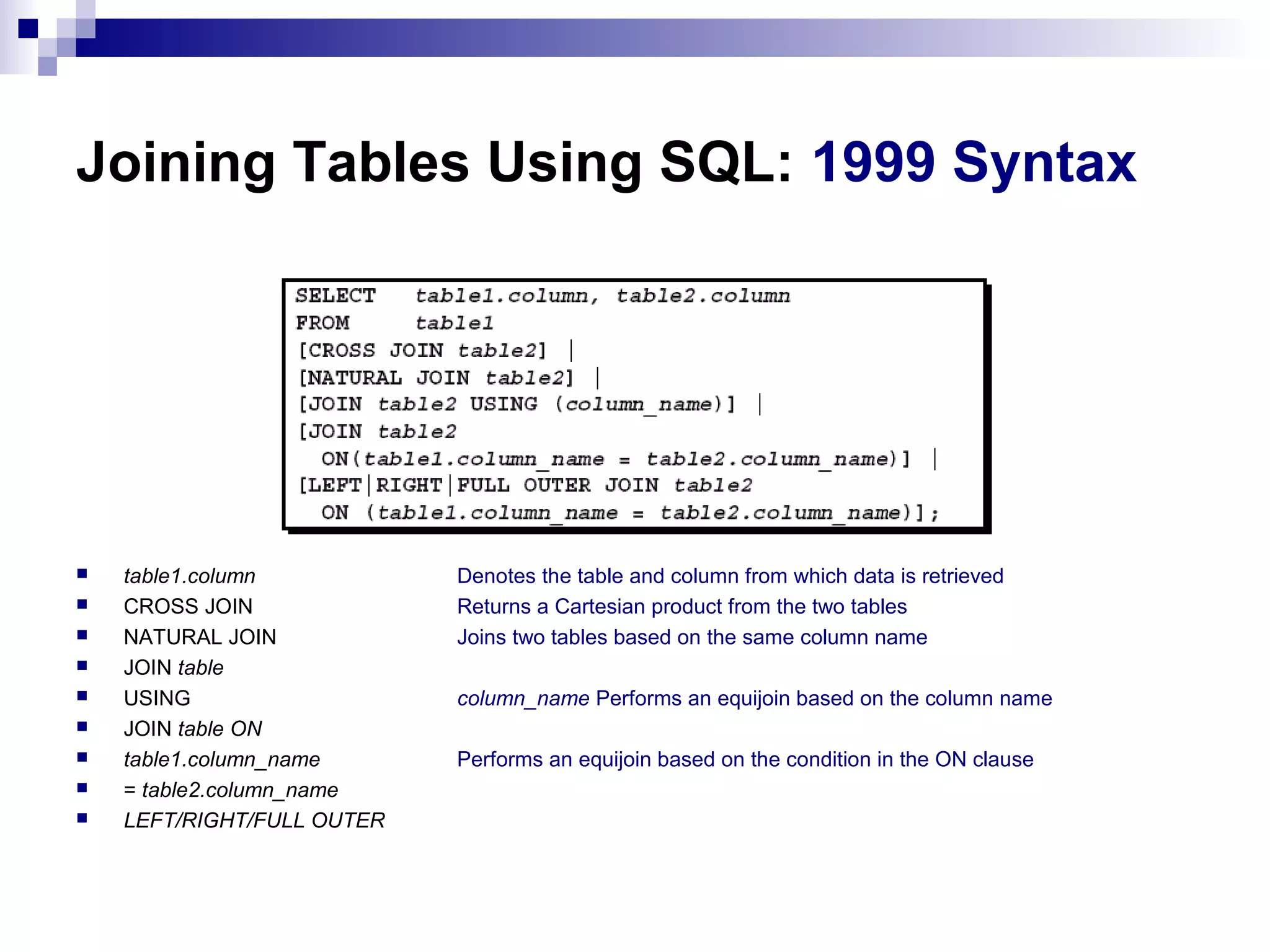
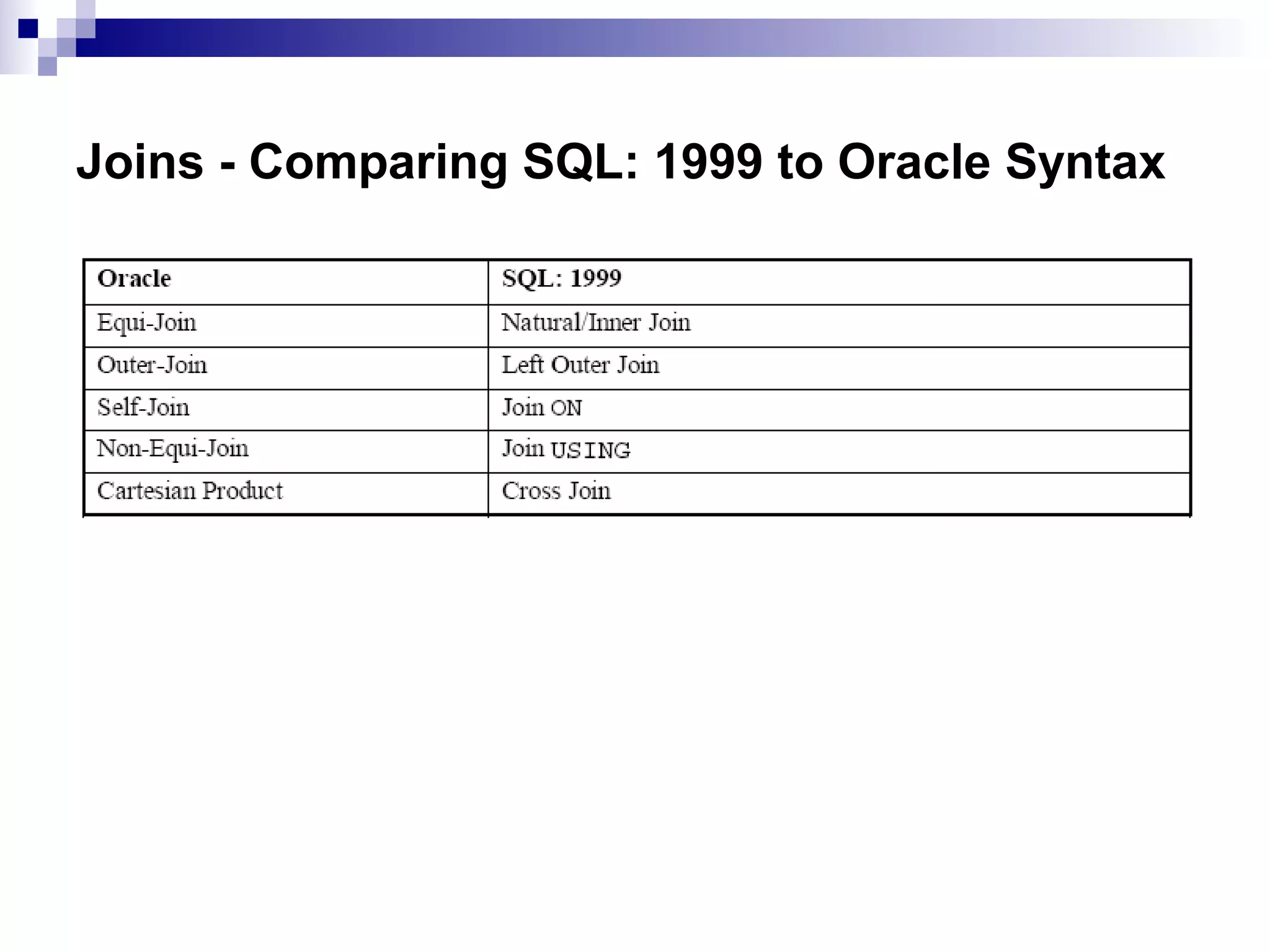
Joining Tables UsingSQL: 1999 Syntax
table1.column
CROSS JOIN
NATURAL JOIN
JOIN table
USING
JOIN table ON
table1.column_name
= table2.column_name
LEFT/RIGHT/FULL OUTER
Denotes the table and column from which data is retrieved
Returns a Cartesian product from the two tables
Joins two tables based on the same column name
column_name Performs an equijoin based on the column name
Performs an equijoin based on the condition in the ON clause
18.
Creating Cross Joins
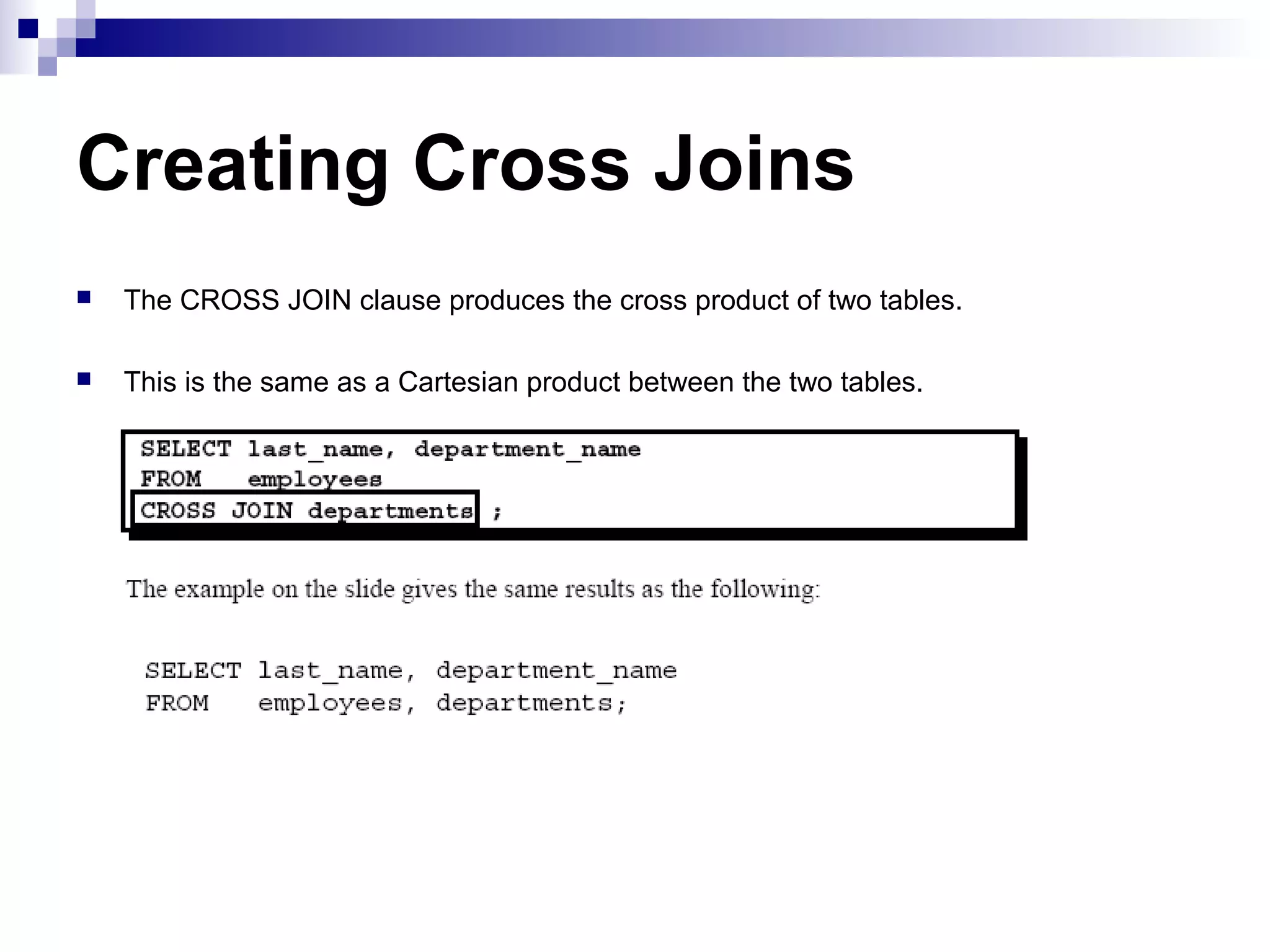
TheCROSS JOIN clause produces the cross product of two tables.
This is the same as a Cartesian product between the two tables.
19.
Creating Natural Joins
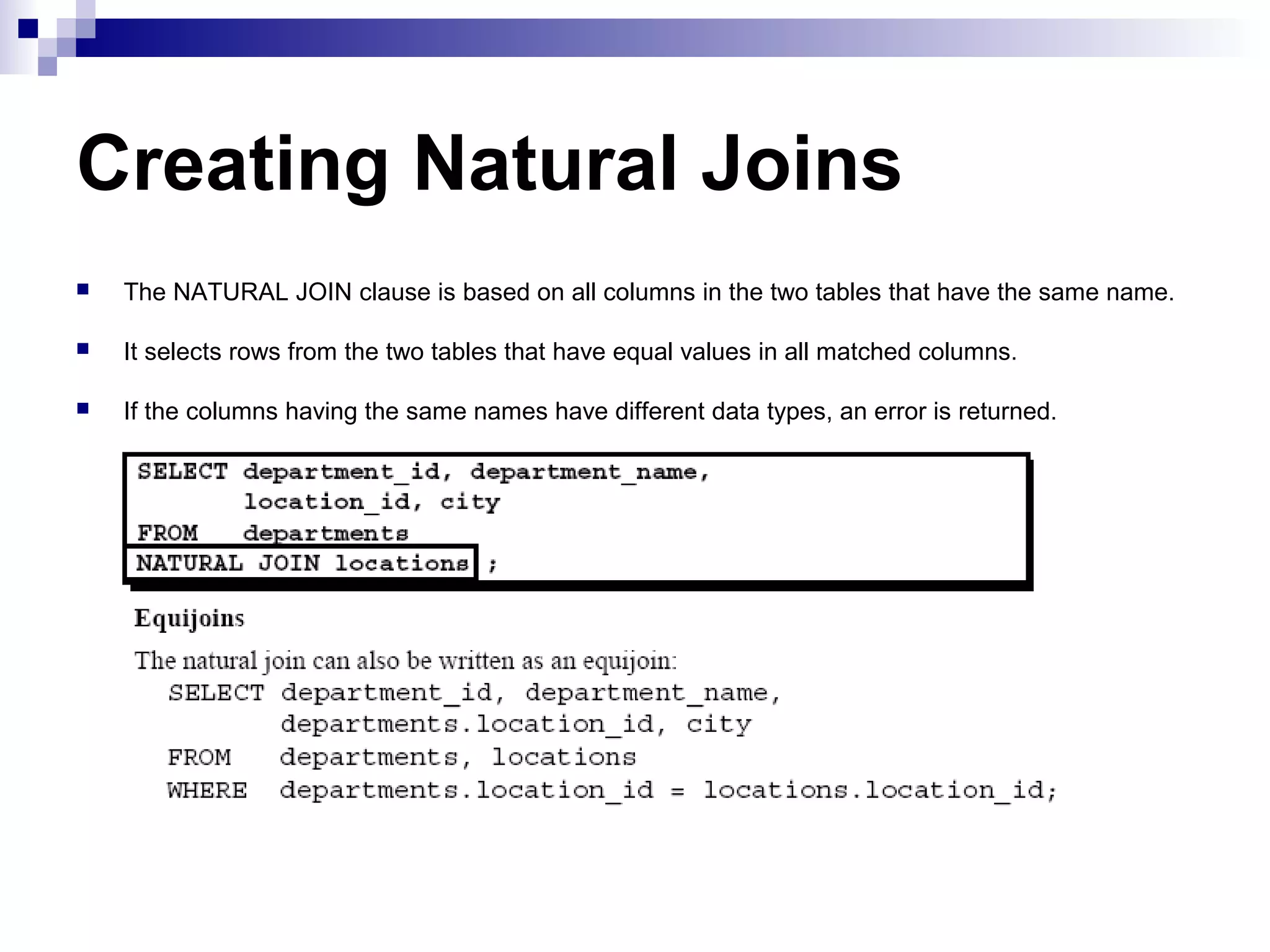
TheNATURAL JOIN clause is based on all columns in the two tables that have the same name.
It selects rows from the two tables that have equal values in all matched columns.
If the columns having the same names have different data types, an error is returned.
20.
Creating Joins withthe USING Clause
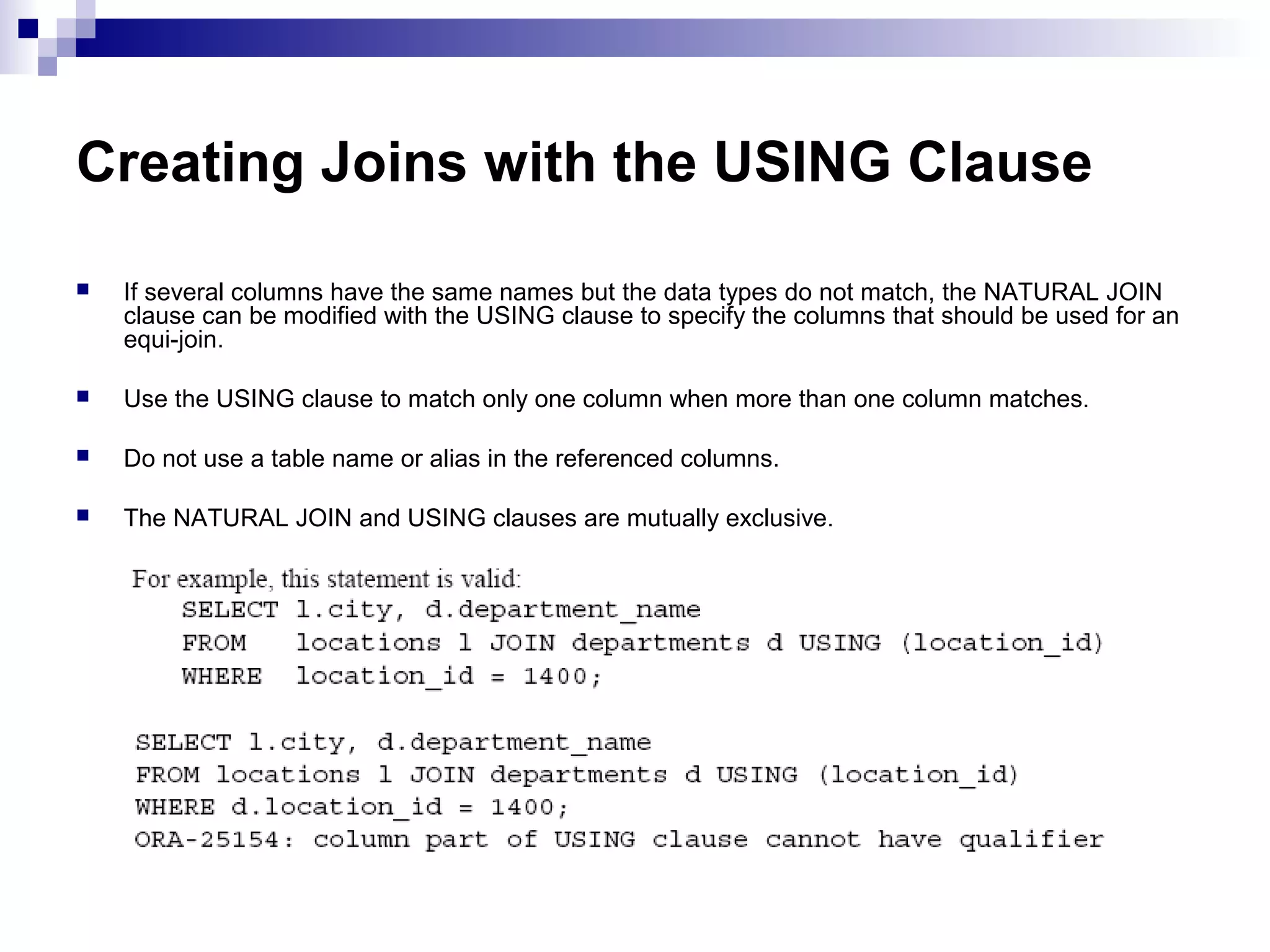
If several columns have the same names but the data types do not match, the NATURAL JOIN
clause can be modified with the USING clause to specify the columns that should be used for an
equi-join.
Use the USING clause to match only one column when more than one column matches.
Do not use a table name or alias in the referenced columns.
The NATURAL JOIN and USING clauses are mutually exclusive.
21.
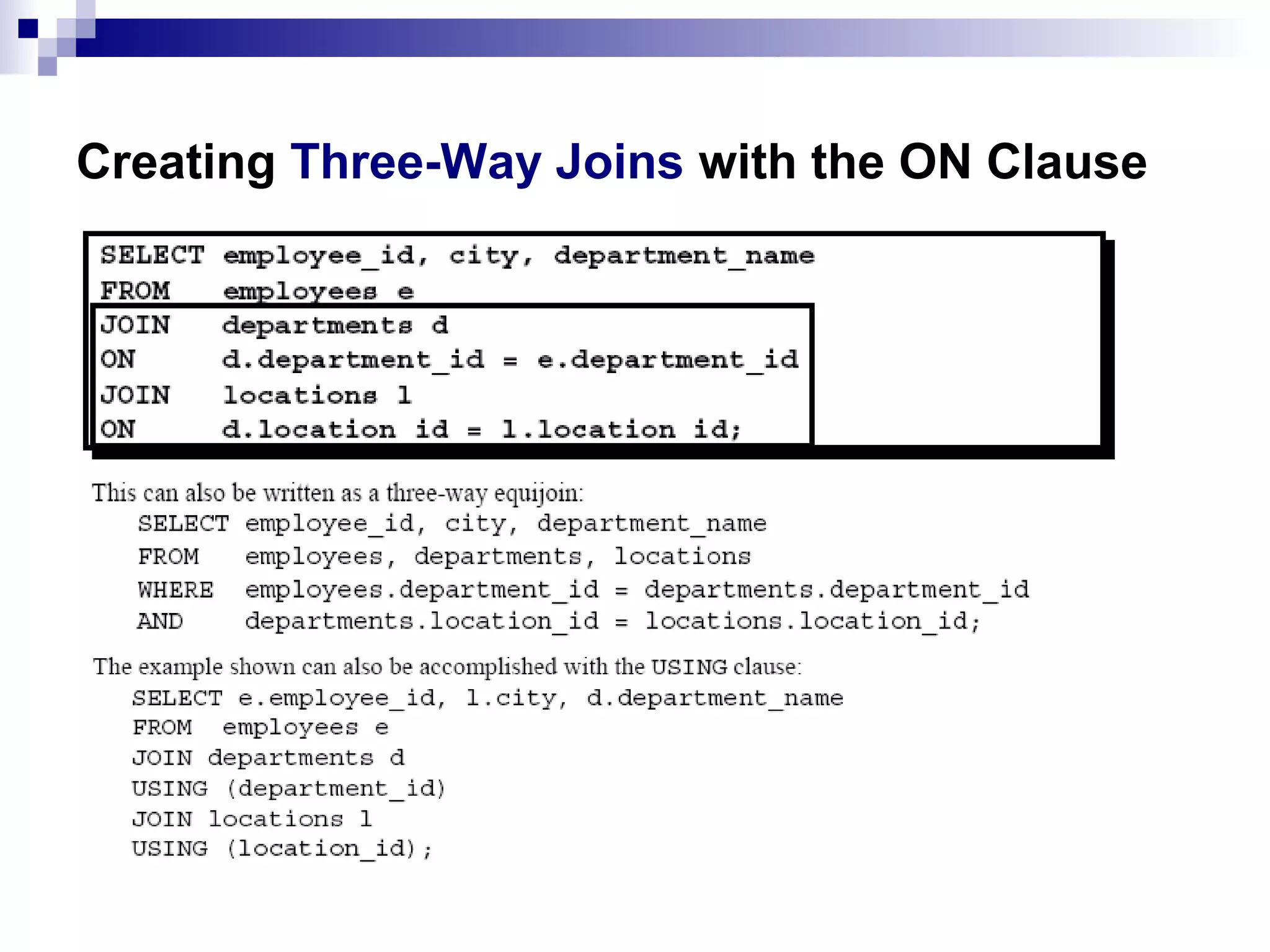
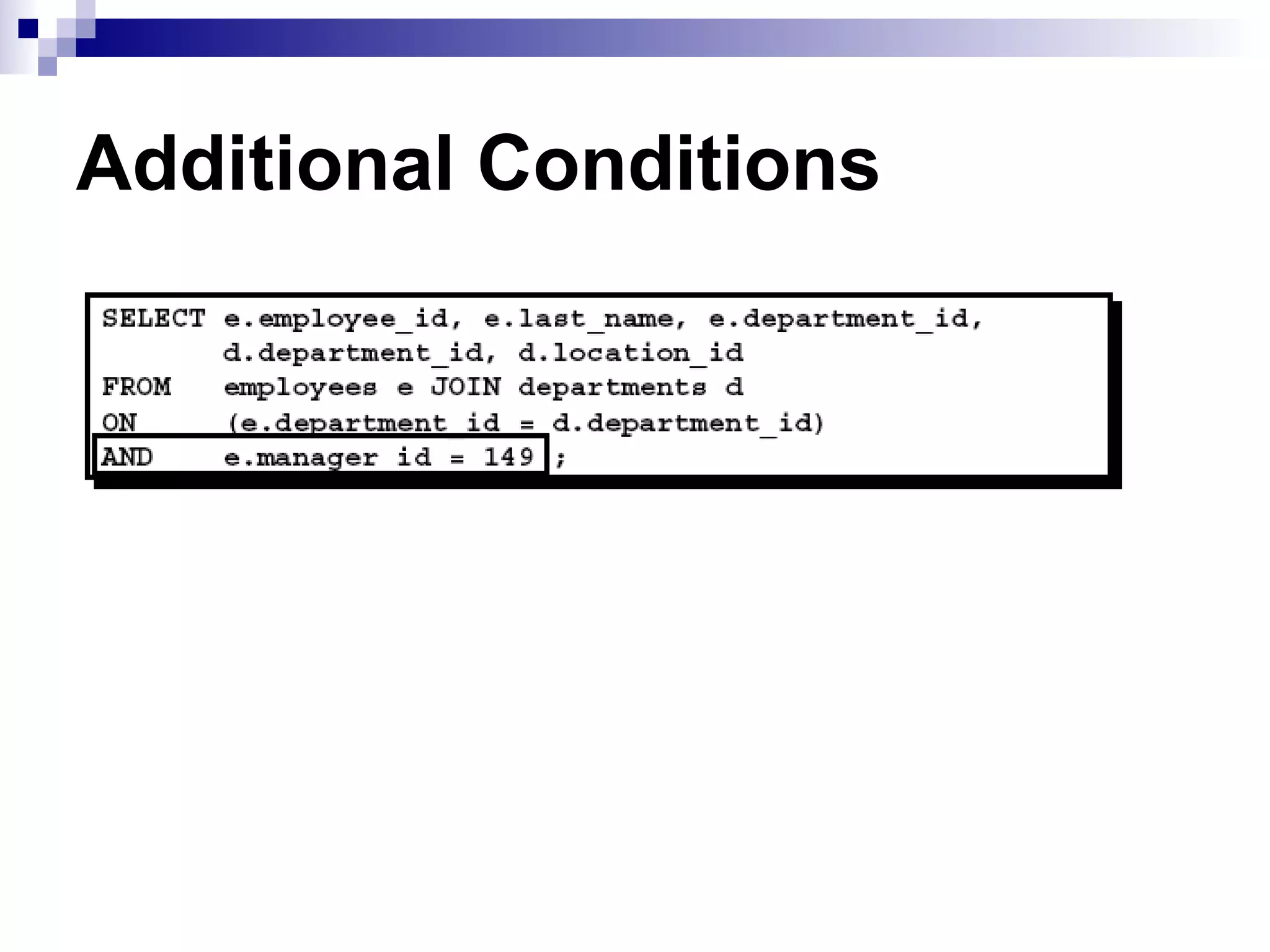
Creating Joins withthe ON Clause
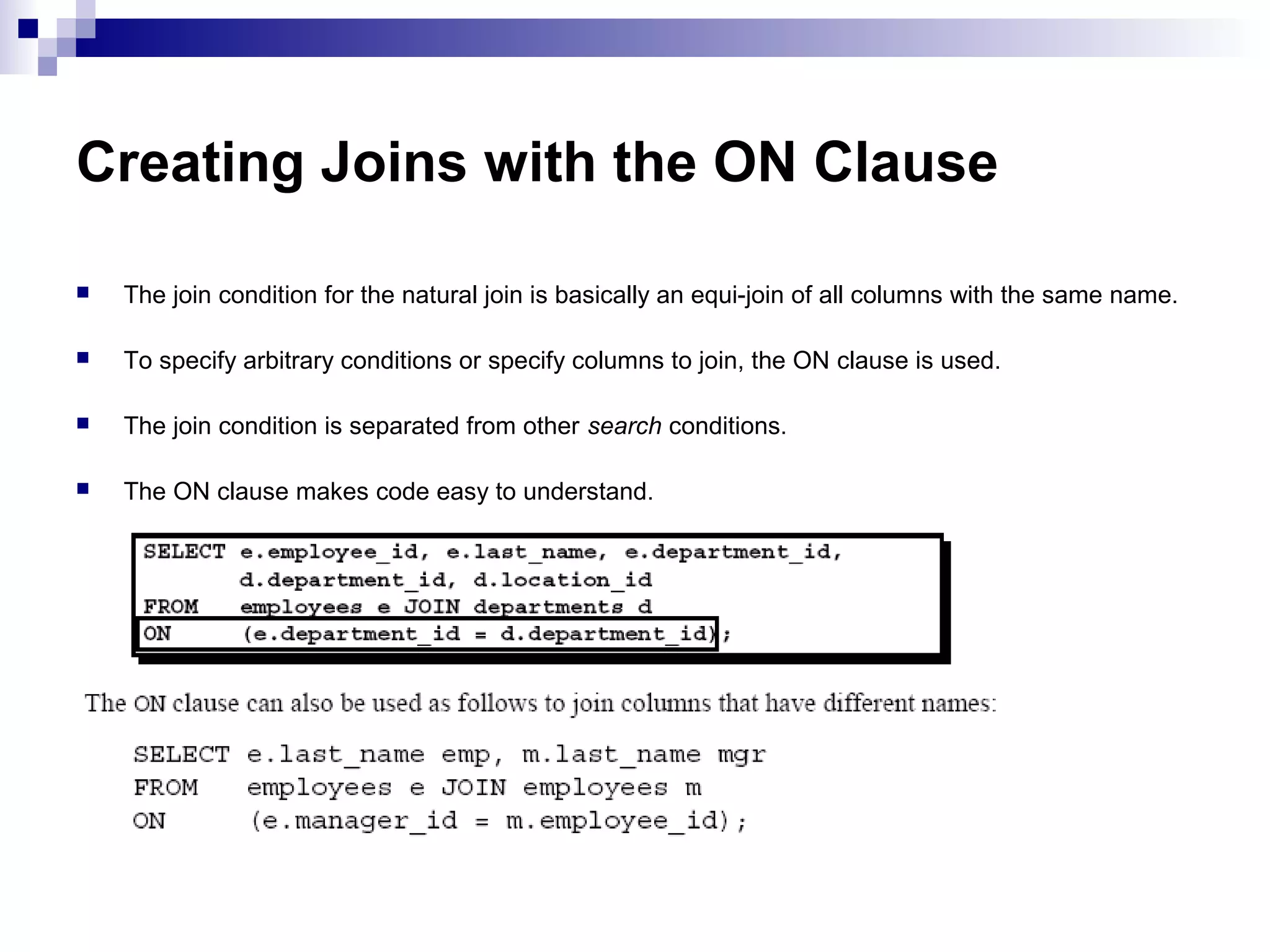
The join condition for the natural join is basically an equi-join of all columns with the same name.
To specify arbitrary conditions or specify columns to join, the ON clause is used.
The join condition is separated from other search conditions.
The ON clause makes code easy to understand.
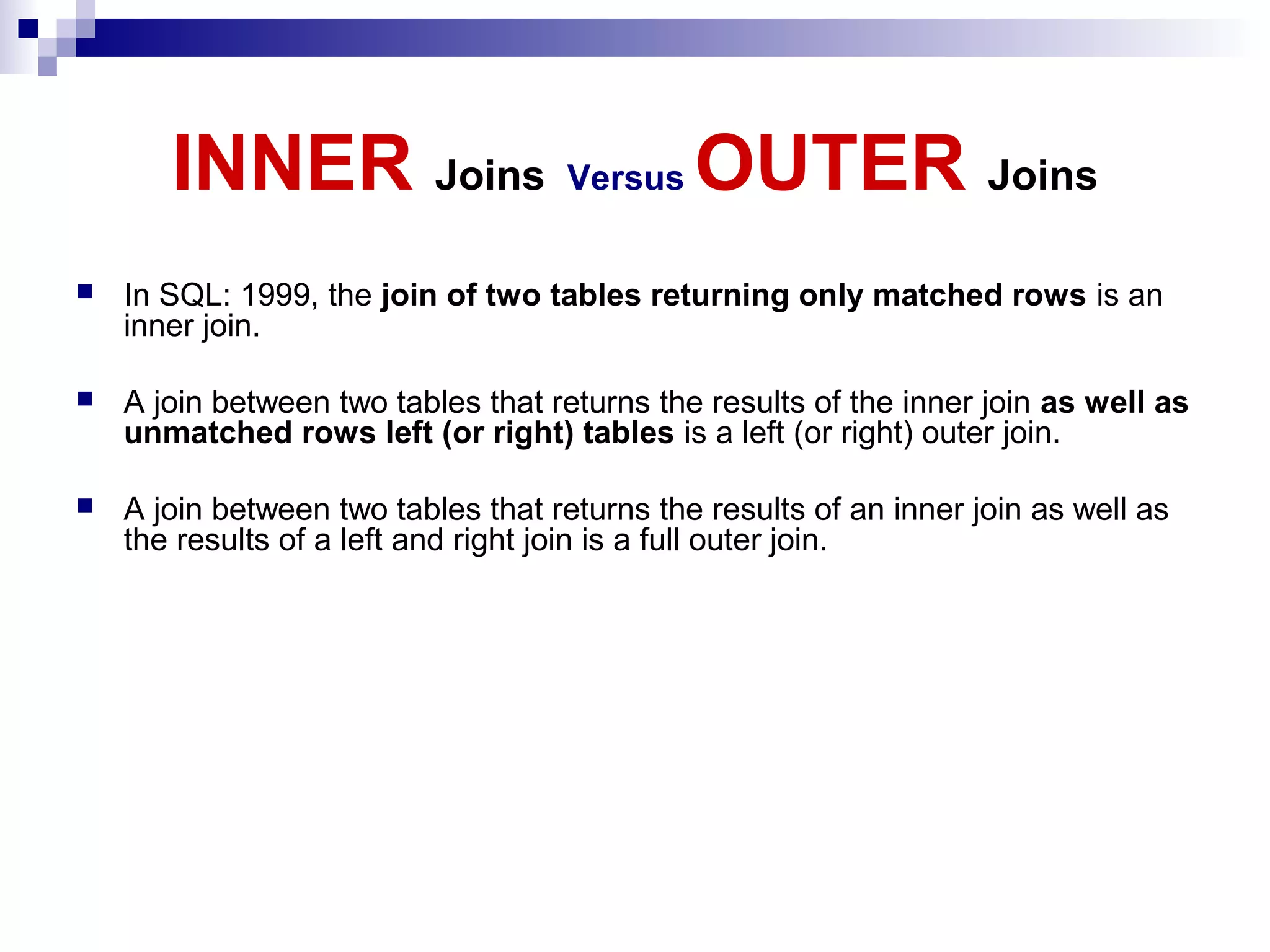
INNER Joins VersusOUTER Joins
In SQL: 1999, the join of two tables returning only matched rows is an
inner join.
A join between two tables that returns the results of the inner join as well as
unmatched rows left (or right) tables is a left (or right) outer join.
A join between two tables that returns the results of an inner join as well as
the results of a left and right join is a full outer join.
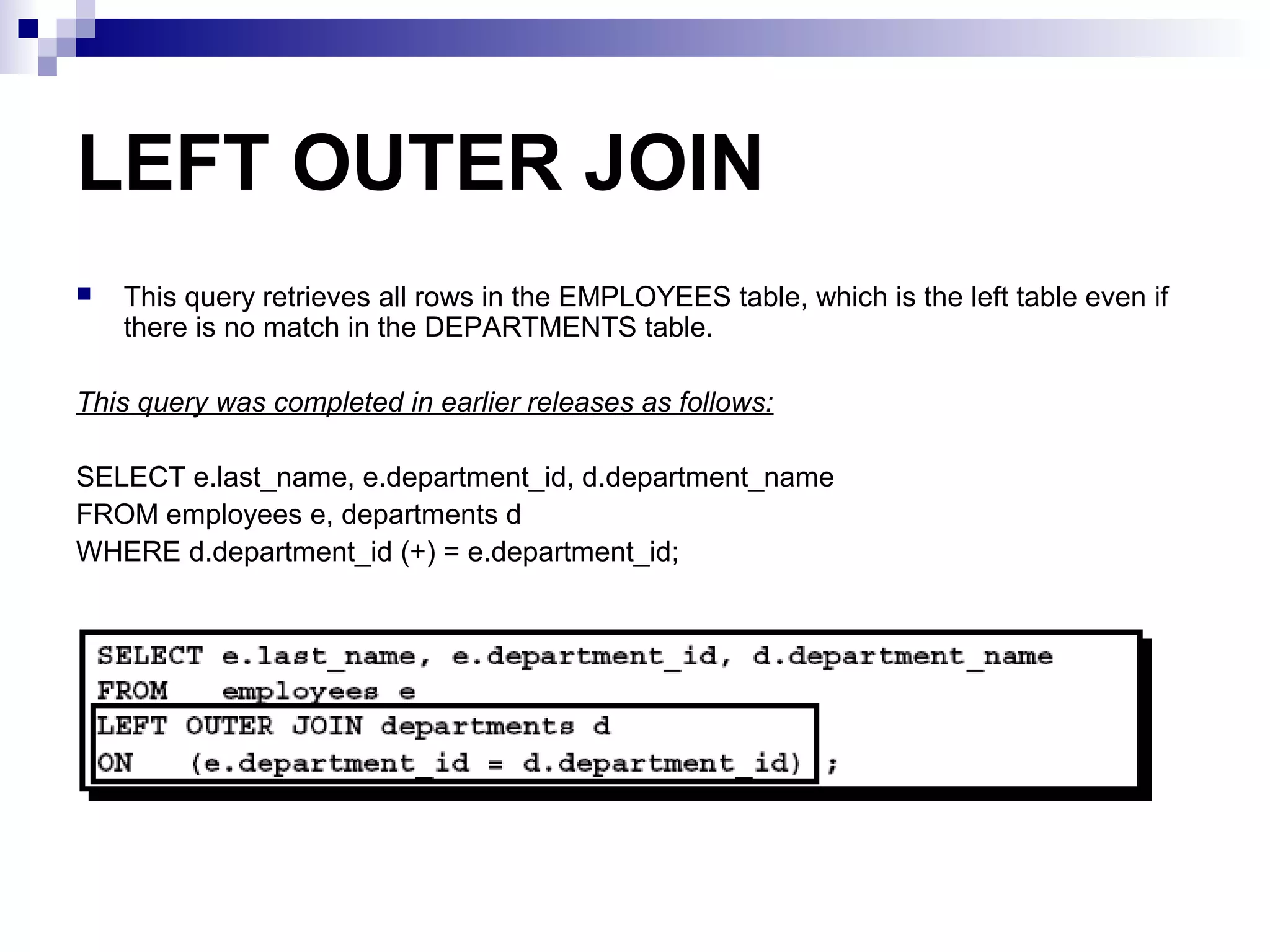
LEFT OUTER JOIN
Thisquery retrieves all rows in the EMPLOYEES table, which is the left table even if
there is no match in the DEPARTMENTS table.
This query was completed in earlier releases as follows:
SELECT e.last_name, e.department_id, d.department_name
FROM employees e, departments d
WHERE d.department_id (+) = e.department_id;
26.
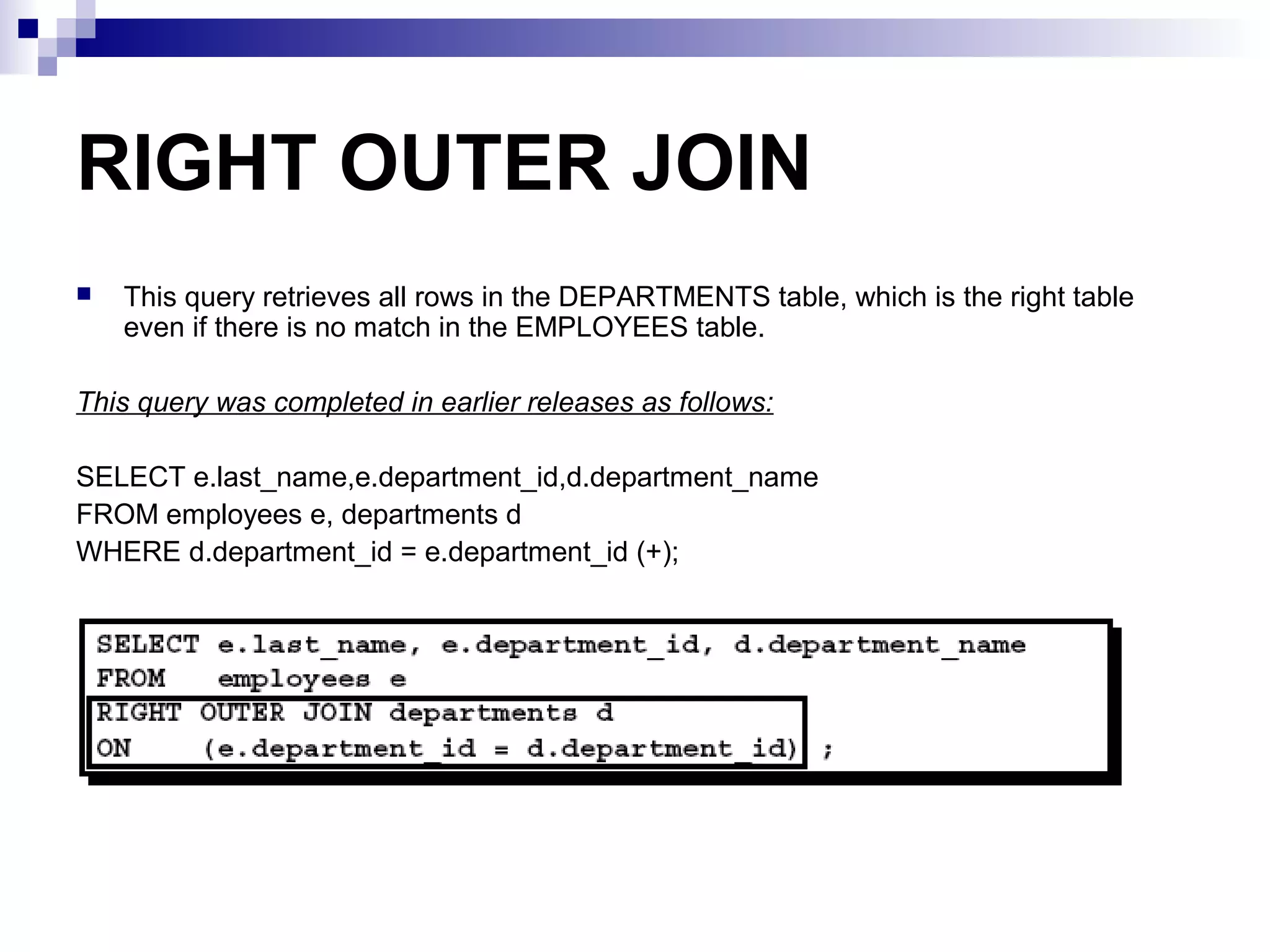
RIGHT OUTER JOIN
Thisquery retrieves all rows in the DEPARTMENTS table, which is the right table
even if there is no match in the EMPLOYEES table.
This query was completed in earlier releases as follows:
SELECT e.last_name,e.department_id,d.department_name
FROM employees e, departments d
WHERE d.department_id = e.department_id (+);
27.
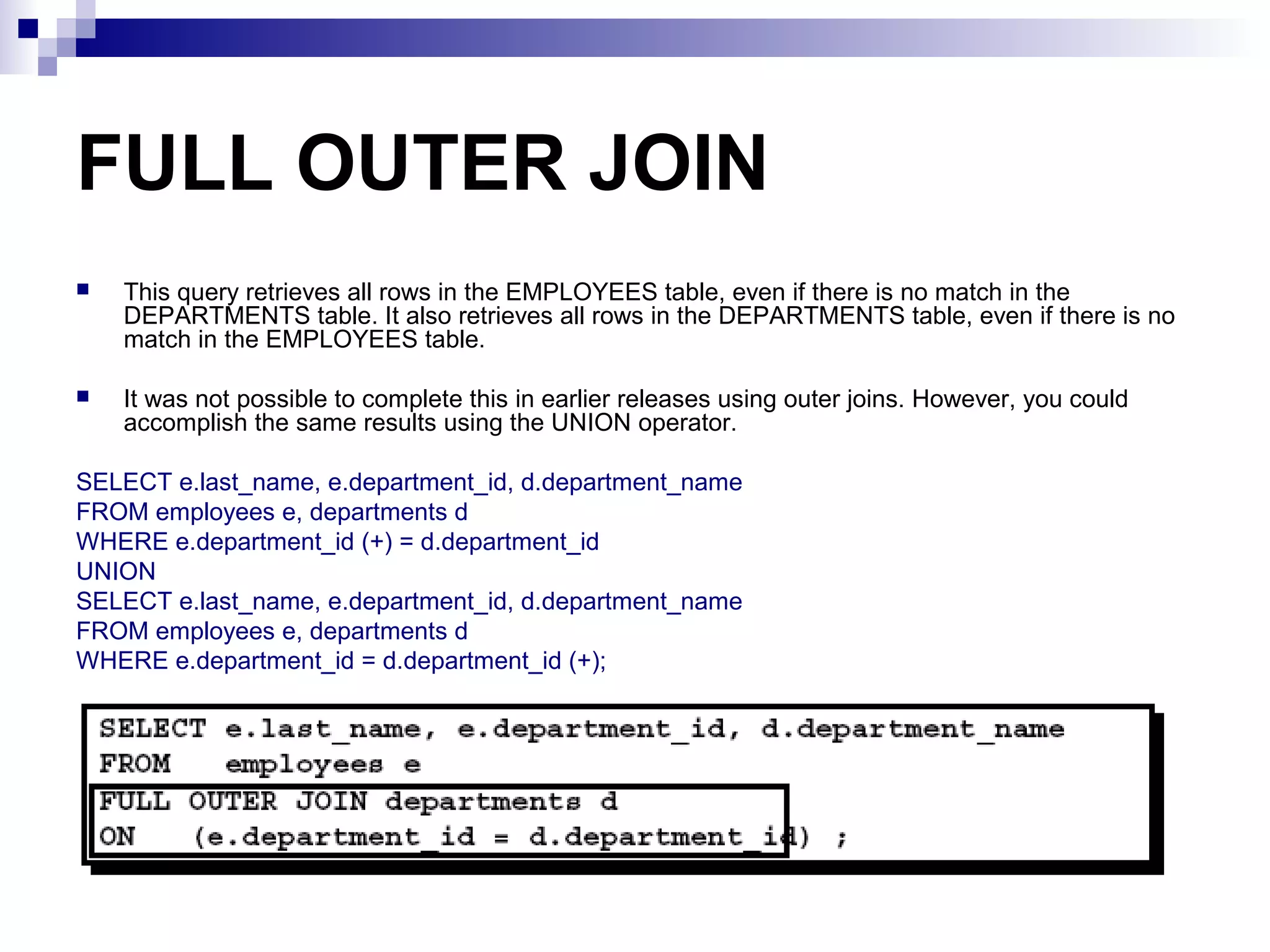
FULL OUTER JOIN
Thisquery retrieves all rows in the EMPLOYEES table, even if there is no match in the
DEPARTMENTS table. It also retrieves all rows in the DEPARTMENTS table, even if there is no
match in the EMPLOYEES table.
It was not possible to complete this in earlier releases using outer joins. However, you could
accomplish the same results using the UNION operator.
SELECT e.last_name, e.department_id, d.department_name
FROM employees e, departments d
WHERE e.department_id (+) = d.department_id
UNION
SELECT e.last_name, e.department_id, d.department_name
FROM employees e, departments d
WHERE e.department_id = d.department_id (+);
Summary
There are multipleways to join tables.
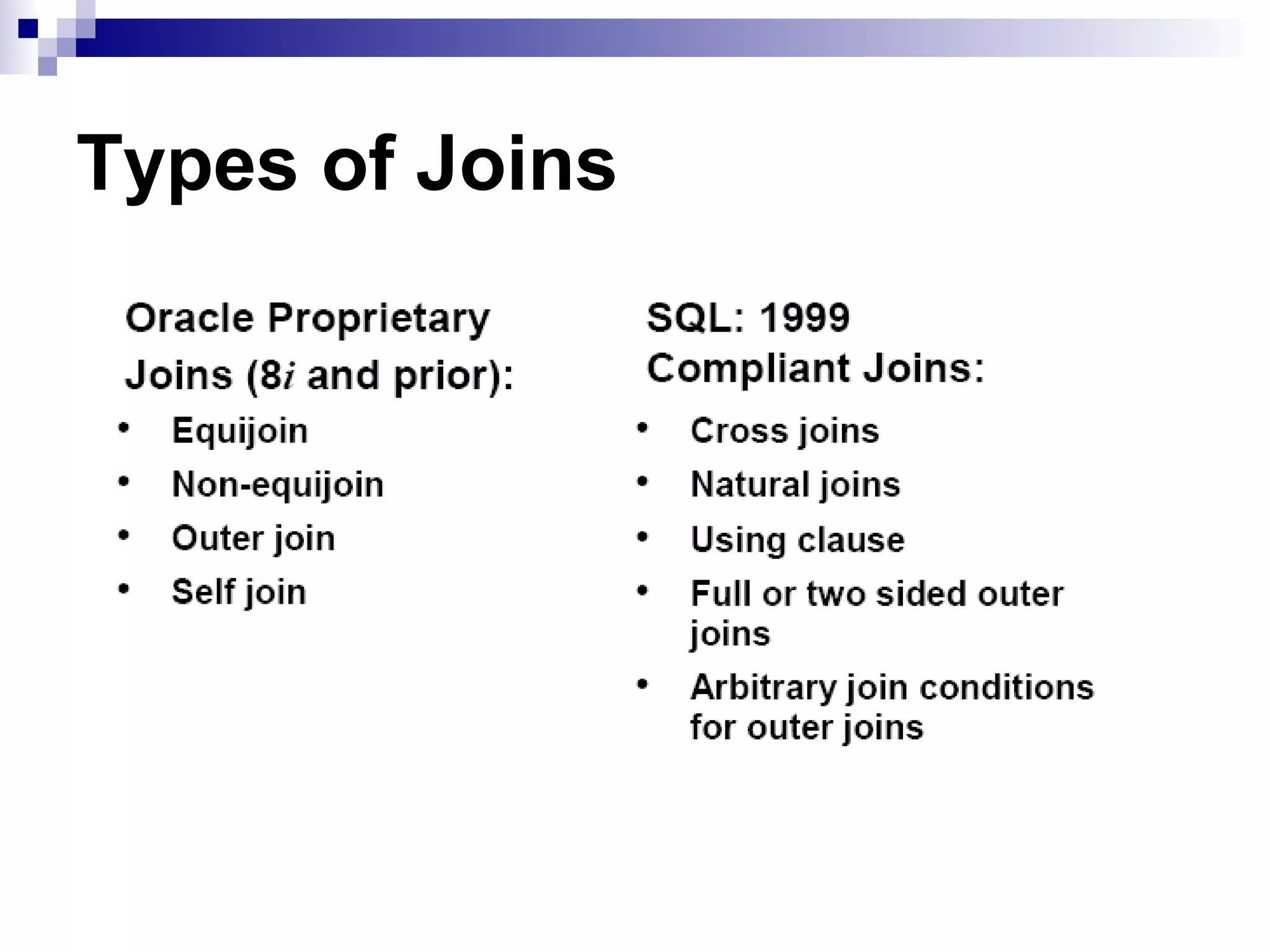
Types of Joins
Equijoins
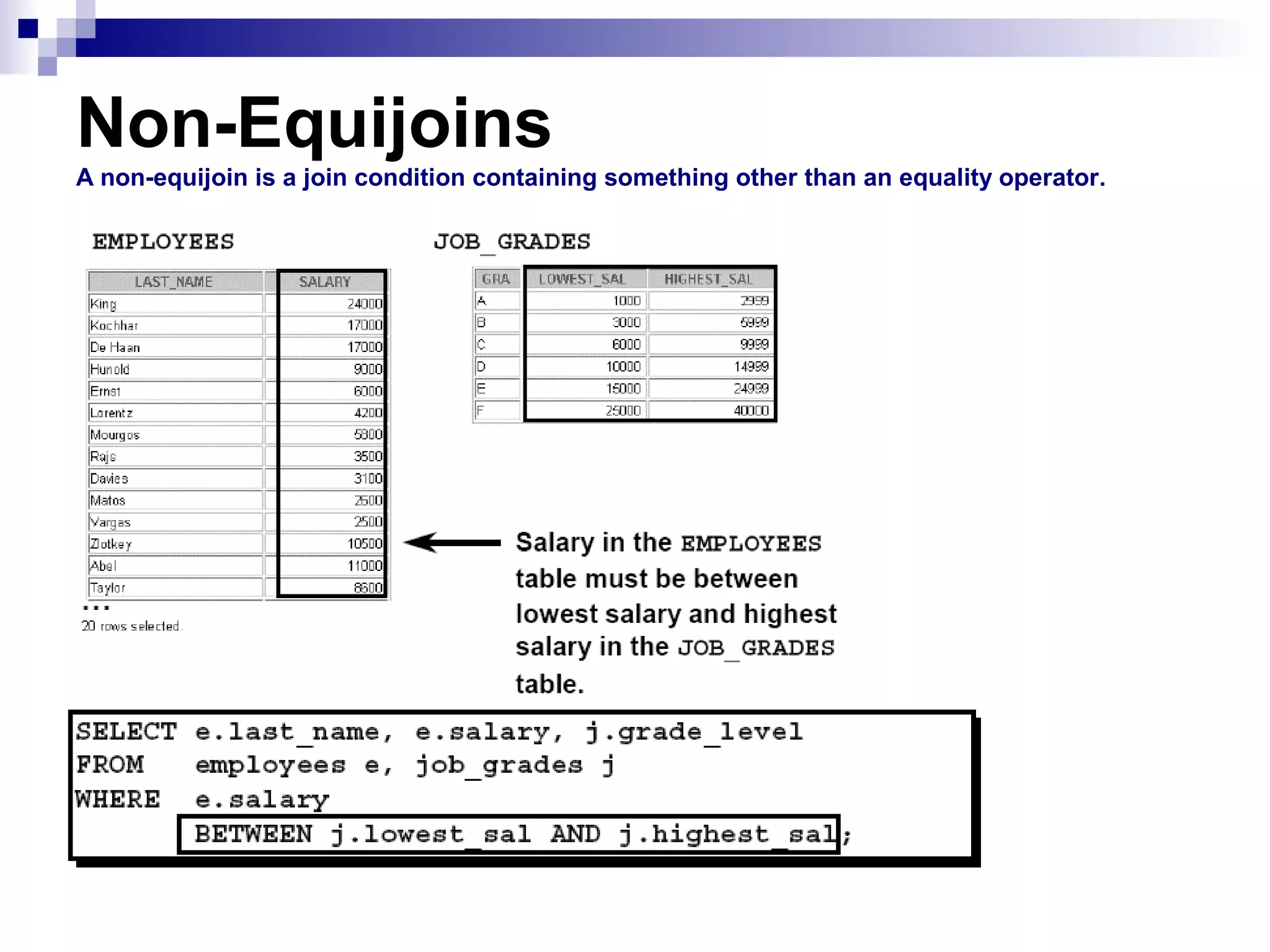
Non-equijoins
Outer joins
Self joins
Cross joins
Natural joins
Full or outer joins
Cartesian Products
A Cartesian product results in all combinations of rows displayed. This is done by either omitting the WHERE
clause or specifying the CROSS JOIN clause.
Table Aliases
Table aliases speed up database access.
Table aliases can help to keep SQL code smaller, by conserving memory.