© 2012 Adobe Systems Incorporated. All Rights Reserved. Adobe Confidential.
Easily create, manage,
and deliver rich,
interactive content
experiences across
screens
RoboHelp 11 Sess 1) HTML5 Single Source vs. Responsive
Layout
Maxwell Hoffmann | Adobe Product Evangelist | Twitter @maxwellhoffmann | mhoffman@adobe.com
Willam van Weelden | Tech Writer, etc. | www.wvanweelden.eu | contact@wvanweelden.eu
© 2012 Adobe Systems Incorporated. All Rights Reserved. Adobe Confidential.
WATCH THE LIVE WEBINAR
 These slides accompanied a live webinar, featuring Willem van Weelden,
held on 19 March 2014.
 To view the webinar, click the link below, and use your Adobe.com credentials
for User ID and Password:
http://adobe.ly/1eSJfvv
2
Responsive
HTML5
Responsive
HTML5
Creating HTML5 output with
RoboHelp
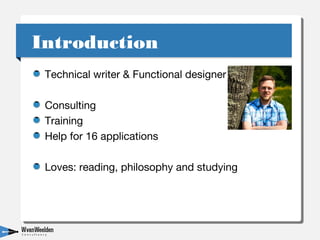
Technical writer & Functional designer
Consulting
Training
Help for 16 applications
Loves: reading, philosophy and studying
IntroductionIntroduction
HTML for the interactive web
Widely supported
Specification not final
HTML5HTML5
Author in XHTML
Create all kinds of output, including:
Multiscreen HTML5
Responsive HTML5
RoboHelp capabilitiesRoboHelp capabilities
Adaptive:
Content and layout specific for every device.
Multiscreen HTML5
Responsive:
Layout specific for device
Responsive HTML5
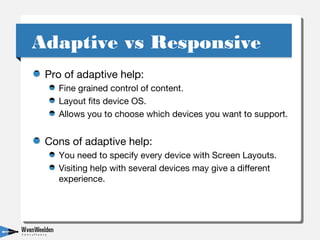
Adaptive vs ResponsiveAdaptive vs Responsive
Pro of adaptive help:
Fine grained control of content.
Layout fits device OS.
Allows you to choose which devices you want to support.
Cons of adaptive help:
You need to specify every device with Screen Layouts.
Visiting help with several devices may give a different
experience.
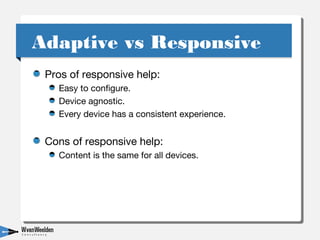
Adaptive vs ResponsiveAdaptive vs Responsive
Pros of responsive help:
Easy to configure.
Device agnostic.
Every device has a consistent experience.
Cons of responsive help:
Content is the same for all devices.
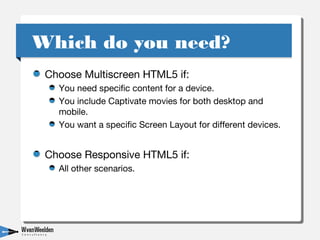
Adaptive vs ResponsiveAdaptive vs Responsive
Choose Multiscreen HTML5 if:
You need specific content for a device.
You include Captivate movies for both desktop and
mobile.
You want a specific Screen Layout for different devices.
Choose Responsive HTML5 if:
All other scenarios.
Which do you need?Which do you need?
Use the Responsive HTML5 layout for Multiscreen
HTML5
Layouts consistent on all devices.
Only specific content for the devices you choose.
Best of both worldsBest of both worlds
Questions?Questions?
Willam van Weelden
@WvWeelden
www.wvanweelden.eu
© 2012 Adobe Systems Incorporated. All Rights Reserved. Adobe Confidential.
Contact Information
13
Information
Willam van Weelden
Writer/Functional designer
Web www.wvanweelden.eu
Email contact@wvanweelden.eu
Twitter @WvWeelden
Maxwell Hoffmann
Adobe Systems, Inc.
Product Evangelist
Blog blogs.adobe.com/techcomm
Blog blogs.adobe.com/mbhoffmann
Twitter @maxwellhoffmann & @AdobeTCS
Email mhoffman@adobe.com
Web www.adobe.com
LinkedIn www.linkedin.com/in/maxwellhoffmann
Facebook Adobe Technical Communication Professionals
Previously recorded eSeminars: http://adobe.ly/qo3pzc
Calendarof upcoming eSeminars: http://adobe.ly/xdzOYa

Multiscreen HTML5 and Responsive HTML55

  • 1.
    © 2012 AdobeSystems Incorporated. All Rights Reserved. Adobe Confidential. Easily create, manage, and deliver rich, interactive content experiences across screens RoboHelp 11 Sess 1) HTML5 Single Source vs. Responsive Layout Maxwell Hoffmann | Adobe Product Evangelist | Twitter @maxwellhoffmann | mhoffman@adobe.com Willam van Weelden | Tech Writer, etc. | www.wvanweelden.eu | contact@wvanweelden.eu
  • 2.
    © 2012 AdobeSystems Incorporated. All Rights Reserved. Adobe Confidential. WATCH THE LIVE WEBINAR  These slides accompanied a live webinar, featuring Willem van Weelden, held on 19 March 2014.  To view the webinar, click the link below, and use your Adobe.com credentials for User ID and Password: http://adobe.ly/1eSJfvv 2
  • 3.
  • 4.
    Technical writer &Functional designer Consulting Training Help for 16 applications Loves: reading, philosophy and studying IntroductionIntroduction
  • 5.
    HTML for theinteractive web Widely supported Specification not final HTML5HTML5
  • 6.
    Author in XHTML Createall kinds of output, including: Multiscreen HTML5 Responsive HTML5 RoboHelp capabilitiesRoboHelp capabilities
  • 7.
    Adaptive: Content and layoutspecific for every device. Multiscreen HTML5 Responsive: Layout specific for device Responsive HTML5 Adaptive vs ResponsiveAdaptive vs Responsive
  • 8.
    Pro of adaptivehelp: Fine grained control of content. Layout fits device OS. Allows you to choose which devices you want to support. Cons of adaptive help: You need to specify every device with Screen Layouts. Visiting help with several devices may give a different experience. Adaptive vs ResponsiveAdaptive vs Responsive
  • 9.
    Pros of responsivehelp: Easy to configure. Device agnostic. Every device has a consistent experience. Cons of responsive help: Content is the same for all devices. Adaptive vs ResponsiveAdaptive vs Responsive
  • 10.
    Choose Multiscreen HTML5if: You need specific content for a device. You include Captivate movies for both desktop and mobile. You want a specific Screen Layout for different devices. Choose Responsive HTML5 if: All other scenarios. Which do you need?Which do you need?
  • 11.
    Use the ResponsiveHTML5 layout for Multiscreen HTML5 Layouts consistent on all devices. Only specific content for the devices you choose. Best of both worldsBest of both worlds
  • 12.
  • 13.
    © 2012 AdobeSystems Incorporated. All Rights Reserved. Adobe Confidential. Contact Information 13 Information Willam van Weelden Writer/Functional designer Web www.wvanweelden.eu Email contact@wvanweelden.eu Twitter @WvWeelden Maxwell Hoffmann Adobe Systems, Inc. Product Evangelist Blog blogs.adobe.com/techcomm Blog blogs.adobe.com/mbhoffmann Twitter @maxwellhoffmann & @AdobeTCS Email mhoffman@adobe.com Web www.adobe.com LinkedIn www.linkedin.com/in/maxwellhoffmann Facebook Adobe Technical Communication Professionals Previously recorded eSeminars: http://adobe.ly/qo3pzc Calendarof upcoming eSeminars: http://adobe.ly/xdzOYa