Taking Legacy Projects
Responsive
Who Am I?
 Neil Perlin - Hyper/Word Services.
– Internationally recognized content consultant.
– Help clients create effective, efficient, flexible
content in anything from hard-copy to mobile.
– Certified – Flare, RoboHelp, Mimic, Viziapps.
– Working in CSS since 1999-ish.
– Train, consult, and troubleshoot on CSS for Flare
and RoboHelp.
What is
Responsive
Design?
What Is Responsive Design?
 Creating one web site/help output that can detect
a display device’s properties and automatically
reformat itself accordingly.
– Vs creating one site/output for each device.
 Developed by Ethan Marcotte in 2010.
– See http://alistapart.com/article/responsive-
web-design/
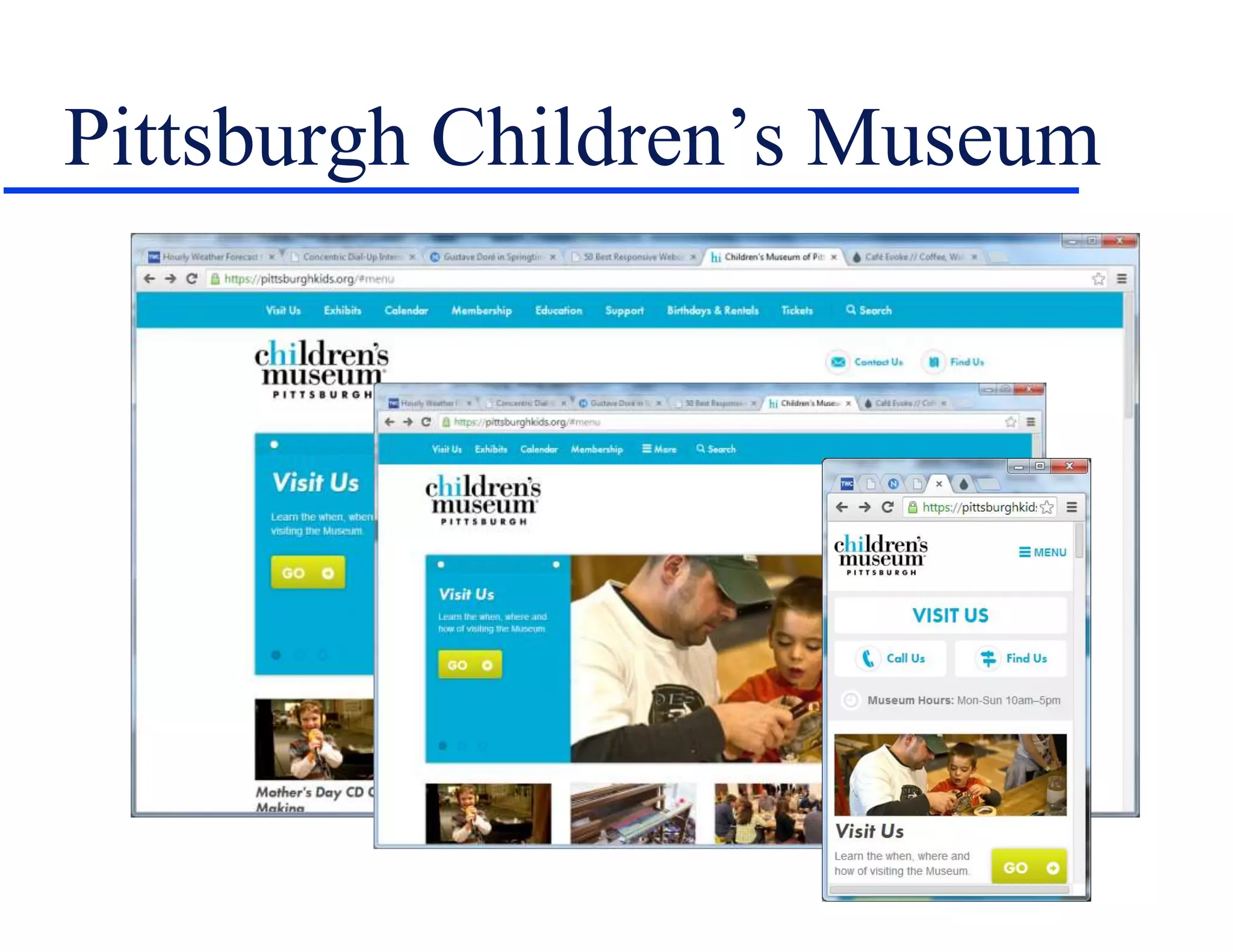
 For example…
Pittsburgh Children’s Museum
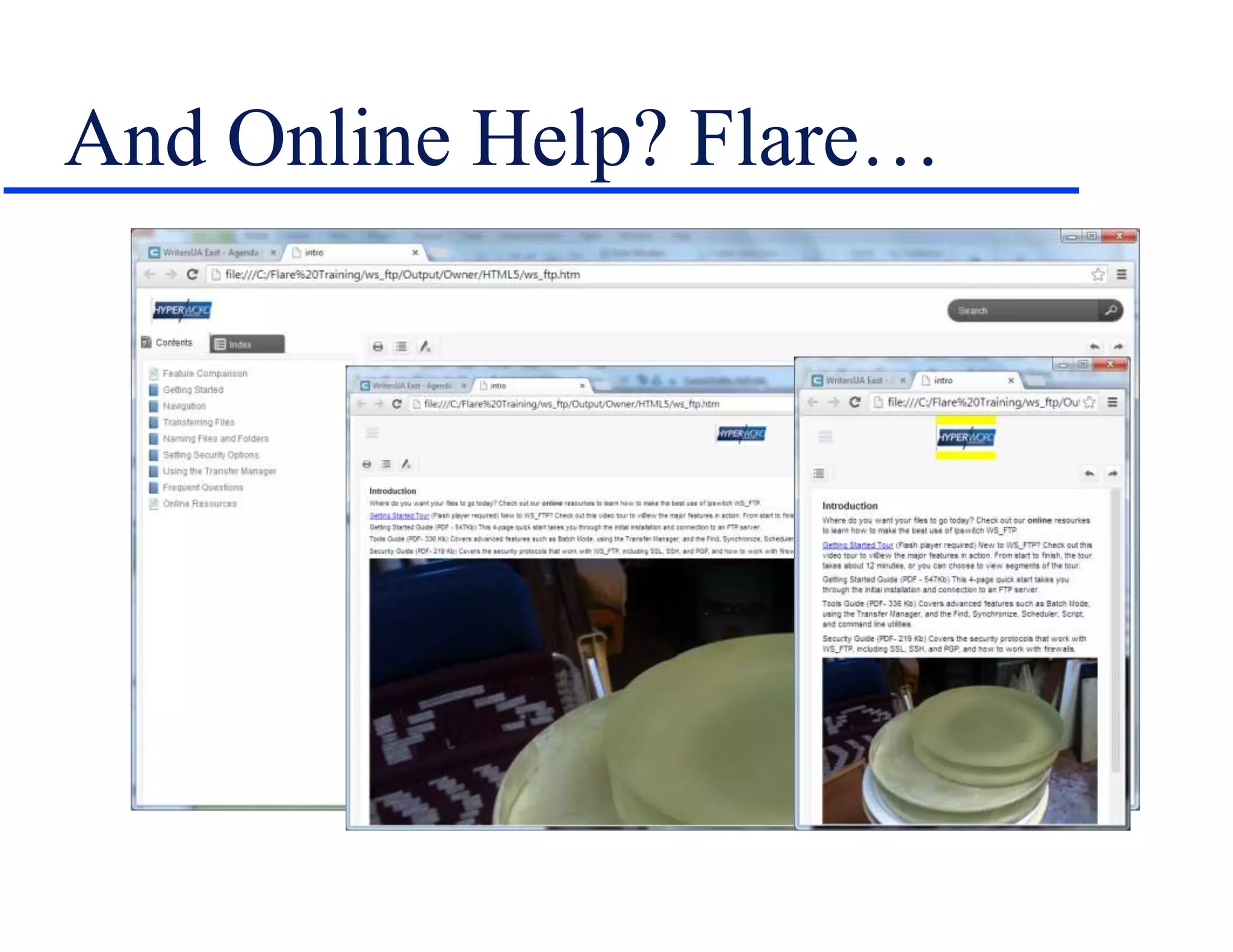
And Online Help? Flare…
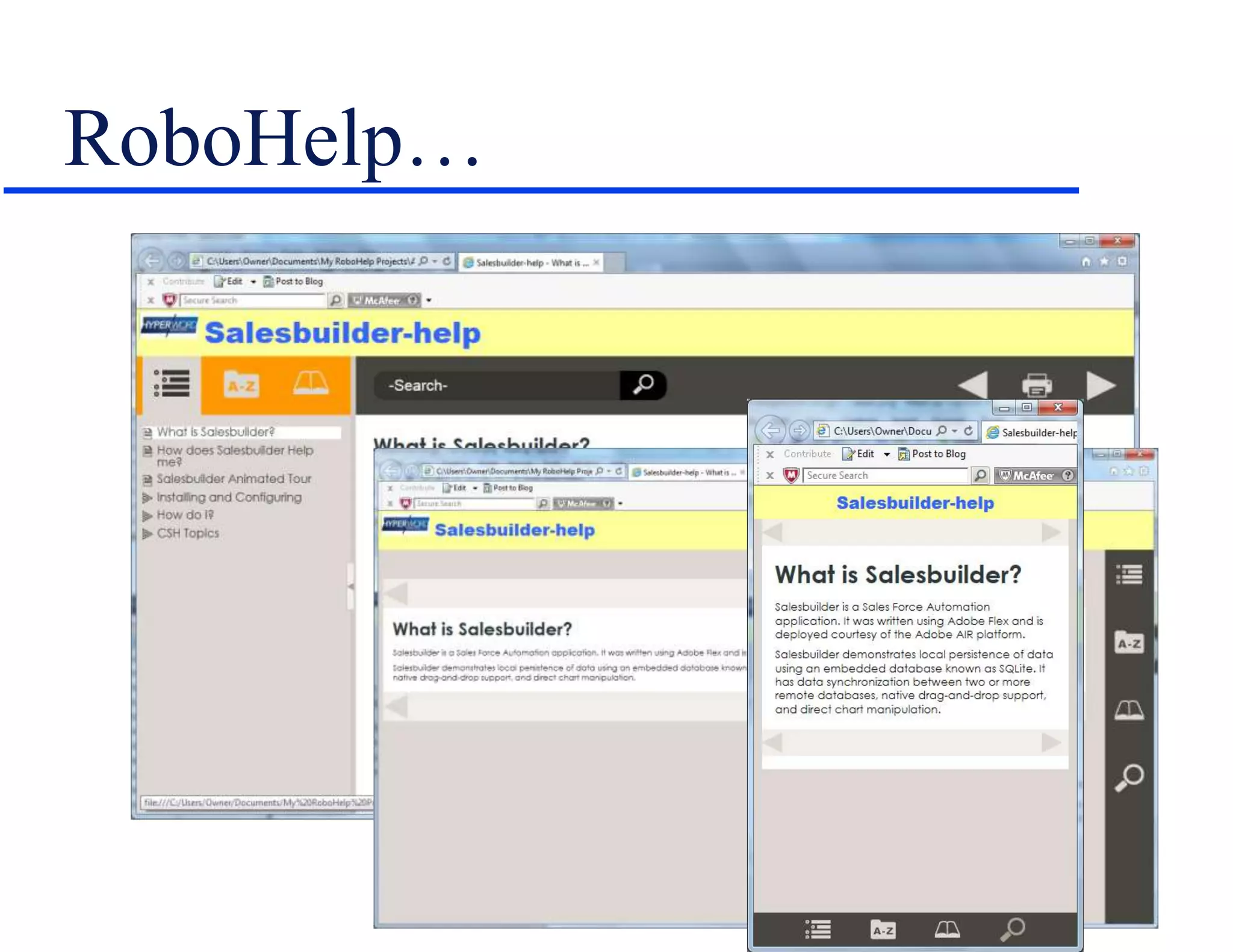
RoboHelp…
Why It’s Important
 Lets us create content to run on any device
(within reason) readers may have.
– IMO, the biggest change in tech comm since
HTML Help in ‘97.
 But:
– Converting legacy projects can be messy.
– And can raise complex new issues.
How It Works
Relative Size Units
 Point-based sizes – 72pt = 1” – are familiar and
simple but inflexible online.
 Instead, switch to:
– % – Uses each browser’s default normal size.
– Em – Height of the M in each browser font set (now
a computed size property for the style it’s based on).
– Rem – New, avoids em compounding problems by
setting em relative to the font size of the root, html.
» See http://snook.ca/archives/html_and_css/font-size-with-
rem
Why Relative Sizes?
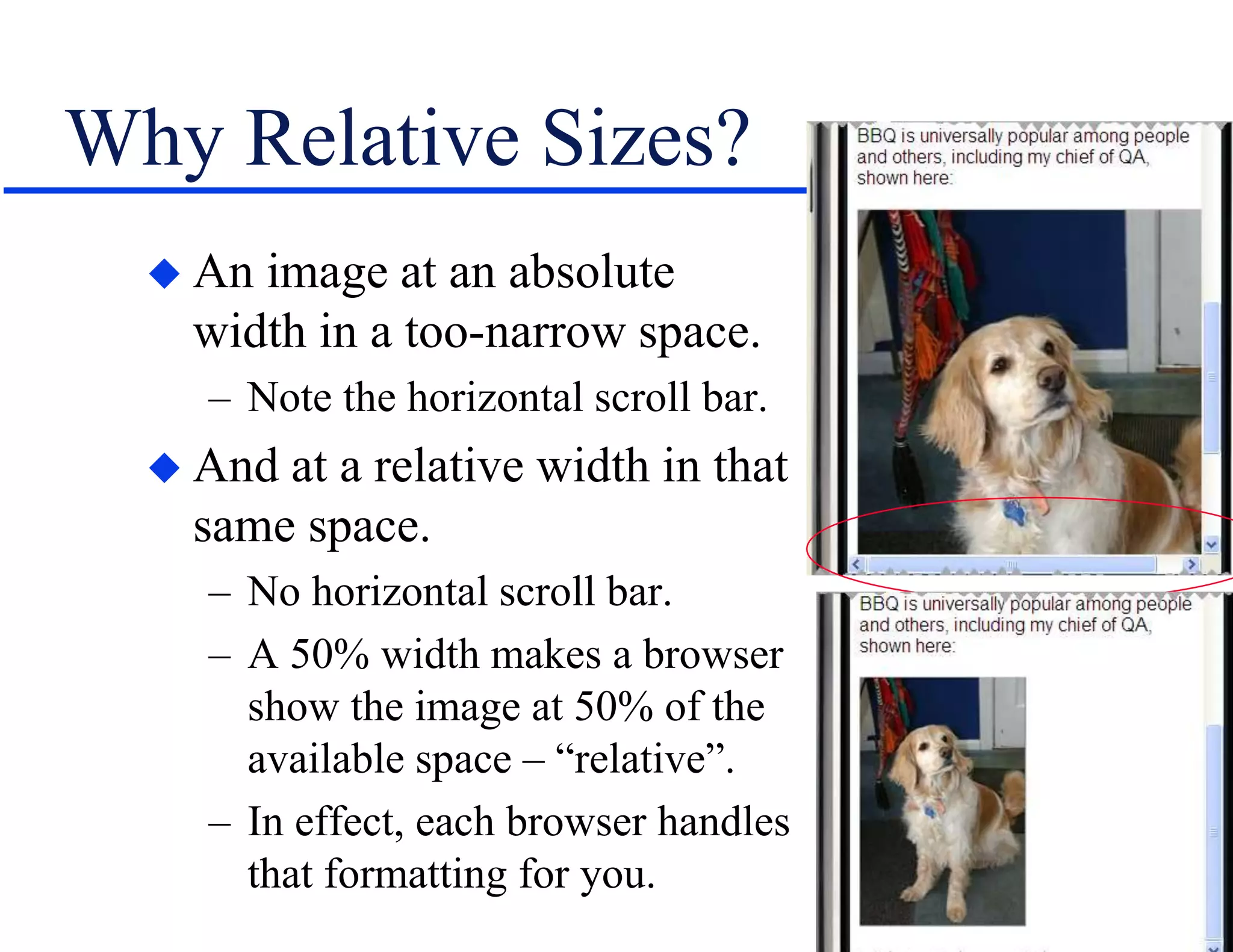
 An image at an absolute
width in a too-narrow space.
– Note the horizontal scroll bar.
 And at a relative width in that
same space.
– No horizontal scroll bar.
– A 50% width makes a browser
show the image at 50% of the
available space – “relative”.
– In effect, each browser handles
that formatting for you.
Media Queries
 Formulas that test for certain properties and run
different CSS settings at preset “breakpoints”.
– Testable properties include device screen size, color
vs. monochrome, resolution, orientation, etc.
– Don’t define device-specific breakpoints – too many
to keep track of.
– Instead, find sizes where the design gets wonky and
use those sizes as breakpoints.
Media Query Examples
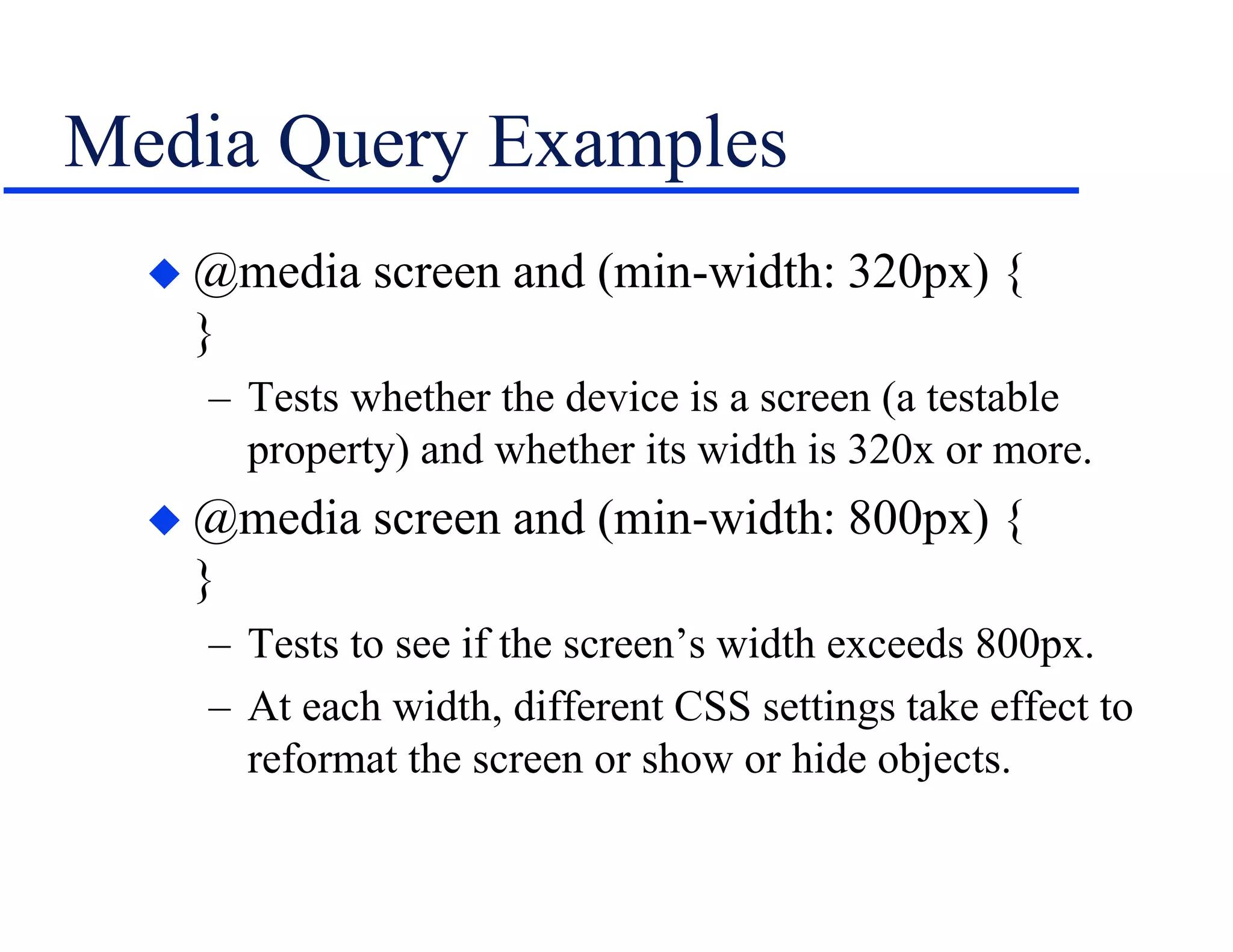
 @media screen and (min-width: 320px) {
}
– Tests whether the device is a screen (a testable
property) and whether its width is 320x or more.
 @media screen and (min-width: 800px) {
}
– Tests to see if the screen’s width exceeds 800px.
– At each width, different CSS settings take effect to
reformat the screen or show or hide objects.
Fluid Grids
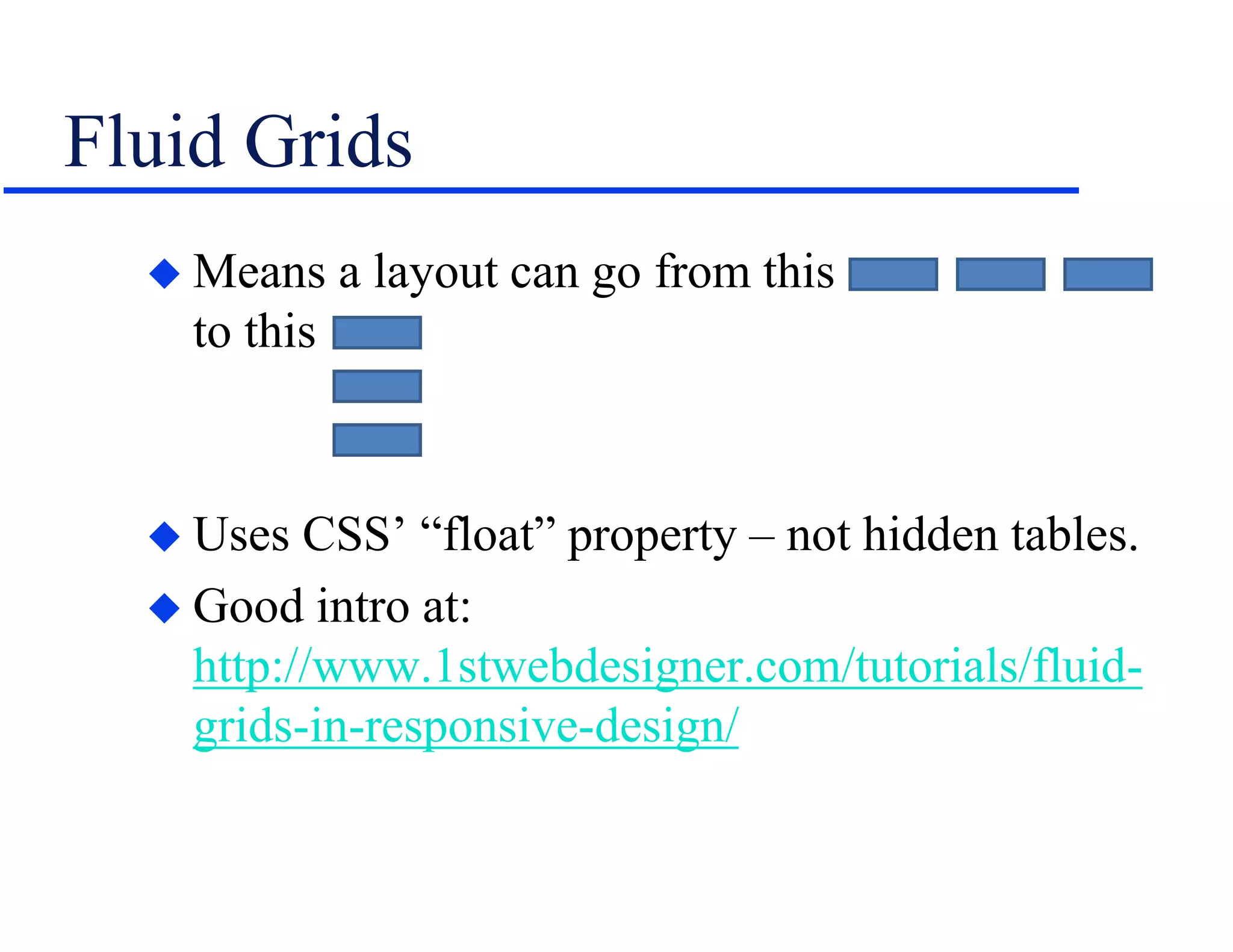
 Means a layout can go from this
to this
 Uses CSS’ “float” property – not hidden tables.
 Good intro at:
http://www.1stwebdesigner.com/tutorials/fluid-
grids-in-responsive-design/
Legacy Issues
Local Formatting Issues
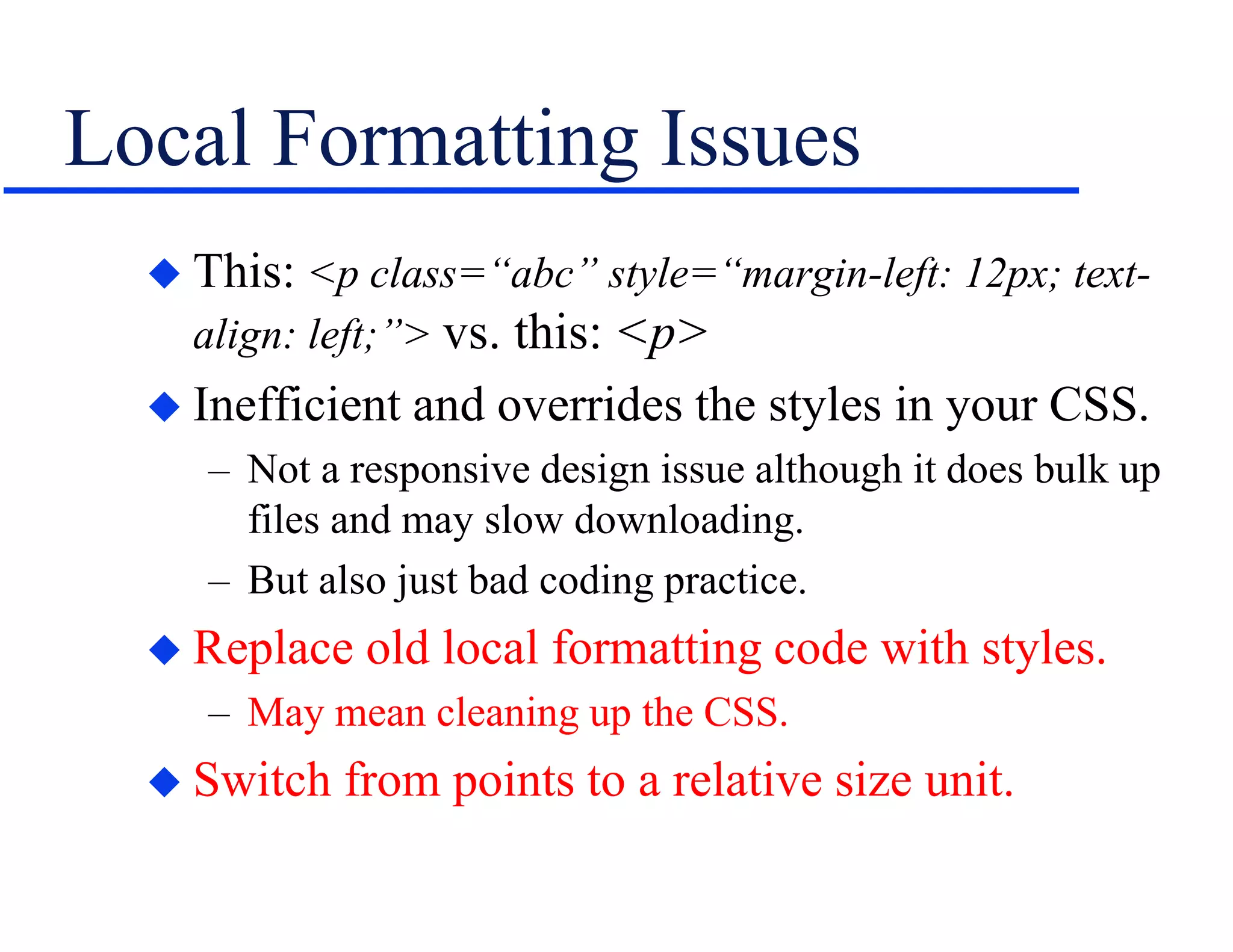
 This: <p class=“abc” style=“margin-left: 12px; text-
align: left;”> vs. this: <p>
 Inefficient and overrides the styles in your CSS.
– Not a responsive design issue although it does bulk up
files and may slow downloading.
– But also just bad coding practice.
 Replace old local formatting code with styles.
– May mean cleaning up the CSS.
 Switch from points to a relative size unit.
Image Issues
 Images sized in inches or pixels, positioned via
hidden tables.
– Can’t resize.
– Can’t dynamically wrap, forces horizontal scrolling.
 Remove images from tables and position using
img “float” property instead.
 Change to a relative size unit.
More Image Issues
 Images styled locally/individually.
– Must change each image’s properties individually.
 Set desired properties for img tag, or create img
sub-classes and apply them to the images.
– Note – Flare 12 now offers all relative size options for
local formatting as well as for the CSS’s img style.
More Legacy Issues
 Tables – As with images, fixed table sizes won’t
resize and will force a horizontal scroll bar.
 Use any “auto-size to screen width” option.
– Note – RH11+ can auto-convert images and tables to
relative units when outputting responsive design.
 More legacy technical issues, no doubt…
 And…
New Issues
Image Issues
 Now have to worry about images on different
resolutions up to retina displays.
– Retina displays – Apple’s term for devices with a
higher pixel density than “standard” devices.
– See http://en.wikipedia.org/wiki/Retina_Display
 How to make the browser use the best of several
images for a given resolution?
– srcset tells a browser what images are available and
lets the browser decide which one to use.
– See http://html5hub.com/srcset-attribute-solving-
responsive-image-dilemma/
Still More Image Issues
 Images can resize but may become unreadable.
– Can set img’s display to none at a breakpoint in order
to hide the image, but:
» Setting img display to none hides all the images.
» To hide selected images, create a sub-class of img and apply
it to those images.
» May have to work in unfamiliar areas of the CSS.
– But hiding an image affects text that refers to it – e.g.
“…as shown in the image below” no longer works.
– Or consider cropping images.
Yes, Still More Image Issues
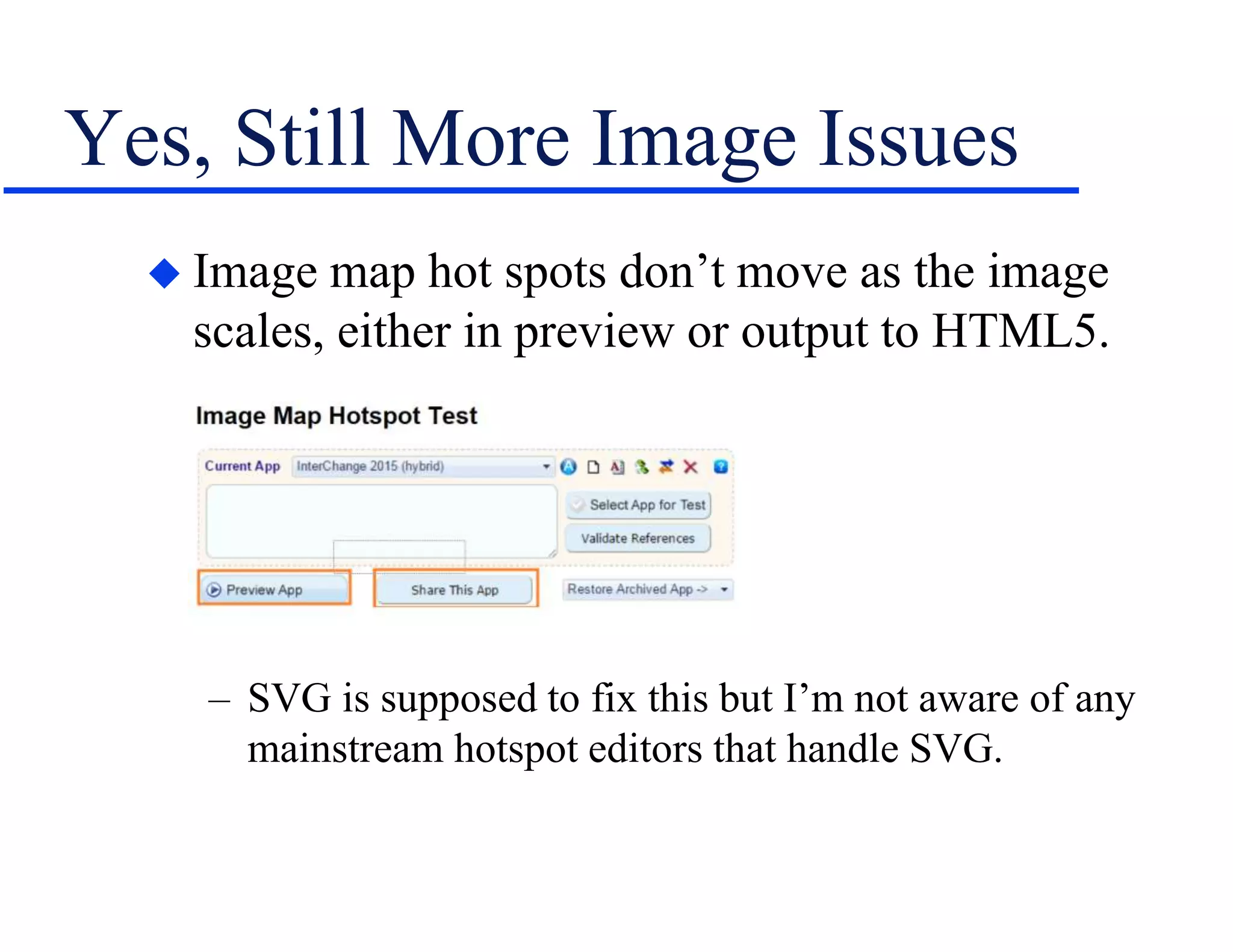
 Image map hot spots don’t move as the image
scales, either in preview or output to HTML5.
– SVG is supposed to fix this but I’m not aware of any
mainstream hotspot editors that handle SVG.
“Movie” Issues
 Movies created in Captivate, Camtasia, etc.
– Must convert SWFs to HTML5 to run under iOS.
– Create movies using a tool that supports responsive
design or they won’t scale as the screen narrows and
you’ll get horizontal scrolling.
More “Movie” Issues
 Movies created in Captivate, Camtasia, etc.
– If your movies scale and contain text caption boxes,
make sure the caption boxes scale.
– If the caption boxes scale, does the text become too
small to read?
– If so, do you have to replace the text captions with
voice-over narration?
– And control what type gets used – text or voice-over?
– Also increases the movie creation workload since you
have to create two versions of each movie – voice-
over and text captions.
CSS Optimization Issues
 Optimizing a CSS can help reduce load times.
 For example, use CSS shorthand to combine values
for related properties, such as replacing this:
– p {margin-top: 10px;
margin-right: 20px;
margin-bottom: 10px;
margin-left: 20px;}
– With this:
p {margin: 10px 20px 10px 20px;}
 Google “CSS optimization”.
Too Much Content
 We create lots of content because we always
have.
 We can edit a lot but, at some point, the content
style will change.
 May be easier to throw out the existing content
and redo it from scratch with a new style.
 For example, note the style change going from:
– “The wind was a torrent of darkness among the gusty
trees.” (The Highwayman, Alfred Noyes)
– To, with apologies to Alfred: “It was windy.”
Writing
 Keep it short and to the point.
– Yeah, yeah, we know…
– But vital if users may see the same content in different
sized “viewports” on different devices.
– Two new exhortations in addition to the usual ones:
» Action text only, no concepts – depending on the case.
» If the output may be rotatable, check the effect on your
design.
Hyper/Word Services Offers…
Training • Consulting • Development
Flare • Flare CSS • Flare Single Sourcing
RoboHelp Troubleshooting, Conversion to
Flare
ViziApps
Single sourcing • Structured authoring
Thank you... Questions?
978-657-5464
nperlin@nperlin.cnc.net
www.hyperword.com
Twitter: NeilEric

Spectrum 16 pmc 16 - preparing legacy projects for responsive design

  • 1.
  • 2.
    Who Am I? Neil Perlin - Hyper/Word Services. – Internationally recognized content consultant. – Help clients create effective, efficient, flexible content in anything from hard-copy to mobile. – Certified – Flare, RoboHelp, Mimic, Viziapps. – Working in CSS since 1999-ish. – Train, consult, and troubleshoot on CSS for Flare and RoboHelp.
  • 3.
  • 4.
    What Is ResponsiveDesign?  Creating one web site/help output that can detect a display device’s properties and automatically reformat itself accordingly. – Vs creating one site/output for each device.  Developed by Ethan Marcotte in 2010. – See http://alistapart.com/article/responsive- web-design/  For example…
  • 5.
  • 6.
  • 7.
  • 8.
    Why It’s Important Lets us create content to run on any device (within reason) readers may have. – IMO, the biggest change in tech comm since HTML Help in ‘97.  But: – Converting legacy projects can be messy. – And can raise complex new issues.
  • 9.
  • 10.
    Relative Size Units Point-based sizes – 72pt = 1” – are familiar and simple but inflexible online.  Instead, switch to: – % – Uses each browser’s default normal size. – Em – Height of the M in each browser font set (now a computed size property for the style it’s based on). – Rem – New, avoids em compounding problems by setting em relative to the font size of the root, html. » See http://snook.ca/archives/html_and_css/font-size-with- rem
  • 11.
    Why Relative Sizes? An image at an absolute width in a too-narrow space. – Note the horizontal scroll bar.  And at a relative width in that same space. – No horizontal scroll bar. – A 50% width makes a browser show the image at 50% of the available space – “relative”. – In effect, each browser handles that formatting for you.
  • 12.
    Media Queries  Formulasthat test for certain properties and run different CSS settings at preset “breakpoints”. – Testable properties include device screen size, color vs. monochrome, resolution, orientation, etc. – Don’t define device-specific breakpoints – too many to keep track of. – Instead, find sizes where the design gets wonky and use those sizes as breakpoints.
  • 13.
    Media Query Examples @media screen and (min-width: 320px) { } – Tests whether the device is a screen (a testable property) and whether its width is 320x or more.  @media screen and (min-width: 800px) { } – Tests to see if the screen’s width exceeds 800px. – At each width, different CSS settings take effect to reformat the screen or show or hide objects.
  • 14.
    Fluid Grids  Meansa layout can go from this to this  Uses CSS’ “float” property – not hidden tables.  Good intro at: http://www.1stwebdesigner.com/tutorials/fluid- grids-in-responsive-design/
  • 15.
  • 16.
    Local Formatting Issues This: <p class=“abc” style=“margin-left: 12px; text- align: left;”> vs. this: <p>  Inefficient and overrides the styles in your CSS. – Not a responsive design issue although it does bulk up files and may slow downloading. – But also just bad coding practice.  Replace old local formatting code with styles. – May mean cleaning up the CSS.  Switch from points to a relative size unit.
  • 17.
    Image Issues  Imagessized in inches or pixels, positioned via hidden tables. – Can’t resize. – Can’t dynamically wrap, forces horizontal scrolling.  Remove images from tables and position using img “float” property instead.  Change to a relative size unit.
  • 18.
    More Image Issues Images styled locally/individually. – Must change each image’s properties individually.  Set desired properties for img tag, or create img sub-classes and apply them to the images. – Note – Flare 12 now offers all relative size options for local formatting as well as for the CSS’s img style.
  • 19.
    More Legacy Issues Tables – As with images, fixed table sizes won’t resize and will force a horizontal scroll bar.  Use any “auto-size to screen width” option. – Note – RH11+ can auto-convert images and tables to relative units when outputting responsive design.  More legacy technical issues, no doubt…  And…
  • 20.
  • 21.
    Image Issues  Nowhave to worry about images on different resolutions up to retina displays. – Retina displays – Apple’s term for devices with a higher pixel density than “standard” devices. – See http://en.wikipedia.org/wiki/Retina_Display  How to make the browser use the best of several images for a given resolution? – srcset tells a browser what images are available and lets the browser decide which one to use. – See http://html5hub.com/srcset-attribute-solving- responsive-image-dilemma/
  • 22.
    Still More ImageIssues  Images can resize but may become unreadable. – Can set img’s display to none at a breakpoint in order to hide the image, but: » Setting img display to none hides all the images. » To hide selected images, create a sub-class of img and apply it to those images. » May have to work in unfamiliar areas of the CSS. – But hiding an image affects text that refers to it – e.g. “…as shown in the image below” no longer works. – Or consider cropping images.
  • 23.
    Yes, Still MoreImage Issues  Image map hot spots don’t move as the image scales, either in preview or output to HTML5. – SVG is supposed to fix this but I’m not aware of any mainstream hotspot editors that handle SVG.
  • 24.
    “Movie” Issues  Moviescreated in Captivate, Camtasia, etc. – Must convert SWFs to HTML5 to run under iOS. – Create movies using a tool that supports responsive design or they won’t scale as the screen narrows and you’ll get horizontal scrolling.
  • 25.
    More “Movie” Issues Movies created in Captivate, Camtasia, etc. – If your movies scale and contain text caption boxes, make sure the caption boxes scale. – If the caption boxes scale, does the text become too small to read? – If so, do you have to replace the text captions with voice-over narration? – And control what type gets used – text or voice-over? – Also increases the movie creation workload since you have to create two versions of each movie – voice- over and text captions.
  • 26.
    CSS Optimization Issues Optimizing a CSS can help reduce load times.  For example, use CSS shorthand to combine values for related properties, such as replacing this: – p {margin-top: 10px; margin-right: 20px; margin-bottom: 10px; margin-left: 20px;} – With this: p {margin: 10px 20px 10px 20px;}  Google “CSS optimization”.
  • 27.
    Too Much Content We create lots of content because we always have.  We can edit a lot but, at some point, the content style will change.  May be easier to throw out the existing content and redo it from scratch with a new style.  For example, note the style change going from: – “The wind was a torrent of darkness among the gusty trees.” (The Highwayman, Alfred Noyes) – To, with apologies to Alfred: “It was windy.”
  • 28.
    Writing  Keep itshort and to the point. – Yeah, yeah, we know… – But vital if users may see the same content in different sized “viewports” on different devices. – Two new exhortations in addition to the usual ones: » Action text only, no concepts – depending on the case. » If the output may be rotatable, check the effect on your design.
  • 29.
    Hyper/Word Services Offers… Training• Consulting • Development Flare • Flare CSS • Flare Single Sourcing RoboHelp Troubleshooting, Conversion to Flare ViziApps Single sourcing • Structured authoring
  • 30.