Why Is MFA Authentication Essential?
What is Multi-Factor Authentication (MFA)?
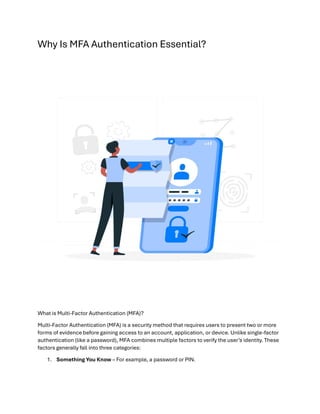
Multi-Factor Authentication (MFA) is a security method that requires users to present two or more
forms of evidence before gaining access to an account, application, or device. Unlike single-factor
authentication (like a password), MFA combines multiple factors to verify the user’s identity. These
factors generally fall into three categories:
1. Something You Know – For example, a password or PIN.
2. Something You Have – Such as a mobile device with a Microsoft Authenticator or Google
MFA Authenticator application.
3. Something You Are – Like a fingerprint or facial recognition.
This layered security approach reduces the risk of unauthorized access significantly, even if a
cybercriminal acquires one factor (like a password).
The Importance of MFA Security in Today’s Cyber Landscape
The growing volume of data breaches and hacking incidents has made MFA security a necessity for
organizations. A strong MFA setup can reduce the risk of compromised accounts by 99.9%,
according to Microsoft’s security experts. In a world where passwords alone are insufficient,
integrating MFA authentication can make your digital assets and user accounts considerably more
secure.
Why Is MFA Authentication Essential?
1. Protection Against Password Attacks: Many attackers use techniques like phishing and
brute-force attacks to steal or guess passwords. MFA security adds another hurdle, making
it harder for attackers to gain access.
2. Safeguarding Sensitive Information: For industries that handle sensitive data, such as
healthcare and finance, using MFA is essential. It ensures that only authorized users can
access confidential information.
3. Compliance with Regulations: Many regulatory bodies now require multi-factor
authentication for certain industries to ensure data protection and privacy compliance.
Discover Bornsec’s advanced solutions designed to help businesses elevate their security posture
while complying with industry standards.
How to Set Up MFA for Enhanced Security
Setting up MFA involves a few simple steps, but the setup process may vary depending on the
platform. Here’s a quick overview of how you can implement it:
1. Choose an Authentication App: Use a trusted app like Microsoft Authenticator or Google
MFA Authenticator for your MFA setup.
2. Enable MFA on Accounts: Many online platforms, including social media, banking, and
work accounts, offer MFA settings. Visit the security settings page and enable multi-factor
auth.
3. Select Your Preferred Verification Method: You can often choose between SMS codes,
authenticator apps, or hardware tokens, depending on what’s available and convenient.
4. Test Your MFA Setup: After setting up MFA authentication, test the process to make sure it
works seamlessly. Try logging in and ensure that the second authentication factor is
required.
5. Back-Up Your MFA Codes: If you lose access to your phone, it’s critical to have backup
codes or recovery methods. Many apps, like Google MFA Authenticator, provide backup
options.
The Role of MFA in Zero-Trust Security Models
MFA is a key component of the Zero-Trust Security Model, which assumes that no user or device is
automatically trusted. Instead, every login attempt is thoroughly verified, regardless of where it
originates. MFA enhances the zero-trust model by making it harder for attackers to exploit
compromised credentials. In a world where remote work is increasingly common, multi-factor
authentication is essential to maintaining a secure digital environment.
Top Benefits of Implementing Multi-Factor Authentication
1. Enhanced Security: MFA security provides additional layers of protection against
unauthorized access. Even if a hacker has your password, they’ll need to overcome a
second or third factor.
2. Reduced Risk of Phishing Attacks: MFA can limit the effectiveness of phishing attacks by
requiring additional verification factors.
3. Boosted User Confidence: Users trust platforms that prioritize security. Offering MFA as an
option shows your commitment to safeguarding user data.
4. Cost Savings: Preventing breaches can save companies substantial costs associated with
data loss, legal issues, and reputation damage.
Explore how Bornsec’s cybersecurity experts can help implement MFA and other security measures
tailored to protect your organization from emerging threats.
5. Compliance Assurance: Many industries are required by law to protect data with MFA.
Using multi-factor auth ensures compliance with regulations like GDPR and PCI DSS.
Microsoft and Google MFA Authenticators: A Closer Look
Microsoft and Google have become leaders in offering reliable and user-friendly MFA options. Their
authenticator applications are compatible with multiple services and provide robust, time-sensitive
verification codes that can add a strong layer of security.
Microsoft Authenticator
Microsoft Authenticator offers flexibility by allowing both two-factor and passwordless
authentication, compatible with Microsoft accounts and many third-party apps. It’s widely used in
corporate settings due to its integration with Microsoft Office 365 and Azure Active Directory.
Google MFA Authenticator
Google MFA Authenticator is popular for its simplicity and wide compatibility. Like the Microsoft
app, it generates TOTP codes every 30 seconds and is used to secure Google accounts and other
platforms.
Both applications are free, user-friendly, and a powerful addition to your security setup.
Tips for Effective MFA Implementation
1. Use MFA for High-Risk Accounts: Prioritize implementing MFA on accounts that handle
sensitive data, such as email, bank, and work accounts.
2. Educate Users: Teach users about the importance of MFA security. When employees and
clients understand why it matters, they’re more likely to adopt it.
3. Regularly Update MFA Methods: Regularly review your MFA setup and consider adding
more secure methods, such as hardware tokens or biometric authentication.
4. Implement MFA Monitoring: Monitoring MFA activity helps detect suspicious login
attempts. This adds another level of security by flagging anomalies in real time.
5. Keep Backup Options Available: If you lose your primary MFA device, having a backup
code or secondary device can save you from getting locked out.
The Future of MFA Security
As cyber threats continue to evolve, MFA is expected to integrate more advanced technologies,
such as AI-driven biometrics and continuous authentication. These methods go beyond static
verification steps, using real-time data to assess user behavior and other contextual factors to
determine trustworthiness.
Conclusion
Multi-Factor Authentication is no longer optional in today’s digital landscape—it’s essential. As
cybercriminals become more sophisticated, traditional passwords alone aren’t enough to protect
your data. MFA, especially with tools like Microsoft Authenticator and Google MFA Authenticator,
can provide an additional layer of defense, reducing the likelihood of unauthorized access.
With its benefits ranging from enhanced security to compliance assurance, MFA is one of the best
investments for both individuals and organizations. Embrace MFA today to protect your digital
assets, sensitive information, and your peace of mind.
Learn more about Multi Factor Authentication.
Contact us: 080-4027 3737
Write to us: info@bornsec.com
Visit us: https://bornsec.com/
https://bornsec.com/multi-factor-authentication-account-security/

Why Multi-Factor Authentication (MFA) Is Essential for Modern Account Security

  • 1.
    Why Is MFAAuthentication Essential? What is Multi-Factor Authentication (MFA)? Multi-Factor Authentication (MFA) is a security method that requires users to present two or more forms of evidence before gaining access to an account, application, or device. Unlike single-factor authentication (like a password), MFA combines multiple factors to verify the user’s identity. These factors generally fall into three categories: 1. Something You Know – For example, a password or PIN.
  • 2.
    2. Something YouHave – Such as a mobile device with a Microsoft Authenticator or Google MFA Authenticator application. 3. Something You Are – Like a fingerprint or facial recognition. This layered security approach reduces the risk of unauthorized access significantly, even if a cybercriminal acquires one factor (like a password). The Importance of MFA Security in Today’s Cyber Landscape The growing volume of data breaches and hacking incidents has made MFA security a necessity for organizations. A strong MFA setup can reduce the risk of compromised accounts by 99.9%, according to Microsoft’s security experts. In a world where passwords alone are insufficient, integrating MFA authentication can make your digital assets and user accounts considerably more secure. Why Is MFA Authentication Essential? 1. Protection Against Password Attacks: Many attackers use techniques like phishing and brute-force attacks to steal or guess passwords. MFA security adds another hurdle, making it harder for attackers to gain access. 2. Safeguarding Sensitive Information: For industries that handle sensitive data, such as healthcare and finance, using MFA is essential. It ensures that only authorized users can access confidential information. 3. Compliance with Regulations: Many regulatory bodies now require multi-factor authentication for certain industries to ensure data protection and privacy compliance. Discover Bornsec’s advanced solutions designed to help businesses elevate their security posture while complying with industry standards. How to Set Up MFA for Enhanced Security Setting up MFA involves a few simple steps, but the setup process may vary depending on the platform. Here’s a quick overview of how you can implement it: 1. Choose an Authentication App: Use a trusted app like Microsoft Authenticator or Google MFA Authenticator for your MFA setup. 2. Enable MFA on Accounts: Many online platforms, including social media, banking, and work accounts, offer MFA settings. Visit the security settings page and enable multi-factor auth. 3. Select Your Preferred Verification Method: You can often choose between SMS codes, authenticator apps, or hardware tokens, depending on what’s available and convenient. 4. Test Your MFA Setup: After setting up MFA authentication, test the process to make sure it works seamlessly. Try logging in and ensure that the second authentication factor is required.
  • 3.
    5. Back-Up YourMFA Codes: If you lose access to your phone, it’s critical to have backup codes or recovery methods. Many apps, like Google MFA Authenticator, provide backup options. The Role of MFA in Zero-Trust Security Models MFA is a key component of the Zero-Trust Security Model, which assumes that no user or device is automatically trusted. Instead, every login attempt is thoroughly verified, regardless of where it originates. MFA enhances the zero-trust model by making it harder for attackers to exploit compromised credentials. In a world where remote work is increasingly common, multi-factor authentication is essential to maintaining a secure digital environment. Top Benefits of Implementing Multi-Factor Authentication 1. Enhanced Security: MFA security provides additional layers of protection against unauthorized access. Even if a hacker has your password, they’ll need to overcome a second or third factor. 2. Reduced Risk of Phishing Attacks: MFA can limit the effectiveness of phishing attacks by requiring additional verification factors. 3. Boosted User Confidence: Users trust platforms that prioritize security. Offering MFA as an option shows your commitment to safeguarding user data. 4. Cost Savings: Preventing breaches can save companies substantial costs associated with data loss, legal issues, and reputation damage. Explore how Bornsec’s cybersecurity experts can help implement MFA and other security measures tailored to protect your organization from emerging threats. 5. Compliance Assurance: Many industries are required by law to protect data with MFA. Using multi-factor auth ensures compliance with regulations like GDPR and PCI DSS. Microsoft and Google MFA Authenticators: A Closer Look Microsoft and Google have become leaders in offering reliable and user-friendly MFA options. Their authenticator applications are compatible with multiple services and provide robust, time-sensitive verification codes that can add a strong layer of security. Microsoft Authenticator Microsoft Authenticator offers flexibility by allowing both two-factor and passwordless authentication, compatible with Microsoft accounts and many third-party apps. It’s widely used in corporate settings due to its integration with Microsoft Office 365 and Azure Active Directory. Google MFA Authenticator
  • 4.
    Google MFA Authenticatoris popular for its simplicity and wide compatibility. Like the Microsoft app, it generates TOTP codes every 30 seconds and is used to secure Google accounts and other platforms. Both applications are free, user-friendly, and a powerful addition to your security setup. Tips for Effective MFA Implementation 1. Use MFA for High-Risk Accounts: Prioritize implementing MFA on accounts that handle sensitive data, such as email, bank, and work accounts. 2. Educate Users: Teach users about the importance of MFA security. When employees and clients understand why it matters, they’re more likely to adopt it. 3. Regularly Update MFA Methods: Regularly review your MFA setup and consider adding more secure methods, such as hardware tokens or biometric authentication. 4. Implement MFA Monitoring: Monitoring MFA activity helps detect suspicious login attempts. This adds another level of security by flagging anomalies in real time. 5. Keep Backup Options Available: If you lose your primary MFA device, having a backup code or secondary device can save you from getting locked out. The Future of MFA Security As cyber threats continue to evolve, MFA is expected to integrate more advanced technologies, such as AI-driven biometrics and continuous authentication. These methods go beyond static verification steps, using real-time data to assess user behavior and other contextual factors to determine trustworthiness. Conclusion Multi-Factor Authentication is no longer optional in today’s digital landscape—it’s essential. As cybercriminals become more sophisticated, traditional passwords alone aren’t enough to protect your data. MFA, especially with tools like Microsoft Authenticator and Google MFA Authenticator, can provide an additional layer of defense, reducing the likelihood of unauthorized access. With its benefits ranging from enhanced security to compliance assurance, MFA is one of the best investments for both individuals and organizations. Embrace MFA today to protect your digital assets, sensitive information, and your peace of mind. Learn more about Multi Factor Authentication. Contact us: 080-4027 3737 Write to us: info@bornsec.com Visit us: https://bornsec.com/
  • 5.