www.cybrosys.com
Multi Currency Management in
Odoo 13 Website
INTRODUCTION
❖ An aspiring business organization's Product’s/Service’s scope is not limited to
the domestic market but extends to the international market also.
❖ And international transactions always involve the currencies other than the
domestic one.
❖ Such an organization's ERP software should have multi-currency support to
keep the accounting as well as other related records intact.
❖ Odoo is a universal ERP package that accommodates the global as well as
most of the domestic standards.
❖ In Odoo, the user can configure multiple currencies for the transaction, set
its exchange rate and assign different currencies for individual partners and
book of accounts.
❖ Odoo will allow you to send sales invoices, quotes and purchase orders or
receive bills and payments in currencies other than the default/domestic
currency.
❖ It is a default feature in Odoo and the user just has to enable the option
and configure the values.
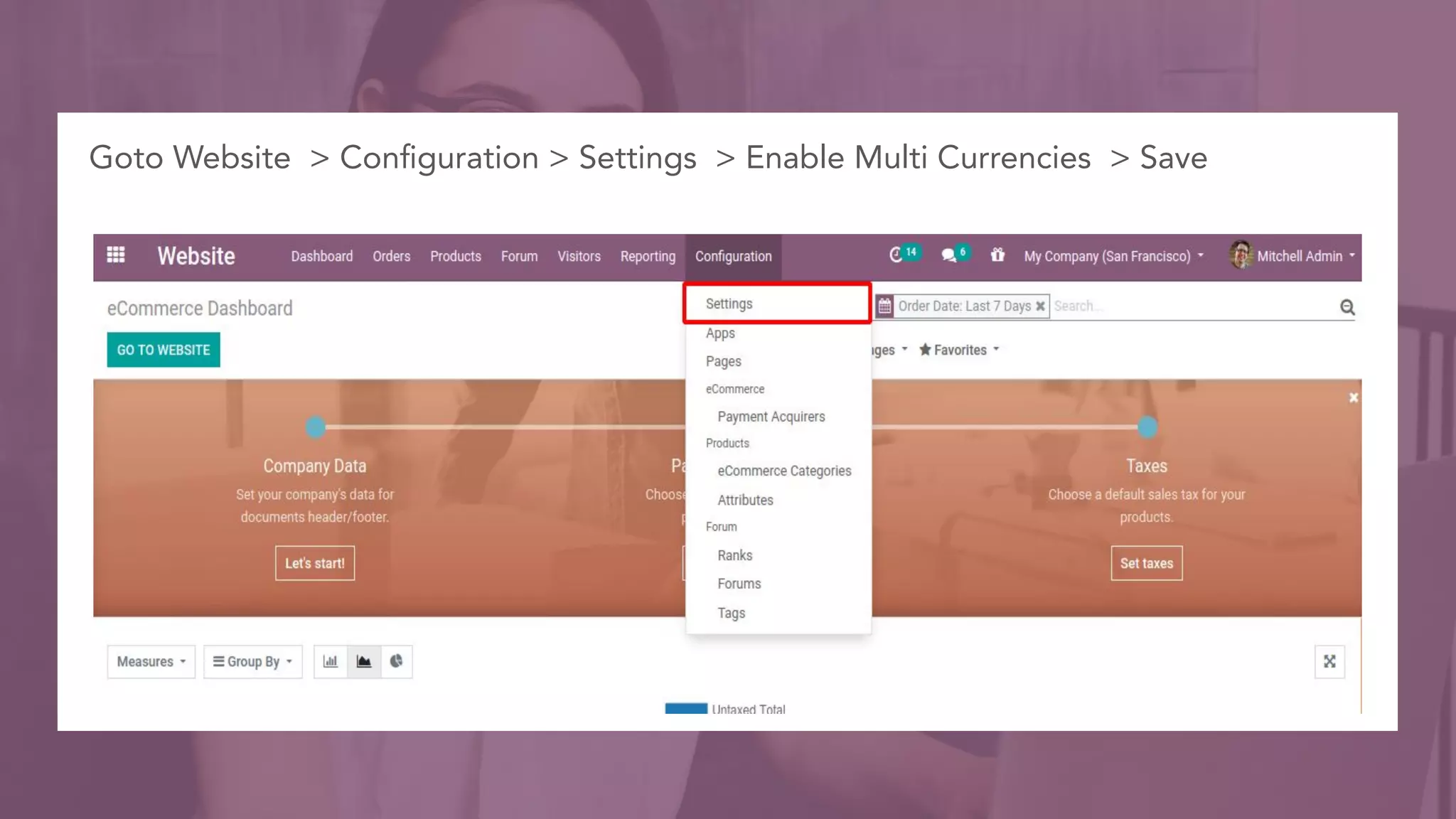
Goto Website > Configuration > Settings > Enable Multi Currencies > Save
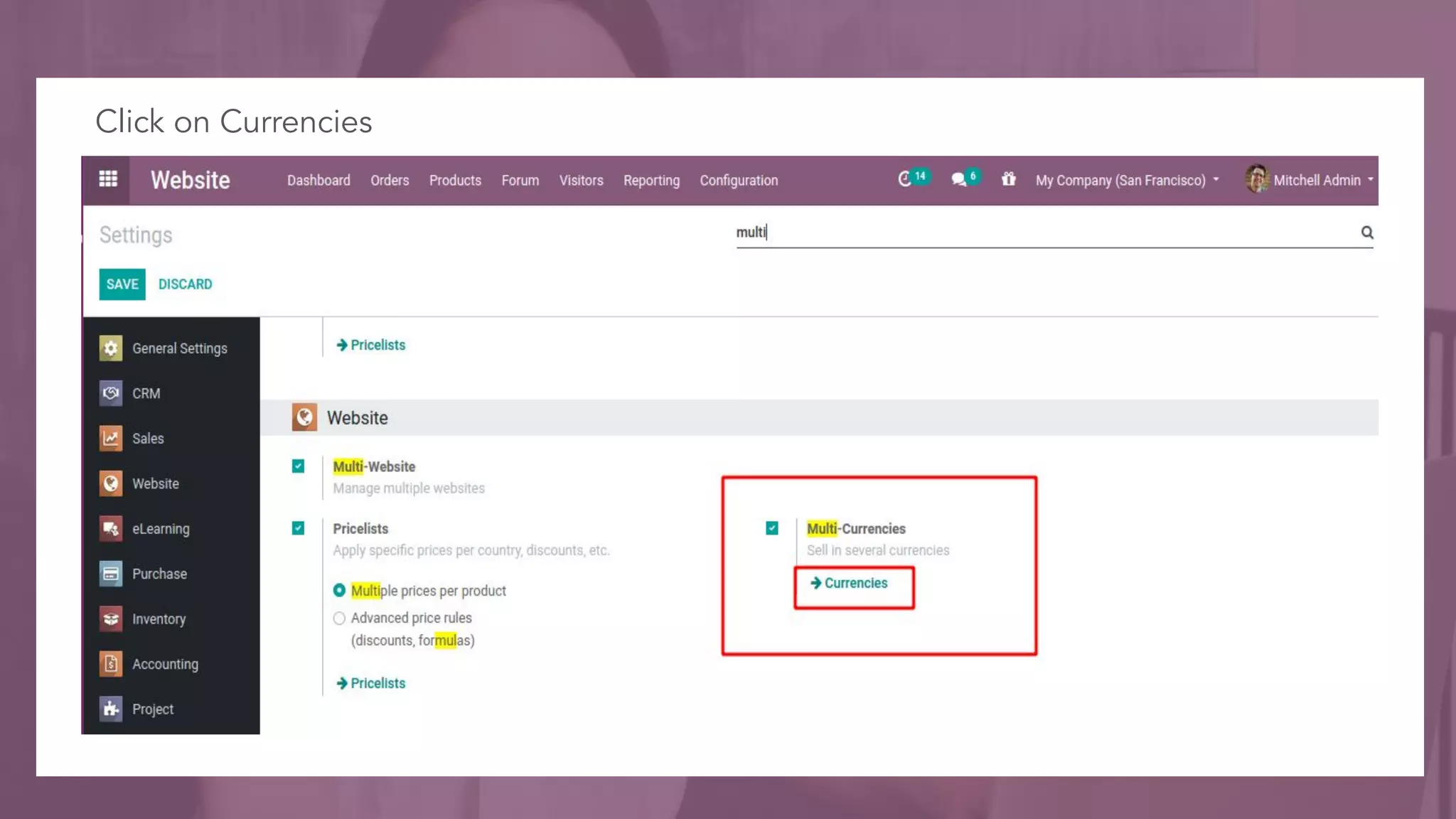
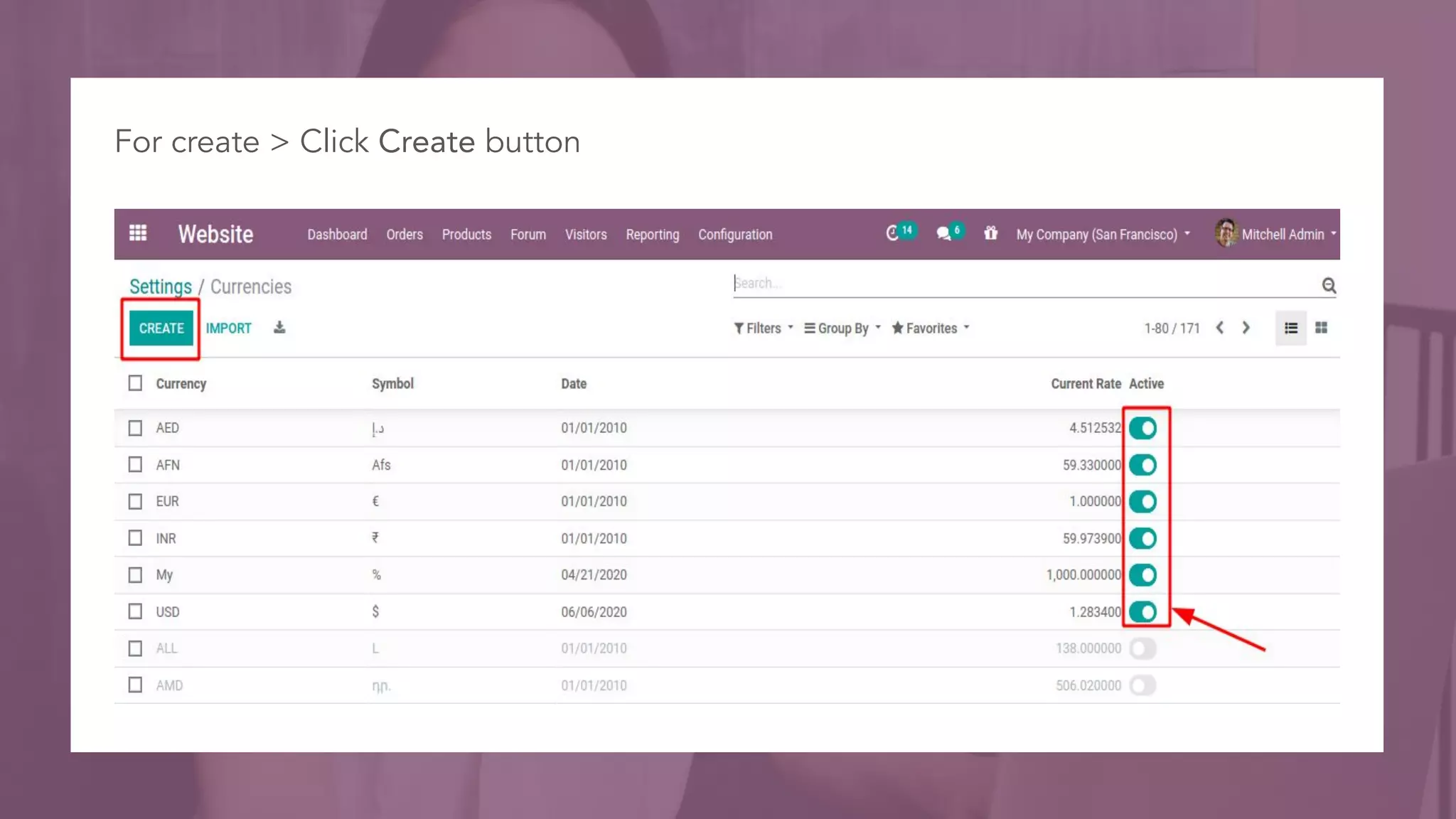
Click on Currencies
For create > Click Create button
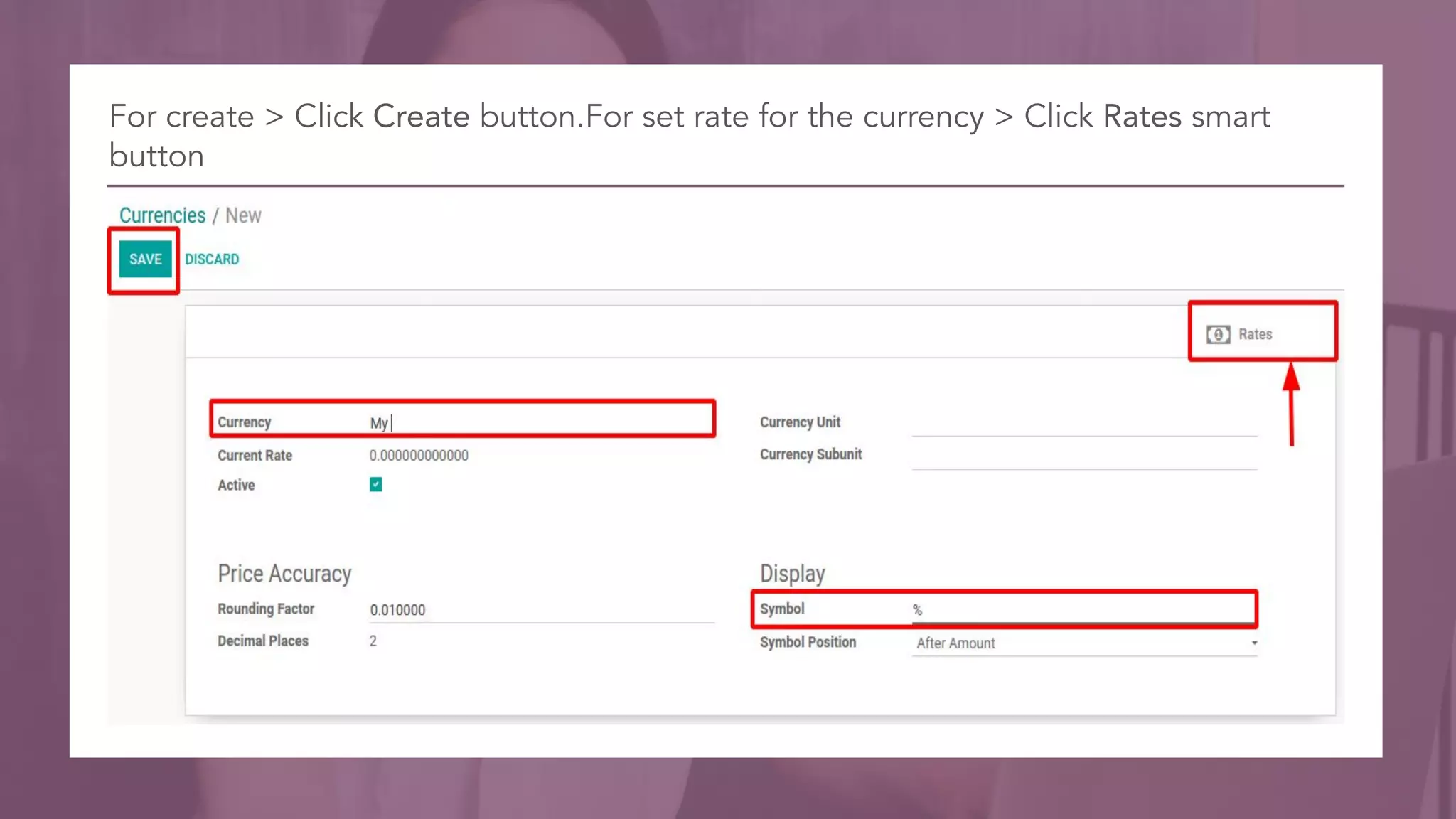
For create > Click Create button.For set rate for the currency > Click Rates smart
button
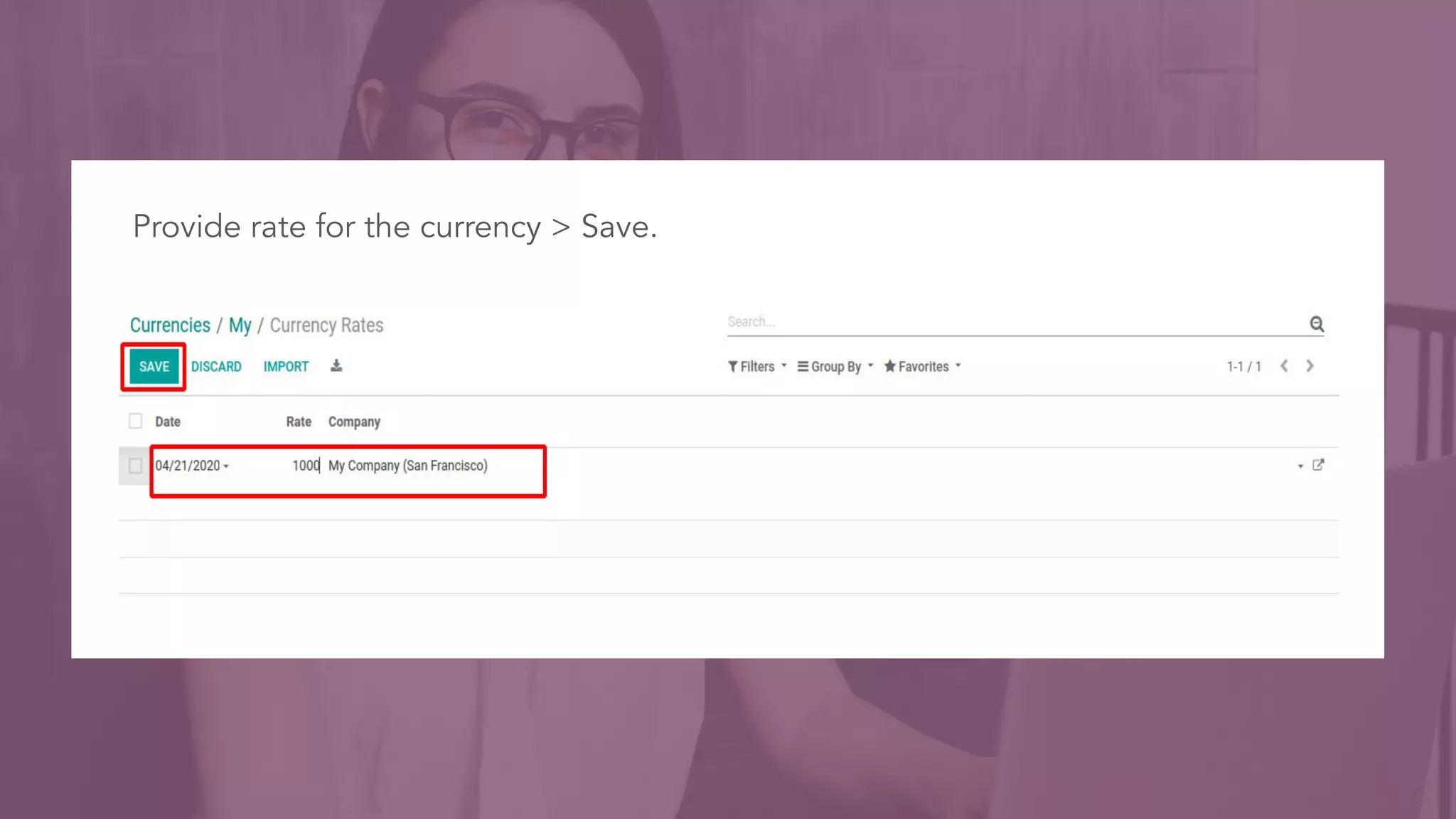
Provide rate for the currency > Save.
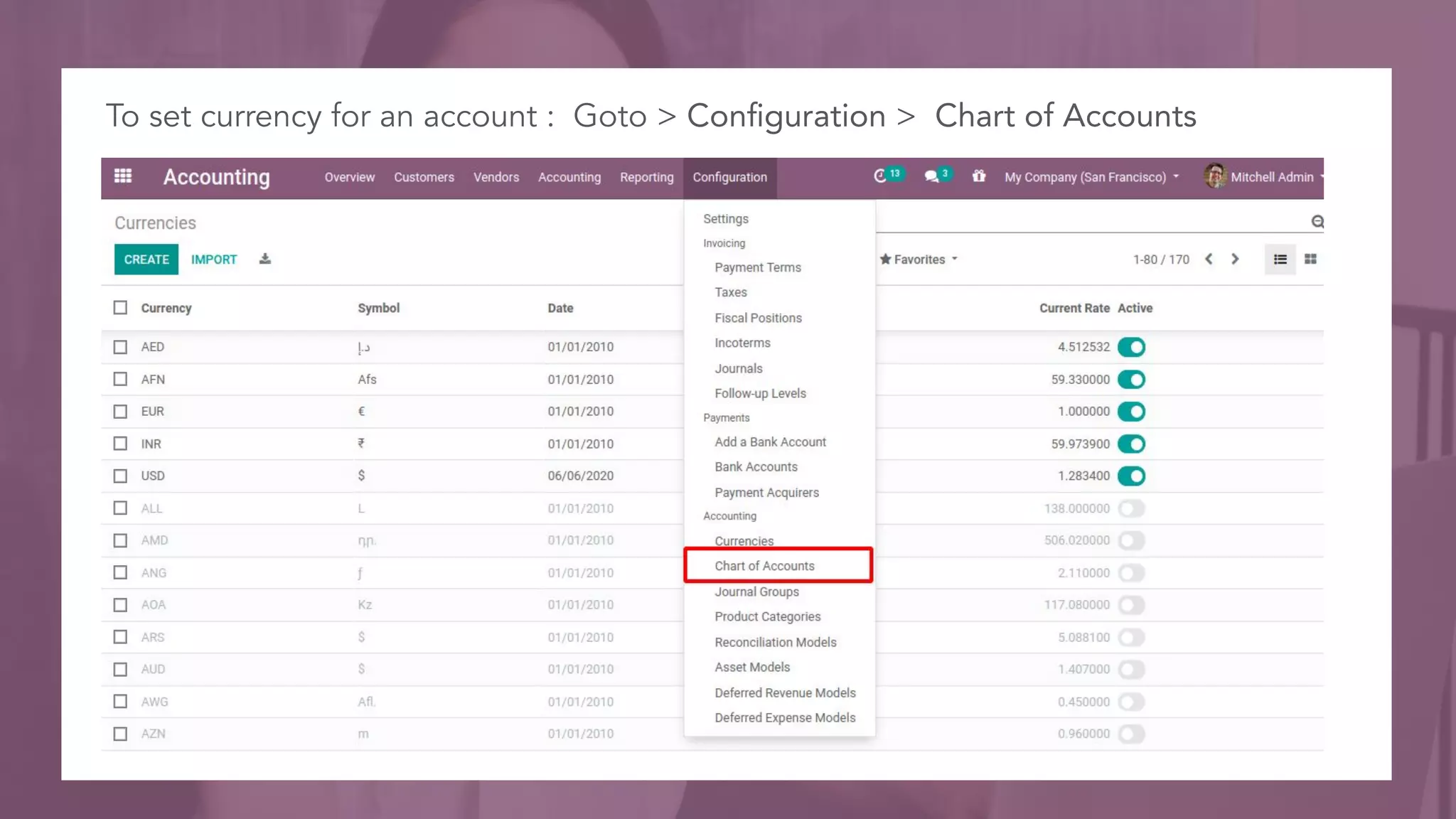
To set currency for an account : Goto > Configuration > Chart of Accounts
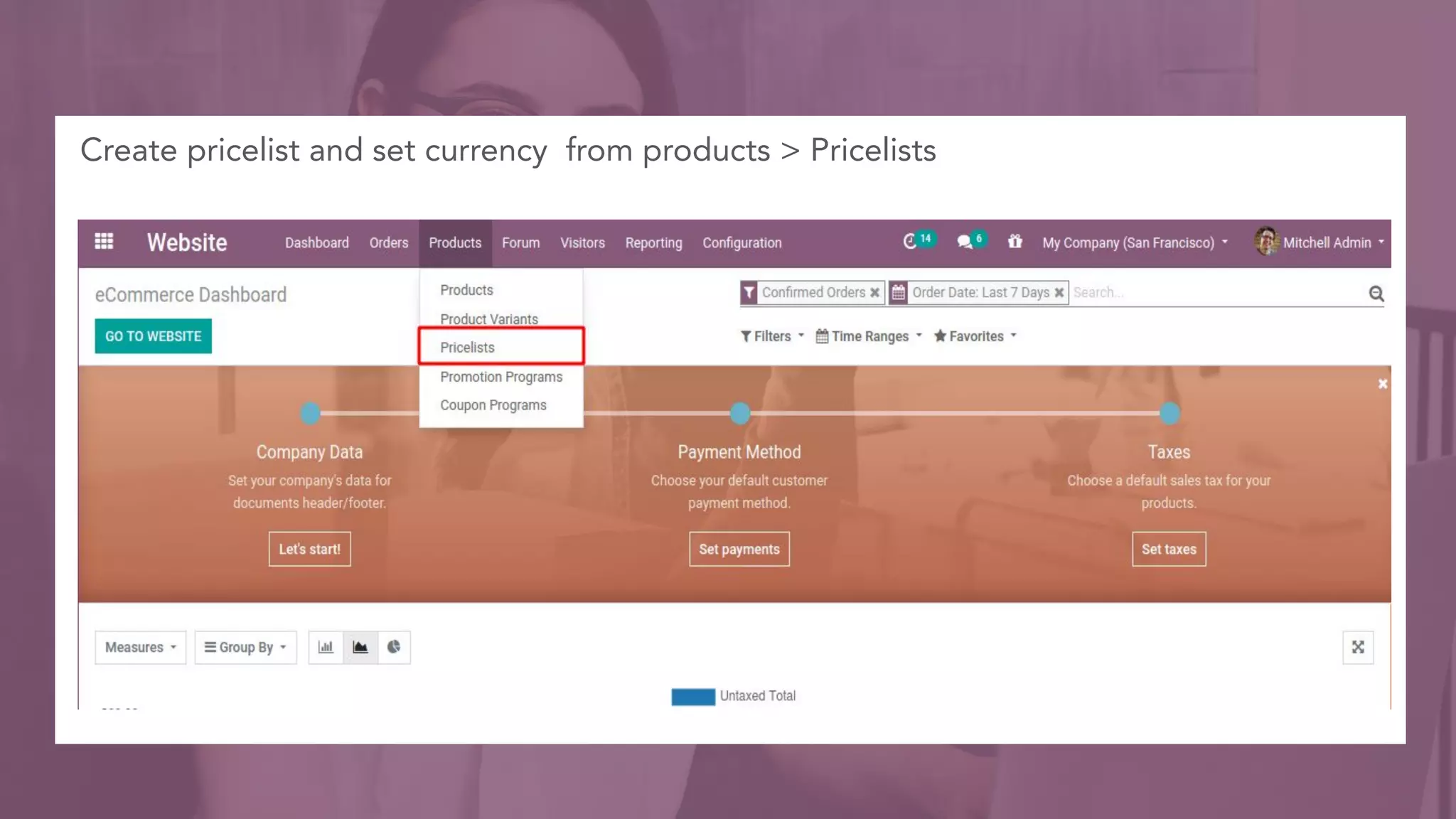
Create pricelist and set currency from products > Pricelists
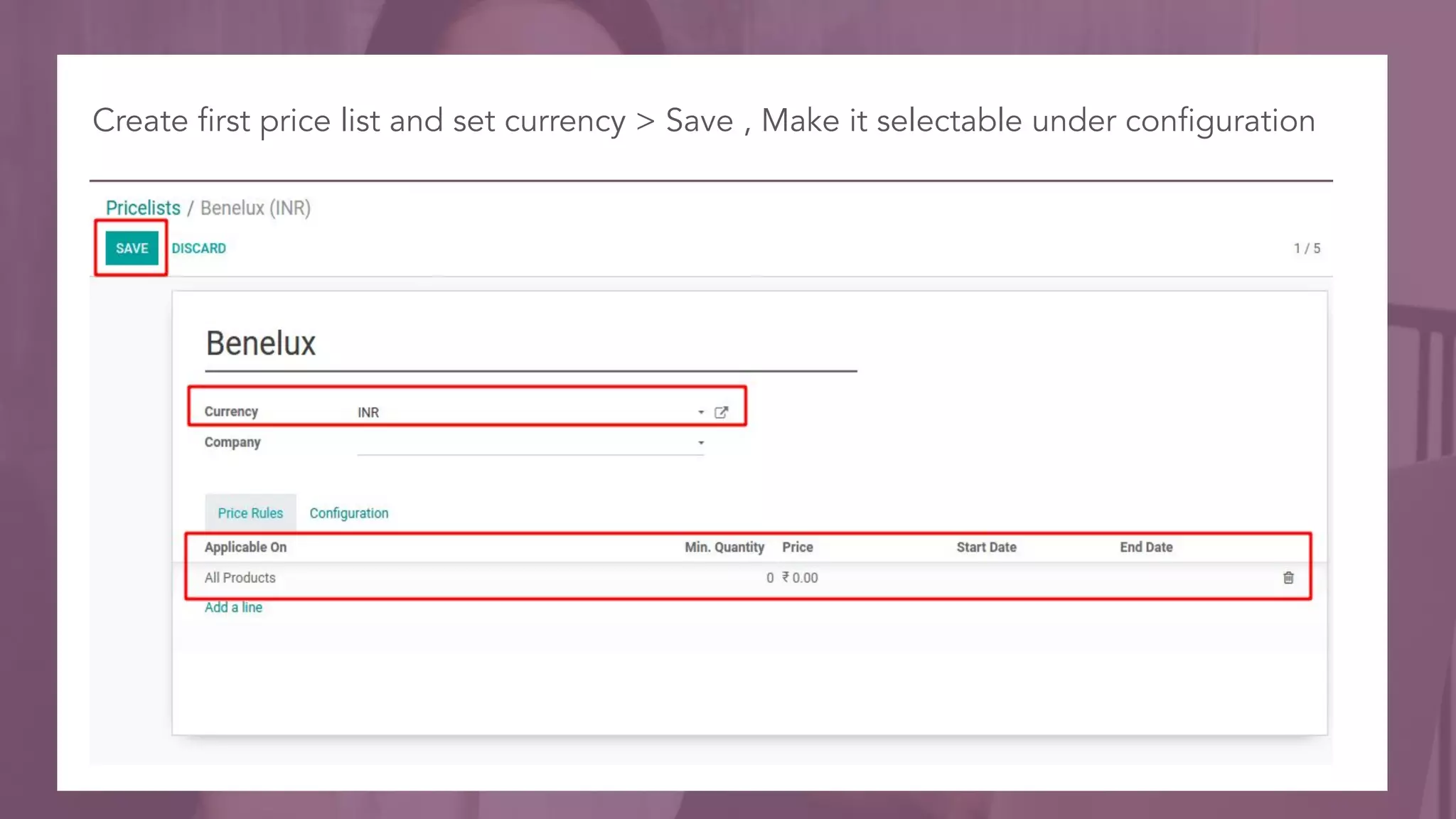
Create first price list and set currency > Save , Make it selectable under configuration
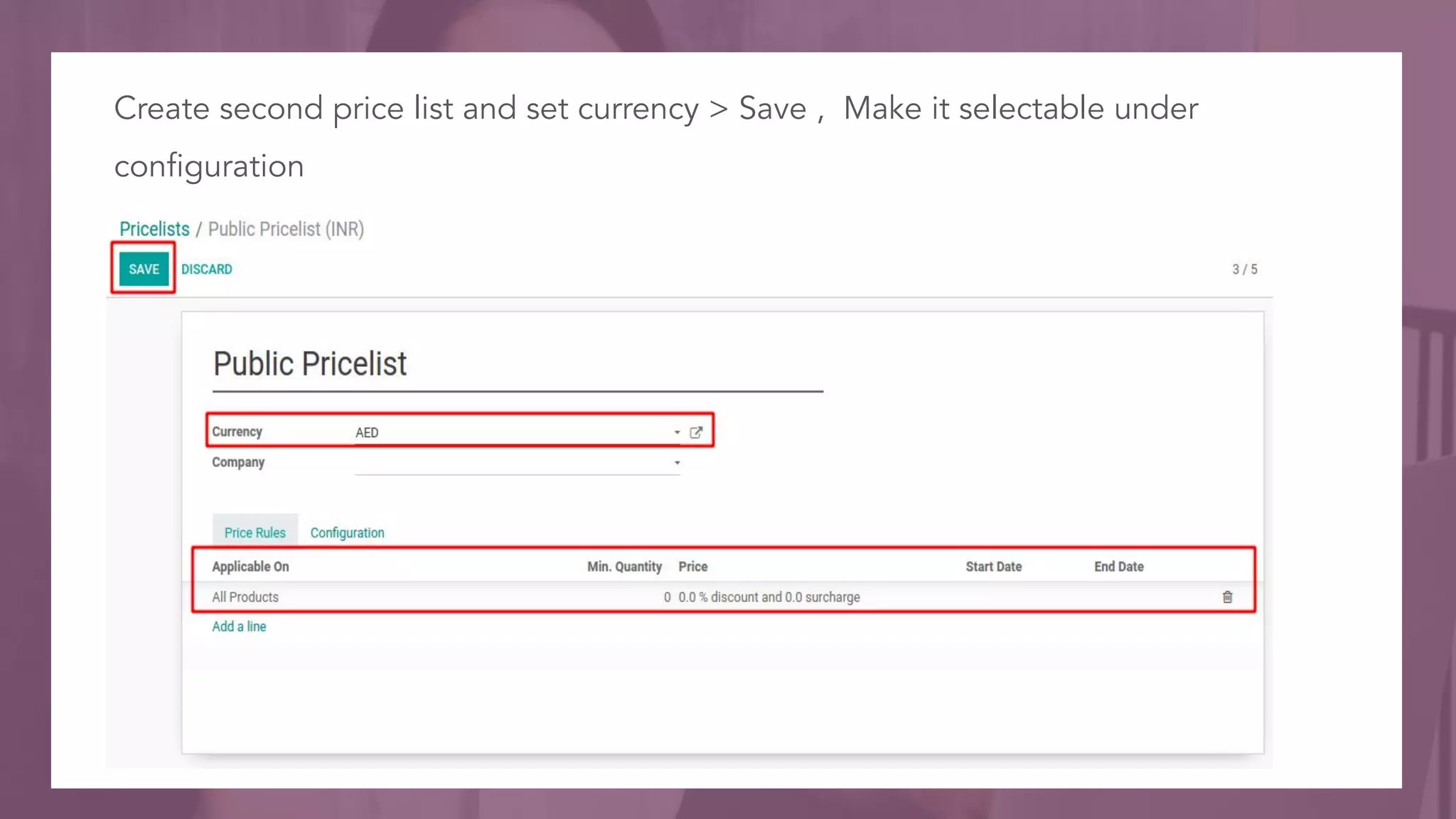
Create second price list and set currency > Save , Make it selectable under
configuration
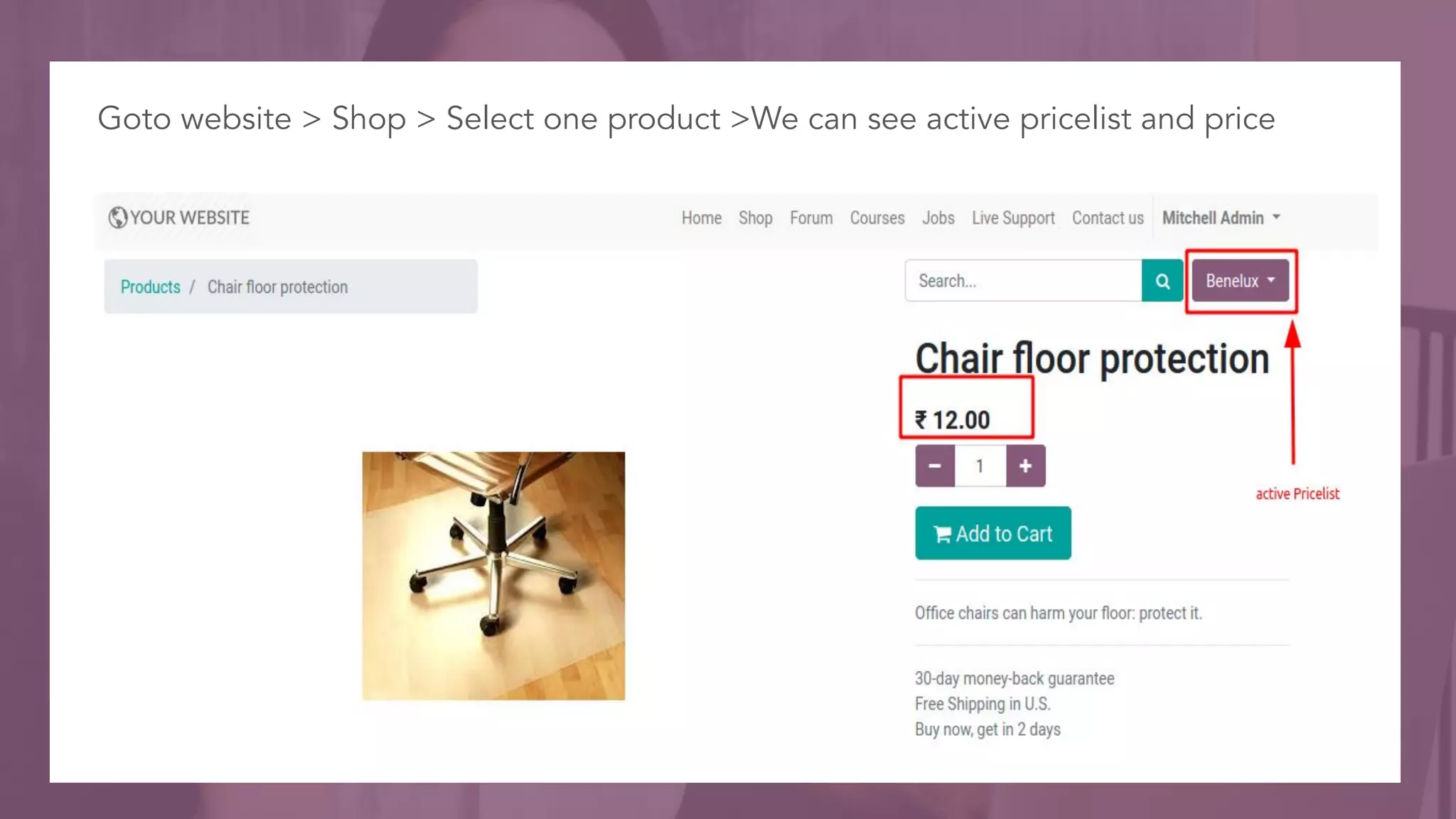
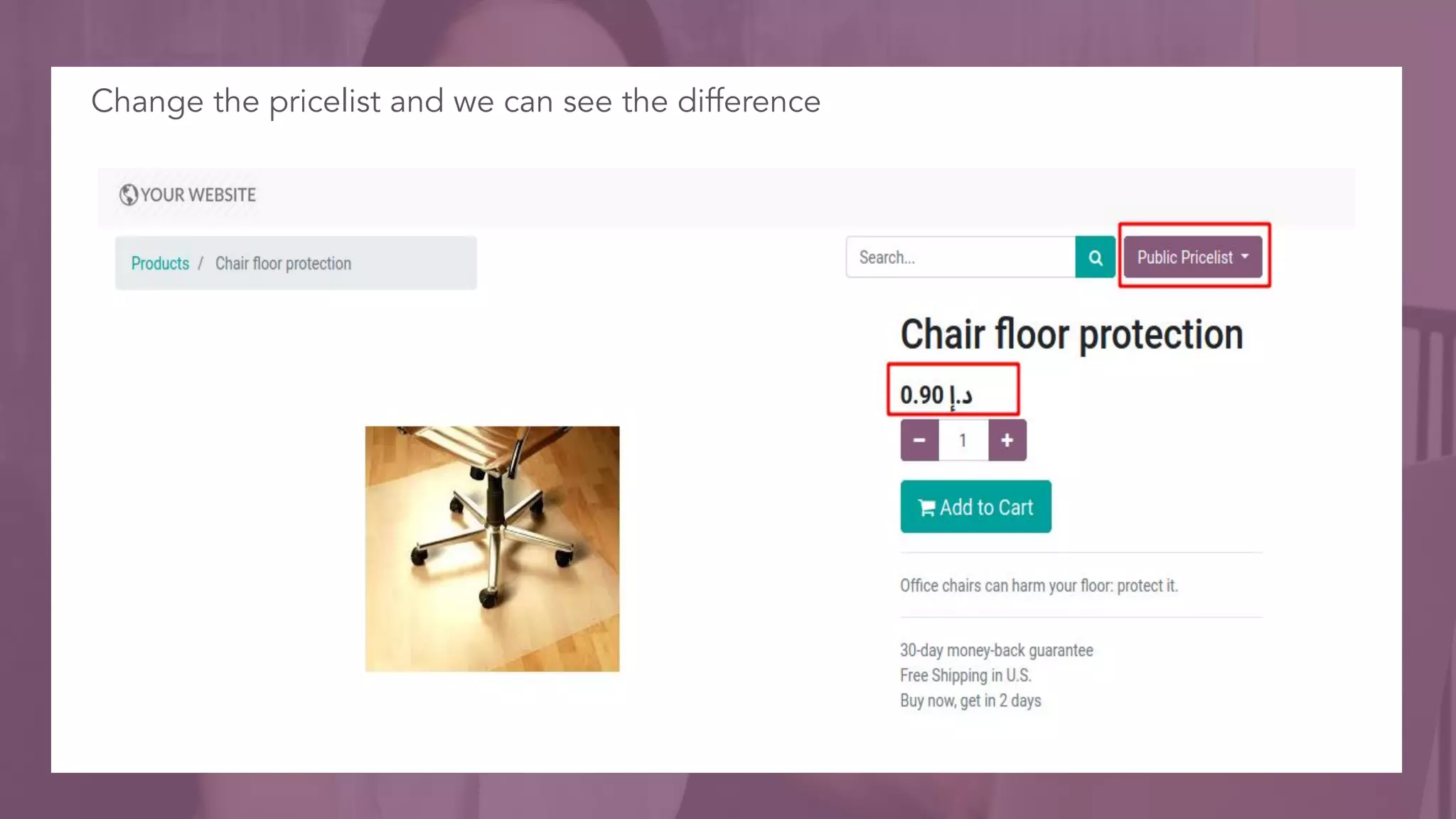
Goto website > Shop > Select one product >We can see active pricelist and price
Change the pricelist and we can see the difference
For More
Details
Check our company website for related blogs and Odoo
book.
Odoo Multi-Currency
Check our YouTube channel for functional and technical
videos in Odoo.
Multi currency management in odoo13 website
Thank You

Multi Currency Management in Odoo 13 Website

  • 1.
  • 2.
    INTRODUCTION ❖ An aspiringbusiness organization's Product’s/Service’s scope is not limited to the domestic market but extends to the international market also. ❖ And international transactions always involve the currencies other than the domestic one. ❖ Such an organization's ERP software should have multi-currency support to keep the accounting as well as other related records intact.
  • 3.
    ❖ Odoo isa universal ERP package that accommodates the global as well as most of the domestic standards. ❖ In Odoo, the user can configure multiple currencies for the transaction, set its exchange rate and assign different currencies for individual partners and book of accounts. ❖ Odoo will allow you to send sales invoices, quotes and purchase orders or receive bills and payments in currencies other than the default/domestic currency. ❖ It is a default feature in Odoo and the user just has to enable the option and configure the values.
  • 4.
    Goto Website >Configuration > Settings > Enable Multi Currencies > Save
  • 5.
  • 6.
    For create >Click Create button
  • 7.
    For create >Click Create button.For set rate for the currency > Click Rates smart button
  • 8.
    Provide rate forthe currency > Save.
  • 9.
    To set currencyfor an account : Goto > Configuration > Chart of Accounts
  • 10.
    Create pricelist andset currency from products > Pricelists
  • 11.
    Create first pricelist and set currency > Save , Make it selectable under configuration
  • 12.
    Create second pricelist and set currency > Save , Make it selectable under configuration
  • 13.
    Goto website >Shop > Select one product >We can see active pricelist and price
  • 14.
    Change the pricelistand we can see the difference
  • 15.
    For More Details Check ourcompany website for related blogs and Odoo book. Odoo Multi-Currency Check our YouTube channel for functional and technical videos in Odoo. Multi currency management in odoo13 website
  • 17.