www.cybrosys.com
Difference between Optional products and
Accessories in Odoo14
Odoo14 Community
INTRODUCTION
❖ Odoo provides the end customer with a range of alternatives when purchasing a product
such as providing extra items that are specifically connected to the item, accessories, and
optional products in e-commerce.
❖ Optional products
❖ The use of optional products is a business technique for cross-selling products and a key
product.
❖ The goal is to give the customers valuable and related items.
❖ For example, if a buyer decides to purchase a vehicle, he has the choice of either ordering
an automatic opening trunk and massaging seats or not purchasing such high-quality items
and just buying his vehicle.
INTRODUCTION(Cont)
❖ Accessory Product
❖ Those are items that can complement or support the purchase of a product.
❖ A suggested sale is a traditional form of sales that the shop owner has experienced to
produce more company profits.
❖ Through this selling procedure, the shop owner presents to the consumer the possibility of
potential transactions and also proposes other items that could benefit the customer in
large part with respect to his possible requirements.
❖ For example if a user buys a computer, then keyboard is an accessory product.
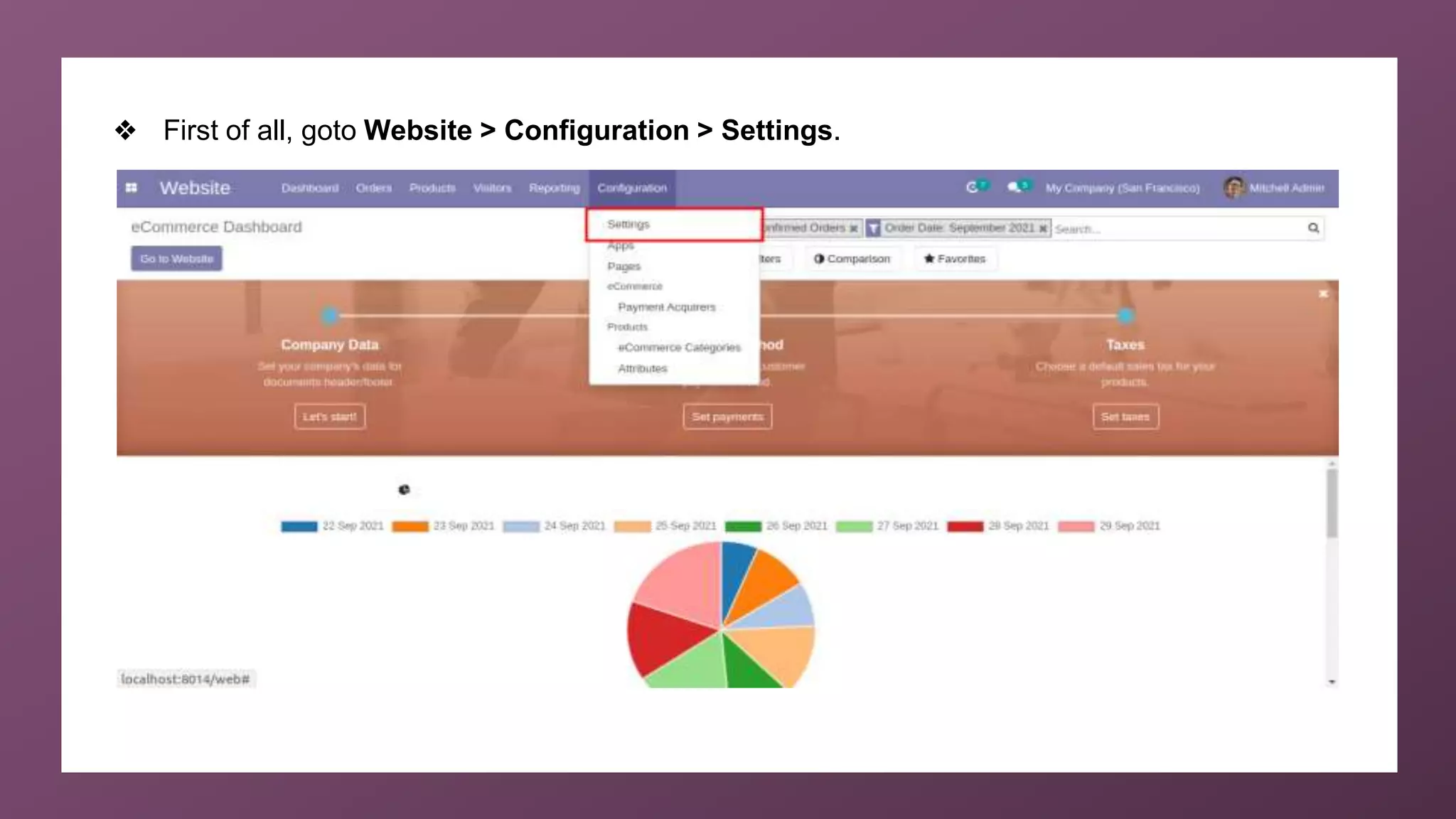
❖ First of all, goto Website > Configuration > Settings.
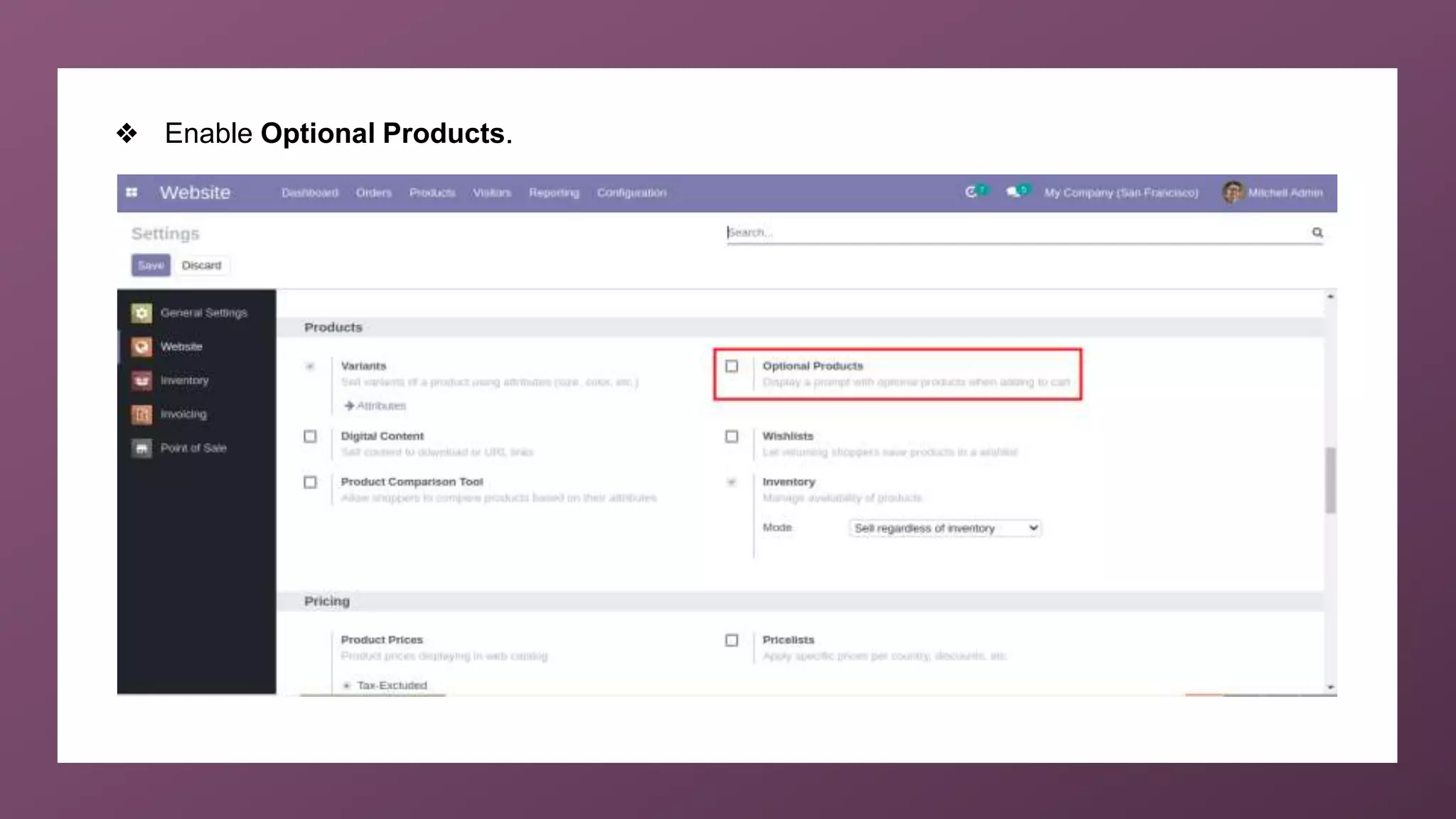
❖ Enable Optional Products.
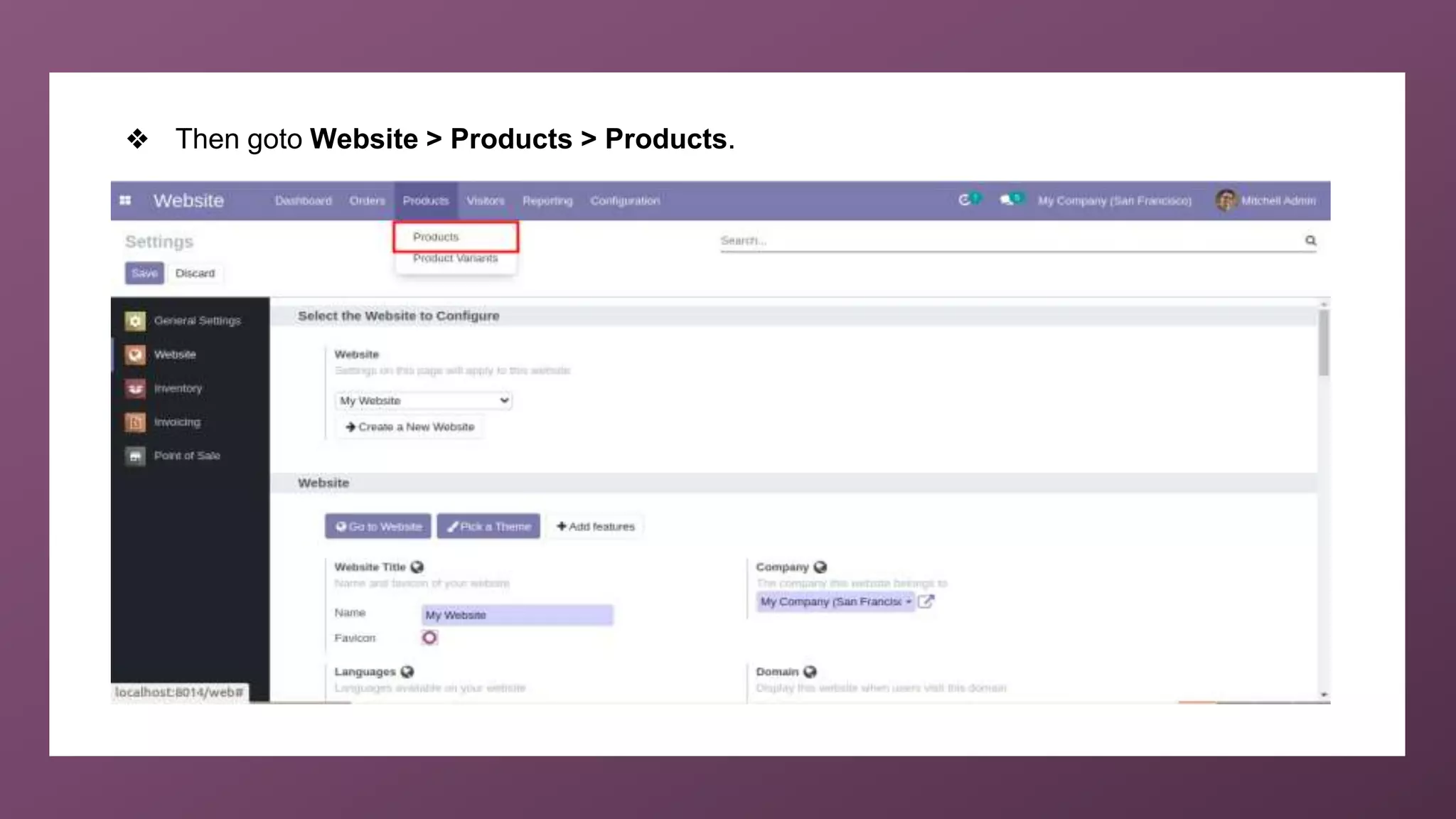
❖ Then goto Website > Products > Products.
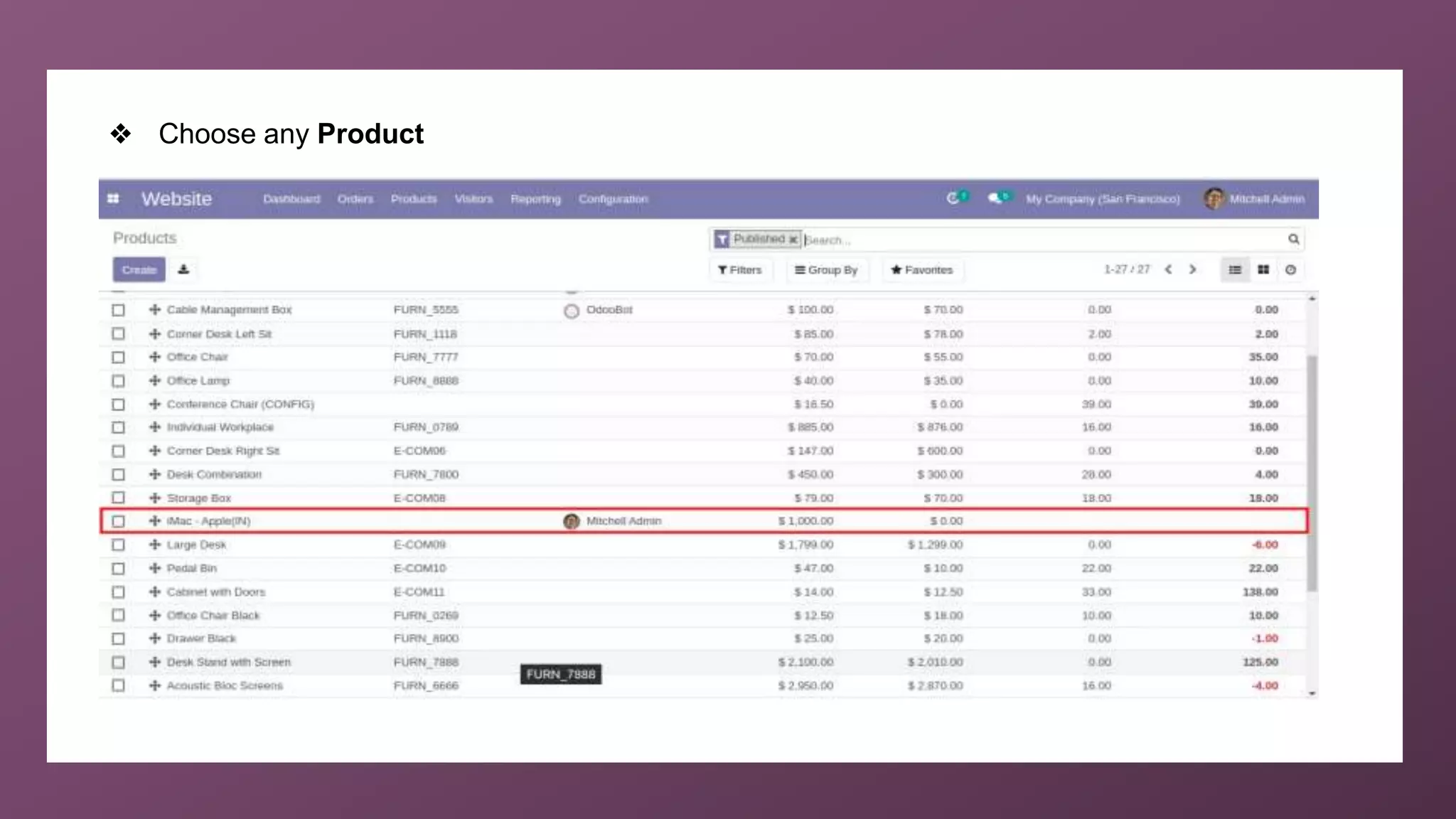
❖ Choose any Product
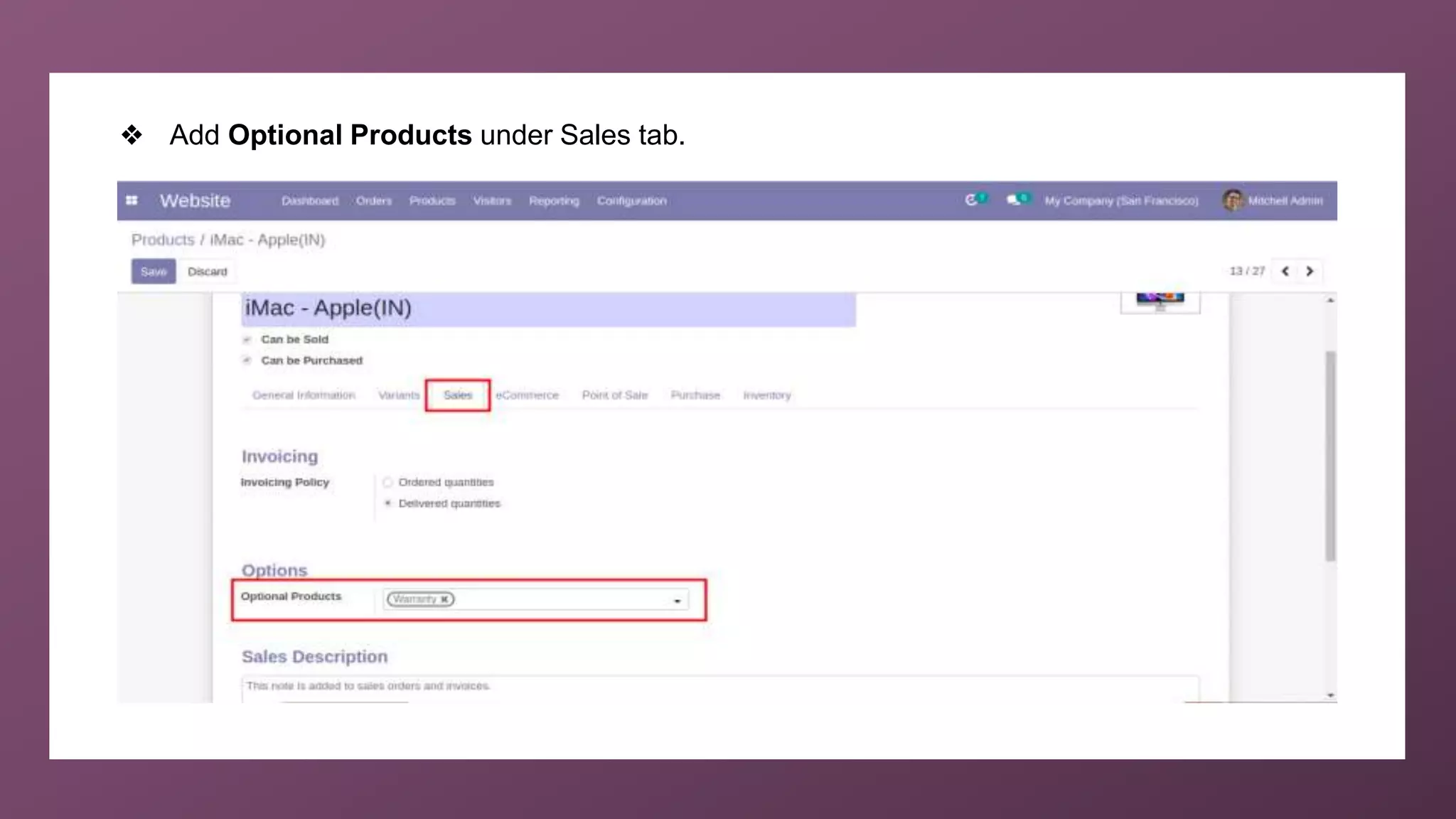
❖ Add Optional Products under Sales tab.
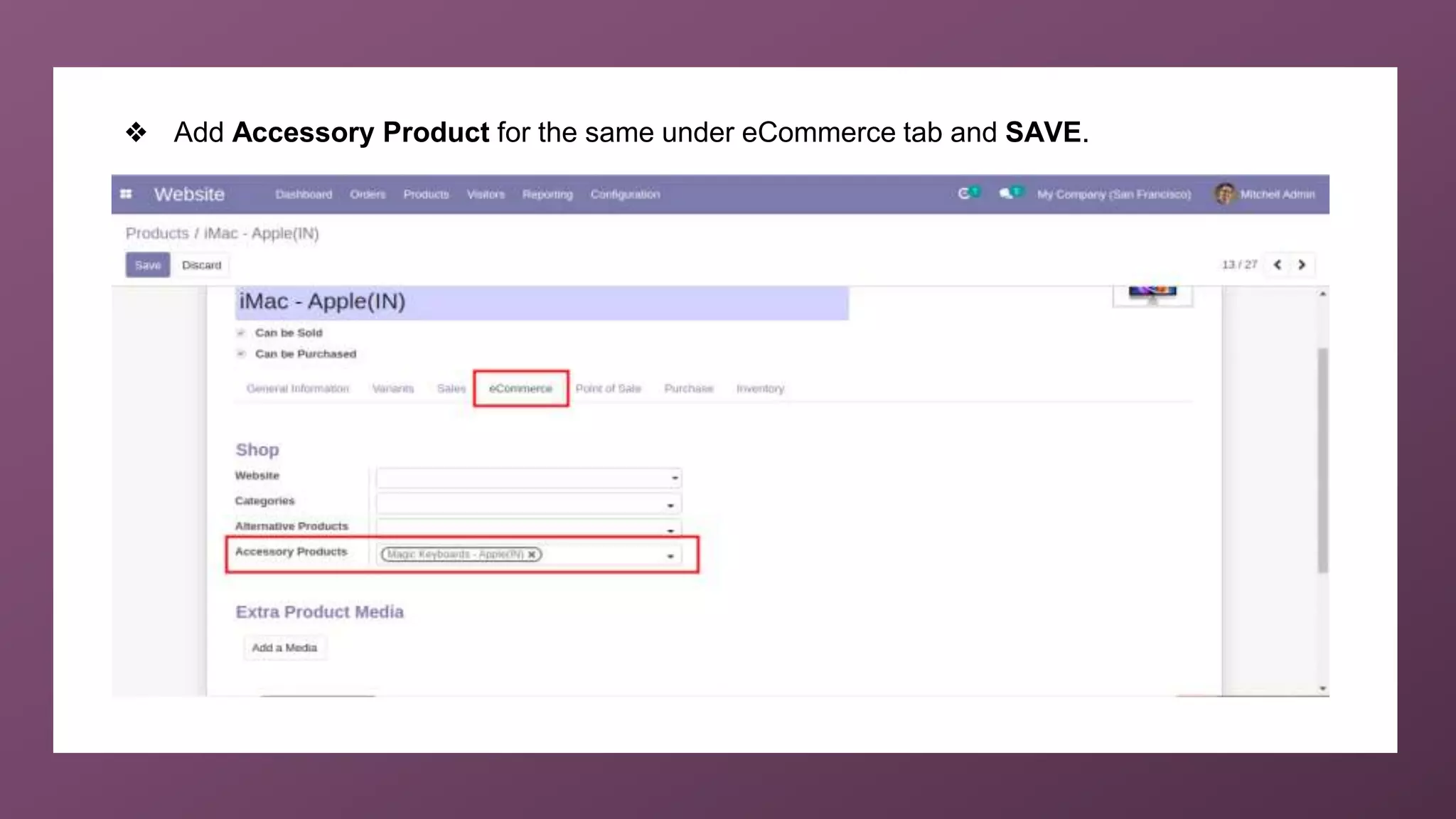
❖ Add Accessory Product for the same under eCommerce tab and SAVE.
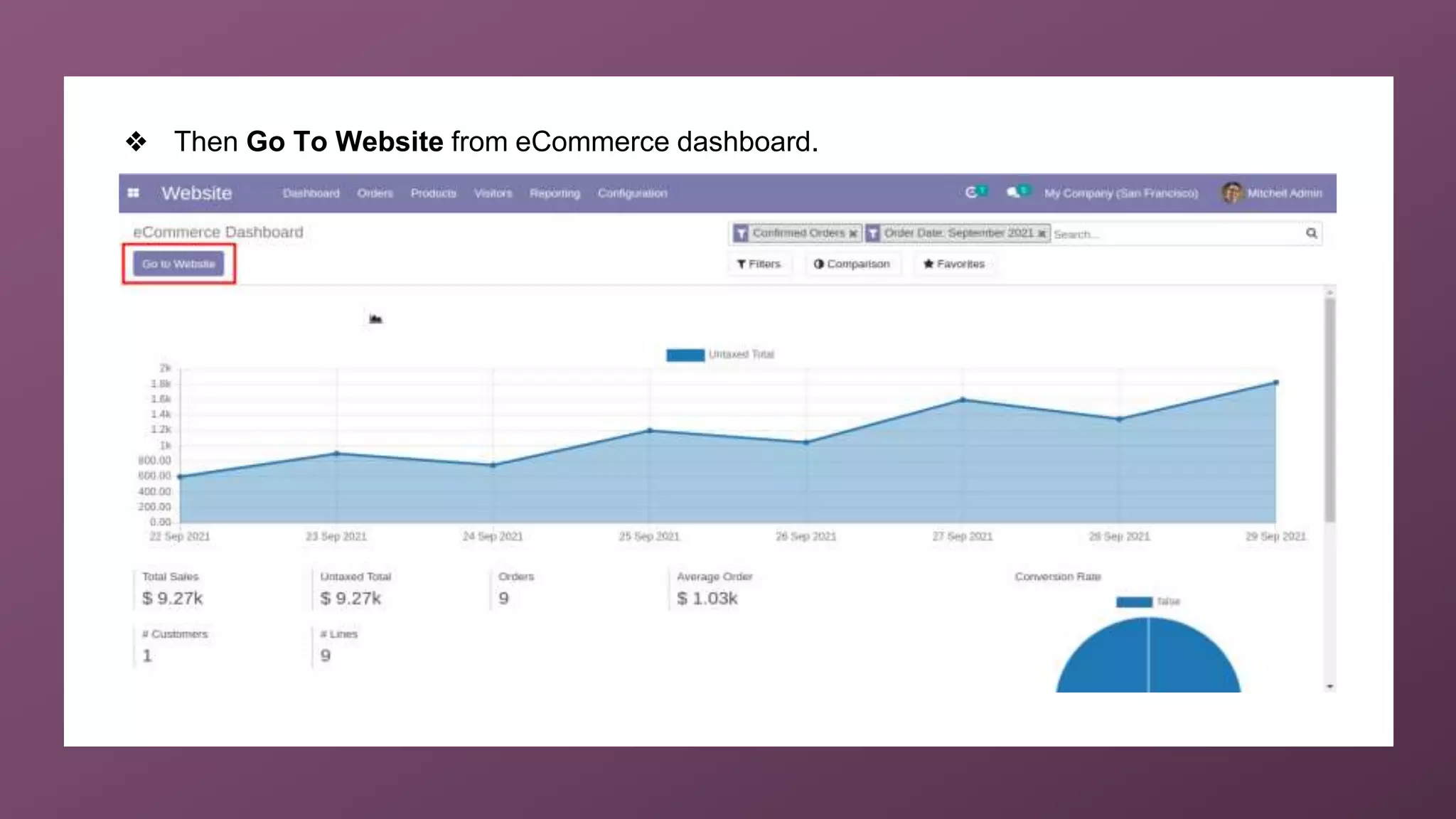
❖ Then Go To Website from eCommerce dashboard.
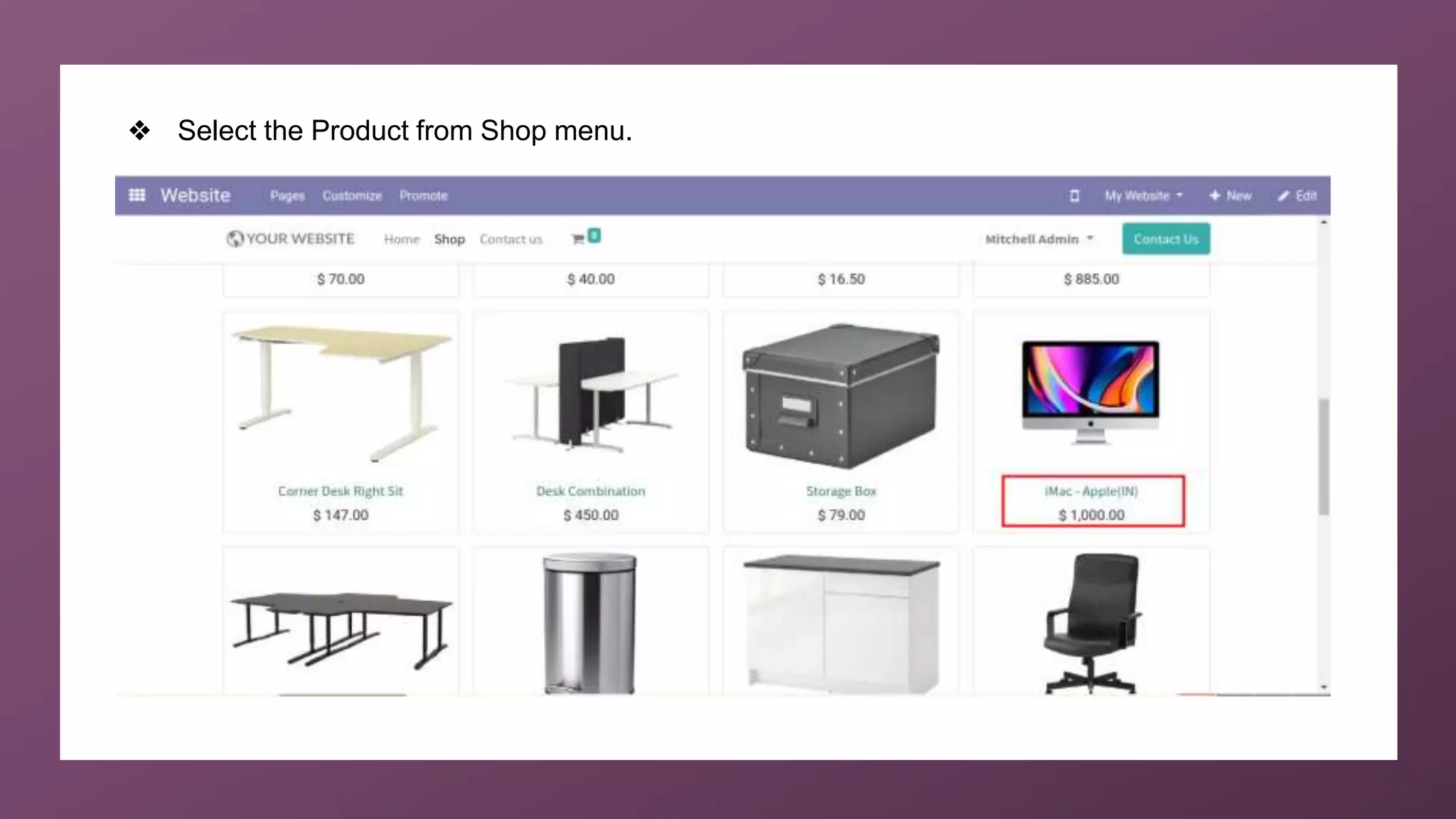
❖ Select the Product from Shop menu.
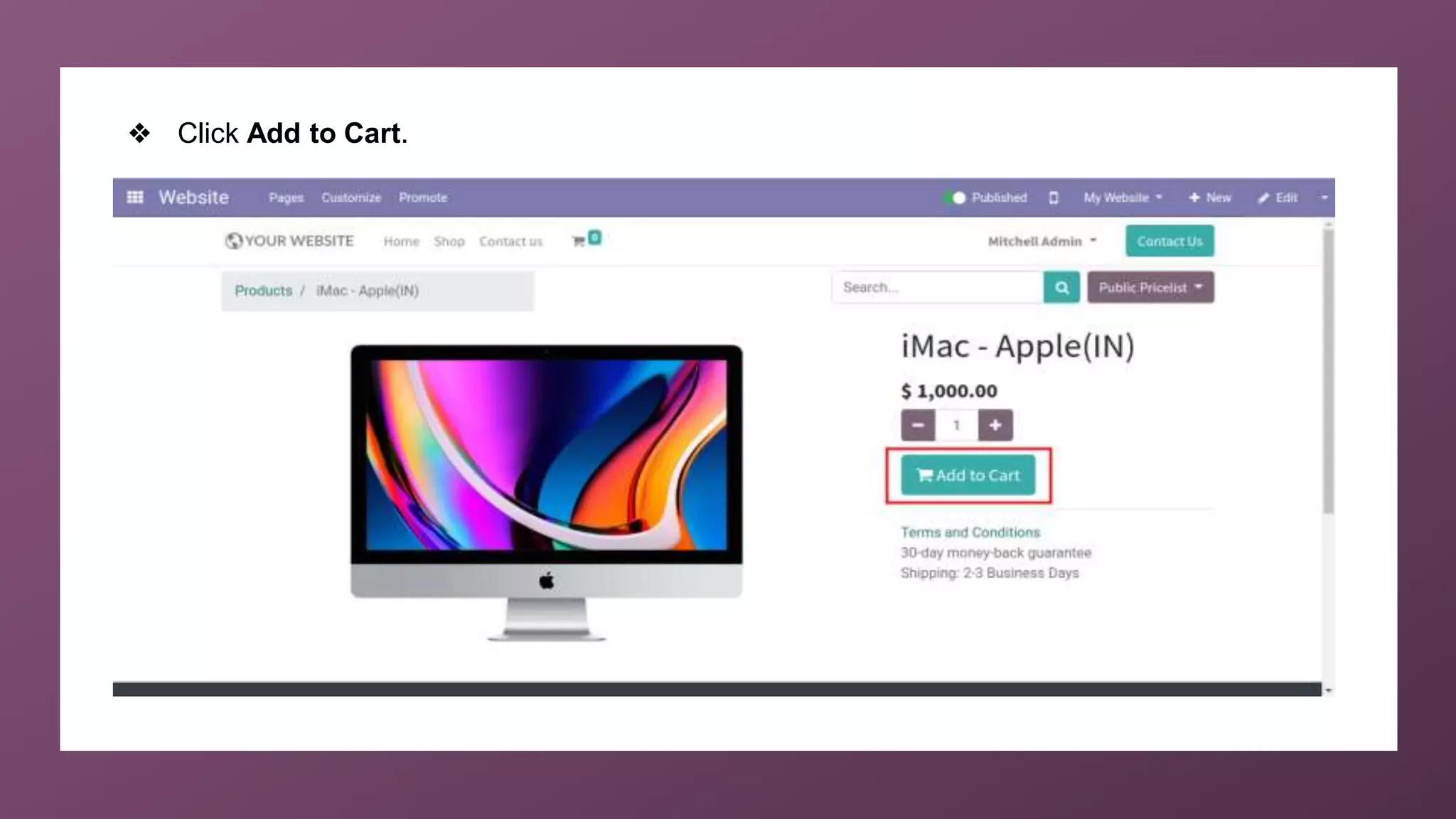
❖ Click Add to Cart.
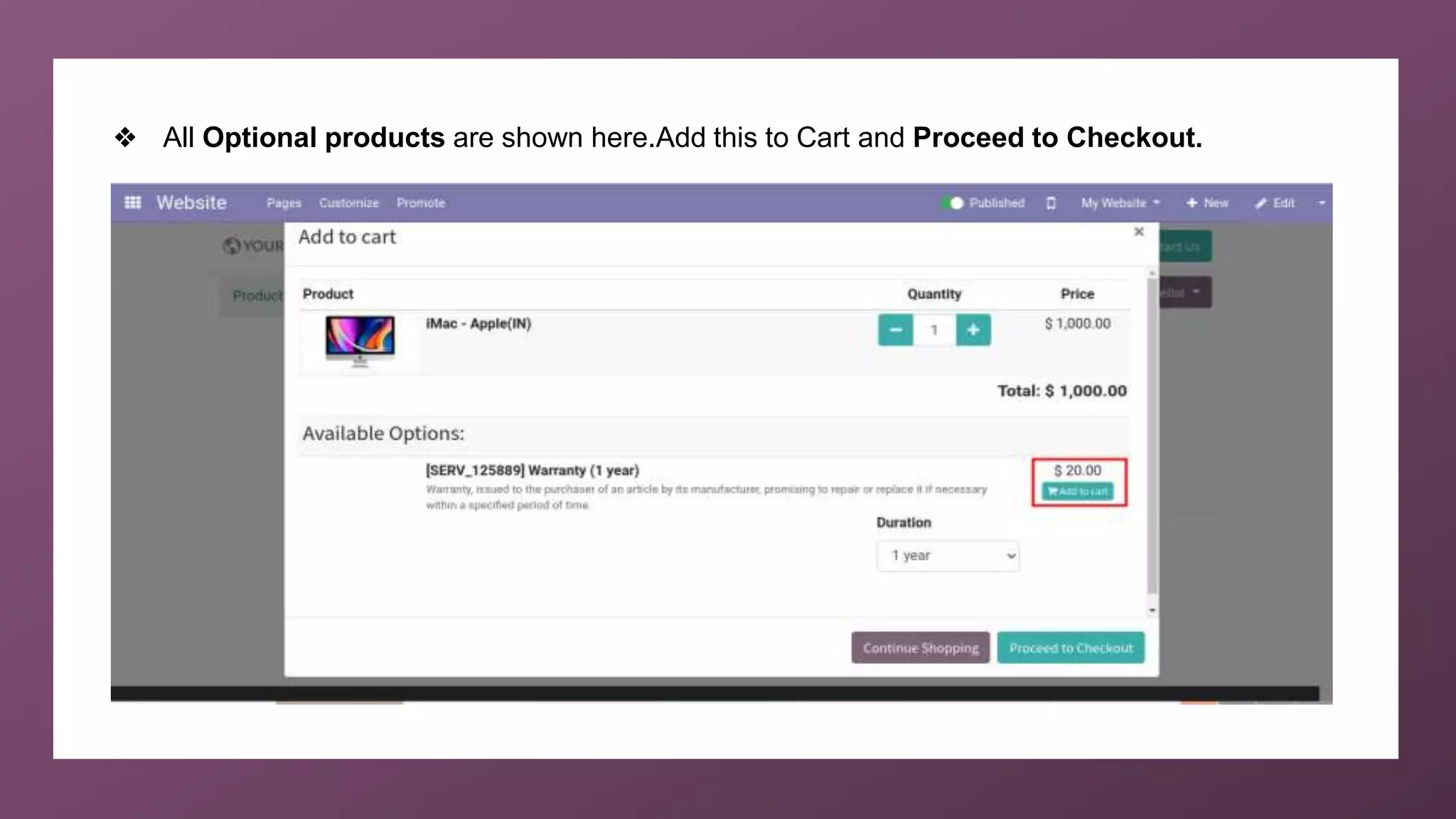
❖ All Optional products are shown here.Add this to Cart and Proceed to Checkout.
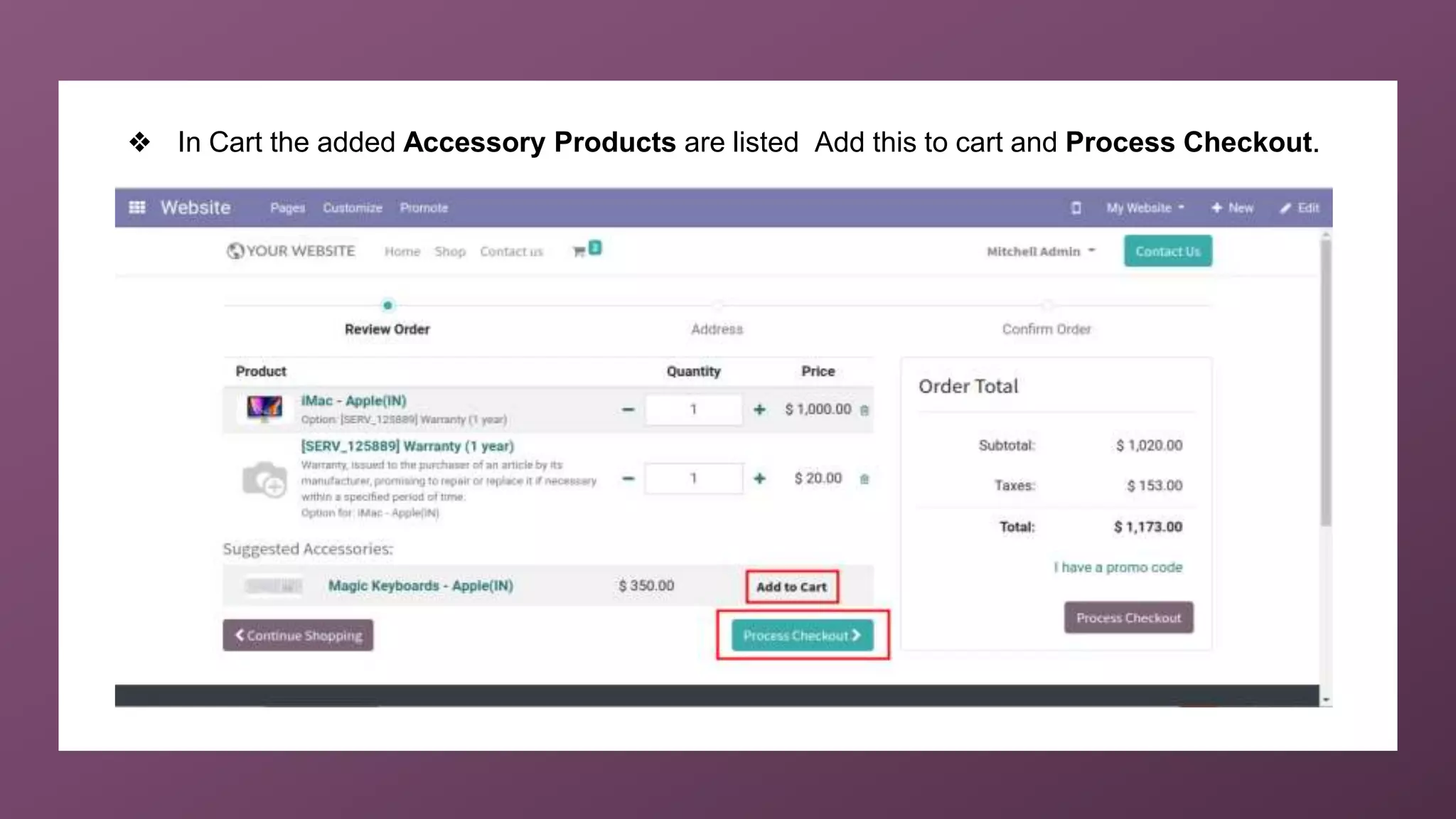
❖ In Cart the added Accessory Products are listed Add this to cart and Process Checkout.
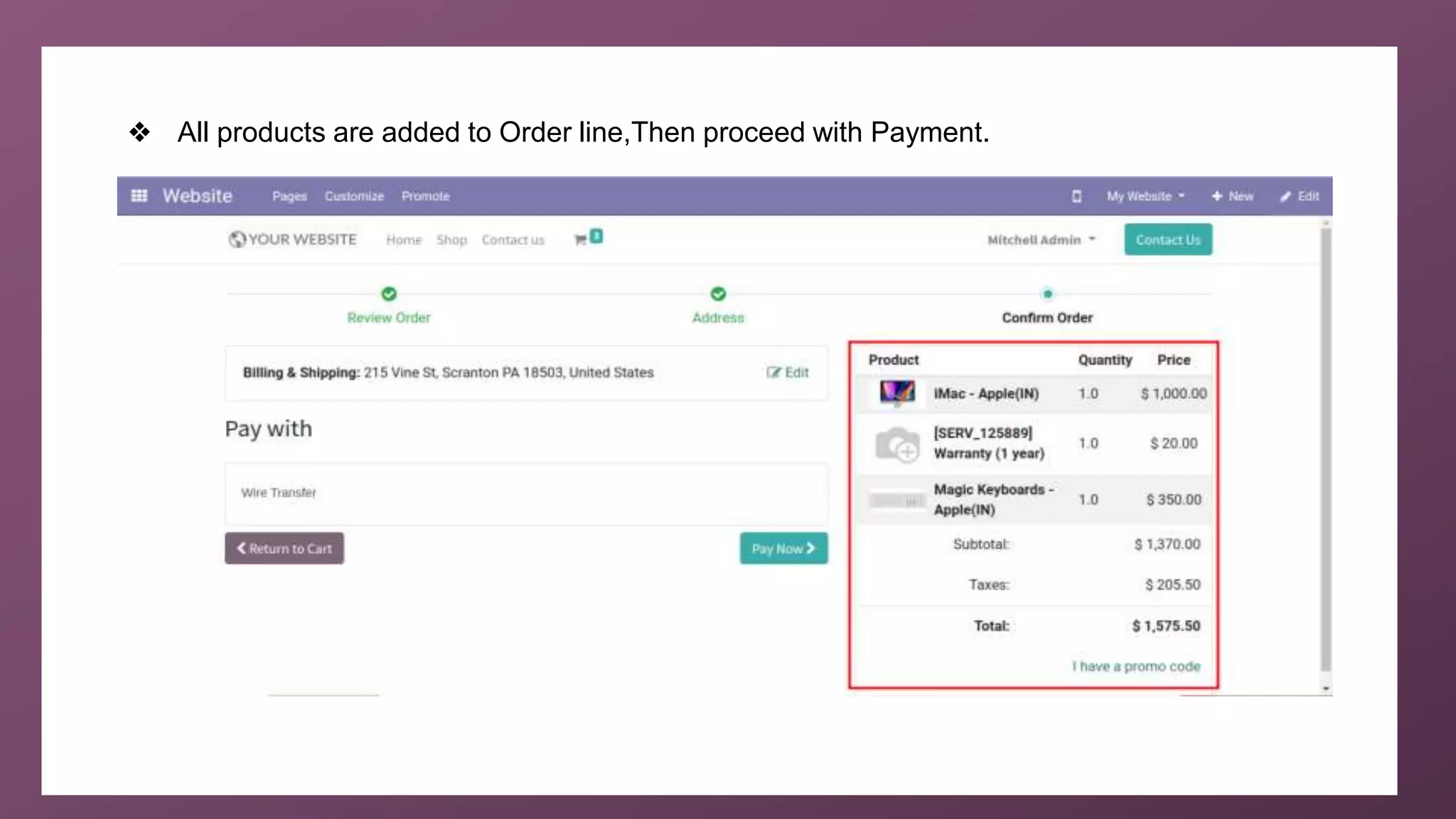
❖ All products are added to Order line,Then proceed with Payment.
For More
Details
Check our company website for related blogs and Odoo
book.
Odoo 14 book
Check our YouTube channel for functional and technical
videos in Odoo.
Difference Between Optional Product and Accessories
in Odoo 14 eCommerce Website Community
Thank You

Difference Between Optional Products and Accessories in Odoo 14 Community E-commerce Website

  • 1.
    www.cybrosys.com Difference between Optionalproducts and Accessories in Odoo14 Odoo14 Community
  • 2.
    INTRODUCTION ❖ Odoo providesthe end customer with a range of alternatives when purchasing a product such as providing extra items that are specifically connected to the item, accessories, and optional products in e-commerce. ❖ Optional products ❖ The use of optional products is a business technique for cross-selling products and a key product. ❖ The goal is to give the customers valuable and related items. ❖ For example, if a buyer decides to purchase a vehicle, he has the choice of either ordering an automatic opening trunk and massaging seats or not purchasing such high-quality items and just buying his vehicle.
  • 3.
    INTRODUCTION(Cont) ❖ Accessory Product ❖Those are items that can complement or support the purchase of a product. ❖ A suggested sale is a traditional form of sales that the shop owner has experienced to produce more company profits. ❖ Through this selling procedure, the shop owner presents to the consumer the possibility of potential transactions and also proposes other items that could benefit the customer in large part with respect to his possible requirements. ❖ For example if a user buys a computer, then keyboard is an accessory product.
  • 4.
    ❖ First ofall, goto Website > Configuration > Settings.
  • 5.
  • 6.
    ❖ Then gotoWebsite > Products > Products.
  • 7.
  • 8.
    ❖ Add OptionalProducts under Sales tab.
  • 9.
    ❖ Add AccessoryProduct for the same under eCommerce tab and SAVE.
  • 10.
    ❖ Then GoTo Website from eCommerce dashboard.
  • 11.
    ❖ Select theProduct from Shop menu.
  • 12.
    ❖ Click Addto Cart.
  • 13.
    ❖ All Optionalproducts are shown here.Add this to Cart and Proceed to Checkout.
  • 14.
    ❖ In Cartthe added Accessory Products are listed Add this to cart and Process Checkout.
  • 15.
    ❖ All productsare added to Order line,Then proceed with Payment.
  • 16.
    For More Details Check ourcompany website for related blogs and Odoo book. Odoo 14 book Check our YouTube channel for functional and technical videos in Odoo. Difference Between Optional Product and Accessories in Odoo 14 eCommerce Website Community
  • 18.