


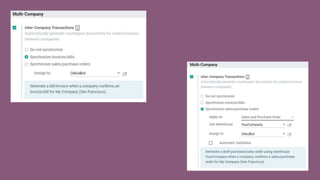

Multi-Company
Management
Alex Wuestenberghs • Functional consultant
2019
EXPERIENCE
Intro1
We know how difficult it can get to manage
multiple companies within the same system.
For browsing & configuration purposes:
We want to be able to browse & configure products,
taxes, etc. without constantly switching from one
company to another.
For reporting purposes:
We want to easily aggregate figures.
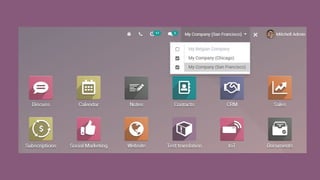
This is why we redesigned the multi-company
interface in Odoo 13...
To make it more user-friendly and more powerful.
The Multi-Company
“Switchboard”2
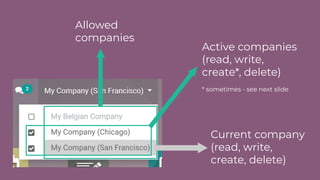
Allowed
companies
Active companies
(read, write,
create*, delete)
* sometimes - see next slide
Current company
(read, write,
create, delete)
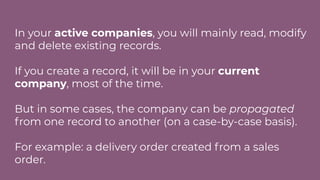
In your active companies, you will mainly read, modify
and delete existing records.
If you create a record, it will be in your current
company, most of the time.
But in some cases, the company can be propagated
from one record to another (on a case-by-case basis).
For example: a delivery order created from a sales
order.
Use Cases3
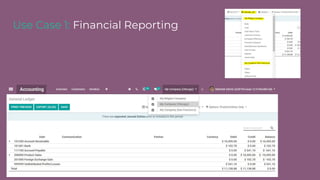
Use Case 1: Financial Reporting
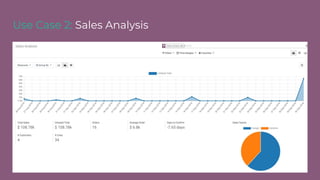
Use Case 2: Sales Analysis
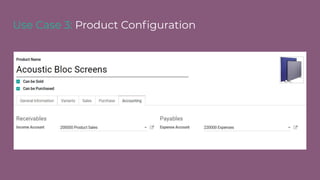
Use Case 3: Product Configuration
Extra Feature4
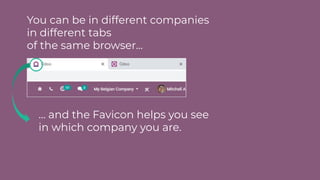
You can be in different companies
in different tabs
of the same browser...
… and the Favicon helps you see
in which company you are.
Inter-Company Process:
Reminder5
Thank you.
#odooexperience
2018
2019
EXPERIENCE

Multi-Company Management