www.cybrosys.com
How to suggest alternative products to
customers in Odoo14 website community
INTRODUCTION
❖ Numerous techniques are available in Odoo website to maximise company sales.
❖ Use Alternative Product feature in Odoo website to entice customers to spend more on our
website.
❖ Seller will encourage the customer to go for a higher-end product that is more costly
compared to the base variant.
❖ The added feature on the base variant will sometimes be just a luxury add-on, but the seller
will try to make sure that the customer ends up buying the higher variant itself.
❖ To include Alternative Product Go to the eCommerce tab of the product detail form and from
there you can provide the alternative products and can also mention the website where you
want it to be shown.
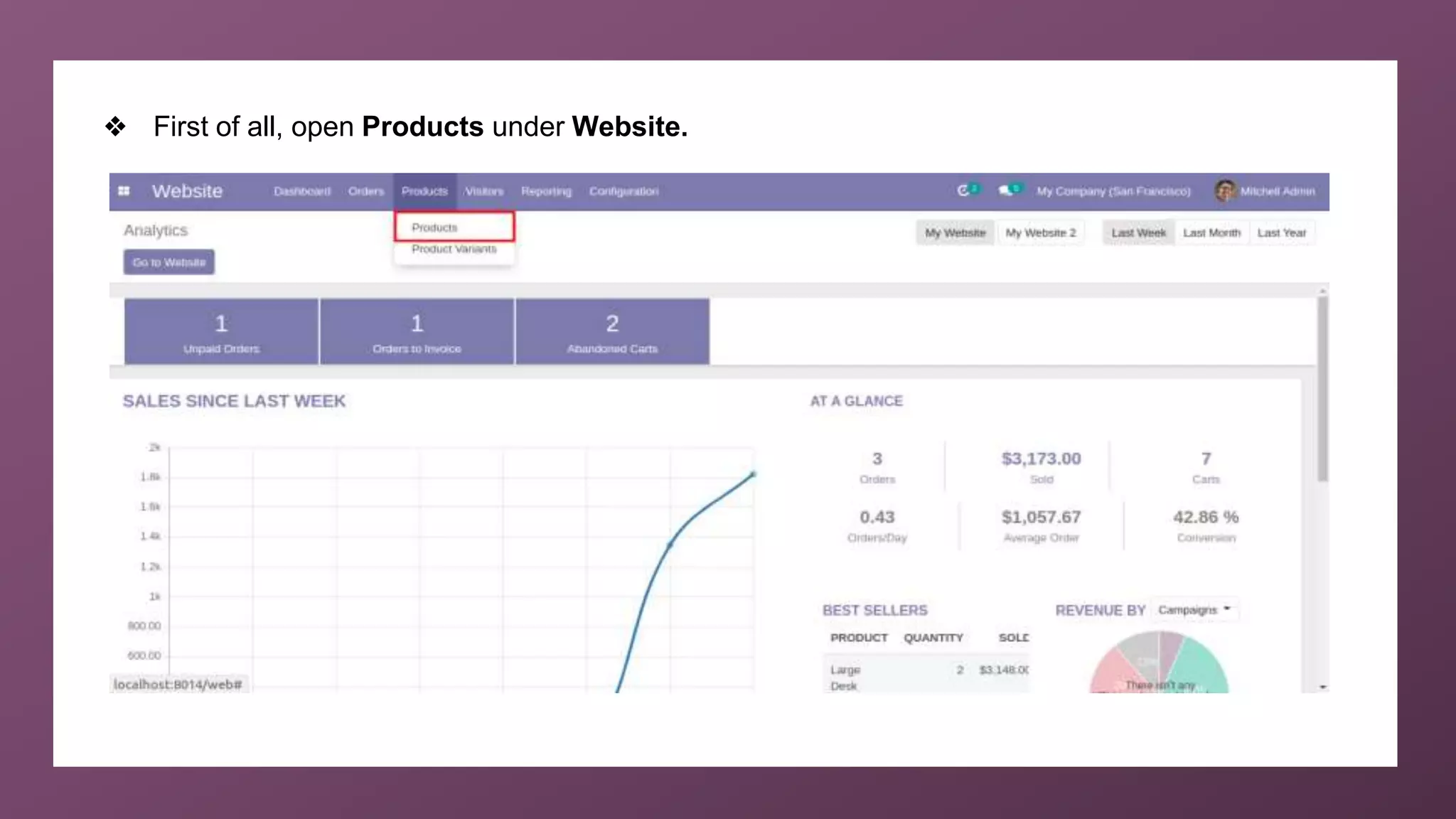
❖ First of all, open Products under Website.
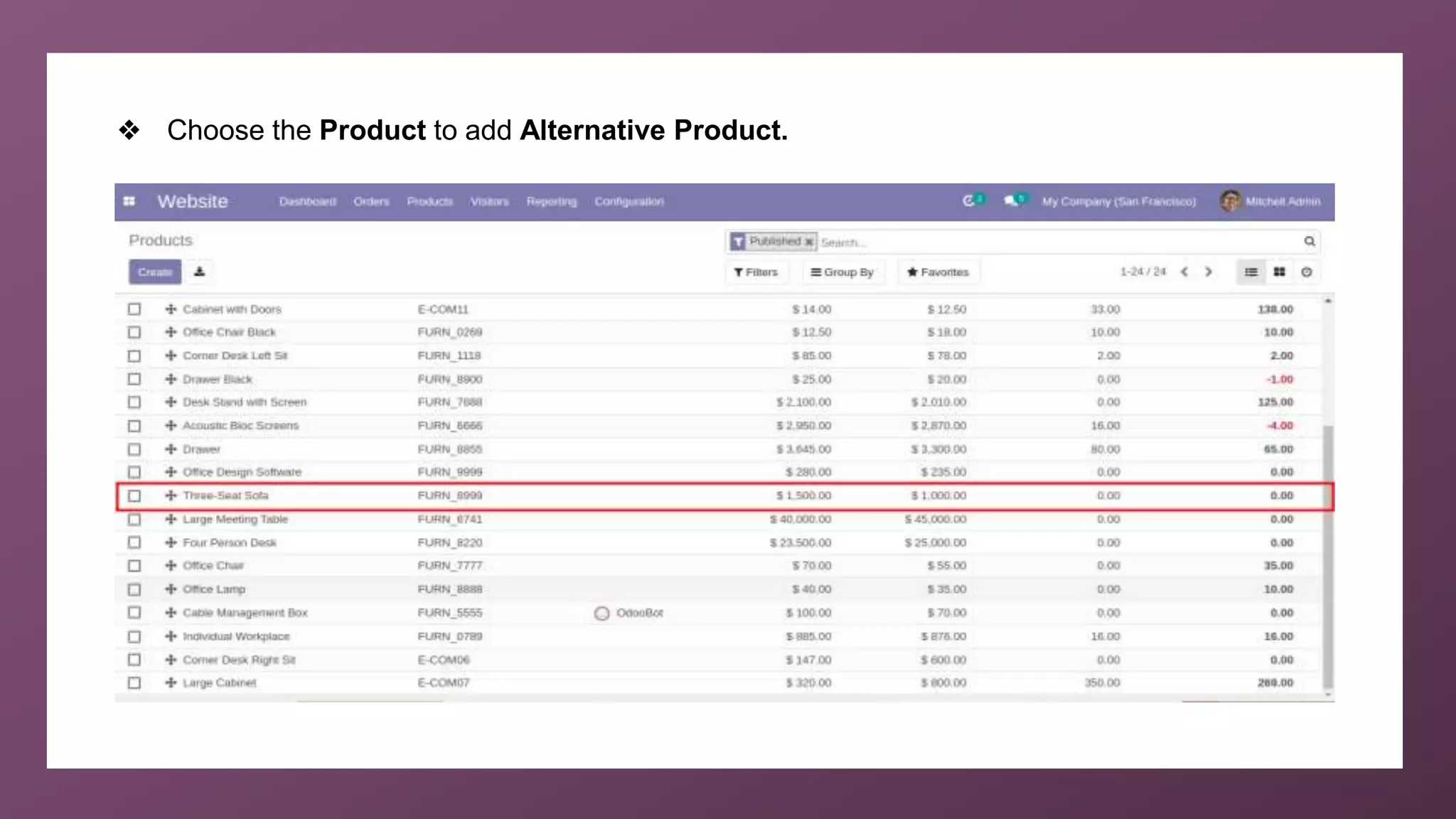
❖ Choose the Product to add Alternative Product.
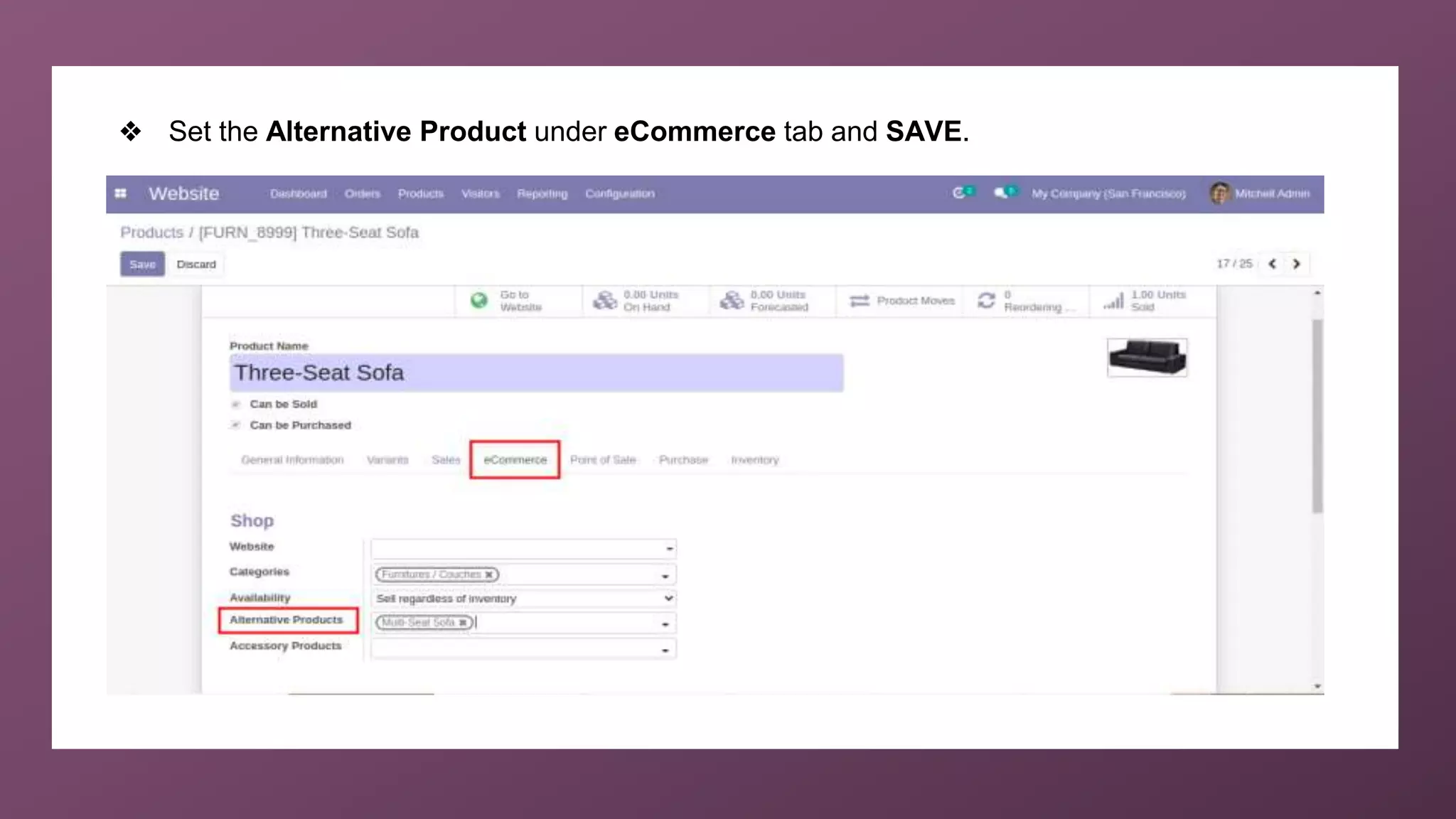
❖ Set the Alternative Product under eCommerce tab and SAVE.
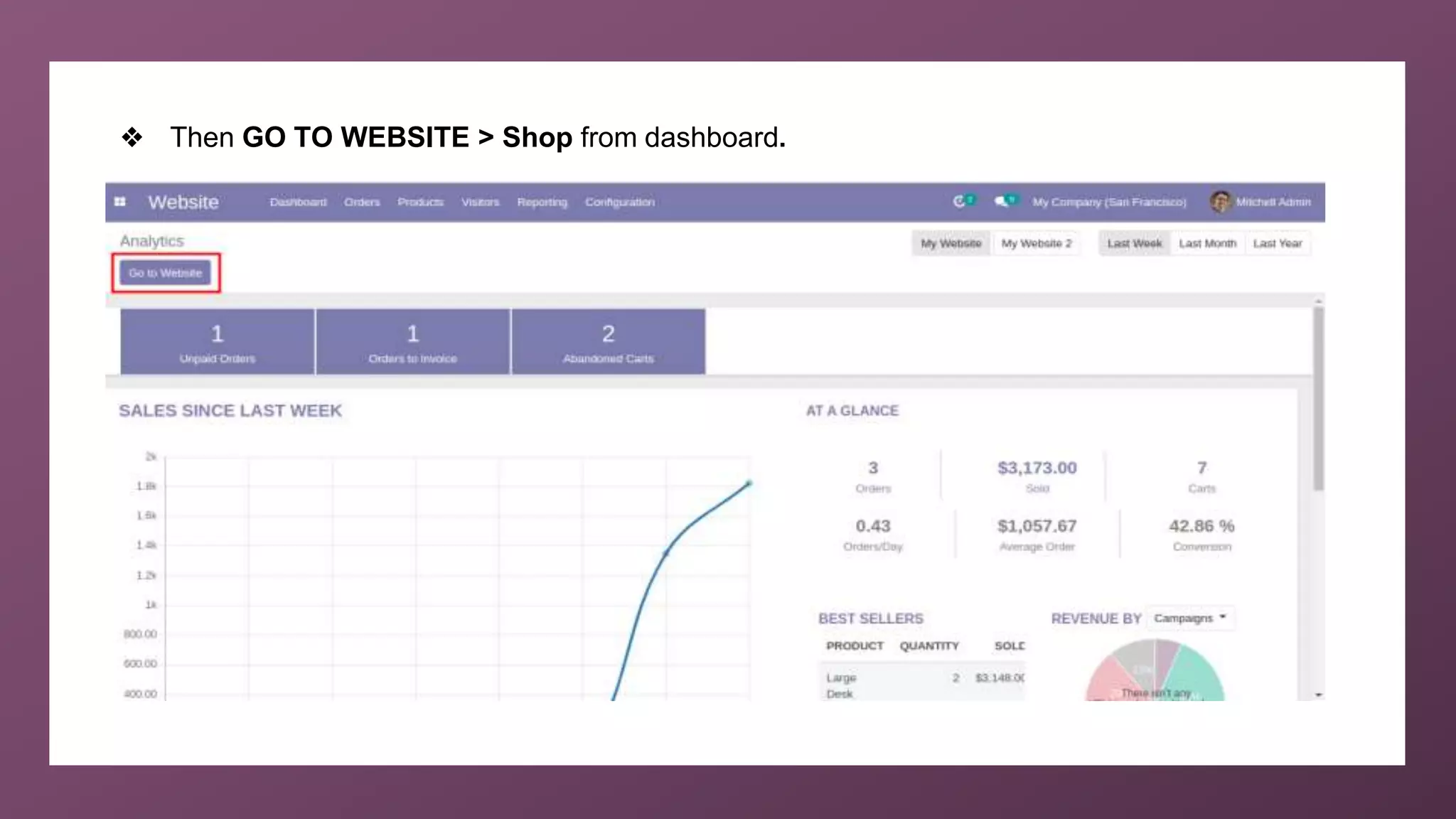
❖ Then GO TO WEBSITE > Shop from dashboard.
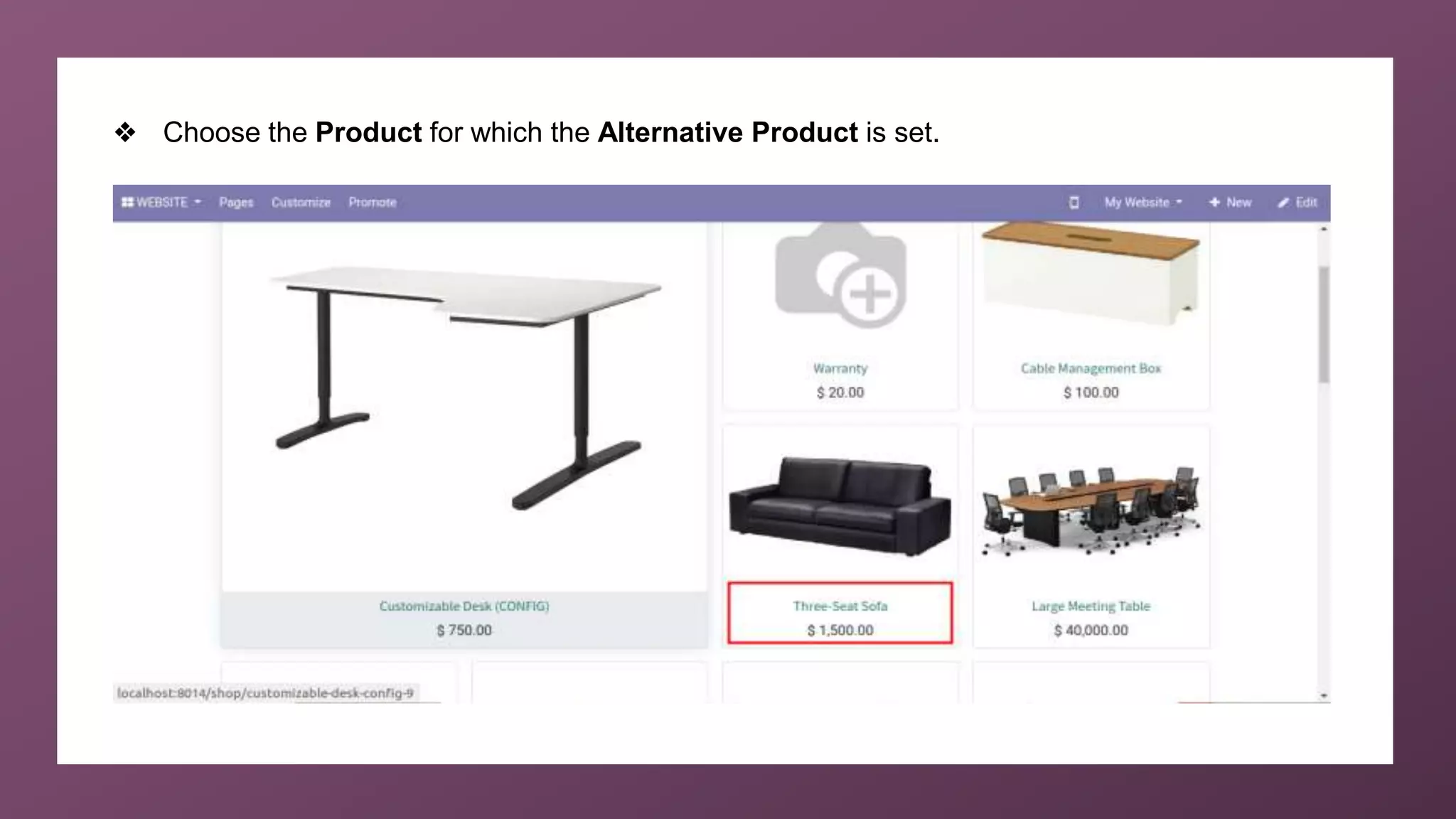
❖ Choose the Product for which the Alternative Product is set.
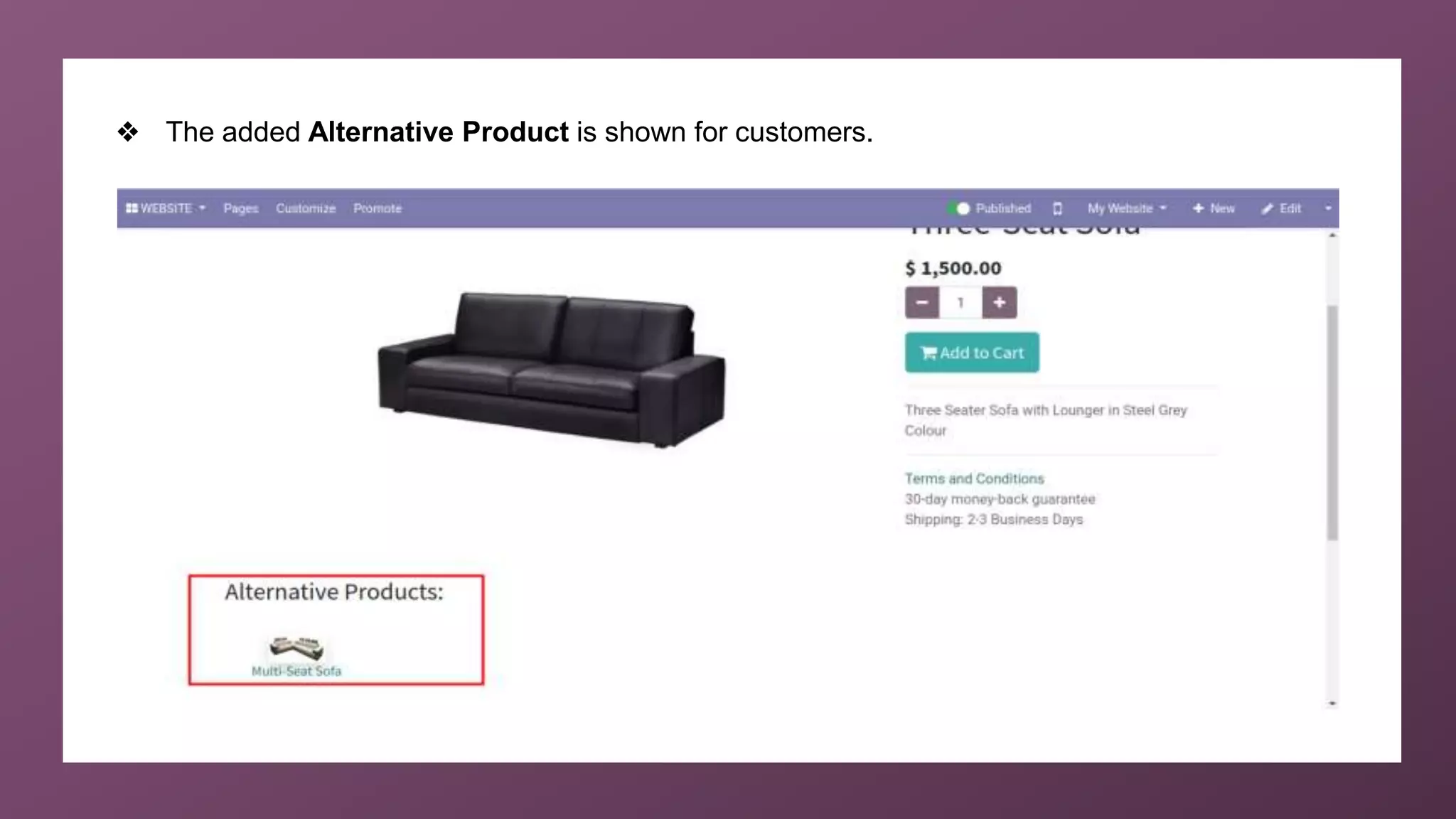
❖ The added Alternative Product is shown for customers.
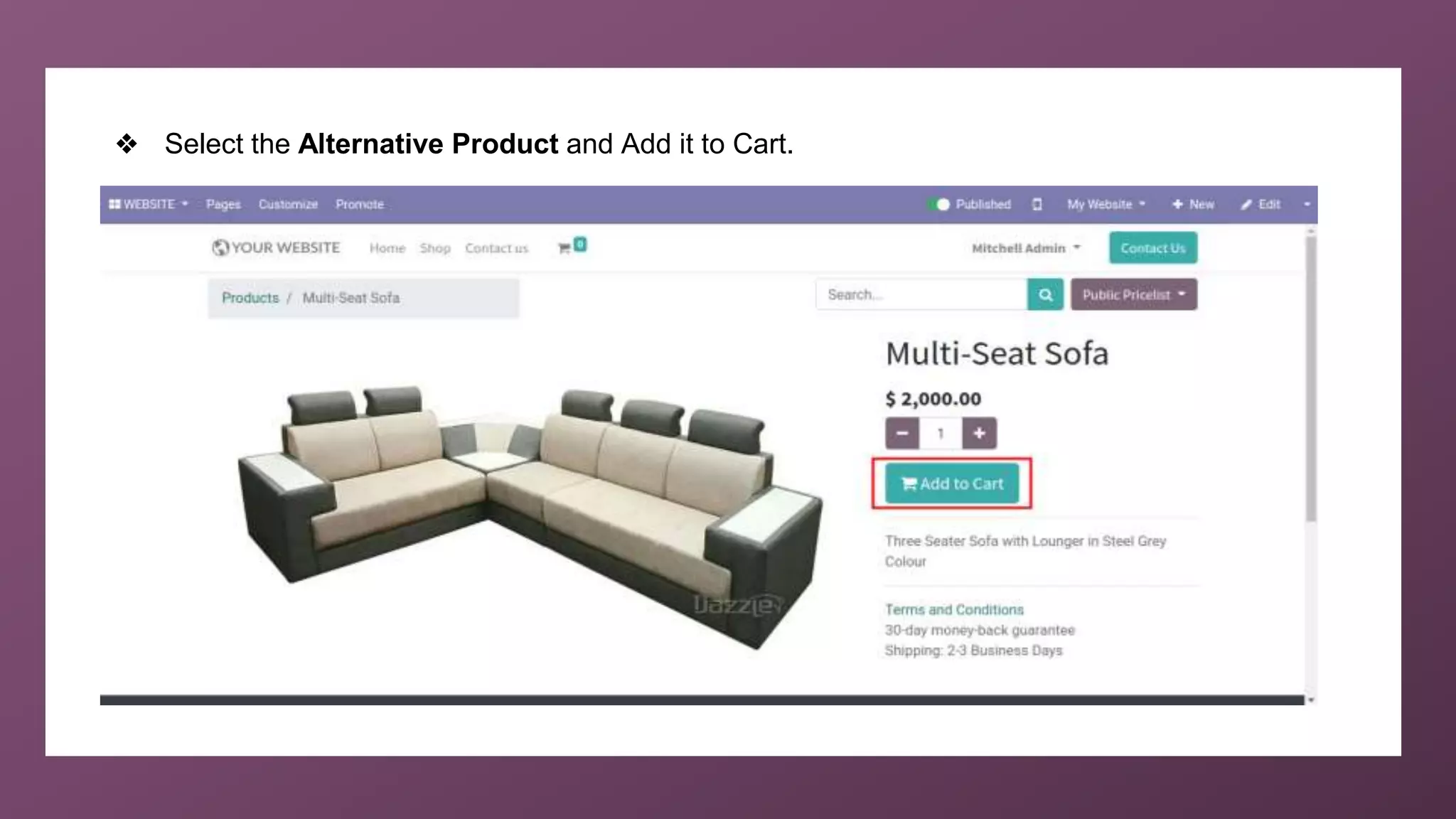
❖ Select the Alternative Product and Add it to Cart.
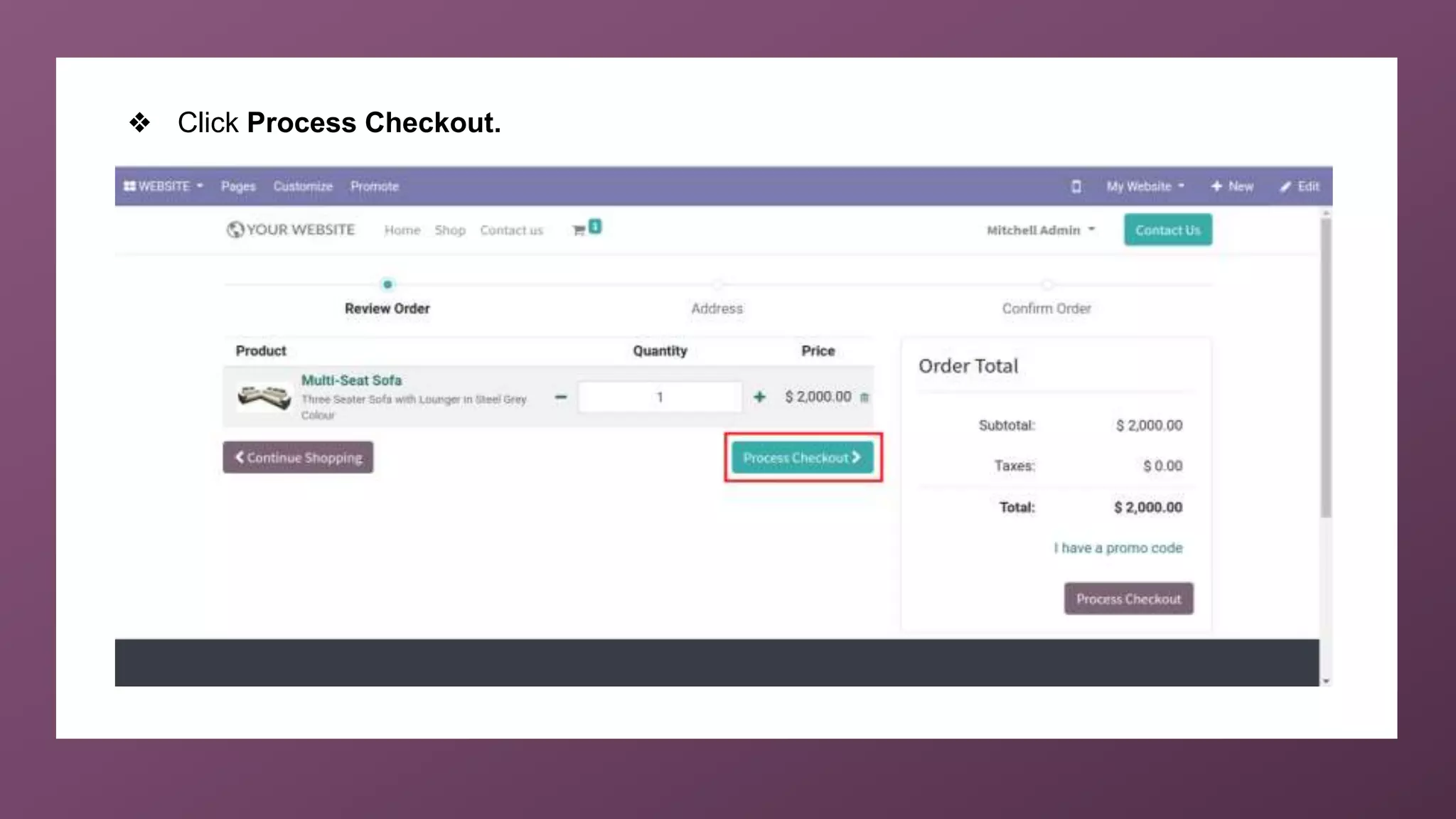
❖ Click Process Checkout.
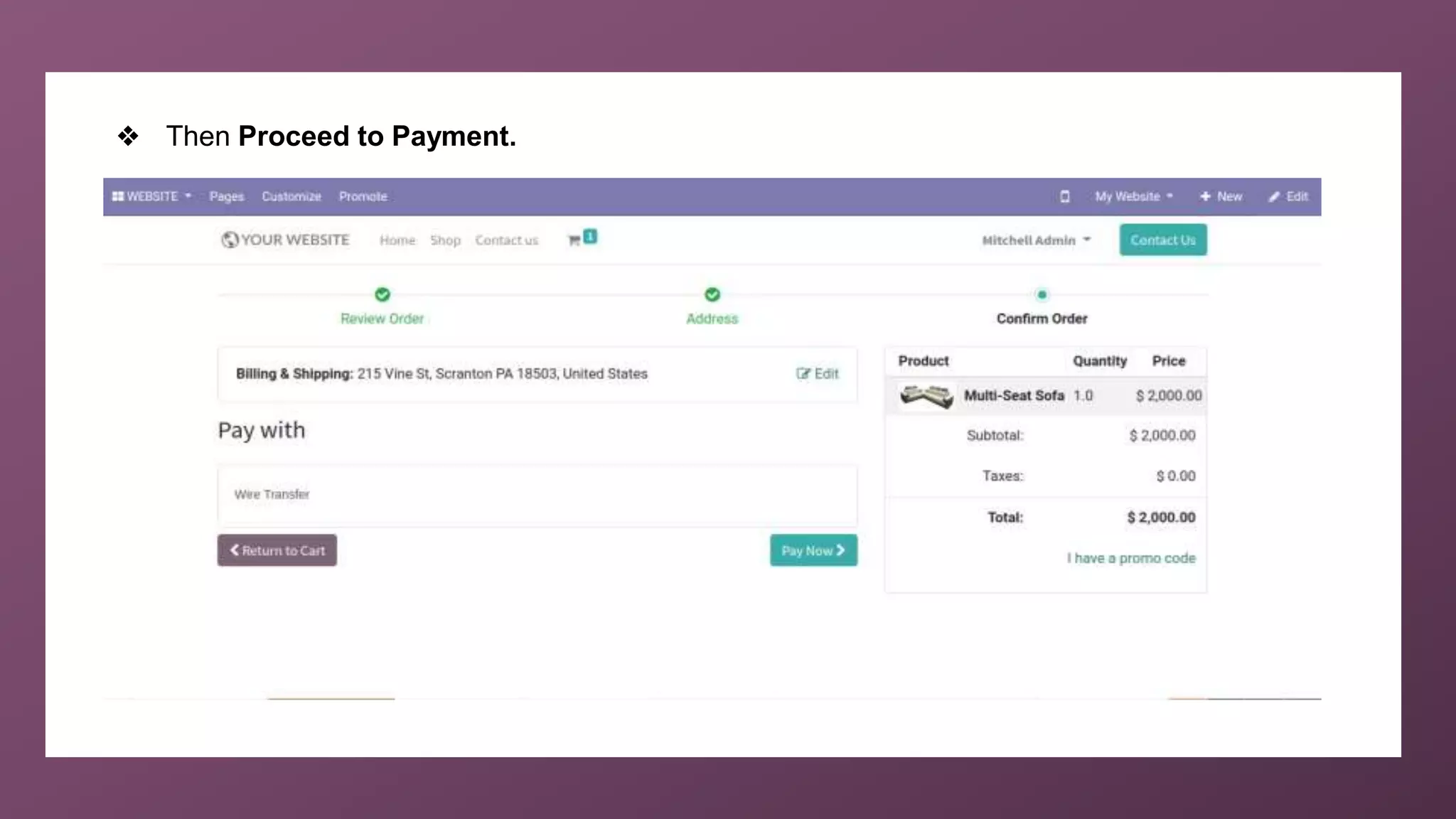
❖ Then Proceed to Payment.
For More
Details
Check our company website for related blogs and Odoo
book.
Odoo 14 book
Check our YouTube channel for functional and technical
videos in Odoo.
How to Suggest Alternative Products to Customers in
Odoo14 Website? | Odoo 14 Community
Thank You

How to Suggest Alternative Products to Customers in Odoo 14 Website Community

  • 1.
    www.cybrosys.com How to suggestalternative products to customers in Odoo14 website community
  • 2.
    INTRODUCTION ❖ Numerous techniquesare available in Odoo website to maximise company sales. ❖ Use Alternative Product feature in Odoo website to entice customers to spend more on our website. ❖ Seller will encourage the customer to go for a higher-end product that is more costly compared to the base variant. ❖ The added feature on the base variant will sometimes be just a luxury add-on, but the seller will try to make sure that the customer ends up buying the higher variant itself. ❖ To include Alternative Product Go to the eCommerce tab of the product detail form and from there you can provide the alternative products and can also mention the website where you want it to be shown.
  • 3.
    ❖ First ofall, open Products under Website.
  • 4.
    ❖ Choose theProduct to add Alternative Product.
  • 5.
    ❖ Set theAlternative Product under eCommerce tab and SAVE.
  • 6.
    ❖ Then GOTO WEBSITE > Shop from dashboard.
  • 7.
    ❖ Choose theProduct for which the Alternative Product is set.
  • 8.
    ❖ The addedAlternative Product is shown for customers.
  • 9.
    ❖ Select theAlternative Product and Add it to Cart.
  • 10.
  • 11.
    ❖ Then Proceedto Payment.
  • 12.
    For More Details Check ourcompany website for related blogs and Odoo book. Odoo 14 book Check our YouTube channel for functional and technical videos in Odoo. How to Suggest Alternative Products to Customers in Odoo14 Website? | Odoo 14 Community
  • 14.