Download to read offline
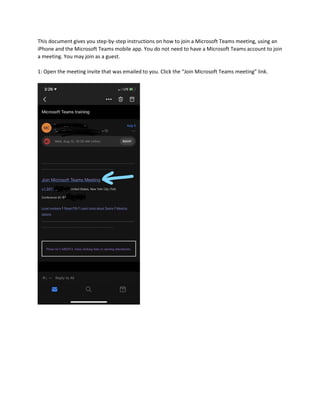
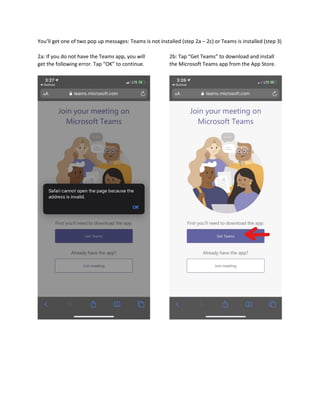
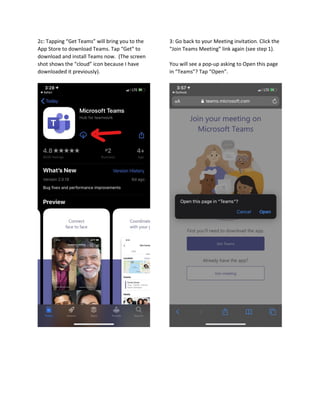

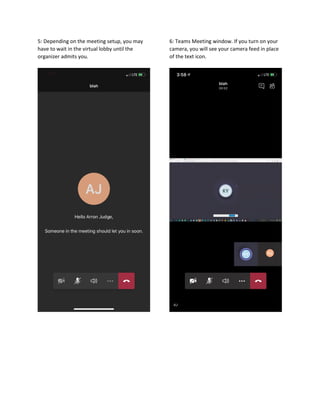
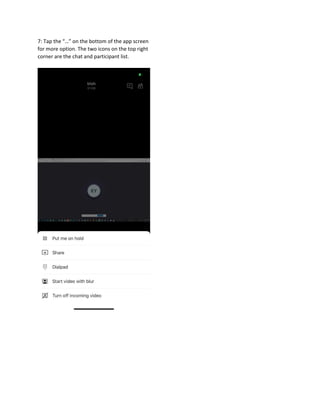
This document provides 7 steps to join a Microsoft Teams meeting using an iPhone and the Microsoft Teams mobile app. It explains that you do not need a Teams account to join as a guest. If the Teams app is not installed, it guides the user to download and install it from the App Store. Once installed, it describes opening the meeting link in Teams and joining the meeting, where you may have to wait in the virtual lobby to be admitted, and how to access options like chat and participants during the meeting.


