Download to read offline
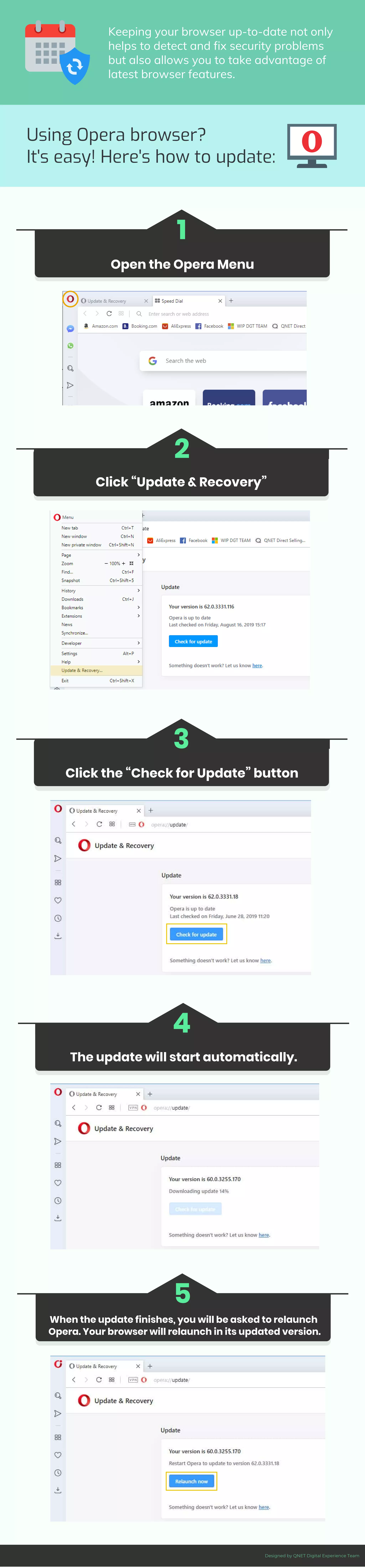

The document provides a step-by-step guide on how to update the Opera browser through the 'Update & Recovery' menu. It emphasizes the importance of keeping the browser up-to-date for security and access to new features. The instructions highlight that updates will automatically start and require a relaunch of the browser once completed.


![Vibe Coding vs. Spec-Driven Development [Free Meetup]](https://cdn.slidesharecdn.com/ss_thumbnails/vibecodingvsspecdrivendevelopment-251209105622-43f455e7-thumbnail.jpg?width=640&height=640&fit=bounds)


