Special thanks to our sponsors!
Platinum
Silver
GoldT-Shirts
Prize sponsors include:
Going with the
Microsoft Flow
SPSHNL2016
Jennifer Pearcey
Introduction
 Jennifer Pearcey
 MCP SharePoint 2013
 23 years experience in IT, architecture, development and design
 14 of those years in SharePoint
 Born Sweet among the great Sugar Maple
 Raised Strong on the wide open frozen tundra of the
Saskatchewan Prairies
 LivingAloha : in the great 808
Sharing the love that is SharePoint
 Occasionally referred to as a SharePoint
proctologist
LinkedIn: https://www.linkedin.com/in/jennifer-pearcey-09603617 @PCMOM03
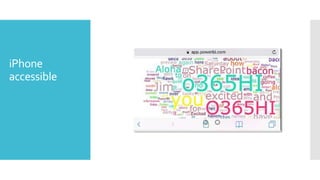
iPhone
accessible
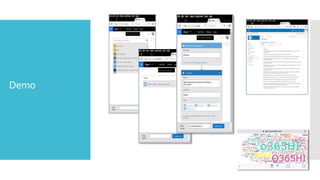
Demo
What Is
Microsoft Flow?
 Microsoft Flow is a stand alone, cloud-based, business
automation, SaaS implementation
 Automation of workflows across the growing number of
applications and services
 Hosted onAzure App service
 Connecting services and data using available templates or create
your own Flows
 Directly competing with IFTTT platform.
 Newest MS SaaS offering released to in alignment with
#FutureofSharePoint campaign
 Lists (currently) and Library (coming soon) SharePoint integration
 On prem connector coming soon
 Citizen developers, you can now officially get excited!!
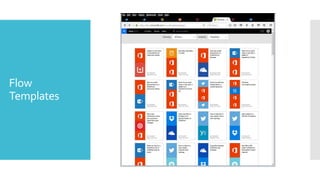
Flow
Templates
PowerApp &
PowerApp
Desktop
 Connects to the cloud services and data sources you're already
using
 Gives business analysts and specialists the ability to quickly build
apps that suit their specific needs
 No code required or struggling with integration issues to connect
data
 Apps can be published instantly to co-workers across web, tablets
and mobile devices without waiting for app stores.
 PowerApps also integrates with Microsoft Flow, making it possible
to trigger flows from within apps.
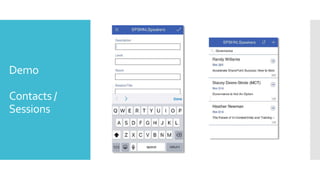
Demo
Contacts /
Sessions
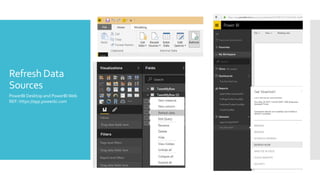
Refresh Data
Sources
PowerBI Desktop and PowerBI Web
REF: https://app.powerbi.com
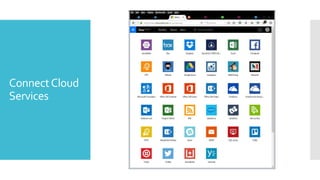
ConnectCloud
Services
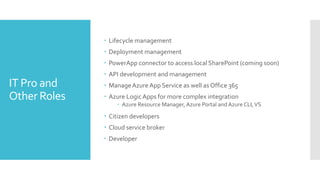
IT Pro and
Other Roles
 Lifecycle management
 Deployment management
 PowerApp connector to access local SharePoint (coming soon)
 API development and management
 ManageAzure App Service as well as Office 365
 Azure LogicApps for more complex integration
 Azure Resource Manager, Azure Portal and Azure CLI,VS
 Citizen developers
 Cloud service broker
 Developer
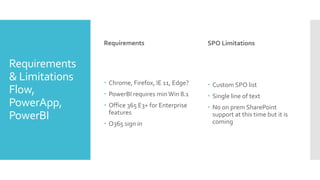
Requirements
& Limitations
Flow,
PowerApp,
PowerBI
Requirements
 Chrome, Firefox, IE 11, Edge?
 PowerBI requires minWin 8.1
 Office 365 E3+ for Enterprise
features
 O365 sign in
SPO Limitations
 Custom SPO list
 Single line of text
 No on prem SharePoint
support at this time but it is
coming
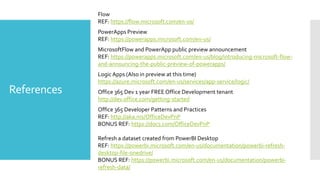
References
Flow
REF: https://flow.microsoft.com/en-us/
PowerApps Preview
REF: https://powerapps.microsoft.com/en-us/
MicrosoftFlow and PowerApp public preview announcement
REF: https://powerapps.microsoft.com/en-us/blog/introducing-microsoft-flow-
and-announcing-the-public-preview-of-powerapps/
Logic Apps (Also in preview at this time)
https://azure.microsoft.com/en-us/services/app-service/logic/
Office 365 Dev 1 year FREE Office Development tenant
http://dev.office.com/getting-started
Office 365 Developer Patterns and Practices
REF: http://aka.ms/OfficeDevPnP
BONUS REF: https://docs.com/OfficeDevPnP
Refresh a dataset created from PowerBI Desktop
REF: https://powerbi.microsoft.com/en-us/documentation/powerbi-refresh-
desktop-file-onedrive/
BONUS REF: https://powerbi.microsoft.com/en-us/documentation/powerbi-
refresh-data/
Questions /
Feedback

Ms flow hnlnov2016

  • 1.
    Special thanks toour sponsors! Platinum Silver GoldT-Shirts Prize sponsors include:
  • 2.
    Going with the MicrosoftFlow SPSHNL2016 Jennifer Pearcey
  • 3.
    Introduction  Jennifer Pearcey MCP SharePoint 2013  23 years experience in IT, architecture, development and design  14 of those years in SharePoint  Born Sweet among the great Sugar Maple  Raised Strong on the wide open frozen tundra of the Saskatchewan Prairies  LivingAloha : in the great 808 Sharing the love that is SharePoint  Occasionally referred to as a SharePoint proctologist LinkedIn: https://www.linkedin.com/in/jennifer-pearcey-09603617 @PCMOM03
  • 4.
  • 5.
  • 6.
    What Is Microsoft Flow? Microsoft Flow is a stand alone, cloud-based, business automation, SaaS implementation  Automation of workflows across the growing number of applications and services  Hosted onAzure App service  Connecting services and data using available templates or create your own Flows  Directly competing with IFTTT platform.  Newest MS SaaS offering released to in alignment with #FutureofSharePoint campaign  Lists (currently) and Library (coming soon) SharePoint integration  On prem connector coming soon  Citizen developers, you can now officially get excited!!
  • 7.
  • 8.
    PowerApp & PowerApp Desktop  Connectsto the cloud services and data sources you're already using  Gives business analysts and specialists the ability to quickly build apps that suit their specific needs  No code required or struggling with integration issues to connect data  Apps can be published instantly to co-workers across web, tablets and mobile devices without waiting for app stores.  PowerApps also integrates with Microsoft Flow, making it possible to trigger flows from within apps.
  • 9.
  • 10.
    Refresh Data Sources PowerBI Desktopand PowerBI Web REF: https://app.powerbi.com
  • 11.
  • 12.
    IT Pro and OtherRoles  Lifecycle management  Deployment management  PowerApp connector to access local SharePoint (coming soon)  API development and management  ManageAzure App Service as well as Office 365  Azure LogicApps for more complex integration  Azure Resource Manager, Azure Portal and Azure CLI,VS  Citizen developers  Cloud service broker  Developer
  • 13.
    Requirements & Limitations Flow, PowerApp, PowerBI Requirements  Chrome,Firefox, IE 11, Edge?  PowerBI requires minWin 8.1  Office 365 E3+ for Enterprise features  O365 sign in SPO Limitations  Custom SPO list  Single line of text  No on prem SharePoint support at this time but it is coming
  • 14.
    References Flow REF: https://flow.microsoft.com/en-us/ PowerApps Preview REF:https://powerapps.microsoft.com/en-us/ MicrosoftFlow and PowerApp public preview announcement REF: https://powerapps.microsoft.com/en-us/blog/introducing-microsoft-flow- and-announcing-the-public-preview-of-powerapps/ Logic Apps (Also in preview at this time) https://azure.microsoft.com/en-us/services/app-service/logic/ Office 365 Dev 1 year FREE Office Development tenant http://dev.office.com/getting-started Office 365 Developer Patterns and Practices REF: http://aka.ms/OfficeDevPnP BONUS REF: https://docs.com/OfficeDevPnP Refresh a dataset created from PowerBI Desktop REF: https://powerbi.microsoft.com/en-us/documentation/powerbi-refresh- desktop-file-onedrive/ BONUS REF: https://powerbi.microsoft.com/en-us/documentation/powerbi- refresh-data/
  • 15.