My first   application!


                   Jakub Lipiński
            MobileMonday Poland
Agenda
         • What are we going to create?
         • SDK Installation
         • Creating a new application
         • StockTicker architecture
         • Run the application
         • Debugging
         • Exercises
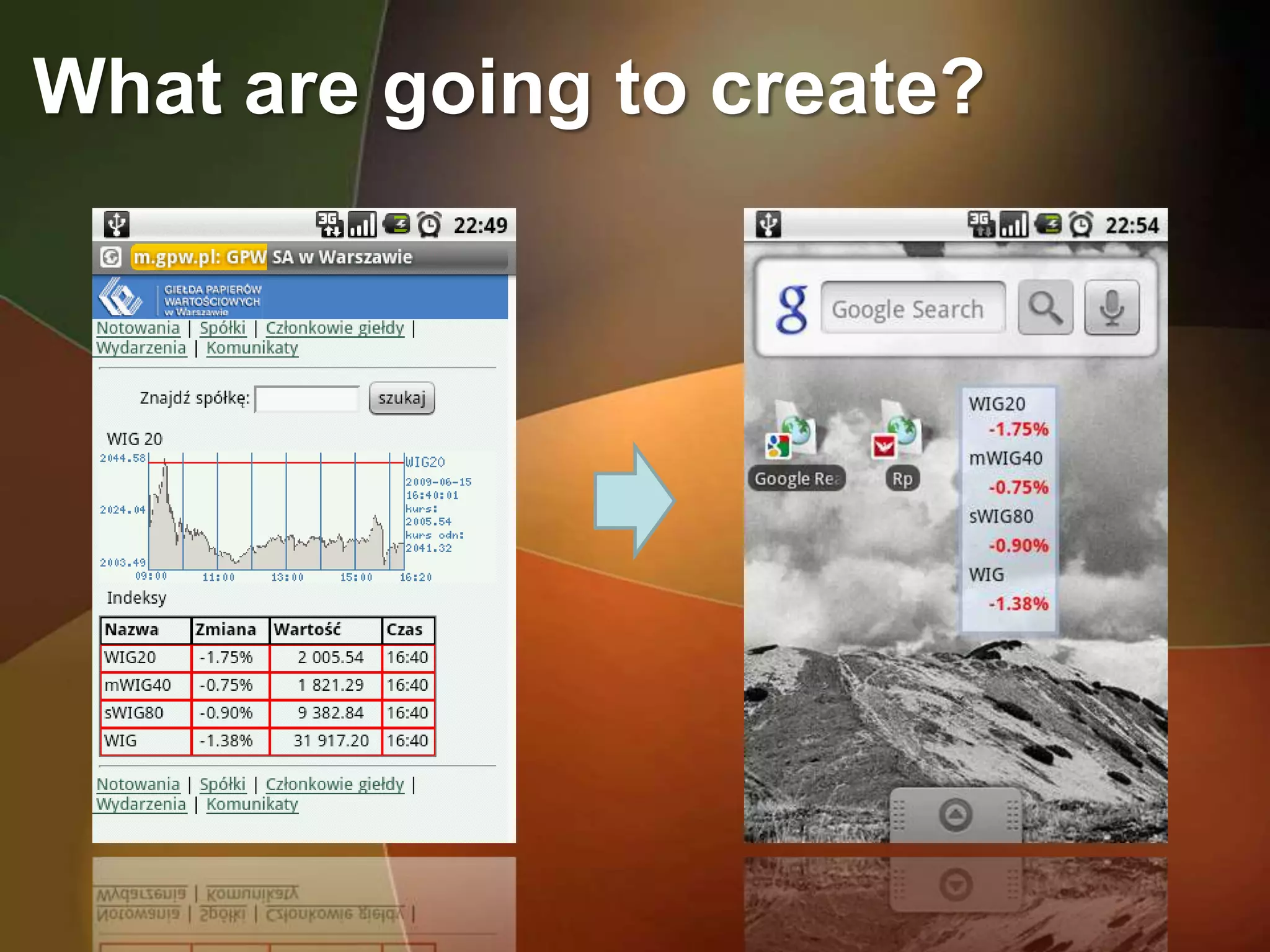
What are going to create?
Android SDK installation
          • Eclipse IDE for Java (ganymede)
          from: http://www.eclipse.org/downloads/


          • ADT Plugin
          from: http://developer.android.com/sdk/1.5_r2/installing.html


          • Android 1.5 SDK
          from http://developer.android.com/sdk/1.5_r2/index.html
Android SDK configuration
         1. Unpack: eclipse*.zip / eclipse*.tar.gz
         2. Start Eclipse, then select Help > Software Updates. Go
         to Available Software tab
         3. Click Add Site..., then Archive... Select ADT-0.9.1.zip
         4. Select the checkbox for the „Developer Tools“. Click
         Install
         5. Follow the instructions and restart Eclipse

         6. Unzip the SDK

         7. Select Window > Preferences... to open the
         Preferences panel (Mac: Eclipse > Preferences).
         8. Select Android from the left panel.
         9. For the SDK Location in the main panel, click Browse...
         and locate your downloaded SDK directory.
         Click Apply, then OK.
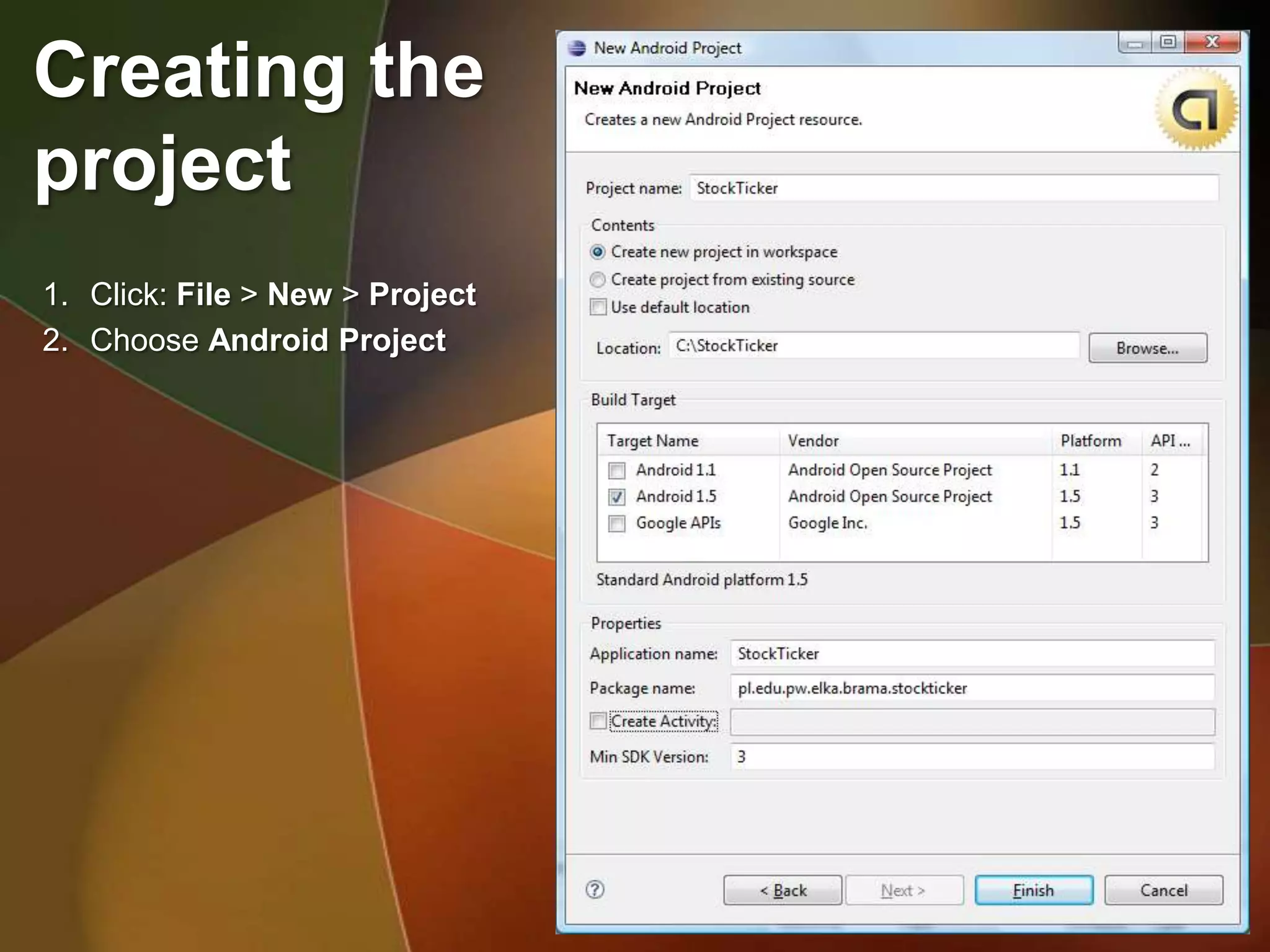
Creating the
project
1. Click: File > New > Project
2. Choose Android Project
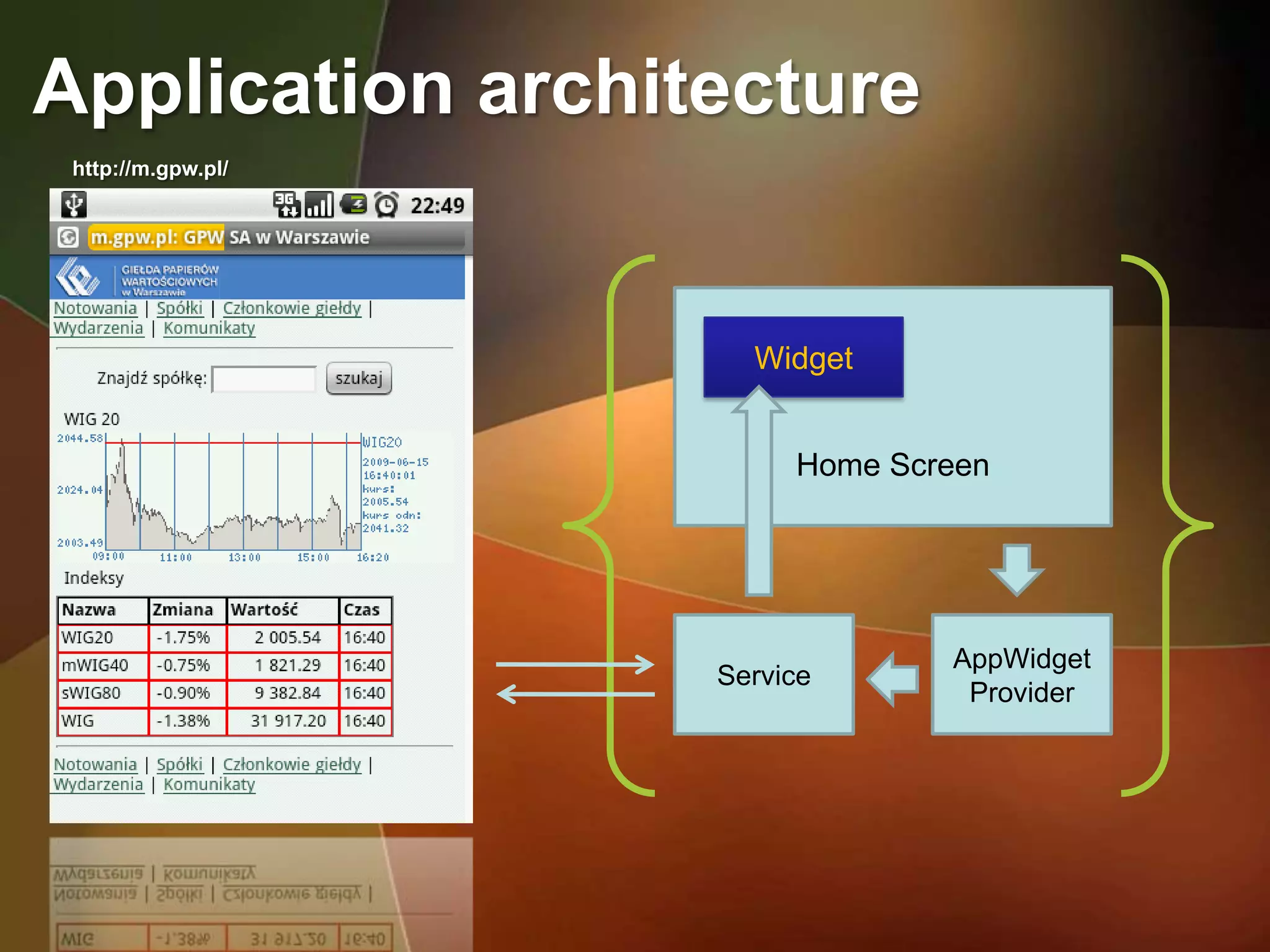
Application architecture
 http://m.gpw.pl/


                      Widget


                         Home Screen


                                 AppWidget
                    Service
                                  Provider
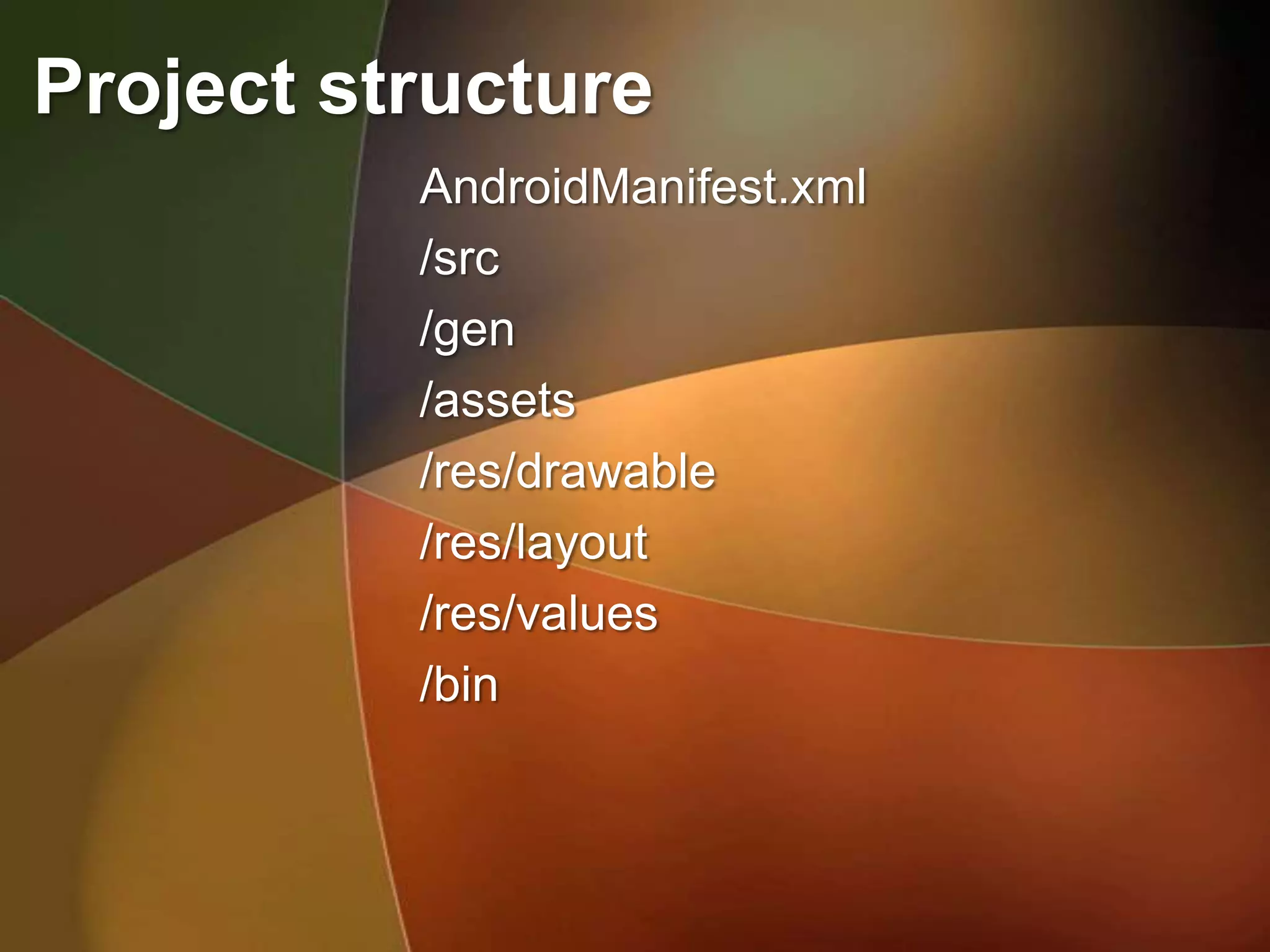
Project structure
          AndroidManifest.xml
          /src
          /gen
          /assets
          /res/drawable
          /res/layout
          /res/values
          /bin
Thank You


                   Jakub Lipiński
            MobileMonday Poland

My First Android App

  • 1.
    My first application! Jakub Lipiński MobileMonday Poland
  • 2.
    Agenda • What are we going to create? • SDK Installation • Creating a new application • StockTicker architecture • Run the application • Debugging • Exercises
  • 3.
    What are goingto create?
  • 4.
    Android SDK installation • Eclipse IDE for Java (ganymede) from: http://www.eclipse.org/downloads/ • ADT Plugin from: http://developer.android.com/sdk/1.5_r2/installing.html • Android 1.5 SDK from http://developer.android.com/sdk/1.5_r2/index.html
  • 5.
    Android SDK configuration 1. Unpack: eclipse*.zip / eclipse*.tar.gz 2. Start Eclipse, then select Help > Software Updates. Go to Available Software tab 3. Click Add Site..., then Archive... Select ADT-0.9.1.zip 4. Select the checkbox for the „Developer Tools“. Click Install 5. Follow the instructions and restart Eclipse 6. Unzip the SDK 7. Select Window > Preferences... to open the Preferences panel (Mac: Eclipse > Preferences). 8. Select Android from the left panel. 9. For the SDK Location in the main panel, click Browse... and locate your downloaded SDK directory. Click Apply, then OK.
  • 6.
    Creating the project 1. Click:File > New > Project 2. Choose Android Project
  • 7.
    Application architecture http://m.gpw.pl/ Widget Home Screen AppWidget Service Provider
  • 8.
    Project structure AndroidManifest.xml /src /gen /assets /res/drawable /res/layout /res/values /bin
  • 9.
    Thank You Jakub Lipiński MobileMonday Poland