MOODLE @ USP
Centre for Flexible Learning
(CFL)
Overview
• Introduction & Background
• Statistics & Architecture
• Managing
• Student & Staff Training
• Course Development
• Challenges
• Future Plans
• Questions
Introduction
• USP Organization
• USP’s Network infrastructure
• AARNet
• USPNet
Background of USP on LMS
• WebCT (2001 – mid 2007)
• 2005 CDFL given the task of exploring free open
source software
• Software selected Moodle, Sakai, Atutor and
Edison (plone based used by School of Law)
Background of USP on LMS
• Over a period of 6 months all LMS’s went
through different tests. Few e.g.
– Usability
– Performance
– User-friendliness
– Maturity
– Support
• Moodle selected as the best out of all after end
of test period
MOODLE @ USP
• Start of Moodle pilot with SCIMS in 2006
• Report presented to management end of 2006
• Migration of WebCT
– Issues/Difficulties
• Moodle officially adopted as USP’s LMS in late
2007
MOODLE @ USP
• Total Moodle Courses 213
• Total F2F 90
• Total F2F/DFL 98
• Total DFL 15
• Total staffs using Moodle Over 223
• Total students using Moodle Over 10000
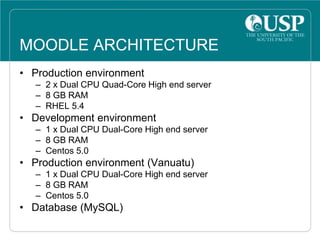
MOODLE ARCHITECTURE
• Production environment
– 2 x Dual CPU Quad-Core High end server
– 8 GB RAM
– RHEL 5.4
• Development environment
– 1 x Dual CPU Dual-Core High end server
– 8 GB RAM
– Centos 5.0
• Production environment (Vanuatu)
– 1 x Dual CPU Dual-Core High end server
– 8 GB RAM
– Centos 5.0
• Database (MySQL)
MANAGING MOODLE@USP
• Backup
– Data Backups
– Redundancy (disk, mirror site)
• Upgrades
• User Management
– LDAP authentication
– Enrollment (Banner integration)
• Human Resource
– Staff
– Course Creation
– Customization
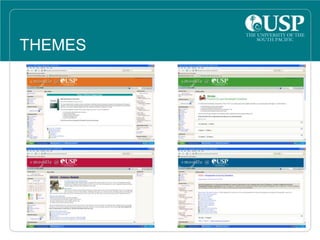
THEMES
MY MOODLE
Students
course view
Moodle Staff @ CFDL
• Learning Systems Coordinator (1)
• Education Technologist (7)
Student Training & Support
• Training Manual
• Show & Tell (Lectures)
• Practical (lab sessions)
• Further CFDL contact center
• Moodle Helpdesk
Staff Training & Support
• Workshops
– Introduction
– Assessment
– Managing & Monitoring
– Increasing student engagement
• Training manual
• One on one sessions
• Moodle helpdesk
• ET Contact
Community of Practice
• Moodle User Group@USP (MUGU)
• Round table discussion
Course Development School
of Law Case study
• Law lecturers based in Vanuatu
• Course development in Vanuatu on CDS
• Different streams
CHALLENGES
• Bandwidth – USP Centres
• Upgrades
• Performance
• User guides for version upgrades
FUTURE PLANS
• Evaluate 2.0
• Custom/external Gradebook and Reports
• eportfolio
• Turnitin
• Mobile learning
• Assignment Tracking
Questions
Demo

MoodlemootNZ

  • 1.
    MOODLE @ USP Centrefor Flexible Learning (CFL)
  • 2.
    Overview • Introduction &Background • Statistics & Architecture • Managing • Student & Staff Training • Course Development • Challenges • Future Plans • Questions
  • 3.
    Introduction • USP Organization •USP’s Network infrastructure • AARNet • USPNet
  • 5.
    Background of USPon LMS • WebCT (2001 – mid 2007) • 2005 CDFL given the task of exploring free open source software • Software selected Moodle, Sakai, Atutor and Edison (plone based used by School of Law)
  • 6.
    Background of USPon LMS • Over a period of 6 months all LMS’s went through different tests. Few e.g. – Usability – Performance – User-friendliness – Maturity – Support • Moodle selected as the best out of all after end of test period
  • 7.
    MOODLE @ USP •Start of Moodle pilot with SCIMS in 2006 • Report presented to management end of 2006 • Migration of WebCT – Issues/Difficulties • Moodle officially adopted as USP’s LMS in late 2007
  • 8.
    MOODLE @ USP •Total Moodle Courses 213 • Total F2F 90 • Total F2F/DFL 98 • Total DFL 15 • Total staffs using Moodle Over 223 • Total students using Moodle Over 10000
  • 9.
    MOODLE ARCHITECTURE • Productionenvironment – 2 x Dual CPU Quad-Core High end server – 8 GB RAM – RHEL 5.4 • Development environment – 1 x Dual CPU Dual-Core High end server – 8 GB RAM – Centos 5.0 • Production environment (Vanuatu) – 1 x Dual CPU Dual-Core High end server – 8 GB RAM – Centos 5.0 • Database (MySQL)
  • 11.
    MANAGING MOODLE@USP • Backup –Data Backups – Redundancy (disk, mirror site) • Upgrades • User Management – LDAP authentication – Enrollment (Banner integration) • Human Resource – Staff – Course Creation – Customization
  • 12.
  • 13.
  • 14.
    Moodle Staff @CFDL • Learning Systems Coordinator (1) • Education Technologist (7)
  • 15.
    Student Training &Support • Training Manual • Show & Tell (Lectures) • Practical (lab sessions) • Further CFDL contact center • Moodle Helpdesk
  • 16.
    Staff Training &Support • Workshops – Introduction – Assessment – Managing & Monitoring – Increasing student engagement • Training manual • One on one sessions • Moodle helpdesk • ET Contact
  • 17.
    Community of Practice •Moodle User Group@USP (MUGU) • Round table discussion
  • 18.
    Course Development School ofLaw Case study • Law lecturers based in Vanuatu • Course development in Vanuatu on CDS • Different streams
  • 19.
    CHALLENGES • Bandwidth –USP Centres • Upgrades • Performance • User guides for version upgrades
  • 20.
    FUTURE PLANS • Evaluate2.0 • Custom/external Gradebook and Reports • eportfolio • Turnitin • Mobile learning • Assignment Tracking
  • 21.