
Monitoring your cloud-hosted app

           18/07/2012


                         Andreas Chatzakis
                        @achatzakis on twitter


                        AWS Usergroup Greece
whoami

Andreas Chatzakis
  CTO & co-founder              /
     High traffic Greek Real Estate portal


     Software delivery team management


     IT Operations


  co-founder of AWS Usergroup Greece


                                   @achatzakis


                                                 2
Why monitoring

You need monitoring to proact or react to
availability & performance risks and issues:
    Detect problems before (many) users are aware
    Alerts and notifications at 3 AM
    Be informed of issues you wouldn't be able to recreate
    Collect data to discover root cause of an incident
                 ...and automate response for next time
    Statistics and KPIs to track service quality trends
    Visibility to prioritize optimization efforts
    Make sense out of large quantity of logs and data


                                                              3
Monitoring in the cloud

Principles are not that diverse from
traditional infrastructure but...
     Cloud allows us to build highly dynamic setups
        More data


        Our tools need to adapt


        Ephemeral resources require centralized approach


           Need aggregation based on server role

     Cloud promises agility
        Only possible when cost of failure is low


        Being able to spot issues in a more automated

         manner is key
     The rise of the devops
        Developers need visibility to understand how their

         code affects costs and impacts availability


                                                              4
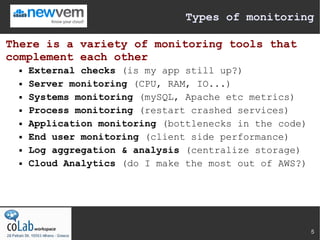
Types of monitoring

There is a variety of monitoring tools that
complement each other
     External checks (is my app still up?)
     Server monitoring (CPU, RAM, IO...)
     Systems monitoring (mySQL, Apache etc metrics)
     Process monitoring (restart crashed services)
     Application monitoring (bottlenecks in the code)
     End user monitoring (client side performance)
     Log aggregation & analysis (centralize storage)
     Cloud Analytics (do I make the most out of AWS?)


                                                         5
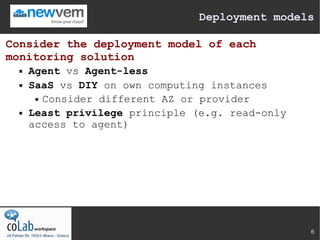
Deployment models

Consider the deployment model of each
monitoring solution
     Agent vs Agent-less
     SaaS vs DIY on own computing instances
        Consider different AZ or provider

     Least privilege principle (e.g. read-only
      access to agent)


                                                  6
Pricing models

Different pricing models offered by the
various solutions
   Freeware

   Per host

   Per host-hour

   Per user

   Per alert

   Per stored Gbyte


                                            7
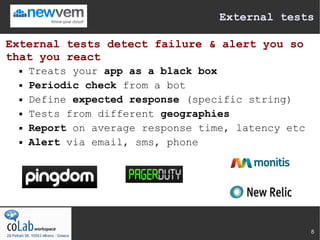
External tests

External tests detect failure & alert you so
that you react
     Treats your app as a black box
     Periodic check from a bot
     Define expected response (specific string)
     Tests from different geographies
     Report on average response time, latency etc
     Alert via email, sms, phone


                                                     8
Server & Systems monitoring

Server monitoring collects data from OS and
Systems
     Server metrics (CPU, Load Average, RAM, IO activity)
     System metrics (Apache status, MySQL connections...)
     Typically works via an agent or remote access
     Can point towards root cause
          But can't trace issues to specific parts of your code
     Helps with capacity planning and scaling decisions


                                                                   9
Process monitoring

Processes die or misbehave... Monitor their
health and automate response
   Tools that check critical processes

   Restart if crashed process


      ...or those using too many resources
   Can configure complex scenarios

   Beware of false positives

   Beware of recurring restarts


                                              10
Application monitoring

A 'Flight recorder' for your code helps you
fix real issues.
     It is often hard to recreate a production issue.
     Plugs into your app servers & tracks execution
     Code tracing
          Captures errors, input variables and debugging
           info
          Records performance metrics
               Time spent on DB, Cache, external services
               Overhead of specific classes or methods
               Slow queries


                                                              11
End user monitoring

Get real data about the experience of your
app's users
     It works for you. Does it work for them?
     Servers running ok. What about that 3rd party widget?
     Typically collects actual end user data via js
     Capture performance issues faced by user segments
        OS / browser / addons


        Network connection speed


        Geographical location


        First time visit VS warm browser cache


                                                              12
Log aggregators

Centralized storage of logs for cloud setups
with ephemeral instances
     Logs are sent over to centralized repository
     Persists after server has been decomissioned
     Logs are captured, stored, archived & recycled
     Logs are indexed and analyzed
     Preconfigured analyzers for known apps
     Free text analyzers for less known apps
     Alerts based on specific patterns, frequencies


                                                       13
Swiss knives

The future might belong to holistic
monitoring solutions
   Monitoring at multiple levels

   Correlating data can be a godsend for

    devops
   Cloud management tools might move to

    integrate or provide such functionality


                                              14
A common pitfall

While it does have its uses, you should not
rely on custom application logging
     Typically inconsistent logging that is added
      reactively
     Developer bias and lack of operational
      issues understanding
        logging what you anticipate to go wrong

     Increased code maintenance costs and risks
     Can hurt performance if you are not careful
     Instead use a proper monitoring toolset
        let developers focus on building new

         functionality


                                                 15
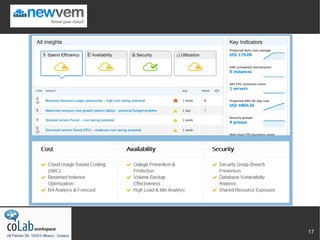
Cloud Analytics

Combine traditinal monitoring with Newvem's
Analytics and make the most of the cloud
  Powerful analytics of cloud usage data


  Reveal security & availability issues in

   your cloud infra
  Get actionable insights


  Identify opportunities for cost reductions


  Spot overloaded resources requiring

   vertical or horizontal scaling
  Visibility and confidence you making the

   most of the cloud


                                                16
17
Questions


?

            18

Monitoring Your AWS Cloud Infrastructure

  • 1.
    Monitoring your cloud-hostedapp 18/07/2012 Andreas Chatzakis @achatzakis on twitter AWS Usergroup Greece
  • 2.
    whoami Andreas Chatzakis CTO & co-founder /  High traffic Greek Real Estate portal  Software delivery team management  IT Operations  co-founder of AWS Usergroup Greece @achatzakis 2
  • 3.
    Why monitoring You needmonitoring to proact or react to availability & performance risks and issues:  Detect problems before (many) users are aware  Alerts and notifications at 3 AM  Be informed of issues you wouldn't be able to recreate  Collect data to discover root cause of an incident ...and automate response for next time  Statistics and KPIs to track service quality trends  Visibility to prioritize optimization efforts  Make sense out of large quantity of logs and data 3
  • 4.
    Monitoring in thecloud Principles are not that diverse from traditional infrastructure but...  Cloud allows us to build highly dynamic setups  More data  Our tools need to adapt  Ephemeral resources require centralized approach  Need aggregation based on server role  Cloud promises agility  Only possible when cost of failure is low  Being able to spot issues in a more automated manner is key  The rise of the devops  Developers need visibility to understand how their code affects costs and impacts availability 4
  • 5.
    Types of monitoring Thereis a variety of monitoring tools that complement each other  External checks (is my app still up?)  Server monitoring (CPU, RAM, IO...)  Systems monitoring (mySQL, Apache etc metrics)  Process monitoring (restart crashed services)  Application monitoring (bottlenecks in the code)  End user monitoring (client side performance)  Log aggregation & analysis (centralize storage)  Cloud Analytics (do I make the most out of AWS?) 5
  • 6.
    Deployment models Consider thedeployment model of each monitoring solution  Agent vs Agent-less  SaaS vs DIY on own computing instances  Consider different AZ or provider  Least privilege principle (e.g. read-only access to agent) 6
  • 7.
    Pricing models Different pricingmodels offered by the various solutions  Freeware  Per host  Per host-hour  Per user  Per alert  Per stored Gbyte 7
  • 8.
    External tests External testsdetect failure & alert you so that you react  Treats your app as a black box  Periodic check from a bot  Define expected response (specific string)  Tests from different geographies  Report on average response time, latency etc  Alert via email, sms, phone 8
  • 9.
    Server & Systemsmonitoring Server monitoring collects data from OS and Systems  Server metrics (CPU, Load Average, RAM, IO activity)  System metrics (Apache status, MySQL connections...)  Typically works via an agent or remote access  Can point towards root cause  But can't trace issues to specific parts of your code  Helps with capacity planning and scaling decisions 9
  • 10.
    Process monitoring Processes dieor misbehave... Monitor their health and automate response  Tools that check critical processes  Restart if crashed process ...or those using too many resources  Can configure complex scenarios  Beware of false positives  Beware of recurring restarts 10
  • 11.
    Application monitoring A 'Flightrecorder' for your code helps you fix real issues.  It is often hard to recreate a production issue.  Plugs into your app servers & tracks execution  Code tracing  Captures errors, input variables and debugging info  Records performance metrics  Time spent on DB, Cache, external services  Overhead of specific classes or methods  Slow queries 11
  • 12.
    End user monitoring Getreal data about the experience of your app's users  It works for you. Does it work for them?  Servers running ok. What about that 3rd party widget?  Typically collects actual end user data via js  Capture performance issues faced by user segments  OS / browser / addons  Network connection speed  Geographical location  First time visit VS warm browser cache 12
  • 13.
    Log aggregators Centralized storageof logs for cloud setups with ephemeral instances  Logs are sent over to centralized repository  Persists after server has been decomissioned  Logs are captured, stored, archived & recycled  Logs are indexed and analyzed  Preconfigured analyzers for known apps  Free text analyzers for less known apps  Alerts based on specific patterns, frequencies 13
  • 14.
    Swiss knives The futuremight belong to holistic monitoring solutions  Monitoring at multiple levels  Correlating data can be a godsend for devops  Cloud management tools might move to integrate or provide such functionality 14
  • 15.
    A common pitfall Whileit does have its uses, you should not rely on custom application logging  Typically inconsistent logging that is added reactively  Developer bias and lack of operational issues understanding  logging what you anticipate to go wrong  Increased code maintenance costs and risks  Can hurt performance if you are not careful  Instead use a proper monitoring toolset  let developers focus on building new functionality 15
  • 16.
    Cloud Analytics Combine traditinalmonitoring with Newvem's Analytics and make the most of the cloud  Powerful analytics of cloud usage data  Reveal security & availability issues in your cloud infra  Get actionable insights  Identify opportunities for cost reductions  Spot overloaded resources requiring vertical or horizontal scaling  Visibility and confidence you making the most of the cloud 16
  • 17.
  • 18.