Cloud Management

    24 May 2012


                        Andreas Chatzakis
                  Follow me on twitter: @achatzakis


                  AWS Usergroup Greece
Why Cloud Management

Unlocking the promises of Cloud Computing requires
the right key...
    Cloud Computing brings Elastic Scalability, Agility &
    Reliability.
    Providers gave us APIs and endless possibilities.
    Yes! Cloud removes complexity.
    But gives us the power of choice!
    Taming this dynamic environment requires tooling,
    organization & operational procedures.

                                Enter Cloud Management....

                                                             2
I thought cloud was easy?

True - The cloud removes several headaches...

    Manage hardware (we outsourced that years ago
    anyway)
    Procure servers (cloud = on-demand)
    Patch multiple servers (thanks to virtualization)
    Capacity planning (actually that's sort of a lie)


    And of course there are also various zero-management
       solutions like Storage & DB as a Service (S3, RDS)


                                                            3
Well it is...

But we still own several ITOPS responsibilities
  Architect & Implement

  Manage Configuration

  Monitor & Failover

  Backup and Restore

  Scale (automatically please) & Decommision

  Manage logs

  Deploy code

  Manage dev/test/prod environments

  Secure & Manage access


                       Remember: IaaS != PaaS / SaaS


                                                         4
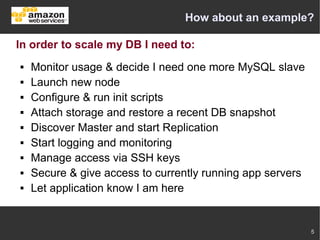
How about an example?

In order to scale my DB I need to:
   Monitor usage & decide I need one more MySQL slave
   Launch new node
   Configure & run init scripts
   Attach storage and restore a recent DB snapshot
   Discover Master and start Replication
   Start logging and monitoring
   Manage access via SSH keys
   Secure & give access to currently running app servers
   Let application know I am here


                                                            5
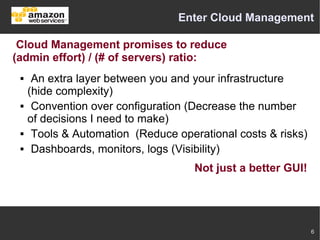
Enter Cloud Management

 Cloud Management promises to reduce
(admin effort) / (# of servers) ratio:
     An extra layer between you and your infrastructure
     (hide complexity)
     Convention over configuration (Decrease the number
     of decisions I need to make)
     Tools & Automation (Reduce operational costs & risks)
     Dashboards, monitors, logs (Visibility)
                                     Not just a better GUI!


                                                              6
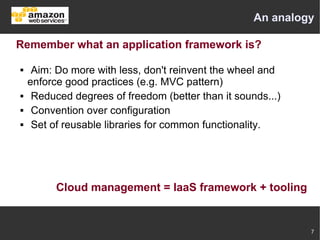
An analogy

Remember what an application framework is?

    Aim: Do more with less, don't reinvent the wheel and
    enforce good practices (e.g. MVC pattern)
    Reduced degrees of freedom (better than it sounds...)
    Convention over configuration
    Set of reusable libraries for common functionality.


          Cloud management = IaaS framework + tooling


                                                             7
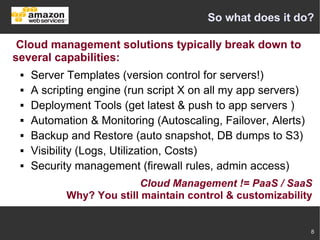
So what does it do?

 Cloud management solutions typically break down to
several capabilities:
    Server Templates (version control for servers!)
    A scripting engine (run script X on all my app servers)
    Deployment Tools (get latest & push to app servers )
    Automation & Monitoring (Autoscaling, Failover, Alerts)
    Backup and Restore (auto snapshot, DB dumps to S3)
    Visibility (Logs, Utilization, Costs)
    Security management (firewall rules, admin access)
                          Cloud Management != PaaS / SaaS
            Why? You still maintain control & customizability


                                                               8
Server Templates

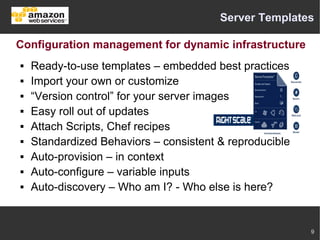
Configuration management for dynamic infrastructure
   Ready-to-use templates – embedded best practices
   Import your own or customize
   “Version control” for your server images
   Easy roll out of updates
   Attach Scripts, Chef recipes
   Standardized Behaviors – consistent & reproducible
   Auto-provision – in context
   Auto-configure – variable inputs
   Auto-discovery – Who am I? - Who else is here?


                                                         9
Scripting Engine

 Easing the tedious task of running scripts on multiple
ephemeral servers
    Version control your infrastructure scripts
    Allow for dynamic parameters
    Run on demand on one, selected or all servers
    Run on server init or on server termination
    Run on this server or on other servers
    Schedule to run on specific time or intervals
    All through an admin friendly UI


                                                          10
Deployment tools

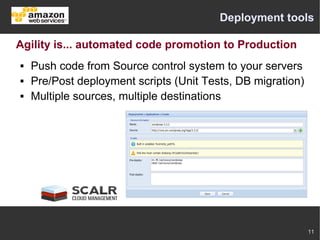
Agility is... automated code promotion to Production
   Push code from Source control system to your servers
   Pre/Post deployment scripts (Unit Tests, DB migration)
   Multiple sources, multiple destinations


                                                             11
Security Management

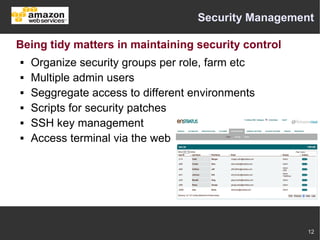
Being tidy matters in maintaining security control
   Organize security groups per role, farm etc
   Multiple admin users
   Seggregate access to different environments
   Scripts for security patches
   SSH key management
   Access terminal via the web


                                                     12
Automation & Monitoring

Monitor and automatically react to change at 3:00 AM

   Monitor system usage metrics
   Autoscale up or down
   Keep your setup tidy – (e.g. no orphan EBS volumes)
   Replace failed nodes
   DB failover
   Alert
   APIs for deep integrations & automations


                                                          13
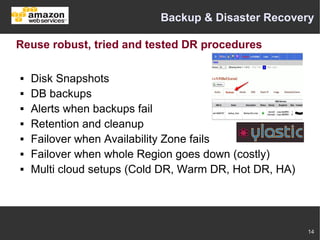
Backup & Disaster Recovery

Reuse robust, tried and tested DR procedures

   Disk Snapshots
   DB backups
   Alerts when backups fail
   Retention and cleanup
   Failover when Availability Zone fails
   Failover when whole Region goes down (costly)
   Multi cloud setups (Cold DR, Warm DR, Hot DR, HA)


                                                        14
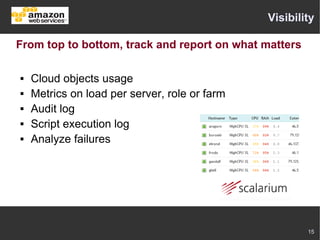
Visibility

From top to bottom, track and report on what matters

   Cloud objects usage
   Metrics on load per server, role or farm
   Audit log
   Script execution log
   Analyze failures


                                                       15
Meet the vendors


              16
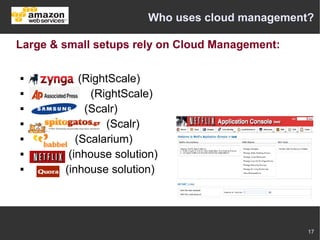
Who uses cloud management?

Large & small setups rely on Cloud Management:

           (RightScale)
             (RightScale)
            (Scalr)
                (Scalr)
          (Scalarium)
        (inhouse solution)
       (inhouse solution)


                                                  17
Do I need it?

 You need to manage your cloud infra. Which tool you
use is a business decision:
    Handcrafted scripts vs robust solution that scales
    Time it would take you to DIY & reinventing the wheel
    How complex and dynamic is your setup?
    Value of agility for your company
    Sysops capacity in your team
    Can you quantify ITOPS efficiencies?
    Risk of 'not getting it right' vs imposed good practices
 Personal experience:
 Digested cloud concepts top-bottom thanks to cloud management.


                                                                  18
Questions


?

           19

Cloud Management

  • 1.
    Cloud Management 24 May 2012 Andreas Chatzakis Follow me on twitter: @achatzakis AWS Usergroup Greece
  • 2.
    Why Cloud Management Unlockingthe promises of Cloud Computing requires the right key...  Cloud Computing brings Elastic Scalability, Agility & Reliability.  Providers gave us APIs and endless possibilities.  Yes! Cloud removes complexity.  But gives us the power of choice!  Taming this dynamic environment requires tooling, organization & operational procedures. Enter Cloud Management.... 2
  • 3.
    I thought cloudwas easy? True - The cloud removes several headaches...  Manage hardware (we outsourced that years ago anyway)  Procure servers (cloud = on-demand)  Patch multiple servers (thanks to virtualization)  Capacity planning (actually that's sort of a lie) And of course there are also various zero-management solutions like Storage & DB as a Service (S3, RDS) 3
  • 4.
    Well it is... Butwe still own several ITOPS responsibilities  Architect & Implement  Manage Configuration  Monitor & Failover  Backup and Restore  Scale (automatically please) & Decommision  Manage logs  Deploy code  Manage dev/test/prod environments  Secure & Manage access Remember: IaaS != PaaS / SaaS 4
  • 5.
    How about anexample? In order to scale my DB I need to:  Monitor usage & decide I need one more MySQL slave  Launch new node  Configure & run init scripts  Attach storage and restore a recent DB snapshot  Discover Master and start Replication  Start logging and monitoring  Manage access via SSH keys  Secure & give access to currently running app servers  Let application know I am here 5
  • 6.
    Enter Cloud Management Cloud Management promises to reduce (admin effort) / (# of servers) ratio:  An extra layer between you and your infrastructure (hide complexity)  Convention over configuration (Decrease the number of decisions I need to make)  Tools & Automation (Reduce operational costs & risks)  Dashboards, monitors, logs (Visibility) Not just a better GUI! 6
  • 7.
    An analogy Remember whatan application framework is?  Aim: Do more with less, don't reinvent the wheel and enforce good practices (e.g. MVC pattern)  Reduced degrees of freedom (better than it sounds...)  Convention over configuration  Set of reusable libraries for common functionality. Cloud management = IaaS framework + tooling 7
  • 8.
    So what doesit do? Cloud management solutions typically break down to several capabilities:  Server Templates (version control for servers!)  A scripting engine (run script X on all my app servers)  Deployment Tools (get latest & push to app servers )  Automation & Monitoring (Autoscaling, Failover, Alerts)  Backup and Restore (auto snapshot, DB dumps to S3)  Visibility (Logs, Utilization, Costs)  Security management (firewall rules, admin access) Cloud Management != PaaS / SaaS Why? You still maintain control & customizability 8
  • 9.
    Server Templates Configuration managementfor dynamic infrastructure  Ready-to-use templates – embedded best practices  Import your own or customize  “Version control” for your server images  Easy roll out of updates  Attach Scripts, Chef recipes  Standardized Behaviors – consistent & reproducible  Auto-provision – in context  Auto-configure – variable inputs  Auto-discovery – Who am I? - Who else is here? 9
  • 10.
    Scripting Engine Easingthe tedious task of running scripts on multiple ephemeral servers  Version control your infrastructure scripts  Allow for dynamic parameters  Run on demand on one, selected or all servers  Run on server init or on server termination  Run on this server or on other servers  Schedule to run on specific time or intervals  All through an admin friendly UI 10
  • 11.
    Deployment tools Agility is...automated code promotion to Production  Push code from Source control system to your servers  Pre/Post deployment scripts (Unit Tests, DB migration)  Multiple sources, multiple destinations 11
  • 12.
    Security Management Being tidymatters in maintaining security control  Organize security groups per role, farm etc  Multiple admin users  Seggregate access to different environments  Scripts for security patches  SSH key management  Access terminal via the web 12
  • 13.
    Automation & Monitoring Monitorand automatically react to change at 3:00 AM  Monitor system usage metrics  Autoscale up or down  Keep your setup tidy – (e.g. no orphan EBS volumes)  Replace failed nodes  DB failover  Alert  APIs for deep integrations & automations 13
  • 14.
    Backup & DisasterRecovery Reuse robust, tried and tested DR procedures  Disk Snapshots  DB backups  Alerts when backups fail  Retention and cleanup  Failover when Availability Zone fails  Failover when whole Region goes down (costly)  Multi cloud setups (Cold DR, Warm DR, Hot DR, HA) 14
  • 15.
    Visibility From top tobottom, track and report on what matters  Cloud objects usage  Metrics on load per server, role or farm  Audit log  Script execution log  Analyze failures 15
  • 16.
  • 17.
    Who uses cloudmanagement? Large & small setups rely on Cloud Management:  (RightScale)  (RightScale)  (Scalr)  (Scalr)  (Scalarium)  (inhouse solution)  (inhouse solution) 17
  • 18.
    Do I needit? You need to manage your cloud infra. Which tool you use is a business decision:  Handcrafted scripts vs robust solution that scales  Time it would take you to DIY & reinventing the wheel  How complex and dynamic is your setup?  Value of agility for your company  Sysops capacity in your team  Can you quantify ITOPS efficiencies?  Risk of 'not getting it right' vs imposed good practices Personal experience: Digested cloud concepts top-bottom thanks to cloud management. 18
  • 19.