Python with
MongoDB
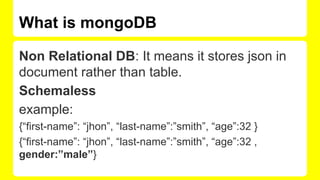
What is mongoDB
Non Relational DB: It means it stores json in
document rather than table.
Schemaless
example:
{“first-name”: “jhon”, “last-name”:”smith”, “age”:32 }
{“first-name”: “jhon”, “last-name”:”smith”, “age”:32 ,
gender:”male”}
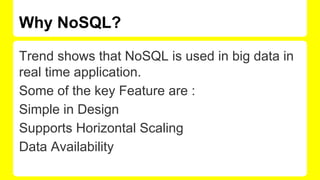
Why NoSQL?
Trend shows that NoSQL is used in big data in
real time application.
Some of the key Feature are :
Simple in Design
Supports Horizontal Scaling
Data Availability
NoSQL Database Available
Clusterpoint
Couchbase
CouchDB
MongoDB
etc.
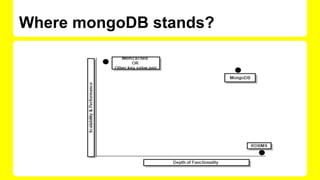
Where mongoDB stands?
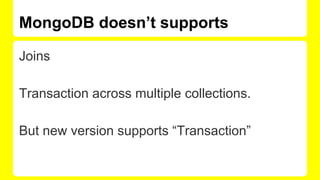
MongoDB doesn’t supports
Joins
Transaction across multiple collections.
But new version supports “Transaction”
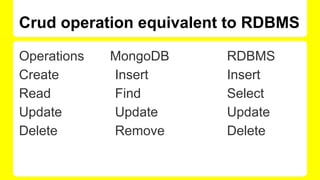
Crud operation equivalent to RDBMS
Operations MongoDB RDBMS
Create Insert Insert
Read Find Select
Update Update Update
Delete Remove Delete
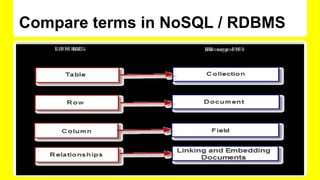
Compare terms in NoSQL / RDBMS
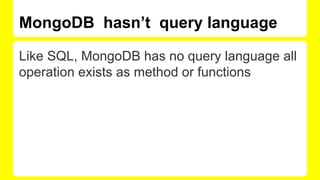
MongoDB hasn’t query language
Like SQL, MongoDB has no query language all
operation exists as method or functions
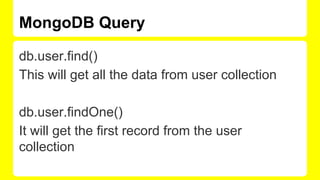
MongoDB Query
db.user.find()
This will get all the data from user collection
db.user.findOne()
It will get the first record from the user
collection
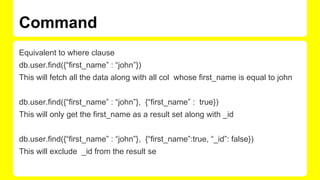
Command
Equivalent to where clause
db.user.find({“first_name” : “john”})
This will fetch all the data along with all col whose first_name is equal to john
db.user.find({“first_name” : “john”}, {“first_name” : true})
This will only get the first_name as a result set along with _id
db.user.find({“first_name” : “john”}, {“first_name”:true, “_id”: false})
This will exclude _id from the result se
Craeting a dummy data
for(i=0; i<1000;i++) { name = ["john", "smith",
"laura"]; for(j=0;j<3;j++){ db.student.insert
({"student_id": i, "stu_name":name[j], "score":
Math.round(Math.random()*100)}) } };
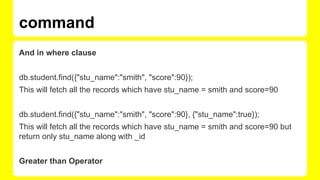
And in where clause
db.student.find({"stu_name":"smith", "score":90});
This will fetch all the records which have stu_name = smith and score=90
db.student.find({"stu_name":"smith", "score":90}, {"stu_name":true});
This will fetch all the records which have stu_name = smith and score=90 but
return only stu_name along with _id
Greater than Operator
command
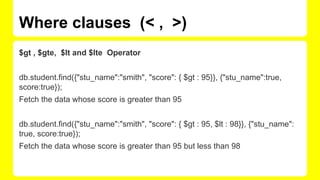
Where clauses (< , >)
$gt , $gte, $lt and $lte Operator
db.student.find({"stu_name":"smith", "score": { $gt : 95}}, {"stu_name":true,
score:true});
Fetch the data whose score is greater than 95
db.student.find({"stu_name":"smith", "score": { $gt : 95, $lt : 98}}, {"stu_name":
true, score:true});
Fetch the data whose score is greater than 95 but less than 98
OR operator
db.student.find({$or: [{"score":90}, {"score" :
80}]});
This will fetch the data whose score is either 90
or 80.
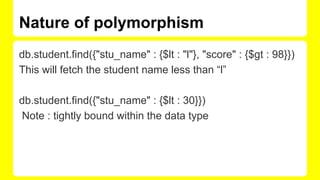
Nature of polymorphism
db.student.find({"stu_name" : {$lt : "l"}, "score" : {$gt : 98}})
This will fetch the student name less than “l”
db.student.find({"stu_name" : {$lt : 30}})
Note : tightly bound within the data type
Command [Regex , exists, type ]
db.student.find({"stu_name" : {$regex : "ih"}})
db.student.find({"stu_name" : {$exists : true}})
db.student.find({"stu_name" : {$type : 1}})
It will fetch the data of number type
db.student.find({"stu_name" : {$type : 2}})
It will fetch the data of string type
Seach in Array
db.student.insert({"stu_name" : 11, "subject" :["hindi", "english", "math"]})
db.student.insert({"stu_name" : 22, "subject" :["math", "german", "spanish"]})
db.student.insert({"stu_name" : 22, "subject" :["math", "german", 100]})
db.student.find({"subject" : "hindi"})
db.student.find({"subject" : 100})
(Another type of polymorphism)
Continue...
db.student.find({"subject" : {$all : ["hindi", "english" ]}})
Fetch the data which contains both in subject array
db.student.find({"subject" : {$in : ["hindi", "math" ]}})
Return the data set which satisfy either of the value
Cursor
>cur = db.student.find({"subject" : {$in : ["hindi", "math" ]}}), null;
null
> cur.hasNext()
true
> cur.next()
{
"_id" : ObjectId("54421c362d3b0ea3d1c08eb2"),
"stu_name" : 11,
"subject" : [
"hindi",
"english",
"math"
]
}
count the number of document
> cur = db.student.find({"subject" : {$in : ["hindi", "math" ]}});
{ "_id" : ObjectId("54421c362d3b0ea3d1c08eb2"), "stu_name" : 11, "subject" : [
"hindi", "english", "math" ] }
{ "_id" : ObjectId("54421c532d3b0ea3d1c08eb3"), "stu_name" : 22, "subject" : [
"math", "german", "spanish" ] }
{ "_id" : ObjectId("54421c982d3b0ea3d1c08eb4"), "stu_name" : 22, "subject" : [
"math", "german", 100 ] }
> cur = db.student.count({"subject" : {$in : ["hindi", "math" ]}});
3
>
Aggregation
Simple GroupBy Clause
URL : https://www.youtube.com/watch?
v=3lEpnMcfpCs
Command
Count
> db.student.aggregate([ {$group: { _id: "$stu_name", num_student: {$sum : 1}}}])
{
"result" : [
{
"_id" : 22,
"num_student" : 2
},
{
"_id" : 40,
"num_student" : 1
},
{
"_id" : 30,
"num_student" : 1
Sum with group
SUM on Score
> db.student.aggregate([ {$group: { _id: "$stu_name", num_student: {$sum : “$score”}}}])
Sort on score :
db.student.aggregate([ {$group: { _id: "$stu_name", num_student1: {$sum : "$score"}}}, {$sort :
{num_student1 : 1}}])
db.student.aggregate( {$match : {"stu_name" : "smith"}}, { $group: {_id : "$stu_name" , total : {$sum :
1}}} )
> db.student.aggregate([ {$group: { _id: "$stu_name", num_student: {$sum : “$score”}}}], {explain :
Thanks You
Special Thanks To ICREON.
Your custom link is:
http://webchat.freenode.net?channels=python-dilli-meetup-group&uio=d4
<iframe src="http://webchat.freenode.net?
channels=python-dilli-meetup-group&uio=d4" width="647"
height="400"></iframe>
MongoDB

MongoDB

  • 1.
  • 2.
    What is mongoDB NonRelational DB: It means it stores json in document rather than table. Schemaless example: {“first-name”: “jhon”, “last-name”:”smith”, “age”:32 } {“first-name”: “jhon”, “last-name”:”smith”, “age”:32 , gender:”male”}
  • 3.
    Why NoSQL? Trend showsthat NoSQL is used in big data in real time application. Some of the key Feature are : Simple in Design Supports Horizontal Scaling Data Availability
  • 4.
  • 5.
  • 6.
    MongoDB doesn’t supports Joins Transactionacross multiple collections. But new version supports “Transaction”
  • 7.
    Crud operation equivalentto RDBMS Operations MongoDB RDBMS Create Insert Insert Read Find Select Update Update Update Delete Remove Delete
  • 8.
    Compare terms inNoSQL / RDBMS
  • 9.
    MongoDB hasn’t querylanguage Like SQL, MongoDB has no query language all operation exists as method or functions
  • 10.
    MongoDB Query db.user.find() This willget all the data from user collection db.user.findOne() It will get the first record from the user collection
  • 11.
    Command Equivalent to whereclause db.user.find({“first_name” : “john”}) This will fetch all the data along with all col whose first_name is equal to john db.user.find({“first_name” : “john”}, {“first_name” : true}) This will only get the first_name as a result set along with _id db.user.find({“first_name” : “john”}, {“first_name”:true, “_id”: false}) This will exclude _id from the result se
  • 12.
    Craeting a dummydata for(i=0; i<1000;i++) { name = ["john", "smith", "laura"]; for(j=0;j<3;j++){ db.student.insert ({"student_id": i, "stu_name":name[j], "score": Math.round(Math.random()*100)}) } };
  • 13.
    And in whereclause db.student.find({"stu_name":"smith", "score":90}); This will fetch all the records which have stu_name = smith and score=90 db.student.find({"stu_name":"smith", "score":90}, {"stu_name":true}); This will fetch all the records which have stu_name = smith and score=90 but return only stu_name along with _id Greater than Operator command
  • 14.
    Where clauses (<, >) $gt , $gte, $lt and $lte Operator db.student.find({"stu_name":"smith", "score": { $gt : 95}}, {"stu_name":true, score:true}); Fetch the data whose score is greater than 95 db.student.find({"stu_name":"smith", "score": { $gt : 95, $lt : 98}}, {"stu_name": true, score:true}); Fetch the data whose score is greater than 95 but less than 98
  • 15.
    OR operator db.student.find({$or: [{"score":90},{"score" : 80}]}); This will fetch the data whose score is either 90 or 80.
  • 16.
    Nature of polymorphism db.student.find({"stu_name": {$lt : "l"}, "score" : {$gt : 98}}) This will fetch the student name less than “l” db.student.find({"stu_name" : {$lt : 30}}) Note : tightly bound within the data type
  • 17.
    Command [Regex ,exists, type ] db.student.find({"stu_name" : {$regex : "ih"}}) db.student.find({"stu_name" : {$exists : true}}) db.student.find({"stu_name" : {$type : 1}}) It will fetch the data of number type db.student.find({"stu_name" : {$type : 2}}) It will fetch the data of string type
  • 18.
    Seach in Array db.student.insert({"stu_name": 11, "subject" :["hindi", "english", "math"]}) db.student.insert({"stu_name" : 22, "subject" :["math", "german", "spanish"]}) db.student.insert({"stu_name" : 22, "subject" :["math", "german", 100]}) db.student.find({"subject" : "hindi"}) db.student.find({"subject" : 100}) (Another type of polymorphism)
  • 19.
    Continue... db.student.find({"subject" : {$all: ["hindi", "english" ]}}) Fetch the data which contains both in subject array db.student.find({"subject" : {$in : ["hindi", "math" ]}}) Return the data set which satisfy either of the value
  • 20.
    Cursor >cur = db.student.find({"subject": {$in : ["hindi", "math" ]}}), null; null > cur.hasNext() true > cur.next() { "_id" : ObjectId("54421c362d3b0ea3d1c08eb2"), "stu_name" : 11, "subject" : [ "hindi", "english", "math" ] }
  • 21.
    count the numberof document > cur = db.student.find({"subject" : {$in : ["hindi", "math" ]}}); { "_id" : ObjectId("54421c362d3b0ea3d1c08eb2"), "stu_name" : 11, "subject" : [ "hindi", "english", "math" ] } { "_id" : ObjectId("54421c532d3b0ea3d1c08eb3"), "stu_name" : 22, "subject" : [ "math", "german", "spanish" ] } { "_id" : ObjectId("54421c982d3b0ea3d1c08eb4"), "stu_name" : 22, "subject" : [ "math", "german", 100 ] } > cur = db.student.count({"subject" : {$in : ["hindi", "math" ]}}); 3 >
  • 22.
    Aggregation Simple GroupBy Clause URL: https://www.youtube.com/watch? v=3lEpnMcfpCs
  • 23.
    Command Count > db.student.aggregate([ {$group:{ _id: "$stu_name", num_student: {$sum : 1}}}]) { "result" : [ { "_id" : 22, "num_student" : 2 }, { "_id" : 40, "num_student" : 1 }, { "_id" : 30, "num_student" : 1
  • 24.
    Sum with group SUMon Score > db.student.aggregate([ {$group: { _id: "$stu_name", num_student: {$sum : “$score”}}}]) Sort on score : db.student.aggregate([ {$group: { _id: "$stu_name", num_student1: {$sum : "$score"}}}, {$sort : {num_student1 : 1}}]) db.student.aggregate( {$match : {"stu_name" : "smith"}}, { $group: {_id : "$stu_name" , total : {$sum : 1}}} ) > db.student.aggregate([ {$group: { _id: "$stu_name", num_student: {$sum : “$score”}}}], {explain :
  • 25.
    Thanks You Special ThanksTo ICREON. Your custom link is: http://webchat.freenode.net?channels=python-dilli-meetup-group&uio=d4 <iframe src="http://webchat.freenode.net? channels=python-dilli-meetup-group&uio=d4" width="647" height="400"></iframe>