MongoDB
{
By:
[
“Shirish Kulkarni”,
“Sagar Pol”
]
}
Why MongoDB?
• MongoDB is a NoSQL (Not only SQL) database that stores large volumes of data
in the form of documents.
• MongoDB removes the concept of "rows" of conventional and relational data
models by introducing “documents”.
• MongoDB is more flexible and ensures high and diverse data availability.
When to use MongoDB?
• You have lots of unstructured data. MongoDB (and NoSQL databases in general)
has no storable data type limits.
• You have schema issues. If you have an unstable or undefined schema, use
MongoDB.
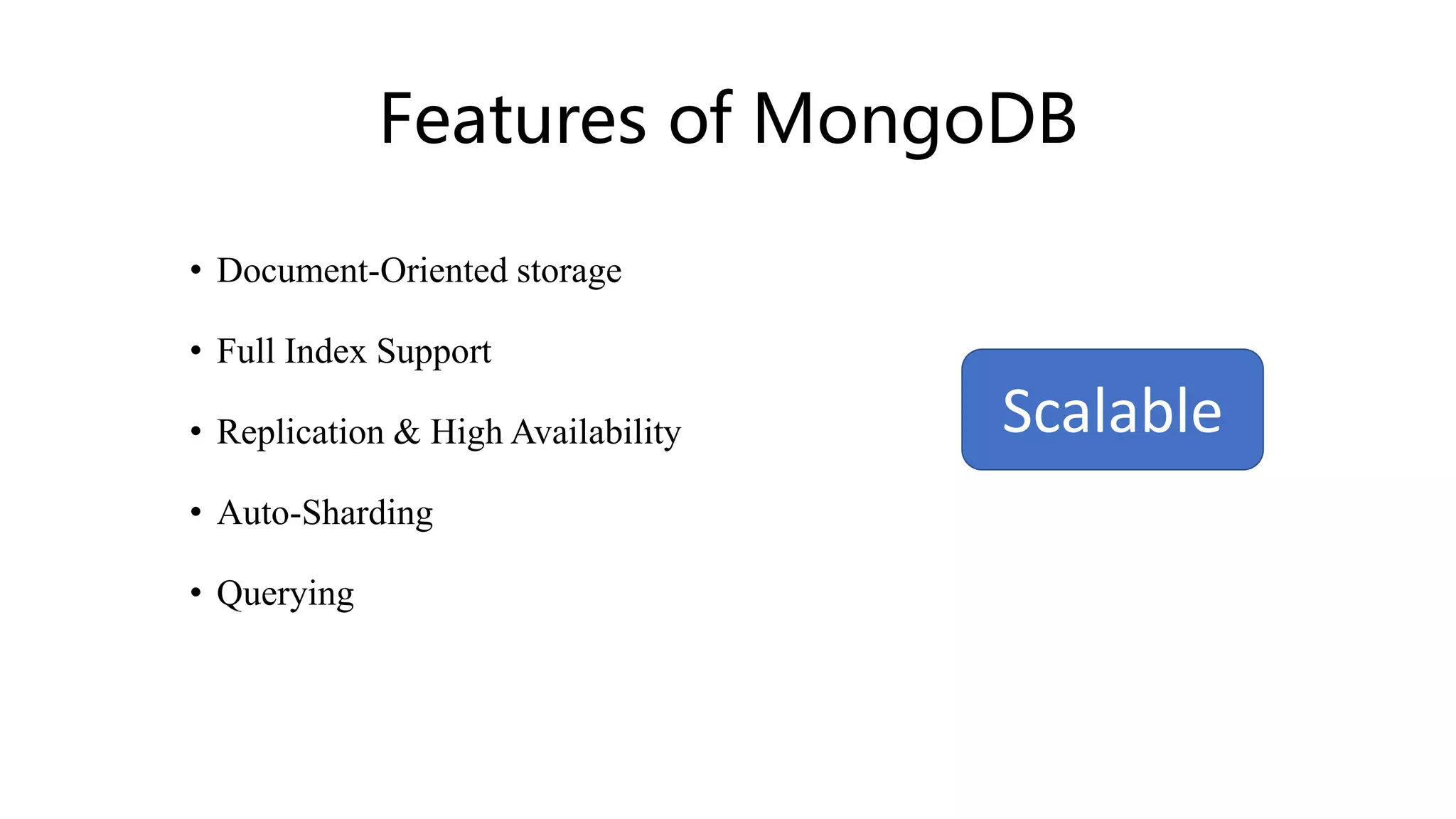
Features of MongoDB
• Document-Oriented storage
• Full Index Support
• Replication & High Availability
• Auto-Sharding
• Querying
Scalable
Document-oriented storage:
• MongoDB is a document-oriented NoSQL database. It is used for storing
massive volumes of data. Unlike a traditional SQL relational database,
MongoDB does not rely on tables and columns. Data is stored as collections
and documents.
• Data is stored in BSON format internally and over the network but retrieved
as JSON.
• Index is a way to organize information so that the database engine can quickly
find the relevant results.
• Indexes in MongoDB are similar to indexes in other database systems. MongoDB
defines indexes at the collection level and supports indexes on any field or sub-
field of the documents in a MongoDB collection.
Full-index support:
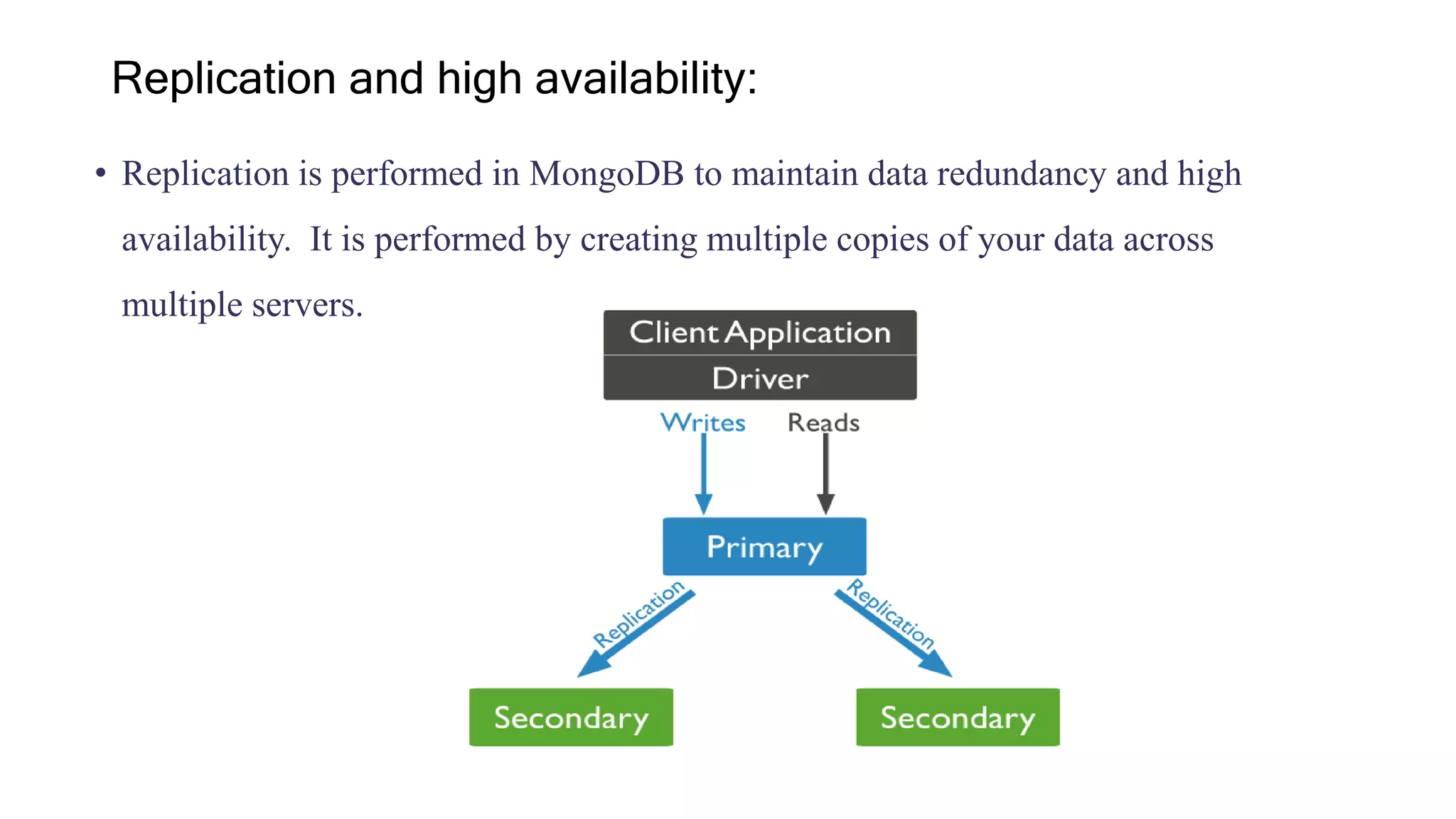
• Replication is performed in MongoDB to maintain data redundancy and high
availability. It is performed by creating multiple copies of your data across
multiple servers.
Replication and high availability:
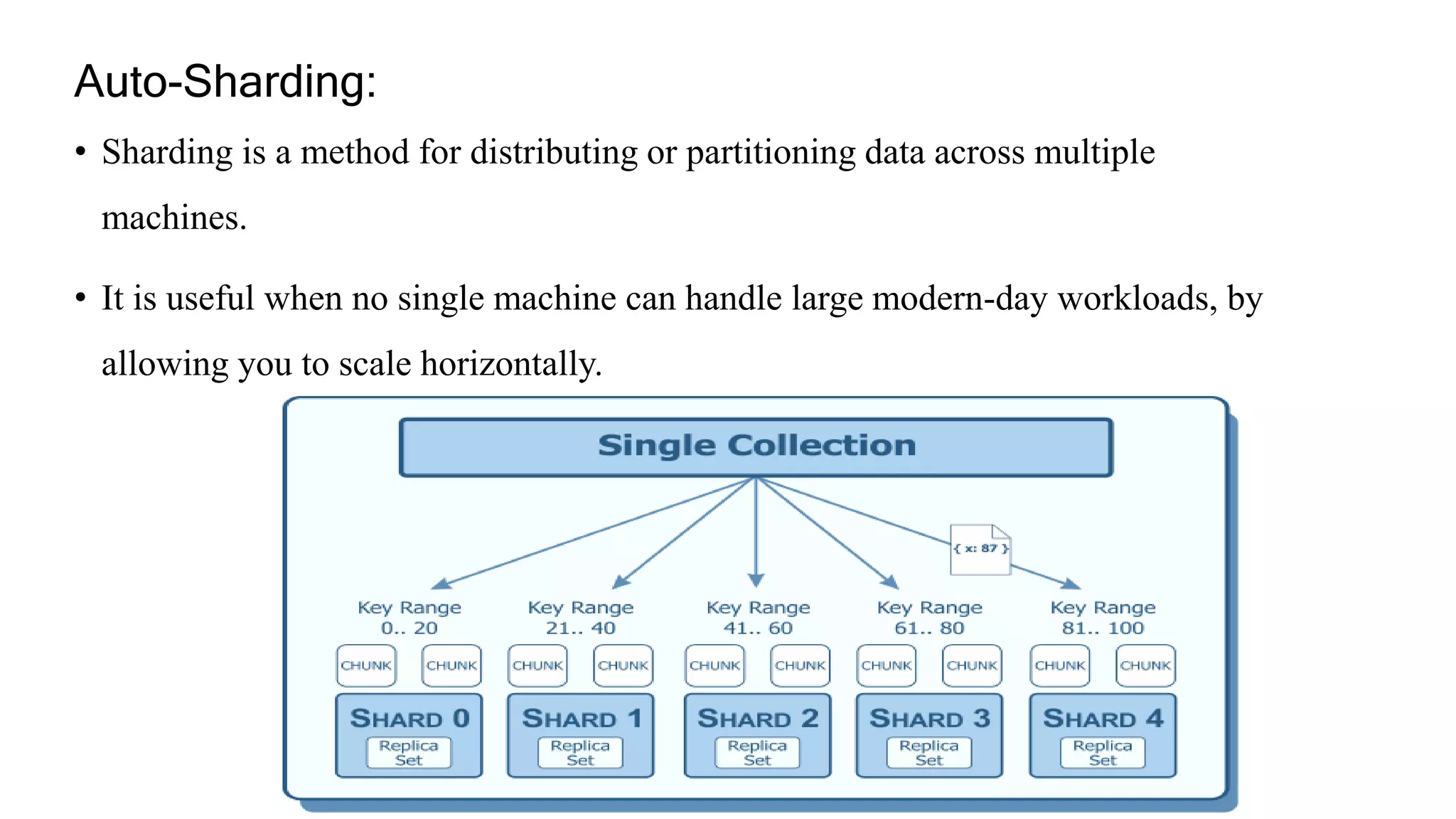
• Sharding is a method for distributing or partitioning data across multiple
machines.
• It is useful when no single machine can handle large modern-day workloads, by
allowing you to scale horizontally.
Auto-Sharding:
Querying:
• MongoDB Query is a way to get the data from the MongoDB database.
• MongoDB queries provide the simplicity in process of fetching data from the
database.
• MongoDB provides the function names as db.collection_name.find() to operate
query operation on database.
• Database: Newspaper
• Collection: Article
• Query: db.article.find() // returns all the documents in the Article collection
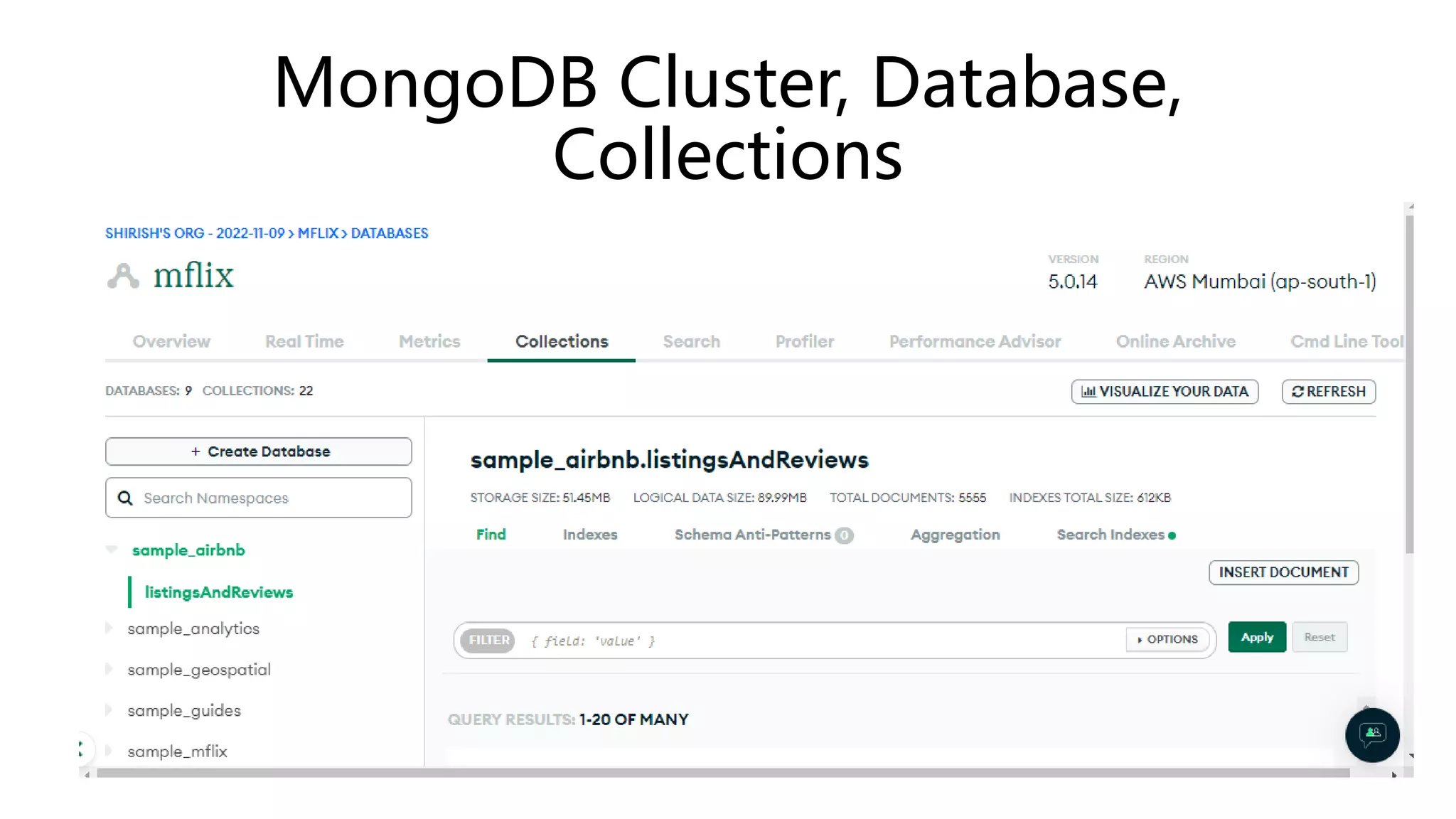
MongoDB Cluster, Database,
Collections
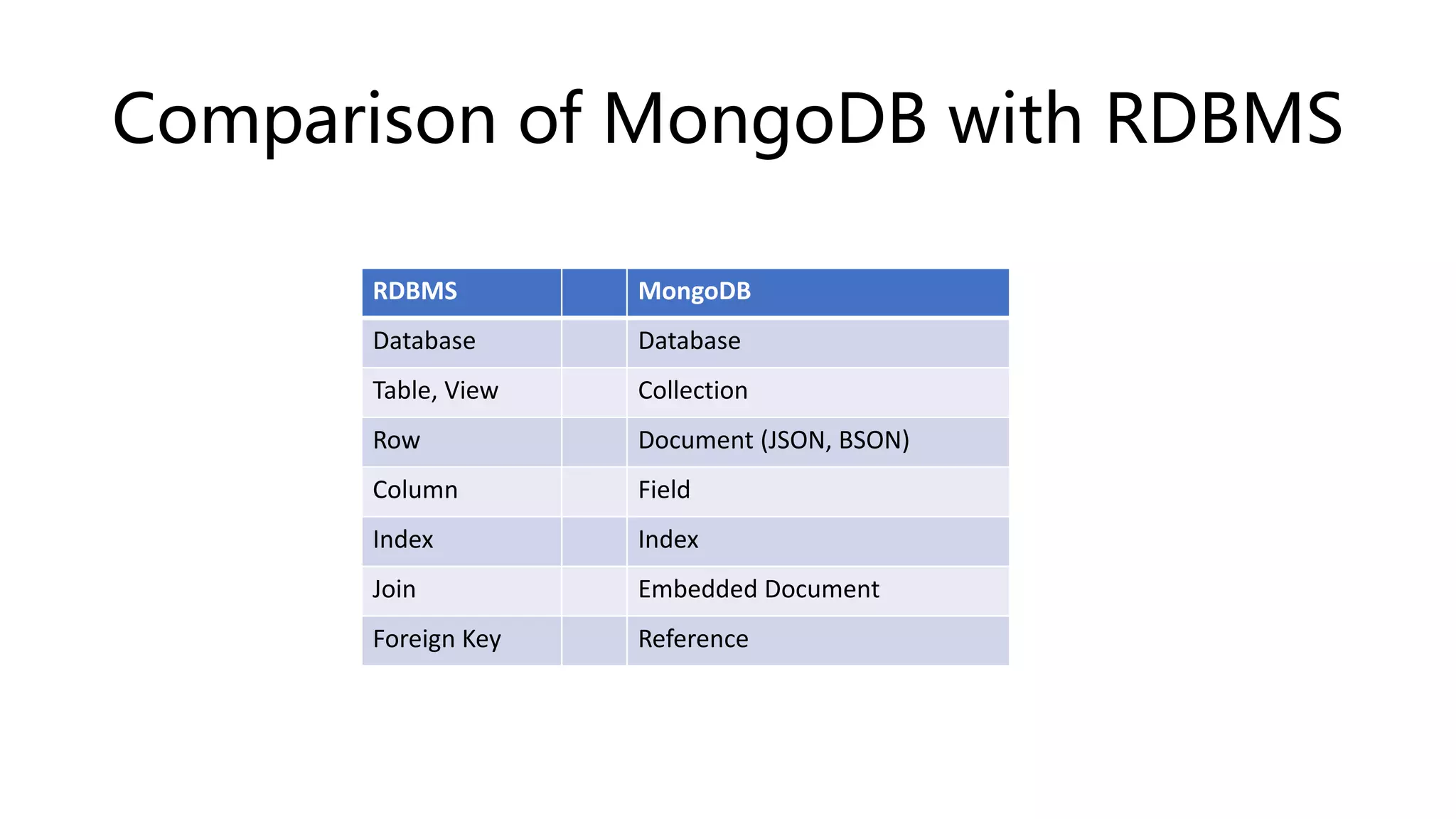
Comparison of MongoDB with RDBMS
RDBMS MongoDB
Database Database
Table, View Collection
Row Document (JSON, BSON)
Column Field
Index Index
Join Embedded Document
Foreign Key Reference
Example of Document
> db.user.findOne({age:39})
{
"_id" : ObjectId("5114e0bd42…"),
"first" : "John",
"last" : "Doe",
"age" : 39,
"interests" : [
"Reading",
"Mountain Biking ]
"favorites": {
"color": "Blue",
"sport": "Soccer"}
}
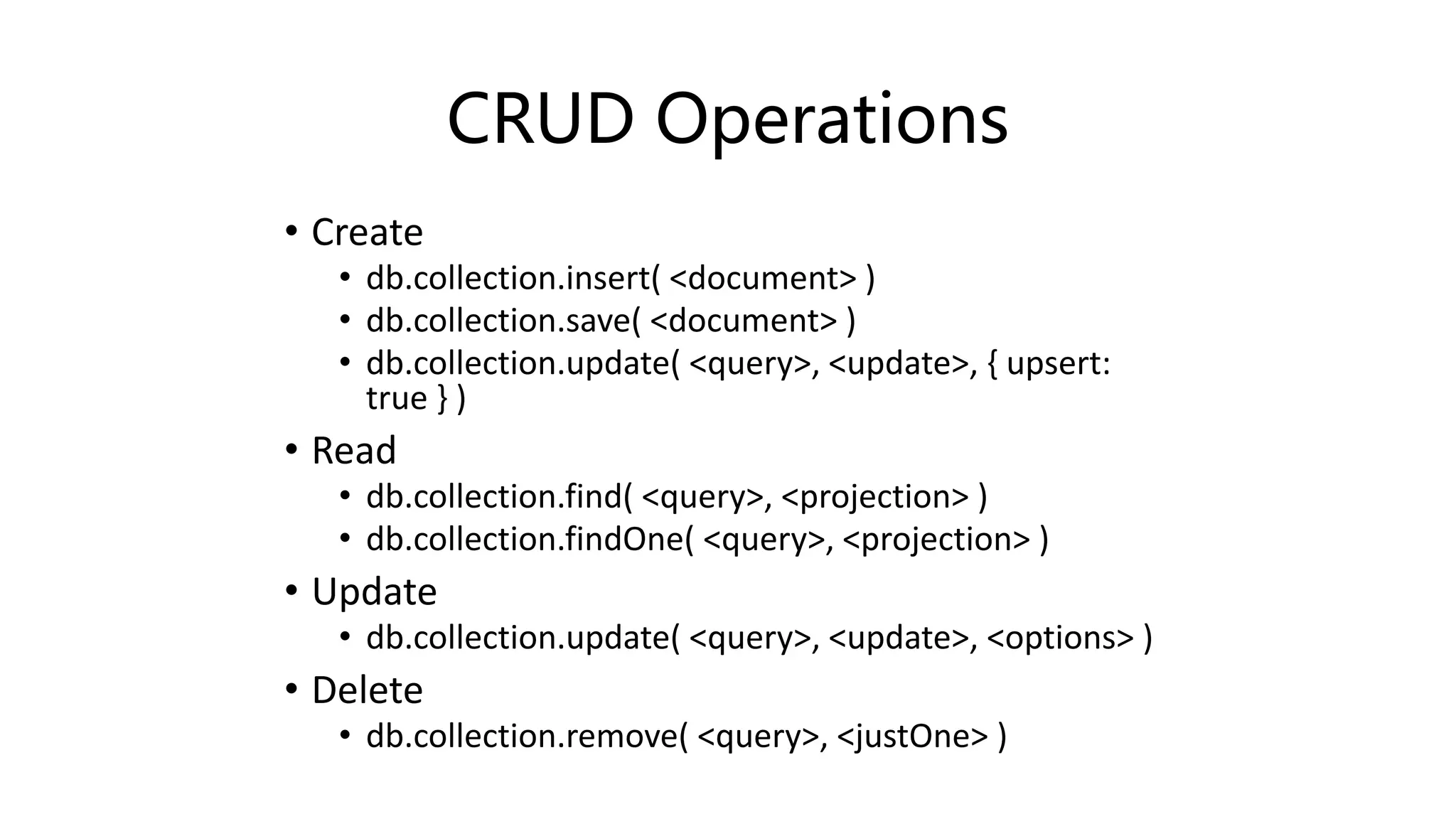
CRUD Operations
• Create
• db.collection.insert( <document> )
• db.collection.save( <document> )
• db.collection.update( <query>, <update>, { upsert:
true } )
• Read
• db.collection.find( <query>, <projection> )
• db.collection.findOne( <query>, <projection> )
• Update
• db.collection.update( <query>, <update>, <options> )
• Delete
• db.collection.remove( <query>, <justOne> )
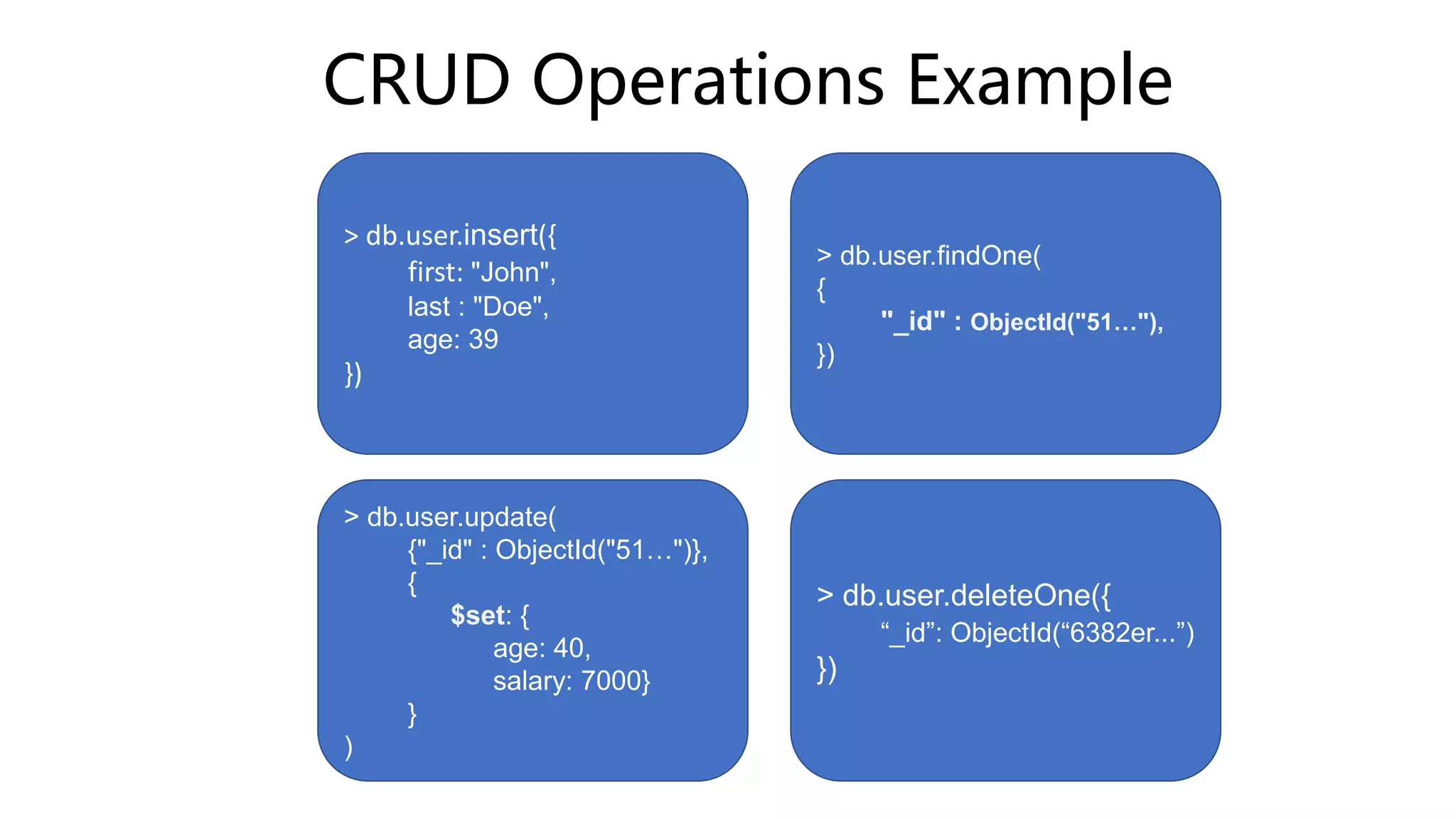
CRUD Operations Example
> db.user.insert({
first: "John",
last : "Doe",
age: 39
})
> db.user.findOne(
{
"_id" : ObjectId("51…"),
})
> db.user.update(
{"_id" : ObjectId("51…")},
{
$set: {
age: 40,
salary: 7000}
}
)
> db.user.deleteOne({
“_id”: ObjectId(“6382er...”)
})
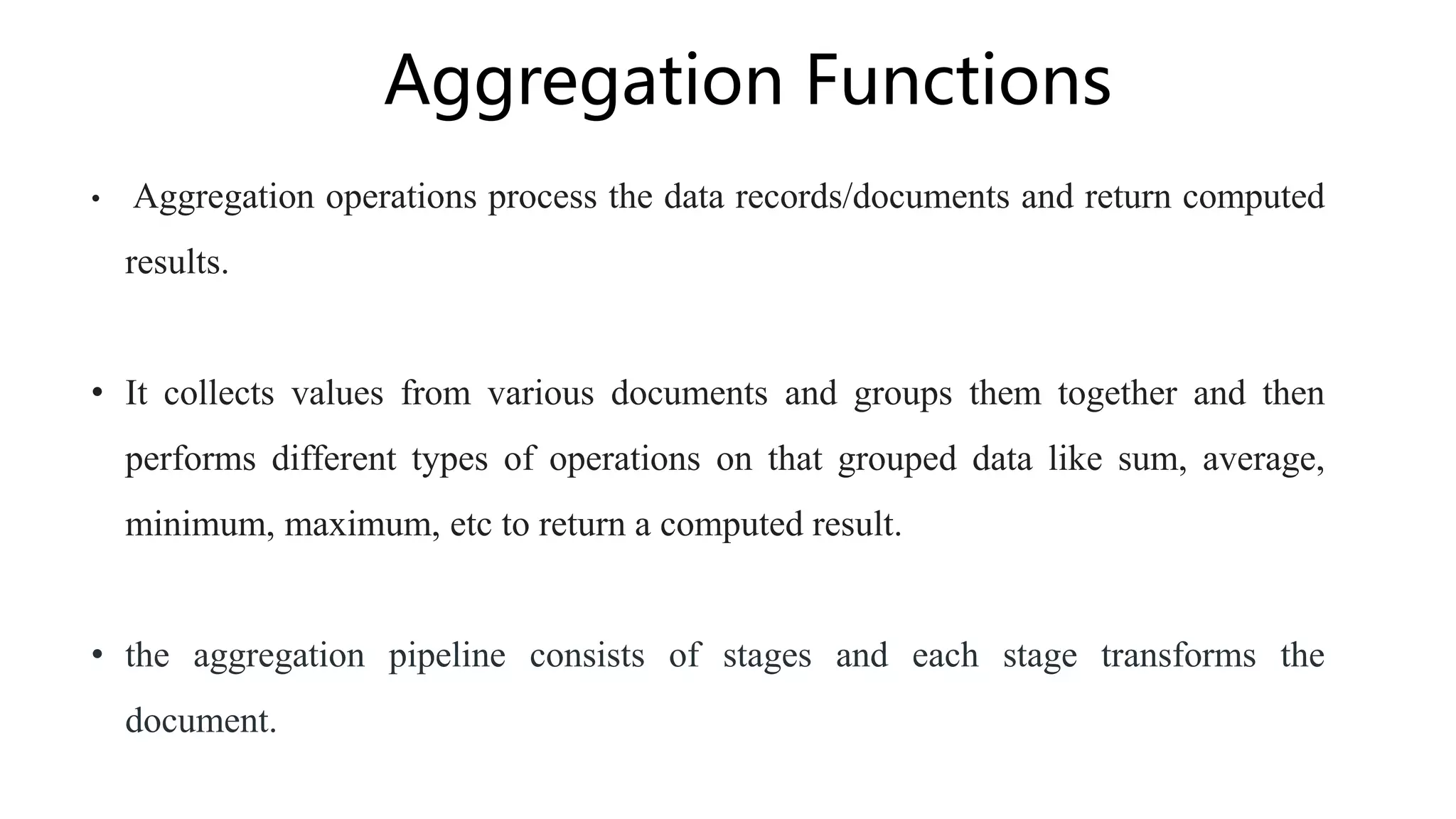
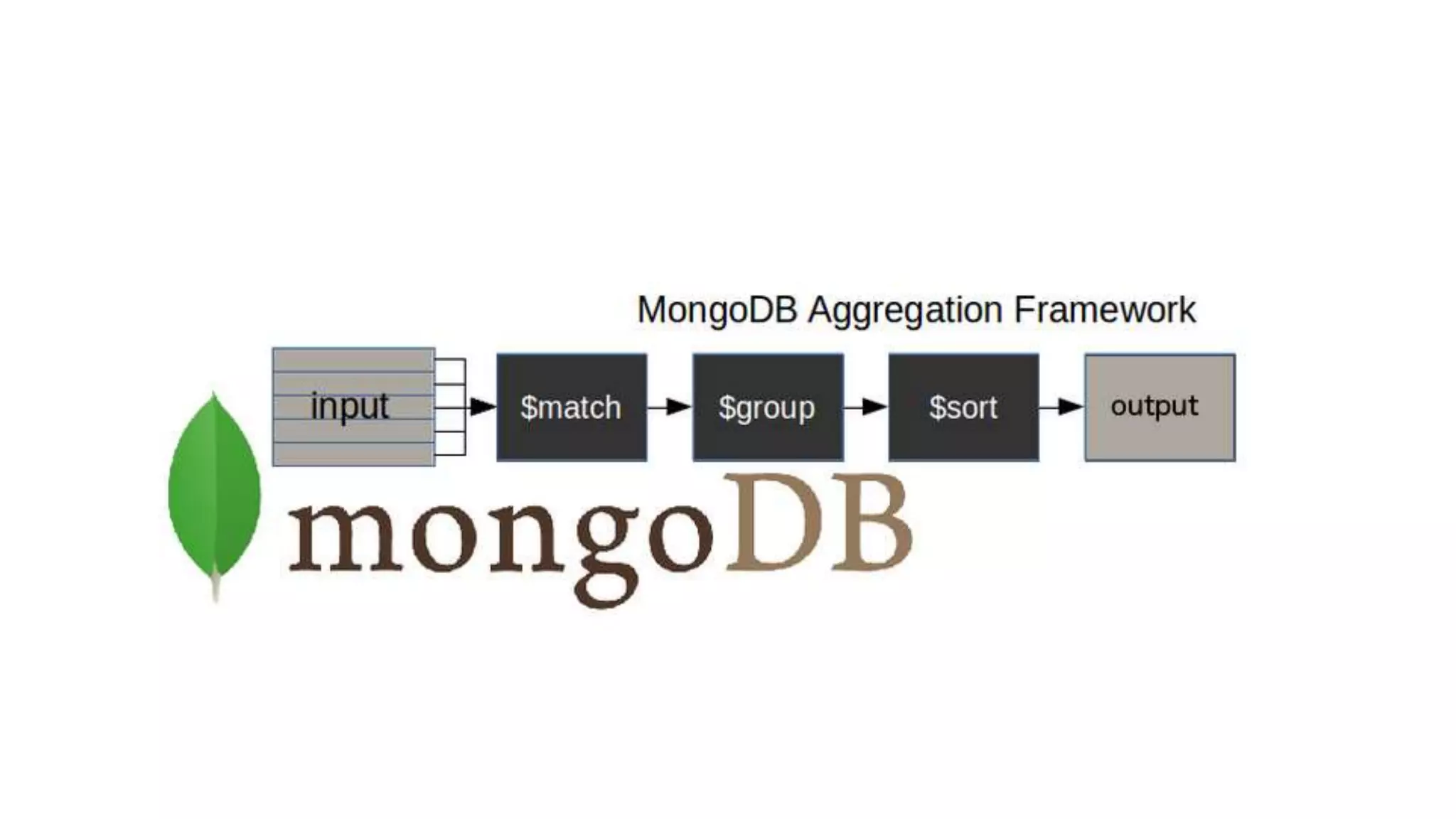
Aggregation Functions
• Aggregation operations process the data records/documents and return computed
results.
• It collects values from various documents and groups them together and then
performs different types of operations on that grouped data like sum, average,
minimum, maximum, etc to return a computed result.
• the aggregation pipeline consists of stages and each stage transforms the
document.
Aggregation Syntax
Basic syntax of aggregate() method is as follows −
 db.COLLECTION_NAME.aggregate(AGGREGATE_OPERATION)
 Example:
db.collection.aggregate([ {stage1}, {stage2}, {stage3}...])
• There is a set of possible stages and each of those is taken as a set of documents
as an input and produces a resulting set of documents (or the final resulting JSON
document at the end of the pipeline)
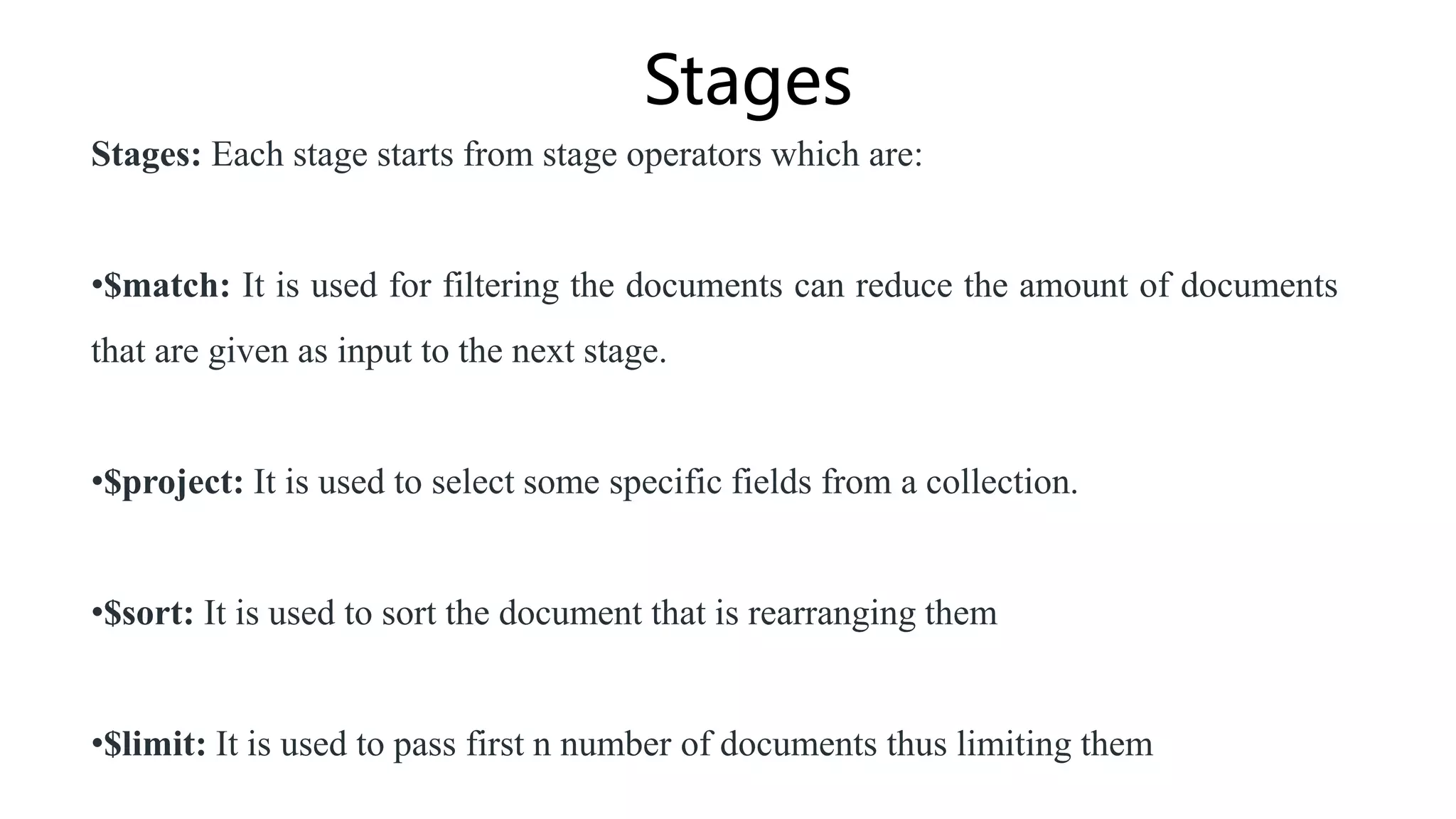
Stages
Stages: Each stage starts from stage operators which are:
•$match: It is used for filtering the documents can reduce the amount of documents
that are given as input to the next stage.
•$project: It is used to select some specific fields from a collection.
•$sort: It is used to sort the document that is rearranging them
•$limit: It is used to pass first n number of documents thus limiting them
CRUD Operations Demo
THANK YOU

MongoDB_ppt.pptx

  • 1.
  • 2.
    Why MongoDB? • MongoDBis a NoSQL (Not only SQL) database that stores large volumes of data in the form of documents. • MongoDB removes the concept of "rows" of conventional and relational data models by introducing “documents”. • MongoDB is more flexible and ensures high and diverse data availability.
  • 3.
    When to useMongoDB? • You have lots of unstructured data. MongoDB (and NoSQL databases in general) has no storable data type limits. • You have schema issues. If you have an unstable or undefined schema, use MongoDB.
  • 4.
    Features of MongoDB •Document-Oriented storage • Full Index Support • Replication & High Availability • Auto-Sharding • Querying Scalable
  • 5.
    Document-oriented storage: • MongoDBis a document-oriented NoSQL database. It is used for storing massive volumes of data. Unlike a traditional SQL relational database, MongoDB does not rely on tables and columns. Data is stored as collections and documents. • Data is stored in BSON format internally and over the network but retrieved as JSON.
  • 6.
    • Index isa way to organize information so that the database engine can quickly find the relevant results. • Indexes in MongoDB are similar to indexes in other database systems. MongoDB defines indexes at the collection level and supports indexes on any field or sub- field of the documents in a MongoDB collection. Full-index support:
  • 7.
    • Replication isperformed in MongoDB to maintain data redundancy and high availability. It is performed by creating multiple copies of your data across multiple servers. Replication and high availability:
  • 8.
    • Sharding isa method for distributing or partitioning data across multiple machines. • It is useful when no single machine can handle large modern-day workloads, by allowing you to scale horizontally. Auto-Sharding:
  • 9.
    Querying: • MongoDB Queryis a way to get the data from the MongoDB database. • MongoDB queries provide the simplicity in process of fetching data from the database. • MongoDB provides the function names as db.collection_name.find() to operate query operation on database. • Database: Newspaper • Collection: Article • Query: db.article.find() // returns all the documents in the Article collection
  • 10.
  • 11.
    Comparison of MongoDBwith RDBMS RDBMS MongoDB Database Database Table, View Collection Row Document (JSON, BSON) Column Field Index Index Join Embedded Document Foreign Key Reference
  • 12.
    Example of Document >db.user.findOne({age:39}) { "_id" : ObjectId("5114e0bd42…"), "first" : "John", "last" : "Doe", "age" : 39, "interests" : [ "Reading", "Mountain Biking ] "favorites": { "color": "Blue", "sport": "Soccer"} }
  • 13.
    CRUD Operations • Create •db.collection.insert( <document> ) • db.collection.save( <document> ) • db.collection.update( <query>, <update>, { upsert: true } ) • Read • db.collection.find( <query>, <projection> ) • db.collection.findOne( <query>, <projection> ) • Update • db.collection.update( <query>, <update>, <options> ) • Delete • db.collection.remove( <query>, <justOne> )
  • 14.
    CRUD Operations Example >db.user.insert({ first: "John", last : "Doe", age: 39 }) > db.user.findOne( { "_id" : ObjectId("51…"), }) > db.user.update( {"_id" : ObjectId("51…")}, { $set: { age: 40, salary: 7000} } ) > db.user.deleteOne({ “_id”: ObjectId(“6382er...”) })
  • 15.
    Aggregation Functions • Aggregationoperations process the data records/documents and return computed results. • It collects values from various documents and groups them together and then performs different types of operations on that grouped data like sum, average, minimum, maximum, etc to return a computed result. • the aggregation pipeline consists of stages and each stage transforms the document.
  • 17.
    Aggregation Syntax Basic syntaxof aggregate() method is as follows −  db.COLLECTION_NAME.aggregate(AGGREGATE_OPERATION)  Example: db.collection.aggregate([ {stage1}, {stage2}, {stage3}...]) • There is a set of possible stages and each of those is taken as a set of documents as an input and produces a resulting set of documents (or the final resulting JSON document at the end of the pipeline)
  • 18.
    Stages Stages: Each stagestarts from stage operators which are: •$match: It is used for filtering the documents can reduce the amount of documents that are given as input to the next stage. •$project: It is used to select some specific fields from a collection. •$sort: It is used to sort the document that is rearranging them •$limit: It is used to pass first n number of documents thus limiting them
  • 19.
  • 20.