





Module 2:  Spreadable Media
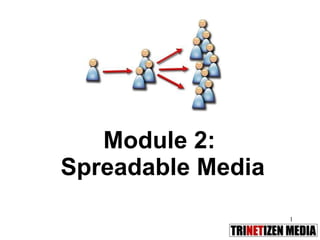
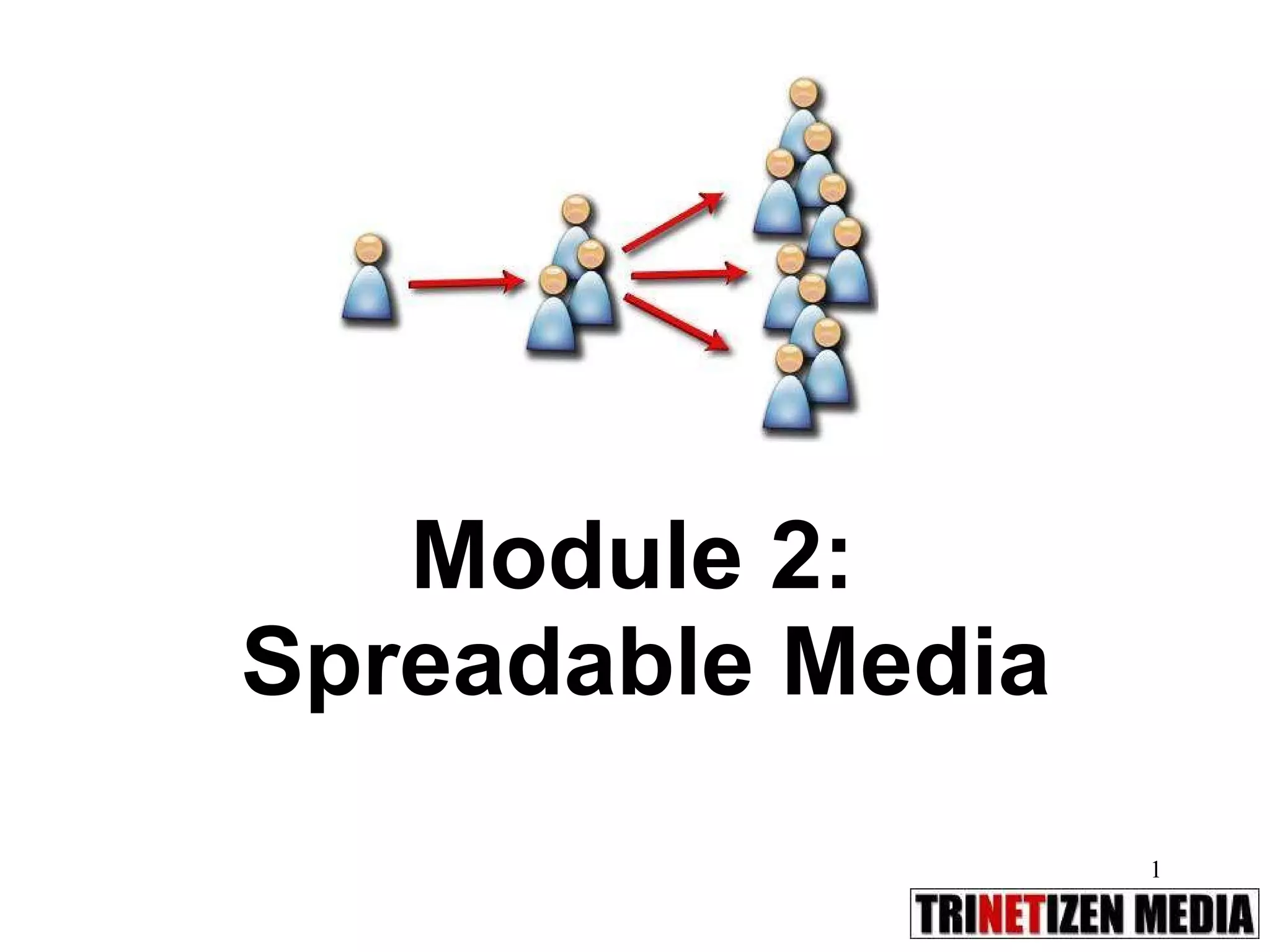
What is spreadable media? Henry Jenkins* coins the phrase  spreadable media  – to challenge the metaphor of viral media. Viral  = connotation is an infection or contagion you involuntarily give to others  Spreadable   = media you find compelling and  consciously make a choice  to pass on to others via links, posts, social networks, microblogging, sharing widgets. Motivated circulation from the grassroots level. * Provost Professor of Communication, Journalism, and Cinematic Arts,  USC Annenberg School for Communication
Spreadable media Power of word-of-mouse:   Aggregators, curators, filters, communicators, evangelizers, influencers, messaging mavens, content spreaders, gossip-mongers, antagonizers, community organizers.  “ Earned media”  -  Content is shared voluntarily through email, chat, linking, blogs, forums and social networks (as opposed to paid media eg print ads, billboards, TVCs) Pass-along value   – News deemed of value to tell a friend, a relative, a follower, a fan. It has some  contextual  meaning – funny, political, geographical, historical, societal. “Do your best, link to the rest.”
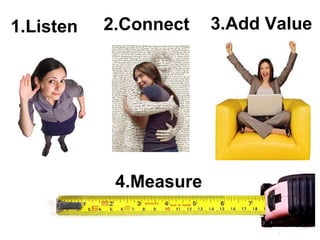
2.Connect 1.Listen  3.Add Value 4.Measure
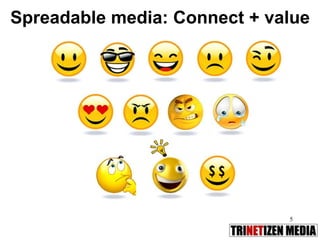
Spreadable media: Connect + value
What’s next… 10 tips on Google Alerts RSS Short Links Twitter Tagging, hashtags Geotagging Social bookmarking Sharing widgets 8 tips on Facebook
Google
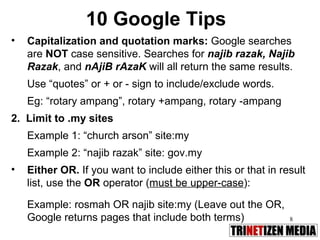
10 Google Tips Capitalization and quotation marks:  Google searches are  NOT  case sensitive. Searches for  najib razak, Najib Razak , and  nAjiB rAzaK  will all return the same results. Use “quotes” or + or - sign to include/exclude words.  Eg: “rotary ampang”, rotary +ampang, rotary -ampang 2.  Limit to .my sites Example 1: “church arson” site:my Example 2: “najib razak” site: gov.my Either OR.  If you want to include either this or that in result list, use the  OR  operator ( must be upper-case ): Example: rosmah OR najib site:my (Leave out the OR, Google returns pages that include both terms)
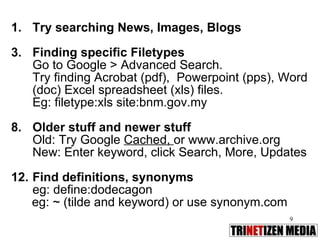
Try searching News, Images, Blogs Finding specific Filetypes Go to Google > Advanced Search. Try finding Acrobat (pdf),  Powerpoint (pps), Word (doc) Excel spreadsheet (xls) files.  Eg: filetype:xls site:bnm.gov.my Older stuff and newer stuff Old: Try Google  Cached,  or www.archive.org New: Enter keyword, click Search, More, Updates Find definitions, synonyms  eg: define:dodecagon eg: ~ (tilde and keyword) or use synonym.com
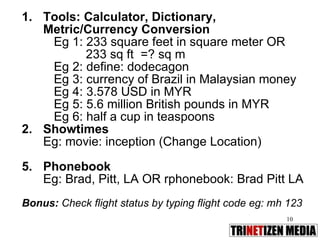
Tools: Calculator, Dictionary, Metric/Currency Conversion Eg 1: 233 square feet in square meter OR  233 sq ft  =? sq m Eg 2: define: dodecagon  Eg 3: currency of Brazil in Malaysian money Eg 4: 3.578 USD in MYR Eg 5: 5.6 million British pounds in MYR Eg 6: half a cup in teaspoons Showtimes Eg: movie: inception (Change Location) Phonebook Eg: Brad, Pitt, LA OR rphonebook: Brad Pitt LA Bonus:  Check flight status by typing flight code eg: mh 123
Google: What’s new at Google Real-Time Search Google Goggles Google Social Search Google “Near me now” Google Trends Google Fast Flip Google Wave Google Buzz Google Voice
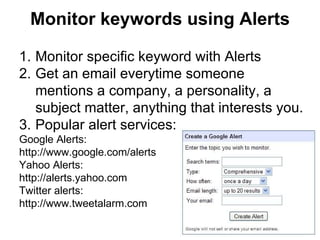
Monitor keywords using Alerts Monitor specific keyword with Alerts Get an email everytime someone mentions a company, a personality, a subject matter, anything that interests you. Popular alert services:  Google Alerts:  http://www.google.com/alerts Yahoo Alerts:  http://alerts.yahoo.com Twitter alerts:  http://www.tweetalarm.com
RSS Rich Site Summary/Really Simple Syndication is a method to syndicate your web content out to users.  RSS feeds benefit readers who want to subscribe to timely updates from their favourite blogs or websites or to aggregate feeds from many sites into one place.  Most blog software generates an automatic RSS feed for others to “subscribe” to that blog. Subscribers can use a dedicated software called an RSS reader to scan updates quickly. Popular web-based RSS readers:  Google Reader, Bloglines, Netvibes.  You can use iGoogle to build your own homepage of RSS feeds.
Using RSS 1. Monitor News: http://thestar.com.my/rss/ http://www.cnn.com/services/rss/ http://news.bbc.co.uk/2/hi/help/3223484.stm 2. Monitor Press Releases:  Intel: http://www.intel.com/intel/rss.htm IBM: http://www-1.ibm.com/services/us/igs/rss/rss.html Dell: http://www.dell.com/RSS/ 3. Monitor Blogs:  http://www.tonyfernandesblog.com/main.php?tempskin=_rss2 http://rockybru.blogspot.com/atom.xml http://www.kennysia.com/atom.xml
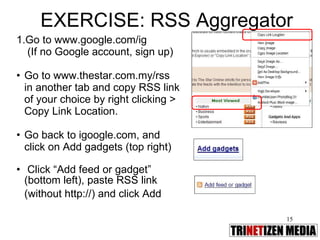
EXERCISE: RSS Aggregator Go to www.google.com/ig   (If no Google account, sign up) Go to www.thestar.com.my/rss in another tab and copy RSS link of your choice by right clicking > Copy Link Location.  Go back to igoogle.com, and click on Add gadgets (top right) Click “Add feed or gadget” (bottom left), paste RSS link (without http://) and click Add
 
Twitter in Plain English http://www.youtube.com/watch?v=ddO9idmax0o Copyright: Lee and Sachi LeFever, Commoncraft
Twitter in action: Plane crash! http://www.youtube.com/watch?v=imDFSnklB0k
 
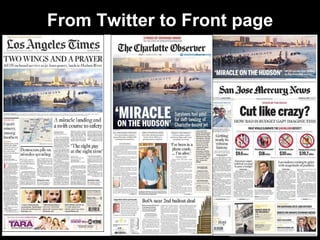
From Twitter to Front page
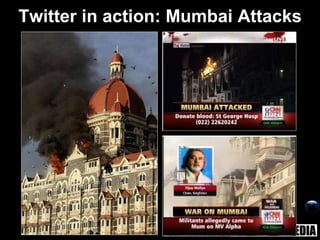
Twitter in action: Mumbai Attacks
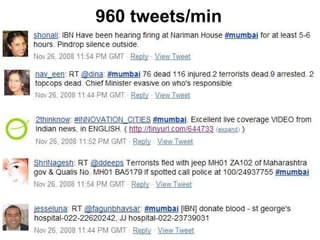
960 tweets/min
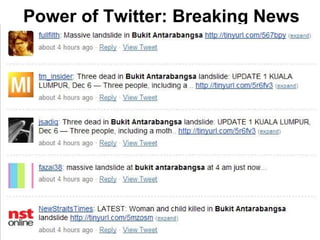
Power of Twitter: Breaking News
Would you trust a surgeon who tweeted your operation?
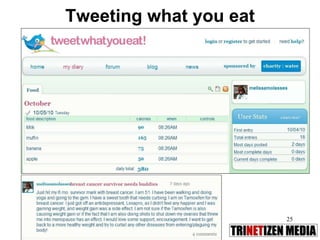
Tweeting what you eat
 
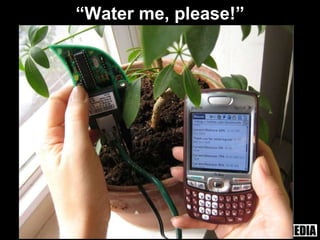
“ Water me, please!”
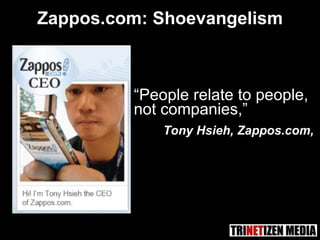
“ People relate to people,  not companies,” Tony Hsieh, Zappos.com, Zappos.com: Shoevangelism
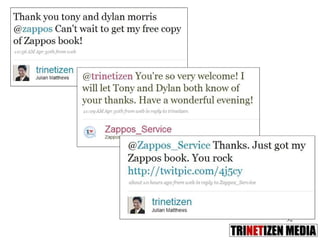
Case study: Zappos.com Free shipping, a 24/7 open call center, and  365-day return policy.   Turned an e-commerce shoe site into a  US$1B business in 10 years . Sold to Amazon.com Obsession with customer service, little advertising,  organic word-of-mouth  recommendations.  Five weeks of employee training  on culture, core values, customer service.  Uses Twitter   as communications channel.


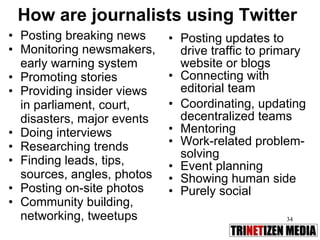
How are journalists using Twitter Posting breaking news Monitoring newsmakers, early warning system Promoting stories Providing insider views in parliament, court,  disasters, major events Doing interviews Researching trends Finding leads, tips, sources, angles, photos Posting on-site photos Community building, networking, tweetups Posting updates to drive traffic to primary website or blogs Connecting with editorial team Coordinating, updating decentralized teams Mentoring Work-related problem-solving Event planning Showing human side Purely social
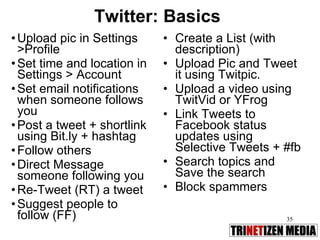
Twitter: Basics Upload pic in Settings >Profile Set time and location in Settings > Account Set email notifications when someone follows you Post a tweet + shortlink using Bit.ly + hashtag Follow others Direct Message someone following you Re-Tweet (RT) a tweet Suggest people to follow (FF) Create a List (with description) Upload Pic and Tweet it using Twitpic. Upload a video using TwitVid or YFrog Link Tweets to Facebook status updates using Selective Tweets + #fb Search topics and Save the search Block spammers
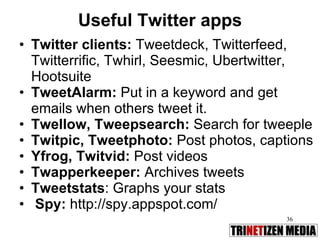
Useful Twitter apps Twitter clients:  Tweetdeck, Twitterfeed, Twitterrific, Twhirl, Seesmic, Ubertwitter, Hootsuite  TweetAlarm:  Put in a keyword and get emails when others tweet it. Twellow, Tweepsearch:  Search for tweeple Twitpic, Tweetphoto:  Post photos, captions Yfrog, Twitvid:  Post videos Twapperkeeper:  Archives tweets Tweetstats : Graphs your stats Spy:  http://spy.appspot.com/
Twitter 101 A tweet is  140 characters  long RT : re-tweet other tweets you think are worth repeating @username : used to reply to someone or engage in a conversation or as a hat tip. This a public tweet everyone can see. dm  or  d  followed by space, then name of person: a direct (private) message with someone who follows you. #subject : hashtag used to refer to subject or topic of discussion.
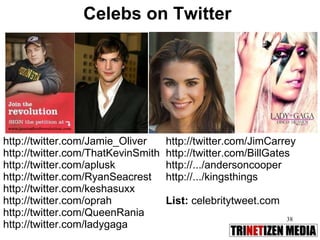
Celebs on Twitter http://twitter.com/Jamie_Oliver  http://twitter.com/ThatKevinSmith http://twitter.com/aplusk http://twitter.com/RyanSeacrest http://twitter.com/keshasuxx http://twitter.com/oprah http://twitter.com/QueenRania http://twitter.com/ladygaga http://twitter.com/JimCarrey http://twitter.com/BillGates http://.../andersoncooper http://.../kingsthings List:  celebritytweet.com
Media on Twitter Media on Twitter:  http://www.mediaontwitter.com/ Newspapers that Twitter: http://tinyurl.com/newstwits http://www.socialbrandindex.com/twitter/media  Journalists on Twitter:  http://muckrack.com/ LA Times:  http://www.latimes.com/about/twitter/ List of Malaysian journalists: http://twitter.com/trinetizen/malaysian-journalists List of Malaysian media http://twitter.com/trinetizen/malaysian-media List of Malaysian politicians http://twitter.com/trinetizen/malaysian-politicians
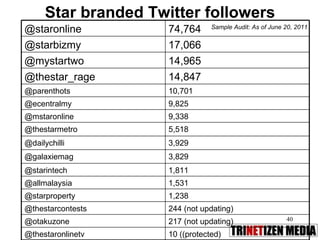
Star branded Twitter followers Sample Audit: As of June 20, 2011 3,929 @dailychilli 5,518 @thestarmetro 10,701 @parenthots 9,825 @ecentralmy 14,965 @mystartwo 17,066 @starbizmy 217 (not updating) @otakuzone 1,531 @allmalaysia 244 (not updating) @thestarcontests 14,847 @thestar_rage 10 ((protected) @thestaronlinetv 1,238 @starproperty 1,811 @starintech 3,829 @galaxiemag 9,338 @mstaronline 74,764 @staronline
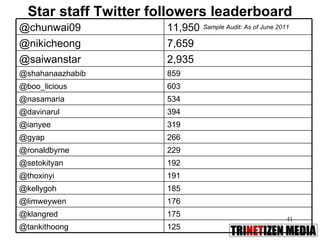
Star staff Twitter followers leaderboard Sample Audit: As of June 2011 191 @thoxinyi 176 @limweywen 192 @setokityan 859 @shahanaazhabib 11,950 @chunwai09 229 @ronaldbyrne 603 @boo_licious 319 @ianyee 125 @tankithoong 185 @kellygoh 394 @davinarul 266 @gyap 175 @klangred 534 @nasamaria 2,935 @saiwanstar 7,659 @nikicheong
#hashtags The Hash Tag aka Pound Symbol [#] is used to categorize tweets into topics, events, trends Hashtags are the Twitter equivalent of keywords.  Search at http://search.twitter.com and you will find all the tagged tweets with matching words.  For eg: #followfriday or #ff is used by a majority to spotlight individuals they consider worth following.  Eg2: #haiti #haitiquake used during the Haiti quake, #ash used during Iceland volcano eruption Eg 3 #neda, #iranelection was used during last Iran elections
Iran: Neda
Warning: Explicit video http://www.youtube.com/watch?v=bbdEf0QRsLM
Neda: Symbol of injustice in Iran


Neda’s impact Obama: “heartbreaking” Viral video: 4.6m views Trending topic hashtag: #neda Protesters: Young, urban, self-motivated and angry But armed with mobilephones and the power of social media
Twitter tips Listen:  Follow popular tweeters first Lists:  Set up your own lists Share:  Find great stuff to share – use  shortened links: tinyurl.com, bit.ly Be active!  No one is interested if your last tweet was from several months ago  Don’t hard sell:  If you are plugging your own story, event, product, contest or service, say so
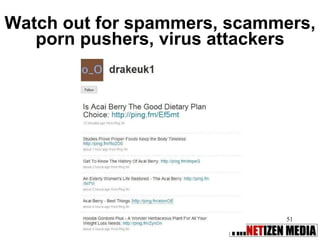
Watch out for spammers, scammers, porn pushers, virus attackers
Twictionary tweet: Posting on Twitter twitterer/tweeter: One who tweets re-tweet: Repeating someone else’s tweet eg: RT @trinetizen twitterati: Twitter + literati twitterverse: Twitter + universe twitterholic: One addicted to Twitter. twitterrhea: Posting inane stuff too often. twittermentia: Unable to remember last tweet tweetheart: One you may have a crush on
Exercise: Twitter Go to Twitter (set up account, if you don’t already have one) Create 140-character blurb with  a short link of the most emailed story in The Star Online Find people or a list to follow Create a list Re-tweet another person’s tweet
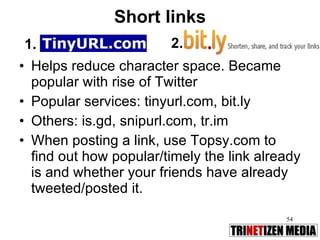
Short links Helps reduce character space. Became popular with rise of Twitter Popular services: tinyurl.com, bit.ly Others: is.gd, snipurl.com, tr.im  When posting a link, use Topsy.com to find out how popular/timely the link already is and whether your friends have already tweeted/posted it. 1. 2.
Exercise 2: Twitter Find a story in The Star, create a short link using  http://bit.ly , tweet it in these voices: Professional Casual Commentary Quotable Inside story Funny
 
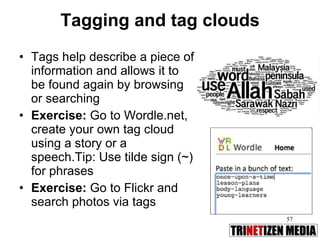
Tagging and tag clouds Tags help describe a piece of information and allows it to be found again by browsing or searching Exercise:  Go to Wordle.net, create your own tag cloud using a story or a speech.Tip: Use tilde sign (~) for phrases Exercise:  Go to Flickr and search photos via tags
Geotagging Adds geographical identification metadata to various media such as photographs, video, websites. Eg: Helps readers follow an event in real-time, locate restaurant reviewed, etc. Examples: http://emersoninbeijing.com/ http://www.london-se1.co.uk/news/map Nike Human Race
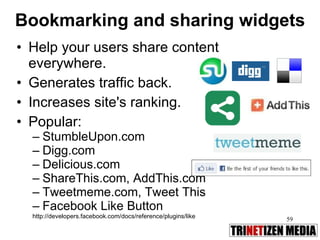
Bookmarking and sharing widgets Help your users share content everywhere.  Generates traffic back.  Increases site's ranking.  Popular: StumbleUpon.com Digg.com Delicious.com ShareThis.com, AddThis.com Tweetmeme.com, Tweet This Facebook Like Button http://developers.facebook.com/docs/reference/plugins/like
 
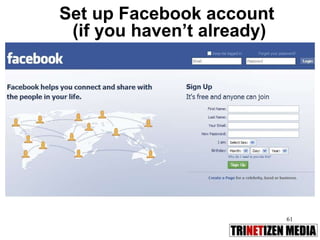
Set up Facebook account  (if you haven’t already)
Journalism and Facebook Find  leads : conversations and topics that intrigue you that you can turn into stories.  Follow friends , companies, events, groups, fan pages. Solicit for  ideas, sources,  interview subjects, questions for upcoming interview subjects. Reach out  to friends of friends - you never know when someone can connect you to what you are looking for.
Facebook: Basics Status Update Send a Message Post on Your Wall Like, Comment or Share Upload photo as a profile pic Create a photo album Upload a video Post a Note Tag a photo, video or Note Chat Create an Event Page Create a Fan Page Create a Group  Privacy Settings
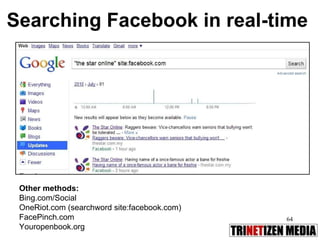
Searching Facebook in real-time  Other methods:  Bing.com/Social OneRiot.com (searchword site:facebook.com) FacePinch.com Youropenbook.org
Tips on Facebook Share:  Be useful , offer tips, guides, timely information. Link to interesting stories.  Be  generous.  Answer questions of those in need, don’t just take. Do  promote  your own stories, but provide some other  value-add , this is not just a broadcast medium. Avoid shameless plugs on how wonderful you are. Be  human : Show you care, be witty, disclose your personal interests, it helps to get to know you better.
Don’t overdo the silly things  or clog up your wall with YouTube videos Start  a page : Keep it public, you have option to kick out members  Have  two or three admins as backups  for events/fan pages.  Use apps  to automate stuff, but don’t overdo it: Blogposts, Twitter updates  (http://apps.facebook.com/selectivetwitter/) Tips on Facebook
A word of caution… Don’t sign up for every game/quiz and poke people constantly. Don’t post updates in anger and in spite. Nothing is private on Facebook. Your personal views are your own, preface that if you think it may offend your management.  Do not disclose confidential information obtained through work that may bring the company into disrepute. Don’t undermine your effectiveness at work. “ Friending” should not be taken literally – but others may misconstrue this as being partisan or biased. Avoid racial, religious slurs and personal attacks. You are still a reporter 24/7: Verify facts, identify sources before passing along news. Make it clear if you are skeptical of veracity of information, if you are.
Exercise: Facebook Add a Note to your Profile Add photos, videos to your Wall Set up an Events page on Facebook Add photos, videos to an Event Tip:  Pages vs Groups:  Pages are better for a  long-term relationships  with your fans, readers or customers; Groups are better for  hosting an active discussion  and attracting quick attention.  Community pages are for generic causes or topics. http://bit.ly/pagesvsgroups

Module 02.Spreadable media

  • 1.
    Module 2: Spreadable Media
  • 2.
    What is spreadablemedia? Henry Jenkins* coins the phrase spreadable media – to challenge the metaphor of viral media. Viral = connotation is an infection or contagion you involuntarily give to others Spreadable = media you find compelling and consciously make a choice to pass on to others via links, posts, social networks, microblogging, sharing widgets. Motivated circulation from the grassroots level. * Provost Professor of Communication, Journalism, and Cinematic Arts, USC Annenberg School for Communication
  • 3.
    Spreadable media Powerof word-of-mouse: Aggregators, curators, filters, communicators, evangelizers, influencers, messaging mavens, content spreaders, gossip-mongers, antagonizers, community organizers. “ Earned media” - Content is shared voluntarily through email, chat, linking, blogs, forums and social networks (as opposed to paid media eg print ads, billboards, TVCs) Pass-along value – News deemed of value to tell a friend, a relative, a follower, a fan. It has some contextual meaning – funny, political, geographical, historical, societal. “Do your best, link to the rest.”
  • 4.
    2.Connect 1.Listen 3.Add Value 4.Measure
  • 5.
  • 6.
    What’s next… 10tips on Google Alerts RSS Short Links Twitter Tagging, hashtags Geotagging Social bookmarking Sharing widgets 8 tips on Facebook
  • 7.
  • 8.
    10 Google TipsCapitalization and quotation marks: Google searches are NOT case sensitive. Searches for najib razak, Najib Razak , and nAjiB rAzaK will all return the same results. Use “quotes” or + or - sign to include/exclude words. Eg: “rotary ampang”, rotary +ampang, rotary -ampang 2. Limit to .my sites Example 1: “church arson” site:my Example 2: “najib razak” site: gov.my Either OR. If you want to include either this or that in result list, use the OR operator ( must be upper-case ): Example: rosmah OR najib site:my (Leave out the OR, Google returns pages that include both terms)
  • 9.
    Try searching News,Images, Blogs Finding specific Filetypes Go to Google > Advanced Search. Try finding Acrobat (pdf), Powerpoint (pps), Word (doc) Excel spreadsheet (xls) files. Eg: filetype:xls site:bnm.gov.my Older stuff and newer stuff Old: Try Google Cached, or www.archive.org New: Enter keyword, click Search, More, Updates Find definitions, synonyms eg: define:dodecagon eg: ~ (tilde and keyword) or use synonym.com
  • 10.
    Tools: Calculator, Dictionary,Metric/Currency Conversion Eg 1: 233 square feet in square meter OR 233 sq ft =? sq m Eg 2: define: dodecagon Eg 3: currency of Brazil in Malaysian money Eg 4: 3.578 USD in MYR Eg 5: 5.6 million British pounds in MYR Eg 6: half a cup in teaspoons Showtimes Eg: movie: inception (Change Location) Phonebook Eg: Brad, Pitt, LA OR rphonebook: Brad Pitt LA Bonus: Check flight status by typing flight code eg: mh 123
  • 11.
    Google: What’s newat Google Real-Time Search Google Goggles Google Social Search Google “Near me now” Google Trends Google Fast Flip Google Wave Google Buzz Google Voice
  • 12.
    Monitor keywords usingAlerts Monitor specific keyword with Alerts Get an email everytime someone mentions a company, a personality, a subject matter, anything that interests you. Popular alert services: Google Alerts: http://www.google.com/alerts Yahoo Alerts: http://alerts.yahoo.com Twitter alerts: http://www.tweetalarm.com
  • 13.
    RSS Rich SiteSummary/Really Simple Syndication is a method to syndicate your web content out to users. RSS feeds benefit readers who want to subscribe to timely updates from their favourite blogs or websites or to aggregate feeds from many sites into one place. Most blog software generates an automatic RSS feed for others to “subscribe” to that blog. Subscribers can use a dedicated software called an RSS reader to scan updates quickly. Popular web-based RSS readers: Google Reader, Bloglines, Netvibes. You can use iGoogle to build your own homepage of RSS feeds.
  • 14.
    Using RSS 1.Monitor News: http://thestar.com.my/rss/ http://www.cnn.com/services/rss/ http://news.bbc.co.uk/2/hi/help/3223484.stm 2. Monitor Press Releases: Intel: http://www.intel.com/intel/rss.htm IBM: http://www-1.ibm.com/services/us/igs/rss/rss.html Dell: http://www.dell.com/RSS/ 3. Monitor Blogs: http://www.tonyfernandesblog.com/main.php?tempskin=_rss2 http://rockybru.blogspot.com/atom.xml http://www.kennysia.com/atom.xml
  • 15.
    EXERCISE: RSS AggregatorGo to www.google.com/ig (If no Google account, sign up) Go to www.thestar.com.my/rss in another tab and copy RSS link of your choice by right clicking > Copy Link Location. Go back to igoogle.com, and click on Add gadgets (top right) Click “Add feed or gadget” (bottom left), paste RSS link (without http://) and click Add
  • 16.
  • 17.
    Twitter in PlainEnglish http://www.youtube.com/watch?v=ddO9idmax0o Copyright: Lee and Sachi LeFever, Commoncraft
  • 18.
    Twitter in action:Plane crash! http://www.youtube.com/watch?v=imDFSnklB0k
  • 19.
  • 20.
    From Twitter toFront page
  • 21.
    Twitter in action:Mumbai Attacks
  • 22.
  • 23.
    Power of Twitter:Breaking News
  • 24.
    Would you trusta surgeon who tweeted your operation?
  • 25.
  • 26.
  • 27.
    “ Water me,please!”
  • 28.
    “ People relateto people, not companies,” Tony Hsieh, Zappos.com, Zappos.com: Shoevangelism
  • 29.
    Case study: Zappos.comFree shipping, a 24/7 open call center, and 365-day return policy. Turned an e-commerce shoe site into a US$1B business in 10 years . Sold to Amazon.com Obsession with customer service, little advertising, organic word-of-mouth recommendations. Five weeks of employee training on culture, core values, customer service. Uses Twitter as communications channel.
  • 30.
  • 31.
  • 32.
  • 33.
  • 34.
    How are journalistsusing Twitter Posting breaking news Monitoring newsmakers, early warning system Promoting stories Providing insider views in parliament, court, disasters, major events Doing interviews Researching trends Finding leads, tips, sources, angles, photos Posting on-site photos Community building, networking, tweetups Posting updates to drive traffic to primary website or blogs Connecting with editorial team Coordinating, updating decentralized teams Mentoring Work-related problem-solving Event planning Showing human side Purely social
  • 35.
    Twitter: Basics Uploadpic in Settings >Profile Set time and location in Settings > Account Set email notifications when someone follows you Post a tweet + shortlink using Bit.ly + hashtag Follow others Direct Message someone following you Re-Tweet (RT) a tweet Suggest people to follow (FF) Create a List (with description) Upload Pic and Tweet it using Twitpic. Upload a video using TwitVid or YFrog Link Tweets to Facebook status updates using Selective Tweets + #fb Search topics and Save the search Block spammers
  • 36.
    Useful Twitter appsTwitter clients: Tweetdeck, Twitterfeed, Twitterrific, Twhirl, Seesmic, Ubertwitter, Hootsuite TweetAlarm: Put in a keyword and get emails when others tweet it. Twellow, Tweepsearch: Search for tweeple Twitpic, Tweetphoto: Post photos, captions Yfrog, Twitvid: Post videos Twapperkeeper: Archives tweets Tweetstats : Graphs your stats Spy: http://spy.appspot.com/
  • 37.
    Twitter 101 Atweet is 140 characters long RT : re-tweet other tweets you think are worth repeating @username : used to reply to someone or engage in a conversation or as a hat tip. This a public tweet everyone can see. dm or d followed by space, then name of person: a direct (private) message with someone who follows you. #subject : hashtag used to refer to subject or topic of discussion.
  • 38.
    Celebs on Twitterhttp://twitter.com/Jamie_Oliver http://twitter.com/ThatKevinSmith http://twitter.com/aplusk http://twitter.com/RyanSeacrest http://twitter.com/keshasuxx http://twitter.com/oprah http://twitter.com/QueenRania http://twitter.com/ladygaga http://twitter.com/JimCarrey http://twitter.com/BillGates http://.../andersoncooper http://.../kingsthings List: celebritytweet.com
  • 39.
    Media on TwitterMedia on Twitter: http://www.mediaontwitter.com/ Newspapers that Twitter: http://tinyurl.com/newstwits http://www.socialbrandindex.com/twitter/media Journalists on Twitter: http://muckrack.com/ LA Times: http://www.latimes.com/about/twitter/ List of Malaysian journalists: http://twitter.com/trinetizen/malaysian-journalists List of Malaysian media http://twitter.com/trinetizen/malaysian-media List of Malaysian politicians http://twitter.com/trinetizen/malaysian-politicians
  • 40.
    Star branded Twitterfollowers Sample Audit: As of June 20, 2011 3,929 @dailychilli 5,518 @thestarmetro 10,701 @parenthots 9,825 @ecentralmy 14,965 @mystartwo 17,066 @starbizmy 217 (not updating) @otakuzone 1,531 @allmalaysia 244 (not updating) @thestarcontests 14,847 @thestar_rage 10 ((protected) @thestaronlinetv 1,238 @starproperty 1,811 @starintech 3,829 @galaxiemag 9,338 @mstaronline 74,764 @staronline
  • 41.
    Star staff Twitterfollowers leaderboard Sample Audit: As of June 2011 191 @thoxinyi 176 @limweywen 192 @setokityan 859 @shahanaazhabib 11,950 @chunwai09 229 @ronaldbyrne 603 @boo_licious 319 @ianyee 125 @tankithoong 185 @kellygoh 394 @davinarul 266 @gyap 175 @klangred 534 @nasamaria 2,935 @saiwanstar 7,659 @nikicheong
  • 42.
    #hashtags The HashTag aka Pound Symbol [#] is used to categorize tweets into topics, events, trends Hashtags are the Twitter equivalent of keywords. Search at http://search.twitter.com and you will find all the tagged tweets with matching words. For eg: #followfriday or #ff is used by a majority to spotlight individuals they consider worth following. Eg2: #haiti #haitiquake used during the Haiti quake, #ash used during Iceland volcano eruption Eg 3 #neda, #iranelection was used during last Iran elections
  • 43.
  • 44.
    Warning: Explicit videohttp://www.youtube.com/watch?v=bbdEf0QRsLM
  • 45.
    Neda: Symbol ofinjustice in Iran
  • 46.
  • 47.
  • 48.
  • 49.
    Neda’s impact Obama:“heartbreaking” Viral video: 4.6m views Trending topic hashtag: #neda Protesters: Young, urban, self-motivated and angry But armed with mobilephones and the power of social media
  • 50.
    Twitter tips Listen: Follow popular tweeters first Lists: Set up your own lists Share: Find great stuff to share – use shortened links: tinyurl.com, bit.ly Be active! No one is interested if your last tweet was from several months ago Don’t hard sell: If you are plugging your own story, event, product, contest or service, say so
  • 51.
    Watch out forspammers, scammers, porn pushers, virus attackers
  • 52.
    Twictionary tweet: Postingon Twitter twitterer/tweeter: One who tweets re-tweet: Repeating someone else’s tweet eg: RT @trinetizen twitterati: Twitter + literati twitterverse: Twitter + universe twitterholic: One addicted to Twitter. twitterrhea: Posting inane stuff too often. twittermentia: Unable to remember last tweet tweetheart: One you may have a crush on
  • 53.
    Exercise: Twitter Goto Twitter (set up account, if you don’t already have one) Create 140-character blurb with a short link of the most emailed story in The Star Online Find people or a list to follow Create a list Re-tweet another person’s tweet
  • 54.
    Short links Helpsreduce character space. Became popular with rise of Twitter Popular services: tinyurl.com, bit.ly Others: is.gd, snipurl.com, tr.im When posting a link, use Topsy.com to find out how popular/timely the link already is and whether your friends have already tweeted/posted it. 1. 2.
  • 55.
    Exercise 2: TwitterFind a story in The Star, create a short link using http://bit.ly , tweet it in these voices: Professional Casual Commentary Quotable Inside story Funny
  • 56.
  • 57.
    Tagging and tagclouds Tags help describe a piece of information and allows it to be found again by browsing or searching Exercise: Go to Wordle.net, create your own tag cloud using a story or a speech.Tip: Use tilde sign (~) for phrases Exercise: Go to Flickr and search photos via tags
  • 58.
    Geotagging Adds geographicalidentification metadata to various media such as photographs, video, websites. Eg: Helps readers follow an event in real-time, locate restaurant reviewed, etc. Examples: http://emersoninbeijing.com/ http://www.london-se1.co.uk/news/map Nike Human Race
  • 59.
    Bookmarking and sharingwidgets Help your users share content everywhere. Generates traffic back. Increases site's ranking. Popular: StumbleUpon.com Digg.com Delicious.com ShareThis.com, AddThis.com Tweetmeme.com, Tweet This Facebook Like Button http://developers.facebook.com/docs/reference/plugins/like
  • 60.
  • 61.
    Set up Facebookaccount (if you haven’t already)
  • 62.
    Journalism and FacebookFind leads : conversations and topics that intrigue you that you can turn into stories. Follow friends , companies, events, groups, fan pages. Solicit for ideas, sources, interview subjects, questions for upcoming interview subjects. Reach out to friends of friends - you never know when someone can connect you to what you are looking for.
  • 63.
    Facebook: Basics StatusUpdate Send a Message Post on Your Wall Like, Comment or Share Upload photo as a profile pic Create a photo album Upload a video Post a Note Tag a photo, video or Note Chat Create an Event Page Create a Fan Page Create a Group Privacy Settings
  • 64.
    Searching Facebook inreal-time Other methods: Bing.com/Social OneRiot.com (searchword site:facebook.com) FacePinch.com Youropenbook.org
  • 65.
    Tips on FacebookShare: Be useful , offer tips, guides, timely information. Link to interesting stories. Be generous. Answer questions of those in need, don’t just take. Do promote your own stories, but provide some other value-add , this is not just a broadcast medium. Avoid shameless plugs on how wonderful you are. Be human : Show you care, be witty, disclose your personal interests, it helps to get to know you better.
  • 66.
    Don’t overdo thesilly things or clog up your wall with YouTube videos Start a page : Keep it public, you have option to kick out members Have two or three admins as backups for events/fan pages. Use apps to automate stuff, but don’t overdo it: Blogposts, Twitter updates (http://apps.facebook.com/selectivetwitter/) Tips on Facebook
  • 67.
    A word ofcaution… Don’t sign up for every game/quiz and poke people constantly. Don’t post updates in anger and in spite. Nothing is private on Facebook. Your personal views are your own, preface that if you think it may offend your management. Do not disclose confidential information obtained through work that may bring the company into disrepute. Don’t undermine your effectiveness at work. “ Friending” should not be taken literally – but others may misconstrue this as being partisan or biased. Avoid racial, religious slurs and personal attacks. You are still a reporter 24/7: Verify facts, identify sources before passing along news. Make it clear if you are skeptical of veracity of information, if you are.
  • 68.
    Exercise: Facebook Adda Note to your Profile Add photos, videos to your Wall Set up an Events page on Facebook Add photos, videos to an Event Tip: Pages vs Groups: Pages are better for a long-term relationships with your fans, readers or customers; Groups are better for hosting an active discussion and attracting quick attention. Community pages are for generic causes or topics. http://bit.ly/pagesvsgroups

Editor's Notes

  • #20 Passenger on ferry Janis Krums clicked a snapshot with his iPhone of US Airways Flight 1549 partially submerged in the Hudson River and tweets rescue of passengers in Hudson River after plane crash.
  • #21 Same pic appeared on front pages of major dailies.
  • #22 Twitter comes into its own for breaking news. When the terrorists attacked Mumbai Nov 26, 2008 the most interesting links and accounts were found on Twitter and CNN IBN had a live feed on the net.
  • #23 More than 960 tweets a minute were streaming in on Twitter. Some were useful pointing to possible vehicle used by suspects and where to donate for blood.
  • #24 A landslide in Bukit Antarabangsa, Kuala Lumpur on Dec 6, 2008 was tweeted about by news orgs and individuals who were there.
  • #27 Botanicalls allows plant to send tweets to owner when it is running low on moisture. US$99.99 for the kit.
  • #30 Zappos is a company that believes in a good customer experience and that repeat customers are the key to success.
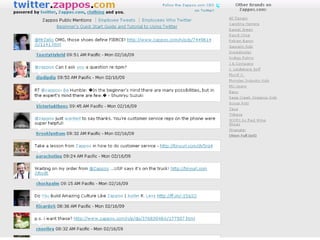
  • #31 Zappos has put culture first by launching twitter.zappos, com, a site that pulls in live feeds of all their employees who are on Twitter and of anyone who mentions Zappos on Twitter. It’s a constantly evolving conversation, a patchwork that represents their culture, but it’s also a completely transparent way to show how they are communicating with their customers - not just a company providing a service, but human to human conversation. Within a month of starting his Twitter account, the CEO has been sharing what he is up to personally and professionally and providing behind the scenes information about working at Zappos. It’s about customer service, it’s brand building, it’s reputation management, it’s CRM. But what does that do for the bottomline?
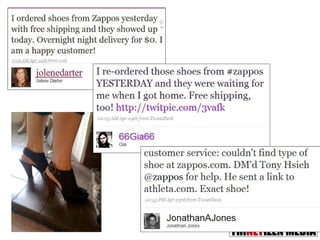
  • #32 Zappos customers become evangelists of the brand.
  • #33 I wrote Tony Hsieh an email after he said he would send anyone the Zappos Culture Book, then tweeted about it and received immediate reply from @Zappos_Service and three days later the UPS guy showed up outside my house in Malaysia. It arrived in 72 hours all the way from Vegas. Cool.
  • #44 IRAN: This is Neda Agha-Soltan. She was 26, a university student in student in Teheran studying philosophy and music and was planning to learn to play the piano. She'd already ordered the piano. On June 20, 2009, at around 6:30 p.m, Neda was stuck in a traffic jam for more than an hour inside a Peugeot 206 -- a subcompact with a poorly working air conditioner. She and her music teacher decided to get out of the car for some fresh air. The two were near where protesters were marching ande chanting. Suddenly, Neda is on the ground -- felled by a single gunshot wound to the chest. Camera phone footage show men kneeling beside her trying to help. But it is too late. Neda's eyes rolls back, her body falls limp and blood streams from her mouth and nose. The teacher is heard calling out. "Neda, do not be afraid, do not be afraid,“ She died on the way to hospital. Later, a witness said her last words were: “I am burning, I am burning!” Neda neither supported Mousavi nor Ahmadinejab, the two candidates in the elections.Here is the video. Warning to weak-hearted some the scenes are graphic and explicit.
  • #45 Video: http://www.youtube.com/watch?v=bbdEf0QRsLM
  • #46 Neda became the symbol of injustice in Iran. Protesters took the streets with the graphic images of her bloodied face. By marching they risked arrest, and possibly a bullet themselves.The online community used Neda icons and badges on blogs and personal sites and replaced avatars with Free Iran buttons in sympathy.
  • #49 40 th day after her death, a memorial march on the streets of Paris.
  • #50 The video struck a cord with sympathisers around the world. President Obama himself described it as “heartbreaking.” To date it has racked over 4.6 million views from various copies on YouTube and other sites. The trending topic using hashtags on Twitter continues to be used until today on any news coming out of Iran. I tell you this story without ever having stepped in Iran. But based on Neda's story and the 17 others who were killed in protests on the streets of Teheran, there is definitely an underlying and seething unhappiness of blatant injustices in Iran. These people were young, urban, self-motivated and self-organising as far as we can tell. There is no backing from any invested party. They marched because they were angry and unhappy. I don't even think Mousavi or Ahmadinejab knew what was going on. The bottomline: the demonstrators were armed with only their phones and the power social media skills.