
University of Duhok,
Computer Science Dept.
By
Jawaher A.Fadhil
B.SC in Electronics Engineering
M.Tech in Computer Engineering
2019-2020
Types of Mobile
Applications
College of Science, University of Duhok
Mobile Programming: Android Date: 28 April 2020 Slide: 2
Computer Science Department
Types of Mobile Apps by Technology
There are three basic types of mobile apps if we categorize
them by the technology used to code them:
• Native apps are created for one specific platform or
operating system.
• Web apps are responsive versions of websites that can work
on any mobile device or O.S because they’re delivered using
a mobile browser.
• Hybrid apps are combinations of both native and web apps,
but wrapped within a native app, giving it the ability to have
its own icon or be downloaded from an app store.
College of Science, University of Duhok
Mobile Programming: Android Date: 28 April 2020 Slide: 3
Computer Science Department
1. Native Apps
Such apps are developed for a single mobile operating
system exclusively, therefore they are “native” for a
particular platform or device. App built for systems like iOS,
Android, Windows phone, Blackberry can not be used on a
platform other than their own. In other words, you won’t be
able to use Android app on iPhone.
Technology Used:
Native apps are coded using a variety of programming
languages. Some examples include: Java, Kotlin, Python,
Swift, Objective-C, and C++.
College of Science, University of Duhok
Mobile Programming: Android Date: 28 April 2020 Slide: 4
Computer Science Department
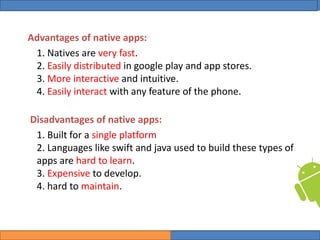
Advantages of native apps:
1. Natives are very fast.
2. Easily distributed in google play and app stores.
3. More interactive and intuitive.
4. Easily interact with any feature of the phone.
Disadvantages of native apps:
1. Built for a single platform
2. Languages like swift and java used to build these types of
apps are hard to learn.
3. Expensive to develop.
4. hard to maintain.
College of Science, University of Duhok
Mobile Programming: Android Date: 28 April 2020 Slide: 5
Computer Science Department
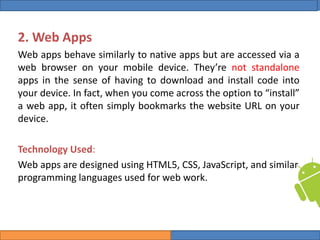
2. Web Apps
Web apps behave similarly to native apps but are accessed via a
web browser on your mobile device. They’re not standalone
apps in the sense of having to download and install code into
your device. In fact, when you come across the option to “install”
a web app, it often simply bookmarks the website URL on your
device.
Technology Used:
Web apps are designed using HTML5, CSS, JavaScript, and similar
programming languages used for web work.
College of Science, University of Duhok
Mobile Programming: Android Date: 28 April 2020 Slide: 6
Computer Science Department
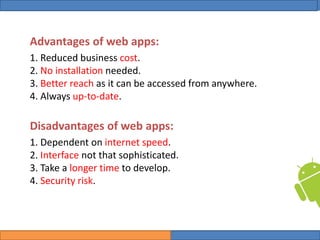
Advantages of web apps:
1. Reduced business cost.
2. No installation needed.
3. Better reach as it can be accessed from anywhere.
4. Always up-to-date.
Disadvantages of web apps:
1. Dependent on internet speed.
2. Interface not that sophisticated.
3. Take a longer time to develop.
4. Security risk.
College of Science, University of Duhok
Mobile Programming: Android Date: 28 April 2020 Slide: 7
Computer Science Department
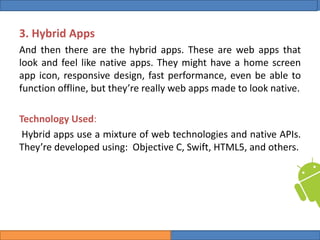
3. Hybrid Apps
And then there are the hybrid apps. These are web apps that
look and feel like native apps. They might have a home screen
app icon, responsive design, fast performance, even be able to
function offline, but they’re really web apps made to look native.
Technology Used:
Hybrid apps use a mixture of web technologies and native APIs.
They’re developed using: Objective C, Swift, HTML5, and others.
College of Science, University of Duhok
Mobile Programming: Android Date: 28 April 2020 Slide: 8
Computer Science Department
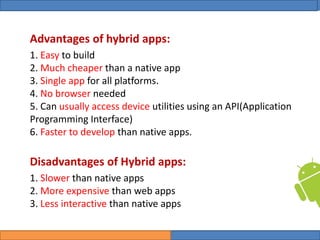
Advantages of hybrid apps:
1. Easy to build
2. Much cheaper than a native app
3. Single app for all platforms.
4. No browser needed
5. Can usually access device utilities using an API(Application
Programming Interface)
6. Faster to develop than native apps.
Disadvantages of Hybrid apps:
1. Slower than native apps
2. More expensive than web apps
3. Less interactive than native apps
College of Science, University of Duhok
Mobile Programming: Android Date: 28 April 2020 Slide: 9
Computer Science Department
References
• https://clevertap.com/blog/types-of-mobile-apps/
• https://www.pcloudy.com/types-of-mobile-apps/
College of Science, University of Duhok
Mobile Programming: Android Date: 28 April 2020 Slide: 10
Computer Science Department

Types of Mobile Applications

  • 1.
    University of Duhok, ComputerScience Dept. By Jawaher A.Fadhil B.SC in Electronics Engineering M.Tech in Computer Engineering 2019-2020 Types of Mobile Applications
  • 2.
    College of Science,University of Duhok Mobile Programming: Android Date: 28 April 2020 Slide: 2 Computer Science Department Types of Mobile Apps by Technology There are three basic types of mobile apps if we categorize them by the technology used to code them: • Native apps are created for one specific platform or operating system. • Web apps are responsive versions of websites that can work on any mobile device or O.S because they’re delivered using a mobile browser. • Hybrid apps are combinations of both native and web apps, but wrapped within a native app, giving it the ability to have its own icon or be downloaded from an app store.
  • 3.
    College of Science,University of Duhok Mobile Programming: Android Date: 28 April 2020 Slide: 3 Computer Science Department 1. Native Apps Such apps are developed for a single mobile operating system exclusively, therefore they are “native” for a particular platform or device. App built for systems like iOS, Android, Windows phone, Blackberry can not be used on a platform other than their own. In other words, you won’t be able to use Android app on iPhone. Technology Used: Native apps are coded using a variety of programming languages. Some examples include: Java, Kotlin, Python, Swift, Objective-C, and C++.
  • 4.
    College of Science,University of Duhok Mobile Programming: Android Date: 28 April 2020 Slide: 4 Computer Science Department Advantages of native apps: 1. Natives are very fast. 2. Easily distributed in google play and app stores. 3. More interactive and intuitive. 4. Easily interact with any feature of the phone. Disadvantages of native apps: 1. Built for a single platform 2. Languages like swift and java used to build these types of apps are hard to learn. 3. Expensive to develop. 4. hard to maintain.
  • 5.
    College of Science,University of Duhok Mobile Programming: Android Date: 28 April 2020 Slide: 5 Computer Science Department 2. Web Apps Web apps behave similarly to native apps but are accessed via a web browser on your mobile device. They’re not standalone apps in the sense of having to download and install code into your device. In fact, when you come across the option to “install” a web app, it often simply bookmarks the website URL on your device. Technology Used: Web apps are designed using HTML5, CSS, JavaScript, and similar programming languages used for web work.
  • 6.
    College of Science,University of Duhok Mobile Programming: Android Date: 28 April 2020 Slide: 6 Computer Science Department Advantages of web apps: 1. Reduced business cost. 2. No installation needed. 3. Better reach as it can be accessed from anywhere. 4. Always up-to-date. Disadvantages of web apps: 1. Dependent on internet speed. 2. Interface not that sophisticated. 3. Take a longer time to develop. 4. Security risk.
  • 7.
    College of Science,University of Duhok Mobile Programming: Android Date: 28 April 2020 Slide: 7 Computer Science Department 3. Hybrid Apps And then there are the hybrid apps. These are web apps that look and feel like native apps. They might have a home screen app icon, responsive design, fast performance, even be able to function offline, but they’re really web apps made to look native. Technology Used: Hybrid apps use a mixture of web technologies and native APIs. They’re developed using: Objective C, Swift, HTML5, and others.
  • 8.
    College of Science,University of Duhok Mobile Programming: Android Date: 28 April 2020 Slide: 8 Computer Science Department Advantages of hybrid apps: 1. Easy to build 2. Much cheaper than a native app 3. Single app for all platforms. 4. No browser needed 5. Can usually access device utilities using an API(Application Programming Interface) 6. Faster to develop than native apps. Disadvantages of Hybrid apps: 1. Slower than native apps 2. More expensive than web apps 3. Less interactive than native apps
  • 9.
    College of Science,University of Duhok Mobile Programming: Android Date: 28 April 2020 Slide: 9 Computer Science Department References • https://clevertap.com/blog/types-of-mobile-apps/ • https://www.pcloudy.com/types-of-mobile-apps/
  • 10.
    College of Science,University of Duhok Mobile Programming: Android Date: 28 April 2020 Slide: 10 Computer Science Department