Mobile Media Innovation Module 6
App Development
Prepared for Scripps College of
Communication by Sian Morson,
author of
Learn Design for iOS Development
Mobile Media Module
• The Mobile Media Module is designed as a two-week, broad-based study
on the mobile landscape that can be applied in many courses.
• The program was implemented at Ohio University’s Scripps College of
Communication to support our Scripps Innovation Challenge and to build
knowledge of the mobile landscape across our communication curricula.
• For implementation, we brought in an expert in mobile development to
teach in four existing classes over two weeks in Spring 2013. Faculty
teaching those classes became the students and built their capacity to
teach the material in subsequent semesters.
• By “hacking the curriculum” using the “module method,” we were able to
reach more than 500 students in one semester with new material.
• For more information, contact Dr. Michelle Ferrier, associate dean for
innovation, Scripps College of Communication, ferrierm@ohio.edu.
Mobile Media Innovation Module
• Part 1: Fundamentals of Mobile
• Part 2: Audience and Usage
• Part 3: Social and Mobile
• Part 4: Mobile and Journalism
• Part 5: mCommerce and Monetization
• Part 6: App Development
Ideas & Intellectual Property
• Ideas
– Everyone has had an idea for an app
– Is anyone willing to share their app ideas?
• IP - Intellectual Property
– Something you can copyright or patent
– Uniquely original
– Your app’s ‘secret sauce’
Design- Wireframes
• Wireframes - Tools
– What is a wireframe?
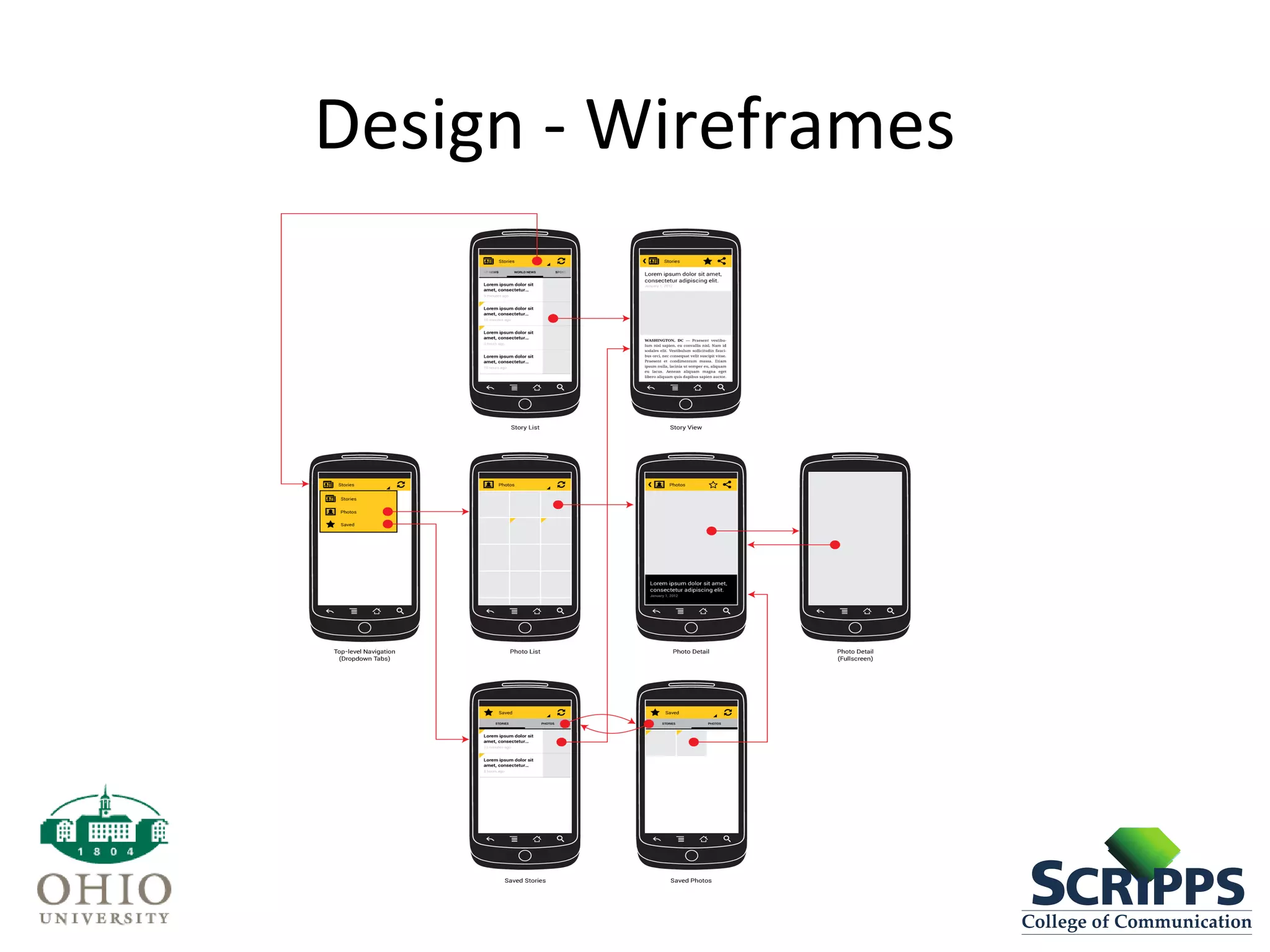
• A wireframe is like a blueprint for your app. It provides a
skeleton of your app. Key components of a wireframe are:
– Layout of screens
– Hierarchy
– Relationship between elements on the screen
– User interaction
• What are some tools used to create wireframes?
– Omnigraffle
– Balsamiq
– Pen and Paper!
Design - Wireframes
Design
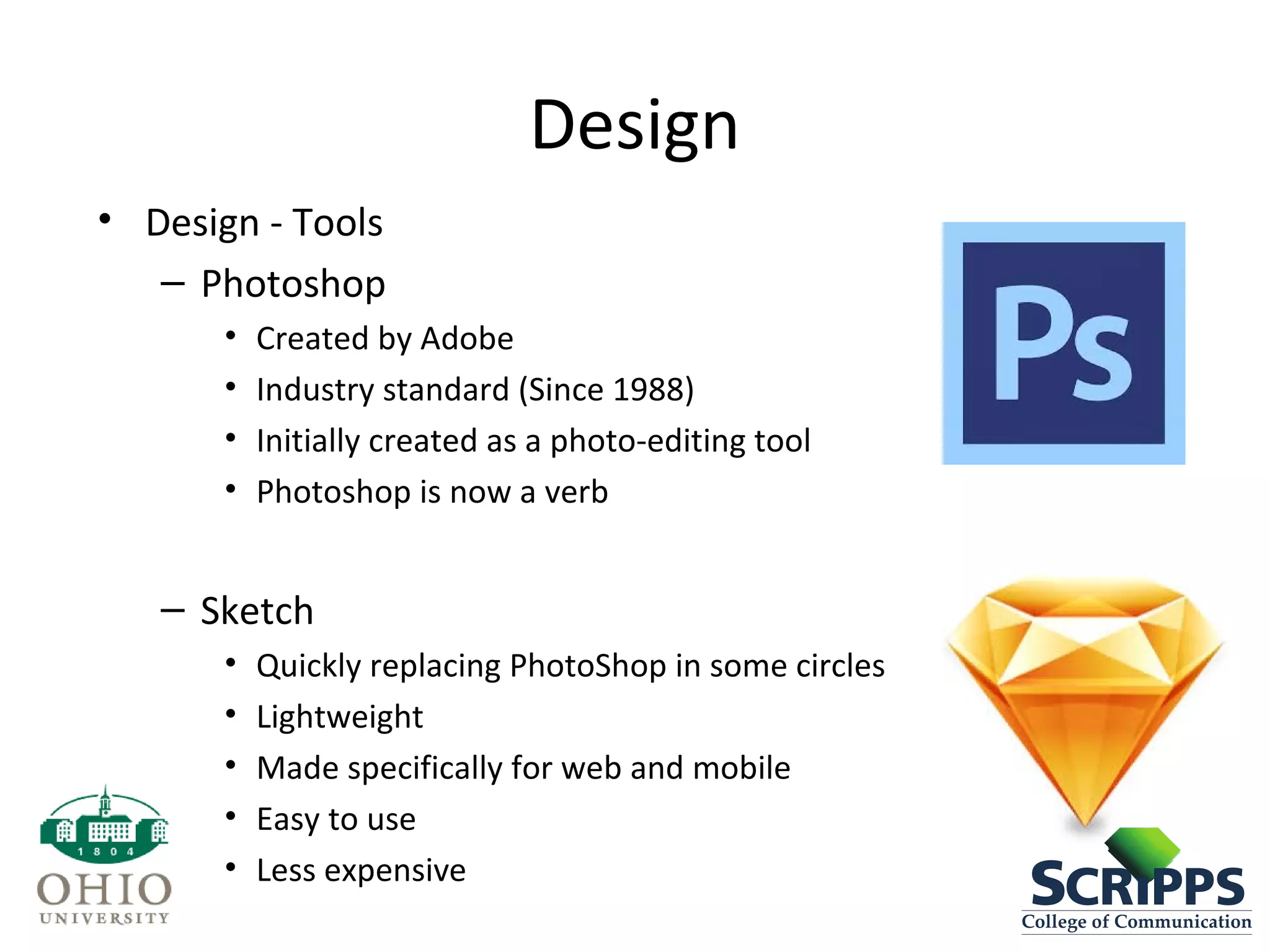
• Design - Tools
– Photoshop
• Created by Adobe
• Industry standard (Since 1988)
• Initially created as a photo-editing tool
• Photoshop is now a verb
– Sketch
• Quickly replacing PhotoShop in some circles
• Lightweight
• Made specifically for web and mobile
• Easy to use
• Less expensive
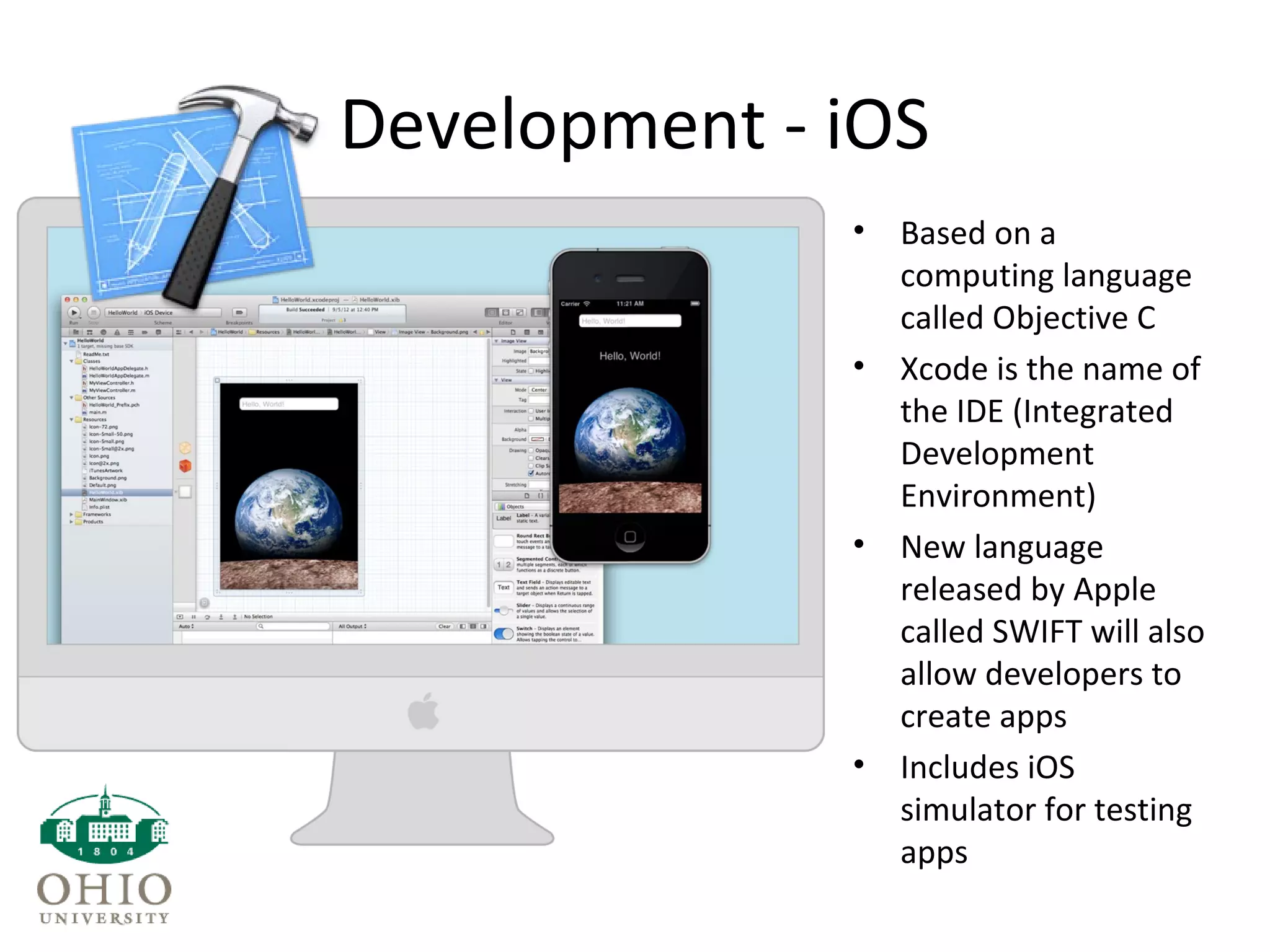
Development - iOS
• Based on a
computing language
called Objective C
• Xcode is the name of
the IDE (Integrated
Development
Environment)
• New language
released by Apple
called SWIFT will also
allow developers to
create apps
• Includes iOS
simulator for testing
apps
Development
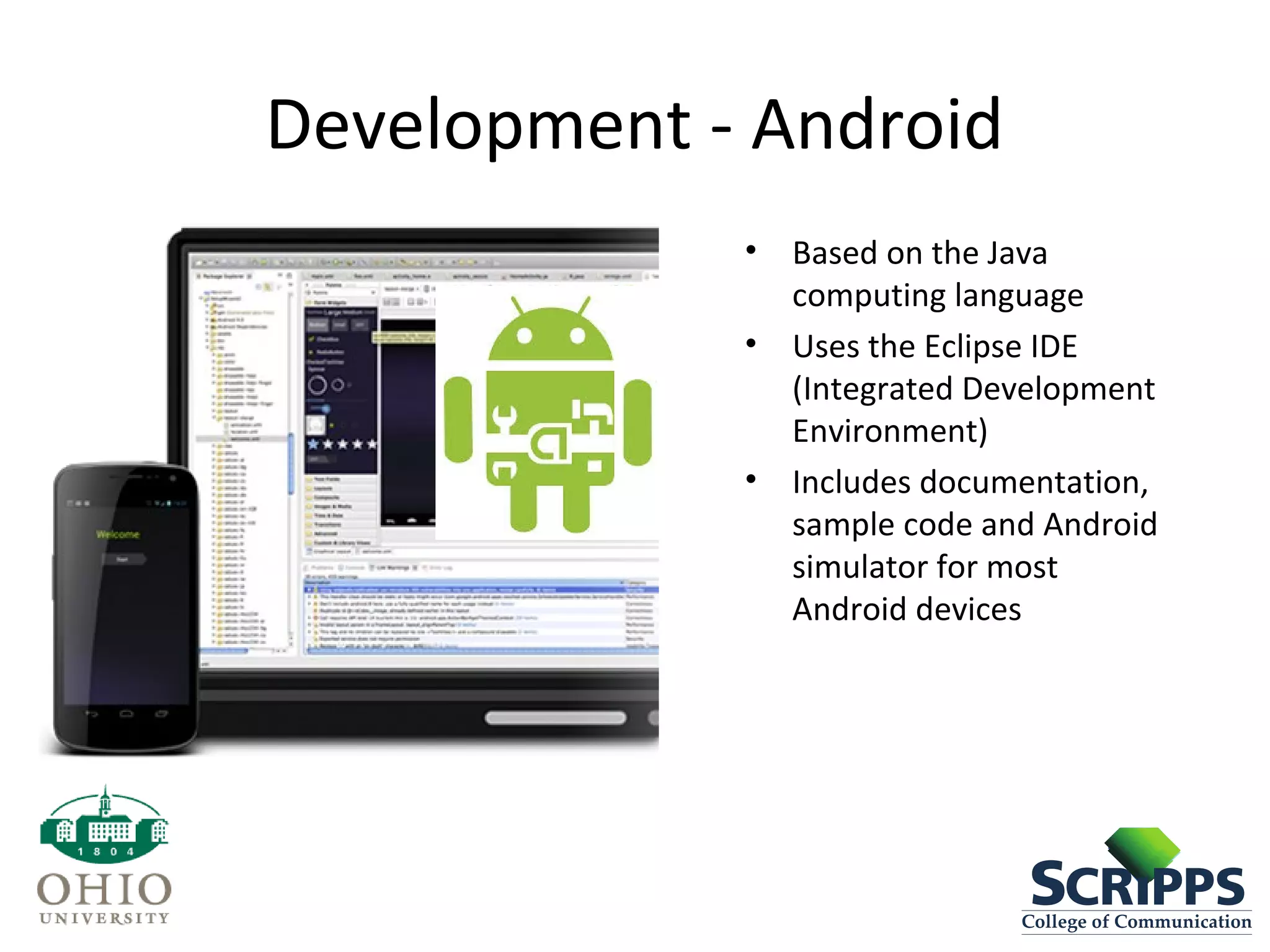
Development - Android
• Based on the Java
computing language
• Uses the Eclipse IDE
(Integrated Development
Environment)
• Includes documentation,
sample code and Android
simulator for most
Android devices
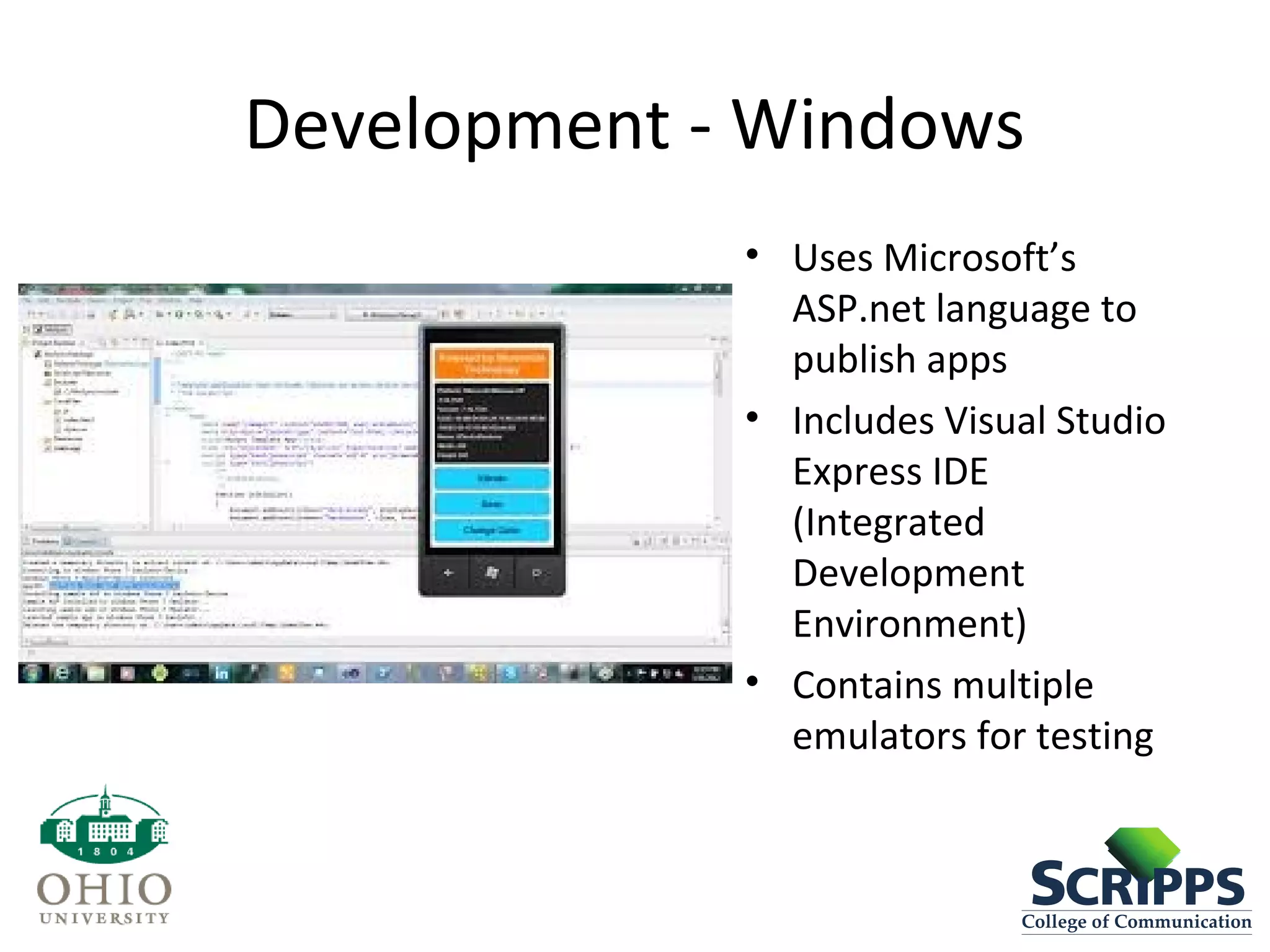
Development - Windows
• Uses Microsoft’s
ASP.net language to
publish apps
• Includes Visual Studio
Express IDE
(Integrated
Development
Environment)
• Contains multiple
emulators for testing
Development – Other Tools
• Appcelerator
– Leading open source SDK for cross-platform mobile
development
• PhoneGap
– Open source framework to create mobile apps
• Corona
– Cross platform development framework for creating mobile
apps
• These platforms are used to create hybrid apps
• They allow you to publish for multiple platforms using a
single, non-native code base.
• Mostly based on web-based languages (HTML,CSS, Js)
Other Important Terms
• Native Application- An mobile application developed on a
specific language for a specific platform.
• Hybrid Application- An app that has cross-platform
functionality and is created using a language other than the
native language.
• Open Source- Software who’s original source code is
available for free and may be modified and redistributed.
Project Management
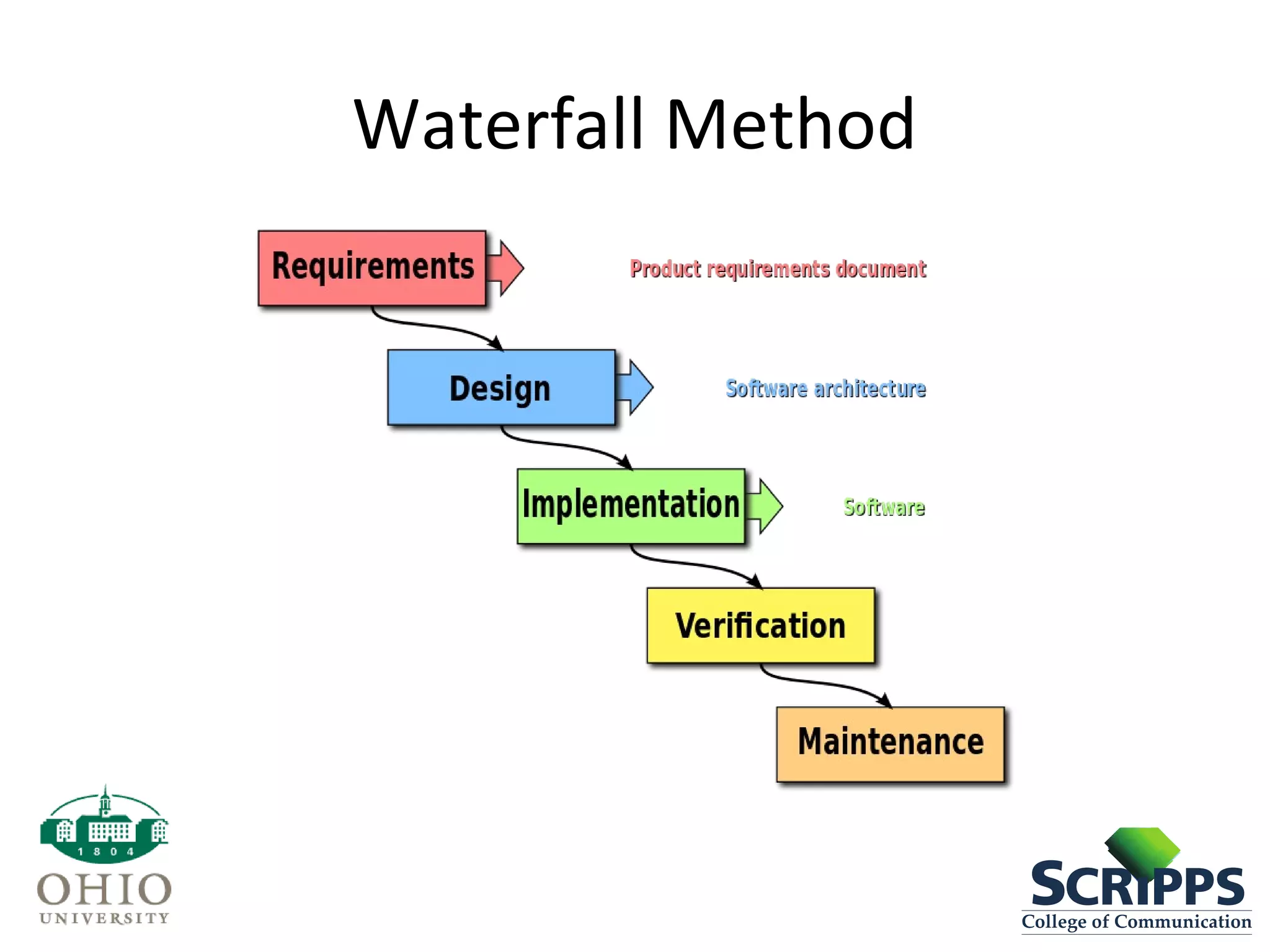
• Waterfall Method
– More traditional style of project management. A
sequential design process in which progress is seen as a
flowing, steadily downwards (like a waterfall) through
the phases of Conception, Initiation, Analysis, Design,
Construction, Testing, Production/Implementation, and
Maintenance.
• Agile Method
– A group of software development methods based on
iterative and incremental development, where
requirements and solutions evolve through
collaboration between self-organizing, cross-functional
teams.
Waterfall Method
Waterfall Method
• Pros
– Longer design and planning stage allows for more potential
foreseeable bug avoidance.
– Emphasis on documentation reduces miscommunication and
emphasizes accountability.
– Design passes through easily understandable and explainable
phases.
• Cons
– Impossible to predict every minute problem during pre-
production.
– Clients may not know exactly what they want the final
product or feature list to be until they see a working
prototype.
– Design must adapt to the technology.
Agile Method
• Pros
– Working software to present to clients earlier in production
– Clients can visualize final product more quickly (and make changes
as necessary).
– Short “time-boxes” keep focus on the short term goals.
– Minimal bugs at the end of each iteration.
• Cons
– Can be inefficient in large organizations or very large projects.
– Client resistance to non-traditional method (harder to track
milestones).
– Harder to adapt to offsite or offshore team members.
Agile terms
• SCRUM Master- The person accountable for removing impediments to
the ability of the team to deliver sprint goals/deliverables.
• Project Owner- Primary author of the user stories, owns the product
backlog, prioritizes the stories, writes acceptance tests and accepts
work completed by the team.
• Backlog- An ever-evolving list of product requirements, prioritized by
the customer (or customer representative), that conveys to an agile
team which features to implement first.
• Sprint- The uninterrupted period of time during which an Agile
development team performs work, most commonly 1-4 weeks in
length, at which, the team delivers a “potentially shippable” product.
• Stand-Up- A short, daily, all-hands meeting in which members of an
Agile team address three questions:
– What did you get done since the last stand-up?
– What will you do before the next stand-up?
– What impediments stand in your way?
Milestone Terminology
• Prototype- An early sample or release of a product
built to test a concept or process.
• Build- A compiled version of a program.
• Pre-Alpha- All activities performed during the
software project before testing. Some contracts
will refer to the last milestone before Alpha as
“Pre-Alpha”.
• Alpha- Release stage in which all essential features
are planned and will be added in the near future.
No new features/content can be added to the
design at this point.
Milestone Terminology
• Beta- Release stage in which all features are
complete and where bug fixing is most
important.
• Release Candidate (RC)- A beta version with
potential to be a final product, which is ready
unless significant bugs emerge.
• Gold Master Candidate (GMC)- Also referred to
as “Release to manufacturing” or RTM. A
software product that is ready to be delivered or
provided to the customer.
Prototyping
• Why Prototype?
– Fast
– Cheap
– Easy
– Work out major problems
– Get team on the same page
– Work out bugs
– Motivate!
• http://youtu.be/iA5MVUNkSkM
Other Important Terms
• Minimum Viable Product (MVP)- A version of a new
product which allows a team to collect the maximum
amount of validated learning and customers, with the least
effort. It is a strategy targeted at avoiding building products
that customers do not want, that seeks to maximize the
information learned about the customer per dollar spent.
• Iteration- The act of repeating a process with the aim of
approaching a desired goal, target, or result. Multiple
iterations are created to create the final product. Think of
iterations like drafts.
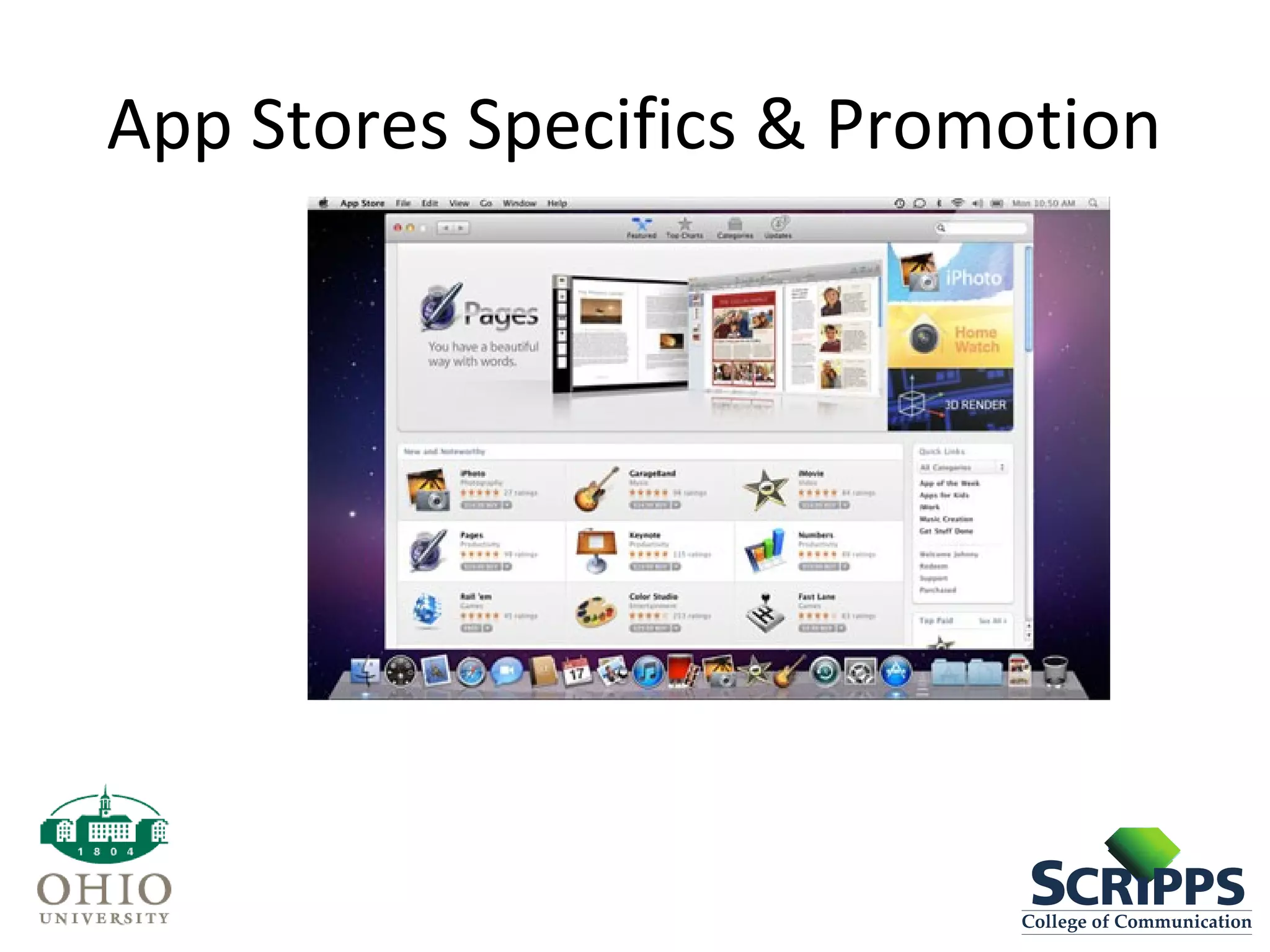
App Stores Specifics & Promotion
• Apple App Store
– Closed and not open to interpretation
– Must be a registered iOS developer ($99/ year)
– Review rules and guidelines
– App should not replicate functionality of native
applications
– Should never use the camera or mic without a
user’s permission or knowledge
App Stores Specifics & Promotion
• Apple App Store
– Must include Icon and up to 5 screenshots
– Description of the app
– Takes 5 – 10 business days
App Stores Specifics & Promotion
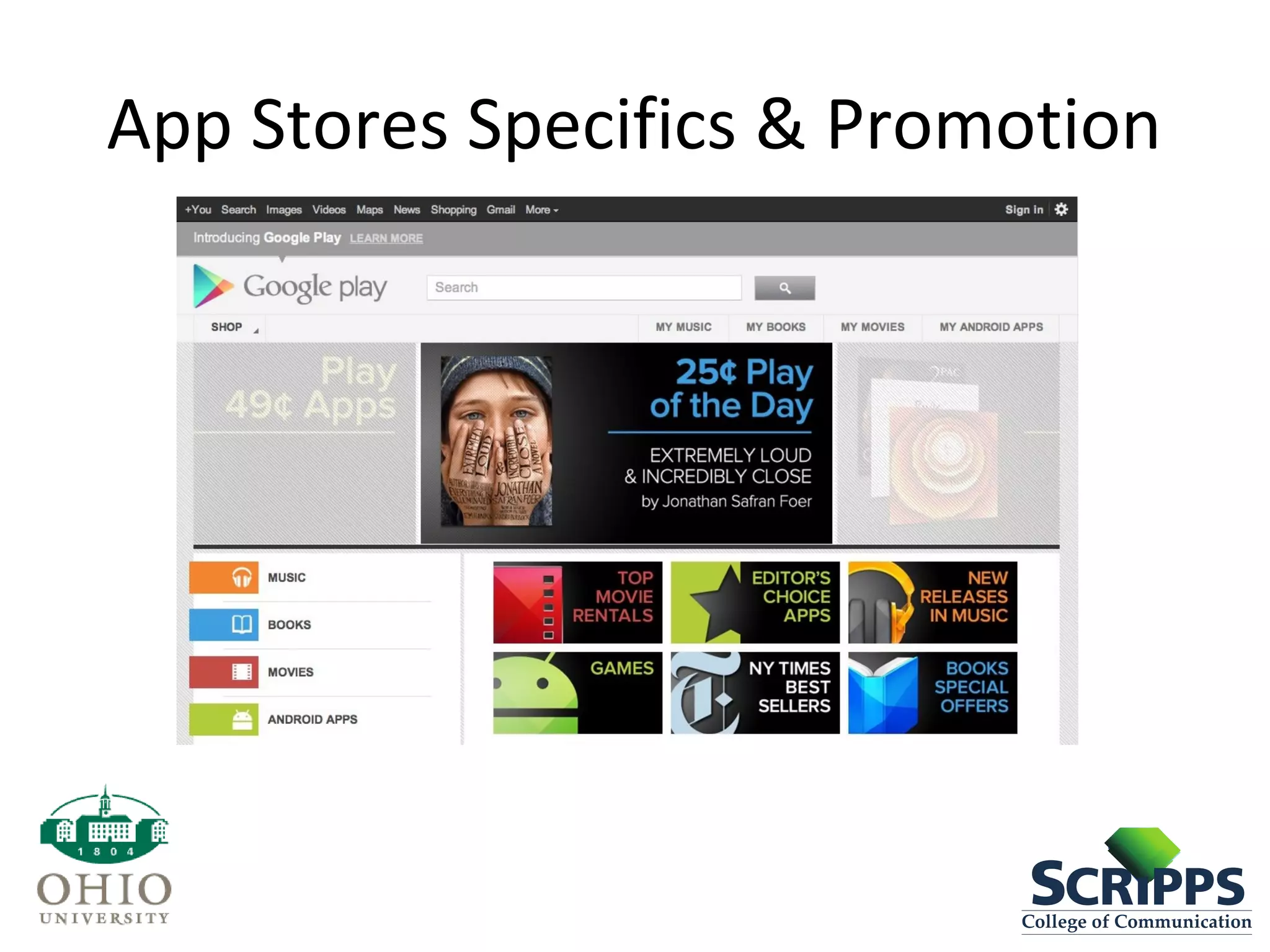
• Google Play Store
– Must include Icon and up to 5 screenshots
– Description of the app
– Description of content rating
– Approval can be a quick as 24 hours
App Stores Specifics & Promotion
• Google - Pros
– Freedom of editorial content
– Virtually instant app approval
• Google – Cons
– Fragmentation – lots of different devices to
develop and optimize for
Quick Discussion Questions
• If you were developing an app, what kind of
development would you use? Native or non-Native?
Why?
• What tool would you use to design your app?
Photoshop or Sketch and why?
• When launching your app, what platform would you
launch on first? Android or iOS? Why?
Discussion Questions
• Article I: “How Much Does It Cost To Develop An App?”
• Was 8-10 weeks faster or slower than what you expected to
design an app?
• Did $120-150K surprise you in terms of price?
• If you had a fairly simple half-complete project, but a developer
was unable to complete the project, how would you attempt to
continue the project?
• http://thenextweb.com/dd/2013/11/24/much-cost-develop-
app-true-expense-starting-scratch/#!o49L7
Discussion Questions
• Article II: “What You Need to Know Before You Build a Mobile App –
Besides Code”
• What are some ways you will know that your idea is a good one?
• If you were going to build an app, would you approach investors or
fund it yourself? Why?
• What is the one thing that surprised you most about building an app?
• http://seriousstartups.com/2014/04/15/build-mobile-app-besides-
code/

Mobile media module part 6 - app development rev-mf

  • 1.
    Mobile Media InnovationModule 6 App Development Prepared for Scripps College of Communication by Sian Morson, author of Learn Design for iOS Development
  • 2.
    Mobile Media Module •The Mobile Media Module is designed as a two-week, broad-based study on the mobile landscape that can be applied in many courses. • The program was implemented at Ohio University’s Scripps College of Communication to support our Scripps Innovation Challenge and to build knowledge of the mobile landscape across our communication curricula. • For implementation, we brought in an expert in mobile development to teach in four existing classes over two weeks in Spring 2013. Faculty teaching those classes became the students and built their capacity to teach the material in subsequent semesters. • By “hacking the curriculum” using the “module method,” we were able to reach more than 500 students in one semester with new material. • For more information, contact Dr. Michelle Ferrier, associate dean for innovation, Scripps College of Communication, ferrierm@ohio.edu.
  • 3.
    Mobile Media InnovationModule • Part 1: Fundamentals of Mobile • Part 2: Audience and Usage • Part 3: Social and Mobile • Part 4: Mobile and Journalism • Part 5: mCommerce and Monetization • Part 6: App Development
  • 4.
    Ideas & IntellectualProperty • Ideas – Everyone has had an idea for an app – Is anyone willing to share their app ideas? • IP - Intellectual Property – Something you can copyright or patent – Uniquely original – Your app’s ‘secret sauce’
  • 5.
    Design- Wireframes • Wireframes- Tools – What is a wireframe? • A wireframe is like a blueprint for your app. It provides a skeleton of your app. Key components of a wireframe are: – Layout of screens – Hierarchy – Relationship between elements on the screen – User interaction • What are some tools used to create wireframes? – Omnigraffle – Balsamiq – Pen and Paper!
  • 6.
  • 7.
    Design • Design -Tools – Photoshop • Created by Adobe • Industry standard (Since 1988) • Initially created as a photo-editing tool • Photoshop is now a verb – Sketch • Quickly replacing PhotoShop in some circles • Lightweight • Made specifically for web and mobile • Easy to use • Less expensive
  • 8.
    Development - iOS •Based on a computing language called Objective C • Xcode is the name of the IDE (Integrated Development Environment) • New language released by Apple called SWIFT will also allow developers to create apps • Includes iOS simulator for testing apps
  • 9.
  • 10.
    Development - Android •Based on the Java computing language • Uses the Eclipse IDE (Integrated Development Environment) • Includes documentation, sample code and Android simulator for most Android devices
  • 11.
    Development - Windows •Uses Microsoft’s ASP.net language to publish apps • Includes Visual Studio Express IDE (Integrated Development Environment) • Contains multiple emulators for testing
  • 12.
    Development – OtherTools • Appcelerator – Leading open source SDK for cross-platform mobile development • PhoneGap – Open source framework to create mobile apps • Corona – Cross platform development framework for creating mobile apps • These platforms are used to create hybrid apps • They allow you to publish for multiple platforms using a single, non-native code base. • Mostly based on web-based languages (HTML,CSS, Js)
  • 13.
    Other Important Terms •Native Application- An mobile application developed on a specific language for a specific platform. • Hybrid Application- An app that has cross-platform functionality and is created using a language other than the native language. • Open Source- Software who’s original source code is available for free and may be modified and redistributed.
  • 14.
    Project Management • WaterfallMethod – More traditional style of project management. A sequential design process in which progress is seen as a flowing, steadily downwards (like a waterfall) through the phases of Conception, Initiation, Analysis, Design, Construction, Testing, Production/Implementation, and Maintenance. • Agile Method – A group of software development methods based on iterative and incremental development, where requirements and solutions evolve through collaboration between self-organizing, cross-functional teams.
  • 15.
  • 16.
    Waterfall Method • Pros –Longer design and planning stage allows for more potential foreseeable bug avoidance. – Emphasis on documentation reduces miscommunication and emphasizes accountability. – Design passes through easily understandable and explainable phases. • Cons – Impossible to predict every minute problem during pre- production. – Clients may not know exactly what they want the final product or feature list to be until they see a working prototype. – Design must adapt to the technology.
  • 17.
    Agile Method • Pros –Working software to present to clients earlier in production – Clients can visualize final product more quickly (and make changes as necessary). – Short “time-boxes” keep focus on the short term goals. – Minimal bugs at the end of each iteration. • Cons – Can be inefficient in large organizations or very large projects. – Client resistance to non-traditional method (harder to track milestones). – Harder to adapt to offsite or offshore team members.
  • 18.
    Agile terms • SCRUMMaster- The person accountable for removing impediments to the ability of the team to deliver sprint goals/deliverables. • Project Owner- Primary author of the user stories, owns the product backlog, prioritizes the stories, writes acceptance tests and accepts work completed by the team. • Backlog- An ever-evolving list of product requirements, prioritized by the customer (or customer representative), that conveys to an agile team which features to implement first. • Sprint- The uninterrupted period of time during which an Agile development team performs work, most commonly 1-4 weeks in length, at which, the team delivers a “potentially shippable” product. • Stand-Up- A short, daily, all-hands meeting in which members of an Agile team address three questions: – What did you get done since the last stand-up? – What will you do before the next stand-up? – What impediments stand in your way?
  • 19.
    Milestone Terminology • Prototype-An early sample or release of a product built to test a concept or process. • Build- A compiled version of a program. • Pre-Alpha- All activities performed during the software project before testing. Some contracts will refer to the last milestone before Alpha as “Pre-Alpha”. • Alpha- Release stage in which all essential features are planned and will be added in the near future. No new features/content can be added to the design at this point.
  • 20.
    Milestone Terminology • Beta-Release stage in which all features are complete and where bug fixing is most important. • Release Candidate (RC)- A beta version with potential to be a final product, which is ready unless significant bugs emerge. • Gold Master Candidate (GMC)- Also referred to as “Release to manufacturing” or RTM. A software product that is ready to be delivered or provided to the customer.
  • 21.
    Prototyping • Why Prototype? –Fast – Cheap – Easy – Work out major problems – Get team on the same page – Work out bugs – Motivate! • http://youtu.be/iA5MVUNkSkM
  • 22.
    Other Important Terms •Minimum Viable Product (MVP)- A version of a new product which allows a team to collect the maximum amount of validated learning and customers, with the least effort. It is a strategy targeted at avoiding building products that customers do not want, that seeks to maximize the information learned about the customer per dollar spent. • Iteration- The act of repeating a process with the aim of approaching a desired goal, target, or result. Multiple iterations are created to create the final product. Think of iterations like drafts.
  • 23.
  • 24.
    App Stores Specifics& Promotion • Apple App Store – Closed and not open to interpretation – Must be a registered iOS developer ($99/ year) – Review rules and guidelines – App should not replicate functionality of native applications – Should never use the camera or mic without a user’s permission or knowledge
  • 25.
    App Stores Specifics& Promotion • Apple App Store – Must include Icon and up to 5 screenshots – Description of the app – Takes 5 – 10 business days
  • 26.
  • 27.
    App Stores Specifics& Promotion • Google Play Store – Must include Icon and up to 5 screenshots – Description of the app – Description of content rating – Approval can be a quick as 24 hours
  • 28.
    App Stores Specifics& Promotion • Google - Pros – Freedom of editorial content – Virtually instant app approval • Google – Cons – Fragmentation – lots of different devices to develop and optimize for
  • 29.
    Quick Discussion Questions •If you were developing an app, what kind of development would you use? Native or non-Native? Why? • What tool would you use to design your app? Photoshop or Sketch and why? • When launching your app, what platform would you launch on first? Android or iOS? Why?
  • 30.
    Discussion Questions • ArticleI: “How Much Does It Cost To Develop An App?” • Was 8-10 weeks faster or slower than what you expected to design an app? • Did $120-150K surprise you in terms of price? • If you had a fairly simple half-complete project, but a developer was unable to complete the project, how would you attempt to continue the project? • http://thenextweb.com/dd/2013/11/24/much-cost-develop- app-true-expense-starting-scratch/#!o49L7
  • 31.
    Discussion Questions • ArticleII: “What You Need to Know Before You Build a Mobile App – Besides Code” • What are some ways you will know that your idea is a good one? • If you were going to build an app, would you approach investors or fund it yourself? Why? • What is the one thing that surprised you most about building an app? • http://seriousstartups.com/2014/04/15/build-mobile-app-besides- code/

Editor's Notes