

Mobile Cloud
Ubiquitous Cloud
Mobile Cloud
Ubiquitous Cloud
Mobile Cloud
Ubiquitous Cloud
Mobile Cloud
Ubiquitous Cloud
Mobile Cloud
Ubiquitous Cloud
Agenda


Introduction: Mobility
 Key Messages: Mobile Cloud
Real Case: Show me the money
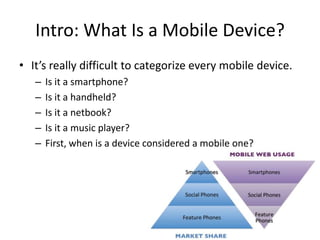
Intro: What Is a Mobile Device?
• It’s really difficult to categorize every mobile device.
   –   Is it a smartphone?
   –   Is it a handheld?
   –   Is it a netbook?
   –   Is it a music player?
   –   First, when is a device considered a mobile one?
What Is a Mobile Device?
• For the purposes of this course, a mobile
  device has the following features:
  1.   It’s portable.
  2.   It’s personal.
  3.   It’s with you almost all the time.
  4.   It’s easy and fast to use.
  5.   It has some kind of network connection.
Portable
• A mobile device has to be portable, meaning
  that we can carry it without any special
  considerations.
• We can take it to the gym, to the university, to
  work; we can carry it with us everywhere, all
  the time.
Personal
              We’ve all heard it:
           “Don’t touch my phone!”

   A mobile device is absolutely personal.

                My mobile is mine;
              it’s not property of the family,
nor is it managed by the company who manufactured it.
Personal
• We choose the ringtone, the visual theme, the games
  and applications installed, and which calls I should
  accept. This personal feature will be very important in
  our projects. You can browse a desktop website from
  any computer—your familiar home PC, your computer
  at work, or even a desktop at a hotel or Internet café—
  and numerous people may have access to those
  machines.
• However, you will almost always browse a mobile
  website from the same device, and you are likely to be
  the only person who uses that device.
Companion
• Your mobile device can be with you anytime!
• Even in the bathroom, you probably have your
  mobile phone with you.
• You may forget to take lots of things with you
  from your home in the morning, but you
  won’t forget your wallet, your keys, and your
  mobile device.
• The opportunity to be with the user all the
  time, everywhere, is really amazing.
Easy usage
• A notebook (or even a netbook) is portable; it
  can be with you at any time and it has a
  network connection, but if you want to use
  it, you need to sit down and perhaps find a
  table.
• Therefore, it’s not a mobile device for the
  purposes of this course. A mobile device
  needs to be easy and quick to use.
Easy usage
• We don’t want to wait two minutes for
  Windows to start; we don’t want to sit down.
• If I’m walking downtown, I want to be able to
  find out when the next train will be departing
  without having to stop.
Connected device
• A mobile device should be able to connect to
  the Internet when you need it to.
• This can be a little difficult sometimes, so we
  will differentiate between fully connected
  devices that can connect any time in a couple
  of seconds and limited connected devices that
  usually can connect to the network but
  sometimes cannot.
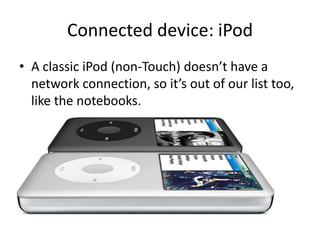
Connected device: iPod
• A classic iPod (non-Touch) doesn’t have a
  network connection, so it’s out of our list too,
  like the notebooks.
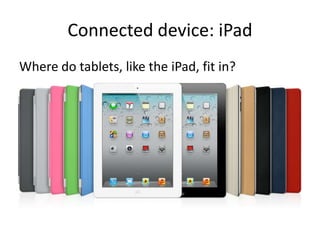
Connected device: iPad
Where do tablets, like the iPad, fit in?
Connected device: iPad
• Where do tablets, like the iPad, fit in?
• They are not so personal (will you have one
  tablet per member of the family?), and they
  may not be so portable.
• But, as they generally use mobile instead of
  desktop operating systems, they are more
  mobile than notebooks or netbooks.
• So, they are in the middle.
Agenda


Introduction: Mobility
 Key Messages: Mobile Cloud
Real Case: Show me the money
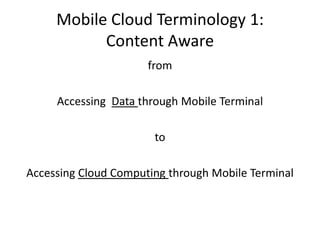
Mobile Cloud Terminology 1:
           Content Aware
                      from

     Accessing Data through Mobile Terminal

                       to

Accessing Cloud Computing through Mobile Terminal
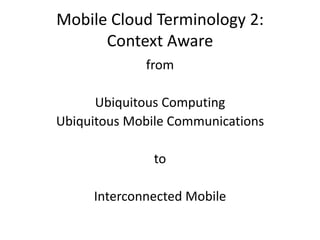
Mobile Cloud Terminology 2:
      Context Aware
             from

      Ubiquitous Computing
Ubiquitous Mobile Communications

               to

     Interconnected Mobile
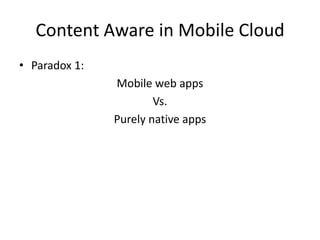
Content Aware in Mobile Cloud
• Paradox 1:
               Mobile web apps
                       Vs.
               Purely native apps
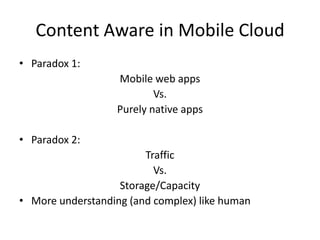
Content Aware in Mobile Cloud
• Paradox 1:
                   Mobile web apps
                           Vs.
                   Purely native apps

• Paradox 2:
                        Traffic
                          Vs.
                   Storage/Capacity
• More understanding (and complex) like human
Context Aware in Mobile Cloud
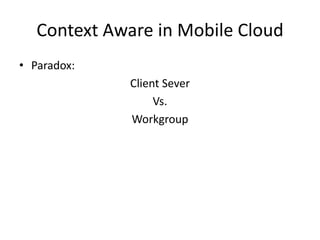
• Paradox:
             Client Sever
                  Vs.
             Workgroup
Context Aware in Mobile Cloud
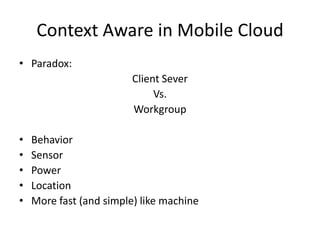
• Paradox:
                         Client Sever
                              Vs.
                         Workgroup

•   Behavior
•   Sensor
•   Power
•   Location
•   More fast (and simple) like machine
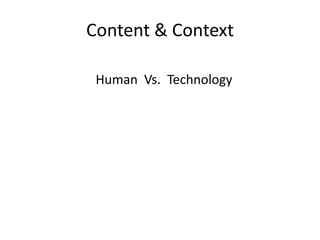
Content & Context

 Human Vs. Technology
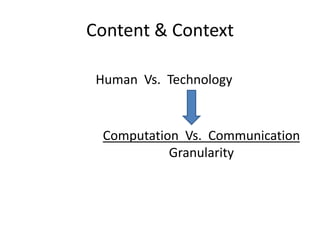
Content & Context

 Human Vs. Technology


  Computation Vs. Communication
            Granularity
Agenda


Introduction: Mobility
 Key Messages: Mobile Cloud
Real Case: Show me the money
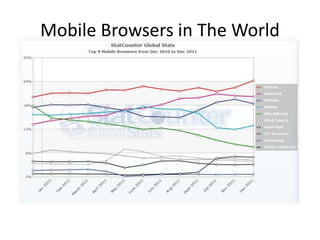
Mobile Browsers in The World
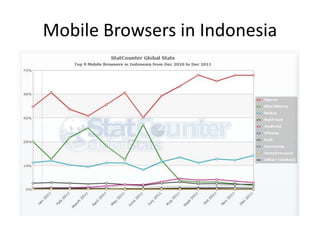
Mobile Browsers in Indonesia
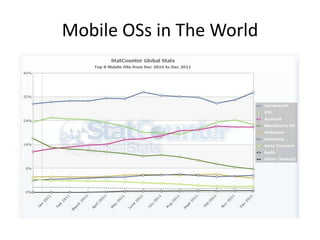
Mobile OSs in The World
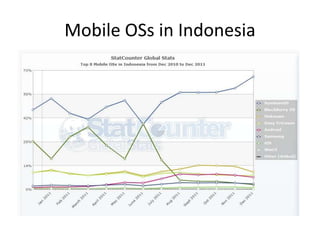
Mobile OSs in Indonesia
BlackBerry History
• Launched April 1, 2009 in the US, Canada, and the UK
• Expanded to 10 additonal countries on July 31, 2009
   – Added localiza4on support for French, Italian, German, and
     Spanish
   – PayPal is only supported payment method
• Expanded distribution to LATAM and APAC Fall 2009
   – Added localization support for Brazilian Portuguese
• Launched BlackBerry App World Server 2.0 in April
  2010
   – Backend support for BlackBerry ID, carrier and credit card
     billing
BlackBerry History
• BlackBerry App World 2.0 launched August 2010
   – Support for BlackBerry ID, carrier billing, credit card and PayPal
     billing in over 70 countries world wide and 21 currencies
• BlackBerry App World 2.0 Web Storefront Launch Oct
  2010
   – Buy, download, and manage your apps from on the web
   – New $0.99 and $1.99 price 4ers Launched
• BlackBerry App World Server 2.1 in Nov 2010
   – Backend support for BlackBerry Payment Service, BlackBerry
     PlayBook App submissions and localized feature carousel
• BlackBerry App World 2.1 launched February 2011
   – Support for in--‐app purchases
   – Localized “Featured” Content
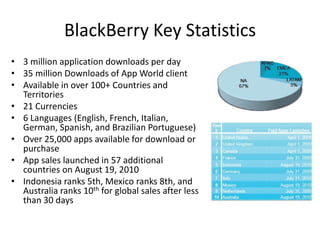
BlackBerry Key Statistics
• 3 million application downloads per day
• 35 million Downloads of App World client
• Available in over 100+ Countries and
  Territories
• 21 Currencies
• 6 Languages (English, French, Italian,
  German, Spanish, and Brazilian Portuguese)
• Over 25,000 apps available for download or
  purchase
• App sales launched in 57 additional
  countries on August 19, 2010
• Indonesia ranks 5th, Mexico ranks 8th, and
  Australia ranks 10th for global sales after less
  than 30 days
BlackBerry App World
• The first step in publishing your application on App
  World is signing up for an account.
• If you’re ready with the prerequisites, sign up for App
  World, and go to the App World Vendor Portal at
  http://us.blackberry.com/developers/appworld/
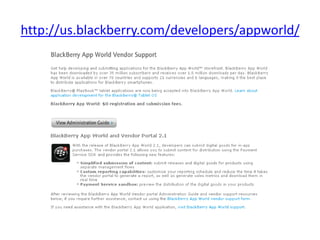
http://us.blackberry.com/developers/appworld/
Blackberry :
Distributing Your Application on App World
• App World applications are all managed through
  the Vendor Portal.
• Before we walk through an application
  submission, let’s talk a bit about pricing and
  licensing.
• Licensing Options: Applications on App World can
  be one of the following three types:
  – Free
  – Paid
  – Try & Buy
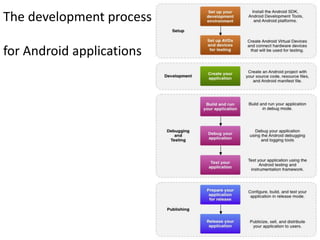
The development process

for Android applications
Publish
Before you can publish software on the Android
  Market, you must do three things:
• Create a developer profile
• Agree to the Android Market Developer
  Distribution Agreement
• Pay a registration fee ( $25.00) with your
  credit card (using Google Checkout)
https://market.android.com/publish
Mobile Cloud @ Binus

Mobile Cloud @ Binus

  • 1.
    Mobile Cloud Ubiquitous Cloud MobileCloud Ubiquitous Cloud Mobile Cloud Ubiquitous Cloud Mobile Cloud Ubiquitous Cloud Mobile Cloud Ubiquitous Cloud
  • 2.
    Agenda Introduction: Mobility KeyMessages: Mobile Cloud Real Case: Show me the money
  • 3.
    Intro: What Isa Mobile Device? • It’s really difficult to categorize every mobile device. – Is it a smartphone? – Is it a handheld? – Is it a netbook? – Is it a music player? – First, when is a device considered a mobile one?
  • 4.
    What Is aMobile Device? • For the purposes of this course, a mobile device has the following features: 1. It’s portable. 2. It’s personal. 3. It’s with you almost all the time. 4. It’s easy and fast to use. 5. It has some kind of network connection.
  • 5.
    Portable • A mobiledevice has to be portable, meaning that we can carry it without any special considerations. • We can take it to the gym, to the university, to work; we can carry it with us everywhere, all the time.
  • 6.
    Personal We’ve all heard it: “Don’t touch my phone!” A mobile device is absolutely personal. My mobile is mine; it’s not property of the family, nor is it managed by the company who manufactured it.
  • 7.
    Personal • We choosethe ringtone, the visual theme, the games and applications installed, and which calls I should accept. This personal feature will be very important in our projects. You can browse a desktop website from any computer—your familiar home PC, your computer at work, or even a desktop at a hotel or Internet café— and numerous people may have access to those machines. • However, you will almost always browse a mobile website from the same device, and you are likely to be the only person who uses that device.
  • 8.
    Companion • Your mobiledevice can be with you anytime! • Even in the bathroom, you probably have your mobile phone with you. • You may forget to take lots of things with you from your home in the morning, but you won’t forget your wallet, your keys, and your mobile device. • The opportunity to be with the user all the time, everywhere, is really amazing.
  • 9.
    Easy usage • Anotebook (or even a netbook) is portable; it can be with you at any time and it has a network connection, but if you want to use it, you need to sit down and perhaps find a table. • Therefore, it’s not a mobile device for the purposes of this course. A mobile device needs to be easy and quick to use.
  • 10.
    Easy usage • Wedon’t want to wait two minutes for Windows to start; we don’t want to sit down. • If I’m walking downtown, I want to be able to find out when the next train will be departing without having to stop.
  • 11.
    Connected device • Amobile device should be able to connect to the Internet when you need it to. • This can be a little difficult sometimes, so we will differentiate between fully connected devices that can connect any time in a couple of seconds and limited connected devices that usually can connect to the network but sometimes cannot.
  • 12.
    Connected device: iPod •A classic iPod (non-Touch) doesn’t have a network connection, so it’s out of our list too, like the notebooks.
  • 13.
    Connected device: iPad Wheredo tablets, like the iPad, fit in?
  • 14.
    Connected device: iPad •Where do tablets, like the iPad, fit in? • They are not so personal (will you have one tablet per member of the family?), and they may not be so portable. • But, as they generally use mobile instead of desktop operating systems, they are more mobile than notebooks or netbooks. • So, they are in the middle.
  • 15.
    Agenda Introduction: Mobility KeyMessages: Mobile Cloud Real Case: Show me the money
  • 16.
    Mobile Cloud Terminology1: Content Aware from Accessing Data through Mobile Terminal to Accessing Cloud Computing through Mobile Terminal
  • 17.
    Mobile Cloud Terminology2: Context Aware from Ubiquitous Computing Ubiquitous Mobile Communications to Interconnected Mobile
  • 18.
    Content Aware inMobile Cloud • Paradox 1: Mobile web apps Vs. Purely native apps
  • 19.
    Content Aware inMobile Cloud • Paradox 1: Mobile web apps Vs. Purely native apps • Paradox 2: Traffic Vs. Storage/Capacity • More understanding (and complex) like human
  • 20.
    Context Aware inMobile Cloud • Paradox: Client Sever Vs. Workgroup
  • 21.
    Context Aware inMobile Cloud • Paradox: Client Sever Vs. Workgroup • Behavior • Sensor • Power • Location • More fast (and simple) like machine
  • 22.
    Content & Context Human Vs. Technology
  • 23.
    Content & Context Human Vs. Technology Computation Vs. Communication Granularity
  • 24.
    Agenda Introduction: Mobility KeyMessages: Mobile Cloud Real Case: Show me the money
  • 25.
  • 26.
  • 27.
    Mobile OSs inThe World
  • 28.
    Mobile OSs inIndonesia
  • 29.
    BlackBerry History • LaunchedApril 1, 2009 in the US, Canada, and the UK • Expanded to 10 additonal countries on July 31, 2009 – Added localiza4on support for French, Italian, German, and Spanish – PayPal is only supported payment method • Expanded distribution to LATAM and APAC Fall 2009 – Added localization support for Brazilian Portuguese • Launched BlackBerry App World Server 2.0 in April 2010 – Backend support for BlackBerry ID, carrier and credit card billing
  • 30.
    BlackBerry History • BlackBerryApp World 2.0 launched August 2010 – Support for BlackBerry ID, carrier billing, credit card and PayPal billing in over 70 countries world wide and 21 currencies • BlackBerry App World 2.0 Web Storefront Launch Oct 2010 – Buy, download, and manage your apps from on the web – New $0.99 and $1.99 price 4ers Launched • BlackBerry App World Server 2.1 in Nov 2010 – Backend support for BlackBerry Payment Service, BlackBerry PlayBook App submissions and localized feature carousel • BlackBerry App World 2.1 launched February 2011 – Support for in--‐app purchases – Localized “Featured” Content
  • 31.
    BlackBerry Key Statistics •3 million application downloads per day • 35 million Downloads of App World client • Available in over 100+ Countries and Territories • 21 Currencies • 6 Languages (English, French, Italian, German, Spanish, and Brazilian Portuguese) • Over 25,000 apps available for download or purchase • App sales launched in 57 additional countries on August 19, 2010 • Indonesia ranks 5th, Mexico ranks 8th, and Australia ranks 10th for global sales after less than 30 days
  • 32.
    BlackBerry App World •The first step in publishing your application on App World is signing up for an account. • If you’re ready with the prerequisites, sign up for App World, and go to the App World Vendor Portal at http://us.blackberry.com/developers/appworld/
  • 33.
  • 34.
    Blackberry : Distributing YourApplication on App World • App World applications are all managed through the Vendor Portal. • Before we walk through an application submission, let’s talk a bit about pricing and licensing. • Licensing Options: Applications on App World can be one of the following three types: – Free – Paid – Try & Buy
  • 35.
    The development process forAndroid applications
  • 36.
    Publish Before you canpublish software on the Android Market, you must do three things: • Create a developer profile • Agree to the Android Market Developer Distribution Agreement • Pay a registration fee ( $25.00) with your credit card (using Google Checkout) https://market.android.com/publish