List of important SAP MM (Material management transaction codes.)


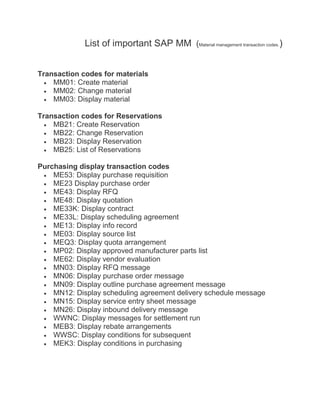
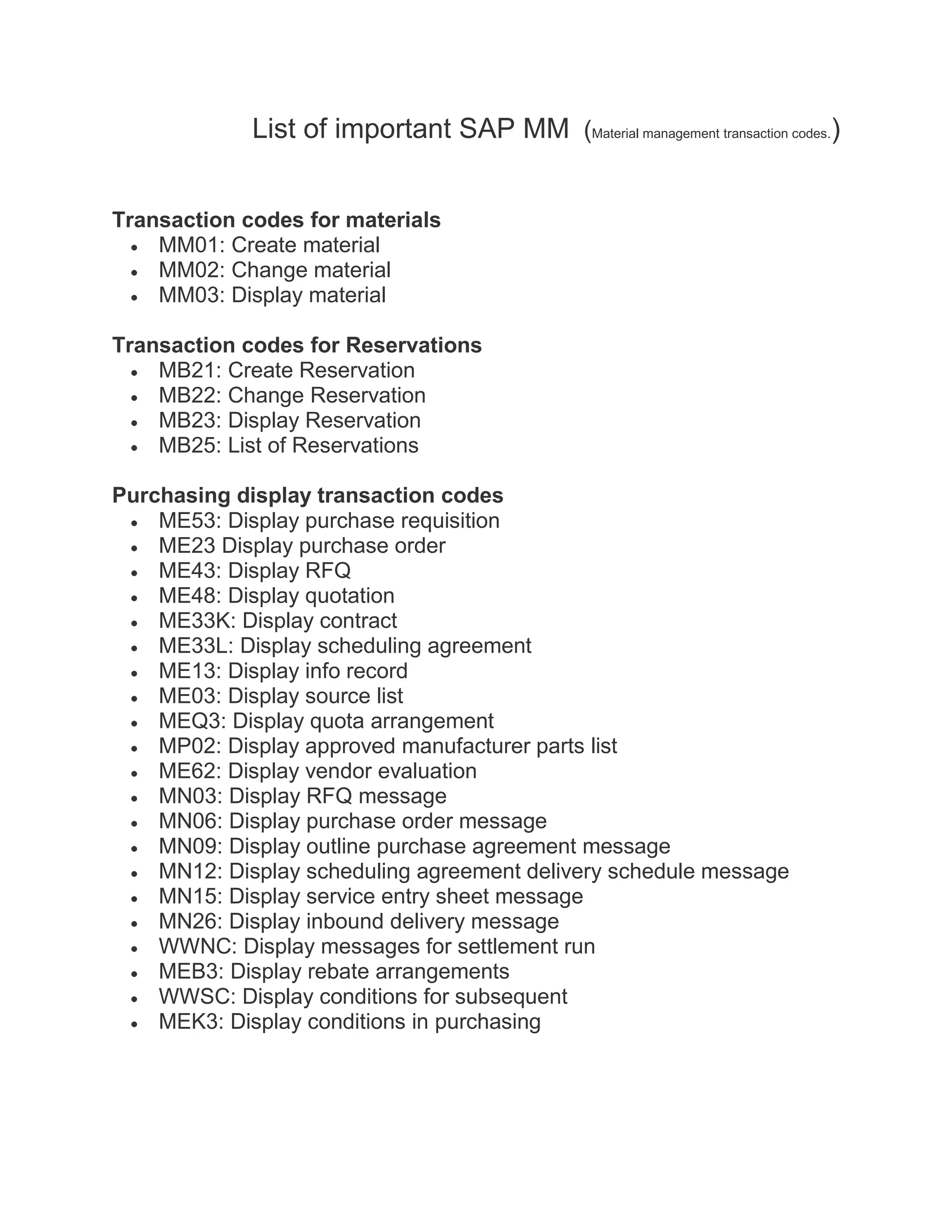
Transaction codes for materials
    MM01: Create material
    MM02: Change material
    MM03: Display material

Transaction codes for Reservations
    MB21: Create Reservation
    MB22: Change Reservation
    MB23: Display Reservation
    MB25: List of Reservations

Purchasing display transaction codes
    ME53: Display purchase requisition
    ME23 Display purchase order
    ME43: Display RFQ
    ME48: Display quotation
    ME33K: Display contract
    ME33L: Display scheduling agreement
    ME13: Display info record
    ME03: Display source list
    MEQ3: Display quota arrangement
    MP02: Display approved manufacturer parts list
    ME62: Display vendor evaluation
    MN03: Display RFQ message
    MN06: Display purchase order message
    MN09: Display outline purchase agreement message
    MN12: Display scheduling agreement delivery schedule message
    MN15: Display service entry sheet message
    MN26: Display inbound delivery message
    WWNC: Display messages for settlement run
    MEB3: Display rebate arrangements
    WWSC: Display conditions for subsequent
    MEK3: Display conditions in purchasing
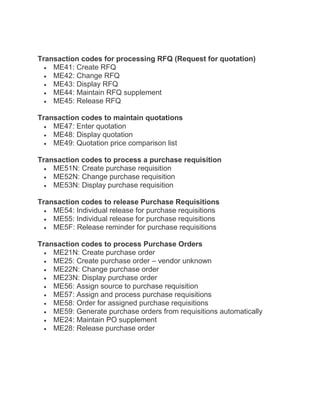
Transaction codes for processing RFQ (Request for quotation)
    ME41: Create RFQ
    ME42: Change RFQ
    ME43: Display RFQ
    ME44: Maintain RFQ supplement
    ME45: Release RFQ

Transaction codes to maintain quotations
    ME47: Enter quotation
    ME48: Display quotation
    ME49: Quotation price comparison list

Transaction codes to process a purchase requisition
    ME51N: Create purchase requisition
    ME52N: Change purchase requisition
    ME53N: Display purchase requisition

Transaction codes to release Purchase Requisitions
    ME54: Individual release for purchase requisitions
    ME55: Individual release for purchase requisitions
    ME5F: Release reminder for purchase requisitions

Transaction codes to process Purchase Orders
    ME21N: Create purchase order
    ME25: Create purchase order – vendor unknown
    ME22N: Change purchase order
    ME23N: Display purchase order
    ME56: Assign source to purchase requisition
    ME57: Assign and process purchase requisitions
    ME58: Order for assigned purchase requisitions
    ME59: Generate purchase orders from requisitions automatically
    ME24: Maintain PO supplement
    ME28: Release purchase order
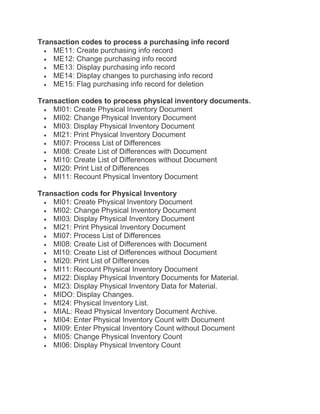
Transaction codes to process a purchasing info record
    ME11: Create purchasing info record
    ME12: Change purchasing info record
    ME13: Display purchasing info record
    ME14: Display changes to purchasing info record
    ME15: Flag purchasing info record for deletion

Transaction codes to process physical inventory documents.
    MI01: Create Physical Inventory Document
    MI02: Change Physical Inventory Document
    MI03: Display Physical Inventory Document
    MI21: Print Physical Inventory Document
    MI07: Process List of Differences
    MI08: Create List of Differences with Document
    MI10: Create List of Differences without Document
    MI20: Print List of Differences
    MI11: Recount Physical Inventory Document

Transaction cods for Physical Inventory
    MI01: Create Physical Inventory Document
    MI02: Change Physical Inventory Document
    MI03: Display Physical Inventory Document
    MI21: Print Physical Inventory Document
    MI07: Process List of Differences
    MI08: Create List of Differences with Document
    MI10: Create List of Differences without Document
    MI20: Print List of Differences
    MI11: Recount Physical Inventory Document
    MI22: Display Physical Inventory Documents for Material.
    MI23: Display Physical Inventory Data for Material.
    MIDO: Display Changes.
    MI24: Physical Inventory List.
    MIAL: Read Physical Inventory Document Archive.
    MI04: Enter Physical Inventory Count with Document
    MI09: Enter Physical Inventory Count without Document
    MI05: Change Physical Inventory Count
    MI06: Display Physical Inventory Count
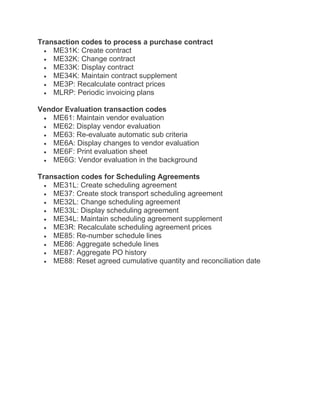
Transaction codes to process a purchase contract
    ME31K: Create contract
    ME32K: Change contract
    ME33K: Display contract
    ME34K: Maintain contract supplement
    ME3P: Recalculate contract prices
    MLRP: Periodic invoicing plans

Vendor Evaluation transaction codes
    ME61: Maintain vendor evaluation
    ME62: Display vendor evaluation
    ME63: Re-evaluate automatic sub criteria
    ME6A: Display changes to vendor evaluation
    ME6F: Print evaluation sheet
    ME6G: Vendor evaluation in the background

Transaction codes for Scheduling Agreements
    ME31L: Create scheduling agreement
    ME37: Create stock transport scheduling agreement
    ME32L: Change scheduling agreement
    ME33L: Display scheduling agreement
    ME34L: Maintain scheduling agreement supplement
    ME3R: Recalculate scheduling agreement prices
    ME85: Re-number schedule lines
    ME86: Aggregate schedule lines
    ME87: Aggregate PO history
    ME88: Reset agreed cumulative quantity and reconciliation date

Mm t codes imp

  • 1.
    List of importantSAP MM (Material management transaction codes.) Transaction codes for materials MM01: Create material MM02: Change material MM03: Display material Transaction codes for Reservations MB21: Create Reservation MB22: Change Reservation MB23: Display Reservation MB25: List of Reservations Purchasing display transaction codes ME53: Display purchase requisition ME23 Display purchase order ME43: Display RFQ ME48: Display quotation ME33K: Display contract ME33L: Display scheduling agreement ME13: Display info record ME03: Display source list MEQ3: Display quota arrangement MP02: Display approved manufacturer parts list ME62: Display vendor evaluation MN03: Display RFQ message MN06: Display purchase order message MN09: Display outline purchase agreement message MN12: Display scheduling agreement delivery schedule message MN15: Display service entry sheet message MN26: Display inbound delivery message WWNC: Display messages for settlement run MEB3: Display rebate arrangements WWSC: Display conditions for subsequent MEK3: Display conditions in purchasing
  • 2.
    Transaction codes forprocessing RFQ (Request for quotation) ME41: Create RFQ ME42: Change RFQ ME43: Display RFQ ME44: Maintain RFQ supplement ME45: Release RFQ Transaction codes to maintain quotations ME47: Enter quotation ME48: Display quotation ME49: Quotation price comparison list Transaction codes to process a purchase requisition ME51N: Create purchase requisition ME52N: Change purchase requisition ME53N: Display purchase requisition Transaction codes to release Purchase Requisitions ME54: Individual release for purchase requisitions ME55: Individual release for purchase requisitions ME5F: Release reminder for purchase requisitions Transaction codes to process Purchase Orders ME21N: Create purchase order ME25: Create purchase order – vendor unknown ME22N: Change purchase order ME23N: Display purchase order ME56: Assign source to purchase requisition ME57: Assign and process purchase requisitions ME58: Order for assigned purchase requisitions ME59: Generate purchase orders from requisitions automatically ME24: Maintain PO supplement ME28: Release purchase order
  • 3.
    Transaction codes toprocess a purchasing info record ME11: Create purchasing info record ME12: Change purchasing info record ME13: Display purchasing info record ME14: Display changes to purchasing info record ME15: Flag purchasing info record for deletion Transaction codes to process physical inventory documents. MI01: Create Physical Inventory Document MI02: Change Physical Inventory Document MI03: Display Physical Inventory Document MI21: Print Physical Inventory Document MI07: Process List of Differences MI08: Create List of Differences with Document MI10: Create List of Differences without Document MI20: Print List of Differences MI11: Recount Physical Inventory Document Transaction cods for Physical Inventory MI01: Create Physical Inventory Document MI02: Change Physical Inventory Document MI03: Display Physical Inventory Document MI21: Print Physical Inventory Document MI07: Process List of Differences MI08: Create List of Differences with Document MI10: Create List of Differences without Document MI20: Print List of Differences MI11: Recount Physical Inventory Document MI22: Display Physical Inventory Documents for Material. MI23: Display Physical Inventory Data for Material. MIDO: Display Changes. MI24: Physical Inventory List. MIAL: Read Physical Inventory Document Archive. MI04: Enter Physical Inventory Count with Document MI09: Enter Physical Inventory Count without Document MI05: Change Physical Inventory Count MI06: Display Physical Inventory Count
  • 4.
    Transaction codes toprocess a purchase contract ME31K: Create contract ME32K: Change contract ME33K: Display contract ME34K: Maintain contract supplement ME3P: Recalculate contract prices MLRP: Periodic invoicing plans Vendor Evaluation transaction codes ME61: Maintain vendor evaluation ME62: Display vendor evaluation ME63: Re-evaluate automatic sub criteria ME6A: Display changes to vendor evaluation ME6F: Print evaluation sheet ME6G: Vendor evaluation in the background Transaction codes for Scheduling Agreements ME31L: Create scheduling agreement ME37: Create stock transport scheduling agreement ME32L: Change scheduling agreement ME33L: Display scheduling agreement ME34L: Maintain scheduling agreement supplement ME3R: Recalculate scheduling agreement prices ME85: Re-number schedule lines ME86: Aggregate schedule lines ME87: Aggregate PO history ME88: Reset agreed cumulative quantity and reconciliation date