Mission-based WordPress
WordCamp Rhode Island 2015
Michael McWilliams
Encore Fellow in nonprofit capacity building
The agenda
1. WordPress in nonprofit work
2. Compelling elements
3. Landing pages
4. Online fundraising
5. Data visualization
6. Newsrooms and contact
7. Story-telling platform
8. Discussion
For each topic
1. Best website practices for nonprofits
2. How to handle them in WordPress
3. Some useful resources to check out
Most nonprofits need …
1. Easy management
2. Modest learning curve
3. Power, scalablity
4. Reliable support
5. Mobile
6. Low-cost!!!
A job for a familiar open source
solution?
WP basic best practice for NP
1. Get the board onboard
2. Explore the ecosystem
3. Approach as CMS
4. Dedicate staff
5. Build fundraising into basic design
6. Integrate social media smoothly
7. Keep things current
Good general WP resources for NP
• wordpress.org / wordpress.com
• wpbeginner
• Lynda
• WPKube
• Smashing Magazine
• Speckyboy
• Elegant Themes
• WPexplorer
• Google….
Compelling elements
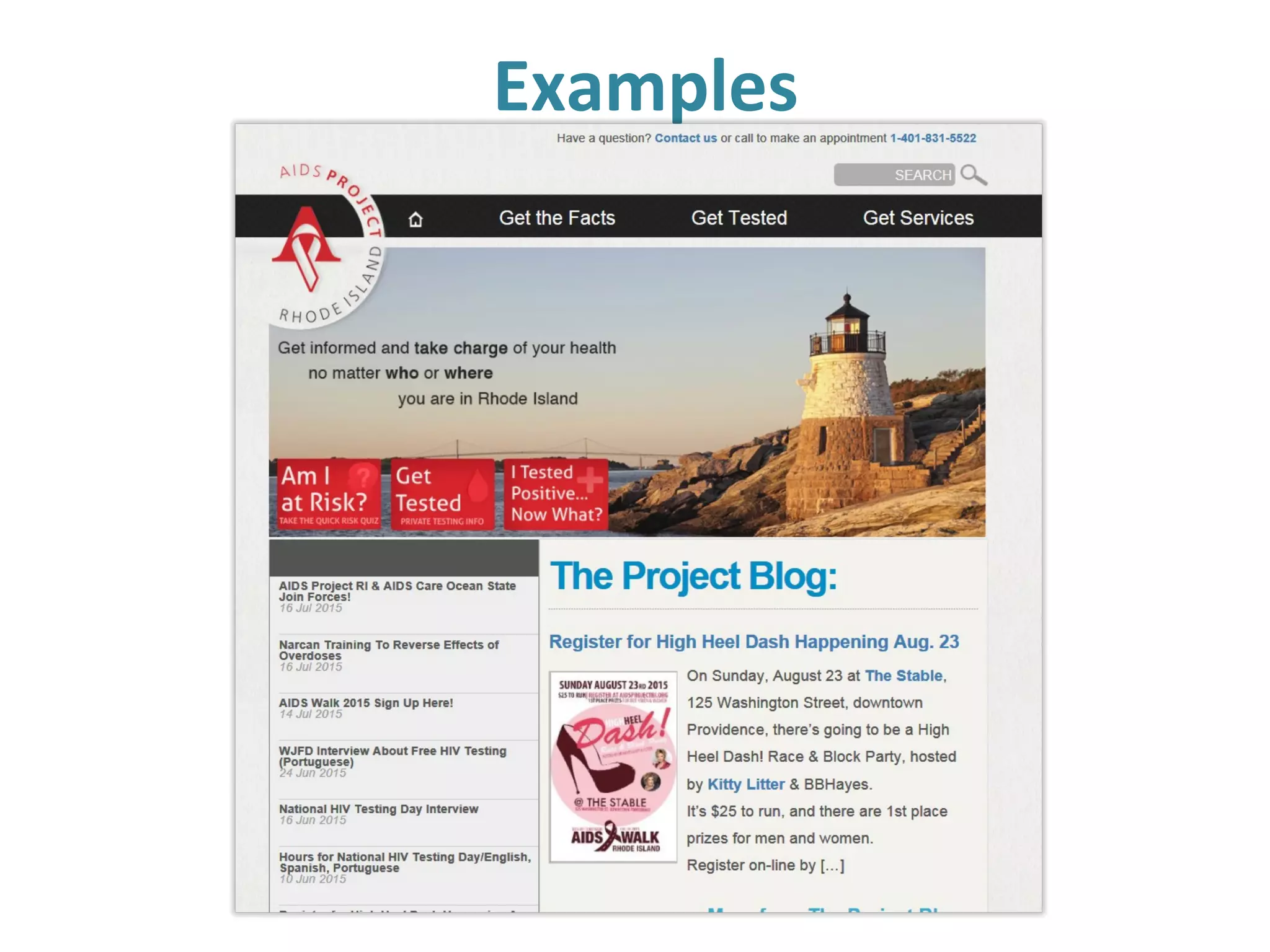
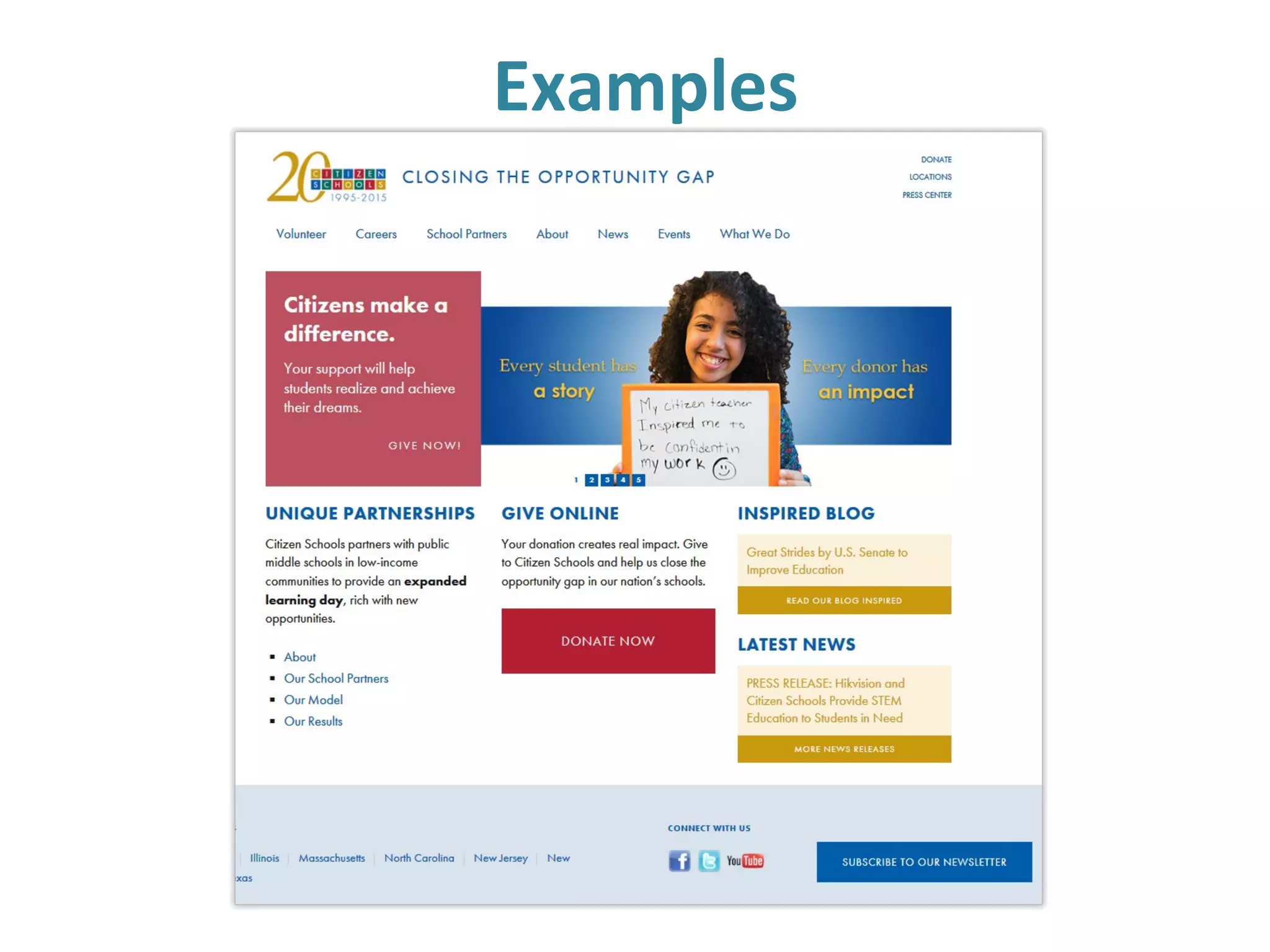
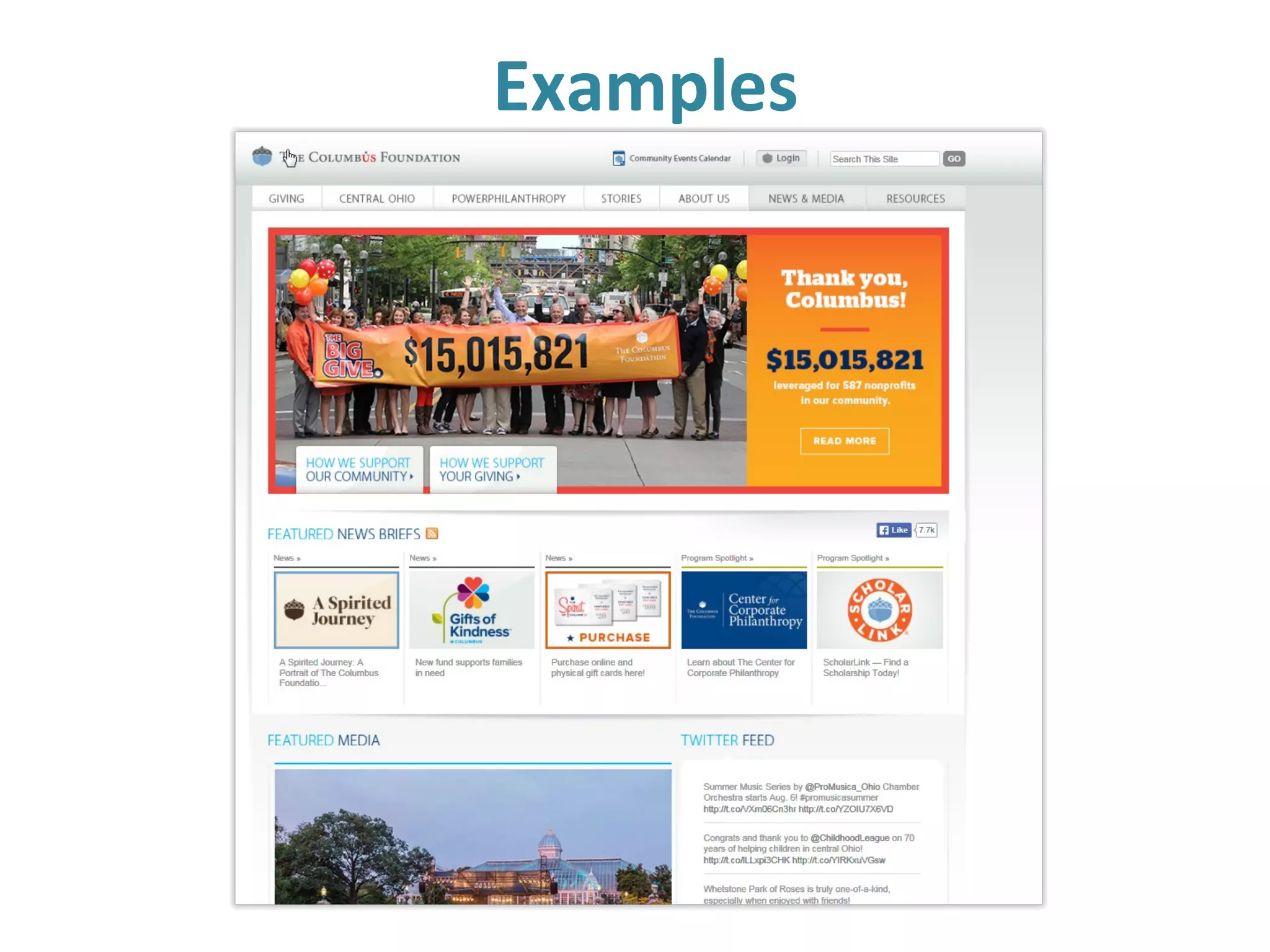
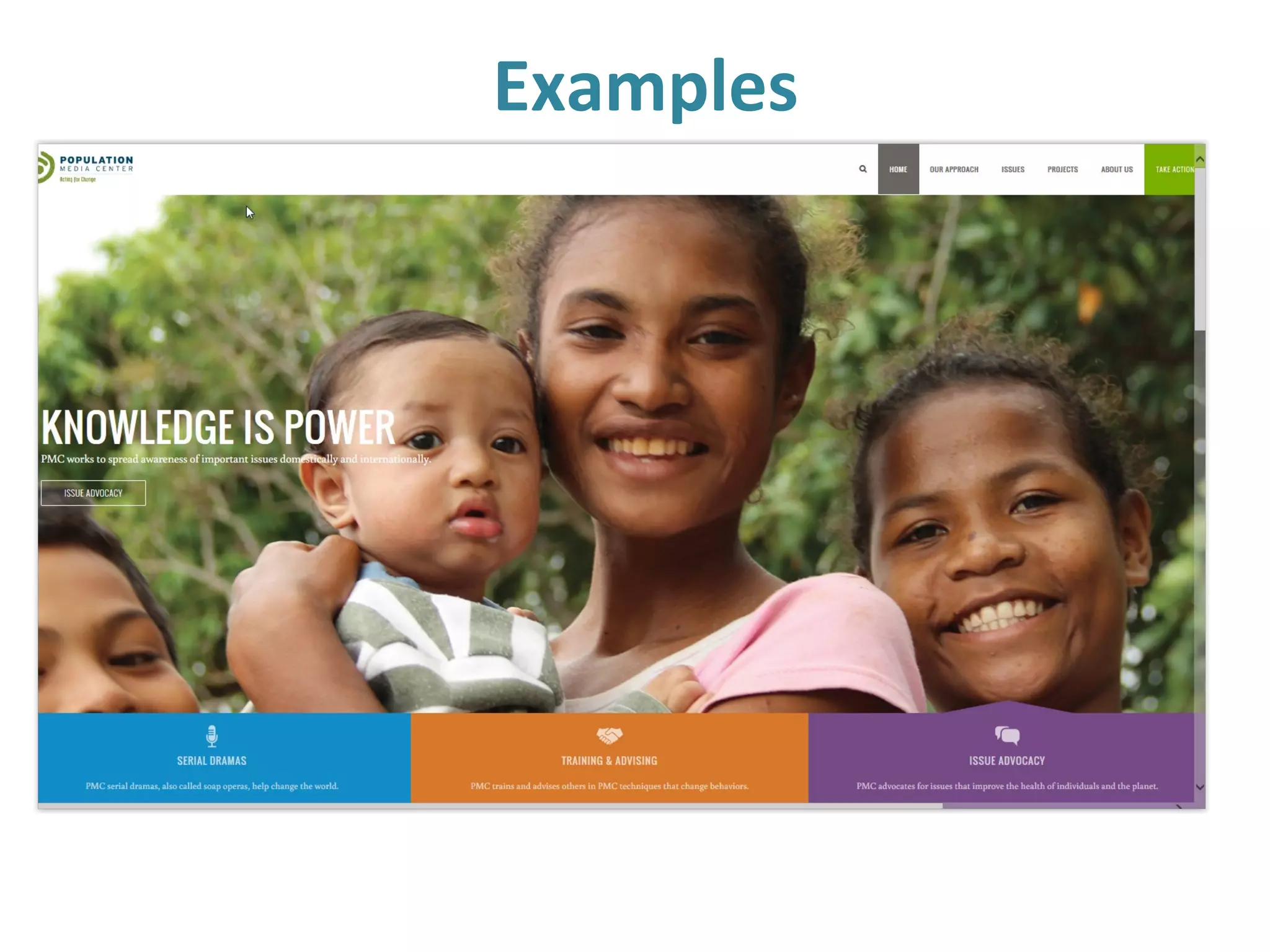
A good nonprofit website….
• Engaging homepage
• Clear navigation
• Up-to-date
• Simple language
• Mix of images and media
• Quick access to critical information for
supporters and stakeholders.
Compelling elements
A GREAT nonprofit website.….
1. Relates to its audience
2. Generates a powerful first impression
3. Makes the mission clear
4. Connects solutions to problems
5. Has elegant navigation
…and..
Compelling elements
…A GREAT nonprofit website also.…
6. Calls boldly to action
7. Offers useful infographics
8. Is current…and urgent
9. Plays well with social media.
10. Uses media appropriately.
Compelling elements
WordPress is a platform for all that:
•Vast array of plug-ins
•Journal-based posts for news
•Pages for core information
•Themes make it look good
•Mobile-ready
•Largely bug-free social integration
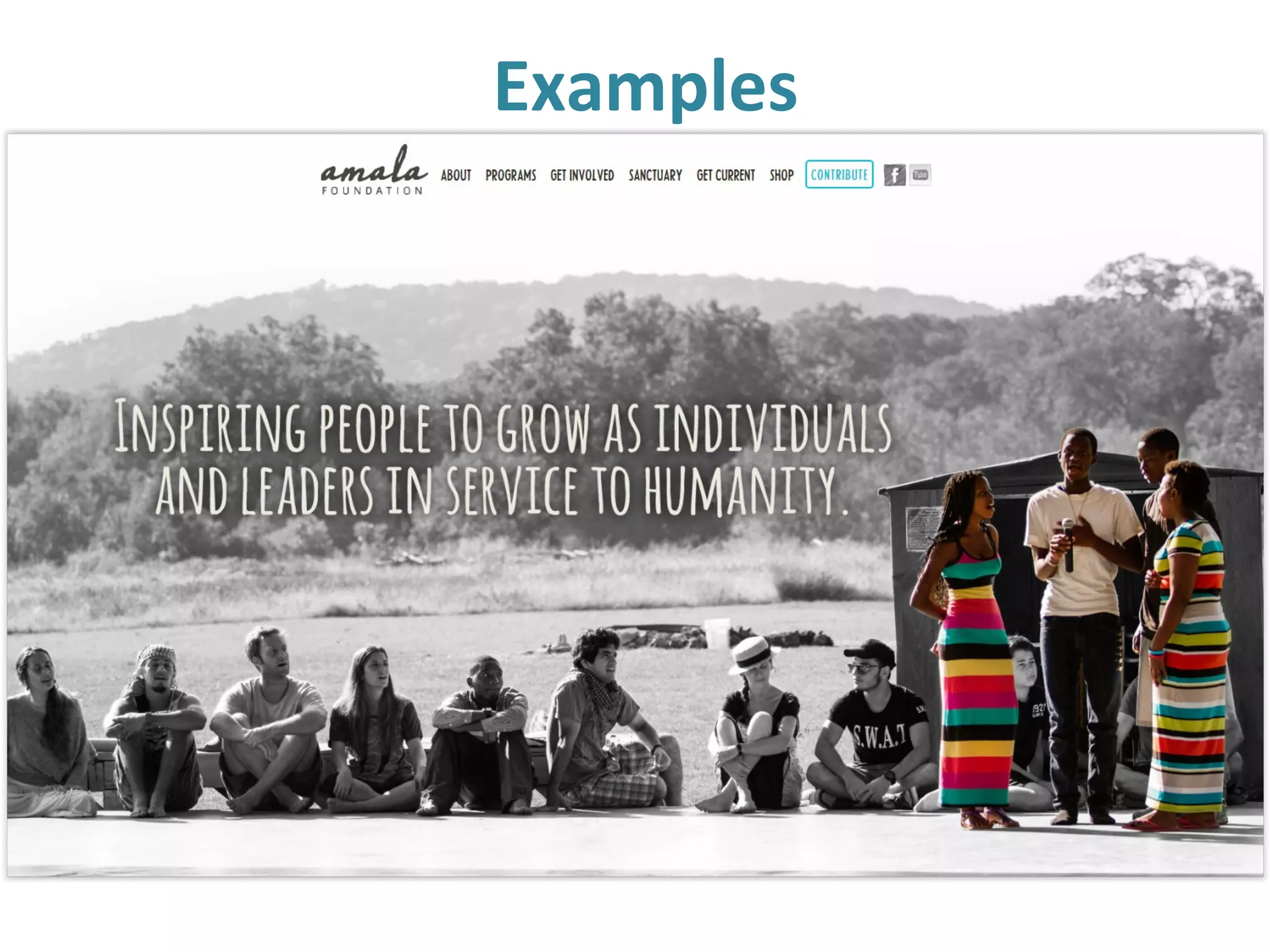
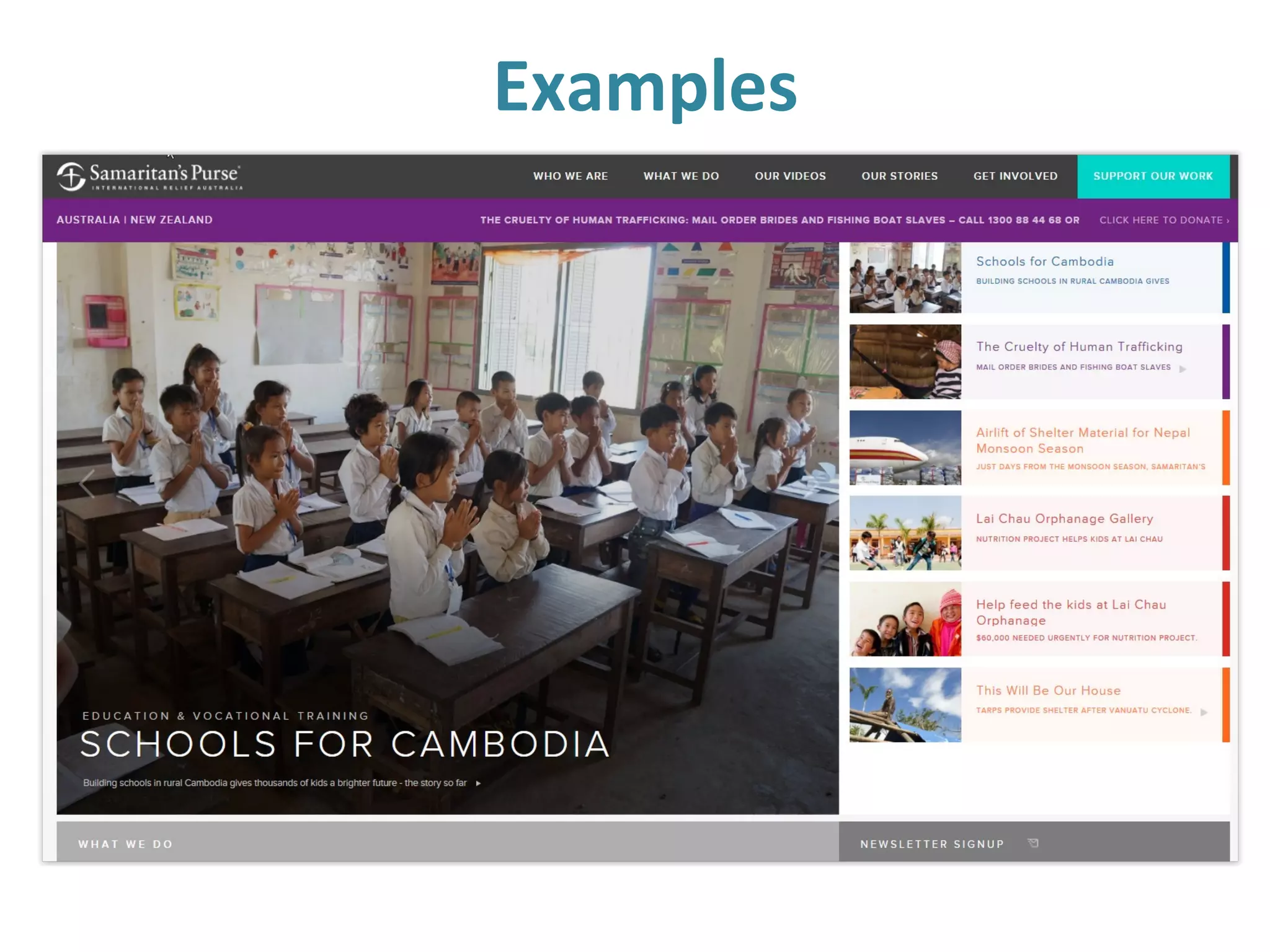
Examples
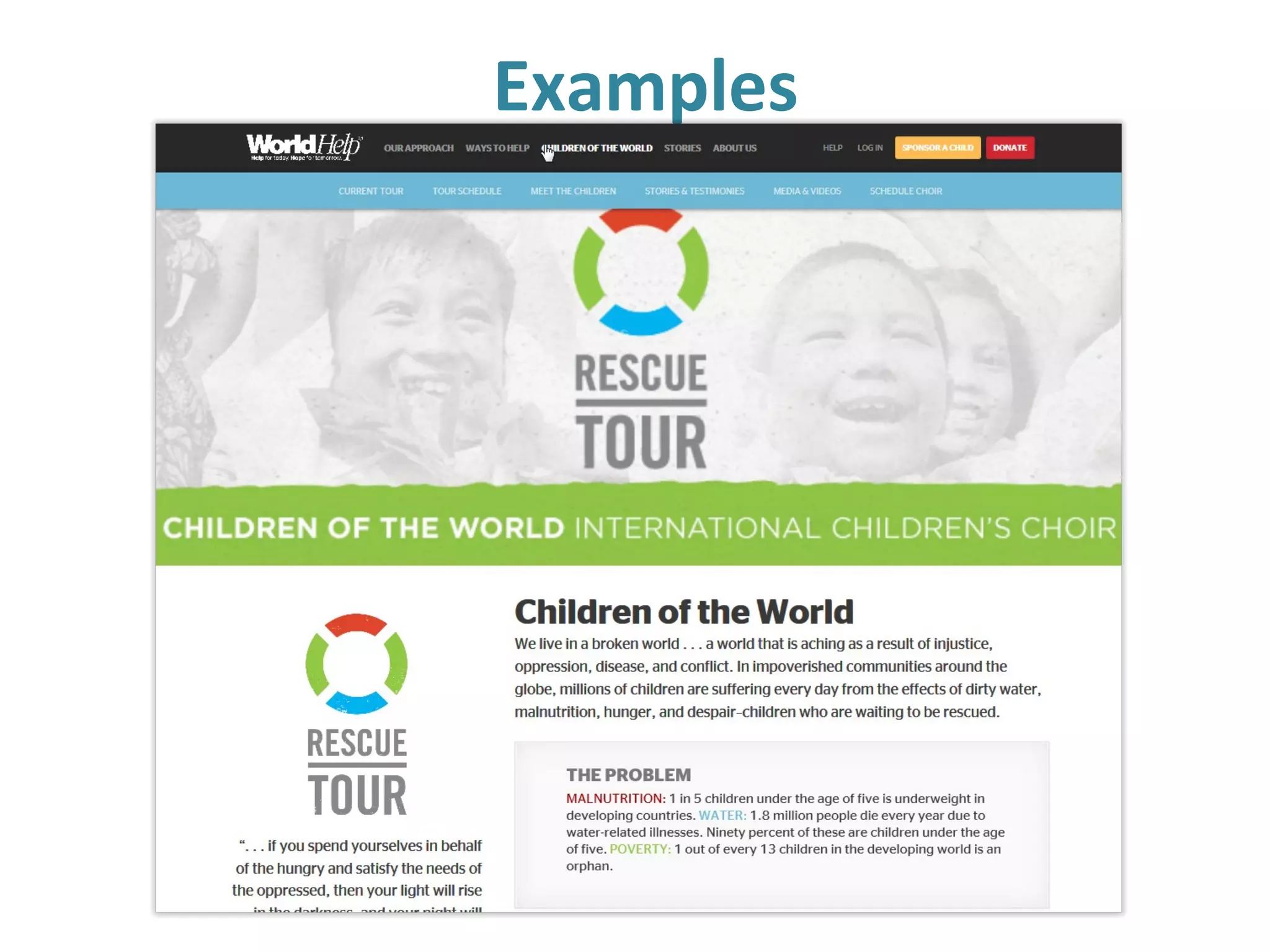
Examples
Examples
Examples
Examples
Examples
Examples
Nonprofit web design resources
Landing page strategies
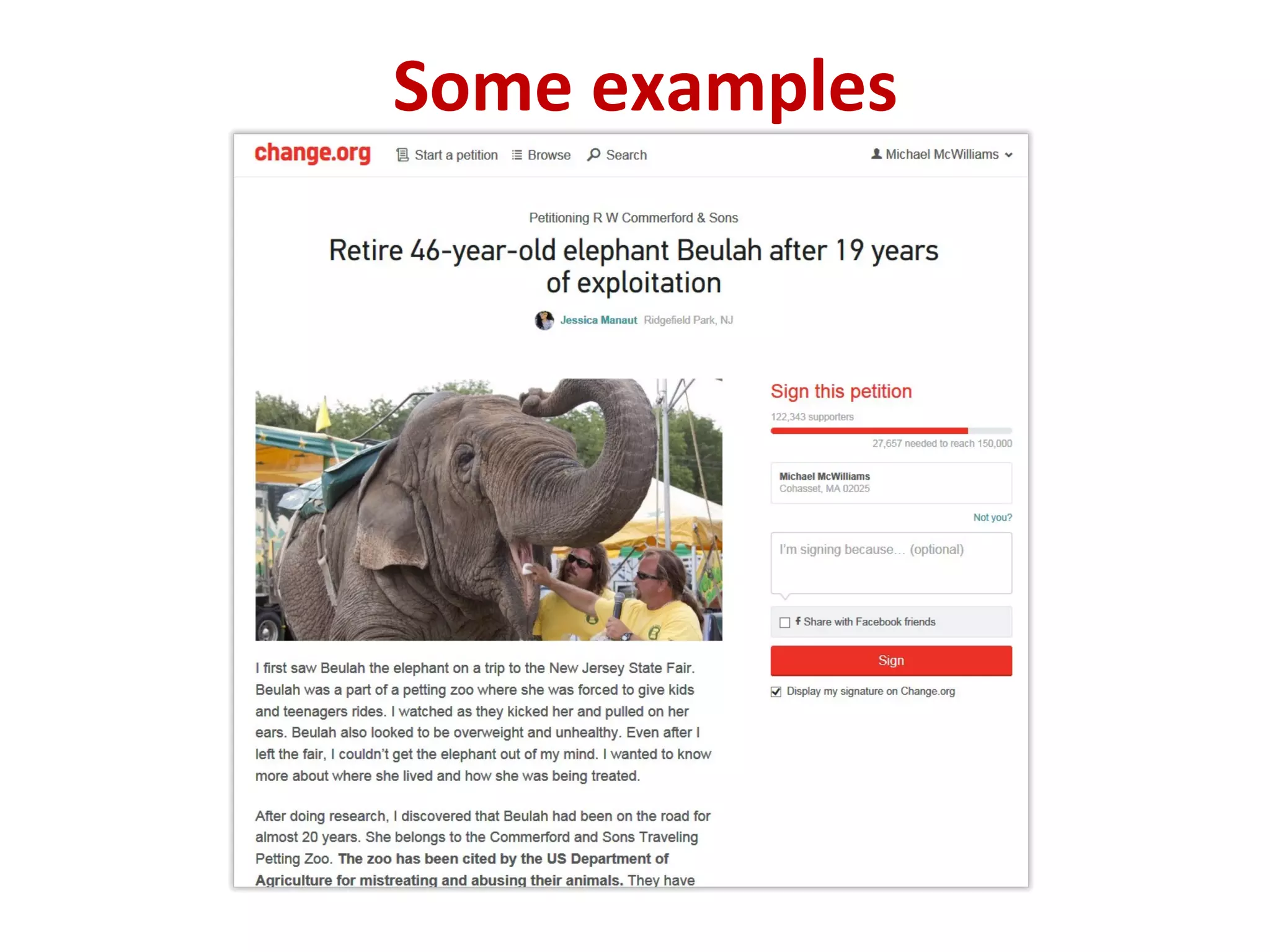
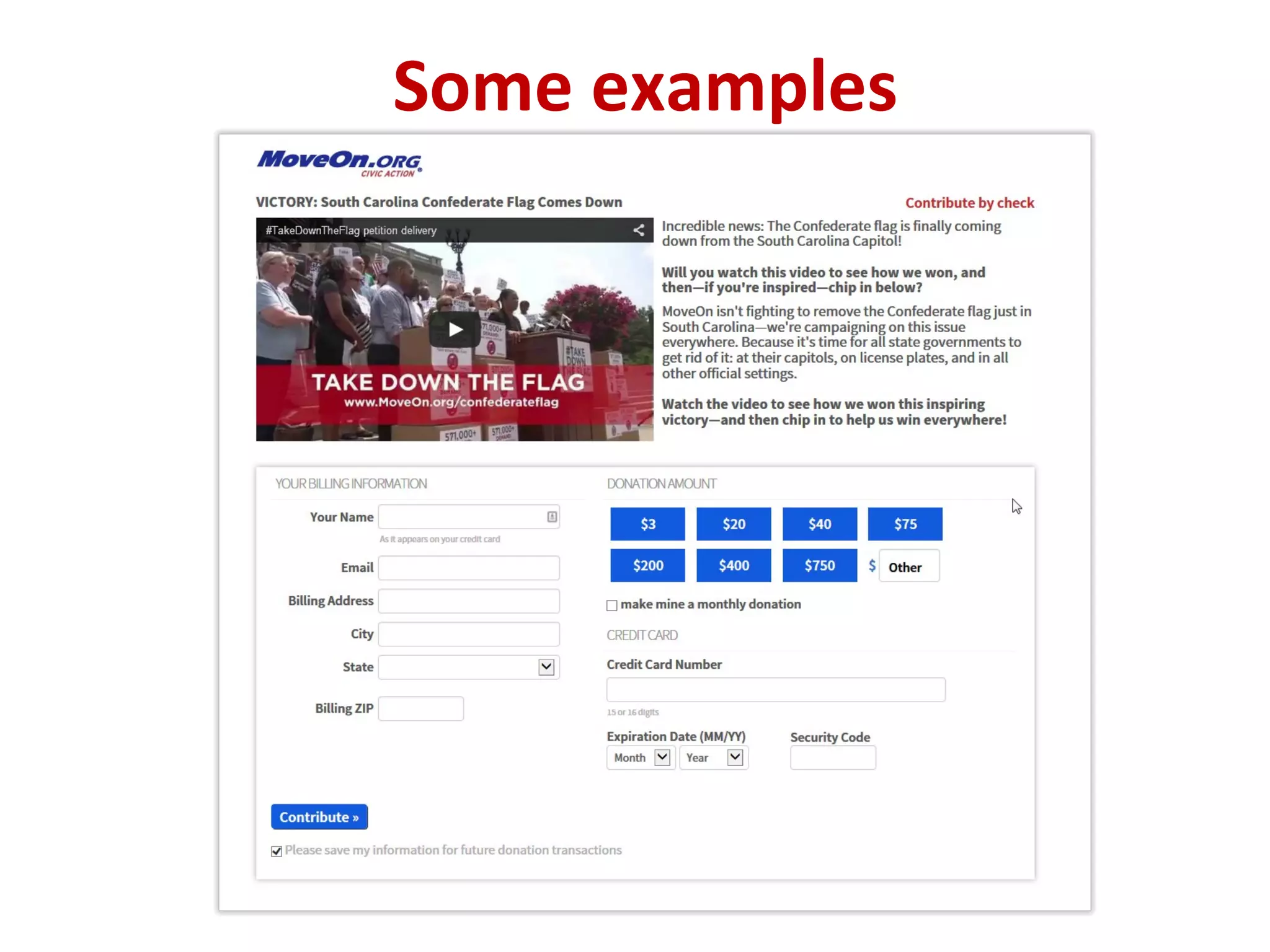
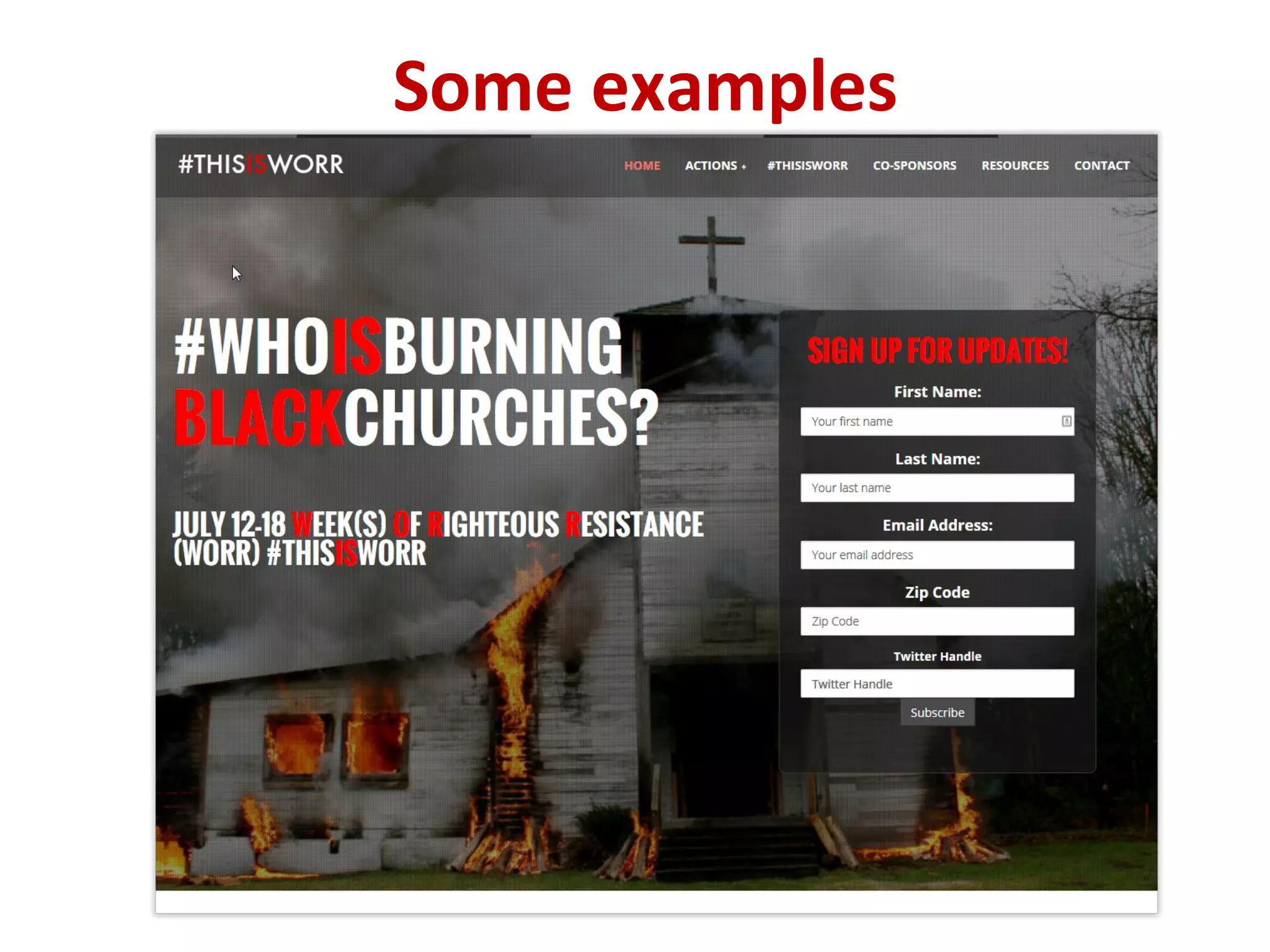
• Distinct from a home page
• Specific purpose: engage
• Campaigns, initiatives, offers
• Simple, elegant, striking
• Call to action
• Mobile
Nonprofit landing pages…
• Build mailing lists - “squeeze pages”
• Recruit members
• Fundraising campaigns
• Issue advocacy
• Events
• Big news
• Response to online action
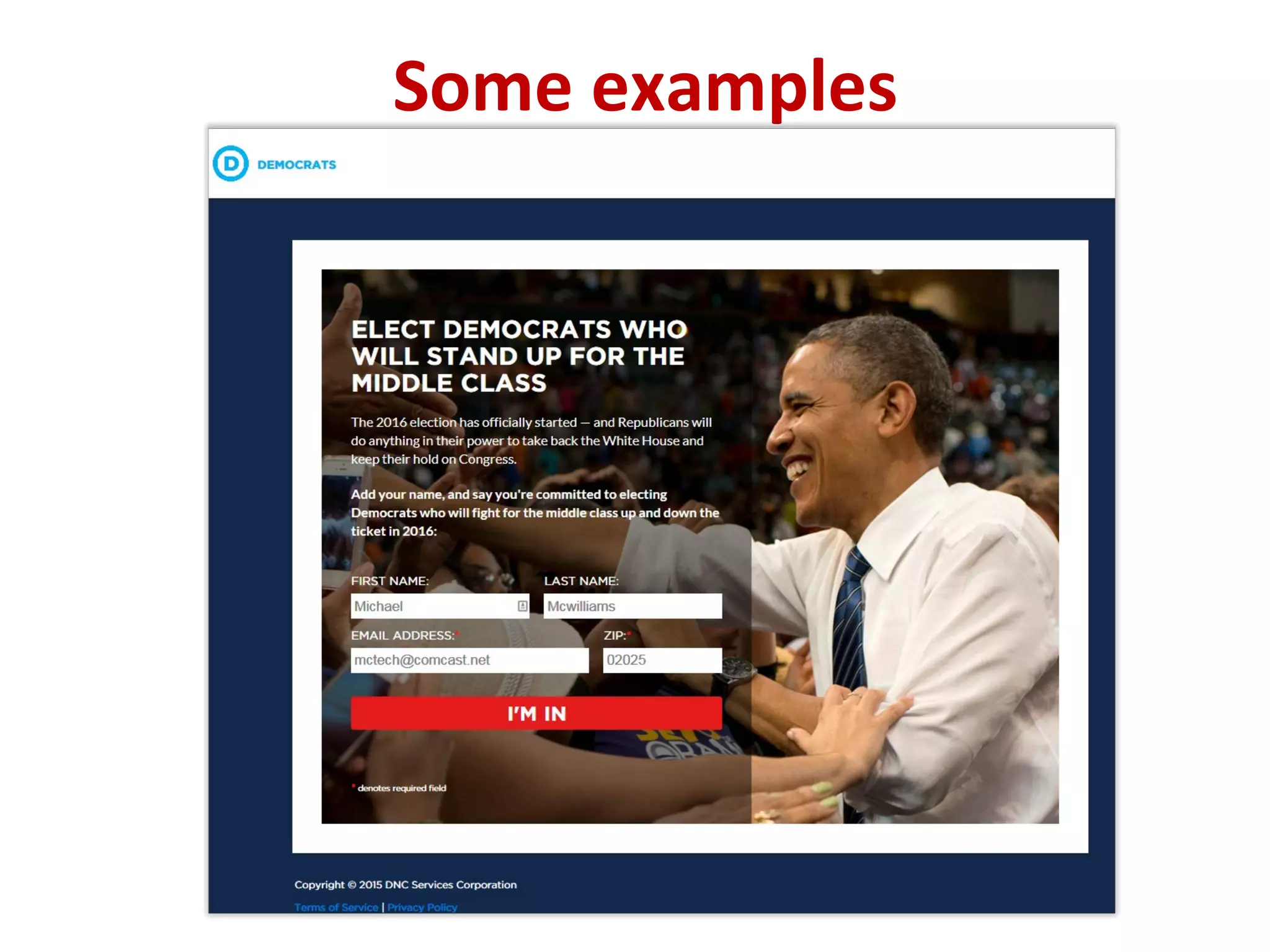
Some examples
Some examples
Some examples
Some examples
Some examples
Guidelines for NP landing pages…
• Stick to the single point
• Brand…but be distinct
• Ask only for essentials..
• Be clear
• Use minimal (or no) menu
• Go long when the “ask’ is substantial
• Go short for “squeeze pages”
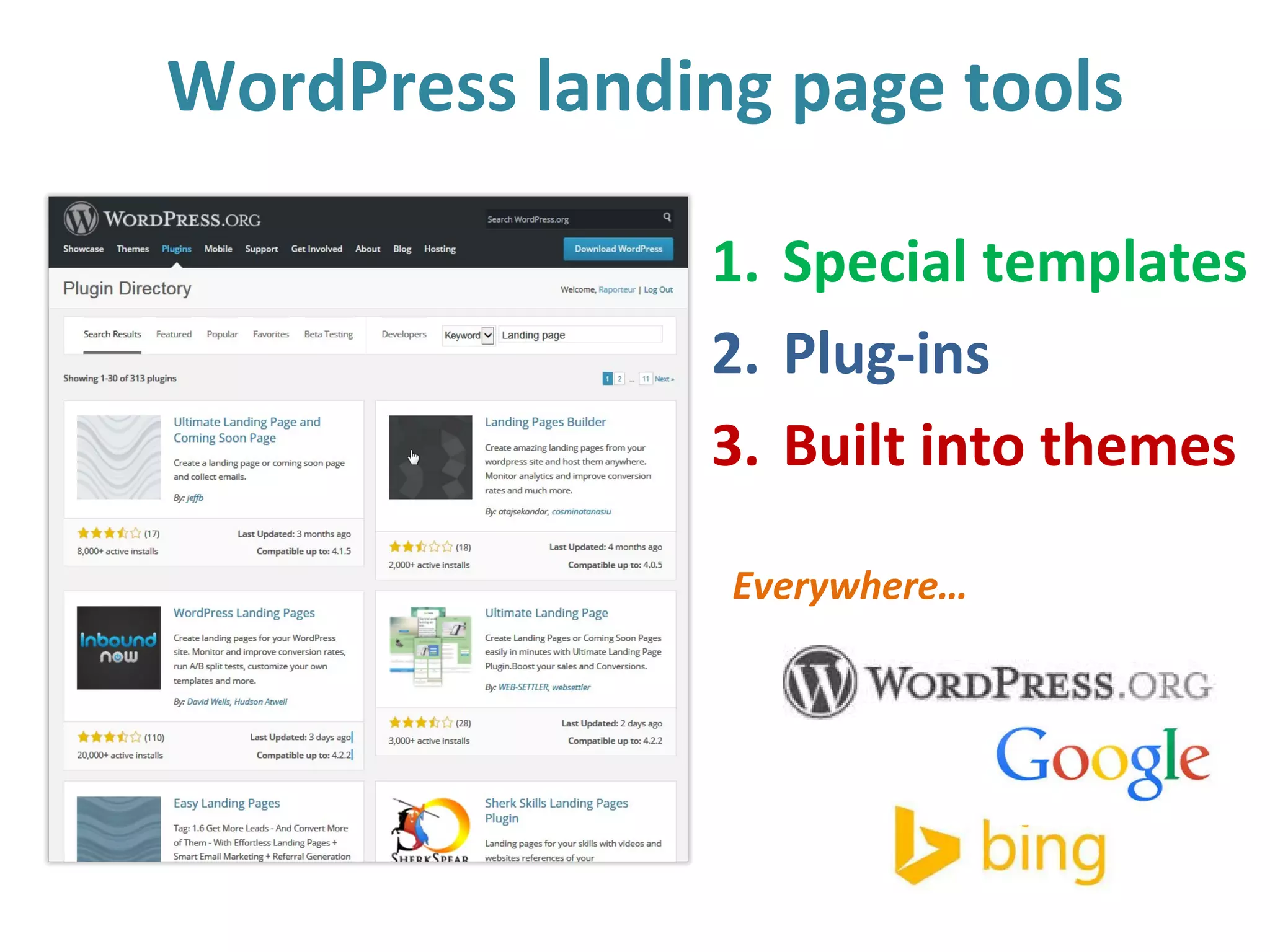
WordPress landing page tools
1. Special templates
2. Plug-ins
3. Built into themes
Everywhere…
Online fundraising in WordPress
A general summary of website best practices…
1. Embed the process
2. Mobile…and bulletproof
3. Button on every page
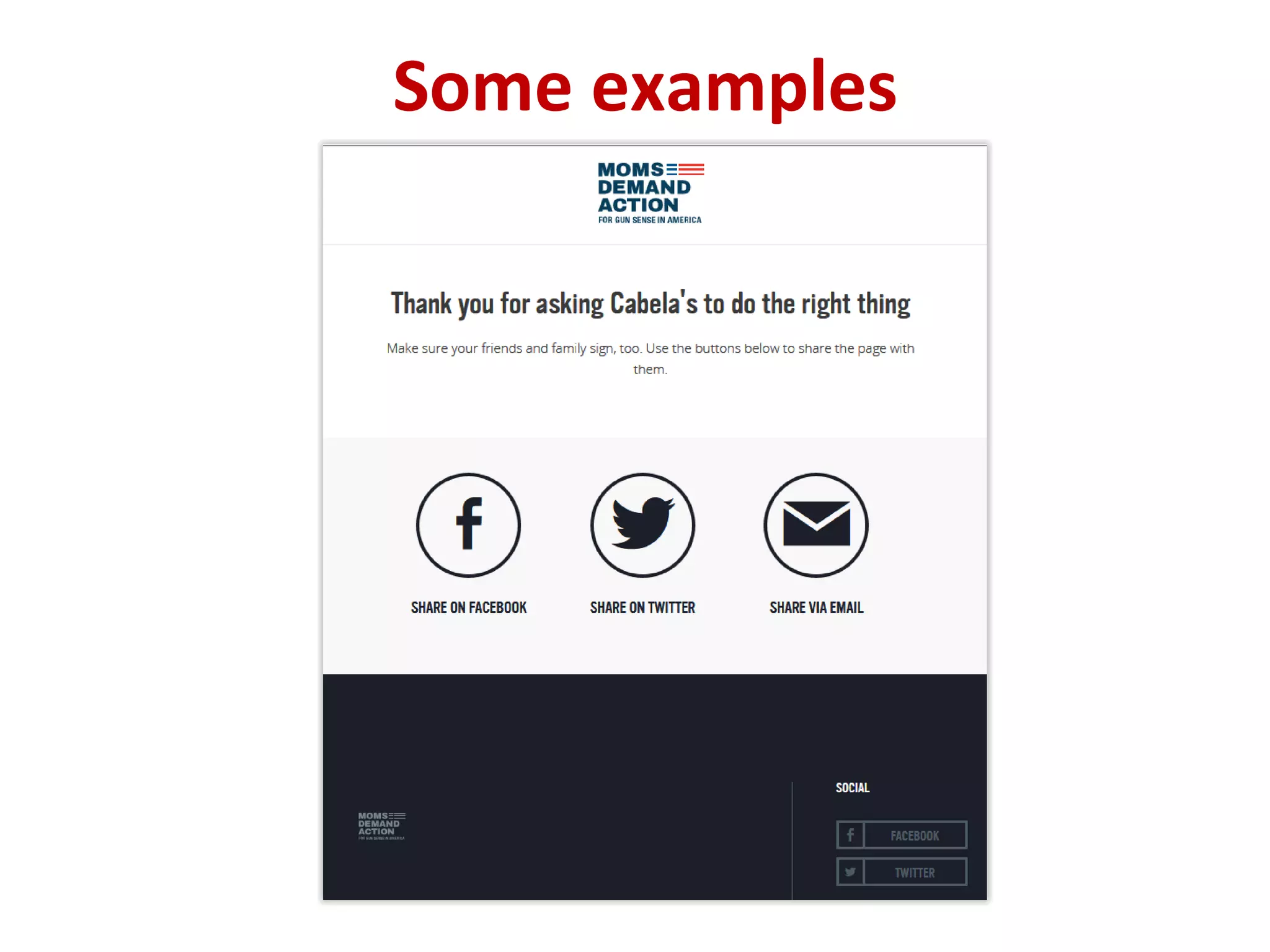
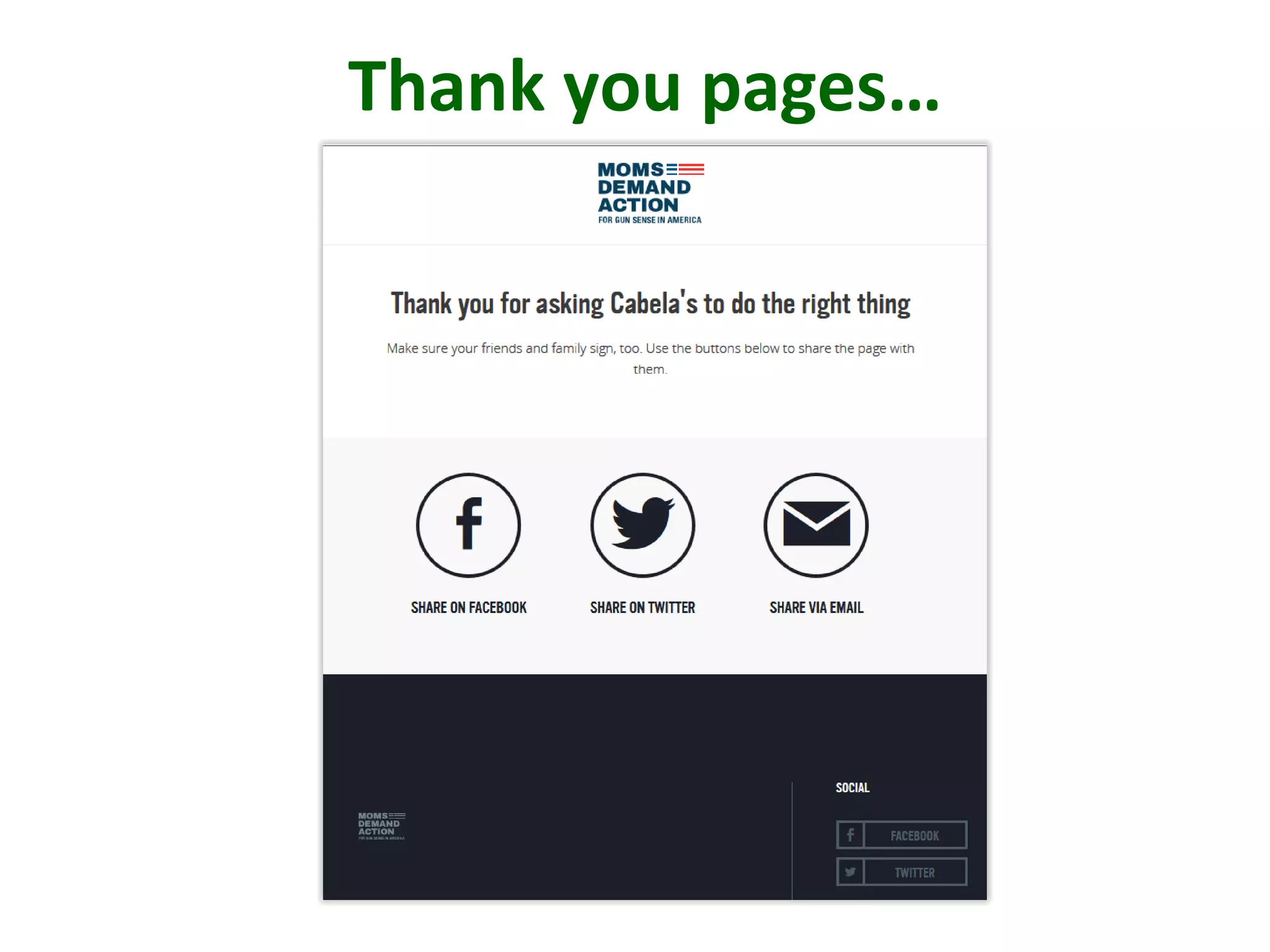
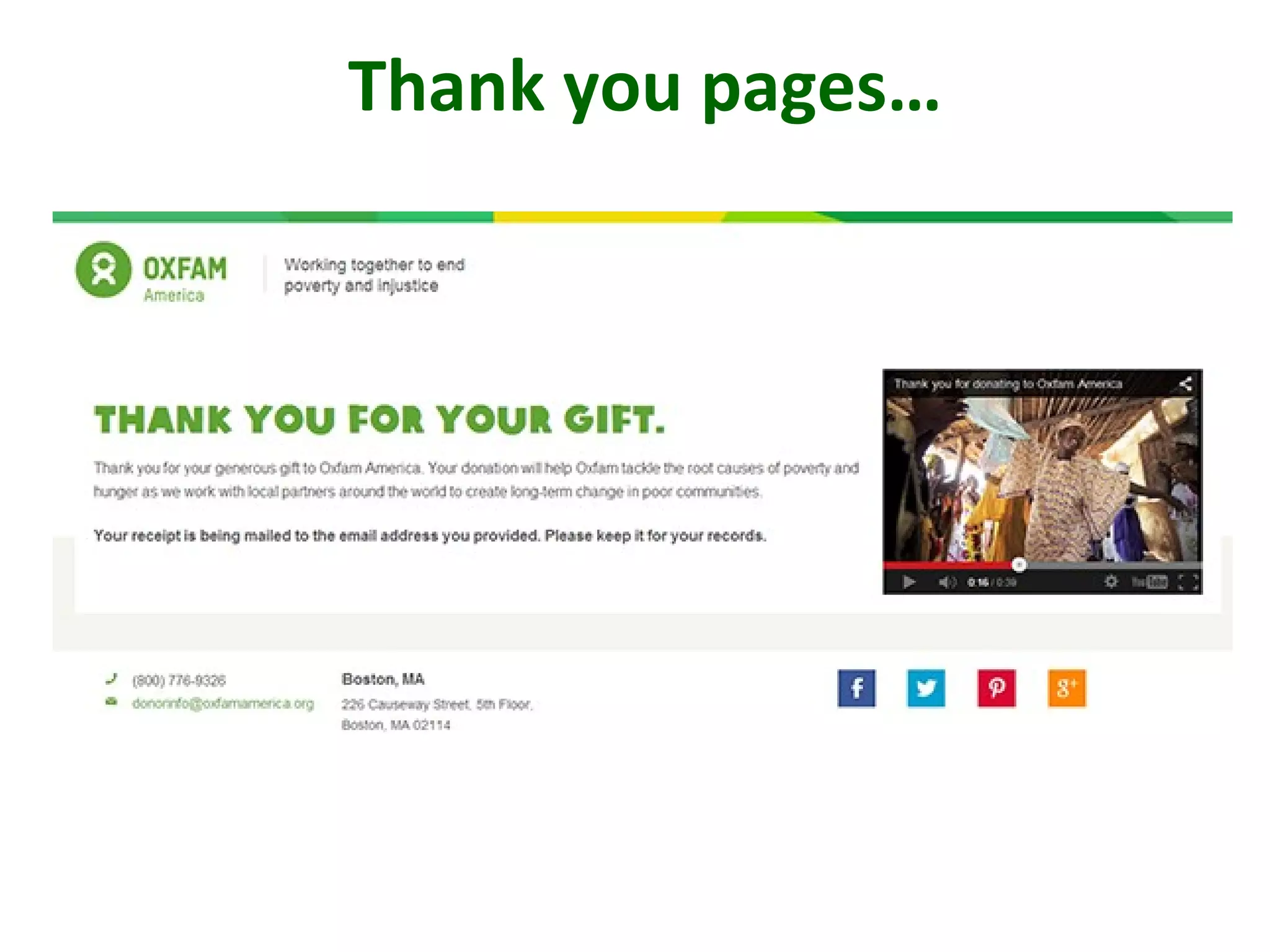
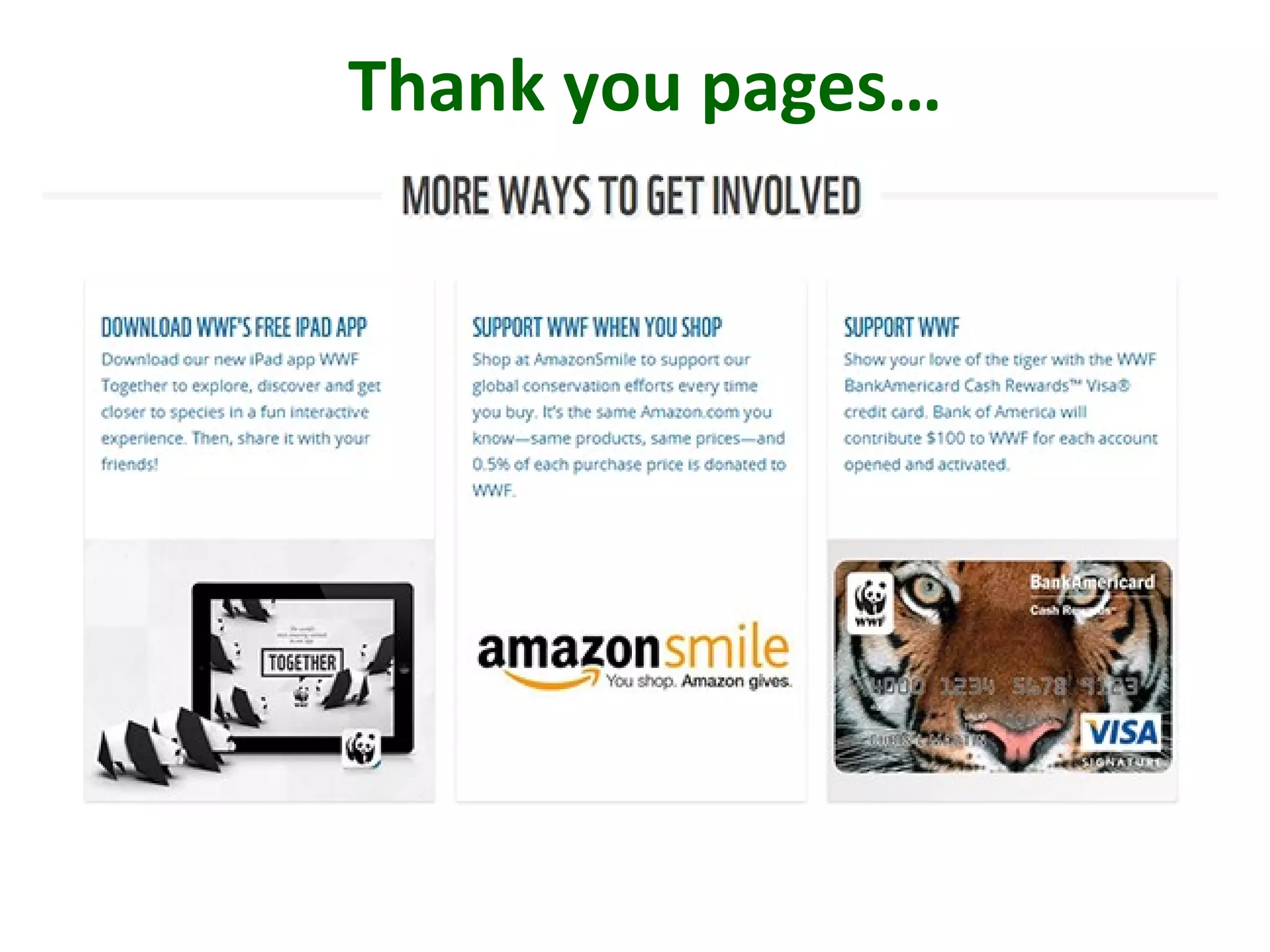
4. Optimize thank-you pages
5. Strategically synch with social media
Online fundraising in WordPress
• Calls to action
• Polls
• Other ways to get involved
• Thank-you video
• Social network sharing
Optimize the thank-you page…
Thank you pages…
Thank you pages…
Thank you pages…
Online fundraising in WordPress
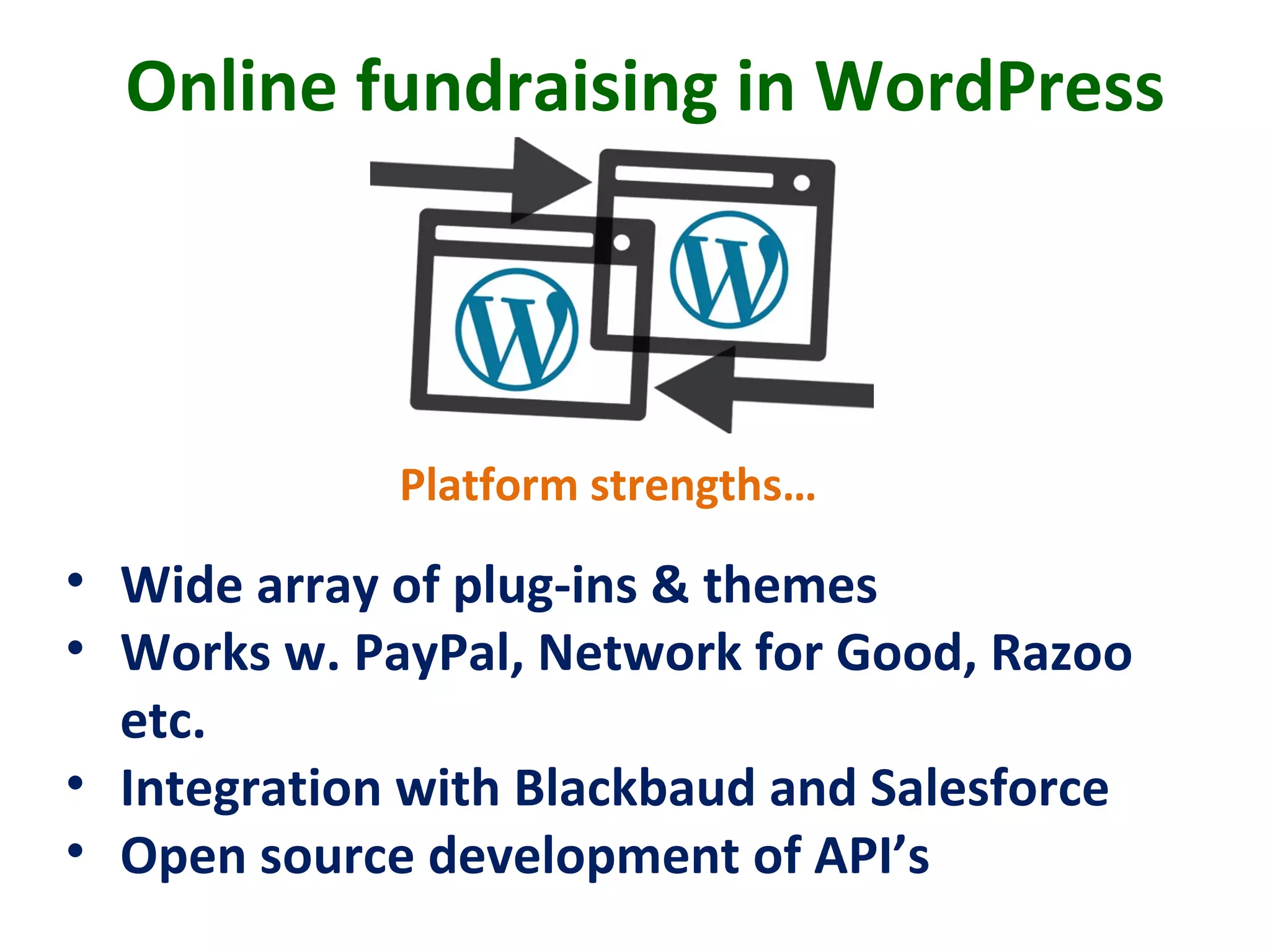
• Wide array of plug-ins & themes
• Works w. PayPal, Network for Good, Razoo
etc.
• Integration with Blackbaud and Salesforce
• Open source development of API’s
Platform strengths…
Online fundraising in WordPress
Resources …
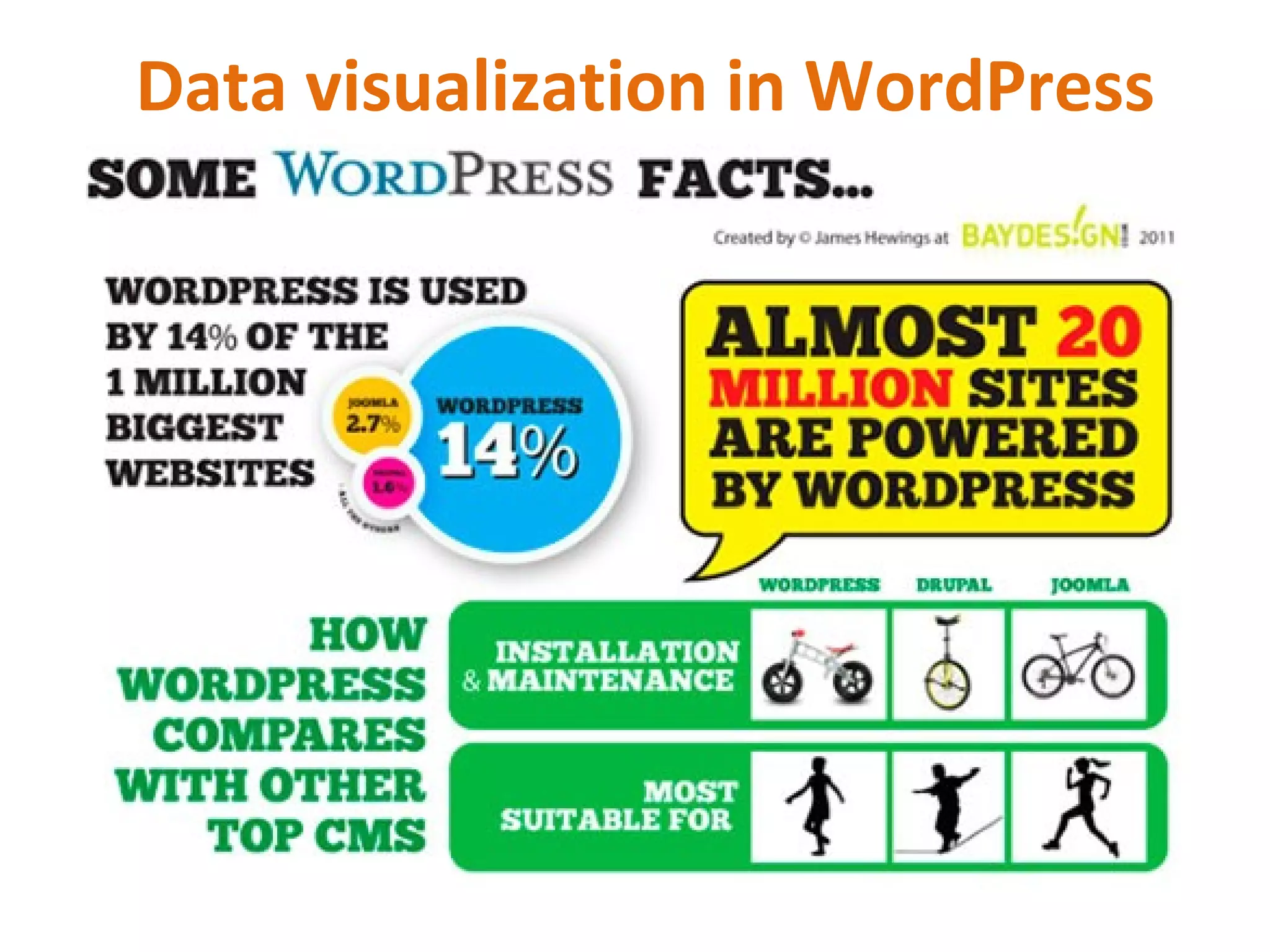
Data visualization in WordPress
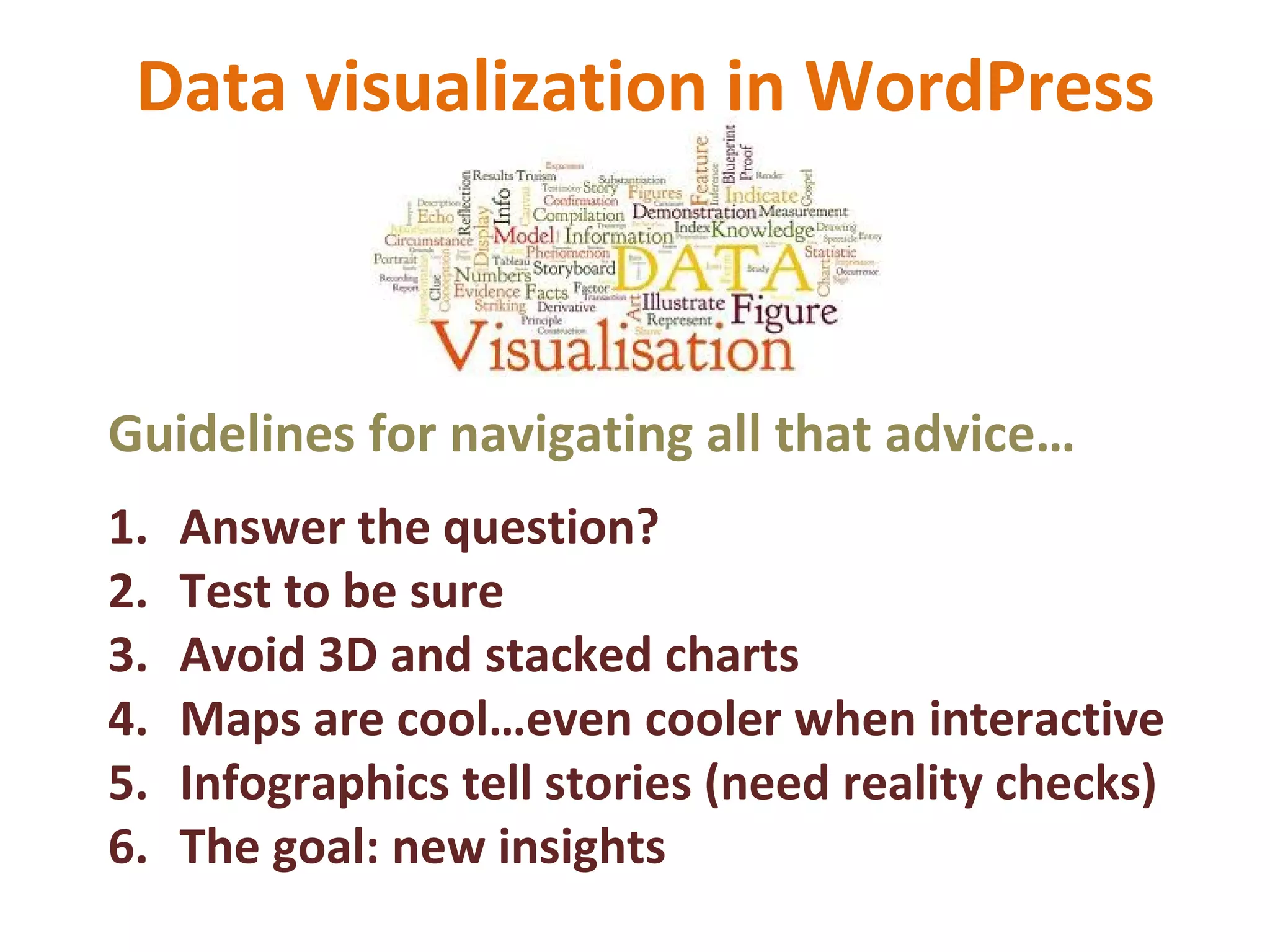
Guidelines for navigating all that advice…
1. Answer the question?
2. Test to be sure
3. Avoid 3D and stacked charts
4. Maps are cool…even cooler when interactive
5. Infographics tell stories (need reality checks)
6. The goal: new insights
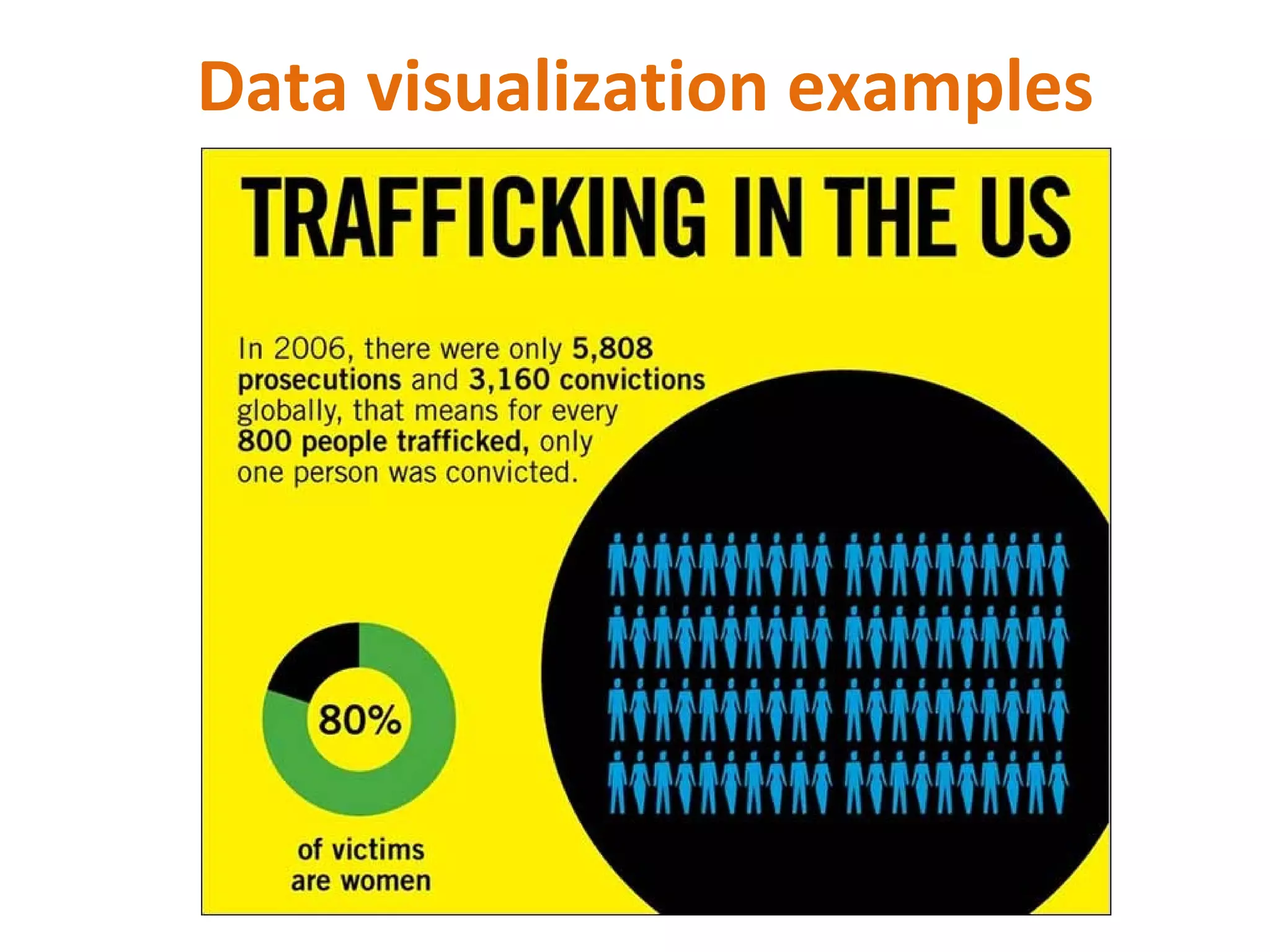
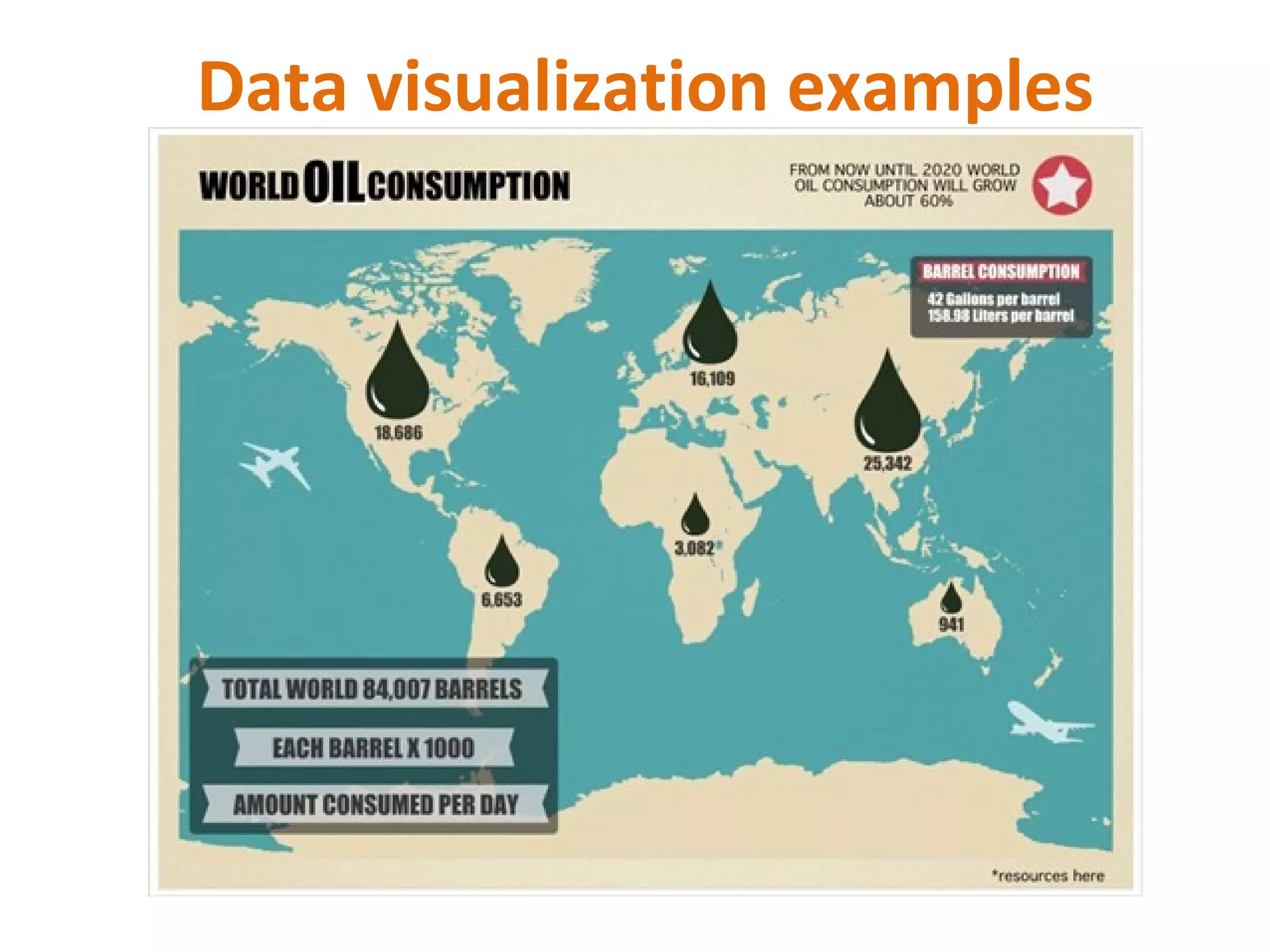
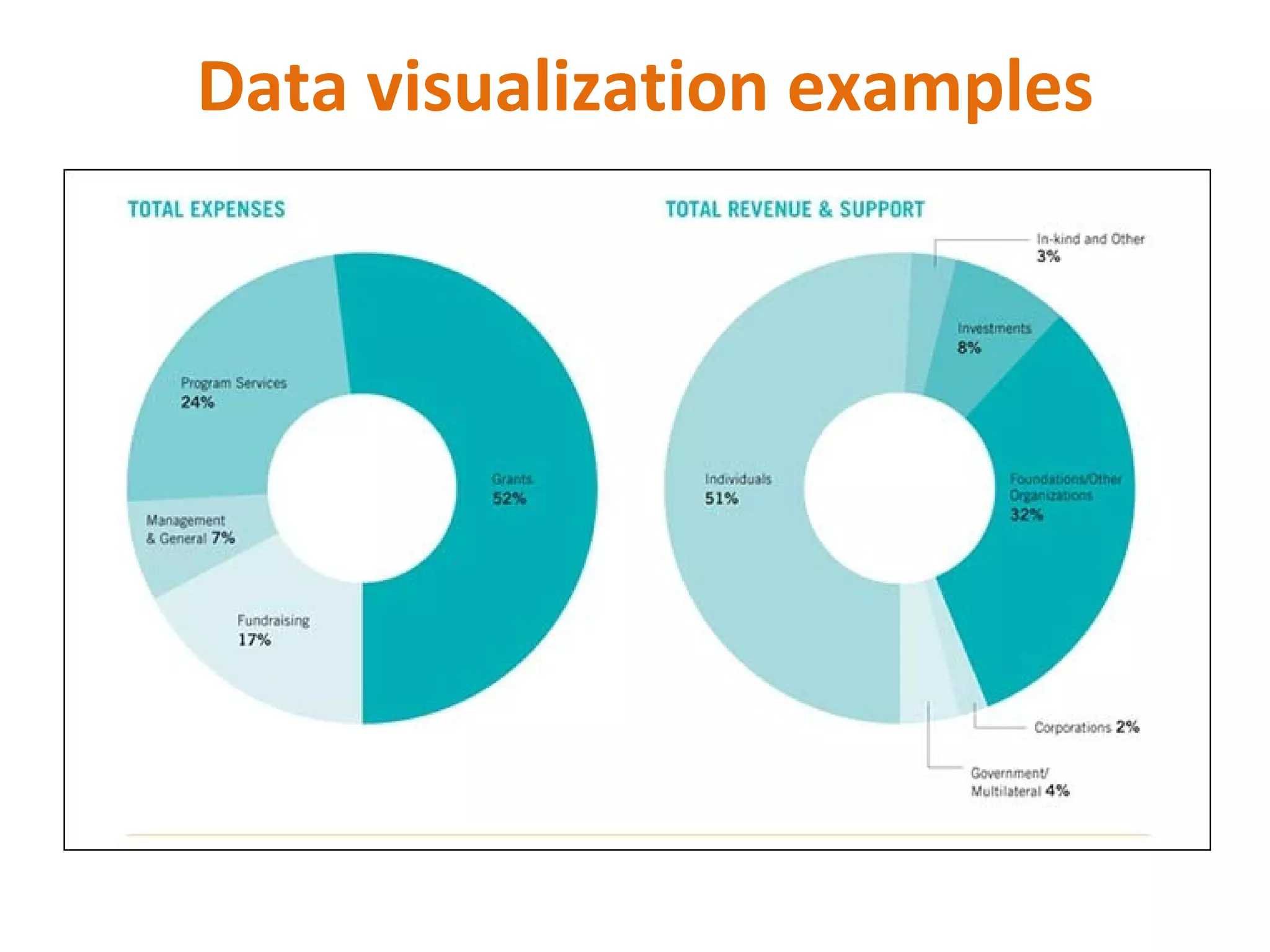
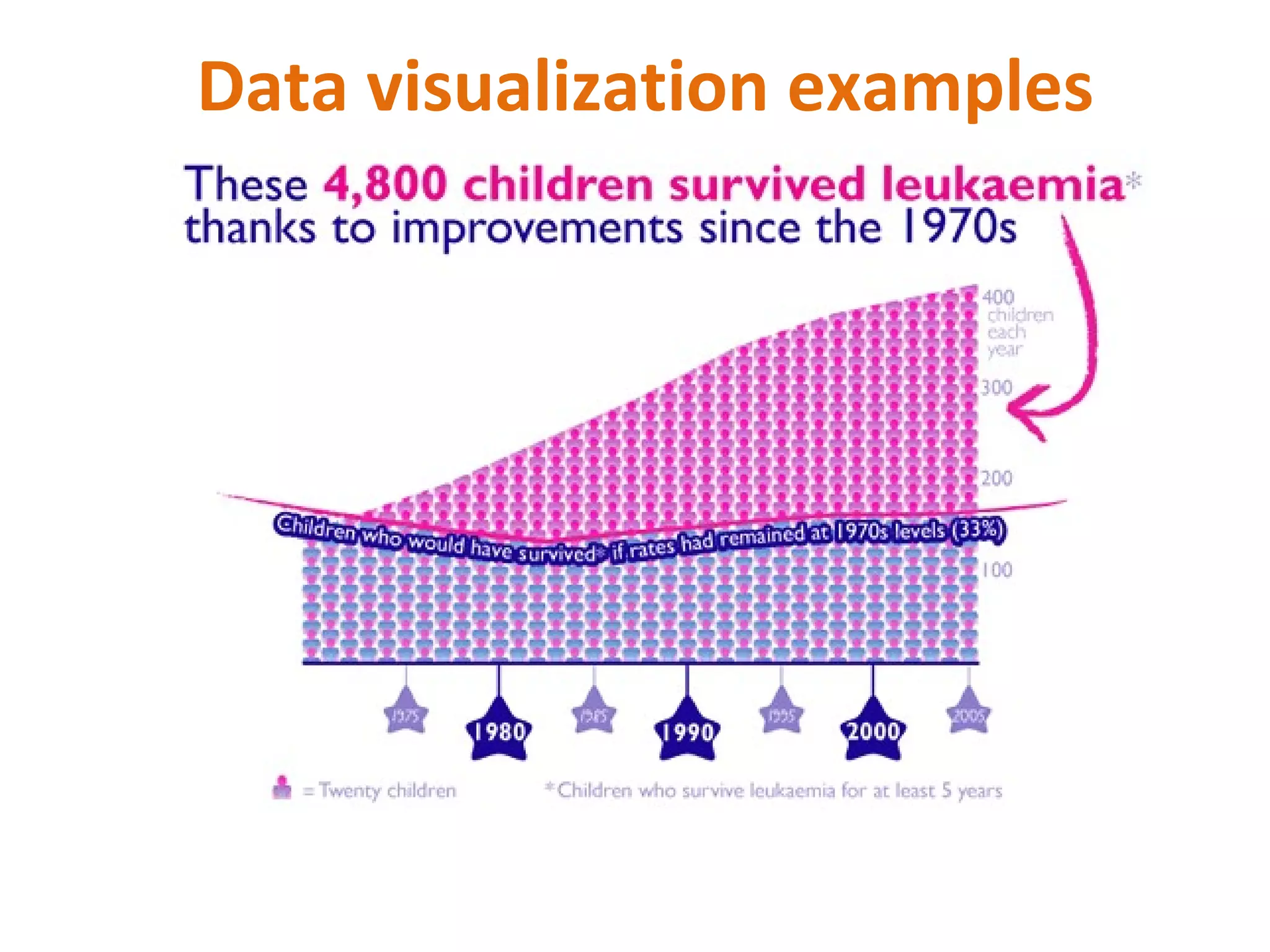
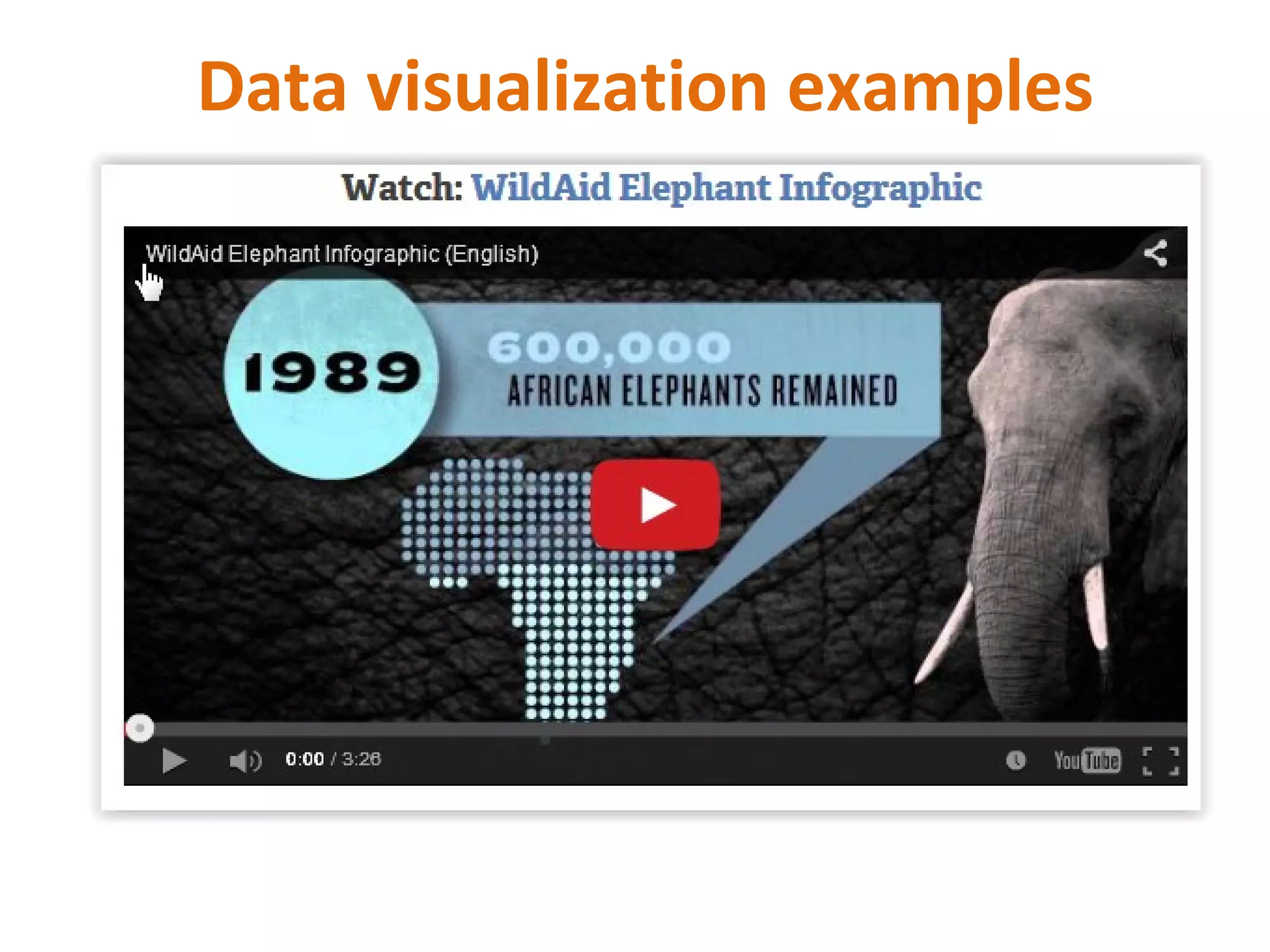
Data visualization examples
Data visualization in WordPress
Resources
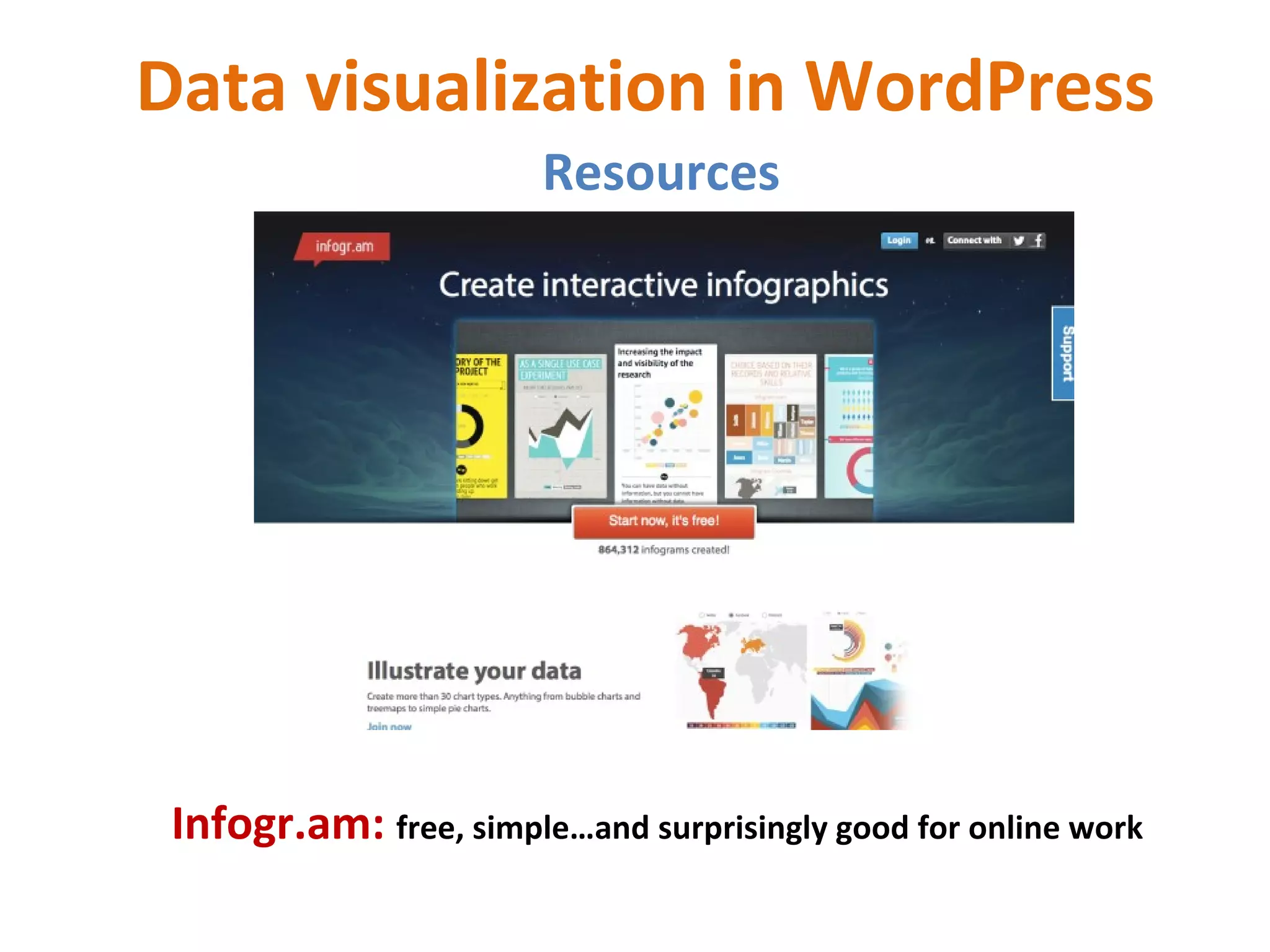
Infogr.am: free, simple…and surprisingly good for online work
Data visualization in WordPress
Resources
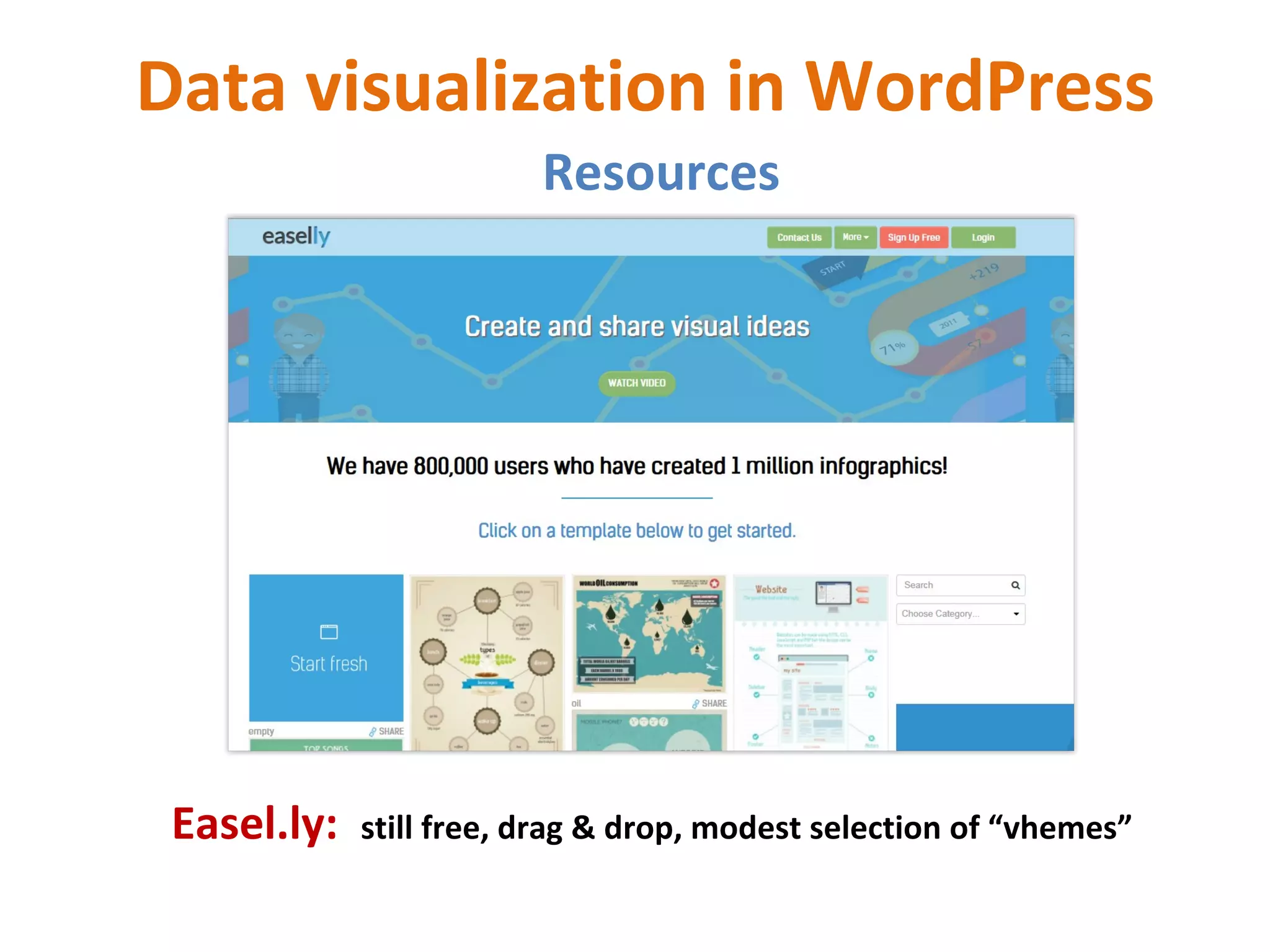
Easel.ly: still free, drag & drop, modest selection of “vhemes”
Data visualization in WordPress
Resources
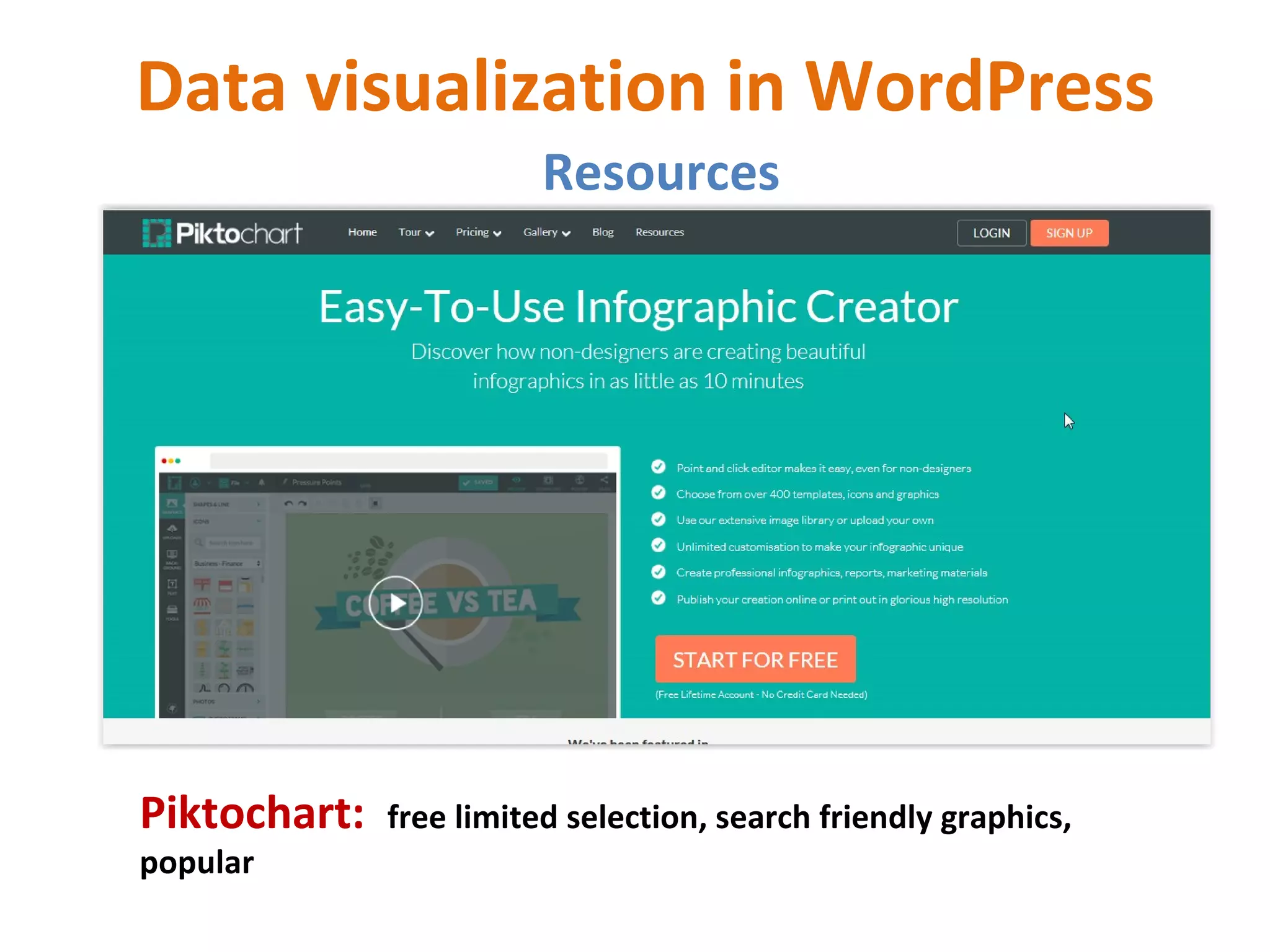
Piktochart: free limited selection, search friendly graphics,
popular
Data visualization in WordPress
Resources
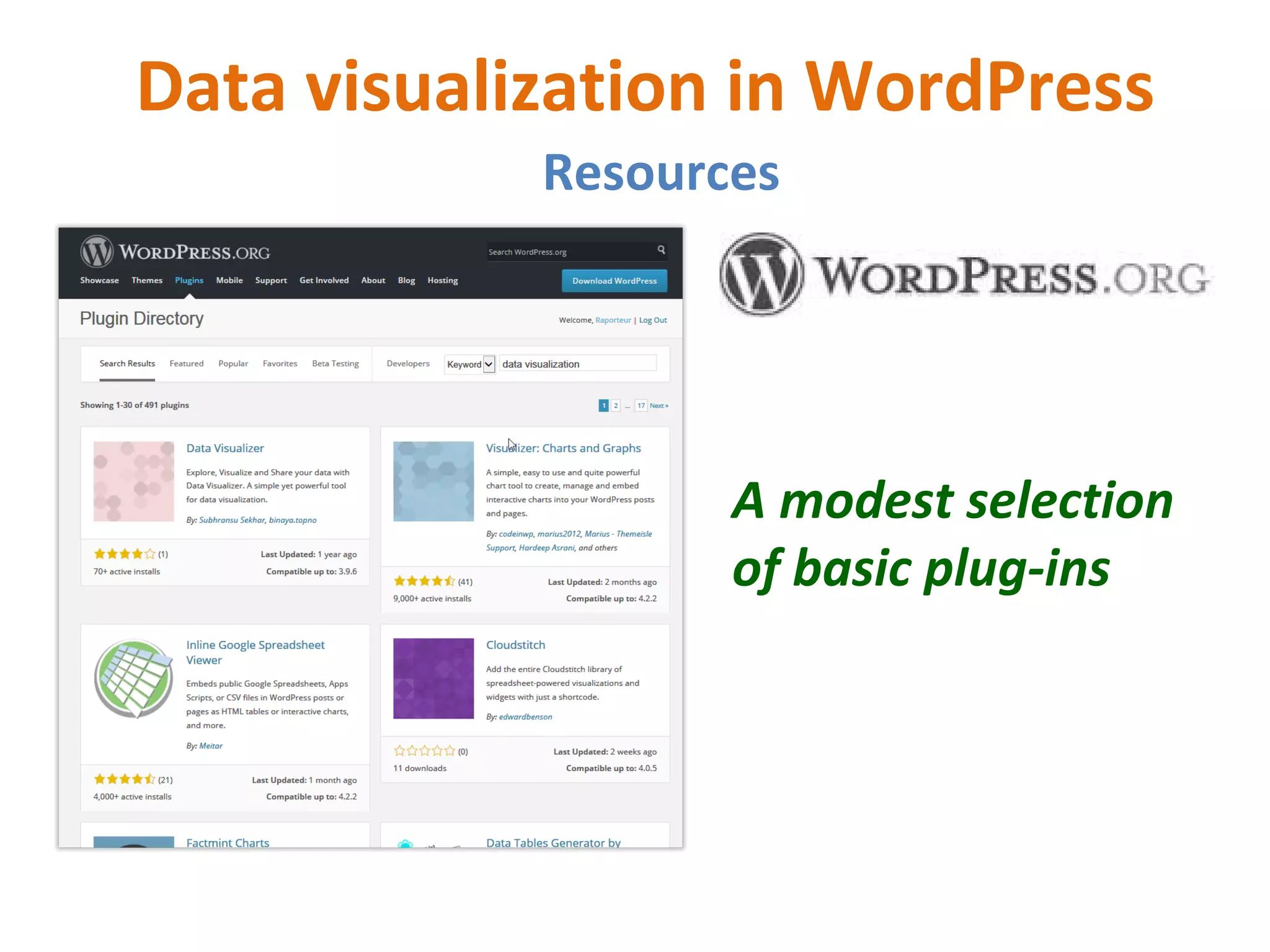
A modest selection
of basic plug-ins
A word about nonprofit blogging
What’s to say?
…This is…
Online newsrooms and contact
Essential for nonprofit websites!!!!!
( So why are they commonly missing…or hidden? )
Newsrooms: for media…and all stakeholders.
•Current news, alerts, and releases
•All forms of media
•Fact sheet
•Background on organization management
•Financials
•Infographics
•News coverage archive
Online newsrooms and contact
Essential for nonprofit websites!!!!!
(Why is this stuff often hard to find? )
Contact: for media…funders, and supporters.
•Media contact (yeah…it needs to be 24 hours.)
•Development contact
•Office addresses & phones (maps are good)
•Hours of operation
WordPress makes all this easy. Do it!!!
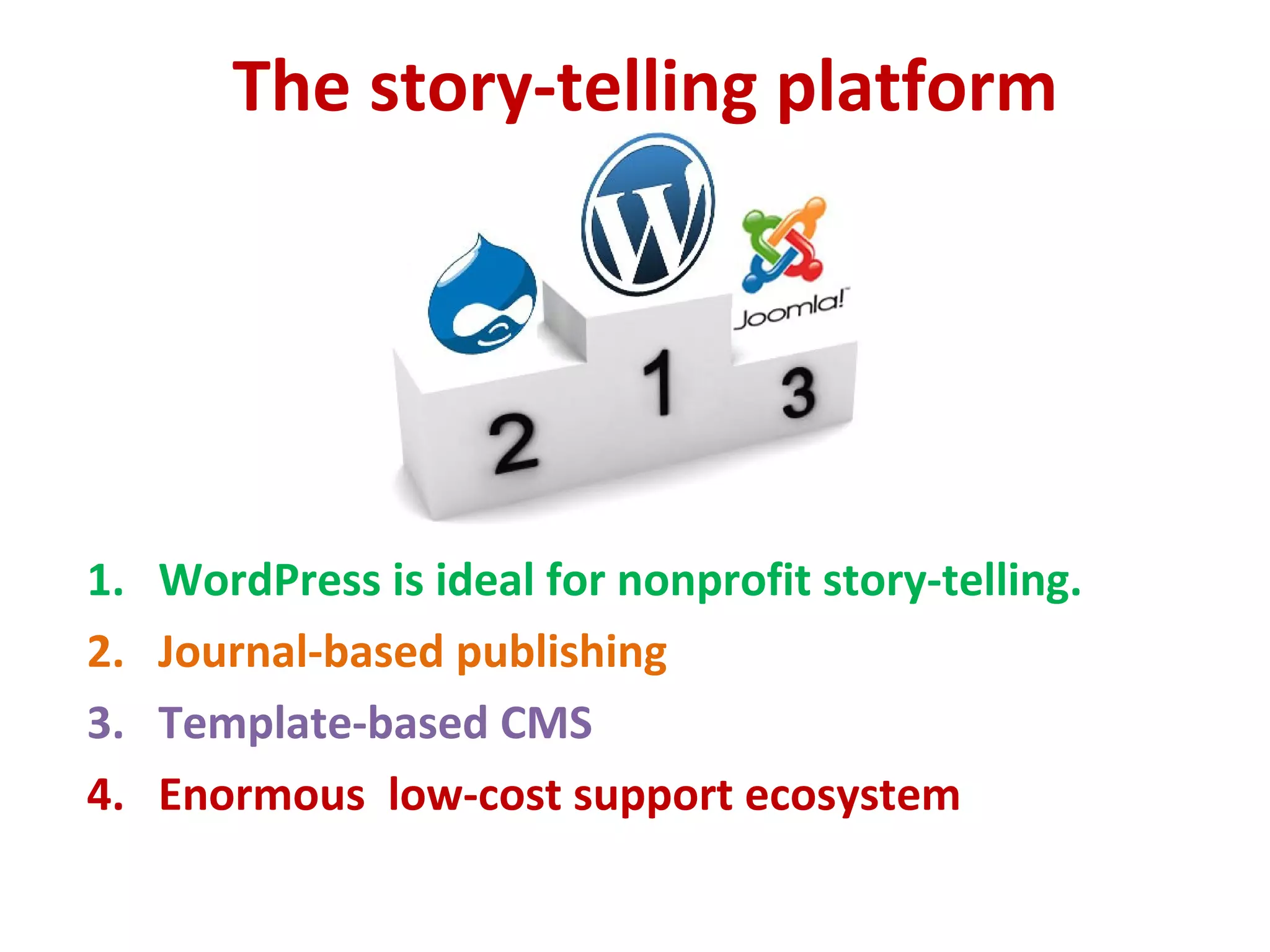
The story-telling platform
1. WordPress is ideal for nonprofit story-telling.
2. Journal-based publishing
3. Template-based CMS
4. Enormous low-cost support ecosystem
Discussion
1. When should a nonprofit handle things internally?
2. When should it seek outside expertise?
3. HTML and CSS education?
4. Who should “own” the site?
5. Other thoughts?
Get it done!!!
Thanks!!
Michael McWilliams
Encore Fellow in nonprofit capacity building
michael@rapporteur-global.com
mctech@comcast.net
@MMcWilliams

Mission based WordPress - WordCamp Rhode Island

  • 1.
    Mission-based WordPress WordCamp RhodeIsland 2015 Michael McWilliams Encore Fellow in nonprofit capacity building
  • 2.
    The agenda 1. WordPressin nonprofit work 2. Compelling elements 3. Landing pages 4. Online fundraising 5. Data visualization 6. Newsrooms and contact 7. Story-telling platform 8. Discussion
  • 3.
    For each topic 1.Best website practices for nonprofits 2. How to handle them in WordPress 3. Some useful resources to check out
  • 4.
    Most nonprofits need… 1. Easy management 2. Modest learning curve 3. Power, scalablity 4. Reliable support 5. Mobile 6. Low-cost!!! A job for a familiar open source solution?
  • 5.
    WP basic bestpractice for NP 1. Get the board onboard 2. Explore the ecosystem 3. Approach as CMS 4. Dedicate staff 5. Build fundraising into basic design 6. Integrate social media smoothly 7. Keep things current
  • 6.
    Good general WPresources for NP • wordpress.org / wordpress.com • wpbeginner • Lynda • WPKube • Smashing Magazine • Speckyboy • Elegant Themes • WPexplorer • Google….
  • 7.
    Compelling elements A goodnonprofit website…. • Engaging homepage • Clear navigation • Up-to-date • Simple language • Mix of images and media • Quick access to critical information for supporters and stakeholders.
  • 8.
    Compelling elements A GREATnonprofit website.…. 1. Relates to its audience 2. Generates a powerful first impression 3. Makes the mission clear 4. Connects solutions to problems 5. Has elegant navigation …and..
  • 9.
    Compelling elements …A GREATnonprofit website also.… 6. Calls boldly to action 7. Offers useful infographics 8. Is current…and urgent 9. Plays well with social media. 10. Uses media appropriately.
  • 10.
    Compelling elements WordPress isa platform for all that: •Vast array of plug-ins •Journal-based posts for news •Pages for core information •Themes make it look good •Mobile-ready •Largely bug-free social integration
  • 11.
  • 12.
  • 13.
  • 14.
  • 15.
  • 16.
  • 17.
  • 18.
  • 19.
    Landing page strategies •Distinct from a home page • Specific purpose: engage • Campaigns, initiatives, offers • Simple, elegant, striking • Call to action • Mobile
  • 20.
    Nonprofit landing pages… •Build mailing lists - “squeeze pages” • Recruit members • Fundraising campaigns • Issue advocacy • Events • Big news • Response to online action
  • 21.
  • 22.
  • 23.
  • 24.
  • 25.
  • 26.
    Guidelines for NPlanding pages… • Stick to the single point • Brand…but be distinct • Ask only for essentials.. • Be clear • Use minimal (or no) menu • Go long when the “ask’ is substantial • Go short for “squeeze pages”
  • 27.
    WordPress landing pagetools 1. Special templates 2. Plug-ins 3. Built into themes Everywhere…
  • 28.
    Online fundraising inWordPress A general summary of website best practices… 1. Embed the process 2. Mobile…and bulletproof 3. Button on every page 4. Optimize thank-you pages 5. Strategically synch with social media
  • 29.
    Online fundraising inWordPress • Calls to action • Polls • Other ways to get involved • Thank-you video • Social network sharing Optimize the thank-you page…
  • 30.
  • 31.
  • 32.
  • 33.
    Online fundraising inWordPress • Wide array of plug-ins & themes • Works w. PayPal, Network for Good, Razoo etc. • Integration with Blackbaud and Salesforce • Open source development of API’s Platform strengths…
  • 34.
    Online fundraising inWordPress Resources …
  • 35.
  • 36.
  • 37.
    Data visualization inWordPress Guidelines for navigating all that advice… 1. Answer the question? 2. Test to be sure 3. Avoid 3D and stacked charts 4. Maps are cool…even cooler when interactive 5. Infographics tell stories (need reality checks) 6. The goal: new insights
  • 38.
  • 39.
  • 40.
  • 41.
  • 42.
  • 43.
    Data visualization inWordPress Resources Infogr.am: free, simple…and surprisingly good for online work
  • 44.
    Data visualization inWordPress Resources Easel.ly: still free, drag & drop, modest selection of “vhemes”
  • 45.
    Data visualization inWordPress Resources Piktochart: free limited selection, search friendly graphics, popular
  • 46.
    Data visualization inWordPress Resources A modest selection of basic plug-ins
  • 47.
    A word aboutnonprofit blogging What’s to say? …This is…
  • 48.
    Online newsrooms andcontact Essential for nonprofit websites!!!!! ( So why are they commonly missing…or hidden? ) Newsrooms: for media…and all stakeholders. •Current news, alerts, and releases •All forms of media •Fact sheet •Background on organization management •Financials •Infographics •News coverage archive
  • 49.
    Online newsrooms andcontact Essential for nonprofit websites!!!!! (Why is this stuff often hard to find? ) Contact: for media…funders, and supporters. •Media contact (yeah…it needs to be 24 hours.) •Development contact •Office addresses & phones (maps are good) •Hours of operation WordPress makes all this easy. Do it!!!
  • 50.
    The story-telling platform 1.WordPress is ideal for nonprofit story-telling. 2. Journal-based publishing 3. Template-based CMS 4. Enormous low-cost support ecosystem
  • 51.
    Discussion 1. When shoulda nonprofit handle things internally? 2. When should it seek outside expertise? 3. HTML and CSS education? 4. Who should “own” the site? 5. Other thoughts?
  • 52.
    Get it done!!! Thanks!! MichaelMcWilliams Encore Fellow in nonprofit capacity building michael@rapporteur-global.com mctech@comcast.net @MMcWilliams

Editor's Notes

  • #3 An overview on WordPress as a tool for nonprofits -- with a special focus on using the platform to build-out organizational capacity for a robust, vibrant online presence. Will briefly cover some of the more exciting new tools that enable nonprofit staff to develop and manage functional websites for their organizations...and when it might be a good idea to seek out specialized help.Areas to be covered include:* Landing page strategies* Using the web to provide a a compelling overview of the organization and its work.* Tools for integrating online fundraising into WordPress sites.* Ideas for presenting outcomes, metrics, and financial information online.* Different approaches to WordPress blogging for nonprofits.* The critical requirements: online newsrooms and contact information.* WordPress as an excellent "story" platform ...and approaches to presenting factual context in meaningful, engaging ways.That's a lot for a 45 minute session...so the emphasis will be on two things:1) References and recommendations for getting more information.2) Low cost, high functionality.# # #
  • #13 .
  • #27 10 tips for charity landing page optimisation Whether you are driving a handful of visitors or significant traffic for a campaign from emails, online adverts, SEO, social media or offline activity, you still need to ensure that you have an optimised landing page to increase the chances of converting your website visitors. Your marketing campaigns will be driving traffic from a variety of sources, but once you have got visitors to your site the hard work is not over. You now need to convince them that your offer/request is for them and that they should continue to engage with you on your website, and ultimately complete the goals you have set. Anatomy of a landing page Let's start by looking at a basic landing page layout. Calls to action (CTA) - You should have one or two calls to action. More than this and visitors will get confused and not chose any. If you have the right tools and integration, such as linking your Customer Relationship Management system (CRM) to your Content Management System (CMS), you can provide tailored call to actions based on individual's past interaction. Consistent branding- Keep a consistent look and feel across adverts, social media and emails, a CMS is useful for this. Content - If it is relevant, put it in the many body. Don't have anything in the side columns. Keep the most important section at the top. Design - Consider your use of colour/typography/images/whitespace to give a balanced presentation. Images are often good, but should not compete with content and calls to action. Navigation - Reduce the navigation options, but don't leave visitors at a dead end. 10 tips for landing page success Now you have an understanding of some of the elements of a landing page, here are ten tips to help you optimise it. 1. Match campaign objectives to landing page content This is obvious but worth noting. If you want people to sign-up to your event; have that as the main content. You can then track the number of sign-ups over a given period to match against objectives set at the beginning of the campaign. 2. Your homepage is not a landing page It is easy to think your homepage is a landing page, but it is not. Your homepage is the entry to all your services and offers. Landing page visitors will be expecting specific information as signposted in your initial call-to-action. They won't bother to navigate to find it, they will leave the site immediately (bounce). 3. Intelligent forms Use good quality, well designed forms. Ensure users can tab between fields, sign-post mandatory fields, and give sensible feedback for missing data. Only ask for what you need. For an email sign-up just ask for name and email address. 4. Tailoring content and donation request If you have segmented your supporters to where they are in the donor life cycle (for example small cash donor, large cash donor, small direct debit donor, large direct debit donor), make sure your landing pages acknowledge this with the copy and gift array. For example, if you want to move donors from large cash donors to direct debit donors, thank them for their support in the past and offer a suitable gift array such as setting up a direct debit for monthly donations of £30 (a figure near their last donation), as well as options to increase the amount (£40 and £50). If they are yet to donate or have only donated small amounts, they may need more reassurance that the cause is relevant to them and how you will spend their money, known as your donor promise. Whatever aspects you segment on, ensure that the landing page message is correct for the audience and not generic. Use CRM segmetation with your email campaigns for optimum success.  5. Set expectations and deliver against them Your traffic driver should set expectations for visitors, so that they know what is going to be on the landing page. For example, if you have an advert that says "click here to watch video", then there should be a video to watch at the top of the landing page (above the fold). This seems obvious but is not always followed through. 6. Visitor journey Think about the narrative and take your visitors on a journey. The journey starts with your initial marketing piece, such as an email, takes them to the landing page and then to the goal you have set. You are the story writer, so you set the journey you want them to experience. 7. Don't confuse your audience Keep your landing page clean and to the point. Don't distract with conflicting calls to action. The point of the landing page is to convert visitors. If they don't understand what they are supposed to do, they will just start browsing your site or leave altogether. 8. Long or short copy There are two basic landing page copy formats: long copy and short copy. Each has its own benefits and uses. Short copy is better for capturing email or fundraising event sign-ups. Long copy is better when the cost of what you are selling, the perceived risk, the required commitment and motivation needed are all high, such as when trying to get potential donors to commit to direct debt donations. 9. Donor promise I believe all charities need to build trust that will maintain the "donor promise" on what will be delivered. i.e. what you promise to do with a supporters donation is to include the percentage that is spent on administration and the percentage that goes to the cause. The donor promise should be easy to find, sign-posted and promoted. As well as a clear and simple statement, further trust can be built with evidence. This should include case studies of the charity's work in action, testimonials from recipients of assistance and reports and videos on project successes. 10. Testing Pre-launch Once you have created your landing page check to ensure: There is a clear focused message The message follows on from the traffic driver There are not distractions (navigation or confusing calls to action ) The main message is above the fold Post-launch Once the page is live, monitor results with analytics and continue to refine the content and copy. Conclusion Creating and maintaining optimised landing page is a continual, technical process. A Content Management system will help keep the content consistent and up-to-date but much of the creative and conceptual elements will need to be planned and researched in order to gain the required conversions. Find out more GOSS are hosting the "Click here to donate" workshop at the Third Sector Digital Communications and Social Media Convention . As key sponsors of the event, GOSS can offer a  on attending the event.
  • #28 10 tips for charity landing page optimisation Whether you are driving a handful of visitors or significant traffic for a campaign from emails, online adverts, SEO, social media or offline activity, you still need to ensure that you have an optimised landing page to increase the chances of converting your website visitors. Your marketing campaigns will be driving traffic from a variety of sources, but once you have got visitors to your site the hard work is not over. You now need to convince them that your offer/request is for them and that they should continue to engage with you on your website, and ultimately complete the goals you have set. Anatomy of a landing page Let's start by looking at a basic landing page layout. Calls to action (CTA) - You should have one or two calls to action. More than this and visitors will get confused and not chose any. If you have the right tools and integration, such as linking your Customer Relationship Management system (CRM) to your Content Management System (CMS), you can provide tailored call to actions based on individual's past interaction. Consistent branding- Keep a consistent look and feel across adverts, social media and emails, a CMS is useful for this. Content - If it is relevant, put it in the many body. Don't have anything in the side columns. Keep the most important section at the top. Design - Consider your use of colour/typography/images/whitespace to give a balanced presentation. Images are often good, but should not compete with content and calls to action. Navigation - Reduce the navigation options, but don't leave visitors at a dead end. 10 tips for landing page success Now you have an understanding of some of the elements of a landing page, here are ten tips to help you optimise it. 1. Match campaign objectives to landing page content This is obvious but worth noting. If you want people to sign-up to your event; have that as the main content. You can then track the number of sign-ups over a given period to match against objectives set at the beginning of the campaign. 2. Your homepage is not a landing page It is easy to think your homepage is a landing page, but it is not. Your homepage is the entry to all your services and offers. Landing page visitors will be expecting specific information as signposted in your initial call-to-action. They won't bother to navigate to find it, they will leave the site immediately (bounce). 3. Intelligent forms Use good quality, well designed forms. Ensure users can tab between fields, sign-post mandatory fields, and give sensible feedback for missing data. Only ask for what you need. For an email sign-up just ask for name and email address. 4. Tailoring content and donation request If you have segmented your supporters to where they are in the donor life cycle (for example small cash donor, large cash donor, small direct debit donor, large direct debit donor), make sure your landing pages acknowledge this with the copy and gift array. For example, if you want to move donors from large cash donors to direct debit donors, thank them for their support in the past and offer a suitable gift array such as setting up a direct debit for monthly donations of £30 (a figure near their last donation), as well as options to increase the amount (£40 and £50). If they are yet to donate or have only donated small amounts, they may need more reassurance that the cause is relevant to them and how you will spend their money, known as your donor promise. Whatever aspects you segment on, ensure that the landing page message is correct for the audience and not generic. Use CRM segmetation with your email campaigns for optimum success.  5. Set expectations and deliver against them Your traffic driver should set expectations for visitors, so that they know what is going to be on the landing page. For example, if you have an advert that says "click here to watch video", then there should be a video to watch at the top of the landing page (above the fold). This seems obvious but is not always followed through. 6. Visitor journey Think about the narrative and take your visitors on a journey. The journey starts with your initial marketing piece, such as an email, takes them to the landing page and then to the goal you have set. You are the story writer, so you set the journey you want them to experience. 7. Don't confuse your audience Keep your landing page clean and to the point. Don't distract with conflicting calls to action. The point of the landing page is to convert visitors. If they don't understand what they are supposed to do, they will just start browsing your site or leave altogether. 8. Long or short copy There are two basic landing page copy formats: long copy and short copy. Each has its own benefits and uses. Short copy is better for capturing email or fundraising event sign-ups. Long copy is better when the cost of what you are selling, the perceived risk, the required commitment and motivation needed are all high, such as when trying to get potential donors to commit to direct debt donations. 9. Donor promise I believe all charities need to build trust that will maintain the "donor promise" on what will be delivered. i.e. what you promise to do with a supporters donation is to include the percentage that is spent on administration and the percentage that goes to the cause. The donor promise should be easy to find, sign-posted and promoted. As well as a clear and simple statement, further trust can be built with evidence. This should include case studies of the charity's work in action, testimonials from recipients of assistance and reports and videos on project successes. 10. Testing Pre-launch Once you have created your landing page check to ensure: There is a clear focused message The message follows on from the traffic driver There are not distractions (navigation or confusing calls to action ) The main message is above the fold Post-launch Once the page is live, monitor results with analytics and continue to refine the content and copy. Conclusion Creating and maintaining optimised landing page is a continual, technical process. A Content Management system will help keep the content consistent and up-to-date but much of the creative and conceptual elements will need to be planned and researched in order to gain the required conversions. Find out more GOSS are hosting the "Click here to donate" workshop at the Third Sector Digital Communications and Social Media Convention . As key sponsors of the event, GOSS can offer a  on attending the event.
  • #44 2Infogr.am is free, and free is good. It’s a popular platform that has seen more than 800,000 infographics created to-date. Infogr.am is nice and simple, but the features it does have are power-packed. For instance, you can make more than 30 different types of charts (compared to 11 in Excel). Speaking of Excel, Infogr.am’s built-in spreadsheet editor makes editing data easy and enables importing of XLS and CSV files. One of its best features is the ability to download files in PNG or PDF format. This is perfect for including the infographic in a presentation or emailing itto a colleague. Many people will like the fact that you can publish your infographic online, which makes it sharable and embeddable. If your data is sensitive, give it a password and a private link. Infogr.am is far and away my favorite online infographics editor.
  • #45 2Like InfoActive, Easel.ly is currently in beta. Easel.ly also takes a theme-based, drag-and-drop WYSIWYG approach to infographic creation, but it comes loaded with a modest selection of just 10 “vhemes” (visual themes). Easel.ly sets itself apart by making it easy to insert a selection of objects from categories as varied as people, banners, icons, animals and nature (among others). While the current theme selection is a bit limited, people who enjoy the platform and interface can completely customize their infographics through the upload feature.
  • #46 2For $29 a month, Piktochart gives you access to a WYSIWYG editor that will let you drag and drop elements to create an infographic. Some 300,000 users strong, including clients such as Harvard University, Red Bull and GE, Piktochart has built that following on the back of more than 90 included themes. But from a design standpoint, many of those themes are decent, but others are mundane or downright bad. As with Infogr.am, you can share your creations via social networks or download print-quality files. If you like the Piktochart editor - which is free to try - you may find the service worth paying for. One nice bonus: In the latest version, Piktochart lets users create search friendly graphics!
  • #47 2For $29 a month, Piktochart gives you access to a WYSIWYG editor that will let you drag and drop elements to create an infographic. Some 300,000 users strong, including clients such as Harvard University, Red Bull and GE, Piktochart has built that following on the back of more than 90 included themes. But from a design standpoint, many of those themes are decent, but others are mundane or downright bad. As with Infogr.am, you can share your creations via social networks or download print-quality files. If you like the Piktochart editor - which is free to try - you may find the service worth paying for. One nice bonus: In the latest version, Piktochart lets users create search friendly graphics!
  • #52 2An overview on WordPress as a tool for nonprofits -- with a special focus on using the platform to build-out organizational capacity for a robust, vibrant online presence. Will briefly cover some of the more exciting new tools that enable nonprofit staff to develop and manage functional websites for their organizations...and when it might be a good idea to seek out specialized help.Areas to be covered include:* Landing page strategies* Using the web to provide a a compelling overview of the organization and its work.* Tools for integrating online fundraising into WordPress sites.* Ideas for presenting outcomes, metrics, and financial information online.* Different approaches to WordPress blogging for nonprofits.* The critical requirements: online newsrooms and contact information.* WordPress as an excellent "story" platform ...and approaches to presenting factual context in meaningful, engaging ways.That's a lot for a 45 minute session...so the emphasis will be on two things:1) References and recommendations for getting more information.2) Low cost, high functionality.# ##