How to Turn Your Nonprofit
WordPress Website into a
Fundraising Tool
Andy Stitt
WordCamp Philly
October 5, 2019
You can find these slides at:
https://andystitt.com/19wcphilly
About Andy
● Worked in the nonprofit world for 15 years
● Most recently WordPress website manager for the Jewish Federation
of Greater Philadelphia
● Runner of races
● Listener of 90’s hip-hop
Agenda
● How to get people to your donation page
● How to receive donations
● What to do after you receive donations
How to get people to your
donation page
Make it easy for people to find things
● Information architecture = how information is organized on your
website
● Make it easy for people to find out what you do
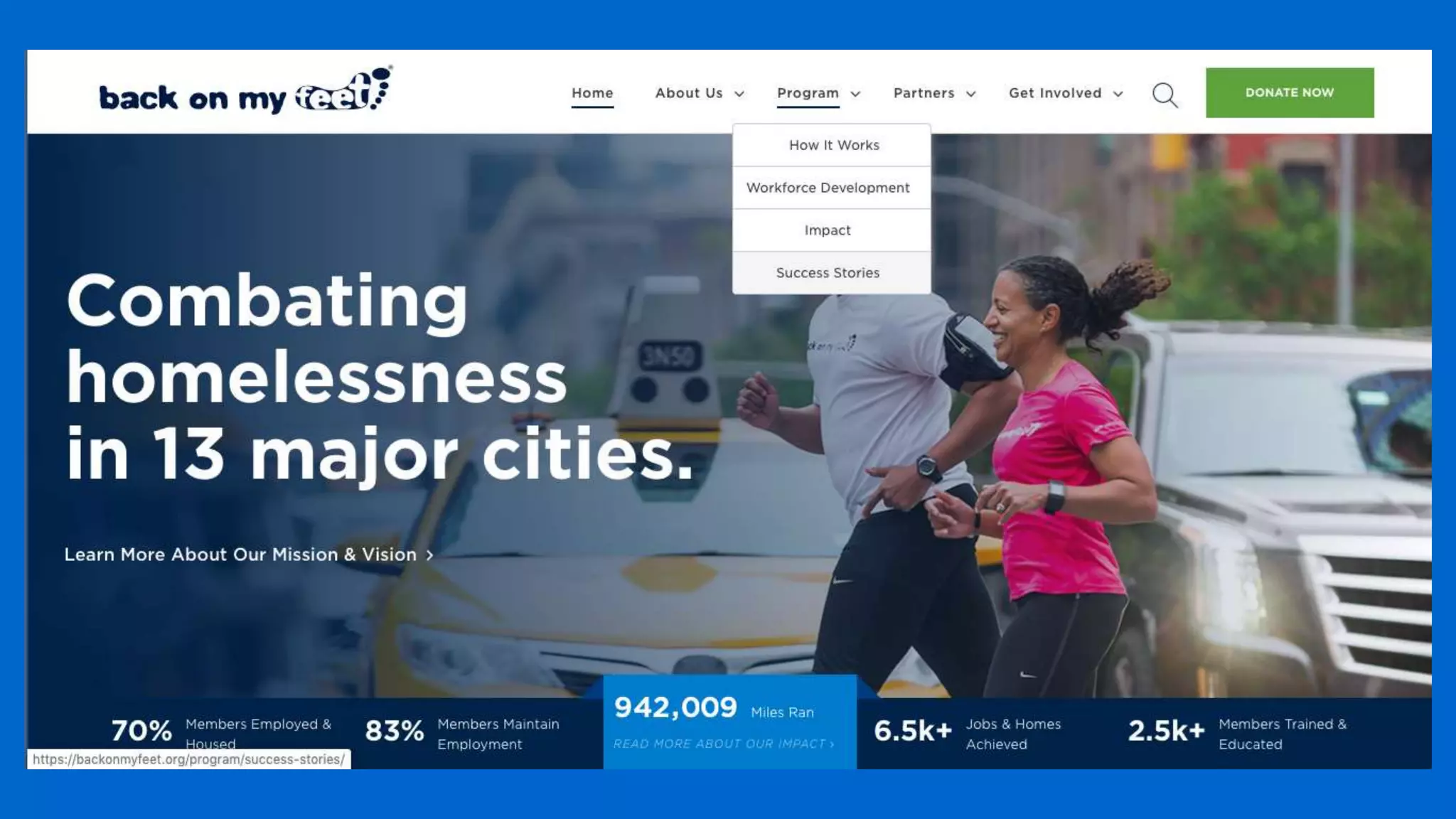
○ Navigation bar with clearly defined sections
● Make it easy for people to donate
○ Donation button on every page
Storytelling
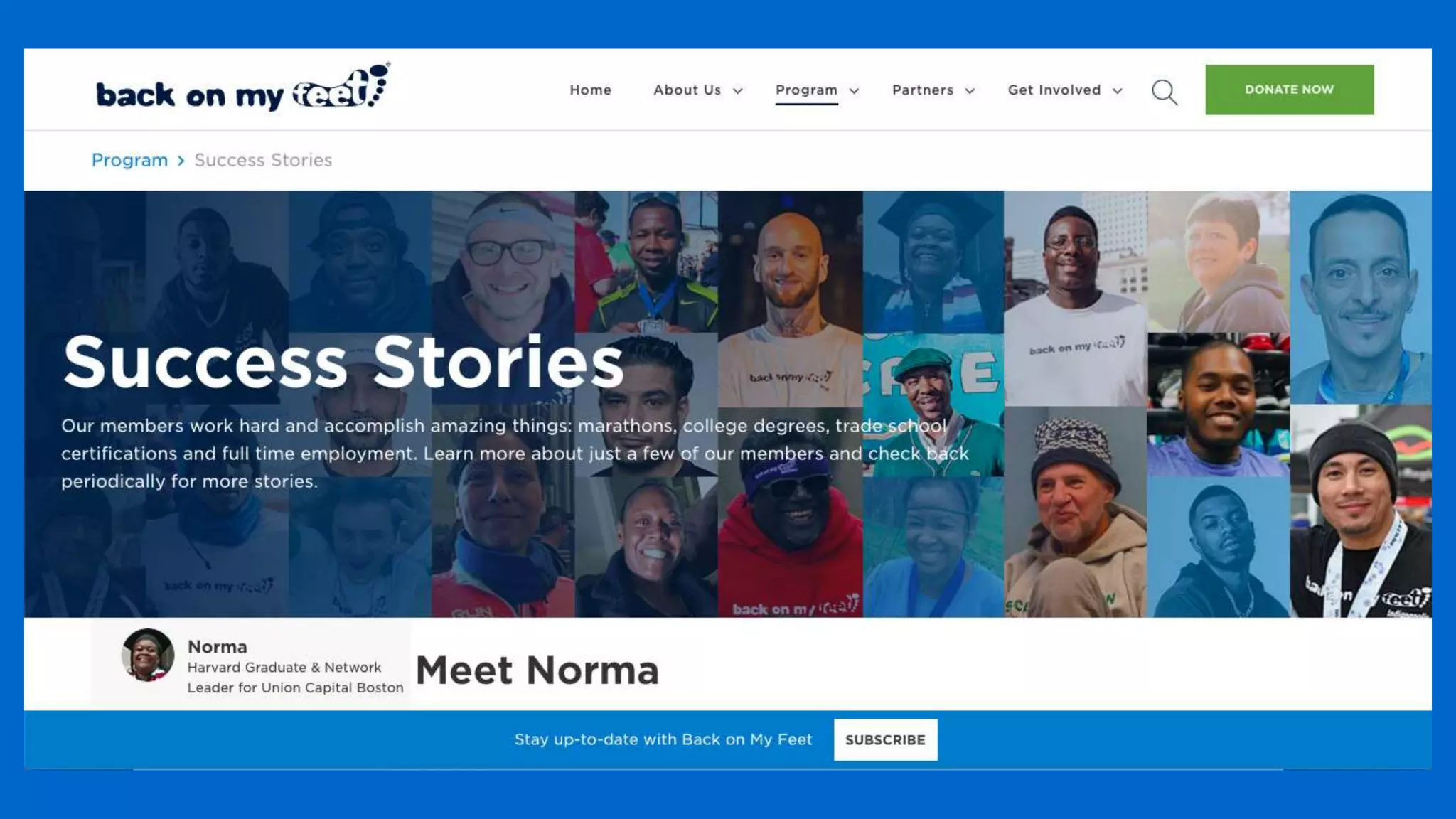
● Telling stories about your impact
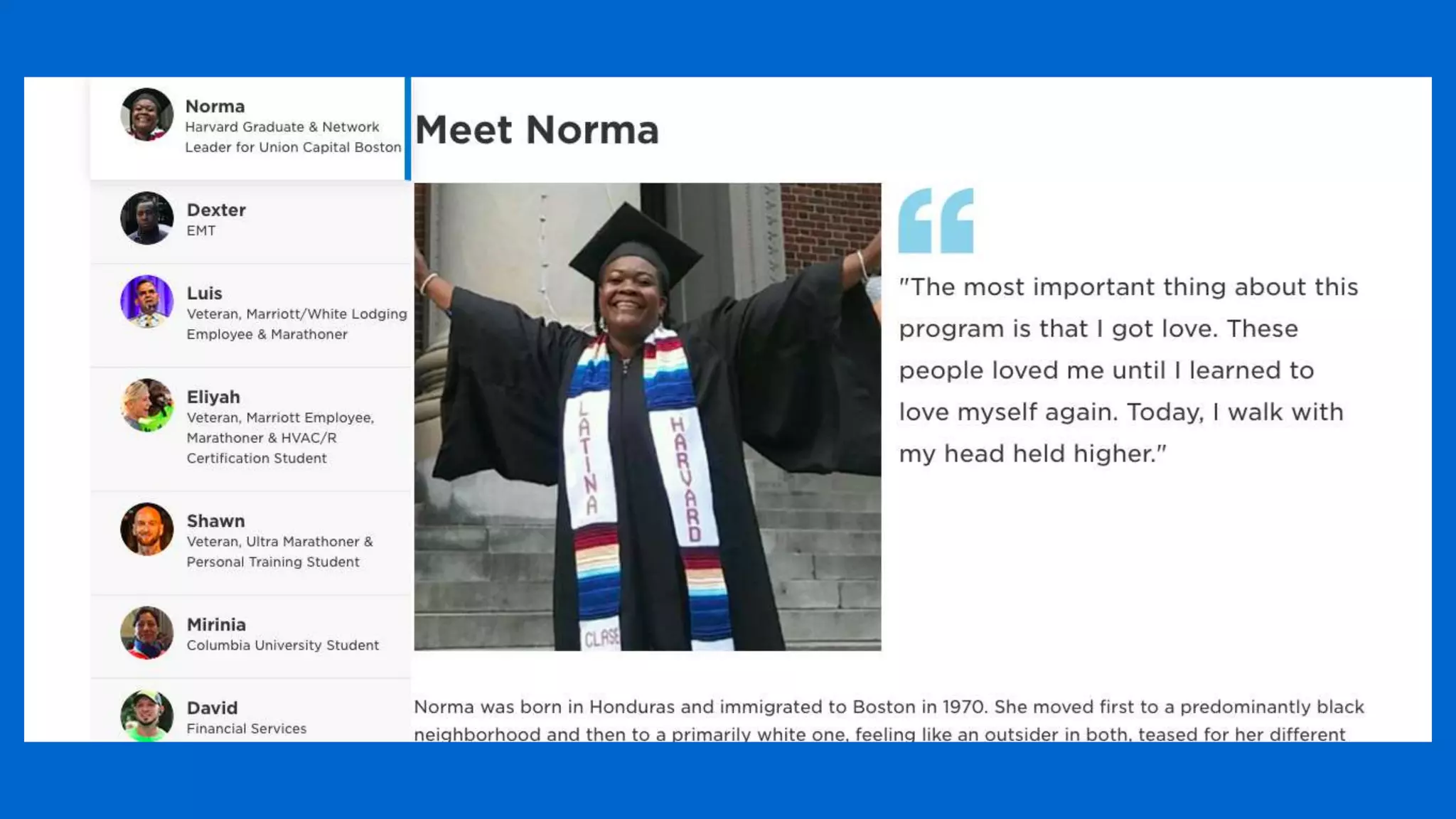
● Individuals telling stories of how their lives were changed
● Stories where the donor is the hero
● “Here’s how your gift made a difference”
How important is storytelling?
● Stories motivate people to take action
● Actions include:
○ Volunteering
○ Signing up for your mailing list
○ And most importantly: donating!
Storytelling with WordPress
● Stories can go on posts and pages
● Stories typically go on your blog
● Turn your blog into a story repository
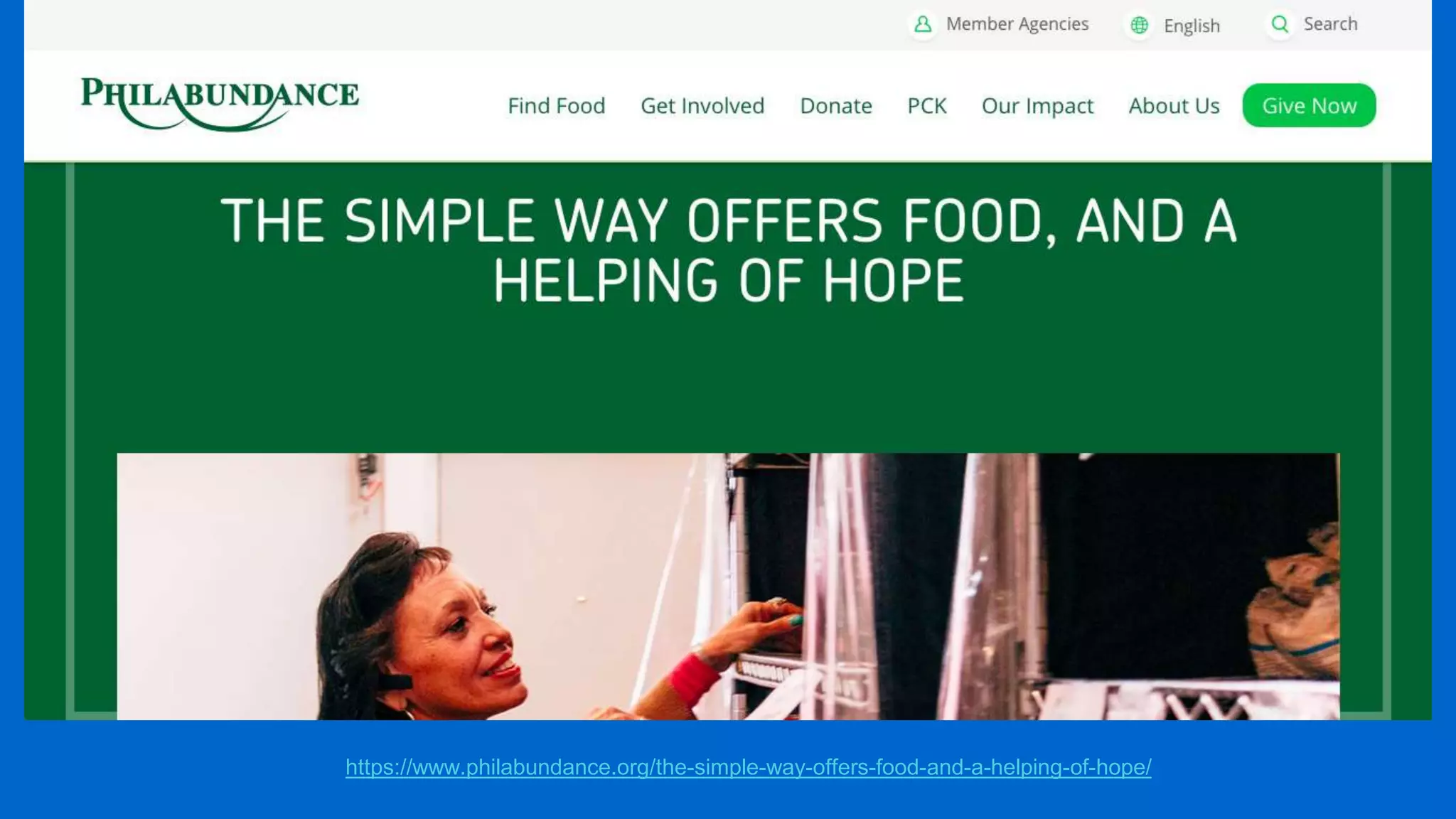
Make your stories compelling
● Write compelling copy
● Use compelling images and videos
● Clear calls to action on all pages, including donate buttons wherever
possible
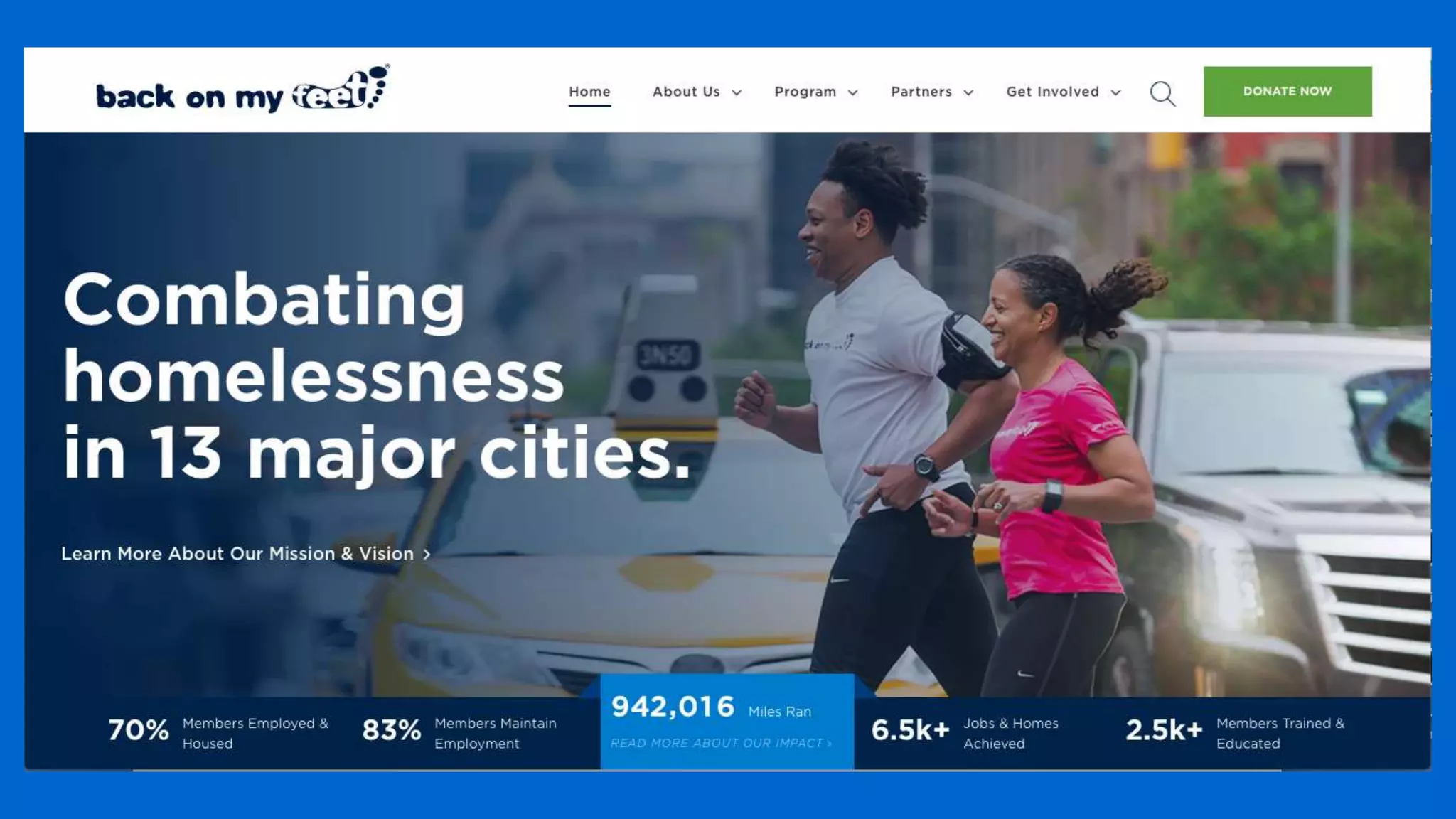
https://www.philabundance.org/the-simple-way-offers-food-and-a-helping-of-hope/
Promote your stories to your audience
● Existing donors
● Email list
● Social media following
● Paid social media and search engine ads
Fundraising events
● Donor receptions
● Events for donor prospects
● Use an event management plugin to advertise and collect sign-ups
Recommended plugin:
The Events Calendar
● https://theeventscalendar.com/
● Free with optional paid upgrades
● Integrates with Eventbrite (paid upgrade)
● Used on over 700,000 websites (as of today)
How to receive donations
WordPress plugins to collect donations
● Gravity Forms - form plugin
● Formidable Forms - form plugin
● Ninja Forms - form plugin
● GiveWP - form plugin and donor management suite
How to evaluate form plugins
● Features
● Ease of use
● Connection to your payment processor
● Connection to your donor database/CRM
● Your budget
Payment processors
● PayPal
● Authorize.net
● Stripe
● Many others
SSL certificate
● You need one to collect donations on your website
● Your webhost will provide you with options
● Free ones through Let’s Encrypt
What to do after you
receive donations
Adding/updating donor information
● Direct connection of WordPress to your donor database/CRM
● Exporting data out of WordPress and importing it into your donor
database/CRM
● Using WordPress as your donor database
○ GiveWP allows for this option
How to get a donor to give again
● Thank them!
● Use your form plugin or database/CRM to send them an immediate
thank-you email
● Thank them again throughout the year
Follow up regularly with donors
● Send emails telling stories of the impact of their dollars
● Tell them how awesome they are because they give
● Ask them to give again!
● Automate this process wherever you can through marketing/email
automation tools
Where you can find email automation tools
● Email marketing service such as MailChimp or Constant Contact
● Hosted CRM such as Salesforce or HubSpot
● WordPress CRM such as CiviCRM and Groundhogg
● Donor database such as Blackbaud or Salsa
Resources
● NonprofitWP by Mark Root-Wiley
● The Give Blog
Stay in touch
● Twitter: @andystitt829
● LinkedIn: https://www.linkedin.com/in/andrewstitt
● Email: andy@andystitt.com
● https://andystitt.com

How to Turn Your Nonprofit WordPress Website into a Fundraising Tool

  • 1.
    How to TurnYour Nonprofit WordPress Website into a Fundraising Tool Andy Stitt WordCamp Philly October 5, 2019
  • 2.
    You can findthese slides at: https://andystitt.com/19wcphilly
  • 3.
    About Andy ● Workedin the nonprofit world for 15 years ● Most recently WordPress website manager for the Jewish Federation of Greater Philadelphia ● Runner of races ● Listener of 90’s hip-hop
  • 4.
    Agenda ● How toget people to your donation page ● How to receive donations ● What to do after you receive donations
  • 5.
    How to getpeople to your donation page
  • 6.
    Make it easyfor people to find things ● Information architecture = how information is organized on your website ● Make it easy for people to find out what you do ○ Navigation bar with clearly defined sections ● Make it easy for people to donate ○ Donation button on every page
  • 8.
    Storytelling ● Telling storiesabout your impact ● Individuals telling stories of how their lives were changed ● Stories where the donor is the hero ● “Here’s how your gift made a difference”
  • 9.
    How important isstorytelling? ● Stories motivate people to take action ● Actions include: ○ Volunteering ○ Signing up for your mailing list ○ And most importantly: donating!
  • 10.
    Storytelling with WordPress ●Stories can go on posts and pages ● Stories typically go on your blog ● Turn your blog into a story repository
  • 14.
    Make your storiescompelling ● Write compelling copy ● Use compelling images and videos ● Clear calls to action on all pages, including donate buttons wherever possible
  • 15.
  • 16.
    Promote your storiesto your audience ● Existing donors ● Email list ● Social media following ● Paid social media and search engine ads
  • 17.
    Fundraising events ● Donorreceptions ● Events for donor prospects ● Use an event management plugin to advertise and collect sign-ups
  • 18.
    Recommended plugin: The EventsCalendar ● https://theeventscalendar.com/ ● Free with optional paid upgrades ● Integrates with Eventbrite (paid upgrade) ● Used on over 700,000 websites (as of today)
  • 19.
    How to receivedonations
  • 20.
    WordPress plugins tocollect donations ● Gravity Forms - form plugin ● Formidable Forms - form plugin ● Ninja Forms - form plugin ● GiveWP - form plugin and donor management suite
  • 21.
    How to evaluateform plugins ● Features ● Ease of use ● Connection to your payment processor ● Connection to your donor database/CRM ● Your budget
  • 22.
    Payment processors ● PayPal ●Authorize.net ● Stripe ● Many others
  • 23.
    SSL certificate ● Youneed one to collect donations on your website ● Your webhost will provide you with options ● Free ones through Let’s Encrypt
  • 24.
    What to doafter you receive donations
  • 25.
    Adding/updating donor information ●Direct connection of WordPress to your donor database/CRM ● Exporting data out of WordPress and importing it into your donor database/CRM ● Using WordPress as your donor database ○ GiveWP allows for this option
  • 26.
    How to geta donor to give again ● Thank them! ● Use your form plugin or database/CRM to send them an immediate thank-you email ● Thank them again throughout the year
  • 27.
    Follow up regularlywith donors ● Send emails telling stories of the impact of their dollars ● Tell them how awesome they are because they give ● Ask them to give again! ● Automate this process wherever you can through marketing/email automation tools
  • 28.
    Where you canfind email automation tools ● Email marketing service such as MailChimp or Constant Contact ● Hosted CRM such as Salesforce or HubSpot ● WordPress CRM such as CiviCRM and Groundhogg ● Donor database such as Blackbaud or Salsa
  • 29.
    Resources ● NonprofitWP byMark Root-Wiley ● The Give Blog
  • 30.
    Stay in touch ●Twitter: @andystitt829 ● LinkedIn: https://www.linkedin.com/in/andrewstitt ● Email: andy@andystitt.com ● https://andystitt.com

Editor's Notes

  • #7 Information architecture = how information is organized on your page. Make it easy for people to find out what you do. What will motivate people to donate is finding out about what you do and all your good work.
  • #9 We’ve been telling stories for hundreds of years. This is how we connect with each other. It’s your job to connect with the people that you’re trying to reach. With all the distractions that they have on Facebook, their inbox, and everything else, telling stories is an excellent way to connect with them.
  • #15 If you have a copywriter on staff, it will make things infinitely easier. If not, then just remember to pay attention to this kind of stuff.
  • #21 We’ve been telling stories for hundreds of years. This is how we connect with each other. It’s your job to connect with the people that you’re trying to reach. With all the distractions that they have on Facebook, their inbox, and everything else, telling stories is an excellent way to connect with them.
  • #22 We’ve been telling stories for hundreds of years. This is how we connect with each other. It’s your job to connect with the people that you’re trying to reach. With all the distractions that they have on Facebook, their inbox, and everything else, telling stories is an excellent way to connect with them.
  • #23 We’ve been telling stories for hundreds of years. This is how we connect with each other. It’s your job to connect with the people that you’re trying to reach. With all the distractions that they have on Facebook, their inbox, and everything else, telling stories is an excellent way to connect with them.
  • #24 We’ve been telling stories for hundreds of years. This is how we connect with each other. It’s your job to connect with the people that you’re trying to reach. With all the distractions that they have on Facebook, their inbox, and everything else, telling stories is an excellent way to connect with them.
  • #26 We’ve been telling stories for hundreds of years. This is how we connect with each other. It’s your job to connect with the people that you’re trying to reach. With all the distractions that they have on Facebook, their inbox, and everything else, telling stories is an excellent way to connect with them.
  • #27 We’ve been telling stories for hundreds of years. This is how we connect with each other. It’s your job to connect with the people that you’re trying to reach. With all the distractions that they have on Facebook, their inbox, and everything else, telling stories is an excellent way to connect with them.
  • #28 We’ve been telling stories for hundreds of years. This is how we connect with each other. It’s your job to connect with the people that you’re trying to reach. With all the distractions that they have on Facebook, their inbox, and everything else, telling stories is an excellent way to connect with them.
  • #29 We’ve been telling stories for hundreds of years. This is how we connect with each other. It’s your job to connect with the people that you’re trying to reach. With all the distractions that they have on Facebook, their inbox, and everything else, telling stories is an excellent way to connect with them.