Evolution of login
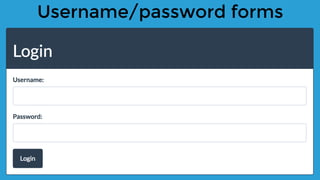
Username/password forms
Stored credentials
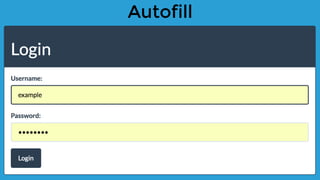
Autofill
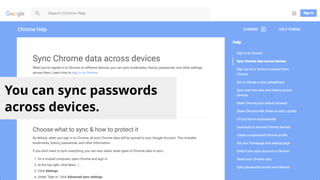
You can sync passwords
across devices.
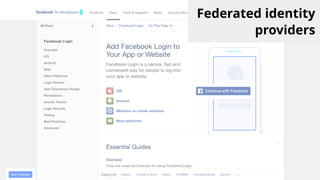
Federated identity
providers
Spec work started early 2015 [1]
Championed by Mike West at Google [2]
Provides 2 key mechanisms
Help the user authenticate by providing access to
credentials
Help the browser store credentials provided by the
user
The Credential Management API
[1]: https://www.w3.org/TR/credential-management-1/
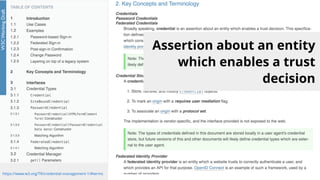
Assertion about an entity
which enables a trust
decision
https://www.w3.org/TR/credential-management-1/#terms
Browser support
[1]: http://caniuse.com/#feat=credential-management
Demo!
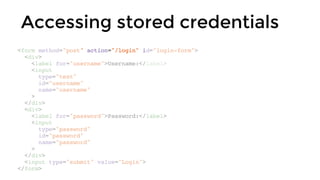
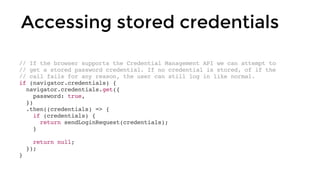
Accessing stored credentials
<form method="post" action="/login" id="login-form">
<div>
<label for="username">Username:</label>
<input
type="text"
id="username"
name="username"
>
</div>
<div>
<label for="password">Password:</label>
<input
type="password"
id="password"
name="password"
>
</div>
<input type="submit" value="Login">
</form>
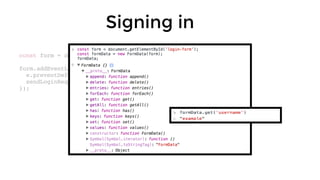
const form = document.getElementById('login-form');
form.addEventListener('submit', (e) => {
e.preventDefault();
sendLoginRequest(new FormData(form));
});
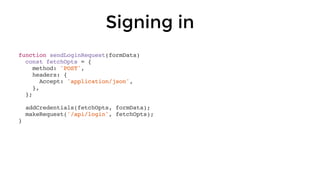
Signing in
function sendLoginRequest(formData)
const fetchOpts = {
method: 'POST',
headers: {
Accept: 'application/json',
},
};
addCredentials(fetchOpts, formData);
makeRequest('/api/login', fetchOpts);
}
Signing in
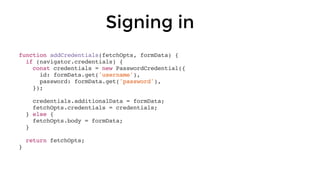
Signing in
function addCredentials(fetchOpts, formData) {
if (navigator.credentials) {
const credentials = new PasswordCredential({
id: formData.get('username'),
password: formData.get('password'),
});
credentials.additionalData = formData;
fetchOpts.credentials = credentials;
} else {
fetchOpts.body = formData;
}
return fetchOpts;
}
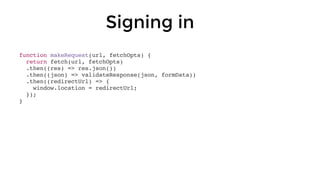
Signing in
function makeRequest(url, fetchOpts) {
return fetch(url, fetchOpts)
.then((res) => res.json())
.then((json) => validateResponse(json, formData))
.then((redirectUrl) => {
window.location = redirectUrl;
});
}
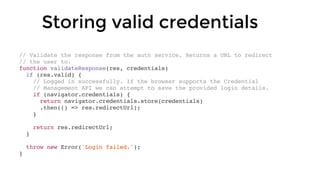
// Validate the response from the auth service. Returns a URL to redirect
// the user to.
function validateResponse(res, credentials)
if (res.valid) {
// Logged in successfully. If the browser supports the Credential
// Management API we can attempt to save the provided login details.
if (navigator.credentials) {
return navigator.credentials.store(credentials)
.then(() => res.redirectUrl);
}
return res.redirectUrl;
}
throw new Error('Login failed.');
}
Storing valid credentials
// If the browser supports the Credential Management API we can attempt to
// get a stored password credential. If no credential is stored, of if the
// call fails for any reason, the user can still log in like normal.
if (navigator.credentials) {
navigator.credentials.get({
password: true,
})
.then((credentials) => {
if (credentials) {
return sendLoginRequest(credentials);
}
return null;
});
}
Accessing stored credentials
if (navigator.credentials) {
navigator.credentials.requireUserMediation()
.then(() => {
// Redirect to login page.
});
}
Signing out
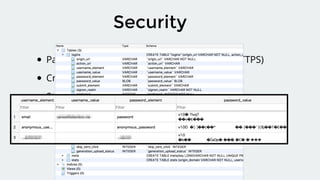
Security
Page must be served from a secure origin (HTTPS)
Credentials for other origins not available
Stored passwords not exposed to JavaScript
Stored passwords are encrypted
Questions?
Thank you!
@james_allardice

James Allardice - "Building a better login with the credential management API"

  • 2.
  • 3.
  • 4.
  • 5.
  • 6.
    You can syncpasswords across devices.
  • 7.
  • 8.
    Spec work startedearly 2015 [1] Championed by Mike West at Google [2] Provides 2 key mechanisms Help the user authenticate by providing access to credentials Help the browser store credentials provided by the user The Credential Management API [1]: https://www.w3.org/TR/credential-management-1/
  • 9.
    Assertion about anentity which enables a trust decision https://www.w3.org/TR/credential-management-1/#terms
  • 10.
  • 11.
  • 13.
    Accessing stored credentials <formmethod="post" action="/login" id="login-form"> <div> <label for="username">Username:</label> <input type="text" id="username" name="username" > </div> <div> <label for="password">Password:</label> <input type="password" id="password" name="password" > </div> <input type="submit" value="Login"> </form>
  • 14.
    const form =document.getElementById('login-form'); form.addEventListener('submit', (e) => { e.preventDefault(); sendLoginRequest(new FormData(form)); }); Signing in
  • 15.
    function sendLoginRequest(formData) const fetchOpts= { method: 'POST', headers: { Accept: 'application/json', }, }; addCredentials(fetchOpts, formData); makeRequest('/api/login', fetchOpts); } Signing in
  • 16.
    Signing in function addCredentials(fetchOpts,formData) { if (navigator.credentials) { const credentials = new PasswordCredential({ id: formData.get('username'), password: formData.get('password'), }); credentials.additionalData = formData; fetchOpts.credentials = credentials; } else { fetchOpts.body = formData; } return fetchOpts; }
  • 17.
    Signing in function makeRequest(url,fetchOpts) { return fetch(url, fetchOpts) .then((res) => res.json()) .then((json) => validateResponse(json, formData)) .then((redirectUrl) => { window.location = redirectUrl; }); }
  • 18.
    // Validate theresponse from the auth service. Returns a URL to redirect // the user to. function validateResponse(res, credentials) if (res.valid) { // Logged in successfully. If the browser supports the Credential // Management API we can attempt to save the provided login details. if (navigator.credentials) { return navigator.credentials.store(credentials) .then(() => res.redirectUrl); } return res.redirectUrl; } throw new Error('Login failed.'); } Storing valid credentials
  • 19.
    // If thebrowser supports the Credential Management API we can attempt to // get a stored password credential. If no credential is stored, of if the // call fails for any reason, the user can still log in like normal. if (navigator.credentials) { navigator.credentials.get({ password: true, }) .then((credentials) => { if (credentials) { return sendLoginRequest(credentials); } return null; }); } Accessing stored credentials
  • 20.
  • 21.
    Security Page must beserved from a secure origin (HTTPS) Credentials for other origins not available Stored passwords not exposed to JavaScript Stored passwords are encrypted
  • 22.