Introduction to
Android Development
What is Android?
• A mobile operating system based on the
Linux kernel.
• Developed by Google and the Open Handset
Alliance.
• Powers billions of smartphones, tablets, and
other devices.
• Open-source platform provides great
flexibility for developers.
• Dominant player in the mobile OS market.
• Large developer community and extensive
resources.
Android is not just a piece of software, it's an
entire ecosystem. It stems from a modified
Linux kernel and encompasses a rich set of
frameworks and libraries for building amazing
mobile experiences. Searching for Android
course in Chandigarh?
Android Architecture
• Linux Kernel: The foundation, handling
hardware drivers and system services.
• Hardware Abstraction Layer (HAL):
Bridge between the kernel and
framework.
• Android Runtime (ART): Executes app
code.
• Android Framework: Libraries for
building app features (UI, activities, etc.).
• System Apps: The pre-installed set of
apps on Android.
Understanding Android's architecture is
helpful as it outlines the key layers. While
most development focuses on the
Framework layer, being aware of the
underlying components gives context to
how the OS functions.
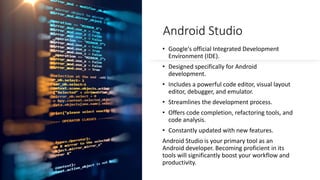
Android Studio
• Google's official Integrated Development
Environment (IDE).
• Designed specifically for Android
development.
• Includes a powerful code editor, visual layout
editor, debugger, and emulator.
• Streamlines the development process.
• Offers code completion, refactoring tools, and
code analysis.
• Constantly updated with new features.
Android Studio is your primary tool as an
Android developer. Becoming proficient in its
tools will significantly boost your workflow and
productivity.
Layouts
Types:
• LinearLayout (arranges elements in a row
or column)
• RelativeLayout (positions elements relative
to each other)
• ConstraintLayout (flexible, constraint-based
positioning)
• XML is used to define layout structures.
• Drag-and-drop layout editor in Android
Studio.
Mastering layouts is essential for building
visually appealing and functional app
interfaces. Take the time to explore different
layout types and learn which suits different
scenarios best.
UI Components
• Building blocks of your user interface.
Common examples:
• TextView (displays text)
• EditText (allows user input)
• Button (triggers actions)
• ImageView (shows images)
• Many more components are available.
• Customize appearance and behavior in XML
and code.
Android's wide array of UI components gives you
plenty of tools to build engaging interfaces.
Explore the documentation to discover the full
range of UI elements you can use.
Intents
Messaging objects that facilitate communication.
Used to start activities within your app.
Used to launch other apps (e.g., email, camera).
Can carry data between components.
Intents form the backbone of navigation and interaction in
Android. Understanding how they trigger actions and transfer
information between different parts of your app is crucial.
Data Storage
• Android offers ways to store data:
• Shared Preferences (Simple key-value
pairs)
• Internal Storage (Saving files)
• External Storage (SD card, public files)
• SQLite Databases (Structured data with
Room)
Most apps need some way to persist data.
Choose the appropriate storage method
based on the type and amount of data you
need to store, and whether you need to
preserve it between app sessions.
Networking
• Retrofit library simplifies network
calls.
• Fetch data from REST APIs.
• Handle JSON or XML responses.
• Make asynchronous requests to
avoid UI freezes.
Bringing connectivity to your apps is
important. Retrofit streamlines the
process of working with internet-
based data, allowing you to enrich
your apps with external
information.
RecyclerView
• Optimized for displaying lists of
data.
• Recycles view elements for
efficiency.
• Uses Adapters to bind data to
views.
• Supports custom layouts and
animations.
RecyclerView is a powerful tool for
efficiently handling lists. This is an
essential component to understand
well as many apps deal with
scrollable lists of content.
Background Tasks
• WorkManager for reliable
scheduled tasks.
• Services for longer-running
operations.
• Manage background work
effectively for battery efficiency.
Sometimes apps run tasks outside
of immediate user interaction.
Understanding how to use tools like
WorkManager or Services ensures
tasks execute at the proper time
without impacting app performance
or battery life.
Advanced Topics
Jetpack Compose (Declarative UI)
Architecture Components (ViewModels, LiveData)
Custom Views (For unique UI experiences)
Location Services & Maps (Location-aware apps)
Sensors (Integrating with device hardware)
The exciting world of Android Development is always evolving!
Conclusion
• Android development is an exciting and rewarding
field.
• Constant innovation and new technologies to
explore.
• A large and supportive developer community.
• Resources for Learning:
• Android Developers website
(https://developer.android.com)
• Online courses and tutorials.
• Start building your own app ideas!
End on a positive note! Highlight the potential for
creativity and career development. Encourage your
audience to take the first step in their Android
development journey and provide them with
directions on where to find help and continue
learning.
Thank You !
Android course in chandigarh
For Query Contact : 998874-1983

Introduction to Android Development.pptx

  • 1.
  • 2.
    What is Android? •A mobile operating system based on the Linux kernel. • Developed by Google and the Open Handset Alliance. • Powers billions of smartphones, tablets, and other devices. • Open-source platform provides great flexibility for developers. • Dominant player in the mobile OS market. • Large developer community and extensive resources. Android is not just a piece of software, it's an entire ecosystem. It stems from a modified Linux kernel and encompasses a rich set of frameworks and libraries for building amazing mobile experiences. Searching for Android course in Chandigarh?
  • 3.
    Android Architecture • LinuxKernel: The foundation, handling hardware drivers and system services. • Hardware Abstraction Layer (HAL): Bridge between the kernel and framework. • Android Runtime (ART): Executes app code. • Android Framework: Libraries for building app features (UI, activities, etc.). • System Apps: The pre-installed set of apps on Android. Understanding Android's architecture is helpful as it outlines the key layers. While most development focuses on the Framework layer, being aware of the underlying components gives context to how the OS functions.
  • 4.
    Android Studio • Google'sofficial Integrated Development Environment (IDE). • Designed specifically for Android development. • Includes a powerful code editor, visual layout editor, debugger, and emulator. • Streamlines the development process. • Offers code completion, refactoring tools, and code analysis. • Constantly updated with new features. Android Studio is your primary tool as an Android developer. Becoming proficient in its tools will significantly boost your workflow and productivity.
  • 5.
    Layouts Types: • LinearLayout (arrangeselements in a row or column) • RelativeLayout (positions elements relative to each other) • ConstraintLayout (flexible, constraint-based positioning) • XML is used to define layout structures. • Drag-and-drop layout editor in Android Studio. Mastering layouts is essential for building visually appealing and functional app interfaces. Take the time to explore different layout types and learn which suits different scenarios best.
  • 6.
    UI Components • Buildingblocks of your user interface. Common examples: • TextView (displays text) • EditText (allows user input) • Button (triggers actions) • ImageView (shows images) • Many more components are available. • Customize appearance and behavior in XML and code. Android's wide array of UI components gives you plenty of tools to build engaging interfaces. Explore the documentation to discover the full range of UI elements you can use.
  • 7.
    Intents Messaging objects thatfacilitate communication. Used to start activities within your app. Used to launch other apps (e.g., email, camera). Can carry data between components. Intents form the backbone of navigation and interaction in Android. Understanding how they trigger actions and transfer information between different parts of your app is crucial.
  • 8.
    Data Storage • Androidoffers ways to store data: • Shared Preferences (Simple key-value pairs) • Internal Storage (Saving files) • External Storage (SD card, public files) • SQLite Databases (Structured data with Room) Most apps need some way to persist data. Choose the appropriate storage method based on the type and amount of data you need to store, and whether you need to preserve it between app sessions.
  • 9.
    Networking • Retrofit librarysimplifies network calls. • Fetch data from REST APIs. • Handle JSON or XML responses. • Make asynchronous requests to avoid UI freezes. Bringing connectivity to your apps is important. Retrofit streamlines the process of working with internet- based data, allowing you to enrich your apps with external information.
  • 10.
    RecyclerView • Optimized fordisplaying lists of data. • Recycles view elements for efficiency. • Uses Adapters to bind data to views. • Supports custom layouts and animations. RecyclerView is a powerful tool for efficiently handling lists. This is an essential component to understand well as many apps deal with scrollable lists of content.
  • 11.
    Background Tasks • WorkManagerfor reliable scheduled tasks. • Services for longer-running operations. • Manage background work effectively for battery efficiency. Sometimes apps run tasks outside of immediate user interaction. Understanding how to use tools like WorkManager or Services ensures tasks execute at the proper time without impacting app performance or battery life.
  • 12.
    Advanced Topics Jetpack Compose(Declarative UI) Architecture Components (ViewModels, LiveData) Custom Views (For unique UI experiences) Location Services & Maps (Location-aware apps) Sensors (Integrating with device hardware) The exciting world of Android Development is always evolving!
  • 13.
    Conclusion • Android developmentis an exciting and rewarding field. • Constant innovation and new technologies to explore. • A large and supportive developer community. • Resources for Learning: • Android Developers website (https://developer.android.com) • Online courses and tutorials. • Start building your own app ideas! End on a positive note! Highlight the potential for creativity and career development. Encourage your audience to take the first step in their Android development journey and provide them with directions on where to find help and continue learning.
  • 14.
    Thank You ! Androidcourse in chandigarh For Query Contact : 998874-1983