Microsoft Windows 2000 DNS and UNIX BIND DNS Interoperability  Tim Rains Technical Lead  Networking Team Product Support Services Microsoft Corporation
Session Abstract One feature of Microsoft ®  Windows ®  2000 Domain Name System (DNS) is support for dynamic updates  Windows 2000 DNS can be deployed in environments that have no other DNS servers Windows 2000 DNS can be deployed in environments that already have non-dynamic DNS servers  Microsoft Windows NT ®  4.0 DNS BIND 4.9.7 and earlier This session will explore deployment options and some known issues integrating BIND and Windows 2000 DNS
Terms to Understand BIND (Berkeley Internet Name Daemon) UNIX-based DNS server “Active Directory ®  Domain” A security and replication boundary Also referred to as a “Windows NT domain” “DNS Domain” A namespace that identifies a group of network devices Follows RFCs 1034, 1035, 1123, et cetera
DNS Planning Factors Types of clients Use of static IP addresses Types of DNS servers Active Directory site structure Namespace design Internet presence
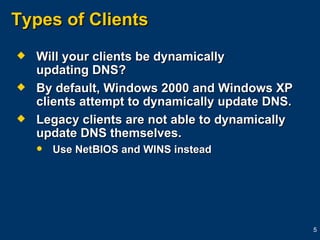
Types of Clients Will your clients be dynamically  updating DNS? By default, Windows 2000 and Windows XP clients attempt to dynamically update DNS. Legacy clients are not able to dynamically update DNS themselves. Use NetBIOS and WINS instead
Use of Static IP Addresses Will your clients be using static IP addresses or a DHCP supplied configuration? Windows 2000 DHCP server can dynamically update DNS for clients. Useful for legacy clients Note: DNS servers themselves require static IP addresses.
Types of DNS Servers Several configurations to consider: Primary DNS servers Secondary DNS servers Active Directory-integrated DNS servers DNS forwarders Caching-only DNS servers
Active Directory Site Structure Sites used to manage network bandwidth Single site vs. multiple sites DNS servers at each site
Namespace Design Integrate with existing DNS namespace Ensure clients can resolve internal and external names Simplify user experience
Namespace Design  (2) Active Directory domain name and DNS domain name the same? Contiguous namespace  vs. Disjointed namespace Contiguous namespace: child domain always contains name of parent  Example: dev.reskit.com as a subdomain of reskit.com Disjointed namespace: child domain does not share parent's name  Example: reskit.com and microsoft.com where both are domains operated by same organization
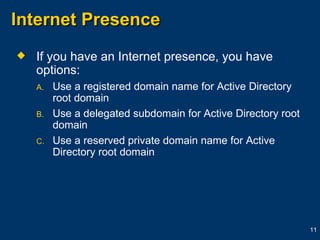
Internet Presence If you have an Internet presence, you have options: Use a registered domain name for Active Directory root domain Use a delegated subdomain for Active Directory root domain Use a reserved private domain name for Active Directory root domain
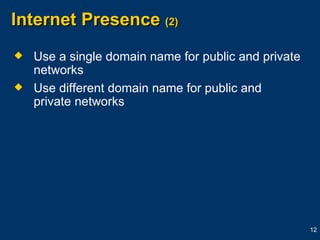
Internet Presence  (2) Use a single domain name for public and private networks Use different domain name for public and private networks
Current DNS Infrastructure Existing DNS infrastructure does not necessarily have to be replaced Windows 2000 Active Directory and DNS can be integrated into existing DNS infrastructure Windows 2000 Active Directory requires: Dynamic DNS update support DNS SRV record support
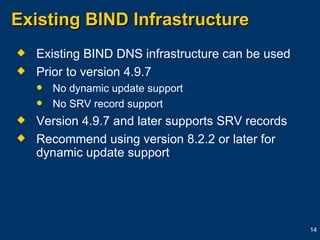
Existing BIND Infrastructure Existing BIND DNS infrastructure can be used Prior to version 4.9.7 No dynamic update support No SRV record support Version 4.9.7 and later supports SRV records Recommend using version 8.2.2 or later for dynamic update support
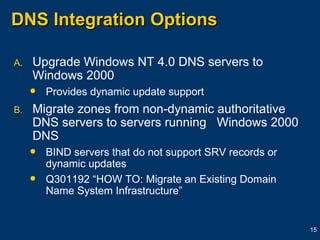
DNS Integration Options Upgrade Windows NT 4.0 DNS servers to Windows 2000 Provides dynamic update support Migrate zones from non-dynamic authoritative DNS servers to servers running  Windows 2000 DNS BIND servers that do not support SRV records or dynamic updates Q301192 “HOW TO: Migrate an Existing Domain Name System Infrastructure”
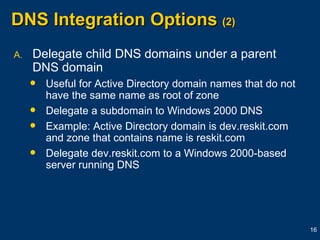
DNS Integration Options  (2) Delegate child DNS domains under a parent DNS domain Useful for Active Directory domain names that do not have the same name as root of zone Delegate a subdomain to Windows 2000 DNS Example: Active Directory domain is dev.reskit.com and zone that contains name is reskit.com Delegate dev.reskit.com to a Windows 2000-based server running DNS
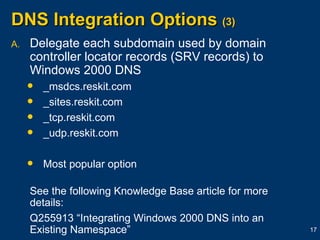
DNS Integration Options  (3) Delegate each subdomain used by domain controller locator records (SRV records) to Windows 2000 DNS  _msdcs.reskit.com _sites.reskit.com _tcp.reskit.com _udp.reskit.com Most popular option See the following Knowledge Base article for more details: Q255913 “Integrating Windows 2000 DNS into an Existing Namespace”
BIND Integration Issues Q241973 “Master Zone May Not Work with BIND DNS for Active Directory” Q257462 “Dynamic Update Does Not Work Using BIND DNS Forwarder” Q260021 “Event ID 6524 with DNS Incremental Zone Transfer Problem” Q279167 “BIND 8.3 T5B Zone Transfers Do Not Work with Event 6524” Q297936 “DNS and BIND Zone Transfers May Not Work” Q302639 “Zone Transfers from BIND Version 9.x DNS Servers Do Not Work”
Thank you for joining us for today’s Microsoft Support WebCast. For information about all upcoming Support WebCasts  and access to the archived content (streaming media files, PowerPoint ®  slides, and transcripts), please visit:  http://support.microsoft.com/webcasts/ We sincerely appreciate your feedback. Please send any  comments or suggestions regarding the Support  WebCasts to  [email_address]  and include “ Support WebCasts” in the subject line.

Microsoft Windows 2000 DNS and UNIX BIND DNS Interoperability

  • 1.
    Microsoft Windows 2000DNS and UNIX BIND DNS Interoperability Tim Rains Technical Lead Networking Team Product Support Services Microsoft Corporation
  • 2.
    Session Abstract Onefeature of Microsoft ® Windows ® 2000 Domain Name System (DNS) is support for dynamic updates Windows 2000 DNS can be deployed in environments that have no other DNS servers Windows 2000 DNS can be deployed in environments that already have non-dynamic DNS servers Microsoft Windows NT ® 4.0 DNS BIND 4.9.7 and earlier This session will explore deployment options and some known issues integrating BIND and Windows 2000 DNS
  • 3.
    Terms to UnderstandBIND (Berkeley Internet Name Daemon) UNIX-based DNS server “Active Directory ® Domain” A security and replication boundary Also referred to as a “Windows NT domain” “DNS Domain” A namespace that identifies a group of network devices Follows RFCs 1034, 1035, 1123, et cetera
  • 4.
    DNS Planning FactorsTypes of clients Use of static IP addresses Types of DNS servers Active Directory site structure Namespace design Internet presence
  • 5.
    Types of ClientsWill your clients be dynamically updating DNS? By default, Windows 2000 and Windows XP clients attempt to dynamically update DNS. Legacy clients are not able to dynamically update DNS themselves. Use NetBIOS and WINS instead
  • 6.
    Use of StaticIP Addresses Will your clients be using static IP addresses or a DHCP supplied configuration? Windows 2000 DHCP server can dynamically update DNS for clients. Useful for legacy clients Note: DNS servers themselves require static IP addresses.
  • 7.
    Types of DNSServers Several configurations to consider: Primary DNS servers Secondary DNS servers Active Directory-integrated DNS servers DNS forwarders Caching-only DNS servers
  • 8.
    Active Directory SiteStructure Sites used to manage network bandwidth Single site vs. multiple sites DNS servers at each site
  • 9.
    Namespace Design Integratewith existing DNS namespace Ensure clients can resolve internal and external names Simplify user experience
  • 10.
    Namespace Design (2) Active Directory domain name and DNS domain name the same? Contiguous namespace vs. Disjointed namespace Contiguous namespace: child domain always contains name of parent Example: dev.reskit.com as a subdomain of reskit.com Disjointed namespace: child domain does not share parent's name Example: reskit.com and microsoft.com where both are domains operated by same organization
  • 11.
    Internet Presence Ifyou have an Internet presence, you have options: Use a registered domain name for Active Directory root domain Use a delegated subdomain for Active Directory root domain Use a reserved private domain name for Active Directory root domain
  • 12.
    Internet Presence (2) Use a single domain name for public and private networks Use different domain name for public and private networks
  • 13.
    Current DNS InfrastructureExisting DNS infrastructure does not necessarily have to be replaced Windows 2000 Active Directory and DNS can be integrated into existing DNS infrastructure Windows 2000 Active Directory requires: Dynamic DNS update support DNS SRV record support
  • 14.
    Existing BIND InfrastructureExisting BIND DNS infrastructure can be used Prior to version 4.9.7 No dynamic update support No SRV record support Version 4.9.7 and later supports SRV records Recommend using version 8.2.2 or later for dynamic update support
  • 15.
    DNS Integration OptionsUpgrade Windows NT 4.0 DNS servers to Windows 2000 Provides dynamic update support Migrate zones from non-dynamic authoritative DNS servers to servers running Windows 2000 DNS BIND servers that do not support SRV records or dynamic updates Q301192 “HOW TO: Migrate an Existing Domain Name System Infrastructure”
  • 16.
    DNS Integration Options (2) Delegate child DNS domains under a parent DNS domain Useful for Active Directory domain names that do not have the same name as root of zone Delegate a subdomain to Windows 2000 DNS Example: Active Directory domain is dev.reskit.com and zone that contains name is reskit.com Delegate dev.reskit.com to a Windows 2000-based server running DNS
  • 17.
    DNS Integration Options (3) Delegate each subdomain used by domain controller locator records (SRV records) to Windows 2000 DNS _msdcs.reskit.com _sites.reskit.com _tcp.reskit.com _udp.reskit.com Most popular option See the following Knowledge Base article for more details: Q255913 “Integrating Windows 2000 DNS into an Existing Namespace”
  • 18.
    BIND Integration IssuesQ241973 “Master Zone May Not Work with BIND DNS for Active Directory” Q257462 “Dynamic Update Does Not Work Using BIND DNS Forwarder” Q260021 “Event ID 6524 with DNS Incremental Zone Transfer Problem” Q279167 “BIND 8.3 T5B Zone Transfers Do Not Work with Event 6524” Q297936 “DNS and BIND Zone Transfers May Not Work” Q302639 “Zone Transfers from BIND Version 9.x DNS Servers Do Not Work”
  • 19.
    Thank you forjoining us for today’s Microsoft Support WebCast. For information about all upcoming Support WebCasts and access to the archived content (streaming media files, PowerPoint ® slides, and transcripts), please visit: http://support.microsoft.com/webcasts/ We sincerely appreciate your feedback. Please send any comments or suggestions regarding the Support WebCasts to [email_address] and include “ Support WebCasts” in the subject line.