DataONE
Data Life Cycle:
Tools and Tips
The DataONE Data Life Cycle
2
Plan
Collect
Assure
Describe
Preserve
Discover
Integrate
Analyze
Field Research
3
Plan
Collect
Assure
Describe
Preserve
Discover
Integrate
Analyze
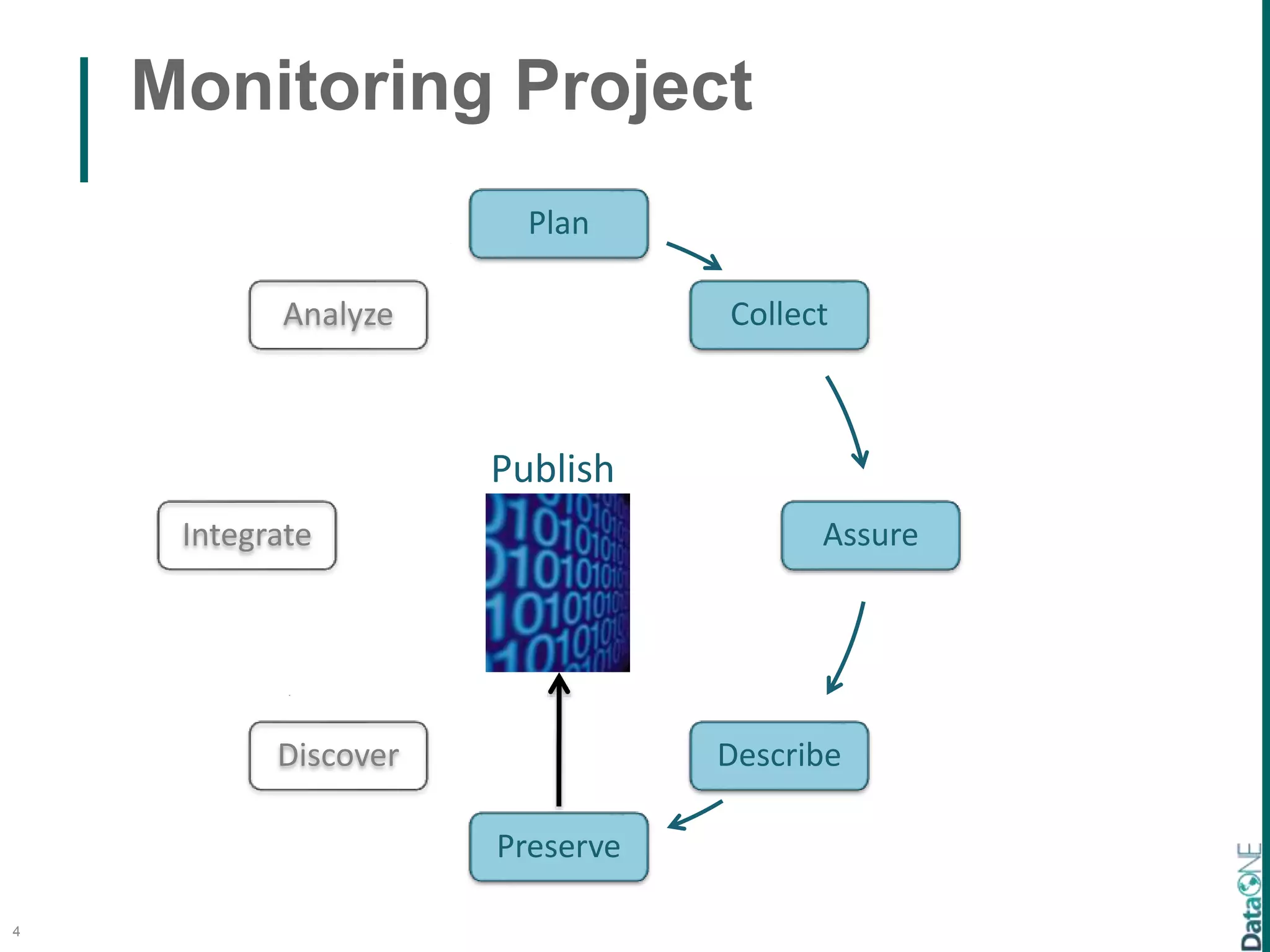
Monitoring Project
4
Publish
Plan
Collect
Assure
Describe
Preserve
Discover
Integrate
Analyze
Synthesis Project
5
Plan
Collect
Assure
Describe
Preserve
Discover
Integrate
Analyze
Publish
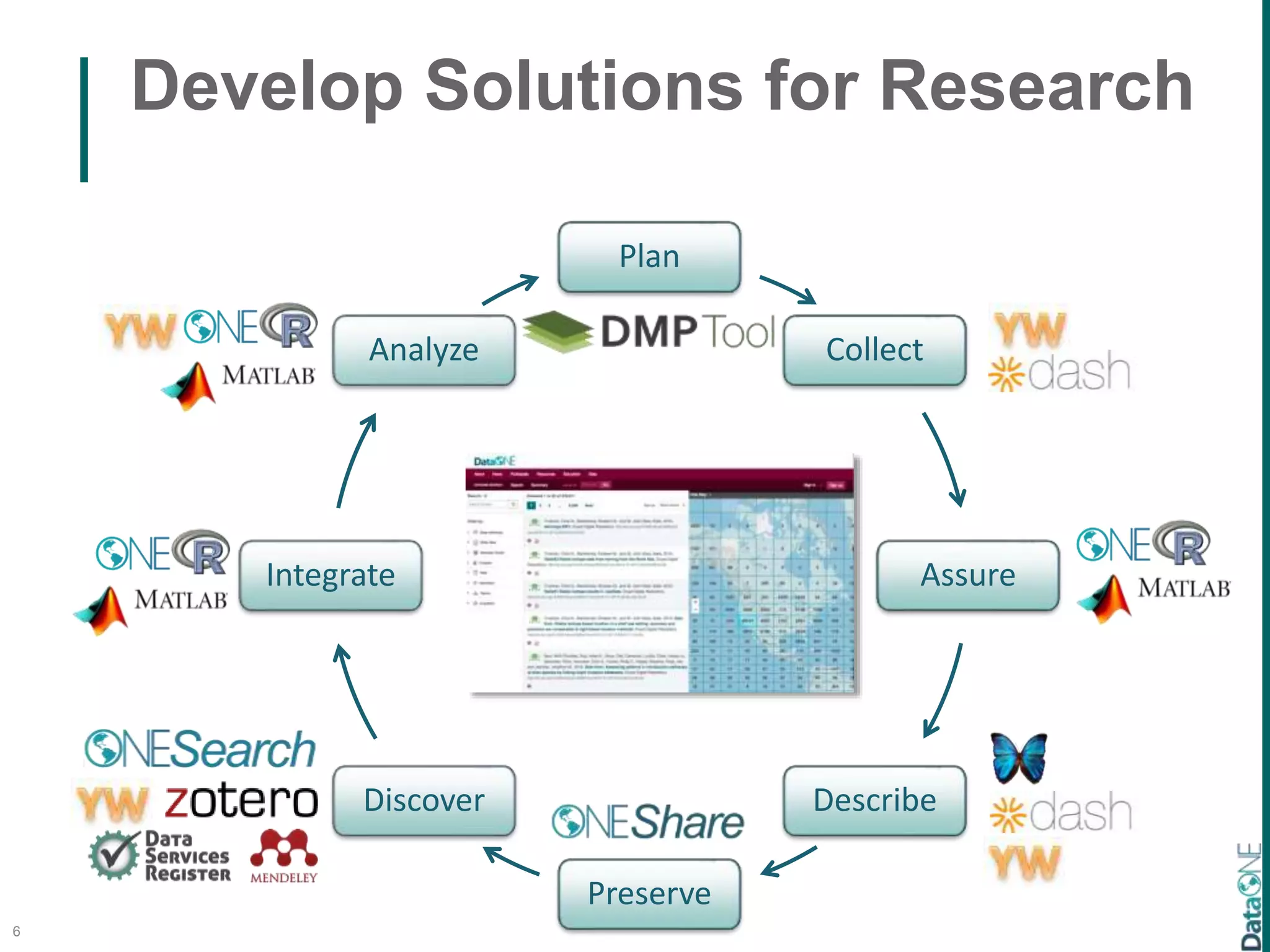
Develop Solutions for Research
6
Plan
Collect
Assure
Describe
Preserve
Discover
Integrate
Analyze
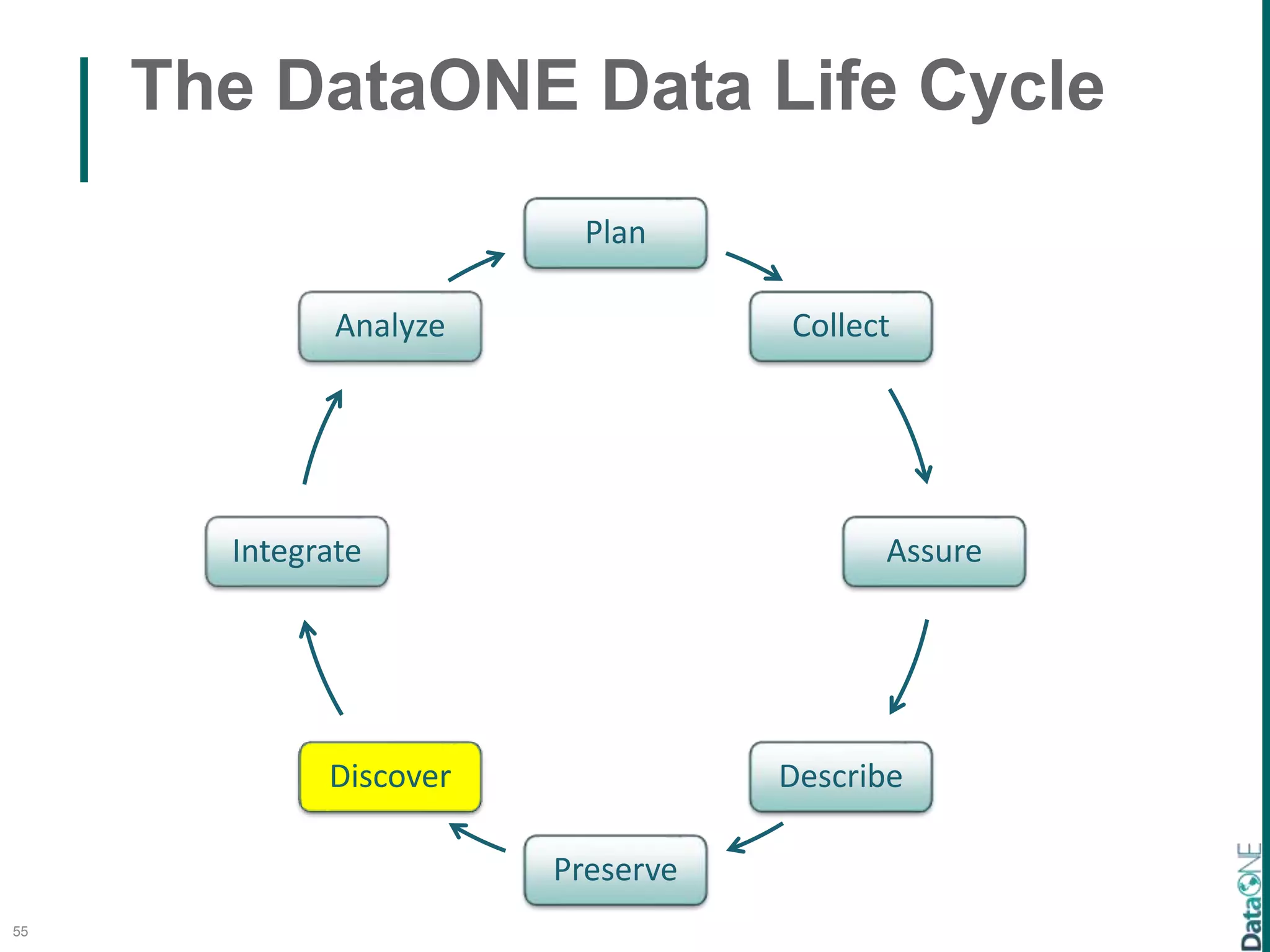
The DataONE Data Life Cycle
7
Plan
Collect
Assure
Describe
Preserve
Discover
Integrate
Analyze
1. Plan:
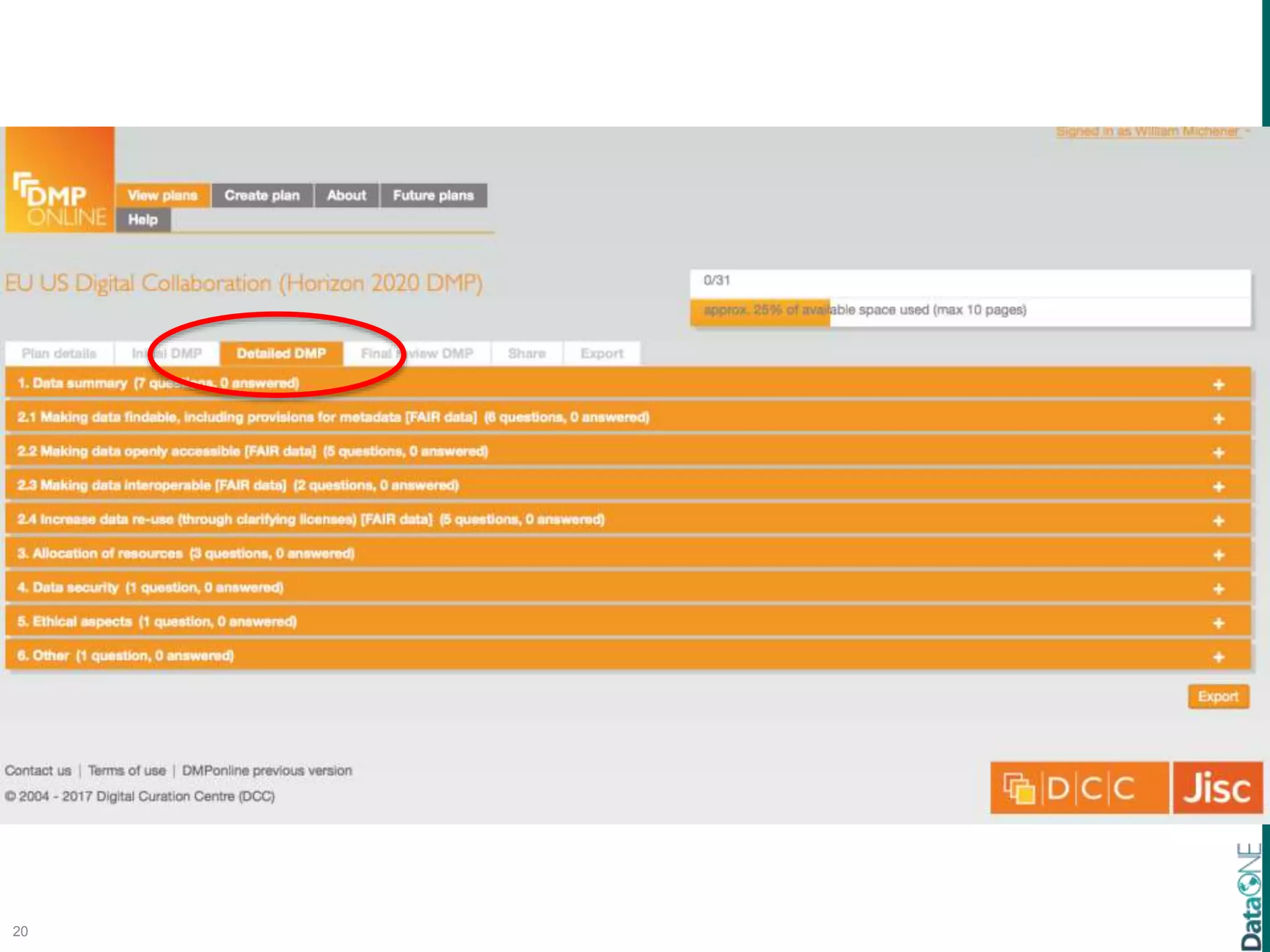
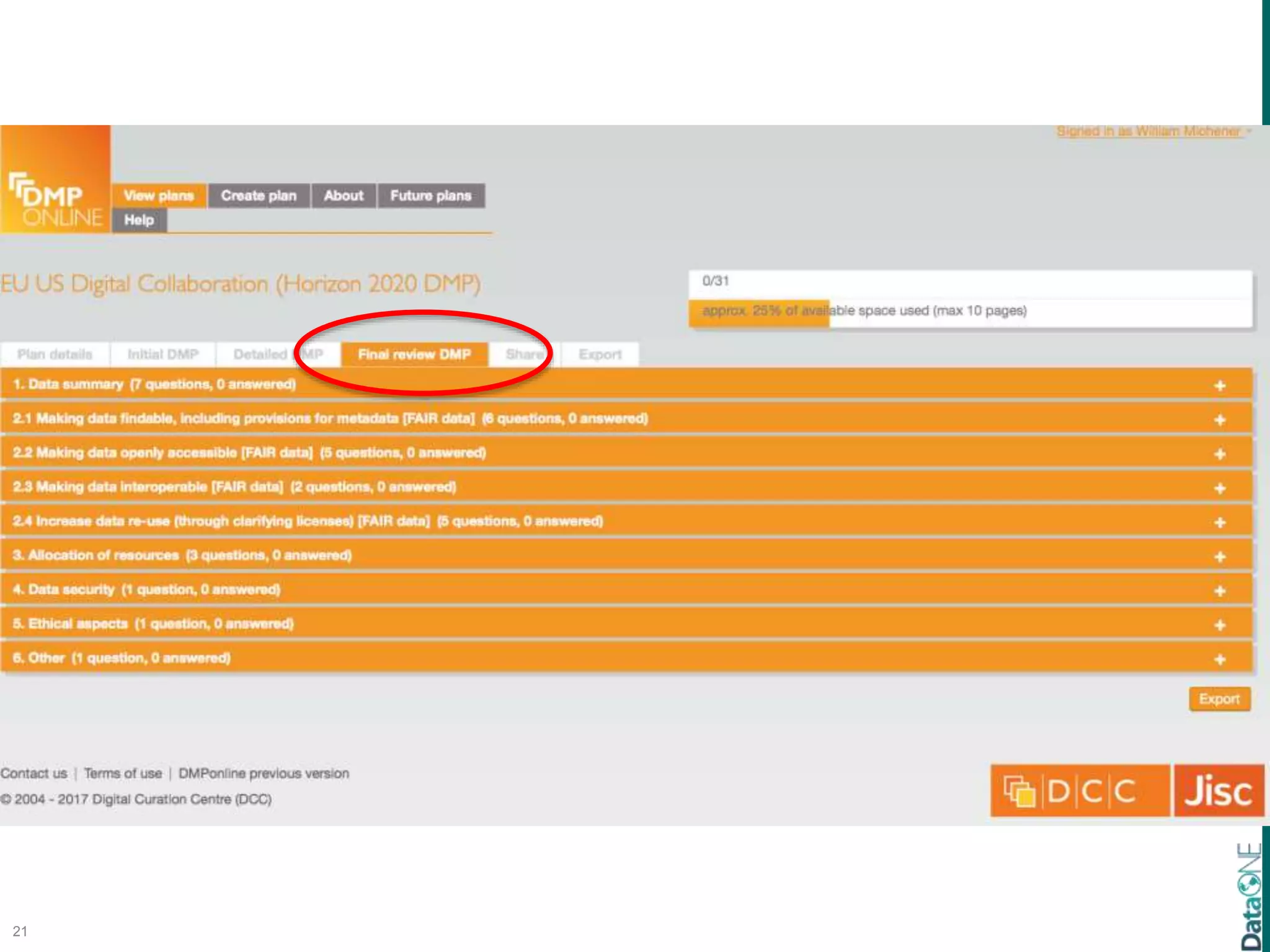
Create and Follow a Data Management Plan
8
Michener WK (2015) Ten Simple Rules
for Creating a Good Data Management Plan.
PLoS Comput Biol 11(10): e1004525.
doi:10.1371/journal.pcbi.1004525
9
10
11
12
13
14
15
16
17
18
19
20
21
22
23
24
25
The DataONE Data Life Cycle
26
Plan
Collect
Assure
Describe
Preserve
Discover
Integrate
Analyze
2. Collect and Organize:
Logically Structure the Data to Support Use
27
CCimagebyJustinSeeonFlickr
Jones et al. 2007
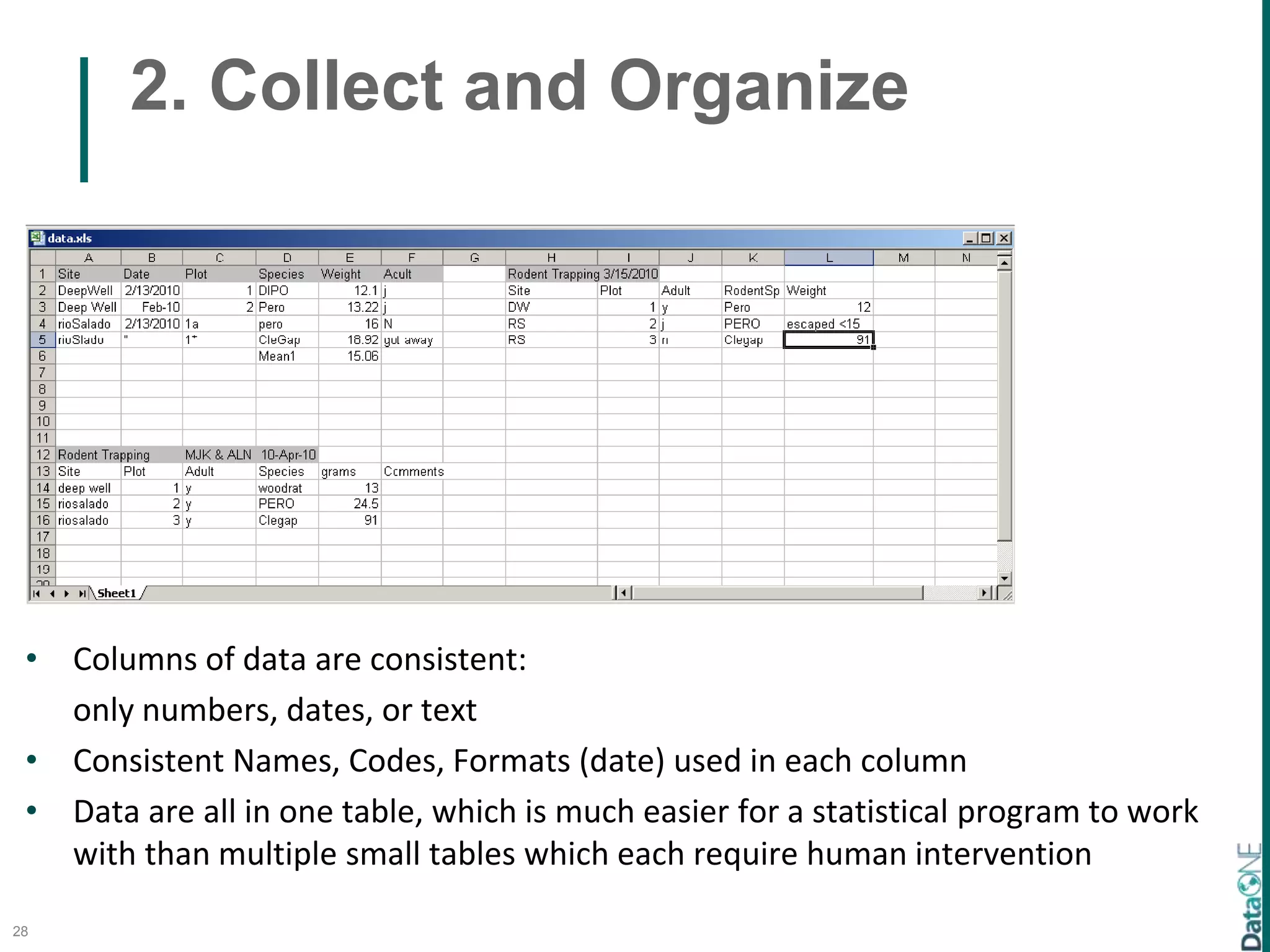
2. Collect and Organize
28
• Columns of data are consistent:
only numbers, dates, or text
• Consistent Names, Codes, Formats (date) used in each column
• Data are all in one table, which is much easier for a statistical program to work
with than multiple small tables which each require human intervention
2. Collect and Organize
29
• Columns of data are consistent:
only numbers, dates, or text
• Consistent Names, Codes, Formats (date) used in each column
• Data are all in one table, which is much easier for a statistical program to work
with than multiple small tables which each require human intervention
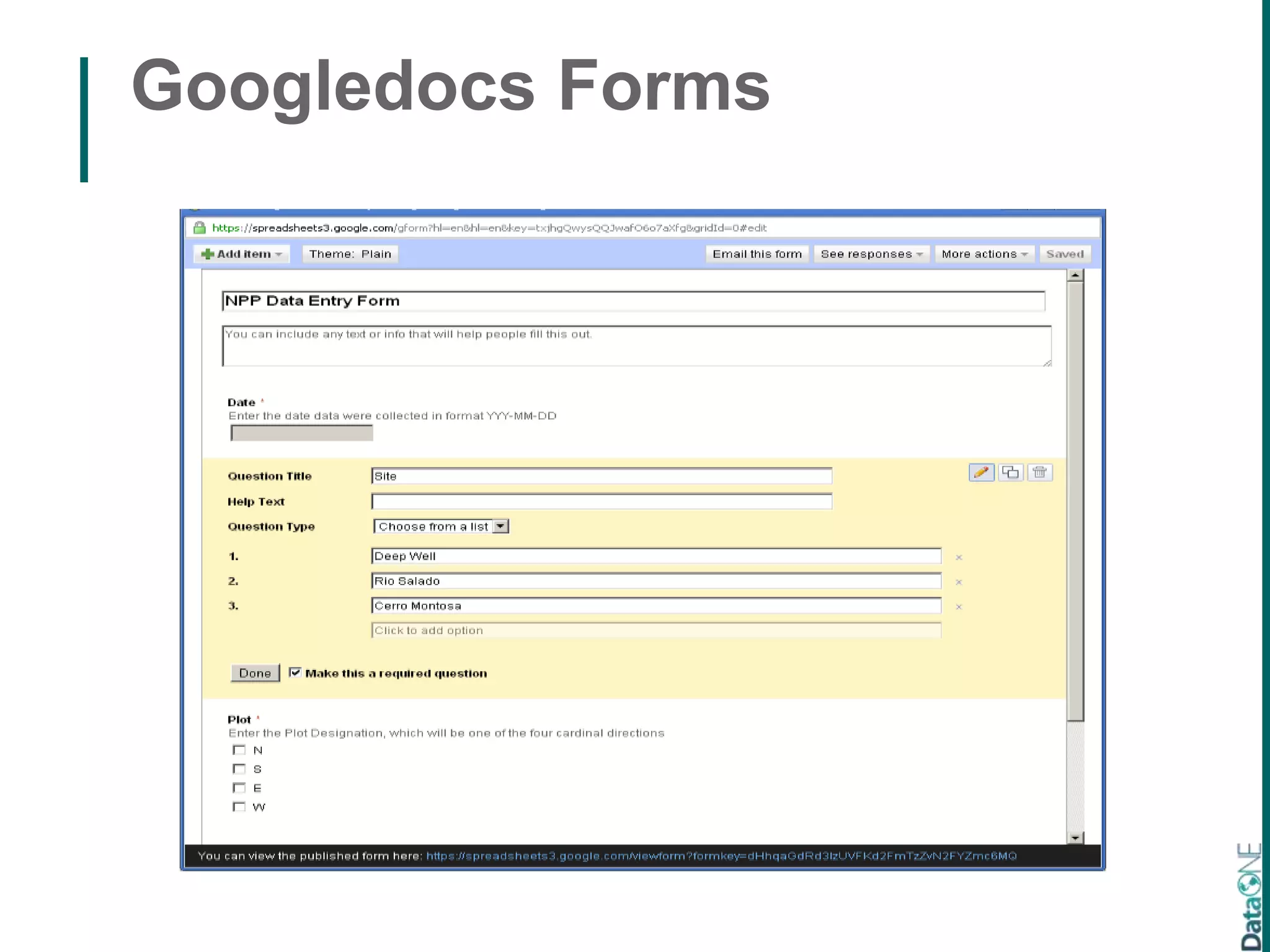
Googledocs Forms
Googledocs Forms
Data Entry Tools: Excel
Excel: Data Validation
20
Excel: Data Validation
20
Excel: Data Validation
20
The DataONE Data Life Cycle
37
Plan
Collect
Assure
Describe
Preserve
Discover
Integrate
Analyze
3. Assure:
Incorporate Quality Assurance & Quality
Control
38
0
10
20
30
40
50
60
0 10 20 30 40
Quality Engine
MetaDIG DIBBs
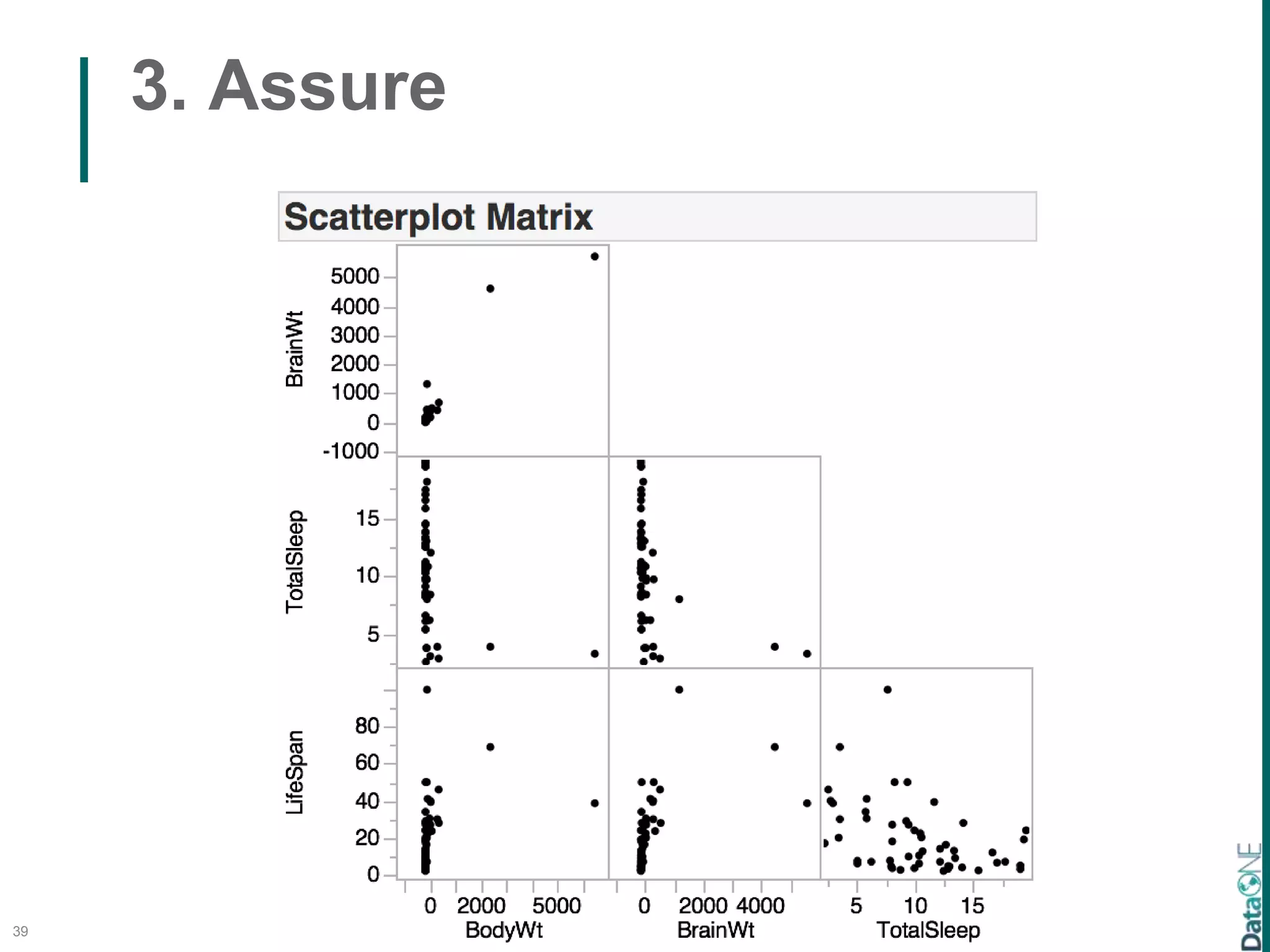
3. Assure
39
3. Assure
40
3. Assure
41
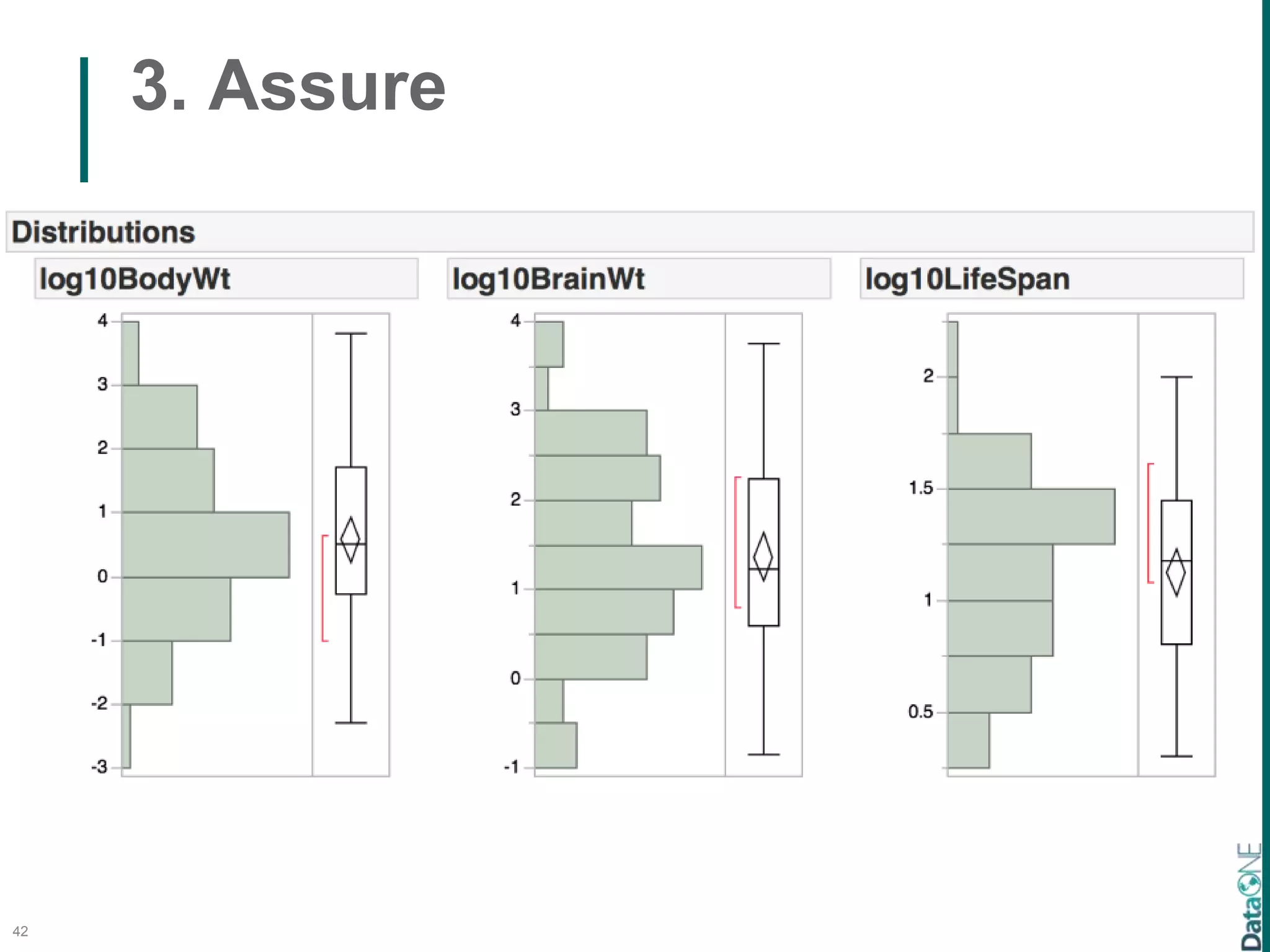
3. Assure
42
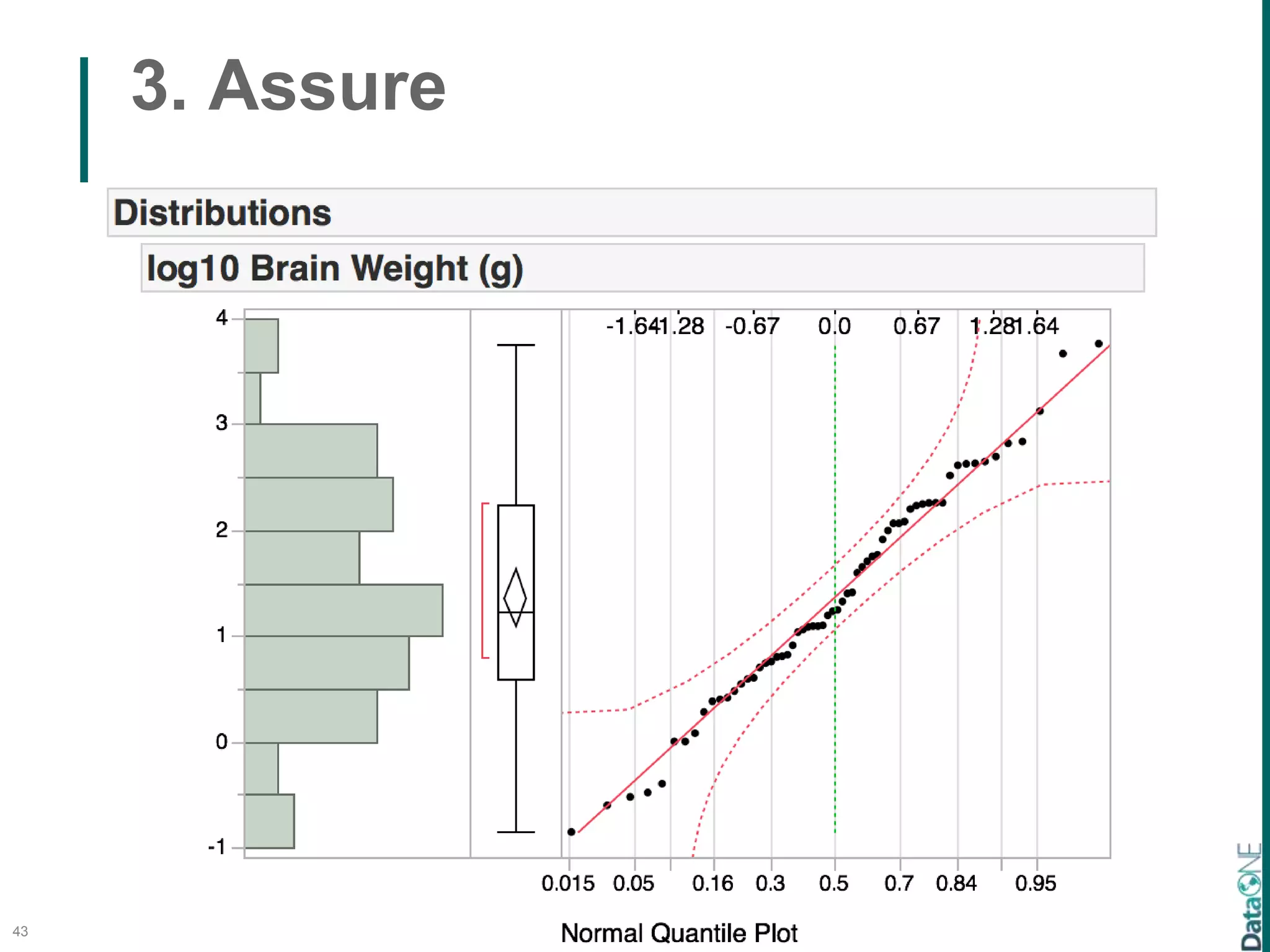
3. Assure
43
3. Assure
44
3. Assure
45
3. Assure
46
3. Assure
47
3. Assure
• JMP
• R
• MATLAB
• many others
48
The DataONE Data Life Cycle
49
Plan
Collect
Assure
Describe
Preserve
Discover
Integrate
Analyze
4. Describe:
Develop Comprehensive, Standardized
Metadata
50
 Darwin Core – species and biodiversity
collections
 EML – Ecological Metadata Language
 ISO 19115 – geospatial data
http://rs.tdwg.org/dwc/
4. Describe
51
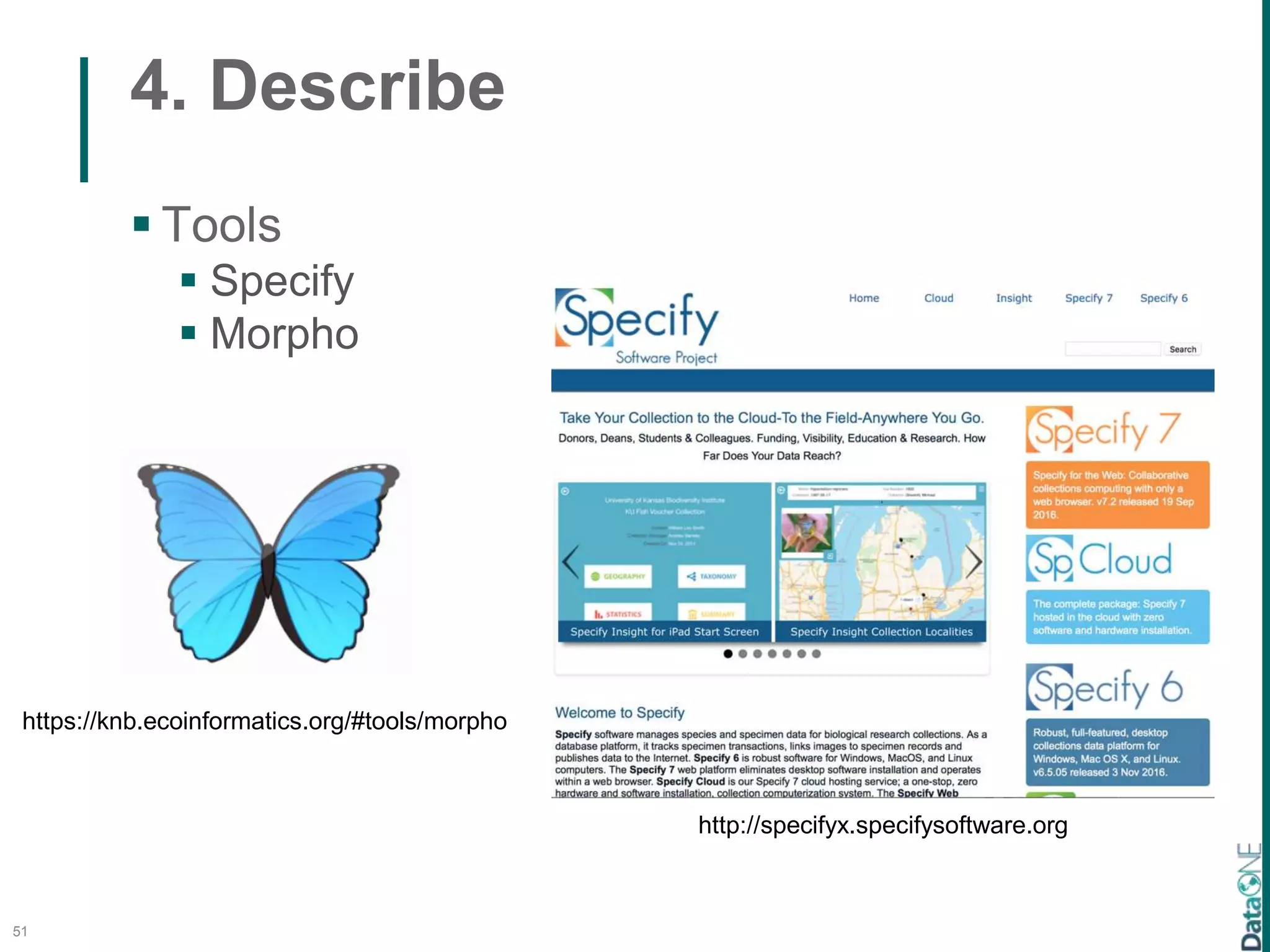
 Tools
 Specify
 Morpho
https://knb.ecoinformatics.org/#tools/morpho
http://specifyx.specifysoftware.org
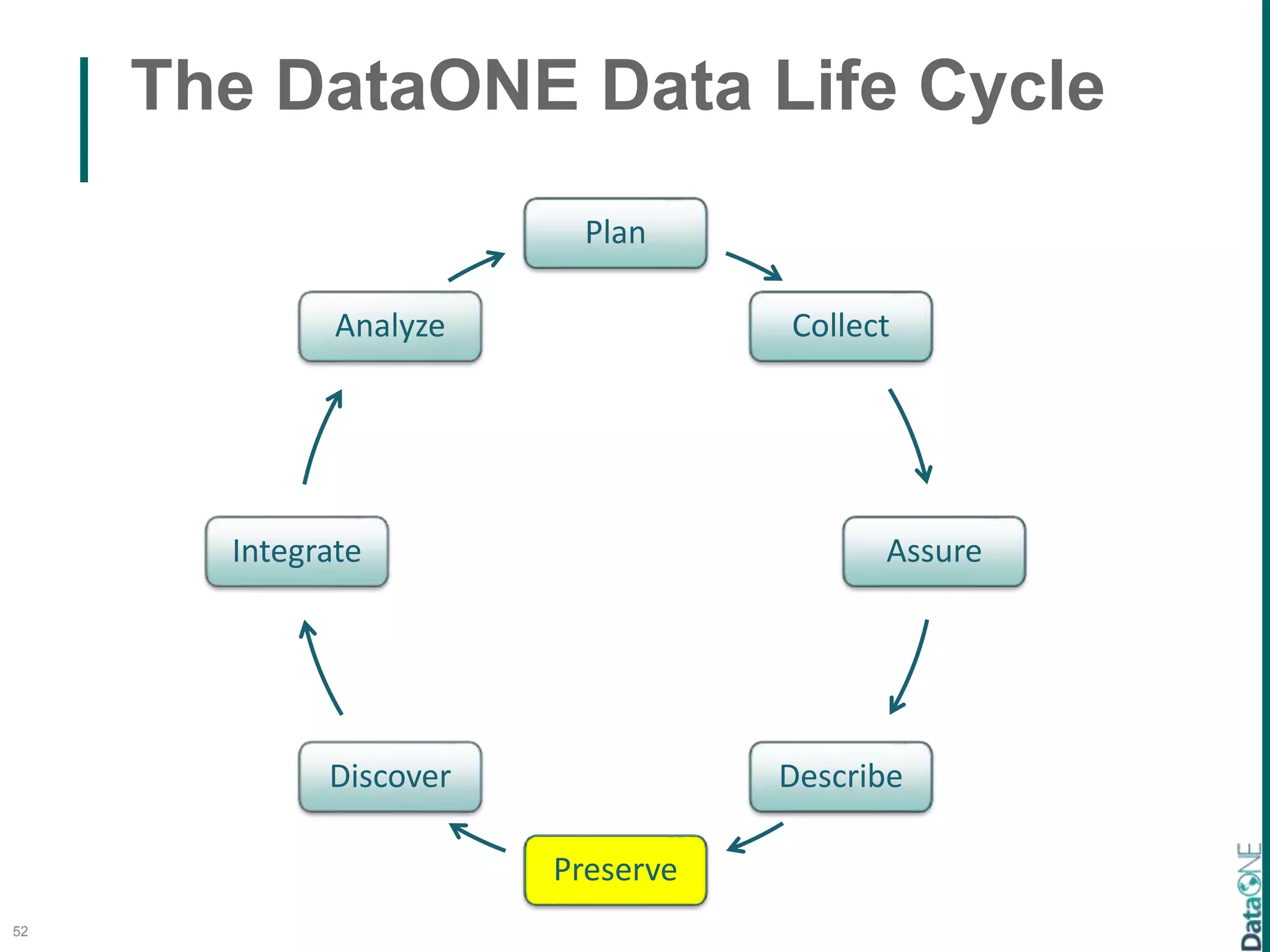
The DataONE Data Life Cycle
52
Plan
Collect
Assure
Describe
Preserve
Discover
Integrate
Analyze
5. Preserve:
Protect and Preserve Data for Long-term
Use
53
Catalog of 1,500+ Data Repositories
Exercise
• Search for repositories that host particular
types of data (e.g., biodoversity, trait)
• Visit one of the repositories and identify the
services that they offer
54
The DataONE Data Life Cycle
55
Plan
Collect
Assure
Describe
Preserve
Discover
Integrate
Analyze
6. Discover
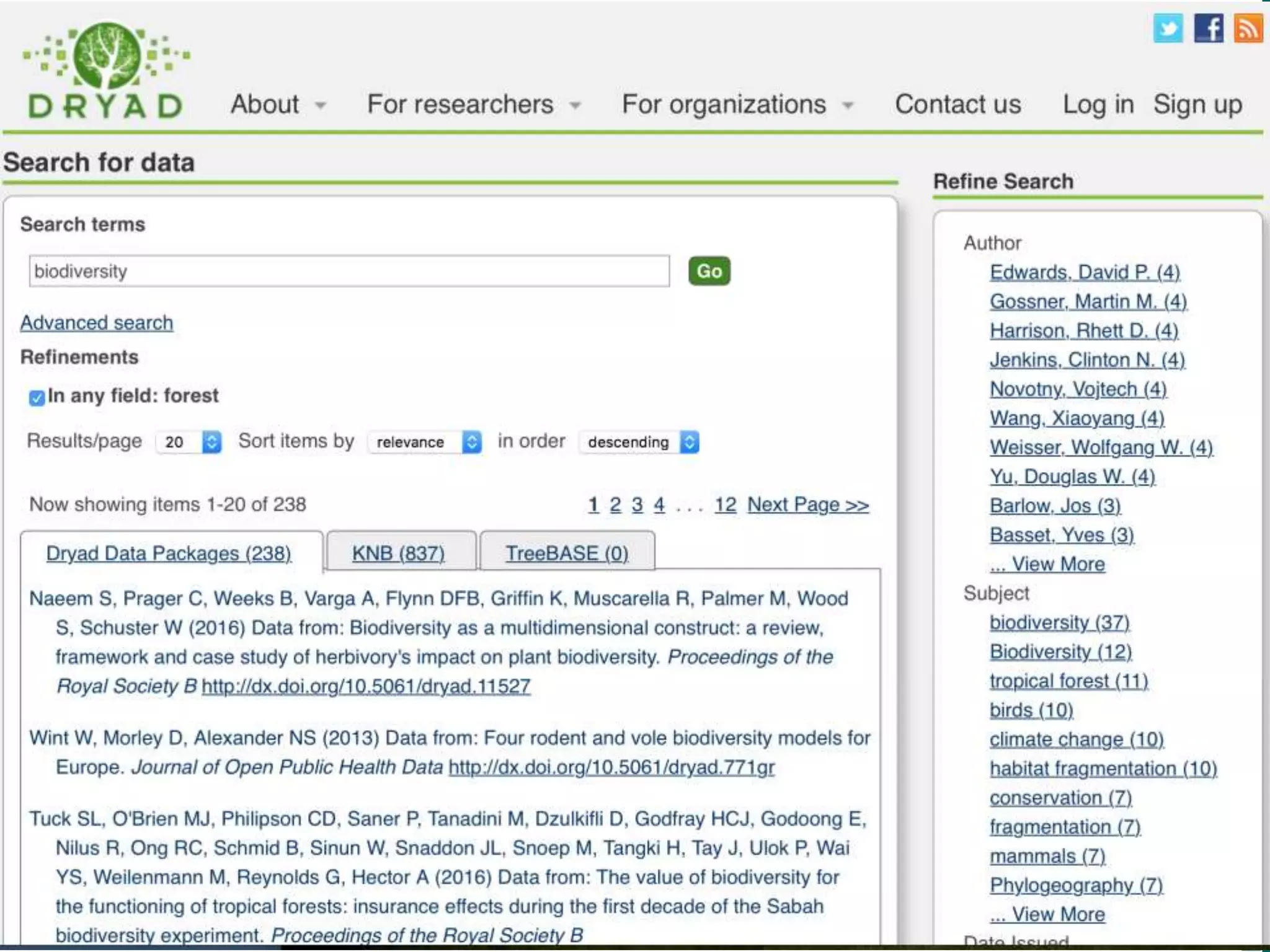
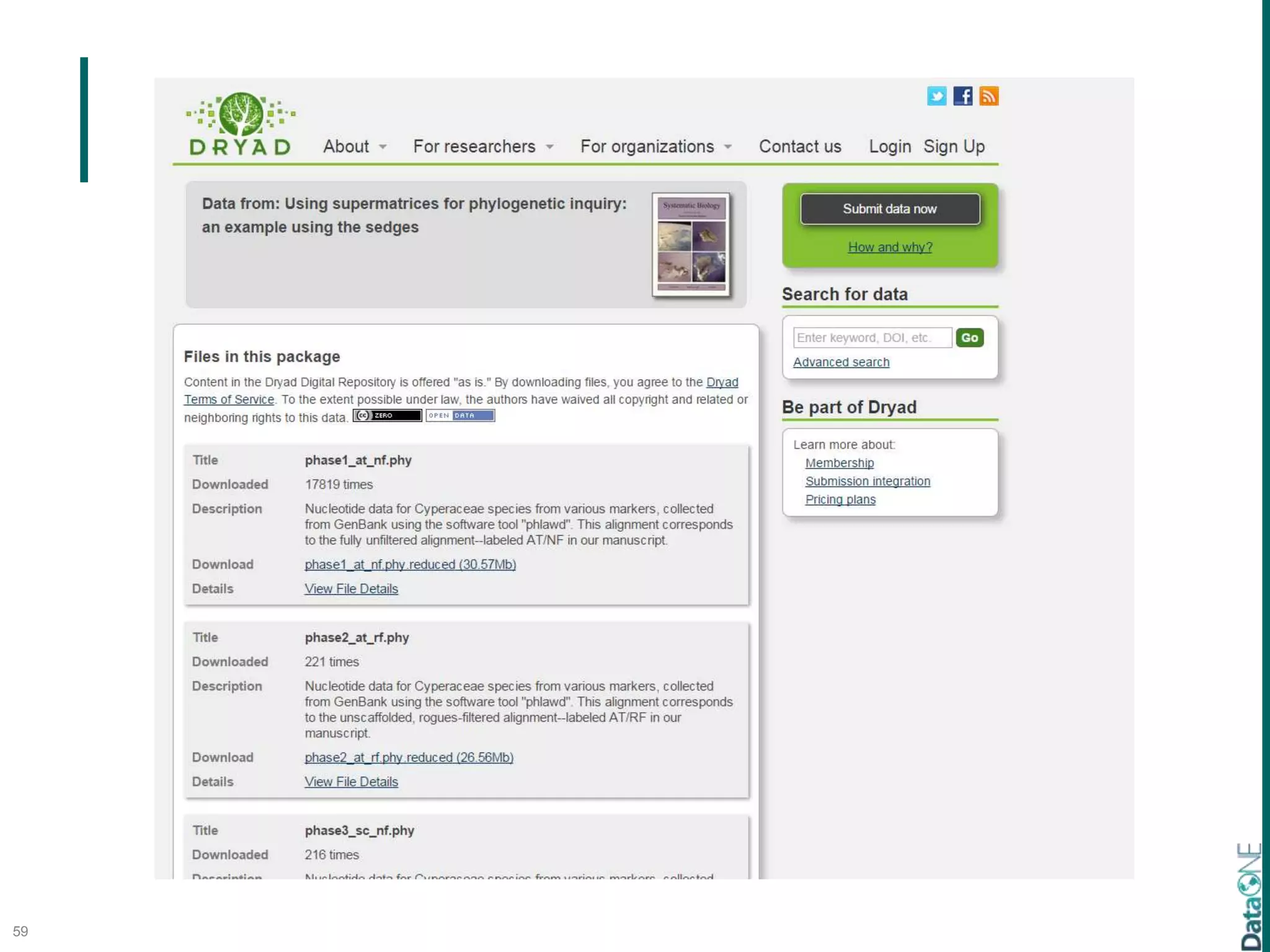
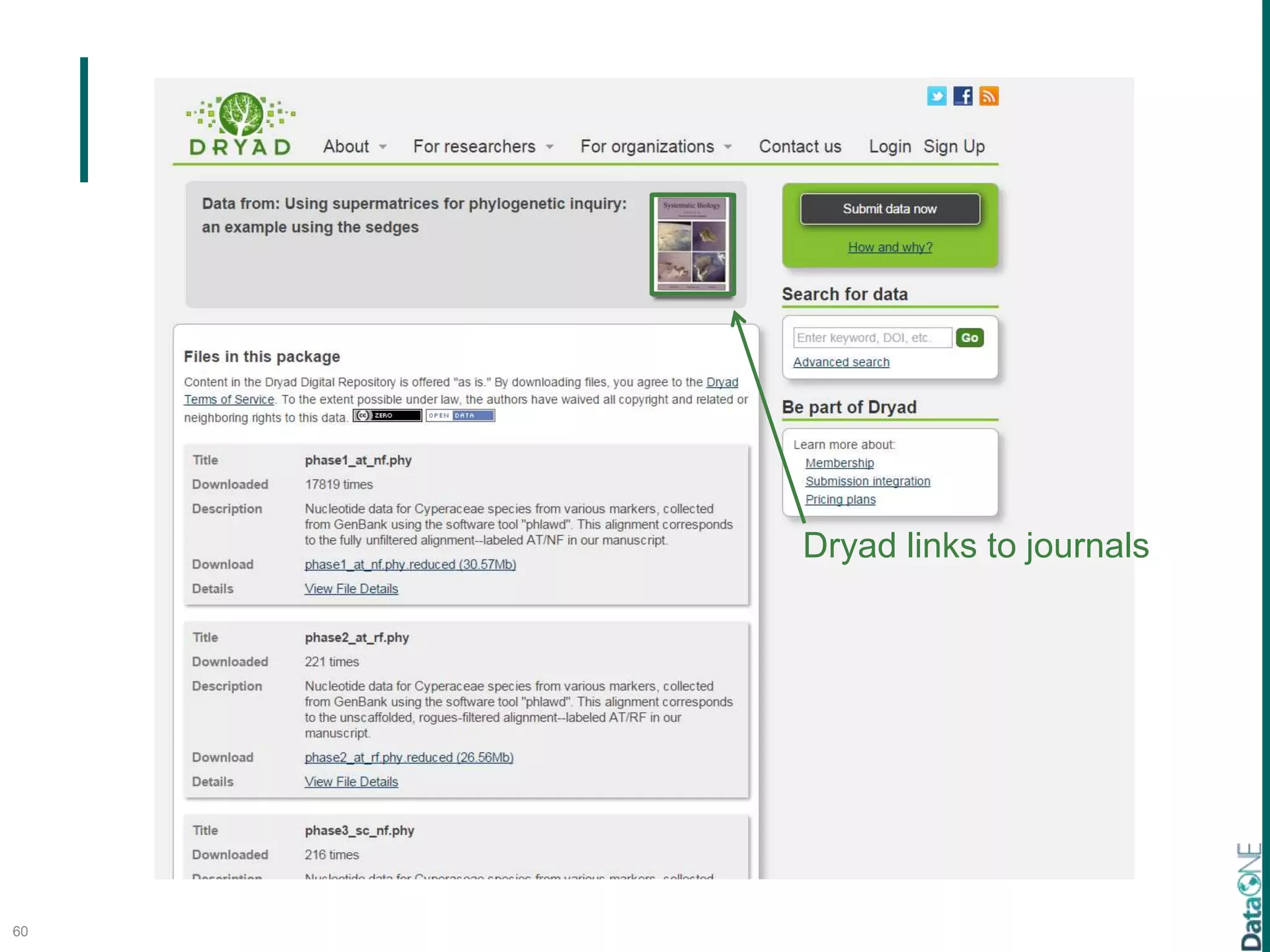
Search a Domain Portal
56
57
58
59
60
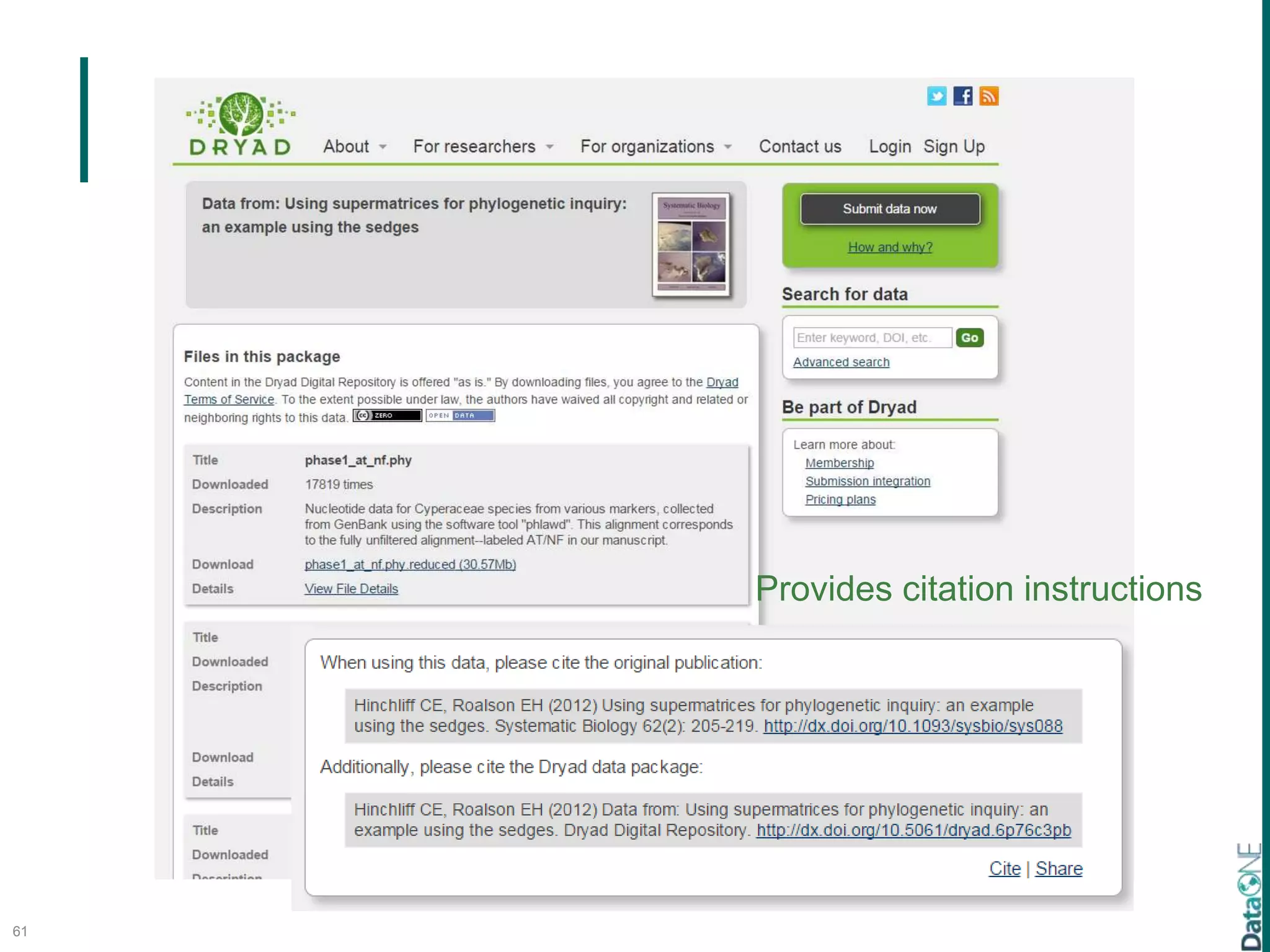
Dryad links to journals
61
Provides citation instructions
6. Discover
Search a Data Aggregator
62
63
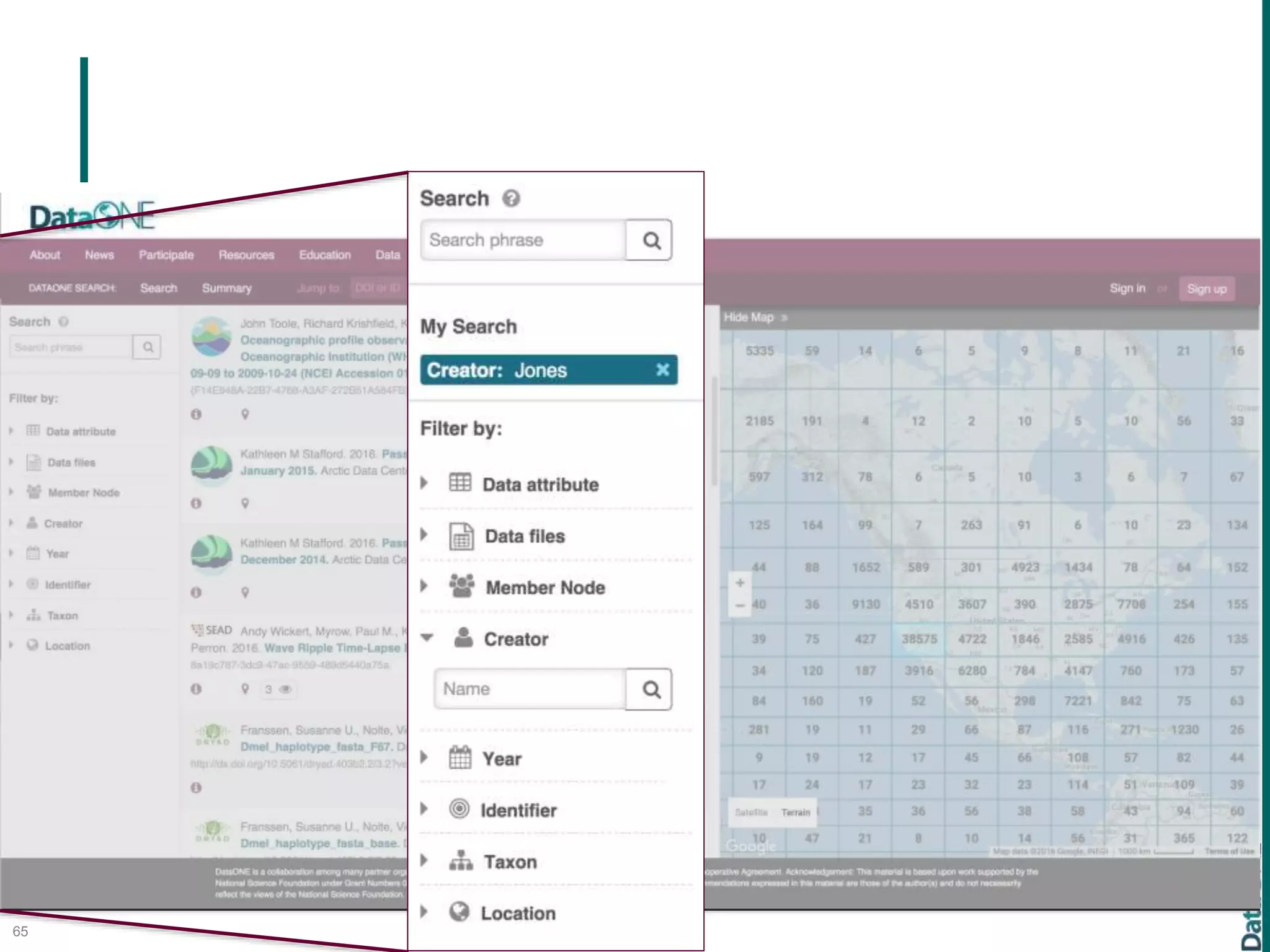
64
65
Data Federations (DataONE,
GBIF)
66
Data Federations (DataONE,
GBIF)
carbon cycling
67
Data Federations (DataONE,
GBIF)
carbon cycling
68
Data Federations (DataONE,
GBIF)
carbon cycling plant biomass
69
Data Federations (DataONE,
GBIF)
carbon cycling plant biomass
70
Data Federations (DataONE,
GBIF)
carbon cycling plant biomass
ocean nitrogen avian distribution
71
Exercise
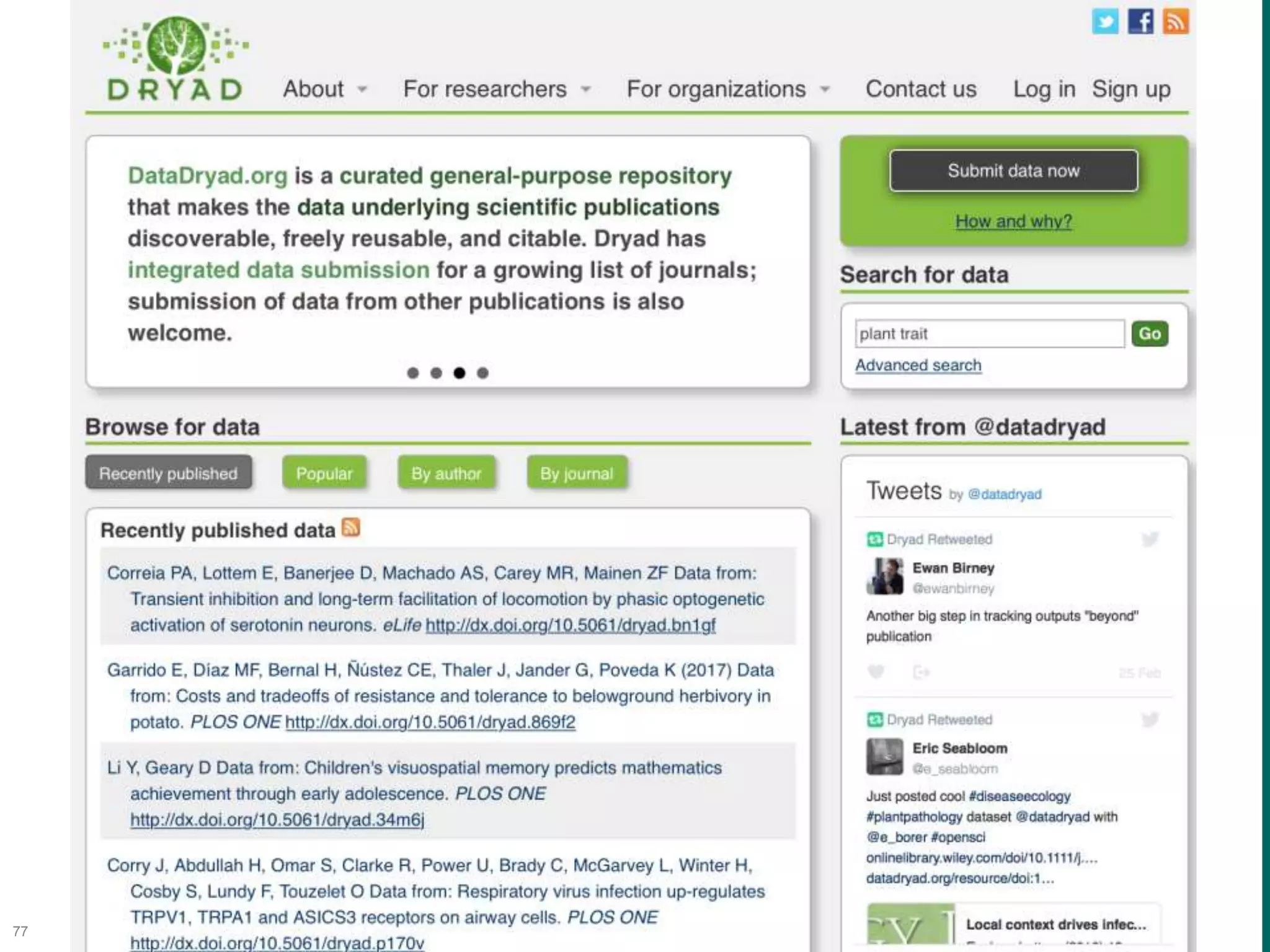
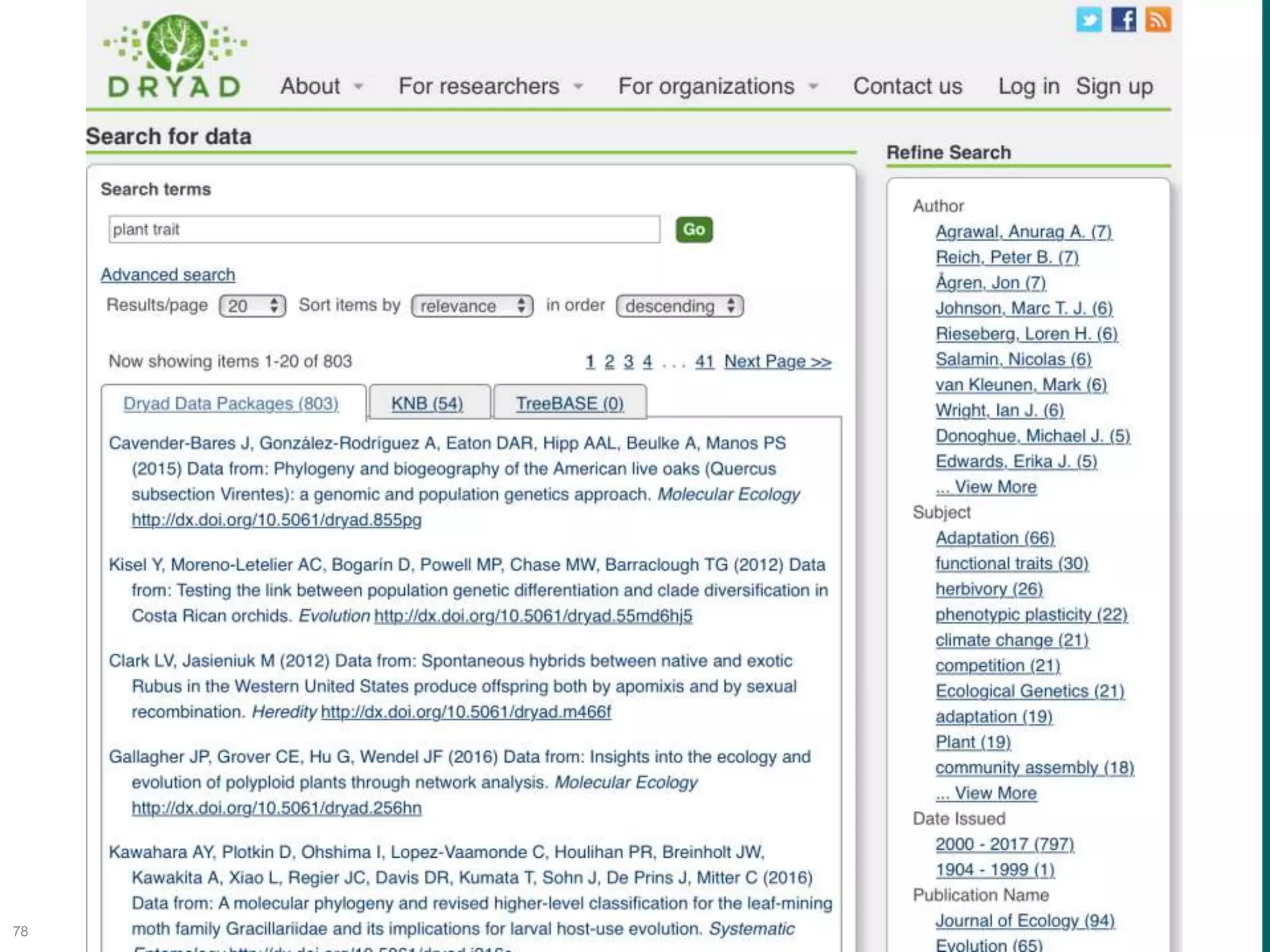
• Search datadryad.org for plant trait
• Search DataONE.org for plant trait
72
73
74
75
76
77
78
6. Discover:
Support Discovery of Relevant Data
79
Dryad DataONE google
plant trait 2,137 26,300,000
plant trait datadryad 803 1,908 17,400
• Differential content searched
• Automated annotation via ontologies and other
approaches
• Differential filtering
• Different definitions of data sets (e.g., entire
package vs individual data sets)
The DataONE Data Life Cycle
80
Plan
Collect
Assure
Describe
Preserve
Discover
Integrate
Analyze
7. Integrate:
Enable Data Integration from Different
Sources
81 Jones et al. 2007
7. Integrate:
DataONE Provenance Tracking System
82
The DataONE Data Life Cycle
83
Plan
Collect
Assure
Describe
Preserve
Discover
Integrate
Analyze
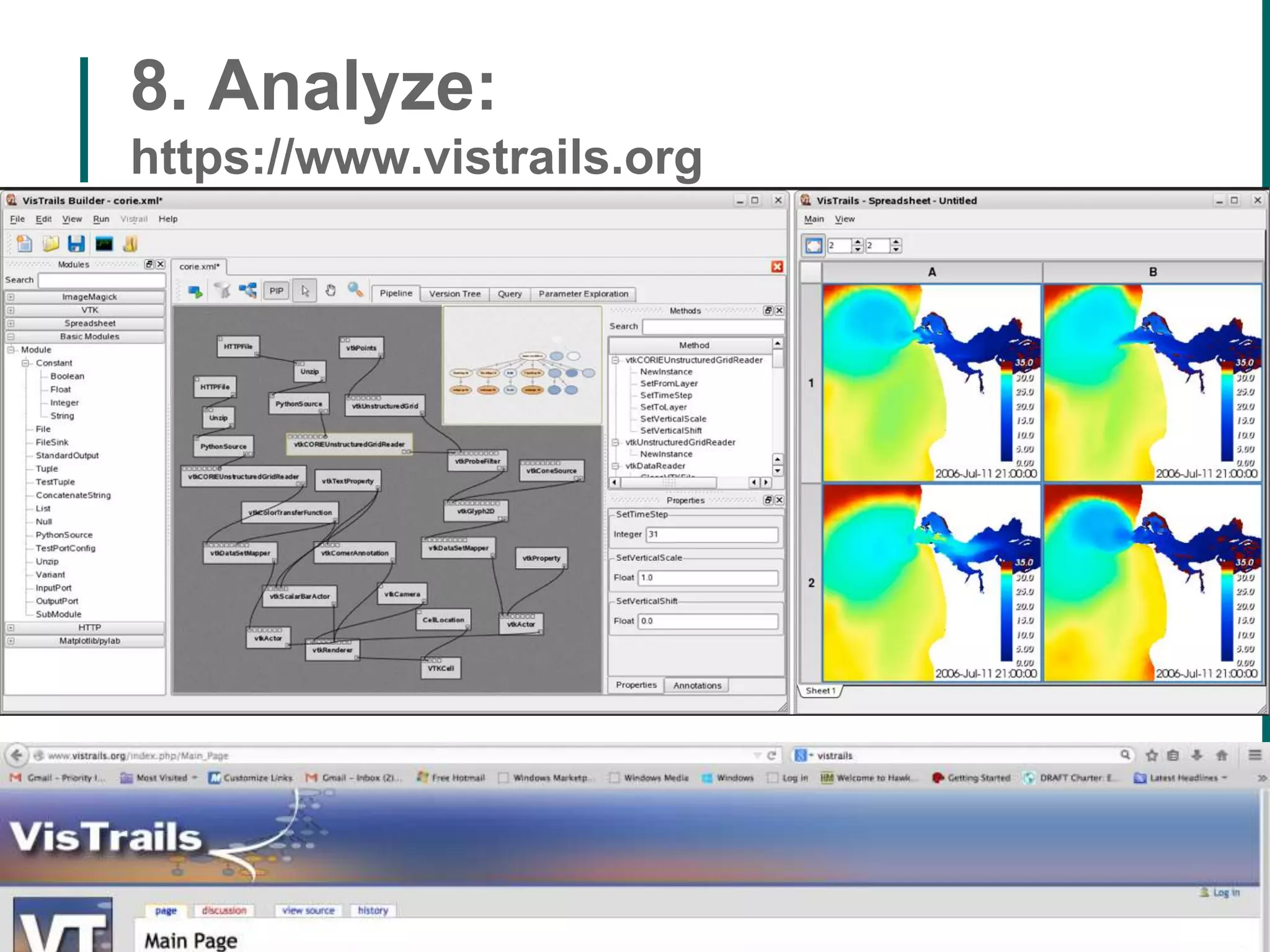
8. Analyze:
https://www.vistrails.org
84
85
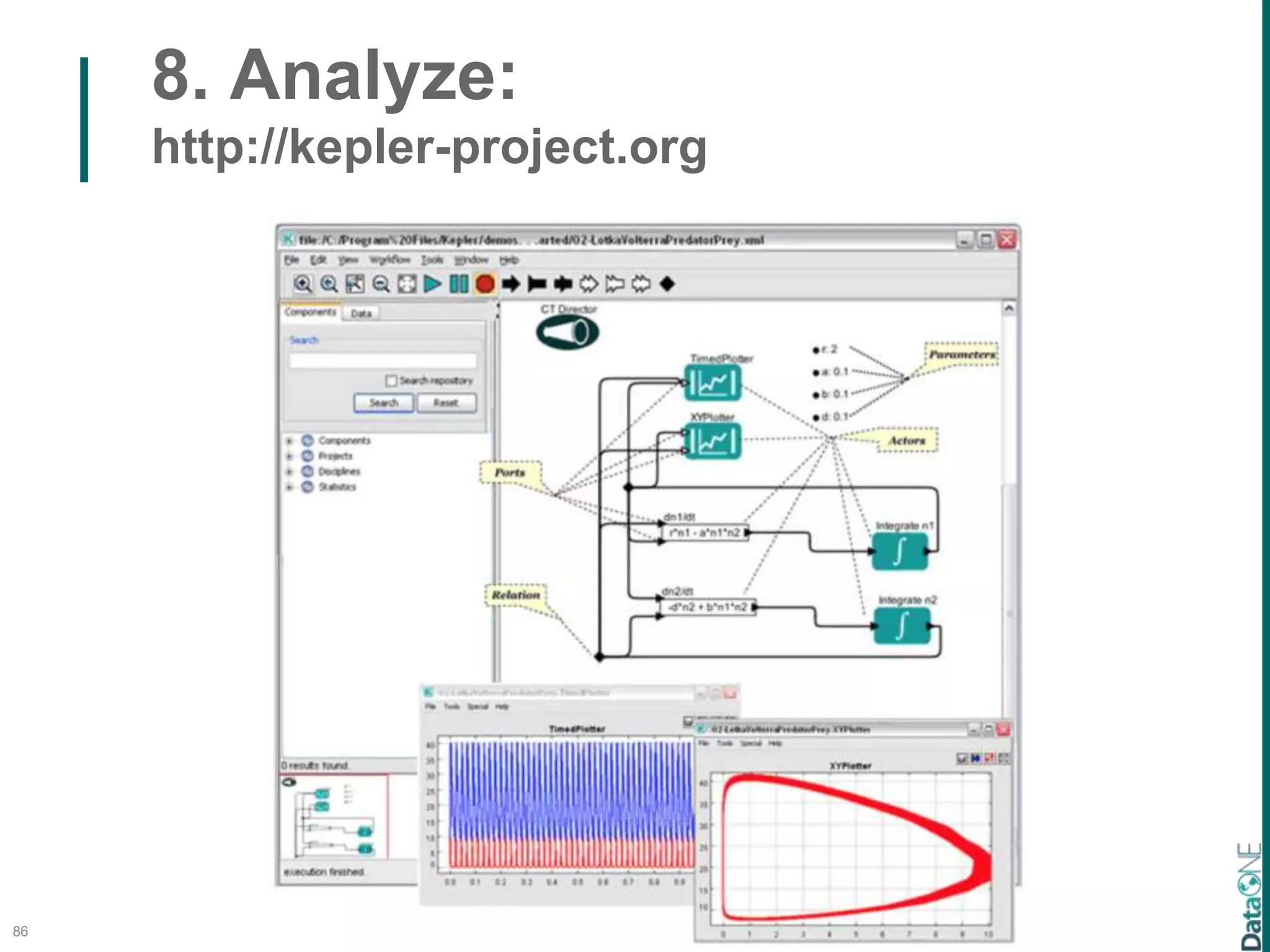
8. Analyze:
http://kepler-project.org
86
8. Analyze:
http://kepler-project.org
87
8. Analyze:
https://taverna.incubator.apache.org
8. Analyze:
https://www.myexperiment.org/
88
Best PracticesWebinar series Lessons and
Exercises
DataONE.org
Education Resources
89
90
DataONE Vision and Mission
91
92
dataone.org

Michener workshop montpellier

Editor's Notes

  • #3 The basic DLC
  • #4 The basic DLC
  • #6 Here is the DLC for a synthesis effort.
  • #7 We use the DLC concept for 2 primary activities: Identifying and developing (needed) tools that facilitate different components of the data life cycle; and Training, which you will hear more about later
  • #8 The basic DLC
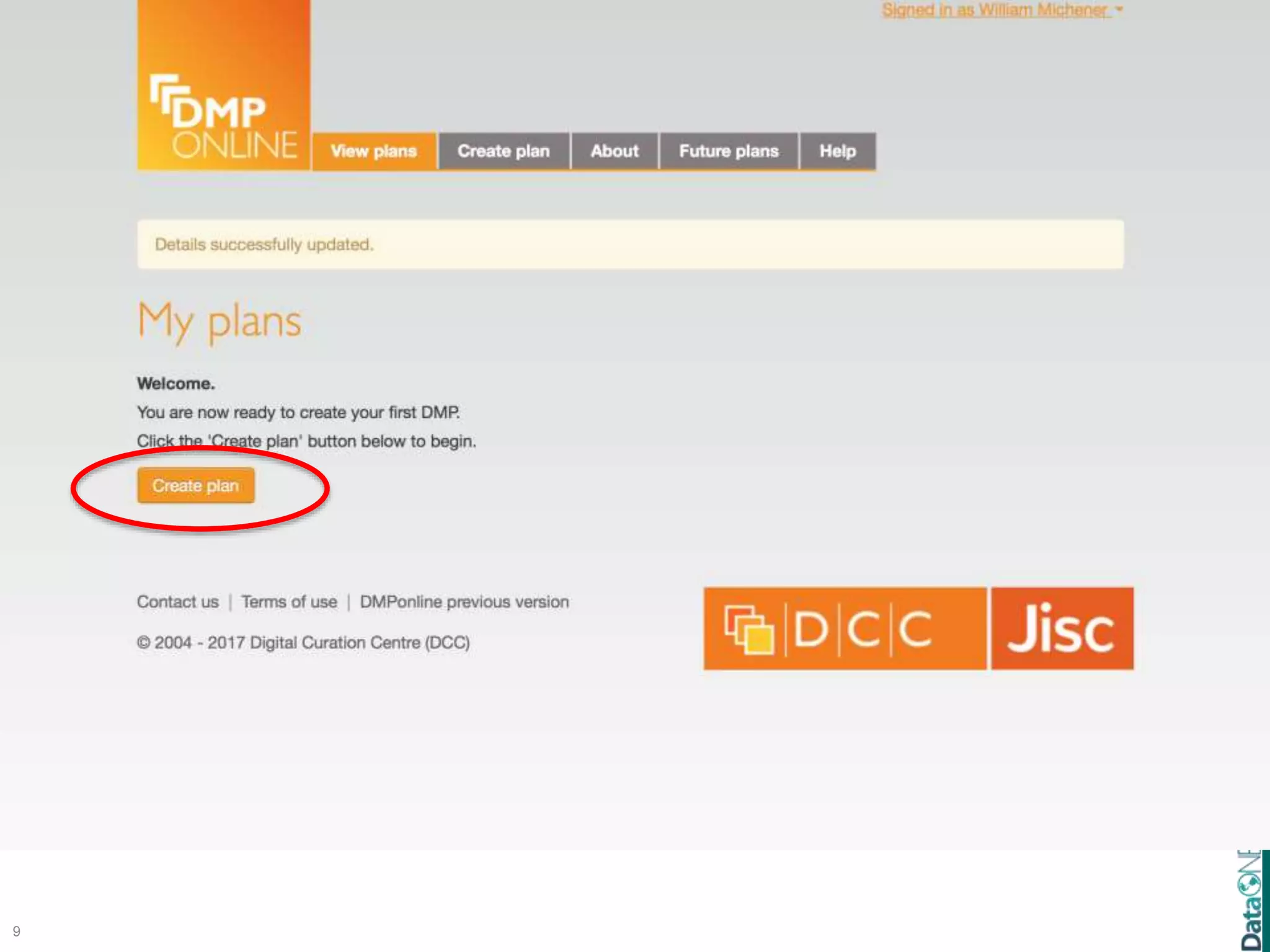
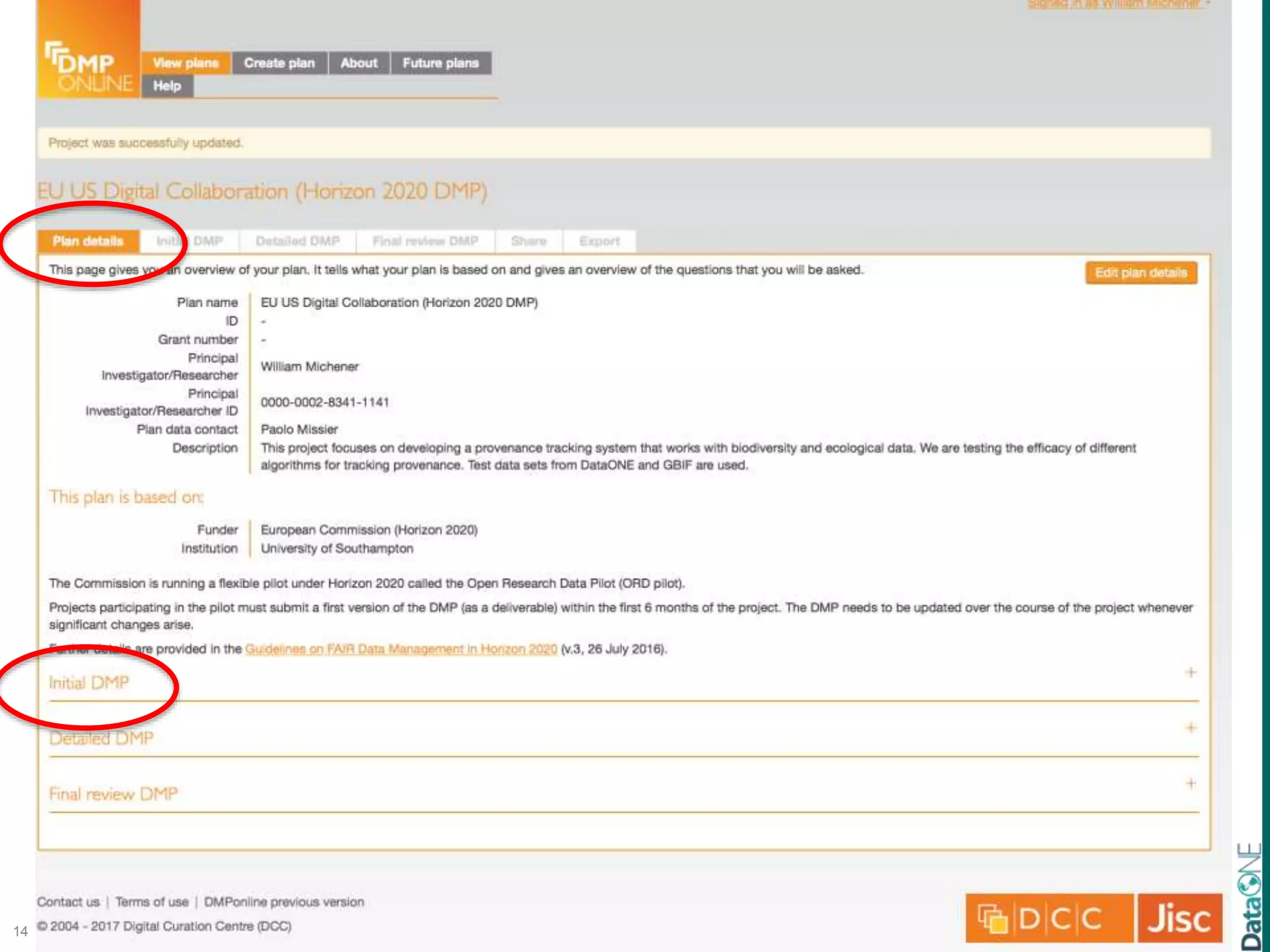
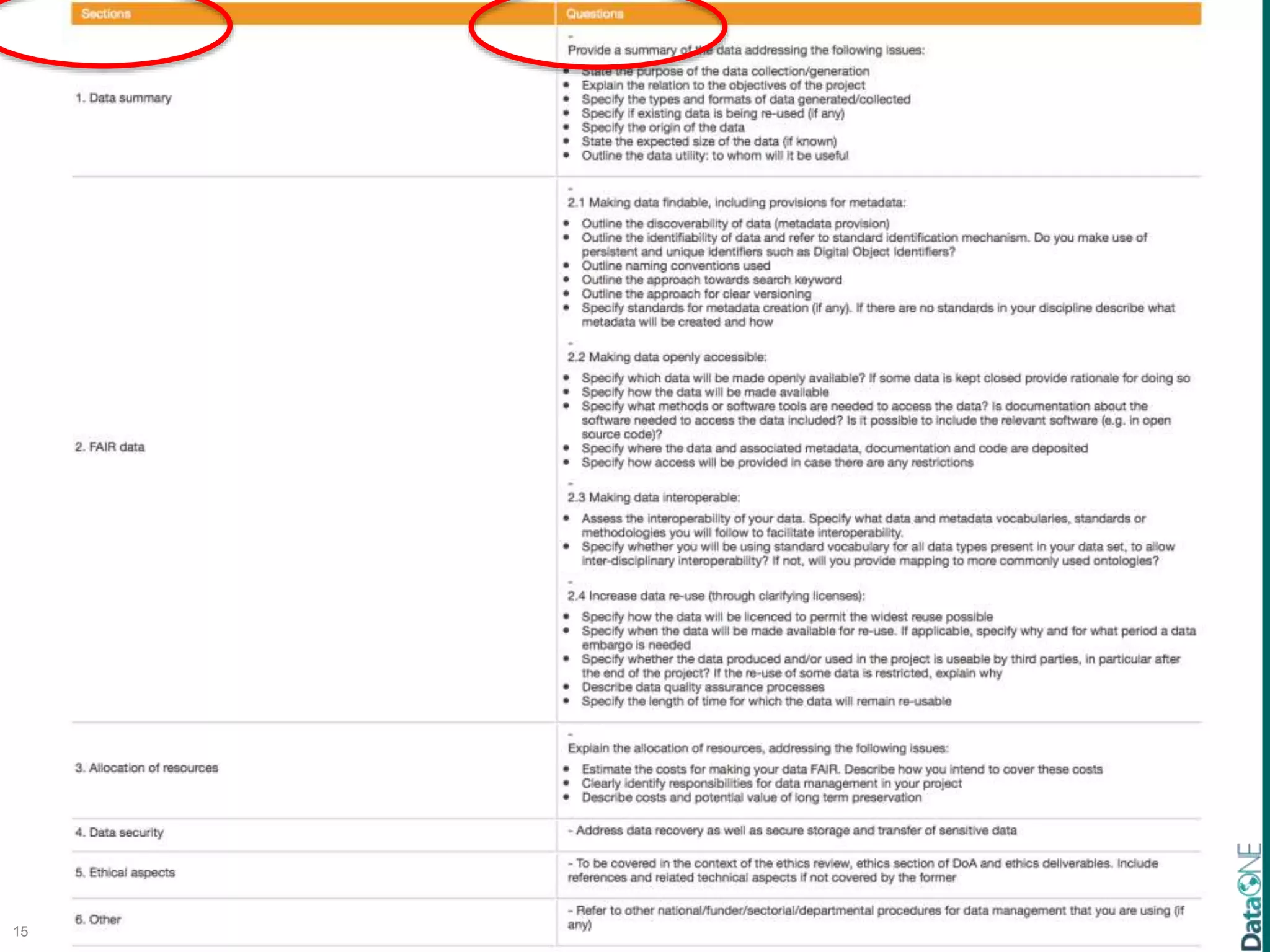
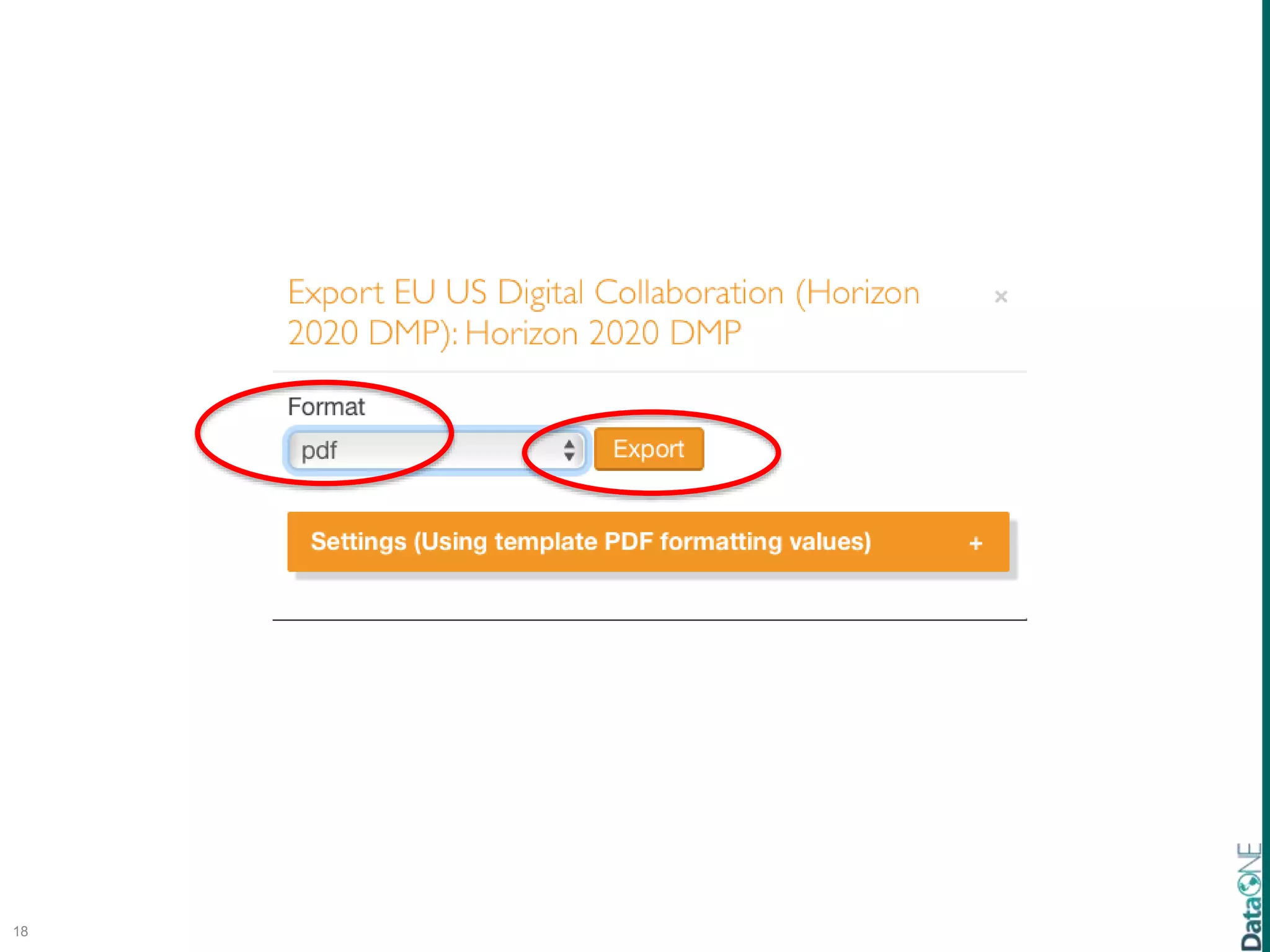
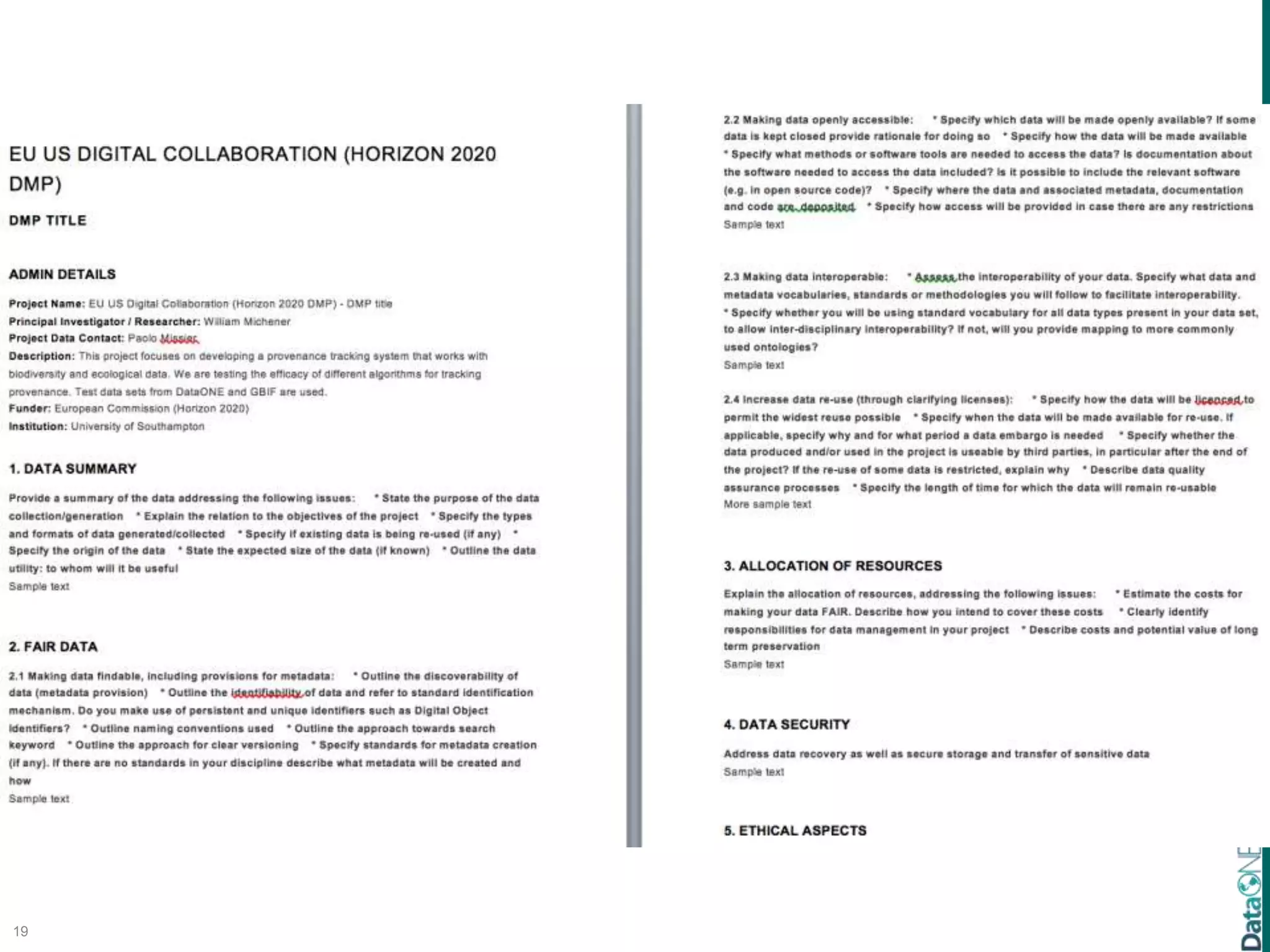
  • #9 DataONE has worked with several other institutions to pioneer the DMPTool and to promote training in the use of the DMPTool
  • #27 The basic DLC
  • #28 DataONE has developed connectors with R and Matlab that make it easy to take data from DataONE repositories, analyze the data and deposit derived products back in DataONE repositories. We also encourage best practices in organizing data using common tools such as ArcGIS and MySQL.
  • #31 This is an example of a data entry form created in Googledocs. Such forms are easy to create, and free. Here, a form field is being created that will allow the user to select from three locations where data were collected. In practice, GoogleDocs work best for entering survey data, or entering lots of text data. The advantages to using a data entry form, as opposed to entering data directly in to a spreadsheet, is that the form can enforce data entry rules – that is, you can create a pick-list of items for a user to select from. That way, you have consistent info being entered – a user will always enter Deep Well, instead of DW.
  • #32 Data entered into a Googledoc form is stored in a spreadsheet. These data can be downloaded for further analysis.
  • #33 Excel is a very popular data entry tool. It also allows you to enforce data validation rules. Here, a dropdown list has been generated that allows the user to only select entries from this list. In this way, only defined species codes get entered, and the data is consistent.
  • #34 Excel is a very popular data entry tool. It also allows you to enforce data validation rules. Here, a dropdown list has been generated that allows the user to only select entries from this list. In this way, only defined species codes get entered, and the data is consistent.
  • #35 Here is another example of data validation using Excel. Height has been defined to contain values between 11 and 15. When 20 is entered, the user is told that they have entered an illegal value.
  • #36 Here is another example of data validation using Excel. Height has been defined to contain values between 11 and 15. When 20 is entered, the user is told that they have entered an illegal value.
  • #37 Here is another example of data validation using Excel. Height has been defined to contain values between 11 and 15. When 20 is entered, the user is told that they have entered an illegal value.
  • #38 The basic DLC
  • #39 Through the connectors with R and MATLAB, QA/QC is facilitated. We will also soon be releasing a new tool (on the right) that analyzes metadata and provides guidance wrt meeting community standards (such as LTER best practices).
  • #50 The basic DLC
  • #51 DataONE’s affiliates have developed user friendly metadata management tools like “Morpho” and will soon be releasing a new web-based metadata entry tool that will further ease metadata management (initially through the Arctic Data Center).
  • #52 DataONE’s affiliates have developed user friendly metadata management tools like “Morpho” and will soon be releasing a new web-based metadata entry tool that will further ease metadata management (initially through the Arctic Data Center).
  • #53 The basic DLC
  • #54 DataONE encourages good practices in data preservation via our 30+ affiliated repositories as well as other repositories listed in re3data.org. We also encourage preservation of code, workflows, and other data resources.
  • #55 DataONE encourages good practices in data preservation via our 30+ affiliated repositories as well as other repositories listed in re3data.org. We also encourage preservation of code, workflows, and other data resources.
  • #56 The basic DLC
  • #67 Color of lines set by computer monitor
  • #68 Color of lines set by computer monitor
  • #69 Color of lines set by computer monitor
  • #70 Color of lines set by computer monitor
  • #71 Color of lines set by computer monitor
  • #72 Color of lines set by computer monitor
  • #73 DataONE encourages good practices in data preservation via our 30+ affiliated repositories as well as other repositories listed in re3data.org. We also encourage preservation of code, workflows, and other data resources.
  • #80 Color of lines set by computer monitor
  • #81 The basic DLC
  • #82 DataONE is doing a number of things related to data integration. First, connections with R and MATLAB simply many data processing setps. Second, manual and automated semantic annotation services make it easy to find and interpret the data one is looking for, Third, the DataONE provenance management system is being release to allow researcher to readily see how data were derived and where they were subsequently used.
  • #83 DataONE is doing a number of things related to data integration. First, connections with R and MATLAB simply many data processing setps. Second, manual and automated semantic annotation services make it easy to find and interpret the data one is looking for, Third, the DataONE provenance management system is being release to allow researcher to readily see how data were derived and where they were subsequently used.
  • #84 The basic DLC
  • #85 DataONE has partnered with development teams from Kepler and VisTrails to develop and support use of scientfic workflows in research.
  • #86 DataONE has partnered with development teams from Kepler and VisTrails to develop and support use of scientfic workflows in research.
  • #87 DataONE has partnered with development teams from Kepler and VisTrails to develop and support use of scientfic workflows in research.
  • #88 D
  • #89 D
  • #90 We do this through in-person, web-based, and resource based training activities.
  • #91 Lastly, DataONE focuses significant effort of training in various elements of the Data Life Cycle.