David W. Deeds, IT Manager/Teacher
   Changchun American International School
Meta Institute for Computational Astrophysics
                    Second Life: April 10, 2012
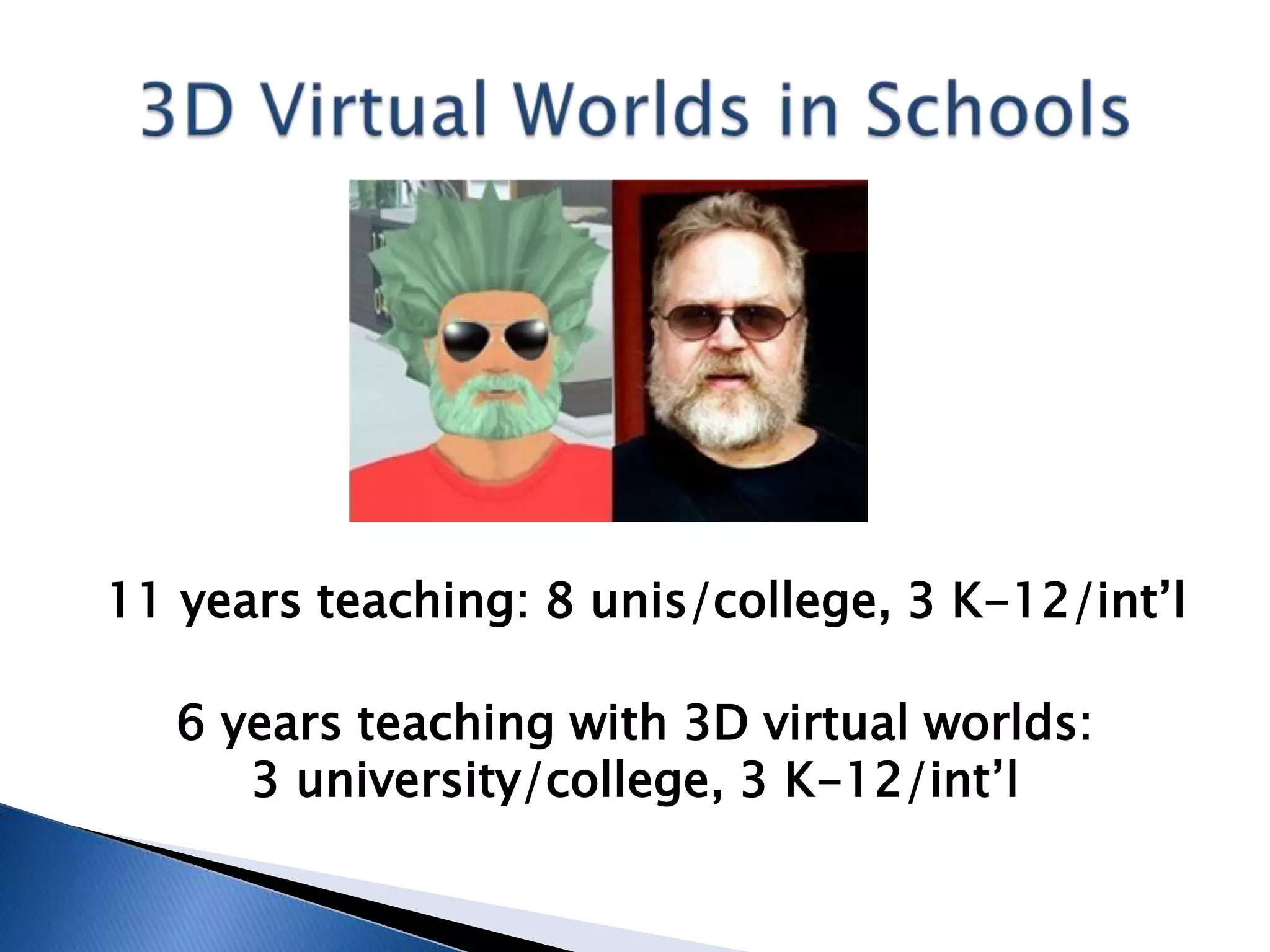
11 years teaching: 8 unis/college, 3 K-12/int’l

   6 years teaching with 3D virtual worlds:
      3 university/college, 3 K-12/int’l
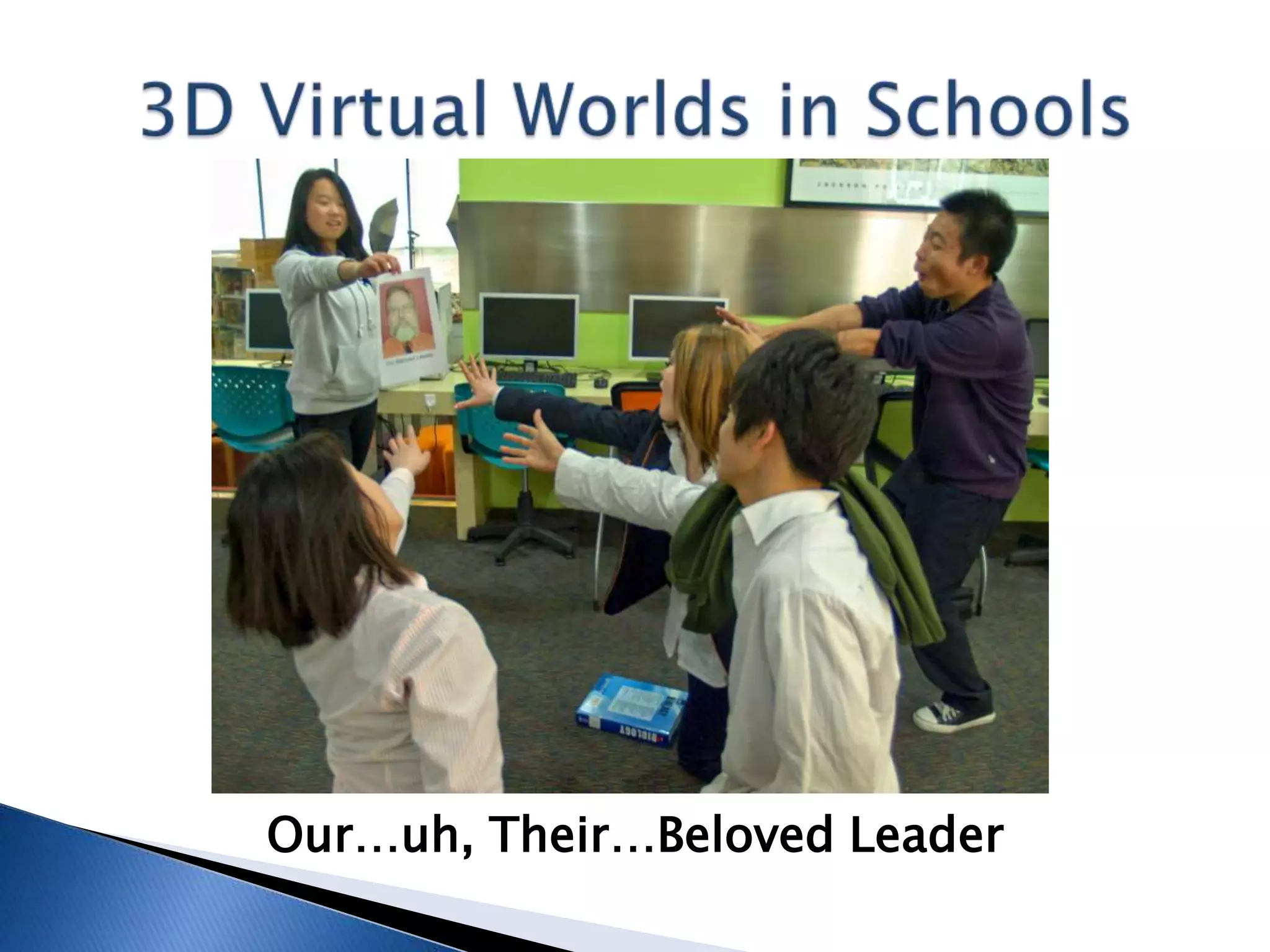
Our…uh, Their…Beloved Leader
2011 Conference Presentations:
 Flat Classroom Conference in Beijing
 AACE Global Learn Asia Pacific Conference in
  Melbourne (2nd consecutive GLAP)
 AACE ED-MEDIA Conference in Lisbon
 Global Meeting on Gifted Education in Second
  Life Conference, inworld
 TechEx 2011 in Bangkok
 Global Education Conference, online
 Beijing Learning Summit
2012 Conference Presentations So Far:
 Otavan Opisto (Finnish academy, online)
 Flat Classroom Workshop, part of American
  School of Bombay Unplugged in Mumbai (to
  students!)
 VWBPE Conference, inworld
 MICA – You know, this one!
Booked through summer, ready to go again as
  of August 2012 – Educational Technology
  Coordinator for Colegios Peterson in Mexico
          (www.peterson.edu.mx)
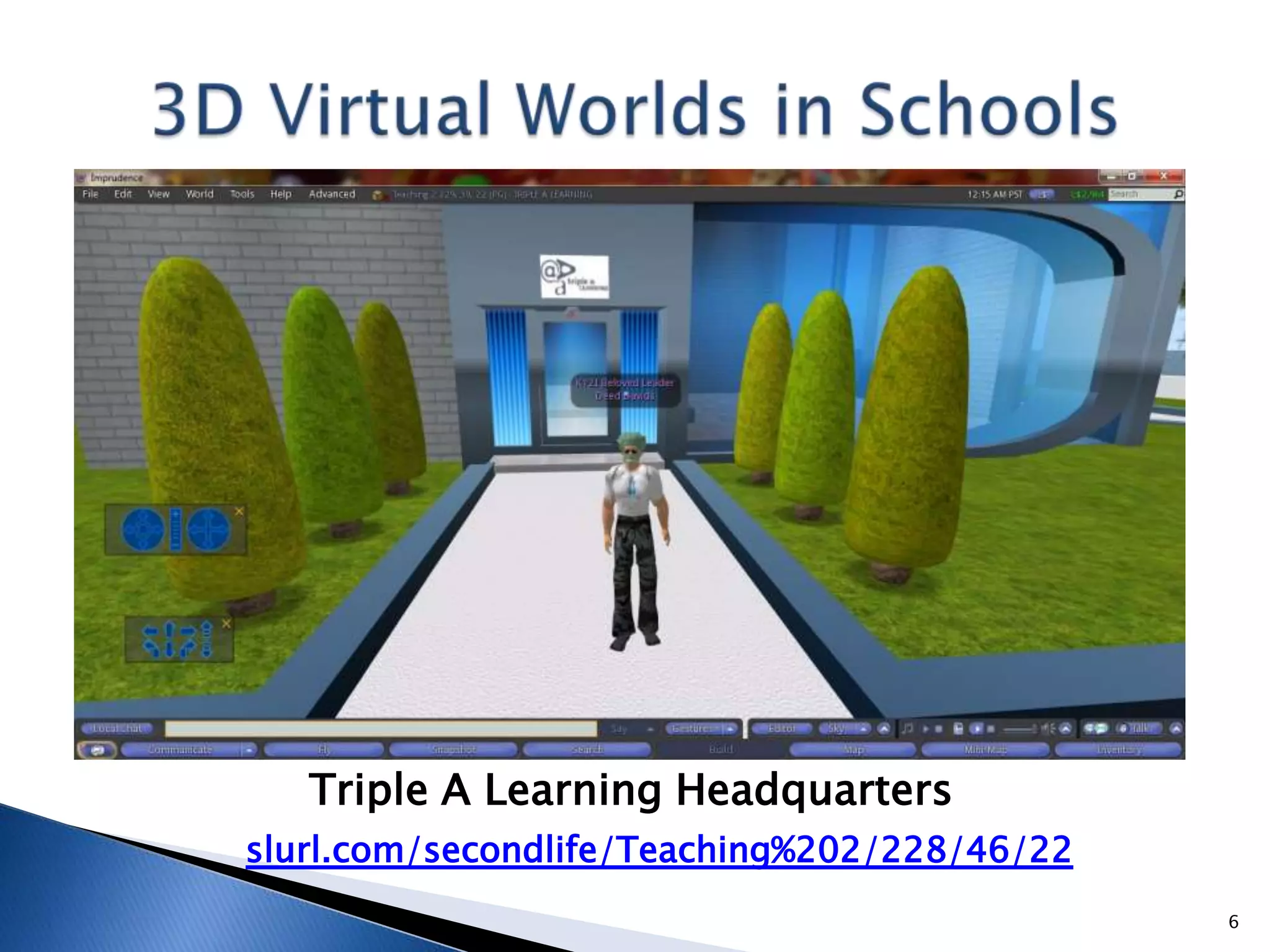
Triple A Learning Headquarters
slurl.com/secondlife/Teaching%202/228/46/22
                                              6
What are we going to talk about?

   Higher Education and K-12:
    ◦ Second Life – 10 minutes
   K-12/International:
    ◦   OpenSimulator – 10 minutes
    ◦   Quest Atlantis – 10 minutes
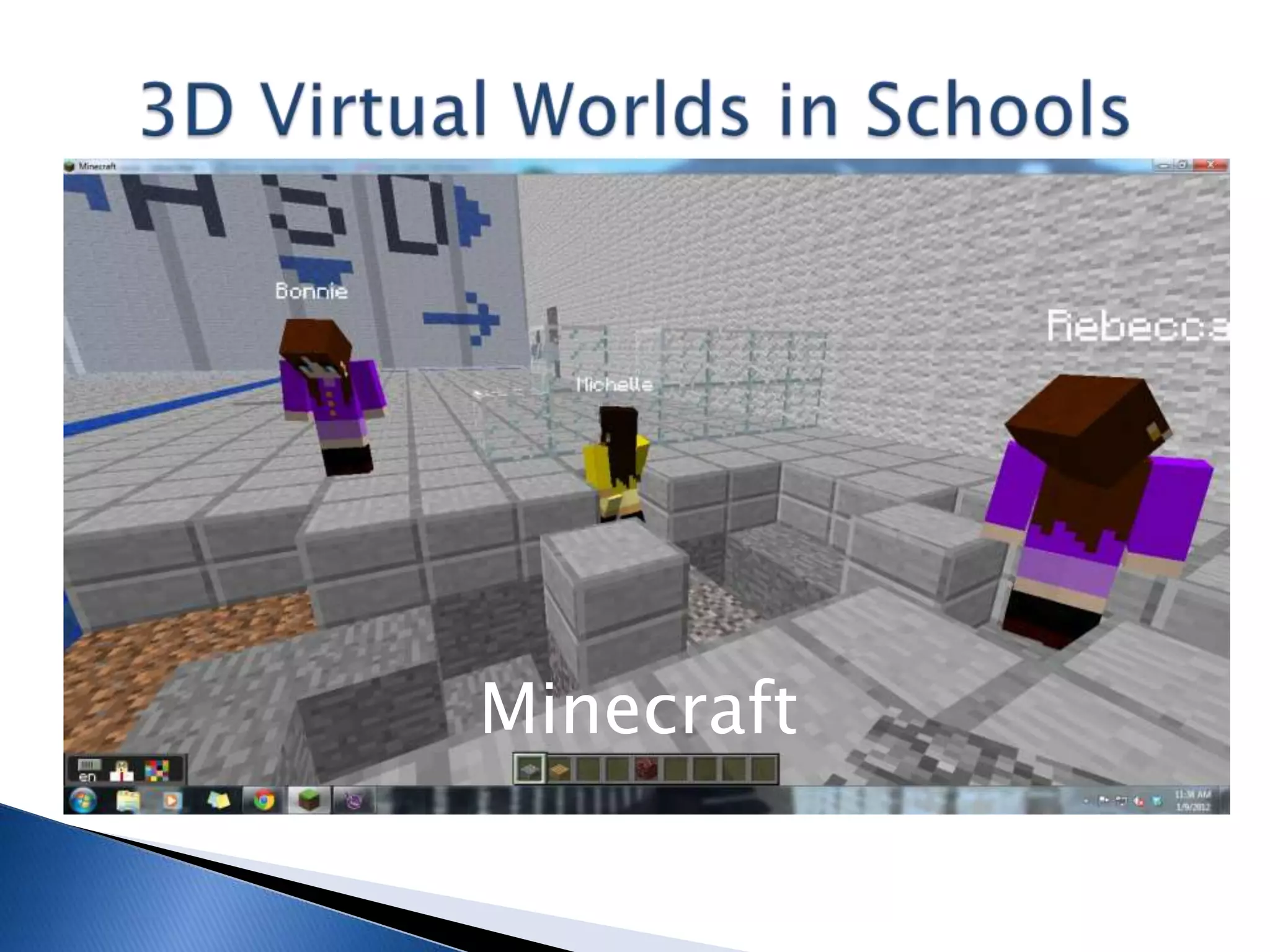
    ◦   Minecraft – 10 minutes
    ◦   Jibe/Unity – 5 minutes
    ◦   Alice – 5 minutes
   Teaching Physics (not much progress yet!)
          Best Practices/Lessons Learned:
             What Works? What Doesn’t?
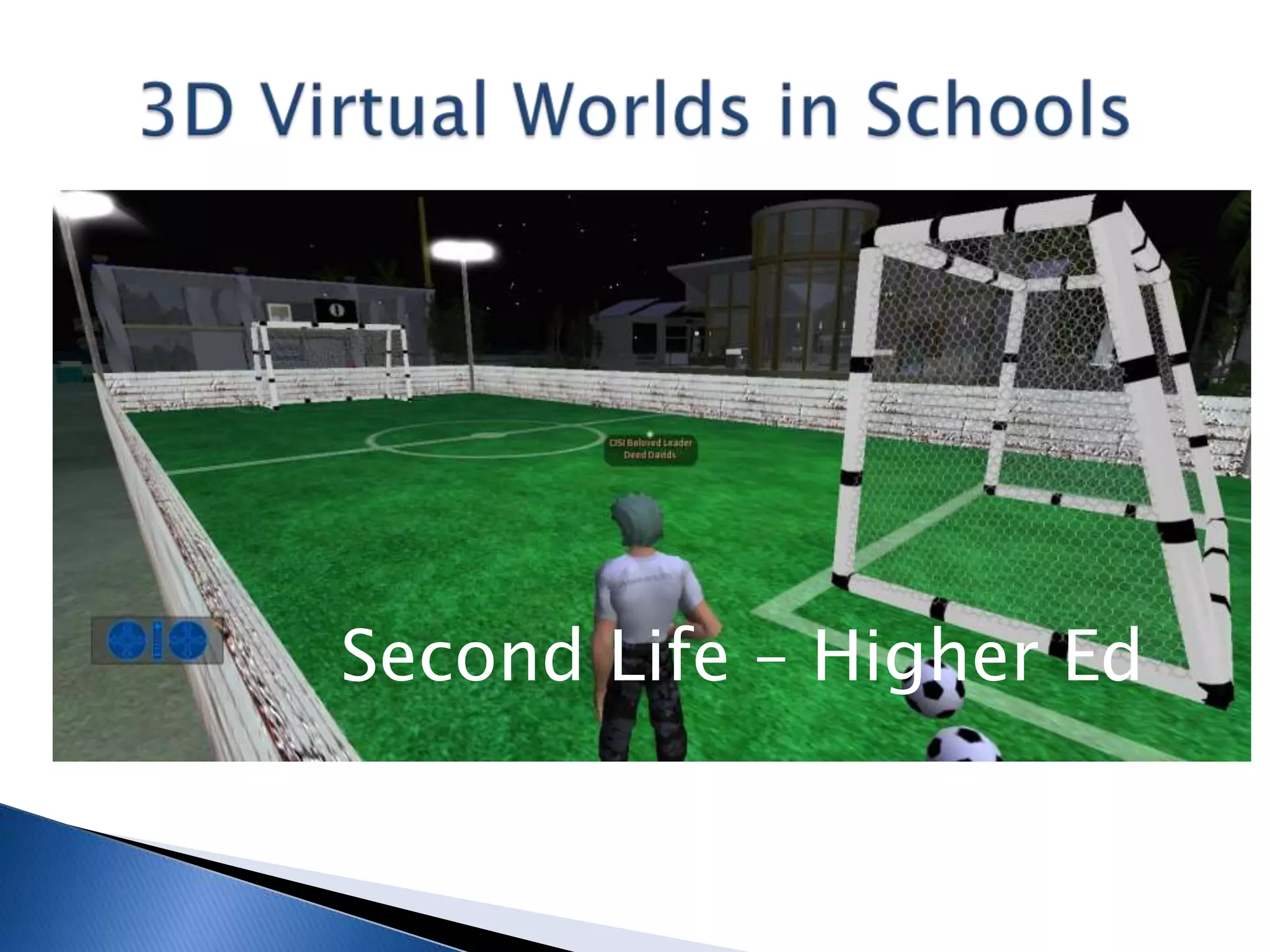
Second Life – Higher Ed
Second Life: Higher Education

   Professor in Korean university’s fledgling
    International Business Department in 2006
   Students from Korea, China, Vietnam, Russia
    (wide range of English skills)
   Needed a way to beat the language barrier
    (and overcome cultural passive role)
   Established 1,000 sqm cybercampus; later
    4,000 sqm college Computer Science Dept.
Second Life: Higher Education

Classes (500+ students inworld):
 Mine: Freshmen – Juniors: Computer
  Programming, Business Management, Internet
  Marketing, Project Management
  (Uni: Regular Majors, College: Votech)
 Others: Freshmen – Seniors: Wide variety of
  English courses, including Business English
  (S/T in our college plus others, global)
Second Life: Higher Education
What Were We Doing?
 Teaching without textbooks (some e-books)
 Kids created/managed cybercampus, put on
  shows, made and sold real/virtual products
 Handled all management, pricing, marketing
 Learned programming via LSL, also CAD
 Active, learner-centric, English curriculum
 Hosted/visited students in other countries to
  practice English, virtual field trips
Second Life: Higher Education
What Worked?
 Bridged the communications gap – digital
  natives knew what to do, even in English
 Overcame ASMeB – Anti Social Media Behavior
  – synchronous, anonymous (FUN!)
 Hit the sweet spot re: programming “payoff”
 Sheltered Instruction Observation Protocol to
  create Individualized Education Plans (IEPs) –
  Differentiation, Inclusion
Second Life: Higher Education
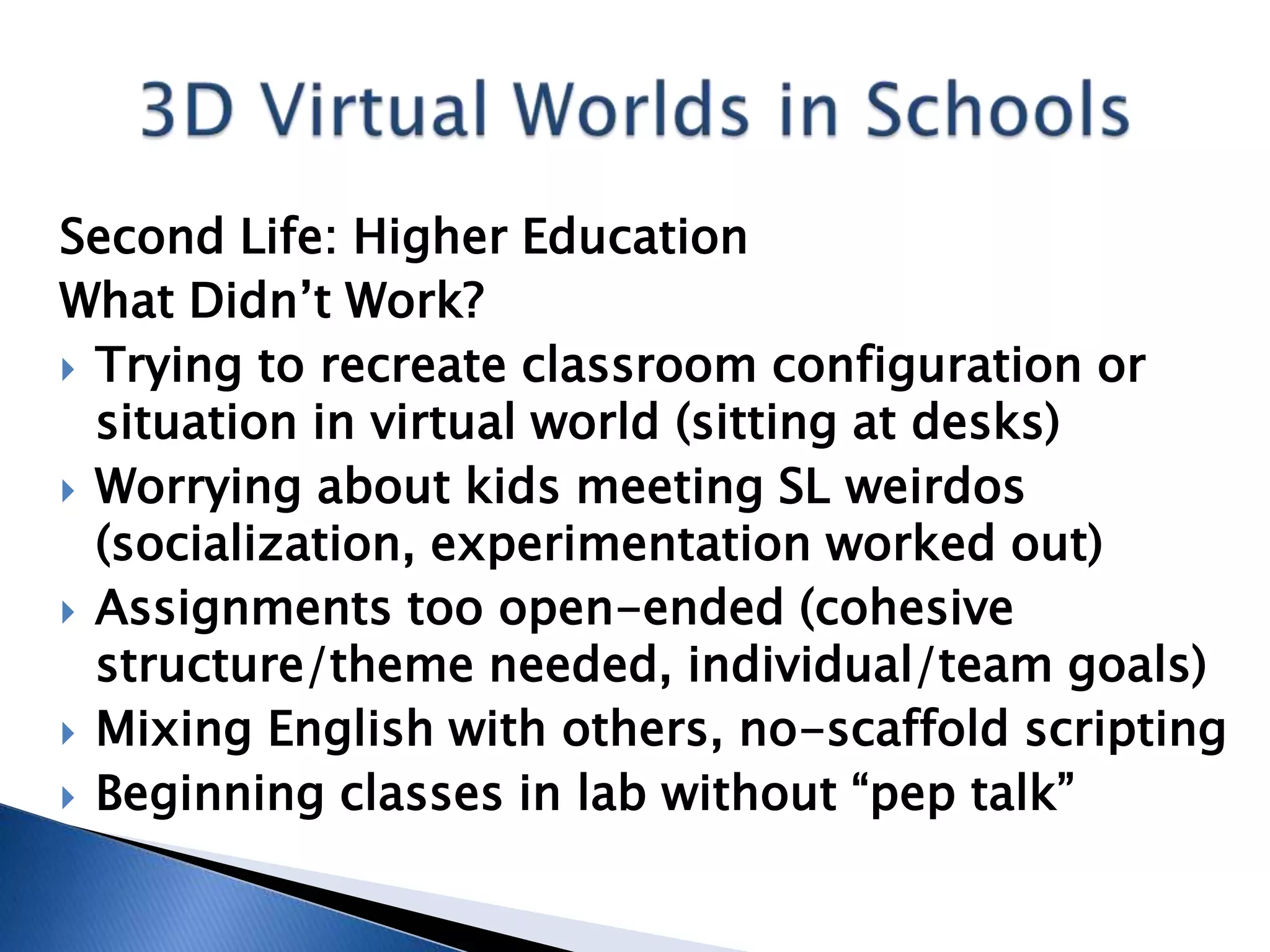
What Didn’t Work?
 Trying to recreate classroom configuration or
  situation in virtual world (sitting at desks)
 Worrying about kids meeting SL weirdos
  (socialization, experimentation worked out)
 Assignments too open-ended (cohesive
  structure/theme needed, individual/team goals)
 Mixing English with others, no-scaffold scripting
 Beginning classes in lab without “pep talk”
OpenSimulator
OpenSimulator: K-12
 IT Teacher/Manager for small, new school
  wanting to implement “21st century education”
 International Baccalaureate Organization
  (www.ibo.org) World School, inquiry-based
 Goal of cross-curricular instruction, big thing
  in IB but no one knows how to do it
 Native speakers and beginners in same class
 Geographically isolated for expat teachers
  and students, language/cultural barriers
OpenSimulator: K-12
Classes (200+ students inworld)
 Middle Years Program (MYP) Technology –
  shift from Digital Literacy made long ago;
  Art, Music, Science, Humanities soon
 Primary Years Program (PYP) Information
  Communications Technology (ICT) - switch
  from Digital Literacy to IB Design Cycle
 Diploma Program Information Technology in
  a Global Society (ITGS) – now in Second Life
OpenSimulator: K-12
What Are We Doing?
 Teaching Computer-Aided Design, Project
  Management, Programming, English (MYP)
 Teaching task-based lessons with other tools
 Changing PYP ICT to inquiry-/task-based
 Using skeleton lesson plans, students achieve
  according to their own abilities
 Involving other software/skills in the process
 Having a [heckuva] lotta fun, but don’t tell!
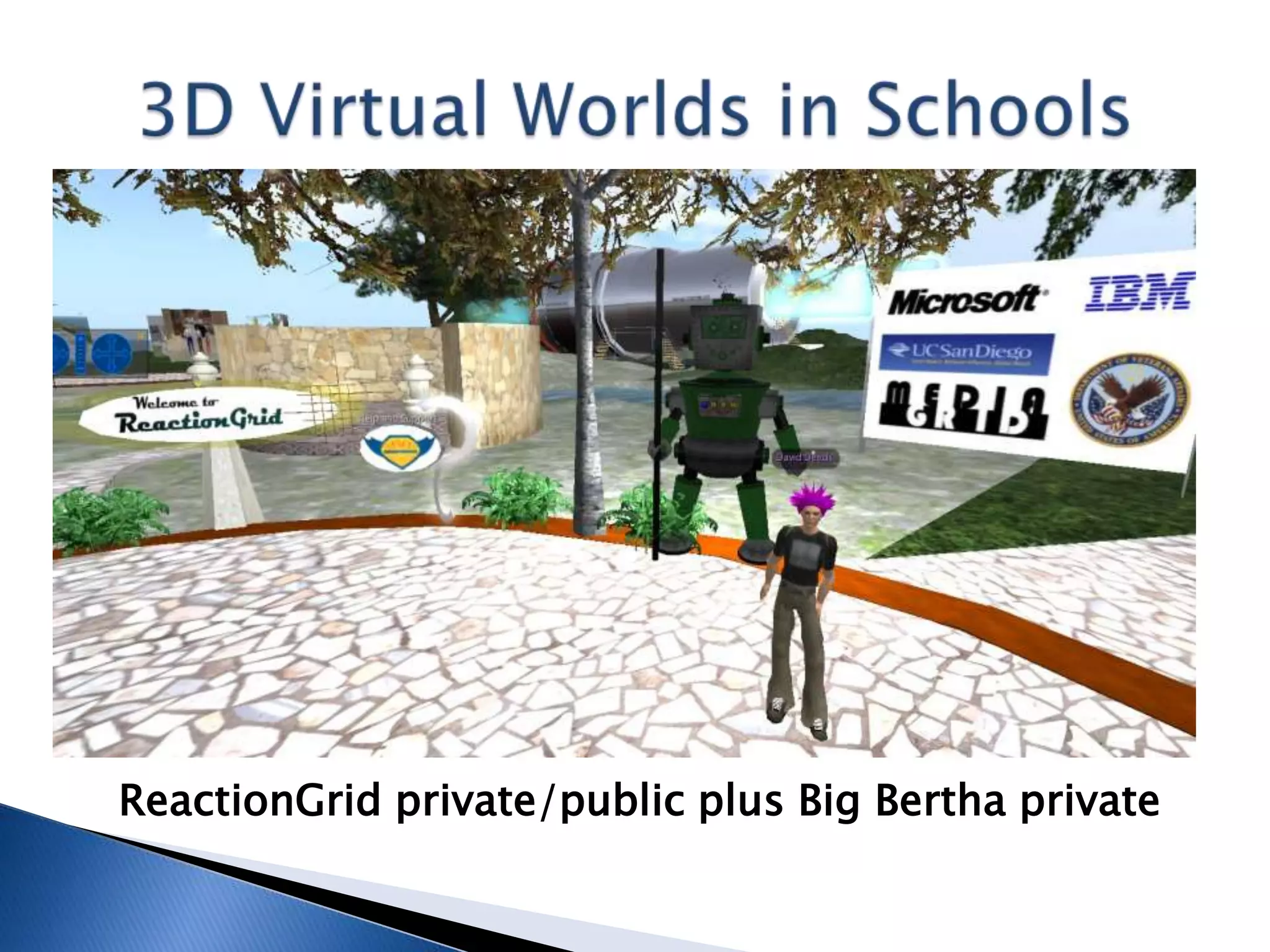
ReactionGrid private/public plus Big Bertha private
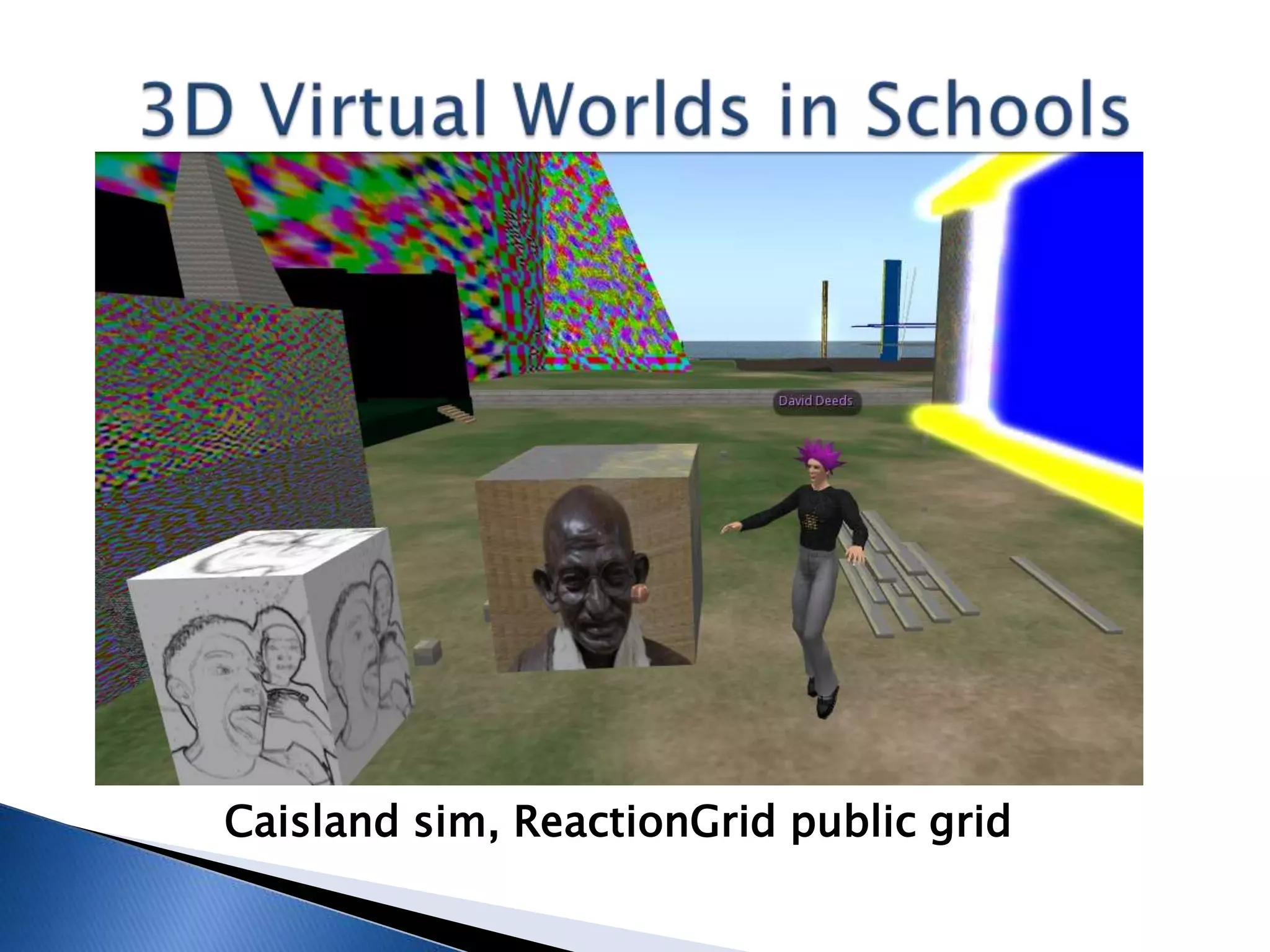
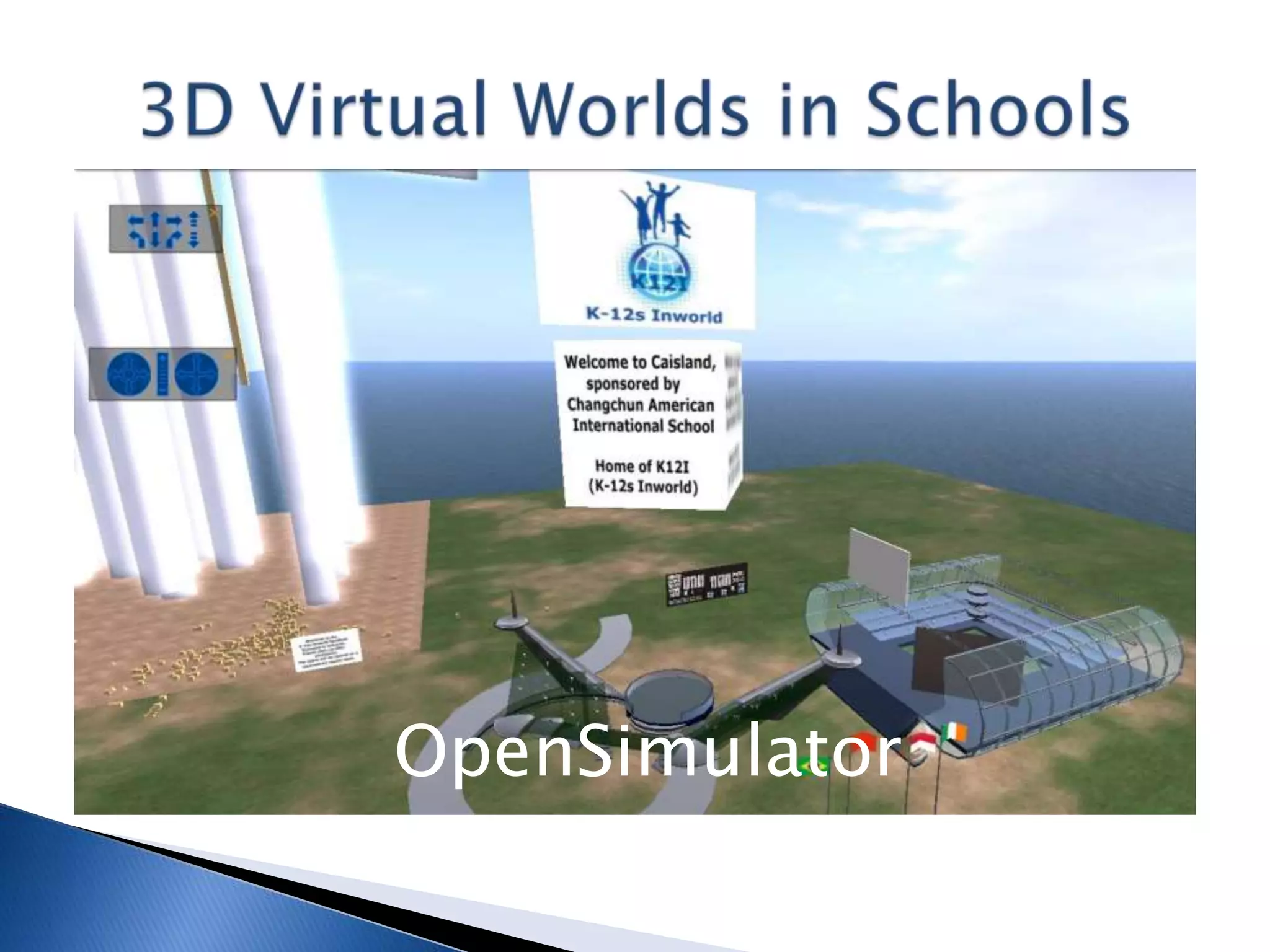
Caisland sim, ReactionGrid public grid
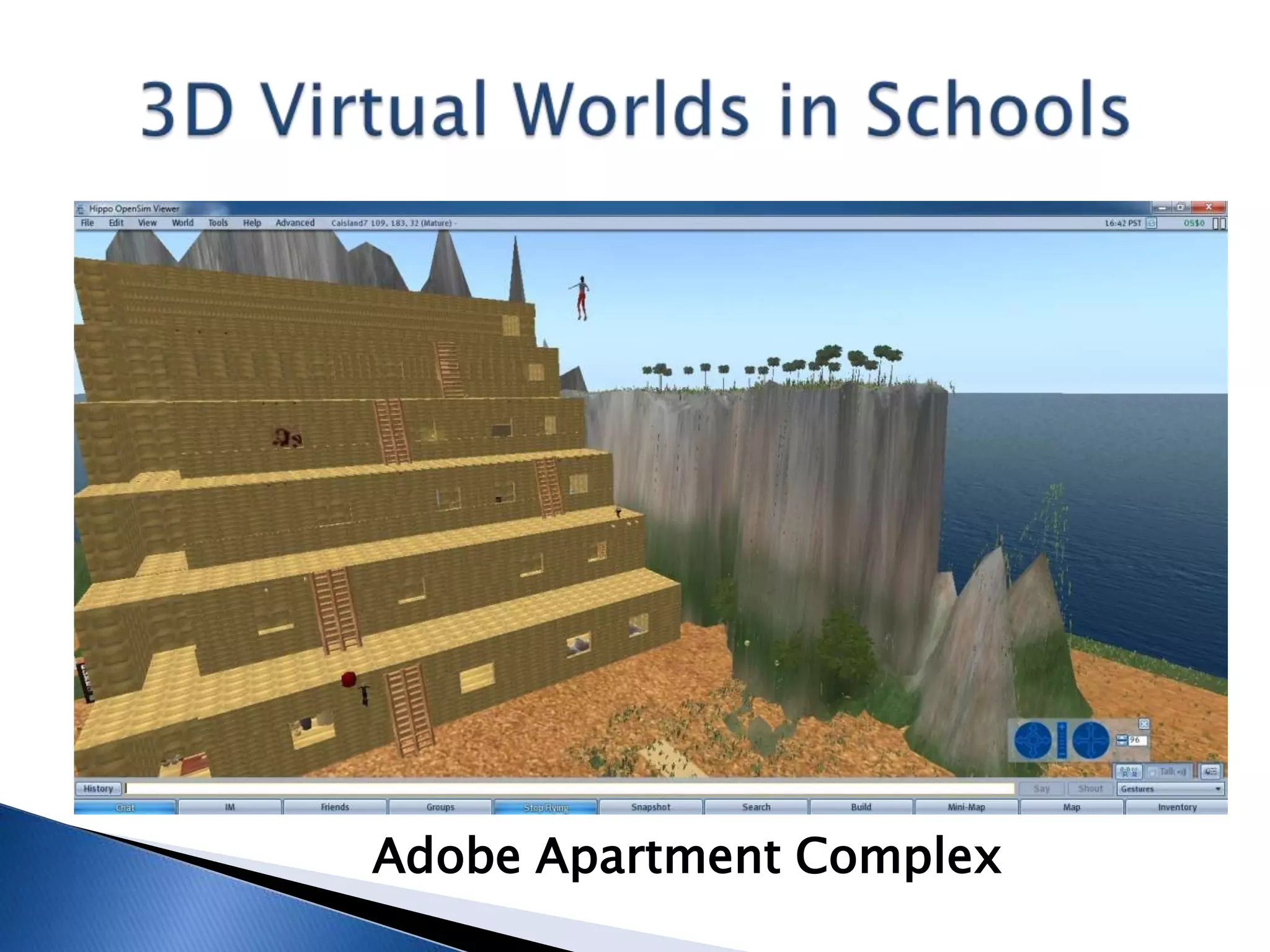
Adobe Apartment Complex
OpenSimulator: K-12
What Has Worked?
 Simple Instructions/Skeleton Lesson Plans
 Three C’s – Connect, Communicate, Collaborate
  (and #4: Cooperate – Project Management)
 IB Design Cycle: Investigate, Design, Plan,
  Create and Evaluate (also Attitudes!)
 Problem-Solving/Task-Based Education
 Built-in Gifted and Special Needs programs
 Everything is project-based, NO TESTS!
OpenSimulator: K-12
What Has Worked?
 Reciprocal guidance, “guide on the side”
 Changing viewer interface to student primary
  language (Chinese, Korean, French, German, etc.)
 Constructivism, esp. Social Constructivism
 Self-reliance, adapting to change skills
 Scratch and S4SL for programming basics
 Wide variety of other tools: Audacity, PhotoShop,
  Google Sketchup, blogs/wikis, you name it
OpenSimulator: K-12
What Hasn’t Worked?
 Assuming productivity the first week!
 Calling it a GAME! Use “immersive learning
  environment” instead! Also, e-/textbooks
 Overcoming, but still dealing with active
  versus passive role (Asia specific?)
 Trying to jump right into LSL (Scratch first!)
 Trying to explain, esp. re: assessment, in
  advance (if you can, just do it!)
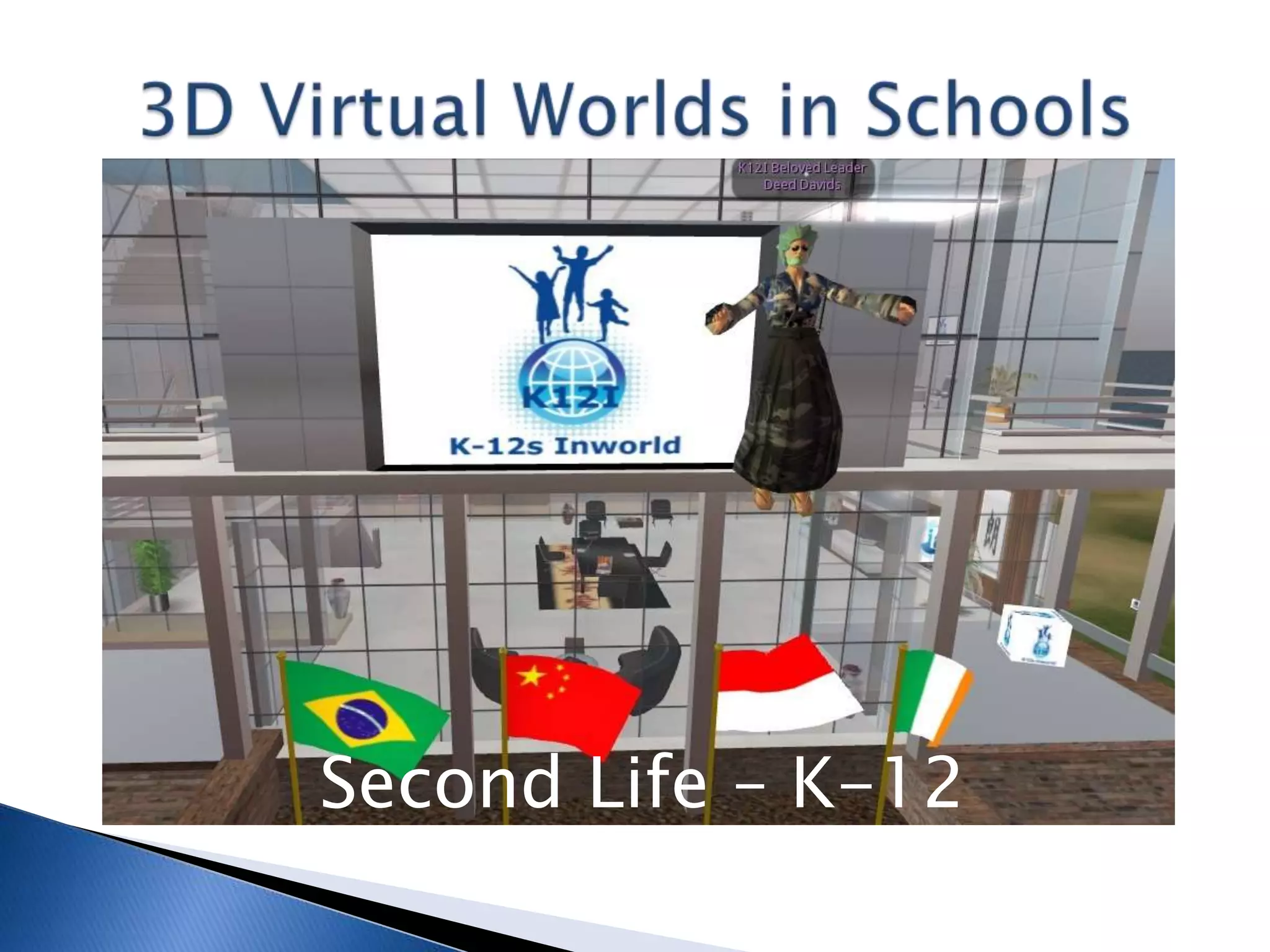
Second Life – K-12
Second Life: K-12
Classes (20+ students inworld):
 Information Technology in a Global Society –
  Three Strands: IT Systems, Social and Ethical
  Significance, Application to Specified Scenarios
 In Group 3, Individuals and Societies –
  provides technical education regardless
 Diploma Program opportunity for kids with
  low English skills, Special Needs Program
 China International Schools Inworld (CISI)
Second Life: K-12
What Are We Doing?
 Students maintain cybercampus and K-12s
  Inworld group, 4 schools now, goal is more
 E-textbooks provide content for IT
  lessons, ethical/moral and other discussions
 Projects/products: website, t-shirts, more
 Gearing up for real/virtual publicity
 Arranging college cybervisits for graduates
 Prepare for written exam (article responses)
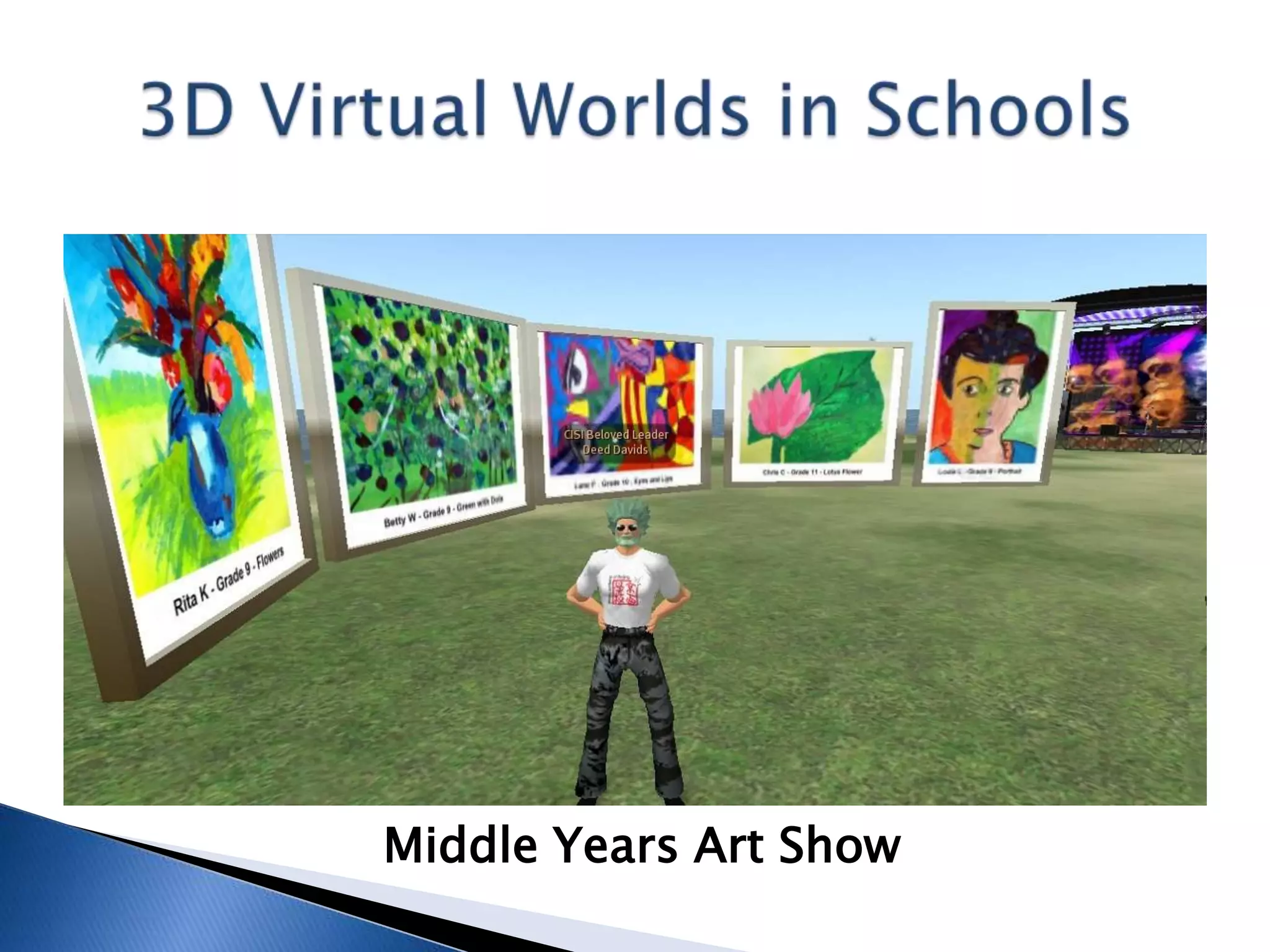
Middle Years Art Show
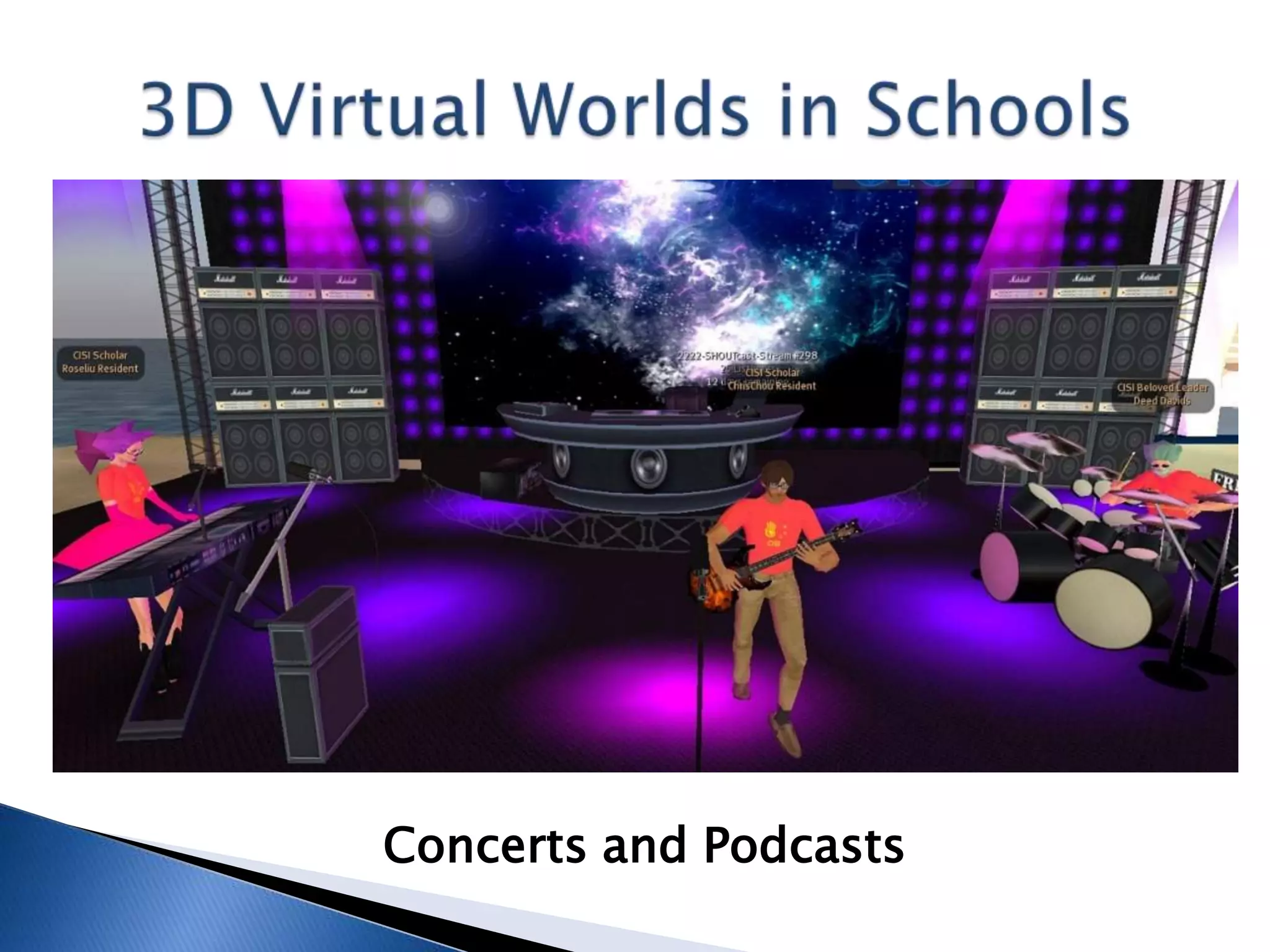
Concerts and Podcasts
Second Life: K-12
What Has Worked?
 Hands-on, visual aspect of just about all work
  (Special Needs program automatic)
 Experiential opportunities, meeting people
 Sense of freedom and openness (to a degree!)
 Provided teachers with sources of professional
  development (teacher and other meetings)
 Decreasing isolation by allowing expats to
  communicate with other language speakers
Second Life: K-12
What Hasn’t Worked?
 Convincing the IBO to abolish the written
  examination (70-30 external/internal grade)
 Students too shy to train teachers (students!)
  but there’s still hope to make this a service
 Time zones and exchange rates hamper
  exchanges and commerce
 Pretending it’s not FUN! (It is, just don’t tell!)
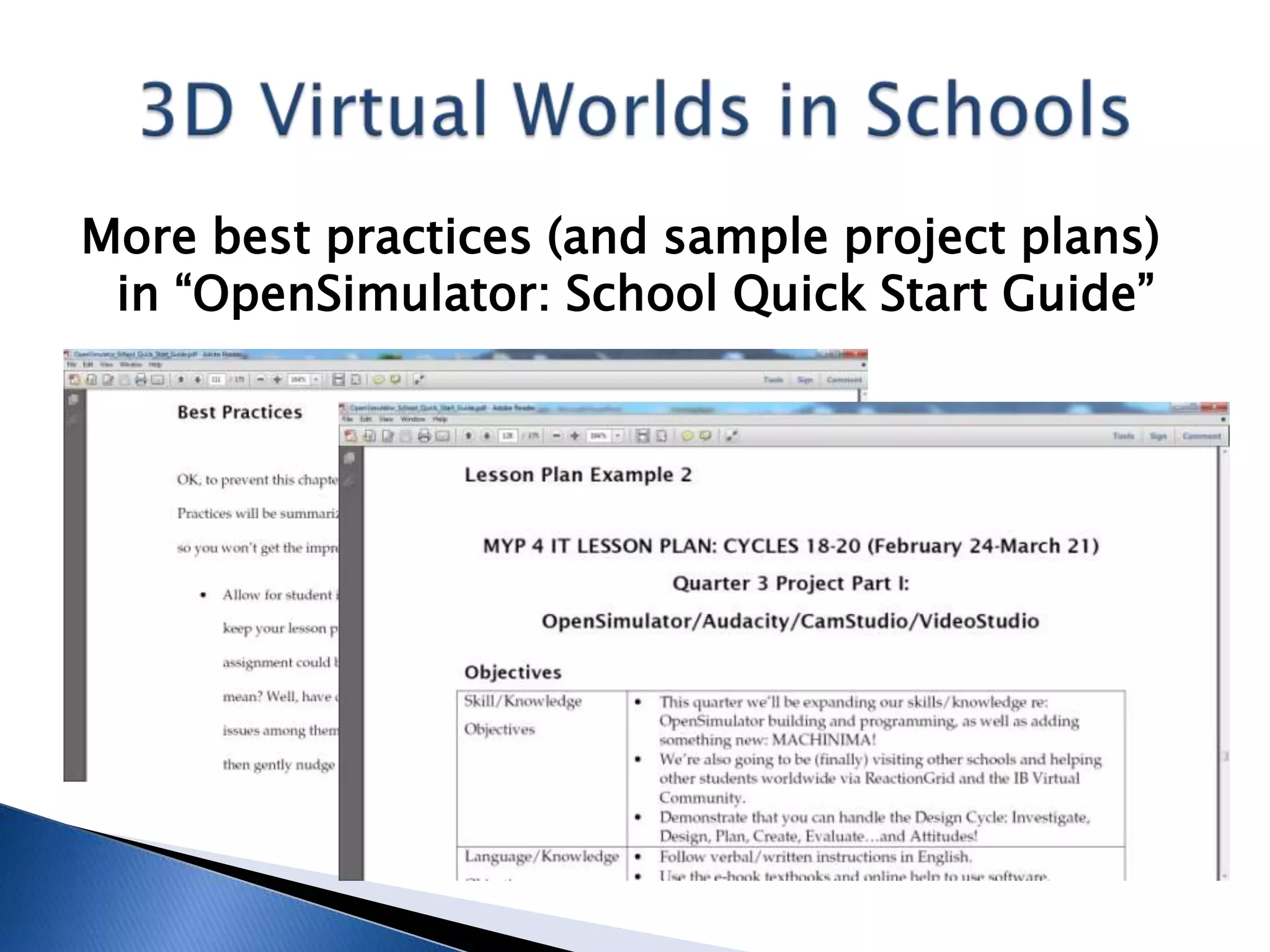
More best practices (and sample project plans)
 in “OpenSimulator: School Quick Start Guide”
Second Life and OpenSimulator: K-12
Future Classes (ICT, Technology, ITGS, Others)
 Geeky: Continue building, programming; push
  for K-12 Grid for teachers/students worldwide
 ITGS: Make product/service training teachers,
  not just at CAIS but worldwide
 All: Increase cross-curricular coverage,
  including simulations and experiments
 All: Emphasize community aspect, studies of
  society and identity (TOK, CAS – IB stuff)
Get “OpenSimulator: School Quick Start Guide,”
 free e-book, covers SL too, from Scribd:
www.scribd.com/doc/57959626/
 OpenSimulator-School-Quick-Start-Guide

Or SlideShare:
www.slideshare.net/davidwdeeds/
 opensimulator-school-quick-start-guide
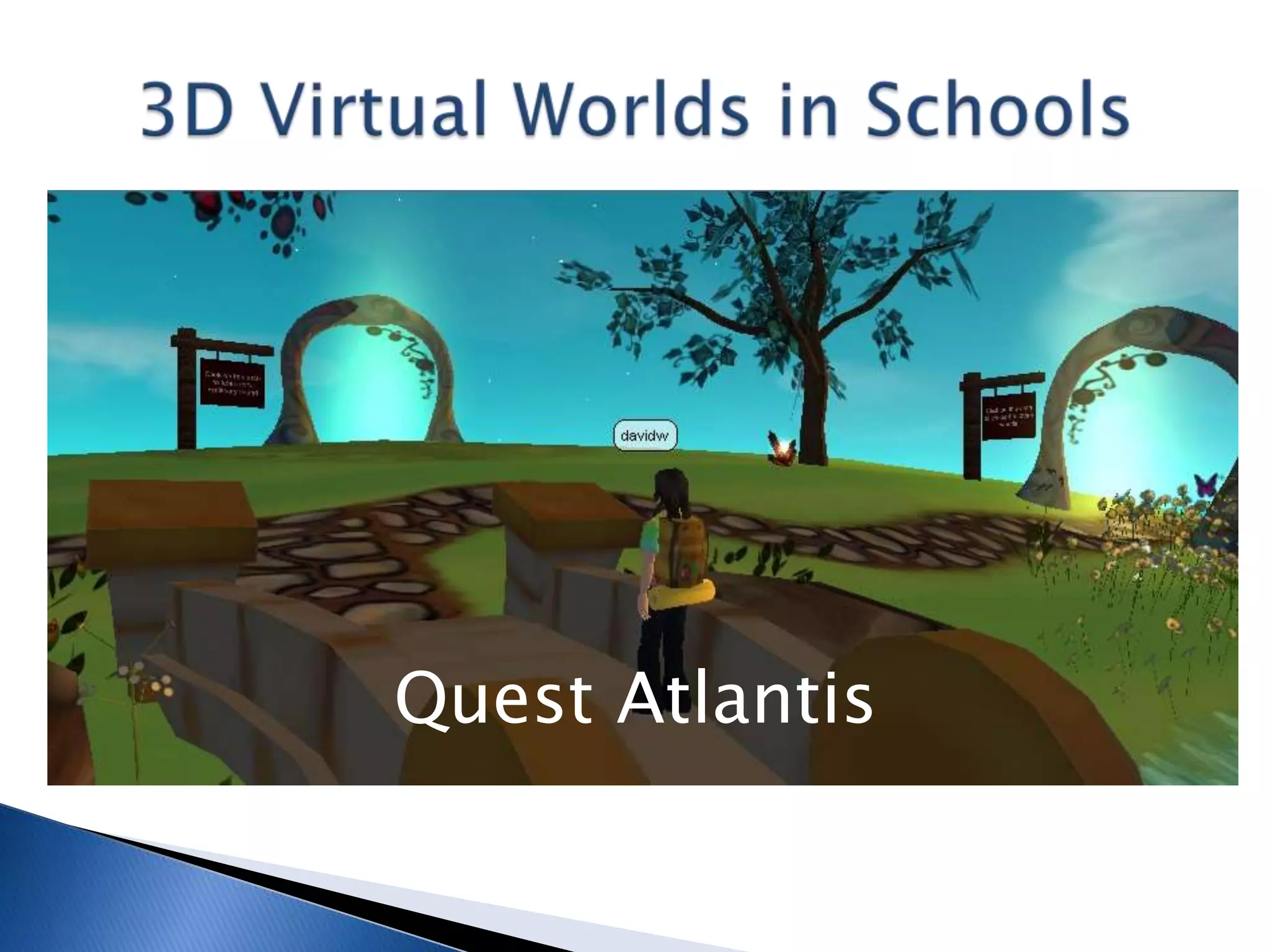
Quest Atlantis
Quest Atlantis: K-12
 Visit: www.atlantisremixed.org
 Prebuilt 3DVW with readymade quests (you can
  create your own, also build with tools)
 From the University of Indiana, FREE
 For students 9-16, maybe as young as 8
 Trainers in different locations, regular schedule
 Must have 2 teachers, 4 1.5-hour online classes
 Contact Bronwyn Stuckey: bstucke@indiana.edu
Quest Atlantis: K-12
Classes (30+ students)
 English Language A/B classes (native
  speakers plus other kids who are proficient)
 Registered users have a code of conduct and
  other guidelines to follow while inworld
 Missions include everything from stopping
  bullying to saving a city from the plague (!)
 Students and teachers assess online
 Each grade has a blog to record experiences
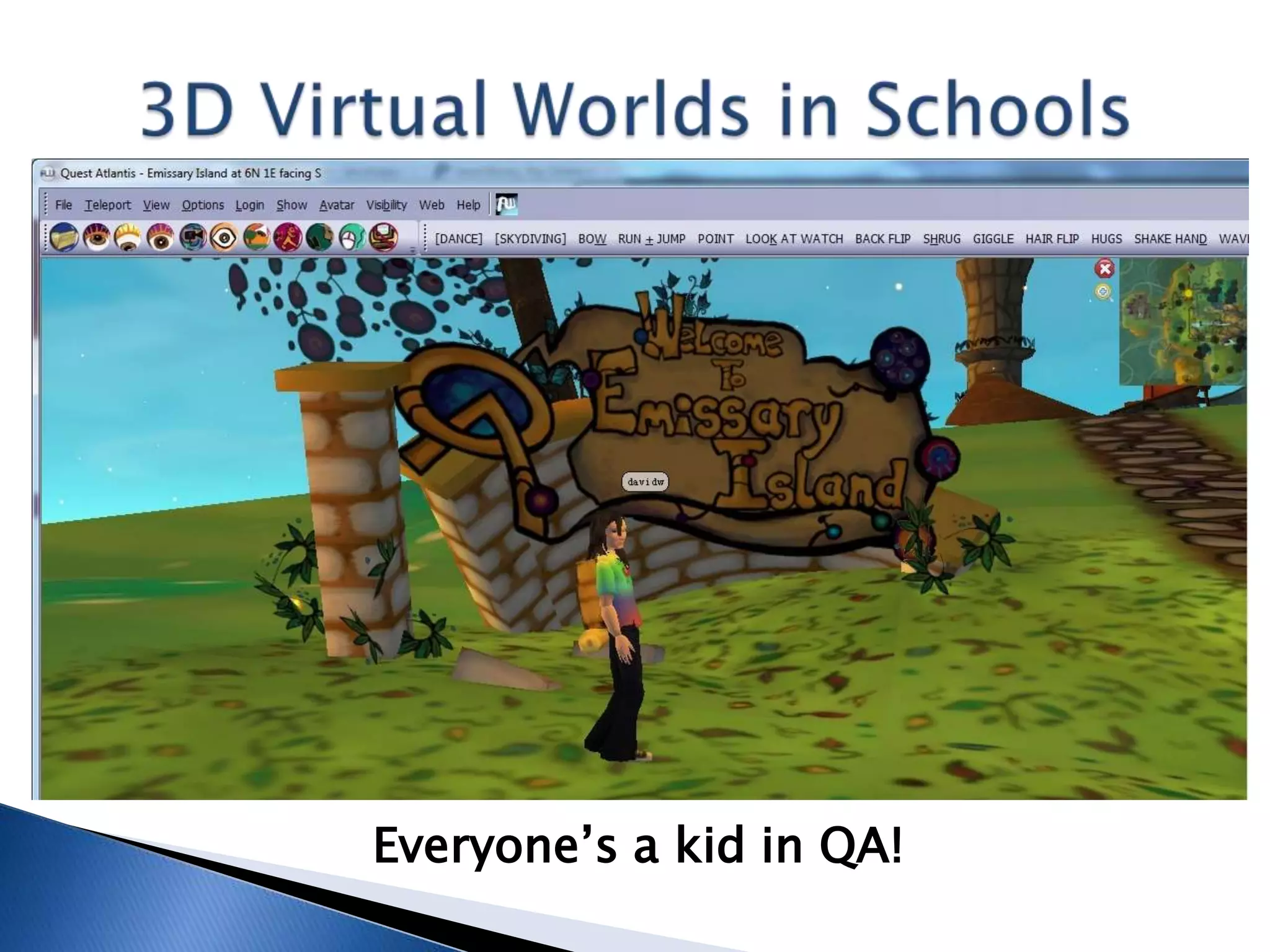
Everyone’s a kid in QA!
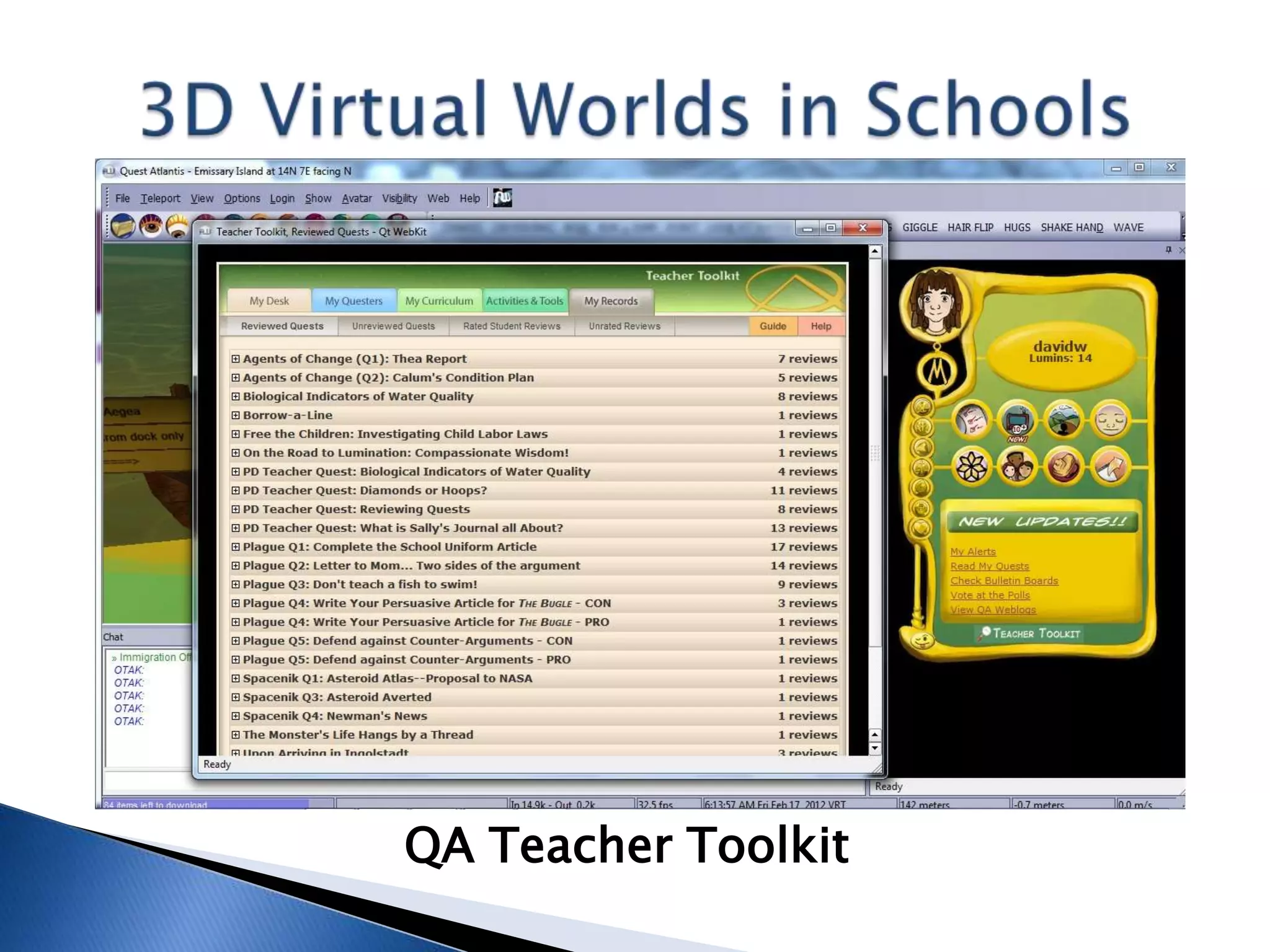
QA Teacher Toolkit
Quest Atlantis: K-12
What Has Worked?
 Structured aspect of just about everything
  easier for kids to handle (lack of uncertainty)
 Increased focus on tasks (out of necessity)
 Exposure to wider range of scenarios and
  situations (versus another SL/OS sim)
 Lots of writing as well as reading practice
 Teaches Digital Citizenship knowledge/skills,
  “values education” in general (but society?)
Quest Atlantis: K-12
What Hasn’t Worked?
 Students with poor English skills – text-based
  (but then teachers like the reading aspect!)
 Special Needs kids no; Gifted kids yes, but
  they need special lesson plans
 Anything smelling remotely like a lecture
  (kids just want to sit down and go inworld)
 Slacking off in responding to requests for
  reviews and other feedback (lots of work!)
Quest Atlantis: K-12
Future Classes
 Want to expand to: MYP Humanities and
  Science classes; PYP general versus ICT
 English literature classes too (stories), tie in
  with more than just blogs
 MYP students use laptops; PYP still uses
  computers only in ICT class/lab
 Want to arrange virtual field trips to/from
  other schools: QA is “safe” environment
Minecraft
Minecraft: K-12
 Regular version: www.minecraft.net
 20 million+ registered users worldwide,
  5 million+ have bought the game
 Building things, mining for
  minerals, fighting monsters, you name it!
 Singleplayer (free) or multiplayer
  (license), license is about US $30
 Kids (and adults) love the game, but how to
  use it in the classroom elusive until Edu
MinecraftEdu: K-12
 (Hosted solution: Massively Minecraft,
  Jo Kay: www.massivelyminecraft.org)
 Special (local) mod for education: MinecraftEdu,
  minecraftedu.com
 Contact Santeri Koivisto: santeri@appliedscg.fi
 “Playing offline,” local server, no licenses
  needed, only US $41 (discounts on licenses)
 Up to 100 students, so far only 25 concurrent
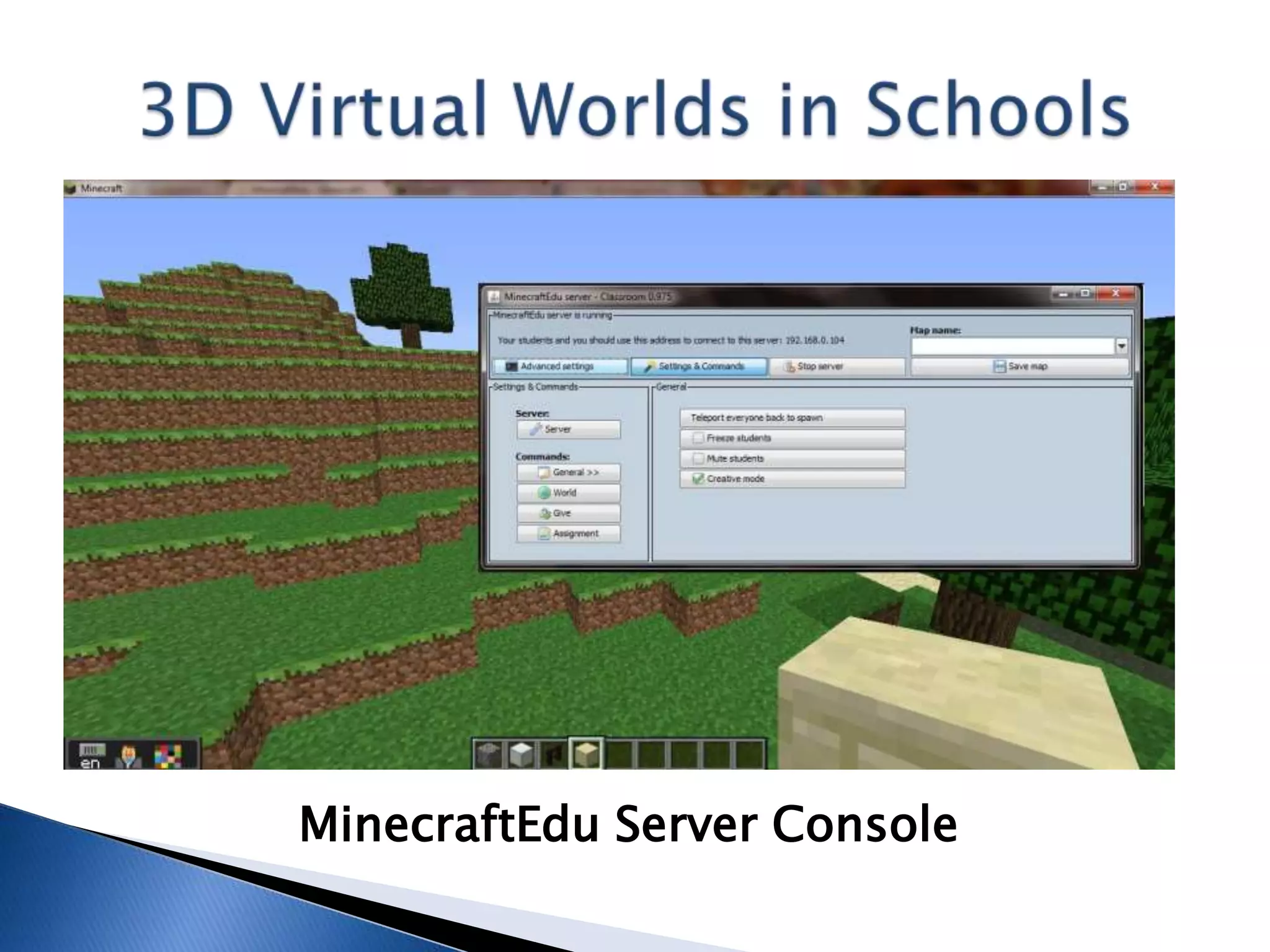
 Provides traditional server view and console
MinecraftEdu: K-12
Classes (70+ students)
 Middle Years Program Technology classes
 Making the IB happy by partnering with Art
  (Lit/Science) to make c-c Urban Planning unit
 Logic gates and other interactivity
  exercises, seems simple but can be
  sophisticated
 MYP 1-3: Lost Civilization, 4-5: City Redesign
 Individualized Education Plans (team level)
 CAIS MYP 1-3 Blog (4-5 can’t be bothered):
  minecraft.caischina.asia/society
MinecraftEdu Server Console
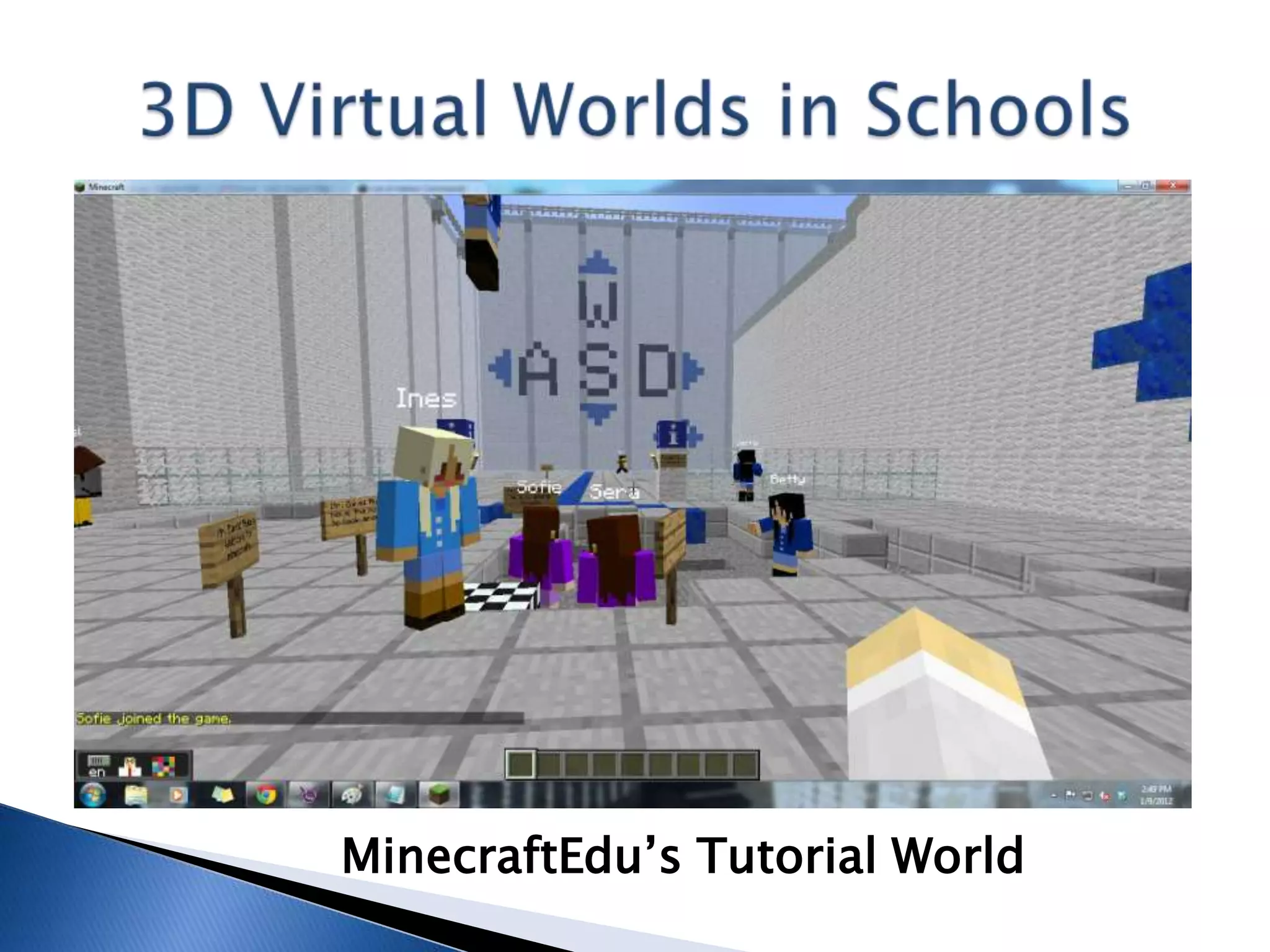
MinecraftEdu’s Tutorial World
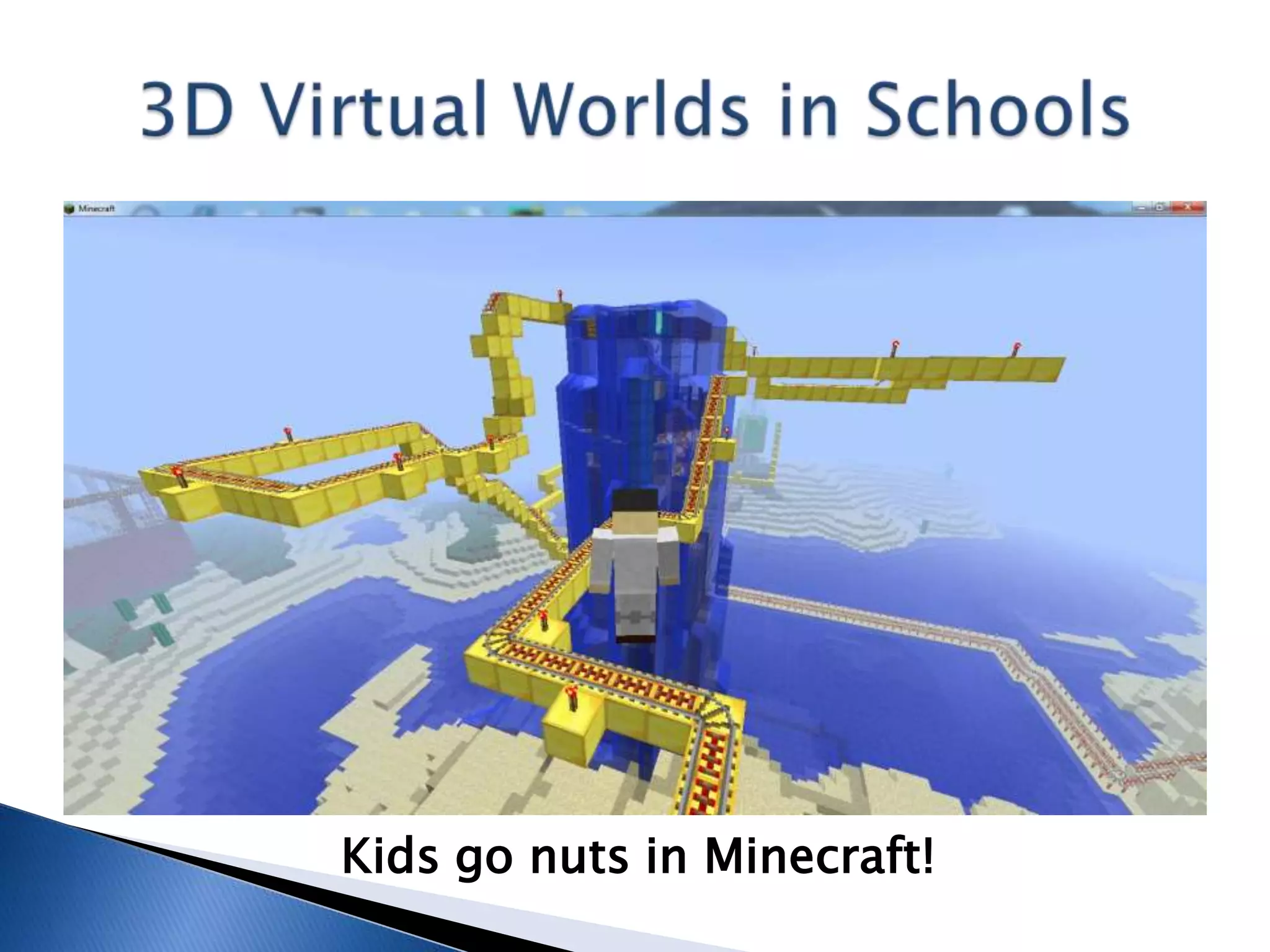
Kids go nuts in Minecraft!
MinecraftEdu: K-12
Courtesy of Adrian Hodge, MYP IT Teacher
What Has Worked?
 MinecraftEdu puts the teacher in charge!
 Self-directed, self-paced, self-reliant work
  (individual and team-based)
 Lots of connections with other tools:
  Prezi, Moodle, Google Sketchup and
  WordPress blogs
 C-c great so far (but close to hitting ceiling?)
 Working without textbooks (e- or otherwise!)
MinecraftEdu: K-12
Courtesy of Adrian Hodge, MYP IT Teacher
What Hasn’t Worked?
 Need to constantly observe/monitor students
  (who still perceive it as just a game)
 Need for tutoring in different languages
 Lack of structure perceived even with lesson
  plans specifying deliverables and deadlines
 Difficulty in cleaning up, moving/removing
 Lack of connection with other curriculum goals
MinecraftEdu: K-12
Future Classes
 Hosted/online solution to work with students
  in other schools/countries (virtual field trips)
 Expand on science connections: geology,
  physics, engineering, etc.
 Want to expand community aspects
 Give the PYP munchkins a shot (just for fun!)
 Maybe Computer Science Java classes (mods)
 Nice: Quest Atlantis-style missions
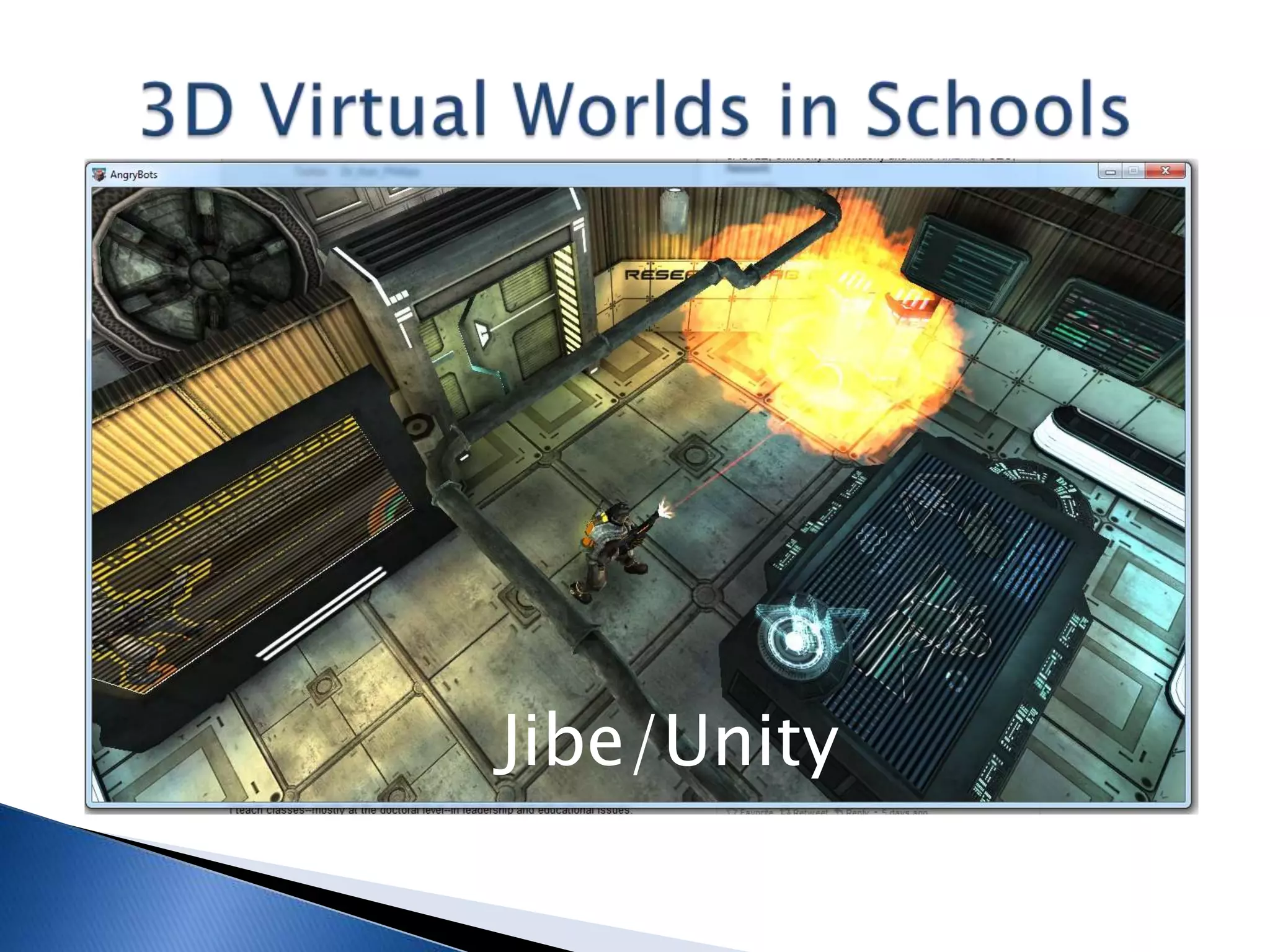
Jibe/Unity
Jibe/Unity: K -12
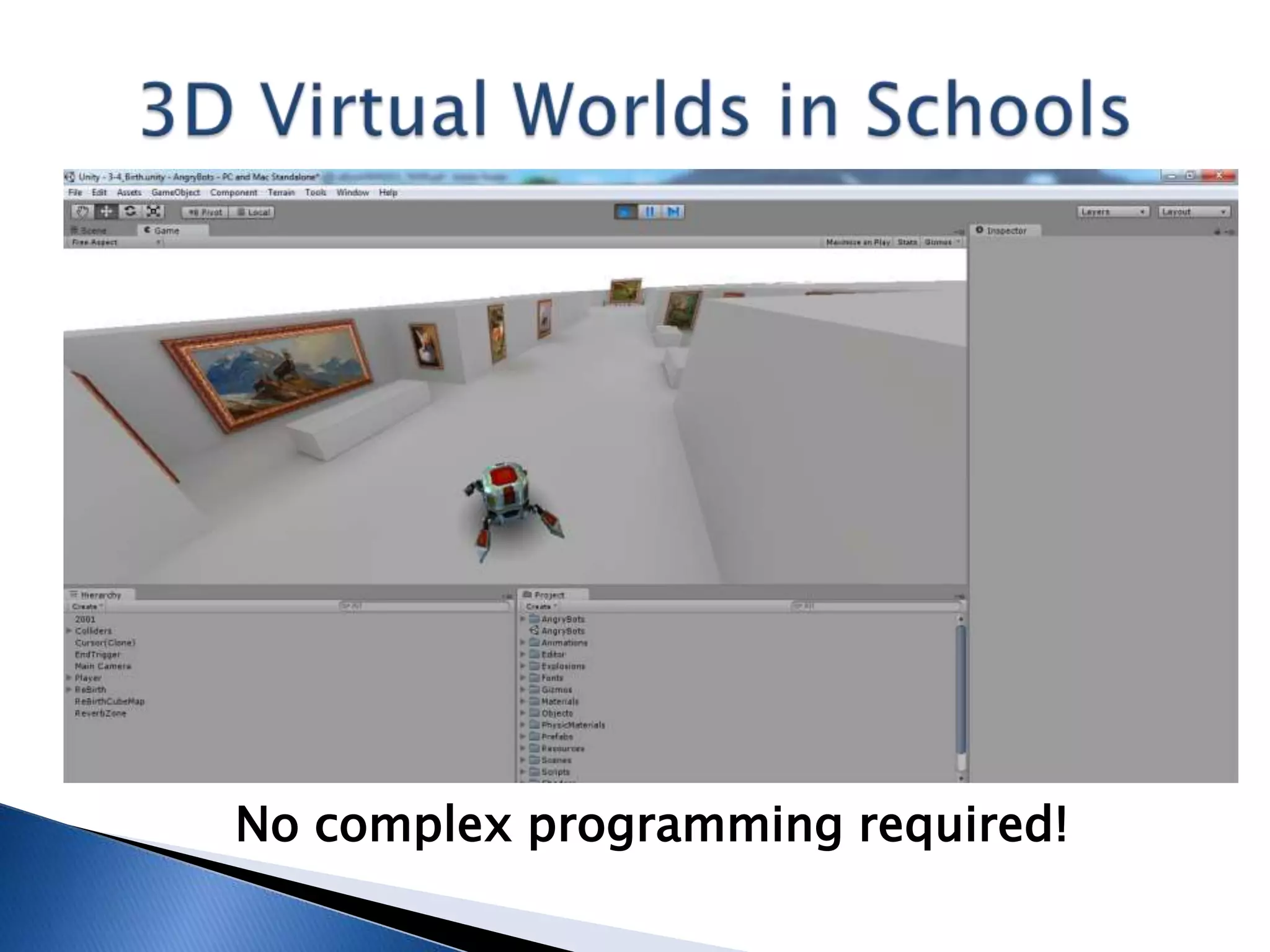
 Unity3D: unity3d.com
 Fantastic, FREE (basic version) 3D game/app IDE!
 3D game/app development without complex
  programming (scripting versus C++)
 iPhone or Android license costs money, US$1,500


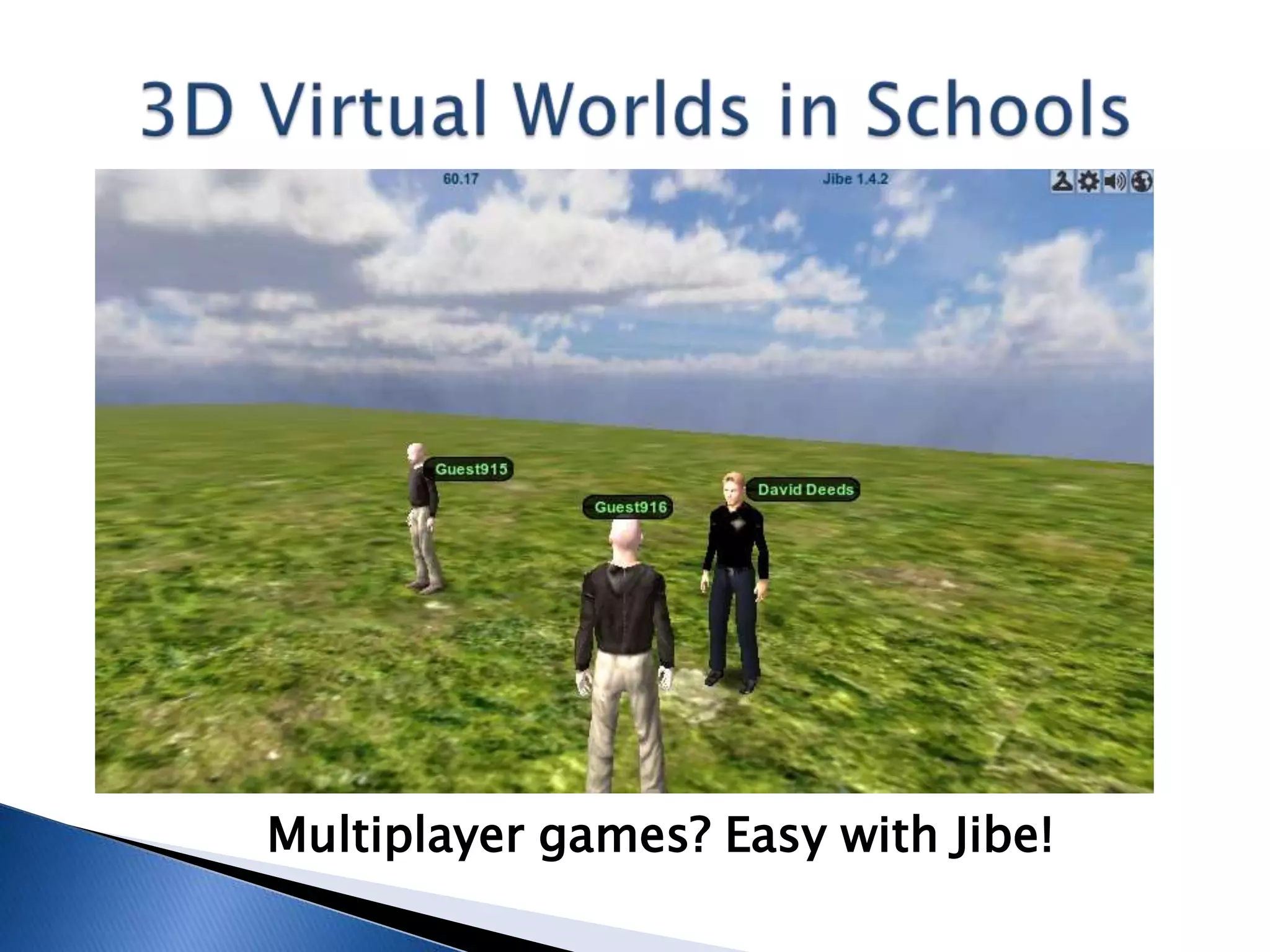
   Jibe: www.reactiongrid.com
   Proprietary server platform for Unity development
   Easily enables multiplayer games/apps
   ReactionGrid offers starter programs: $125/3 mos.
   Contact Kyle Gomboy: create@reactiongrid.com
Jibe/Unity: K-12
Classes (nobody yet!)
 Want to introduce to MYP Technology classes
  (MYP 5 first, then down to 4, 3, 2, 1)
 Transition from LSL to Unity (Java)Scripting
 Students will create singleplayer games
  first, then upload to Jibe server to test
  multiplayer
 Focus on games unless we can buy app license
 Also for DP Computer Science (Group
  5), substitute for Java programming emphasis
No complex programming required!
Multiplayer games? Easy with Jibe!
Jibe/Unity: K-12
What (Probably) Will Work?
 Definitely will need separate “pep talk”
 Allow for usual week of nonproductivity!
 One example of when e-textbook needed to
  follow step-by-step instructions at first
What (Probably) Won’t Work?
 Younger munchkins, kids with poor English
  (maybe interface in Chinese and Korean soon?)
 Working with demo project, must start new
 Having unrealistic expectations (both s and t!)
Get “Jibe/Unity: School Quick Start Guide,”
 free e-book, from Scribd:
www.scribd.com/doc/81798024/Jibe-Unity-
 School-Quick-Start-Guide

Or from SlideShare:
www.slideshare.net/davidwdeeds/jibeunity-
 school-quick-start-guide
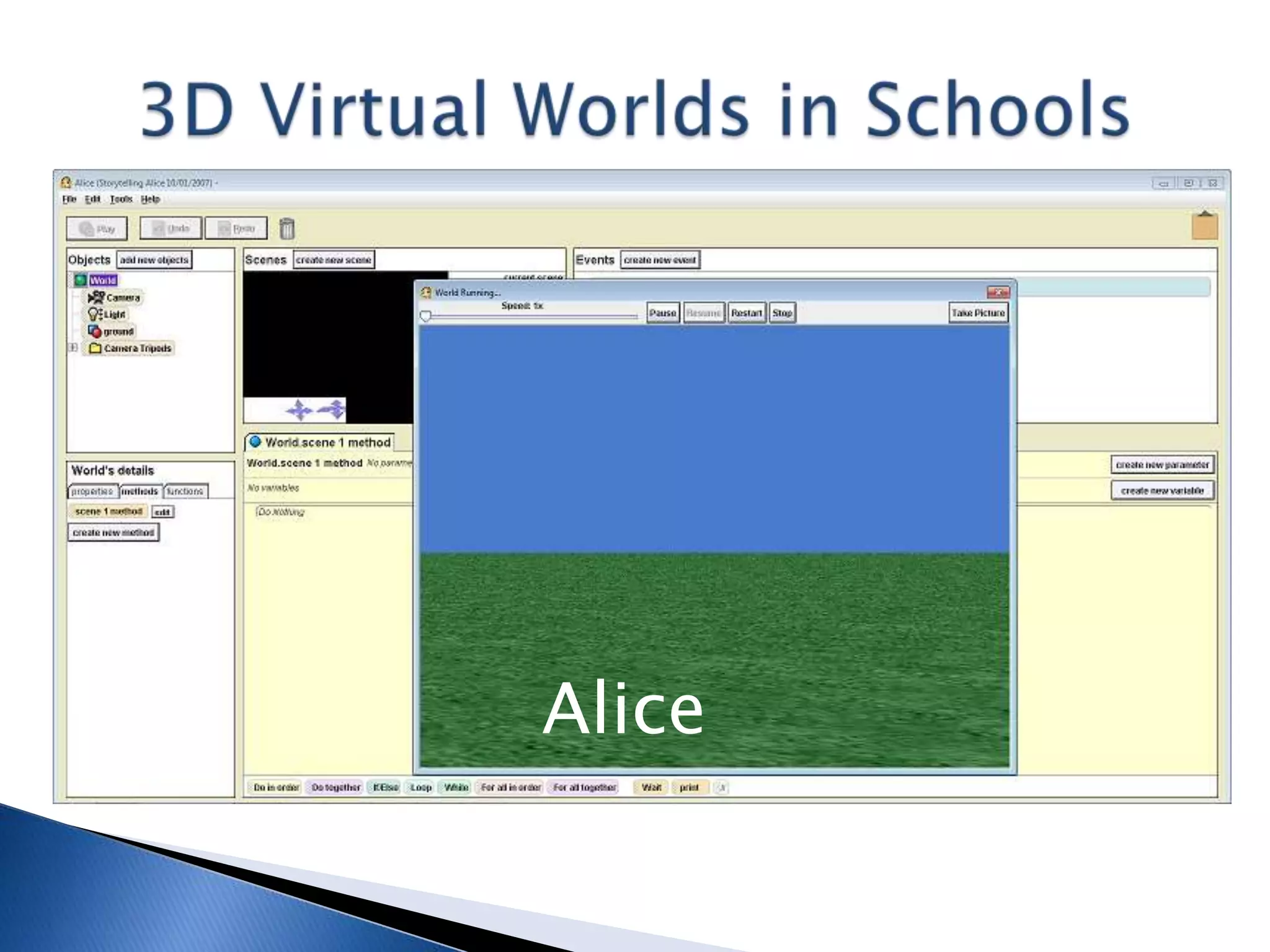
Alice
Alice: K-12
 Visit: www.alice.org
 Different versions, Alice 2.0 and 2.2 for high
  school, Storytelling Alice for junior high
 From Carnegie Mellon University, FREE
 3D IDE for teaching kids programming
  games, videos, etc. (“Unity Lite”)
 Uses a drag-and-drop interface versus
  requiring extensive codebanging
 Textbooks, tutorials, other materials available
Alice: K-12
Classes (nobody yet!)
 MYP Technology classes, “best fit” (Unity or
  Alice 2.2 or Storytelling Alice)
 Actually creating 3D virtual
  worlds, emphasizing
  properties, methods, etc.
 If students aren’t ready for Unity yet, Alice
  can serve as a scaffold for later lessons
 With Alice and Unity, prepare kids for DP
  Computer Science (Java programming) course
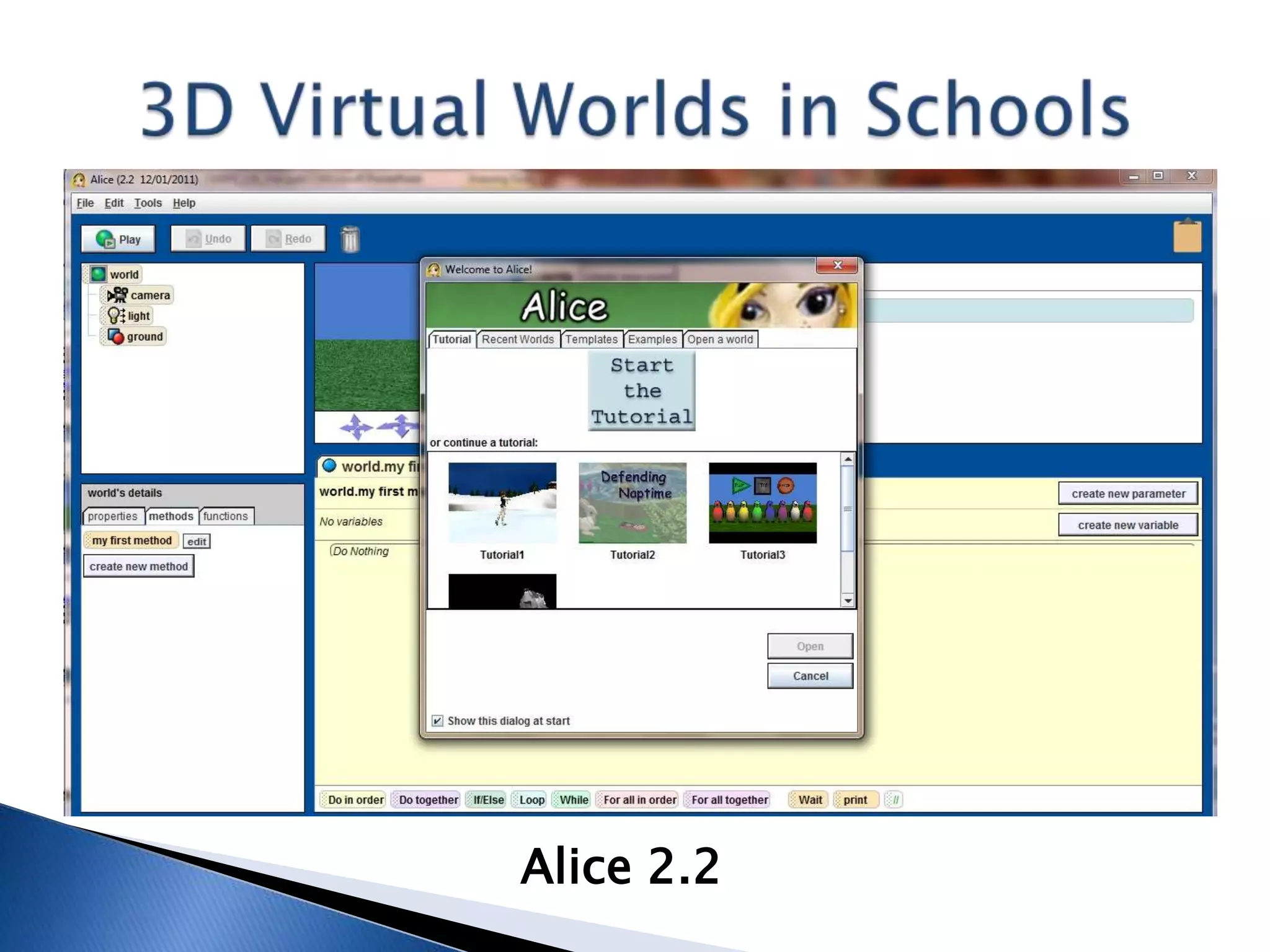
Alice 2.2
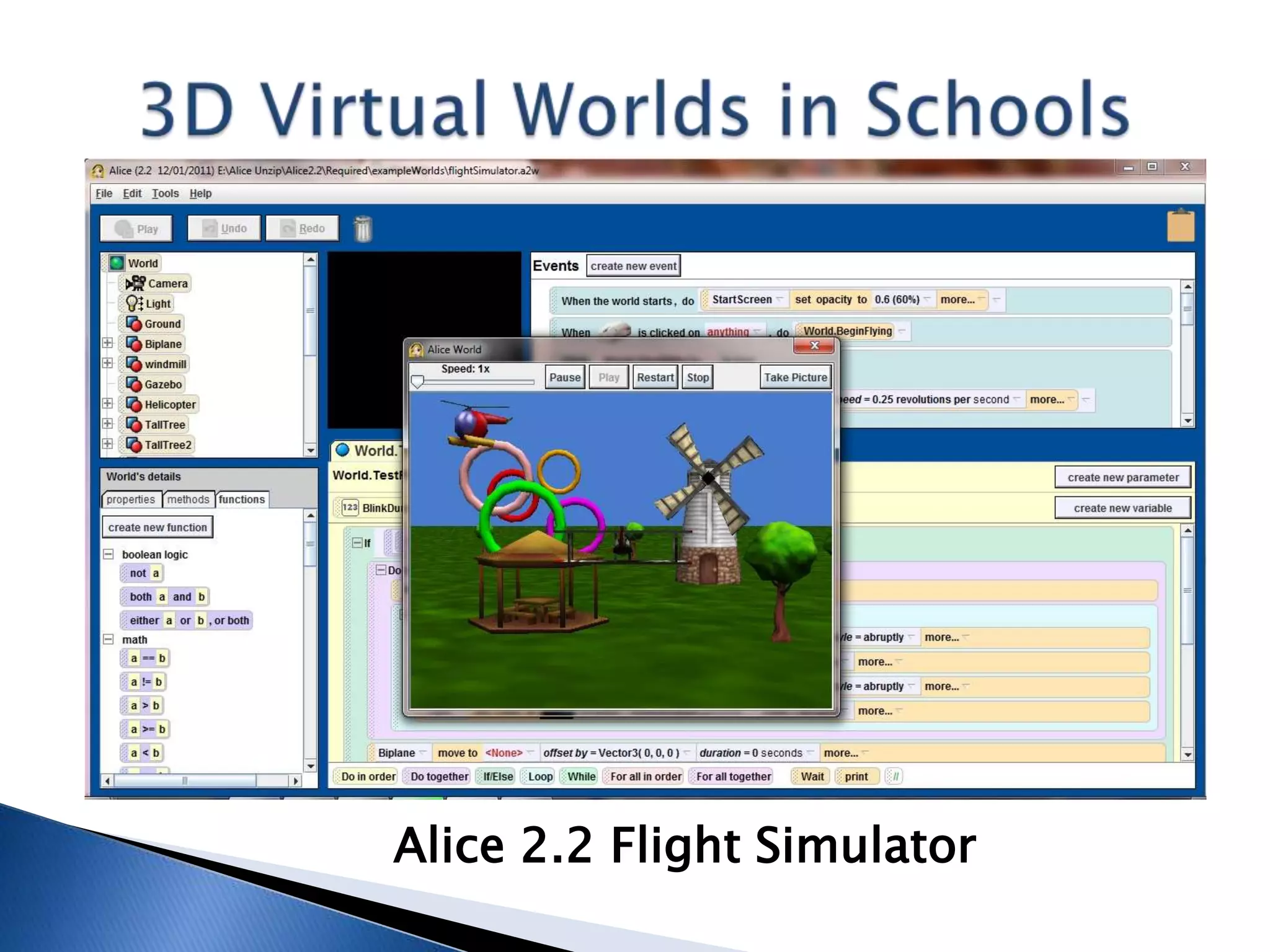
Alice 2.2 Flight Simulator
Alice – K-12
What (Probably) Will Work?
 Maybe, just maybe using demo projects
 Links to prior knowledge/skills (Scratch, LSL)
 Setting expectations high (goals reachable)
 Joining Alice community (forums, like Scratch)
What (Probably) Won’t Work?
 Trying to jump in without “pep talk”
 Relying too much on available materials (still
  will have to deal with language barrier)
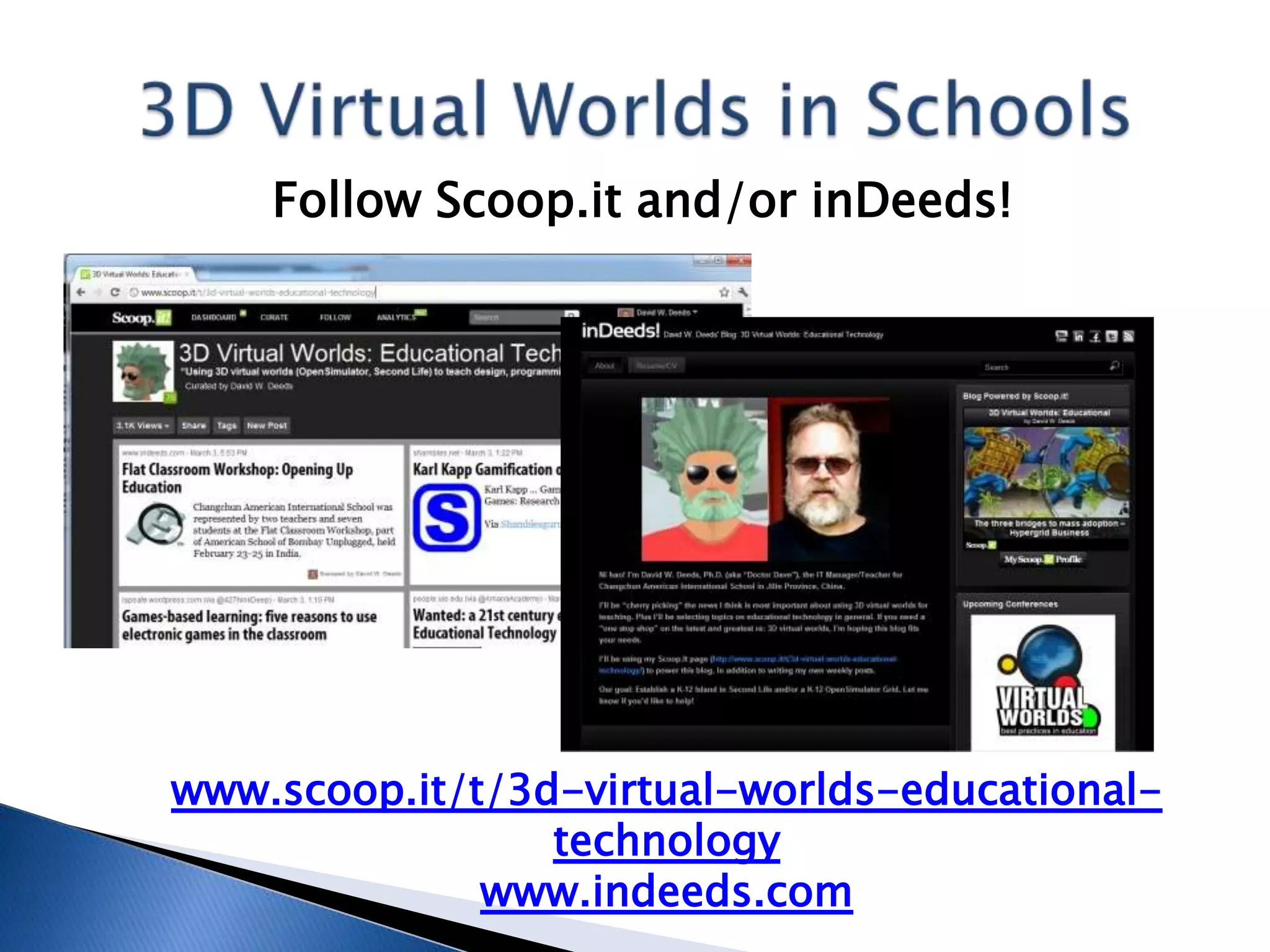
Follow Scoop.it and/or inDeeds!


www.scoop.it/t/3d-virtual-worlds-educational-
                 technology
              www.indeeds.com
Thanks…
Thank you for staying awake (or trying to)!
Questions/Comments?
David W. Deeds, IT Manager/Teacher
Work: +86-431-8458-1234,
 ddeeds@caischina.org
Home: +86-186-8668-4534,
 davidwdeeds@yahoo.com
Facebook & LinkedIn: David W. Deeds
Skype: davidwdeeds, Twitter: dwdeeds
Second Life: Deed Davids (visit Teaching or 2!)

MICA Presentation: Best Practices: 3D Virtual Worlds in (K-12/Int'l) Schools

  • 1.
    David W. Deeds,IT Manager/Teacher Changchun American International School Meta Institute for Computational Astrophysics Second Life: April 10, 2012
  • 2.
    11 years teaching:8 unis/college, 3 K-12/int’l 6 years teaching with 3D virtual worlds: 3 university/college, 3 K-12/int’l
  • 3.
  • 4.
    2011 Conference Presentations: Flat Classroom Conference in Beijing  AACE Global Learn Asia Pacific Conference in Melbourne (2nd consecutive GLAP)  AACE ED-MEDIA Conference in Lisbon  Global Meeting on Gifted Education in Second Life Conference, inworld  TechEx 2011 in Bangkok  Global Education Conference, online  Beijing Learning Summit
  • 5.
    2012 Conference PresentationsSo Far:  Otavan Opisto (Finnish academy, online)  Flat Classroom Workshop, part of American School of Bombay Unplugged in Mumbai (to students!)  VWBPE Conference, inworld  MICA – You know, this one! Booked through summer, ready to go again as of August 2012 – Educational Technology Coordinator for Colegios Peterson in Mexico (www.peterson.edu.mx)
  • 6.
    Triple A LearningHeadquarters slurl.com/secondlife/Teaching%202/228/46/22 6
  • 7.
    What are wegoing to talk about?  Higher Education and K-12: ◦ Second Life – 10 minutes  K-12/International: ◦ OpenSimulator – 10 minutes ◦ Quest Atlantis – 10 minutes ◦ Minecraft – 10 minutes ◦ Jibe/Unity – 5 minutes ◦ Alice – 5 minutes  Teaching Physics (not much progress yet!) Best Practices/Lessons Learned: What Works? What Doesn’t?
  • 8.
    Second Life –Higher Ed
  • 9.
    Second Life: HigherEducation  Professor in Korean university’s fledgling International Business Department in 2006  Students from Korea, China, Vietnam, Russia (wide range of English skills)  Needed a way to beat the language barrier (and overcome cultural passive role)  Established 1,000 sqm cybercampus; later 4,000 sqm college Computer Science Dept.
  • 10.
    Second Life: HigherEducation Classes (500+ students inworld):  Mine: Freshmen – Juniors: Computer Programming, Business Management, Internet Marketing, Project Management (Uni: Regular Majors, College: Votech)  Others: Freshmen – Seniors: Wide variety of English courses, including Business English (S/T in our college plus others, global)
  • 11.
    Second Life: HigherEducation What Were We Doing?  Teaching without textbooks (some e-books)  Kids created/managed cybercampus, put on shows, made and sold real/virtual products  Handled all management, pricing, marketing  Learned programming via LSL, also CAD  Active, learner-centric, English curriculum  Hosted/visited students in other countries to practice English, virtual field trips
  • 12.
    Second Life: HigherEducation What Worked?  Bridged the communications gap – digital natives knew what to do, even in English  Overcame ASMeB – Anti Social Media Behavior – synchronous, anonymous (FUN!)  Hit the sweet spot re: programming “payoff”  Sheltered Instruction Observation Protocol to create Individualized Education Plans (IEPs) – Differentiation, Inclusion
  • 13.
    Second Life: HigherEducation What Didn’t Work?  Trying to recreate classroom configuration or situation in virtual world (sitting at desks)  Worrying about kids meeting SL weirdos (socialization, experimentation worked out)  Assignments too open-ended (cohesive structure/theme needed, individual/team goals)  Mixing English with others, no-scaffold scripting  Beginning classes in lab without “pep talk”
  • 14.
  • 15.
    OpenSimulator: K-12  ITTeacher/Manager for small, new school wanting to implement “21st century education”  International Baccalaureate Organization (www.ibo.org) World School, inquiry-based  Goal of cross-curricular instruction, big thing in IB but no one knows how to do it  Native speakers and beginners in same class  Geographically isolated for expat teachers and students, language/cultural barriers
  • 16.
    OpenSimulator: K-12 Classes (200+students inworld)  Middle Years Program (MYP) Technology – shift from Digital Literacy made long ago; Art, Music, Science, Humanities soon  Primary Years Program (PYP) Information Communications Technology (ICT) - switch from Digital Literacy to IB Design Cycle  Diploma Program Information Technology in a Global Society (ITGS) – now in Second Life
  • 17.
    OpenSimulator: K-12 What AreWe Doing?  Teaching Computer-Aided Design, Project Management, Programming, English (MYP)  Teaching task-based lessons with other tools  Changing PYP ICT to inquiry-/task-based  Using skeleton lesson plans, students achieve according to their own abilities  Involving other software/skills in the process  Having a [heckuva] lotta fun, but don’t tell!
  • 18.
  • 19.
  • 20.
  • 21.
    OpenSimulator: K-12 What HasWorked?  Simple Instructions/Skeleton Lesson Plans  Three C’s – Connect, Communicate, Collaborate (and #4: Cooperate – Project Management)  IB Design Cycle: Investigate, Design, Plan, Create and Evaluate (also Attitudes!)  Problem-Solving/Task-Based Education  Built-in Gifted and Special Needs programs  Everything is project-based, NO TESTS!
  • 22.
    OpenSimulator: K-12 What HasWorked?  Reciprocal guidance, “guide on the side”  Changing viewer interface to student primary language (Chinese, Korean, French, German, etc.)  Constructivism, esp. Social Constructivism  Self-reliance, adapting to change skills  Scratch and S4SL for programming basics  Wide variety of other tools: Audacity, PhotoShop, Google Sketchup, blogs/wikis, you name it
  • 23.
    OpenSimulator: K-12 What Hasn’tWorked?  Assuming productivity the first week!  Calling it a GAME! Use “immersive learning environment” instead! Also, e-/textbooks  Overcoming, but still dealing with active versus passive role (Asia specific?)  Trying to jump right into LSL (Scratch first!)  Trying to explain, esp. re: assessment, in advance (if you can, just do it!)
  • 24.
  • 25.
    Second Life: K-12 Classes(20+ students inworld):  Information Technology in a Global Society – Three Strands: IT Systems, Social and Ethical Significance, Application to Specified Scenarios  In Group 3, Individuals and Societies – provides technical education regardless  Diploma Program opportunity for kids with low English skills, Special Needs Program  China International Schools Inworld (CISI)
  • 26.
    Second Life: K-12 WhatAre We Doing?  Students maintain cybercampus and K-12s Inworld group, 4 schools now, goal is more  E-textbooks provide content for IT lessons, ethical/moral and other discussions  Projects/products: website, t-shirts, more  Gearing up for real/virtual publicity  Arranging college cybervisits for graduates  Prepare for written exam (article responses)
  • 27.
  • 28.
  • 29.
    Second Life: K-12 WhatHas Worked?  Hands-on, visual aspect of just about all work (Special Needs program automatic)  Experiential opportunities, meeting people  Sense of freedom and openness (to a degree!)  Provided teachers with sources of professional development (teacher and other meetings)  Decreasing isolation by allowing expats to communicate with other language speakers
  • 30.
    Second Life: K-12 WhatHasn’t Worked?  Convincing the IBO to abolish the written examination (70-30 external/internal grade)  Students too shy to train teachers (students!) but there’s still hope to make this a service  Time zones and exchange rates hamper exchanges and commerce  Pretending it’s not FUN! (It is, just don’t tell!)
  • 31.
    More best practices(and sample project plans) in “OpenSimulator: School Quick Start Guide”
  • 32.
    Second Life andOpenSimulator: K-12 Future Classes (ICT, Technology, ITGS, Others)  Geeky: Continue building, programming; push for K-12 Grid for teachers/students worldwide  ITGS: Make product/service training teachers, not just at CAIS but worldwide  All: Increase cross-curricular coverage, including simulations and experiments  All: Emphasize community aspect, studies of society and identity (TOK, CAS – IB stuff)
  • 33.
    Get “OpenSimulator: SchoolQuick Start Guide,” free e-book, covers SL too, from Scribd: www.scribd.com/doc/57959626/ OpenSimulator-School-Quick-Start-Guide Or SlideShare: www.slideshare.net/davidwdeeds/ opensimulator-school-quick-start-guide
  • 34.
  • 35.
    Quest Atlantis: K-12 Visit: www.atlantisremixed.org  Prebuilt 3DVW with readymade quests (you can create your own, also build with tools)  From the University of Indiana, FREE  For students 9-16, maybe as young as 8  Trainers in different locations, regular schedule  Must have 2 teachers, 4 1.5-hour online classes  Contact Bronwyn Stuckey: bstucke@indiana.edu
  • 36.
    Quest Atlantis: K-12 Classes(30+ students)  English Language A/B classes (native speakers plus other kids who are proficient)  Registered users have a code of conduct and other guidelines to follow while inworld  Missions include everything from stopping bullying to saving a city from the plague (!)  Students and teachers assess online  Each grade has a blog to record experiences
  • 37.
  • 38.
  • 39.
    Quest Atlantis: K-12 WhatHas Worked?  Structured aspect of just about everything easier for kids to handle (lack of uncertainty)  Increased focus on tasks (out of necessity)  Exposure to wider range of scenarios and situations (versus another SL/OS sim)  Lots of writing as well as reading practice  Teaches Digital Citizenship knowledge/skills, “values education” in general (but society?)
  • 40.
    Quest Atlantis: K-12 WhatHasn’t Worked?  Students with poor English skills – text-based (but then teachers like the reading aspect!)  Special Needs kids no; Gifted kids yes, but they need special lesson plans  Anything smelling remotely like a lecture (kids just want to sit down and go inworld)  Slacking off in responding to requests for reviews and other feedback (lots of work!)
  • 41.
    Quest Atlantis: K-12 FutureClasses  Want to expand to: MYP Humanities and Science classes; PYP general versus ICT  English literature classes too (stories), tie in with more than just blogs  MYP students use laptops; PYP still uses computers only in ICT class/lab  Want to arrange virtual field trips to/from other schools: QA is “safe” environment
  • 42.
  • 43.
    Minecraft: K-12  Regularversion: www.minecraft.net  20 million+ registered users worldwide, 5 million+ have bought the game  Building things, mining for minerals, fighting monsters, you name it!  Singleplayer (free) or multiplayer (license), license is about US $30  Kids (and adults) love the game, but how to use it in the classroom elusive until Edu
  • 44.
    MinecraftEdu: K-12  (Hostedsolution: Massively Minecraft, Jo Kay: www.massivelyminecraft.org)  Special (local) mod for education: MinecraftEdu, minecraftedu.com  Contact Santeri Koivisto: santeri@appliedscg.fi  “Playing offline,” local server, no licenses needed, only US $41 (discounts on licenses)  Up to 100 students, so far only 25 concurrent  Provides traditional server view and console
  • 45.
    MinecraftEdu: K-12 Classes (70+students)  Middle Years Program Technology classes  Making the IB happy by partnering with Art (Lit/Science) to make c-c Urban Planning unit  Logic gates and other interactivity exercises, seems simple but can be sophisticated  MYP 1-3: Lost Civilization, 4-5: City Redesign  Individualized Education Plans (team level)  CAIS MYP 1-3 Blog (4-5 can’t be bothered): minecraft.caischina.asia/society
  • 46.
  • 47.
  • 48.
    Kids go nutsin Minecraft!
  • 49.
    MinecraftEdu: K-12 Courtesy ofAdrian Hodge, MYP IT Teacher What Has Worked?  MinecraftEdu puts the teacher in charge!  Self-directed, self-paced, self-reliant work (individual and team-based)  Lots of connections with other tools: Prezi, Moodle, Google Sketchup and WordPress blogs  C-c great so far (but close to hitting ceiling?)  Working without textbooks (e- or otherwise!)
  • 50.
    MinecraftEdu: K-12 Courtesy ofAdrian Hodge, MYP IT Teacher What Hasn’t Worked?  Need to constantly observe/monitor students (who still perceive it as just a game)  Need for tutoring in different languages  Lack of structure perceived even with lesson plans specifying deliverables and deadlines  Difficulty in cleaning up, moving/removing  Lack of connection with other curriculum goals
  • 51.
    MinecraftEdu: K-12 Future Classes Hosted/online solution to work with students in other schools/countries (virtual field trips)  Expand on science connections: geology, physics, engineering, etc.  Want to expand community aspects  Give the PYP munchkins a shot (just for fun!)  Maybe Computer Science Java classes (mods)  Nice: Quest Atlantis-style missions
  • 52.
  • 53.
    Jibe/Unity: K -12 Unity3D: unity3d.com  Fantastic, FREE (basic version) 3D game/app IDE!  3D game/app development without complex programming (scripting versus C++)  iPhone or Android license costs money, US$1,500  Jibe: www.reactiongrid.com  Proprietary server platform for Unity development  Easily enables multiplayer games/apps  ReactionGrid offers starter programs: $125/3 mos.  Contact Kyle Gomboy: create@reactiongrid.com
  • 54.
    Jibe/Unity: K-12 Classes (nobodyyet!)  Want to introduce to MYP Technology classes (MYP 5 first, then down to 4, 3, 2, 1)  Transition from LSL to Unity (Java)Scripting  Students will create singleplayer games first, then upload to Jibe server to test multiplayer  Focus on games unless we can buy app license  Also for DP Computer Science (Group 5), substitute for Java programming emphasis
  • 55.
  • 56.
  • 57.
    Jibe/Unity: K-12 What (Probably)Will Work?  Definitely will need separate “pep talk”  Allow for usual week of nonproductivity!  One example of when e-textbook needed to follow step-by-step instructions at first What (Probably) Won’t Work?  Younger munchkins, kids with poor English (maybe interface in Chinese and Korean soon?)  Working with demo project, must start new  Having unrealistic expectations (both s and t!)
  • 58.
    Get “Jibe/Unity: SchoolQuick Start Guide,” free e-book, from Scribd: www.scribd.com/doc/81798024/Jibe-Unity- School-Quick-Start-Guide Or from SlideShare: www.slideshare.net/davidwdeeds/jibeunity- school-quick-start-guide
  • 59.
  • 60.
    Alice: K-12  Visit:www.alice.org  Different versions, Alice 2.0 and 2.2 for high school, Storytelling Alice for junior high  From Carnegie Mellon University, FREE  3D IDE for teaching kids programming games, videos, etc. (“Unity Lite”)  Uses a drag-and-drop interface versus requiring extensive codebanging  Textbooks, tutorials, other materials available
  • 61.
    Alice: K-12 Classes (nobodyyet!)  MYP Technology classes, “best fit” (Unity or Alice 2.2 or Storytelling Alice)  Actually creating 3D virtual worlds, emphasizing properties, methods, etc.  If students aren’t ready for Unity yet, Alice can serve as a scaffold for later lessons  With Alice and Unity, prepare kids for DP Computer Science (Java programming) course
  • 62.
  • 63.
  • 64.
    Alice – K-12 What(Probably) Will Work?  Maybe, just maybe using demo projects  Links to prior knowledge/skills (Scratch, LSL)  Setting expectations high (goals reachable)  Joining Alice community (forums, like Scratch) What (Probably) Won’t Work?  Trying to jump in without “pep talk”  Relying too much on available materials (still will have to deal with language barrier)
  • 65.
    Follow Scoop.it and/orinDeeds! www.scoop.it/t/3d-virtual-worlds-educational- technology www.indeeds.com
  • 66.
  • 67.
    Thank you forstaying awake (or trying to)! Questions/Comments? David W. Deeds, IT Manager/Teacher Work: +86-431-8458-1234, ddeeds@caischina.org Home: +86-186-8668-4534, davidwdeeds@yahoo.com Facebook & LinkedIn: David W. Deeds Skype: davidwdeeds, Twitter: dwdeeds Second Life: Deed Davids (visit Teaching or 2!)