By Arnaud Girin
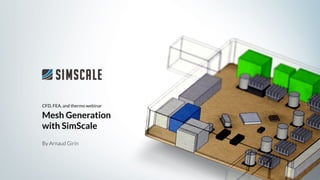
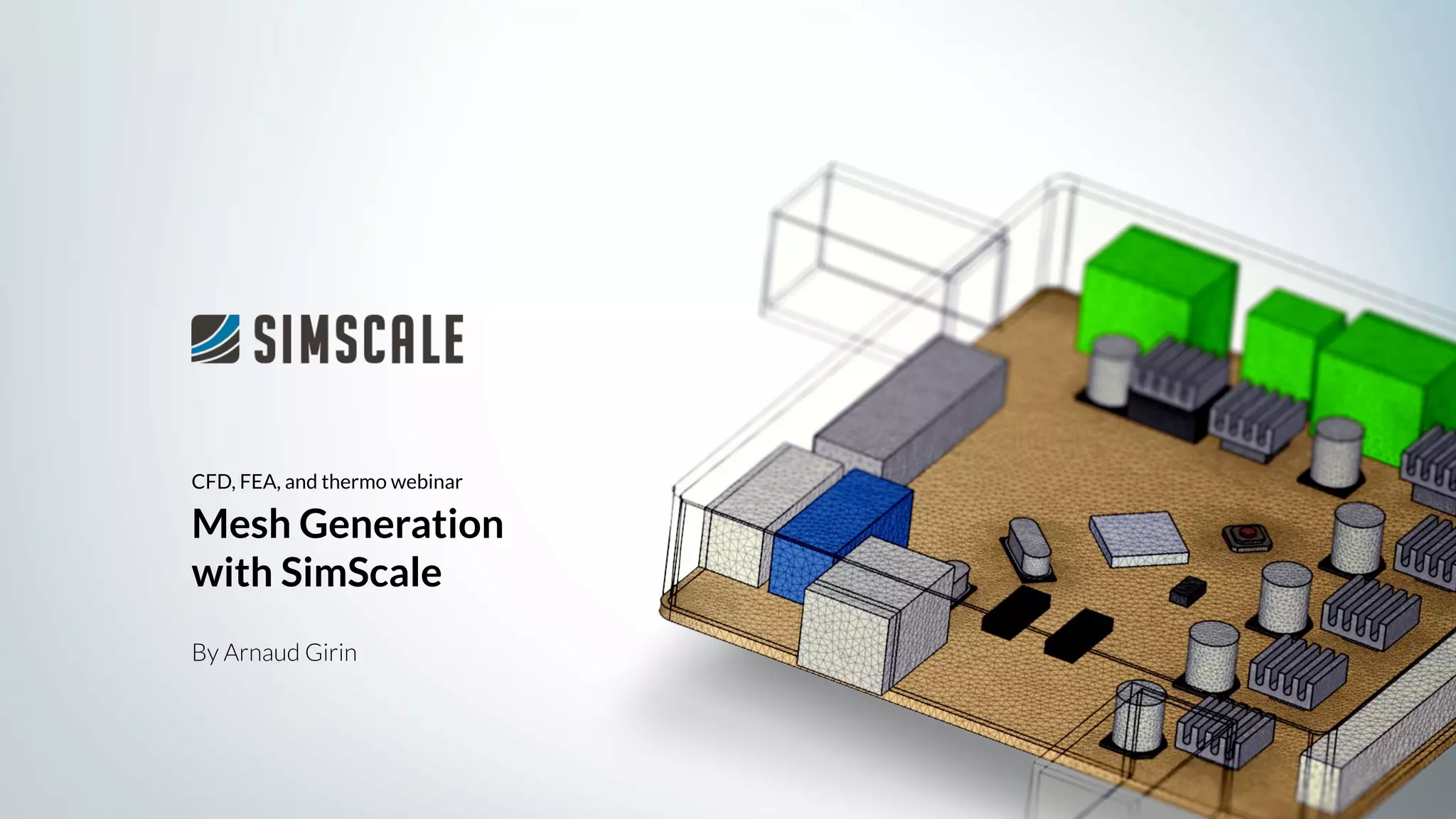
CFD, FEA, and thermo webinar
Mesh Generation
with SimScale
About SimScale
Who we are
● Founded in 2012
● Offices in Munich, Boston, and New York
● 80+ employees across 6+ time zones
● 150,000 users worldwide
● More than 300k simulation projects
We created the world’s first cloud-based
engineering simulation platform.
● Fluid dynamics (CFD)
● Solid mechanics (FEA)
● Thermodynamics
All accessible via a web browser.
About SimScale
What we do
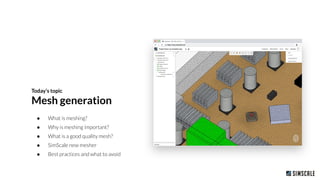
● What is meshing?
● Why is meshing important?
● What is a good quality mesh?
● SimScale new mesher
● Best practices and what to avoid
Today’s topic
Mesh generation
Mesh setup
Mesh generation with SimScale
How meshing will help your simulation
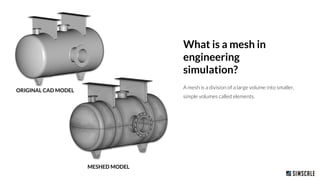
A mesh is a division of a large volume into smaller,
simple volumes called elements.
What is a mesh in
engineering
simulation?
ORIGINAL CAD MODEL
MESHED MODEL
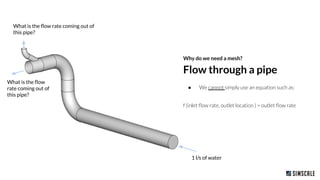
● We cannot simply use an equation such as:
f (inlet flow rate, outlet location ) = outlet flow rate
Why do we need a mesh?
Flow through a pipe
1 l/s of water
What is the flow rate coming out of
this pipe?
What is the flow
rate coming out of
this pipe?
Flow through a pipe
Why do we need a mesh?
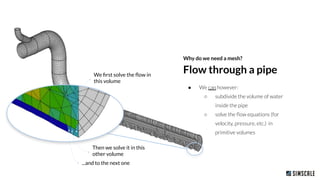
● We can however:
○ subdivide the volume of water
inside the pipe
○ solve the flow equations (for
velocity, pressure, etc.) in
primitive volumes
We first solve the flow in
this volume
Then we solve it in this
other volume
...and to the next one
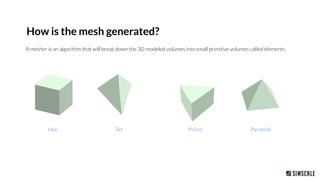
A mesher is an algorithm that will break down the 3D modeled volumes into small primitive volumes called elements.
How is the mesh generated?
Hex Tet PyramidPrism
Mesh quality
Let’s talk about quality
Element proportion
How close is each element
proportion to an ideal element?
Relative smoothness between elements
Is the transition between elements
geometrically smooth?
In both cases: the solver will run faster and with more
stability if these two are properly maintained.
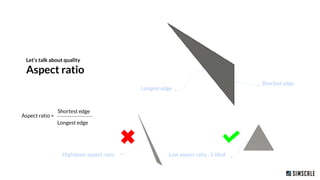
Let’s talk about quality
Aspect ratio
Low aspect ratio : 1 ideal
Shortest edge
Longest edge
Shortest edge
Longest edge
Aspect ratio =
High/poor aspect ratio
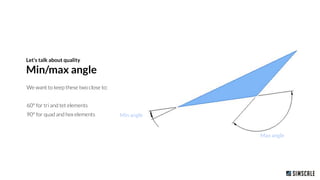
We want to keep these two close to:
60° for tri and tet elements
90° for quad and hex elements
Let’s talk about quality
Min/max angle
Max angle
Min angle
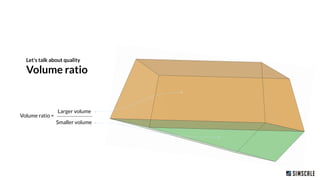
Let’s talk about quality
Volume ratio
Larger volume
Smaller volume
Volume ratio =
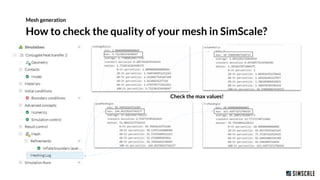
How to check the quality of your mesh in SimScale?
Mesh generation
Check the max values!
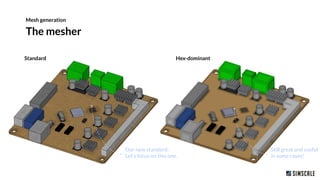
The mesher
Mesh generation
Standard Hex-dominant
Our new standard:
Let’s focus on this one.
Still great and useful
in some cases!
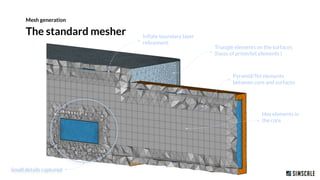
The standard mesher
Mesh generation
Hex elements in
the core
Triangle elements on the surfaces
(faces of prism/tet elements )
Pyramid/Tet elements
between core and surfaces
Inflate boundary layer
refinement
Small details captured
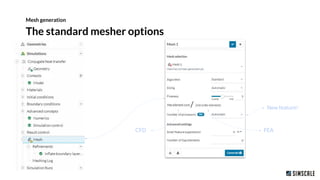
The standard mesher options
Mesh generation
CFD FEA
New feature!
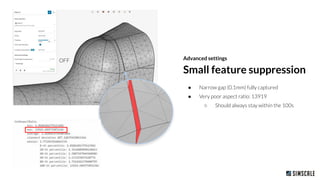
Advanced settings
● Narrow gap (0.1mm) fully captured
● Very poor aspect ratio: 13919
○ Should always stay within the 100s
Small feature suppression
OFF
Advanced settings
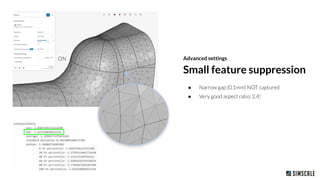
● Narrow gap (0.1mm) NOT captured
● Very good aspect ratio: 2.4!
Small feature suppression
ON
Advanced settings
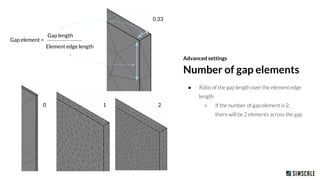
● Ratio of the gap length over the element edge
length
○ If the number of gap element is 2,
there will be 2 elements across the gap
Number of gap elements
210
Gap length
Element edge length
Gap element =
0.33
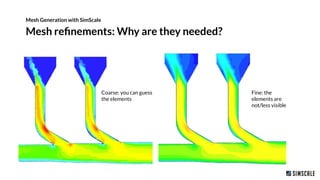
Mesh refinements: Why are they needed?
Mesh Generation with SimScale
Fine: the
elements are
not/less visible
Coarse: you can guess
the elements
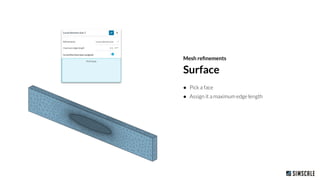
Surface
Mesh refinements
● Pick a face
● Assign it a maximum edge length
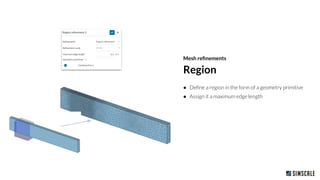
● Define a region in the form of a geometry primitive
● Assign it a maximum edge length
Region
Mesh refinements
Mesh refinements
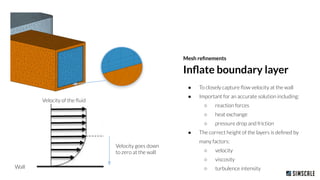
● To closely capture flow velocity at the wall
● Important for an accurate solution including:
○ reaction forces
○ heat exchange
○ pressure drop and friction
● The correct height of the layers is defined by
many factors:
○ velocity
○ viscosity
○ turbulence intensity
Inflate boundary layer
Wall
Velocity of the fluid
Velocity goes down
to zero at the wall
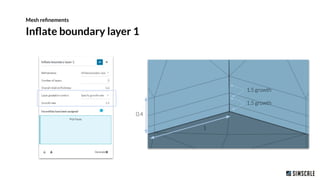
Inflate boundary layer 1
Mesh refinements
1.5 growth
1.5 growth
0.4
1
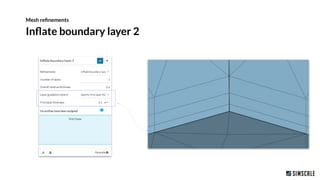
Inflate boundary layer 2
Mesh refinements
Mesh Generation
with SimScale
Thank you!
CFD, FEA, and thermo webinar

Mesh Generation with SimScale

  • 1.
    By Arnaud Girin CFD,FEA, and thermo webinar Mesh Generation with SimScale
  • 2.
    About SimScale Who weare ● Founded in 2012 ● Offices in Munich, Boston, and New York ● 80+ employees across 6+ time zones ● 150,000 users worldwide ● More than 300k simulation projects
  • 3.
    We created theworld’s first cloud-based engineering simulation platform. ● Fluid dynamics (CFD) ● Solid mechanics (FEA) ● Thermodynamics All accessible via a web browser. About SimScale What we do
  • 4.
    ● What ismeshing? ● Why is meshing important? ● What is a good quality mesh? ● SimScale new mesher ● Best practices and what to avoid Today’s topic Mesh generation
  • 5.
    Mesh setup Mesh generationwith SimScale How meshing will help your simulation
  • 6.
    A mesh isa division of a large volume into smaller, simple volumes called elements. What is a mesh in engineering simulation? ORIGINAL CAD MODEL MESHED MODEL
  • 7.
    ● We cannotsimply use an equation such as: f (inlet flow rate, outlet location ) = outlet flow rate Why do we need a mesh? Flow through a pipe 1 l/s of water What is the flow rate coming out of this pipe? What is the flow rate coming out of this pipe?
  • 8.
    Flow through apipe Why do we need a mesh? ● We can however: ○ subdivide the volume of water inside the pipe ○ solve the flow equations (for velocity, pressure, etc.) in primitive volumes We first solve the flow in this volume Then we solve it in this other volume ...and to the next one
  • 9.
    A mesher isan algorithm that will break down the 3D modeled volumes into small primitive volumes called elements. How is the mesh generated? Hex Tet PyramidPrism
  • 10.
    Mesh quality Let’s talkabout quality Element proportion How close is each element proportion to an ideal element? Relative smoothness between elements Is the transition between elements geometrically smooth? In both cases: the solver will run faster and with more stability if these two are properly maintained.
  • 11.
    Let’s talk aboutquality Aspect ratio Low aspect ratio : 1 ideal Shortest edge Longest edge Shortest edge Longest edge Aspect ratio = High/poor aspect ratio
  • 12.
    We want tokeep these two close to: 60° for tri and tet elements 90° for quad and hex elements Let’s talk about quality Min/max angle Max angle Min angle
  • 13.
    Let’s talk aboutquality Volume ratio Larger volume Smaller volume Volume ratio =
  • 14.
    How to checkthe quality of your mesh in SimScale? Mesh generation Check the max values!
  • 15.
    The mesher Mesh generation StandardHex-dominant Our new standard: Let’s focus on this one. Still great and useful in some cases!
  • 16.
    The standard mesher Meshgeneration Hex elements in the core Triangle elements on the surfaces (faces of prism/tet elements ) Pyramid/Tet elements between core and surfaces Inflate boundary layer refinement Small details captured
  • 17.
    The standard mesheroptions Mesh generation CFD FEA New feature!
  • 18.
    Advanced settings ● Narrowgap (0.1mm) fully captured ● Very poor aspect ratio: 13919 ○ Should always stay within the 100s Small feature suppression OFF
  • 19.
    Advanced settings ● Narrowgap (0.1mm) NOT captured ● Very good aspect ratio: 2.4! Small feature suppression ON
  • 20.
    Advanced settings ● Ratioof the gap length over the element edge length ○ If the number of gap element is 2, there will be 2 elements across the gap Number of gap elements 210 Gap length Element edge length Gap element = 0.33
  • 21.
    Mesh refinements: Whyare they needed? Mesh Generation with SimScale Fine: the elements are not/less visible Coarse: you can guess the elements
  • 22.
    Surface Mesh refinements ● Picka face ● Assign it a maximum edge length
  • 23.
    ● Define aregion in the form of a geometry primitive ● Assign it a maximum edge length Region Mesh refinements
  • 24.
    Mesh refinements ● Toclosely capture flow velocity at the wall ● Important for an accurate solution including: ○ reaction forces ○ heat exchange ○ pressure drop and friction ● The correct height of the layers is defined by many factors: ○ velocity ○ viscosity ○ turbulence intensity Inflate boundary layer Wall Velocity of the fluid Velocity goes down to zero at the wall
  • 25.
    Inflate boundary layer1 Mesh refinements 1.5 growth 1.5 growth 0.4 1
  • 26.
    Inflate boundary layer2 Mesh refinements
  • 27.
    Mesh Generation with SimScale Thankyou! CFD, FEA, and thermo webinar