Cataloging for the 21st
Century ~ Course 4
Metadata and Digital Library Development
Metadata and Digital 

Library Development 

Instructor Manual 

Prepared by 

David Ruddy 

Cornell University Library 

For 

The Library of Congress 

And the 

Association for Library Collections & Technical Services

L ibrary of Congress

Cataloger's Learning Workshop

Washington, DC 

March 2008
(1) Instructor Manual -- (2) Trainee Manual
ISBN 978-0-8444-1166-3 (Instructor Manual)
ISBN 978-0-8444-1167-1 (Trainee Manual)
Version 1a, March 2008
Metadata and Digital Library Development
Table of Contents
Foreword
General Introduction for Trainers
Content Slides
Introduction: Background, Goals, and Course Outline
Session 1: Introduction to Digital Library System Objectives, Functionality, and
Metadata
Session 2: Understanding Functional Requirements
Session 3: Metadata and Functionality
Session 4: Metadata Conversion: Enhancement and Mapping
Session 5: Metadata Workflows
Session 6: Digital Library Development Project Exercise
Workshop Exercises
Exercise Notes for Trainers
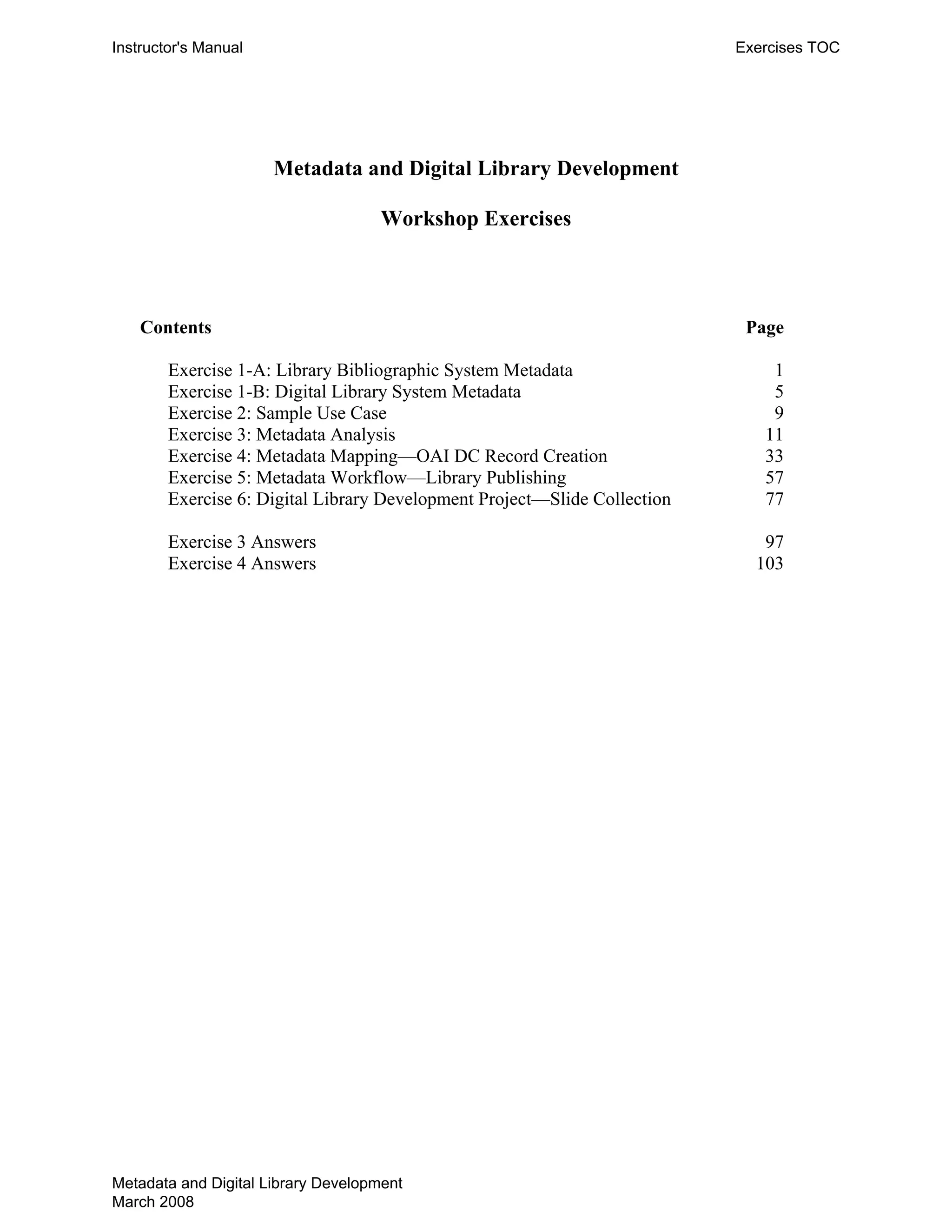
Exercise 1-A: Library Bibliographic System Metadata 1
Exercise 1-B: Digital Library System Metadata 5
Exercise 2: Sample Use Case 9
Exercise 3: Metadata Analysis 11
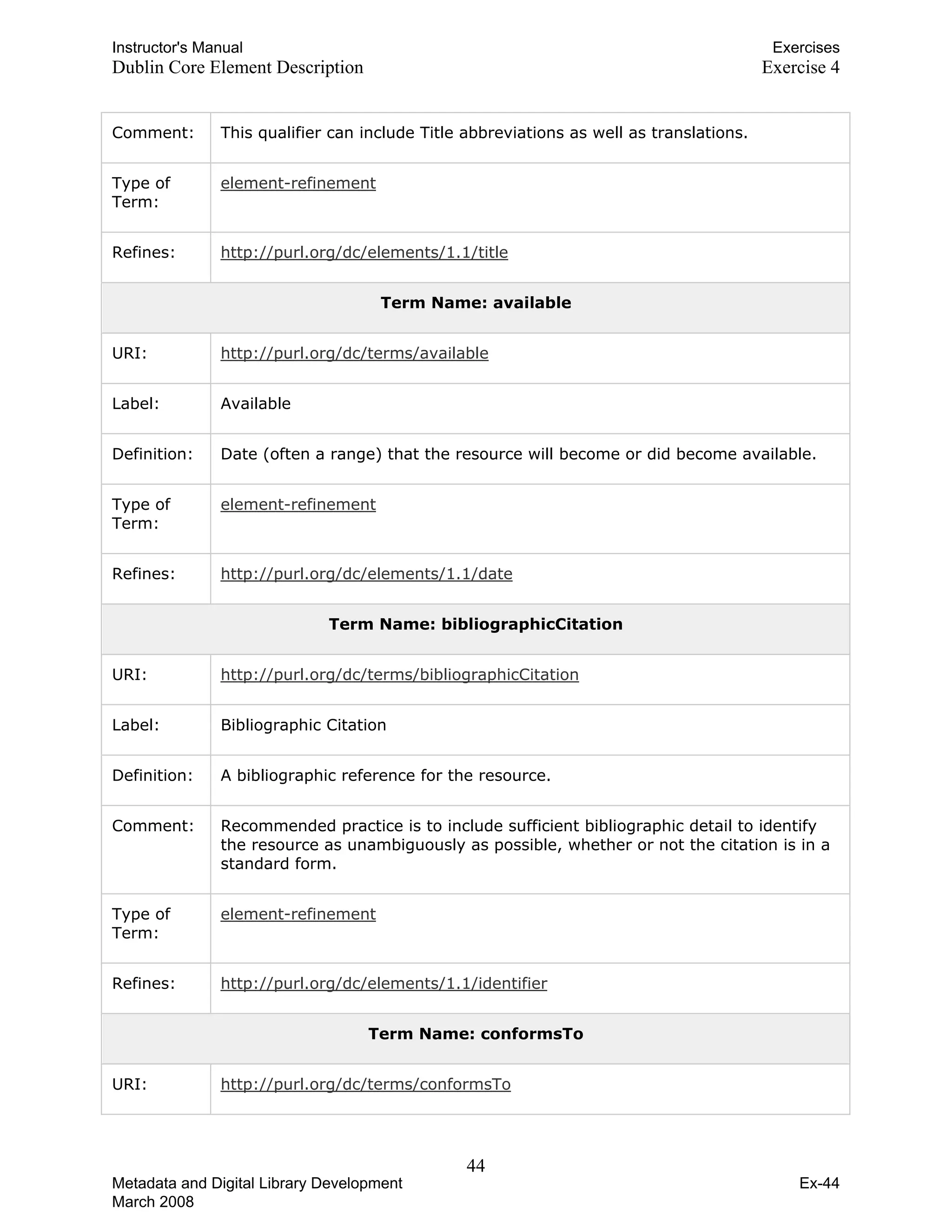
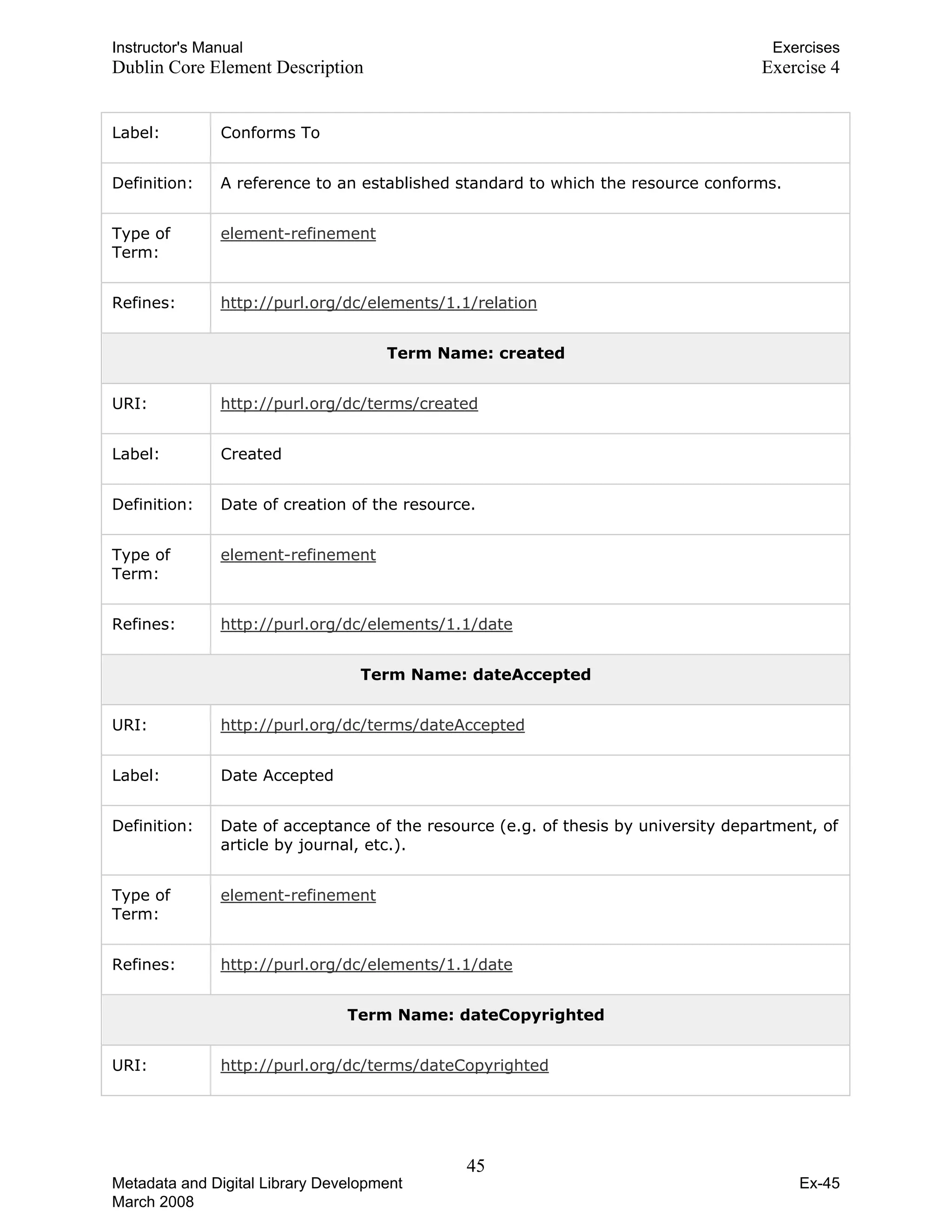
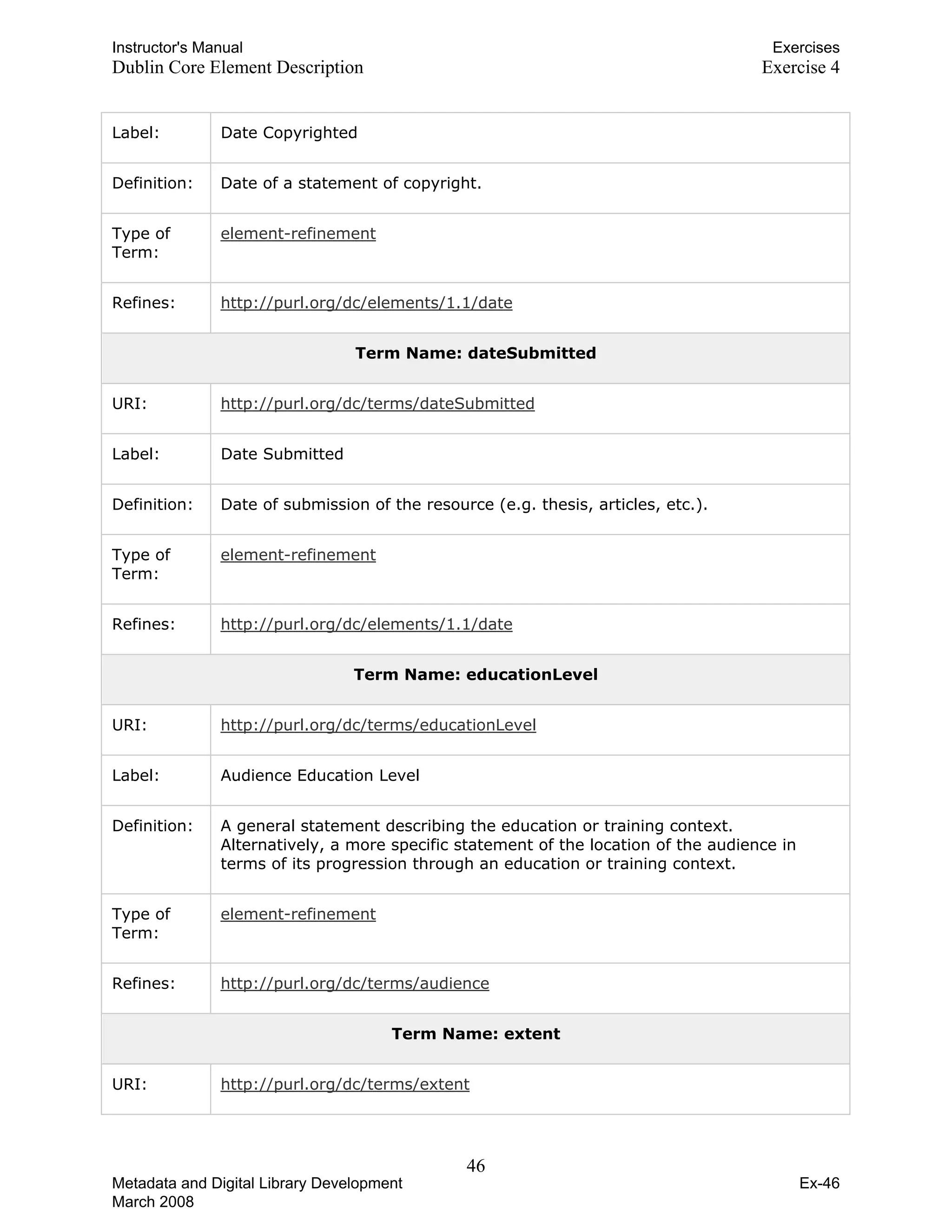
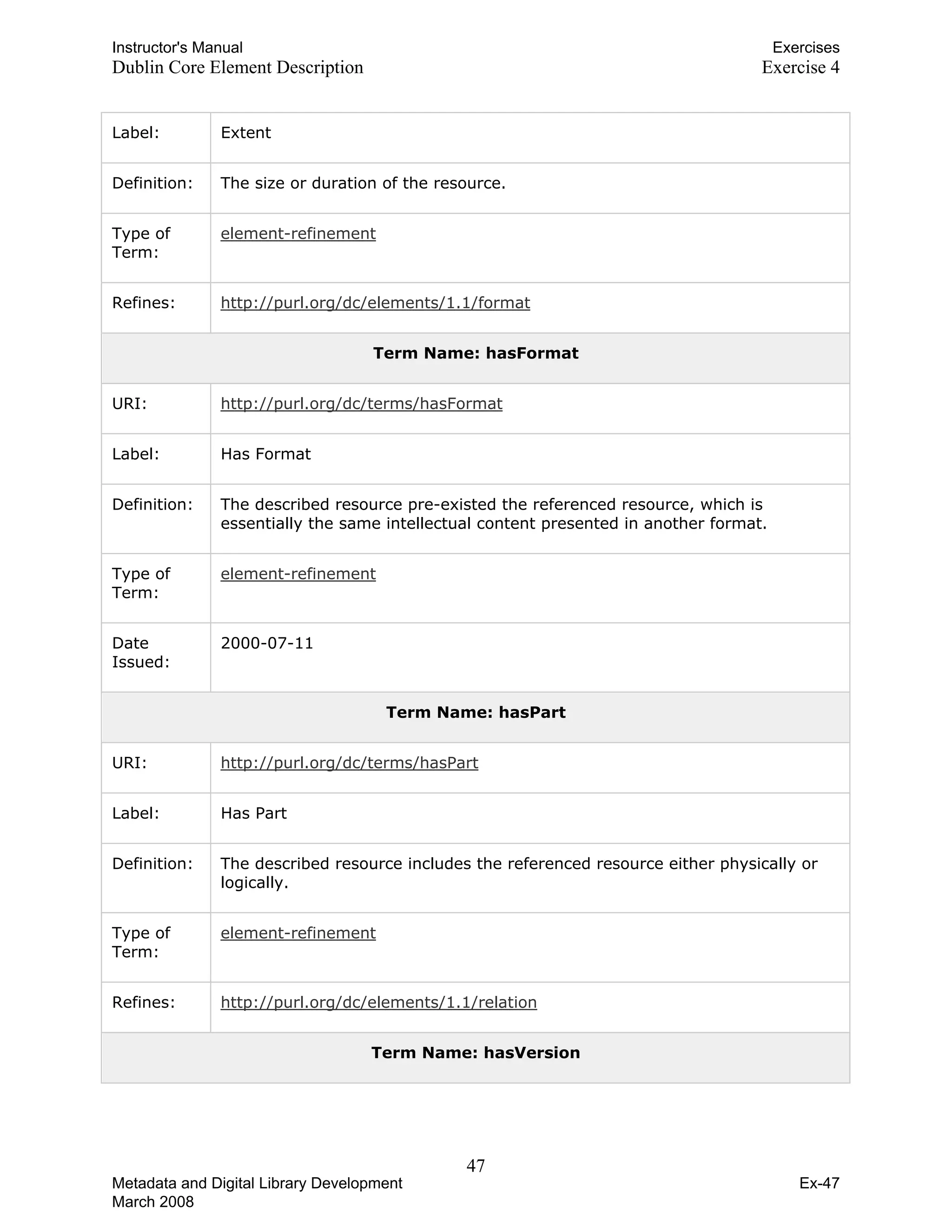
Exercise 4: Metadata Mapping—OAI DC Record Creation 33
Exercise 5: Metadata Workflow—Library Publishing 57
Exercise 6: Digital Library Development Project—Slide Collection 77
Exercise 3 Answers 97
Exercise 4 Answers 103
Appendix I—Glossary
Appendix II—Selected Bibliography
THIS PAGE INTENTIONALLY LEFT BLANK 

FOR DOUBLE SIDED COPY
Instructor's Manual Preliminary Pages
FOREWORD 

In November 2000, the Library of Congress sponsored the Bicentennial Conference on
Bibliographic Control for the New Millennium to bring together authorities in the cataloging and
metadata communities to discuss outstanding issues involving improved discovery and access to
Web resources. One of the resulting recommendations from that conference was the provision of
appropriate training and continuing education to improve bibliographic control of selected Web
resources, specifically by 1) identifying and enhancing core competences among library catalogers;
2) devising and conducting training to enhance practitioners’ mind set and values, problem-solving,
operations, management, and information technology skills; and 3) promoting the understanding,
use, and refinement of metadata standards for describing and managing electronic and digital
resources. In August 2001, ALA’s Association for Library Collections and Technical Services
(ALCTS) was appointed as the lead organization to plan and implement this recommendation.
To address the Bicentennial Conference recommendation on continuing education, a Continuing
Education Task Force convened by ALCTS proposed a series of courses in Summer 2003 designed
to prepare the cataloging community to provide improved bibliographic control of Web resources.
In Fall 2003, the ALCTS Continuing Education Implementation Group (ALCTS/CEIG) was charged
to develop and make available this course series, which the task force had named Cataloging for the
21st
Century. ALCTS/CEIG is working with course developers to create the five-course series over
approximately two years (2004 through 2006) and the Library of Congress’ Cataloger's Learning
Workshop (CLW) is making the course content available to the cataloging community.
The model for the development of and presentation of the Cataloging for the 21st
Century course
content was the Serials Cataloging Cooperative Training Program, which provides standardized
training materials and skilled professionals to deliver training to continuing resource catalogers in
the field. This model relies on library associations, networks, and institutions to sponsor the
workshops and use the materials developed. The educational components of the program are
designed to be basic, affordable, authoritative, and effective. The Cataloging for the 21st
Century
program will be evaluated on an ongoing basis to ensure cooperation among sponsoring agencies,
ease of administration, adequate funding, and attainment of educational objectives.
The Library of Congress and ALCTS endorsed the Cataloging for the 21st
Century training model
and agreed to joint ownership of the content, with CDS serving as publisher and distributor of course
materials. Each of the five courses will address a specific continuing education need within the
cataloging community:
• Rules and Tools for Cataloging Electronic Resources
• Metadata Standards and Applications
• Controlled Vocabulary and Thesaurus Design
• Metadata and Digital Library Development
• Digital Project Management for the 21st
Century
Metadata and Digital Library Development i
Instructor's Manual Preliminary Pages
The objectives of the Cataloging for the 21st
Century series are:
• 	 To equip catalogers to deal with new types of resources and to recognize their unique
characteristics
• 	 To equip catalogers to evaluate competing approaches to and standards for providing access to
resources
• 	 To equip catalogers to think creatively and work collaboratively with others inside and outside
their home institutions
• 	 To ensure that catalogers have a broad enough understanding of the current environment to be
able to make their local efforts compatible and interoperable with other efforts
• 	 To assist catalogers' transition from pursuing perfect records under a single, traditional set of
standards to creating and accepting (or recognizing) appropriate records under an evolving set of
standards.
• 	 To enable practicing catalogers to put themselves into the emerging digital information
environment and to continue to play a significant role in shaping library services
To achieve these objectives, the ALCTS Continuing Education Implementation Group has selected
course developers who are known for both their subject expertise and their skills in creating
continuing education workshop materials. ALCTS/CEIG is grateful to them for the knowledge,
creativity, and diligence they have brought to this course series. It is the sincere hope of the
ALCTS/CEIG that the Cataloging for the 21st
Century series will indeed address the continuing
educations needs identified by the Bicentennial Conference on Bibliographic Control for the New
Millennium.
Metadata and Digital Library Development ii
Instructor's Manual Preliminary Pages
Metadata and Digital Library Development 

General Introduction for Trainers

Workshop Facilities
This workshop is exercise heavy and most of the exercises require working in groups. Try to
ensure that workshop facilities have the space and furniture that will make group work
manageable. Ideally, this means moveable tables and chairs. The best environment will have
modular tables that can be easily pushed around and reconfigured. The worst will be a traditional
classroom setup with fixed linear tables.
The small group sessions, especially on the second day, work well if each group has a flip chart
and markers to record their work. This helps when the small groups report back to the larger
group. If instructors want flip charts and markers, give the hosting facility plenty of advance
warning to obtain these materials. In calculating how many groups you’ll have, see Size of
Workshop below.
A single, centrally visible screen for projecting Powerpoint slides is necessary. As currently
conceived, the workshop does not require internet access.
Size of Workshop
Small group exercises are an important part of this workshop. The small groups seem to work
best with 5-6 people in them (4 or 7 can work). If you have 12-14 attendees, two groups will
work fine and give plenty of reporting time. The maximum number of groups is probably 4.
Beyond that, reporting back after the exercise begins to take too much time and will be
shortchanged. This means that the maximum size for the workshop is between 24 and 28 people.
Course Content, for Participants
For suggestions about printing the course materials, see “Course Content Printing Instructions” 

down below. 

Workshop materials for participants include the following: 

„ Table of Contents (1 MS Word file) 

„ Content slides (7 Powerpoint slide presentations, one per session) 

o	 Introduction (session 0)
o Sessions 1-6
„ Exercises (1 PDF file)
o	 Exercises are signaled in the Powerpoint slides. All the exercises, 1 through 6
(instructions, scenario descriptions, metadata examples, etc.), plus some exercise
“answers,” are contained in a single PDF file of 97 pages.
„ Appendix I—Glossary (1 MS Word file)
„ Appendix II—Selected Bibliography (1 MS Word file)
Metadata and Digital Library Development iii
Instructor's Manual Preliminary Pages
Course Exercises
One of the assumptions behind this workshop is that adults learn by “doing”—by engaging in
participatory activities. In this context, that means exchanging ideas with others, listening,
talking, trying to convince others or being convinced by others. Within this workshop, therefore,
the exercises are a critical pedagogical component and appropriate time should be allotted to
them.
Exercises 1-2 can be led by the trainer and carried out with the entire workshop. It may be
possible to conduct Exercise 2 as a small group exercise, if desired. Exercises 3-6 are designed as
small group exercises. For these in particular, besides the time required to complete the assigned
work, there must be time for reporting back to the wider workshop. Reporting back is critical to
get the most out of the small group exercises.
Suggestions:
„ Group exercises will work best with 5-6 people per group (4 and 7 will work also).
„ For the group exercises, get everyone to mix up their groups from exercise to
exercise. It is probably best not to make this optional or leave it to chance. Before
each of the groups exercises, have everyone count off by some number (depending on
how many groups you will have), and get them to arrange themselves based on that.
„	 Have groups chose a “reporter” when they first form. Having a reporter will focus
and speed up the reporting process somewhat. At the same time, everyone in a group
should be encouraged to participate in the reporting.
„	 Be sure that the same people are not reporting back every time, even when in
different groups. When arranging everyone in a group, ask that the group choose a
“reporter,” and to chose someone that hasn’t yet reported.
Course Content Printing Instructions
Course content for participants should be printed and assembled in a manner that makes them
easy to use. Experience has shown that participants like to be able to temporarily remove pages
from the exercises while they work, reducing the amount of flipping back and forth in the printed
material. The consensus is in favor of binding the materials, both the content slides and
exercises, in a single three-hold folder. A spiral binding has proven to be frustrating to
participants.
Unless otherwise noted below (see Content slides), all the materials should be printed in portrait
orientation and can be printed double-sided if desired. The Exercises in particular have been
formatted with the expectation of double-sided printing.
The printed materials (with file names) for workshop participants include the following, and
should be assembled in this order:
1) Table of Contents (ceig4_TOC.doc) 

2) Content slides, sessions 0-6 (ceig4_session0.ppt – ceig4_session6.ppt) 

Metadata and Digital Library Development iv
Instructor's Manual Preliminary Pages
Two recommended printing options:
a) single slide per page, in landscape orientation (do not include slide notes)
b) three slides per page, handout format, portrait orientation (see N.B below)
3) Exercises 1-6 (ceig4_exercises.pdf).
4) Appendix I—Glossary (ceig4_glossary.doc)
5) Appendix II—Selected Bibliography (ceig4_bibliography.doc)
N.B. There are several slides that will not be clear enough to work with if printed in three-slide
per page handout format. If printing in this format, these slides should also be printed separately
as single-page slides and inserted for participants.
Alternatively, since 9 of the 21 slides in Session 3 require this, you may choose to print all of
Session 3 as single-slide pages.
Slides that require single-slide per page treatment:
Session 3: Slides 7, 8, 9, 11, 12, 13, 15, 16, 17
Trainer Materials
Materials written specifically for trainers include: 

„ General Instructions for Trainers (the current document) 

„ Trainer notes associated with each slide in the Powerpoint content slides 

„ Exercise Notes for Trainers 

Course Schedule
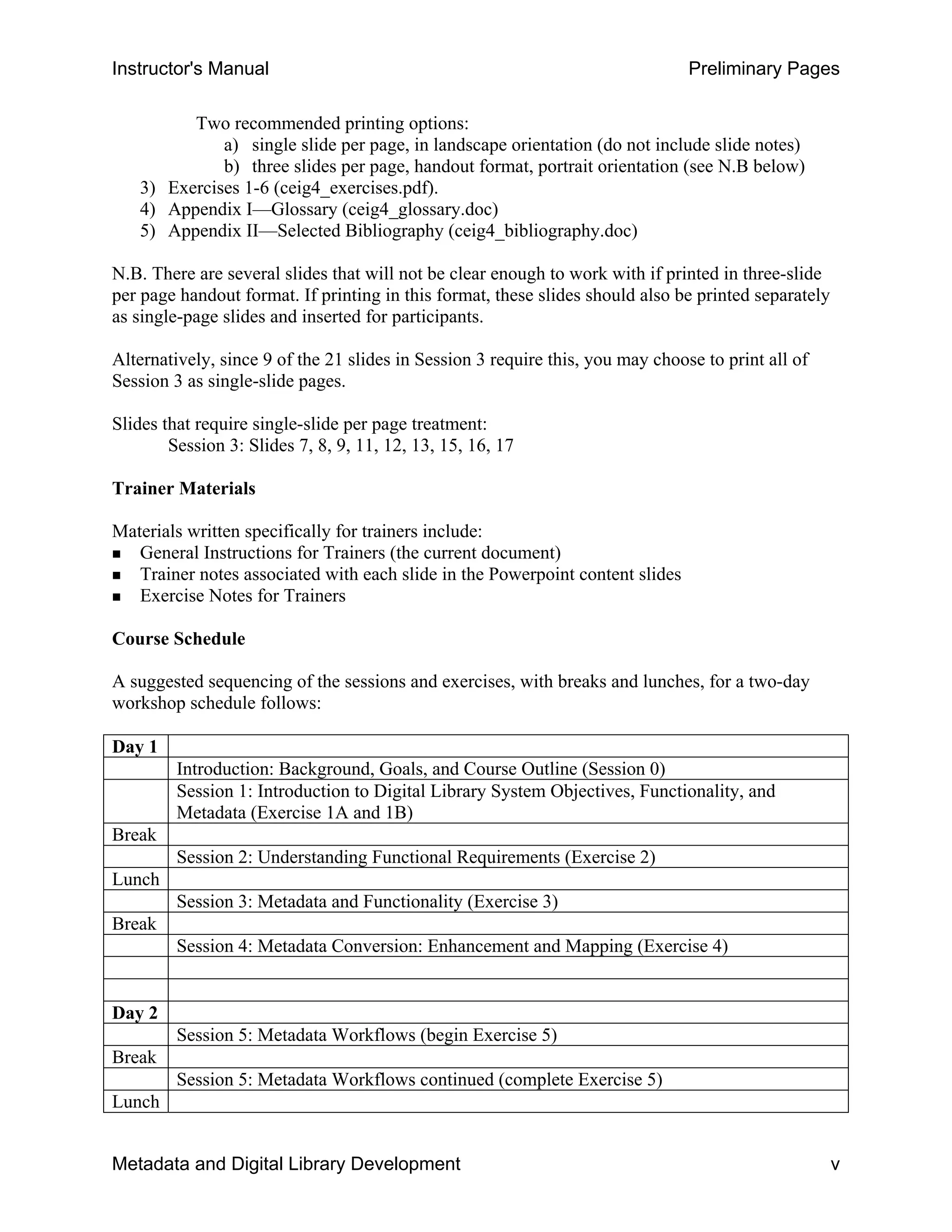
A suggested sequencing of the sessions and exercises, with breaks and lunches, for a two-day
workshop schedule follows:
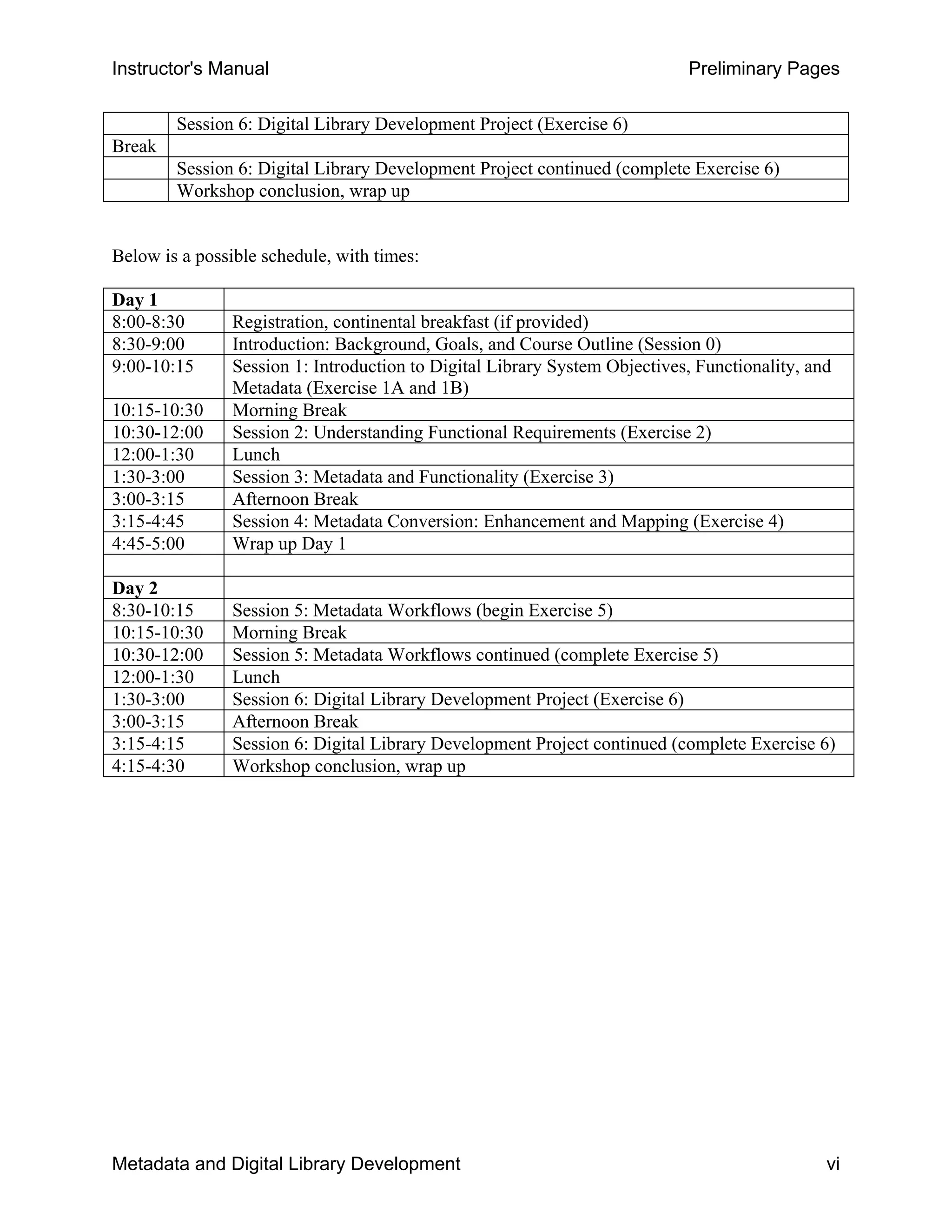
Day 1
Introduction: Background, Goals, and Course Outline (Session 0)
Session 1: Introduction to Digital Library System Objectives, Functionality, and
Metadata (Exercise 1A and 1B)
Break
Session 2: Understanding Functional Requirements (Exercise 2)
Lunch
Session 3: Metadata and Functionality (Exercise 3)
Break
Session 4: Metadata Conversion: Enhancement and Mapping (Exercise 4)
Day 2
Session 5: Metadata Workflows (begin Exercise 5)
Break
Session 5: Metadata Workflows continued (complete Exercise 5)
Lunch
Metadata and Digital Library Development v
Instructor's Manual Preliminary Pages
Session 6: Digital Library Development Project (Exercise 6)
Break
Session 6: Digital Library Development Project continued (complete Exercise 6)
Workshop conclusion, wrap up
Below is a possible schedule, with times:
Day 1
8:00-8:30 Registration, continental breakfast (if provided)
8:30-9:00 Introduction: Background, Goals, and Course Outline (Session 0)
9:00-10:15 Session 1: Introduction to Digital Library System Objectives, Functionality, and
Metadata (Exercise 1A and 1B)
10:15-10:30 Morning Break
10:30-12:00 Session 2: Understanding Functional Requirements (Exercise 2)
12:00-1:30 Lunch
1:30-3:00 Session 3: Metadata and Functionality (Exercise 3)
3:00-3:15 Afternoon Break
3:15-4:45 Session 4: Metadata Conversion: Enhancement and Mapping (Exercise 4)
4:45-5:00 Wrap up Day 1
Day 2
8:30-10:15 Session 5: Metadata Workflows (begin Exercise 5)
10:15-10:30 Morning Break
10:30-12:00 Session 5: Metadata Workflows continued (complete Exercise 5)
12:00-1:30 Lunch
1:30-3:00 Session 6: Digital Library Development Project (Exercise 6)
3:00-3:15 Afternoon Break
3:15-4:15 Session 6: Digital Library Development Project continued (complete Exercise 6)
4:15-4:30 Workshop conclusion, wrap up
Metadata and Digital Library Development vi
Instructor's Manual Introduction
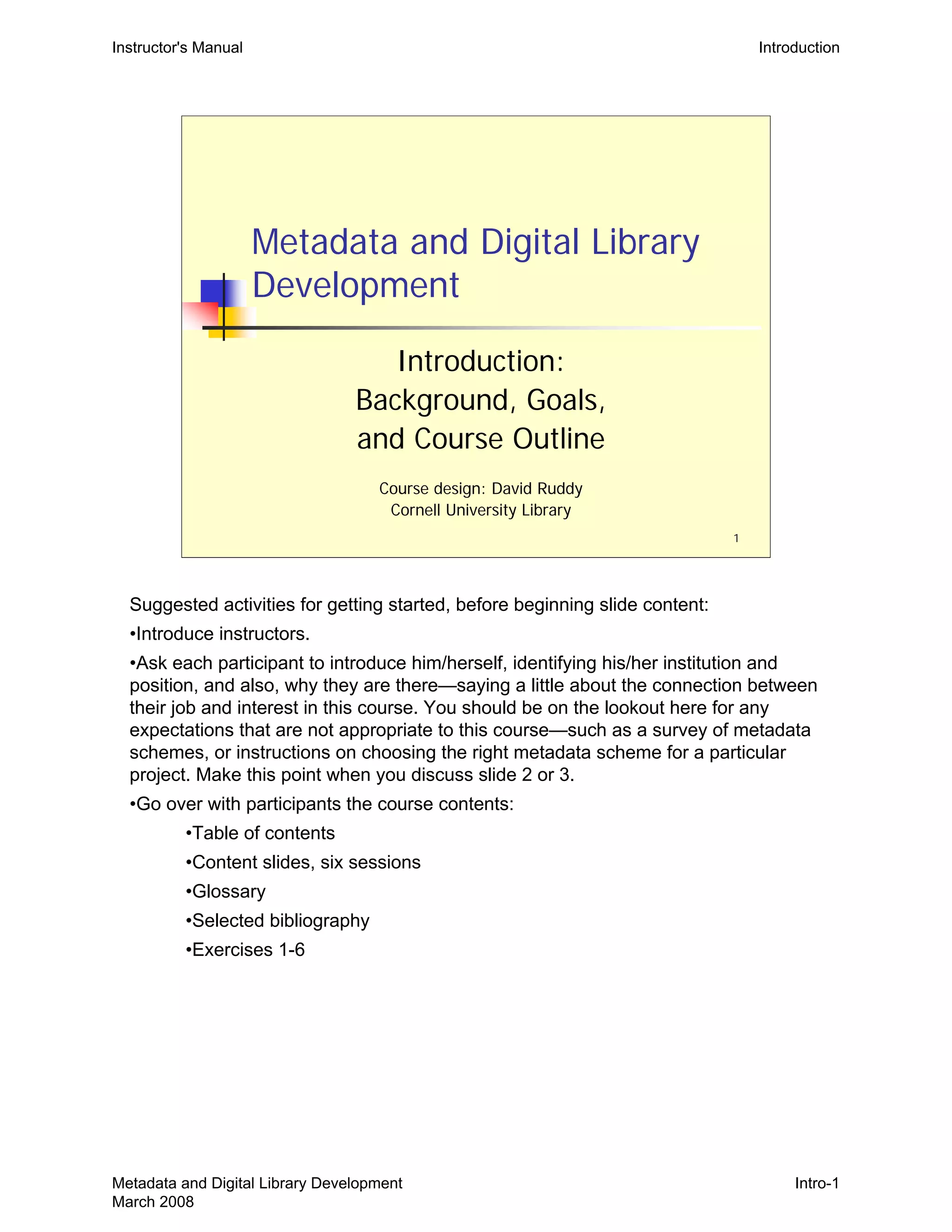
Metadata and Digital Library
Development
Introduction:
Background, Goals,
and Course Outline
Course design: David Ruddy

Cornell University Library

1
Suggested activities for getting started, before beginning slide content:
•Introduce instructors.
•Ask each participant to introduce him/herself, identifying his/her institution and
position, and also, why they are there—saying a little about the connection between
their job and interest in this course. You should be on the lookout here for any
expectations that are not appropriate to this course—such as a survey of metadata
schemes, or instructions on choosing the right metadata scheme for a particular
project. Make this point when you discuss slide 2 or 3.
•Go over with participants the course contents:
•Table of contents
•Content slides, six sessions
•Glossary
•Selected bibliography
•Exercises 1-6
Metadata and Digital Library Development
March 2008
Intro-1
Instructor's Manual Introduction
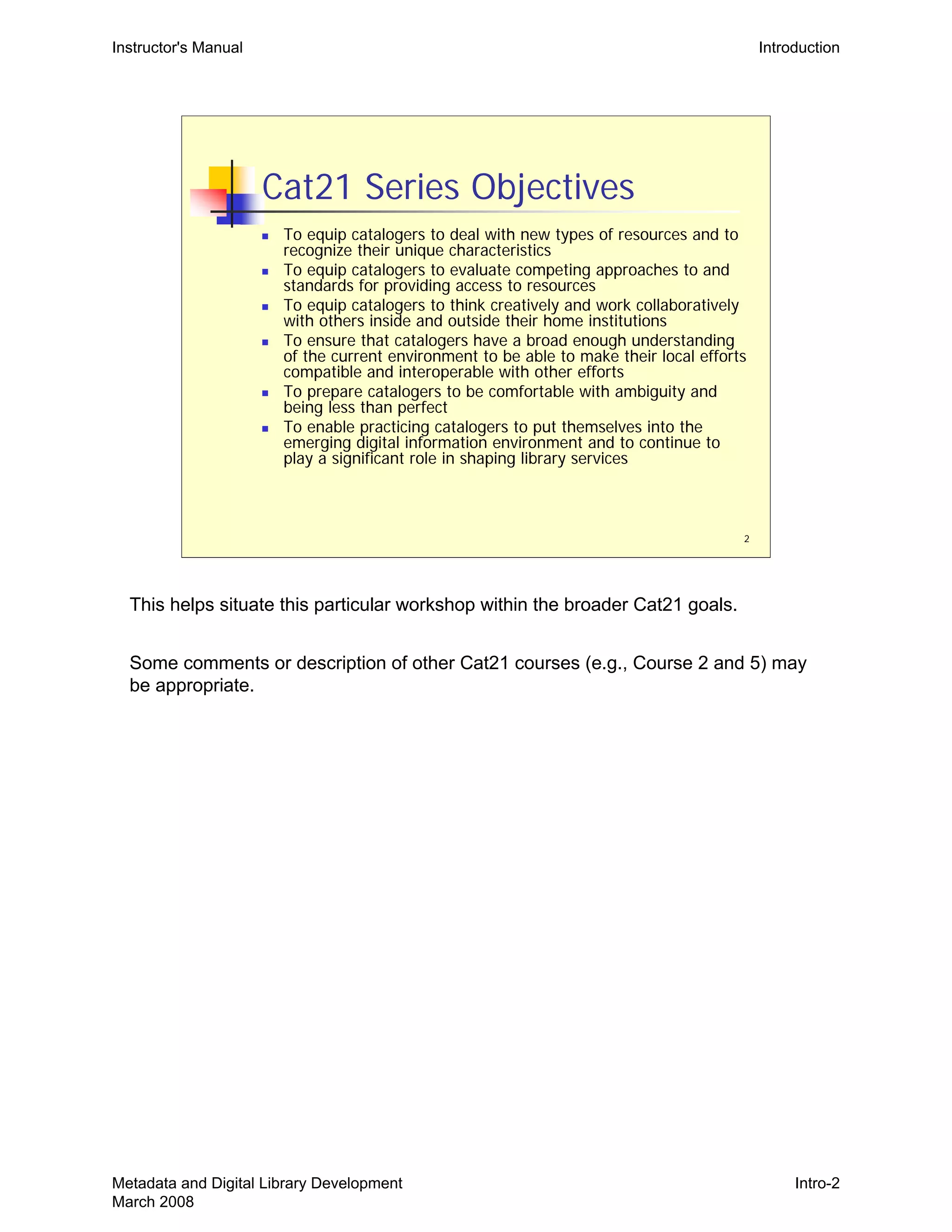
2
Cat21 Series Objectives
„ To equip catalogers to deal with new types of resources and to
recognize their unique characteristics
„ To equip catalogers to evaluate competing approaches to and
standards for providing access to resources
„ To equip catalogers to think creatively and work collaboratively
with others inside and outside their home institutions
„ To ensure that catalogers have a broad enough understanding
of the current environment to be able to make their local efforts
compatible and interoperable with other efforts
„ To prepare catalogers to be comfortable with ambiguity and
being less than perfect
„ To enable practicing catalogers to put themselves into the
emerging digital information environment and to continue to
play a significant role in shaping library services
This helps situate this particular workshop within the broader Cat21 goals.
Some comments or description of other Cat21 courses (e.g., Course 2 and 5) may
be appropriate.
Metadata and Digital Library Development
March 2008
Intro-2
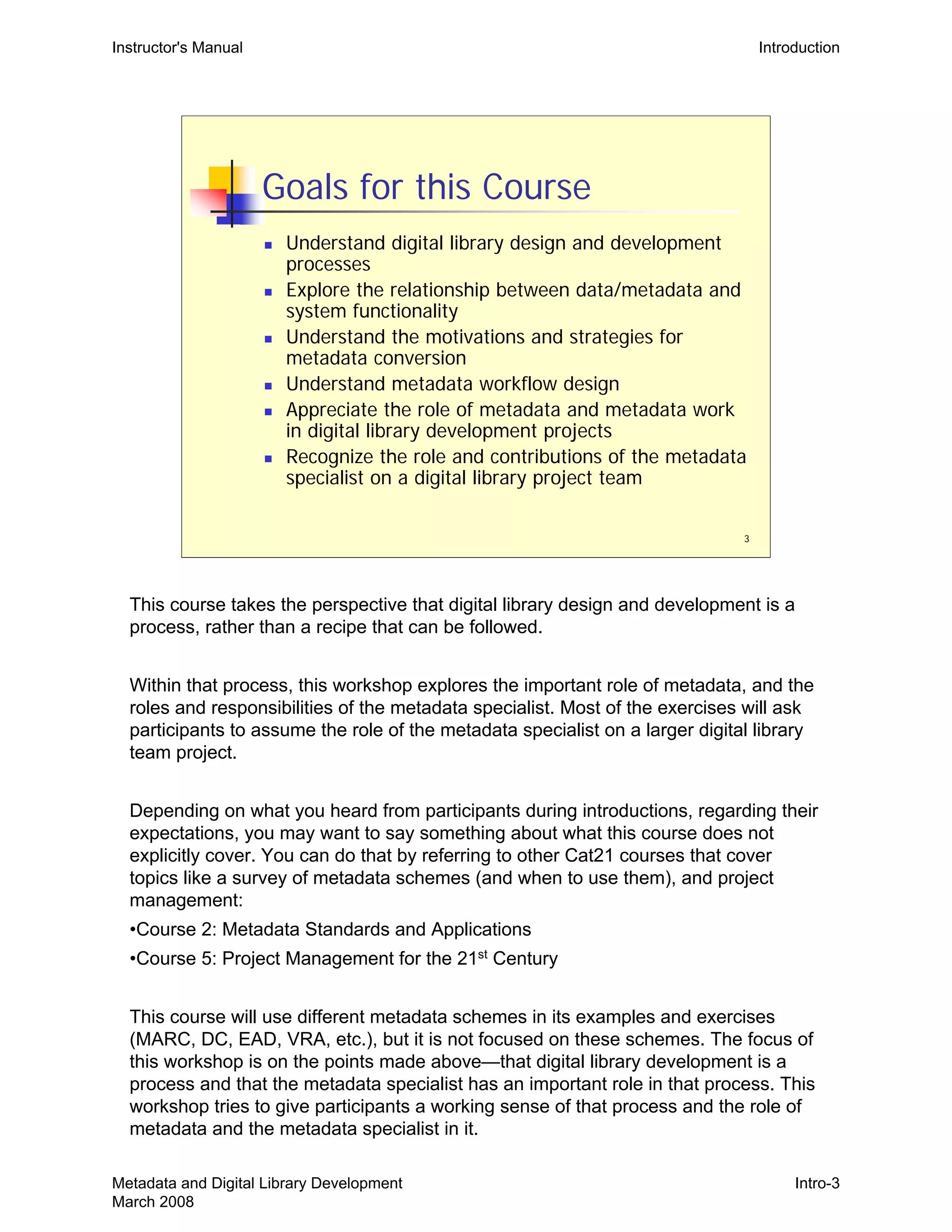
3
Goals for this Course
„ Understand digital library design and development
processes
„ Explore the relationship between data/metadata and
system functionality
„ Understand the motivations and strategies for
metadata conversion
„ Understand metadata workflow design
„ Appreciate the role of metadata and metadata work
in digital library development projects
„ Recognize the role and contributions of the metadata
specialist on a digital library project team
Instructor's Manual Introduction
This course takes the perspective that digital library design and development is a
process, rather than a recipe that can be followed.
Within that process, this workshop explores the important role of metadata, and the
roles and responsibilities of the metadata specialist. Most of the exercises will ask
participants to assume the role of the metadata specialist on a larger digital library
team project.
Depending on what you heard from participants during introductions, regarding their
expectations, you may want to say something about what this course does not
explicitly cover. You can do that by referring to other Cat21 courses that cover
topics like a survey of metadata schemes (and when to use them), and project
management:
•Course 2: Metadata Standards and Applications
•Course 5: Project Management for the 21st
Century
This course will use different metadata schemes in its examples and exercises
(MARC, DC, EAD, VRA, etc.), but it is not focused on these schemes. The focus of
this workshop is on the points made above—that digital library development is a
process and that the metadata specialist has an important role in that process. This
workshop tries to give participants a working sense of that process and the role of
metadata and the metadata specialist in it.
Metadata and Digital Library Development
March 2008
Intro-3
4
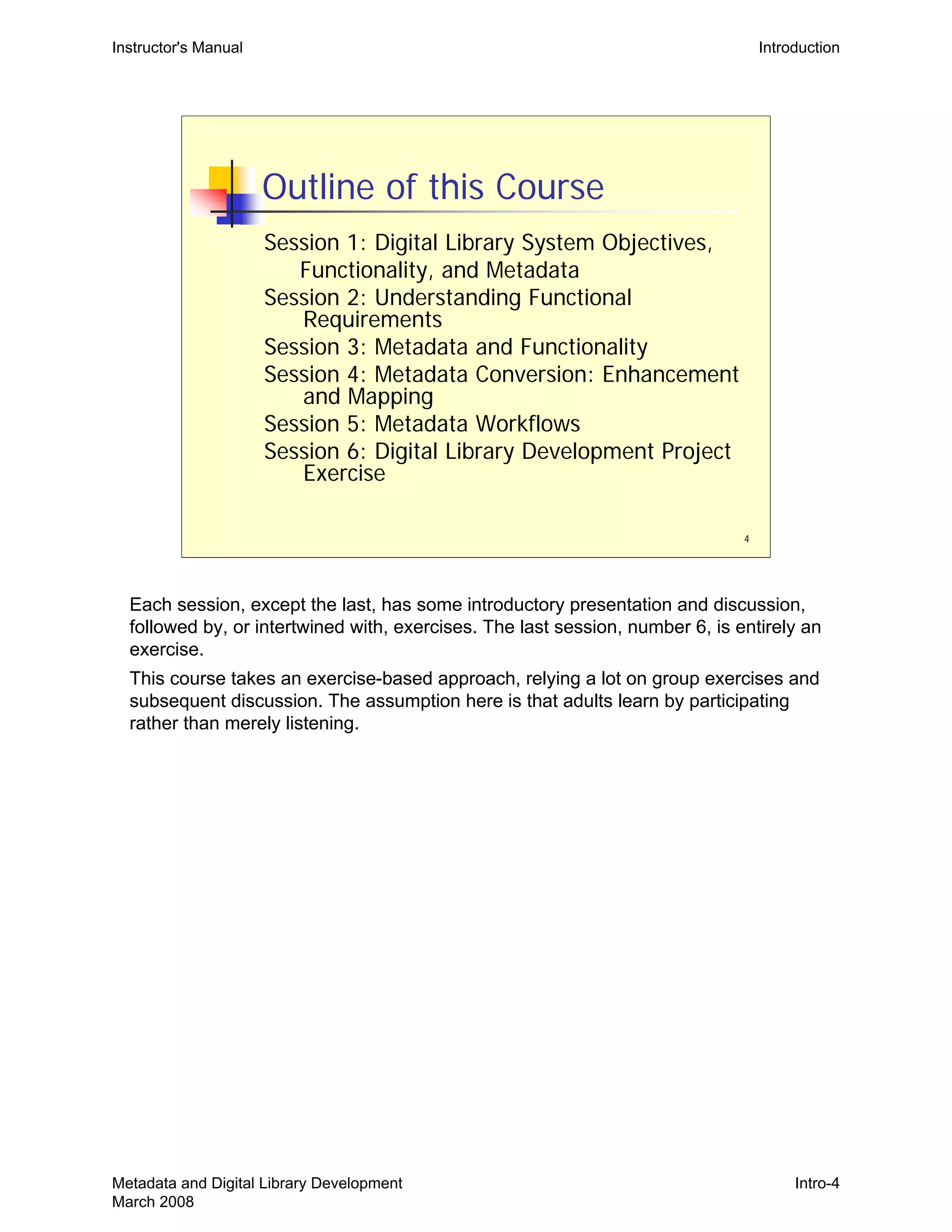
Outline of this Course
Session 1: Digital Library System Objectives,
Functionality, and Metadata
Session 2: Understanding Functional
Requirements
Session 3: Metadata and Functionality
Session 4: Metadata Conversion: Enhancement
and Mapping
Session 5: Metadata Workflows
Session 6: Digital Library Development Project
Exercise
Instructor's Manual Introduction
Each session, except the last, has some introductory presentation and discussion,
followed by, or intertwined with, exercises. The last session, number 6, is entirely an
exercise.
This course takes an exercise-based approach, relying a lot on group exercises and
subsequent discussion. The assumption here is that adults learn by participating
rather than merely listening.
Metadata and Digital Library Development
March 2008
Intro-4
Instructor's Manual Session 1
Metadata and Digital Library
Development
Session 1:

Introduction to Digital Library

System Objectives, Functionality,

and Metadata

1
Metadata and Digital Library Development
March 2008
1-1
2
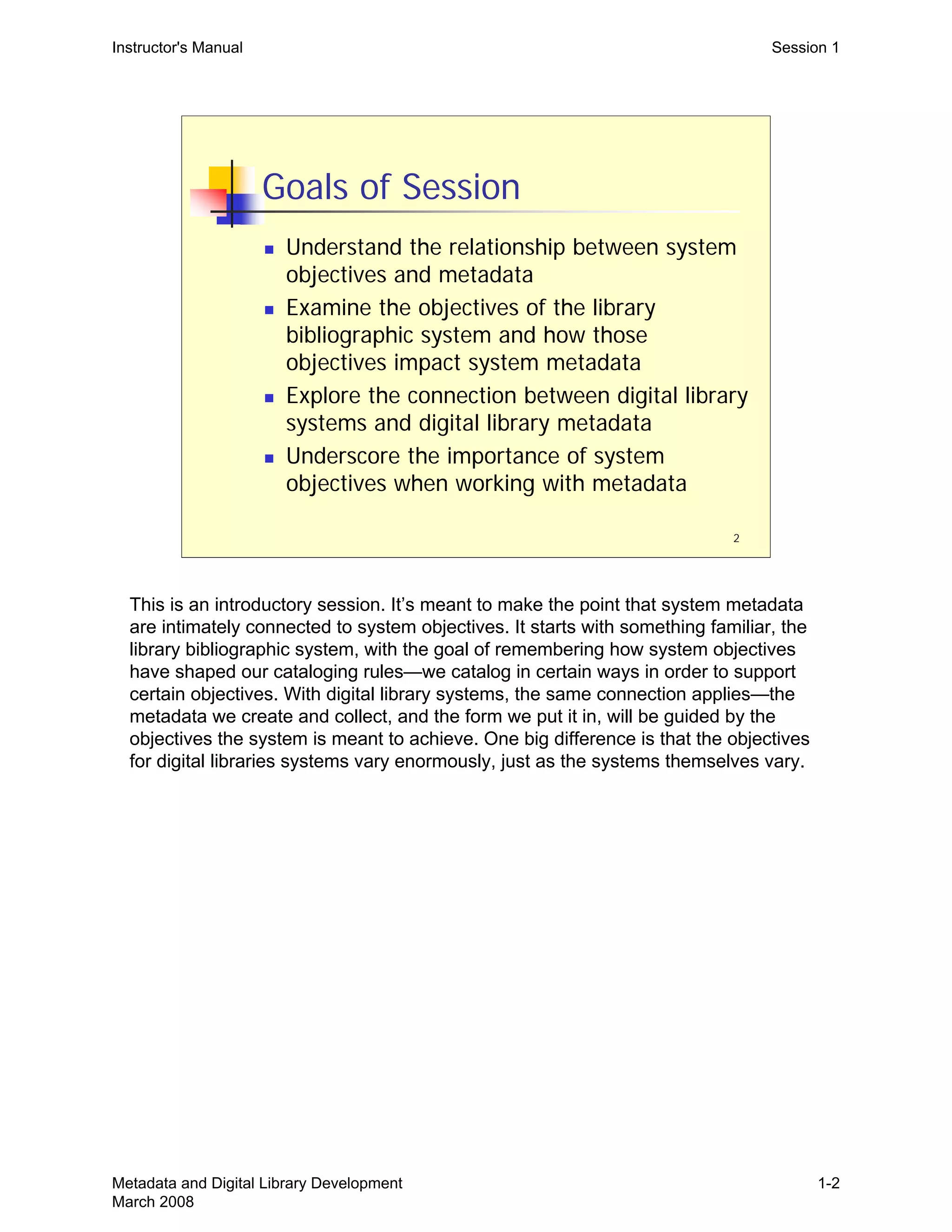
Goals of Session
„ Understand the relationship between system
objectives and metadata
„ Examine the objectives of the library
bibliographic system and how those
objectives impact system metadata
„ Explore the connection between digital library
systems and digital library metadata
„ Underscore the importance of system
objectives when working with metadata
Instructor's Manual Session 1
This is an introductory session. It’s meant to make the point that system metadata
are intimately connected to system objectives. It starts with something familiar, the
library bibliographic system, with the goal of remembering how system objectives
have shaped our cataloging rules—we catalog in certain ways in order to support
certain objectives. With digital library systems, the same connection applies—the
metadata we create and collect, and the form we put it in, will be guided by the
objectives the system is meant to achieve. One big difference is that the objectives
for digital libraries systems vary enormously, just as the systems themselves vary.
Metadata and Digital Library Development
March 2008
1-2
3
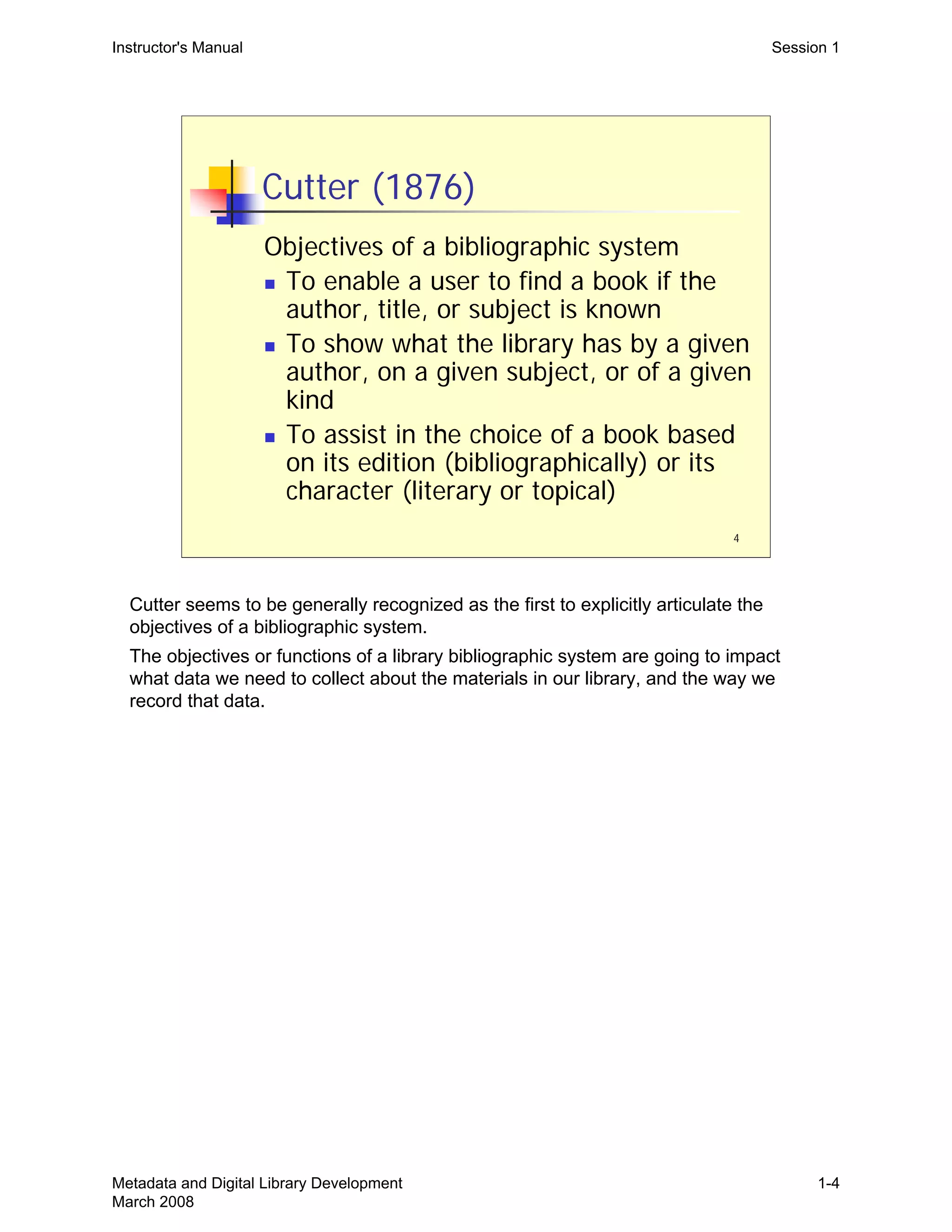
The Library Catalog
„ Why do we describe library materials in
the way we do?
„ Why do we catalog in the way that we do?
„ Why do we assemble certain information
(metadata) about library materials, and
record this metadata in such a highly
defined way?
Instructor's Manual Session 1
The point here is that there’s a reason for why catalogers do what they do. It’s not to
follow rules for rules sake, but because the rules support larger objectives.
Sometimes those objectives are general (support known-item discovery), and
sometimes they are more specific (present a alphabetized browse list of titles).
Library bibliographic cataloging has become codified, and we sometimes forget the
connection between objectives and metadata practices.
What follows is an absurdly short intellectual history outlining various proposals
regarding the objectives of bibliographic systems. The point is less any one
particular proposal and more just to remind people that this kind of articulation of
system objectives did go on, and is going on, in the library world and that it is a
necessary activity before anyone can build a particular system.
In the following slides, discussion beyond this main point probably isn’t necessary. If
you want more discussion, a number of discussion points are listed. It’s important to
get to the exercises and have plenty of time for them.
Metadata and Digital Library Development
March 2008
1-3
4
Cutter (1876)
Objectives of a bibliographic system
„ To enable a user to find a book if the
author, title, or subject is known
„ To show what the library has by a given
author, on a given subject, or of a given
kind
„ To assist in the choice of a book based
on its edition (bibliographically) or its
character (literary or topical)
Instructor's Manual Session 1
Cutter seems to be generally recognized as the first to explicitly articulate the 

objectives of a bibliographic system.

The objectives or functions of a library bibliographic system are going to impact 

what data we need to collect about the materials in our library, and the way we 

record that data.

Metadata and Digital Library Development
March 2008
1-4
5
IFLA (1998)
„ To find entities that correspond to the
user’s stated search criteria
„ To identify an entity
„ To select an entity that is appropriate to
the user’s needs
„ To acquire or obtain access to an entity
described
Instructor's Manual Session 1
These are all prefaced by “To enable a user to…”

This is quite a leap, in time, from Cutter. You can ask why the object is now an 

“entity” rather than a “book” (likely because we’re into the world of multiple format 

resources and electronic databases).

Select is Cutter’s “choose” objective.

IFLA seems to collapse “find” and “collocate” objectives (separated by Svenonius).

IFLA’s “find” applies both to a known entity or to a set of entities.

On the other hand, IFLA’s well-known distinction among entities (work, expression, 

manifestation, and item), would allow for many collocating objectives to be met by 

“finding” a work, an expression, or a manifestation.

Metadata and Digital Library Development
March 2008
1-5
6
Svenonius (2000)
„ To locate
„ Known entity
„ Set of entities
„ To identify an entity
„ To select an appropriate entity
„ To acquire or obtain access to an entity
„ To navigate a bibliographic database
Instructor's Manual Session 1
Builds on IFLA. Again, “To enable a user to…”
Alters IFLA’s “find” objective to distinguish between finding a known entity and
finding a set of entities that meet some criteria (collocation).
A point that could be made here is the addition of a new objective: navigation. This
is perhaps in recognition that many discovery operations are now taking place via
electronic databases, which can utilize entity relationship information much more
effectively than analog finding tools. In that sense, she is proposing an objective
that technology has made feasible.
Metadata and Digital Library Development
March 2008
1-6
7
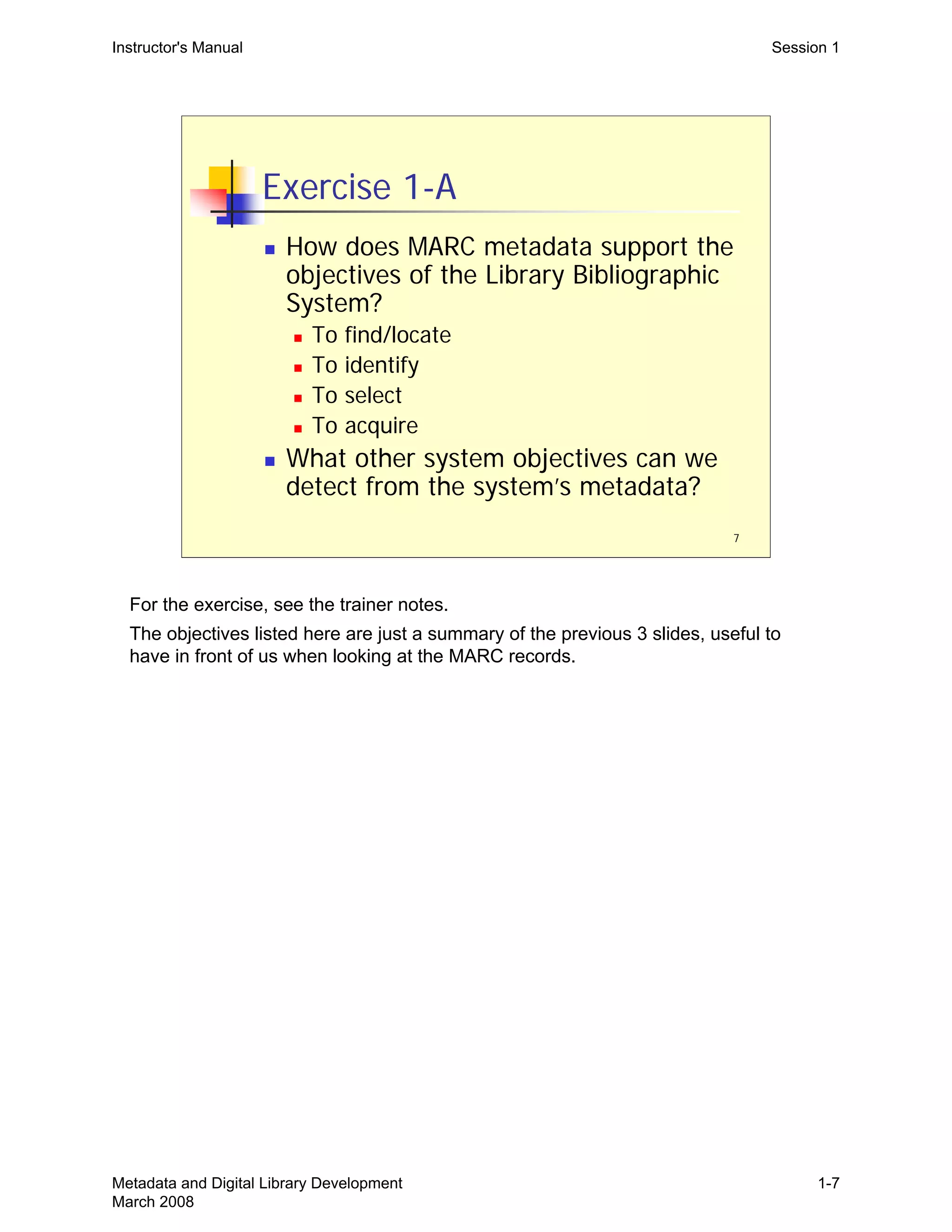
Exercise 1-A
„ How does MARC metadata support the
objectives of the Library Bibliographic
System?
„ To find/locate
„ To identify
„ To select
„ To acquire
„ What other system objectives can we
detect from the system’s metadata?
Instructor's Manual Session 1
For the exercise, see the trainer notes.

The objectives listed here are just a summary of the previous 3 slides, useful to 

have in front of us when looking at the MARC records.

Metadata and Digital Library Development
March 2008
1-7
8
The Library Bibliographic System
„ System objectives have led to specific
practices in bibliographic description
„ Standards such as AACR2
„ Uniform record creation is required by
global bibliographic databases
„ Standard record formats (MARC21)
„ Desired functionality requires precise
cataloging rules and conventions
Instructor's Manual Session 1
A summary of what we’ve been discussing. 

System objectives and system data are intimately tied together. In library 

bibliographic systems, we see how very precise cataloging rules and practices have 

developed to support specific system objectives. This has taken years to develop. 

Metadata and Digital Library Development
March 2008
1-8
9
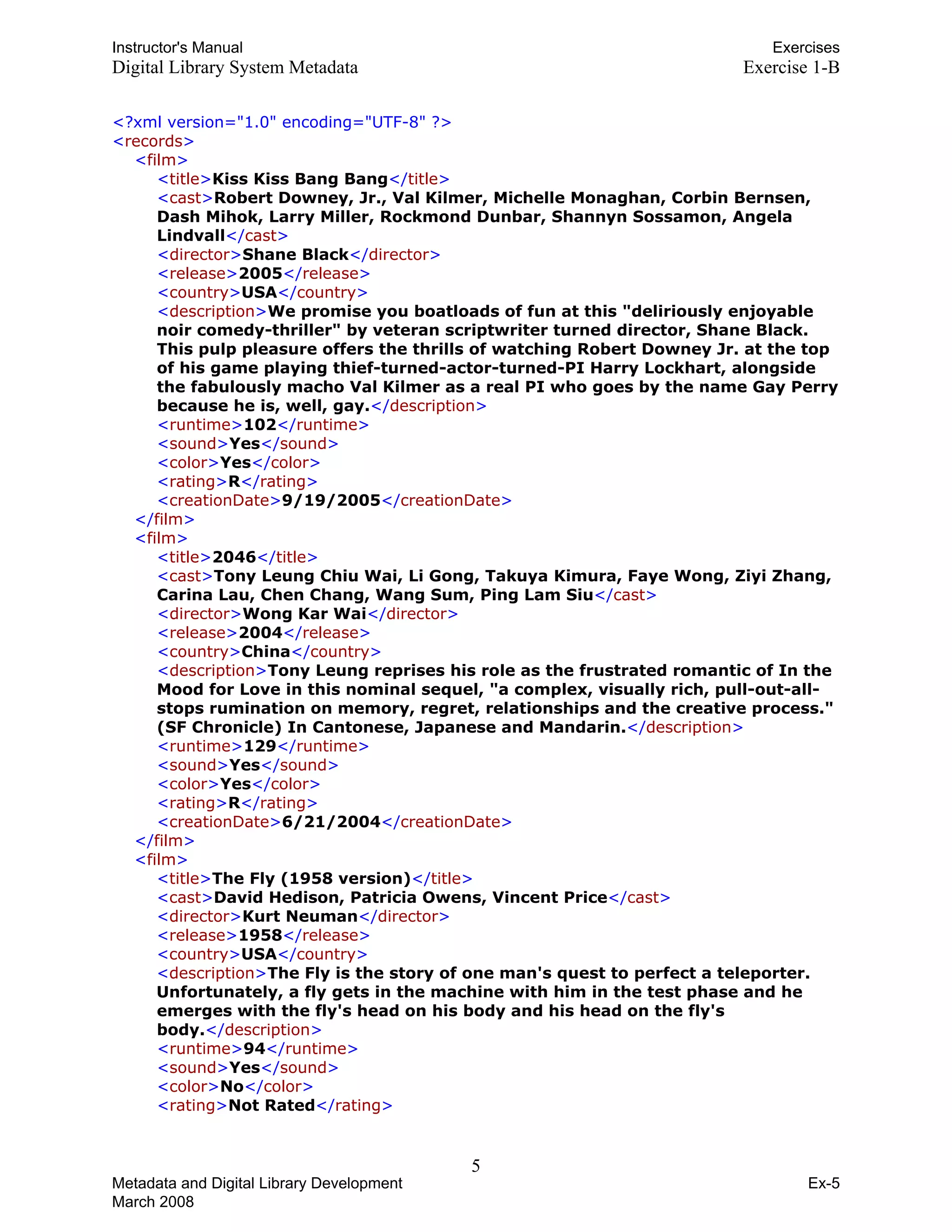
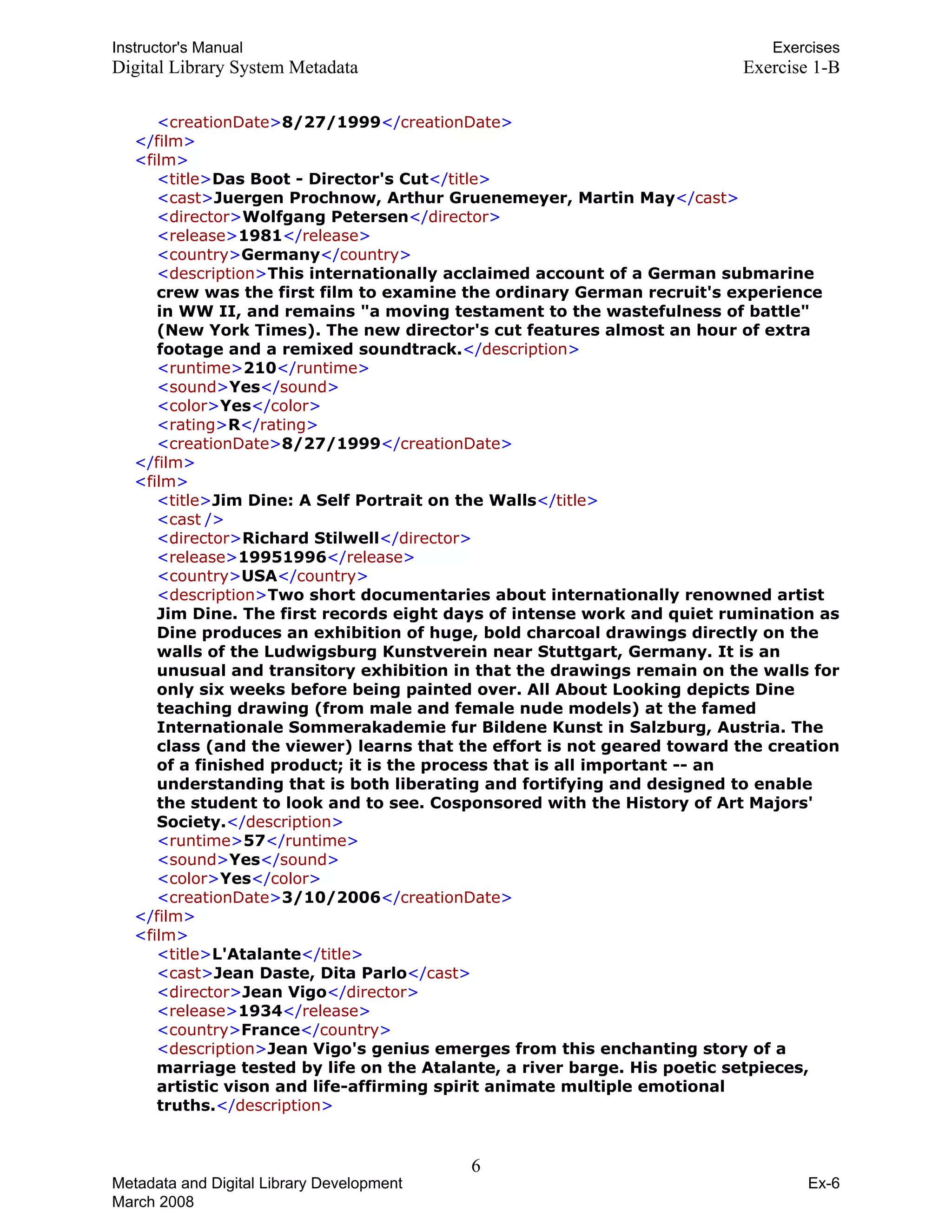
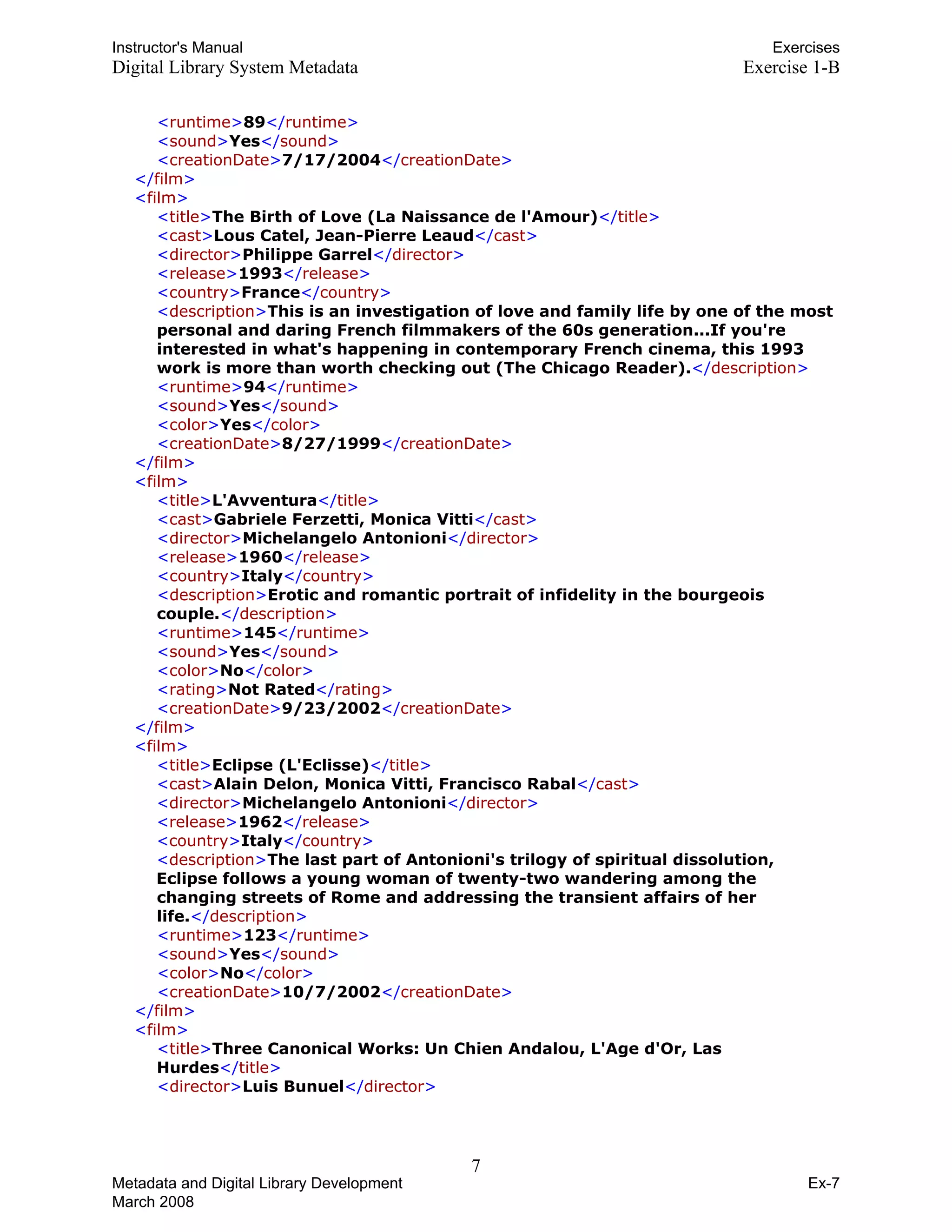
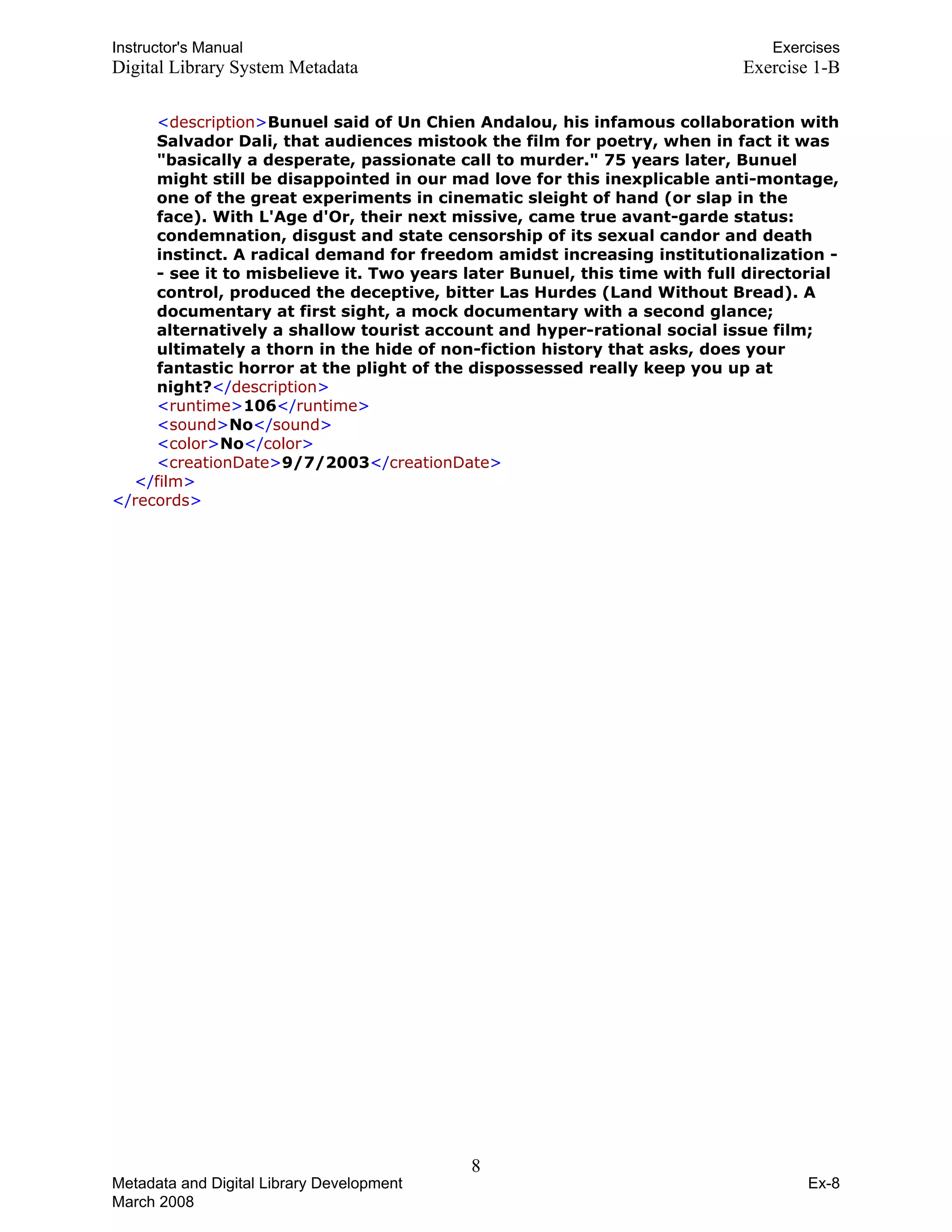
Exercise 1-B
„ Exercise 1-B is XML encoded metadata
used by some type of digital
information system
„ What system objectives can we detect
by examining this system’s metadata?
Instructor's Manual Session 1
See the trainers notes to the exercises.
Metadata and Digital Library Development
March 2008
1-9
10
Digital Library Systems
„ No agreed upon definition or objectives
„ No agreed upon standards or formats
„ Very little interoperability
„ A huge number of players, many of
whom are not librarians
„ What is a “Digital Library,” anyway?
„ Digital (Electronic) Information Systems?
Instructor's Manual Session 1
There is no one definition of a “digital library” or “digital library system,” and
definitions proposed have been rapidly evolving since first used in the 1990s. See
the Glossary. You can also suggest a Google search.
Since digital library systems and their objectives vary so greatly, the metadata
required to meet those objectives will necessarily vary greatly. There are no agreed
upon record formats, record structures, element sets, etc., for digital libraries; and
certainly no agreed upon content standards.
There is very little interoperability among systems, as a consequence of so few
shared standards. And thus not much possibility of sharing records among systems
(such as proposed and made possible by OAI).
Huge number of players: the business opportunities of the internet have given rise
to a lot more commercially driven information systems. Lots of competition for
libraries.
Perhaps a broader term, without “library” in it, is more useful and raises fewer
questions? A term such as electronic/digital information system. Are we trying to
claim some special status for the library’s information systems by calling them
“library” systems? On the other hand, does “library” imply certain values and
objectives that are not necessarily part of general electronic information systems,
such as bibliographic control and long-term retention of data.
Metadata and Digital Library Development
March 2008
1-10
11
Digital Library Systems
„ A different world from the Library
Bibliographic System, but not an
alternate universe
„ Digital library system development…
„ Still requires the articulation of objectives
(desired system functionality)
„ And those objectives will depend upon
certain characteristics of available or
generated metadata
Instructor's Manual Session 1
The connection between functionality and metadata is the same.
The big point of this session, and in some sense the workshop, is this: we can’t
really talk about metadata independent of a discussion of system objectives and
functional requirements. This point should be made in summing up the second
exercise, 1-B (see the trainer notes for exercise 1-B). The point gets emphasized
again in Session 2.
Metadata and Digital Library Development
March 2008
1-11
12
Digital Library System Objectives
„ To support…
„ Discovery
„ Navigation
„ Presentation, display
„ Access control
„ Administration, management
„ Preservation
„ Others?
Instructor's Manual Session 1
The objectives listed should sound familiar to librarians.

This is a functional view of metadata. These functions can be associated with types 

of metadata (discussed in the next session):

•Discovery: descriptive metadata
•Navigation (of an object and its components): structural metadata
•Access control: rights metadata
Other objectives that a digital library might have, besides those listed? Someone will
probably come up with some. Here are some possibilities, if no one thinks of any
others.
•Interoperability
•Certification (of document authenticity)
•Status (or perhaps that’s under admin/management metadata, depending on how
that’s defined)
•Version control
Could think about different contexts: libraries within archives, museums, schools,
businesses. And whether different contexts might generate different objectives.
Metadata and Digital Library Development
March 2008
1-12
13
System Objectives?
„ Who decides on the objectives of the
digital library system?
„ Who decides what functionality to
support?
„ Who are the players or stakeholders on
digital library projects?
Instructor's Manual Session 1
These are a bit rhetorical. We’ve said that much will depend on objectives, and so
it’s logical to ask who comes up with the objectives. The next slide has some
answers. If you want interaction, you could ask for ideas before moving to the next
slide.
Metadata and Digital Library Development
March 2008
1-13
14
Digital Library Projects
„ Digital library stakeholders:
„ Project “owner”
„ Project manager
„ Subject specialist
„ System developer/programmer
„ Metadata specialist
„ Library administrator/manager
„ End-users
„ Others?
Instructor's Manual Session 1
Starts making the point that in libraries, digital projects typically are carried out by a team of people, 

coming from different areas and bringing different expertise.

Project owner might be faculty member coming to the library with a project, or a librarian that has 

received grant money for a project.

The project manager might be the “owner”, but might also be assigned by administration, depending 

on the project.

This workshop will focus a lot on the role of the metadata specialist.

You can ask about “end users”. How many have been involved in projects where the end user was

actually a part of the system design and implementation process? We have typically had end users

represented in this process by subject specialists or others, who “speak for” the end user. Evaluation

and assessment procedures may actually bring end user feedback into the design process. Those

adherents to “user centered design” will claim that the end user must be included earlier in the 

process.

Someone will think of other stakeholders. Possibilities:

•Library digital preservation officer or others charged with ensuring that digital content meets some
preservation requirements or standards. Or is the metadata specialist responsible for this? This will
depend on the organization.
•Interface specialist, or library interface police? Good interface design is essential and the project
may be able to draw on those that specialize in this, or an interface specialist may routinely be
assigned to web-based projects. The same person or others may also have responsibilities for
maintaining a unified web presence to the public—a unified look-and-feel to all the libraries public
pages.
Metadata and Digital Library Development
March 2008
1-14
15
System Objectives?
„ How do the stakeholders decide on
system objectives?
„ How is system functionality developed?
„ What’s the process by which decisions
are reached?
Instructor's Manual Session 1
So, we have all the stakeholders. How will they come up with a set of objectives?
That’s what we’ll discuss in Session II.
Metadata and Digital Library Development
March 2008
1-15
THIS PAGE INTENTIONALLY LEFT BLANK 

FOR DOUBLE SIDED COPY
Instructor's Manual Session 2
Metadata and Digital Library
Development
Session 2:

Understanding Functional 

Requirements

1
Metadata and Digital Library Development
March 2008
2-1
2
Goals of Session
„ Understand functional requirements and
their usefulness
„ Recognize how functional requirements
inform system metadata decisions
„ Understand “use cases” and how they
define and record functional
requirements
„ Learn how a use case should be “read”
by a metadata specialist
Instructor's Manual Session 2
General goal is to demystify “functional requirements,” and give people a flavor of
what is meant by that term. In the end, functional requirements are pretty simple.
Generating them can be a complex process and may require certain expertise, but
the actual requirements, and their expression, should be straightforward and easy
to understand.
Metadata and Digital Library Development
March 2008
2-2
Instructor's Manual Session 2
Functional Requirements (1)
„ What are functional requirements?
„ In this context, functional requirements are those
of a software system, not of bibliographic records
(FRBR)
„ A more specific and detailed description of system
objectives
„ They describe and define specific, required system
behaviors
„ Ideally, they are developed through a
requirements analysis process
„ They guide system implementation and
programming work
3
Metadata and Digital Library Development
March 2008
2-3
4
Functional Requirements (2)
„ How do project stakeholders develop
functional requirements?
„ Ideally, system designers use some
reasonably formal design process
„ Examples of design processes:
„ Rational Unified Process (RUP)
„ User Centered Design
„ Agile Software Development
Instructor's Manual Session 2
Each of these example design processes are referenced in the bibliography. The
point isn’t on any one of these, but just that such design and process technologies
exist. Those charged with developing functional requirements will want to
investigate.
The processes listed here are not mutually exclusive. Agile can and does use
Unified Process concepts and methods. User Centered is almost a philosophy, but
it does tend to have certain methodologies (user observations, interviews, etc.). A
Unified Process approach can be carried out employing very User Centered
methodologies.
Metadata and Digital Library Development
March 2008
2-4
5
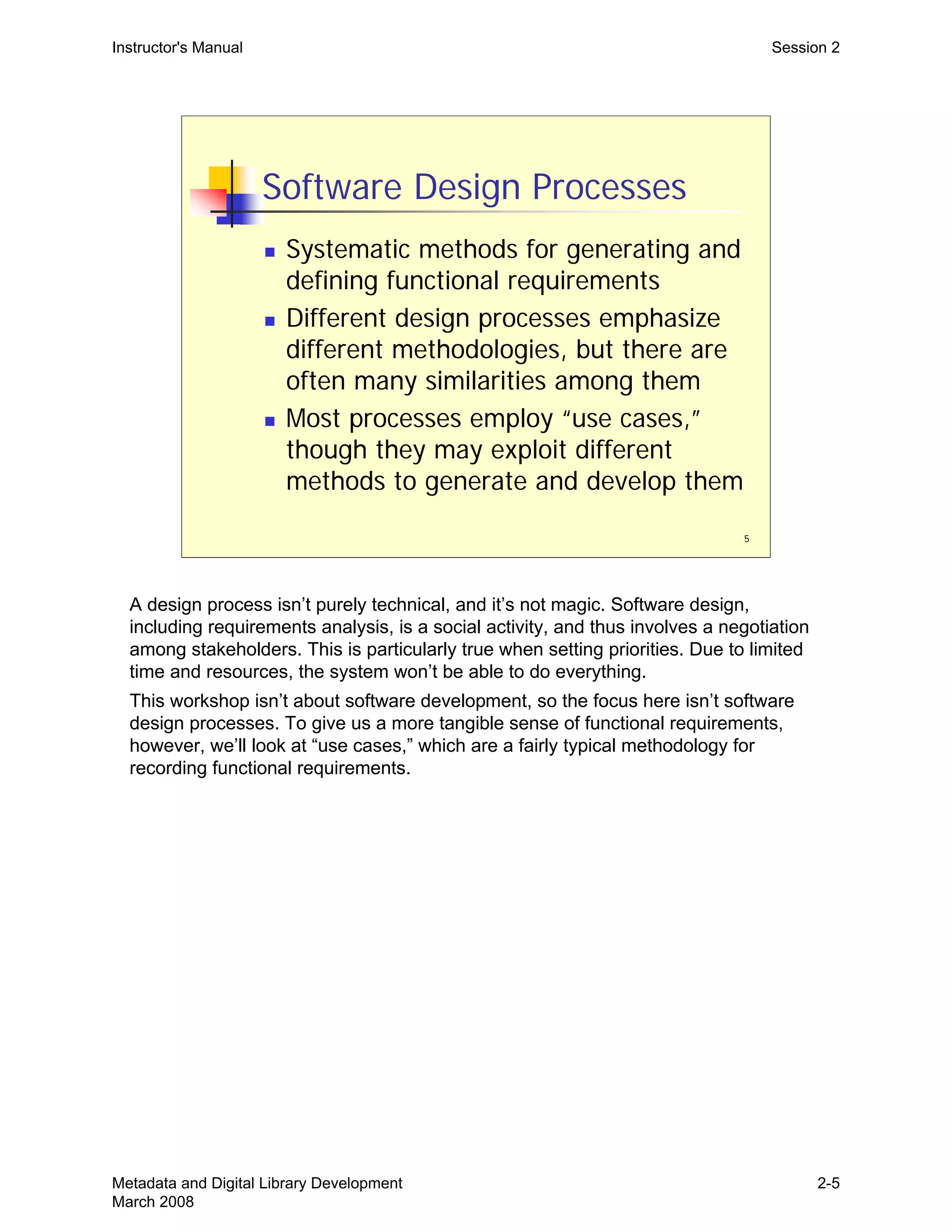
Software Design Processes
„ Systematic methods for generating and
defining functional requirements
„ Different design processes emphasize
different methodologies, but there are
often many similarities among them
„ Most processes employ “use cases,”
though they may exploit different
methods to generate and develop them
Instructor's Manual Session 2
A design process isn’t purely technical, and it’s not magic. Software design,
including requirements analysis, is a social activity, and thus involves a negotiation
among stakeholders. This is particularly true when setting priorities. Due to limited
time and resources, the system won’t be able to do everything.
This workshop isn’t about software development, so the focus here isn’t software
design processes. To give us a more tangible sense of functional requirements,
however, we’ll look at “use cases,” which are a fairly typical methodology for
recording functional requirements.
Metadata and Digital Library Development
March 2008
2-5
6
Use Cases
„ Each use case describes a single function of
the system
„ Each function is an interaction between the
system and an external USER
„ Each use case describes functionality, but not
how that functionality will be accomplished
„ The entire system may have dozens or
hundreds of use cases
„ Taken altogether, the use cases define the
system’s functional requirements
Instructor's Manual Session 2
Each interaction between an external USER and the system will become a use
case. USERs are discussed in the next slide.
One important point about use cases is that they do not explain how the
functionality being described will be accomplished. For example, a use case would
never stipulate that data should be stored in XML or in a relational database, or that
some particular search tool should be used.
Avoiding implementation issues simplifies the requirements phase and the
generation of use cases. In precisely describing a functional requirement, it doesn’t
matter at this stage how that requirement is met (what programming methods are to
be used, what software tools, etc.). Those are later decisions made by software
engineers. At this stage, the system is treated as a black box, and the functional
requirements only describe the interactions between that box and USERs.
Metadata and Digital Library Development
March 2008
2-6
7
The USER in a Use Case
„ USERs are anything external to the
system that will interact with it
„ A USER may represent a class of users
„ Data entry staff
„ System admins
„ General public users
„ A USER may represent another system
„ An OAI harvester
Instructor's Manual Session 2
Uppercase letters are used for USER to remind us that in use cases, the USER isn’t
necessary a person. And if human at all, the USER is more a class of users, or a
role. But the USER can also be another system.
These example USERs all interact with the system (there will be others):
•Data entry staff must put data into the system
•System admins must install and configure the system.
•Public USERs will represent a whole range of possible interactions: searching,
browsing, downloading, asking questions, etc. This will depend a lot on what the
system is for.
•An Open Archives Initiative harvester is a computer somewhere else that can make
requests for records from our system. This assumes that one capability of our
system is that it is OAI compliant and can respond to OAI requests.
•A statistics generation tool, which must interact with the system but is not part of it
(it’s external).
Metadata and Digital Library Development
March 2008
2-7
8
Sample Use Case
„ Exercise 2: Sample Use Case
„ Typical use case components:
„ Priority
„ Preconditions
„ Flow of Events (scenario)
„ Alternative Events (exceptions)
„ What in this use case will depend on or
impact system metadata?
Instructor's Manual Session 2
See the trainer notes on the exercises.

Start by looking at the Sample Use Case together, and walk through its typical

components.

After we’re comfortable with what the use case is, its components and structure, 

then we’re going to “read” it as a metadata specialist would need to read it—looking 

for what will depend upon or impact metadata. On this, see the trainer notes.

Metadata and Digital Library Development
March 2008
2-8
9
Generating Use Cases
„ The design process used will likely
guide how use cases are generated
„ A typical approach is to enumerate all
the possible USERs of the system
(everyone and everything that will
interact with it), and then list every
interaction
„ Each of these interactions will become a
use case
Instructor's Manual Session 2
Generating use cases, on one level, is a time-consuming slog. You can invite
participants to imagine how they would come up with a use case like the one in
Exercise 2. Different design processes will emphasize different methods. For
example, a user centered design approach may study actual user search behavior
to determine what’s important and what’s not. In any event, the process is never a
solo affair—it’s a social negotiation, haggling over what’s important.
You can enumerate USERs by asking:
•Who will install the system?
•Who will maintain the system?
•Who will put data into the system?
•What end users will interact with the system?
•What other systems will interact with the system? For example, an OAI harvester?
Some external search service?
Then you list every way in which these users can interact with the system. Being
inclusive at this point is generally encouraged (on this point, see Exercise 2, about
Priority).
Metadata and Digital Library Development
March 2008
2-9
Instructor's Manual Session 2
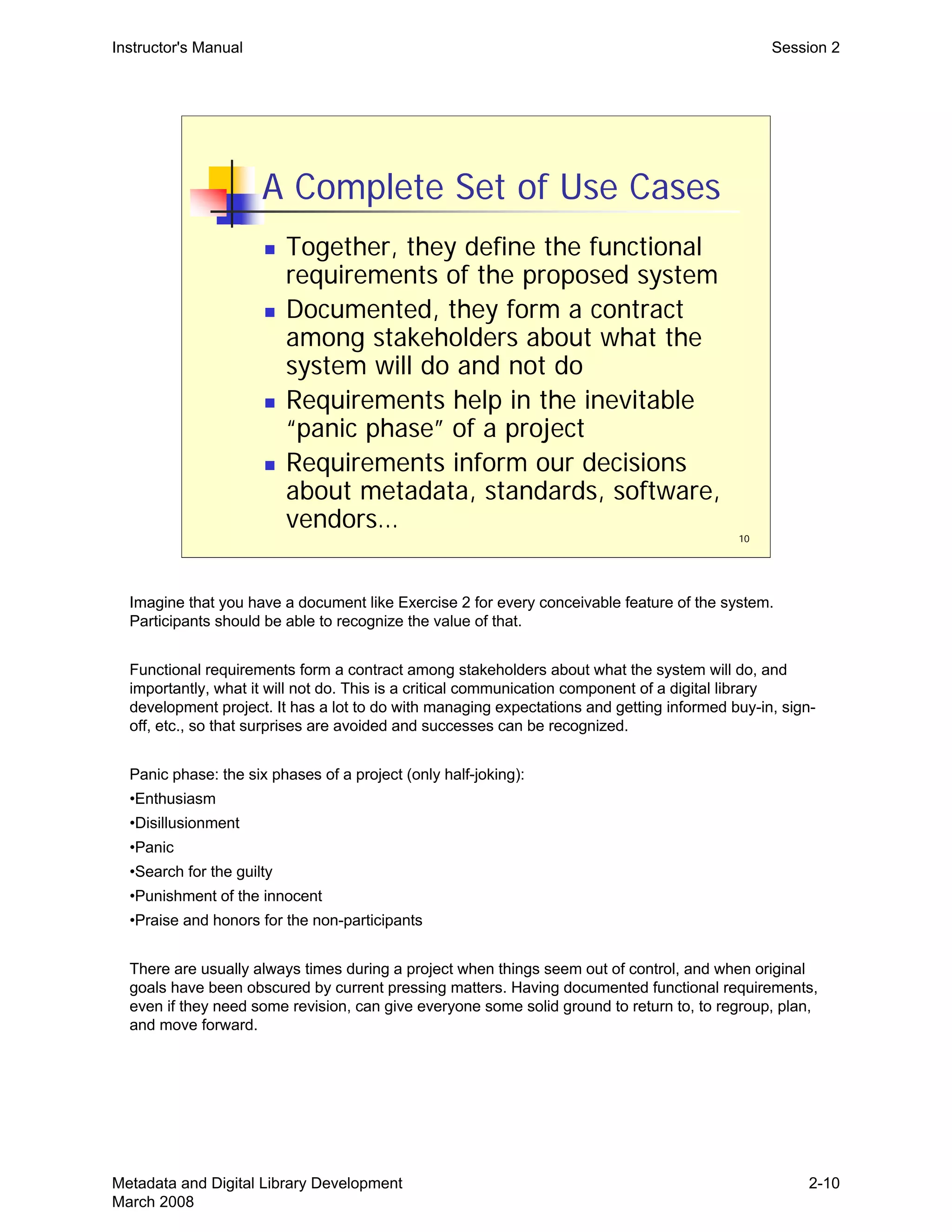
A Complete Set of Use Cases
„	 Together, they define the functional
requirements of the proposed system
„	 Documented, they form a contract
among stakeholders about what the
system will do and not do
„	 Requirements help in the inevitable
“panic phase” of a project
„	 Requirements inform our decisions
about metadata, standards, software,
vendors…
10
Imagine that you have a document like Exercise 2 for every conceivable feature of the system.
Participants should be able to recognize the value of that.
Functional requirements form a contract among stakeholders about what the system will do, and
importantly, what it will not do. This is a critical communication component of a digital library
development project. It has a lot to do with managing expectations and getting informed buy-in, sign-
off, etc., so that surprises are avoided and successes can be recognized.
Panic phase: the six phases of a project (only half-joking):
•Enthusiasm
•Disillusionment
•Panic
•Search for the guilty
•Punishment of the innocent
•Praise and honors for the non-participants
There are usually always times during a project when things seem out of control, and when original
goals have been obscured by current pressing matters. Having documented functional requirements,
even if they need some revision, can give everyone some solid ground to return to, to regroup, plan,
and move forward.
Metadata and Digital Library Development
March 2008
2-10
11
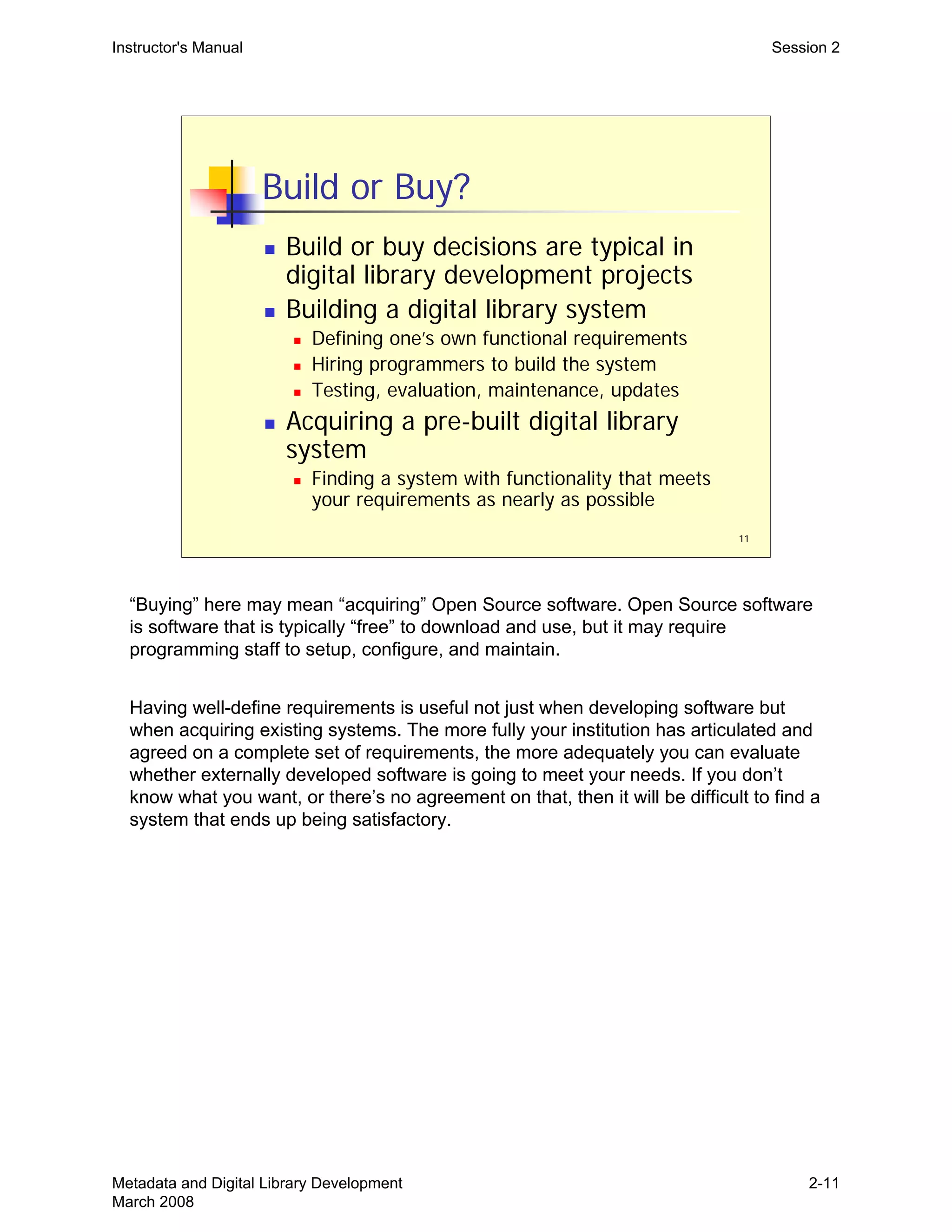
Build or Buy?
„ Build or buy decisions are typical in
digital library development projects
„ Building a digital library system
„ Defining one’s own functional requirements
„ Hiring programmers to build the system
„ Testing, evaluation, maintenance, updates
„ Acquiring a pre-built digital library
system
„ Finding a system with functionality that meets
your requirements as nearly as possible
Instructor's Manual Session 2
“Buying” here may mean “acquiring” Open Source software. Open Source software
is software that is typically “free” to download and use, but it may require
programming staff to setup, configure, and maintain.
Having well-define requirements is useful not just when developing software but
when acquiring existing systems. The more fully your institution has articulated and
agreed on a complete set of requirements, the more adequately you can evaluate
whether externally developed software is going to meet your needs. If you don’t
know what you want, or there’s no agreement on that, then it will be difficult to find a
system that ends up being satisfactory.
Metadata and Digital Library Development
March 2008
2-11
12
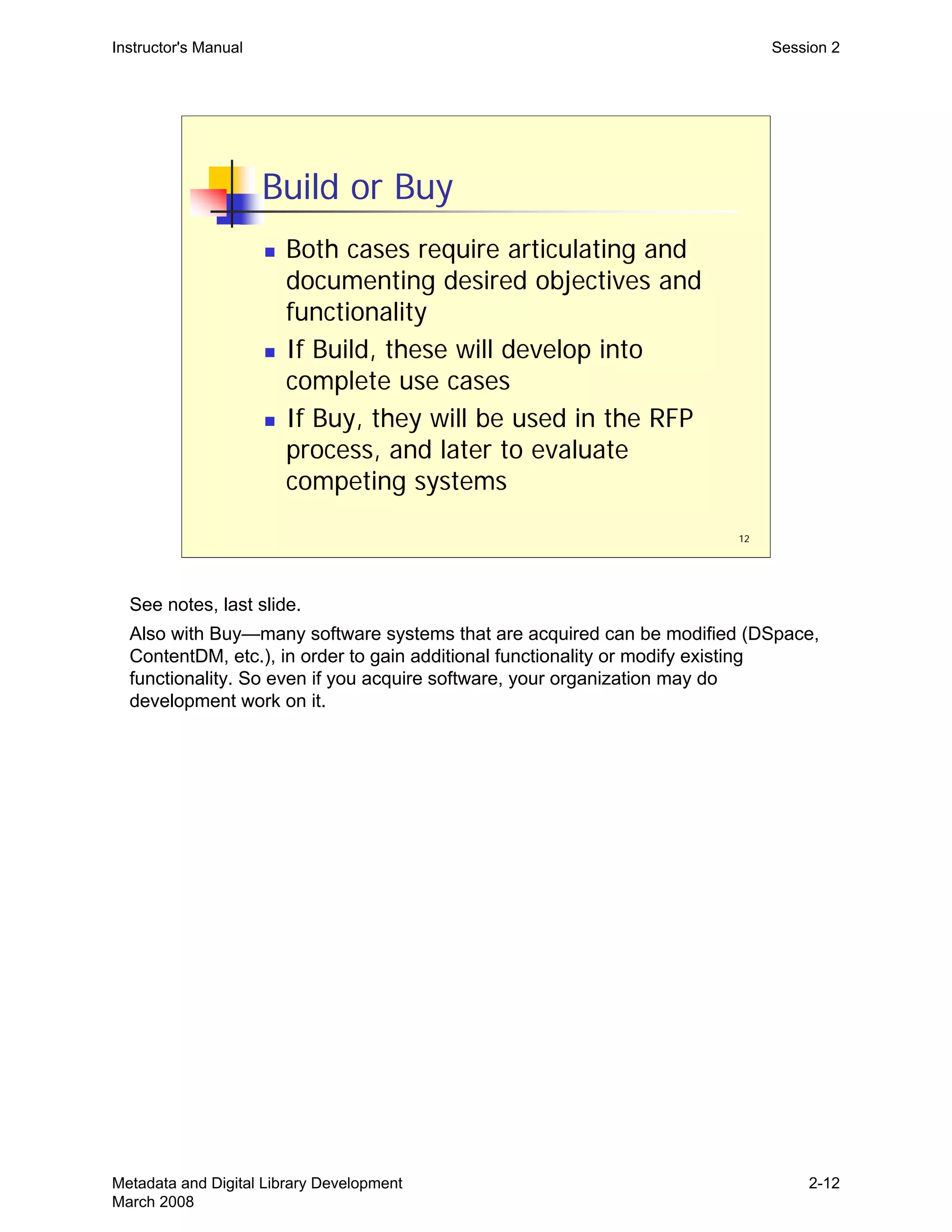
Build or Buy
„ Both cases require articulating and
documenting desired objectives and
functionality
„ If Build, these will develop into
complete use cases
„ If Buy, they will be used in the RFP
process, and later to evaluate
competing systems
Instructor's Manual Session 2
See notes, last slide.

Also with Buy—many software systems that are acquired can be modified (DSpace, 

ContentDM, etc.), in order to gain additional functionality or modify existing 

functionality. So even if you acquire software, your organization may do 

development work on it.

Metadata and Digital Library Development
March 2008
2-12
13
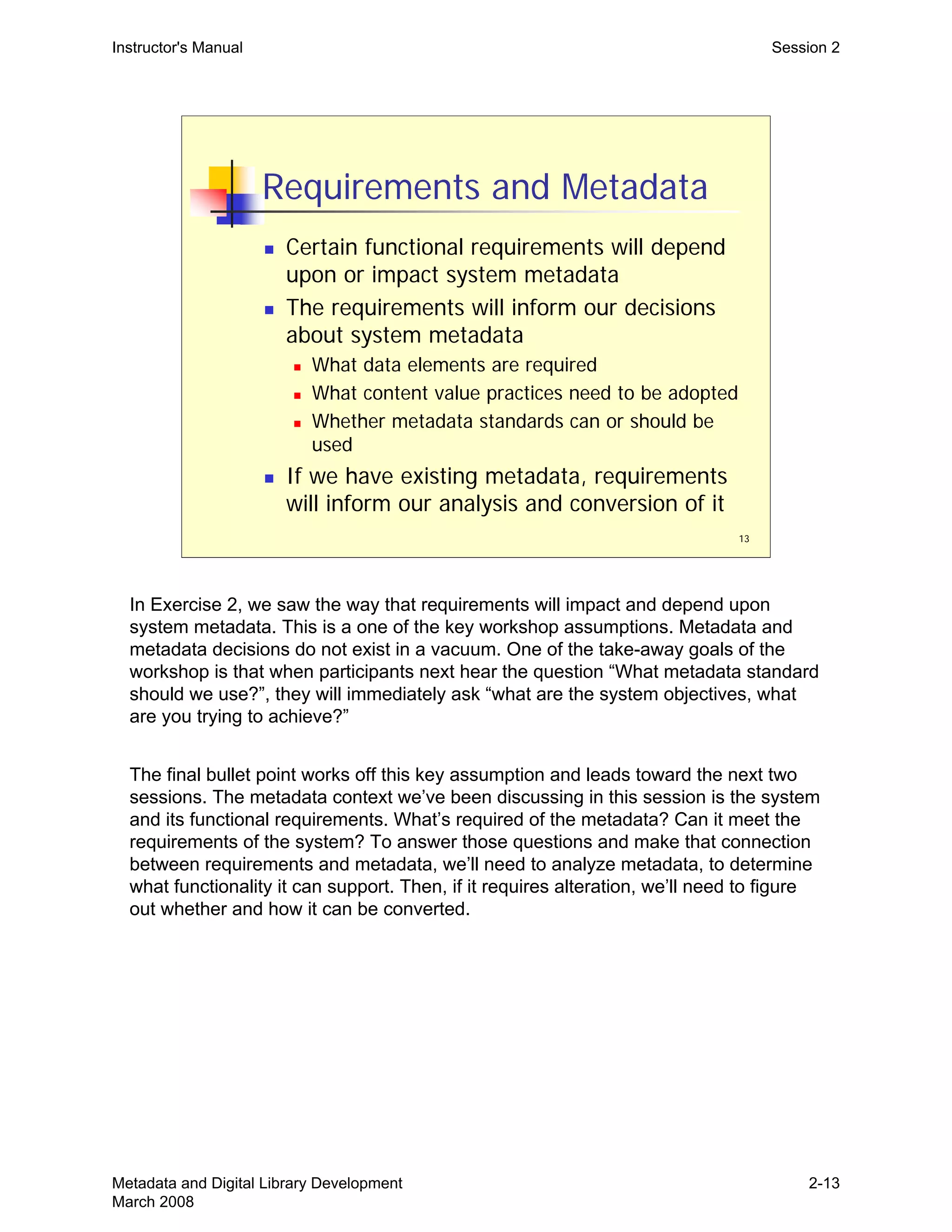
Requirements and Metadata
„ Certain functional requirements will depend
upon or impact system metadata
„ The requirements will inform our decisions
about system metadata
„ What data elements are required
„ What content value practices need to be adopted
„ Whether metadata standards can or should be
used
„ If we have existing metadata, requirements
will inform our analysis and conversion of it
Instructor's Manual Session 2
In Exercise 2, we saw the way that requirements will impact and depend upon
system metadata. This is a one of the key workshop assumptions. Metadata and
metadata decisions do not exist in a vacuum. One of the take-away goals of the
workshop is that when participants next hear the question “What metadata standard
should we use?”, they will immediately ask “what are the system objectives, what
are you trying to achieve?”
The final bullet point works off this key assumption and leads toward the next two
sessions. The metadata context we’ve been discussing in this session is the system
and its functional requirements. What’s required of the metadata? Can it meet the
requirements of the system? To answer those questions and make that connection
between requirements and metadata, we’ll need to analyze metadata, to determine
what functionality it can support. Then, if it requires alteration, we’ll need to figure
out whether and how it can be converted.
Metadata and Digital Library Development
March 2008
2-13
THIS PAGE INTENTIONALLY LEFT BLANK 

FOR DOUBLE SIDED COPY
1
Metadata and Digital Library
Development
Session 3:
Metadata and Functionality
Instructor's Manual Session 3
Trainer should have plans for Exercise 3—read the exercise notes. If you want to
squeeze in Part II of Exercise 3, you will need to move quickly through the
slides, not asking questions as you go but just making the points you want to
about each.
In the typical two-day format for this workshop, this session falls after lunch on the
first day. It’s a tough time, no matter what the content.
Metadata and Digital Library Development
March 2008
3-1
Instructor's Manual Session 3
Goals of Session
„	 Review or familiarize ourselves with
concepts and vocabulary of metadata
assessment and analysis
„	 Explore the connection between
metadata and functionality
2
Metadata and Digital Library Development
March 2008
3-2
3
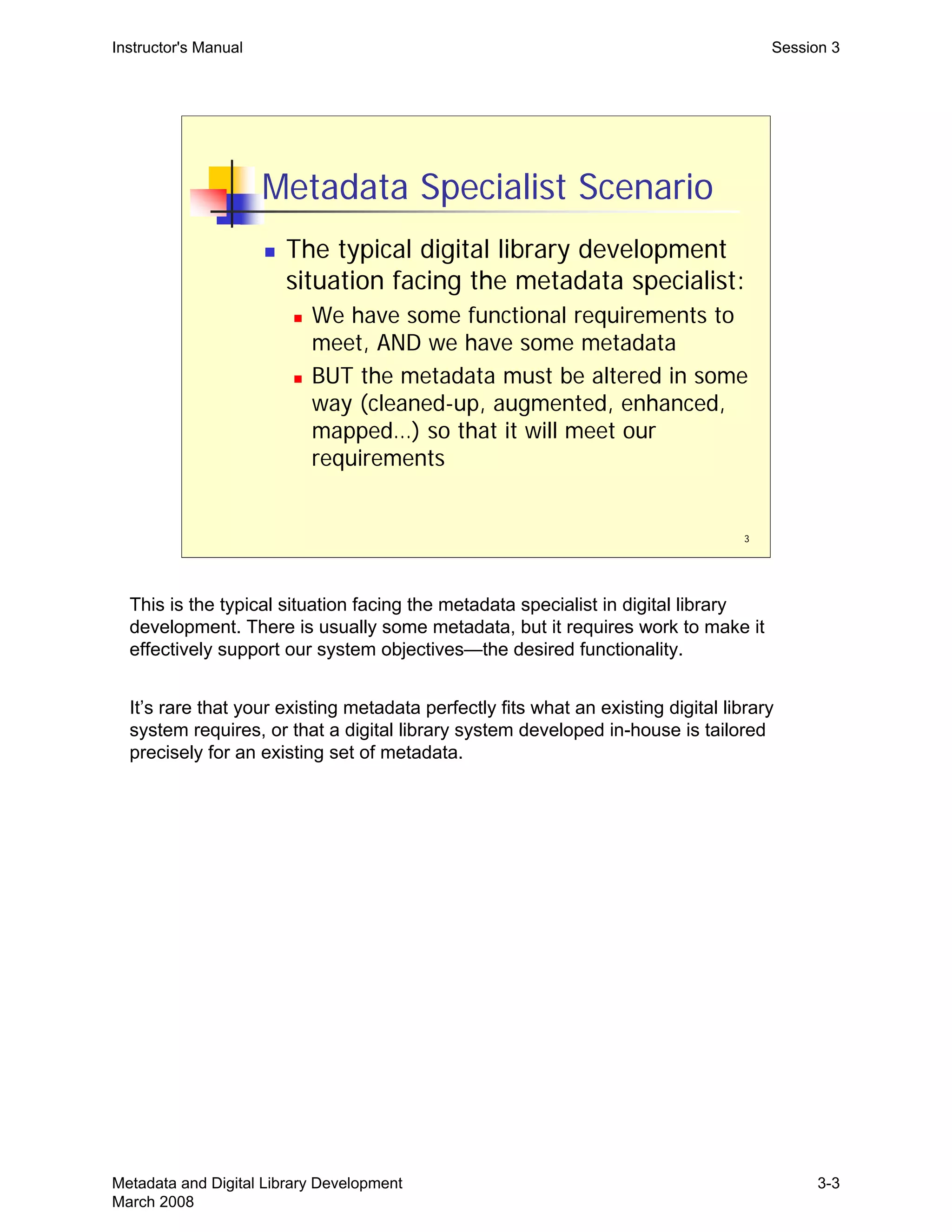
Metadata Specialist Scenario
„ The typical digital library development
situation facing the metadata specialist:
„ We have some functional requirements to
meet, AND we have some metadata
„ BUT the metadata must be altered in some
way (cleaned-up, augmented, enhanced,
mapped…) so that it will meet our
requirements
Instructor's Manual Session 3
This is the typical situation facing the metadata specialist in digital library
development. There is usually some metadata, but it requires work to make it
effectively support our system objectives—the desired functionality.
It’s rare that your existing metadata perfectly fits what an existing digital library
system requires, or that a digital library system developed in-house is tailored
precisely for an existing set of metadata.
Metadata and Digital Library Development
March 2008
3-3
4
Metadata and Functionality
„ In order to match metadata with
functionality, we need first to assess, or
analyze, our existing metadata
„ Then we can begin to evaluate whether
our metadata will or won't support
particular functionality and how it will
need to be converted
Instructor's Manual Session 3
This just presents the logic for why we’re going to discuss and practice analyzing
metadata. The ability to assess, or analyze, metadata is fundamental to making use
of metadata. We can’t evaluate whether some set of metadata will meet certain
functional requirements, or determine how certain metadata will need to be
converted, unless we can effectively analyze the metadata before us.
Metadata and Digital Library Development
March 2008
3-4
5
Metadata Assessment
„ If we look at existing metadata, how do
we describe what we observe?
„ File Format
„ Type of metadata
„ Semantics
„ Content values
„ Structure
„ Use
„ Status
Instructor's Manual Session 3
These are some analytic categories for assessing metadata, and we’ll walk through
them in subsequent slides.
Important point: The vocabulary here is somewhat arbitrary—that is, there’s no
standardized vocabulary for talking about these things. Trainers and participants
may have encountered other terms for the same or similar concepts. The emphasis
here should be on these underlying concepts and on the process of metadata
analysis, not on any particular terminology. If trainers are more comfortable with
other terms, they should mention that, by way of making the above point.
Metadata and Digital Library Development
March 2008
3-5
6
Metadata Analysis: File Format
„ File, or data exchange, formats:
„ SGML / HTML
„ XML / XHTML
„ MARC
„ “Delimited” plain-text file
„ Binary (not plain-text) formats, either open
or proprietary
Instructor's Manual Session 3
The concept here is: How is the metadata encoded, or communicated/conveyed?

This is not the same question as asking, is this a METS or MODS file. Data 

exchange format is not about the data elements or data values per se, but rather 

about how they are expressed (encoded). Sort of like asking, is this French or is this 

English?

There are different ways of expressing, or encoding, the same metadata:

•Dublin Core terms and values in a delimited plain-text file (term/value pairs) vs. an
XML encoding vs. a proprietary spreadsheet format (MS Excel).
• MARC (binary file) vs. MARCXML (XML file)
A delimited text file means that there’s some structure to the file (see the notes to
slide 19 ahead, about structure)—some way to take it apart programmatically.
Technically, SGML and XML files are plain text files—you can open and view them
in any common text editor.

On binary files, see notes at slide 9. MARC is a binary file format.

Metadata and Digital Library Development
March 2008
3-6
7
Instructor's Manual Session 3
XML: We know this is XML because of the XML Declaration, on the first line, which 

is true of all XML documents.

It’s also a plain-text file; you can open it in any text editor and see all the data. You 

need special XML capable software to do certain things with an XML file (parsing it, 

validating it, etc.), but there’s a low-barrier to accessing the information in it.

Both SGML and HTML are similar: text files with angle bracket delimited data.

Advantages of XML: it’s common and thus there’s a wide range of tools available, 

free and commercial, for working with XML (parsing it, validating it, picking out 

specific pieces of it, etc.). 

Metadata and Digital Library Development
March 2008
3-7
8
Instructor's Manual Session 3
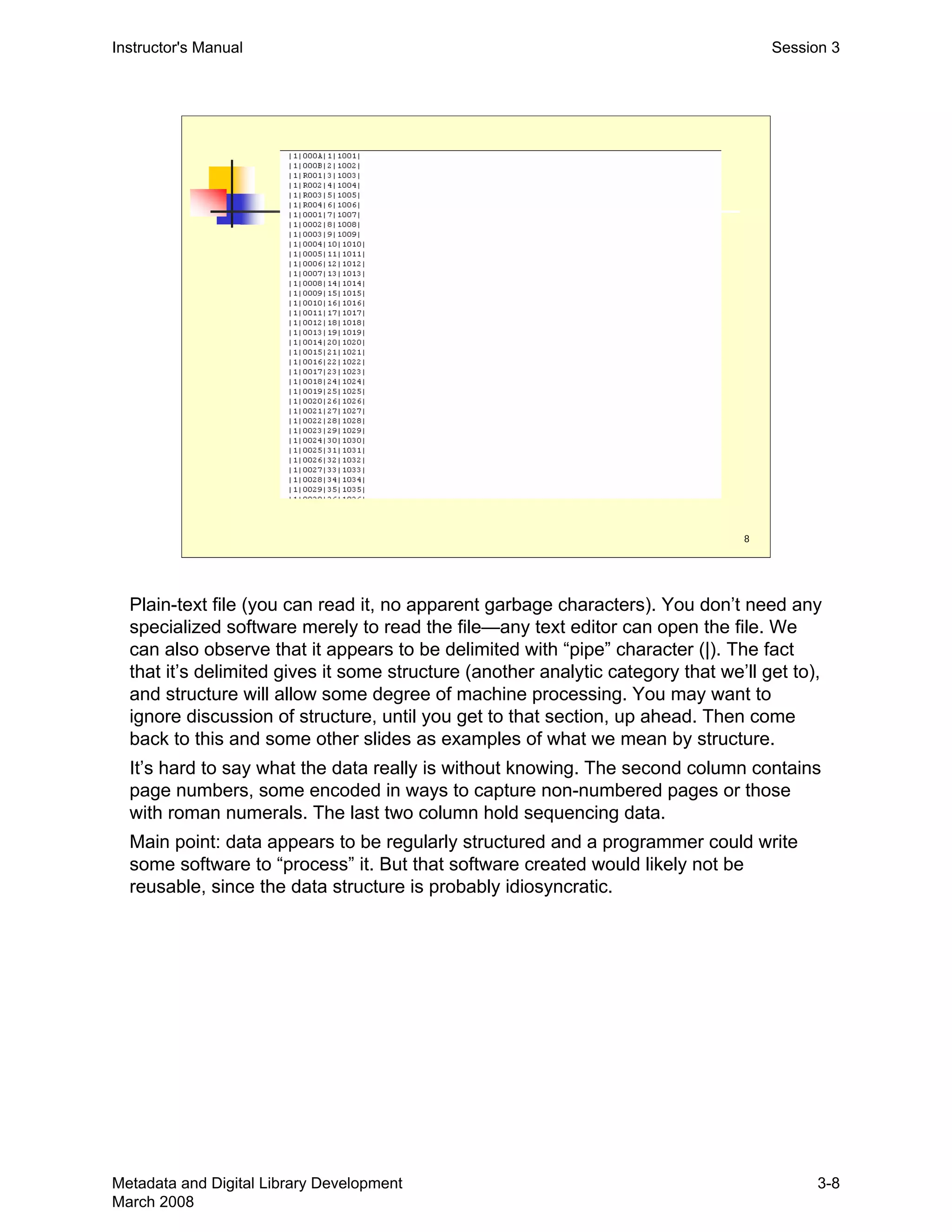
Plain-text file (you can read it, no apparent garbage characters). You don’t need any
specialized software merely to read the file—any text editor can open the file. We
can also observe that it appears to be delimited with “pipe” character (|). The fact
that it’s delimited gives it some structure (another analytic category that we’ll get to),
and structure will allow some degree of machine processing. You may want to
ignore discussion of structure, until you get to that section, up ahead. Then come
back to this and some other slides as examples of what we mean by structure.
It’s hard to say what the data really is without knowing. The second column contains
page numbers, some encoded in ways to capture non-numbered pages or those
with roman numerals. The last two column hold sequencing data.
Main point: data appears to be regularly structured and a programmer could write
some software to “process” it. But that software created would likely not be
reusable, since the data structure is probably idiosyncratic.
Metadata and Digital Library Development
March 2008
3-8
9
Instructor's Manual Session 3
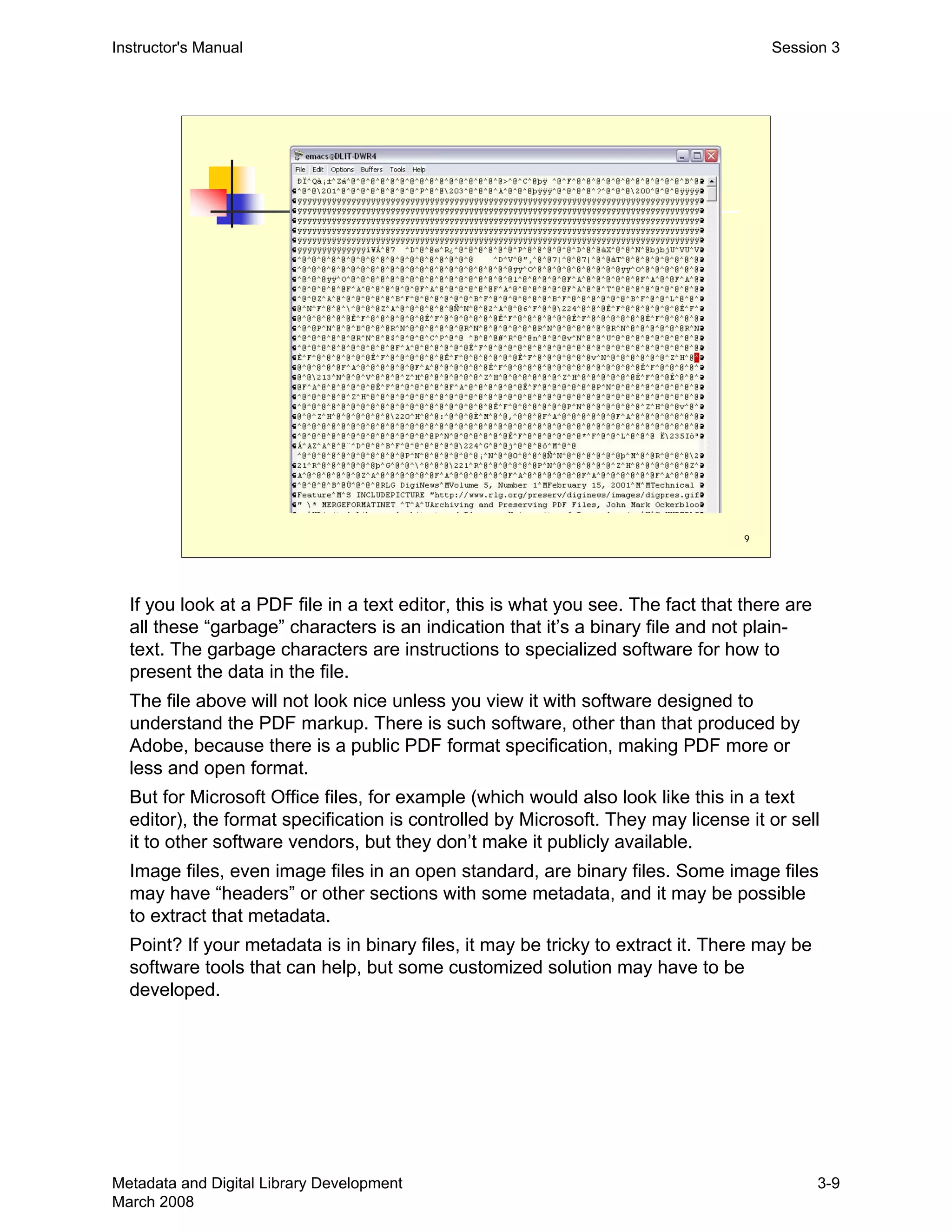
If you look at a PDF file in a text editor, this is what you see. The fact that there are
all these “garbage” characters is an indication that it’s a binary file and not plain-
text. The garbage characters are instructions to specialized software for how to
present the data in the file.
The file above will not look nice unless you view it with software designed to
understand the PDF markup. There is such software, other than that produced by
Adobe, because there is a public PDF format specification, making PDF more or
less and open format.
But for Microsoft Office files, for example (which would also look like this in a text
editor), the format specification is controlled by Microsoft. They may license it or sell
it to other software vendors, but they don’t make it publicly available.
Image files, even image files in an open standard, are binary files. Some image files
may have “headers” or other sections with some metadata, and it may be possible
to extract that metadata.
Point? If your metadata is in binary files, it may be tricky to extract it. There may be
software tools that can help, but some customized solution may have to be
developed.
Metadata and Digital Library Development
March 2008
3-9
10
Metadata Analysis: Type
„ Types of metadata
„ Descriptive
„ Structural
„ Administrative
„ Technical
„ Preservation
„ Access/Rights
Instructor's Manual Session 3
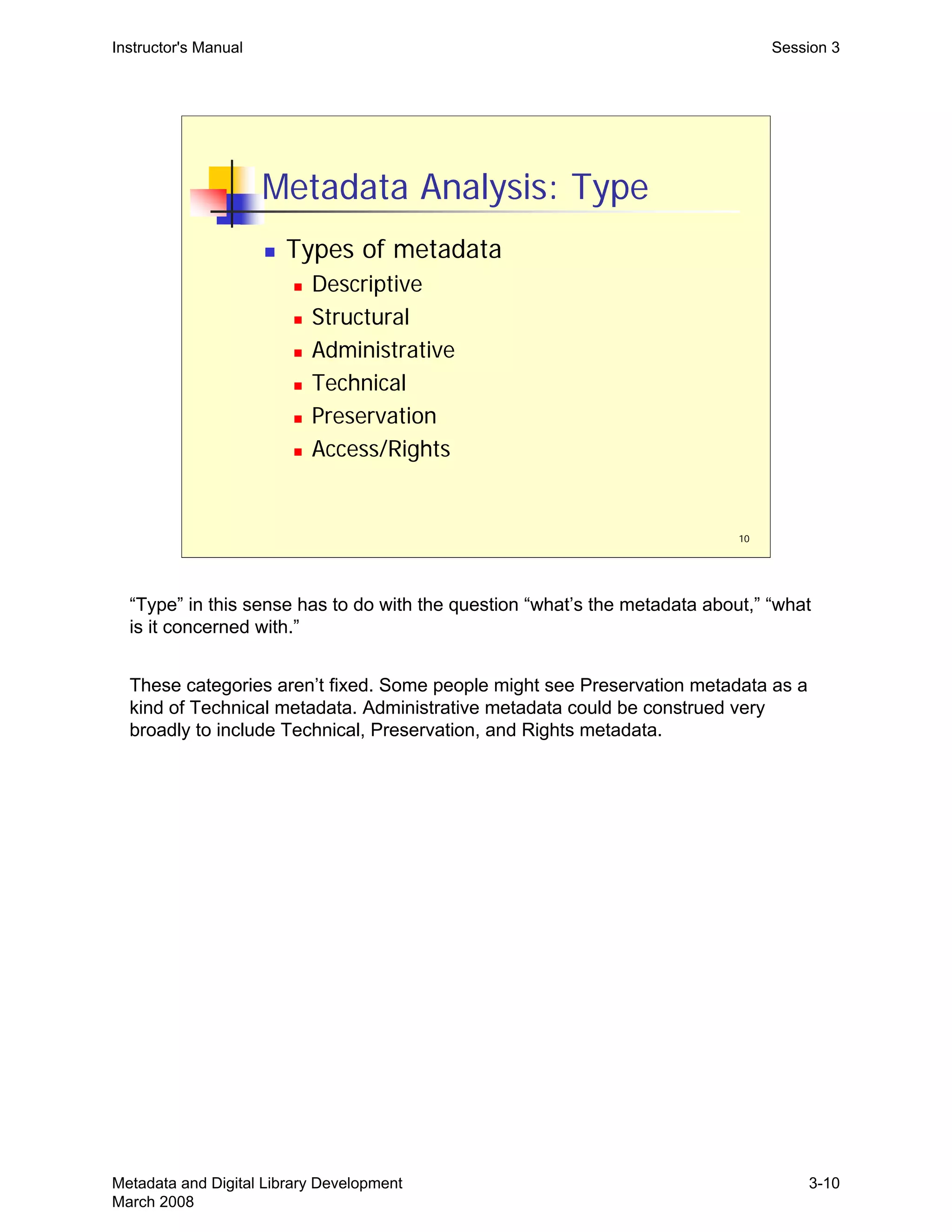
“Type” in this sense has to do with the question “what’s the metadata about,” “what
is it concerned with.”
These categories aren’t fixed. Some people might see Preservation metadata as a
kind of Technical metadata. Administrative metadata could be construed very
broadly to include Technical, Preservation, and Rights metadata.
Metadata and Digital Library Development
March 2008
3-10
11
Instructor's Manual Session 3
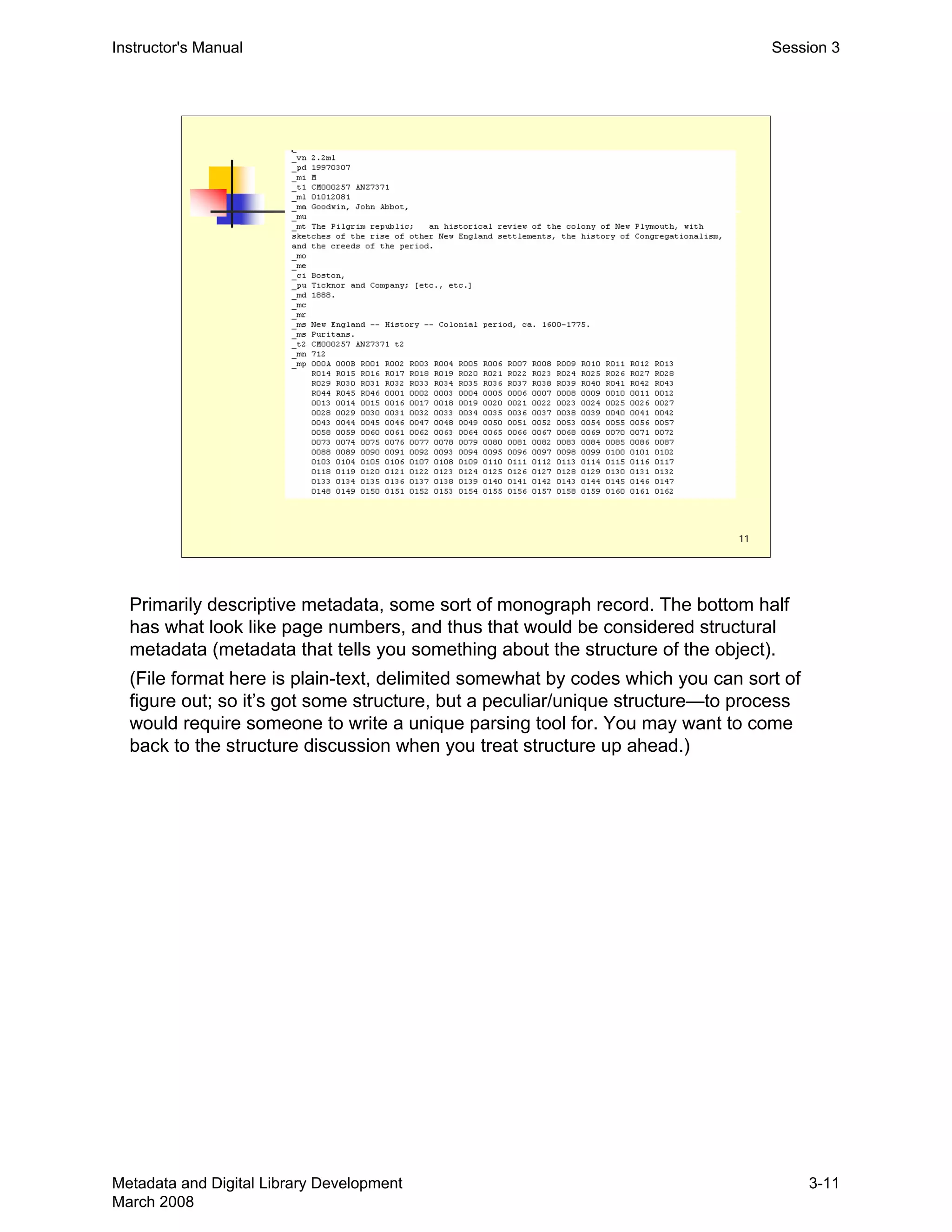
Primarily descriptive metadata, some sort of monograph record. The bottom half
has what look like page numbers, and thus that would be considered structural
metadata (metadata that tells you something about the structure of the object).
(File format here is plain-text, delimited somewhat by codes which you can sort of
figure out; so it’s got some structure, but a peculiar/unique structure—to process
would require someone to write a unique parsing tool for. You may want to come
back to the structure discussion when you treat structure up ahead.)
Metadata and Digital Library Development
March 2008
3-11
12
Instructor's Manual Session 3
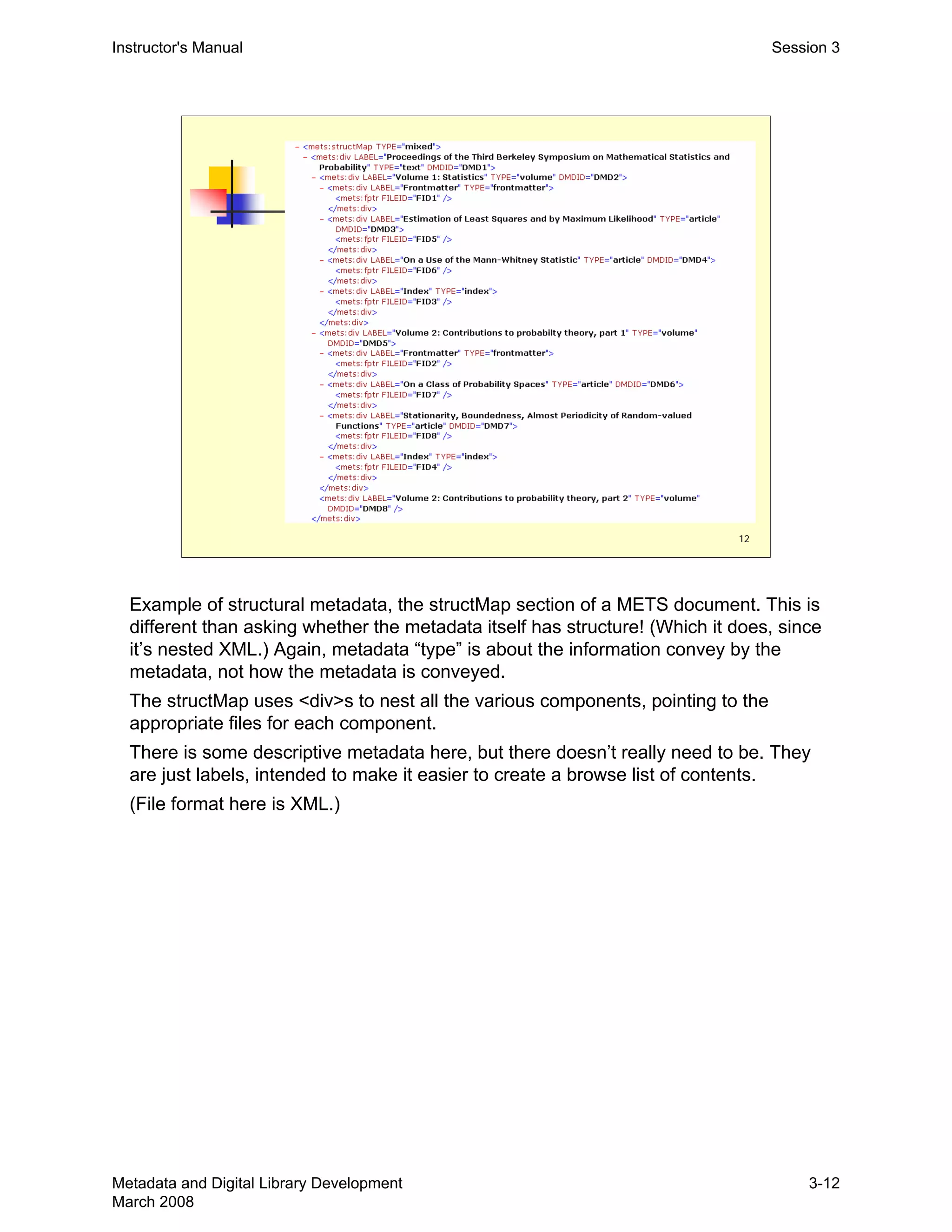
Example of structural metadata, the structMap section of a METS document. This is 

different than asking whether the metadata itself has structure! (Which it does, since 

it’s nested XML.) Again, metadata “type” is about the information convey by the 

metadata, not how the metadata is conveyed.

The structMap uses <div>s to nest all the various components, pointing to the

appropriate files for each component.

There is some descriptive metadata here, but there doesn’t really need to be. They 

are just labels, intended to make it easier to create a browse list of contents.

(File format here is XML.)

Metadata and Digital Library Development
March 2008
3-12
13
Instructor's Manual Session 3
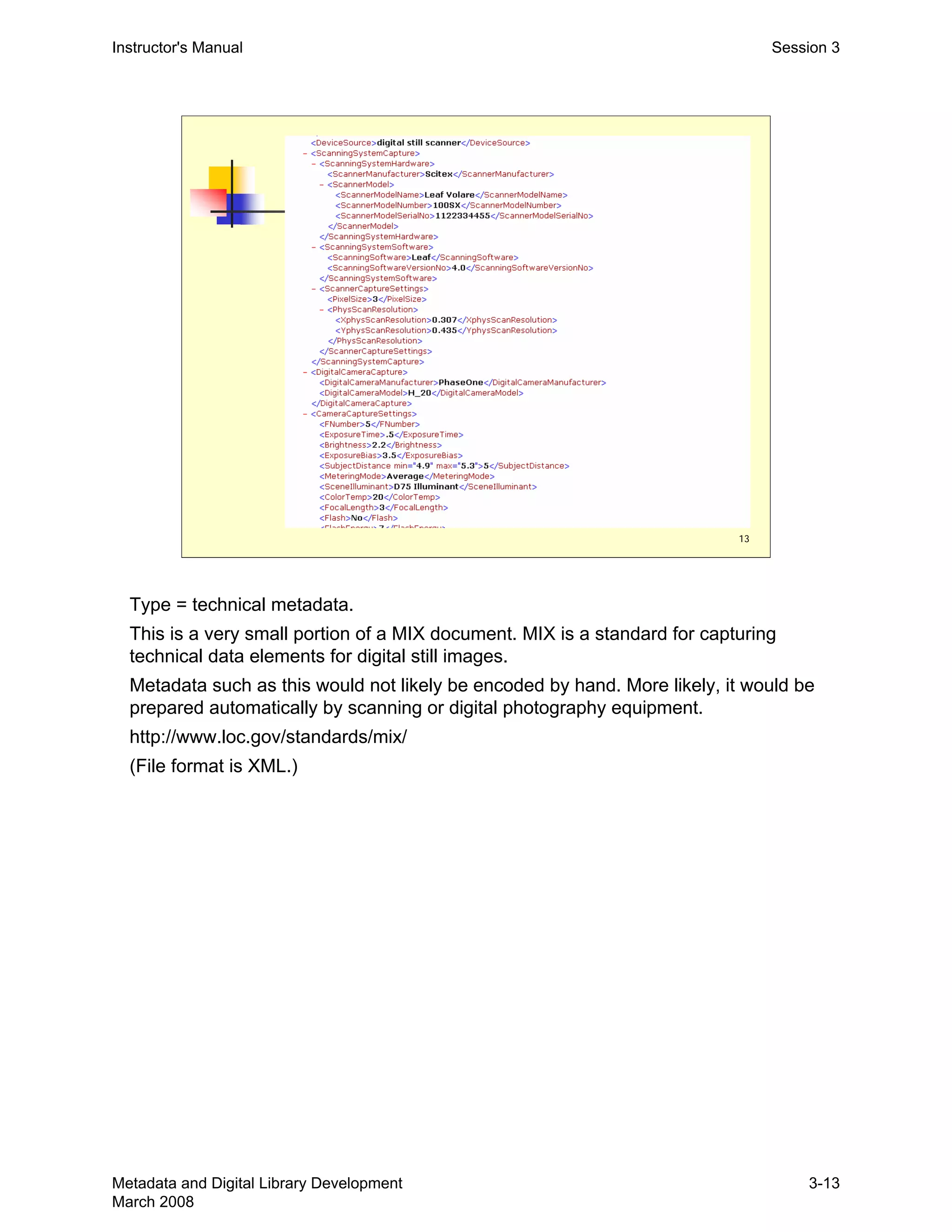
Type = technical metadata.

This is a very small portion of a MIX document. MIX is a standard for capturing 

technical data elements for digital still images.

Metadata such as this would not likely be encoded by hand. More likely, it would be 

prepared automatically by scanning or digital photography equipment.

http://www.loc.gov/standards/mix/

(File format is XML.)

Metadata and Digital Library Development
March 2008
3-13
14
Metadata Analysis: Semantics
„ Metadata element sets (“schemes”)
„ MARC21
„ Dublin Core (DC)
„ EAD
„ MODS
„ VRA Core
„ METS
Instructor's Manual Session 3
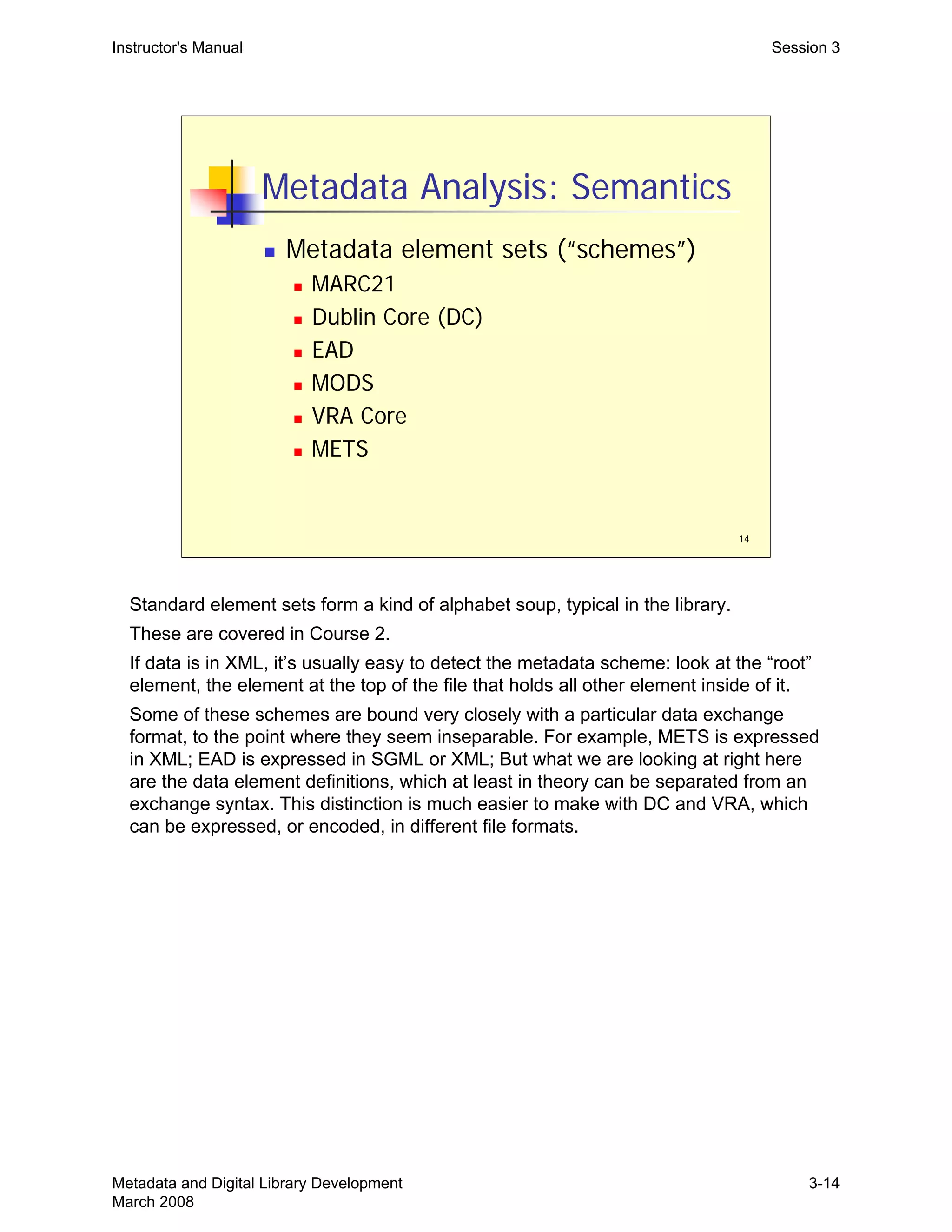
Standard element sets form a kind of alphabet soup, typical in the library.

These are covered in Course 2.

If data is in XML, it’s usually easy to detect the metadata scheme: look at the “root”

element, the element at the top of the file that holds all other element inside of it.

Some of these schemes are bound very closely with a particular data exchange 

format, to the point where they seem inseparable. For example, METS is expressed 

in XML; EAD is expressed in SGML or XML; But what we are looking at right here 

are the data element definitions, which at least in theory can be separated from an 

exchange syntax. This distinction is much easier to make with DC and VRA, which 

can be expressed, or encoded, in different file formats.

Metadata and Digital Library Development
March 2008
3-14
Instructor's Manual Session 3
15
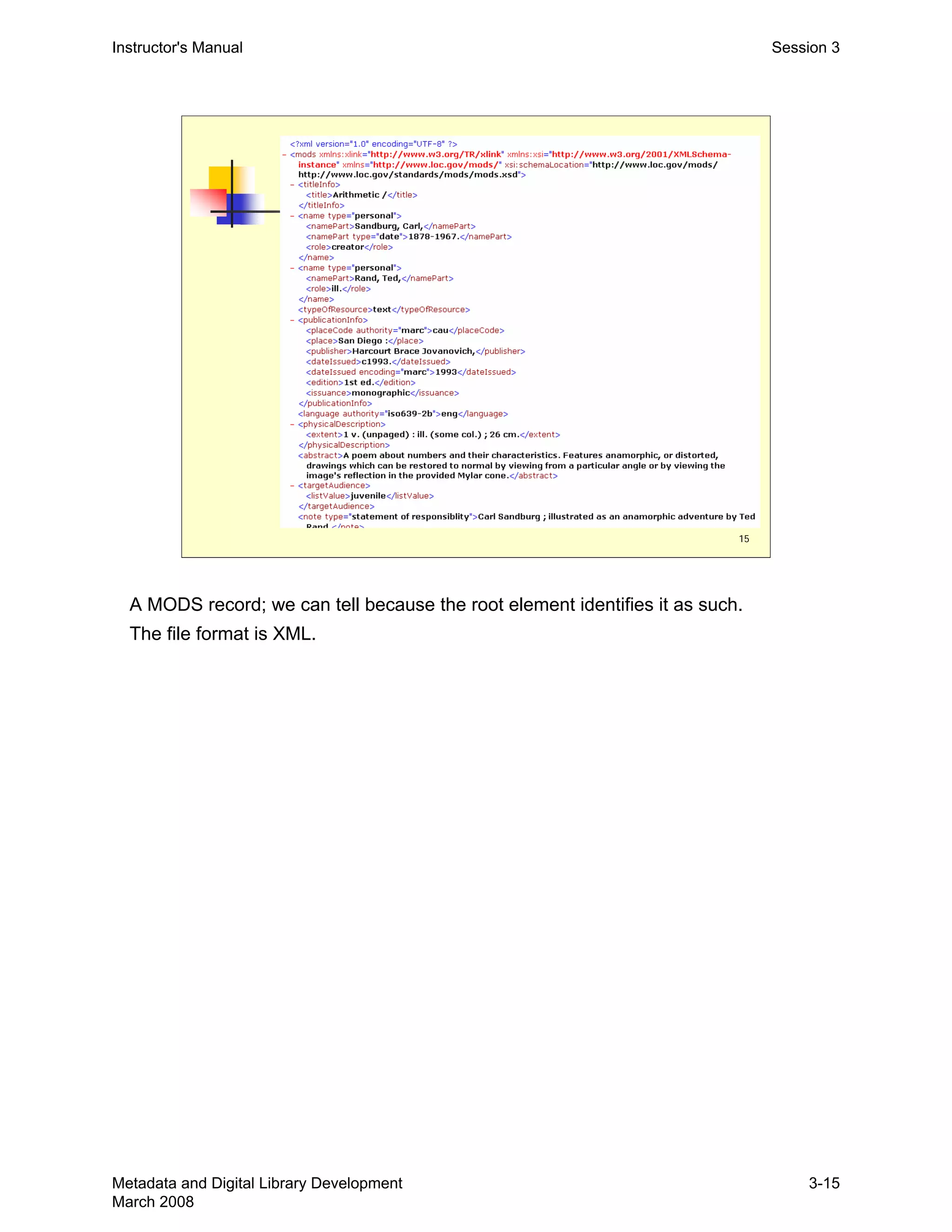
A MODS record; we can tell because the root element identifies it as such.
The file format is XML.
Metadata and Digital Library Development
March 2008
3-15
16
Instructor's Manual Session 3
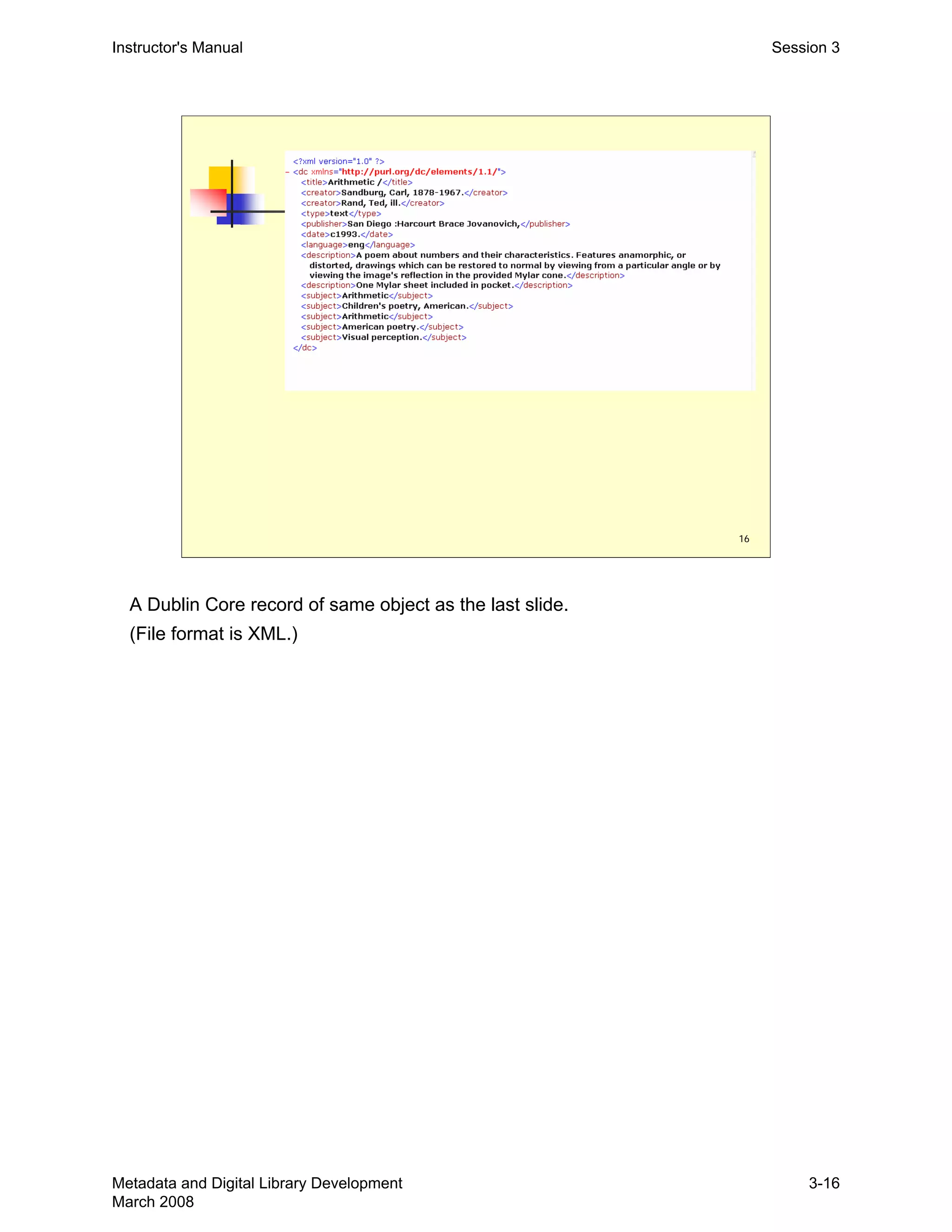
A Dublin Core record of same object as the last slide.
(File format is XML.)
Metadata and Digital Library Development
March 2008
3-16
17
Instructor's Manual Session 3
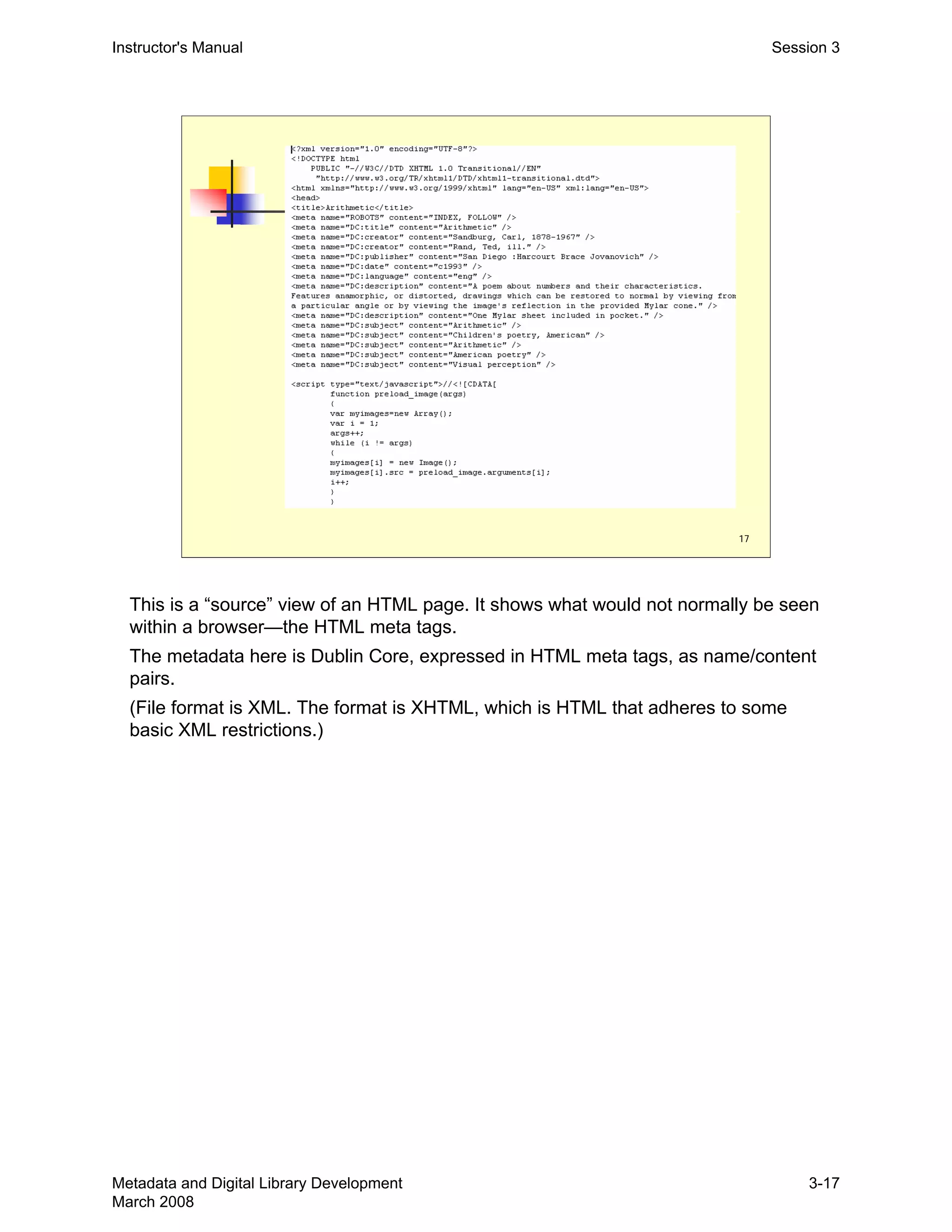
This is a “source” view of an HTML page. It shows what would not normally be seen 

within a browser—the HTML meta tags.

The metadata here is Dublin Core, expressed in HTML meta tags, as name/content 

pairs.

(File format is XML. The format is XHTML, which is HTML that adheres to some 

basic XML restrictions.)

Metadata and Digital Library Development
March 2008
3-17
18
Metadata Analysis: Content
„ Does the metadata…
„ Adhere to any published content standards
or best practices?
„ AACR2/RDA, EAD Best Practice (RLG), CCO
„ Use any known and shared vocabularies?
„ LCSH, AAT, TGM
„ Adhere to any application profiles?
„ Degree of conformance to any employed
standards, practices, or vocabularies?
Instructor's Manual Session 3
Content value standards. Participants are likely very familiar with the concept and
several of the instances.
“Application profile” is used here in the way the DCMI-Libraries Working Group uses
it: “as a way to declare which elements from which namespaces are used in a
particular application or project. Application profiles are defined as schemas which
consist of data elements drawn from one or more namespaces, combined together
by implementors, and optimised for a particular local application.” Application
profiles are community-driven initiatives aimed at metadata interoperability.
See: http://dublincore.org/documents/library-application-profile
Important point: Many technical people involved with digital library development are
not familiar with these standards and practices at all. This is another reason why
people with a technical services background make good metadata specialists and
have a lot to contribute to digital library development projects.
Metadata and Digital Library Development
March 2008
3-18
Instructor's Manual Session 3
19
Metadata Analysis: Structure
„ Structure
„ What is the record structure?
„ Flat or hierarchical (nesting)
„ What relationships are possible? How complex can
they be?
„ Is element qualification allowed?
„ Degree of ambiguity within data?
„ General character and complexity
„ Simple unstructured
„ Simple structured
„ Richly structured
Structure is a somewhat fuzzy or impressionistic concept, with no fixed distinction between “simple”
and “rich” structure.
But it is useful to take note of what structure any particular metadata may have, especially when
there isn’t much. Structure allows for machine processing. If the data has no structure, then it will
require hand processing to convert it to some other format or scheme.
You can illustrate structure by looking back at these slides (or perhaps you developed the concept of
structure as you worked through the slides):
8: plain-text with delimiters. Two structural elements in the file. Line breaks, dividing on line from 

another. And | delimiters separating parts of a line. Together these allow for a table with rows and 

columns. That’s useful structure, and can certainly be taken apart and converted to something else 

fairly easily. Simple structured.

11: also simple structured. This could be machine parsed with simple but customized software.

17: the meta tags make for simple structured data. Simple Dublin Core, however it’s expressed (even

as an XML file), is simple structured data; it’s flat, non-hierarchical, few relationships conveyed by the 

structure.

Examples of richly structured: slides 7, 12, probably 13 and 15.

Simple unstructured: no example, but imagine slide 11 without the codes on the left. It would require 

a human to understand what the different data elements were.

Metadata and Digital Library Development
March 2008
3-19
20
Metadata Analysis: Use
„ What is, or was, the intended or
potential use of this metadata?
„ Understanding why metadata was created
and how it was used can help tell you what
you can expect from it, in terms of
consistency, reliability, interoperability…
Instructor's Manual Session 3
This may require some speculation, or sort of detective analysis.
Metadata and Digital Library Development
March 2008
3-20
21
Metadata Analysis: Status
„ Static vs. dynamic
„ Static metadata will not be updated,
augmented, etc.—it is essentially “dead”
„ Dynamic metadata is “living,” maintained
by someone, updated when needed,
perhaps regularly supplemented
„ This distinction will have an impact on
conversion strategies and workflows
Instructor's Manual Session 3
This distinction (static vs. dynamic) will be picked up in Session 5, on workflows.
Metadata and Digital Library Development
March 2008
3-21
Instructor's Manual Session 3
Metadata Analysis Exercise
„ Exercise 3: Metadata Analysis
„ Metadata assessment
„ Functional evaluation of metadata
„	 Will this metadata support the required
functionality?
22
Metadata and Digital Library Development
March 2008
3-22
1
Metadata and Digital Library
Development
Session 4:
Metadata Conversion:
Enhancement and Mapping
Instructor's Manual Session 4
Trainers could begin by asking whether any participants are involved in any
“database enrichment” or “database maintenance” activities within their library.
Basically, any efforts to fix, improve, clean-up MARC records in their catalogs.
What this session is about is something very similar, but in the digital library context,
where we have less history and fewer defined practices for what we do. In any
event, doing this work with the catalog is very useful experience when working with
non-MARC and non-MARC systems.
Alternatively, you could wait and make this point at slide 3.
Metadata and Digital Library Development
March 2008
4-1
Instructor's Manual Session 4
Goals of Session
„	 Explore the reasons for converting
metadata
„	 Discuss measures for assessing and
ensuring the quality of metadata
„	 Examine metadata mapping and its
purposes
„ Learn how to create a metadata map
2
Metadata and Digital Library Development
March 2008
4-2
3
Metadata Conversion
„ Two broad categories or types of
metadata conversion work:
„ Enhancement: cleaning up, adding,
expanding, disambiguating, updating
metadata
„ Mapping: moving metadata from one
format to another
Instructor's Manual Session 4
Enhancement is any kind of record improvement. The point about this being a 

common tech services activity (see slide 1) could be made here. 

This Session, and the workshop, adopt a fairly simple vocabulary when it comes to 

mapping:

•Mapping is an activity, the one of moving metadata from one format to another

•A map is a thing, an instrument of some sort that makes the mapping activity 

possible. 

The term “crosswalk” is avoided here only to avoid confusion. Many (including some 

later slides here) would likely equate crosswalk to map, and crosswalking to 

mapping, but some people will make subtle distinctions among all these terms, none 

of which seem particularly relevant to the general ideas discussed in this workshop. 

See the bibliography for more in-depth discussions.

Metadata and Digital Library Development
March 2008
4-3
4
Why Enhance Metadata?
„ To correct inaccuracies
„ To achieve consistency
„ To improve “quality”
„ To fill gaps
„ To provide greater or different
functionality
„ To foster interoperability
Instructor's Manual Session 4
The first three and the last are covered in the following slides.
Metadata and Digital Library Development
March 2008
4-4
5
Metadata Accuracy
<DC_record>
<creator>Mitchell, William J.</creator>
<creator>Stevenson, Daniel C.</creator>
<creator>Schoonover, Regina</creator>
<title>Urbanowski, Frank</title>
<subject>City of Bits: Space, Place, and the Infobahn</subject>
<subject>Electronically mediated environments</subject>
<subject>Cyberspace</subject>
<type>Urbanism</type>
<format>Text</format>
<date>text/html</date>
<identifier>1995</identifier>
<language>http://press.opt.edu/CityOfBits.html</language>
</DC_record>
Instructor's Manual Session 4
What’s wrong here? Clearly this record is messed up. It’s inaccurate, as opposed to
inconsistent.
We can speculate on what happened. Probably it was produced by a mechanical
process, and perhaps that process didn’t expect more than three creators. But we
don’t really know.
Metadata and Digital Library Development
March 2008
4-5
6
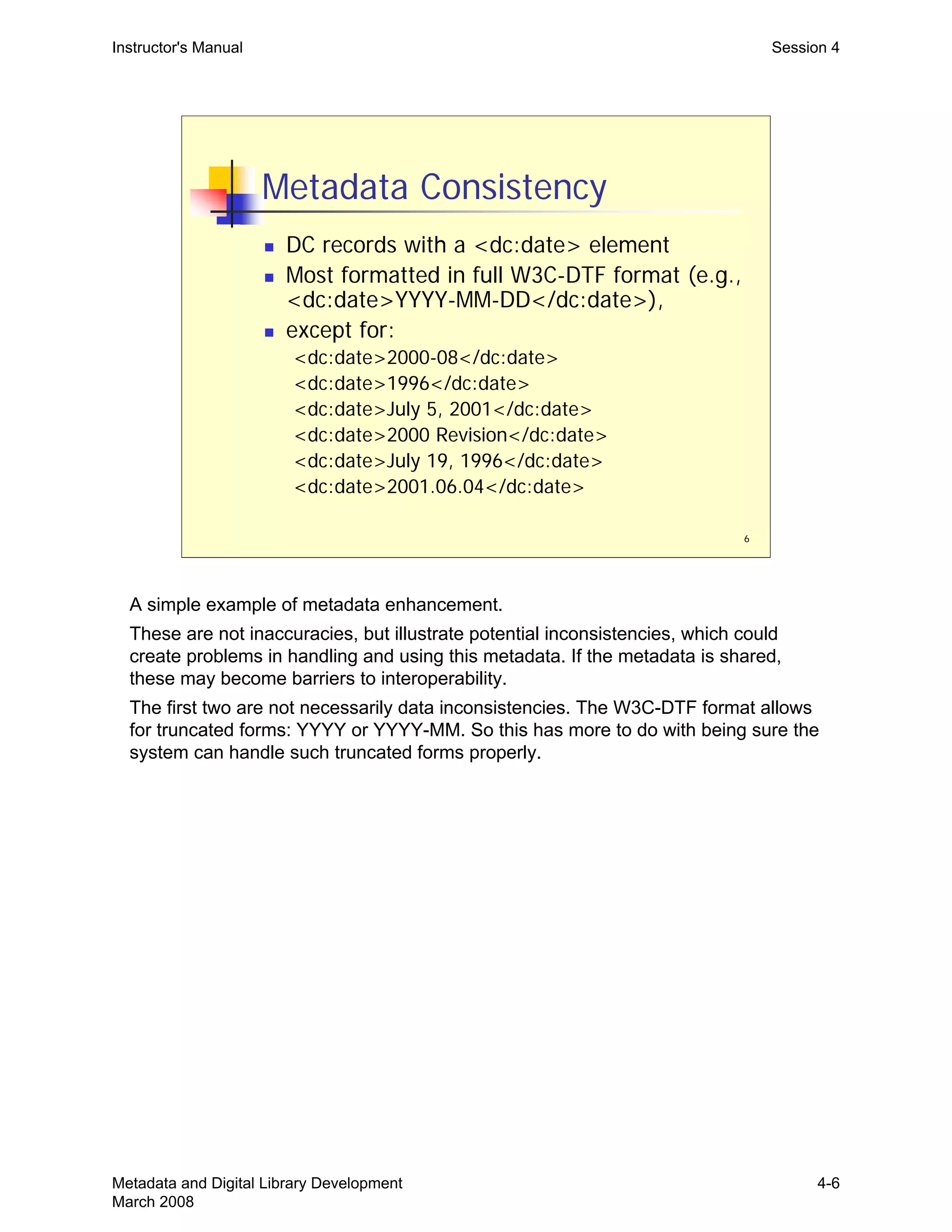
Metadata Consistency
„ DC records with a <dc:date> element
„ Most formatted in full W3C-DTF format (e.g.,
<dc:date>YYYY-MM-DD</dc:date>),
„ except for:
<dc:date>2000-08</dc:date>
<dc:date>1996</dc:date>
<dc:date>July 5, 2001</dc:date>
<dc:date>2000 Revision</dc:date>
<dc:date>July 19, 1996</dc:date>
<dc:date>2001.06.04</dc:date>
Instructor's Manual Session 4
A simple example of metadata enhancement.

These are not inaccuracies, but illustrate potential inconsistencies, which could 

create problems in handling and using this metadata. If the metadata is shared,

these may become barriers to interoperability.

The first two are not necessarily data inconsistencies. The W3C-DTF format allows 

for truncated forms: YYYY or YYYY-MM. So this has more to do with being sure the 

system can handle such truncated forms properly.

Metadata and Digital Library Development
March 2008
4-6
7
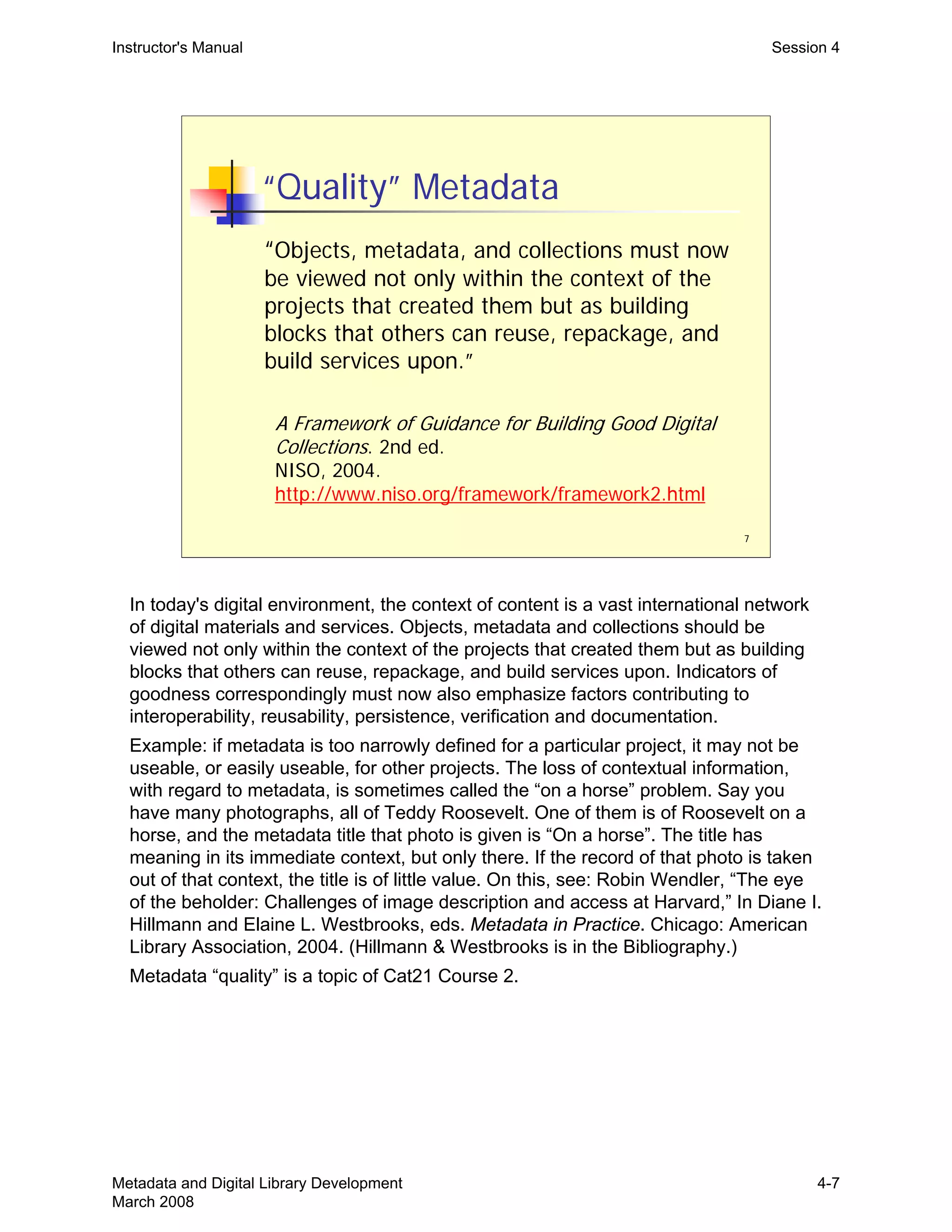
“Quality” Metadata
“Objects, metadata, and collections must now
be viewed not only within the context of the
projects that created them but as building
blocks that others can reuse, repackage, and
build services upon.”
A Framework of Guidance for Building Good Digital
Collections. 2nd ed.
NISO, 2004.
http://www.niso.org/framework/framework2.html
Instructor's Manual Session 4
In today's digital environment, the context of content is a vast international network
of digital materials and services. Objects, metadata and collections should be
viewed not only within the context of the projects that created them but as building
blocks that others can reuse, repackage, and build services upon. Indicators of
goodness correspondingly must now also emphasize factors contributing to
interoperability, reusability, persistence, verification and documentation.
Example: if metadata is too narrowly defined for a particular project, it may not be
useable, or easily useable, for other projects. The loss of contextual information,
with regard to metadata, is sometimes called the “on a horse” problem. Say you
have many photographs, all of Teddy Roosevelt. One of them is of Roosevelt on a
horse, and the metadata title that photo is given is “On a horse”. The title has
meaning in its immediate context, but only there. If the record of that photo is taken
out of that context, the title is of little value. On this, see: Robin Wendler, “The eye
of the beholder: Challenges of image description and access at Harvard,” In Diane I.
Hillmann and Elaine L. Westbrooks, eds. Metadata in Practice. Chicago: American
Library Association, 2004. (Hillmann & Westbrooks is in the Bibliography.)
Metadata “quality” is a topic of Cat21 Course 2.
Metadata and Digital Library Development
March 2008
4-7
8
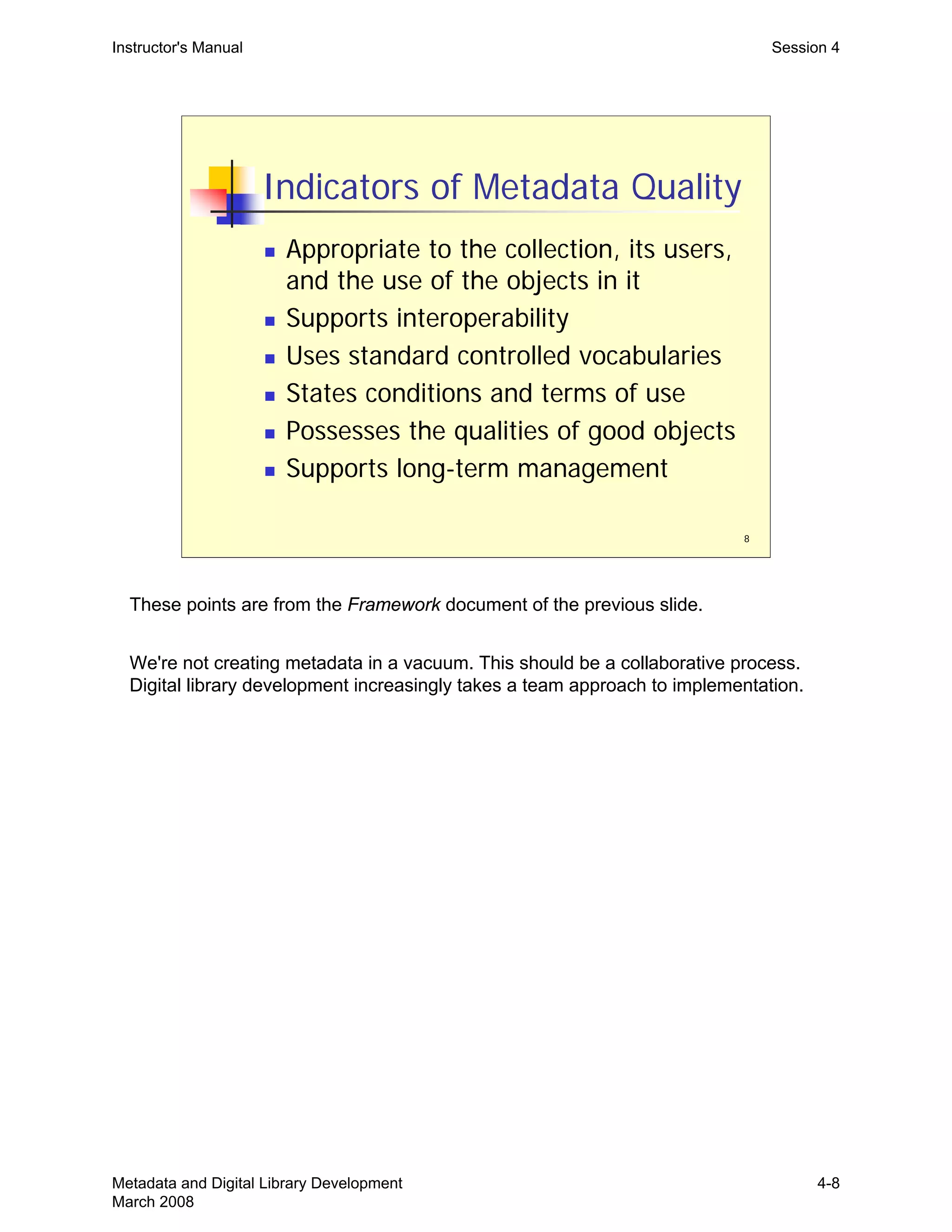
Indicators of Metadata Quality
„ Appropriate to the collection, its users,
and the use of the objects in it
„ Supports interoperability
„ Uses standard controlled vocabularies
„ States conditions and terms of use
„ Possesses the qualities of good objects
„ Supports long-term management
Instructor's Manual Session 4
These points are from the Framework document of the previous slide.
We're not creating metadata in a vacuum. This should be a collaborative process.
Digital library development increasingly takes a team approach to implementation.
Metadata and Digital Library Development
March 2008
4-8
9
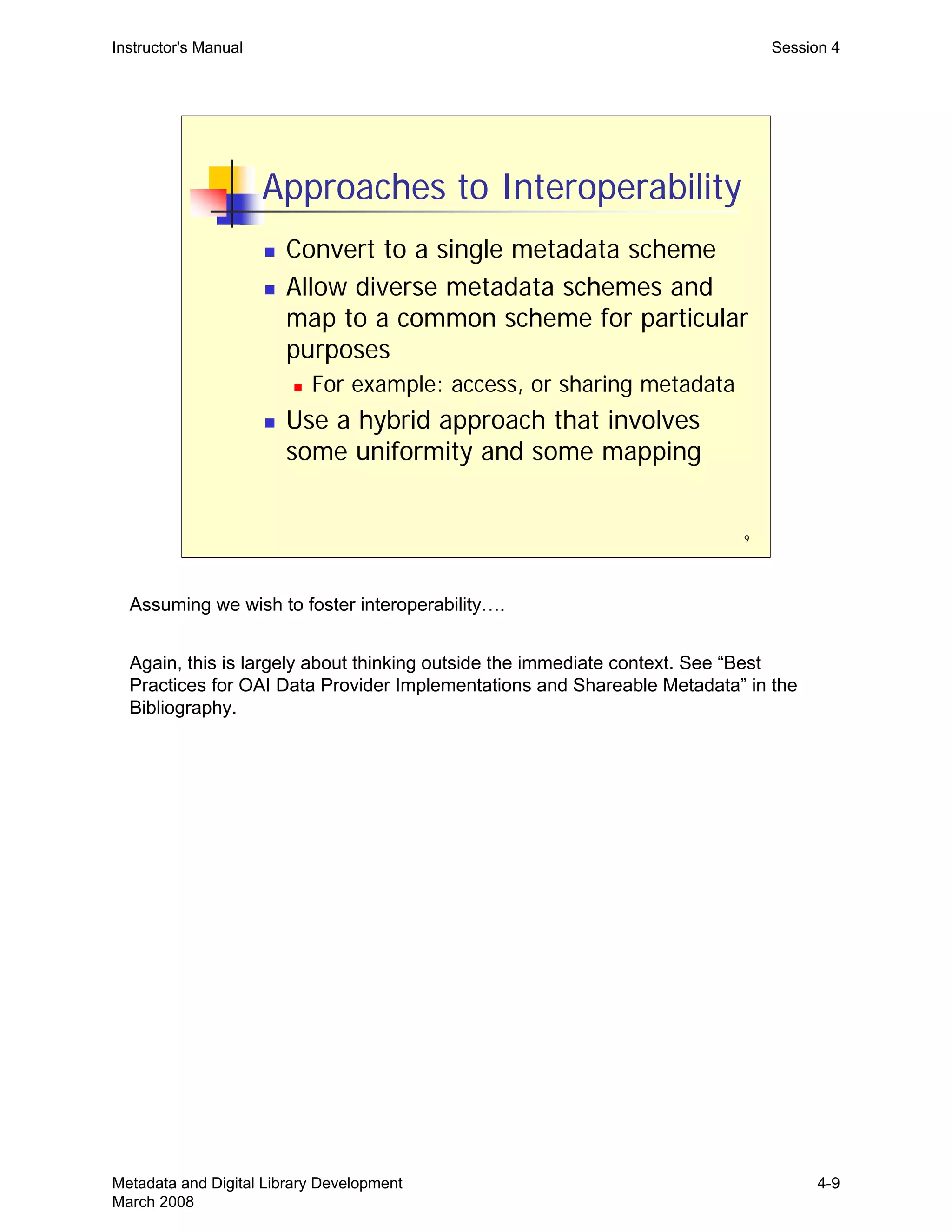
Approaches to Interoperability
„ Convert to a single metadata scheme
„ Allow diverse metadata schemes and
map to a common scheme for particular
purposes
„ For example: access, or sharing metadata
„ Use a hybrid approach that involves
some uniformity and some mapping
Instructor's Manual Session 4
Assuming we wish to foster interoperability….
Again, this is largely about thinking outside the immediate context. See “Best
Practices for OAI Data Provider Implementations and Shareable Metadata” in the
Bibliography.
Metadata and Digital Library Development
March 2008
4-9
10
Tools for Interoperability
„ Metadata standards
„ Application profiles
„ Community developed best practices
„ Community accepted metadata maps
(crosswalks)
Instructor's Manual Session 4
“Application profile” is used here in the way the DCMI-Libraries Working Group uses
it: “as a way to declare which elements from which namespaces are used in a
particular application or project. Application profiles are defined as schemas which
consist of data elements drawn from one or more namespaces, combined together
by implementors, and optimised for a particular local application.” Application
profiles are community-driven initiatives aimed at metadata interoperability.
See: http://dublincore.org/documents/library-application-profile and
http://www.ariadne.ac.uk/issue25/app-profiles/
Metadata and Digital Library Development
March 2008
4-10
Instructor's Manual Session 4
Metadata Mapping
„ A formal, repeatable conversion of
metadata
„ A potentially ongoing or regularly repeated
conversion process
„ Assumes consistent incoming metadata
„	 Requires a specification (called a “map”
or “crosswalk”) that describes how to
convert one metadata scheme format
to another
11
Metadata and Digital Library Development
March 2008
4-11
12
http://www.loc.gov/marc/marc2dc.html
Instructor's Manual Session 4
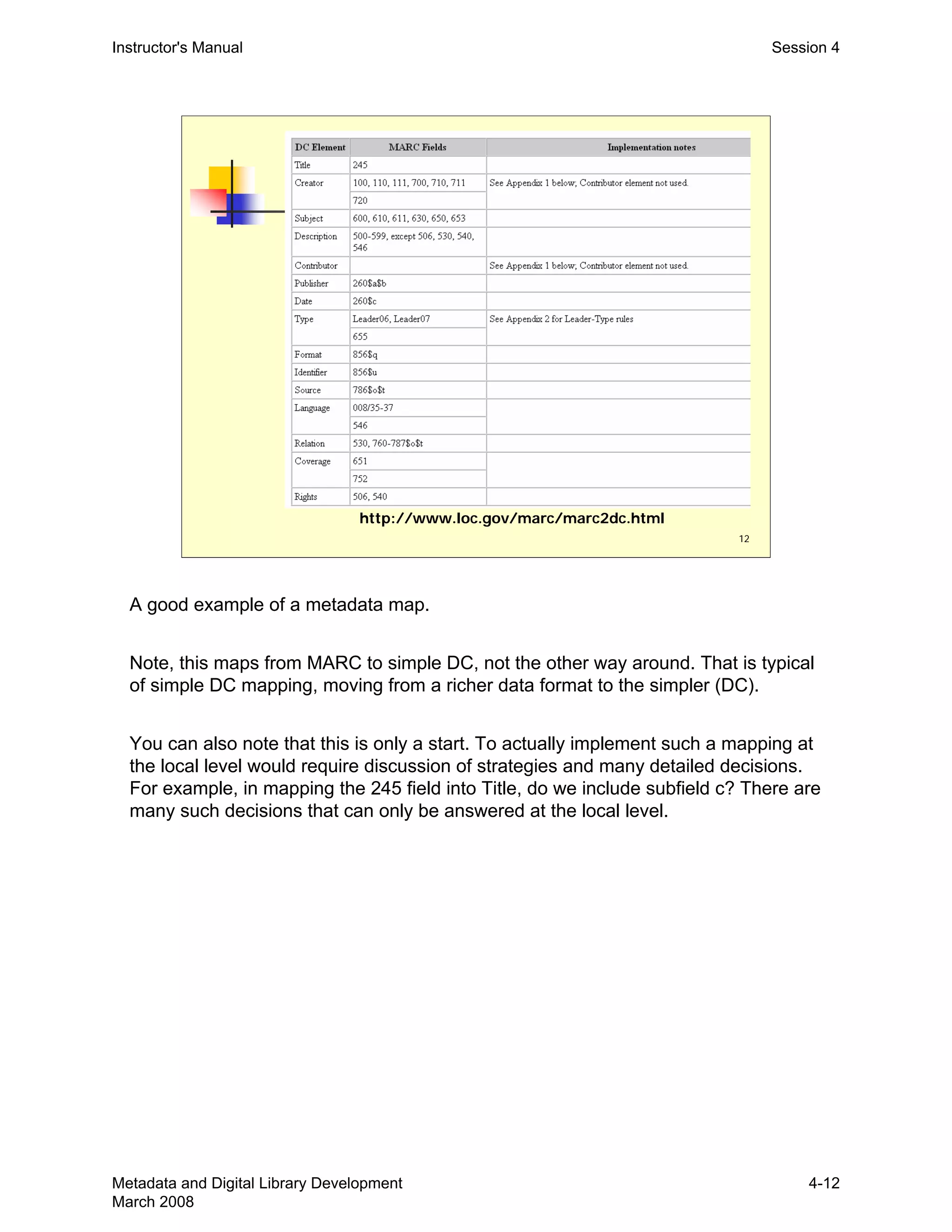
A good example of a metadata map.
Note, this maps from MARC to simple DC, not the other way around. That is typical
of simple DC mapping, moving from a richer data format to the simpler (DC).
You can also note that this is only a start. To actually implement such a mapping at
the local level would require discussion of strategies and many detailed decisions.
For example, in mapping the 245 field into Title, do we include subfield c? There are
many such decisions that can only be answered at the local level.
Metadata and Digital Library Development
March 2008
4-12
Instructor's Manual Session 4
Why Map Metadata?
„	 To accommodate a change or upgrade
in an existing system
„	 To “ingest” metadata into another
system, but maintain original metadata
format
„ To share metadata with a wider
community, improving interoperability
„ Metadata is diverse—we will never all use
the same metadata formats
13
Metadata and Digital Library Development
March 2008
4-13
Instructor's Manual Session 4
Metadata Mapping Caveats
„ Requires good knowledge of both
source and target metadata formats
„ Often not a one-to-one correspondence
between elements
„ Typically involves some conversion
operations
„ Data types and values may differ
„ Structure, hierarchy may differ
„ Element optionality/repeatability may differ
14
Metadata and Digital Library Development
March 2008
4-14
Instructor's Manual Session 4
Mapping Exercise
„ Exercise 4: Metadata Mapping
„ Creating “shareable” metadata
„ Designing a detailed metadata map
„ Converting from relatively rich metadata to
simple Dublin Core records
15
Metadata and Digital Library Development
March 2008
4-15
THIS PAGE INTENTIONALLY LEFT BLANK 

FOR DOUBLE SIDED COPY
Instructor's Manual Session 5
Metadata and Digital Library
Development
Session 5:
Metadata Workflows
1
Metadata and Digital Library Development
March 2008
5-1
2
Goals of Session
„ Understand the components of
workflow design
„ Understand the management aspects of
metadata workflows (tasks, costs,
constraints)
„ Examine practical aspects of metadata
conversion workflows
„ Design a metadata workflow
Instructor's Manual Session 5
Trainer can begin by asking how many have created or been involved in workflows
in their current jobs. Probably close to 100%, and that’s the point. Data workflows
are fundamental to library technical services. This session therefore deals with what
the participants probably have a fair bit of experience with. The slides here may
take a more analytic approach to an activity that participants are engaged with by
common sense and experience. Some of this analytic approach may therefore be
useful to their appreciation for what they are already doing.
The first half the slides take a more analytic approach to workflows. The second half
cover some practical questions about metadata conversion workflows.
Metadata and Digital Library Development
March 2008
5-2
3
Workflow Fundamentals
„ The movement of data through a work
process
Input Æ Transformations Æ Output
„ A work process will typically involve
multiple components or individual steps
(tasks and subtasks)
„ Each task also has its own data movement:
„ Input Æ Transformations Æ Output
Instructor's Manual Session 5
This is the 2,000 mile high view of workflow, a theoretical perspective.
The idea is that there is, typically, one main (perhaps very large) work process, with
generally defined input and output.
Then you start breaking that large task into subtasks, each with their own inputs and
outputs.
And then breaking each of those sub-tasks into sub-tasks, and so on and so forth
until you are working at a level where a task can actually be implemented.
The Output of one task will be the Input of the following task, within a workflow.
Metadata and Digital Library Development
March 2008
5-3
4
Components of Workflow Design
„ Workflow definition and goals
„ Identifying constraints
„ Defining the metadata workflow tasks
and subtasks
„ Designing the workflow
„ Maintaining the workflow
„ Cost considerations and opportunities
Instructor's Manual Session 5
This is an outline of what will be considered in the first half of this sessions slides
(#5-12). This is presented at a somewhat abstract and theoretical level. The last half
of the session will look at more concrete and mechanical considerations.
Metadata and Digital Library Development
March 2008
5-4
5
Workflow Definition and Goals
„ Defining the workflow objectives
„ Analysis of overall work process input
and output
„ Understand the characteristics of the
workflow input (e.g., source metadata)
„ Understand the characteristics of the
workflow output (e.g., target metadata)
„ Specifying the required transformation
Instructor's Manual Session 5
First step is definition of the overall objectives. For metadata conversion projects,
this will involve analysis of the source and target metadata (the workflow’s input and
output). With that knowledge, we can develop a specification for transforming the
input to output.
Metadata and Digital Library Development
March 2008
5-5
6
Identifying Constraints
„ Resources
„ Money
„ Staff
„ Time
„ Environmental constraints
„ Knowledge and expertise
Instructor's Manual Session 5
We need a complete picture of what the constraints are before we can begin to
design a workflow, since the constraints, by definition, are going to constrain what
we can do and how we do it. Resources and time are the usual suspects, but there
are other considerations.
•A fundamental problem is whether we have the resources to carry out a workflow.
Do you have the staff to perform the required work? If not, do you have the funds to
hire additional staff? Is there potential revenue in the work being carried out to pay
for additional staff or current staff time (see slide on Opportunities).
•Often, we have the staff to do the work, but they are not currently available. It may
not be feasible to hire additional staff. Then it is a question of time and the
scheduling of work.
•Environmental constraints are typically those imposed by the containing
institution—like other demands on staff time, the need to share material resources
(such as computer processing), or issues arising from the need to interface with
other departments/units that may be part of this workflow (perhaps you depend
upon them for deliveries of material, and they only deliver on Tuesdays).
•A particular metadata workflow may require more knowledge and expertise than
we currently have. We will have to allot time to gain this knowledge, or perhaps
funds for consultants or for travel to interview experts, etc.
Metadata and Digital Library Development
March 2008
5-6
7
Defining the Tasks
„ Breaking overall goal down into tasks and
subtasks, small enough to be implemented
„ At that level, determine each task’s…
„ Requirements
„ Specifying task input and output
„ Complexity of transformation (input to output)
„ Dependencies
„ Duration
„ Resource requirements
Instructor's Manual Session 5
From the project description, and an appreciation of the constraints you face, you 

begin to break apart what needs to get done into large areas of work, then break 

these down into smaller (sub)tasks, and eventually you get to tasks that are at a 

level where they can be implemented by someone or some process. At that level 

(implementable tasks), you can analyze and define each task by asking about its 

requirements….etc.

These different aspects of a task are interrelated:

Greater task complexity adds to duration, and/or makes it less predicable.

Complexity also adds to resource requirements (such as manual review of output).

Task dependencies: there is always at least one dependency…the task input. But 

the task may have many others, including computing or human factors. Workflow 

constraints and task dependencies are related. Perhaps only certain software can 

perform certain tasks, and it can only be put on one computer. Perhaps only one 

staff member has the expertise to apply specialized subject terms. Human 

dependencies add to greater uncertainty in predicting duration. People can be sick, 

quit, go crazy.

You can likely get examples from participants to illustrate any of these aspects of a 

task.

Metadata and Digital Library Development
March 2008
5-7
8
Designing the Workflow
„ Given the constraints, how do we put all the
pieces of the workflow puzzle together in the
most optimal way?
„ How should tasks be structured in workflow?
„ Sequencing and scheduling of tasks
„ Who or what will perform each task?
„ What are the communication needs of the
workflow?
Instructor's Manual Session 5
Workflow design is like a puzzle. Many different tasks and players. What is the
optimal, most cost-effective way to put all these pieces together.
Communication needs: how does one task know that its inputs are ready?
(Remember the input-to-output analysis can be applied to every little sub-task. So
the outputs of one task will be the inputs of the next.) How do tasks (or the people
performing them) communicate with each other?
These are presented as considerations in the design of a workflow. Alternatively,
you can think of them as considerations in the analysis of an existing workflow,
perhaps leading to redesign.
Metadata and Digital Library Development
March 2008
5-8
9
Maintaining the Workflow
„ How will the workflow and its tasks be
tracked and evaluated?
„ Who is responsible for the workflow?
„ How will improvements or other changes to the
workflow be made?
„ Once operational, what are the workflow’s
ongoing management requirements?
„ How much human oversight is needed?
„ How much tracking can be automated?
Instructor's Manual Session 5
We can think of the workflow as a living thing, requiring some degree of “care and 

feeding”.

Tracking is to determine whether transformations are being done as expected. Are 

the outputs what we wanted?

Evaluation is similar, but asks also whether any task transformation can be

optimized to improve productivity. Evaluation may lead to redesigning, or tweaking, 

the workflow puzzle.

How much management oversight is necessary to carry out routine tracking? Are 

there a lot of human factors involved in the workflow, and thus more task 

complexity? Or is it only a computer process running nightly? 

Can management be automated by a programmatic approach to tracking? For 

example, if we have an automated process running nightly, can we define potential 

problems systematically enough such that software analysis will be able to detect 

problems and send alerts? Or does the data need to be manually inspected? Each 

day? Every so often? Do we inspect all output or can we sample?

Metadata and Digital Library Development
March 2008
5-9
10
Workflow Cost Considerations
„ Workflow setup
„ What is the current and required level of staff
expertise with source and target metadata
schemes?
„ What staff skills are required to implement
workflow transformations?
„ What can be automated?
„ Are there existing, re-usable tools available?
„ What must be done manually?
„ Any prior experience with this type of processing?
Instructor's Manual Session 5
Staff expertise with the relevant metadata schemes is valuable, not just in carrying

out the work and/or serving as a resource for other metadata staff, but for the initial 

evaluation and assessment necessary to define accurate time/cost estimates. The 

ability to quickly spot deficiencies is extremely valuable.

Bringing staff up to speed, or giving them the time to investigate on their own, is a 

cost.

What staff resources and skills will you have for effecting the actual transformations 

required? Programmers? Those familiar with bibliographic control? Those that are 

good with detailed manual work?

Can you identify what you don’t know? If you are not familiar with a metadata 

transformation, for instance, you will tend to be overly optimistic about the time 

required. Same for familiarity with metadata types. If you are unfamiliar, you will 

probably underestimate the time required.

Metadata and Digital Library Development
March 2008
5-10
11
Workflow Cost Considerations
„ Workflow maintenance
„ We need to quantify the type and extent of
ongoing support and maintenance the
workflow will require
„ Cost differences in maintaining manual vs.
automated workflows
„ How much management oversight does
the workflow require?
Instructor's Manual Session 5
Maintaining a workflow requires resources. Those responsible for department
budgets need to know the workflow’s costs over the period which it will be
maintained. This in fact may become a decisive factor in whether to take on this
work or not.
Managers need to be aware of how much of their time will be devoted to oversight.
Metadata and Digital Library Development
March 2008
5-11
12
Opportunities and Benefits
„ Increased knowledge and expertise
„ Revenue potential
„ Greater use of collections and resources
„ Greater visibility of institution
Instructor's Manual Session 5
Putting together and executing a workflow has its costs, but also its benefits.
The first two items here are opportunities/benefits that may accrue to the metadata
specialist, or the metadata specialist’s immediate unit/department.
Obviously, when cost-effective and successful workflows are in place, benefits
accrue also to the entire organization and the communities/users served by the
library (additional services, better meeting the needs of users, etc.).
•Increasing use of collections, resources
•Increasing visibility of institution
So much metadata expertise is really just experience, including making mistakes.
Some of the most experienced metadata practitioners are those that have made the
most “mistakes,” (or, if not mistakes, just things they would now do differently).
Metadata and Digital Library Development
March 2008
5-12
13
Practical Aspects of Workflows
„ Types of workflows
„ Characteristics of source and target
metadata, and the impact on workflow
design
„ When to convert metadata
„ How to convert metadata
Instructor's Manual Session 5
This slide is an outline of the remainder of the slides in this session.
We’re moving to a more practical level, talking about more mechanical aspects of
metadata workflows, and specifically workflows that deal with the conversion of
metadata.
Metadata and Digital Library Development
March 2008
5-13
14
Types of Metadata Workflows
„ Enhancement and mapping
Source data Æ Transformations Æ Target data
„ Other workflows:
„ Augmentation of records
„ Analysis or evaluation
„ Quality control/assurance
Instructor's Manual Session 5
Metadata enhancement activities included cleaning up, adding, expanding,
disambiguating, updating metadata. Mapping is moving metadata from one format
to another. Both of these have the basic notion of transforming one set of data to
another.
There are other metadata workflows/tasks that could be considered not to involve
conversion or transformation, at least strictly:
•Augmentation would be some sort of regular process for adding additional records
to a pile of existing records.
•Metadata analysis or evaluation may be carried out regularly as part of larger
processes.
•QA may also be a regular set of tasks applied to particular sets of metadata.
All of these activities require a set of defined tasks and thus workflows. Both
analysis and QA may be an end in themselves (perhaps for hire, consulting work),
may be in preparation for some specific conversion activity, or may be regular
insurance activities built into larger data maintenance processes.
What about data creation? Many digital projects will require the generation of
metadata. Is metadata creation it’s own category of workflow, or can it be
considered a type of conversion workflow?

In the rest of the session, we’ll talk mostly about workflows and tasks related to 

metadata conversion.

Metadata and Digital Library Development
March 2008
5-14
15
Metadata Conversion Workflows
„ Many aspects of the workflow will
depend on the characteristics of the
source and target metadata
„ Static vs. dynamic source metadata
„ Other source metadata considerations
„ Target metadata
Instructor's Manual Session 5
This sets up the next few slides, which discuss the bulleted points.
Static vs. dynamic: we discussed this in Session 3, under Metadata Analysis. Now
we’ll look at the impact this has on designing metadata workflows.
Metadata and Digital Library Development
March 2008
5-15
16
Source Metadata
„ Static source metadata suggests…
„ A one time transfer of metadata from the
creator or supplier
„ The creator or supplier is, or will eventually
be, out of the picture
„ Dynamic source metadata implies…
„ An ongoing, periodic transfer of the same,
updated, or augmented metadata
Instructor's Manual Session 5
static vs. dynamic: a refresher from Session 3.
•Static implies that that your conversion workflow will be a one time process. It may
be a huge conversion project, but the conversion won’t have to be repeated.
•Dynamic implies that your workflow is, in a sense, in the midst of some ongoing
data pipeline. You are doing some data conversion that will need to be repeated
every time refreshed data comes to you.
Metadata and Digital Library Development
March 2008
5-16
17
The Impact on Workflow of…
„ Static source metadata
„ Manual processing is at least feasible
„ No disincentive to apply manual work, except
for cost
„ A more extensive and subtle range of data
enhancement is possible
„ Workflow may not be directly reusable
Instructor's Manual Session 5
With static source metadata, there is more potential for refined “value add” work,
since it could be done by people.
Metadata and Digital Library Development
March 2008
5-17
18
The Impact on Workflow of…
„ Dynamic source metadata
„ Much depends upon the nature and rate of
change of the source metadata
„ There is a disincentive to use manual processing
„ Correcting errors
„ Manual “value-add” features
„ There is an incentive to apply programmable
transformations
„ Workflow processes must be re-usable to be cost-
effective
Instructor's Manual Session 5
The incentive to apply programmatic transformation is a cost incentive.
There is no incentive to do manual work. For example, you don’t want to correct
data values that will be continually refreshed, clobbering your correction. The
incentive in this case is to get the correction made in the source metadata, which is
upstream from, and not part of, your workflow.
You can refer to the DC mapping exercise in Session 4 as an example. The journal
article data is presumably dynamic—corrections could be made, articles might
acquire a DOI identifier in the future, etc. So our mapping would not want a step in it
where a human was required to evaluate something and convert the value (say, the
publication dates were not in a standard form). There would be no incentive to that
since that work may be overwritten.
Now, if that journal source metadata were for some reason static, and we were sure
it would never change, then the disincentives against manual enhancement of the
metadata go away (except cost, of course). Perhaps we would then chose to add
special subject terms or convert data in some way that required more human
intervention, knowing that this investment would not be lost.
Metadata and Digital Library Development
March 2008
5-18
19
Source Metadata:
Other Considerations
„ What or who created or supplied the
metadata?
„ Is there a clear and single owner?
„ Multiple suppliers?
„ Is the source metadata complete?
„ Why was this metadata created?
„ Was it created to meet specific functional
needs?
Instructor's Manual Session 5
Some other questions to consider about source metadata, which will impact how we
design workflows to convert this metadata. These are related to the analysis of
metadata in Session 3.
•Single supplier or producer: the metadata will tend to be more uniform. There is
one person or organization to go to with questions. The workflow may require less
normalization work.
•Multiple suppliers: This is the situation of many places are contributing metadata to
a common project (perhaps a union catalog of Dublin Core records). Data will be
less uniform, unless contributors have agreed to some standards and/or practices.
And even then, there will be differences. Workflow will likely require normalization
steps.
Is the metadata complete or was something not finished, or some parts of it not
delivered? This may impact scheduling of work. You don’t want to run processes on
data and then find that you don’t have half of it.
Why was the metadata created: the intended use factor in the metadata analysis
session. Knowing what and how the metadata supported functional objectives will
tell you about its reliability, and whether uniformity was important or not to creators.
Metadata and Digital Library Development
March 2008
5-19
20
Target Metadata
„ What purposes are the metadata
serving?
„ Is this a locally defined element set or
larger community standard?
„ Is the metadata format supported, and
by whom?
„ Is there documentation?
„ Is the format maintained and evolved over
time?
Instructor's Manual Session 5
In the mapping exercise of Session 4, Dublin Core was the target metadata.

Questions to ask with regard to target metadata, to help us determine the nature or 

characteristics of that data and what will be involved in working with it.

By supported we mean, is it documented? Are there instructions for applying it and 

examples of its use?

Knowledge about the target metadata scheme is important. Is it possible to get a 

DTD or XML Schema that defines the element set? Is there documentation and/or 

help available? For DC, there is an entire community devoted to its use. 

Metadata and Digital Library Development
March 2008
5-20
21
When/How to Convert Metadata
„ Will depend on the type of metadata
conversion required
„ Two broad categories or types of
metadata conversion work:
„ Enhancement: cleaning up, adding,
expanding, disambiguating, updating
metadata
„ Mapping: moving metadata from one
format to another
Instructor's Manual Session 5
The two broad types of metadata conversion were discussed in the last session
(Session 4).
Metadata and Digital Library Development
March 2008
5-21
22
When to Convert Metadata?
„ Once and only once
„ Abandon source metadata in favor of
improved set
„ Continuously
„ On-the-fly, when requested
„ To feed some downstream processes
„ Only when you have to
„ Fixing problems when they are pointed out
Instructor's Manual Session 5
This is very broadly speaking. Different approaches to converting metadata, each 

with there own type of workflow.

Once and for all applies to a one time data conversion project. Source data is

probably static.

Continuous conversion suggests that your conversion workflow is just one part of a 

data pipeline, and the same data will be coming again. This will probably be some 

sort of mapping solution. 

“Only when you have to” may be a cost effective way to detecting and making 

corrections in data—wait until someone notices the problem and draws your 

attention to it. This is probably useful where data problems are not systematic or 

regular and thus defy batch cleanup processes.

Metadata and Digital Library Development
March 2008
5-22
23
How to Convert Metadata?
„ Manually, record-by-record
„ In batch, with automated processes
„ Planning, testing, evaluation, more
planning…
„ Conversion
„ Final, or ongoing, evaluation
„ A hybrid approach, with some manual
and some automated processing
Instructor's Manual Session 5
When and how to convert metadata will, again, depend enormously on the type of
conversion you’re doing. Record cleanup may require manual record-by-record
work, although some systematic problems can be corrected in batch. Mapping
conversion will be done by some automated process.
The hybrid approach is very common in digital library projects.
Metadata and Digital Library Development
March 2008
5-23
Instructor's Manual Session 5
Workflow Exercise
„ Exercise 5: Metadata Workflow
„ Library Publishing—designing a workflow
for a metadata conversion project
24
Metadata and Digital Library Development
March 2008
5-24
1
Metadata and Digital Library
Development
Session 6:
Digital Library Development
Project Exercise
Instructor's Manual Session 6
This session is entirely an exercise. These two slides are intended for the
participants materials, but probably do not require projecting.
Metadata and Digital Library Development
March 2008
6-1
Instructor's Manual Session 6
The Slide Library Project
„	 Exercise 6: Digital Library Development
Project—The Slide Library
2
Metadata and Digital Library Development
March 2008
6-2
Instructor's Manual Exercise Notes
Metadata and Digital Library Development 

Exercise Notes for Trainers 

Exercise 1-A: Library Bibliographic System Metadata (Session 1, Slide 7)
The point of Exercise 1-A and 1-B is to detect and discuss the interdependency of system
objectives and system metadata. They are intimately tied together. We may have lost some of our
sense of this with MARC bibliographic data, since the
Exercise 1-A is a pair of MARC records describing films (Exercises, pp. 1-4), so we’re looking
at the MARC data and asking:
„ 	 How are the objectives of a bibliographic system, i.e., the library catalog (and we’ve just
completed a brief historical review of these objectives) supported by the bibliographic system
metadata in front of us.
„ 	 What other system objectives can we detect from the system metadata.
Some common objectives for the library bibliographic system are listed on the slide (#7), as a
summary of the brief historical survey.
1. Ask how the rules governing this data support system objectives.
„ 	 Which objectives do the descriptive rules and practices for titles and personal names
support, and how?
o	 Titles support find, identify, select. A lot gets packed into the 245.
o	 Names in 700 fields support find; perhaps other objectives? But who
would conduct a search on the term “Downey, Robert”? What objectives
are served by authority control?
„ 	 Rules for subject description?
„ 	 Rules governing elements to support the “select” objective? How far to take this?
What bibliographic details might a potential user wish to base a choice on? This
illustrates the need for ultimately achieving a clear definition of objectives supported
by a particular system (vs. open-endedness).
2. Some additional questions:
„ 	 From a bunch of similar MARC records for film, could we create a browse list of
director names?
o	 It would be difficult, unless all directors were cataloged as in Kiss Kiss,
with a special subfield marker.
o	 Would you expect or want to see Wong Kar-wai’s name presented as
“Wong, Kar-wai”? MARC and Asian names?
„ 	 Do you think the use here of the 500, 508, 511, and 520 fields is driven by how users
may prefer or need information delivered in order to identify/select? Some of the
information in these fields (such as the cast members) is also repeated elsewhere.
What does this suggest?
o	 I’m not sure, and participants probably know better. Does it indicate a
weakness of MARC with film metadata?
Metadata and Digital Library Development
March 2008
Exercise Notes-1
Instructor's Manual Exercise Notes
„ 	 What other system objectives can we detect from the system metadata? What other
system objectives are revealed by data elements in the MARC records? Look at the
control fields (001-008), number and code fields (01X-04X), classification and call
number fields (05X-09X), and locally defined fields (9XX). We’ve been focusing on
the discovery of library materials by library patrons. What about librarians as users,
and all the system objectives in support of inventory management and control.
o	 Other potential objectives?

„ Acquisitions (ordering, invoicing, etc.) 

„ Serials tracking 

„ Circulation 

„ Authority control 

„ Classification 

„ Identifying source of data 

„ Presentation, display 

These objectives also require that data be collected and recorded in highly
defined and precise ways.
Metadata and Digital Library Development
March 2008
Exercise Notes-2
Instructor's Manual Exercise Notes
Exercise 1-B: Digital Library System Metadata (Session 1, Slide 9)
The point of this exercise is the same as the last. In Exercise 1-A, we looked at system metadata
designed for a system that all the participants are no doubt quite familiar with. Exercise 1-B is
metadata designed for a system we know nothing about (Exercises, pp. 5-8). But because
metadata always serves some purpose, we’re going to ask what purposes or objectives does it
support, and not support. In a sense, we are “reading” or interpreting the metadata to detect
something about the system it operates within.
You can get into this data in different ways.
A. One way is to ask a large question first: How do you imagine this metadata being used, and
why? Some possibilities:
„ To generate a list of films showing?
„ Advertising for films?
„ Publication information for a calendar?
B. The other approach would be to ask more detailed questions about some of the elements, and
what that indicates about system objectives. Some specific data questions:
„ Director names and cast member names are all given in non-inverted form. What are you not
going to be able to do with such names?
o	 Answer: create a list of names alphabetized by surname (at least very easily—if
someone says you can split names apart based on comma, look at “Robert Downey,
Jr.”). Evidently, creating such a list was not an objective of the system designers. The
view of the names they wanted was a presentational view, per record.
„ 	 Could you make an alphabetized list of film titles?
o	 Answer: some real challenges here, with the initial articles, in several languages. It
again suggests such a list was not an objective, and that the system was meant to store
individual film metadata without browse access to titles or names.
„ 	 What do the descriptions sound like they were created for?
„ 	 What’s a large difference between one of these film records and a MARC record (the first
two have MARC parallels in Exercise 1-A). There’s the level of detail of course, but more
broadly, there’s no concern with item description in the film records. This isn’t about specific
items (a particular DVD), or media types. Inventory control doesn’t seem to be a concern
here.
It appears, by examining the system’s metadata, that all the system objectives are aimed toward
publication, the display of information to users—pushing information out as opposed to users
sifting through it for themselves. The system certainly doesn’t appear to be about bibliographic
control. And the metadata illustrates no inventory control objectives either and very little data
administration (except perhaps the creationDate element?). In fact, this metadata comes from a
film database for a cinema house—they temporarily acquire films for showings, and thus have
no inventory. They use the data to populate campus calendars and to create fliers advertising
upcoming films.
Metadata and Digital Library Development
March 2008
Exercise Notes-3
Instructor's Manual Exercise Notes
The point here is not that this metadata is poor or that its uses are limited (even though from a
library perspective, it is). Let’s assume that the data adequately fulfilled the objectives of the
system it went into. The system was a simple one and had simple objectives, and it therefore
required fairly simple metadata. Would participants recommend more complex metadata? Why,
and what would be the additional cost? There may be some good points made, but if we assume
that the system is doing everything its users currently want, then to provide a lot richer metadata
for such a system would be unnecessary and likely even wasteful (nearly always, richer metadata
equals greater cost).
In digital library work, we take a practical approach to metadata, since there is no single, widely
implemented data standard as there is with library bibliographic data. We ask, what metadata is
required to support system objectives? And we let those answers guide the development of
metadata. Of course, in some cases our system objectives may be complex, and they may include
goals such as interoperability or the use of community standards. So it’s not as if we are arguing
for simple metadata. We’re saying that questions about metadata cannot be answered in a
vacuum—they must be answered in the context of system objectives.
Metadata and Digital Library Development
March 2008
Exercise Notes-4
Instructor's Manual Exercise Notes
Exercise 2: Sample Use Case (Session 2, Slide 8)
This should at least be started as a large group exercise. If desired, after general observations
have been made, small groups could work on the question of what the metadata specialist will
need to pay attention to. My experience suggests, however, that this exercise works better as a
large group—it seems to be fairly new terrain for a lot of people. For that reason, the trainer
should be as familiar as possible with this use case and comfortable with the goals of the
exercise—introducing participants to one way of articulating functional requirements, and
getting discussion on how these particular functional requirements impact metadata decisions.
The point isn’t that we’ll need to write use cases, but that, as the metadata specialist, we should
be able to understand requirements and determine what metadata will be required to support
them.
Explain what a “pre-print” system is: Pre-prints are unpublished articles that a scholar has
submitted, or is about to submit, to a publication for review. Therefore, pre-prints typically have
not undergone any peer-review. In many respects, a pre-print system is merely a file sharing
mechanism—a large database of pre-prints that have been submitted directly by authors. This
allows scholars to search for and download their colleagues’ writings. One of the advantages of a
pre-print system is quickness of “publication.” An author can lay claim to a particular subject
area or discovery without waiting the months it may take for formal publication. Nearly all
authors also submit their articles to a formal publication with review processes. But in some
fields where pre-print sharing is wide-spread (such as high-energy physics), by the time the
article is formally published everyone with an interest in the article will have read it long before.
A well-known and heavily used pre-print system is arXiv.org (for physics, mathematics, and
related areas).
A pre-print system can potentially be quite simple, and let’s assume this one is. An author will be
submitting a file (the full-text of his/her article). The question we deal with here is, what other
metadata will be necessary to support the kind of search functionality described in this use case.
Look over the sample use case and make some general observations about what we see. You
could start with “who’s the USER”, given the last slide. On that question, see below under “other
general observations.”
You should note that this is a fairly detailed and complete use case, which appears to follow a
formal structure. Often, functional requirements are not expressed so formally, and use cases
may be less detailed than this one. Librarians may encounter functional requirements expressed
in a wide variety of ways.
Use cases can be expressed in many different ways. There is no fixed language or format. The
sample use case shows typical components of a use case, which are:
„ Priority: When developing use cases in the requirements phase, most system planners
try to get all possible use cases listed, even ones that represent an “in the best of all
worlds” approach. Having everything down allows project planners to then take a
comprehensive view of all development possibilities, present a complete range of
possibilities to decision makers, and avoids surprises and misunderstandings later (“I
Metadata and Digital Library Development
March 2008
Exercise Notes-5
Instructor's Manual Exercise Notes
thought this system was going to do X!!”). Once all possibilities are in front of the
project team, priorities are assigned. This can be done in different ways depending on
the project. Perhaps the choices are merely “essential | non-essential”, meaning the
use case will be implemented or it won’t. A tough choice, but the project timeline and
budget may require that sort of in/out decision making. Or perhaps, if a project has a
longer potential development period, priorities are assigned by project phases: “Phase
I | Phase II | later.”
„ 	 Preconditions: A use case describes one discrete interaction between system and
USER. Preconditions describe the state of affairs, or necessary environment, that
needs to be in place before the USER can interact with the system in the particular
way described by this use case.
„ 	 Flow of Events: This describes the use case scenario as individual steps. This could
be expressed in narrative form, though numerical steps are easier to follow. Since
there will often be ways in which the scenario could take a different turn, this one is
considered the “main” or “ideal” flow of events. Exceptions are then listed elsewhere
(here, in the Alternative Events section).
„ 	 Alternative Events: This is a list of exceptions to the main scenario, things that may
happen to cause the main scenario to go in a different direction, be cut short, etc.
There are almost always potential exceptions, particularly when the USER is a
human. All USERs are external to the system and are therefore out of the system’s
control. A final point about Alternative Events is made down below. You could raise
that here, if desired.
Other general observations:
„ Who is the USER in this use case. The USER here represents a class of general public
(human) users, those searching the system.
„ Use cases are used by system programmers to guide their work. The more that use
cases are broken down into discrete interactions, with each interaction precisely
spelled out, the more useful they are for programmers to work from. Imagine if the
requirement was merely that users should be able to search the system. We don’t
know if this is a simple or advanced search, and without knowing that,
implementation would be guess work. Or imagine if this use case wasn’t very precise
and merely stated that “Advanced Search” was necessary (the first two sentences and
the priority), without the scenario steps. If that is give to the programmer, there are a
lot of unanswered questions. Either the programmer has to seek out someone to
answer them, or will have to come up with his/her own answers. One of the goals of
generating functional requirements is to be sure that system design is not carried out
by single individuals working alone.
„ The use case has a number on it, “8.3.2,” suggesting that it is one use case among
many describing the functions of this system. There’s also some classification
grouping in use. So, we could speculate that “Simple Search” might be 8.3.1. The
main point is that a system could have dozens of use cases describing every
interaction an external USER may have with the system. Large enterprise systems
may have hundreds.
Metadata and Digital Library Development
March 2008
Exercise Notes-6
Instructor's Manual Exercise Notes
After general observations about the use case, you can begin to ask questions that will concern
the metadata specialist.
Ask participants to take on the role of the metadata specialist on the digital library project team
that is designing and implementing this system. The metadata specialist is going to be
responsible for the shape of metadata flowing into this system and will have to ensure that this
metadata can fulfill the objectives of the system. So what we want to do is walk through the
Flow of Events and ask which of these will depend on or impact system metadata decisions.
These are the ones the metadata specialist needs to focus on and perhaps raise questions about.
The notes below are fairly detailed in order to give trainers as much information as possible.
Trainers will need to assess how far to take discussion, given the particular workshop
participants and their interests.
„ 	 Step 1: Doesn’t have anything to do with the metadata specialist, strictly speaking.
Librarians often tend toward interface issues and some may say that five boxes are
too many, etc. But that’s an interface and usability issue, not metadata—that’s for a
different role on the project team. Throughout, steer people away from questions
strictly related to the interface.
„ 	 Step 2: This won’t normally have to do with the metadata specialist.
„ 	 Step 3: The metadata specialist will be involved in this one. On a simple level, the
metadata records for each pre-print will have to allow for at least these metadata
fields: author, title, abstract, subject(s. You may want to leave it at that. But there’s a
second, more complex interaction with system metadata here. The metadata specialist
will, eventually, have looked at all the system’s use cases, and will have some sense
of the general metadata requirements for records in the system. This knowledge may
impact this use case. For example, perhaps multiple titles are going to have to be
allowed per record, because another use case requires the display of title in different
languages, if available. In that case, is a title search here on all titles, or just one, and
which one? This is an implementation issue and not dealt with in a use case, but it’s
an example of how the metadata specialist will need to track these sorts of things and
be involved in the actual implementation work when that is carried out. That is,
he/she may need to be sure that programmers receive instructions to take all titles
when building the search index. Another example: if not all records are required to
have abstracts or subjects, what’s the impact going to be on searches on these fields?
Should users be made aware that not all records have all fields (a question the
metadata specialist can put to a usability or interface specialist).
„ 	 Step 4: No metadata issues here.
„ 	 Step 5: Indicates that records need to record a submission date, with at least
month/year granularity. Also means the date must be recorded in a way that it can be
machine processed. That is, the system must be able to understand and sort dates by
month. Argues for using a standard for such dates (such as ISO8601).
„ 	 Step 6: This step requires that each record have a date (required above already),
author, and title. Author is the interesting one here, and where the metadata specialist
could point out a need for clarification and more detail in the use case. Are we sorting
by surname? If so, this needs to be made clear, and the implications for system
Metadata and Digital Library Development
March 2008
Exercise Notes-7
Instructor's Manual Exercise Notes
metadata are that names need to be recorded so that they can be sorted by surname.
So, is inverted order sufficient? Here again, a broader knowledge of all the system’s
use cases will be required. Perhaps another use case requires that author names be
presented in non-inverted order, such as on an individual record page where interface
people want “pretty” presentation views of the author’s name. Then, the implications
are that name metadata will need to be more complex. This could get messy, if
professional titles and name suffixes (Jr., MD., etc.) are considered. The metadata
specialist needs to wade through all the use cases and ultimately decide how name
data will need to be captured and stored to meet the requirements of the system.
„ 	 Step 7-9: No metadata issues here.
„ 	 Step 10: This will again involve the metadata specialist. Among metadata fields to
display, it proposes “extent,” defined here as the total number of pages in the pre-
print. So this will need to be captured on submission or somehow calculated. Also,
for display of author names, it’s clear that if there are multiple authors, all are to be
displayed. What order does the system put them in (not just here but other places
where pre-print authors are displayed)? Is the order of author names on a pre-print
important, and if so, how is this information recorded in the metadata? And finally,
each name is to be linked to a search on that author, presumably to return all pre-
prints in the system by that author. This raises big questions about name authority
control. If an author is once “John Doe,” and another time “J. Doe,” and yet another
“J.E. Doe,” what impact will this have on author searching? What metadata related
decisions will the project team be facing? Some possible solutions:
o	 Urge/enforce authors to use the same form of their name on every pre-
print. This will be an unrealistic requirement in any sizable system where
authors submit their own papers. And it doesn’t avoid legitimate name
collisions.
o	 Require that author’s register with the system in order to submit, and thus
their unique ID can be associated with that paper. Yet this doesn’t take
into account multiple authored papers, which would require the submitting
author to somehow know and indicate the IDs of all the other authors of
the paper (some of whom may not be registered in the system).
o	 Have some sort of name authority police that review every submission and
unambiguously identify (“tag”) every author. Expensive.
o	 Don’t attempt name authority control. Try to do some fancy things with
fuzzy searching and figure false positives will occur. This is certainly the
least expensive route to go.
The metadata specialist would be very involved in this kind of discussion, since most
of the solutions will depend on author metadata. For these, the specialist would need
to lay out the various options and related costs (including any potential workflow and
staffing requirements).
Final observations:
„ 	 Notice that only the interactions between USER and system are described. There is no
description of how the system will accomplish any of the actions it takes.
Metadata and Digital Library Development
March 2008
Exercise Notes-8
Instructor's Manual Exercise Notes
„ 	 Look at the Alternative Events. USERs are external to the system and their behavior
can be constrained but not controlled. The Alternative Events describe exceptions, or
other events, that might happen during the scenario of this Use Case. Many of these
will result from some USER action, but not all (such as a system error). You can ask
if anyone can think of other possible events that could happen to change the main
flow of events. Basically, what other crazy things might a USER potentially do?
There may be several, but one prominently missing one is:
„ 	 The USER submits the search with no search terms entered in the query
boxes.
You can make the point again, from above, that this is a formal expression of a use case, and that
librarians will likely encounter functional requirements expressed far less precisely. We’ll see
this in later exercises.
Metadata and Digital Library Development
March 2008
Exercise Notes-9
Instructor's Manual Exercise Notes
Exercise 3: Metadata Analysis (Session 3, Slide 22)
If this is a two-day workshop, and Session 3 runs about 1.5 hours, it is not likely that there will
be enough time to complete both parts of the exercise. Under the two-day workshop format, if
you really want to do both parts, you’ll need to speed through the slides.
So the recommendation is to do only Part I. I’ve left Part II because the workshop could be
reformatted across several half-days, etc. Or some trainers may prefer it to Part I.
Benefits of doing Part Two: It is scenario based, and in that sense is a good introduction to the
methodology of the final 3 exercises of the workshop. It is an application of the analysis portion
of the exercise, and thus illustrates how one might apply the results of metadata analysis to
making some real life decisions. It connects the issues of metadata and functionality much more
than Part One alone.
Disadvantages to doing Part Two: will take time to treat adequately, and you’ll be forced to
speed through the slide content, limiting discussion, and push through Part One of the exercise.
Part One: Analysis
Don’t let attendees get bogged down in minutia here. They shouldn’t over think answers. As the
instructions say, evaluating adherence to content value standards isn’t the point, but rather what
standards might be examined in a more in-depth evaluation.
The Exercises should have been printed so that the template is a separate page. If in 3-hole
binder, then it can be physically removed.
“Answers” are in the back of the attendee’s exercise booklet.
Part Two: Scenarios
Discussion of potential solutions to the various scenarios is included in the back of the
participants’ exercise materials. So if you don’t have time for this part of the exercise,
participants can go through this on their own, if they wish.
If you do have time for Part II, but have only two groups, Scenarios B and C provide a nice
contrast. They are identical except for the resource constraints. This of course completely
changes the solutions possible.
Metadata and Digital Library Development
March 2008
Exercise Notes-10
Instructor's Manual Exercise Notes
Exercise 4: Metadata Mapping Exercise (Session 4, Slide 15)
This is intended as a small group exercise. You may want to establish the groups, give everyone
a chance to read the introduction, and then go over the assignment altogether. Main points:
„ 	 This is a mapping exercise. We’re mapping from one scheme (the source metadata) to
another (the target).
„ 	 The source metadata is rich but non-standard. There are three examples of the source
metadata, provided on pages 35-37, with each page holding a separate example. Each
example is a journal issue, and includes metadata about the issue as a whole, and then
individual records about each article in the associated issue. But only one, or two, articles
are shown per issue, to keep the samples short. Imagine that there may be as many as ten
articles per issue.
„ 	 The target metadata is simple Dublin Core, which has only 15 possible elements. These
are the only elements allowed. They are all optional and all repeatable.
„ 	 Each Dublin Core record created should describe an article in the journal hosting system.
We could decide to map differently (say, every DC record is a journal issue), but article-
level records makes the most sense for increasing visibility and discoverability of journal
content.
Depending on the group and their familiarity with Dublin Core, trainers may need to
summarize:
„ Simple Dublin Core, 15 elements only. Each is optional and each can repeat. But none of
them can contain additional, child elements of any kind (this will become important in
deciding how to deal with abstracts/Description).
„ Qualified Dublin Core, or DC element refinements: these DC terms “refine” (they don’t
extend) the 15 core DC elements.
„ 	 The “dumb down” principle: in a Simple DC environment, element refinements are lost,
and any refined data value is associated only with the core element being refined. For
example, the DC term “alternative” is a refinement of DC Title. It gives more precise
information about what sort of title you have. But when reduced to simple DC, the
refinement goes away and the alternative title is described only as Title. We’ve lost
precision (dumbed down), but the data value is still appropriate as a DC Title.
A few other points about the source metadata that people may ask about:
„ If not familiar with XML: nesting is important in XML, and this is XML. Nesting is
made apparent in the example metadata by indentation. Nested, or child elements,
belong most directly to their parent elements. For example, the affiliation information
in the first sample applies to a single author only, not directly to the article.
„ A “doi” identifier is a Digital Object Identifier, a universally recognized identifier
that can be used to locate the item identified via the WWW. So, is this identifier
appropriate for shared metadata concerned with increasing the discoverability of
resources?
„ A “pii” identifier is a Publisher Item Identifier. PII’s are peculiar to individual
publishers, used for internal purposes, and likely have no meaning outside of a
Metadata and Digital Library Development
March 2008
Exercise Notes-11
Instructor's Manual Exercise Notes
particular publishing operation. Is this the sort of identifier to include in shared
metadata?
Once participants get going, if they are struggling with making decisions, trying to determine the
“right” answer, then you can ask: why are we making this map? What’s the purpose of the target
metadata scheme? How will it be used? (In other words, what are the functional objectives of the
target metadata scheme?)
The answer to this is the last “hint” on the Instructions (p. 34). The main reason for creating
simple DC records from rich metadata is in order to share it, and the typical objective in doing so
is to aid resource discovery. So let discovery guide decisions. Choose to include data most
helpful to end-users in finding and selecting this resource. For an example of where this may
impact decision making, see the discussion of the “date” element in the answers.
For when the groups report back to the entire workshop, trainers should have carefully read the
“answers” to this exercise, which are in the back of the participants’ exercises.
Some good points for summary, after reporting back of the groups (or if people are struggling
over these issues while they work):
„ 	 This mapping isn’t about bibliographic control. We can convert metadata for all sorts of
reasons, some of which may be to exert more control over the data and the resources. But this
metadata conversion project isn’t about that. It is for interoperability, metadata sharing,
increasing the visibility of resources, etc.
„ 	 Along the same lines, an important point to make: This is a one-way mapping. We are
converting metadata from a rich source to a fairly “dumb” target. We will lose information in
the mapping process (you can ask what gets lost). It is therefore understood that this mapping
is done only to allow us to export records in some common format, to share the data. The
source data is not going away. The system that it lives in presumably requires the richness it
exhibits in order to provide the functionality it does provide. So the hosting service will
continue to use their native, source metadata format.
„ 	 Some people may have heard of “round-tripping,” of data, where you can map to a format
with no data loss, and thus map back again. This should be true for MARC and MARCXML.
But it is not true for this exercise. There is data loss and thus a round-trip is impossible.
Possible mapping answers and points of discussion are found in the back of the attendee’s
Exercise booklet.
If time is short, or folks are struggling, here are some DC elements that are fairly straightforward
but nevertheless illustrate what’s involved in mapping:
Creator, Subject, Date, Language,
More complex considerations will be required for these elements:
Description, Identifier
Metadata and Digital Library Development
March 2008
Exercise Notes-12
Instructor's Manual Exercise Notes
Exercise 5: Metadata Workflow Exercise (Session 5, Slide 24)
Have different groups work on different scenarios. If you have 4 groups, have two of them work
on Scenario A and two on Scenario B. This provides interesting contrasts when reporting back at
the end. Allow plenty of time for reporting back. This is an important part of the exercise, as it
will raise interesting questions and discussion.
If you are operating with the standard workshop schedule, try to end the slides to allow some
time to break into groups and familiarize themselves with the exercise and its materials, before
the morning break. This will give the entire second session of the day to completing and
reporting back. For familiarization, one approach is give everyone time to read through their
scenario and the deliverables, and to look over the sample metadata. And then, in a large group,
you may want to ask for questions and/or go over some things.
Source metadata:
„ 	 Many of these MARC records are old. Participants will likely notice that they do not adhere
to current cataloging rules. This is a good think to notice, and updating MARC records may
figure into a workflow design (or not). But as source metadata to work with, such records are
typical—you rarely have perfect data, and you have to create processes that deal with what
you have. What you want to avoid is having attention get sidetracked by a discussion of the
quality of the MARC records. If this happens, it is valuable to point it out—that participants
are focusing on what they know best (assuming they are catalogers), and not on the problem
at hand, which is one of data conversion and the workflows that support that.
Target metadata:
„ 	 Depending on participants comfort level with XML, you may need to go over the target
metadata scheme on pages 71-72. This is a blank template with XML tags showing where
content values would be entered (between the start and end tags). The nesting shows
child/parent relationships. The top level element, monograph, has two child elements. The
first is monograph_data, which holds monograph-level information. The second is
monograph_parts, which holds repeating section elements. This is where the individual
sections (probably chapters) of the monograph would be described.
„ 	 Required elements: if you use monograph, you must use monograph_data, and if you use
monograph_data, you must at least have a title inside of it. So a monograph title is basically
the only absolute requirement when submitting this data. If you do use monograph_sections,
then similarly, you must use at least one section, and that must have at least a title in it.
„ 	 The main point to be sure people grasp is that this metadata scheme is very permissive in
terms of how much metadata you actually use in it, and thus the libraries have huge latitude
as to how much metadata to provide. Valid metadata records can be created with only a
monograph title in them. That’s the minimum, and it is therefore an option. What are the
project objectives that encourage us to provide more than the minimum, or the project
constraints that keep us closer to the minimum?
Metadata and Digital Library Development
March 2008
Exercise Notes-13
Instructor's Manual Exercise Notes
Deliverables:
„ 	 The list of deliverables for Exercise 5 may appear daunting. Emphasize that most of these
deliverables can and should be answered quickly—tell them to just march along and bang out
answers as best they can. As participants work through this exercise, if they are struggling
with what terminology to use, or how to answer the questions, direct them back to the slides.
The deliverables list is more or less straight from the slides (esp. Session 5, slide 4-12).
„ 	 It is worth emphasizing the point made at the top of the deliverables: they are only
responsible for the metadata operation here. Other team members will be responsible for
figuring out selection, scanning workflows, etc. There can be a tendency to think of this as
“project management” rather than metadata workflow design and management.
„ 	 Depending on the groups, you may need to spend time with them as they work. Some groups
will get it and some won’t. Ask groups to get your attention if any one part is taking them
very long, if they are getting bogged down.
„ 	 Don’t let anyone do deliverable 8, the metadata mapping, before they’ve finished everything
else. You may want to tell participants that step 8 is only for “fun” if they finish everything
else. Some people like maps, but this exercise is primarily about workflow design. The point
of have the mapping deliverable is just to emphasize that part of setting up and running this
workflow will involve creating some metadata maps.
„ 	 If time is short, then skip 3 (b) (or only have them do 3 (b) for one or two tasks), and 8.
For trainers: the differences between the two scenarios:
These differences will probably become clear during the reporting back and you should point
them out at that time. As long as participants understand their own scenario, it’s not necessary
for them to understand how theirs differs from the other. That’s instructive in reporting back and
summarizing the exercise, but not useful in trying to complete it.
The two scenarios have the same source and target metadata, and so the primary distinction
between them is one of environmental or contextual constraints. Essentially, B has greater
resource constraints than A. The incentive to participate in B is that, in time, and if successful, it
will serve the greater good—access to more full-text titles than would be possible by most single
institutions. There is no commercial incentive in B, as there is with A. B will require spending
resources (member fees, staff time for work), with no financial return, and so these libraries will
always be evaluating opportunity costs (what they could do with these resources if they weren’t
being spent on this project), and trying to keep those costs as low as possible. In contrast, A has
some financial incentives to participate, potentially returning to the library money which at a
minimum could be used to support the operation (low or no opportunity costs), and might even
support other library operations, if things were wildly successful.
Metadata and Digital Library Development
March 2008
Exercise Notes-14
Instructor's Manual Exercise Notes
Scenario A is not constraint free, however. What we might call an environmental constraint is
the inability to make any substantial modifications to the MARC records in the catalog. If this
library wants to augment the MARC metadata, this means they will have to figure out how to do
this outside the catalog.
Notes on the deliverables:
1 (a): What is important here is how clearly the conversion articulated objectives demonstrate a
full appreciation of what it is they are trying to accomplish. See the final point under “Target
metadata,” above. Has there been a definite decision to augment the metadata? Do the broad
objectives summarize the activity? Has there been a definite decision not to go beyond supplying
any metadata not already within a MARC record? The tendency will be to say that “the MARC
records will be converted to the target metadata,” which may be accurate, if that’s all that’s going
to happen, but if augmenting the metadata is part of the project, then it’s incomplete as a
description of the overall workflow.
1 (b), (c): These are pretty straightforward, relying on what we did in Session and Exercise 3.
There’s nothing too tricky here. The interesting points may be:
„ 	 We don’t know too much about the target metadata format, but it seems to be simple enough
though not a standard. On the other hand, if a number of other libraries are using it, there are
likely to be others with knowledge of it who could share their experiences (or even data—
such as author bios).
„ 	 The target metadata’s intended use appears to be to advertise and/or sell books. That is, the
data model includes possible author bios, author photos, and cover images. These are the
sorts of things that a business like Amazon would likely be interested in. In scenario A, we
know this sort of metadata helps sell books, so there’s some incentive to come up with it. The
question for that group will be what are the opportunities and costs of doing so. For scenario
B, they aren’t selling books, so it’s unlikely they would justify spending resources on this
type of metadata.
„ 	 The status of the source metadata is important. These are MARC records and thus, in terms
of their use within a catalog, they need to be considered dynamic. They may rarely change,
but they are in a working, production system that allows them to be changed. On the other
hand, if the records are going to be divorced from the catalog (as they may with Scenario A),
then that data is in a sense static. The two scenarios will likely differ here:
o	 Scenario A will likely pull the MARC records from the catalog (perhaps after some
scan to correct any obvious problems that you would want to correct in MARC, or to
tag them in some way). At that point, assuming the library wants to augment the
metadata, and knowing that they cannot put that extra data in the catalog, the data is
basically divorced now from the catalog. This gives the metadata specialist more
room to move in terms of how the metadata might be modified, enhanced, etc. See the
slides on “static source metadata.” It is possible of course that Scenario A participants
Metadata and Digital Library Development
March 2008
Exercise Notes-15
Instructor's Manual Exercise Notes
will play it safe and decide not to augment the MARC data, and thus they could do
catalog record extractions and automatic mappings to the target metadata format.
o	 Scenario B is wedded to the records in the catalog. They really do need to figure out
how to do regular record extractions, and then map those records to the target
metadata. It is possible they could figure out a system that would allow store
supplemental record metadata, and after a catalog extract, that supplemental data
could be threaded into the appropriate records. But this raises the question of what
their motivation would be to do this. There doesn’t seem to be much. The big
challenge for Scenario B is the source-to-target mapping. They could just submit very
minimal metadata, but might they be more creative in what they do with some of the
MARC fields?
2: See the notes above, under “the differences between the two scenarios.”
3: This will depend on the overall workflow they come up with, and the way they break it down
into tasks. There is no right answer, and different people will bring different experiences, leading
to different results. Things to watch out for:
„ 	 Are we straying away from metadata? If one of the workflow tasks is “selection,” then yes,
we have.
„ 	 Are the tasks broken down far enough? Do the individual tasks seem like they could be
implemented as a single operation, or do they really involve several subtasks (sub-steps).
4: This will raise the issue of setup tasks versus ongoing, operational tasks. Creating a metadata
map is an essential task, but in theory, it is done just once, prior to any automated conversion of
data. Setup, in fact, may be its own higher level task (develop an automated metadata conversion
process), which has its own set of subtasks, such as developing metadata maps, testing the
conversion, etc. Setup tasks will be one-time tasks, hopefully. Depending on their nature, they
may require different types of maintenance. Creating a metadata map, as noted, is over when it’s
over and doesn’t require maintenance. Automated metadata conversion processes, using these
maps, will likely need some monitoring and periodic evaluation.
5: It seems like both scenarios will have ongoing workflows, operating as long as the libraries
participate in the book publishing project. This is especially true of Scenario B, which will likely
come up with a nearly fully automated workflow, and yet one that merely needs some form of
monitoring after setup, preferably automated monitoring. Assuming Scenario A goes for some
metadata augmentation, then their workflow can probably not be fully automated and they’ll
have more traditional metadata enrichment workflows to support, using human resources.
6: This could be all over the map. The important point is to be sure that resource costs, especially
people, are on the table, and an important part of the considerations. During reporting, you can
be on guard for 6 (e). Scenario B is pretty much in a box as far the resources they can contribute
to this workflow down the road. Does the group get this? Be sure they aren’t proposing a
workflow that assumes ongoing human resources.
Metadata and Digital Library Development
March 2008
Exercise Notes-16
Instructor's Manual Exercise Notes
7: This should be straightforward. See Session 5, slide 12. But no doubt someone will come up
with more clever things to add.
8: It is likely there won’t be time for much detailed work on maps.
„ What about author dates from MARC? Where might these go? Or editor’s given name?
„ Is there any way to use the 500 notes? Is there any incentive? How will the two scenarios use
these notes differently?
Summary points:
One point of the exercise is that it should demonstrate that workflows are often not all fully
automated or all fully manual, but typically a hybrid.
Another summary point could be made from some of the distinctions between the two scenarios
(see above, the “differences between scenarios”), and how different objectives and constraints
will lead to quite different solutions. Metadata decisions will depend on the project, or system,
objectives.
Metadata and Digital Library Development
March 2008
Exercise Notes-17
Instructor's Manual Exercise Notes
Exercise 6: Digital Library Development Exercise—The Slide Library
Like Exercise 5, this one can appear daunting. But we’ve now been through the material and
once the participants sort through the details of the scenarios, the deliverables should fall into
place. Again, the trainers should plan to spend some time with each group, especially early, to
make sure they’ve read the scenarios accurately and aren’t going down some strange path.
Differences among the scenarios:
The primary difference between the A and B scenarios is that between buying software and
developing it in-house. Scenario A will buy a commercial product, ArtBox, and they must both
evaluate to what degree it supports desired functionality and ask whether they can live with what
it may not provide. Scenario B involves developing a solution within the library, giving the
library much more control over achieving desired functionality.
Three of the scenarios involve significant constraints that create some sort of transition period
impacting metadata decisions. In the A scenarios, ArtBox won’t be VRA capable for two years,
and thus there is no way to get out of the original metadata model used by the Filemaker Pro
database for two years. (The assumption is that it would be better to dump the original metadata
model in favor of VRA—see below under 1 (a).) In scenario B-2, they are also stuck with the
original database and its data model, since they are not able to devote staff to additional software
development for two years. (In B-1, they do decide to devote the resources to develop the
capability that will allow them to move away from the Filemaker Pro database altogether. At
most, there’s a three month transition period.)
All the scenarios must deal with the problem of how to input data into the system, since this data
is active and will continue to be produced. The question of data input is what distinguishes A-1
from A-2, and B-1 from B-2. A-1 has a data input method, but since one can only input DC
records, the art librarian won’t use it. A-2 has no current method of data input. [This effectively
makes A-1 and A-2 the same.]
In B-1, the decision is made to move ahead and develop a database capable of accepting VRA
data input and storing native VRA records, thus allowing them to move away from the Filemaker
Pro database altogether. There may be some relatively short transition period, but this scenario is
the only one that allows the library to get away from the original metadata model. In B-2, the
capability of a VRA database and data input must be put off for two years, so data input will
continue via the Filemaker Pro database. Thus the original metadata model will continue to be
behind all the operations of this scenario, and the work will be in mapping from this metadata to
the two others required: VRA and DC.
Notes on the deliverables:
1 (a): The requirements that will depend on metadata are:
„ The ability to search on the title of a work and bring up all images of that work.
„ The ability to search by period or date and bring up all works of that period or date.
Metadata and Digital Library Development
March 2008
Exercise Notes-18
Instructor's Manual Exercise Notes
„ 	 The ability to search by type of work, like “painting,” or “temple,” and bring up all images
pertaining to that type.
1 (a) (i-iii): The issues are similar for all three requirements. Ensuring that all records have a
completed title, period, date, and work type element would be straightforward. But how do we
satisfy the collocating objective that is being requested? For title, unless there is some way of
collocated all images of a work (which VRA offers), then this collocation will need to be
achieved by ensuring that all images of a given work share an identical title. Some analysis of the
data would have to be done to evaluate how much work this would involve. An alternative to
changing titles would be to insert an additional uniform title in all records. Conceivably the
classification code may be of some help here. Period and date present a similar problem, if not
more serious, since the date and period data values appear to be rendered in various ways, and
some are missing entirely.
VRA Core, with its separation of work and image, its ability to collocate all images of a work,
and its formalized methods of rendering data such as dates and work types, could meet the
functional objectives for the searching desired. It is also a well-supported and documented
standard that is as rich as the current metadata in use. So, given other project objectives, and all
things being equal, we ought to get out of the current Filemaker Pro metadata, mapping it all to
VRA Core and only maintaining VRA going forward. All things are not equal, however, due to
the various constraints.
1 (b): Decision has to be made about how to solve the collocating objective. Probably should
choose to make corrections or enhancements to the metadata that we’d be making even if we
were converting our data directly to VRA.
We are ignoring copyright issues completely.
Metadata and Digital Library Development
March 2008
Exercise Notes-19
THIS PAGE INTENTIONALLY LEFT BLANK 

FOR DOUBLE SIDED COPY
Instructor's Manual Exercises TOC
Metadata and Digital Library Development
Workshop Exercises
Contents Page
Exercise 1-A: Library Bibliographic System Metadata 1 

Exercise 1-B: Digital Library System Metadata 5 

Exercise 2: Sample Use Case 9 

Exercise 3: Metadata Analysis 11 

Exercise 4: Metadata Mapping—OAI DC Record Creation 33 

Exercise 5: Metadata Workflow—Library Publishing 57 

Exercise 6: Digital Library Development Project—Slide Collection 77 

Exercise 3 Answers 97 

Exercise 4 Answers 103 

Metadata and Digital Library Development
March 2008
Instructor's Manual Exercises
Library Bibliographic System Metadata Exercise 1-A
Kiss kiss bang bang Warner Bros. Pictures presents a Silver Pictures ;...
000 02820cgm a2200553Ka 450
001 5834341
005 20060731152637.0
007 vd cvaizq
008 060216p20062005cau103 e vleng d
035 __ |a (OCoLC)ocm63931059
040 __ |a TEFMT |c TEFMT |d TEF |d RCS |d GK8 |d GK6 |d WHP |d OUN
020 __ |a 0790799944
024 10 |a 012569586710
028 42 |a 58671 |b Warner Home Video
037 __ |b Midwest Tape |n http://www.midwesttapes.com
041 1_ |a eng |b fre |b spa |g eng
043 __ |a n-us-ca
245 00 |a Kiss kiss bang bang |h [videorecording] / |c Warner Bros. Pictures presents a
Silver Pictures ; produced by Joel Silver ; screen story and screenplay by Shane
Black ; directed by Shane Black.
250 __ |a Widescreen ed.
260 __ |a Burbank, CA : |b Warner Home Video, |c 2006.
300 __ |a 1 videodisc (ca. 103 min.) : |b sd., col. ; |c 4 3/4 in.
538 __ |a DVD, region 1, widescreen presentation; Dolby Digital 5.1 surround.
546 __ |a English, French or Spanish dialogue with optional English, French or Spanish
subtitles; closed-captioned.
511 1_ |a Robert Downey Jr., Val Kilmer, Michelle Monaghan, Corbin Bernsen.
508 __ |a Director of photography, Michael Barrett ; edited by, Jim Page ; music by,
John Ottman ; costume designer, Christopher J. Kristoff ; production designer,
Aaron Osborne.
1 

Metadata and Digital Library Development
March 2008
Ex-1
Instructor's Manual Exercises
Library Bibliographic System Metadata Exercise 1-A
500 __ |a Based, in part, on the novel "Bodies are where you find them" by Brett
Halliday.
521 8_ |a MPAA rating: R; for language, violence and sexuality/nudity.
520 __ |a While fleeing from the cops, small time hood Harry Lockhart stumbles into an
acting audition. He does so well he gets to go to Hollywood. While there, Harry
pursues a girl he loved in high school and ends up geting caught up in twisted
murder mystery. His only chance of getting out alive is a private detective named
Gay Perry, who also works as a consultant for movies.
500 __ |a Special features: gag reel; commentary with Val Kilmer, Robert Downey Jr.
and Shane Black; theatrical trailer.
650 _0 |a Acting |x Auditions |v Drama.
650 _0 |a Man-woman relationships |z California |z Los Angeles |v Drama.
650 _0 |a Private investigators |z California |z Los Angeles |v Drama.
650 _0 |a Feature films.
650 _0 |a Comedy films.
650 _0 |a Detective and mystery films.
650 _0 |a Video recordings for the hearing impaired.
700 1_ |a Downey, Robert, |d 1965-
700 1_ |a Kilmer, Val, |d 1959-
700 1_ |a Monaghan, Michelle.
700 1_ |a Bernsen, Corbin, |d 1954-
700 1_ |a Halliday, Brett. |t Bodies are where you find them.
700 1_ |a Silver, Joel. |4 prd
700 1_ |a Black, Shane. |4 aus |4 drt
710 2_ |a Warner Bros. Pictures (1969- )
710 2_ |a Silver Pictures.
994 __ |a C0 |b COO
2 

Metadata and Digital Library Development
March 2008
Ex-2
Instructor's Manual Exercises
Library Bibliographic System Metadata Exercise 1-A
2046 Chun guang ying hua ; Ze dong dian ying you xian gong si zhi zuo ;...
000 02679cgm a2200565 a 450
001 5414449
005 20050218162152.0
007 vd cvaizs
008 050119s2004 cc 129 0vlchi d
028 41 |a VCD2758 |b Mei Ah Entertainment
035 __ |a (CStRLIN)NYCO05-F5
040 __ |a NIC |c NIC
066 __ |c $1
090 __ |i 02/18/05 N
245 00 |6 880-01 |a 2046 |h [videorecording] / |c Chun guang ying hua ; Ze dong dian
ying you xian gong si zhi zuo ; bian ju, dao yan Wang Jiawei.
260 __ |6 880-02 |a Xianggang : |b Mei ya yu le you xian gong si, |c 2004.
300 __ |a 2 videodiscs (129 mins.) : |b sd., col. ; |c 4 3/4 in.
538 __ |a VCD.
520 __ |a Loosely a sequel to Wong’s film "In the mood for love", the writer Chow in this
film become a womanizer. The film tells his various relationships with a group of
women. His affair with a callgirl, who resident in room 2046 in a hotel. Is 2046 a
hotel room number? A train to the future? A momory? The year before China’s fifty-
year of self-governing promise for Hong Kong expires? It is up to you to find its own
meaning.
546 __ |a Chinese (Cantonese or Mandarin) dialogue, Chinese subtitles.
511 1_ |a Liang Chaowei, Wang Fei, Gong Li, Zhang Ziyi, Liu Jialing.
538 __ |a VCD.
500 __ |a A foreign film.
650 _0 |a Feature films |z China |z Hong Kong.
700 1_ |a Wong, Kar-wai, |d 1958-
3 

Metadata and Digital Library Development
March 2008
Ex-3
Instructor's Manual Exercises
Library Bibliographic System Metadata Exercise 1-A
700 1_ |a Leung, Tony Chiu Wai, |d 1962-
700 1_ |6 880-03 |a Wang, Fei, |d 1969-
700 1_ |6 880-04 |a Gong, Li, |d 1965-
700 1_ |6 880-05 |a Zhang, Ziyi, |d 1979-
700 1_ |6 880-06 |a Liu, Jialing, |d 1964-
710 2_ |6 880-07 |a Chun guang ying hua.
710 2_ |6 880-08 |a Ze dong dian ying you xian gong si.
710 2_ |6 880-09 |a Mei ya yu le you xian gong si.
880 00 |6 245-01/$1 |a 2046 |h [videorecording] / |c 春光 映畫 ; 澤東 電影 有限
公司 制作 ; 編劇, 導演 王 家衛.
880 __ |6 260-02/$1 |a 香港 : |b 美亞 娛樂 有限 公司, |c 2004.
880 1_ |6 700-03/$1 |a 王 菲, |d 1969-
880 1_ |6 700-04/$1 |a 巩 俐, |d 1965-
880 1_ |6 700-05/$1 |a 章 子怡, |d 1979-
880 1_ |6 700-06/$1 |a 劉 嘉玲, |d 1964-
880 2_ |6 710-07/$1 |a 春光 映畫.
880 2_ |6 710-08/$1 |a 澤東 電影 有限 公司
880 2_ |6 710-09/$1 |a 美亞 娛樂 有限 公司.
948 0_ |a 20050208 |b r |d wt32 |e cts |h ?
957 __ |a yesasia.com/bw
998 __ |a 02/18/05 |t c |s 9114 |l NYCO |n NIC |w NYCO05F5 |d 01/19/05 |c TM |b CJK
987 __ |a PINYIN |b NIC |d c
950 __ |l WASAV |a videodisc 2187 (Chi)
955 __ |l WASAV |c 1:(disc 1-2) |s Olin Media Center |i 02/18/05 C
948 1_ |a 20050218 |b o |d tkm2 |e cts
4 

Metadata and Digital Library Development
March 2008
Ex-4
Instructor's Manual Exercises
Digital Library System Metadata Exercise 1-B
<?xml version="1.0" encoding="UTF-8" ?>
<records>
<film>
<title>Kiss Kiss Bang Bang</title>
<cast>Robert Downey, Jr., Val Kilmer, Michelle Monaghan, Corbin Bernsen,
Dash Mihok, Larry Miller, Rockmond Dunbar, Shannyn Sossamon, Angela
Lindvall</cast>
<director>Shane Black</director>
<release>2005</release>
<country>USA</country>
<description>We promise you boatloads of fun at this "deliriously enjoyable
noir comedy-thriller" by veteran scriptwriter turned director, Shane Black.
This pulp pleasure offers the thrills of watching Robert Downey Jr. at the top
of his game playing thief-turned-actor-turned-PI Harry Lockhart, alongside
the fabulously macho Val Kilmer as a real PI who goes by the name Gay Perry
because he is, well, gay.</description>
<runtime>102</runtime>
<sound>Yes</sound>
<color>Yes</color>
<rating>R</rating>
<creationDate>9/19/2005</creationDate>
</film>
<film>
<title>2046</title>
<cast>Tony Leung Chiu Wai, Li Gong, Takuya Kimura, Faye Wong, Ziyi Zhang,
Carina Lau, Chen Chang, Wang Sum, Ping Lam Siu</cast>
<director>Wong Kar Wai</director>
<release>2004</release>
<country>China</country>
<description>Tony Leung reprises his role as the frustrated romantic of In the
Mood for Love in this nominal sequel, "a complex, visually rich, pull-out-all-
stops rumination on memory, regret, relationships and the creative process."
(SF Chronicle) In Cantonese, Japanese and Mandarin.</description>
<runtime>129</runtime>
<sound>Yes</sound>
<color>Yes</color>
<rating>R</rating>
<creationDate>6/21/2004</creationDate>
</film>
<film>
<title>The Fly (1958 version)</title>
<cast>David Hedison, Patricia Owens, Vincent Price</cast>
<director>Kurt Neuman</director>
<release>1958</release>
<country>USA</country>
<description>The Fly is the story of one man's quest to perfect a teleporter.
Unfortunately, a fly gets in the machine with him in the test phase and he
emerges with the fly's head on his body and his head on the fly's
body.</description>
<runtime>94</runtime>
<sound>Yes</sound>
<color>No</color>
<rating>Not Rated</rating>
5 

Metadata and Digital Library Development
March 2008
Ex-5
Instructor's Manual Exercises
Digital Library System Metadata Exercise 1-B
<creationDate>8/27/1999</creationDate>
</film>
<film>
<title>Das Boot - Director's Cut</title>

<cast>Juergen Prochnow, Arthur Gruenemeyer, Martin May</cast>

<director>Wolfgang Petersen</director>

<release>1981</release>

<country>Germany</country>

<description>This internationally acclaimed account of a German submarine 

crew was the first film to examine the ordinary German recruit's experience

in WW II, and remains "a moving testament to the wastefulness of battle" 

(New York Times). The new director's cut features almost an hour of extra 

footage and a remixed soundtrack.</description>

<runtime>210</runtime>

<sound>Yes</sound>

<color>Yes</color>

<rating>R</rating>

<creationDate>8/27/1999</creationDate>

</film>
<film>
<title>Jim Dine: A Self Portrait on the Walls</title>
<cast />
<director>Richard Stilwell</director>
<release>19951996</release>
<country>USA</country>
<description>Two short documentaries about internationally renowned artist
Jim Dine. The first records eight days of intense work and quiet rumination as
Dine produces an exhibition of huge, bold charcoal drawings directly on the
walls of the Ludwigsburg Kunstverein near Stuttgart, Germany. It is an
unusual and transitory exhibition in that the drawings remain on the walls for
only six weeks before being painted over. All About Looking depicts Dine
teaching drawing (from male and female nude models) at the famed
Internationale Sommerakademie fur Bildene Kunst in Salzburg, Austria. The
class (and the viewer) learns that the effort is not geared toward the creation
of a finished product; it is the process that is all important -- an
understanding that is both liberating and fortifying and designed to enable
the student to look and to see. Cosponsored with the History of Art Majors'
Society.</description>
<runtime>57</runtime>
<sound>Yes</sound>
<color>Yes</color>
<creationDate>3/10/2006</creationDate>
</film>
<film>
<title>L'Atalante</title>
<cast>Jean Daste, Dita Parlo</cast>
<director>Jean Vigo</director>
<release>1934</release>
<country>France</country>
<description>Jean Vigo's genius emerges from this enchanting story of a
marriage tested by life on the Atalante, a river barge. His poetic setpieces,
artistic vison and life-affirming spirit animate multiple emotional
truths.</description>
6 

Metadata and Digital Library Development
March 2008
Ex-6
Instructor's Manual Exercises
Digital Library System Metadata Exercise 1-B
<runtime>89</runtime>

<sound>Yes</sound>

<creationDate>7/17/2004</creationDate>

</film>
<film>
<title>The Birth of Love (La Naissance de l'Amour)</title>
<cast>Lous Catel, Jean-Pierre Leaud</cast>
<director>Philippe Garrel</director>
<release>1993</release>
<country>France</country>
<description>This is an investigation of love and family life by one of the most
personal and daring French filmmakers of the 60s generation...If you're
interested in what's happening in contemporary French cinema, this 1993
work is more than worth checking out (The Chicago Reader).</description>
<runtime>94</runtime>
<sound>Yes</sound>
<color>Yes</color>
<creationDate>8/27/1999</creationDate>
</film>
<film>
<title>L'Avventura</title>
<cast>Gabriele Ferzetti, Monica Vitti</cast>
<director>Michelangelo Antonioni</director>
<release>1960</release>
<country>Italy</country>
<description>Erotic and romantic portrait of infidelity in the bourgeois
couple.</description>
<runtime>145</runtime>
<sound>Yes</sound>
<color>No</color>
<rating>Not Rated</rating>
<creationDate>9/23/2002</creationDate>
</film>
<film>
<title>Eclipse (L'Eclisse)</title>
<cast>Alain Delon, Monica Vitti, Francisco Rabal</cast>
<director>Michelangelo Antonioni</director>
<release>1962</release>
<country>Italy</country>
<description>The last part of Antonioni's trilogy of spiritual dissolution,
Eclipse follows a young woman of twenty-two wandering among the
changing streets of Rome and addressing the transient affairs of her
life.</description>
<runtime>123</runtime>
<sound>Yes</sound>
<color>No</color>
<creationDate>10/7/2002</creationDate>
</film>
<film>
<title>Three Canonical Works: Un Chien Andalou, L'Age d'Or, Las
Hurdes</title>
<director>Luis Bunuel</director>
7 

Metadata and Digital Library Development
March 2008
Ex-7
Instructor's Manual Exercises
Digital Library System Metadata Exercise 1-B
<description>Bunuel said of Un Chien Andalou, his infamous collaboration with
Salvador Dali, that audiences mistook the film for poetry, when in fact it was
"basically a desperate, passionate call to murder." 75 years later, Bunuel
might still be disappointed in our mad love for this inexplicable anti-montage,
one of the great experiments in cinematic sleight of hand (or slap in the
face). With L'Age d'Or, their next missive, came true avant-garde status:
condemnation, disgust and state censorship of its sexual candor and death
instinct. A radical demand for freedom amidst increasing institutionalization -
- see it to misbelieve it. Two years later Bunuel, this time with full directorial 

control, produced the deceptive, bitter Las Hurdes (Land Without Bread). A 

documentary at first sight, a mock documentary with a second glance; 

alternatively a shallow tourist account and hyper-rational social issue film; 

ultimately a thorn in the hide of non-fiction history that asks, does your 

fantastic horror at the plight of the dispossessed really keep you up at 

night?</description>

<runtime>106</runtime>

<sound>No</sound>

<color>No</color>

<creationDate>9/7/2003</creationDate>

</film>
</records>
8 

Metadata and Digital Library Development
March 2008
Ex-8
Instructor's Manual Exercises
Sample Use Case (pre-print web hosting system for research literature) 	 Exercise 2
8.3.2 Use Case for advanced search
Description: Access to the advanced search page will be available from all pages
within the article pre-print system. The system’s advanced search searches the entire
database of pre-print records and all associated full-text.
Priority: Critical. Advanced search functionality is considered essential to the system's
usability.
Preconditions:
„	 The system has content in it (metadata records, one per pre-print, and
associated full-text).
„	 The system and all search tools are operational.
„	 The USER has selected the "advanced search" option from some page.
Flow of Events:
1. 	The system displays an Advanced Search form, with five query boxes and all other
options displayed.
2. 	The USER enters search terms in one or more query boxes.
3. 	For each query box, the USER may accept or alter the default search fields
associated with that box. The possible search fields on each query box are:
„ author [default in query box 1]
„ title [default in query box 2]
„ abstract [default in query box 3]
„ subject terms [default in query box 4]
„ full-text [default in query box 5]
„ all fields
4. 	The USER may accept or alter the boolean operator radio buttons between each
query box. The possible selections are:
„ and [default, all buttons]
„ or
„ not
5. 	The USER may accept or alter date (pre-print submission to system) restrictions on
searched content by selecting months and years from pull-down menus in "search
from" and "search to" boxes. The month pull-down has all twelve months, in three-
letter format. The year pull-down has year values from “2000” to the current year.
Default values, which place no date restriction on searched content, are:
„ Search from: Jan | 2000 [month and year of earliest pre-prints in system]
„ Search to: MMM | YYYY [current month and year]
6.	 The USER may accept or alter search results sorting criteria. Possible search result
sort orders are:
„ by date [default]
„ by author
„ by title
9 

Metadata and Digital Library Development
March 2008
Ex-9
Instructor's Manual Exercises
Sample Use Case (pre-print web hosting system for research literature) 	 Exercise 2
7. 	The USER may accept or alter the “search results per page" selection. The options
are:
„ 25 per page [default]
„ 50 per page
„ 100 per page
„ 200 per page
8. 	The USER submits search to system by clicking a “Search” button.
9. 	The system executes search.
10.The system displays appropriately formatted search results meeting the USER’s
search criteria. Each search result includes:
„ author names, individually linked to a single-author search
„ title of pre-print, linked to pre-print record
„ extent of pre-print, in pages
„ subject terms
Alternative Events:
„ The USER clicks “Reset” button. 

The Advanced Search form is refreshed, with empty search query 

boxes and setting returned to default values.

„ The USER selects another system page from navigational options.

No search request is sent. The USER is taken to the selected page. 

„ No content records match search criteria entered by USER. 

The system displays the advanced search form to the USER, with 

USER's search criteria displayed. A message says explains that no 

records match criteria and that criteria should be altered. 

„ A system error occurs. 

The system displays an error page (standard error message), with a 

button to the advanced search form. 

10 

Metadata and Digital Library Development
March 2008
Ex-10
Instructor's Manual Exercises
Metadata Analysis Exercise Instructions Exercise 3
Exercise 3 – Metadata Analysis Exercise Instructions
Part One:
On the following pages (pp. 13-27) are six examples of metadata having to do with archival
collections. Your job is to assess each example of metadata, filling in the template on page 29.
For vocabulary to use in the template, there is a short summary on page 31, drawn from the
slides. Look at each example of metadata independently, ignoring the fact that they all describe
the same set of archival papers. Assess each one as if it is all you have. Note that the two final
examples are not in electronic form—they’re only on paper.
You should try to fill out the template fairly quickly—don’t spend too much time on this, there
are no trick questions! For “Content Values,” indicate any content data standards or best
practices that you know are relevant. You don’t need to evaluate the degree of adherence to a
standard. For “Structure,” give a general structural characterization of the metadata. “Intended
Use” may invite some consideration.
Part Two:
Scenario A:
Your University belongs to a broad consortium of cultural heritage institutions that include 

universities, museums, and state and local historical societies. The consortium would like to 

create a centralized discovery system for the consortium's vast range of archival collections. 

Your University Archives currently creates a MARC collection record and a paper archival guide 

for each of their archival collections, but it is clear that many of the consortium's smaller 

institutions have nothing more than an accession record for many of their collections. 

As an advisor to the consortium's efforts, what metadata will they need in order to create their 

centralized discovery system? 

Constraints and requirements: 

„ Not much in the way of resources (funding/staff) to devote to this. 

„ They would like something as quickly as possible. 

Scenario B:
Your organization belongs to a broad state-wide consortium of cultural heritage institutions that
include universities, museums, and state and local historical societies. The state government
would like to create a centralized system with in-depth descriptions about all of the consortium's
vast range of archival collections. Your organization, like most others in the consortium, have
been creating, in MS Word, detailed archival guides for their archival collections and then
converting these to HTML for web publication (a simple conversion operation, in MS Word).
11 

Metadata and Digital Library Development
March 2008
Ex-11
Instructor's Manual Exercises
Metadata Analysis Exercise Instructions Exercise 3 

Other than an accession record, these guides are the only information available about the 

collections. 

As an advisor to the consortium's efforts, what metadata will they need in order to create their 

system?

Constraints and requirements: 

„ The state wants archival descriptions at least as detailed as the HTML guides they have now. 

„ The state wants sophisticated fielded searching capability in their system, such as the ability 

to limit searches to particular repositories, to collections that contain specific types of
materials (such as letters or diaries), or to materials of a certain date range.
„ It appears that that state is willing to provide whatever funds are required.
Scenario C
Your organization belongs to a broad state-wide consortium of cultural heritage institutions that 

include universities, museums, and state and local historical societies. The state government 

would like to create a centralized system with in-depth descriptions about all of the consortium's 

vast range of archival collections. Your organization, like most others in the consortium, have 

been creating, in MS Word, detailed archival guides for their archival collections and then 

converting these to HTML for web publication (a simple conversion operation, in MS Word). 

Other than an accession record, these guides are the only information available about the 

collections. 

As an advisor to the consortium's efforts, what metadata will they need in order to create their 

system?

Constraints and requirements: 

„ The state wants archival descriptions at least as detailed as the HTML guides they have now. 

„ The state will commit very little funding to this project, so if it is done at all, the project must 

be carried out at the lowest cost possible.
„ The state would like something as quickly as possible.
Scenario D
Your University Archives would like to gather management information about their archival
collections in an electronic system, so that they can easily retrieve data and generate reports
about collection donors, collection values, restricted content, and other management information.
The Archives currently creates a MARC collection record and an EAD encoded archival guide
for each of their archival collections.
What additional metadata, if any, will the University Archives need to collect to meet their
objectives?
12 

Metadata and Digital Library Development
March 2008
Ex-12
Instructor's Manual Exercises
MARC Record Exercise 3
Vietnam War: statistical analysis and evaluation projects, 

000 02721mpc a2200301 a 450
001 2088649
005 20021213151108.0
008 890420i19681972nyu eng d
035 __ |a (CStRLIN)NYCV89A51
035 __ |a (NIC)notisAKS6960
040 __ |a NIC |c NIC |e appm |d NIC |d NIC
100 1_ |a Prince, William G.
245 00 |a Vietnam War: statistical analysis and evaluation projects, |f 1968-1972.
300 __ |a .7 cubic ft.
545 __ |a Documentation was compiled by Prince as part of an Analysis of
Vietnamization project, conducted by the Dept. of Applied Science and Technology,
Bendix Aerospace Systems Division, sponsored by the Defense Advanced
Research Projects Agency, and completed in 1973.
520 __ |a Documentation for various automated systems designed to provide data about
the war in Vietnam. Systems include Project Corona Harvest to evaluate the
effectiveness of airpower in Southeast Asia; Hamlet Evaluation System (HES), a
reporting system designed to gather data on the progress of the rural pacification
effort; SEAPRS (Southeast Asia Province file), designed to facilitate analysis of
friendly and enemy military and pacification activity at the province level; PAAS
(Pacification Attitude Analysis System), an automated system to provide a means of
processing and reporting the results of surveys to determine the attitudes of the
Vietnamese people toward pacification, the war, and political, social, and economic
development; SEER (System for Evaluating the Effectiveness of RVNAF), designed
to provide quantified evaluations of Vietnamese armed forces unit combat
effectiveness in performance of assigned missions; AIRSUM (Air Summary Data
Base), an historical record of all offensive air activity in Southeast Asia from 1965 to
13 

Metadata and Digital Library Development
March 2008
Ex-13
Instructor's Manual Exercises
MARC Record Exercise 3
1972; and Project Corona Harvest, an Air Force project designed to evaluate the
effectiveness of air power in Southeast Asia from 1954.
555 0_ |a Folder list.
544 __ |3 Additional pamphlets and reports by William G. Prince are |a housed in the
Echols Collection, Kroch Library, Cornell University.
524 __ |a Prince, William G. Vietnam War: Statistical Analysis and Evaluation Systems,
#4406. Division of Rare and Manuscript Collections, Cornell University Library.
650 _0 |a Vietnamese Conflict, 1961-1975.
650 _0 |a Combat |x Statistics |x Information sources.
650 _0 |a Internal security |z Vietnam.
650 _0 |a Insurgency |z Vietnam.
650 _0 |a Military art and science |x Data processing.
650 _0 |a Military art and science |x Automation.
650 _0 |a Military assistance, American |z Southeast Asia |x Computer programs.
856 40 |3 Finding aid |u http://resolver.library.cornell.edu/cgi-
bin/EADresolver?id=RMM04406
905 __ |a 19920617120000.0
14 

Metadata and Digital Library Development
March 2008
Ex-14
Instructor's Manual Exercises
Simple Dublin Core Record Exercise 3
<?xml version="1.0" encoding="UTF-8" ?>
<dc xmlns="http://purl.org/dc/elements/1.1/">
<title>Guide to the Vietnam War: Statistical Analysis and Evaluation
Projects, 1968-1972</title>
<creator>Prince, William G.</creator>
<subject>Prince, William G.</subject>
<subject>Vietnamese Conflict, 1961-1975.</subject>
<subject>Combat--Statistics--Information sources.</subject>
<subject>Internal security--Vietnam.</subject>
<subject>Insurgency--Vietnam.</subject>
<subject>Military art and science--Data processing.</subject>
<subject>Military art and science--Automation.</subject>
<subject>Military assistance, American--Southeast Asia--Computer
programs.</subject>
<description>Documentation for various automated systems designed to
provide data about the war in Vietnam.</description>
<publisher>Division of Rare and Manuscript Collections, Cornell University
Library</publisher>
<date>January 2002</date>
<coverage>1968-1972</coverage>
<type>collection</type>
<format>Manuals, reports, questionnaires, correspondence, and other
documents</format>
<identifier>4406</identifier>
<identifier>http://resolver.library.cornell.edu/cgi-
bin/EADresolver?id=RMM04406</identifier>
</dc>
15 

Metadata and Digital Library Development
March 2008
Ex-15
Instructor's Manual Exercises
EAD Document (incomplete) Exercise 3
T<?TTxml version="1.0" encoding="UTF-8" TT?>T
T<TTeadTT>T
T<TTeadheader langencodingTT="TISO 639-2T">T
T <TTeadid typeTT="TSGML catalogT">TTPUBLIC "-//Cornell University::Cornell University
Library::Division of Rare and Manuscript
Collections//TEXT(US::NIC::RMM04406::Vietnam War: Statistical Analysis
and Evaluation Projects)//EN" "RMM04406.xml"TT</TTeadidTT>T
T<TTfiledescTT>T 

T<TTtitlestmtTT>T 

T T T<TTtitleproperTT>TTGuide to the Vietnam War: Statistical Analysis and Evaluation
Projects, 1968-1972TT</TTtitleproperTT>T
T T T<TTauthorTT>TTCompiled by E. EngstTT</TTauthorTT>T
T T T</TTtitlestmtTT>T 

T<TTpublicationstmtTT>T 

T T T<TTpublisherTT>TTDivision of Rare and Manuscript Collections, Cornell University
LibraryTT</TTpublisherTT>T
T T T<TTdateTT>TTJanuary 2002TT</TTdateTT>T
T T T</TTpublicationstmtTT>T
TT</TTfiledescTT>T 

T<TTprofiledescTT>T 

T<TTcreationTT>T 

T
T TTMartin Heggestad, January 2002. File last modified: T 

T T T<TTdateTT>TTJanuary 2002TT</TTdateTT>T

T T T</TTcreationTT>T 

T<TTlangusageTT>T 

T T T<TTlanguageTT>TTENGTT</TTlanguageTT>T
T T T</TTlangusageTT>T
TT</TTprofiledescTT>TT
T T T</TTeadheaderTT>T 

T<TTfrontmatterTT>T 

T<TTtitlepageTT>T 

T<TTtitleproperTT>T
T T TGuide to the Vietnam War: Statistical Analysis and Evaluation Projects, T 

T T T<TTlbT T/>T

T T T1968-1972T
T TT</TTtitleproperTT>T
T T T<TTnumTT>TTCollection Number: 4406TT</TTnumTT>T

T<TTpublisherTT>T 

T T TDivision of Rare and Manuscript Collections T 

T T T<TTlbT T/>T

T T TCornell University LibraryT
T T T</TTpublisherTT>T 

T<TTlist typeTT="TdeflistT">T 

T<TTdefitemTT>T 

T T T<TTlabelTT>TTContact Information:TT</TTlabelTT>T

T T T<TTitemTT>TT&RMCaddress;TT</TTitemTT>T

T T T</TTdefitemTT>T 

T<TTdefitemTT>T 

T T T<TTlabelTT>TTCompiled by:TT</TTlabelTT>T

T T T<TTitemTT>TTE. EngstTT</TTitemTT>T

T TT</TTdefitemTT>T
16 

Metadata and Digital Library Development
March 2008
Ex-16
Instructor's Manual Exercises
EAD Document (incomplete) Exercise 3
T<TTdefitemTT>T
T T T<TTlabelTT>TTDate completed:TT</TTlabelTT>T
T T T<TTitemTT>TTOctober 1989TT</TTitemTT>T
T T T</TTdefitemTT>T
T<TTdefitemTT>T
T TT<TTlabelTT>TTEAD encoding:TT</TTlabelTT>T
T TT<TTitemTT>TTMartin Heggestad, January 2002TT</TTitemTT>T
T TT</TTdefitemTT>T
T TT</TTlistTT>T
T TT<TTdateTT>TT© 2002 Division of Rare and Manuscript Collections, Cornell University
LibraryTT</TTdateTT>T
T T T</TTtitlepageTT>T
T TT</TTfrontmatterTT>T 

T<TTarchdesc levelTT="TcollectionT"TT langmaterialTT="TENGT">T 

T<TTdidTT>T
T TT<TTheadTT>TTDESCRIPTIVE SUMMARYTT</TTheadTT>T
T<TTunittitle labelTT="TTitle:T">T
T T TVietnam War: statistical analysis and evaluation projects, T
T TT<TTunitdate typeTT="TinclusiveT">TT1968-1972TT</TTunitdateTT>T
T TT</TTunittitleTT>T
T TT<TTunitid labelTT="TCollection Number:T">TT4406TT</TTunitidTT>T
T<TTorigination labelTT="TCreator:T">T
T TT<TTpersname normalTT="TPrince, William G.T">TTWilliam G. PrinceTT</TTpersnameTT>T
T TT</TToriginationTT>T
T TT<TTphysdesc labelTT="TQuantity:T">TT.7 cubic ft.TT</TTphysdescTT>T
T TT<TTphysdesc labelTT="TForms of Material:T">TTManuals, reports, questionnaires,
correspondence, and other documents.TT</TTphysdescTT>T
T TT<TTrepository labelTT="TRepository:T">TTDivision of Rare and Manuscript Collections,
Cornell University LibraryTT</TTrepositoryTT>T
T TT<TTabstract labelTT="TAbstract:T">TTDocumentation for various automated systems
designed to provide data about the war in Vietnam.TT</TTabstractTT>T
T T T</TTdidTT>T
T<TTscopecontentTT>T
T T T<TTheadTT>TTCOLLECTION DESCRIPTIONTT</TTheadTT>T
T T T<TTpTT>TTDocumentation for various automated systems designed to provide data
about the war in Vietnam. Systems include Project Corona Harvest to
evaluate the effectiveness of airpower in Southeast Asia; Hamlet Evaluation
System (HES), a reporting system designed to gather data on the progress of
the rural pacification effort; SEAPRS (Southeast Asia Province file), designed
to facilitate analysis of friendly and enemy military and pacification activity at
the province level; PAAS (Pacification Attitude Analysis System), an
automated system to provide a means of processing and reporting the results
of surveys to determine the attitudes of the Vietnamese people toward
pacification, the war, and political, social, and economic development; SEER
(System for Evaluating the Effectiveness of RVNAF), designed to provide
quantified evaluations of Vietnamese armed forces unit combat effectiveness
in performance of assigned missions; AIRSUM (Air Summary Data Base), an
historical record of all offensive air activity in Southeast Asia from 1965 to
1972; and Project Corona Harvest, an Air Force project designed to evaluate
the effectiveness of air power in Southeast Asia from 1954.TT</TTpTT>T
T TT<TTpTT>TTDocumentation was compiled by Prince as part of an Analysis of
Vietnamization project, conducted by the Dept. of Applied Science and
17 

Metadata and Digital Library Development
March 2008
Ex-17
Instructor's Manual Exercises
EAD Document (incomplete) Exercise 3
Technology, Bendix Aerospace Systems Division, sponsored by the Defense
Advanced Research Projects Agency, and completed in 1973.TT</TTpTT>T
T T T</TTscopecontentTT>T
T<TTcontrolaccessTT>T
T T T<TTheadTT>TTSUBJECTSTT</TTheadTT>T
T<TTcontrolaccessTT>T
T TT<TTheadTT>TTNames:TT</TTheadTT>T
T TT<TTpersname encodinganalogTT="TMARC 100T">TTPrince, William G.TT</TTpersnameTT>T
T TT</TTcontrolaccessTT>T 

T<TTcontrolaccessTT>T 

T TT<TTheadTT>TTSubjects:TT</TTheadTT>T
T TT<TTsubject encodinganalogTT="TMARC 650T">TTVietnamese Conflict, 1961-1975.TT</TTsubjectTT>T
T TT<TTsubject encodinganalogTT="TMARC 650T">TTCombat--Statistics--Information 

sources.TT</TTsubjectTT>T

T T T<TTsubject encodinganalogTT="TMARC 650T">TTInternal security--Vietnam.TT</TTsubjectTT>T
T TT<TTsubject encodinganalogTT="TMARC 650T">TTInsurgency--Vietnam.TT</TTsubjectTT>T
T TT<TTsubject encodinganalogTT="TMARC 650T">TTMilitary art and science--Data 

processing.TT</TTsubjectTT>T

T TT<TTsubject encodinganalogTT="TMARC 650T">TTMilitary art and science--
Automation.TT</TTsubjectTT>T

T TT<TTsubject encodinganalogTT="TMARC 650T">TTMilitary assistance, American--Southeast
Asia--Computer programs.TT</TTsubjectTT>T
T T T</TTcontrolaccessTT>T
T<TTadmininfoTT>T
T TT<TTheadTT>TTINFORMATION FOR USERSTT</TTheadTT>T
T<TTpreferciteTT>T
T T T<TTheadTT>TTCite As:TT</TTheadTT>T
T TT<TTpTT>TTVietnam War: Statistical Analysis and Evaluation Projects, #4406.
Division of Rare and Manuscript Collections, Cornell University
Library.TT</TTpTT>T
T T T</TTpreferciteTT>T
T T T</TTadmininfoTT>T 

T<TTadd typeTT="TrelatedmaterialT">T 

T<TTrelatedmaterialTT>T 

T TT<TTheadTT>TTRELATED MATERIALTT</TTheadTT>T
T<TTpTT>T
T T TAdditional pamphlets and reports by William G. Prince are housed in the T
T T T<TTextref
hrefTT="Thttp://www.library.cornell.edu/Asia/ECHOLS/index.htmT">TTEchols
CollectionTT</TTextrefTT>T
T T T, Olin Library, Cornell University.T
T T T</TTpTT>T
T T T</TTrelatedmaterialTT>T
T T T</TTaddTT>T
T<TTorganizationTT>T
T TT<TTheadTT>TTSERIES LISTTT</TTheadTT>T
T<TTlist typeTT="TdeflistT">T
T<TTdefitemTT>T
T TT<TTlabelTT>TTSeries I. Project Corona HarvestTT</TTlabelTT>T
T TT<TTitemTT>TTBox 1TT</TTitemTT>T
T TT</TTdefitemTT>T
18 

Metadata and Digital Library Development
March 2008
Ex-18
Instructor's Manual Exercises
EAD Document (incomplete) Exercise 3
T<TTdefitemTT>T
T TT<TTlabelTT>TTSeries II. HES 70TT</TTlabelTT>T
T TT<TTitemTT>TTBox 1TT</TTitemTT>T
T TT</TTdefitemTT>T 

T<TTdefitemTT>T 

T TT<TTlabelTT>TTSeries III. SEAPRSTT</TTlabelTT>T
T TT<TTitemTT>TTBox 1TT</TTitemTT>T
T TT</TTdefitemTT>T
T<TTdefitemTT>T
T TT<TTlabelTT>TTSeries IV. PAASTT</TTlabelTT>T
T TT<TTitemTT>TTBox 1TT</TTitemTT>T
T TT</TTdefitemTT>T
T<TTdefitemTT>T
T TT<TTlabelTT>TTSeries V. SEERTT</TTlabelTT>T
T TT<TTitemTT>TTBox 1TT</TTitemTT>T
T TT</TTdefitemTT>T 

T<TTdefitemTT>T 

T TT<TTlabelTT>TTSeries VI. AIRSUMTT</TTlabelTT>T
T TT<TTitemTT>TTBoxes 1 and 2TT</TTitemTT>T
T TT</TTdefitemTT>T
T TT</TTlistTT>T
T T T</TTorganizationTT>T
T<TTdsc typeTT="TcombinedT">T
T TT<TTheadTT>TTCONTAINER LISTTT</TTheadTT>T
T<TTc01 levelTT="TseriesT">T
T<TTdidTT>T
T TT<TTunittitleTT>TTSeries I. Project Corona HarvestTT</TTunittitleTT>T

T TT</TTdidTT>T 

T<TTscopecontentTT>T 

T T T<TTpTT>TTSystem to evaluate the effectiveness of airpower in Southeast Asia,
encompassing all airpower employed from 1954 to the end of the conflict
(Air Force project).TT</TTpTT>T
T TT</TTscopecontentTT>T 

T<TTc02 levelTT="TfileT">T 

T<TTdidTT>T 

T TT<TTcontainer typeTT="TboxT">TT1TT</TTcontainerTT>T
T TT<TTcontainer typeTT="TfolderT">TT1TT</TTcontainerTT>T

T<TTunittitleTT>T 

T T TOperating instructions, T
T TT<TTunitdateTT>TT1968TT</TTunitdateTT>T
T TT</TTunittitleTT>T
T TT</TTdidTT>T
T TT</TTc02TT>T
T TT</TTc01TT>T 

T<TTc01 levelTT="TseriesT">T 

T<TTdidTT>T 

T TT<TTunittitleTT>TTSeries II. HES 70TT</TTunittitleTT>T

T TT</TTdidTT>T 

T<TTscopecontentTT>T 

T T T<TTpTT>TTHamlet Evaluation System--reporting system designed to gather data on
the progress of the rural pacification effort.TT</TTpTT>T
T<TTpTT>TTData gathering instrument--formatted, multiple choice questionnaire: T
T<TTlist typeTT="TorderedT"TT numerationTT="TarabicT">T
19 

Metadata and Digital Library Development
March 2008
Ex-19
Instructor's Manual Exercises
EAD Document (incomplete) Exercise 3
T T T<TTitemTT>TTRespondent--U.S. advisors in the fieldTT</TTitemTT>T
T TT<TTitemTT>TTSample size--Every inhabited hamlet and village in south
VietnamTT</TTitemTT>T
T TT<TTitemTT>TTFrequency of reporting--Every hamlet and village reported each
monthTT</TTitemTT>T
T T T</TTlistTT>T
T T T</TTpTT>T
T T T</TTscopecontentTT>T 

T<TTc02 levelTT="TfileT">T 

T<TTdidTT>T 

T TT<TTcontainer typeTT="TboxT">TT1TT</TTcontainerTT>T
T TT<TTcontainer typeTT="TfolderT">TT2TT</TTcontainerTT>T
T TT<TTunittitleTT>TTComparison of HES 70 and PAASTT</TTunittitleTT>T
T TT</TTdidTT>T
T TT</TTc02TT>T
T<TTc02 levelTT="TfileT">T 

T<TTdidTT>T 

T TT<TTcontainer typeTT="TboxT">TT1TT</TTcontainerTT>T
T TT<TTcontainer typeTT="TfolderT">TT3TT</TTcontainerTT>T
T<TTunittitleTT>TTMemo, T
T T T<TTunitdateTT>TT1970TT</TTunitdateTT>T
T TT</TTunittitleTT>T 

T TT</TTdidTT>T 

T T T</TTc02TT>T 

T<TTc02 levelTT="TfileT">T 

T<TTdidTT>T 

T TT<TTcontainer typeTT="TboxT">TT1TT</TTcontainerTT>T
T TT<TTcontainer typeTT="TfolderT">TT4TT</TTcontainerTT>T
T TT<TTunittitleTT>TTAppendix A--Question codes, question responsesTT</TTunittitleTT>T
T TT</TTdidTT>T
T T T</TTc02TT>T
T<TTc02 levelTT="TfileT">T 

T<TTdidTT>T 

T TT<TTcontainer typeTT="TboxT">TT1TT</TTcontainerTT>T
T TT<TTcontainer typeTT="TfolderT">TT5TT</TTcontainerTT>T
T TT<TTunittitleTT>TTHamlet level HES statistics and plots by NMCSSC for village program
analysis (1)TT</TTunittitleTT>T
T TT</TTdidTT>T
T T T</TTc02TT>T 

T<TTc02 levelTT="TfileT">T 

T<TTdidTT>T 

T TT<TTcontainer typeTT="TboxT">TT1TT</TTcontainerTT>T
T TT<TTcontainer typeTT="TfolderT">TT6TT</TTcontainerTT>T
T TT<TTunittitleTT>TTVSSG IDX (2)TT</TTunittitleTT>T
T TT</TTdidTT>T
T TT</TTc02TT>T
T<TTc02 levelTT="TfileT">T 

T<TTdidTT>T 

T TT<TTcontainer typeTT="TboxT">TT1TT</TTcontainerTT>T
T TT<TTcontainer typeTT="TfolderT">TT7TT</TTcontainerTT>T
T TT<TTunittitleTT>TTSecurity (3)TT</TTunittitleTT>T
T TT</TTdidTT>T
20 

Metadata and Digital Library Development
March 2008
Ex-20
Instructor's Manual Exercises
HTML Source Code (incomplete) Exercise 3
<html>
<head> 

<title>Cornell University Archival Guides</title>

<link rel="stylesheet" href="/f/findaid/findaid.css">

</head>
<table border="0" cellpadding="10" width="100%" cellspacing="0">
<tr>
<td>
<center> <br><br><h1>Guide to the Vietnam War: Statistical Analysis
and Evaluation Projects, </h1><h1>1968-1972</h1><br>
<h3>Collection Number: <span class="hilite">4406</span></h3>
<br><h3>Division of Rare and Manuscript Collections <br>Cornell University
Library</h3>
<table>
<tr>
<td valign="top"> <b>Contact Information:</b><br>
Division of Rare and Manuscript Collections<br>
2B Carl A. Kroch Library<br>
Cornell University<br>
Ithaca, NY 14853<br>
(607) 255-3530<br> 

Fax: (607) 255-9524<br>

<a HREF="mailto:rareref@cornell.edu">rareref@cornell.edu</a><br>

<a HREF="http://rmc.library.cornell.edu">http://rmc.library.cornell.edu</a><br> 

</td>

<td valign="top"> <b>Compiled by:</b><br>

E. Engst

</td>

<td valign="top"> <b>Date completed:</b><br>

October 1989 

</td>

<td valign="top"> <b>EAD encoding:</b><br>

Martin Heggestad, January 2002

</td>

</tr>

</table>
<h3>© 2002 Division of Rare and Manuscript Collections, Cornell University
Library</h3><br><br>
</center> <h3>DESCRIPTIVE SUMMARY</h3><ul>
<strong>Title:</strong> Vietnam War: statistical analysis and evaluation
projects, 1968-1972 <br>
<Strong>Collection No.:</strong> <span class="hilite">4406</span><br>
<strong>Creator:</strong> William G. Prince <br>
<strong>Quantity:</strong> .7 cubic ft.<br>
<strong>Forms of Material:</strong> Manuals, reports, questionnaires,
correspondence, and other documents.<br>
<strong>Repository:</strong> Division of Rare and Manuscript Collections,
Cornell University Library<br>
<strong>Abstract:</strong><blockquote>Documentation for various automated
systems designed to provide data about the war in Vietnam.</blockquote>
</ul> <h3>COLLECTION DESCRIPTION</h3><blockquote> <P>Documentation for various
automated systems designed to provide data about the war in Vietnam. Systems
include Project Corona Harvest to evaluate the effectiveness of airpower in
Southeast Asia; Hamlet Evaluation System (HES), a reporting system designed to
gather data on the progress of the rural pacification effort; SEAPRS (Southeast
21 

Metadata and Digital Library Development
March 2008
Ex-21
Instructor's Manual Exercises
HTML Source Code (incomplete) Exercise 3
Asia Province file), designed to facilitate analysis of friendly and enemy
military and pacification activity at the province level; PAAS (Pacification
Attitude Analysis System), an automated system to provide a means of processing
and reporting the results of surveys to determine the attitudes of the
Vietnamese people toward pacification, the war, and political, social, and
economic development; SEER (System for Evaluating the Effectiveness of RVNAF),
designed to provide quantified evaluations of Vietnamese armed forces unit
combat effectiveness in performance of assigned missions; AIRSUM (Air Summary
Data Base), an historical record of all offensive air activity in Southeast Asia
from 1965 to 1972; and Project Corona Harvest, an Air Force project designed to
evaluate the effectiveness of air power in Southeast Asia from 1954.</P>
<P>Documentation was compiled by Prince as part of an Analysis of Vietnamization
project, conducted by the Dept. of Applied Science and Technology, Bendix
Aerospace Systems Division, sponsored by the Defense Advanced Research Projects
Agency, and completed in 1973.</P> <br>
</blockquote> <h3>SUBJECTS</h3>
<blockquote>
<b>Names:</b><ul>
<li>Prince, William G.</li>
</ul>
<hr>
<b>Subjects:</b><ul>
<li>Vietnamese Conflict, 1961-1975.</li>
<li>Combat -- Statistics -- Information sources.</li>
<li>Internal security -- Vietnam.</li>
<li>Insurgency -- Vietnam.</li>
<li>Military art and science -- Data processing.</li>
<li>Military art and science -- Automation.</li>
<li>Military assistance, American -- Southeast Asia -- Computer programs.</li>
</ul>
<hr>
</blockquote>
<h3>INFORMATION FOR USERS</h3><ul>
<Strong>Cite As:</strong> <P>Vietnam War: Statistical Analysis and Evaluation
Projects, #<span class="hilite">4406</span>. Division of Rare and Manuscript
Collections, Cornell University Library.</P>
</ul> <ADD TYPE="relatedmaterial"> <strong>RELATED
MATERIAL</strong><blockquote>
<P>Additional pamphlets and reports by William G. Prince are housed in the <a
HREF="http://www.library.cornell.edu/Asia/ECHOLS/index.htm">Echols
Collection</a>, Kroch Library, Cornell University.</P> </blockquote>
</blockquote>
<h3>SERIES LIST</h3>
<blockquote>
<ol>
<DEFITEM> <LABEL>Series I. Project Corona Harvest</LABEL> <li>
Box 1</li>
</DEFITEM> <DEFITEM> <LABEL>Series II. HES 70</LABEL> <li>
Box 1</li>
</DEFITEM> <DEFITEM> <LABEL>Series III. SEAPRS</LABEL> <li>
Box 1</li>
</DEFITEM> <DEFITEM> <LABEL>Series IV. PAAS</LABEL> <li>
Box 1</li>
</DEFITEM> <DEFITEM> <LABEL>Series V. SEER</LABEL> <li>
Box 1</li>
</DEFITEM> <DEFITEM> <LABEL>Series VI. AIRSUM</LABEL> <li>
Boxes 1 and 2</li>
22 

Metadata and Digital Library Development
March 2008
Ex-22
Instructor's Manual Exercises
HTML Source Code (incomplete) Exercise 3
</DEFITEM> </ol>
</blockquote> <h3>CONTAINER LIST</h3>
<table width="98%" border="0" cellspacing="1" cellpadding="5">
<tr valign="bottom">
<th align="left"><u>Description</u></th>
<th align="center" colspan="2">&nbsp;&nbsp;<u>Container</u>&nbsp;&nbsp;</th>
</tr>
<tr>
<td width="78%"><div class="otlc01head"><span class="serieshead"> Series I.
Project Corona Harvest </span> <div class="clistScopeNote"><b>Description:
</b>System to evaluate the effectiveness of airpower in Southeast Asia,
encompassing all airpower employed from 1954 to the end of the conflict (Air
Force project).</div>
&nbsp; </div>
</td>
<td align="center" valign="top" colspan="2">&nbsp;</td>
</tr>
<tr>
<td width="78%"><div class="otlc02head"> Operating instructions, 1968 &nbsp;
</div>
</td>
<td align="center" valign="top" width="11%">Box 1</td>
<td align="center" valign="top" width="11%">Folder 1</td>
</tr>
<tr>
<td width="78%"><div class="otlc01head"><span class="serieshead"> Series II. HES
70 </span> &nbsp; </div>
</td>
<td align="center" valign="top" colspan="2">&nbsp;</td>
</tr>
<tr>
<td width="78%"><div class="otlc02head"> Comparison of HES 70 and PAAS
&nbsp; </div>
</td>
<td align="center" valign="top" width="11%">Box 1</td>
<td align="center" valign="top" width="11%">Folder 2</td>
</tr>
<tr>
<td width="78%"><div class="otlc02head"> Memo, 1970 &nbsp; </div>
</td>
<td align="center" valign="top" width="11%">Box 1</td>
<td align="center" valign="top" width="11%">Folder 3</td>
</tr>
<tr>
<td width="78%"><div class="otlc02head"> Appendix A--Question codes, question
responses &nbsp; </div>
</td>
<td align="center" valign="top" width="11%">Box 1</td>
<td align="center" valign="top" width="11%">Folder 4</td>
</tr>
<tr>
<td width="78%"><div class="otlc02head"> Hamlet level HES statistics and plots
by NMCSSC for village program analysis (1) &nbsp; </div>
</td>
<td align="center" valign="top" width="11%">Box 1</td>
<td align="center" valign="top" width="11%">Folder 5</td>
</tr>
23 

Metadata and Digital Library Development
March 2008
Ex-23
Instructor's Manual Exercises
Paper Archival Guide (incomplete) Exercise 3
Guide to the Vietnam War: Statistical Analysis 

and Evaluation Projects, 

1968-1972 

Collection Number: 4406
Division of Rare and Manuscript Collections 

Cornell University Library 

Contact Information: Compiled by: Date completed:
Division of Rare and Manuscript Collections E. Engst October 1989
2B Carl A. Kroch Library
Cornell University
Ithaca, NY 14853
(607) 255-3530
Fax: (607) 255-9524
rareref@cornell.edu
UTHHTU
http://rmc.library.cornell.edu
UTHHTU
© 2002 Division of Rare and Manuscript Collections, Cornell University Library
DESCRIPTIVE SUMMARY
Title:
Vietnam War: statistical analysis and evaluation projects, 1968-1972
Collection Number:
4406
Creator:
William G. Prince
Quantity:
.7 cubic ft.
Forms of Material:
Manuals, reports, questionnaires, correspondence, and other documents.
Repository:
Division of Rare and Manuscript Collections, Cornell University Library
Abstract:
Documentation for various automated systems designed to provide data about the war in
Vietnam.
COLLECTION DESCRIPTION
Documentation for various automated systems designed to provide data about the war in Vietnam.
Systems include Project Corona Harvest to evaluate the effectiveness of airpower in Southeast Asia;
24
Metadata and Digital Library Development
March 2008
Ex-24
Instructor's Manual Exercises
Paper Archival Guide (incomplete) Exercise 3
Hamlet Evaluation System (HES), a reporting system designed to gather data on the progress of the
rural pacification effort; SEAPRS (Southeast Asia Province file), designed to facilitate analysis of
friendly and enemy military and pacification activity at the province level; PAAS (Pacification
Attitude Analysis System), an automated system to provide a means of processing and reporting the
results of surveys to determine the attitudes of the Vietnamese people toward pacification, the war,
and political, social, and economic development; SEER (System for Evaluating the Effectiveness of
RVNAF), designed to provide quantified evaluations of Vietnamese armed forces unit combat
effectiveness in performance of assigned missions; AIRSUM (Air Summary Data Base), an historical
record of all offensive air activity in Southeast Asia from 1965 to 1972; and Project Corona Harvest,
an Air Force project designed to evaluate the effectiveness of air power in Southeast Asia from
1954.
Documentation was compiled by Prince as part of an Analysis of Vietnamization project, conducted
by the Dept. of Applied Science and Technology, Bendix Aerospace Systems Division, sponsored by
the Defense Advanced Research Projects Agency, and completed in 1973.
SUBJECTS
Names:
Prince, William G.
Subjects:
Vietnamese Conflict, 1961-1975.
Combat--Statistics--Information sources.
Internal security--Vietnam.
Insurgency--Vietnam.
Military art and science--Data processing.
Military art and science--Automation.
Military assistance, American--Southeast Asia--Computer programs.
INFORMATION FOR USERS
Cite As:
Vietnam War: Statistical Analysis and Evaluation Projects, #4406. Division of Rare and
Manuscript Collections, Cornell University Library.
RELATED MATERIAL
Additional pamphlets and reports by William G. Prince are housed in the HTUEchols CollectionUTH,
Kroch Library, Cornell University.
SERIES LIST
Series I. Project Corona Harvest Box 1
Series II. HES 70 Box 1
Series III. SEAPRS Box 1
Series IV. PAAS Box 1
25 

Metadata and Digital Library Development
March 2008
Ex-25
Instructor's Manual Exercises
Paper Archival Guide (incomplete) Exercise 3
Series V. SEER Box 1
Series VI. AIRSUM Boxes 1 and 2
CONTAINER LIST
Description Container
Series I. Project Corona Harvest
System to evaluate the effectiveness of airpower in Southeast Asia, encompassing
all airpower employed from 1954 to the end of the conflict (Air Force project).
Operating instructions, 1968 Box 1 Folder 1
Series II. HES 70
Hamlet Evaluation System--reporting system designed to gather data on the
progress of the rural pacification effort.
Data gathering instrument--formatted, multiple choice questionnaire:
1. Respondent--U.S. advisors in the field
2. Sample size--Every inhabited hamlet and village in south Vietnam
3. Frequency of reporting--Every hamlet and village reported each month
Comparison of HES 70 and PAAS Box 1 Folder 2
Memo, 1970 Box 1 Folder 3
Appendix A--Question codes, question responses Box 1 Folder 4
Hamlet level HES statistics and plots by NMCSSC for village program analysis (1) Box 1 Folder 5
VSSG IDX (2) Box 1 Folder 6
Security (3) Box 1 Folder 7
Econ. str. (4) Box 1 Folder 8
Econ. stm. (5) Box 1 Folder 9
[unlabeled] (6) Box 1Folder 10
Soc. ben. (7) Box 1Folder 11
GVN pol. inf. (8) Box 1Folder 12
VC pol. inf. Box 1Folder 13
Prog. effort Box 1Folder 14
Misc. ques. Box 1Folder 15
Series III. SEAPRS
Southeast Asia Province file--designed to facilitate analysis of friendly and enemy
military and pacification activity at the province level. Summarized data is
organized by month for Province Corps, Viet Cong Military Regions, Division
Tactical Areas, Special Tactical Zones, and Countrywide. Some fields use data
from or indicators developed by HES.
Southeast Asia Province (also includes Hamlet Evaluations System Handbook), Box 1Folder 16
Series IV. PAAS
Pacification Attitude Analysis System. Automated system to provide the Military
Assistance Command Civil Operations and Rural Development Support,
Pacification Study Group a means of processing and reporting the results of surveys
26 

Metadata and Digital Library Development
March 2008
Ex-26
1969
Instructor's Manual Exercises
Paper Accession Record (fictitious) Exercise 3
ACCESSION SHEET
Tentative Title or Brief Statement of Content:
Vietnam Statistical Analysis Projects
Final Title (if different from above):
Vietnam War: Statistical Analysis and Evaluation Projects
Name and Address of Donor, Office of Origin, or Other Source:
John Wagner, Bendix Document Storage, 415 Logan Ave., Bld. 10
San Diego, CA
Approximate Inclusive Dates:
1968-1972
Accession Date:
July 29, 1989
Approximate Quantity Upon Arrival:
2 16” boxes
Physical Condition Upon Arrival:
X Good Fair Poor Other (explain)
Related MSS Collections or Archival Holdings:
Other reports by Prince in Echols
Processing Dates, Personnel, Activities:
Sept 15, 1989 — Oct 10, 1989
Fred Flintstone, Barney Rubble
Arranged, foldered, listed
Number and Size of Boxes and Linear Footage After Processing:
.7 cubic feet
Additional Comments:
See attached damaged and discarded list
27 

Metadata and Digital Library Development
March 2008
Ex-27
THIS PAGE INTENTIONALLY LEFT BLANK 

FOR DOUBLE SIDED COPY
Instructor's Manual Exercises
Exercise 3 Analysis Template Exercise 3Exercise3—MetadataAnalysisTemplate
FileFormatTypeof
Metadata
Metadata
Scheme
ContentValuesStructureIntendedUse
MARCRecord
(pp.13-14)
DublinCore
Record
(p.15)
EADDocument
(pp.16-20)
HTMLsource
code
(pp.21-23)
PaperArchival
Guide
(pp.24-26)
PaperAccession
Record
(p.27)
Metadata and Digital Library Development
March 2008
29
 Ex-29
THIS PAGE INTENTIONALLY LEFT BLANK 

FOR DOUBLE SIDED COPY
Instructor's Manual Exercises
Metadata Analysis, Vocabulary Summary Exercise 3
Metadata Analysis Summary
File or data exchange format
Examples:
SGML / HTML; XML / XHTML; MARC; Plain-text file, perhaps “delimited”; Binary (not plain-text)
formats, either open or proprietary.
Type of metadata
Examples:

Descriptive; Structural; Administrative; Technical; Preservation; Access/Rights.

Considerations: 

What is the informational content of the metadata concerned with?

Semantics (metadata scheme, element set)
Examples:

MARC21; Dublin Core (DC); EAD; MODS; VRA Core; METS; etc.

Content values
Examples:
Of content standards or best practices: AACR2/RDA; EAD Best Practice (RLG); CCO; etc.
Of published and shared vocabularies: LCSH; AAT; TGM; etc.
Of application profiles: DCMI Libraries AP; DCMI Education AP; DCMI Government AP; etc.
Considerations:
What is the degree of conformance to any employed standards, practices, or vocabularies?
Structure
Examples:

Simple unstructured; Simple structured; Richly structured 

Considerations: 

Is the record structure flat or hierarchical (nested)? 

How complex are the relationships among data elements? 

Is element qualification allowed?

What degree of ambiguity exists within the metadata?

Intended Use
Considerations:
Why was this metadata created? What functional requirements did this metadata support?
How was it used by its creators?
What can its intended use tell us about its consistency, reliability, or interoperability?
Status
Examples:
Static: metadata that is no longer updated, augmented, or maintained. It may be inherited from
some source that will no longer contribute to it. It is not likely to change (unless repurposed).
Dynamic: metadata that is “living,” in the sense that it is maintained by someone, updated when
needed, regularly supplemented. Dynamic metadata may change over time.
31 

Metadata and Digital Library Development
March 2008
Ex-31
THIS PAGE INTENTIONALLY LEFT BLANK 

FOR DOUBLE SIDED COPY
Instructor's Manual Exercises
Metadata Mapping Exercise 4
Exercise 4—Metadata Mapping Exercise
Your task is to create a metadata map that takes relatively rich source metadata and converts it to
simple Dublin Core. This map will be used by a programmer to create a conversion routine that
will automatically translate the source metadata to simple DC.
This is a fairly typical mapping requirement in the library world. In order to create a union
catalog of disparate resources, or share metadata from various different sources and systems, we
need a common metadata format to map into. Simple DC is often selected for such purposes.
Simple DC is also the minimum metadata format for metadata harvesting via the Open Archives
Initiative Protocol for Metadata Harvesting (OAI-PMH). In other words, if you wish to allow
information about the content of your collections to be harvested via OAI, you must at least
provide a simple DC record for every resource (you can provide richer metadata).
Source metadata format: on pages 35-37 are three samples of source metadata native to a journal
hosting system. Each page represents a single journal issue, and each issue contains child
elements that hold metadata about articles. Only one or two articles per issue are listed, as
samples of the metadata available in the system.
Target metadata format: simple, or unqualified, Dublin Core. Assume that the appropriate level
at which to provide DC records is the article level—one simple DC record per article in the
hosting system. Also assume that the simple DC records will be expressed in XML and available
for OAI harvesting.
Mapping task: use the map template on pages 55-56 to create your metadata map. This mapping
exercise has a fixed target, so begin with the DC elements and ask what source element or
elements will be required to populate it. Describe any transformations necessary to get from
source to target, or warnings or considerations that a programmer (who will have to implement
the map in software code) must know about. The first element is filled in. Feel free to disagree
with what has been proposed.
More about Dublin Core: on the following pages (pp. 38-42), you will find basic descriptions of
each of the 15 DC elements possible in a simple, or unqualified, DC record. These are followed
(pp. 43-54) by a set of DC element refinements, or qualifiers, which cannot be used in simple
DC, but can be useful in determining which elements of the core set to use. This is because DC
refinements provide more precision than the core elements, and you may find among them the
data definition you are looking for. This then tells you which core element to use—the one which
the qualifying term is refining.
Some things to keep in mind about simple Dublin Core:
„ All elements are optional
„ All elements are repeatable
„ Simple DC can contain only the core 15 elements.
„ In XML, simple DC elements cannot contain any sub-elements. In other words, no
XML or HTML markup is allowed inside of simple DC elements.
On the following page are some hints about specific DC elements.
33 

Metadata and Digital Library Development
March 2008
Ex-33
Instructor's Manual Exercises
Metadata Mapping Exercise 4
Type element: the DC element Type refers to the DCMI Type Vocabulary. That vocabulary
includes only the following list of terms. You should choose the most appropriate term.
„ Collection „ PhysicalObject
„ Dataset „ Service
„ Event „ Software
„ Image „ Sound
„ InteractiveResource „ StillImage
„ MovingImage „ Text
Source element: this element is a tricky one. The Dublin Core Libraries Working Group says to
use Source “only when the described resource is the result of digitization of non-digital originals.
Otherwise, use Relation.” For this exercise, assume that these journals have two separate
dissemination streams: one is (still, for now) paper and one is electronic. In other words, the
digital version doesn’t result from the digitization of the paper copy—one is not the source of the
other.
bibliographicCitation element refinement: important for serial literature is the DC element
refinement called “bibliographicCitation.” The DC community has decided that this is the best
place to hold typical citation type data (journal name, volume number, year of publication, page
range).
General hint: typically, simple DC metadata records are generated in order to increase the
discovery of resources by end-users. This is certainly true of most OAI record harvesting. Let’s
assume that’s our main goal here. So when faced with any particular mapping decision where
several alternatives may be possible, choose to convey information most relevant to the
discovery of the resource.
34 

Metadata and Digital Library Development
March 2008
Ex-34
Instructor's Manual Exercises
Journal Issue #1 (one sample article record) Exercise 4
<journal_issue timestamp="2002-04-05T12:02:12Z">
<issue_data>
<publisher>Applied Mathematics Publisher</publisher>
<journal_name>Journal of Reapplied Probability</journal_name>
<journal_citation_name>J. Reappl. Probab.</journal_citation_name>
<issn type="electronic">5432-9876</issn>
<journal_vol_number>39</journal_vol_number>
<issue_number>1</issue_number>
<issue_publ_date iso8601="2002-03">March 2002</issue_publ_date>
</issue_data>
<record lang="EN" type="article">
<identifiers>
<identifier type="pii">10201</identifier>
<identifier type="doi">10.1239/10197321344243</identifier>
</identifiers>
<title lang="EN">Some risk management problems for firms with internal
competition and debt</title>
<author order="1">
<name>
<given_name>Xin</given_name>
<surname>Zang</surname>
</name>
<email>zang@us.ibm.com</email>
<affiliation>
<organization>IBM</organization>
<address>
<addressline>IBM T. J. Watson Research Center</addressline>
<addressline>PO Box 218</addressline>
<addressline>Yorktown Heights</addressline>
<addressline>NY 10598</addressline>
<addressline>USA</addressline>
</address>
</affiliation>
</author>
<abstract>
<p>Consider an optimization of the <i>Swigler</i> problem, first
formulated by Kunst in <i>Liability Constant Rates</i>: a constant
liability payment rate <b>B</b>, an average return <b>R</b>, and a risk
<b>N</b>xy proportional to the size of the business unit.</p>
</abstract>
<keywords>
<keyword>Hamilton-Jacobi equation</keyword>
<keyword>singular control</keyword>
<keyword>nonlinear control</keyword>
<keyword>dividend optimization</keyword>
<keyword>internal competition</keyword>
</keywords>
<subjects>
<subject scheme="msc2000" rank="primary">93E20</subject>
<subject scheme="msc2000" rank="secondary">49L99</subject>
</subjects>
<start_page>55</start_page>
<end_page>69</end_page>
<record_filename type="pdf"/>
</record>
</journal_issue>
35 

Metadata and Digital Library Development
March 2008
Ex-35
Instructor's Manual Exercises
Journal Issue #2 (one sample article record) Exercise 4
<journal_issue timestamp="2002-05-28T18:22:14Z">
<issue_data>
<publisher>Dorest Publishing Corporation</publisher>
<journal_name>Journal of Applied Mathematics</journal_name>
<journal_citation_name>J. Appl. Math.</journal_citation_name>
<issn type="print">1234-567x</issn>
<journal_vol_number>2</journal_vol_number>
<issue_number label="Number">2</issue_number>
<issue_publ_date iso8601="2002-05-08">8 May 2002</issue_publ_date>
</issue_data>
<record lang="EN" type="article">
<identifiers>
<identifier type="pii">S1110757X02000086</identifier>
<identifier type="doi">10.1155/S1110757X03457834</identifier>
</identifiers>
<title lang="EN">Radiation effect on MHD free-convection flow of a gas at
a stretching surface with a uniform free stream</title>
<author order="1">
<name>
<given_name>Ahmed D.</given_name>
<surname>Soud</surname>
</name>
</author>
<author order="2">
<name>
<given_name>Jonathan P. T.</given_name>
<surname>Hartbary, Jr.</surname>
</name>
</author>
<abstract>
<p>We investigate the problem of free convection heat transfer near an
isothermal stretching sheet. This has been done under the simultaneous
action of buoyancy, radiation, and transverse magnetic field. The
governing equations are solved by the shooting method. The velocity and
temperature functions are represented graphically for various values of
the flow parameters: radiation parameter <math
alttext="$F$"><mi>F</mi></math>, free convection parameter <math
alttext="$mathrm{Gr}$"><mrow><mtext>Gr</mtext></mrow></math>, magnetic
parameter <math alttext="M"><mi>M</mi></math>, Prandtl number <math
alttext="$mathrm{Pr}$"><mrow><mtext>Pr</mtext></mrow></math>, and the
parameter of relative difference between the temperature of the sheet, and
the temperature far away from the sheet <math
alttext="$r$"><mi>r</mi></math>. The effects of the radiation and magnetic
field parameters on the shear stress and heat flux are discussed.</p>
</abstract>
<subjects>
<subject scheme="msc2000" rank="primary">76D10</subject>
<subject scheme="msc2000" rank="primary">76R10</subject>
<subject scheme="msc2000" rank="secondary">76W05</subject>
</subjects>
<start_page>93</start_page>
<end_page>103</end_page>
<record_filename type="pdf"/>
</record>
</journal_issue>
36 

Metadata and Digital Library Development
March 2008
Ex-36
Instructor's Manual Exercises
Journal Issue #3 (two sample article records) Exercise 4
<journal_issue timestamp="2000-06-08T09:15:56Z">
<issue_data>
<publisher>The University of Plymouth, Department of Mathematics</publisher>
<journal_name>The Plymouth Mathematical Journal</journal_name>
<journal_citation_name>Plymouth Math. J.</journal_citation_name>
<issn type="print">0026-009x</issn>
<journal_vol_number>47</journal_vol_number>
<issue_number label="Issue">2</issue_number>
<issue_publ_date iso8601="2000">2000</issue_publ_date>
</issue_data>
<record lang="EN" type="article">
<identifiers>
<identifier type="pii">2000|0047|0211|0215</identifier>
<identifier type="mr">2001k:34565</identifier>
</identifiers>
<title lang="EN">The $C^{1,1}$ regularity of the pluricomplex Brown
function</title>
<author>
<name>
<given_name>Zbigniew</given_name>
<surname>B&#x0142;oclaski</surname>
</name>
</author>
<subjects>
<subject rank="primary" scheme="msc">32U35</subject>
<subject rank="secondary" scheme="msc">32W20</subject>
</subjects>
<start_page>211</start_page>
<end_page>215</end_page>
<record_filename type="pdf"/>
</record>

<record lang="FR" type="article">

<identifiers> 

<identifier type="pii">2000|0047|0325|0333</identifier>

<identifier type="mr">2001i:7896789</identifier>

</identifiers>
<title lang="EN">A note on Pierskorn spheres and the generalized Jones
conjecture</title>
<title lang="FR">Une note sur des sphères de Pierskorn et le Jones generalize
conjecturent</title>
<author>
<name> 

<given_name>Yves</given_name>

<surname>Flambaud<surname> 

</name>

</author>

<subjects>

<subject rank="primary" scheme="msc">57Q45</subject>

<subject rank="secondary" scheme="msc">32S55</subject>

<subject rank="secondary" scheme="msc">55M35</subject>

<subject rank="secondary" scheme="msc">57R20</subject>

</subjects>

<start_page>325</start_page>

<end_page>333</end_page>

<record_filename type="pdf"/>

</record>
</journal_issue>
37 

Metadata and Digital Library Development
March 2008
Ex-37
Instructor's Manual Exercises
Dublin Core Element Description Exercise 4
The Dublin Core Metadata Element Set
Term Name: contributor
URI: http://purl.org/dc/elements/1.1/contributor
Label: Contributor
Definition: An entity responsible for making contributions to the content of the resource.
Comment: Examples of a Contributor include a person, an organisation, or a service.
Typically, the name of a Contributor should be used to indicate the entity.
Term Name: coverage
URI: http://purl.org/dc/elements/1.1/coverage
Label: Coverage
Definition: The extent or scope of the content of the resource.
Comment: Coverage will typically include spatial location (a place name or geographic
coordinates), temporal period (a period label, date, or date range) or
jurisdiction (such as a named administrative entity). Recommended best
practice is to select a value from a controlled vocabulary (for example, the
Thesaurus of Geographic Names [TGN]) and that, where appropriate, named
places or time periods be used in preference to numeric identifiers such as sets
of coordinates or date ranges.
Term Name: creator
URI: http://purl.org/dc/elements/1.1/creator
Label: Creator
Definition: An entity primarily responsible for making the content of the resource.
Comment: Examples of a Creator include a person, an organisation, or a service.
Typically, the name of a Creator should be used to indicate the entity.
38 

Metadata and Digital Library Development
March 2008
Ex-38
Instructor's Manual Exercises
Dublin Core Element Description Exercise 4
Term Name: date
URI: http://purl.org/dc/elements/1.1/date
Label: Date
Definition: A date associated with an event in the life cycle of the resource.
Comment: Typically, Date will be associated with the creation or availability of the
resource. Recommended best practice for encoding the date value is defined in
a profile of ISO 8601 [W3CDTF] and follows the YYYY-MM-DD format.
Term Name: description
URI: http://purl.org/dc/elements/1.1/description
Label: Description
Definition: An account of the content of the resource.
Comment: Description may include but is not limited to: an abstract, table of contents,
reference to a graphical representation of content or a free-text account of the
content.
Term Name: format
URI: http://purl.org/dc/elements/1.1/format
Label: Format
Definition: The physical or digital manifestation of the resource.
Comment: Typically, Format may include the media-type or dimensions of the resource.
Format may be used to determine the software, hardware or other equipment
needed to display or operate the resource. Examples of dimensions include size
and duration. Recommended best practice is to select a value from a controlled
vocabulary (for example, the list of Internet Media Types [MIME] defining
computer media formats).
39 

Metadata and Digital Library Development
March 2008
Ex-39
Instructor's Manual Exercises
Dublin Core Element Description Exercise 4
Term Name: identifier
URI: http://purl.org/dc/elements/1.1/identifier
Label: Resource Identifier
Definition: An unambiguous reference to the resource within a given context.
Comment: Recommended best practice is to identify the resource by means of a string or
number conforming to a formal identification system. Example formal
identification systems include the Uniform Resource Identifier (URI) (including
the Uniform Resource Locator (URL)), the Digital Object Identifier (DOI) and
the International Standard Book Number (ISBN).
Term Name: language
URI: http://purl.org/dc/elements/1.1/language
Label: Language
Definition: A language of the intellectual content of the resource.
Comment: Recommended best practice is to use RFC 3066 [RFC3066], which, in
conjunction with ISO 639 [ISO639], defines two- and three-letter primary
language tags with optional subtags. Examples include "en" or "eng" for
English, "akk" for Akkadian, and "en-GB" for English used in the United
Kingdom.
Term Name: publisher
URI: http://purl.org/dc/elements/1.1/publisher
Label: Publisher
Definition: An entity responsible for making the resource available
Comment: Examples of a Publisher include a person, an organisation, or a service.
Typically, the name of a Publisher should be used to indicate the entity.
40 

Metadata and Digital Library Development
March 2008
Ex-40
Instructor's Manual Exercises
Dublin Core Element Description Exercise 4
Term Name: relation
URI: http://purl.org/dc/elements/1.1/relation
Label: Relation
Definition: A reference to a related resource.
Comment: Recommended best practice is to reference the resource by means of a string
or number conforming to a formal identification system.
Term Name: rights
URI: http://purl.org/dc/elements/1.1/rights
Label: Rights Management
Definition: Information about rights held in and over the resource.
Comment: Typically, a Rights element will contain a rights management statement for the
resource, or reference a service providing such information. Rights information
often encompasses Intellectual Property Rights (IPR), Copyright, and various
Property Rights. If the Rights element is absent, no assumptions can be made
about the status of these and other rights with respect to the resource.
Term Name: source
URI: http://purl.org/dc/elements/1.1/source
Label: Source
Definition: A reference to a resource from which the present resource is derived.
Comment: The present resource may be derived from the Source resource in whole or in
part. Recommended best practice is to reference the resource by means of a
string or number conforming to a formal identification system.
41 

Metadata and Digital Library Development
March 2008
Ex-41
Instructor's Manual Exercises
Dublin Core Element Description Exercise 4
Term Name: subject
URI: http://purl.org/dc/elements/1.1/subject
Label: Subject and Keywords
Definition: The topic of the content of the resource.
Comment: Typically, a Subject will be expressed as keywords, key phrases or
classification codes that describe a topic of the resource. Recommended best
practice is to select a value from a controlled vocabulary or formal classification
scheme.
Term Name: title
URI: http://purl.org/dc/elements/1.1/title
Label: Title
Definition: A name given to the resource.
Comment: Typically, a Title will be a name by which the resource is formally known.
Term Name: type
URI: http://purl.org/dc/elements/1.1/type
Label: Resource Type
Definition: The nature or genre of the content of the resource.
Comment: Type includes terms describing general categories, functions, genres, or
aggregation levels for content. Recommended best practice is to select a value
from a controlled vocabulary (for example, the DCMI Type Vocabulary
[DCMITYPE]). To describe the physical or digital manifestation of the resource,
use the Format element.
42 

Metadata and Digital Library Development
March 2008
Ex-42
Instructor's Manual Exercises
Dublin Core Element Description Exercise 4
Element Refinements
Term Name: abstract
URI: http://purl.org/dc/terms/abstract
Label: Abstract
Definition: A summary of the content of the resource.
Type of
Term:
element-refinement
Refines: http://purl.org/dc/elements/1.1/description
Term Name: accessRights
URI: http://purl.org/dc/terms/accessRights
Label: Access Rights
Definition: Information about who can access the resource or an indication of its security
status.
Comment: Access Rights may include information regarding access or restrictions based
on privacy, security or other regulations.
Type of
Term:
element-refinement
Refines: http://purl.org/dc/elements/1.1/rights
Term Name: alternative
URI: http://purl.org/dc/terms/alternative
Label: Alternative
Definition: Any form of the title used as a substitute or alternative to the formal title of
the resource.
43 

Metadata and Digital Library Development
March 2008
Ex-43
Instructor's Manual Exercises
Dublin Core Element Description Exercise 4
Comment: This qualifier can include Title abbreviations as well as translations.
Type of
Term:
element-refinement
Refines: http://purl.org/dc/elements/1.1/title
Term Name: available
URI: http://purl.org/dc/terms/available
Label: Available
Definition: Date (often a range) that the resource will become or did become available.
Type of
Term:
element-refinement
Refines: http://purl.org/dc/elements/1.1/date
Term Name: bibliographicCitation
URI: http://purl.org/dc/terms/bibliographicCitation
Label: Bibliographic Citation
Definition: A bibliographic reference for the resource.
Comment: Recommended practice is to include sufficient bibliographic detail to identify
the resource as unambiguously as possible, whether or not the citation is in a
standard form.
Type of
Term:
element-refinement
Refines: http://purl.org/dc/elements/1.1/identifier
Term Name: conformsTo
URI: http://purl.org/dc/terms/conformsTo
44 

Metadata and Digital Library Development
March 2008
Ex-44
Instructor's Manual Exercises
Dublin Core Element Description Exercise 4
Label: Conforms To
Definition: A reference to an established standard to which the resource conforms.
Type of
Term:
element-refinement
Refines: http://purl.org/dc/elements/1.1/relation
Term Name: created
URI: http://purl.org/dc/terms/created
Label: Created
Definition: Date of creation of the resource.
Type of
Term:
element-refinement
Refines: http://purl.org/dc/elements/1.1/date
Term Name: dateAccepted
URI: http://purl.org/dc/terms/dateAccepted
Label: Date Accepted
Definition: Date of acceptance of the resource (e.g. of thesis by university department, of
article by journal, etc.).
Type of
Term:
element-refinement
Refines: http://purl.org/dc/elements/1.1/date
Term Name: dateCopyrighted
URI: http://purl.org/dc/terms/dateCopyrighted
45 

Metadata and Digital Library Development
March 2008
Ex-45
Instructor's Manual Exercises
Dublin Core Element Description Exercise 4
Label: Date Copyrighted
Definition: Date of a statement of copyright.
Type of
Term:
element-refinement
Refines: http://purl.org/dc/elements/1.1/date
Term Name: dateSubmitted
URI: http://purl.org/dc/terms/dateSubmitted
Label: Date Submitted
Definition: Date of submission of the resource (e.g. thesis, articles, etc.).
Type of
Term:
element-refinement
Refines: http://purl.org/dc/elements/1.1/date
Term Name: educationLevel
URI: http://purl.org/dc/terms/educationLevel
Label: Audience Education Level
Definition: A general statement describing the education or training context.
Alternatively, a more specific statement of the location of the audience in
terms of its progression through an education or training context.
Type of
Term:
element-refinement
Refines: http://purl.org/dc/terms/audience
Term Name: extent
URI: http://purl.org/dc/terms/extent
46 

Metadata and Digital Library Development
March 2008
Ex-46
Instructor's Manual Exercises
Dublin Core Element Description Exercise 4
Label: Extent
Definition: The size or duration of the resource.
Type of
Term:
element-refinement
Refines: http://purl.org/dc/elements/1.1/format
Term Name: hasFormat
URI: http://purl.org/dc/terms/hasFormat
Label: Has Format
Definition: The described resource pre-existed the referenced resource, which is
essentially the same intellectual content presented in another format.
Type of
Term:
element-refinement
Date
Issued:
2000-07-11
Term Name: hasPart
URI: http://purl.org/dc/terms/hasPart
Label: Has Part
Definition: The described resource includes the referenced resource either physically or
logically.
Type of
Term:
element-refinement
Refines: http://purl.org/dc/elements/1.1/relation
Term Name: hasVersion
47 

Metadata and Digital Library Development
March 2008
Ex-47
Instructor's Manual Exercises
Dublin Core Element Description Exercise 4
URI: http://purl.org/dc/terms/hasVersion
Label: Has Version
Definition: The described resource has a version, edition, or adaptation, namely, the
referenced resource.
Type of
Term:
element-refinement
Refines: http://purl.org/dc/elements/1.1/relation
Term Name: isFormatOf
URI: http://purl.org/dc/terms/isFormatOf
Label: Is Format Of
Definition: The described resource is the same intellectual content of the referenced
resource, but presented in another format.
Type of
Term:
element-refinement
Refines: http://purl.org/dc/elements/1.1/relation
Term Name: isPartOf
URI: http://purl.org/dc/terms/isPartOf
Label: Is Part Of
Definition: The described resource is a physical or logical part of the referenced resource.
Type of
Term:
element-refinement
Refines: http://purl.org/dc/elements/1.1/relation
Term Name: isReferencedBy
48 

Metadata and Digital Library Development
March 2008
Ex-48
Instructor's Manual Exercises
Dublin Core Element Description Exercise 4
URI: http://purl.org/dc/terms/isReferencedBy
Label: Is Referenced By
Definition: The described resource is referenced, cited, or otherwise pointed to by the
referenced resource.
Type of
Term:
element-refinement
Refines: http://purl.org/dc/elements/1.1/relation
Term Name: isReplacedBy
URI: http://purl.org/dc/terms/isReplacedBy
Label: Is Replaced By
Definition: The described resource is supplanted, displaced, or superseded by the
referenced resource.
Type of
Term:
element-refinement
Refines: http://purl.org/dc/elements/1.1/relation
Term Name: isRequiredBy
URI: http://purl.org/dc/terms/isRequiredBy
Label: Is Required By
Definition: The described resource is required by the referenced resource, either
physically or logically.
Type of
Term:
element-refinement
Refines: http://purl.org/dc/elements/1.1/relation
49 

Metadata and Digital Library Development
March 2008
Ex-49
Instructor's Manual Exercises
Dublin Core Element Description Exercise 4
Term Name: issued
URI: http://purl.org/dc/terms/issued
Label: Issued
Definition: Date of formal issuance (e.g., publication) of the resource.
Type of
Term:
element-refinement
Refines: http://purl.org/dc/elements/1.1/date
Term Name: isVersionOf
URI: http://purl.org/dc/terms/isVersionOf
Label: Is Version Of
Definition: The described resource is a version, edition, or adaptation of the referenced
resource. Changes in version imply substantive changes in content rather than
differences in format.
Type of
Term:
element-refinement
Refines: http://purl.org/dc/elements/1.1/relation
Term Name: license
URI: http://purl.org/dc/terms/license
Label: License
Definition: A legal document giving official permission to do something with the resource.
Comment: Recommended best practice is to identify the license using a URI. Examples of
such licenses can be found at http://creativecommons.org/licenses/.
Type of element-refinement
50 

Metadata and Digital Library Development
March 2008
Ex-50
Instructor's Manual Exercises
Dublin Core Element Description Exercise 4
Term:
Refines: http://purl.org/dc/elements/1.1/rights
Term Name: medium
URI: http://purl.org/dc/terms/medium
Label: Medium
Definition: The material or physical carrier of the resource.
Type of
Term:
element-refinement
Refines: http://purl.org/dc/elements/1.1/format
Term Name: modified
URI: http://purl.org/dc/terms/modified
Label: Modified
Definition: Date on which the resource was changed.
Type of
Term:
element-refinement
Refines: http://purl.org/dc/elements/1.1/date
Term Name: references
URI: http://purl.org/dc/terms/references
Label: References
Definition: The described resource references, cites, or otherwise points to the referenced
resource.
51 

Metadata and Digital Library Development
March 2008
Ex-51
Instructor's Manual Exercises
Dublin Core Element Description Exercise 4
Type of
Term:
element-refinement
Refines: http://purl.org/dc/elements/1.1/relation
Term Name: replaces
URI: http://purl.org/dc/terms/replaces
Label: Replaces
Definition: The described resource supplants, displaces, or supersedes the referenced
resource.
Type of
Term:
element-refinement
Refines: http://purl.org/dc/elements/1.1/relation
Term Name: requires
URI: http://purl.org/dc/terms/requires
Label: Requires
Definition: The described resource requires the referenced resource to support its
function, delivery, or coherence of content.
Type of
Term:
element-refinement
Refines: http://purl.org/dc/elements/1.1/relation
Term Name: spatial
URI: http://purl.org/dc/terms/spatial
Label: Spatial
Definition: Spatial characteristics of the intellectual content of the resource.
52 

Metadata and Digital Library Development
March 2008
Ex-52
Instructor's Manual Exercises
Dublin Core Element Description Exercise 4
Type of
Term:
element-refinement
Refines: http://purl.org/dc/elements/1.1/coverage
Term Name: tableOfContents
URI: http://purl.org/dc/terms/tableOfContents
Label: Table Of Contents
Definition: A list of subunits of the content of the resource.
Type of
Term:
element-refinement
Refines: http://purl.org/dc/elements/1.1/description
Term Name: temporal
URI: http://purl.org/dc/terms/temporal
Label: Temporal
Definition: Temporal characteristics of the intellectual content of the resource.
Type of
Term:
element-refinement
Refines: http://purl.org/dc/elements/1.1/coverage
Term Name: valid
URI: http://purl.org/dc/terms/valid
Label: Valid
Definition: Date (often a range) of validity of a resource.
53 

Metadata and Digital Library Development
March 2008
Ex-53
Instructor's Manual Exercises
Dublin Core Element Description Exercise 4
Type of
Term:
element-refinement
Refines: http://purl.org/dc/elements/1.1/date
54 

Metadata and Digital Library Development
March 2008
Ex-54
Instructor's Manual Exercises
Metadata Map
Source Metadata Transformation Rules Target Metadata
(native publisher metadata) (simple DC)
Exercise 4
journal_issue/record/title
Take source element as is.
If multiple title elements in
source, take all; each source
title gets a separate dc:title
element.
title
Metadata and Digital Library Development
March 2008
Ex-55
55
Instructor's Manual Exercises
Metadata Map
Source Metadata Transformation Rules Target Metadata
(native publisher metadata) (simple DC)
Exercise 4
Metadata and Digital Library Development
March 2008
Ex-56
56
Instructor's Manual Exercises
Metadata Workflow—Scenario A Exercise 5
Exercise 5: Metadata Workflow

Scenario A—Big Dreams for Library Publishing 

The library is considering whether to participate in a publishing operation run by a successful
commercial internet company, Doodle. Doodle offers full-text access to on-line versions of
public domain books to participating academic libraries and their communities. The number of
titles in the system is now approaching twenty million.
Access to all titles in Doodle’s system is free to all participating libraries. Doodle also lets the
general public search and browse its metadata holdings and purchase the full-text of books or
parts of books if desired. A portion of the revenue from these book sales are distributed back to
the participating libraries. The pay-out distribution is based on the volume of books sold
contributed by each library. In other words, if your library contributes books that sell many
copies, then your library will receive a corresponding greater amount of the distributed revenue.
For some libraries, this has been quite lucrative, allowing for the digital reformatting of hundreds
of books a year and the hiring of additional staff to manage and carry out this work.
As part of the library’s obligation, they would need to provide Doodle with electronic files of the
scanned books, together with metadata for these titles in a specified format. The titles must be in
the library’s permanent collection.
The library has established a digital library team to come up with a proposal for working with
Doodle. On this team is a metadata specialist, and she has been asked to come up with a plan for
establishing an efficient workflow to generate the metadata files required by Doodle.
The library has assigned a group of selectors to decide on which books to contribute. This group
will work with a publishing market consultant from Doodle to establish criteria. At this point,
they plan to identify and provide (including metadata) up to 50 titles every quarter. If all goes
well, they anticipate doubling this after the first year.
Doodle has shared one important piece of information with the library. Their statistics have
clearly demonstrated a direct correlation between the amount of metadata provided and number
of book sales. In other words, books with relatively more metadata are not only more likely to be
purchased, but to be purchased multiple times. Since the library administration would like to see
this venture succeed ($$$), they have encouraged the metadata specialist to take this into
consideration. They have also said, recognizing this relationship between metadata richness and
sales, that they are willing to find some extra staff time for metadata work during the next two
years (this time would come from technical services, and they’ve asked the metadata specialist
what she needs). After that, metadata staff associated with this project would need to be funded
from project revenues.
The metadata specialist begins her investigations and has thus far learned…
„ that any updates to records already shipped to Doodle are to be handled by resubmitting the
monograph again. Every monograph has an ID value, and Doodle will completely replace
any monograph in its system, if a new submission has the same ID.
57 

Metadata and Digital Library Development
March 2008
Ex-57
Instructor's Manual Exercises
Metadata Workflow—Scenario A 	 Exercise 5
„	 that the head of technical services is being very uncooperative. He has agreed to update
catalog records to reflect that an electronic version of a monograph is available. But he
absolutely refuses to allow additional data to be inserted into MARC records. His reasoning
has to do with record consistency across all holdings. The metadata specialist knows the
library administration will never go against his wishes.
The deliverables for Exercise 5 are described on pages 61-62.
58 

Metadata and Digital Library Development
March 2008
Ex-58
Instructor's Manual Exercises
Metadata Workflow—Scenario B 	 Exercise 5
Exercise 5: Metadata Workflow

Scenario B—Small Steps toward Library Publishing 

The library is considering whether to participate in a publishing operation, Books-R-Us,
coordinated by a university consortium. The books accessible through its system are full-text
electronic versions of public domain books, which have been selected and contributed by
participating libraries but are actually hosted locally by the contributing library. Books-R-Us
merely provides a portal to the entire collection of scanned books by merging book records into a
searchable union catalog and allowing it to be searched.
Access to the online versions of these books is free to all participating library members. As of
yet, the number of participants is fairly small, but the hope is that in time, this consortium project
would allow participating libraries access to much larger book collections than possible on their
own.
The consortium collects fees from member libraries. It then uses this money to finance the
scanning of books in a centralized location. Once scanned, the files go back to the contributing
library. The library’s obligation is to host the resulting electronic files on local servers, and also
to provide Books-R-Us with metadata for these titles in a specified format. Books-R-Us creates
its union catalog from these records.
The library has asked its metadata specialist to come up with a plan for establishing an efficient
workflow to generate the metadata files required by Books-R-Us.
The library has assigned a group of selectors to decide on which books to contribute. This group
expects to identify about 200 titles initially. The plan is to convert 25 of these each quarter. After
two years, the project will be re-evaluated.
The library has said they have programming staff that they can dedicate to this project, in order
to see it successfully setup. Once established, however, there are no plans for ongoing technical
support. Further, it does not look like the library will be able to devote other ongoing staff
resources to this project.
The metadata specialist begins her investigations and has thus far learned…
„	 that Books-R-Us expects to harvest complete metadata shipments monthly from participating
libraries. This is how record updates and additions are handled. Books-R-Us completely
rebuilds its entire aggregated metadata collection every month.
„	 that Books-R-Us insists that the metadata they receive be kept in sync with the library
catalog. They do not themselves provide direct access to online books, but rather link back to
a contributing library’s catalog record, which in turn will link to the electronic files. In this
sense, Books-R-Us only serves as a union catalog of all online books available to
participating libraries.
„	 that Books-R-Us is using a book metadata format more typical of the commercial publishing
industry, and that they are encouraging participating libraries to provide them with as much
metadata per title as possible.
59 

Metadata and Digital Library Development
March 2008
Ex-59
Instructor's Manual Exercises
Metadata Workflow—Scenario B Exercise 5
The deliverables for Exercise 5 are described on pages 61-62.
60 

Metadata and Digital Library Development
March 2008
Ex-60
Instructor's Manual Exercises
Metadata Workflow—Scenario A & B Deliverables	 Exercise 5
Exercise 5: Scenario A & B Deliverables
You are the metadata specialist on a larger team that will carry out this project. The workflow
you are designing now (for this exercise) is concerned only with the metadata portion of the
project. There will likely be places where your workflow will need to “interface” with other
activities of the project, perhaps another workflow, but don’t get sidetracked by developing non-
metadata aspects of the project into your workflow (such as selection, or scanning, etc.).
1.	 Workflow Definition and Goals, Input/Output Analysis
a) In a sentence or two, define the overall metadata workflow objective. Remember, this
workflow is only concerned with the metadata portion of the project.
b) Using the worksheet on page 73, briefly describe the characteristics of the workflow
source metadata (samples of source metadata on pages 63-70).
c) Using the worksheet on page 73, briefly describe the characteristics of the workflow
target metadata (samples of target metadata on pages 71-72).
Work through 1 (b) and (c) quickly. The characteristics to pay attention to are those that
will impact workflow, such as, “status,” especially.
The source and target metadata examined here are at the overall project level. As you
define the tasks below, there may be “transitional” metadata, and thus transitional source
and target metadata requiring their own mappings. In other words, it may not be feasible
or efficient to convert, in one step, the project’s source metadata to the project’s target
metadata.
2.	 Identifying constraints
a)	 List the constraints that you face in setting up and maintaining this metadata workflow.
(See slide 6.)
3.	 Defining the workflow tasks
a)	 Start with the overall workflow objective and begin to break it down into smaller and
smaller tasks and subtasks. What you should end up with is a list of discrete and
manageable tasks, ones that could feasibly be carried out within an actual workflow
operation.
b)	 For each of the tasks above, answer the following:
o	 What are the task’s requirements? Specify what is required to begin this task (what
input must the task have? what is required of that input?). Specify what is required of
the task output (what requirements must it fulfill?).
o	 What is the level of complexity required to transform input to output?
o	 What are the task dependencies? What is the task dependent upon in order to
successfully transform input to output? (Your understanding of workflow constraints
should help here.)
o	 What is the projected duration of this task? Is it a one-time task (writing software to
do something), or is it a recurring, ongoing activity? How certain is the projected
61 

Metadata and Digital Library Development
March 2008
Ex-61
Instructor's Manual Exercises
Metadata Workflow—Scenario A & B Deliverables	 Exercise 5
duration of the task? Do workflow constraints or task dependencies make duration
difficult to predict?
o	 What are the resource requirements of this task? What or who needs to be involved in
accomplishing this task? If people, how many and what level of expertise and
experience is required?
4.	 Designing the workflow
a) How should all the tasks defined in step 3 above be sequenced? Which tasks can occur
simultaneously and which are dependent on a previous task?
b)	 What are the communication needs of the workflow?
5.	 Maintaining the workflow
a)	 Is this workflow a one-time data conversion project, or will it be an ongoing, regular part
of library operations?
b) If ongoing, what type of tracking and oversight is required to ensure the workflow is
successfully meeting its objectives?
c)	 How much human oversight will the workflow require and what will it involve?
d)	 How much automated tracking is possible, and how would that tracking process work?
6.	 Workflow cost considerations
a)	 Make an estimate of how many FTEs over what period of time would be required to
setup this metadata workflow. (FTE is “full-time equivalent”—1.0 FTE equals one
person working full-time on this project.)
b) What level of staff expertise and experience will be required to setup this workflow.
c) Make an estimate of how many FTEs would be required to maintain this metadata
workflow going forward (after setup and initial operation), if that is required.
d) What level of staff expertise and experience will be required to maintain this workflow.
e) Do these staffing requirements match with workflow constraints? If not, how are you
planning to deal with the mismatch?
7.	 Opportunities and benefits
a) List all the benefits you can think of that may result from setting up and maintaining this
workflow.
8.	 Metadata workflow conversion maps
a) It is likely that at least one of the tasks in step 3 above involved some metadata mapping.
Choose one of the mapping tasks and, using the metadata map template on pages 74-75,
develop the source-to-target mapping rules.
62 

Metadata and Digital Library Development
March 2008
Ex-62
Instructor's Manual Exercises
MARC Record Sample 1 Exercise 5
Report on the manuscripts of Allan George Finch, esq., of... 

000 01867cam a2200349 450
001 3645091
005 20060504103643.0
008 750522m19139999enk f000 0 eng c
010 __ |a ac 35001225 //r
035 __ |a (NIC)notisASL2364
035 __ |a (OCoLC)ocm01350566
040 __ |a New York. Public Libr. |c TOL |d SER |d OCL |d OUN |d OCL |d NIC
050 0_ |a DA25.M2 |b F4
082 __ |a 942.06
110 1_ |a Great Britain. |b Royal Commission on Historical Manuscripts.
245 00 |a Report on the manuscripts of Allan George Finch, esq., of Burley-on-the-Hill,
Rutland ...
260 __ |a London, |b Published by H.M. Stationery Off., |c 1913-
300 __ |a v. |c 25 cm.
500 __ |a Vols. 1-2 issued in the Parliamentary series as Cd. 6508, 8383; v. 3 issued as
no. 71 of the commission’s Publications.
500 __ |a At head of title: Historical manuscripts commission.
500 __ |a Title varies slightly.
500 __ |a Vols. 1-2 edited by Mrs. S. C. Lomas, v. 3- by F. Bickley.
500 __ |a Vols. 1-2 deal with 16th and early 17th century letters of the Finch family; the
correspondence of Heneage, earl of Winchilsea, during his embassy to
Constantinople, 1660-1668; letters and papers of his cousin, Sir John Finch, who
followed him as ambassador to Turkey; letters and papers of Heneage, earl of
Nottingham, and his family; and the correspondence of Daniel, earl of Winchilsea
and Nottingham, secretary of state from 1688-1693. cf. v. 1, p. [v]
63 

Metadata and Digital Library Development
March 2008
Ex-63
Instructor's Manual Exercises
MARC Record Sample 1 Exercise 5
651 _0 |a Great Britain |x History |y 1485- |v Sources. 

651 _0 |a Turkey |x History |y 1453-1683 |v Sources. 

651 _0 |a Great Britain |x Foreign relations |z Turkey. 

651 _0 |a Turkey |x Foreign relations |z Great Britain. 

700 1_ |a Finch, Allan George, |d 1863-1914. 

905 __ |a 19991204120000.0 

950 __ |l OLIO1 |x 175 |a DA25.M2 |b F49 |d + 

955 __ |l OLIO1 |a DA25.M2 |b F49 |c 1:v.1-4 

999 __ |l OLIO1 |a DA25.M2 |b F49 |d + |c 1 |v v.1-4 

64 

Metadata and Digital Library Development
March 2008
Ex-64
Instructor's Manual Exercises
MARC Record Sample 2 Exercise 5
Projektive geometrie der ebene, unter benutzung der punktrechnung... 

000 01052cam a2200325 450
001 408612
005 20061212110910.0
008 851011m19091927gw 000 0 ger d
035 __ |a (CStRLIN)NYCX85B113967
035 __ |a (NIC)notisABT9133
035 __ |a (OCoLC)13463437
035 __ |a 408612
040 __ |a MnU |c MnU |d RPB |d NIC
100 1_ |a Grassmann, Hermann Ernst, |d 1857-1922.
245 10 |a Projektive geometrie der ebene, |b unter benutzung der punktrechnung...
260 __ |a Leipzig, |b B. G. Teubner. |c 1909-27.
300 __ |a 3 v. |c 24 cm.
500 __ |a Nachwort, von G. Wolff: p. [VI]
505 0_ |a Bd. 1. Binäres.--Bd. 2. Ternäres, 2 v.
650 _0 |a Geometry, Projective
650 _0 |a Forms, Binary
650 _0 |a Forms, Ternary
700 1_ |a Wolff, Georg. |d 1881-
905 __ |a 19880623120000.0
948 __ |a c:RET
950 __ |l MATH |a QA554 |b .G76 |f BASIC |i 10/11/85 N
955 __ |l MATH |c 1:v.1 |i 10/11/85 C
955 __ |l MATH |c 1:v.2 |i 10/11/85 C
998 __ |a 10/11/85 |t c |s 9124 |n NIC |w MNUG83B19018 |d 10/11/85 |c RET |b YOB
65 

Metadata and Digital Library Development
March 2008
Ex-65
Instructor's Manual Exercises
MARC Record Sample 3 Exercise 5
The war of the rebellion: a compilation of the official records of the... 

000 04656cam a2200505 a 450
001 4943960
005 20061002074755.0
008 000413m18801901dcu f001 0 eng d
010 __ |a 03003452
040 __ |c NBiSU |d NBiSU |d MiU |d TxFACM |d NIC |d NcAvBC |e dcrb |d NIC
043 __ |a n-us---
050 0_ |a E491 |b .U6
110 1_ |a United States. |b War Dept.
245 14 |a The war of the rebellion: |b a compilation of the official records of the Union
and Confederate armies / |c Pub. under the direction of the secretary of war ...
260 __ |a Washington : |b Govt. Print. Off., |c 1880-1901.
300 __ |a 123 v. ; |c 24 cm.
500 __ |a Found also in the House Miscellaneous documents of the 52d to the 56th
Congress.
500 __ |a Each number has special index. Inserted in each volume: Additons and
corrections ... Washington, Govt. Print. Off., 1902.
500 __ |a Series 1, v. 1-53, series 3, v. 1-5, and series 4, v. 1-3 include "Alternate
designations of organizations mentioned."
500 __ |a Vol. 54-55 of series 1 [serial no. 112-113]" have not been published, and no
material for them is in hand." cf. General index, p. xl. Series 2, v. 1 [serial no. 114]
with imprint 1894, was not issued until 1898.
500 __ |a Edited in the War Records Office, 1880-July 1899; in the Record and Pension
Office, July 1899-1901.
500 __ |a Incomplete set: missing volumes 1-5 of the first series. |5 NcAvBC
500 __ |a Bdg.: navy blue publisher’s cloth binding, all volumes worn with some damage
66 

Metadata and Digital Library Development
March 2008
Ex-66
Instructor's Manual Exercises
MARC Record Sample 3 Exercise 5
to inner hinges; paper browned throughout set. |5 NcAvBC
500 __ |a Robert N. Scott compiled and edited v. 1-18, 1880-87, and also collected the
greater part of the material for v. 19-36, 1887-91. After his death in 1887 the work
was continued by Henry M. Lazelle, 1887-89, and by a board of publication, 1889-
99, consisting of George B. Davis, 1889-97, Leslie J. Perry, 1889-99, Joseph W.
Kirkley, 1889-99, and Fred C. Ainsworth, 1898-99; from 1899-1901 edited by Fred
C. Ainsworth and Joseph W. Kirkley.
505 0_ |a ser. I. v. 1-53 [serial no. 1-111] Formal reports, both Union and Confederate,
of the first seizures of United States property in the southern states, and of all
military operations in the field, with the correspondence, orders and returns relating
specially thereto. 1880-98. 111 v.--ser. II. v. 1-8 [serial no. 114-121]
Correspondence, orders, reports and returns, Union and Confederate, relating to
prisoners of war ... and to state or political prisoners. 1894 [i. e. 1898]-1899. 8 v.--
ser. III. v. 1-5 [serial no. 122-126] Correspondence, orders, reports and return of the
Union authorities (embracing their correspondence with the Confederate officials)
not relating specially to the subjects of the first and second series. It embraces the
reports of the secretary of war, of the general-in-chief and of the chiefs of the
several staff corps and departments ... 1899-1900. 5 v.--ser. IV. v. 1-3 [serial no.
127-129] Correspondence, orders, reports and returns of the Confederate
authoriites, similar to that indicated for the Union officials, as of the third series, but
includeing the correspondence between the Union and Confederate authorities,
given in that series. 1900. 3 v.--[serial no. 130] General index and additions and
corrections. Mr. John S. Moodey, indexer. Preface [by Elihu Root, secretary of war]
Explanations. Synopsis of the contents of volumes. Special index for the principal
armies, army corps, military divisions
505 8_ |a and departments. General index. Additions and corrections ... 1901.
651 _0 |a United States |x History |y Civil War, 1861-1865 |x Maps.
651 _0 |a United States |x History |y Civil War, 1861-1865 |x Sources.
651 _0 |a United States |x History |y Civil War, 1861-1865 |x Regimental histories.
67 

Metadata and Digital Library Development
March 2008
Ex-67
Instructor's Manual Exercises
MARC Record Sample 3 Exercise 5
610 20 |a Confederate States of America |x History |x Sources. 

710 1_ |a United States. |b Record and Pension Office. 

710 1_ |a United States. |b War Records Office. 

700 1_ |a Moodey, John S. |q (John Sheldon), |d b. 1842. 

710 1_ |a United States. |b Congress. |b House. 

700 1_ |a Cowles, Calvin D. |q (Calvin Duvall), |d b. 1849. 

700 1_ |a Ainsworth, Fred C. |q (Fred Crayton), |d 1852-1934. 

700 1_ |a Scott, Robert N. |q (Robert Nicholson), |d 1838-1887. 

700 1_ |a Davis, George B. |q (George Breckenridge), |d 1847-1914. 

700 1_ |a Perry, Leslie J. 

700 1_ |a Kirkley, Joseph W. |q (Joseph William), |d 1841-1912. 

740 0_ |a Official records of the Union and Confederate armies. 

773 0_ |7 nnbc |t Burt Green Wilder papers. |w (CStRLIN) NYCV86-A116. 

948 1_ |a 20031211 |b c |d lbb4 |e rmc |f ? |h ? 

948 2_ |a 20040811 |b m |d jm17 |e cts 

948 2_ |a 20061002 |b m |d bmt1 |e cts 

68 

Metadata and Digital Library Development
March 2008
Ex-68
Instructor's Manual Exercises
MARC Record Sample 4 Exercise 5
History of the city of New York, from its earliest settlement to the... 

000 00706nam a22001931 450
001 3071182
005 19970920120000.0
008 970920s1859 nyuacf 000 0 eng
010 __ |a 01014304
035 __ |a (NIC)notisAPZ5299
040 __ |c NNC |d NNC |d NNU |d NIC
043 __ |a n-us-ny
050 0_ |a F128.3 |b .B72
100 1_ |a Booth, Mary L. |q (Mary Louise), |d 1831-1889.
245 10 |a History of the city of New York, from its earliest settlement to the present time.
|c By Mary L. Booth. Illus. with over one hundred engravings.
260 __ |a New York, |b W.R.C. Clark & Meeker, |c 1859.
300 __ |a xix, <21>-846 p. incl. illus., plates, ports. front. |c 24 cm.
651 _0 |a New York (N.Y.) |x History.
905 __ |a 19970920120000.0
69 

Metadata and Digital Library Development
March 2008
Ex-69
Instructor's Manual Exercises
MARC Record Sample 5 Exercise 5
Celestine, being the diary of a chambermaid. By Octave Mirbeau. Translated...
000 01107cam a22003131 450
001 1699480
005 20050419095459.0
008 891005s1930 nyu 000 0 eng
010 __ |a 31008215
035 __ |a (CStRLIN)NYCX89B29529
035 __ |a (NIC)notisAHY8430
040 __ |a DLC |c OKentU |d *SER* |d m.c. |d FU |d CStRLIN |d NIC
041 1_ |a eng |h fre
050 0_ |a PZ3.M674 |b Ce
100 1_ |a Mirbeau, Octave, |d 1848-1917
240 10 |a Journal d’une femme de chambre. |l English
245 10 |a Celestine, |b being the diary of a chambermaid. |c By Octave Mirbeau.
Translated by Alan Durst.
260 __ |a New York, |b W. Faro, inc., |c 1930.
300 __ |a 317 p. |c 25 cm.
500 __ |a At head of title: By Octave Mirbeau.
500 __ |a Translation of Le journal d’une femme de chambre.
700 1_ |a Durst, Alan.
740 0_ |a Diary of a chambermaid.
905 __ |a 19970917120000.0
950 __ |l URIS |a PQ2364.M67 |b J8 1930 |i 10/05/89 N
955 __ |l URIS |c 1 |s 4th prtg.,1933 |i 10/05/89 C
998 __ |a 10/05/89 |t c |s 9125 |n NIC |w FLUGACR2289B |d 10/05/89 |c RET |b LJH |i
891005 |l NYCX
70 

Metadata and Digital Library Development
March 2008
Ex-70
Instructor's Manual Exercises
Target Metadata Template Exercise 5
<?xml version="1.0"?>
<monograph id="" lang="">
<monograph_data>
<identifiers>
<identifier type="doi"></identifier>
</identifiers>
<author>
<name>
<given_name></given_name>
<surname></surname>
</name>
<affiliation>
<prof_title></prof_title>
<organization></organization>
</affiliation>

<bio> 

<p></p>
</bio>
<image type="" id="" />
</author>
<contributor> 

<role></role>

<name> 

<given_name></given_name>
<surname></surname>
</name>
<affiliation>
<prof_title></prof_title>
<organization></organization>
</affiliation>
<bio>
<p></p>
</bio>
<image type="" id="" />
</contributor>

<title lang=""></title> 

<edition></edition>

<publisher></publisher>

<publisher_location></publisher_location>

<publication_date iso8601-date=""></publication_date> 

<abstract lang=""> 

<p></p>

</abstract>

<subjects>

<subject scheme=""></subject>
</subjects>
<extent></extent>
71 

Metadata and Digital Library Development
March 2008
Ex-71
Instructor's Manual Exercises
Target Metadata Template Exercise 5
<cover_image id="" /> 

</monograph_data> 

<monograph_parts>

<section type="" id=""> 

<identifiers> 

<identifier type="doi"></identifier>
</identifiers>
<author>
[as above]
</author>
<contributor>
[as above]
</contributor>
<title lang=""></title>
<abstract lang="">
<p></p>
</abstract>
<subjects>
<subject scheme=""></subject>
</subjects>
</section>
</monograph_parts>
</monograph>
All elements in the target format are optional, except:
monograph
monograph_data
title [required when parent element is used]
section [at least one required when parent element is used]
Repeatable elements include:
identifier
author
contributor
affiliation
abstract
p (paragraph)
subject
section
72 

Metadata and Digital Library Development
March 2008
Ex-72
Instructor's Manual Exercises
Metadata Workflow Exercise 5
Characteristics of Workflow’s Source and Target Metadata
Characteristics of Source Metadata (pages 63-70)
File format: 

Type of metadata: 

Metadata scheme: 

Scheme Support and Documentation: 

Content values: 

Structure: 

Intended use: 

Status: 

Characteristics of Target Metadata (pages 71-72)
File format: 

Type of metadata: 

Metadata scheme: 

Scheme Support and Documentation: 

Content values: 

Structure: 

Intended use: 

Status: 

73 

Metadata and Digital Library Development
March 2008
Ex-73
Instructor's Manual Exercises
Exercise 5
Metadata Map 

Source Transformation Target 

Metadata and Digital Library Development
March 2008
Ex-74
74
Instructor's Manual Exercises
Exercise 5
Metadata Map 

Source Transformation Target 

Metadata and Digital Library Development
March 2008
Ex-75
75
THIS PAGE INTENTIONALLY LEFT BLANK 

FOR DOUBLE SIDED COPY
Instructor's Manual Exercises
Project Background—All Scenarios 	 Exercise 6
The Slide Collection Digital Library Project—Background
University College has about 12,000 slides in its Art & Architecture Library slide collection, and
the A&A Librarian, Mark Michelson, would like to make these accessible via the web. Most of
the A&A faculty use slides in their classes and many are mentioning some system that they’ve
heard of that allows faculty to select slides (while at home!) from a database and then show them
in class, somehow. Mark isn’t too sure how this would work, but he is sure there must be some
software system that does all this.
One professor of Architecture in particular, Bram Bristle, is quite vocal about this and he has
written to Mark and the Library Director. In an effort to appease him, the Library Director has
asked the Digital Library Group (DLG) to meet with the A&A Librarian and see if there’s
something that can be done. Sarah Scanner, the head of DLG, meets with Mark and Bram and
several other A&A faculty one afternoon. Here’s what she learns:
„	 Currently, the Art Library has a simple Filemaker Pro database of all the slides in the
collection. This was created several years ago, from a card file that was begun in the 1950s.
All new slides added since the creation of the database are entered directly into the Filemaker
Pro database. The database grows by about 100 entries per year.
„	 Each database record has about 20 elements. Records are not keyed to each other, although
many, especially of the same building or place, share the same terms. The A&A Librarian
seems very knowledgeable about each of the record elements, regarding what information
they contain and how that information should be recorded. Mark admits, however, that there
are unfortunate problems with some of the data, which he attributed to the lack of data
standards in the early days of the slide collection catalog (before his time!), or to students,
who occasionally enter data for him. One point that Mark kept insisting on was the accurate
use, throughout the entire set of records, of the classification code. The code seemed
impenetrable to Sarah, but Mark said that although the code was arcane, it was packed with
information and uniformly applied throughout, since he personally applied it. When Sarah
asked Mark if anyone else used the code and how, Mark said no, it was used to classify every
image.
„	 What Sarah hears that the faculty want most are these functions:
o	 The ability to access the image database over the web from their offices or homes.
o	 The ability to search on the title of a work and bring up all images of that work.
o	 The ability to search by period or date and bring up all works of that period or date.
o	 The ability to search by type of work, like “painting,” or “temple,” and bring up all
images pertaining to that type.
o	 The ability to see small thumbnails in search results and browse mode.
o	 The ability to select images and view all the metadata associated with that image.
o	 The ability to select and save images to some sort of work list, so that they could be
easily recovered during a classroom presentation.
77 

Metadata and Digital Library Development
March 2008
Ex-77
Instructor's Manual Exercises
Project Background—All Scenarios Exercise 6
Sarah assembles a team to carry out this project. The Library Director agrees that Kat Krammer,
the library’s metadata specialist, can be on the team. Sarah also enlists Paul Plotter, a
programmer.
On the following pages (79-82) are four scenarios for how this project continues. Read the one
that is assigned to your group.
Then read the list of deliverables assigned to the metadata specialist, on pages 83-84.
78 

Metadata and Digital Library Development
March 2008
Ex-78
Instructor's Manual Exercises
Scenario A-1 Exercise 6
The Slide Collection Digital Library Project—Scenario A-1
The head of the Digital Library Group, Sarah Scanner, does not have an existing system that will
meet the needs of this project. From peers at other universities, however, she’s aware of ArtBox,
a digital library system that is increasingly seeking the art library market. She thinks she can
convince the Library Director to license ArtBox.
The current version of ArtBox only accepts simple Dublin Core (DC) records. The vendor
apparently believes this is a drawback and has promised that the software will accept VRA Core
(Visual Resources Association Core Categories) records within the next two years.
Sarah asks Kat to evaluate the Filemaker Pro metadata as well as DC and VRA Core, about
which Sarah knows very little other than that these seem to be accepted standards. Kat spends
some time looking at the native database records and at VRA Core. As an exercise, she creates a
potential VRA Core record from a typical record in the native A&A database (see sample VRA
Core record). She also begins to understand VRA Core’s distinction between “work” and
“image,” and thinks this distinction may be useful to the project.
Sarah asks her programmer, Paul Plotter, to make an initial evaluation of ArtBox features, to see
if the system has the functionality desired by the A&A faculty. Paul reports back that ArtBox
supports web access worldwide (with proper authentication); the ability to associate thumbnails
with every image, which are then visible in search results and browsing; the ability for
authenticated users to create profiles and save image lists there for later use; and the ability to see
all metadata (currently only simple Dublin Core) associated with an image. Paul says that
ArtBox can be easily configured to search on any metadata field in the Dublin Core records and
return all matching records. As to whether a search on a work will return all images of that work,
Paul says “sure, no problem, as long as all the images have the same title.” He says the same
thing about searching on date and type of work.
Prompted by a question from Kat about metadata workflow and data ingest, the team takes a
look at the ArtBox cataloging client. This client provides a way to create and modify individual
database entries directly into ArtBox. Since ArtBox currently uses simple Dublin Core records,
that’s what the cataloging client guides the data imputer to create. Sarah and Kat show this client
to the A&A Librarian, and he is troubled by it. The data fields are not nearly as sophisticated as
those in his database, he feels, and he doesn’t like the idea of using it. Besides this method of
data ingest, ArtBox can also accept any number of simple DC records via a batch process.
79 

Metadata and Digital Library Development
March 2008
Ex-79
Instructor's Manual Exercises
Scenario A-2 Exercise 6
The Slide Collection Digital Library Project—Scenario A-2
The head of the Digital Library Group, Sarah Scanner, does not have an existing system that will
meet the needs of this project. From peers at other universities, however, she’s aware of ArtBox,
a digital library system that is increasingly seeking the art library market. She thinks she can
convince the Library Director to license ArtBox.
The current version of ArtBox only accepts simple Dublin Core (DC) records. The vendor
apparently believes this is a drawback and has promised that the software will accept VRA Core
(Visual Resources Association Core Categories) records within the next two years.
Sarah asks Kat to evaluate the Filemaker Pro metadata as well as DC and VRA Core, about
which Sarah knows very little other than that these seem to be accepted standards. Kat spends
some time looking at the native database records and at VRA Core. As an exercise, she creates a
potential VRA Core record from a typical record in the native A&A database (see sample VRA
Core record). She also begins to understand VRA Core’s distinction between “work” and
“image,” and thinks this distinction may be useful to the project.
Sarah asks her programmer, Paul Plotter, to make an initial evaluation of ArtBox features, to see
if the system has the functionality desired by the A&A faculty. Paul reports back that ArtBox
supports web access worldwide (with proper authentication); the ability to associate thumbnails
with every image, which are then visible in search results and browsing; the ability for
authenticated users to create profiles and save image lists there for later use; and the ability to see
all metadata (currently only simple Dublin Core) associated with an image. Paul says that
ArtBox can be easily configured to search on any metadata field in the Dublin Core records and
return all matching records. As to whether a search on a work will return all images of that work,
Paul says “sure, no problem, as long as all the images have the same title.” He says the same
thing about searching on date and type of work.
Prompted by a question from Kat about metadata workflow and data ingest, the team discovers
that, remarkably, ArtBox has no cataloging client. They question the vendor on this and are told
that work on a client is underway. But after more questioning, they discover that development of
the cataloging client is tied to the move to VRA Core. In other words, the client won’t be
available before the VRA Core compliant release of ArtBox. The software does have, of course
the ability to ingest any number of DC records via a batch process.
80 

Metadata and Digital Library Development
March 2008
Ex-80
Instructor's Manual Exercises
Scenario B-1 Exercise 6
The Slide Collection Digital Library Project—Scenario B-1
The head of the Digital Library Group, Sarah Scanner, does not have an existing system that will
meet the needs of this project. Further, the Library Director tells her that they do not have much
money to devote to the project, especially on an ongoing basis. On the other hand, the Director
feels strongly that they must make an effort to satisfy Bram Bristle.
After talking to her programmer, Paul Plotter, Sarah decides that it is feasible to create a web
interface into the existing Filemaker Pro database. This would allow the Filemaker Pro database
to continue to be used. Paul is convinced that he can add all the desired functionality through
such a system, such as web access worldwide (with proper authentication); the ability to
associate thumbnails with every image, which are then visible in search results and browsing; the
ability for authenticated users to create profiles and save image lists there for later use; and the
ability to see all metadata associated with an image. As far as searching, Paul says he can search
on any of the data in the database and deliver search results. As to whether a search on a work
will return all images of that work, Paul says “sure, no problem, as long as all the images have
the same title.” He says the same thing about searching on date and type of work.
In the midst of their initial explorations, Bram goes to the Library Director with a new idea he
has just heard about. It involves participating in a larger network of university art and
architecture department slide collections. After the meeting, the Library Director writes an email
to Sarah telling her about this and asking her to investigate what would be involved. Sarah finds
the project’s web site and discovers what the requirements for participation are: participating
institutions need to make metadata records for their collections available for harvesting via OAI
(Open Archives Initative) in both the simple Dublin Core and VRA Core (Visual Resources
Association Core Categories) standards.
Sarah asks Kat to evaluate the Filemaker Pro metadata as well as DC and VRA Core, about
which Sarah knows very little other than that these seem to be accepted standards. Kat spends
some time looking at the native database records and at VRA Core. As an exercise, she creates a
potential VRA Core record from a typical record in the native A&A database (see sample VRA
Core record). She also begins to understand VRA Core’s distinction between “work” and
“image,” and thinks this distinction may be useful to the project.
Prompted by a question from Kat about metadata workflow and data input, the team discusses
this topic. Paul is convinced that in a month or less he can move the Filemaker Pro data to
another database, one that can store and ingest VRA Core records. Sarah decides that she will
clear Paul’s schedule so that he can concentrate exclusively on this over the next three months.
Paul also plans to build an OAI component to export the DC and VRA Core records, but that
should be easy, he says.
81 

Metadata and Digital Library Development
March 2008
Ex-81
Instructor's Manual Exercises
Scenario B-2 Exercise 6
The Slide Collection Digital Library Project—Scenario B-2
The head of the Digital Library Group, Sarah Scanner, does not have an existing system that will
meet the needs of this project. Further, the Library Director tells her that they do not have much
money to devote to the project, especially on an ongoing basis. On the other hand, the Director
feels strongly that they must make an effort to satisfy Bram Bristle.
After talking to her programmer, Paul Plotter, Sarah decides that it is feasible to create a web
interface into the existing Filemaker Pro database. This would allow the Filemaker Pro database
to continue to be used. Paul is convinced that he can add all the desired functionality through
such a system, such as web access worldwide (with proper authentication); the ability to
associate thumbnails with every image, which are then visible in search results and browsing; the
ability for authenticated users to create profiles and save image lists there for later use; and the
ability to see all metadata associated with an image. As far as searching, Paul says he can search
on any of the data in the database and deliver search results. As to whether a search on a work
will return all images of that work, Paul says “sure, no problem, as long as all the images have
the same title.” He says the same thing about searching on date and type of work.
In the midst of their initial explorations, Bram goes to the Library Director with a new idea he
has just heard about. It involves participating in a larger network of university art and
architecture department slide collections. After the meeting, the Library Director writes an email
to Sarah telling her about this and asking her to investigate what would be involved. Sarah finds
the project’s web site and discovers what the requirements for participation are: participating
institutions need to make metadata records for their collections available for harvesting via OAI
(Open Archives Initative) in both the simple Dublin Core and VRA Core (Visual Resources
Association Core Categories) standards.
Sarah asks Kat to evaluate the Filemaker Pro metadata as well as DC and VRA Core, about
which Sarah knows very little other than that these seem to be accepted standards. Kat spends
some time looking at the native database records and at VRA Core. As an exercise, she creates a
potential VRA Core record from a typical record in the native A&A database (see sample VRA
Core record). She also begins to understand VRA Core’s distinction between “work” and
“image,” and thinks this distinction may be useful to the project.
Prompted by a question from Kat about metadata workflow and data input, the team discusses
this topic. Paul thinks that he can move the Filemaker Pro data to another database, one that can
store VRA Core records. But Sarah realizes that she won’t be able to devote Paul to this work for
another two years, given all the other projects needing attention. So for now, it seems they must
accept the Filemaker Pro database for data entry. Sarah does see that she will need to allow Paul
to build an OAI component to export the DC and VRA Core records.
82 

Metadata and Digital Library Development
March 2008
Ex-82
Instructor's Manual Exercises
Project Deliverables—All Scenarios	 Exercise 6
The Slide Collection Digital Library Project—Deliverables
You are the metadata specialist (Kat Krammer) on this project team, and you are being asked to
contribute your expertise and understanding of metadata and metadata processing work to help
the project leader develop appropriate and feasible plans for accomplishing the overall project
objectives. Remember to keep your focus on aspects of the project related to metadata (and there
are plenty of them), as opposed to overall project management. Specifically, the metadata
specialist is asked to take responsibility for the following deliverables:
1.	 System functional requirements and metadata
a) Work through the desired functional requirements described in the Project Background
and list those requirements that will depend on descriptive metadata. For each…
i) List the metadata element or elements involved in fulfilling this functional
requirement.
ii) Describe what demands the desired functionality will make on these metadata
elements.
iii) Are there different strategies for meeting this functional requirement, especially in
terms of metadata?
b) List any decisions you are aware of that the project team must make regarding
functionality and metadata. You can add to this list as you work through the rest of the
exercise.
2.	 Metadata conversion/mapping
a) Make a list of all the metadata conversion processes that will be required for this project.
For each conversion process on the list…
i) Is this a one-time conversion of metadata, or an ongoing, recurring conversion? If an
ongoing conversion, is it for a defined or indefinite duration?
ii) Using the template on page 91, briefly describe the characteristics of the source
metadata.
iii) Using the template on page 92, briefly describe the characteristics of the target
metadata.
b) Make a list of all the metadata maps required for the metadata work on this project.
i) For each, use the map templates on pages 93-96 to describe the transformation rules
necessary for the mapping.
3.	 Metadata workflow design
a) 	 Make a list all the metadata conversion workflows, both immediate and future, that this
project will require. Does this match 2 (a) above? For each workflow…
i) Give a very brief description of the main objective (transformation) of this workflow.
83 

Metadata and Digital Library Development
March 2008
Ex-83
Instructor's Manual Exercises
Project Deliverables—All Scenarios Exercise 6
ii) Identify the constraints that will impact carrying out this workflow.
iii) Begin to break down the main objective of this workflow until you have a list of
manageable tasks and subtasks that can feasibly be implemented.
iv) Define the sequencing of the tasks listed in (iii) above. Which can be scheduled
simultaneously and which require the completion of some prior task?
v) For any ongoing, regularly recurring conversion workflows, describe what tracking
and oversight is required to maintain it. What sorts of automated tracking is feasible?
How much and what type of human oversight is needed?
vi) What level of staff expertise and experience will be required to setup and/or maintain
this workflow? Are these staffing needs in line with the constraints identified in (ii)
above?
84 

Metadata and Digital Library Development
March 2008
Ex-84
Instructor's Manual Exercises
Filemaker Pro native database records (samples) Exercise 6
ACCESSION_NO: 91000031
IMAGE_FILE_ID: MDD_02250
CLASSIFICATION: B-Q5 Mdu 3.4 Meenk 5-2
PERIOD: Nayak Rulers
CURRENT LOCATION: Madurai
REGION: Tamil Nadu
COUNTRY: India
TITLE_1: Meenakshi Sundaresvara Temple
TITLE_2:
WORK_TYPE: temple; gate; reservoir
DATE: ca. 1500-1700
VIEW: Ext.: East towers and Golden Lily tank from Southwest
KEYWORDS: reservoirs; gopura; columns
NOTES: Tank is mentioned in the legend of the siting of Madurai. Dates: 16th
to 17th C. Built by Nayak Rulers.
SOURCE_DONOR: Francis Max Collection
FILM_TYPE: Color: K5073, 1981
CITATION_1: Thiagarajan, K.; Meenakshi Temple, Masurai; Madurai: Meenakshi
Sundareswarar Temple Renovation Committee; 1965; Fine Arts; NA6008.M28 T42
CITATION_2: Grove Dictionary of Art
CITATION_3:
ACCESSION_NO: 91000090
IMAGE_FILE_ID: MDD_02251
CLASSIFICATION: B-Q5 Mdu 3.4 Meenk 5-3
PERIOD: Nayak Rulers
CURRENT LOCATION: Madurai
REGION: Tamil Nadu
COUNTRY: India
TITLE_1: Meenakshi Sundaresvara Temple
TITLE_2:
WORK_TYPE: temple
DATE: ca. 1500-1700
VIEW: Ext.: West gopuram
KEYWORDS: gopura; streets; people
NOTES: The temple comprises two east-facing shrines dedicated to the goddess
Meenakshi and to Sundareshvara.The gopuras at madurai are known for their
sweeping concave profiles and profusion of images. Dates: 16th to 17th C.
Built by the Nayak Rulers.
SOURCE_DONOR: Francis Max Collection
FILM_TYPE: Color: K, 1984
CITATION_1: Thiagarajan, K.; Meenakshi Temple, Masurai; Madurai: Meenakshi
Sundareswarar Temple Renovation Committee; 1965; Fine Arts; NA6008.M28 T42
CITATION_2: Grove Dictionary of Art
CITATION_3:
ACCESSION_NO: 91000139
IMAGE_FILE_ID: MDD_02252
CLASSIFICATION: B-Q5 Mdu 3.4 Meenk 5-4
PERIOD: Nayak Rulers
CURRENT LOCATION: Madurai
REGION: Tamil Nadu
COUNTRY: India
TITLE_1: Sundaresvara Meenakshi Temple
TITLE_2:
WORK_TYPE: temple
DATE: 16th-18th century
85 

Metadata and Digital Library Development
March 2008
Ex-85
-----
Instructor's Manual Exercises
Filemaker Pro native database records (samples) Exercise 6
VIEW: Ext.: one end of the Golden Lily tank
KEYWORDS: reservoirs; gopura; columns
NOTES: The temple comprises two east-facing shrines dedicated to the goddess
Meenakshi and to Sundareshvara.The gopuras at madurai are known for their
sweeping concave profiles and profusion of images. Dates: 16th to 17th C.
Built by the Nayak Rulers.
SOURCE_DONOR: Francis Max Collection
FILM_TYPE: Color: K5073, 1981
CITATION_1: Balaram Iyer, T. G. S.; History & Description of Sri Meenakshi
Temple; Madurai: Sri Karthikeiya Publication; 1976.
CITATION_2: Grove Dictionary of Art
CITATION_3:
ACCESSION_NO: 91000141
IMAGE_FILE_ID: MCC_0367
CLASSIFICATION: B-Q5 Mdu 3.4 Meenk 5-1
PERIOD: Nayak Rulers
CURRENT LOCATION: Madurai
REGION: Tamil Nadu
COUNTRY: India
TITLE_1: Meenakshi Temple
TITLE_2:
WORK_TYPE: temple
DATE: ca. 17th century
VIEW: Ext.: a prakara with devotees resting on the floor
KEYWORDS:
NOTES:
SOURCE_DONOR: Miles Blimmer
FILM_TYPE: Color: K5034*
CITATION_1:
CITATION_2:
CITATION_3:
ACCESSION_NO: 91000303
IMAGE_FILE_ID: DVB_08723
CLASSIFICATION: B-Q5 Pal 3.4 Shat/AdiB/AdiB 5-1
PERIOD:
CURRENT LOCATION: Palitana
REGION: Gujarat
COUNTRY: India
TITLE_1: Adisvara Bhagavan Temple
TITLE_2:
WORK_TYPE: temple
DATE: ca. 925-975
VIEW: Ext.: from Southwest, Adisvara Bhagavan w/corner of Samet Sikhar on
right
KEYWORDS: sanctums; shrines
NOTES: Located at end of S summit, shrine is basically of chaumukh type.
Dates: mid 10th C., before 961. Built by Javada Sah.
SOURCE_DONOR: Francis Max Collection
FILM_TYPE: Color: K5032, 1978
CITATION_1: Burgess, James; The Temples of Satrunjaya; Calcutta: Jain Bhawan;
CITATION_2:
CITATION_3:
86 

Metadata and Digital Library Development
March 2008
Ex-86
1977
Instructor's Manual Exercises
Filemaker Pro native database records (samples) Exercise 6
ACCESSION_NO: 91000683
IMAGE_FILE_ID: DVB_08365
CLASSIFICATION: B-Q5 Sri 6.3 Dal 4
PERIOD:
CURRENT LOCATION: Srinagar
REGION: Jammu and Kashmir
COUNTRY: India
TITLE_1: Dal Lake
TITLE_2:
WORK_TYPE: lake; market
DATE:
VIEW: Close up of vegetable vendor weighing vegetables
KEYWORDS: shikara; markets; lakes
NOTES: The 6.4 km long and 4 km wide natural lake is divided into four man-
made causeways: Gangribal, Lokut Dal, Bod Dal, and Nagin. Small islands on
the lake are willow-covered. The Mihrbari people have traditionally lived
around and on the lake in boats.
SOURCE_DONOR:
FILM_TYPE: Color: E, 1985
CITATION_1:
CITATION_2: Grove Dictionary of Art
CITATION_3: http://srinagar.nic.in/
ACCESSION_NO: 91000646
IMAGE_FILE_ID: DVB_02736
CLASSIFICATION: B-Q5 Sri 1.1 Dal 7
PERIOD:
CURRENT LOCATION: Srinagar
REGION: Jammu and Kashmir
COUNTRY: India
TITLE_1: Dal Lake
TITLE_2:
WORK_TYPE: lake
DATE:
VIEW: Travelling on a shikara through Dal Lake
KEYWORDS: shikara; lakes; flora
NOTES: The 6.4 km long and 4 km wide natural lake is divided into four man-
made causeways: Gangribal, Lokut Dal, Bod Dal, and Nagin. Small islands on
the lake are willow-covered. The Mihrbari people have traditionally lived
around and on the lake in boats.
SOURCE_DONOR:
FILM_TYPE: Color: K, 1985
CITATION_1:
CITATION_2: Grove Dictionary of Art
CITATION_3: http://srinagar.nic.in/
ACCESSION_NO: 91000647
IMAGE_FILE_ID: DVB_00436
CLASSIFICATION: B-Q5 Sri 1.1 Dal 8
PERIOD:
CURRENT LOCATION: Srinagar
REGION: Jammu and Kashmir
COUNTRY: India
TITLE_1: Dal Lake
TITLE_2:
WORK_TYPE: lake
87 

Metadata and Digital Library Development
March 2008
Ex-87
Instructor's Manual Exercises
Filemaker Pro native database records (samples) Exercise 6
DATE:
VIEW: Tourist shikaras on Dal Lake
KEYWORDS: shikara; houseboats; lakes
NOTES: The 6.4 km long and 4 km wide natural lake is divided into four man-
made causeways: Gangribal, Lokut Dal, Bod Dal, and Nagin. Small islands on
the lake are willow-covered. The Mihrbari people have traditionally lived
around and on the lake in boats.
SOURCE_DONOR: Miles Blimmer
FILM_TYPE: Color: E5074, 1985
CITATION_1:
CITATION_2: Grove Dictionary of Art
CITATION_3: http://srinagar.nic.in/
ACCESSION_NO: 91000622
IMAGE_FILE_ID: DVB_07564
CLASSIFICATION: B-Q5 Sri 1.1 Dal 4
PERIOD:
CURRENT LOCATION: Srinagar
REGION: Jammu and Kashmir
COUNTRY: India
TITLE_1: Dal Lake
TITLE_2:
WORK_TYPE: lake; documentary photograph
DATE:
VIEW: Weed collecting on Dal Lake
KEYWORDS: shikara; weeds; gardens; people
NOTES: Locals tend to floating vegetable beds that are shielded with weeds.
Natural lake is 6.4 km long and 4 km wide, and is divided into four man-made
causeways: Gangribal, Lokut Dal, Bod Dal, and Nagin.
SOURCE_DONOR: Miles Blimmer
FILM_TYPE: Color: K5034, 1985*
CITATION_1:
CITATION_2: Grove Dictionary of Art
CITATION_3: http://srinagar.nic.in/
ACCESSION_NO: 91000204
IMAGE_FILE_ID: missing
CLASSIFICATION: B-Q5 Had 3.4 Stu 1-1
PERIOD:
CURRENT LOCATION: Hadda
REGION:
COUNTRY: India
TITLE_1: Stupa
TITLE_2:
WORK_TYPE: shrine
DATE:
VIEW: Plan: Tepe shutur
KEYWORDS: stupas
NOTES:
SOURCE_DONOR: Miles Blimmer
FILM_TYPE: Color: E5017
CITATION_1:
CITATION_2:
CITATION_3:
ACCESSION_NO: 91000691
IMAGE_FILE_ID: DVB_00326
88 

Metadata and Digital Library Development
March 2008
Ex-88
Instructor's Manual Exercises
Filemaker Pro native database records (samples) Exercise 6
CLASSIFICATION: B-Q5 Kas 2.171 Hor 2

PERIOD: 

CURRENT LOCATION: 

REGION: Kashmir 

COUNTRY: India 

TITLE_1: Packed Horses on Road in Kashmir in 1985 

TITLE_2: 

WORK_TYPE: transportation

DATE: 

VIEW: 

KEYWORDS: transportation; horses

NOTES: 

SOURCE_DONOR: 

FILM_TYPE: Color: E5034, 1985

CITATION_1: 

CITATION_2: 

CITATION_3: 

ACCESSION_NO: 91000110 

IMAGE_FILE_ID: missing

CLASSIFICATION: B-Q5 Kum 3.4 SSrg 9a-1

PERIOD: 

CURRENT LOCATION: Kumbakonam 

REGION: Tamil Nadu 

COUNTRY: India 

TITLE_1: Sri Sarangapani Temple

TITLE_2: 

WORK_TYPE: temple

DATE: ca. 1100-1175 

VIEW: Ext.det.: front gopuram

KEYWORDS: Vaishnavite temple

NOTES: Among the most important temples dedicated to Vishnu. The gopura is 11

stories and 44 meters high. Dates: early to mid 12th C., 1121 onward. Built

by a Chola Ruler (possibly Vikrama Chola).

SOURCE_DONOR: 

FILM_TYPE: Color: K5032, 1978

CITATION_1: Meena, V.; Temples of South India; Kanyakumari: Hari Kumari Arts;

1976; Fine Arts; NA6007.S6 M51

CITATION_2: 

CITATION_3: 

89 

Metadata and Digital Library Development
March 2008
Ex-89
Instructor's Manual Exercises
Sample VRA Core Record Exercise 6
<?xml version="1.0" encoding="UTF-8" ?>
<vra xmlns="http://www.vraweb.org/vracore4.htm">
<work id="B-Q5 Kan 3.4 SVar/Anan">
<date type="creation" start="1025" end="1400">ca. 1025-1400</date>
<description>Sacred tank lies in the NE sector of the fourth prakara. Dates:
mid 11th to 14th C. Extensive building by Kulottunga Chola I and his son
Vikrana Chola.</description>
<location>
<name type="geographic">Kanchipuram (Tamil Nadu, India)</name>
</location>
<objectType>temple</objectType>
<objectType>reservoir</objectType>
<source>
<name>Raman, K. V.; Sri Varadarajaswami Temple, Kanchi: a Study of its
History, Art, and Architecture; New Delhi: Abhinav Publications;
1975.</name>
</source>

<source>

<name>Grove Dictionary of Art</name>

</source>

<source>

<name>http://srinagar.nic.in/</name>
</source>
<title type="local" pref="true">Sri Varadarajaswami Temple</title>
<title type="local" pref="false">Hastigiri</title>
<image id="MCD_00894" source="Francis Max Collection">
<agent>
<name type="corporate name">Avon Digital Production Services (New
York, NY, USA)</name>
<role id="300237903" vocab="AATT">digital imaging</role>
</agent>

<date type="view">1982</date>

<date type="creation">2005</date>

<location>

<name type="repository">Art & Architecture Library, University
College (Newfield, NY, USA)</name>
<id type="accession">91000082</id>
<id type="classification">B-Q5 Kan 3.4 SVar/Anan 5-1</id>
</location>

<objectType id="300215302" vocab="AATT">digital images</objectType>

<relation id="B-Q5 Kan 3.4 SVar/Anan" type="image of">Sri 

Varadarajaswami Temple</relation>

<subject>reservoirs</subject>

<subject>mandapa</subject>

<technique id="300237903" vocab="AATT">digital imaging</technique>

<title type="full view">Ext.: Anantasaras tank viewed from along pillared 

Kalyana Vandapa</title>

</image>
</work>
</vra>
90 

Metadata and Digital Library Development
March 2008
Ex-90
Instructor's Manual Exercises
Slide Collection Digital Library Project Exercise 6
Characteristics of Source Metadata
File format: 

Type of metadata: 

Metadata scheme: 

Scheme Support and Documentation: 

Content values: 

Structure: 

Intended use: 

Status: 

Characteristics of Source Metadata
File format: 

Type of metadata: 

Metadata scheme: 

Scheme Support and Documentation: 

Content values: 

Structure: 

Intended use: 

Status: 

91 

Metadata and Digital Library Development
March 2008
Ex-91
Instructor's Manual Exercises
Slide Collection Digital Library Project Exercise 6
Characteristics of Target Metadata
File format: 

Type of metadata: 

Metadata scheme: 

Scheme Support and Documentation: 

Content values: 

Structure: 

Intended use: 

Status: 

Characteristics of Target Metadata
File format: 

Type of metadata: 

Metadata scheme: 

Scheme Support and Documentation: 

Content values: 

Structure: 

Intended use: 

Status: 

92 

Metadata and Digital Library Development
March 2008
Ex-92
Exercise 6
Instructor's Manual Exercises
Metadata Map
Source Transformation Target
93 

Metadata and Digital Library Development
March 2008
Ex-93
Exercise 6
Instructor's Manual Exercises
Metadata Map
Source Transformation Target
94 

Metadata and Digital Library Development
March 2008
Ex-94
Exercise 6
Instructor's Manual Exercises
Metadata Map
Source Transformation Target
95 

Metadata and Digital Library Development
March 2008
Ex-95
Exercise 6
Instructor's Manual Exercises
Metadata Map
Source Transformation Target
96 

Metadata and Digital Library Development
March 2008
Ex-96
Instructor's Manual Exercises
Exercise 3 Exercise Answers
Exercise 3: Metadata Analysis
Part One:
MARC Record
File Format: MARC (technically, it’s presented here in some nicely formatted way and thus
not really what a MARC record would look like without MARC-capable software).
Type of Metadata: Descriptive primarily, some Admin. Others?
Metadata Scheme: MARC21.
Content Values: AACR2, LCSH.
Structure: Richly structured? Some might debate this. It likely depends on how devoted you
are to MARC.
Intended Use: for use in a library bibliographic system. Can we call this single use data?
Dublin Core Record
File Format: XML.
Type of Metadata: Descriptive only.
Metadata Scheme: Unqualified, or simple, Dublin Core.
Content Values: Not clear from record itself. Note that Date element isn’t in a DC
recommended encoding (as we’ll see in Exercise 4).
Structure: Simple structured, flat, no hierarchical relationships (nesting).
Intended Use: Hard to say, but the typical use of simple DC is for resource discovery and/or
interoperability with other systems (in the sense of metadata sharing, potentially beyond
the library world).
EAD Document
File Format: XML.
Type of Metadata: Descriptive; there is structural information about the analog collection.
There is some but not much administrative metadata, for collection management—a
shortcoming of EAD.
Metadata Scheme: Encoded Archival Description (EAD).
Content Values: Overall, it perhaps follows some best practices, such as RLG’s Best
Practices for EAD. This would need to be determined. Some data values are labeled such
that we can see they are LCSH.
Structure: Richly structured.
Intended Use: Multiple potential uses: Sophisticated discovery system possible, with fielded
searching. Potential interoperability of rich archival descriptions (contributing EAD
documents to common, union database). Control of archival descriptions. Publishing
(print or web) of archival guides.
HTML Source Code
File Format: HTML (not all HTML is XML, and there is no indication that this is).
Type of Metadata: Descriptive.
Metadata Scheme: None, really; at least in its present form. The markup, the encoding, is
almost entirely “presentational,” indicating to the browser how to render a document on a
97 

Metadata and Digital Library Development
March 2008
Ex-97
Instructor's Manual Exercises
Exercise 3 Exercise Answers
computer screen. It is not “descriptive” markup, in that it makes any semantic distinctions
among data elements (“this is a date,” “this is a subject,” etc.).
Content Values: Difficult to say from what we have. There are guidelines to describing
archival collections, and perhaps they were followed. 

Structure: Simple unstructured. 

Intended Use: Web publication (pretty much the only thing HTML is useful for). 

Paper Archival Guide
File Format: Well, this isn’t a file, but a piece of paper. How is data exchanged? Visually.
Document structure is conveyed by means of page layout and character formatting.
Type of Metadata: Descriptive, a little Admin.
Metadata Scheme: Some commonly accepted practices for archival description?
Content Values: May follow accepted standards or guidelines for archival descriptions. We
would probably need to see more archival descriptions from the same source, or talk with
the generating repository, to be sure.
Structure: Since it’s on paper, any structure to the information is revealed visually. This
would assist in the digital conversion of such guides, but such conversion would be a
manual process.
Intended Use: Publication (traditional, paper-based).
Paper Accession Record
File Format: Paper—see above.
Type of Metadata: Administrative mostly.
Metadata Scheme: Some common archival descriptive terms, but the particular format may
or may not be unique to a single archive.
Content Values: Some standard archival terminology.
Structure: Assuming such sheets were used over many years, and that their form didn’t
change too much (a big assumption), then the data might be considered fairly structured.
But again, to capture it in electronic form would most likely be done manually
(keyboarding the data).
Intended Use: Internal workflow administration and management, record keeping.
What about the Status for all metadata examples here? All these examples of metadata would
probably be more in the “dynamic” category. Although such records may rarely change, they all
support active use. If an error were detected, it no doubt would be corrected. They have not
become detached from their creator or their intended use.
Part Two:
Scenario A: A lot will depend on the “centralized discovery system.” Since nothing is said about
what the system may be, we can assume the consortium has not thought this through. What will
we advise, given that we know they do not have a lot of resources to devote to this (money/staff),
and that they’d like something fairly quickly? These constraints suggest that we need to focus on
collection-level description, as opposed to more complete or in-depth collection inventories
(such as EAD might provide). We know that moving the entire consortium beyond collection-
level description would likely become too expensive and time consuming. But even if there is a
98 

Metadata and Digital Library Development
March 2008
Ex-98
Instructor's Manual Exercises
Exercise 3 Exercise Answers 

decision to stick with collection-level description, there is still the question of what metadata to 

use for such descriptions. 

Here are two options: 

1) Prepare collection-level MARC records for all collections. The larger institutions are
ready to go and could perhaps help smaller organizations prepare records—either doing
the work or offering training. There may be some question about uniformity of such
records, and thus some time and energy may be spent on existing records, although this
probably would not be absolutely necessary.
Once a process was in place to obtain MARC records for all collections, then questions
about the discovery system could be addressed. The records could be loaded into
individual systems, for local discovery. Perhaps one larger institution could create a
centralized system, receiving and loading all records, and offering accessible search
services.
2) 	 Decide to collect simple, or “slightly” qualified, Dublin Core records describing each
collection. The larger institutions might extract archival collection MARC records and
convert these to DC. Perhaps they could even share maps and conversion tools. Those
institutions without any collection-level descriptions would need to create such records.
The advantage, if any, of this option over #1 is that DC records may be easier for some
organizations to create than a collection-level MARC record, and some institutions in the
consortium may not have any need or use for MARC records. Also, if a discovery system
does not already exist and must be developed or acquired, the range of solutions will be
much greater, and probably less expensive, if the input data is DC as opposed to MARC
(why? MARC is a library-centric data format and data model; it’s true that MARC can be
expressed in XML, getting away from the format problem, but it’s still much more
“peculiar” than DC, meaning that there won’t be as many non-library solutions).
Scenario B: The key functional requirements here are that the state wants “in-depth descriptions”
of archival collections, and they want “sophisticated fielded searching capability.” Thus
collection-level records alone will not do—we need a more complete description of the
components of collections, such as you’d get in an archival guide or collection registry. The
good news is that such guides are currently being produced, so the expert practice and
knowledge about in-depth descriptions is already in place. The other good news is that the state
is apparently willing to devote funds to this (as opposed to Scenario C).
What’s the bad news? The current guides are being published on paper, for local inspection, and
in HTML for web delivery. The guides are produced in MS Word and then easily converted by
that software to HTML. The problem is that HTML will not provide good fielded searching.
There is no reliable way for a machine to distinguish and separately index the different
components of a guide encoded in HTML. You can see this in the HTML example—the HTML
“tags” dictate page and character formatting, they don’t make the kind of semantic distinctions as
we see in EAD. This kind of problem is compounded when the guides are being produced by
99 

Metadata and Digital Library Development
March 2008
Ex-99
Instructor's Manual Exercises
Exercise 3 Exercise Answers
multiple sources (any uniform HTML encoding practices that may result merely from being
generated by a single producer will be lost when you have many producers).
We are thus pushed in the direction of EAD to satisfy the desired functional requirements. EAD
would give us in-depth descriptions, as well as the rich XML encoding that would support
fielded searching.
EAD is quite promiscuous, in the sense that it is extremely flexible in how content is encoded in
it—there are many different ways one can encode an archival guide in EAD. So once the
decision is made to use it, the first business of the consortium will be to bring together archivists
from all member organizations and decide on an EAD best practice. This would describe the
elements to be used, with various content value recommendations. Help in this area is available
from such documents as RLG’s “Best Practice Guidelines for Encoded Archival Description.”
Scenario C: This scenario is identical to Scenario B, except for the constaints, which in effect
changes the functional requirements for this project. The difference here is that the state does not
insist on fielded searching, and they don’t have resources to put into this project. They want
something done quickly and inexpensively.
The solution here is fairly easy: establish a method for collecting HTML archival guides from all
organizations, and index these together in a searchable system. It would be a bit like a Google
search—simple entry form, no field selection possible—and you’d get back a simple hit list of
archival guides. Clicking on one of these would take you to the complete HTML guide.
It would be nice to get an accurately rendered title for every collection, to display in search
results or perhaps on a browse list. This might be built into the submission process (submitters
fill in the title of the collection in some form), or if everyone in the consortium agreed to a
common encoding practice (such as putting the collection title in the HTML <head><title>
element), then the title could be captured even more easily.
You could provide at least one search field limitation very inexpensively. That would be for
repository—where the content is held. You would have this information because you would
know where the guide was submitted from. So users could, if they wanted, ask to search only
archival materials held at University X, for example.
Scenario D: This is an interesting scenario and points out some weaknesses, or limitations, of
EAD. EAD was designed to encode (to capture the information of) published archival guides.
But there is a lot of additional information that is necessary to the assessment and management
of archival collections, as a custodian. Some of this information is what this particular institution
is interested in: information about donors or the estimated worth of archival materials.
So those working on this scenario should notice that EAD does not appear (from the example) to
be capable of capturing this type of collection management information. There is no very clear
solution. Some participants may be familiar with some software that offers more management
capabilities. In any event, this is what the solution would likely involve—obtaining a system that
100 

Metadata and Digital Library Development
March 2008
Ex-100
Instructor's Manual Exercises
Exercise 3 Exercise Answers
allowed for this extra information. Ideally such a system would be capable of including EAD
within it, or generating it, so that a publishable guide could be pulled from the system as well.
101 

Metadata and Digital Library Development
March 2008
Ex-101
THIS PAGE INTENTIONALLY LEFT BLANK 

FOR DOUBLE SIDED COPY
Instructor's Manual Exercises
Exercise 4 Exercise Answers
Exercise 4: Metadata Mapping Exercise
Source Metadata Transformation Rules Target Metadata
(native publisher metadata) (simple DC)
journal_issue/record/title
Take source element as is.
If multiple title elements in
source, take all; each source
title gets a separate dc:title
element.
Title
Discussion:
Multiple titles can occur (see one of the articles on page 37). Should both go in? It would likely
improve discovery, so why not. Is order important? This will depend on how the resulting DC data is
used. The most “important” title should probably go first.
Should we worry about initial articles (removing them, moving them, leaving them alone)? Initial
articles can be difficult to deal with in a reliable manner, especially across languages. Like all
decisions here, we can ask why we would remove them. If we, or a group we are sharing these DC
records with, wants to create title browse lists, then there may be a good reason to consider this. But
otherwise, it’s probably better to avoid if possible.
Contributor
Discussion:
There are no examples of anything that would go into dc:contributor, so it will be difficult to
define the mapping for this element. This illustrates the difficulty of creating metadata maps without
complete examples illustrating every possibility within the source data, or, what is probably better,
the source metadata rules themselves (a DTD or XML Schema), where all possible elements are
defined. Without this, we can only guess how a contributor (a translator perhaps, or editor) might get
encoded in the source data, if it is encoded at all.
There is talk within the DC community, particularly among librarians, about the problems
associated with Creator and Contributor, and to some extend Publisher. The argument is that these are
roles having more to do with the agent in question than with the resource being described. Some have
suggested using only the Contributor element for all “agents” (in lieu of a DC Agent element). Such a
solution, however, illustrates the tension between “correctness” and “usefulness.” The problem is that
many users of DC are not librarians and will continue to use Creator for author names (since that
makes the most common sense). If most DC users put author names in the Creator element, but the
library community puts them in the Contributor element, what impact will this have on sharing DC
data?
Coverage
Discussion:
Probably not used here. According to the DC definition and comment, there is no appropriate use
for this element with this material (mathematics literature). “Mathematics” itself is a subject.
103 

Metadata and Digital Library Development
March 2008
Ex-103
Instructor's Manual Exercises
Exercise 4 Exercise Answers
journal_issue/record/author/name/…
Surname element first,
comma, space, then
given_name. Every author
name in its own dc:creator
element.
Creator
Discussion:
The source data here is rich enough that we have some options on how we render names. We can
easily go with an inverted or non-inverted format. How we decide will depend on our intended use of
this data, community practice, and with whom we will be sharing this DC metadata. Most DC
recommendations are for inverted order, or whatever order will sort appropriately in an alphabetized
list.
Note that on page 36, an author has a name suffix: Jr. What to do with that, particularly if we go
with inverted names. Catalogers will have a particular way to handle this, but one could propose just
dropping such suffixes. What are the reasons not to? (It may provide important distinguishing
information. Since it is not encoded separately, it may be hard to reliably detect all name suffixes.)
With DC, there’s often no right answer, but there may be better and worse answers.
journal_issue/issue_date/
issue_publ_date Use the iso8601 attribute value Date
Discussion:
There are two dates in this data, and one of them is rendered in two ways. One date is the issue
publication date, and it has two formats. The other date is some sort of timestamp, probably when the
resource was entered into the system. Going back to the overall guideline of improving discovery, it
is the issue publication date that is of use to end-users. A system timestamp won’t be of much help to
anyone trying to discover this resource.
As to which of the two formats of the publication date to use, the DC community recommends
using a standard format. Since we have that, we should use it, as is.
journal_issue/record/abstract/p
Collapse all <p> elements into
the same dc:description.
Replace all <math> elements
with alttext attribute value.
Remove HTML tags, <i> and
<b>.
Description
Discussion:
DC Abstract is an element refinement, refining Description. This strongly suggests that if we
want to include the source data’s abstract in a DC record, it should go in Description. One thing that
often gets overlooked…what to do if an abstract has multiple paragraphs? You could use another
description element, but that implies it is another description, when in fact it’s part of the same one.
You could just cram them together, separated by a space. Or cram them together separated by some
other symbol, like a paragraph mark. Again, there is no right answer.
Another issue that this data raises is what to do with any internal markup, such as on page 35 and
36. Such markup is not allowed inside a simple DC element. The internal markup on page 36 has the
easier solution. This particular markup is MathML (Mathematical Markup Language), and the trick
here is to notice that every math expression, enclosed in a <math> element, has an “alttext” attribute.
This attribute holds something called the LaTeX encoding of the math expression. This is an ASCII
text version that is equivalent to the MathML version, and it could thus be substituted for each
MathML <math> element.
104 

Metadata and Digital Library Development
March 2008
Ex-104
Instructor's Manual Exercises
Exercise 4 Exercise Answers
But what if there is HTML in the abstract, as on page 35? This is character formatting, for italic
and bold. You have to make a hard decision whether to delete the character formatting and leave bare
text, or omit the entire abstract. In this case, we’d probably decide to strip it out, because what is left
is still intelligible, and having an abstract in the record improves discoverability. But what if the
character markup was a bit more complex, like “E=mc<sup>2</sup>”. Would you be comfortable
reducing this to “E=mc2”? Is that preferable over leaving the entire abstract out of the record? There
is no easy solution.
journal_issue/record/
record_filename
Map type attribute value to
appropriate MIME type. Format
Discussion:
There is a clue in the source metadata about file type. Presumably there might be different file types.
But these indicators (“pdf”) would need to be mapped within the conversion program to the
appropriate MIME Type. For PDF files, that is “application/pdf”. So one would have to assemble a
table, with a complete list of file types used in the source data, paired with the correct MIME type.
Various journal_issue/issue_data
elements, and page elements from
first and last records.
journal_issue/record/
identifier@type=doi
Build a single dc:identifier
element in this way:
[journal_citation_name]
[journal_vol_number], No.
[issue_number]
([issue_publ_date]), [start_page
of first record]—[end_page of
last record].
Include all DOIs, prefaced with
“doi:”
Identifier
Discussion:
An important identifier will be citation information. Looking through element refinements, we
can see that the DC community has accepted that this type of information is considered a type of
Identifier (the element refinement bibliographicCitation is a refinement of Identifier). This is where
you would put journal title, volume number, issue number, date of publication, and page range, in
some formation. Disciplines may have particular citation styling conventions.
The Digital Object Identifier, if present, is a universally accepted and understood identifier and
should be included in a DC record. To be correct, the DOI should begin with “doi:”, but this could
easily be done in the conversion.
Another identifier in the source metadata is a “pii” or Publisher Item Identifier. PII’s are peculiar
to individual publishers, used for internal purposes, and likely have no meaning outside of a particular
publishing operation. Therefore, there is not much reason to include them in a widely distributed DC
record.
journal_issue/record Use lang attribute value Language
Discussion:
This is a little tricky, since there are lang attributes on a number of elements. The most likely
indicator of the language of the article, which is what we’re after, is the lang attribute on the record
element. These codes are already in a recommended form (ISO 639-1, alpha-2), so they could be used
as is. Perhaps they should be lowercased—ISO 639 is case insensitive, though it suggests lowercase.
105 

Metadata and Digital Library Development
March 2008
Ex-105
Instructor's Manual Exercises
Exercise 4 Exercise Answers
journal_issue/issue_data/
publisher Use as is. Publisher
Discussion:
Straightforward.
journal_issue/issue_data/issn Use as is. Relation
Discussion:
The DC record describes an article. That’s why the ISSN should not be included as an Identifier,
since the ISSN identifies the journal, not the article. But Relation includes the element refinement “is
part of”, which accurately fits this relationship between an article and its journal (article “is a part of”
a journal).
Various journal_issue/issue_data
elements.
Build a dc:rights element in this
way:
© [first 4 digits of
issue_publ_date iso8601
attribute value] [publisher]
Rights
Discussion:
There is nothing in the source that directly maps to this. You would have to decide on what was
appropriate for the rights statement. One typical usage is to include a copyright symbol or statement,
year of publication, and the publisher name. But other options exist, such as a generic statement about
what is and is not permissible without further authorization, or even a link to such a statement.
Source
Discussion:
DC Source has a fairly restricted use—the analog source for digitized material. If that distinction isn’t
important, or even valid, then we shouldn’t use Source. With the journal material at hand, it is not
clear that the analog, or print, is really a “source” for the electronic at all.
journal_issue/record/keywords/…
journal_issue/record/subjects/…
Make every keyword and
subject element a separate
dc:subject element.
Subject
Discussion:
The subject terms in the source data clearly come from some sort of controlled vocabulary scheme,
but simple DC offers no easy way to identify particular vocabularies.
Not in source data. Use “Text” Type
Discussion:
The interesting thing about this element is that it cannot be directly obtained from the source data. It
will be added programmatically to every DC record we generate. We know the element value to use
because most all journal literature by nature falls into the DCMI Type category of “Text”.
106 

Metadata and Digital Library Development
March 2008
Ex-106
Instructor's Manual Appendix 1: Glossary
Metadata and Digital Library Development 

Appendix I—Glossary 

Agile Software Design A software development methodology and framework that emphasizes
short development horizons, maintaining workable software, and intensely collaborative
development work (such as pair programming). Agile methodologies are particularly good at
adapting to changing environments or user/customer needs.
Application Profile "In DCMI usage, an application profile is a declaration of the metadata
terms an organization, information resource, application, or user community uses in its metadata.
In a broader sense, it includes the set of metadata elements, policies, and guidelines defined for a
particular application or implementation. The elements may be from one or more element sets,
thus allowing a given application to meet its functional requirements by using metadata elements
from several element sets including locally defined sets. For example, a given application might
choose a specific subset of the Dublin Core elements that meets its needs, or may include
elements from the Dublin Core, another element set, and several locally defined elements, all
combined in a single schema. An application profile is not considered complete without
documentation that defines the policies and best practices appropriate to the application." M.
Woodley, DCMI Glossary. 2004.
Available at: http://www.dublincore.org/documents/usageguide/glossary.shtml
Crosswalk “A table that maps the relationships and equivalencies between two or more
metadata schemes. Crosswalks or metadata mapping support the ability of search engines to
search effectively across heterogeneous databases.” M. Woodley. DCMI glossary. 2004.
Available at: http://www.dublincore.org/documents/usageguide/glossary.shtml
Digital library “One thing digital libraries will not be is a single, completely digital system that
provides instant access to all information, for all sectors of society, from anywhere in the world.
This is simply unrealistic. This concept comes from the early days when people were unaware of
the complexities of building digital libraries. Instead, they will most likely be a collection of
disparate resources and disparate systems, catering to specific communities and user groups,
created for specific purposes. They also will include, perhaps indefinitely, paper-based
collections.” Gary Cleveland. “Digital Libraries: Definitions, Issues and Challenges.” UDT
Occasional Paper #8. International Federation of Library Associations and Institutions. 1998.
Available at: http://www.ifla.org/VI/5/op/udtop8/udtop8.htm
Digital library “Digital libraries are organizations that provide the resources, including the
specialized staff, to select, structure, offer intellectual access to, interpret, distribute, preserve the
integrity of, and ensure the persistence over time of collections of digital works so that they are
readily and economically available for use by a defined community or set of communities.”
Digital Library Federation. 1998.
Available at: http://www.diglib.org/about/dldefinition.htm
Digital library “A collection of information packages in digital form that are selected, brought
together, organized, preserved, and to which access is provided over digital networks for a
Metadata and Digital Library Development
March 2008
A1-1
Instructor's Manual Appendix 1: Glossary
particular community of users.” Arlene G. Taylor. The Organization of Information. 2nd edition. 

Englewood, Colo.: Libraries Unlimited, 2004. 

Digital library “…a library in which a significant proportion of the resources are available in 

machine-readable format (as opposed to print or microform), accessible by means of computers. 

The digital content may be locally held or accessed remotely via computer networks.” 

Digital library. (2006, August 8). In Wikipedia, The Free Encyclopedia. Retrieved 18:42, August 

13, 2006, from http://en.wikipedia.org/w/index.php?title=Digital_library&oldid=68320437. 

Digital library See also: Association of Research Libraries definition, from 1995:
http://www.arl.org/arl/proceedings/126/2-defn.html
ILS (Integrated Library System), or LMS (Library Management System) Enterprise level
software used in libraries to manage all aspects of information resources, both digital and
physical. Assists in various functions, such as acquisitions, cataloging, circulation, and many
others. Will typically include a public interface (OPAC).
Interoperability “The ability of different types of computers, networks, operating systems, and
applications to work together effectively, without prior communication, in order to exchange
information in a useful and meaningful manner. There are three aspects of interoperability:
semantic, structural and syntactical.” M. Woodley. DCMI glossary. 2004.
Available at: http://dublincore.org/documents/usageguide/glossary.shtml
Library Bibliographic System A very abstract term for the system (electronic or analog) in
place within libraries to allow users to access materials. A conceptual system allowing users to
access library materials. Manifestations of a library bibliographic system would be a card
catalog, an OPAC, and Integrated Library System, etc.
Metadata mapping See crosswalk.
OAI (Open Archives Initiative) An initiative to provide and maintain a protocol (OAI-MHP)
that allows for machine harvesting of metadata records.
OPAC (Online Public Access Catalog) An electronic version of the library catalog. It has
replaced the card catalog in most libraries, often providing much greater functionality and
features. An OPAC is part of most modern Integrated Library Systems.
Rational Unified Process A software design and development process emphasizing iterative
development, requirements tied to end-user needs, component-based software design, and the
management of expected transition and change (in users’ needs, technical environment, and
supporting systems).
Use case A method of articulating the precise requirements for a single, specific system feature.
A use case will typically describe a scenario, which represents a single complete interaction
between the system and some external “user.” The user may represent a class of users (general
users, data entry staff, administrators, etc.), or another system (a statistics gathering system, a
Metadata and Digital Library Development
March 2008
A1-2
Instructor's Manual Appendix 1: Glossary
backup system, an authentication system, etc.). Use cases do not explain how the requirements
described are carried out or implemented. Taken together, all the use cases of a proposed system
represent the functional requirements of that system.
User centered design An approach to design, including software design, which emphasizes and
privileges actual users and their behavior in the design process. The idea is that systems so
designed will better meet the real needs of users, as opposed to asking users to adjust their
behavior to a specific system. User centered design processes include extensive user behavior
analysis in their requirements analysis phase, combined with substantial follow-up testing and
assessment with real-world users.
Metadata and Digital Library Development
March 2008
A1-3
THIS PAGE INTENTIONALLY LEFT BLANK 

FOR DOUBLE SIDED COPY
Instructor's Manual Appendix 2: Selected Bibliography
Metadata and Digital Library Development 

Appendix II—Selected Bibliography 

Bibliographic Systems, Digital Libraries
Arms, William. Digital Libraries. Cambridge, Mass.: MIT Press, 2000.
Cutter, Charles A. Rules for a Printed Dictionary Catalogue. Washington: Govt. Prtg. Off.,
1876.
IFLA Study Group on the Functional Requirements for Bibliographic Records. Functional
Requirements for Bibliographic Records: Final report. 1998.
Available at: http://www.ifla.org/VII/s13/frbr/frbr.pdf
Svenonius, Elaine. The Intellectual Foundation of Information Organization. Cambridge, Mass.:
MIT Press, 2000.
Taylor, Arlene G. The Organization of Information. 2nd
edition. Englewood, Colo.: Libraries
Unlimited, 2004.
Functional Requirements
Cockburn, Alistair. Writing Effective Use Cases. Addison-Wesley, 2001.
Kruchten, Philippe. The Rational Unified Process: An Introduction. 3rd ed. Boston: Addison-
Wesley, 2003.
Manifesto for Agile Software Development.
Available at: http://www.agilemanifesto.org
Norman, Donald A. The Design of Everyday Things. New York: Basic Books, 2002. Previously
published as: The Psychology of Everyday Things, 1988.
Schneider, Geri and Jason P. Winters. Applying User Cases: A Practical Guide. Addison-
Wesley, 1998.
Metadata Formats:
CDWA Lite (Categories for the Description of Works of Art)
http://www.getty.edu/research/conducting_research/standards/cdwa/cdwalite.html
Dublin Core Metadata Initiative
http://dublincore.org
Metadata and Digital Library Development
March 2008
A2-1
Instructor's Manual Appendix 2: Selected Bibliography
EAD (Encoded Archival Description)
http://www.loc.gov/ead
See also: RLG Best Practice Guidelines for Encoded Archival Description
http://www.rlg.org/en/page.php?Page_ID=450
MARC
http://www.loc.gov/marc
METS (Metadata Encoding and Transmission Standard)
http://www.loc.gov/standards/mets
MODS (Metadata Object Description Schema)
http://www.loc.gov/standards/mods
VRA Core (Visual Resources Association)
VRA Core Categories,Version 3.0
http://www.vraweb.org/vracore3.htm
Metadata Conversion/Enhancement:
Best Practices for OAI Data Provider Implementations and Shareable Metadata. A joint initiative
between the Digital Library Federation and the National Science Digital Library.
Available at: http://oai-best.comm.nsdl.org/cgi-bin/wiki.pl?TableOfContents
Bruce, Thomas R, and Diane Hillmann, Diane. “The Continuum of Metadata Quality: Defining,
Expressing, Exploiting.” In Diane I. Hillmann and Elaine L. Westbrooks, eds. Metadata in
Practice. Chicago: American Library Association, 2004.
National Science Digital Library. NSDL Metadata Primer.
Available at: http://metamanagement.comm.nsdlib.org/outline.html
NISO Framework Advisory Group. A Framework of Guidance for Building Good Digital
Collections. 2nd edition. Bethesda, MD: National Information Standards Organization, 2004.
Available from: http://www.niso.org/framework/framework2.html
Shreeves, Sarah L., Jenn Riley, and Liz Milewicz. “Moving towards shareable metadata.” First
Monday, volume 11, number 8 (August 2006).
Available at: http://firstmonday.org/issues/issue11_8/shreeves/index.html
Tennant, Roy. “Bitter harvest: Problems and suggested solutions for OAI–PMH data and service
providers.”
Available at: http://www.cdlib.org/inside/projects/harvesting/bitter_harvest.html
Metadata and Digital Library Development
March 2008
A2-2
Instructor's Manual Appendix 2: Selected Bibliography
Metadata Mapping:
Caplan, P. Metadata fundamentals for all librarians. Chicago: American Library Association,
2003.
Day, Michael. “Metadata: Mapping between metadata formats.”
Available at: http://www.ukoln.ac.uk/metadata/interoperability
Godby, Carol Jean, Jeffrey A. Young, and Eric Childress. “A Repository of Metadata
Crosswalks.” D-Lib Magazine, Volume 10, Number 12 (December 2004).
Available at: http://www.dlib.org/dlib/december04/godby/12godby.html
St. Pierre, M., & LaPlant, W. P., Jr. (1998). “Issues in crosswalking content metadata standards.”
NISO White Paper. Bethesda, MD: NISO Press.
Available at: http://www.niso.org/press/whitepapers/crsswalk.html
Woodley, Mary S. “Crosswalks: The Path to Universal Access?” In: Introduction to Metadata:
Pathways to Digital Information. Ed. M. Baca. Online Edition, Version 2.1. Los Angeles,
Calif.: Getty Information Institute, 2000.
Available at:
http://www.getty.edu/research/conducting_research/standards/intrometadata/path.html
See also:
http://www.loc.gov/marc/marcdocz.html

http://libraries.mit.edu/guides/subjects/metadata/mappings.html

http://staffweb.library.northwestern.edu/dl/metadata/standardsinventory

Metadata and Digital Library Development
March 2008
A2-3
THIS PAGE INTENTIONALLY LEFT BLANK 

FOR DOUBLE SIDED COPY
__________________________
__________________________
__________________________
__________________________
__________________________
__________________________
__________________________
__________________________
__________________________
__________________________
__________________________
__________________________
_________________________
Evaluation Form

Metadata and Digital Library Development 

Your evaluation of this workshop is very important to the future development of this course
and other similar courses. Your honest, candid answers to the following questions will assist
us in providing quality programs.
Please rate the following aspects of today's workshop by checking the box that best reflects your
evaluation:
1. The overall content of the workshop:
a. was extremely valuable
b. provided enough detail
c. was current & relevant
d. was cohesive & logical
e. was appropriate to my needs
f. met its stated objectives
2. Presenter:
a. was knowledgeable
b. had good presentation skills
c. encouraged participation
d. addressed my level of
understanding
e. answered questions directly
f. was prepared
g. understood the audience
dynamics
3. Presenter:
a. was knowledgeable
b. had good presentation skills
c. encouraged participation
d. addressed my level of
understanding
e. answered questions directly
f. was prepared
g. understood the audience
dynamics
4. The handouts:
a. are excellent
b. followed course content
c. are valuable for future reference
5 4 3 2 1___
___
___
___
___
___
___
______
______
______
______
______
____________
______
______
______
______
______
______
______
______
______
______
______
______
______
______
______
______
______
5 4 3 2 1____
__________________________
5 4 3 2 1____
__________________________
5 4 3 2 1__
___
________
___________
______
______
___________
_____
was of little value
was too general
was outdated
was fragmented/difficult to follow
was not at all appropriate
did not meet objectives
was unsure of the material
had poor presentation skills
discouraged participation
did not consider my level
did not answer questions
was not prepared
ignored audience dynamics
was unsure of the material
had poor presentation skills
discouraged participation
did not consider my level
did not answer questions
was not prepared
ignored audience dynamics
are poor
are disjointed/out of sequence
are of no value
__________________________
__________________________
__________________________
__________________________
__________________________
__________________________
5.	 The PowerPoint slides:
a. were clear and easy to read
b. were well organized
c. illustrated concepts clearly
d. covered an appropriate
amount of information
e. were visually effective
f. were enhanced by and
supported the presenter’s
remarks
5 4 3 2 1____
were hard to read
were poorly organized
were confusing
contained too much or not
enough information
were not effective
were poorly related to
the presenter’s remarks
Please give the following information about yourself:
6.	 Your level of knowledge in the subject of this workshop before today: expert 5 4 3 2 1
novice
7.	 Your level of experience in the subject of this workshop before today: very experienced 5 4 3 2 1
beginner
8.	 Other comments:
Comments on specific sessions:
THANK YOU!

Mdld instr-manual-01a

  • 1.
    Cataloging for the21st Century ~ Course 4 Metadata and Digital Library Development Metadata and Digital Library Development Instructor Manual Prepared by David Ruddy Cornell University Library For The Library of Congress And the Association for Library Collections & Technical Services L ibrary of Congress Cataloger's Learning Workshop Washington, DC March 2008
  • 2.
    (1) Instructor Manual-- (2) Trainee Manual ISBN 978-0-8444-1166-3 (Instructor Manual) ISBN 978-0-8444-1167-1 (Trainee Manual) Version 1a, March 2008
  • 3.
    Metadata and DigitalLibrary Development Table of Contents Foreword General Introduction for Trainers Content Slides Introduction: Background, Goals, and Course Outline Session 1: Introduction to Digital Library System Objectives, Functionality, and Metadata Session 2: Understanding Functional Requirements Session 3: Metadata and Functionality Session 4: Metadata Conversion: Enhancement and Mapping Session 5: Metadata Workflows Session 6: Digital Library Development Project Exercise Workshop Exercises Exercise Notes for Trainers Exercise 1-A: Library Bibliographic System Metadata 1 Exercise 1-B: Digital Library System Metadata 5 Exercise 2: Sample Use Case 9 Exercise 3: Metadata Analysis 11 Exercise 4: Metadata Mapping—OAI DC Record Creation 33 Exercise 5: Metadata Workflow—Library Publishing 57 Exercise 6: Digital Library Development Project—Slide Collection 77 Exercise 3 Answers 97 Exercise 4 Answers 103 Appendix I—Glossary Appendix II—Selected Bibliography
  • 4.
    THIS PAGE INTENTIONALLYLEFT BLANK FOR DOUBLE SIDED COPY
  • 5.
    Instructor's Manual PreliminaryPages FOREWORD In November 2000, the Library of Congress sponsored the Bicentennial Conference on Bibliographic Control for the New Millennium to bring together authorities in the cataloging and metadata communities to discuss outstanding issues involving improved discovery and access to Web resources. One of the resulting recommendations from that conference was the provision of appropriate training and continuing education to improve bibliographic control of selected Web resources, specifically by 1) identifying and enhancing core competences among library catalogers; 2) devising and conducting training to enhance practitioners’ mind set and values, problem-solving, operations, management, and information technology skills; and 3) promoting the understanding, use, and refinement of metadata standards for describing and managing electronic and digital resources. In August 2001, ALA’s Association for Library Collections and Technical Services (ALCTS) was appointed as the lead organization to plan and implement this recommendation. To address the Bicentennial Conference recommendation on continuing education, a Continuing Education Task Force convened by ALCTS proposed a series of courses in Summer 2003 designed to prepare the cataloging community to provide improved bibliographic control of Web resources. In Fall 2003, the ALCTS Continuing Education Implementation Group (ALCTS/CEIG) was charged to develop and make available this course series, which the task force had named Cataloging for the 21st Century. ALCTS/CEIG is working with course developers to create the five-course series over approximately two years (2004 through 2006) and the Library of Congress’ Cataloger's Learning Workshop (CLW) is making the course content available to the cataloging community. The model for the development of and presentation of the Cataloging for the 21st Century course content was the Serials Cataloging Cooperative Training Program, which provides standardized training materials and skilled professionals to deliver training to continuing resource catalogers in the field. This model relies on library associations, networks, and institutions to sponsor the workshops and use the materials developed. The educational components of the program are designed to be basic, affordable, authoritative, and effective. The Cataloging for the 21st Century program will be evaluated on an ongoing basis to ensure cooperation among sponsoring agencies, ease of administration, adequate funding, and attainment of educational objectives. The Library of Congress and ALCTS endorsed the Cataloging for the 21st Century training model and agreed to joint ownership of the content, with CDS serving as publisher and distributor of course materials. Each of the five courses will address a specific continuing education need within the cataloging community: • Rules and Tools for Cataloging Electronic Resources • Metadata Standards and Applications • Controlled Vocabulary and Thesaurus Design • Metadata and Digital Library Development • Digital Project Management for the 21st Century Metadata and Digital Library Development i
  • 6.
    Instructor's Manual PreliminaryPages The objectives of the Cataloging for the 21st Century series are: • To equip catalogers to deal with new types of resources and to recognize their unique characteristics • To equip catalogers to evaluate competing approaches to and standards for providing access to resources • To equip catalogers to think creatively and work collaboratively with others inside and outside their home institutions • To ensure that catalogers have a broad enough understanding of the current environment to be able to make their local efforts compatible and interoperable with other efforts • To assist catalogers' transition from pursuing perfect records under a single, traditional set of standards to creating and accepting (or recognizing) appropriate records under an evolving set of standards. • To enable practicing catalogers to put themselves into the emerging digital information environment and to continue to play a significant role in shaping library services To achieve these objectives, the ALCTS Continuing Education Implementation Group has selected course developers who are known for both their subject expertise and their skills in creating continuing education workshop materials. ALCTS/CEIG is grateful to them for the knowledge, creativity, and diligence they have brought to this course series. It is the sincere hope of the ALCTS/CEIG that the Cataloging for the 21st Century series will indeed address the continuing educations needs identified by the Bicentennial Conference on Bibliographic Control for the New Millennium. Metadata and Digital Library Development ii
  • 7.
    Instructor's Manual PreliminaryPages Metadata and Digital Library Development General Introduction for Trainers Workshop Facilities This workshop is exercise heavy and most of the exercises require working in groups. Try to ensure that workshop facilities have the space and furniture that will make group work manageable. Ideally, this means moveable tables and chairs. The best environment will have modular tables that can be easily pushed around and reconfigured. The worst will be a traditional classroom setup with fixed linear tables. The small group sessions, especially on the second day, work well if each group has a flip chart and markers to record their work. This helps when the small groups report back to the larger group. If instructors want flip charts and markers, give the hosting facility plenty of advance warning to obtain these materials. In calculating how many groups you’ll have, see Size of Workshop below. A single, centrally visible screen for projecting Powerpoint slides is necessary. As currently conceived, the workshop does not require internet access. Size of Workshop Small group exercises are an important part of this workshop. The small groups seem to work best with 5-6 people in them (4 or 7 can work). If you have 12-14 attendees, two groups will work fine and give plenty of reporting time. The maximum number of groups is probably 4. Beyond that, reporting back after the exercise begins to take too much time and will be shortchanged. This means that the maximum size for the workshop is between 24 and 28 people. Course Content, for Participants For suggestions about printing the course materials, see “Course Content Printing Instructions” down below. Workshop materials for participants include the following: „ Table of Contents (1 MS Word file) „ Content slides (7 Powerpoint slide presentations, one per session) o Introduction (session 0) o Sessions 1-6 „ Exercises (1 PDF file) o Exercises are signaled in the Powerpoint slides. All the exercises, 1 through 6 (instructions, scenario descriptions, metadata examples, etc.), plus some exercise “answers,” are contained in a single PDF file of 97 pages. „ Appendix I—Glossary (1 MS Word file) „ Appendix II—Selected Bibliography (1 MS Word file) Metadata and Digital Library Development iii
  • 8.
    Instructor's Manual PreliminaryPages Course Exercises One of the assumptions behind this workshop is that adults learn by “doing”—by engaging in participatory activities. In this context, that means exchanging ideas with others, listening, talking, trying to convince others or being convinced by others. Within this workshop, therefore, the exercises are a critical pedagogical component and appropriate time should be allotted to them. Exercises 1-2 can be led by the trainer and carried out with the entire workshop. It may be possible to conduct Exercise 2 as a small group exercise, if desired. Exercises 3-6 are designed as small group exercises. For these in particular, besides the time required to complete the assigned work, there must be time for reporting back to the wider workshop. Reporting back is critical to get the most out of the small group exercises. Suggestions: „ Group exercises will work best with 5-6 people per group (4 and 7 will work also). „ For the group exercises, get everyone to mix up their groups from exercise to exercise. It is probably best not to make this optional or leave it to chance. Before each of the groups exercises, have everyone count off by some number (depending on how many groups you will have), and get them to arrange themselves based on that. „ Have groups chose a “reporter” when they first form. Having a reporter will focus and speed up the reporting process somewhat. At the same time, everyone in a group should be encouraged to participate in the reporting. „ Be sure that the same people are not reporting back every time, even when in different groups. When arranging everyone in a group, ask that the group choose a “reporter,” and to chose someone that hasn’t yet reported. Course Content Printing Instructions Course content for participants should be printed and assembled in a manner that makes them easy to use. Experience has shown that participants like to be able to temporarily remove pages from the exercises while they work, reducing the amount of flipping back and forth in the printed material. The consensus is in favor of binding the materials, both the content slides and exercises, in a single three-hold folder. A spiral binding has proven to be frustrating to participants. Unless otherwise noted below (see Content slides), all the materials should be printed in portrait orientation and can be printed double-sided if desired. The Exercises in particular have been formatted with the expectation of double-sided printing. The printed materials (with file names) for workshop participants include the following, and should be assembled in this order: 1) Table of Contents (ceig4_TOC.doc) 2) Content slides, sessions 0-6 (ceig4_session0.ppt – ceig4_session6.ppt) Metadata and Digital Library Development iv
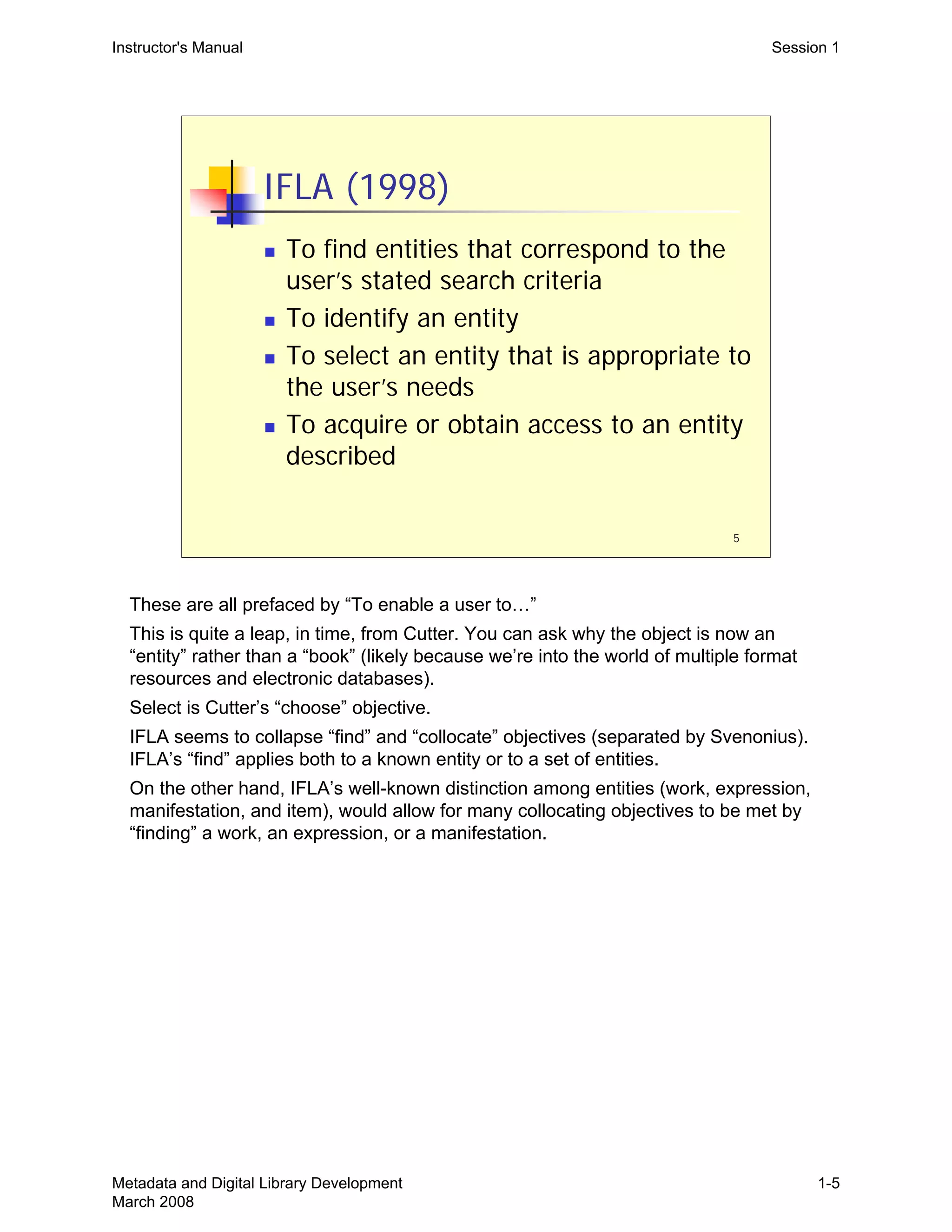
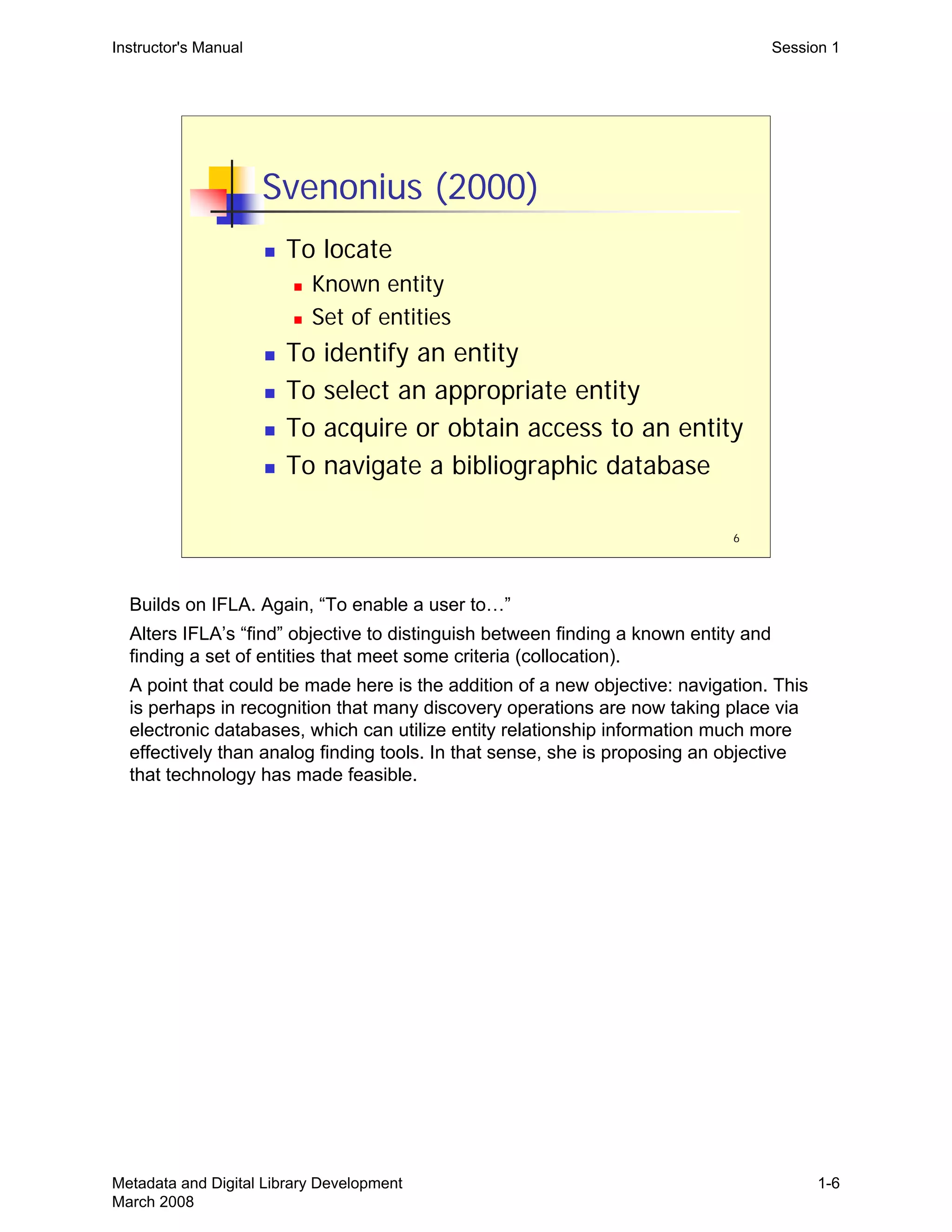
  • 9.
    Instructor's Manual PreliminaryPages Two recommended printing options: a) single slide per page, in landscape orientation (do not include slide notes) b) three slides per page, handout format, portrait orientation (see N.B below) 3) Exercises 1-6 (ceig4_exercises.pdf). 4) Appendix I—Glossary (ceig4_glossary.doc) 5) Appendix II—Selected Bibliography (ceig4_bibliography.doc) N.B. There are several slides that will not be clear enough to work with if printed in three-slide per page handout format. If printing in this format, these slides should also be printed separately as single-page slides and inserted for participants. Alternatively, since 9 of the 21 slides in Session 3 require this, you may choose to print all of Session 3 as single-slide pages. Slides that require single-slide per page treatment: Session 3: Slides 7, 8, 9, 11, 12, 13, 15, 16, 17 Trainer Materials Materials written specifically for trainers include: „ General Instructions for Trainers (the current document) „ Trainer notes associated with each slide in the Powerpoint content slides „ Exercise Notes for Trainers Course Schedule A suggested sequencing of the sessions and exercises, with breaks and lunches, for a two-day workshop schedule follows: Day 1 Introduction: Background, Goals, and Course Outline (Session 0) Session 1: Introduction to Digital Library System Objectives, Functionality, and Metadata (Exercise 1A and 1B) Break Session 2: Understanding Functional Requirements (Exercise 2) Lunch Session 3: Metadata and Functionality (Exercise 3) Break Session 4: Metadata Conversion: Enhancement and Mapping (Exercise 4) Day 2 Session 5: Metadata Workflows (begin Exercise 5) Break Session 5: Metadata Workflows continued (complete Exercise 5) Lunch Metadata and Digital Library Development v
  • 10.
    Instructor's Manual PreliminaryPages Session 6: Digital Library Development Project (Exercise 6) Break Session 6: Digital Library Development Project continued (complete Exercise 6) Workshop conclusion, wrap up Below is a possible schedule, with times: Day 1 8:00-8:30 Registration, continental breakfast (if provided) 8:30-9:00 Introduction: Background, Goals, and Course Outline (Session 0) 9:00-10:15 Session 1: Introduction to Digital Library System Objectives, Functionality, and Metadata (Exercise 1A and 1B) 10:15-10:30 Morning Break 10:30-12:00 Session 2: Understanding Functional Requirements (Exercise 2) 12:00-1:30 Lunch 1:30-3:00 Session 3: Metadata and Functionality (Exercise 3) 3:00-3:15 Afternoon Break 3:15-4:45 Session 4: Metadata Conversion: Enhancement and Mapping (Exercise 4) 4:45-5:00 Wrap up Day 1 Day 2 8:30-10:15 Session 5: Metadata Workflows (begin Exercise 5) 10:15-10:30 Morning Break 10:30-12:00 Session 5: Metadata Workflows continued (complete Exercise 5) 12:00-1:30 Lunch 1:30-3:00 Session 6: Digital Library Development Project (Exercise 6) 3:00-3:15 Afternoon Break 3:15-4:15 Session 6: Digital Library Development Project continued (complete Exercise 6) 4:15-4:30 Workshop conclusion, wrap up Metadata and Digital Library Development vi
  • 11.
    Instructor's Manual Introduction Metadataand Digital Library Development Introduction: Background, Goals, and Course Outline Course design: David Ruddy Cornell University Library 1 Suggested activities for getting started, before beginning slide content: •Introduce instructors. •Ask each participant to introduce him/herself, identifying his/her institution and position, and also, why they are there—saying a little about the connection between their job and interest in this course. You should be on the lookout here for any expectations that are not appropriate to this course—such as a survey of metadata schemes, or instructions on choosing the right metadata scheme for a particular project. Make this point when you discuss slide 2 or 3. •Go over with participants the course contents: •Table of contents •Content slides, six sessions •Glossary •Selected bibliography •Exercises 1-6 Metadata and Digital Library Development March 2008 Intro-1
  • 12.
    Instructor's Manual Introduction 2 Cat21Series Objectives „ To equip catalogers to deal with new types of resources and to recognize their unique characteristics „ To equip catalogers to evaluate competing approaches to and standards for providing access to resources „ To equip catalogers to think creatively and work collaboratively with others inside and outside their home institutions „ To ensure that catalogers have a broad enough understanding of the current environment to be able to make their local efforts compatible and interoperable with other efforts „ To prepare catalogers to be comfortable with ambiguity and being less than perfect „ To enable practicing catalogers to put themselves into the emerging digital information environment and to continue to play a significant role in shaping library services This helps situate this particular workshop within the broader Cat21 goals. Some comments or description of other Cat21 courses (e.g., Course 2 and 5) may be appropriate. Metadata and Digital Library Development March 2008 Intro-2
  • 13.
    3 Goals for thisCourse „ Understand digital library design and development processes „ Explore the relationship between data/metadata and system functionality „ Understand the motivations and strategies for metadata conversion „ Understand metadata workflow design „ Appreciate the role of metadata and metadata work in digital library development projects „ Recognize the role and contributions of the metadata specialist on a digital library project team Instructor's Manual Introduction This course takes the perspective that digital library design and development is a process, rather than a recipe that can be followed. Within that process, this workshop explores the important role of metadata, and the roles and responsibilities of the metadata specialist. Most of the exercises will ask participants to assume the role of the metadata specialist on a larger digital library team project. Depending on what you heard from participants during introductions, regarding their expectations, you may want to say something about what this course does not explicitly cover. You can do that by referring to other Cat21 courses that cover topics like a survey of metadata schemes (and when to use them), and project management: •Course 2: Metadata Standards and Applications •Course 5: Project Management for the 21st Century This course will use different metadata schemes in its examples and exercises (MARC, DC, EAD, VRA, etc.), but it is not focused on these schemes. The focus of this workshop is on the points made above—that digital library development is a process and that the metadata specialist has an important role in that process. This workshop tries to give participants a working sense of that process and the role of metadata and the metadata specialist in it. Metadata and Digital Library Development March 2008 Intro-3
  • 14.
    4 Outline of thisCourse Session 1: Digital Library System Objectives, Functionality, and Metadata Session 2: Understanding Functional Requirements Session 3: Metadata and Functionality Session 4: Metadata Conversion: Enhancement and Mapping Session 5: Metadata Workflows Session 6: Digital Library Development Project Exercise Instructor's Manual Introduction Each session, except the last, has some introductory presentation and discussion, followed by, or intertwined with, exercises. The last session, number 6, is entirely an exercise. This course takes an exercise-based approach, relying a lot on group exercises and subsequent discussion. The assumption here is that adults learn by participating rather than merely listening. Metadata and Digital Library Development March 2008 Intro-4
  • 15.
    Instructor's Manual Session1 Metadata and Digital Library Development Session 1: Introduction to Digital Library System Objectives, Functionality, and Metadata 1 Metadata and Digital Library Development March 2008 1-1
  • 16.
    2 Goals of Session „Understand the relationship between system objectives and metadata „ Examine the objectives of the library bibliographic system and how those objectives impact system metadata „ Explore the connection between digital library systems and digital library metadata „ Underscore the importance of system objectives when working with metadata Instructor's Manual Session 1 This is an introductory session. It’s meant to make the point that system metadata are intimately connected to system objectives. It starts with something familiar, the library bibliographic system, with the goal of remembering how system objectives have shaped our cataloging rules—we catalog in certain ways in order to support certain objectives. With digital library systems, the same connection applies—the metadata we create and collect, and the form we put it in, will be guided by the objectives the system is meant to achieve. One big difference is that the objectives for digital libraries systems vary enormously, just as the systems themselves vary. Metadata and Digital Library Development March 2008 1-2
  • 17.
    3 The Library Catalog „Why do we describe library materials in the way we do? „ Why do we catalog in the way that we do? „ Why do we assemble certain information (metadata) about library materials, and record this metadata in such a highly defined way? Instructor's Manual Session 1 The point here is that there’s a reason for why catalogers do what they do. It’s not to follow rules for rules sake, but because the rules support larger objectives. Sometimes those objectives are general (support known-item discovery), and sometimes they are more specific (present a alphabetized browse list of titles). Library bibliographic cataloging has become codified, and we sometimes forget the connection between objectives and metadata practices. What follows is an absurdly short intellectual history outlining various proposals regarding the objectives of bibliographic systems. The point is less any one particular proposal and more just to remind people that this kind of articulation of system objectives did go on, and is going on, in the library world and that it is a necessary activity before anyone can build a particular system. In the following slides, discussion beyond this main point probably isn’t necessary. If you want more discussion, a number of discussion points are listed. It’s important to get to the exercises and have plenty of time for them. Metadata and Digital Library Development March 2008 1-3
  • 18.
    4 Cutter (1876) Objectives ofa bibliographic system „ To enable a user to find a book if the author, title, or subject is known „ To show what the library has by a given author, on a given subject, or of a given kind „ To assist in the choice of a book based on its edition (bibliographically) or its character (literary or topical) Instructor's Manual Session 1 Cutter seems to be generally recognized as the first to explicitly articulate the objectives of a bibliographic system. The objectives or functions of a library bibliographic system are going to impact what data we need to collect about the materials in our library, and the way we record that data. Metadata and Digital Library Development March 2008 1-4
  • 19.
    5 IFLA (1998) „ Tofind entities that correspond to the user’s stated search criteria „ To identify an entity „ To select an entity that is appropriate to the user’s needs „ To acquire or obtain access to an entity described Instructor's Manual Session 1 These are all prefaced by “To enable a user to…” This is quite a leap, in time, from Cutter. You can ask why the object is now an “entity” rather than a “book” (likely because we’re into the world of multiple format resources and electronic databases). Select is Cutter’s “choose” objective. IFLA seems to collapse “find” and “collocate” objectives (separated by Svenonius). IFLA’s “find” applies both to a known entity or to a set of entities. On the other hand, IFLA’s well-known distinction among entities (work, expression, manifestation, and item), would allow for many collocating objectives to be met by “finding” a work, an expression, or a manifestation. Metadata and Digital Library Development March 2008 1-5
  • 20.
    6 Svenonius (2000) „ Tolocate „ Known entity „ Set of entities „ To identify an entity „ To select an appropriate entity „ To acquire or obtain access to an entity „ To navigate a bibliographic database Instructor's Manual Session 1 Builds on IFLA. Again, “To enable a user to…” Alters IFLA’s “find” objective to distinguish between finding a known entity and finding a set of entities that meet some criteria (collocation). A point that could be made here is the addition of a new objective: navigation. This is perhaps in recognition that many discovery operations are now taking place via electronic databases, which can utilize entity relationship information much more effectively than analog finding tools. In that sense, she is proposing an objective that technology has made feasible. Metadata and Digital Library Development March 2008 1-6
  • 21.
    7 Exercise 1-A „ Howdoes MARC metadata support the objectives of the Library Bibliographic System? „ To find/locate „ To identify „ To select „ To acquire „ What other system objectives can we detect from the system’s metadata? Instructor's Manual Session 1 For the exercise, see the trainer notes. The objectives listed here are just a summary of the previous 3 slides, useful to have in front of us when looking at the MARC records. Metadata and Digital Library Development March 2008 1-7
  • 22.
    8 The Library BibliographicSystem „ System objectives have led to specific practices in bibliographic description „ Standards such as AACR2 „ Uniform record creation is required by global bibliographic databases „ Standard record formats (MARC21) „ Desired functionality requires precise cataloging rules and conventions Instructor's Manual Session 1 A summary of what we’ve been discussing. System objectives and system data are intimately tied together. In library bibliographic systems, we see how very precise cataloging rules and practices have developed to support specific system objectives. This has taken years to develop. Metadata and Digital Library Development March 2008 1-8
  • 23.
    9 Exercise 1-B „ Exercise1-B is XML encoded metadata used by some type of digital information system „ What system objectives can we detect by examining this system’s metadata? Instructor's Manual Session 1 See the trainers notes to the exercises. Metadata and Digital Library Development March 2008 1-9

  • 24.
    10 Digital Library Systems „No agreed upon definition or objectives „ No agreed upon standards or formats „ Very little interoperability „ A huge number of players, many of whom are not librarians „ What is a “Digital Library,” anyway? „ Digital (Electronic) Information Systems? Instructor's Manual Session 1 There is no one definition of a “digital library” or “digital library system,” and definitions proposed have been rapidly evolving since first used in the 1990s. See the Glossary. You can also suggest a Google search. Since digital library systems and their objectives vary so greatly, the metadata required to meet those objectives will necessarily vary greatly. There are no agreed upon record formats, record structures, element sets, etc., for digital libraries; and certainly no agreed upon content standards. There is very little interoperability among systems, as a consequence of so few shared standards. And thus not much possibility of sharing records among systems (such as proposed and made possible by OAI). Huge number of players: the business opportunities of the internet have given rise to a lot more commercially driven information systems. Lots of competition for libraries. Perhaps a broader term, without “library” in it, is more useful and raises fewer questions? A term such as electronic/digital information system. Are we trying to claim some special status for the library’s information systems by calling them “library” systems? On the other hand, does “library” imply certain values and objectives that are not necessarily part of general electronic information systems, such as bibliographic control and long-term retention of data. Metadata and Digital Library Development March 2008 1-10
  • 25.
    11 Digital Library Systems „A different world from the Library Bibliographic System, but not an alternate universe „ Digital library system development… „ Still requires the articulation of objectives (desired system functionality) „ And those objectives will depend upon certain characteristics of available or generated metadata Instructor's Manual Session 1 The connection between functionality and metadata is the same. The big point of this session, and in some sense the workshop, is this: we can’t really talk about metadata independent of a discussion of system objectives and functional requirements. This point should be made in summing up the second exercise, 1-B (see the trainer notes for exercise 1-B). The point gets emphasized again in Session 2. Metadata and Digital Library Development March 2008 1-11
  • 26.
    12 Digital Library SystemObjectives „ To support… „ Discovery „ Navigation „ Presentation, display „ Access control „ Administration, management „ Preservation „ Others? Instructor's Manual Session 1 The objectives listed should sound familiar to librarians. This is a functional view of metadata. These functions can be associated with types of metadata (discussed in the next session): •Discovery: descriptive metadata •Navigation (of an object and its components): structural metadata •Access control: rights metadata Other objectives that a digital library might have, besides those listed? Someone will probably come up with some. Here are some possibilities, if no one thinks of any others. •Interoperability •Certification (of document authenticity) •Status (or perhaps that’s under admin/management metadata, depending on how that’s defined) •Version control Could think about different contexts: libraries within archives, museums, schools, businesses. And whether different contexts might generate different objectives. Metadata and Digital Library Development March 2008 1-12
  • 27.
    13 System Objectives? „ Whodecides on the objectives of the digital library system? „ Who decides what functionality to support? „ Who are the players or stakeholders on digital library projects? Instructor's Manual Session 1 These are a bit rhetorical. We’ve said that much will depend on objectives, and so it’s logical to ask who comes up with the objectives. The next slide has some answers. If you want interaction, you could ask for ideas before moving to the next slide. Metadata and Digital Library Development March 2008 1-13
  • 28.
    14 Digital Library Projects „Digital library stakeholders: „ Project “owner” „ Project manager „ Subject specialist „ System developer/programmer „ Metadata specialist „ Library administrator/manager „ End-users „ Others? Instructor's Manual Session 1 Starts making the point that in libraries, digital projects typically are carried out by a team of people, coming from different areas and bringing different expertise. Project owner might be faculty member coming to the library with a project, or a librarian that has received grant money for a project. The project manager might be the “owner”, but might also be assigned by administration, depending on the project. This workshop will focus a lot on the role of the metadata specialist. You can ask about “end users”. How many have been involved in projects where the end user was actually a part of the system design and implementation process? We have typically had end users represented in this process by subject specialists or others, who “speak for” the end user. Evaluation and assessment procedures may actually bring end user feedback into the design process. Those adherents to “user centered design” will claim that the end user must be included earlier in the process. Someone will think of other stakeholders. Possibilities: •Library digital preservation officer or others charged with ensuring that digital content meets some preservation requirements or standards. Or is the metadata specialist responsible for this? This will depend on the organization. •Interface specialist, or library interface police? Good interface design is essential and the project may be able to draw on those that specialize in this, or an interface specialist may routinely be assigned to web-based projects. The same person or others may also have responsibilities for maintaining a unified web presence to the public—a unified look-and-feel to all the libraries public pages. Metadata and Digital Library Development March 2008 1-14
  • 29.
    15 System Objectives? „ Howdo the stakeholders decide on system objectives? „ How is system functionality developed? „ What’s the process by which decisions are reached? Instructor's Manual Session 1 So, we have all the stakeholders. How will they come up with a set of objectives? That’s what we’ll discuss in Session II. Metadata and Digital Library Development March 2008 1-15
  • 30.
    THIS PAGE INTENTIONALLYLEFT BLANK FOR DOUBLE SIDED COPY
  • 31.
    Instructor's Manual Session2 Metadata and Digital Library Development Session 2: Understanding Functional Requirements 1 Metadata and Digital Library Development March 2008 2-1
  • 32.
    2 Goals of Session „Understand functional requirements and their usefulness „ Recognize how functional requirements inform system metadata decisions „ Understand “use cases” and how they define and record functional requirements „ Learn how a use case should be “read” by a metadata specialist Instructor's Manual Session 2 General goal is to demystify “functional requirements,” and give people a flavor of what is meant by that term. In the end, functional requirements are pretty simple. Generating them can be a complex process and may require certain expertise, but the actual requirements, and their expression, should be straightforward and easy to understand. Metadata and Digital Library Development March 2008 2-2
  • 33.
    Instructor's Manual Session2 Functional Requirements (1) „ What are functional requirements? „ In this context, functional requirements are those of a software system, not of bibliographic records (FRBR) „ A more specific and detailed description of system objectives „ They describe and define specific, required system behaviors „ Ideally, they are developed through a requirements analysis process „ They guide system implementation and programming work 3 Metadata and Digital Library Development March 2008 2-3
  • 34.
    4 Functional Requirements (2) „How do project stakeholders develop functional requirements? „ Ideally, system designers use some reasonably formal design process „ Examples of design processes: „ Rational Unified Process (RUP) „ User Centered Design „ Agile Software Development Instructor's Manual Session 2 Each of these example design processes are referenced in the bibliography. The point isn’t on any one of these, but just that such design and process technologies exist. Those charged with developing functional requirements will want to investigate. The processes listed here are not mutually exclusive. Agile can and does use Unified Process concepts and methods. User Centered is almost a philosophy, but it does tend to have certain methodologies (user observations, interviews, etc.). A Unified Process approach can be carried out employing very User Centered methodologies. Metadata and Digital Library Development March 2008 2-4
  • 35.
    5 Software Design Processes „Systematic methods for generating and defining functional requirements „ Different design processes emphasize different methodologies, but there are often many similarities among them „ Most processes employ “use cases,” though they may exploit different methods to generate and develop them Instructor's Manual Session 2 A design process isn’t purely technical, and it’s not magic. Software design, including requirements analysis, is a social activity, and thus involves a negotiation among stakeholders. This is particularly true when setting priorities. Due to limited time and resources, the system won’t be able to do everything. This workshop isn’t about software development, so the focus here isn’t software design processes. To give us a more tangible sense of functional requirements, however, we’ll look at “use cases,” which are a fairly typical methodology for recording functional requirements. Metadata and Digital Library Development March 2008 2-5
  • 36.
    6 Use Cases „ Eachuse case describes a single function of the system „ Each function is an interaction between the system and an external USER „ Each use case describes functionality, but not how that functionality will be accomplished „ The entire system may have dozens or hundreds of use cases „ Taken altogether, the use cases define the system’s functional requirements Instructor's Manual Session 2 Each interaction between an external USER and the system will become a use case. USERs are discussed in the next slide. One important point about use cases is that they do not explain how the functionality being described will be accomplished. For example, a use case would never stipulate that data should be stored in XML or in a relational database, or that some particular search tool should be used. Avoiding implementation issues simplifies the requirements phase and the generation of use cases. In precisely describing a functional requirement, it doesn’t matter at this stage how that requirement is met (what programming methods are to be used, what software tools, etc.). Those are later decisions made by software engineers. At this stage, the system is treated as a black box, and the functional requirements only describe the interactions between that box and USERs. Metadata and Digital Library Development March 2008 2-6
  • 37.
    7 The USER ina Use Case „ USERs are anything external to the system that will interact with it „ A USER may represent a class of users „ Data entry staff „ System admins „ General public users „ A USER may represent another system „ An OAI harvester Instructor's Manual Session 2 Uppercase letters are used for USER to remind us that in use cases, the USER isn’t necessary a person. And if human at all, the USER is more a class of users, or a role. But the USER can also be another system. These example USERs all interact with the system (there will be others): •Data entry staff must put data into the system •System admins must install and configure the system. •Public USERs will represent a whole range of possible interactions: searching, browsing, downloading, asking questions, etc. This will depend a lot on what the system is for. •An Open Archives Initiative harvester is a computer somewhere else that can make requests for records from our system. This assumes that one capability of our system is that it is OAI compliant and can respond to OAI requests. •A statistics generation tool, which must interact with the system but is not part of it (it’s external). Metadata and Digital Library Development March 2008 2-7
  • 38.
    8 Sample Use Case „Exercise 2: Sample Use Case „ Typical use case components: „ Priority „ Preconditions „ Flow of Events (scenario) „ Alternative Events (exceptions) „ What in this use case will depend on or impact system metadata? Instructor's Manual Session 2 See the trainer notes on the exercises. Start by looking at the Sample Use Case together, and walk through its typical components. After we’re comfortable with what the use case is, its components and structure, then we’re going to “read” it as a metadata specialist would need to read it—looking for what will depend upon or impact metadata. On this, see the trainer notes. Metadata and Digital Library Development March 2008 2-8
  • 39.
    9 Generating Use Cases „The design process used will likely guide how use cases are generated „ A typical approach is to enumerate all the possible USERs of the system (everyone and everything that will interact with it), and then list every interaction „ Each of these interactions will become a use case Instructor's Manual Session 2 Generating use cases, on one level, is a time-consuming slog. You can invite participants to imagine how they would come up with a use case like the one in Exercise 2. Different design processes will emphasize different methods. For example, a user centered design approach may study actual user search behavior to determine what’s important and what’s not. In any event, the process is never a solo affair—it’s a social negotiation, haggling over what’s important. You can enumerate USERs by asking: •Who will install the system? •Who will maintain the system? •Who will put data into the system? •What end users will interact with the system? •What other systems will interact with the system? For example, an OAI harvester? Some external search service? Then you list every way in which these users can interact with the system. Being inclusive at this point is generally encouraged (on this point, see Exercise 2, about Priority). Metadata and Digital Library Development March 2008 2-9
  • 40.
    Instructor's Manual Session2 A Complete Set of Use Cases „ Together, they define the functional requirements of the proposed system „ Documented, they form a contract among stakeholders about what the system will do and not do „ Requirements help in the inevitable “panic phase” of a project „ Requirements inform our decisions about metadata, standards, software, vendors… 10 Imagine that you have a document like Exercise 2 for every conceivable feature of the system. Participants should be able to recognize the value of that. Functional requirements form a contract among stakeholders about what the system will do, and importantly, what it will not do. This is a critical communication component of a digital library development project. It has a lot to do with managing expectations and getting informed buy-in, sign- off, etc., so that surprises are avoided and successes can be recognized. Panic phase: the six phases of a project (only half-joking): •Enthusiasm •Disillusionment •Panic •Search for the guilty •Punishment of the innocent •Praise and honors for the non-participants There are usually always times during a project when things seem out of control, and when original goals have been obscured by current pressing matters. Having documented functional requirements, even if they need some revision, can give everyone some solid ground to return to, to regroup, plan, and move forward. Metadata and Digital Library Development March 2008 2-10
  • 41.
    11 Build or Buy? „Build or buy decisions are typical in digital library development projects „ Building a digital library system „ Defining one’s own functional requirements „ Hiring programmers to build the system „ Testing, evaluation, maintenance, updates „ Acquiring a pre-built digital library system „ Finding a system with functionality that meets your requirements as nearly as possible Instructor's Manual Session 2 “Buying” here may mean “acquiring” Open Source software. Open Source software is software that is typically “free” to download and use, but it may require programming staff to setup, configure, and maintain. Having well-define requirements is useful not just when developing software but when acquiring existing systems. The more fully your institution has articulated and agreed on a complete set of requirements, the more adequately you can evaluate whether externally developed software is going to meet your needs. If you don’t know what you want, or there’s no agreement on that, then it will be difficult to find a system that ends up being satisfactory. Metadata and Digital Library Development March 2008 2-11
  • 42.
    12 Build or Buy „Both cases require articulating and documenting desired objectives and functionality „ If Build, these will develop into complete use cases „ If Buy, they will be used in the RFP process, and later to evaluate competing systems Instructor's Manual Session 2 See notes, last slide. Also with Buy—many software systems that are acquired can be modified (DSpace, ContentDM, etc.), in order to gain additional functionality or modify existing functionality. So even if you acquire software, your organization may do development work on it. Metadata and Digital Library Development March 2008 2-12
  • 43.
    13 Requirements and Metadata „Certain functional requirements will depend upon or impact system metadata „ The requirements will inform our decisions about system metadata „ What data elements are required „ What content value practices need to be adopted „ Whether metadata standards can or should be used „ If we have existing metadata, requirements will inform our analysis and conversion of it Instructor's Manual Session 2 In Exercise 2, we saw the way that requirements will impact and depend upon system metadata. This is a one of the key workshop assumptions. Metadata and metadata decisions do not exist in a vacuum. One of the take-away goals of the workshop is that when participants next hear the question “What metadata standard should we use?”, they will immediately ask “what are the system objectives, what are you trying to achieve?” The final bullet point works off this key assumption and leads toward the next two sessions. The metadata context we’ve been discussing in this session is the system and its functional requirements. What’s required of the metadata? Can it meet the requirements of the system? To answer those questions and make that connection between requirements and metadata, we’ll need to analyze metadata, to determine what functionality it can support. Then, if it requires alteration, we’ll need to figure out whether and how it can be converted. Metadata and Digital Library Development March 2008 2-13
  • 44.
    THIS PAGE INTENTIONALLYLEFT BLANK FOR DOUBLE SIDED COPY
  • 45.
    1 Metadata and DigitalLibrary Development Session 3: Metadata and Functionality Instructor's Manual Session 3 Trainer should have plans for Exercise 3—read the exercise notes. If you want to squeeze in Part II of Exercise 3, you will need to move quickly through the slides, not asking questions as you go but just making the points you want to about each. In the typical two-day format for this workshop, this session falls after lunch on the first day. It’s a tough time, no matter what the content. Metadata and Digital Library Development March 2008 3-1
  • 46.
    Instructor's Manual Session3 Goals of Session „ Review or familiarize ourselves with concepts and vocabulary of metadata assessment and analysis „ Explore the connection between metadata and functionality 2 Metadata and Digital Library Development March 2008 3-2
  • 47.
    3 Metadata Specialist Scenario „The typical digital library development situation facing the metadata specialist: „ We have some functional requirements to meet, AND we have some metadata „ BUT the metadata must be altered in some way (cleaned-up, augmented, enhanced, mapped…) so that it will meet our requirements Instructor's Manual Session 3 This is the typical situation facing the metadata specialist in digital library development. There is usually some metadata, but it requires work to make it effectively support our system objectives—the desired functionality. It’s rare that your existing metadata perfectly fits what an existing digital library system requires, or that a digital library system developed in-house is tailored precisely for an existing set of metadata. Metadata and Digital Library Development March 2008 3-3
  • 48.
    4 Metadata and Functionality „In order to match metadata with functionality, we need first to assess, or analyze, our existing metadata „ Then we can begin to evaluate whether our metadata will or won't support particular functionality and how it will need to be converted Instructor's Manual Session 3 This just presents the logic for why we’re going to discuss and practice analyzing metadata. The ability to assess, or analyze, metadata is fundamental to making use of metadata. We can’t evaluate whether some set of metadata will meet certain functional requirements, or determine how certain metadata will need to be converted, unless we can effectively analyze the metadata before us. Metadata and Digital Library Development March 2008 3-4
  • 49.
    5 Metadata Assessment „ Ifwe look at existing metadata, how do we describe what we observe? „ File Format „ Type of metadata „ Semantics „ Content values „ Structure „ Use „ Status Instructor's Manual Session 3 These are some analytic categories for assessing metadata, and we’ll walk through them in subsequent slides. Important point: The vocabulary here is somewhat arbitrary—that is, there’s no standardized vocabulary for talking about these things. Trainers and participants may have encountered other terms for the same or similar concepts. The emphasis here should be on these underlying concepts and on the process of metadata analysis, not on any particular terminology. If trainers are more comfortable with other terms, they should mention that, by way of making the above point. Metadata and Digital Library Development March 2008 3-5
  • 50.
    6 Metadata Analysis: FileFormat „ File, or data exchange, formats: „ SGML / HTML „ XML / XHTML „ MARC „ “Delimited” plain-text file „ Binary (not plain-text) formats, either open or proprietary Instructor's Manual Session 3 The concept here is: How is the metadata encoded, or communicated/conveyed? This is not the same question as asking, is this a METS or MODS file. Data exchange format is not about the data elements or data values per se, but rather about how they are expressed (encoded). Sort of like asking, is this French or is this English? There are different ways of expressing, or encoding, the same metadata: •Dublin Core terms and values in a delimited plain-text file (term/value pairs) vs. an XML encoding vs. a proprietary spreadsheet format (MS Excel). • MARC (binary file) vs. MARCXML (XML file) A delimited text file means that there’s some structure to the file (see the notes to slide 19 ahead, about structure)—some way to take it apart programmatically. Technically, SGML and XML files are plain text files—you can open and view them in any common text editor. On binary files, see notes at slide 9. MARC is a binary file format. Metadata and Digital Library Development March 2008 3-6
  • 51.
    7 Instructor's Manual Session3 XML: We know this is XML because of the XML Declaration, on the first line, which is true of all XML documents. It’s also a plain-text file; you can open it in any text editor and see all the data. You need special XML capable software to do certain things with an XML file (parsing it, validating it, etc.), but there’s a low-barrier to accessing the information in it. Both SGML and HTML are similar: text files with angle bracket delimited data. Advantages of XML: it’s common and thus there’s a wide range of tools available, free and commercial, for working with XML (parsing it, validating it, picking out specific pieces of it, etc.). Metadata and Digital Library Development March 2008 3-7
  • 52.
    8 Instructor's Manual Session3 Plain-text file (you can read it, no apparent garbage characters). You don’t need any specialized software merely to read the file—any text editor can open the file. We can also observe that it appears to be delimited with “pipe” character (|). The fact that it’s delimited gives it some structure (another analytic category that we’ll get to), and structure will allow some degree of machine processing. You may want to ignore discussion of structure, until you get to that section, up ahead. Then come back to this and some other slides as examples of what we mean by structure. It’s hard to say what the data really is without knowing. The second column contains page numbers, some encoded in ways to capture non-numbered pages or those with roman numerals. The last two column hold sequencing data. Main point: data appears to be regularly structured and a programmer could write some software to “process” it. But that software created would likely not be reusable, since the data structure is probably idiosyncratic. Metadata and Digital Library Development March 2008 3-8
  • 53.
    9 Instructor's Manual Session3 If you look at a PDF file in a text editor, this is what you see. The fact that there are all these “garbage” characters is an indication that it’s a binary file and not plain- text. The garbage characters are instructions to specialized software for how to present the data in the file. The file above will not look nice unless you view it with software designed to understand the PDF markup. There is such software, other than that produced by Adobe, because there is a public PDF format specification, making PDF more or less and open format. But for Microsoft Office files, for example (which would also look like this in a text editor), the format specification is controlled by Microsoft. They may license it or sell it to other software vendors, but they don’t make it publicly available. Image files, even image files in an open standard, are binary files. Some image files may have “headers” or other sections with some metadata, and it may be possible to extract that metadata. Point? If your metadata is in binary files, it may be tricky to extract it. There may be software tools that can help, but some customized solution may have to be developed. Metadata and Digital Library Development March 2008 3-9
  • 54.
    10 Metadata Analysis: Type „Types of metadata „ Descriptive „ Structural „ Administrative „ Technical „ Preservation „ Access/Rights Instructor's Manual Session 3 “Type” in this sense has to do with the question “what’s the metadata about,” “what is it concerned with.” These categories aren’t fixed. Some people might see Preservation metadata as a kind of Technical metadata. Administrative metadata could be construed very broadly to include Technical, Preservation, and Rights metadata. Metadata and Digital Library Development March 2008 3-10
  • 55.
    11 Instructor's Manual Session3 Primarily descriptive metadata, some sort of monograph record. The bottom half has what look like page numbers, and thus that would be considered structural metadata (metadata that tells you something about the structure of the object). (File format here is plain-text, delimited somewhat by codes which you can sort of figure out; so it’s got some structure, but a peculiar/unique structure—to process would require someone to write a unique parsing tool for. You may want to come back to the structure discussion when you treat structure up ahead.) Metadata and Digital Library Development March 2008 3-11
  • 56.
    12 Instructor's Manual Session3 Example of structural metadata, the structMap section of a METS document. This is different than asking whether the metadata itself has structure! (Which it does, since it’s nested XML.) Again, metadata “type” is about the information convey by the metadata, not how the metadata is conveyed. The structMap uses <div>s to nest all the various components, pointing to the appropriate files for each component. There is some descriptive metadata here, but there doesn’t really need to be. They are just labels, intended to make it easier to create a browse list of contents. (File format here is XML.) Metadata and Digital Library Development March 2008 3-12
  • 57.
    13 Instructor's Manual Session3 Type = technical metadata. This is a very small portion of a MIX document. MIX is a standard for capturing technical data elements for digital still images. Metadata such as this would not likely be encoded by hand. More likely, it would be prepared automatically by scanning or digital photography equipment. http://www.loc.gov/standards/mix/ (File format is XML.) Metadata and Digital Library Development March 2008 3-13
  • 58.
    14 Metadata Analysis: Semantics „Metadata element sets (“schemes”) „ MARC21 „ Dublin Core (DC) „ EAD „ MODS „ VRA Core „ METS Instructor's Manual Session 3 Standard element sets form a kind of alphabet soup, typical in the library. These are covered in Course 2. If data is in XML, it’s usually easy to detect the metadata scheme: look at the “root” element, the element at the top of the file that holds all other element inside of it. Some of these schemes are bound very closely with a particular data exchange format, to the point where they seem inseparable. For example, METS is expressed in XML; EAD is expressed in SGML or XML; But what we are looking at right here are the data element definitions, which at least in theory can be separated from an exchange syntax. This distinction is much easier to make with DC and VRA, which can be expressed, or encoded, in different file formats. Metadata and Digital Library Development March 2008 3-14
  • 59.
    Instructor's Manual Session3 15 A MODS record; we can tell because the root element identifies it as such. The file format is XML. Metadata and Digital Library Development March 2008 3-15
  • 60.
    16 Instructor's Manual Session3 A Dublin Core record of same object as the last slide. (File format is XML.) Metadata and Digital Library Development March 2008 3-16
  • 61.
    17 Instructor's Manual Session3 This is a “source” view of an HTML page. It shows what would not normally be seen within a browser—the HTML meta tags. The metadata here is Dublin Core, expressed in HTML meta tags, as name/content pairs. (File format is XML. The format is XHTML, which is HTML that adheres to some basic XML restrictions.) Metadata and Digital Library Development March 2008 3-17
  • 62.
    18 Metadata Analysis: Content „Does the metadata… „ Adhere to any published content standards or best practices? „ AACR2/RDA, EAD Best Practice (RLG), CCO „ Use any known and shared vocabularies? „ LCSH, AAT, TGM „ Adhere to any application profiles? „ Degree of conformance to any employed standards, practices, or vocabularies? Instructor's Manual Session 3 Content value standards. Participants are likely very familiar with the concept and several of the instances. “Application profile” is used here in the way the DCMI-Libraries Working Group uses it: “as a way to declare which elements from which namespaces are used in a particular application or project. Application profiles are defined as schemas which consist of data elements drawn from one or more namespaces, combined together by implementors, and optimised for a particular local application.” Application profiles are community-driven initiatives aimed at metadata interoperability. See: http://dublincore.org/documents/library-application-profile Important point: Many technical people involved with digital library development are not familiar with these standards and practices at all. This is another reason why people with a technical services background make good metadata specialists and have a lot to contribute to digital library development projects. Metadata and Digital Library Development March 2008 3-18
  • 63.
    Instructor's Manual Session3 19 Metadata Analysis: Structure „ Structure „ What is the record structure? „ Flat or hierarchical (nesting) „ What relationships are possible? How complex can they be? „ Is element qualification allowed? „ Degree of ambiguity within data? „ General character and complexity „ Simple unstructured „ Simple structured „ Richly structured Structure is a somewhat fuzzy or impressionistic concept, with no fixed distinction between “simple” and “rich” structure. But it is useful to take note of what structure any particular metadata may have, especially when there isn’t much. Structure allows for machine processing. If the data has no structure, then it will require hand processing to convert it to some other format or scheme. You can illustrate structure by looking back at these slides (or perhaps you developed the concept of structure as you worked through the slides): 8: plain-text with delimiters. Two structural elements in the file. Line breaks, dividing on line from another. And | delimiters separating parts of a line. Together these allow for a table with rows and columns. That’s useful structure, and can certainly be taken apart and converted to something else fairly easily. Simple structured. 11: also simple structured. This could be machine parsed with simple but customized software. 17: the meta tags make for simple structured data. Simple Dublin Core, however it’s expressed (even as an XML file), is simple structured data; it’s flat, non-hierarchical, few relationships conveyed by the structure. Examples of richly structured: slides 7, 12, probably 13 and 15. Simple unstructured: no example, but imagine slide 11 without the codes on the left. It would require a human to understand what the different data elements were. Metadata and Digital Library Development March 2008 3-19
  • 64.
    20 Metadata Analysis: Use „What is, or was, the intended or potential use of this metadata? „ Understanding why metadata was created and how it was used can help tell you what you can expect from it, in terms of consistency, reliability, interoperability… Instructor's Manual Session 3 This may require some speculation, or sort of detective analysis. Metadata and Digital Library Development March 2008 3-20
  • 65.
    21 Metadata Analysis: Status „Static vs. dynamic „ Static metadata will not be updated, augmented, etc.—it is essentially “dead” „ Dynamic metadata is “living,” maintained by someone, updated when needed, perhaps regularly supplemented „ This distinction will have an impact on conversion strategies and workflows Instructor's Manual Session 3 This distinction (static vs. dynamic) will be picked up in Session 5, on workflows. Metadata and Digital Library Development March 2008 3-21
  • 66.
    Instructor's Manual Session3 Metadata Analysis Exercise „ Exercise 3: Metadata Analysis „ Metadata assessment „ Functional evaluation of metadata „ Will this metadata support the required functionality? 22 Metadata and Digital Library Development March 2008 3-22
  • 67.
    1 Metadata and DigitalLibrary Development Session 4: Metadata Conversion: Enhancement and Mapping Instructor's Manual Session 4 Trainers could begin by asking whether any participants are involved in any “database enrichment” or “database maintenance” activities within their library. Basically, any efforts to fix, improve, clean-up MARC records in their catalogs. What this session is about is something very similar, but in the digital library context, where we have less history and fewer defined practices for what we do. In any event, doing this work with the catalog is very useful experience when working with non-MARC and non-MARC systems. Alternatively, you could wait and make this point at slide 3. Metadata and Digital Library Development March 2008 4-1
  • 68.
    Instructor's Manual Session4 Goals of Session „ Explore the reasons for converting metadata „ Discuss measures for assessing and ensuring the quality of metadata „ Examine metadata mapping and its purposes „ Learn how to create a metadata map 2 Metadata and Digital Library Development March 2008 4-2
  • 69.
    3 Metadata Conversion „ Twobroad categories or types of metadata conversion work: „ Enhancement: cleaning up, adding, expanding, disambiguating, updating metadata „ Mapping: moving metadata from one format to another Instructor's Manual Session 4 Enhancement is any kind of record improvement. The point about this being a common tech services activity (see slide 1) could be made here. This Session, and the workshop, adopt a fairly simple vocabulary when it comes to mapping: •Mapping is an activity, the one of moving metadata from one format to another •A map is a thing, an instrument of some sort that makes the mapping activity possible. The term “crosswalk” is avoided here only to avoid confusion. Many (including some later slides here) would likely equate crosswalk to map, and crosswalking to mapping, but some people will make subtle distinctions among all these terms, none of which seem particularly relevant to the general ideas discussed in this workshop. See the bibliography for more in-depth discussions. Metadata and Digital Library Development March 2008 4-3
  • 70.
    4 Why Enhance Metadata? „To correct inaccuracies „ To achieve consistency „ To improve “quality” „ To fill gaps „ To provide greater or different functionality „ To foster interoperability Instructor's Manual Session 4 The first three and the last are covered in the following slides. Metadata and Digital Library Development March 2008 4-4
  • 71.
    5 Metadata Accuracy <DC_record> <creator>Mitchell, WilliamJ.</creator> <creator>Stevenson, Daniel C.</creator> <creator>Schoonover, Regina</creator> <title>Urbanowski, Frank</title> <subject>City of Bits: Space, Place, and the Infobahn</subject> <subject>Electronically mediated environments</subject> <subject>Cyberspace</subject> <type>Urbanism</type> <format>Text</format> <date>text/html</date> <identifier>1995</identifier> <language>http://press.opt.edu/CityOfBits.html</language> </DC_record> Instructor's Manual Session 4 What’s wrong here? Clearly this record is messed up. It’s inaccurate, as opposed to inconsistent. We can speculate on what happened. Probably it was produced by a mechanical process, and perhaps that process didn’t expect more than three creators. But we don’t really know. Metadata and Digital Library Development March 2008 4-5
  • 72.
    6 Metadata Consistency „ DCrecords with a <dc:date> element „ Most formatted in full W3C-DTF format (e.g., <dc:date>YYYY-MM-DD</dc:date>), „ except for: <dc:date>2000-08</dc:date> <dc:date>1996</dc:date> <dc:date>July 5, 2001</dc:date> <dc:date>2000 Revision</dc:date> <dc:date>July 19, 1996</dc:date> <dc:date>2001.06.04</dc:date> Instructor's Manual Session 4 A simple example of metadata enhancement. These are not inaccuracies, but illustrate potential inconsistencies, which could create problems in handling and using this metadata. If the metadata is shared, these may become barriers to interoperability. The first two are not necessarily data inconsistencies. The W3C-DTF format allows for truncated forms: YYYY or YYYY-MM. So this has more to do with being sure the system can handle such truncated forms properly. Metadata and Digital Library Development March 2008 4-6
  • 73.
    7 “Quality” Metadata “Objects, metadata,and collections must now be viewed not only within the context of the projects that created them but as building blocks that others can reuse, repackage, and build services upon.” A Framework of Guidance for Building Good Digital Collections. 2nd ed. NISO, 2004. http://www.niso.org/framework/framework2.html Instructor's Manual Session 4 In today's digital environment, the context of content is a vast international network of digital materials and services. Objects, metadata and collections should be viewed not only within the context of the projects that created them but as building blocks that others can reuse, repackage, and build services upon. Indicators of goodness correspondingly must now also emphasize factors contributing to interoperability, reusability, persistence, verification and documentation. Example: if metadata is too narrowly defined for a particular project, it may not be useable, or easily useable, for other projects. The loss of contextual information, with regard to metadata, is sometimes called the “on a horse” problem. Say you have many photographs, all of Teddy Roosevelt. One of them is of Roosevelt on a horse, and the metadata title that photo is given is “On a horse”. The title has meaning in its immediate context, but only there. If the record of that photo is taken out of that context, the title is of little value. On this, see: Robin Wendler, “The eye of the beholder: Challenges of image description and access at Harvard,” In Diane I. Hillmann and Elaine L. Westbrooks, eds. Metadata in Practice. Chicago: American Library Association, 2004. (Hillmann & Westbrooks is in the Bibliography.) Metadata “quality” is a topic of Cat21 Course 2. Metadata and Digital Library Development March 2008 4-7
  • 74.
    8 Indicators of MetadataQuality „ Appropriate to the collection, its users, and the use of the objects in it „ Supports interoperability „ Uses standard controlled vocabularies „ States conditions and terms of use „ Possesses the qualities of good objects „ Supports long-term management Instructor's Manual Session 4 These points are from the Framework document of the previous slide. We're not creating metadata in a vacuum. This should be a collaborative process. Digital library development increasingly takes a team approach to implementation. Metadata and Digital Library Development March 2008 4-8
  • 75.
    9 Approaches to Interoperability „Convert to a single metadata scheme „ Allow diverse metadata schemes and map to a common scheme for particular purposes „ For example: access, or sharing metadata „ Use a hybrid approach that involves some uniformity and some mapping Instructor's Manual Session 4 Assuming we wish to foster interoperability…. Again, this is largely about thinking outside the immediate context. See “Best Practices for OAI Data Provider Implementations and Shareable Metadata” in the Bibliography. Metadata and Digital Library Development March 2008 4-9
  • 76.
    10 Tools for Interoperability „Metadata standards „ Application profiles „ Community developed best practices „ Community accepted metadata maps (crosswalks) Instructor's Manual Session 4 “Application profile” is used here in the way the DCMI-Libraries Working Group uses it: “as a way to declare which elements from which namespaces are used in a particular application or project. Application profiles are defined as schemas which consist of data elements drawn from one or more namespaces, combined together by implementors, and optimised for a particular local application.” Application profiles are community-driven initiatives aimed at metadata interoperability. See: http://dublincore.org/documents/library-application-profile and http://www.ariadne.ac.uk/issue25/app-profiles/ Metadata and Digital Library Development March 2008 4-10
  • 77.
    Instructor's Manual Session4 Metadata Mapping „ A formal, repeatable conversion of metadata „ A potentially ongoing or regularly repeated conversion process „ Assumes consistent incoming metadata „ Requires a specification (called a “map” or “crosswalk”) that describes how to convert one metadata scheme format to another 11 Metadata and Digital Library Development March 2008 4-11
  • 78.
    12 http://www.loc.gov/marc/marc2dc.html Instructor's Manual Session4 A good example of a metadata map. Note, this maps from MARC to simple DC, not the other way around. That is typical of simple DC mapping, moving from a richer data format to the simpler (DC). You can also note that this is only a start. To actually implement such a mapping at the local level would require discussion of strategies and many detailed decisions. For example, in mapping the 245 field into Title, do we include subfield c? There are many such decisions that can only be answered at the local level. Metadata and Digital Library Development March 2008 4-12
  • 79.
    Instructor's Manual Session4 Why Map Metadata? „ To accommodate a change or upgrade in an existing system „ To “ingest” metadata into another system, but maintain original metadata format „ To share metadata with a wider community, improving interoperability „ Metadata is diverse—we will never all use the same metadata formats 13 Metadata and Digital Library Development March 2008 4-13
  • 80.
    Instructor's Manual Session4 Metadata Mapping Caveats „ Requires good knowledge of both source and target metadata formats „ Often not a one-to-one correspondence between elements „ Typically involves some conversion operations „ Data types and values may differ „ Structure, hierarchy may differ „ Element optionality/repeatability may differ 14 Metadata and Digital Library Development March 2008 4-14
  • 81.
    Instructor's Manual Session4 Mapping Exercise „ Exercise 4: Metadata Mapping „ Creating “shareable” metadata „ Designing a detailed metadata map „ Converting from relatively rich metadata to simple Dublin Core records 15 Metadata and Digital Library Development March 2008 4-15
  • 82.
    THIS PAGE INTENTIONALLYLEFT BLANK FOR DOUBLE SIDED COPY
  • 83.
    Instructor's Manual Session5 Metadata and Digital Library Development Session 5: Metadata Workflows 1 Metadata and Digital Library Development March 2008 5-1
  • 84.
    2 Goals of Session „Understand the components of workflow design „ Understand the management aspects of metadata workflows (tasks, costs, constraints) „ Examine practical aspects of metadata conversion workflows „ Design a metadata workflow Instructor's Manual Session 5 Trainer can begin by asking how many have created or been involved in workflows in their current jobs. Probably close to 100%, and that’s the point. Data workflows are fundamental to library technical services. This session therefore deals with what the participants probably have a fair bit of experience with. The slides here may take a more analytic approach to an activity that participants are engaged with by common sense and experience. Some of this analytic approach may therefore be useful to their appreciation for what they are already doing. The first half the slides take a more analytic approach to workflows. The second half cover some practical questions about metadata conversion workflows. Metadata and Digital Library Development March 2008 5-2
  • 85.
    3 Workflow Fundamentals „ Themovement of data through a work process Input Æ Transformations Æ Output „ A work process will typically involve multiple components or individual steps (tasks and subtasks) „ Each task also has its own data movement: „ Input Æ Transformations Æ Output Instructor's Manual Session 5 This is the 2,000 mile high view of workflow, a theoretical perspective. The idea is that there is, typically, one main (perhaps very large) work process, with generally defined input and output. Then you start breaking that large task into subtasks, each with their own inputs and outputs. And then breaking each of those sub-tasks into sub-tasks, and so on and so forth until you are working at a level where a task can actually be implemented. The Output of one task will be the Input of the following task, within a workflow. Metadata and Digital Library Development March 2008 5-3
  • 86.
    4 Components of WorkflowDesign „ Workflow definition and goals „ Identifying constraints „ Defining the metadata workflow tasks and subtasks „ Designing the workflow „ Maintaining the workflow „ Cost considerations and opportunities Instructor's Manual Session 5 This is an outline of what will be considered in the first half of this sessions slides (#5-12). This is presented at a somewhat abstract and theoretical level. The last half of the session will look at more concrete and mechanical considerations. Metadata and Digital Library Development March 2008 5-4
  • 87.
    5 Workflow Definition andGoals „ Defining the workflow objectives „ Analysis of overall work process input and output „ Understand the characteristics of the workflow input (e.g., source metadata) „ Understand the characteristics of the workflow output (e.g., target metadata) „ Specifying the required transformation Instructor's Manual Session 5 First step is definition of the overall objectives. For metadata conversion projects, this will involve analysis of the source and target metadata (the workflow’s input and output). With that knowledge, we can develop a specification for transforming the input to output. Metadata and Digital Library Development March 2008 5-5
  • 88.
    6 Identifying Constraints „ Resources „Money „ Staff „ Time „ Environmental constraints „ Knowledge and expertise Instructor's Manual Session 5 We need a complete picture of what the constraints are before we can begin to design a workflow, since the constraints, by definition, are going to constrain what we can do and how we do it. Resources and time are the usual suspects, but there are other considerations. •A fundamental problem is whether we have the resources to carry out a workflow. Do you have the staff to perform the required work? If not, do you have the funds to hire additional staff? Is there potential revenue in the work being carried out to pay for additional staff or current staff time (see slide on Opportunities). •Often, we have the staff to do the work, but they are not currently available. It may not be feasible to hire additional staff. Then it is a question of time and the scheduling of work. •Environmental constraints are typically those imposed by the containing institution—like other demands on staff time, the need to share material resources (such as computer processing), or issues arising from the need to interface with other departments/units that may be part of this workflow (perhaps you depend upon them for deliveries of material, and they only deliver on Tuesdays). •A particular metadata workflow may require more knowledge and expertise than we currently have. We will have to allot time to gain this knowledge, or perhaps funds for consultants or for travel to interview experts, etc. Metadata and Digital Library Development March 2008 5-6
  • 89.
    7 Defining the Tasks „Breaking overall goal down into tasks and subtasks, small enough to be implemented „ At that level, determine each task’s… „ Requirements „ Specifying task input and output „ Complexity of transformation (input to output) „ Dependencies „ Duration „ Resource requirements Instructor's Manual Session 5 From the project description, and an appreciation of the constraints you face, you begin to break apart what needs to get done into large areas of work, then break these down into smaller (sub)tasks, and eventually you get to tasks that are at a level where they can be implemented by someone or some process. At that level (implementable tasks), you can analyze and define each task by asking about its requirements….etc. These different aspects of a task are interrelated: Greater task complexity adds to duration, and/or makes it less predicable. Complexity also adds to resource requirements (such as manual review of output). Task dependencies: there is always at least one dependency…the task input. But the task may have many others, including computing or human factors. Workflow constraints and task dependencies are related. Perhaps only certain software can perform certain tasks, and it can only be put on one computer. Perhaps only one staff member has the expertise to apply specialized subject terms. Human dependencies add to greater uncertainty in predicting duration. People can be sick, quit, go crazy. You can likely get examples from participants to illustrate any of these aspects of a task. Metadata and Digital Library Development March 2008 5-7
  • 90.
    8 Designing the Workflow „Given the constraints, how do we put all the pieces of the workflow puzzle together in the most optimal way? „ How should tasks be structured in workflow? „ Sequencing and scheduling of tasks „ Who or what will perform each task? „ What are the communication needs of the workflow? Instructor's Manual Session 5 Workflow design is like a puzzle. Many different tasks and players. What is the optimal, most cost-effective way to put all these pieces together. Communication needs: how does one task know that its inputs are ready? (Remember the input-to-output analysis can be applied to every little sub-task. So the outputs of one task will be the inputs of the next.) How do tasks (or the people performing them) communicate with each other? These are presented as considerations in the design of a workflow. Alternatively, you can think of them as considerations in the analysis of an existing workflow, perhaps leading to redesign. Metadata and Digital Library Development March 2008 5-8
  • 91.
    9 Maintaining the Workflow „How will the workflow and its tasks be tracked and evaluated? „ Who is responsible for the workflow? „ How will improvements or other changes to the workflow be made? „ Once operational, what are the workflow’s ongoing management requirements? „ How much human oversight is needed? „ How much tracking can be automated? Instructor's Manual Session 5 We can think of the workflow as a living thing, requiring some degree of “care and feeding”. Tracking is to determine whether transformations are being done as expected. Are the outputs what we wanted? Evaluation is similar, but asks also whether any task transformation can be optimized to improve productivity. Evaluation may lead to redesigning, or tweaking, the workflow puzzle. How much management oversight is necessary to carry out routine tracking? Are there a lot of human factors involved in the workflow, and thus more task complexity? Or is it only a computer process running nightly? Can management be automated by a programmatic approach to tracking? For example, if we have an automated process running nightly, can we define potential problems systematically enough such that software analysis will be able to detect problems and send alerts? Or does the data need to be manually inspected? Each day? Every so often? Do we inspect all output or can we sample? Metadata and Digital Library Development March 2008 5-9
  • 92.
    10 Workflow Cost Considerations „Workflow setup „ What is the current and required level of staff expertise with source and target metadata schemes? „ What staff skills are required to implement workflow transformations? „ What can be automated? „ Are there existing, re-usable tools available? „ What must be done manually? „ Any prior experience with this type of processing? Instructor's Manual Session 5 Staff expertise with the relevant metadata schemes is valuable, not just in carrying out the work and/or serving as a resource for other metadata staff, but for the initial evaluation and assessment necessary to define accurate time/cost estimates. The ability to quickly spot deficiencies is extremely valuable. Bringing staff up to speed, or giving them the time to investigate on their own, is a cost. What staff resources and skills will you have for effecting the actual transformations required? Programmers? Those familiar with bibliographic control? Those that are good with detailed manual work? Can you identify what you don’t know? If you are not familiar with a metadata transformation, for instance, you will tend to be overly optimistic about the time required. Same for familiarity with metadata types. If you are unfamiliar, you will probably underestimate the time required. Metadata and Digital Library Development March 2008 5-10
  • 93.
    11 Workflow Cost Considerations „Workflow maintenance „ We need to quantify the type and extent of ongoing support and maintenance the workflow will require „ Cost differences in maintaining manual vs. automated workflows „ How much management oversight does the workflow require? Instructor's Manual Session 5 Maintaining a workflow requires resources. Those responsible for department budgets need to know the workflow’s costs over the period which it will be maintained. This in fact may become a decisive factor in whether to take on this work or not. Managers need to be aware of how much of their time will be devoted to oversight. Metadata and Digital Library Development March 2008 5-11
  • 94.
    12 Opportunities and Benefits „Increased knowledge and expertise „ Revenue potential „ Greater use of collections and resources „ Greater visibility of institution Instructor's Manual Session 5 Putting together and executing a workflow has its costs, but also its benefits. The first two items here are opportunities/benefits that may accrue to the metadata specialist, or the metadata specialist’s immediate unit/department. Obviously, when cost-effective and successful workflows are in place, benefits accrue also to the entire organization and the communities/users served by the library (additional services, better meeting the needs of users, etc.). •Increasing use of collections, resources •Increasing visibility of institution So much metadata expertise is really just experience, including making mistakes. Some of the most experienced metadata practitioners are those that have made the most “mistakes,” (or, if not mistakes, just things they would now do differently). Metadata and Digital Library Development March 2008 5-12
  • 95.
    13 Practical Aspects ofWorkflows „ Types of workflows „ Characteristics of source and target metadata, and the impact on workflow design „ When to convert metadata „ How to convert metadata Instructor's Manual Session 5 This slide is an outline of the remainder of the slides in this session. We’re moving to a more practical level, talking about more mechanical aspects of metadata workflows, and specifically workflows that deal with the conversion of metadata. Metadata and Digital Library Development March 2008 5-13
  • 96.
    14 Types of MetadataWorkflows „ Enhancement and mapping Source data Æ Transformations Æ Target data „ Other workflows: „ Augmentation of records „ Analysis or evaluation „ Quality control/assurance Instructor's Manual Session 5 Metadata enhancement activities included cleaning up, adding, expanding, disambiguating, updating metadata. Mapping is moving metadata from one format to another. Both of these have the basic notion of transforming one set of data to another. There are other metadata workflows/tasks that could be considered not to involve conversion or transformation, at least strictly: •Augmentation would be some sort of regular process for adding additional records to a pile of existing records. •Metadata analysis or evaluation may be carried out regularly as part of larger processes. •QA may also be a regular set of tasks applied to particular sets of metadata. All of these activities require a set of defined tasks and thus workflows. Both analysis and QA may be an end in themselves (perhaps for hire, consulting work), may be in preparation for some specific conversion activity, or may be regular insurance activities built into larger data maintenance processes. What about data creation? Many digital projects will require the generation of metadata. Is metadata creation it’s own category of workflow, or can it be considered a type of conversion workflow? In the rest of the session, we’ll talk mostly about workflows and tasks related to metadata conversion. Metadata and Digital Library Development March 2008 5-14
  • 97.
    15 Metadata Conversion Workflows „Many aspects of the workflow will depend on the characteristics of the source and target metadata „ Static vs. dynamic source metadata „ Other source metadata considerations „ Target metadata Instructor's Manual Session 5 This sets up the next few slides, which discuss the bulleted points. Static vs. dynamic: we discussed this in Session 3, under Metadata Analysis. Now we’ll look at the impact this has on designing metadata workflows. Metadata and Digital Library Development March 2008 5-15
  • 98.
    16 Source Metadata „ Staticsource metadata suggests… „ A one time transfer of metadata from the creator or supplier „ The creator or supplier is, or will eventually be, out of the picture „ Dynamic source metadata implies… „ An ongoing, periodic transfer of the same, updated, or augmented metadata Instructor's Manual Session 5 static vs. dynamic: a refresher from Session 3. •Static implies that that your conversion workflow will be a one time process. It may be a huge conversion project, but the conversion won’t have to be repeated. •Dynamic implies that your workflow is, in a sense, in the midst of some ongoing data pipeline. You are doing some data conversion that will need to be repeated every time refreshed data comes to you. Metadata and Digital Library Development March 2008 5-16
  • 99.
    17 The Impact onWorkflow of… „ Static source metadata „ Manual processing is at least feasible „ No disincentive to apply manual work, except for cost „ A more extensive and subtle range of data enhancement is possible „ Workflow may not be directly reusable Instructor's Manual Session 5 With static source metadata, there is more potential for refined “value add” work, since it could be done by people. Metadata and Digital Library Development March 2008 5-17
  • 100.
    18 The Impact onWorkflow of… „ Dynamic source metadata „ Much depends upon the nature and rate of change of the source metadata „ There is a disincentive to use manual processing „ Correcting errors „ Manual “value-add” features „ There is an incentive to apply programmable transformations „ Workflow processes must be re-usable to be cost- effective Instructor's Manual Session 5 The incentive to apply programmatic transformation is a cost incentive. There is no incentive to do manual work. For example, you don’t want to correct data values that will be continually refreshed, clobbering your correction. The incentive in this case is to get the correction made in the source metadata, which is upstream from, and not part of, your workflow. You can refer to the DC mapping exercise in Session 4 as an example. The journal article data is presumably dynamic—corrections could be made, articles might acquire a DOI identifier in the future, etc. So our mapping would not want a step in it where a human was required to evaluate something and convert the value (say, the publication dates were not in a standard form). There would be no incentive to that since that work may be overwritten. Now, if that journal source metadata were for some reason static, and we were sure it would never change, then the disincentives against manual enhancement of the metadata go away (except cost, of course). Perhaps we would then chose to add special subject terms or convert data in some way that required more human intervention, knowing that this investment would not be lost. Metadata and Digital Library Development March 2008 5-18
  • 101.
    19 Source Metadata: Other Considerations „What or who created or supplied the metadata? „ Is there a clear and single owner? „ Multiple suppliers? „ Is the source metadata complete? „ Why was this metadata created? „ Was it created to meet specific functional needs? Instructor's Manual Session 5 Some other questions to consider about source metadata, which will impact how we design workflows to convert this metadata. These are related to the analysis of metadata in Session 3. •Single supplier or producer: the metadata will tend to be more uniform. There is one person or organization to go to with questions. The workflow may require less normalization work. •Multiple suppliers: This is the situation of many places are contributing metadata to a common project (perhaps a union catalog of Dublin Core records). Data will be less uniform, unless contributors have agreed to some standards and/or practices. And even then, there will be differences. Workflow will likely require normalization steps. Is the metadata complete or was something not finished, or some parts of it not delivered? This may impact scheduling of work. You don’t want to run processes on data and then find that you don’t have half of it. Why was the metadata created: the intended use factor in the metadata analysis session. Knowing what and how the metadata supported functional objectives will tell you about its reliability, and whether uniformity was important or not to creators. Metadata and Digital Library Development March 2008 5-19
  • 102.
    20 Target Metadata „ Whatpurposes are the metadata serving? „ Is this a locally defined element set or larger community standard? „ Is the metadata format supported, and by whom? „ Is there documentation? „ Is the format maintained and evolved over time? Instructor's Manual Session 5 In the mapping exercise of Session 4, Dublin Core was the target metadata. Questions to ask with regard to target metadata, to help us determine the nature or characteristics of that data and what will be involved in working with it. By supported we mean, is it documented? Are there instructions for applying it and examples of its use? Knowledge about the target metadata scheme is important. Is it possible to get a DTD or XML Schema that defines the element set? Is there documentation and/or help available? For DC, there is an entire community devoted to its use. Metadata and Digital Library Development March 2008 5-20
  • 103.
    21 When/How to ConvertMetadata „ Will depend on the type of metadata conversion required „ Two broad categories or types of metadata conversion work: „ Enhancement: cleaning up, adding, expanding, disambiguating, updating metadata „ Mapping: moving metadata from one format to another Instructor's Manual Session 5 The two broad types of metadata conversion were discussed in the last session (Session 4). Metadata and Digital Library Development March 2008 5-21
  • 104.
    22 When to ConvertMetadata? „ Once and only once „ Abandon source metadata in favor of improved set „ Continuously „ On-the-fly, when requested „ To feed some downstream processes „ Only when you have to „ Fixing problems when they are pointed out Instructor's Manual Session 5 This is very broadly speaking. Different approaches to converting metadata, each with there own type of workflow. Once and for all applies to a one time data conversion project. Source data is probably static. Continuous conversion suggests that your conversion workflow is just one part of a data pipeline, and the same data will be coming again. This will probably be some sort of mapping solution. “Only when you have to” may be a cost effective way to detecting and making corrections in data—wait until someone notices the problem and draws your attention to it. This is probably useful where data problems are not systematic or regular and thus defy batch cleanup processes. Metadata and Digital Library Development March 2008 5-22
  • 105.
    23 How to ConvertMetadata? „ Manually, record-by-record „ In batch, with automated processes „ Planning, testing, evaluation, more planning… „ Conversion „ Final, or ongoing, evaluation „ A hybrid approach, with some manual and some automated processing Instructor's Manual Session 5 When and how to convert metadata will, again, depend enormously on the type of conversion you’re doing. Record cleanup may require manual record-by-record work, although some systematic problems can be corrected in batch. Mapping conversion will be done by some automated process. The hybrid approach is very common in digital library projects. Metadata and Digital Library Development March 2008 5-23
  • 106.
    Instructor's Manual Session5 Workflow Exercise „ Exercise 5: Metadata Workflow „ Library Publishing—designing a workflow for a metadata conversion project 24 Metadata and Digital Library Development March 2008 5-24
  • 107.
    1 Metadata and DigitalLibrary Development Session 6: Digital Library Development Project Exercise Instructor's Manual Session 6 This session is entirely an exercise. These two slides are intended for the participants materials, but probably do not require projecting. Metadata and Digital Library Development March 2008 6-1
  • 108.
    Instructor's Manual Session6 The Slide Library Project „ Exercise 6: Digital Library Development Project—The Slide Library 2 Metadata and Digital Library Development March 2008 6-2
  • 109.
    Instructor's Manual ExerciseNotes Metadata and Digital Library Development Exercise Notes for Trainers Exercise 1-A: Library Bibliographic System Metadata (Session 1, Slide 7) The point of Exercise 1-A and 1-B is to detect and discuss the interdependency of system objectives and system metadata. They are intimately tied together. We may have lost some of our sense of this with MARC bibliographic data, since the Exercise 1-A is a pair of MARC records describing films (Exercises, pp. 1-4), so we’re looking at the MARC data and asking: „ How are the objectives of a bibliographic system, i.e., the library catalog (and we’ve just completed a brief historical review of these objectives) supported by the bibliographic system metadata in front of us. „ What other system objectives can we detect from the system metadata. Some common objectives for the library bibliographic system are listed on the slide (#7), as a summary of the brief historical survey. 1. Ask how the rules governing this data support system objectives. „ Which objectives do the descriptive rules and practices for titles and personal names support, and how? o Titles support find, identify, select. A lot gets packed into the 245. o Names in 700 fields support find; perhaps other objectives? But who would conduct a search on the term “Downey, Robert”? What objectives are served by authority control? „ Rules for subject description? „ Rules governing elements to support the “select” objective? How far to take this? What bibliographic details might a potential user wish to base a choice on? This illustrates the need for ultimately achieving a clear definition of objectives supported by a particular system (vs. open-endedness). 2. Some additional questions: „ From a bunch of similar MARC records for film, could we create a browse list of director names? o It would be difficult, unless all directors were cataloged as in Kiss Kiss, with a special subfield marker. o Would you expect or want to see Wong Kar-wai’s name presented as “Wong, Kar-wai”? MARC and Asian names? „ Do you think the use here of the 500, 508, 511, and 520 fields is driven by how users may prefer or need information delivered in order to identify/select? Some of the information in these fields (such as the cast members) is also repeated elsewhere. What does this suggest? o I’m not sure, and participants probably know better. Does it indicate a weakness of MARC with film metadata? Metadata and Digital Library Development March 2008 Exercise Notes-1
  • 110.
    Instructor's Manual ExerciseNotes „ What other system objectives can we detect from the system metadata? What other system objectives are revealed by data elements in the MARC records? Look at the control fields (001-008), number and code fields (01X-04X), classification and call number fields (05X-09X), and locally defined fields (9XX). We’ve been focusing on the discovery of library materials by library patrons. What about librarians as users, and all the system objectives in support of inventory management and control. o Other potential objectives? „ Acquisitions (ordering, invoicing, etc.) „ Serials tracking „ Circulation „ Authority control „ Classification „ Identifying source of data „ Presentation, display These objectives also require that data be collected and recorded in highly defined and precise ways. Metadata and Digital Library Development March 2008 Exercise Notes-2
  • 111.
    Instructor's Manual ExerciseNotes Exercise 1-B: Digital Library System Metadata (Session 1, Slide 9) The point of this exercise is the same as the last. In Exercise 1-A, we looked at system metadata designed for a system that all the participants are no doubt quite familiar with. Exercise 1-B is metadata designed for a system we know nothing about (Exercises, pp. 5-8). But because metadata always serves some purpose, we’re going to ask what purposes or objectives does it support, and not support. In a sense, we are “reading” or interpreting the metadata to detect something about the system it operates within. You can get into this data in different ways. A. One way is to ask a large question first: How do you imagine this metadata being used, and why? Some possibilities: „ To generate a list of films showing? „ Advertising for films? „ Publication information for a calendar? B. The other approach would be to ask more detailed questions about some of the elements, and what that indicates about system objectives. Some specific data questions: „ Director names and cast member names are all given in non-inverted form. What are you not going to be able to do with such names? o Answer: create a list of names alphabetized by surname (at least very easily—if someone says you can split names apart based on comma, look at “Robert Downey, Jr.”). Evidently, creating such a list was not an objective of the system designers. The view of the names they wanted was a presentational view, per record. „ Could you make an alphabetized list of film titles? o Answer: some real challenges here, with the initial articles, in several languages. It again suggests such a list was not an objective, and that the system was meant to store individual film metadata without browse access to titles or names. „ What do the descriptions sound like they were created for? „ What’s a large difference between one of these film records and a MARC record (the first two have MARC parallels in Exercise 1-A). There’s the level of detail of course, but more broadly, there’s no concern with item description in the film records. This isn’t about specific items (a particular DVD), or media types. Inventory control doesn’t seem to be a concern here. It appears, by examining the system’s metadata, that all the system objectives are aimed toward publication, the display of information to users—pushing information out as opposed to users sifting through it for themselves. The system certainly doesn’t appear to be about bibliographic control. And the metadata illustrates no inventory control objectives either and very little data administration (except perhaps the creationDate element?). In fact, this metadata comes from a film database for a cinema house—they temporarily acquire films for showings, and thus have no inventory. They use the data to populate campus calendars and to create fliers advertising upcoming films. Metadata and Digital Library Development March 2008 Exercise Notes-3
  • 112.
    Instructor's Manual ExerciseNotes The point here is not that this metadata is poor or that its uses are limited (even though from a library perspective, it is). Let’s assume that the data adequately fulfilled the objectives of the system it went into. The system was a simple one and had simple objectives, and it therefore required fairly simple metadata. Would participants recommend more complex metadata? Why, and what would be the additional cost? There may be some good points made, but if we assume that the system is doing everything its users currently want, then to provide a lot richer metadata for such a system would be unnecessary and likely even wasteful (nearly always, richer metadata equals greater cost). In digital library work, we take a practical approach to metadata, since there is no single, widely implemented data standard as there is with library bibliographic data. We ask, what metadata is required to support system objectives? And we let those answers guide the development of metadata. Of course, in some cases our system objectives may be complex, and they may include goals such as interoperability or the use of community standards. So it’s not as if we are arguing for simple metadata. We’re saying that questions about metadata cannot be answered in a vacuum—they must be answered in the context of system objectives. Metadata and Digital Library Development March 2008 Exercise Notes-4
  • 113.
    Instructor's Manual ExerciseNotes Exercise 2: Sample Use Case (Session 2, Slide 8) This should at least be started as a large group exercise. If desired, after general observations have been made, small groups could work on the question of what the metadata specialist will need to pay attention to. My experience suggests, however, that this exercise works better as a large group—it seems to be fairly new terrain for a lot of people. For that reason, the trainer should be as familiar as possible with this use case and comfortable with the goals of the exercise—introducing participants to one way of articulating functional requirements, and getting discussion on how these particular functional requirements impact metadata decisions. The point isn’t that we’ll need to write use cases, but that, as the metadata specialist, we should be able to understand requirements and determine what metadata will be required to support them. Explain what a “pre-print” system is: Pre-prints are unpublished articles that a scholar has submitted, or is about to submit, to a publication for review. Therefore, pre-prints typically have not undergone any peer-review. In many respects, a pre-print system is merely a file sharing mechanism—a large database of pre-prints that have been submitted directly by authors. This allows scholars to search for and download their colleagues’ writings. One of the advantages of a pre-print system is quickness of “publication.” An author can lay claim to a particular subject area or discovery without waiting the months it may take for formal publication. Nearly all authors also submit their articles to a formal publication with review processes. But in some fields where pre-print sharing is wide-spread (such as high-energy physics), by the time the article is formally published everyone with an interest in the article will have read it long before. A well-known and heavily used pre-print system is arXiv.org (for physics, mathematics, and related areas). A pre-print system can potentially be quite simple, and let’s assume this one is. An author will be submitting a file (the full-text of his/her article). The question we deal with here is, what other metadata will be necessary to support the kind of search functionality described in this use case. Look over the sample use case and make some general observations about what we see. You could start with “who’s the USER”, given the last slide. On that question, see below under “other general observations.” You should note that this is a fairly detailed and complete use case, which appears to follow a formal structure. Often, functional requirements are not expressed so formally, and use cases may be less detailed than this one. Librarians may encounter functional requirements expressed in a wide variety of ways. Use cases can be expressed in many different ways. There is no fixed language or format. The sample use case shows typical components of a use case, which are: „ Priority: When developing use cases in the requirements phase, most system planners try to get all possible use cases listed, even ones that represent an “in the best of all worlds” approach. Having everything down allows project planners to then take a comprehensive view of all development possibilities, present a complete range of possibilities to decision makers, and avoids surprises and misunderstandings later (“I Metadata and Digital Library Development March 2008 Exercise Notes-5
  • 114.
    Instructor's Manual ExerciseNotes thought this system was going to do X!!”). Once all possibilities are in front of the project team, priorities are assigned. This can be done in different ways depending on the project. Perhaps the choices are merely “essential | non-essential”, meaning the use case will be implemented or it won’t. A tough choice, but the project timeline and budget may require that sort of in/out decision making. Or perhaps, if a project has a longer potential development period, priorities are assigned by project phases: “Phase I | Phase II | later.” „ Preconditions: A use case describes one discrete interaction between system and USER. Preconditions describe the state of affairs, or necessary environment, that needs to be in place before the USER can interact with the system in the particular way described by this use case. „ Flow of Events: This describes the use case scenario as individual steps. This could be expressed in narrative form, though numerical steps are easier to follow. Since there will often be ways in which the scenario could take a different turn, this one is considered the “main” or “ideal” flow of events. Exceptions are then listed elsewhere (here, in the Alternative Events section). „ Alternative Events: This is a list of exceptions to the main scenario, things that may happen to cause the main scenario to go in a different direction, be cut short, etc. There are almost always potential exceptions, particularly when the USER is a human. All USERs are external to the system and are therefore out of the system’s control. A final point about Alternative Events is made down below. You could raise that here, if desired. Other general observations: „ Who is the USER in this use case. The USER here represents a class of general public (human) users, those searching the system. „ Use cases are used by system programmers to guide their work. The more that use cases are broken down into discrete interactions, with each interaction precisely spelled out, the more useful they are for programmers to work from. Imagine if the requirement was merely that users should be able to search the system. We don’t know if this is a simple or advanced search, and without knowing that, implementation would be guess work. Or imagine if this use case wasn’t very precise and merely stated that “Advanced Search” was necessary (the first two sentences and the priority), without the scenario steps. If that is give to the programmer, there are a lot of unanswered questions. Either the programmer has to seek out someone to answer them, or will have to come up with his/her own answers. One of the goals of generating functional requirements is to be sure that system design is not carried out by single individuals working alone. „ The use case has a number on it, “8.3.2,” suggesting that it is one use case among many describing the functions of this system. There’s also some classification grouping in use. So, we could speculate that “Simple Search” might be 8.3.1. The main point is that a system could have dozens of use cases describing every interaction an external USER may have with the system. Large enterprise systems may have hundreds. Metadata and Digital Library Development March 2008 Exercise Notes-6
  • 115.
    Instructor's Manual ExerciseNotes After general observations about the use case, you can begin to ask questions that will concern the metadata specialist. Ask participants to take on the role of the metadata specialist on the digital library project team that is designing and implementing this system. The metadata specialist is going to be responsible for the shape of metadata flowing into this system and will have to ensure that this metadata can fulfill the objectives of the system. So what we want to do is walk through the Flow of Events and ask which of these will depend on or impact system metadata decisions. These are the ones the metadata specialist needs to focus on and perhaps raise questions about. The notes below are fairly detailed in order to give trainers as much information as possible. Trainers will need to assess how far to take discussion, given the particular workshop participants and their interests. „ Step 1: Doesn’t have anything to do with the metadata specialist, strictly speaking. Librarians often tend toward interface issues and some may say that five boxes are too many, etc. But that’s an interface and usability issue, not metadata—that’s for a different role on the project team. Throughout, steer people away from questions strictly related to the interface. „ Step 2: This won’t normally have to do with the metadata specialist. „ Step 3: The metadata specialist will be involved in this one. On a simple level, the metadata records for each pre-print will have to allow for at least these metadata fields: author, title, abstract, subject(s. You may want to leave it at that. But there’s a second, more complex interaction with system metadata here. The metadata specialist will, eventually, have looked at all the system’s use cases, and will have some sense of the general metadata requirements for records in the system. This knowledge may impact this use case. For example, perhaps multiple titles are going to have to be allowed per record, because another use case requires the display of title in different languages, if available. In that case, is a title search here on all titles, or just one, and which one? This is an implementation issue and not dealt with in a use case, but it’s an example of how the metadata specialist will need to track these sorts of things and be involved in the actual implementation work when that is carried out. That is, he/she may need to be sure that programmers receive instructions to take all titles when building the search index. Another example: if not all records are required to have abstracts or subjects, what’s the impact going to be on searches on these fields? Should users be made aware that not all records have all fields (a question the metadata specialist can put to a usability or interface specialist). „ Step 4: No metadata issues here. „ Step 5: Indicates that records need to record a submission date, with at least month/year granularity. Also means the date must be recorded in a way that it can be machine processed. That is, the system must be able to understand and sort dates by month. Argues for using a standard for such dates (such as ISO8601). „ Step 6: This step requires that each record have a date (required above already), author, and title. Author is the interesting one here, and where the metadata specialist could point out a need for clarification and more detail in the use case. Are we sorting by surname? If so, this needs to be made clear, and the implications for system Metadata and Digital Library Development March 2008 Exercise Notes-7
  • 116.
    Instructor's Manual ExerciseNotes metadata are that names need to be recorded so that they can be sorted by surname. So, is inverted order sufficient? Here again, a broader knowledge of all the system’s use cases will be required. Perhaps another use case requires that author names be presented in non-inverted order, such as on an individual record page where interface people want “pretty” presentation views of the author’s name. Then, the implications are that name metadata will need to be more complex. This could get messy, if professional titles and name suffixes (Jr., MD., etc.) are considered. The metadata specialist needs to wade through all the use cases and ultimately decide how name data will need to be captured and stored to meet the requirements of the system. „ Step 7-9: No metadata issues here. „ Step 10: This will again involve the metadata specialist. Among metadata fields to display, it proposes “extent,” defined here as the total number of pages in the pre- print. So this will need to be captured on submission or somehow calculated. Also, for display of author names, it’s clear that if there are multiple authors, all are to be displayed. What order does the system put them in (not just here but other places where pre-print authors are displayed)? Is the order of author names on a pre-print important, and if so, how is this information recorded in the metadata? And finally, each name is to be linked to a search on that author, presumably to return all pre- prints in the system by that author. This raises big questions about name authority control. If an author is once “John Doe,” and another time “J. Doe,” and yet another “J.E. Doe,” what impact will this have on author searching? What metadata related decisions will the project team be facing? Some possible solutions: o Urge/enforce authors to use the same form of their name on every pre- print. This will be an unrealistic requirement in any sizable system where authors submit their own papers. And it doesn’t avoid legitimate name collisions. o Require that author’s register with the system in order to submit, and thus their unique ID can be associated with that paper. Yet this doesn’t take into account multiple authored papers, which would require the submitting author to somehow know and indicate the IDs of all the other authors of the paper (some of whom may not be registered in the system). o Have some sort of name authority police that review every submission and unambiguously identify (“tag”) every author. Expensive. o Don’t attempt name authority control. Try to do some fancy things with fuzzy searching and figure false positives will occur. This is certainly the least expensive route to go. The metadata specialist would be very involved in this kind of discussion, since most of the solutions will depend on author metadata. For these, the specialist would need to lay out the various options and related costs (including any potential workflow and staffing requirements). Final observations: „ Notice that only the interactions between USER and system are described. There is no description of how the system will accomplish any of the actions it takes. Metadata and Digital Library Development March 2008 Exercise Notes-8
  • 117.
    Instructor's Manual ExerciseNotes „ Look at the Alternative Events. USERs are external to the system and their behavior can be constrained but not controlled. The Alternative Events describe exceptions, or other events, that might happen during the scenario of this Use Case. Many of these will result from some USER action, but not all (such as a system error). You can ask if anyone can think of other possible events that could happen to change the main flow of events. Basically, what other crazy things might a USER potentially do? There may be several, but one prominently missing one is: „ The USER submits the search with no search terms entered in the query boxes. You can make the point again, from above, that this is a formal expression of a use case, and that librarians will likely encounter functional requirements expressed far less precisely. We’ll see this in later exercises. Metadata and Digital Library Development March 2008 Exercise Notes-9
  • 118.
    Instructor's Manual ExerciseNotes Exercise 3: Metadata Analysis (Session 3, Slide 22) If this is a two-day workshop, and Session 3 runs about 1.5 hours, it is not likely that there will be enough time to complete both parts of the exercise. Under the two-day workshop format, if you really want to do both parts, you’ll need to speed through the slides. So the recommendation is to do only Part I. I’ve left Part II because the workshop could be reformatted across several half-days, etc. Or some trainers may prefer it to Part I. Benefits of doing Part Two: It is scenario based, and in that sense is a good introduction to the methodology of the final 3 exercises of the workshop. It is an application of the analysis portion of the exercise, and thus illustrates how one might apply the results of metadata analysis to making some real life decisions. It connects the issues of metadata and functionality much more than Part One alone. Disadvantages to doing Part Two: will take time to treat adequately, and you’ll be forced to speed through the slide content, limiting discussion, and push through Part One of the exercise. Part One: Analysis Don’t let attendees get bogged down in minutia here. They shouldn’t over think answers. As the instructions say, evaluating adherence to content value standards isn’t the point, but rather what standards might be examined in a more in-depth evaluation. The Exercises should have been printed so that the template is a separate page. If in 3-hole binder, then it can be physically removed. “Answers” are in the back of the attendee’s exercise booklet. Part Two: Scenarios Discussion of potential solutions to the various scenarios is included in the back of the participants’ exercise materials. So if you don’t have time for this part of the exercise, participants can go through this on their own, if they wish. If you do have time for Part II, but have only two groups, Scenarios B and C provide a nice contrast. They are identical except for the resource constraints. This of course completely changes the solutions possible. Metadata and Digital Library Development March 2008 Exercise Notes-10
  • 119.
    Instructor's Manual ExerciseNotes Exercise 4: Metadata Mapping Exercise (Session 4, Slide 15) This is intended as a small group exercise. You may want to establish the groups, give everyone a chance to read the introduction, and then go over the assignment altogether. Main points: „ This is a mapping exercise. We’re mapping from one scheme (the source metadata) to another (the target). „ The source metadata is rich but non-standard. There are three examples of the source metadata, provided on pages 35-37, with each page holding a separate example. Each example is a journal issue, and includes metadata about the issue as a whole, and then individual records about each article in the associated issue. But only one, or two, articles are shown per issue, to keep the samples short. Imagine that there may be as many as ten articles per issue. „ The target metadata is simple Dublin Core, which has only 15 possible elements. These are the only elements allowed. They are all optional and all repeatable. „ Each Dublin Core record created should describe an article in the journal hosting system. We could decide to map differently (say, every DC record is a journal issue), but article- level records makes the most sense for increasing visibility and discoverability of journal content. Depending on the group and their familiarity with Dublin Core, trainers may need to summarize: „ Simple Dublin Core, 15 elements only. Each is optional and each can repeat. But none of them can contain additional, child elements of any kind (this will become important in deciding how to deal with abstracts/Description). „ Qualified Dublin Core, or DC element refinements: these DC terms “refine” (they don’t extend) the 15 core DC elements. „ The “dumb down” principle: in a Simple DC environment, element refinements are lost, and any refined data value is associated only with the core element being refined. For example, the DC term “alternative” is a refinement of DC Title. It gives more precise information about what sort of title you have. But when reduced to simple DC, the refinement goes away and the alternative title is described only as Title. We’ve lost precision (dumbed down), but the data value is still appropriate as a DC Title. A few other points about the source metadata that people may ask about: „ If not familiar with XML: nesting is important in XML, and this is XML. Nesting is made apparent in the example metadata by indentation. Nested, or child elements, belong most directly to their parent elements. For example, the affiliation information in the first sample applies to a single author only, not directly to the article. „ A “doi” identifier is a Digital Object Identifier, a universally recognized identifier that can be used to locate the item identified via the WWW. So, is this identifier appropriate for shared metadata concerned with increasing the discoverability of resources? „ A “pii” identifier is a Publisher Item Identifier. PII’s are peculiar to individual publishers, used for internal purposes, and likely have no meaning outside of a Metadata and Digital Library Development March 2008 Exercise Notes-11
  • 120.
    Instructor's Manual ExerciseNotes particular publishing operation. Is this the sort of identifier to include in shared metadata? Once participants get going, if they are struggling with making decisions, trying to determine the “right” answer, then you can ask: why are we making this map? What’s the purpose of the target metadata scheme? How will it be used? (In other words, what are the functional objectives of the target metadata scheme?) The answer to this is the last “hint” on the Instructions (p. 34). The main reason for creating simple DC records from rich metadata is in order to share it, and the typical objective in doing so is to aid resource discovery. So let discovery guide decisions. Choose to include data most helpful to end-users in finding and selecting this resource. For an example of where this may impact decision making, see the discussion of the “date” element in the answers. For when the groups report back to the entire workshop, trainers should have carefully read the “answers” to this exercise, which are in the back of the participants’ exercises. Some good points for summary, after reporting back of the groups (or if people are struggling over these issues while they work): „ This mapping isn’t about bibliographic control. We can convert metadata for all sorts of reasons, some of which may be to exert more control over the data and the resources. But this metadata conversion project isn’t about that. It is for interoperability, metadata sharing, increasing the visibility of resources, etc. „ Along the same lines, an important point to make: This is a one-way mapping. We are converting metadata from a rich source to a fairly “dumb” target. We will lose information in the mapping process (you can ask what gets lost). It is therefore understood that this mapping is done only to allow us to export records in some common format, to share the data. The source data is not going away. The system that it lives in presumably requires the richness it exhibits in order to provide the functionality it does provide. So the hosting service will continue to use their native, source metadata format. „ Some people may have heard of “round-tripping,” of data, where you can map to a format with no data loss, and thus map back again. This should be true for MARC and MARCXML. But it is not true for this exercise. There is data loss and thus a round-trip is impossible. Possible mapping answers and points of discussion are found in the back of the attendee’s Exercise booklet. If time is short, or folks are struggling, here are some DC elements that are fairly straightforward but nevertheless illustrate what’s involved in mapping: Creator, Subject, Date, Language, More complex considerations will be required for these elements: Description, Identifier Metadata and Digital Library Development March 2008 Exercise Notes-12
  • 121.
    Instructor's Manual ExerciseNotes Exercise 5: Metadata Workflow Exercise (Session 5, Slide 24) Have different groups work on different scenarios. If you have 4 groups, have two of them work on Scenario A and two on Scenario B. This provides interesting contrasts when reporting back at the end. Allow plenty of time for reporting back. This is an important part of the exercise, as it will raise interesting questions and discussion. If you are operating with the standard workshop schedule, try to end the slides to allow some time to break into groups and familiarize themselves with the exercise and its materials, before the morning break. This will give the entire second session of the day to completing and reporting back. For familiarization, one approach is give everyone time to read through their scenario and the deliverables, and to look over the sample metadata. And then, in a large group, you may want to ask for questions and/or go over some things. Source metadata: „ Many of these MARC records are old. Participants will likely notice that they do not adhere to current cataloging rules. This is a good think to notice, and updating MARC records may figure into a workflow design (or not). But as source metadata to work with, such records are typical—you rarely have perfect data, and you have to create processes that deal with what you have. What you want to avoid is having attention get sidetracked by a discussion of the quality of the MARC records. If this happens, it is valuable to point it out—that participants are focusing on what they know best (assuming they are catalogers), and not on the problem at hand, which is one of data conversion and the workflows that support that. Target metadata: „ Depending on participants comfort level with XML, you may need to go over the target metadata scheme on pages 71-72. This is a blank template with XML tags showing where content values would be entered (between the start and end tags). The nesting shows child/parent relationships. The top level element, monograph, has two child elements. The first is monograph_data, which holds monograph-level information. The second is monograph_parts, which holds repeating section elements. This is where the individual sections (probably chapters) of the monograph would be described. „ Required elements: if you use monograph, you must use monograph_data, and if you use monograph_data, you must at least have a title inside of it. So a monograph title is basically the only absolute requirement when submitting this data. If you do use monograph_sections, then similarly, you must use at least one section, and that must have at least a title in it. „ The main point to be sure people grasp is that this metadata scheme is very permissive in terms of how much metadata you actually use in it, and thus the libraries have huge latitude as to how much metadata to provide. Valid metadata records can be created with only a monograph title in them. That’s the minimum, and it is therefore an option. What are the project objectives that encourage us to provide more than the minimum, or the project constraints that keep us closer to the minimum? Metadata and Digital Library Development March 2008 Exercise Notes-13
  • 122.
    Instructor's Manual ExerciseNotes Deliverables: „ The list of deliverables for Exercise 5 may appear daunting. Emphasize that most of these deliverables can and should be answered quickly—tell them to just march along and bang out answers as best they can. As participants work through this exercise, if they are struggling with what terminology to use, or how to answer the questions, direct them back to the slides. The deliverables list is more or less straight from the slides (esp. Session 5, slide 4-12). „ It is worth emphasizing the point made at the top of the deliverables: they are only responsible for the metadata operation here. Other team members will be responsible for figuring out selection, scanning workflows, etc. There can be a tendency to think of this as “project management” rather than metadata workflow design and management. „ Depending on the groups, you may need to spend time with them as they work. Some groups will get it and some won’t. Ask groups to get your attention if any one part is taking them very long, if they are getting bogged down. „ Don’t let anyone do deliverable 8, the metadata mapping, before they’ve finished everything else. You may want to tell participants that step 8 is only for “fun” if they finish everything else. Some people like maps, but this exercise is primarily about workflow design. The point of have the mapping deliverable is just to emphasize that part of setting up and running this workflow will involve creating some metadata maps. „ If time is short, then skip 3 (b) (or only have them do 3 (b) for one or two tasks), and 8. For trainers: the differences between the two scenarios: These differences will probably become clear during the reporting back and you should point them out at that time. As long as participants understand their own scenario, it’s not necessary for them to understand how theirs differs from the other. That’s instructive in reporting back and summarizing the exercise, but not useful in trying to complete it. The two scenarios have the same source and target metadata, and so the primary distinction between them is one of environmental or contextual constraints. Essentially, B has greater resource constraints than A. The incentive to participate in B is that, in time, and if successful, it will serve the greater good—access to more full-text titles than would be possible by most single institutions. There is no commercial incentive in B, as there is with A. B will require spending resources (member fees, staff time for work), with no financial return, and so these libraries will always be evaluating opportunity costs (what they could do with these resources if they weren’t being spent on this project), and trying to keep those costs as low as possible. In contrast, A has some financial incentives to participate, potentially returning to the library money which at a minimum could be used to support the operation (low or no opportunity costs), and might even support other library operations, if things were wildly successful. Metadata and Digital Library Development March 2008 Exercise Notes-14
  • 123.
    Instructor's Manual ExerciseNotes Scenario A is not constraint free, however. What we might call an environmental constraint is the inability to make any substantial modifications to the MARC records in the catalog. If this library wants to augment the MARC metadata, this means they will have to figure out how to do this outside the catalog. Notes on the deliverables: 1 (a): What is important here is how clearly the conversion articulated objectives demonstrate a full appreciation of what it is they are trying to accomplish. See the final point under “Target metadata,” above. Has there been a definite decision to augment the metadata? Do the broad objectives summarize the activity? Has there been a definite decision not to go beyond supplying any metadata not already within a MARC record? The tendency will be to say that “the MARC records will be converted to the target metadata,” which may be accurate, if that’s all that’s going to happen, but if augmenting the metadata is part of the project, then it’s incomplete as a description of the overall workflow. 1 (b), (c): These are pretty straightforward, relying on what we did in Session and Exercise 3. There’s nothing too tricky here. The interesting points may be: „ We don’t know too much about the target metadata format, but it seems to be simple enough though not a standard. On the other hand, if a number of other libraries are using it, there are likely to be others with knowledge of it who could share their experiences (or even data— such as author bios). „ The target metadata’s intended use appears to be to advertise and/or sell books. That is, the data model includes possible author bios, author photos, and cover images. These are the sorts of things that a business like Amazon would likely be interested in. In scenario A, we know this sort of metadata helps sell books, so there’s some incentive to come up with it. The question for that group will be what are the opportunities and costs of doing so. For scenario B, they aren’t selling books, so it’s unlikely they would justify spending resources on this type of metadata. „ The status of the source metadata is important. These are MARC records and thus, in terms of their use within a catalog, they need to be considered dynamic. They may rarely change, but they are in a working, production system that allows them to be changed. On the other hand, if the records are going to be divorced from the catalog (as they may with Scenario A), then that data is in a sense static. The two scenarios will likely differ here: o Scenario A will likely pull the MARC records from the catalog (perhaps after some scan to correct any obvious problems that you would want to correct in MARC, or to tag them in some way). At that point, assuming the library wants to augment the metadata, and knowing that they cannot put that extra data in the catalog, the data is basically divorced now from the catalog. This gives the metadata specialist more room to move in terms of how the metadata might be modified, enhanced, etc. See the slides on “static source metadata.” It is possible of course that Scenario A participants Metadata and Digital Library Development March 2008 Exercise Notes-15
  • 124.
    Instructor's Manual ExerciseNotes will play it safe and decide not to augment the MARC data, and thus they could do catalog record extractions and automatic mappings to the target metadata format. o Scenario B is wedded to the records in the catalog. They really do need to figure out how to do regular record extractions, and then map those records to the target metadata. It is possible they could figure out a system that would allow store supplemental record metadata, and after a catalog extract, that supplemental data could be threaded into the appropriate records. But this raises the question of what their motivation would be to do this. There doesn’t seem to be much. The big challenge for Scenario B is the source-to-target mapping. They could just submit very minimal metadata, but might they be more creative in what they do with some of the MARC fields? 2: See the notes above, under “the differences between the two scenarios.” 3: This will depend on the overall workflow they come up with, and the way they break it down into tasks. There is no right answer, and different people will bring different experiences, leading to different results. Things to watch out for: „ Are we straying away from metadata? If one of the workflow tasks is “selection,” then yes, we have. „ Are the tasks broken down far enough? Do the individual tasks seem like they could be implemented as a single operation, or do they really involve several subtasks (sub-steps). 4: This will raise the issue of setup tasks versus ongoing, operational tasks. Creating a metadata map is an essential task, but in theory, it is done just once, prior to any automated conversion of data. Setup, in fact, may be its own higher level task (develop an automated metadata conversion process), which has its own set of subtasks, such as developing metadata maps, testing the conversion, etc. Setup tasks will be one-time tasks, hopefully. Depending on their nature, they may require different types of maintenance. Creating a metadata map, as noted, is over when it’s over and doesn’t require maintenance. Automated metadata conversion processes, using these maps, will likely need some monitoring and periodic evaluation. 5: It seems like both scenarios will have ongoing workflows, operating as long as the libraries participate in the book publishing project. This is especially true of Scenario B, which will likely come up with a nearly fully automated workflow, and yet one that merely needs some form of monitoring after setup, preferably automated monitoring. Assuming Scenario A goes for some metadata augmentation, then their workflow can probably not be fully automated and they’ll have more traditional metadata enrichment workflows to support, using human resources. 6: This could be all over the map. The important point is to be sure that resource costs, especially people, are on the table, and an important part of the considerations. During reporting, you can be on guard for 6 (e). Scenario B is pretty much in a box as far the resources they can contribute to this workflow down the road. Does the group get this? Be sure they aren’t proposing a workflow that assumes ongoing human resources. Metadata and Digital Library Development March 2008 Exercise Notes-16
  • 125.
    Instructor's Manual ExerciseNotes 7: This should be straightforward. See Session 5, slide 12. But no doubt someone will come up with more clever things to add. 8: It is likely there won’t be time for much detailed work on maps. „ What about author dates from MARC? Where might these go? Or editor’s given name? „ Is there any way to use the 500 notes? Is there any incentive? How will the two scenarios use these notes differently? Summary points: One point of the exercise is that it should demonstrate that workflows are often not all fully automated or all fully manual, but typically a hybrid. Another summary point could be made from some of the distinctions between the two scenarios (see above, the “differences between scenarios”), and how different objectives and constraints will lead to quite different solutions. Metadata decisions will depend on the project, or system, objectives. Metadata and Digital Library Development March 2008 Exercise Notes-17
  • 126.
    Instructor's Manual ExerciseNotes Exercise 6: Digital Library Development Exercise—The Slide Library Like Exercise 5, this one can appear daunting. But we’ve now been through the material and once the participants sort through the details of the scenarios, the deliverables should fall into place. Again, the trainers should plan to spend some time with each group, especially early, to make sure they’ve read the scenarios accurately and aren’t going down some strange path. Differences among the scenarios: The primary difference between the A and B scenarios is that between buying software and developing it in-house. Scenario A will buy a commercial product, ArtBox, and they must both evaluate to what degree it supports desired functionality and ask whether they can live with what it may not provide. Scenario B involves developing a solution within the library, giving the library much more control over achieving desired functionality. Three of the scenarios involve significant constraints that create some sort of transition period impacting metadata decisions. In the A scenarios, ArtBox won’t be VRA capable for two years, and thus there is no way to get out of the original metadata model used by the Filemaker Pro database for two years. (The assumption is that it would be better to dump the original metadata model in favor of VRA—see below under 1 (a).) In scenario B-2, they are also stuck with the original database and its data model, since they are not able to devote staff to additional software development for two years. (In B-1, they do decide to devote the resources to develop the capability that will allow them to move away from the Filemaker Pro database altogether. At most, there’s a three month transition period.) All the scenarios must deal with the problem of how to input data into the system, since this data is active and will continue to be produced. The question of data input is what distinguishes A-1 from A-2, and B-1 from B-2. A-1 has a data input method, but since one can only input DC records, the art librarian won’t use it. A-2 has no current method of data input. [This effectively makes A-1 and A-2 the same.] In B-1, the decision is made to move ahead and develop a database capable of accepting VRA data input and storing native VRA records, thus allowing them to move away from the Filemaker Pro database altogether. There may be some relatively short transition period, but this scenario is the only one that allows the library to get away from the original metadata model. In B-2, the capability of a VRA database and data input must be put off for two years, so data input will continue via the Filemaker Pro database. Thus the original metadata model will continue to be behind all the operations of this scenario, and the work will be in mapping from this metadata to the two others required: VRA and DC. Notes on the deliverables: 1 (a): The requirements that will depend on metadata are: „ The ability to search on the title of a work and bring up all images of that work. „ The ability to search by period or date and bring up all works of that period or date. Metadata and Digital Library Development March 2008 Exercise Notes-18
  • 127.
    Instructor's Manual ExerciseNotes „ The ability to search by type of work, like “painting,” or “temple,” and bring up all images pertaining to that type. 1 (a) (i-iii): The issues are similar for all three requirements. Ensuring that all records have a completed title, period, date, and work type element would be straightforward. But how do we satisfy the collocating objective that is being requested? For title, unless there is some way of collocated all images of a work (which VRA offers), then this collocation will need to be achieved by ensuring that all images of a given work share an identical title. Some analysis of the data would have to be done to evaluate how much work this would involve. An alternative to changing titles would be to insert an additional uniform title in all records. Conceivably the classification code may be of some help here. Period and date present a similar problem, if not more serious, since the date and period data values appear to be rendered in various ways, and some are missing entirely. VRA Core, with its separation of work and image, its ability to collocate all images of a work, and its formalized methods of rendering data such as dates and work types, could meet the functional objectives for the searching desired. It is also a well-supported and documented standard that is as rich as the current metadata in use. So, given other project objectives, and all things being equal, we ought to get out of the current Filemaker Pro metadata, mapping it all to VRA Core and only maintaining VRA going forward. All things are not equal, however, due to the various constraints. 1 (b): Decision has to be made about how to solve the collocating objective. Probably should choose to make corrections or enhancements to the metadata that we’d be making even if we were converting our data directly to VRA. We are ignoring copyright issues completely. Metadata and Digital Library Development March 2008 Exercise Notes-19
  • 128.
    THIS PAGE INTENTIONALLYLEFT BLANK FOR DOUBLE SIDED COPY
  • 129.
    Instructor's Manual ExercisesTOC Metadata and Digital Library Development Workshop Exercises Contents Page Exercise 1-A: Library Bibliographic System Metadata 1 Exercise 1-B: Digital Library System Metadata 5 Exercise 2: Sample Use Case 9 Exercise 3: Metadata Analysis 11 Exercise 4: Metadata Mapping—OAI DC Record Creation 33 Exercise 5: Metadata Workflow—Library Publishing 57 Exercise 6: Digital Library Development Project—Slide Collection 77 Exercise 3 Answers 97 Exercise 4 Answers 103 Metadata and Digital Library Development March 2008
  • 131.
    Instructor's Manual Exercises LibraryBibliographic System Metadata Exercise 1-A Kiss kiss bang bang Warner Bros. Pictures presents a Silver Pictures ;... 000 02820cgm a2200553Ka 450 001 5834341 005 20060731152637.0 007 vd cvaizq 008 060216p20062005cau103 e vleng d 035 __ |a (OCoLC)ocm63931059 040 __ |a TEFMT |c TEFMT |d TEF |d RCS |d GK8 |d GK6 |d WHP |d OUN 020 __ |a 0790799944 024 10 |a 012569586710 028 42 |a 58671 |b Warner Home Video 037 __ |b Midwest Tape |n http://www.midwesttapes.com 041 1_ |a eng |b fre |b spa |g eng 043 __ |a n-us-ca 245 00 |a Kiss kiss bang bang |h [videorecording] / |c Warner Bros. Pictures presents a Silver Pictures ; produced by Joel Silver ; screen story and screenplay by Shane Black ; directed by Shane Black. 250 __ |a Widescreen ed. 260 __ |a Burbank, CA : |b Warner Home Video, |c 2006. 300 __ |a 1 videodisc (ca. 103 min.) : |b sd., col. ; |c 4 3/4 in. 538 __ |a DVD, region 1, widescreen presentation; Dolby Digital 5.1 surround. 546 __ |a English, French or Spanish dialogue with optional English, French or Spanish subtitles; closed-captioned. 511 1_ |a Robert Downey Jr., Val Kilmer, Michelle Monaghan, Corbin Bernsen. 508 __ |a Director of photography, Michael Barrett ; edited by, Jim Page ; music by, John Ottman ; costume designer, Christopher J. Kristoff ; production designer, Aaron Osborne. 1 Metadata and Digital Library Development March 2008 Ex-1
  • 132.
    Instructor's Manual Exercises LibraryBibliographic System Metadata Exercise 1-A 500 __ |a Based, in part, on the novel "Bodies are where you find them" by Brett Halliday. 521 8_ |a MPAA rating: R; for language, violence and sexuality/nudity. 520 __ |a While fleeing from the cops, small time hood Harry Lockhart stumbles into an acting audition. He does so well he gets to go to Hollywood. While there, Harry pursues a girl he loved in high school and ends up geting caught up in twisted murder mystery. His only chance of getting out alive is a private detective named Gay Perry, who also works as a consultant for movies. 500 __ |a Special features: gag reel; commentary with Val Kilmer, Robert Downey Jr. and Shane Black; theatrical trailer. 650 _0 |a Acting |x Auditions |v Drama. 650 _0 |a Man-woman relationships |z California |z Los Angeles |v Drama. 650 _0 |a Private investigators |z California |z Los Angeles |v Drama. 650 _0 |a Feature films. 650 _0 |a Comedy films. 650 _0 |a Detective and mystery films. 650 _0 |a Video recordings for the hearing impaired. 700 1_ |a Downey, Robert, |d 1965- 700 1_ |a Kilmer, Val, |d 1959- 700 1_ |a Monaghan, Michelle. 700 1_ |a Bernsen, Corbin, |d 1954- 700 1_ |a Halliday, Brett. |t Bodies are where you find them. 700 1_ |a Silver, Joel. |4 prd 700 1_ |a Black, Shane. |4 aus |4 drt 710 2_ |a Warner Bros. Pictures (1969- ) 710 2_ |a Silver Pictures. 994 __ |a C0 |b COO 2 Metadata and Digital Library Development March 2008 Ex-2
  • 133.
    Instructor's Manual Exercises LibraryBibliographic System Metadata Exercise 1-A 2046 Chun guang ying hua ; Ze dong dian ying you xian gong si zhi zuo ;... 000 02679cgm a2200565 a 450 001 5414449 005 20050218162152.0 007 vd cvaizs 008 050119s2004 cc 129 0vlchi d 028 41 |a VCD2758 |b Mei Ah Entertainment 035 __ |a (CStRLIN)NYCO05-F5 040 __ |a NIC |c NIC 066 __ |c $1 090 __ |i 02/18/05 N 245 00 |6 880-01 |a 2046 |h [videorecording] / |c Chun guang ying hua ; Ze dong dian ying you xian gong si zhi zuo ; bian ju, dao yan Wang Jiawei. 260 __ |6 880-02 |a Xianggang : |b Mei ya yu le you xian gong si, |c 2004. 300 __ |a 2 videodiscs (129 mins.) : |b sd., col. ; |c 4 3/4 in. 538 __ |a VCD. 520 __ |a Loosely a sequel to Wong’s film "In the mood for love", the writer Chow in this film become a womanizer. The film tells his various relationships with a group of women. His affair with a callgirl, who resident in room 2046 in a hotel. Is 2046 a hotel room number? A train to the future? A momory? The year before China’s fifty- year of self-governing promise for Hong Kong expires? It is up to you to find its own meaning. 546 __ |a Chinese (Cantonese or Mandarin) dialogue, Chinese subtitles. 511 1_ |a Liang Chaowei, Wang Fei, Gong Li, Zhang Ziyi, Liu Jialing. 538 __ |a VCD. 500 __ |a A foreign film. 650 _0 |a Feature films |z China |z Hong Kong. 700 1_ |a Wong, Kar-wai, |d 1958- 3 Metadata and Digital Library Development March 2008 Ex-3
  • 134.
    Instructor's Manual Exercises LibraryBibliographic System Metadata Exercise 1-A 700 1_ |a Leung, Tony Chiu Wai, |d 1962- 700 1_ |6 880-03 |a Wang, Fei, |d 1969- 700 1_ |6 880-04 |a Gong, Li, |d 1965- 700 1_ |6 880-05 |a Zhang, Ziyi, |d 1979- 700 1_ |6 880-06 |a Liu, Jialing, |d 1964- 710 2_ |6 880-07 |a Chun guang ying hua. 710 2_ |6 880-08 |a Ze dong dian ying you xian gong si. 710 2_ |6 880-09 |a Mei ya yu le you xian gong si. 880 00 |6 245-01/$1 |a 2046 |h [videorecording] / |c 春光 映畫 ; 澤東 電影 有限 公司 制作 ; 編劇, 導演 王 家衛. 880 __ |6 260-02/$1 |a 香港 : |b 美亞 娛樂 有限 公司, |c 2004. 880 1_ |6 700-03/$1 |a 王 菲, |d 1969- 880 1_ |6 700-04/$1 |a 巩 俐, |d 1965- 880 1_ |6 700-05/$1 |a 章 子怡, |d 1979- 880 1_ |6 700-06/$1 |a 劉 嘉玲, |d 1964- 880 2_ |6 710-07/$1 |a 春光 映畫. 880 2_ |6 710-08/$1 |a 澤東 電影 有限 公司 880 2_ |6 710-09/$1 |a 美亞 娛樂 有限 公司. 948 0_ |a 20050208 |b r |d wt32 |e cts |h ? 957 __ |a yesasia.com/bw 998 __ |a 02/18/05 |t c |s 9114 |l NYCO |n NIC |w NYCO05F5 |d 01/19/05 |c TM |b CJK 987 __ |a PINYIN |b NIC |d c 950 __ |l WASAV |a videodisc 2187 (Chi) 955 __ |l WASAV |c 1:(disc 1-2) |s Olin Media Center |i 02/18/05 C 948 1_ |a 20050218 |b o |d tkm2 |e cts 4 Metadata and Digital Library Development March 2008 Ex-4
  • 135.
    Instructor's Manual Exercises DigitalLibrary System Metadata Exercise 1-B <?xml version="1.0" encoding="UTF-8" ?> <records> <film> <title>Kiss Kiss Bang Bang</title> <cast>Robert Downey, Jr., Val Kilmer, Michelle Monaghan, Corbin Bernsen, Dash Mihok, Larry Miller, Rockmond Dunbar, Shannyn Sossamon, Angela Lindvall</cast> <director>Shane Black</director> <release>2005</release> <country>USA</country> <description>We promise you boatloads of fun at this "deliriously enjoyable noir comedy-thriller" by veteran scriptwriter turned director, Shane Black. This pulp pleasure offers the thrills of watching Robert Downey Jr. at the top of his game playing thief-turned-actor-turned-PI Harry Lockhart, alongside the fabulously macho Val Kilmer as a real PI who goes by the name Gay Perry because he is, well, gay.</description> <runtime>102</runtime> <sound>Yes</sound> <color>Yes</color> <rating>R</rating> <creationDate>9/19/2005</creationDate> </film> <film> <title>2046</title> <cast>Tony Leung Chiu Wai, Li Gong, Takuya Kimura, Faye Wong, Ziyi Zhang, Carina Lau, Chen Chang, Wang Sum, Ping Lam Siu</cast> <director>Wong Kar Wai</director> <release>2004</release> <country>China</country> <description>Tony Leung reprises his role as the frustrated romantic of In the Mood for Love in this nominal sequel, "a complex, visually rich, pull-out-all- stops rumination on memory, regret, relationships and the creative process." (SF Chronicle) In Cantonese, Japanese and Mandarin.</description> <runtime>129</runtime> <sound>Yes</sound> <color>Yes</color> <rating>R</rating> <creationDate>6/21/2004</creationDate> </film> <film> <title>The Fly (1958 version)</title> <cast>David Hedison, Patricia Owens, Vincent Price</cast> <director>Kurt Neuman</director> <release>1958</release> <country>USA</country> <description>The Fly is the story of one man's quest to perfect a teleporter. Unfortunately, a fly gets in the machine with him in the test phase and he emerges with the fly's head on his body and his head on the fly's body.</description> <runtime>94</runtime> <sound>Yes</sound> <color>No</color> <rating>Not Rated</rating> 5 Metadata and Digital Library Development March 2008 Ex-5
  • 136.
    Instructor's Manual Exercises DigitalLibrary System Metadata Exercise 1-B <creationDate>8/27/1999</creationDate> </film> <film> <title>Das Boot - Director's Cut</title> <cast>Juergen Prochnow, Arthur Gruenemeyer, Martin May</cast> <director>Wolfgang Petersen</director> <release>1981</release> <country>Germany</country> <description>This internationally acclaimed account of a German submarine crew was the first film to examine the ordinary German recruit's experience in WW II, and remains "a moving testament to the wastefulness of battle" (New York Times). The new director's cut features almost an hour of extra footage and a remixed soundtrack.</description> <runtime>210</runtime> <sound>Yes</sound> <color>Yes</color> <rating>R</rating> <creationDate>8/27/1999</creationDate> </film> <film> <title>Jim Dine: A Self Portrait on the Walls</title> <cast /> <director>Richard Stilwell</director> <release>19951996</release> <country>USA</country> <description>Two short documentaries about internationally renowned artist Jim Dine. The first records eight days of intense work and quiet rumination as Dine produces an exhibition of huge, bold charcoal drawings directly on the walls of the Ludwigsburg Kunstverein near Stuttgart, Germany. It is an unusual and transitory exhibition in that the drawings remain on the walls for only six weeks before being painted over. All About Looking depicts Dine teaching drawing (from male and female nude models) at the famed Internationale Sommerakademie fur Bildene Kunst in Salzburg, Austria. The class (and the viewer) learns that the effort is not geared toward the creation of a finished product; it is the process that is all important -- an understanding that is both liberating and fortifying and designed to enable the student to look and to see. Cosponsored with the History of Art Majors' Society.</description> <runtime>57</runtime> <sound>Yes</sound> <color>Yes</color> <creationDate>3/10/2006</creationDate> </film> <film> <title>L'Atalante</title> <cast>Jean Daste, Dita Parlo</cast> <director>Jean Vigo</director> <release>1934</release> <country>France</country> <description>Jean Vigo's genius emerges from this enchanting story of a marriage tested by life on the Atalante, a river barge. His poetic setpieces, artistic vison and life-affirming spirit animate multiple emotional truths.</description> 6 Metadata and Digital Library Development March 2008 Ex-6
  • 137.
    Instructor's Manual Exercises DigitalLibrary System Metadata Exercise 1-B <runtime>89</runtime> <sound>Yes</sound> <creationDate>7/17/2004</creationDate> </film> <film> <title>The Birth of Love (La Naissance de l'Amour)</title> <cast>Lous Catel, Jean-Pierre Leaud</cast> <director>Philippe Garrel</director> <release>1993</release> <country>France</country> <description>This is an investigation of love and family life by one of the most personal and daring French filmmakers of the 60s generation...If you're interested in what's happening in contemporary French cinema, this 1993 work is more than worth checking out (The Chicago Reader).</description> <runtime>94</runtime> <sound>Yes</sound> <color>Yes</color> <creationDate>8/27/1999</creationDate> </film> <film> <title>L'Avventura</title> <cast>Gabriele Ferzetti, Monica Vitti</cast> <director>Michelangelo Antonioni</director> <release>1960</release> <country>Italy</country> <description>Erotic and romantic portrait of infidelity in the bourgeois couple.</description> <runtime>145</runtime> <sound>Yes</sound> <color>No</color> <rating>Not Rated</rating> <creationDate>9/23/2002</creationDate> </film> <film> <title>Eclipse (L'Eclisse)</title> <cast>Alain Delon, Monica Vitti, Francisco Rabal</cast> <director>Michelangelo Antonioni</director> <release>1962</release> <country>Italy</country> <description>The last part of Antonioni's trilogy of spiritual dissolution, Eclipse follows a young woman of twenty-two wandering among the changing streets of Rome and addressing the transient affairs of her life.</description> <runtime>123</runtime> <sound>Yes</sound> <color>No</color> <creationDate>10/7/2002</creationDate> </film> <film> <title>Three Canonical Works: Un Chien Andalou, L'Age d'Or, Las Hurdes</title> <director>Luis Bunuel</director> 7 Metadata and Digital Library Development March 2008 Ex-7
  • 138.
    Instructor's Manual Exercises DigitalLibrary System Metadata Exercise 1-B <description>Bunuel said of Un Chien Andalou, his infamous collaboration with Salvador Dali, that audiences mistook the film for poetry, when in fact it was "basically a desperate, passionate call to murder." 75 years later, Bunuel might still be disappointed in our mad love for this inexplicable anti-montage, one of the great experiments in cinematic sleight of hand (or slap in the face). With L'Age d'Or, their next missive, came true avant-garde status: condemnation, disgust and state censorship of its sexual candor and death instinct. A radical demand for freedom amidst increasing institutionalization - - see it to misbelieve it. Two years later Bunuel, this time with full directorial control, produced the deceptive, bitter Las Hurdes (Land Without Bread). A documentary at first sight, a mock documentary with a second glance; alternatively a shallow tourist account and hyper-rational social issue film; ultimately a thorn in the hide of non-fiction history that asks, does your fantastic horror at the plight of the dispossessed really keep you up at night?</description> <runtime>106</runtime> <sound>No</sound> <color>No</color> <creationDate>9/7/2003</creationDate> </film> </records> 8 Metadata and Digital Library Development March 2008 Ex-8
  • 139.
    Instructor's Manual Exercises SampleUse Case (pre-print web hosting system for research literature) Exercise 2 8.3.2 Use Case for advanced search Description: Access to the advanced search page will be available from all pages within the article pre-print system. The system’s advanced search searches the entire database of pre-print records and all associated full-text. Priority: Critical. Advanced search functionality is considered essential to the system's usability. Preconditions: „ The system has content in it (metadata records, one per pre-print, and associated full-text). „ The system and all search tools are operational. „ The USER has selected the "advanced search" option from some page. Flow of Events: 1. The system displays an Advanced Search form, with five query boxes and all other options displayed. 2. The USER enters search terms in one or more query boxes. 3. For each query box, the USER may accept or alter the default search fields associated with that box. The possible search fields on each query box are: „ author [default in query box 1] „ title [default in query box 2] „ abstract [default in query box 3] „ subject terms [default in query box 4] „ full-text [default in query box 5] „ all fields 4. The USER may accept or alter the boolean operator radio buttons between each query box. The possible selections are: „ and [default, all buttons] „ or „ not 5. The USER may accept or alter date (pre-print submission to system) restrictions on searched content by selecting months and years from pull-down menus in "search from" and "search to" boxes. The month pull-down has all twelve months, in three- letter format. The year pull-down has year values from “2000” to the current year. Default values, which place no date restriction on searched content, are: „ Search from: Jan | 2000 [month and year of earliest pre-prints in system] „ Search to: MMM | YYYY [current month and year] 6. The USER may accept or alter search results sorting criteria. Possible search result sort orders are: „ by date [default] „ by author „ by title 9 Metadata and Digital Library Development March 2008 Ex-9
  • 140.
    Instructor's Manual Exercises SampleUse Case (pre-print web hosting system for research literature) Exercise 2 7. The USER may accept or alter the “search results per page" selection. The options are: „ 25 per page [default] „ 50 per page „ 100 per page „ 200 per page 8. The USER submits search to system by clicking a “Search” button. 9. The system executes search. 10.The system displays appropriately formatted search results meeting the USER’s search criteria. Each search result includes: „ author names, individually linked to a single-author search „ title of pre-print, linked to pre-print record „ extent of pre-print, in pages „ subject terms Alternative Events: „ The USER clicks “Reset” button. The Advanced Search form is refreshed, with empty search query boxes and setting returned to default values. „ The USER selects another system page from navigational options. No search request is sent. The USER is taken to the selected page. „ No content records match search criteria entered by USER. The system displays the advanced search form to the USER, with USER's search criteria displayed. A message says explains that no records match criteria and that criteria should be altered. „ A system error occurs. The system displays an error page (standard error message), with a button to the advanced search form. 10 Metadata and Digital Library Development March 2008 Ex-10
  • 141.
    Instructor's Manual Exercises MetadataAnalysis Exercise Instructions Exercise 3 Exercise 3 – Metadata Analysis Exercise Instructions Part One: On the following pages (pp. 13-27) are six examples of metadata having to do with archival collections. Your job is to assess each example of metadata, filling in the template on page 29. For vocabulary to use in the template, there is a short summary on page 31, drawn from the slides. Look at each example of metadata independently, ignoring the fact that they all describe the same set of archival papers. Assess each one as if it is all you have. Note that the two final examples are not in electronic form—they’re only on paper. You should try to fill out the template fairly quickly—don’t spend too much time on this, there are no trick questions! For “Content Values,” indicate any content data standards or best practices that you know are relevant. You don’t need to evaluate the degree of adherence to a standard. For “Structure,” give a general structural characterization of the metadata. “Intended Use” may invite some consideration. Part Two: Scenario A: Your University belongs to a broad consortium of cultural heritage institutions that include universities, museums, and state and local historical societies. The consortium would like to create a centralized discovery system for the consortium's vast range of archival collections. Your University Archives currently creates a MARC collection record and a paper archival guide for each of their archival collections, but it is clear that many of the consortium's smaller institutions have nothing more than an accession record for many of their collections. As an advisor to the consortium's efforts, what metadata will they need in order to create their centralized discovery system? Constraints and requirements: „ Not much in the way of resources (funding/staff) to devote to this. „ They would like something as quickly as possible. Scenario B: Your organization belongs to a broad state-wide consortium of cultural heritage institutions that include universities, museums, and state and local historical societies. The state government would like to create a centralized system with in-depth descriptions about all of the consortium's vast range of archival collections. Your organization, like most others in the consortium, have been creating, in MS Word, detailed archival guides for their archival collections and then converting these to HTML for web publication (a simple conversion operation, in MS Word). 11 Metadata and Digital Library Development March 2008 Ex-11
  • 142.
    Instructor's Manual Exercises MetadataAnalysis Exercise Instructions Exercise 3 Other than an accession record, these guides are the only information available about the collections. As an advisor to the consortium's efforts, what metadata will they need in order to create their system? Constraints and requirements: „ The state wants archival descriptions at least as detailed as the HTML guides they have now. „ The state wants sophisticated fielded searching capability in their system, such as the ability to limit searches to particular repositories, to collections that contain specific types of materials (such as letters or diaries), or to materials of a certain date range. „ It appears that that state is willing to provide whatever funds are required. Scenario C Your organization belongs to a broad state-wide consortium of cultural heritage institutions that include universities, museums, and state and local historical societies. The state government would like to create a centralized system with in-depth descriptions about all of the consortium's vast range of archival collections. Your organization, like most others in the consortium, have been creating, in MS Word, detailed archival guides for their archival collections and then converting these to HTML for web publication (a simple conversion operation, in MS Word). Other than an accession record, these guides are the only information available about the collections. As an advisor to the consortium's efforts, what metadata will they need in order to create their system? Constraints and requirements: „ The state wants archival descriptions at least as detailed as the HTML guides they have now. „ The state will commit very little funding to this project, so if it is done at all, the project must be carried out at the lowest cost possible. „ The state would like something as quickly as possible. Scenario D Your University Archives would like to gather management information about their archival collections in an electronic system, so that they can easily retrieve data and generate reports about collection donors, collection values, restricted content, and other management information. The Archives currently creates a MARC collection record and an EAD encoded archival guide for each of their archival collections. What additional metadata, if any, will the University Archives need to collect to meet their objectives? 12 Metadata and Digital Library Development March 2008 Ex-12
  • 143.
    Instructor's Manual Exercises MARCRecord Exercise 3 Vietnam War: statistical analysis and evaluation projects, 000 02721mpc a2200301 a 450 001 2088649 005 20021213151108.0 008 890420i19681972nyu eng d 035 __ |a (CStRLIN)NYCV89A51 035 __ |a (NIC)notisAKS6960 040 __ |a NIC |c NIC |e appm |d NIC |d NIC 100 1_ |a Prince, William G. 245 00 |a Vietnam War: statistical analysis and evaluation projects, |f 1968-1972. 300 __ |a .7 cubic ft. 545 __ |a Documentation was compiled by Prince as part of an Analysis of Vietnamization project, conducted by the Dept. of Applied Science and Technology, Bendix Aerospace Systems Division, sponsored by the Defense Advanced Research Projects Agency, and completed in 1973. 520 __ |a Documentation for various automated systems designed to provide data about the war in Vietnam. Systems include Project Corona Harvest to evaluate the effectiveness of airpower in Southeast Asia; Hamlet Evaluation System (HES), a reporting system designed to gather data on the progress of the rural pacification effort; SEAPRS (Southeast Asia Province file), designed to facilitate analysis of friendly and enemy military and pacification activity at the province level; PAAS (Pacification Attitude Analysis System), an automated system to provide a means of processing and reporting the results of surveys to determine the attitudes of the Vietnamese people toward pacification, the war, and political, social, and economic development; SEER (System for Evaluating the Effectiveness of RVNAF), designed to provide quantified evaluations of Vietnamese armed forces unit combat effectiveness in performance of assigned missions; AIRSUM (Air Summary Data Base), an historical record of all offensive air activity in Southeast Asia from 1965 to 13 Metadata and Digital Library Development March 2008 Ex-13
  • 144.
    Instructor's Manual Exercises MARCRecord Exercise 3 1972; and Project Corona Harvest, an Air Force project designed to evaluate the effectiveness of air power in Southeast Asia from 1954. 555 0_ |a Folder list. 544 __ |3 Additional pamphlets and reports by William G. Prince are |a housed in the Echols Collection, Kroch Library, Cornell University. 524 __ |a Prince, William G. Vietnam War: Statistical Analysis and Evaluation Systems, #4406. Division of Rare and Manuscript Collections, Cornell University Library. 650 _0 |a Vietnamese Conflict, 1961-1975. 650 _0 |a Combat |x Statistics |x Information sources. 650 _0 |a Internal security |z Vietnam. 650 _0 |a Insurgency |z Vietnam. 650 _0 |a Military art and science |x Data processing. 650 _0 |a Military art and science |x Automation. 650 _0 |a Military assistance, American |z Southeast Asia |x Computer programs. 856 40 |3 Finding aid |u http://resolver.library.cornell.edu/cgi- bin/EADresolver?id=RMM04406 905 __ |a 19920617120000.0 14 Metadata and Digital Library Development March 2008 Ex-14
  • 145.
    Instructor's Manual Exercises SimpleDublin Core Record Exercise 3 <?xml version="1.0" encoding="UTF-8" ?> <dc xmlns="http://purl.org/dc/elements/1.1/"> <title>Guide to the Vietnam War: Statistical Analysis and Evaluation Projects, 1968-1972</title> <creator>Prince, William G.</creator> <subject>Prince, William G.</subject> <subject>Vietnamese Conflict, 1961-1975.</subject> <subject>Combat--Statistics--Information sources.</subject> <subject>Internal security--Vietnam.</subject> <subject>Insurgency--Vietnam.</subject> <subject>Military art and science--Data processing.</subject> <subject>Military art and science--Automation.</subject> <subject>Military assistance, American--Southeast Asia--Computer programs.</subject> <description>Documentation for various automated systems designed to provide data about the war in Vietnam.</description> <publisher>Division of Rare and Manuscript Collections, Cornell University Library</publisher> <date>January 2002</date> <coverage>1968-1972</coverage> <type>collection</type> <format>Manuals, reports, questionnaires, correspondence, and other documents</format> <identifier>4406</identifier> <identifier>http://resolver.library.cornell.edu/cgi- bin/EADresolver?id=RMM04406</identifier> </dc> 15 Metadata and Digital Library Development March 2008 Ex-15
  • 146.
    Instructor's Manual Exercises EADDocument (incomplete) Exercise 3 T<?TTxml version="1.0" encoding="UTF-8" TT?>T T<TTeadTT>T T<TTeadheader langencodingTT="TISO 639-2T">T T <TTeadid typeTT="TSGML catalogT">TTPUBLIC "-//Cornell University::Cornell University Library::Division of Rare and Manuscript Collections//TEXT(US::NIC::RMM04406::Vietnam War: Statistical Analysis and Evaluation Projects)//EN" "RMM04406.xml"TT</TTeadidTT>T T<TTfiledescTT>T T<TTtitlestmtTT>T T T T<TTtitleproperTT>TTGuide to the Vietnam War: Statistical Analysis and Evaluation Projects, 1968-1972TT</TTtitleproperTT>T T T T<TTauthorTT>TTCompiled by E. EngstTT</TTauthorTT>T T T T</TTtitlestmtTT>T T<TTpublicationstmtTT>T T T T<TTpublisherTT>TTDivision of Rare and Manuscript Collections, Cornell University LibraryTT</TTpublisherTT>T T T T<TTdateTT>TTJanuary 2002TT</TTdateTT>T T T T</TTpublicationstmtTT>T TT</TTfiledescTT>T T<TTprofiledescTT>T T<TTcreationTT>T T T TTMartin Heggestad, January 2002. File last modified: T T T T<TTdateTT>TTJanuary 2002TT</TTdateTT>T T T T</TTcreationTT>T T<TTlangusageTT>T T T T<TTlanguageTT>TTENGTT</TTlanguageTT>T T T T</TTlangusageTT>T TT</TTprofiledescTT>TT T T T</TTeadheaderTT>T T<TTfrontmatterTT>T T<TTtitlepageTT>T T<TTtitleproperTT>T T T TGuide to the Vietnam War: Statistical Analysis and Evaluation Projects, T T T T<TTlbT T/>T T T T1968-1972T T TT</TTtitleproperTT>T T T T<TTnumTT>TTCollection Number: 4406TT</TTnumTT>T T<TTpublisherTT>T T T TDivision of Rare and Manuscript Collections T T T T<TTlbT T/>T T T TCornell University LibraryT T T T</TTpublisherTT>T T<TTlist typeTT="TdeflistT">T T<TTdefitemTT>T T T T<TTlabelTT>TTContact Information:TT</TTlabelTT>T T T T<TTitemTT>TT&RMCaddress;TT</TTitemTT>T T T T</TTdefitemTT>T T<TTdefitemTT>T T T T<TTlabelTT>TTCompiled by:TT</TTlabelTT>T T T T<TTitemTT>TTE. EngstTT</TTitemTT>T T TT</TTdefitemTT>T 16 Metadata and Digital Library Development March 2008 Ex-16
  • 147.
    Instructor's Manual Exercises EADDocument (incomplete) Exercise 3 T<TTdefitemTT>T T T T<TTlabelTT>TTDate completed:TT</TTlabelTT>T T T T<TTitemTT>TTOctober 1989TT</TTitemTT>T T T T</TTdefitemTT>T T<TTdefitemTT>T T TT<TTlabelTT>TTEAD encoding:TT</TTlabelTT>T T TT<TTitemTT>TTMartin Heggestad, January 2002TT</TTitemTT>T T TT</TTdefitemTT>T T TT</TTlistTT>T T TT<TTdateTT>TT© 2002 Division of Rare and Manuscript Collections, Cornell University LibraryTT</TTdateTT>T T T T</TTtitlepageTT>T T TT</TTfrontmatterTT>T T<TTarchdesc levelTT="TcollectionT"TT langmaterialTT="TENGT">T T<TTdidTT>T T TT<TTheadTT>TTDESCRIPTIVE SUMMARYTT</TTheadTT>T T<TTunittitle labelTT="TTitle:T">T T T TVietnam War: statistical analysis and evaluation projects, T T TT<TTunitdate typeTT="TinclusiveT">TT1968-1972TT</TTunitdateTT>T T TT</TTunittitleTT>T T TT<TTunitid labelTT="TCollection Number:T">TT4406TT</TTunitidTT>T T<TTorigination labelTT="TCreator:T">T T TT<TTpersname normalTT="TPrince, William G.T">TTWilliam G. PrinceTT</TTpersnameTT>T T TT</TToriginationTT>T T TT<TTphysdesc labelTT="TQuantity:T">TT.7 cubic ft.TT</TTphysdescTT>T T TT<TTphysdesc labelTT="TForms of Material:T">TTManuals, reports, questionnaires, correspondence, and other documents.TT</TTphysdescTT>T T TT<TTrepository labelTT="TRepository:T">TTDivision of Rare and Manuscript Collections, Cornell University LibraryTT</TTrepositoryTT>T T TT<TTabstract labelTT="TAbstract:T">TTDocumentation for various automated systems designed to provide data about the war in Vietnam.TT</TTabstractTT>T T T T</TTdidTT>T T<TTscopecontentTT>T T T T<TTheadTT>TTCOLLECTION DESCRIPTIONTT</TTheadTT>T T T T<TTpTT>TTDocumentation for various automated systems designed to provide data about the war in Vietnam. Systems include Project Corona Harvest to evaluate the effectiveness of airpower in Southeast Asia; Hamlet Evaluation System (HES), a reporting system designed to gather data on the progress of the rural pacification effort; SEAPRS (Southeast Asia Province file), designed to facilitate analysis of friendly and enemy military and pacification activity at the province level; PAAS (Pacification Attitude Analysis System), an automated system to provide a means of processing and reporting the results of surveys to determine the attitudes of the Vietnamese people toward pacification, the war, and political, social, and economic development; SEER (System for Evaluating the Effectiveness of RVNAF), designed to provide quantified evaluations of Vietnamese armed forces unit combat effectiveness in performance of assigned missions; AIRSUM (Air Summary Data Base), an historical record of all offensive air activity in Southeast Asia from 1965 to 1972; and Project Corona Harvest, an Air Force project designed to evaluate the effectiveness of air power in Southeast Asia from 1954.TT</TTpTT>T T TT<TTpTT>TTDocumentation was compiled by Prince as part of an Analysis of Vietnamization project, conducted by the Dept. of Applied Science and 17 Metadata and Digital Library Development March 2008 Ex-17
  • 148.
    Instructor's Manual Exercises EADDocument (incomplete) Exercise 3 Technology, Bendix Aerospace Systems Division, sponsored by the Defense Advanced Research Projects Agency, and completed in 1973.TT</TTpTT>T T T T</TTscopecontentTT>T T<TTcontrolaccessTT>T T T T<TTheadTT>TTSUBJECTSTT</TTheadTT>T T<TTcontrolaccessTT>T T TT<TTheadTT>TTNames:TT</TTheadTT>T T TT<TTpersname encodinganalogTT="TMARC 100T">TTPrince, William G.TT</TTpersnameTT>T T TT</TTcontrolaccessTT>T T<TTcontrolaccessTT>T T TT<TTheadTT>TTSubjects:TT</TTheadTT>T T TT<TTsubject encodinganalogTT="TMARC 650T">TTVietnamese Conflict, 1961-1975.TT</TTsubjectTT>T T TT<TTsubject encodinganalogTT="TMARC 650T">TTCombat--Statistics--Information sources.TT</TTsubjectTT>T T T T<TTsubject encodinganalogTT="TMARC 650T">TTInternal security--Vietnam.TT</TTsubjectTT>T T TT<TTsubject encodinganalogTT="TMARC 650T">TTInsurgency--Vietnam.TT</TTsubjectTT>T T TT<TTsubject encodinganalogTT="TMARC 650T">TTMilitary art and science--Data processing.TT</TTsubjectTT>T T TT<TTsubject encodinganalogTT="TMARC 650T">TTMilitary art and science-- Automation.TT</TTsubjectTT>T T TT<TTsubject encodinganalogTT="TMARC 650T">TTMilitary assistance, American--Southeast Asia--Computer programs.TT</TTsubjectTT>T T T T</TTcontrolaccessTT>T T T T</TTcontrolaccessTT>T T<TTadmininfoTT>T T TT<TTheadTT>TTINFORMATION FOR USERSTT</TTheadTT>T T<TTpreferciteTT>T T T T<TTheadTT>TTCite As:TT</TTheadTT>T T TT<TTpTT>TTVietnam War: Statistical Analysis and Evaluation Projects, #4406. Division of Rare and Manuscript Collections, Cornell University Library.TT</TTpTT>T T T T</TTpreferciteTT>T T T T</TTadmininfoTT>T T<TTadd typeTT="TrelatedmaterialT">T T<TTrelatedmaterialTT>T T TT<TTheadTT>TTRELATED MATERIALTT</TTheadTT>T T<TTpTT>T T T TAdditional pamphlets and reports by William G. Prince are housed in the T T T T<TTextref hrefTT="Thttp://www.library.cornell.edu/Asia/ECHOLS/index.htmT">TTEchols CollectionTT</TTextrefTT>T T T T, Olin Library, Cornell University.T T T T</TTpTT>T T T T</TTrelatedmaterialTT>T T T T</TTaddTT>T T<TTorganizationTT>T T TT<TTheadTT>TTSERIES LISTTT</TTheadTT>T T<TTlist typeTT="TdeflistT">T T<TTdefitemTT>T T TT<TTlabelTT>TTSeries I. Project Corona HarvestTT</TTlabelTT>T T TT<TTitemTT>TTBox 1TT</TTitemTT>T T TT</TTdefitemTT>T 18 Metadata and Digital Library Development March 2008 Ex-18
  • 149.
    Instructor's Manual Exercises EADDocument (incomplete) Exercise 3 T<TTdefitemTT>T T TT<TTlabelTT>TTSeries II. HES 70TT</TTlabelTT>T T TT<TTitemTT>TTBox 1TT</TTitemTT>T T TT</TTdefitemTT>T T<TTdefitemTT>T T TT<TTlabelTT>TTSeries III. SEAPRSTT</TTlabelTT>T T TT<TTitemTT>TTBox 1TT</TTitemTT>T T TT</TTdefitemTT>T T<TTdefitemTT>T T TT<TTlabelTT>TTSeries IV. PAASTT</TTlabelTT>T T TT<TTitemTT>TTBox 1TT</TTitemTT>T T TT</TTdefitemTT>T T<TTdefitemTT>T T TT<TTlabelTT>TTSeries V. SEERTT</TTlabelTT>T T TT<TTitemTT>TTBox 1TT</TTitemTT>T T TT</TTdefitemTT>T T<TTdefitemTT>T T TT<TTlabelTT>TTSeries VI. AIRSUMTT</TTlabelTT>T T TT<TTitemTT>TTBoxes 1 and 2TT</TTitemTT>T T TT</TTdefitemTT>T T TT</TTlistTT>T T T T</TTorganizationTT>T T<TTdsc typeTT="TcombinedT">T T TT<TTheadTT>TTCONTAINER LISTTT</TTheadTT>T T<TTc01 levelTT="TseriesT">T T<TTdidTT>T T TT<TTunittitleTT>TTSeries I. Project Corona HarvestTT</TTunittitleTT>T T TT</TTdidTT>T T<TTscopecontentTT>T T T T<TTpTT>TTSystem to evaluate the effectiveness of airpower in Southeast Asia, encompassing all airpower employed from 1954 to the end of the conflict (Air Force project).TT</TTpTT>T T TT</TTscopecontentTT>T T<TTc02 levelTT="TfileT">T T<TTdidTT>T T TT<TTcontainer typeTT="TboxT">TT1TT</TTcontainerTT>T T TT<TTcontainer typeTT="TfolderT">TT1TT</TTcontainerTT>T T<TTunittitleTT>T T T TOperating instructions, T T TT<TTunitdateTT>TT1968TT</TTunitdateTT>T T TT</TTunittitleTT>T T TT</TTdidTT>T T TT</TTc02TT>T T TT</TTc01TT>T T<TTc01 levelTT="TseriesT">T T<TTdidTT>T T TT<TTunittitleTT>TTSeries II. HES 70TT</TTunittitleTT>T T TT</TTdidTT>T T<TTscopecontentTT>T T T T<TTpTT>TTHamlet Evaluation System--reporting system designed to gather data on the progress of the rural pacification effort.TT</TTpTT>T T<TTpTT>TTData gathering instrument--formatted, multiple choice questionnaire: T T<TTlist typeTT="TorderedT"TT numerationTT="TarabicT">T 19 Metadata and Digital Library Development March 2008 Ex-19
  • 150.
    Instructor's Manual Exercises EADDocument (incomplete) Exercise 3 T T T<TTitemTT>TTRespondent--U.S. advisors in the fieldTT</TTitemTT>T T TT<TTitemTT>TTSample size--Every inhabited hamlet and village in south VietnamTT</TTitemTT>T T TT<TTitemTT>TTFrequency of reporting--Every hamlet and village reported each monthTT</TTitemTT>T T T T</TTlistTT>T T T T</TTpTT>T T T T</TTscopecontentTT>T T<TTc02 levelTT="TfileT">T T<TTdidTT>T T TT<TTcontainer typeTT="TboxT">TT1TT</TTcontainerTT>T T TT<TTcontainer typeTT="TfolderT">TT2TT</TTcontainerTT>T T TT<TTunittitleTT>TTComparison of HES 70 and PAASTT</TTunittitleTT>T T TT</TTdidTT>T T TT</TTc02TT>T T<TTc02 levelTT="TfileT">T T<TTdidTT>T T TT<TTcontainer typeTT="TboxT">TT1TT</TTcontainerTT>T T TT<TTcontainer typeTT="TfolderT">TT3TT</TTcontainerTT>T T<TTunittitleTT>TTMemo, T T T T<TTunitdateTT>TT1970TT</TTunitdateTT>T T TT</TTunittitleTT>T T TT</TTdidTT>T T T T</TTc02TT>T T<TTc02 levelTT="TfileT">T T<TTdidTT>T T TT<TTcontainer typeTT="TboxT">TT1TT</TTcontainerTT>T T TT<TTcontainer typeTT="TfolderT">TT4TT</TTcontainerTT>T T TT<TTunittitleTT>TTAppendix A--Question codes, question responsesTT</TTunittitleTT>T T TT</TTdidTT>T T T T</TTc02TT>T T<TTc02 levelTT="TfileT">T T<TTdidTT>T T TT<TTcontainer typeTT="TboxT">TT1TT</TTcontainerTT>T T TT<TTcontainer typeTT="TfolderT">TT5TT</TTcontainerTT>T T TT<TTunittitleTT>TTHamlet level HES statistics and plots by NMCSSC for village program analysis (1)TT</TTunittitleTT>T T TT</TTdidTT>T T T T</TTc02TT>T T<TTc02 levelTT="TfileT">T T<TTdidTT>T T TT<TTcontainer typeTT="TboxT">TT1TT</TTcontainerTT>T T TT<TTcontainer typeTT="TfolderT">TT6TT</TTcontainerTT>T T TT<TTunittitleTT>TTVSSG IDX (2)TT</TTunittitleTT>T T TT</TTdidTT>T T TT</TTc02TT>T T<TTc02 levelTT="TfileT">T T<TTdidTT>T T TT<TTcontainer typeTT="TboxT">TT1TT</TTcontainerTT>T T TT<TTcontainer typeTT="TfolderT">TT7TT</TTcontainerTT>T T TT<TTunittitleTT>TTSecurity (3)TT</TTunittitleTT>T T TT</TTdidTT>T 20 Metadata and Digital Library Development March 2008 Ex-20
  • 151.
    Instructor's Manual Exercises HTMLSource Code (incomplete) Exercise 3 <html> <head> <title>Cornell University Archival Guides</title> <link rel="stylesheet" href="/f/findaid/findaid.css"> </head> <table border="0" cellpadding="10" width="100%" cellspacing="0"> <tr> <td> <center> <br><br><h1>Guide to the Vietnam War: Statistical Analysis and Evaluation Projects, </h1><h1>1968-1972</h1><br> <h3>Collection Number: <span class="hilite">4406</span></h3> <br><h3>Division of Rare and Manuscript Collections <br>Cornell University Library</h3> <table> <tr> <td valign="top"> <b>Contact Information:</b><br> Division of Rare and Manuscript Collections<br> 2B Carl A. Kroch Library<br> Cornell University<br> Ithaca, NY 14853<br> (607) 255-3530<br> Fax: (607) 255-9524<br> <a HREF="mailto:rareref@cornell.edu">rareref@cornell.edu</a><br> <a HREF="http://rmc.library.cornell.edu">http://rmc.library.cornell.edu</a><br> </td> <td valign="top"> <b>Compiled by:</b><br> E. Engst </td> <td valign="top"> <b>Date completed:</b><br> October 1989 </td> <td valign="top"> <b>EAD encoding:</b><br> Martin Heggestad, January 2002 </td> </tr> </table> <h3>© 2002 Division of Rare and Manuscript Collections, Cornell University Library</h3><br><br> </center> <h3>DESCRIPTIVE SUMMARY</h3><ul> <strong>Title:</strong> Vietnam War: statistical analysis and evaluation projects, 1968-1972 <br> <Strong>Collection No.:</strong> <span class="hilite">4406</span><br> <strong>Creator:</strong> William G. Prince <br> <strong>Quantity:</strong> .7 cubic ft.<br> <strong>Forms of Material:</strong> Manuals, reports, questionnaires, correspondence, and other documents.<br> <strong>Repository:</strong> Division of Rare and Manuscript Collections, Cornell University Library<br> <strong>Abstract:</strong><blockquote>Documentation for various automated systems designed to provide data about the war in Vietnam.</blockquote> </ul> <h3>COLLECTION DESCRIPTION</h3><blockquote> <P>Documentation for various automated systems designed to provide data about the war in Vietnam. Systems include Project Corona Harvest to evaluate the effectiveness of airpower in Southeast Asia; Hamlet Evaluation System (HES), a reporting system designed to gather data on the progress of the rural pacification effort; SEAPRS (Southeast 21 Metadata and Digital Library Development March 2008 Ex-21
  • 152.
    Instructor's Manual Exercises HTMLSource Code (incomplete) Exercise 3 Asia Province file), designed to facilitate analysis of friendly and enemy military and pacification activity at the province level; PAAS (Pacification Attitude Analysis System), an automated system to provide a means of processing and reporting the results of surveys to determine the attitudes of the Vietnamese people toward pacification, the war, and political, social, and economic development; SEER (System for Evaluating the Effectiveness of RVNAF), designed to provide quantified evaluations of Vietnamese armed forces unit combat effectiveness in performance of assigned missions; AIRSUM (Air Summary Data Base), an historical record of all offensive air activity in Southeast Asia from 1965 to 1972; and Project Corona Harvest, an Air Force project designed to evaluate the effectiveness of air power in Southeast Asia from 1954.</P> <P>Documentation was compiled by Prince as part of an Analysis of Vietnamization project, conducted by the Dept. of Applied Science and Technology, Bendix Aerospace Systems Division, sponsored by the Defense Advanced Research Projects Agency, and completed in 1973.</P> <br> </blockquote> <h3>SUBJECTS</h3> <blockquote> <b>Names:</b><ul> <li>Prince, William G.</li> </ul> <hr> <b>Subjects:</b><ul> <li>Vietnamese Conflict, 1961-1975.</li> <li>Combat -- Statistics -- Information sources.</li> <li>Internal security -- Vietnam.</li> <li>Insurgency -- Vietnam.</li> <li>Military art and science -- Data processing.</li> <li>Military art and science -- Automation.</li> <li>Military assistance, American -- Southeast Asia -- Computer programs.</li> </ul> <hr> </blockquote> <h3>INFORMATION FOR USERS</h3><ul> <Strong>Cite As:</strong> <P>Vietnam War: Statistical Analysis and Evaluation Projects, #<span class="hilite">4406</span>. Division of Rare and Manuscript Collections, Cornell University Library.</P> </ul> <ADD TYPE="relatedmaterial"> <strong>RELATED MATERIAL</strong><blockquote> <P>Additional pamphlets and reports by William G. Prince are housed in the <a HREF="http://www.library.cornell.edu/Asia/ECHOLS/index.htm">Echols Collection</a>, Kroch Library, Cornell University.</P> </blockquote> </blockquote> <h3>SERIES LIST</h3> <blockquote> <ol> <DEFITEM> <LABEL>Series I. Project Corona Harvest</LABEL> <li> Box 1</li> </DEFITEM> <DEFITEM> <LABEL>Series II. HES 70</LABEL> <li> Box 1</li> </DEFITEM> <DEFITEM> <LABEL>Series III. SEAPRS</LABEL> <li> Box 1</li> </DEFITEM> <DEFITEM> <LABEL>Series IV. PAAS</LABEL> <li> Box 1</li> </DEFITEM> <DEFITEM> <LABEL>Series V. SEER</LABEL> <li> Box 1</li> </DEFITEM> <DEFITEM> <LABEL>Series VI. AIRSUM</LABEL> <li> Boxes 1 and 2</li> 22 Metadata and Digital Library Development March 2008 Ex-22
  • 153.
    Instructor's Manual Exercises HTMLSource Code (incomplete) Exercise 3 </DEFITEM> </ol> </blockquote> <h3>CONTAINER LIST</h3> <table width="98%" border="0" cellspacing="1" cellpadding="5"> <tr valign="bottom"> <th align="left"><u>Description</u></th> <th align="center" colspan="2">&nbsp;&nbsp;<u>Container</u>&nbsp;&nbsp;</th> </tr> <tr> <td width="78%"><div class="otlc01head"><span class="serieshead"> Series I. Project Corona Harvest </span> <div class="clistScopeNote"><b>Description: </b>System to evaluate the effectiveness of airpower in Southeast Asia, encompassing all airpower employed from 1954 to the end of the conflict (Air Force project).</div> &nbsp; </div> </td> <td align="center" valign="top" colspan="2">&nbsp;</td> </tr> <tr> <td width="78%"><div class="otlc02head"> Operating instructions, 1968 &nbsp; </div> </td> <td align="center" valign="top" width="11%">Box 1</td> <td align="center" valign="top" width="11%">Folder 1</td> </tr> <tr> <td width="78%"><div class="otlc01head"><span class="serieshead"> Series II. HES 70 </span> &nbsp; </div> </td> <td align="center" valign="top" colspan="2">&nbsp;</td> </tr> <tr> <td width="78%"><div class="otlc02head"> Comparison of HES 70 and PAAS &nbsp; </div> </td> <td align="center" valign="top" width="11%">Box 1</td> <td align="center" valign="top" width="11%">Folder 2</td> </tr> <tr> <td width="78%"><div class="otlc02head"> Memo, 1970 &nbsp; </div> </td> <td align="center" valign="top" width="11%">Box 1</td> <td align="center" valign="top" width="11%">Folder 3</td> </tr> <tr> <td width="78%"><div class="otlc02head"> Appendix A--Question codes, question responses &nbsp; </div> </td> <td align="center" valign="top" width="11%">Box 1</td> <td align="center" valign="top" width="11%">Folder 4</td> </tr> <tr> <td width="78%"><div class="otlc02head"> Hamlet level HES statistics and plots by NMCSSC for village program analysis (1) &nbsp; </div> </td> <td align="center" valign="top" width="11%">Box 1</td> <td align="center" valign="top" width="11%">Folder 5</td> </tr> 23 Metadata and Digital Library Development March 2008 Ex-23
  • 154.
    Instructor's Manual Exercises PaperArchival Guide (incomplete) Exercise 3 Guide to the Vietnam War: Statistical Analysis and Evaluation Projects, 1968-1972 Collection Number: 4406 Division of Rare and Manuscript Collections Cornell University Library Contact Information: Compiled by: Date completed: Division of Rare and Manuscript Collections E. Engst October 1989 2B Carl A. Kroch Library Cornell University Ithaca, NY 14853 (607) 255-3530 Fax: (607) 255-9524 rareref@cornell.edu UTHHTU http://rmc.library.cornell.edu UTHHTU © 2002 Division of Rare and Manuscript Collections, Cornell University Library DESCRIPTIVE SUMMARY Title: Vietnam War: statistical analysis and evaluation projects, 1968-1972 Collection Number: 4406 Creator: William G. Prince Quantity: .7 cubic ft. Forms of Material: Manuals, reports, questionnaires, correspondence, and other documents. Repository: Division of Rare and Manuscript Collections, Cornell University Library Abstract: Documentation for various automated systems designed to provide data about the war in Vietnam. COLLECTION DESCRIPTION Documentation for various automated systems designed to provide data about the war in Vietnam. Systems include Project Corona Harvest to evaluate the effectiveness of airpower in Southeast Asia; 24 Metadata and Digital Library Development March 2008 Ex-24
  • 155.
    Instructor's Manual Exercises PaperArchival Guide (incomplete) Exercise 3 Hamlet Evaluation System (HES), a reporting system designed to gather data on the progress of the rural pacification effort; SEAPRS (Southeast Asia Province file), designed to facilitate analysis of friendly and enemy military and pacification activity at the province level; PAAS (Pacification Attitude Analysis System), an automated system to provide a means of processing and reporting the results of surveys to determine the attitudes of the Vietnamese people toward pacification, the war, and political, social, and economic development; SEER (System for Evaluating the Effectiveness of RVNAF), designed to provide quantified evaluations of Vietnamese armed forces unit combat effectiveness in performance of assigned missions; AIRSUM (Air Summary Data Base), an historical record of all offensive air activity in Southeast Asia from 1965 to 1972; and Project Corona Harvest, an Air Force project designed to evaluate the effectiveness of air power in Southeast Asia from 1954. Documentation was compiled by Prince as part of an Analysis of Vietnamization project, conducted by the Dept. of Applied Science and Technology, Bendix Aerospace Systems Division, sponsored by the Defense Advanced Research Projects Agency, and completed in 1973. SUBJECTS Names: Prince, William G. Subjects: Vietnamese Conflict, 1961-1975. Combat--Statistics--Information sources. Internal security--Vietnam. Insurgency--Vietnam. Military art and science--Data processing. Military art and science--Automation. Military assistance, American--Southeast Asia--Computer programs. INFORMATION FOR USERS Cite As: Vietnam War: Statistical Analysis and Evaluation Projects, #4406. Division of Rare and Manuscript Collections, Cornell University Library. RELATED MATERIAL Additional pamphlets and reports by William G. Prince are housed in the HTUEchols CollectionUTH, Kroch Library, Cornell University. SERIES LIST Series I. Project Corona Harvest Box 1 Series II. HES 70 Box 1 Series III. SEAPRS Box 1 Series IV. PAAS Box 1 25 Metadata and Digital Library Development March 2008 Ex-25
  • 156.
    Instructor's Manual Exercises PaperArchival Guide (incomplete) Exercise 3 Series V. SEER Box 1 Series VI. AIRSUM Boxes 1 and 2 CONTAINER LIST Description Container Series I. Project Corona Harvest System to evaluate the effectiveness of airpower in Southeast Asia, encompassing all airpower employed from 1954 to the end of the conflict (Air Force project). Operating instructions, 1968 Box 1 Folder 1 Series II. HES 70 Hamlet Evaluation System--reporting system designed to gather data on the progress of the rural pacification effort. Data gathering instrument--formatted, multiple choice questionnaire: 1. Respondent--U.S. advisors in the field 2. Sample size--Every inhabited hamlet and village in south Vietnam 3. Frequency of reporting--Every hamlet and village reported each month Comparison of HES 70 and PAAS Box 1 Folder 2 Memo, 1970 Box 1 Folder 3 Appendix A--Question codes, question responses Box 1 Folder 4 Hamlet level HES statistics and plots by NMCSSC for village program analysis (1) Box 1 Folder 5 VSSG IDX (2) Box 1 Folder 6 Security (3) Box 1 Folder 7 Econ. str. (4) Box 1 Folder 8 Econ. stm. (5) Box 1 Folder 9 [unlabeled] (6) Box 1Folder 10 Soc. ben. (7) Box 1Folder 11 GVN pol. inf. (8) Box 1Folder 12 VC pol. inf. Box 1Folder 13 Prog. effort Box 1Folder 14 Misc. ques. Box 1Folder 15 Series III. SEAPRS Southeast Asia Province file--designed to facilitate analysis of friendly and enemy military and pacification activity at the province level. Summarized data is organized by month for Province Corps, Viet Cong Military Regions, Division Tactical Areas, Special Tactical Zones, and Countrywide. Some fields use data from or indicators developed by HES. Southeast Asia Province (also includes Hamlet Evaluations System Handbook), Box 1Folder 16 Series IV. PAAS Pacification Attitude Analysis System. Automated system to provide the Military Assistance Command Civil Operations and Rural Development Support, Pacification Study Group a means of processing and reporting the results of surveys 26 Metadata and Digital Library Development March 2008 Ex-26 1969
  • 157.
    Instructor's Manual Exercises PaperAccession Record (fictitious) Exercise 3 ACCESSION SHEET Tentative Title or Brief Statement of Content: Vietnam Statistical Analysis Projects Final Title (if different from above): Vietnam War: Statistical Analysis and Evaluation Projects Name and Address of Donor, Office of Origin, or Other Source: John Wagner, Bendix Document Storage, 415 Logan Ave., Bld. 10 San Diego, CA Approximate Inclusive Dates: 1968-1972 Accession Date: July 29, 1989 Approximate Quantity Upon Arrival: 2 16” boxes Physical Condition Upon Arrival: X Good Fair Poor Other (explain) Related MSS Collections or Archival Holdings: Other reports by Prince in Echols Processing Dates, Personnel, Activities: Sept 15, 1989 — Oct 10, 1989 Fred Flintstone, Barney Rubble Arranged, foldered, listed Number and Size of Boxes and Linear Footage After Processing: .7 cubic feet Additional Comments: See attached damaged and discarded list 27 Metadata and Digital Library Development March 2008 Ex-27
  • 158.
    THIS PAGE INTENTIONALLYLEFT BLANK FOR DOUBLE SIDED COPY
  • 159.
    Instructor's Manual Exercises Exercise3 Analysis Template Exercise 3Exercise3—MetadataAnalysisTemplate FileFormatTypeof Metadata Metadata Scheme ContentValuesStructureIntendedUse MARCRecord (pp.13-14) DublinCore Record (p.15) EADDocument (pp.16-20) HTMLsource code (pp.21-23) PaperArchival Guide (pp.24-26) PaperAccession Record (p.27) Metadata and Digital Library Development March 2008 29 Ex-29
  • 160.
    THIS PAGE INTENTIONALLYLEFT BLANK FOR DOUBLE SIDED COPY
  • 161.
    Instructor's Manual Exercises MetadataAnalysis, Vocabulary Summary Exercise 3 Metadata Analysis Summary File or data exchange format Examples: SGML / HTML; XML / XHTML; MARC; Plain-text file, perhaps “delimited”; Binary (not plain-text) formats, either open or proprietary. Type of metadata Examples: Descriptive; Structural; Administrative; Technical; Preservation; Access/Rights. Considerations: What is the informational content of the metadata concerned with? Semantics (metadata scheme, element set) Examples: MARC21; Dublin Core (DC); EAD; MODS; VRA Core; METS; etc. Content values Examples: Of content standards or best practices: AACR2/RDA; EAD Best Practice (RLG); CCO; etc. Of published and shared vocabularies: LCSH; AAT; TGM; etc. Of application profiles: DCMI Libraries AP; DCMI Education AP; DCMI Government AP; etc. Considerations: What is the degree of conformance to any employed standards, practices, or vocabularies? Structure Examples: Simple unstructured; Simple structured; Richly structured Considerations: Is the record structure flat or hierarchical (nested)? How complex are the relationships among data elements? Is element qualification allowed? What degree of ambiguity exists within the metadata? Intended Use Considerations: Why was this metadata created? What functional requirements did this metadata support? How was it used by its creators? What can its intended use tell us about its consistency, reliability, or interoperability? Status Examples: Static: metadata that is no longer updated, augmented, or maintained. It may be inherited from some source that will no longer contribute to it. It is not likely to change (unless repurposed). Dynamic: metadata that is “living,” in the sense that it is maintained by someone, updated when needed, regularly supplemented. Dynamic metadata may change over time. 31 Metadata and Digital Library Development March 2008 Ex-31
  • 162.
    THIS PAGE INTENTIONALLYLEFT BLANK FOR DOUBLE SIDED COPY
  • 163.
    Instructor's Manual Exercises MetadataMapping Exercise 4 Exercise 4—Metadata Mapping Exercise Your task is to create a metadata map that takes relatively rich source metadata and converts it to simple Dublin Core. This map will be used by a programmer to create a conversion routine that will automatically translate the source metadata to simple DC. This is a fairly typical mapping requirement in the library world. In order to create a union catalog of disparate resources, or share metadata from various different sources and systems, we need a common metadata format to map into. Simple DC is often selected for such purposes. Simple DC is also the minimum metadata format for metadata harvesting via the Open Archives Initiative Protocol for Metadata Harvesting (OAI-PMH). In other words, if you wish to allow information about the content of your collections to be harvested via OAI, you must at least provide a simple DC record for every resource (you can provide richer metadata). Source metadata format: on pages 35-37 are three samples of source metadata native to a journal hosting system. Each page represents a single journal issue, and each issue contains child elements that hold metadata about articles. Only one or two articles per issue are listed, as samples of the metadata available in the system. Target metadata format: simple, or unqualified, Dublin Core. Assume that the appropriate level at which to provide DC records is the article level—one simple DC record per article in the hosting system. Also assume that the simple DC records will be expressed in XML and available for OAI harvesting. Mapping task: use the map template on pages 55-56 to create your metadata map. This mapping exercise has a fixed target, so begin with the DC elements and ask what source element or elements will be required to populate it. Describe any transformations necessary to get from source to target, or warnings or considerations that a programmer (who will have to implement the map in software code) must know about. The first element is filled in. Feel free to disagree with what has been proposed. More about Dublin Core: on the following pages (pp. 38-42), you will find basic descriptions of each of the 15 DC elements possible in a simple, or unqualified, DC record. These are followed (pp. 43-54) by a set of DC element refinements, or qualifiers, which cannot be used in simple DC, but can be useful in determining which elements of the core set to use. This is because DC refinements provide more precision than the core elements, and you may find among them the data definition you are looking for. This then tells you which core element to use—the one which the qualifying term is refining. Some things to keep in mind about simple Dublin Core: „ All elements are optional „ All elements are repeatable „ Simple DC can contain only the core 15 elements. „ In XML, simple DC elements cannot contain any sub-elements. In other words, no XML or HTML markup is allowed inside of simple DC elements. On the following page are some hints about specific DC elements. 33 Metadata and Digital Library Development March 2008 Ex-33
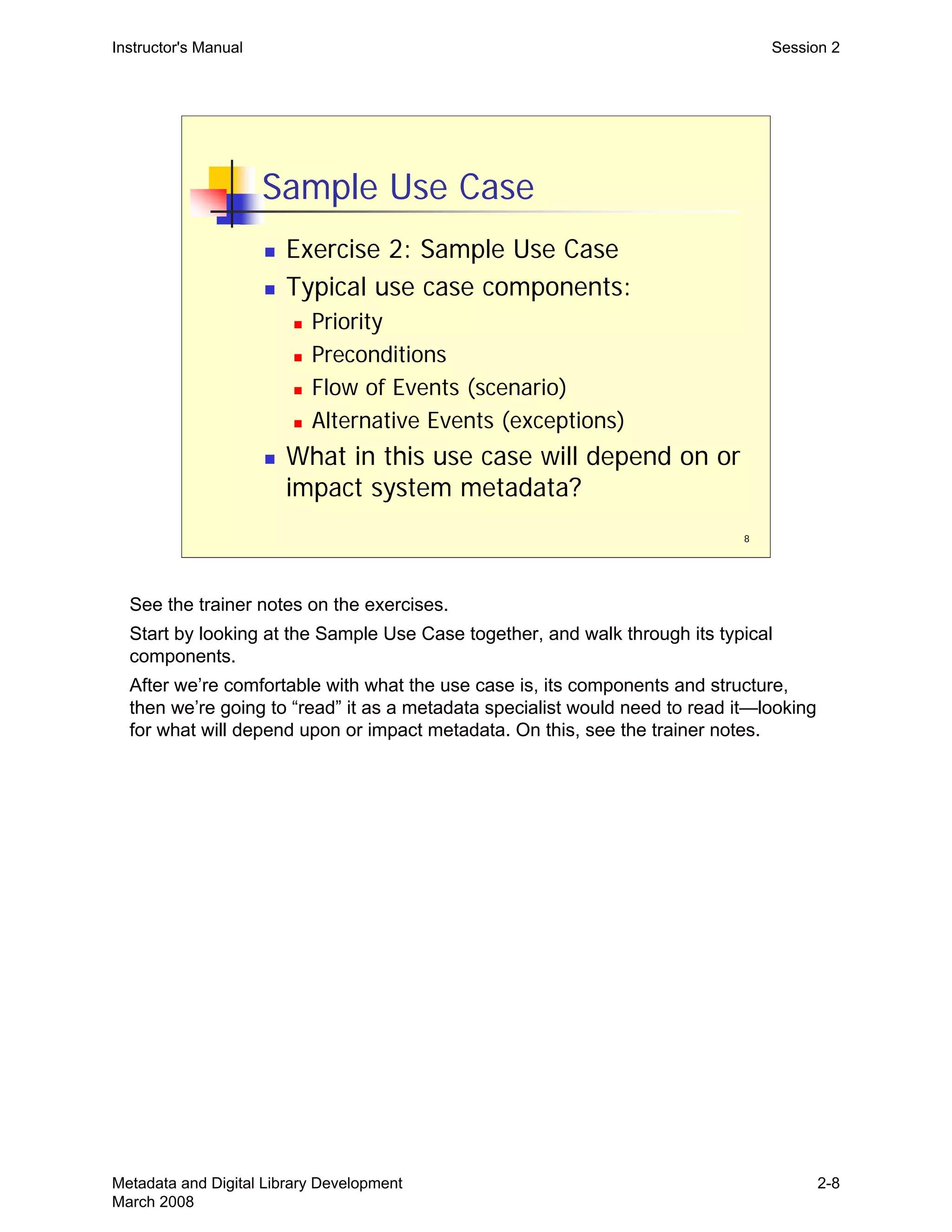
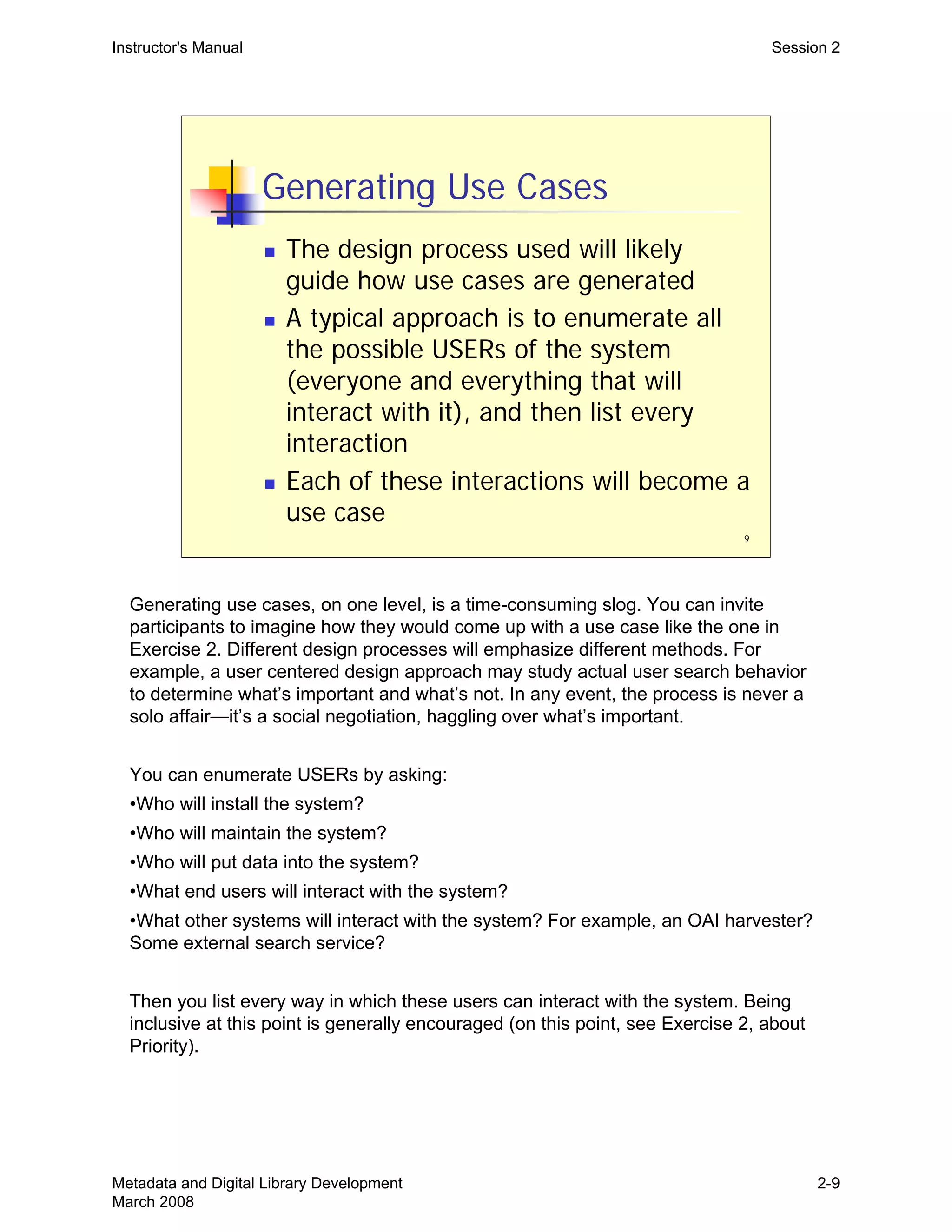
  • 164.
    Instructor's Manual Exercises MetadataMapping Exercise 4 Type element: the DC element Type refers to the DCMI Type Vocabulary. That vocabulary includes only the following list of terms. You should choose the most appropriate term. „ Collection „ PhysicalObject „ Dataset „ Service „ Event „ Software „ Image „ Sound „ InteractiveResource „ StillImage „ MovingImage „ Text Source element: this element is a tricky one. The Dublin Core Libraries Working Group says to use Source “only when the described resource is the result of digitization of non-digital originals. Otherwise, use Relation.” For this exercise, assume that these journals have two separate dissemination streams: one is (still, for now) paper and one is electronic. In other words, the digital version doesn’t result from the digitization of the paper copy—one is not the source of the other. bibliographicCitation element refinement: important for serial literature is the DC element refinement called “bibliographicCitation.” The DC community has decided that this is the best place to hold typical citation type data (journal name, volume number, year of publication, page range). General hint: typically, simple DC metadata records are generated in order to increase the discovery of resources by end-users. This is certainly true of most OAI record harvesting. Let’s assume that’s our main goal here. So when faced with any particular mapping decision where several alternatives may be possible, choose to convey information most relevant to the discovery of the resource. 34 Metadata and Digital Library Development March 2008 Ex-34
  • 165.
    Instructor's Manual Exercises JournalIssue #1 (one sample article record) Exercise 4 <journal_issue timestamp="2002-04-05T12:02:12Z"> <issue_data> <publisher>Applied Mathematics Publisher</publisher> <journal_name>Journal of Reapplied Probability</journal_name> <journal_citation_name>J. Reappl. Probab.</journal_citation_name> <issn type="electronic">5432-9876</issn> <journal_vol_number>39</journal_vol_number> <issue_number>1</issue_number> <issue_publ_date iso8601="2002-03">March 2002</issue_publ_date> </issue_data> <record lang="EN" type="article"> <identifiers> <identifier type="pii">10201</identifier> <identifier type="doi">10.1239/10197321344243</identifier> </identifiers> <title lang="EN">Some risk management problems for firms with internal competition and debt</title> <author order="1"> <name> <given_name>Xin</given_name> <surname>Zang</surname> </name> <email>zang@us.ibm.com</email> <affiliation> <organization>IBM</organization> <address> <addressline>IBM T. J. Watson Research Center</addressline> <addressline>PO Box 218</addressline> <addressline>Yorktown Heights</addressline> <addressline>NY 10598</addressline> <addressline>USA</addressline> </address> </affiliation> </author> <abstract> <p>Consider an optimization of the <i>Swigler</i> problem, first formulated by Kunst in <i>Liability Constant Rates</i>: a constant liability payment rate <b>B</b>, an average return <b>R</b>, and a risk <b>N</b>xy proportional to the size of the business unit.</p> </abstract> <keywords> <keyword>Hamilton-Jacobi equation</keyword> <keyword>singular control</keyword> <keyword>nonlinear control</keyword> <keyword>dividend optimization</keyword> <keyword>internal competition</keyword> </keywords> <subjects> <subject scheme="msc2000" rank="primary">93E20</subject> <subject scheme="msc2000" rank="secondary">49L99</subject> </subjects> <start_page>55</start_page> <end_page>69</end_page> <record_filename type="pdf"/> </record> </journal_issue> 35 Metadata and Digital Library Development March 2008 Ex-35
  • 166.
    Instructor's Manual Exercises JournalIssue #2 (one sample article record) Exercise 4 <journal_issue timestamp="2002-05-28T18:22:14Z"> <issue_data> <publisher>Dorest Publishing Corporation</publisher> <journal_name>Journal of Applied Mathematics</journal_name> <journal_citation_name>J. Appl. Math.</journal_citation_name> <issn type="print">1234-567x</issn> <journal_vol_number>2</journal_vol_number> <issue_number label="Number">2</issue_number> <issue_publ_date iso8601="2002-05-08">8 May 2002</issue_publ_date> </issue_data> <record lang="EN" type="article"> <identifiers> <identifier type="pii">S1110757X02000086</identifier> <identifier type="doi">10.1155/S1110757X03457834</identifier> </identifiers> <title lang="EN">Radiation effect on MHD free-convection flow of a gas at a stretching surface with a uniform free stream</title> <author order="1"> <name> <given_name>Ahmed D.</given_name> <surname>Soud</surname> </name> </author> <author order="2"> <name> <given_name>Jonathan P. T.</given_name> <surname>Hartbary, Jr.</surname> </name> </author> <abstract> <p>We investigate the problem of free convection heat transfer near an isothermal stretching sheet. This has been done under the simultaneous action of buoyancy, radiation, and transverse magnetic field. The governing equations are solved by the shooting method. The velocity and temperature functions are represented graphically for various values of the flow parameters: radiation parameter <math alttext="$F$"><mi>F</mi></math>, free convection parameter <math alttext="$mathrm{Gr}$"><mrow><mtext>Gr</mtext></mrow></math>, magnetic parameter <math alttext="M"><mi>M</mi></math>, Prandtl number <math alttext="$mathrm{Pr}$"><mrow><mtext>Pr</mtext></mrow></math>, and the parameter of relative difference between the temperature of the sheet, and the temperature far away from the sheet <math alttext="$r$"><mi>r</mi></math>. The effects of the radiation and magnetic field parameters on the shear stress and heat flux are discussed.</p> </abstract> <subjects> <subject scheme="msc2000" rank="primary">76D10</subject> <subject scheme="msc2000" rank="primary">76R10</subject> <subject scheme="msc2000" rank="secondary">76W05</subject> </subjects> <start_page>93</start_page> <end_page>103</end_page> <record_filename type="pdf"/> </record> </journal_issue> 36 Metadata and Digital Library Development March 2008 Ex-36
  • 167.
    Instructor's Manual Exercises JournalIssue #3 (two sample article records) Exercise 4 <journal_issue timestamp="2000-06-08T09:15:56Z"> <issue_data> <publisher>The University of Plymouth, Department of Mathematics</publisher> <journal_name>The Plymouth Mathematical Journal</journal_name> <journal_citation_name>Plymouth Math. J.</journal_citation_name> <issn type="print">0026-009x</issn> <journal_vol_number>47</journal_vol_number> <issue_number label="Issue">2</issue_number> <issue_publ_date iso8601="2000">2000</issue_publ_date> </issue_data> <record lang="EN" type="article"> <identifiers> <identifier type="pii">2000|0047|0211|0215</identifier> <identifier type="mr">2001k:34565</identifier> </identifiers> <title lang="EN">The $C^{1,1}$ regularity of the pluricomplex Brown function</title> <author> <name> <given_name>Zbigniew</given_name> <surname>B&#x0142;oclaski</surname> </name> </author> <subjects> <subject rank="primary" scheme="msc">32U35</subject> <subject rank="secondary" scheme="msc">32W20</subject> </subjects> <start_page>211</start_page> <end_page>215</end_page> <record_filename type="pdf"/> </record> <record lang="FR" type="article"> <identifiers> <identifier type="pii">2000|0047|0325|0333</identifier> <identifier type="mr">2001i:7896789</identifier> </identifiers> <title lang="EN">A note on Pierskorn spheres and the generalized Jones conjecture</title> <title lang="FR">Une note sur des sphères de Pierskorn et le Jones generalize conjecturent</title> <author> <name> <given_name>Yves</given_name> <surname>Flambaud<surname> </name> </author> <subjects> <subject rank="primary" scheme="msc">57Q45</subject> <subject rank="secondary" scheme="msc">32S55</subject> <subject rank="secondary" scheme="msc">55M35</subject> <subject rank="secondary" scheme="msc">57R20</subject> </subjects> <start_page>325</start_page> <end_page>333</end_page> <record_filename type="pdf"/> </record> </journal_issue> 37 Metadata and Digital Library Development March 2008 Ex-37
  • 168.
    Instructor's Manual Exercises DublinCore Element Description Exercise 4 The Dublin Core Metadata Element Set Term Name: contributor URI: http://purl.org/dc/elements/1.1/contributor Label: Contributor Definition: An entity responsible for making contributions to the content of the resource. Comment: Examples of a Contributor include a person, an organisation, or a service. Typically, the name of a Contributor should be used to indicate the entity. Term Name: coverage URI: http://purl.org/dc/elements/1.1/coverage Label: Coverage Definition: The extent or scope of the content of the resource. Comment: Coverage will typically include spatial location (a place name or geographic coordinates), temporal period (a period label, date, or date range) or jurisdiction (such as a named administrative entity). Recommended best practice is to select a value from a controlled vocabulary (for example, the Thesaurus of Geographic Names [TGN]) and that, where appropriate, named places or time periods be used in preference to numeric identifiers such as sets of coordinates or date ranges. Term Name: creator URI: http://purl.org/dc/elements/1.1/creator Label: Creator Definition: An entity primarily responsible for making the content of the resource. Comment: Examples of a Creator include a person, an organisation, or a service. Typically, the name of a Creator should be used to indicate the entity. 38 Metadata and Digital Library Development March 2008 Ex-38
  • 169.
    Instructor's Manual Exercises DublinCore Element Description Exercise 4 Term Name: date URI: http://purl.org/dc/elements/1.1/date Label: Date Definition: A date associated with an event in the life cycle of the resource. Comment: Typically, Date will be associated with the creation or availability of the resource. Recommended best practice for encoding the date value is defined in a profile of ISO 8601 [W3CDTF] and follows the YYYY-MM-DD format. Term Name: description URI: http://purl.org/dc/elements/1.1/description Label: Description Definition: An account of the content of the resource. Comment: Description may include but is not limited to: an abstract, table of contents, reference to a graphical representation of content or a free-text account of the content. Term Name: format URI: http://purl.org/dc/elements/1.1/format Label: Format Definition: The physical or digital manifestation of the resource. Comment: Typically, Format may include the media-type or dimensions of the resource. Format may be used to determine the software, hardware or other equipment needed to display or operate the resource. Examples of dimensions include size and duration. Recommended best practice is to select a value from a controlled vocabulary (for example, the list of Internet Media Types [MIME] defining computer media formats). 39 Metadata and Digital Library Development March 2008 Ex-39
  • 170.
    Instructor's Manual Exercises DublinCore Element Description Exercise 4 Term Name: identifier URI: http://purl.org/dc/elements/1.1/identifier Label: Resource Identifier Definition: An unambiguous reference to the resource within a given context. Comment: Recommended best practice is to identify the resource by means of a string or number conforming to a formal identification system. Example formal identification systems include the Uniform Resource Identifier (URI) (including the Uniform Resource Locator (URL)), the Digital Object Identifier (DOI) and the International Standard Book Number (ISBN). Term Name: language URI: http://purl.org/dc/elements/1.1/language Label: Language Definition: A language of the intellectual content of the resource. Comment: Recommended best practice is to use RFC 3066 [RFC3066], which, in conjunction with ISO 639 [ISO639], defines two- and three-letter primary language tags with optional subtags. Examples include "en" or "eng" for English, "akk" for Akkadian, and "en-GB" for English used in the United Kingdom. Term Name: publisher URI: http://purl.org/dc/elements/1.1/publisher Label: Publisher Definition: An entity responsible for making the resource available Comment: Examples of a Publisher include a person, an organisation, or a service. Typically, the name of a Publisher should be used to indicate the entity. 40 Metadata and Digital Library Development March 2008 Ex-40
  • 171.
    Instructor's Manual Exercises DublinCore Element Description Exercise 4 Term Name: relation URI: http://purl.org/dc/elements/1.1/relation Label: Relation Definition: A reference to a related resource. Comment: Recommended best practice is to reference the resource by means of a string or number conforming to a formal identification system. Term Name: rights URI: http://purl.org/dc/elements/1.1/rights Label: Rights Management Definition: Information about rights held in and over the resource. Comment: Typically, a Rights element will contain a rights management statement for the resource, or reference a service providing such information. Rights information often encompasses Intellectual Property Rights (IPR), Copyright, and various Property Rights. If the Rights element is absent, no assumptions can be made about the status of these and other rights with respect to the resource. Term Name: source URI: http://purl.org/dc/elements/1.1/source Label: Source Definition: A reference to a resource from which the present resource is derived. Comment: The present resource may be derived from the Source resource in whole or in part. Recommended best practice is to reference the resource by means of a string or number conforming to a formal identification system. 41 Metadata and Digital Library Development March 2008 Ex-41
  • 172.
    Instructor's Manual Exercises DublinCore Element Description Exercise 4 Term Name: subject URI: http://purl.org/dc/elements/1.1/subject Label: Subject and Keywords Definition: The topic of the content of the resource. Comment: Typically, a Subject will be expressed as keywords, key phrases or classification codes that describe a topic of the resource. Recommended best practice is to select a value from a controlled vocabulary or formal classification scheme. Term Name: title URI: http://purl.org/dc/elements/1.1/title Label: Title Definition: A name given to the resource. Comment: Typically, a Title will be a name by which the resource is formally known. Term Name: type URI: http://purl.org/dc/elements/1.1/type Label: Resource Type Definition: The nature or genre of the content of the resource. Comment: Type includes terms describing general categories, functions, genres, or aggregation levels for content. Recommended best practice is to select a value from a controlled vocabulary (for example, the DCMI Type Vocabulary [DCMITYPE]). To describe the physical or digital manifestation of the resource, use the Format element. 42 Metadata and Digital Library Development March 2008 Ex-42
  • 173.
    Instructor's Manual Exercises DublinCore Element Description Exercise 4 Element Refinements Term Name: abstract URI: http://purl.org/dc/terms/abstract Label: Abstract Definition: A summary of the content of the resource. Type of Term: element-refinement Refines: http://purl.org/dc/elements/1.1/description Term Name: accessRights URI: http://purl.org/dc/terms/accessRights Label: Access Rights Definition: Information about who can access the resource or an indication of its security status. Comment: Access Rights may include information regarding access or restrictions based on privacy, security or other regulations. Type of Term: element-refinement Refines: http://purl.org/dc/elements/1.1/rights Term Name: alternative URI: http://purl.org/dc/terms/alternative Label: Alternative Definition: Any form of the title used as a substitute or alternative to the formal title of the resource. 43 Metadata and Digital Library Development March 2008 Ex-43
  • 174.
    Instructor's Manual Exercises DublinCore Element Description Exercise 4 Comment: This qualifier can include Title abbreviations as well as translations. Type of Term: element-refinement Refines: http://purl.org/dc/elements/1.1/title Term Name: available URI: http://purl.org/dc/terms/available Label: Available Definition: Date (often a range) that the resource will become or did become available. Type of Term: element-refinement Refines: http://purl.org/dc/elements/1.1/date Term Name: bibliographicCitation URI: http://purl.org/dc/terms/bibliographicCitation Label: Bibliographic Citation Definition: A bibliographic reference for the resource. Comment: Recommended practice is to include sufficient bibliographic detail to identify the resource as unambiguously as possible, whether or not the citation is in a standard form. Type of Term: element-refinement Refines: http://purl.org/dc/elements/1.1/identifier Term Name: conformsTo URI: http://purl.org/dc/terms/conformsTo 44 Metadata and Digital Library Development March 2008 Ex-44
  • 175.
    Instructor's Manual Exercises DublinCore Element Description Exercise 4 Label: Conforms To Definition: A reference to an established standard to which the resource conforms. Type of Term: element-refinement Refines: http://purl.org/dc/elements/1.1/relation Term Name: created URI: http://purl.org/dc/terms/created Label: Created Definition: Date of creation of the resource. Type of Term: element-refinement Refines: http://purl.org/dc/elements/1.1/date Term Name: dateAccepted URI: http://purl.org/dc/terms/dateAccepted Label: Date Accepted Definition: Date of acceptance of the resource (e.g. of thesis by university department, of article by journal, etc.). Type of Term: element-refinement Refines: http://purl.org/dc/elements/1.1/date Term Name: dateCopyrighted URI: http://purl.org/dc/terms/dateCopyrighted 45 Metadata and Digital Library Development March 2008 Ex-45
  • 176.
    Instructor's Manual Exercises DublinCore Element Description Exercise 4 Label: Date Copyrighted Definition: Date of a statement of copyright. Type of Term: element-refinement Refines: http://purl.org/dc/elements/1.1/date Term Name: dateSubmitted URI: http://purl.org/dc/terms/dateSubmitted Label: Date Submitted Definition: Date of submission of the resource (e.g. thesis, articles, etc.). Type of Term: element-refinement Refines: http://purl.org/dc/elements/1.1/date Term Name: educationLevel URI: http://purl.org/dc/terms/educationLevel Label: Audience Education Level Definition: A general statement describing the education or training context. Alternatively, a more specific statement of the location of the audience in terms of its progression through an education or training context. Type of Term: element-refinement Refines: http://purl.org/dc/terms/audience Term Name: extent URI: http://purl.org/dc/terms/extent 46 Metadata and Digital Library Development March 2008 Ex-46
  • 177.
    Instructor's Manual Exercises DublinCore Element Description Exercise 4 Label: Extent Definition: The size or duration of the resource. Type of Term: element-refinement Refines: http://purl.org/dc/elements/1.1/format Term Name: hasFormat URI: http://purl.org/dc/terms/hasFormat Label: Has Format Definition: The described resource pre-existed the referenced resource, which is essentially the same intellectual content presented in another format. Type of Term: element-refinement Date Issued: 2000-07-11 Term Name: hasPart URI: http://purl.org/dc/terms/hasPart Label: Has Part Definition: The described resource includes the referenced resource either physically or logically. Type of Term: element-refinement Refines: http://purl.org/dc/elements/1.1/relation Term Name: hasVersion 47 Metadata and Digital Library Development March 2008 Ex-47
  • 178.
    Instructor's Manual Exercises DublinCore Element Description Exercise 4 URI: http://purl.org/dc/terms/hasVersion Label: Has Version Definition: The described resource has a version, edition, or adaptation, namely, the referenced resource. Type of Term: element-refinement Refines: http://purl.org/dc/elements/1.1/relation Term Name: isFormatOf URI: http://purl.org/dc/terms/isFormatOf Label: Is Format Of Definition: The described resource is the same intellectual content of the referenced resource, but presented in another format. Type of Term: element-refinement Refines: http://purl.org/dc/elements/1.1/relation Term Name: isPartOf URI: http://purl.org/dc/terms/isPartOf Label: Is Part Of Definition: The described resource is a physical or logical part of the referenced resource. Type of Term: element-refinement Refines: http://purl.org/dc/elements/1.1/relation Term Name: isReferencedBy 48 Metadata and Digital Library Development March 2008 Ex-48
  • 179.
    Instructor's Manual Exercises DublinCore Element Description Exercise 4 URI: http://purl.org/dc/terms/isReferencedBy Label: Is Referenced By Definition: The described resource is referenced, cited, or otherwise pointed to by the referenced resource. Type of Term: element-refinement Refines: http://purl.org/dc/elements/1.1/relation Term Name: isReplacedBy URI: http://purl.org/dc/terms/isReplacedBy Label: Is Replaced By Definition: The described resource is supplanted, displaced, or superseded by the referenced resource. Type of Term: element-refinement Refines: http://purl.org/dc/elements/1.1/relation Term Name: isRequiredBy URI: http://purl.org/dc/terms/isRequiredBy Label: Is Required By Definition: The described resource is required by the referenced resource, either physically or logically. Type of Term: element-refinement Refines: http://purl.org/dc/elements/1.1/relation 49 Metadata and Digital Library Development March 2008 Ex-49
  • 180.
    Instructor's Manual Exercises DublinCore Element Description Exercise 4 Term Name: issued URI: http://purl.org/dc/terms/issued Label: Issued Definition: Date of formal issuance (e.g., publication) of the resource. Type of Term: element-refinement Refines: http://purl.org/dc/elements/1.1/date Term Name: isVersionOf URI: http://purl.org/dc/terms/isVersionOf Label: Is Version Of Definition: The described resource is a version, edition, or adaptation of the referenced resource. Changes in version imply substantive changes in content rather than differences in format. Type of Term: element-refinement Refines: http://purl.org/dc/elements/1.1/relation Term Name: license URI: http://purl.org/dc/terms/license Label: License Definition: A legal document giving official permission to do something with the resource. Comment: Recommended best practice is to identify the license using a URI. Examples of such licenses can be found at http://creativecommons.org/licenses/. Type of element-refinement 50 Metadata and Digital Library Development March 2008 Ex-50
  • 181.
    Instructor's Manual Exercises DublinCore Element Description Exercise 4 Term: Refines: http://purl.org/dc/elements/1.1/rights Term Name: medium URI: http://purl.org/dc/terms/medium Label: Medium Definition: The material or physical carrier of the resource. Type of Term: element-refinement Refines: http://purl.org/dc/elements/1.1/format Term Name: modified URI: http://purl.org/dc/terms/modified Label: Modified Definition: Date on which the resource was changed. Type of Term: element-refinement Refines: http://purl.org/dc/elements/1.1/date Term Name: references URI: http://purl.org/dc/terms/references Label: References Definition: The described resource references, cites, or otherwise points to the referenced resource. 51 Metadata and Digital Library Development March 2008 Ex-51
  • 182.
    Instructor's Manual Exercises DublinCore Element Description Exercise 4 Type of Term: element-refinement Refines: http://purl.org/dc/elements/1.1/relation Term Name: replaces URI: http://purl.org/dc/terms/replaces Label: Replaces Definition: The described resource supplants, displaces, or supersedes the referenced resource. Type of Term: element-refinement Refines: http://purl.org/dc/elements/1.1/relation Term Name: requires URI: http://purl.org/dc/terms/requires Label: Requires Definition: The described resource requires the referenced resource to support its function, delivery, or coherence of content. Type of Term: element-refinement Refines: http://purl.org/dc/elements/1.1/relation Term Name: spatial URI: http://purl.org/dc/terms/spatial Label: Spatial Definition: Spatial characteristics of the intellectual content of the resource. 52 Metadata and Digital Library Development March 2008 Ex-52
  • 183.
    Instructor's Manual Exercises DublinCore Element Description Exercise 4 Type of Term: element-refinement Refines: http://purl.org/dc/elements/1.1/coverage Term Name: tableOfContents URI: http://purl.org/dc/terms/tableOfContents Label: Table Of Contents Definition: A list of subunits of the content of the resource. Type of Term: element-refinement Refines: http://purl.org/dc/elements/1.1/description Term Name: temporal URI: http://purl.org/dc/terms/temporal Label: Temporal Definition: Temporal characteristics of the intellectual content of the resource. Type of Term: element-refinement Refines: http://purl.org/dc/elements/1.1/coverage Term Name: valid URI: http://purl.org/dc/terms/valid Label: Valid Definition: Date (often a range) of validity of a resource. 53 Metadata and Digital Library Development March 2008 Ex-53
  • 184.
    Instructor's Manual Exercises DublinCore Element Description Exercise 4 Type of Term: element-refinement Refines: http://purl.org/dc/elements/1.1/date 54 Metadata and Digital Library Development March 2008 Ex-54
  • 185.
    Instructor's Manual Exercises MetadataMap Source Metadata Transformation Rules Target Metadata (native publisher metadata) (simple DC) Exercise 4 journal_issue/record/title Take source element as is. If multiple title elements in source, take all; each source title gets a separate dc:title element. title Metadata and Digital Library Development March 2008 Ex-55 55
  • 186.
    Instructor's Manual Exercises MetadataMap Source Metadata Transformation Rules Target Metadata (native publisher metadata) (simple DC) Exercise 4 Metadata and Digital Library Development March 2008 Ex-56 56
  • 187.
    Instructor's Manual Exercises MetadataWorkflow—Scenario A Exercise 5 Exercise 5: Metadata Workflow Scenario A—Big Dreams for Library Publishing The library is considering whether to participate in a publishing operation run by a successful commercial internet company, Doodle. Doodle offers full-text access to on-line versions of public domain books to participating academic libraries and their communities. The number of titles in the system is now approaching twenty million. Access to all titles in Doodle’s system is free to all participating libraries. Doodle also lets the general public search and browse its metadata holdings and purchase the full-text of books or parts of books if desired. A portion of the revenue from these book sales are distributed back to the participating libraries. The pay-out distribution is based on the volume of books sold contributed by each library. In other words, if your library contributes books that sell many copies, then your library will receive a corresponding greater amount of the distributed revenue. For some libraries, this has been quite lucrative, allowing for the digital reformatting of hundreds of books a year and the hiring of additional staff to manage and carry out this work. As part of the library’s obligation, they would need to provide Doodle with electronic files of the scanned books, together with metadata for these titles in a specified format. The titles must be in the library’s permanent collection. The library has established a digital library team to come up with a proposal for working with Doodle. On this team is a metadata specialist, and she has been asked to come up with a plan for establishing an efficient workflow to generate the metadata files required by Doodle. The library has assigned a group of selectors to decide on which books to contribute. This group will work with a publishing market consultant from Doodle to establish criteria. At this point, they plan to identify and provide (including metadata) up to 50 titles every quarter. If all goes well, they anticipate doubling this after the first year. Doodle has shared one important piece of information with the library. Their statistics have clearly demonstrated a direct correlation between the amount of metadata provided and number of book sales. In other words, books with relatively more metadata are not only more likely to be purchased, but to be purchased multiple times. Since the library administration would like to see this venture succeed ($$$), they have encouraged the metadata specialist to take this into consideration. They have also said, recognizing this relationship between metadata richness and sales, that they are willing to find some extra staff time for metadata work during the next two years (this time would come from technical services, and they’ve asked the metadata specialist what she needs). After that, metadata staff associated with this project would need to be funded from project revenues. The metadata specialist begins her investigations and has thus far learned… „ that any updates to records already shipped to Doodle are to be handled by resubmitting the monograph again. Every monograph has an ID value, and Doodle will completely replace any monograph in its system, if a new submission has the same ID. 57 Metadata and Digital Library Development March 2008 Ex-57
  • 188.
    Instructor's Manual Exercises MetadataWorkflow—Scenario A Exercise 5 „ that the head of technical services is being very uncooperative. He has agreed to update catalog records to reflect that an electronic version of a monograph is available. But he absolutely refuses to allow additional data to be inserted into MARC records. His reasoning has to do with record consistency across all holdings. The metadata specialist knows the library administration will never go against his wishes. The deliverables for Exercise 5 are described on pages 61-62. 58 Metadata and Digital Library Development March 2008 Ex-58
  • 189.
    Instructor's Manual Exercises MetadataWorkflow—Scenario B Exercise 5 Exercise 5: Metadata Workflow Scenario B—Small Steps toward Library Publishing The library is considering whether to participate in a publishing operation, Books-R-Us, coordinated by a university consortium. The books accessible through its system are full-text electronic versions of public domain books, which have been selected and contributed by participating libraries but are actually hosted locally by the contributing library. Books-R-Us merely provides a portal to the entire collection of scanned books by merging book records into a searchable union catalog and allowing it to be searched. Access to the online versions of these books is free to all participating library members. As of yet, the number of participants is fairly small, but the hope is that in time, this consortium project would allow participating libraries access to much larger book collections than possible on their own. The consortium collects fees from member libraries. It then uses this money to finance the scanning of books in a centralized location. Once scanned, the files go back to the contributing library. The library’s obligation is to host the resulting electronic files on local servers, and also to provide Books-R-Us with metadata for these titles in a specified format. Books-R-Us creates its union catalog from these records. The library has asked its metadata specialist to come up with a plan for establishing an efficient workflow to generate the metadata files required by Books-R-Us. The library has assigned a group of selectors to decide on which books to contribute. This group expects to identify about 200 titles initially. The plan is to convert 25 of these each quarter. After two years, the project will be re-evaluated. The library has said they have programming staff that they can dedicate to this project, in order to see it successfully setup. Once established, however, there are no plans for ongoing technical support. Further, it does not look like the library will be able to devote other ongoing staff resources to this project. The metadata specialist begins her investigations and has thus far learned… „ that Books-R-Us expects to harvest complete metadata shipments monthly from participating libraries. This is how record updates and additions are handled. Books-R-Us completely rebuilds its entire aggregated metadata collection every month. „ that Books-R-Us insists that the metadata they receive be kept in sync with the library catalog. They do not themselves provide direct access to online books, but rather link back to a contributing library’s catalog record, which in turn will link to the electronic files. In this sense, Books-R-Us only serves as a union catalog of all online books available to participating libraries. „ that Books-R-Us is using a book metadata format more typical of the commercial publishing industry, and that they are encouraging participating libraries to provide them with as much metadata per title as possible. 59 Metadata and Digital Library Development March 2008 Ex-59
  • 190.
    Instructor's Manual Exercises MetadataWorkflow—Scenario B Exercise 5 The deliverables for Exercise 5 are described on pages 61-62. 60 Metadata and Digital Library Development March 2008 Ex-60
  • 191.
    Instructor's Manual Exercises MetadataWorkflow—Scenario A & B Deliverables Exercise 5 Exercise 5: Scenario A & B Deliverables You are the metadata specialist on a larger team that will carry out this project. The workflow you are designing now (for this exercise) is concerned only with the metadata portion of the project. There will likely be places where your workflow will need to “interface” with other activities of the project, perhaps another workflow, but don’t get sidetracked by developing non- metadata aspects of the project into your workflow (such as selection, or scanning, etc.). 1. Workflow Definition and Goals, Input/Output Analysis a) In a sentence or two, define the overall metadata workflow objective. Remember, this workflow is only concerned with the metadata portion of the project. b) Using the worksheet on page 73, briefly describe the characteristics of the workflow source metadata (samples of source metadata on pages 63-70). c) Using the worksheet on page 73, briefly describe the characteristics of the workflow target metadata (samples of target metadata on pages 71-72). Work through 1 (b) and (c) quickly. The characteristics to pay attention to are those that will impact workflow, such as, “status,” especially. The source and target metadata examined here are at the overall project level. As you define the tasks below, there may be “transitional” metadata, and thus transitional source and target metadata requiring their own mappings. In other words, it may not be feasible or efficient to convert, in one step, the project’s source metadata to the project’s target metadata. 2. Identifying constraints a) List the constraints that you face in setting up and maintaining this metadata workflow. (See slide 6.) 3. Defining the workflow tasks a) Start with the overall workflow objective and begin to break it down into smaller and smaller tasks and subtasks. What you should end up with is a list of discrete and manageable tasks, ones that could feasibly be carried out within an actual workflow operation. b) For each of the tasks above, answer the following: o What are the task’s requirements? Specify what is required to begin this task (what input must the task have? what is required of that input?). Specify what is required of the task output (what requirements must it fulfill?). o What is the level of complexity required to transform input to output? o What are the task dependencies? What is the task dependent upon in order to successfully transform input to output? (Your understanding of workflow constraints should help here.) o What is the projected duration of this task? Is it a one-time task (writing software to do something), or is it a recurring, ongoing activity? How certain is the projected 61 Metadata and Digital Library Development March 2008 Ex-61
  • 192.
    Instructor's Manual Exercises MetadataWorkflow—Scenario A & B Deliverables Exercise 5 duration of the task? Do workflow constraints or task dependencies make duration difficult to predict? o What are the resource requirements of this task? What or who needs to be involved in accomplishing this task? If people, how many and what level of expertise and experience is required? 4. Designing the workflow a) How should all the tasks defined in step 3 above be sequenced? Which tasks can occur simultaneously and which are dependent on a previous task? b) What are the communication needs of the workflow? 5. Maintaining the workflow a) Is this workflow a one-time data conversion project, or will it be an ongoing, regular part of library operations? b) If ongoing, what type of tracking and oversight is required to ensure the workflow is successfully meeting its objectives? c) How much human oversight will the workflow require and what will it involve? d) How much automated tracking is possible, and how would that tracking process work? 6. Workflow cost considerations a) Make an estimate of how many FTEs over what period of time would be required to setup this metadata workflow. (FTE is “full-time equivalent”—1.0 FTE equals one person working full-time on this project.) b) What level of staff expertise and experience will be required to setup this workflow. c) Make an estimate of how many FTEs would be required to maintain this metadata workflow going forward (after setup and initial operation), if that is required. d) What level of staff expertise and experience will be required to maintain this workflow. e) Do these staffing requirements match with workflow constraints? If not, how are you planning to deal with the mismatch? 7. Opportunities and benefits a) List all the benefits you can think of that may result from setting up and maintaining this workflow. 8. Metadata workflow conversion maps a) It is likely that at least one of the tasks in step 3 above involved some metadata mapping. Choose one of the mapping tasks and, using the metadata map template on pages 74-75, develop the source-to-target mapping rules. 62 Metadata and Digital Library Development March 2008 Ex-62
  • 193.
    Instructor's Manual Exercises MARCRecord Sample 1 Exercise 5 Report on the manuscripts of Allan George Finch, esq., of... 000 01867cam a2200349 450 001 3645091 005 20060504103643.0 008 750522m19139999enk f000 0 eng c 010 __ |a ac 35001225 //r 035 __ |a (NIC)notisASL2364 035 __ |a (OCoLC)ocm01350566 040 __ |a New York. Public Libr. |c TOL |d SER |d OCL |d OUN |d OCL |d NIC 050 0_ |a DA25.M2 |b F4 082 __ |a 942.06 110 1_ |a Great Britain. |b Royal Commission on Historical Manuscripts. 245 00 |a Report on the manuscripts of Allan George Finch, esq., of Burley-on-the-Hill, Rutland ... 260 __ |a London, |b Published by H.M. Stationery Off., |c 1913- 300 __ |a v. |c 25 cm. 500 __ |a Vols. 1-2 issued in the Parliamentary series as Cd. 6508, 8383; v. 3 issued as no. 71 of the commission’s Publications. 500 __ |a At head of title: Historical manuscripts commission. 500 __ |a Title varies slightly. 500 __ |a Vols. 1-2 edited by Mrs. S. C. Lomas, v. 3- by F. Bickley. 500 __ |a Vols. 1-2 deal with 16th and early 17th century letters of the Finch family; the correspondence of Heneage, earl of Winchilsea, during his embassy to Constantinople, 1660-1668; letters and papers of his cousin, Sir John Finch, who followed him as ambassador to Turkey; letters and papers of Heneage, earl of Nottingham, and his family; and the correspondence of Daniel, earl of Winchilsea and Nottingham, secretary of state from 1688-1693. cf. v. 1, p. [v] 63 Metadata and Digital Library Development March 2008 Ex-63
  • 194.
    Instructor's Manual Exercises MARCRecord Sample 1 Exercise 5 651 _0 |a Great Britain |x History |y 1485- |v Sources. 651 _0 |a Turkey |x History |y 1453-1683 |v Sources. 651 _0 |a Great Britain |x Foreign relations |z Turkey. 651 _0 |a Turkey |x Foreign relations |z Great Britain. 700 1_ |a Finch, Allan George, |d 1863-1914. 905 __ |a 19991204120000.0 950 __ |l OLIO1 |x 175 |a DA25.M2 |b F49 |d + 955 __ |l OLIO1 |a DA25.M2 |b F49 |c 1:v.1-4 999 __ |l OLIO1 |a DA25.M2 |b F49 |d + |c 1 |v v.1-4 64 Metadata and Digital Library Development March 2008 Ex-64
  • 195.
    Instructor's Manual Exercises MARCRecord Sample 2 Exercise 5 Projektive geometrie der ebene, unter benutzung der punktrechnung... 000 01052cam a2200325 450 001 408612 005 20061212110910.0 008 851011m19091927gw 000 0 ger d 035 __ |a (CStRLIN)NYCX85B113967 035 __ |a (NIC)notisABT9133 035 __ |a (OCoLC)13463437 035 __ |a 408612 040 __ |a MnU |c MnU |d RPB |d NIC 100 1_ |a Grassmann, Hermann Ernst, |d 1857-1922. 245 10 |a Projektive geometrie der ebene, |b unter benutzung der punktrechnung... 260 __ |a Leipzig, |b B. G. Teubner. |c 1909-27. 300 __ |a 3 v. |c 24 cm. 500 __ |a Nachwort, von G. Wolff: p. [VI] 505 0_ |a Bd. 1. Binäres.--Bd. 2. Ternäres, 2 v. 650 _0 |a Geometry, Projective 650 _0 |a Forms, Binary 650 _0 |a Forms, Ternary 700 1_ |a Wolff, Georg. |d 1881- 905 __ |a 19880623120000.0 948 __ |a c:RET 950 __ |l MATH |a QA554 |b .G76 |f BASIC |i 10/11/85 N 955 __ |l MATH |c 1:v.1 |i 10/11/85 C 955 __ |l MATH |c 1:v.2 |i 10/11/85 C 998 __ |a 10/11/85 |t c |s 9124 |n NIC |w MNUG83B19018 |d 10/11/85 |c RET |b YOB 65 Metadata and Digital Library Development March 2008 Ex-65
  • 196.
    Instructor's Manual Exercises MARCRecord Sample 3 Exercise 5 The war of the rebellion: a compilation of the official records of the... 000 04656cam a2200505 a 450 001 4943960 005 20061002074755.0 008 000413m18801901dcu f001 0 eng d 010 __ |a 03003452 040 __ |c NBiSU |d NBiSU |d MiU |d TxFACM |d NIC |d NcAvBC |e dcrb |d NIC 043 __ |a n-us--- 050 0_ |a E491 |b .U6 110 1_ |a United States. |b War Dept. 245 14 |a The war of the rebellion: |b a compilation of the official records of the Union and Confederate armies / |c Pub. under the direction of the secretary of war ... 260 __ |a Washington : |b Govt. Print. Off., |c 1880-1901. 300 __ |a 123 v. ; |c 24 cm. 500 __ |a Found also in the House Miscellaneous documents of the 52d to the 56th Congress. 500 __ |a Each number has special index. Inserted in each volume: Additons and corrections ... Washington, Govt. Print. Off., 1902. 500 __ |a Series 1, v. 1-53, series 3, v. 1-5, and series 4, v. 1-3 include "Alternate designations of organizations mentioned." 500 __ |a Vol. 54-55 of series 1 [serial no. 112-113]" have not been published, and no material for them is in hand." cf. General index, p. xl. Series 2, v. 1 [serial no. 114] with imprint 1894, was not issued until 1898. 500 __ |a Edited in the War Records Office, 1880-July 1899; in the Record and Pension Office, July 1899-1901. 500 __ |a Incomplete set: missing volumes 1-5 of the first series. |5 NcAvBC 500 __ |a Bdg.: navy blue publisher’s cloth binding, all volumes worn with some damage 66 Metadata and Digital Library Development March 2008 Ex-66
  • 197.
    Instructor's Manual Exercises MARCRecord Sample 3 Exercise 5 to inner hinges; paper browned throughout set. |5 NcAvBC 500 __ |a Robert N. Scott compiled and edited v. 1-18, 1880-87, and also collected the greater part of the material for v. 19-36, 1887-91. After his death in 1887 the work was continued by Henry M. Lazelle, 1887-89, and by a board of publication, 1889- 99, consisting of George B. Davis, 1889-97, Leslie J. Perry, 1889-99, Joseph W. Kirkley, 1889-99, and Fred C. Ainsworth, 1898-99; from 1899-1901 edited by Fred C. Ainsworth and Joseph W. Kirkley. 505 0_ |a ser. I. v. 1-53 [serial no. 1-111] Formal reports, both Union and Confederate, of the first seizures of United States property in the southern states, and of all military operations in the field, with the correspondence, orders and returns relating specially thereto. 1880-98. 111 v.--ser. II. v. 1-8 [serial no. 114-121] Correspondence, orders, reports and returns, Union and Confederate, relating to prisoners of war ... and to state or political prisoners. 1894 [i. e. 1898]-1899. 8 v.-- ser. III. v. 1-5 [serial no. 122-126] Correspondence, orders, reports and return of the Union authorities (embracing their correspondence with the Confederate officials) not relating specially to the subjects of the first and second series. It embraces the reports of the secretary of war, of the general-in-chief and of the chiefs of the several staff corps and departments ... 1899-1900. 5 v.--ser. IV. v. 1-3 [serial no. 127-129] Correspondence, orders, reports and returns of the Confederate authoriites, similar to that indicated for the Union officials, as of the third series, but includeing the correspondence between the Union and Confederate authorities, given in that series. 1900. 3 v.--[serial no. 130] General index and additions and corrections. Mr. John S. Moodey, indexer. Preface [by Elihu Root, secretary of war] Explanations. Synopsis of the contents of volumes. Special index for the principal armies, army corps, military divisions 505 8_ |a and departments. General index. Additions and corrections ... 1901. 651 _0 |a United States |x History |y Civil War, 1861-1865 |x Maps. 651 _0 |a United States |x History |y Civil War, 1861-1865 |x Sources. 651 _0 |a United States |x History |y Civil War, 1861-1865 |x Regimental histories. 67 Metadata and Digital Library Development March 2008 Ex-67
  • 198.
    Instructor's Manual Exercises MARCRecord Sample 3 Exercise 5 610 20 |a Confederate States of America |x History |x Sources. 710 1_ |a United States. |b Record and Pension Office. 710 1_ |a United States. |b War Records Office. 700 1_ |a Moodey, John S. |q (John Sheldon), |d b. 1842. 710 1_ |a United States. |b Congress. |b House. 700 1_ |a Cowles, Calvin D. |q (Calvin Duvall), |d b. 1849. 700 1_ |a Ainsworth, Fred C. |q (Fred Crayton), |d 1852-1934. 700 1_ |a Scott, Robert N. |q (Robert Nicholson), |d 1838-1887. 700 1_ |a Davis, George B. |q (George Breckenridge), |d 1847-1914. 700 1_ |a Perry, Leslie J. 700 1_ |a Kirkley, Joseph W. |q (Joseph William), |d 1841-1912. 740 0_ |a Official records of the Union and Confederate armies. 773 0_ |7 nnbc |t Burt Green Wilder papers. |w (CStRLIN) NYCV86-A116. 948 1_ |a 20031211 |b c |d lbb4 |e rmc |f ? |h ? 948 2_ |a 20040811 |b m |d jm17 |e cts 948 2_ |a 20061002 |b m |d bmt1 |e cts 68 Metadata and Digital Library Development March 2008 Ex-68
  • 199.
    Instructor's Manual Exercises MARCRecord Sample 4 Exercise 5 History of the city of New York, from its earliest settlement to the... 000 00706nam a22001931 450 001 3071182 005 19970920120000.0 008 970920s1859 nyuacf 000 0 eng 010 __ |a 01014304 035 __ |a (NIC)notisAPZ5299 040 __ |c NNC |d NNC |d NNU |d NIC 043 __ |a n-us-ny 050 0_ |a F128.3 |b .B72 100 1_ |a Booth, Mary L. |q (Mary Louise), |d 1831-1889. 245 10 |a History of the city of New York, from its earliest settlement to the present time. |c By Mary L. Booth. Illus. with over one hundred engravings. 260 __ |a New York, |b W.R.C. Clark & Meeker, |c 1859. 300 __ |a xix, <21>-846 p. incl. illus., plates, ports. front. |c 24 cm. 651 _0 |a New York (N.Y.) |x History. 905 __ |a 19970920120000.0 69 Metadata and Digital Library Development March 2008 Ex-69
  • 200.
    Instructor's Manual Exercises MARCRecord Sample 5 Exercise 5 Celestine, being the diary of a chambermaid. By Octave Mirbeau. Translated... 000 01107cam a22003131 450 001 1699480 005 20050419095459.0 008 891005s1930 nyu 000 0 eng 010 __ |a 31008215 035 __ |a (CStRLIN)NYCX89B29529 035 __ |a (NIC)notisAHY8430 040 __ |a DLC |c OKentU |d *SER* |d m.c. |d FU |d CStRLIN |d NIC 041 1_ |a eng |h fre 050 0_ |a PZ3.M674 |b Ce 100 1_ |a Mirbeau, Octave, |d 1848-1917 240 10 |a Journal d’une femme de chambre. |l English 245 10 |a Celestine, |b being the diary of a chambermaid. |c By Octave Mirbeau. Translated by Alan Durst. 260 __ |a New York, |b W. Faro, inc., |c 1930. 300 __ |a 317 p. |c 25 cm. 500 __ |a At head of title: By Octave Mirbeau. 500 __ |a Translation of Le journal d’une femme de chambre. 700 1_ |a Durst, Alan. 740 0_ |a Diary of a chambermaid. 905 __ |a 19970917120000.0 950 __ |l URIS |a PQ2364.M67 |b J8 1930 |i 10/05/89 N 955 __ |l URIS |c 1 |s 4th prtg.,1933 |i 10/05/89 C 998 __ |a 10/05/89 |t c |s 9125 |n NIC |w FLUGACR2289B |d 10/05/89 |c RET |b LJH |i 891005 |l NYCX 70 Metadata and Digital Library Development March 2008 Ex-70
  • 201.
    Instructor's Manual Exercises TargetMetadata Template Exercise 5 <?xml version="1.0"?> <monograph id="" lang=""> <monograph_data> <identifiers> <identifier type="doi"></identifier> </identifiers> <author> <name> <given_name></given_name> <surname></surname> </name> <affiliation> <prof_title></prof_title> <organization></organization> </affiliation> <bio> <p></p> </bio> <image type="" id="" /> </author> <contributor> <role></role> <name> <given_name></given_name> <surname></surname> </name> <affiliation> <prof_title></prof_title> <organization></organization> </affiliation> <bio> <p></p> </bio> <image type="" id="" /> </contributor> <title lang=""></title> <edition></edition> <publisher></publisher> <publisher_location></publisher_location> <publication_date iso8601-date=""></publication_date> <abstract lang=""> <p></p> </abstract> <subjects> <subject scheme=""></subject> </subjects> <extent></extent> 71 Metadata and Digital Library Development March 2008 Ex-71
  • 202.
    Instructor's Manual Exercises TargetMetadata Template Exercise 5 <cover_image id="" /> </monograph_data> <monograph_parts> <section type="" id=""> <identifiers> <identifier type="doi"></identifier> </identifiers> <author> [as above] </author> <contributor> [as above] </contributor> <title lang=""></title> <abstract lang=""> <p></p> </abstract> <subjects> <subject scheme=""></subject> </subjects> </section> </monograph_parts> </monograph> All elements in the target format are optional, except: monograph monograph_data title [required when parent element is used] section [at least one required when parent element is used] Repeatable elements include: identifier author contributor affiliation abstract p (paragraph) subject section 72 Metadata and Digital Library Development March 2008 Ex-72
  • 203.
    Instructor's Manual Exercises MetadataWorkflow Exercise 5 Characteristics of Workflow’s Source and Target Metadata Characteristics of Source Metadata (pages 63-70) File format: Type of metadata: Metadata scheme: Scheme Support and Documentation: Content values: Structure: Intended use: Status: Characteristics of Target Metadata (pages 71-72) File format: Type of metadata: Metadata scheme: Scheme Support and Documentation: Content values: Structure: Intended use: Status: 73 Metadata and Digital Library Development March 2008 Ex-73
  • 204.
    Instructor's Manual Exercises Exercise5 Metadata Map Source Transformation Target Metadata and Digital Library Development March 2008 Ex-74 74
  • 205.
    Instructor's Manual Exercises Exercise5 Metadata Map Source Transformation Target Metadata and Digital Library Development March 2008 Ex-75 75
  • 206.
    THIS PAGE INTENTIONALLYLEFT BLANK FOR DOUBLE SIDED COPY
  • 207.
    Instructor's Manual Exercises ProjectBackground—All Scenarios Exercise 6 The Slide Collection Digital Library Project—Background University College has about 12,000 slides in its Art & Architecture Library slide collection, and the A&A Librarian, Mark Michelson, would like to make these accessible via the web. Most of the A&A faculty use slides in their classes and many are mentioning some system that they’ve heard of that allows faculty to select slides (while at home!) from a database and then show them in class, somehow. Mark isn’t too sure how this would work, but he is sure there must be some software system that does all this. One professor of Architecture in particular, Bram Bristle, is quite vocal about this and he has written to Mark and the Library Director. In an effort to appease him, the Library Director has asked the Digital Library Group (DLG) to meet with the A&A Librarian and see if there’s something that can be done. Sarah Scanner, the head of DLG, meets with Mark and Bram and several other A&A faculty one afternoon. Here’s what she learns: „ Currently, the Art Library has a simple Filemaker Pro database of all the slides in the collection. This was created several years ago, from a card file that was begun in the 1950s. All new slides added since the creation of the database are entered directly into the Filemaker Pro database. The database grows by about 100 entries per year. „ Each database record has about 20 elements. Records are not keyed to each other, although many, especially of the same building or place, share the same terms. The A&A Librarian seems very knowledgeable about each of the record elements, regarding what information they contain and how that information should be recorded. Mark admits, however, that there are unfortunate problems with some of the data, which he attributed to the lack of data standards in the early days of the slide collection catalog (before his time!), or to students, who occasionally enter data for him. One point that Mark kept insisting on was the accurate use, throughout the entire set of records, of the classification code. The code seemed impenetrable to Sarah, but Mark said that although the code was arcane, it was packed with information and uniformly applied throughout, since he personally applied it. When Sarah asked Mark if anyone else used the code and how, Mark said no, it was used to classify every image. „ What Sarah hears that the faculty want most are these functions: o The ability to access the image database over the web from their offices or homes. o The ability to search on the title of a work and bring up all images of that work. o The ability to search by period or date and bring up all works of that period or date. o The ability to search by type of work, like “painting,” or “temple,” and bring up all images pertaining to that type. o The ability to see small thumbnails in search results and browse mode. o The ability to select images and view all the metadata associated with that image. o The ability to select and save images to some sort of work list, so that they could be easily recovered during a classroom presentation. 77 Metadata and Digital Library Development March 2008 Ex-77
  • 208.
    Instructor's Manual Exercises ProjectBackground—All Scenarios Exercise 6 Sarah assembles a team to carry out this project. The Library Director agrees that Kat Krammer, the library’s metadata specialist, can be on the team. Sarah also enlists Paul Plotter, a programmer. On the following pages (79-82) are four scenarios for how this project continues. Read the one that is assigned to your group. Then read the list of deliverables assigned to the metadata specialist, on pages 83-84. 78 Metadata and Digital Library Development March 2008 Ex-78
  • 209.
    Instructor's Manual Exercises ScenarioA-1 Exercise 6 The Slide Collection Digital Library Project—Scenario A-1 The head of the Digital Library Group, Sarah Scanner, does not have an existing system that will meet the needs of this project. From peers at other universities, however, she’s aware of ArtBox, a digital library system that is increasingly seeking the art library market. She thinks she can convince the Library Director to license ArtBox. The current version of ArtBox only accepts simple Dublin Core (DC) records. The vendor apparently believes this is a drawback and has promised that the software will accept VRA Core (Visual Resources Association Core Categories) records within the next two years. Sarah asks Kat to evaluate the Filemaker Pro metadata as well as DC and VRA Core, about which Sarah knows very little other than that these seem to be accepted standards. Kat spends some time looking at the native database records and at VRA Core. As an exercise, she creates a potential VRA Core record from a typical record in the native A&A database (see sample VRA Core record). She also begins to understand VRA Core’s distinction between “work” and “image,” and thinks this distinction may be useful to the project. Sarah asks her programmer, Paul Plotter, to make an initial evaluation of ArtBox features, to see if the system has the functionality desired by the A&A faculty. Paul reports back that ArtBox supports web access worldwide (with proper authentication); the ability to associate thumbnails with every image, which are then visible in search results and browsing; the ability for authenticated users to create profiles and save image lists there for later use; and the ability to see all metadata (currently only simple Dublin Core) associated with an image. Paul says that ArtBox can be easily configured to search on any metadata field in the Dublin Core records and return all matching records. As to whether a search on a work will return all images of that work, Paul says “sure, no problem, as long as all the images have the same title.” He says the same thing about searching on date and type of work. Prompted by a question from Kat about metadata workflow and data ingest, the team takes a look at the ArtBox cataloging client. This client provides a way to create and modify individual database entries directly into ArtBox. Since ArtBox currently uses simple Dublin Core records, that’s what the cataloging client guides the data imputer to create. Sarah and Kat show this client to the A&A Librarian, and he is troubled by it. The data fields are not nearly as sophisticated as those in his database, he feels, and he doesn’t like the idea of using it. Besides this method of data ingest, ArtBox can also accept any number of simple DC records via a batch process. 79 Metadata and Digital Library Development March 2008 Ex-79
  • 210.
    Instructor's Manual Exercises ScenarioA-2 Exercise 6 The Slide Collection Digital Library Project—Scenario A-2 The head of the Digital Library Group, Sarah Scanner, does not have an existing system that will meet the needs of this project. From peers at other universities, however, she’s aware of ArtBox, a digital library system that is increasingly seeking the art library market. She thinks she can convince the Library Director to license ArtBox. The current version of ArtBox only accepts simple Dublin Core (DC) records. The vendor apparently believes this is a drawback and has promised that the software will accept VRA Core (Visual Resources Association Core Categories) records within the next two years. Sarah asks Kat to evaluate the Filemaker Pro metadata as well as DC and VRA Core, about which Sarah knows very little other than that these seem to be accepted standards. Kat spends some time looking at the native database records and at VRA Core. As an exercise, she creates a potential VRA Core record from a typical record in the native A&A database (see sample VRA Core record). She also begins to understand VRA Core’s distinction between “work” and “image,” and thinks this distinction may be useful to the project. Sarah asks her programmer, Paul Plotter, to make an initial evaluation of ArtBox features, to see if the system has the functionality desired by the A&A faculty. Paul reports back that ArtBox supports web access worldwide (with proper authentication); the ability to associate thumbnails with every image, which are then visible in search results and browsing; the ability for authenticated users to create profiles and save image lists there for later use; and the ability to see all metadata (currently only simple Dublin Core) associated with an image. Paul says that ArtBox can be easily configured to search on any metadata field in the Dublin Core records and return all matching records. As to whether a search on a work will return all images of that work, Paul says “sure, no problem, as long as all the images have the same title.” He says the same thing about searching on date and type of work. Prompted by a question from Kat about metadata workflow and data ingest, the team discovers that, remarkably, ArtBox has no cataloging client. They question the vendor on this and are told that work on a client is underway. But after more questioning, they discover that development of the cataloging client is tied to the move to VRA Core. In other words, the client won’t be available before the VRA Core compliant release of ArtBox. The software does have, of course the ability to ingest any number of DC records via a batch process. 80 Metadata and Digital Library Development March 2008 Ex-80
  • 211.
    Instructor's Manual Exercises ScenarioB-1 Exercise 6 The Slide Collection Digital Library Project—Scenario B-1 The head of the Digital Library Group, Sarah Scanner, does not have an existing system that will meet the needs of this project. Further, the Library Director tells her that they do not have much money to devote to the project, especially on an ongoing basis. On the other hand, the Director feels strongly that they must make an effort to satisfy Bram Bristle. After talking to her programmer, Paul Plotter, Sarah decides that it is feasible to create a web interface into the existing Filemaker Pro database. This would allow the Filemaker Pro database to continue to be used. Paul is convinced that he can add all the desired functionality through such a system, such as web access worldwide (with proper authentication); the ability to associate thumbnails with every image, which are then visible in search results and browsing; the ability for authenticated users to create profiles and save image lists there for later use; and the ability to see all metadata associated with an image. As far as searching, Paul says he can search on any of the data in the database and deliver search results. As to whether a search on a work will return all images of that work, Paul says “sure, no problem, as long as all the images have the same title.” He says the same thing about searching on date and type of work. In the midst of their initial explorations, Bram goes to the Library Director with a new idea he has just heard about. It involves participating in a larger network of university art and architecture department slide collections. After the meeting, the Library Director writes an email to Sarah telling her about this and asking her to investigate what would be involved. Sarah finds the project’s web site and discovers what the requirements for participation are: participating institutions need to make metadata records for their collections available for harvesting via OAI (Open Archives Initative) in both the simple Dublin Core and VRA Core (Visual Resources Association Core Categories) standards. Sarah asks Kat to evaluate the Filemaker Pro metadata as well as DC and VRA Core, about which Sarah knows very little other than that these seem to be accepted standards. Kat spends some time looking at the native database records and at VRA Core. As an exercise, she creates a potential VRA Core record from a typical record in the native A&A database (see sample VRA Core record). She also begins to understand VRA Core’s distinction between “work” and “image,” and thinks this distinction may be useful to the project. Prompted by a question from Kat about metadata workflow and data input, the team discusses this topic. Paul is convinced that in a month or less he can move the Filemaker Pro data to another database, one that can store and ingest VRA Core records. Sarah decides that she will clear Paul’s schedule so that he can concentrate exclusively on this over the next three months. Paul also plans to build an OAI component to export the DC and VRA Core records, but that should be easy, he says. 81 Metadata and Digital Library Development March 2008 Ex-81
  • 212.
    Instructor's Manual Exercises ScenarioB-2 Exercise 6 The Slide Collection Digital Library Project—Scenario B-2 The head of the Digital Library Group, Sarah Scanner, does not have an existing system that will meet the needs of this project. Further, the Library Director tells her that they do not have much money to devote to the project, especially on an ongoing basis. On the other hand, the Director feels strongly that they must make an effort to satisfy Bram Bristle. After talking to her programmer, Paul Plotter, Sarah decides that it is feasible to create a web interface into the existing Filemaker Pro database. This would allow the Filemaker Pro database to continue to be used. Paul is convinced that he can add all the desired functionality through such a system, such as web access worldwide (with proper authentication); the ability to associate thumbnails with every image, which are then visible in search results and browsing; the ability for authenticated users to create profiles and save image lists there for later use; and the ability to see all metadata associated with an image. As far as searching, Paul says he can search on any of the data in the database and deliver search results. As to whether a search on a work will return all images of that work, Paul says “sure, no problem, as long as all the images have the same title.” He says the same thing about searching on date and type of work. In the midst of their initial explorations, Bram goes to the Library Director with a new idea he has just heard about. It involves participating in a larger network of university art and architecture department slide collections. After the meeting, the Library Director writes an email to Sarah telling her about this and asking her to investigate what would be involved. Sarah finds the project’s web site and discovers what the requirements for participation are: participating institutions need to make metadata records for their collections available for harvesting via OAI (Open Archives Initative) in both the simple Dublin Core and VRA Core (Visual Resources Association Core Categories) standards. Sarah asks Kat to evaluate the Filemaker Pro metadata as well as DC and VRA Core, about which Sarah knows very little other than that these seem to be accepted standards. Kat spends some time looking at the native database records and at VRA Core. As an exercise, she creates a potential VRA Core record from a typical record in the native A&A database (see sample VRA Core record). She also begins to understand VRA Core’s distinction between “work” and “image,” and thinks this distinction may be useful to the project. Prompted by a question from Kat about metadata workflow and data input, the team discusses this topic. Paul thinks that he can move the Filemaker Pro data to another database, one that can store VRA Core records. But Sarah realizes that she won’t be able to devote Paul to this work for another two years, given all the other projects needing attention. So for now, it seems they must accept the Filemaker Pro database for data entry. Sarah does see that she will need to allow Paul to build an OAI component to export the DC and VRA Core records. 82 Metadata and Digital Library Development March 2008 Ex-82
  • 213.
    Instructor's Manual Exercises ProjectDeliverables—All Scenarios Exercise 6 The Slide Collection Digital Library Project—Deliverables You are the metadata specialist (Kat Krammer) on this project team, and you are being asked to contribute your expertise and understanding of metadata and metadata processing work to help the project leader develop appropriate and feasible plans for accomplishing the overall project objectives. Remember to keep your focus on aspects of the project related to metadata (and there are plenty of them), as opposed to overall project management. Specifically, the metadata specialist is asked to take responsibility for the following deliverables: 1. System functional requirements and metadata a) Work through the desired functional requirements described in the Project Background and list those requirements that will depend on descriptive metadata. For each… i) List the metadata element or elements involved in fulfilling this functional requirement. ii) Describe what demands the desired functionality will make on these metadata elements. iii) Are there different strategies for meeting this functional requirement, especially in terms of metadata? b) List any decisions you are aware of that the project team must make regarding functionality and metadata. You can add to this list as you work through the rest of the exercise. 2. Metadata conversion/mapping a) Make a list of all the metadata conversion processes that will be required for this project. For each conversion process on the list… i) Is this a one-time conversion of metadata, or an ongoing, recurring conversion? If an ongoing conversion, is it for a defined or indefinite duration? ii) Using the template on page 91, briefly describe the characteristics of the source metadata. iii) Using the template on page 92, briefly describe the characteristics of the target metadata. b) Make a list of all the metadata maps required for the metadata work on this project. i) For each, use the map templates on pages 93-96 to describe the transformation rules necessary for the mapping. 3. Metadata workflow design a) Make a list all the metadata conversion workflows, both immediate and future, that this project will require. Does this match 2 (a) above? For each workflow… i) Give a very brief description of the main objective (transformation) of this workflow. 83 Metadata and Digital Library Development March 2008 Ex-83
  • 214.
    Instructor's Manual Exercises ProjectDeliverables—All Scenarios Exercise 6 ii) Identify the constraints that will impact carrying out this workflow. iii) Begin to break down the main objective of this workflow until you have a list of manageable tasks and subtasks that can feasibly be implemented. iv) Define the sequencing of the tasks listed in (iii) above. Which can be scheduled simultaneously and which require the completion of some prior task? v) For any ongoing, regularly recurring conversion workflows, describe what tracking and oversight is required to maintain it. What sorts of automated tracking is feasible? How much and what type of human oversight is needed? vi) What level of staff expertise and experience will be required to setup and/or maintain this workflow? Are these staffing needs in line with the constraints identified in (ii) above? 84 Metadata and Digital Library Development March 2008 Ex-84
  • 215.
    Instructor's Manual Exercises FilemakerPro native database records (samples) Exercise 6 ACCESSION_NO: 91000031 IMAGE_FILE_ID: MDD_02250 CLASSIFICATION: B-Q5 Mdu 3.4 Meenk 5-2 PERIOD: Nayak Rulers CURRENT LOCATION: Madurai REGION: Tamil Nadu COUNTRY: India TITLE_1: Meenakshi Sundaresvara Temple TITLE_2: WORK_TYPE: temple; gate; reservoir DATE: ca. 1500-1700 VIEW: Ext.: East towers and Golden Lily tank from Southwest KEYWORDS: reservoirs; gopura; columns NOTES: Tank is mentioned in the legend of the siting of Madurai. Dates: 16th to 17th C. Built by Nayak Rulers. SOURCE_DONOR: Francis Max Collection FILM_TYPE: Color: K5073, 1981 CITATION_1: Thiagarajan, K.; Meenakshi Temple, Masurai; Madurai: Meenakshi Sundareswarar Temple Renovation Committee; 1965; Fine Arts; NA6008.M28 T42 CITATION_2: Grove Dictionary of Art CITATION_3: ACCESSION_NO: 91000090 IMAGE_FILE_ID: MDD_02251 CLASSIFICATION: B-Q5 Mdu 3.4 Meenk 5-3 PERIOD: Nayak Rulers CURRENT LOCATION: Madurai REGION: Tamil Nadu COUNTRY: India TITLE_1: Meenakshi Sundaresvara Temple TITLE_2: WORK_TYPE: temple DATE: ca. 1500-1700 VIEW: Ext.: West gopuram KEYWORDS: gopura; streets; people NOTES: The temple comprises two east-facing shrines dedicated to the goddess Meenakshi and to Sundareshvara.The gopuras at madurai are known for their sweeping concave profiles and profusion of images. Dates: 16th to 17th C. Built by the Nayak Rulers. SOURCE_DONOR: Francis Max Collection FILM_TYPE: Color: K, 1984 CITATION_1: Thiagarajan, K.; Meenakshi Temple, Masurai; Madurai: Meenakshi Sundareswarar Temple Renovation Committee; 1965; Fine Arts; NA6008.M28 T42 CITATION_2: Grove Dictionary of Art CITATION_3: ACCESSION_NO: 91000139 IMAGE_FILE_ID: MDD_02252 CLASSIFICATION: B-Q5 Mdu 3.4 Meenk 5-4 PERIOD: Nayak Rulers CURRENT LOCATION: Madurai REGION: Tamil Nadu COUNTRY: India TITLE_1: Sundaresvara Meenakshi Temple TITLE_2: WORK_TYPE: temple DATE: 16th-18th century 85 Metadata and Digital Library Development March 2008 Ex-85
  • 216.
    ----- Instructor's Manual Exercises FilemakerPro native database records (samples) Exercise 6 VIEW: Ext.: one end of the Golden Lily tank KEYWORDS: reservoirs; gopura; columns NOTES: The temple comprises two east-facing shrines dedicated to the goddess Meenakshi and to Sundareshvara.The gopuras at madurai are known for their sweeping concave profiles and profusion of images. Dates: 16th to 17th C. Built by the Nayak Rulers. SOURCE_DONOR: Francis Max Collection FILM_TYPE: Color: K5073, 1981 CITATION_1: Balaram Iyer, T. G. S.; History & Description of Sri Meenakshi Temple; Madurai: Sri Karthikeiya Publication; 1976. CITATION_2: Grove Dictionary of Art CITATION_3: ACCESSION_NO: 91000141 IMAGE_FILE_ID: MCC_0367 CLASSIFICATION: B-Q5 Mdu 3.4 Meenk 5-1 PERIOD: Nayak Rulers CURRENT LOCATION: Madurai REGION: Tamil Nadu COUNTRY: India TITLE_1: Meenakshi Temple TITLE_2: WORK_TYPE: temple DATE: ca. 17th century VIEW: Ext.: a prakara with devotees resting on the floor KEYWORDS: NOTES: SOURCE_DONOR: Miles Blimmer FILM_TYPE: Color: K5034* CITATION_1: CITATION_2: CITATION_3: ACCESSION_NO: 91000303 IMAGE_FILE_ID: DVB_08723 CLASSIFICATION: B-Q5 Pal 3.4 Shat/AdiB/AdiB 5-1 PERIOD: CURRENT LOCATION: Palitana REGION: Gujarat COUNTRY: India TITLE_1: Adisvara Bhagavan Temple TITLE_2: WORK_TYPE: temple DATE: ca. 925-975 VIEW: Ext.: from Southwest, Adisvara Bhagavan w/corner of Samet Sikhar on right KEYWORDS: sanctums; shrines NOTES: Located at end of S summit, shrine is basically of chaumukh type. Dates: mid 10th C., before 961. Built by Javada Sah. SOURCE_DONOR: Francis Max Collection FILM_TYPE: Color: K5032, 1978 CITATION_1: Burgess, James; The Temples of Satrunjaya; Calcutta: Jain Bhawan; CITATION_2: CITATION_3: 86 Metadata and Digital Library Development March 2008 Ex-86 1977
  • 217.
    Instructor's Manual Exercises FilemakerPro native database records (samples) Exercise 6 ACCESSION_NO: 91000683 IMAGE_FILE_ID: DVB_08365 CLASSIFICATION: B-Q5 Sri 6.3 Dal 4 PERIOD: CURRENT LOCATION: Srinagar REGION: Jammu and Kashmir COUNTRY: India TITLE_1: Dal Lake TITLE_2: WORK_TYPE: lake; market DATE: VIEW: Close up of vegetable vendor weighing vegetables KEYWORDS: shikara; markets; lakes NOTES: The 6.4 km long and 4 km wide natural lake is divided into four man- made causeways: Gangribal, Lokut Dal, Bod Dal, and Nagin. Small islands on the lake are willow-covered. The Mihrbari people have traditionally lived around and on the lake in boats. SOURCE_DONOR: FILM_TYPE: Color: E, 1985 CITATION_1: CITATION_2: Grove Dictionary of Art CITATION_3: http://srinagar.nic.in/ ACCESSION_NO: 91000646 IMAGE_FILE_ID: DVB_02736 CLASSIFICATION: B-Q5 Sri 1.1 Dal 7 PERIOD: CURRENT LOCATION: Srinagar REGION: Jammu and Kashmir COUNTRY: India TITLE_1: Dal Lake TITLE_2: WORK_TYPE: lake DATE: VIEW: Travelling on a shikara through Dal Lake KEYWORDS: shikara; lakes; flora NOTES: The 6.4 km long and 4 km wide natural lake is divided into four man- made causeways: Gangribal, Lokut Dal, Bod Dal, and Nagin. Small islands on the lake are willow-covered. The Mihrbari people have traditionally lived around and on the lake in boats. SOURCE_DONOR: FILM_TYPE: Color: K, 1985 CITATION_1: CITATION_2: Grove Dictionary of Art CITATION_3: http://srinagar.nic.in/ ACCESSION_NO: 91000647 IMAGE_FILE_ID: DVB_00436 CLASSIFICATION: B-Q5 Sri 1.1 Dal 8 PERIOD: CURRENT LOCATION: Srinagar REGION: Jammu and Kashmir COUNTRY: India TITLE_1: Dal Lake TITLE_2: WORK_TYPE: lake 87 Metadata and Digital Library Development March 2008 Ex-87
  • 218.
    Instructor's Manual Exercises FilemakerPro native database records (samples) Exercise 6 DATE: VIEW: Tourist shikaras on Dal Lake KEYWORDS: shikara; houseboats; lakes NOTES: The 6.4 km long and 4 km wide natural lake is divided into four man- made causeways: Gangribal, Lokut Dal, Bod Dal, and Nagin. Small islands on the lake are willow-covered. The Mihrbari people have traditionally lived around and on the lake in boats. SOURCE_DONOR: Miles Blimmer FILM_TYPE: Color: E5074, 1985 CITATION_1: CITATION_2: Grove Dictionary of Art CITATION_3: http://srinagar.nic.in/ ACCESSION_NO: 91000622 IMAGE_FILE_ID: DVB_07564 CLASSIFICATION: B-Q5 Sri 1.1 Dal 4 PERIOD: CURRENT LOCATION: Srinagar REGION: Jammu and Kashmir COUNTRY: India TITLE_1: Dal Lake TITLE_2: WORK_TYPE: lake; documentary photograph DATE: VIEW: Weed collecting on Dal Lake KEYWORDS: shikara; weeds; gardens; people NOTES: Locals tend to floating vegetable beds that are shielded with weeds. Natural lake is 6.4 km long and 4 km wide, and is divided into four man-made causeways: Gangribal, Lokut Dal, Bod Dal, and Nagin. SOURCE_DONOR: Miles Blimmer FILM_TYPE: Color: K5034, 1985* CITATION_1: CITATION_2: Grove Dictionary of Art CITATION_3: http://srinagar.nic.in/ ACCESSION_NO: 91000204 IMAGE_FILE_ID: missing CLASSIFICATION: B-Q5 Had 3.4 Stu 1-1 PERIOD: CURRENT LOCATION: Hadda REGION: COUNTRY: India TITLE_1: Stupa TITLE_2: WORK_TYPE: shrine DATE: VIEW: Plan: Tepe shutur KEYWORDS: stupas NOTES: SOURCE_DONOR: Miles Blimmer FILM_TYPE: Color: E5017 CITATION_1: CITATION_2: CITATION_3: ACCESSION_NO: 91000691 IMAGE_FILE_ID: DVB_00326 88 Metadata and Digital Library Development March 2008 Ex-88
  • 219.
    Instructor's Manual Exercises FilemakerPro native database records (samples) Exercise 6 CLASSIFICATION: B-Q5 Kas 2.171 Hor 2 PERIOD: CURRENT LOCATION: REGION: Kashmir COUNTRY: India TITLE_1: Packed Horses on Road in Kashmir in 1985 TITLE_2: WORK_TYPE: transportation DATE: VIEW: KEYWORDS: transportation; horses NOTES: SOURCE_DONOR: FILM_TYPE: Color: E5034, 1985 CITATION_1: CITATION_2: CITATION_3: ACCESSION_NO: 91000110 IMAGE_FILE_ID: missing CLASSIFICATION: B-Q5 Kum 3.4 SSrg 9a-1 PERIOD: CURRENT LOCATION: Kumbakonam REGION: Tamil Nadu COUNTRY: India TITLE_1: Sri Sarangapani Temple TITLE_2: WORK_TYPE: temple DATE: ca. 1100-1175 VIEW: Ext.det.: front gopuram KEYWORDS: Vaishnavite temple NOTES: Among the most important temples dedicated to Vishnu. The gopura is 11 stories and 44 meters high. Dates: early to mid 12th C., 1121 onward. Built by a Chola Ruler (possibly Vikrama Chola). SOURCE_DONOR: FILM_TYPE: Color: K5032, 1978 CITATION_1: Meena, V.; Temples of South India; Kanyakumari: Hari Kumari Arts; 1976; Fine Arts; NA6007.S6 M51 CITATION_2: CITATION_3: 89 Metadata and Digital Library Development March 2008 Ex-89
  • 220.
    Instructor's Manual Exercises SampleVRA Core Record Exercise 6 <?xml version="1.0" encoding="UTF-8" ?> <vra xmlns="http://www.vraweb.org/vracore4.htm"> <work id="B-Q5 Kan 3.4 SVar/Anan"> <date type="creation" start="1025" end="1400">ca. 1025-1400</date> <description>Sacred tank lies in the NE sector of the fourth prakara. Dates: mid 11th to 14th C. Extensive building by Kulottunga Chola I and his son Vikrana Chola.</description> <location> <name type="geographic">Kanchipuram (Tamil Nadu, India)</name> </location> <objectType>temple</objectType> <objectType>reservoir</objectType> <source> <name>Raman, K. V.; Sri Varadarajaswami Temple, Kanchi: a Study of its History, Art, and Architecture; New Delhi: Abhinav Publications; 1975.</name> </source> <source> <name>Grove Dictionary of Art</name> </source> <source> <name>http://srinagar.nic.in/</name> </source> <title type="local" pref="true">Sri Varadarajaswami Temple</title> <title type="local" pref="false">Hastigiri</title> <image id="MCD_00894" source="Francis Max Collection"> <agent> <name type="corporate name">Avon Digital Production Services (New York, NY, USA)</name> <role id="300237903" vocab="AATT">digital imaging</role> </agent> <date type="view">1982</date> <date type="creation">2005</date> <location> <name type="repository">Art & Architecture Library, University College (Newfield, NY, USA)</name> <id type="accession">91000082</id> <id type="classification">B-Q5 Kan 3.4 SVar/Anan 5-1</id> </location> <objectType id="300215302" vocab="AATT">digital images</objectType> <relation id="B-Q5 Kan 3.4 SVar/Anan" type="image of">Sri Varadarajaswami Temple</relation> <subject>reservoirs</subject> <subject>mandapa</subject> <technique id="300237903" vocab="AATT">digital imaging</technique> <title type="full view">Ext.: Anantasaras tank viewed from along pillared Kalyana Vandapa</title> </image> </work> </vra> 90 Metadata and Digital Library Development March 2008 Ex-90
  • 221.
    Instructor's Manual Exercises SlideCollection Digital Library Project Exercise 6 Characteristics of Source Metadata Characteristics of Source Metadata File format: Type of metadata: Metadata scheme: Scheme Support and Documentation: Content values: Structure: Intended use: Status: Characteristics of Source Metadata File format: Type of metadata: Metadata scheme: Scheme Support and Documentation: Content values: Structure: Intended use: Status: 91 Metadata and Digital Library Development March 2008 Ex-91
  • 222.
    Instructor's Manual Exercises SlideCollection Digital Library Project Exercise 6 Characteristics of Target Metadata Characteristics of Target Metadata File format: Type of metadata: Metadata scheme: Scheme Support and Documentation: Content values: Structure: Intended use: Status: Characteristics of Target Metadata File format: Type of metadata: Metadata scheme: Scheme Support and Documentation: Content values: Structure: Intended use: Status: 92 Metadata and Digital Library Development March 2008 Ex-92
  • 223.
    Exercise 6 Instructor's ManualExercises Metadata Map Source Transformation Target 93 Metadata and Digital Library Development March 2008 Ex-93
  • 224.
    Exercise 6 Instructor's ManualExercises Metadata Map Source Transformation Target 94 Metadata and Digital Library Development March 2008 Ex-94
  • 225.
    Exercise 6 Instructor's ManualExercises Metadata Map Source Transformation Target 95 Metadata and Digital Library Development March 2008 Ex-95
  • 226.
    Exercise 6 Instructor's ManualExercises Metadata Map Source Transformation Target 96 Metadata and Digital Library Development March 2008 Ex-96
  • 227.
    Instructor's Manual Exercises Exercise3 Exercise Answers Exercise 3: Metadata Analysis Part One: MARC Record File Format: MARC (technically, it’s presented here in some nicely formatted way and thus not really what a MARC record would look like without MARC-capable software). Type of Metadata: Descriptive primarily, some Admin. Others? Metadata Scheme: MARC21. Content Values: AACR2, LCSH. Structure: Richly structured? Some might debate this. It likely depends on how devoted you are to MARC. Intended Use: for use in a library bibliographic system. Can we call this single use data? Dublin Core Record File Format: XML. Type of Metadata: Descriptive only. Metadata Scheme: Unqualified, or simple, Dublin Core. Content Values: Not clear from record itself. Note that Date element isn’t in a DC recommended encoding (as we’ll see in Exercise 4). Structure: Simple structured, flat, no hierarchical relationships (nesting). Intended Use: Hard to say, but the typical use of simple DC is for resource discovery and/or interoperability with other systems (in the sense of metadata sharing, potentially beyond the library world). EAD Document File Format: XML. Type of Metadata: Descriptive; there is structural information about the analog collection. There is some but not much administrative metadata, for collection management—a shortcoming of EAD. Metadata Scheme: Encoded Archival Description (EAD). Content Values: Overall, it perhaps follows some best practices, such as RLG’s Best Practices for EAD. This would need to be determined. Some data values are labeled such that we can see they are LCSH. Structure: Richly structured. Intended Use: Multiple potential uses: Sophisticated discovery system possible, with fielded searching. Potential interoperability of rich archival descriptions (contributing EAD documents to common, union database). Control of archival descriptions. Publishing (print or web) of archival guides. HTML Source Code File Format: HTML (not all HTML is XML, and there is no indication that this is). Type of Metadata: Descriptive. Metadata Scheme: None, really; at least in its present form. The markup, the encoding, is almost entirely “presentational,” indicating to the browser how to render a document on a 97 Metadata and Digital Library Development March 2008 Ex-97
  • 228.
    Instructor's Manual Exercises Exercise3 Exercise Answers computer screen. It is not “descriptive” markup, in that it makes any semantic distinctions among data elements (“this is a date,” “this is a subject,” etc.). Content Values: Difficult to say from what we have. There are guidelines to describing archival collections, and perhaps they were followed. Structure: Simple unstructured. Intended Use: Web publication (pretty much the only thing HTML is useful for). Paper Archival Guide File Format: Well, this isn’t a file, but a piece of paper. How is data exchanged? Visually. Document structure is conveyed by means of page layout and character formatting. Type of Metadata: Descriptive, a little Admin. Metadata Scheme: Some commonly accepted practices for archival description? Content Values: May follow accepted standards or guidelines for archival descriptions. We would probably need to see more archival descriptions from the same source, or talk with the generating repository, to be sure. Structure: Since it’s on paper, any structure to the information is revealed visually. This would assist in the digital conversion of such guides, but such conversion would be a manual process. Intended Use: Publication (traditional, paper-based). Paper Accession Record File Format: Paper—see above. Type of Metadata: Administrative mostly. Metadata Scheme: Some common archival descriptive terms, but the particular format may or may not be unique to a single archive. Content Values: Some standard archival terminology. Structure: Assuming such sheets were used over many years, and that their form didn’t change too much (a big assumption), then the data might be considered fairly structured. But again, to capture it in electronic form would most likely be done manually (keyboarding the data). Intended Use: Internal workflow administration and management, record keeping. What about the Status for all metadata examples here? All these examples of metadata would probably be more in the “dynamic” category. Although such records may rarely change, they all support active use. If an error were detected, it no doubt would be corrected. They have not become detached from their creator or their intended use. Part Two: Scenario A: A lot will depend on the “centralized discovery system.” Since nothing is said about what the system may be, we can assume the consortium has not thought this through. What will we advise, given that we know they do not have a lot of resources to devote to this (money/staff), and that they’d like something fairly quickly? These constraints suggest that we need to focus on collection-level description, as opposed to more complete or in-depth collection inventories (such as EAD might provide). We know that moving the entire consortium beyond collection- level description would likely become too expensive and time consuming. But even if there is a 98 Metadata and Digital Library Development March 2008 Ex-98
  • 229.
    Instructor's Manual Exercises Exercise3 Exercise Answers decision to stick with collection-level description, there is still the question of what metadata to use for such descriptions. Here are two options: 1) Prepare collection-level MARC records for all collections. The larger institutions are ready to go and could perhaps help smaller organizations prepare records—either doing the work or offering training. There may be some question about uniformity of such records, and thus some time and energy may be spent on existing records, although this probably would not be absolutely necessary. Once a process was in place to obtain MARC records for all collections, then questions about the discovery system could be addressed. The records could be loaded into individual systems, for local discovery. Perhaps one larger institution could create a centralized system, receiving and loading all records, and offering accessible search services. 2) Decide to collect simple, or “slightly” qualified, Dublin Core records describing each collection. The larger institutions might extract archival collection MARC records and convert these to DC. Perhaps they could even share maps and conversion tools. Those institutions without any collection-level descriptions would need to create such records. The advantage, if any, of this option over #1 is that DC records may be easier for some organizations to create than a collection-level MARC record, and some institutions in the consortium may not have any need or use for MARC records. Also, if a discovery system does not already exist and must be developed or acquired, the range of solutions will be much greater, and probably less expensive, if the input data is DC as opposed to MARC (why? MARC is a library-centric data format and data model; it’s true that MARC can be expressed in XML, getting away from the format problem, but it’s still much more “peculiar” than DC, meaning that there won’t be as many non-library solutions). Scenario B: The key functional requirements here are that the state wants “in-depth descriptions” of archival collections, and they want “sophisticated fielded searching capability.” Thus collection-level records alone will not do—we need a more complete description of the components of collections, such as you’d get in an archival guide or collection registry. The good news is that such guides are currently being produced, so the expert practice and knowledge about in-depth descriptions is already in place. The other good news is that the state is apparently willing to devote funds to this (as opposed to Scenario C). What’s the bad news? The current guides are being published on paper, for local inspection, and in HTML for web delivery. The guides are produced in MS Word and then easily converted by that software to HTML. The problem is that HTML will not provide good fielded searching. There is no reliable way for a machine to distinguish and separately index the different components of a guide encoded in HTML. You can see this in the HTML example—the HTML “tags” dictate page and character formatting, they don’t make the kind of semantic distinctions as we see in EAD. This kind of problem is compounded when the guides are being produced by 99 Metadata and Digital Library Development March 2008 Ex-99
  • 230.
    Instructor's Manual Exercises Exercise3 Exercise Answers multiple sources (any uniform HTML encoding practices that may result merely from being generated by a single producer will be lost when you have many producers). We are thus pushed in the direction of EAD to satisfy the desired functional requirements. EAD would give us in-depth descriptions, as well as the rich XML encoding that would support fielded searching. EAD is quite promiscuous, in the sense that it is extremely flexible in how content is encoded in it—there are many different ways one can encode an archival guide in EAD. So once the decision is made to use it, the first business of the consortium will be to bring together archivists from all member organizations and decide on an EAD best practice. This would describe the elements to be used, with various content value recommendations. Help in this area is available from such documents as RLG’s “Best Practice Guidelines for Encoded Archival Description.” Scenario C: This scenario is identical to Scenario B, except for the constaints, which in effect changes the functional requirements for this project. The difference here is that the state does not insist on fielded searching, and they don’t have resources to put into this project. They want something done quickly and inexpensively. The solution here is fairly easy: establish a method for collecting HTML archival guides from all organizations, and index these together in a searchable system. It would be a bit like a Google search—simple entry form, no field selection possible—and you’d get back a simple hit list of archival guides. Clicking on one of these would take you to the complete HTML guide. It would be nice to get an accurately rendered title for every collection, to display in search results or perhaps on a browse list. This might be built into the submission process (submitters fill in the title of the collection in some form), or if everyone in the consortium agreed to a common encoding practice (such as putting the collection title in the HTML <head><title> element), then the title could be captured even more easily. You could provide at least one search field limitation very inexpensively. That would be for repository—where the content is held. You would have this information because you would know where the guide was submitted from. So users could, if they wanted, ask to search only archival materials held at University X, for example. Scenario D: This is an interesting scenario and points out some weaknesses, or limitations, of EAD. EAD was designed to encode (to capture the information of) published archival guides. But there is a lot of additional information that is necessary to the assessment and management of archival collections, as a custodian. Some of this information is what this particular institution is interested in: information about donors or the estimated worth of archival materials. So those working on this scenario should notice that EAD does not appear (from the example) to be capable of capturing this type of collection management information. There is no very clear solution. Some participants may be familiar with some software that offers more management capabilities. In any event, this is what the solution would likely involve—obtaining a system that 100 Metadata and Digital Library Development March 2008 Ex-100
  • 231.
    Instructor's Manual Exercises Exercise3 Exercise Answers allowed for this extra information. Ideally such a system would be capable of including EAD within it, or generating it, so that a publishable guide could be pulled from the system as well. 101 Metadata and Digital Library Development March 2008 Ex-101
  • 232.
    THIS PAGE INTENTIONALLYLEFT BLANK FOR DOUBLE SIDED COPY
  • 233.
    Instructor's Manual Exercises Exercise4 Exercise Answers Exercise 4: Metadata Mapping Exercise Source Metadata Transformation Rules Target Metadata (native publisher metadata) (simple DC) journal_issue/record/title Take source element as is. If multiple title elements in source, take all; each source title gets a separate dc:title element. Title Discussion: Multiple titles can occur (see one of the articles on page 37). Should both go in? It would likely improve discovery, so why not. Is order important? This will depend on how the resulting DC data is used. The most “important” title should probably go first. Should we worry about initial articles (removing them, moving them, leaving them alone)? Initial articles can be difficult to deal with in a reliable manner, especially across languages. Like all decisions here, we can ask why we would remove them. If we, or a group we are sharing these DC records with, wants to create title browse lists, then there may be a good reason to consider this. But otherwise, it’s probably better to avoid if possible. Contributor Discussion: There are no examples of anything that would go into dc:contributor, so it will be difficult to define the mapping for this element. This illustrates the difficulty of creating metadata maps without complete examples illustrating every possibility within the source data, or, what is probably better, the source metadata rules themselves (a DTD or XML Schema), where all possible elements are defined. Without this, we can only guess how a contributor (a translator perhaps, or editor) might get encoded in the source data, if it is encoded at all. There is talk within the DC community, particularly among librarians, about the problems associated with Creator and Contributor, and to some extend Publisher. The argument is that these are roles having more to do with the agent in question than with the resource being described. Some have suggested using only the Contributor element for all “agents” (in lieu of a DC Agent element). Such a solution, however, illustrates the tension between “correctness” and “usefulness.” The problem is that many users of DC are not librarians and will continue to use Creator for author names (since that makes the most common sense). If most DC users put author names in the Creator element, but the library community puts them in the Contributor element, what impact will this have on sharing DC data? Coverage Discussion: Probably not used here. According to the DC definition and comment, there is no appropriate use for this element with this material (mathematics literature). “Mathematics” itself is a subject. 103 Metadata and Digital Library Development March 2008 Ex-103
  • 234.
    Instructor's Manual Exercises Exercise4 Exercise Answers journal_issue/record/author/name/… Surname element first, comma, space, then given_name. Every author name in its own dc:creator element. Creator Discussion: The source data here is rich enough that we have some options on how we render names. We can easily go with an inverted or non-inverted format. How we decide will depend on our intended use of this data, community practice, and with whom we will be sharing this DC metadata. Most DC recommendations are for inverted order, or whatever order will sort appropriately in an alphabetized list. Note that on page 36, an author has a name suffix: Jr. What to do with that, particularly if we go with inverted names. Catalogers will have a particular way to handle this, but one could propose just dropping such suffixes. What are the reasons not to? (It may provide important distinguishing information. Since it is not encoded separately, it may be hard to reliably detect all name suffixes.) With DC, there’s often no right answer, but there may be better and worse answers. journal_issue/issue_date/ issue_publ_date Use the iso8601 attribute value Date Discussion: There are two dates in this data, and one of them is rendered in two ways. One date is the issue publication date, and it has two formats. The other date is some sort of timestamp, probably when the resource was entered into the system. Going back to the overall guideline of improving discovery, it is the issue publication date that is of use to end-users. A system timestamp won’t be of much help to anyone trying to discover this resource. As to which of the two formats of the publication date to use, the DC community recommends using a standard format. Since we have that, we should use it, as is. journal_issue/record/abstract/p Collapse all <p> elements into the same dc:description. Replace all <math> elements with alttext attribute value. Remove HTML tags, <i> and <b>. Description Discussion: DC Abstract is an element refinement, refining Description. This strongly suggests that if we want to include the source data’s abstract in a DC record, it should go in Description. One thing that often gets overlooked…what to do if an abstract has multiple paragraphs? You could use another description element, but that implies it is another description, when in fact it’s part of the same one. You could just cram them together, separated by a space. Or cram them together separated by some other symbol, like a paragraph mark. Again, there is no right answer. Another issue that this data raises is what to do with any internal markup, such as on page 35 and 36. Such markup is not allowed inside a simple DC element. The internal markup on page 36 has the easier solution. This particular markup is MathML (Mathematical Markup Language), and the trick here is to notice that every math expression, enclosed in a <math> element, has an “alttext” attribute. This attribute holds something called the LaTeX encoding of the math expression. This is an ASCII text version that is equivalent to the MathML version, and it could thus be substituted for each MathML <math> element. 104 Metadata and Digital Library Development March 2008 Ex-104
  • 235.
    Instructor's Manual Exercises Exercise4 Exercise Answers But what if there is HTML in the abstract, as on page 35? This is character formatting, for italic and bold. You have to make a hard decision whether to delete the character formatting and leave bare text, or omit the entire abstract. In this case, we’d probably decide to strip it out, because what is left is still intelligible, and having an abstract in the record improves discoverability. But what if the character markup was a bit more complex, like “E=mc<sup>2</sup>”. Would you be comfortable reducing this to “E=mc2”? Is that preferable over leaving the entire abstract out of the record? There is no easy solution. journal_issue/record/ record_filename Map type attribute value to appropriate MIME type. Format Discussion: There is a clue in the source metadata about file type. Presumably there might be different file types. But these indicators (“pdf”) would need to be mapped within the conversion program to the appropriate MIME Type. For PDF files, that is “application/pdf”. So one would have to assemble a table, with a complete list of file types used in the source data, paired with the correct MIME type. Various journal_issue/issue_data elements, and page elements from first and last records. journal_issue/record/ identifier@type=doi Build a single dc:identifier element in this way: [journal_citation_name] [journal_vol_number], No. [issue_number] ([issue_publ_date]), [start_page of first record]—[end_page of last record]. Include all DOIs, prefaced with “doi:” Identifier Discussion: An important identifier will be citation information. Looking through element refinements, we can see that the DC community has accepted that this type of information is considered a type of Identifier (the element refinement bibliographicCitation is a refinement of Identifier). This is where you would put journal title, volume number, issue number, date of publication, and page range, in some formation. Disciplines may have particular citation styling conventions. The Digital Object Identifier, if present, is a universally accepted and understood identifier and should be included in a DC record. To be correct, the DOI should begin with “doi:”, but this could easily be done in the conversion. Another identifier in the source metadata is a “pii” or Publisher Item Identifier. PII’s are peculiar to individual publishers, used for internal purposes, and likely have no meaning outside of a particular publishing operation. Therefore, there is not much reason to include them in a widely distributed DC record. journal_issue/record Use lang attribute value Language Discussion: This is a little tricky, since there are lang attributes on a number of elements. The most likely indicator of the language of the article, which is what we’re after, is the lang attribute on the record element. These codes are already in a recommended form (ISO 639-1, alpha-2), so they could be used as is. Perhaps they should be lowercased—ISO 639 is case insensitive, though it suggests lowercase. 105 Metadata and Digital Library Development March 2008 Ex-105
  • 236.
    Instructor's Manual Exercises Exercise4 Exercise Answers journal_issue/issue_data/ publisher Use as is. Publisher Discussion: Straightforward. journal_issue/issue_data/issn Use as is. Relation Discussion: The DC record describes an article. That’s why the ISSN should not be included as an Identifier, since the ISSN identifies the journal, not the article. But Relation includes the element refinement “is part of”, which accurately fits this relationship between an article and its journal (article “is a part of” a journal). Various journal_issue/issue_data elements. Build a dc:rights element in this way: © [first 4 digits of issue_publ_date iso8601 attribute value] [publisher] Rights Discussion: There is nothing in the source that directly maps to this. You would have to decide on what was appropriate for the rights statement. One typical usage is to include a copyright symbol or statement, year of publication, and the publisher name. But other options exist, such as a generic statement about what is and is not permissible without further authorization, or even a link to such a statement. Source Discussion: DC Source has a fairly restricted use—the analog source for digitized material. If that distinction isn’t important, or even valid, then we shouldn’t use Source. With the journal material at hand, it is not clear that the analog, or print, is really a “source” for the electronic at all. journal_issue/record/keywords/… journal_issue/record/subjects/… Make every keyword and subject element a separate dc:subject element. Subject Discussion: The subject terms in the source data clearly come from some sort of controlled vocabulary scheme, but simple DC offers no easy way to identify particular vocabularies. Not in source data. Use “Text” Type Discussion: The interesting thing about this element is that it cannot be directly obtained from the source data. It will be added programmatically to every DC record we generate. We know the element value to use because most all journal literature by nature falls into the DCMI Type category of “Text”. 106 Metadata and Digital Library Development March 2008 Ex-106
  • 237.
    Instructor's Manual Appendix1: Glossary Metadata and Digital Library Development Appendix I—Glossary Agile Software Design A software development methodology and framework that emphasizes short development horizons, maintaining workable software, and intensely collaborative development work (such as pair programming). Agile methodologies are particularly good at adapting to changing environments or user/customer needs. Application Profile "In DCMI usage, an application profile is a declaration of the metadata terms an organization, information resource, application, or user community uses in its metadata. In a broader sense, it includes the set of metadata elements, policies, and guidelines defined for a particular application or implementation. The elements may be from one or more element sets, thus allowing a given application to meet its functional requirements by using metadata elements from several element sets including locally defined sets. For example, a given application might choose a specific subset of the Dublin Core elements that meets its needs, or may include elements from the Dublin Core, another element set, and several locally defined elements, all combined in a single schema. An application profile is not considered complete without documentation that defines the policies and best practices appropriate to the application." M. Woodley, DCMI Glossary. 2004. Available at: http://www.dublincore.org/documents/usageguide/glossary.shtml Crosswalk “A table that maps the relationships and equivalencies between two or more metadata schemes. Crosswalks or metadata mapping support the ability of search engines to search effectively across heterogeneous databases.” M. Woodley. DCMI glossary. 2004. Available at: http://www.dublincore.org/documents/usageguide/glossary.shtml Digital library “One thing digital libraries will not be is a single, completely digital system that provides instant access to all information, for all sectors of society, from anywhere in the world. This is simply unrealistic. This concept comes from the early days when people were unaware of the complexities of building digital libraries. Instead, they will most likely be a collection of disparate resources and disparate systems, catering to specific communities and user groups, created for specific purposes. They also will include, perhaps indefinitely, paper-based collections.” Gary Cleveland. “Digital Libraries: Definitions, Issues and Challenges.” UDT Occasional Paper #8. International Federation of Library Associations and Institutions. 1998. Available at: http://www.ifla.org/VI/5/op/udtop8/udtop8.htm Digital library “Digital libraries are organizations that provide the resources, including the specialized staff, to select, structure, offer intellectual access to, interpret, distribute, preserve the integrity of, and ensure the persistence over time of collections of digital works so that they are readily and economically available for use by a defined community or set of communities.” Digital Library Federation. 1998. Available at: http://www.diglib.org/about/dldefinition.htm Digital library “A collection of information packages in digital form that are selected, brought together, organized, preserved, and to which access is provided over digital networks for a Metadata and Digital Library Development March 2008 A1-1
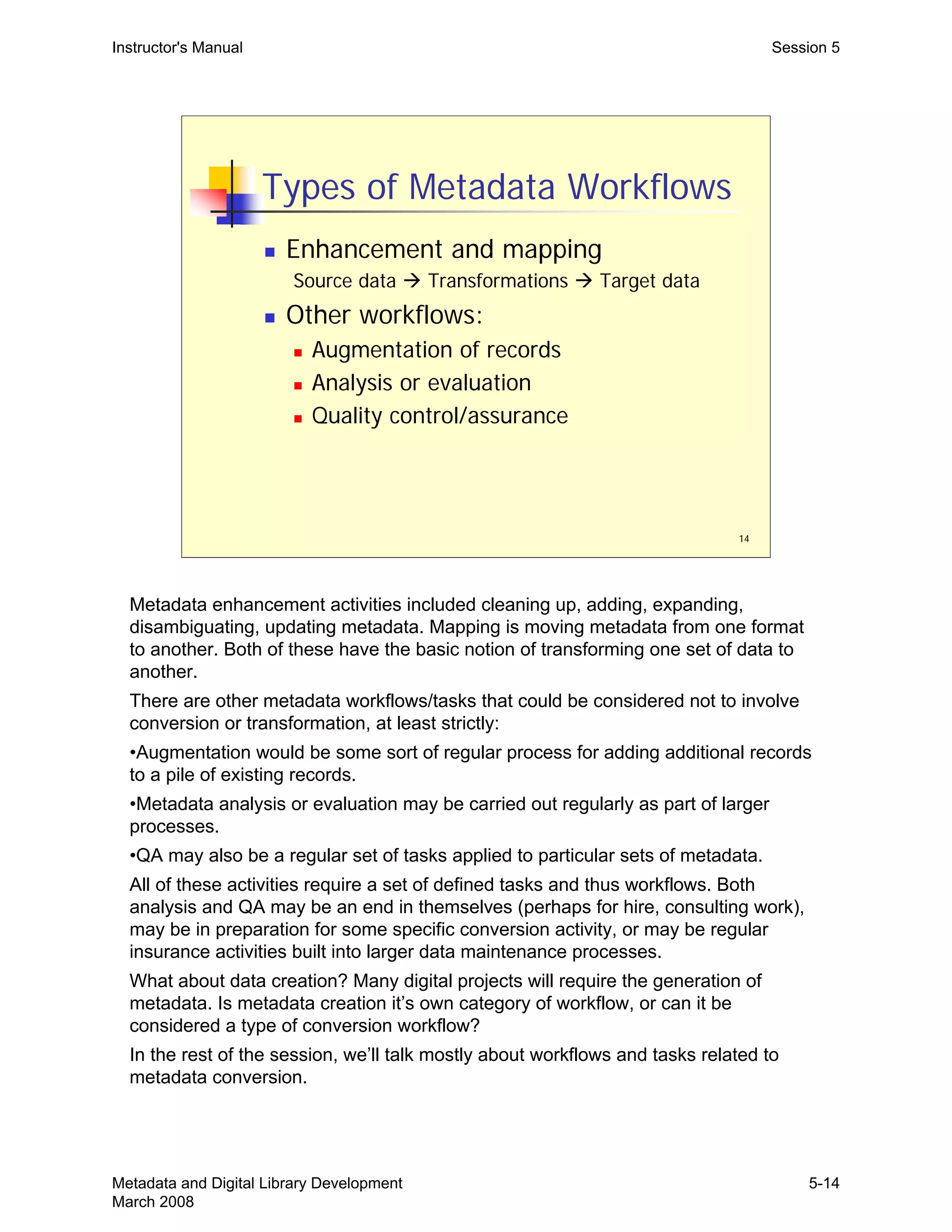
  • 238.
    Instructor's Manual Appendix1: Glossary particular community of users.” Arlene G. Taylor. The Organization of Information. 2nd edition. Englewood, Colo.: Libraries Unlimited, 2004. Digital library “…a library in which a significant proportion of the resources are available in machine-readable format (as opposed to print or microform), accessible by means of computers. The digital content may be locally held or accessed remotely via computer networks.” Digital library. (2006, August 8). In Wikipedia, The Free Encyclopedia. Retrieved 18:42, August 13, 2006, from http://en.wikipedia.org/w/index.php?title=Digital_library&oldid=68320437. Digital library See also: Association of Research Libraries definition, from 1995: http://www.arl.org/arl/proceedings/126/2-defn.html ILS (Integrated Library System), or LMS (Library Management System) Enterprise level software used in libraries to manage all aspects of information resources, both digital and physical. Assists in various functions, such as acquisitions, cataloging, circulation, and many others. Will typically include a public interface (OPAC). Interoperability “The ability of different types of computers, networks, operating systems, and applications to work together effectively, without prior communication, in order to exchange information in a useful and meaningful manner. There are three aspects of interoperability: semantic, structural and syntactical.” M. Woodley. DCMI glossary. 2004. Available at: http://dublincore.org/documents/usageguide/glossary.shtml Library Bibliographic System A very abstract term for the system (electronic or analog) in place within libraries to allow users to access materials. A conceptual system allowing users to access library materials. Manifestations of a library bibliographic system would be a card catalog, an OPAC, and Integrated Library System, etc. Metadata mapping See crosswalk. OAI (Open Archives Initiative) An initiative to provide and maintain a protocol (OAI-MHP) that allows for machine harvesting of metadata records. OPAC (Online Public Access Catalog) An electronic version of the library catalog. It has replaced the card catalog in most libraries, often providing much greater functionality and features. An OPAC is part of most modern Integrated Library Systems. Rational Unified Process A software design and development process emphasizing iterative development, requirements tied to end-user needs, component-based software design, and the management of expected transition and change (in users’ needs, technical environment, and supporting systems). Use case A method of articulating the precise requirements for a single, specific system feature. A use case will typically describe a scenario, which represents a single complete interaction between the system and some external “user.” The user may represent a class of users (general users, data entry staff, administrators, etc.), or another system (a statistics gathering system, a Metadata and Digital Library Development March 2008 A1-2
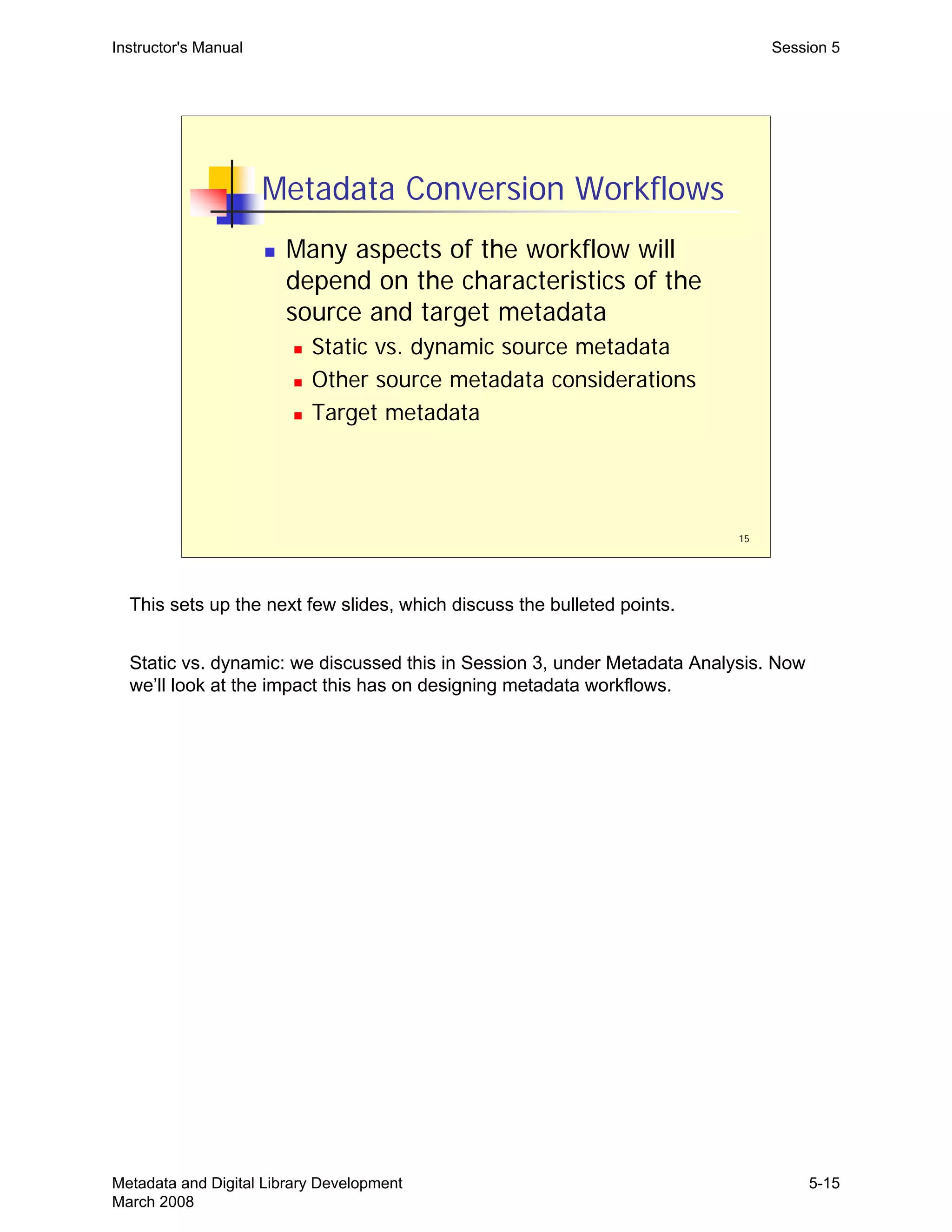
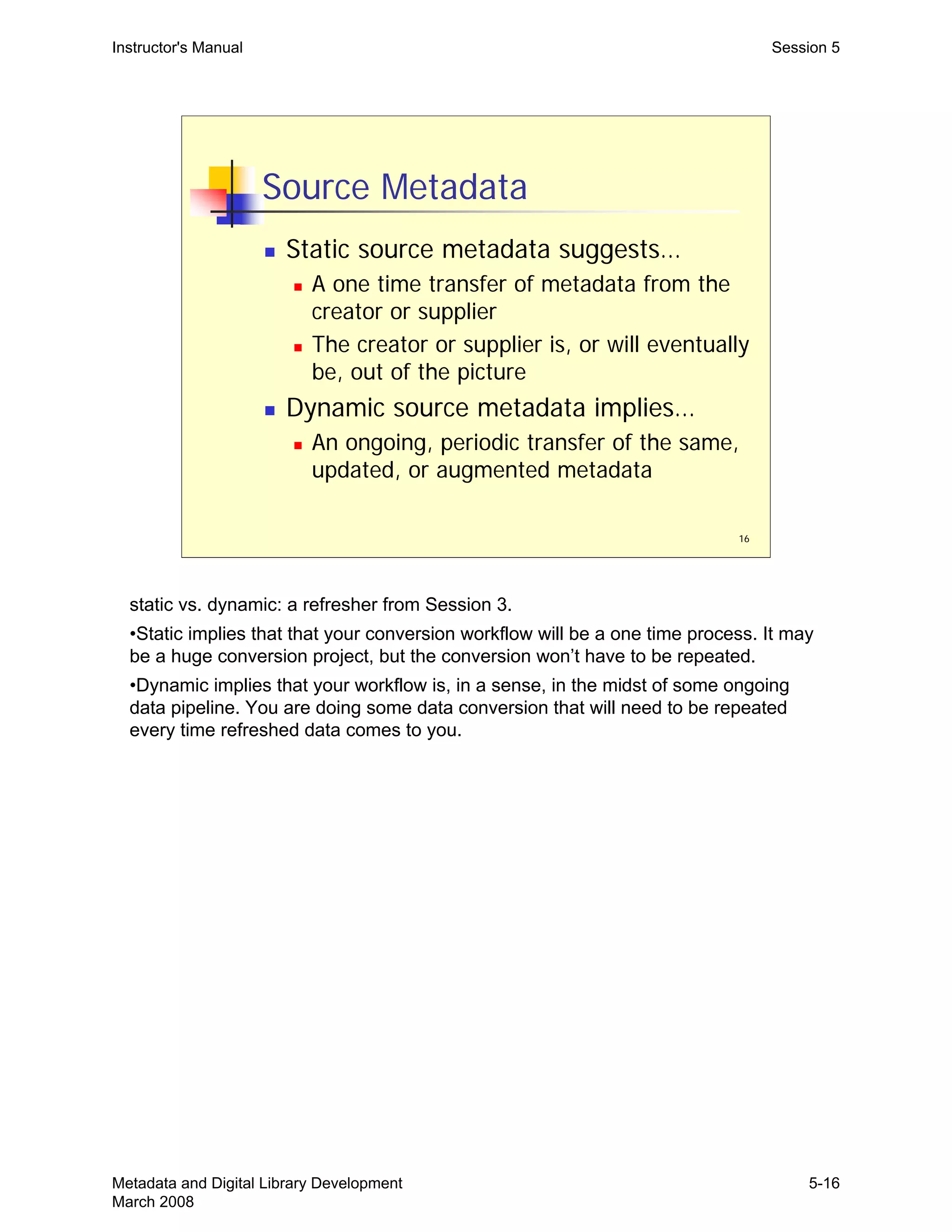
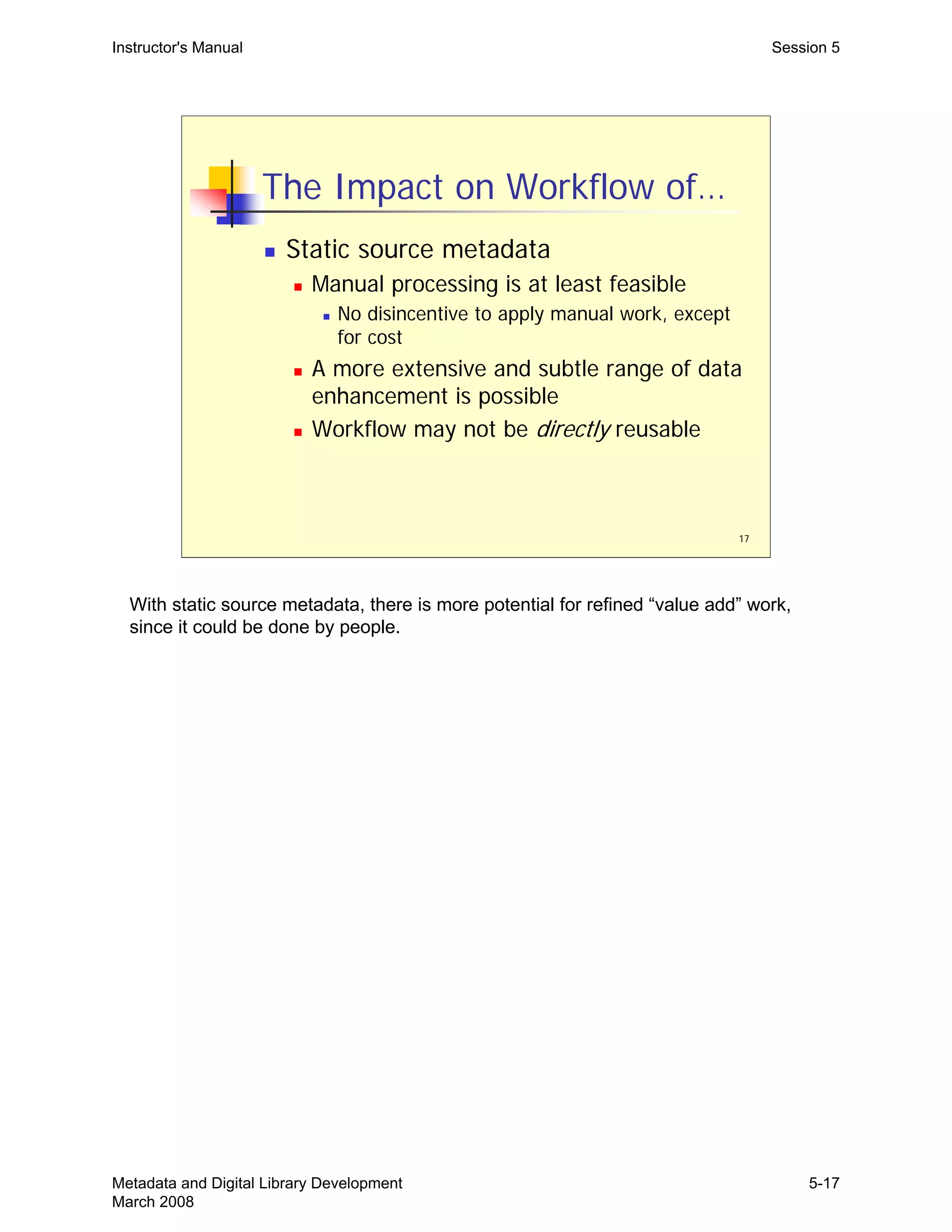
  • 239.
    Instructor's Manual Appendix1: Glossary backup system, an authentication system, etc.). Use cases do not explain how the requirements described are carried out or implemented. Taken together, all the use cases of a proposed system represent the functional requirements of that system. User centered design An approach to design, including software design, which emphasizes and privileges actual users and their behavior in the design process. The idea is that systems so designed will better meet the real needs of users, as opposed to asking users to adjust their behavior to a specific system. User centered design processes include extensive user behavior analysis in their requirements analysis phase, combined with substantial follow-up testing and assessment with real-world users. Metadata and Digital Library Development March 2008 A1-3
  • 240.
    THIS PAGE INTENTIONALLYLEFT BLANK FOR DOUBLE SIDED COPY
  • 241.
    Instructor's Manual Appendix2: Selected Bibliography Metadata and Digital Library Development Appendix II—Selected Bibliography Bibliographic Systems, Digital Libraries Arms, William. Digital Libraries. Cambridge, Mass.: MIT Press, 2000. Cutter, Charles A. Rules for a Printed Dictionary Catalogue. Washington: Govt. Prtg. Off., 1876. IFLA Study Group on the Functional Requirements for Bibliographic Records. Functional Requirements for Bibliographic Records: Final report. 1998. Available at: http://www.ifla.org/VII/s13/frbr/frbr.pdf Svenonius, Elaine. The Intellectual Foundation of Information Organization. Cambridge, Mass.: MIT Press, 2000. Taylor, Arlene G. The Organization of Information. 2nd edition. Englewood, Colo.: Libraries Unlimited, 2004. Functional Requirements Cockburn, Alistair. Writing Effective Use Cases. Addison-Wesley, 2001. Kruchten, Philippe. The Rational Unified Process: An Introduction. 3rd ed. Boston: Addison- Wesley, 2003. Manifesto for Agile Software Development. Available at: http://www.agilemanifesto.org Norman, Donald A. The Design of Everyday Things. New York: Basic Books, 2002. Previously published as: The Psychology of Everyday Things, 1988. Schneider, Geri and Jason P. Winters. Applying User Cases: A Practical Guide. Addison- Wesley, 1998. Metadata Formats: CDWA Lite (Categories for the Description of Works of Art) http://www.getty.edu/research/conducting_research/standards/cdwa/cdwalite.html Dublin Core Metadata Initiative http://dublincore.org Metadata and Digital Library Development March 2008 A2-1
  • 242.
    Instructor's Manual Appendix2: Selected Bibliography EAD (Encoded Archival Description) http://www.loc.gov/ead See also: RLG Best Practice Guidelines for Encoded Archival Description http://www.rlg.org/en/page.php?Page_ID=450 MARC http://www.loc.gov/marc METS (Metadata Encoding and Transmission Standard) http://www.loc.gov/standards/mets MODS (Metadata Object Description Schema) http://www.loc.gov/standards/mods VRA Core (Visual Resources Association) VRA Core Categories,Version 3.0 http://www.vraweb.org/vracore3.htm Metadata Conversion/Enhancement: Best Practices for OAI Data Provider Implementations and Shareable Metadata. A joint initiative between the Digital Library Federation and the National Science Digital Library. Available at: http://oai-best.comm.nsdl.org/cgi-bin/wiki.pl?TableOfContents Bruce, Thomas R, and Diane Hillmann, Diane. “The Continuum of Metadata Quality: Defining, Expressing, Exploiting.” In Diane I. Hillmann and Elaine L. Westbrooks, eds. Metadata in Practice. Chicago: American Library Association, 2004. National Science Digital Library. NSDL Metadata Primer. Available at: http://metamanagement.comm.nsdlib.org/outline.html NISO Framework Advisory Group. A Framework of Guidance for Building Good Digital Collections. 2nd edition. Bethesda, MD: National Information Standards Organization, 2004. Available from: http://www.niso.org/framework/framework2.html Shreeves, Sarah L., Jenn Riley, and Liz Milewicz. “Moving towards shareable metadata.” First Monday, volume 11, number 8 (August 2006). Available at: http://firstmonday.org/issues/issue11_8/shreeves/index.html Tennant, Roy. “Bitter harvest: Problems and suggested solutions for OAI–PMH data and service providers.” Available at: http://www.cdlib.org/inside/projects/harvesting/bitter_harvest.html Metadata and Digital Library Development March 2008 A2-2
  • 243.
    Instructor's Manual Appendix2: Selected Bibliography Metadata Mapping: Caplan, P. Metadata fundamentals for all librarians. Chicago: American Library Association, 2003. Day, Michael. “Metadata: Mapping between metadata formats.” Available at: http://www.ukoln.ac.uk/metadata/interoperability Godby, Carol Jean, Jeffrey A. Young, and Eric Childress. “A Repository of Metadata Crosswalks.” D-Lib Magazine, Volume 10, Number 12 (December 2004). Available at: http://www.dlib.org/dlib/december04/godby/12godby.html St. Pierre, M., & LaPlant, W. P., Jr. (1998). “Issues in crosswalking content metadata standards.” NISO White Paper. Bethesda, MD: NISO Press. Available at: http://www.niso.org/press/whitepapers/crsswalk.html Woodley, Mary S. “Crosswalks: The Path to Universal Access?” In: Introduction to Metadata: Pathways to Digital Information. Ed. M. Baca. Online Edition, Version 2.1. Los Angeles, Calif.: Getty Information Institute, 2000. Available at: http://www.getty.edu/research/conducting_research/standards/intrometadata/path.html See also: http://www.loc.gov/marc/marcdocz.html http://libraries.mit.edu/guides/subjects/metadata/mappings.html http://staffweb.library.northwestern.edu/dl/metadata/standardsinventory Metadata and Digital Library Development March 2008 A2-3
  • 244.
    THIS PAGE INTENTIONALLYLEFT BLANK FOR DOUBLE SIDED COPY
  • 245.
    __________________________ __________________________ __________________________ __________________________ __________________________ __________________________ __________________________ __________________________ __________________________ __________________________ __________________________ __________________________ _________________________ Evaluation Form Metadata andDigital Library Development Your evaluation of this workshop is very important to the future development of this course and other similar courses. Your honest, candid answers to the following questions will assist us in providing quality programs. Please rate the following aspects of today's workshop by checking the box that best reflects your evaluation: 1. The overall content of the workshop: a. was extremely valuable b. provided enough detail c. was current & relevant d. was cohesive & logical e. was appropriate to my needs f. met its stated objectives 2. Presenter: a. was knowledgeable b. had good presentation skills c. encouraged participation d. addressed my level of understanding e. answered questions directly f. was prepared g. understood the audience dynamics 3. Presenter: a. was knowledgeable b. had good presentation skills c. encouraged participation d. addressed my level of understanding e. answered questions directly f. was prepared g. understood the audience dynamics 4. The handouts: a. are excellent b. followed course content c. are valuable for future reference 5 4 3 2 1___ ___ ___ ___ ___ ___ ___ ______ ______ ______ ______ ______ ____________ ______ ______ ______ ______ ______ ______ ______ ______ ______ ______ ______ ______ ______ ______ ______ ______ ______ 5 4 3 2 1____ __________________________ 5 4 3 2 1____ __________________________ 5 4 3 2 1__ ___ ________ ___________ ______ ______ ___________ _____ was of little value was too general was outdated was fragmented/difficult to follow was not at all appropriate did not meet objectives was unsure of the material had poor presentation skills discouraged participation did not consider my level did not answer questions was not prepared ignored audience dynamics was unsure of the material had poor presentation skills discouraged participation did not consider my level did not answer questions was not prepared ignored audience dynamics are poor are disjointed/out of sequence are of no value
  • 246.
    __________________________ __________________________ __________________________ __________________________ __________________________ __________________________ 5. The PowerPointslides: a. were clear and easy to read b. were well organized c. illustrated concepts clearly d. covered an appropriate amount of information e. were visually effective f. were enhanced by and supported the presenter’s remarks 5 4 3 2 1____ were hard to read were poorly organized were confusing contained too much or not enough information were not effective were poorly related to the presenter’s remarks Please give the following information about yourself: 6. Your level of knowledge in the subject of this workshop before today: expert 5 4 3 2 1 novice 7. Your level of experience in the subject of this workshop before today: very experienced 5 4 3 2 1 beginner 8. Other comments: Comments on specific sessions: THANK YOU!